change wheel BMW M6 CONVERTIBLE 2012 User Guide
[x] Cancel search | Manufacturer: BMW, Model Year: 2012, Model line: M6 CONVERTIBLE, Model: BMW M6 CONVERTIBLE 2012Pages: 297, PDF Size: 12.09 MB
Page 85 of 297
Activating a list and adjusting the
setting
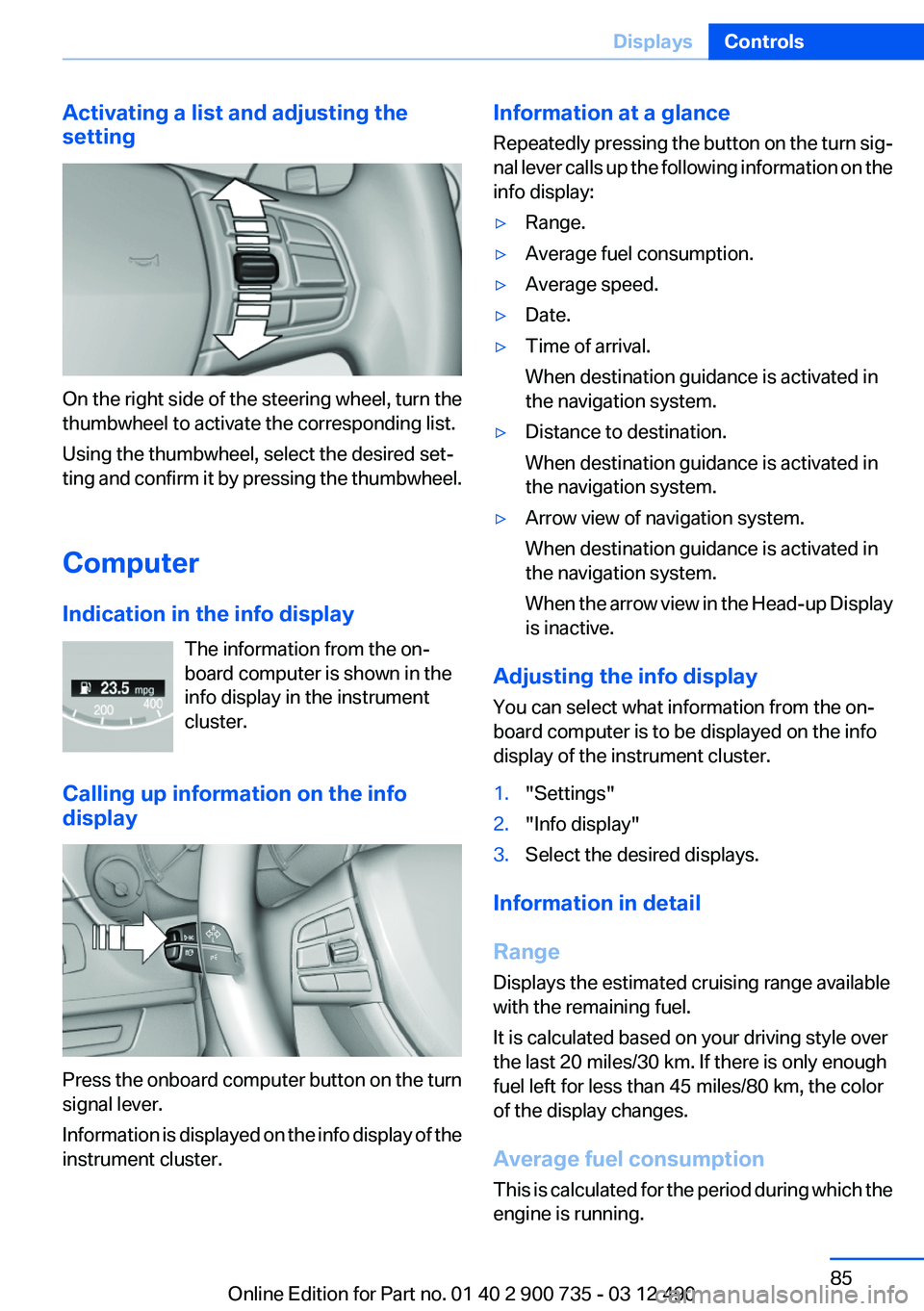
On the right side of the steering wheel, turn the
thumbwheel to activate the corresponding list.
Using the thumbwheel, select the desired set‐
ting and confirm it by pressing the thumbwheel.
Computer
Indication in the info display The information from the on‐
board computer is shown in the
info display in the instrument
cluster.
Calling up information on the info
display
Press the onboard computer button on the turn
signal lever.
Information is displayed on the info display of the
instrument cluster.
Information at a glance
Repeatedly pressing the button on the turn sig‐
nal lever calls up the following information on the
info display:▷Range.▷Average fuel consumption.▷Average speed.▷Date.▷Time of arrival.
When destination guidance is activated in
the navigation system.▷Distance to destination.
When destination guidance is activated in
the navigation system.▷Arrow view of navigation system.
When destination guidance is activated in
the navigation system.
When the arrow view in the Head-up Display
is inactive.
Adjusting the info display
You can select what information from the on‐
board computer is to be displayed on the info
display of the instrument cluster.
1."Settings"2."Info display"3.Select the desired displays.
Information in detail
Range
Displays the estimated cruising range available
with the remaining fuel.
It is calculated based on your driving style over
the last 20 miles/30 km. If there is only enough
fuel left for less than 45 miles/80 km, the color
of the display changes.
Average fuel consumption
This is calculated for the period during which the
engine is running.
Seite 85DisplaysControls85
Online Edition for Part no. 01 40 2 900 735 - 03 12 490
Page 99 of 297
In the event of malfunctions, deactivation
or after deployment
Only have the airbags checked, repaired or dis‐
mantled and the system scrapped by your serv‐
ice center. Non-professional attempts to service
the system could lead to failure in an emergency
or undesired triggering of the airbag, either of
which could result in injury.◀
Malfunction A Check Control message is displayed
when there is a malfunction.
Tire Pressure Monitor TPM
The concept
The tire inflation pressure is measured in the
four mounted tires. The system notifies you if
there is a significant loss of pressure in one or
more tires.
Functional requirements
The system must have been reset when the in‐
flation pressure was correct; otherwise, reliable
signaling of a flat tire is not ensured. Always use
wheels with TPM electronics to ensure that the
system will operate properly. Reset the system
after each correction of the tire inflation pres‐
sure and after every tire or wheel change.
System limits Sudden tire damage
Sudden serious tire damage caused by
external influences cannot be indicated in ad‐
vance.◀
The system does not operate correctly if it has
not been reset. For example, a flat tire may be
indicated despite correct tire inflation pres‐
sures.
The system is inactive and cannot indicate a flat
tire:▷For a mounted wheel without TPM electron‐
ics.▷When the TPM is disturbed by other sys‐
tems or devices with the same radio fre‐
quency.
Status display
The current status of the Tire Pressure Monitor
TPM can be displayed on the Control Display,
e.g., whether or not the TPM is active.
1."Vehicle Info"2."Vehicle status"3. "Tire Pressure Monitor - TPM"
The status is displayed.
Status display
The tire and system status is indicated by the
color of the tires.
A change in the tire inflation pressure during
driving is taken into account.
A correction is only necessary if this is indicated
by the TPM
Wheels, green
The tire inflation pressure is equal to the target
state.
One wheel is yellow
A flat tire or major drop in inflation pressure in
the indicated tire.
All wheels are yellow
▷A flat tire or major drop in inflation pressure
in several tires.▷The system was not reset after a wheel
change and thus warns based on the infla‐
tion pressures initialized last.▷A flat tire in one or more tires while the sys‐
tem is being reset.Seite 99SafetyControls99
Online Edition for Part no. 01 40 2 900 735 - 03 12 490
Page 100 of 297
Wheels, gray
The system cannot detect a flat tire. Reasons for
this may be:▷TPM is being reset.▷Disturbance by systems or devices with the
same radio frequency.▷Malfunction.
For Canadian models: additional
information
The status display additionally shows the cur‐
rent tire inflation pressures and tire tempera‐
tures.
When correcting the tire inflation pressures,
note the following:
The tire pressure increases as the tire temper‐
ature increases.
Therefore, only correct the tire inflation pres‐
sure when the tire is at the ambient temperature.
Compare the displayed tire temperature with
the external temperature in the instrument clus‐
ter.
Resetting the system
Reset the system after each correction of the
tire inflation pressure and after every tire or
wheel change.
1."Vehicle Info"2."Vehicle status"3. "Reset"4.Start the engine - do not drive away.5.Reset the tire pressure using "Reset".6.Drive away.
The tires are shown in gray and "Resetting
TPM..." is displayed.
After driving for a few minutes, the set tire infla‐
tion pressures are applied as set values. The re‐
setting process is completed automatically dur‐
ing driving. The tires are shown in green and
"TPM active" is shown on the Control Display.
The trip can be interrupted at any time. If you
drive away again, the process resumes auto‐
matically.
If a flat tire is detected during a reset, all tires are
displayed in yellow.
Low tire pressure message The yellow warning lamp lights up. A
Check Control message is displayed.▷There is a flat tire or a major loss in
tire inflation pressure.▷The system was not reset after a wheel
change and thus warns based on the infla‐
tion pressures initialized last.1.Reduce your speed and stop cautiously.
Avoid sudden braking and steering maneu‐
vers.2.Identify the damaged wheel. Do so by
checking the tire inflation pressure using the
Mobility System. Correcting the tire inflation
pressure, refer to page 249.3.Repair flat tire with the Mobility System, re‐
fer to page 246, or replace the damaged
wheel.
Message when the system was not
reset
A Check Control message is displayed.
The system detected a wheel change but was
not reset.
Warnings regarding the current tire inflation
pressure are not reliable.
Check the tire inflation pressure and reset the
system.
Malfunction The yellow warning lamp flashes and
then lights up continuously. A Check
Control message is displayed. No flat
tire can be detected.
Display in the following situations:
Seite 100ControlsSafety100
Online Edition for Part no. 01 40 2 900 735 - 03 12 490
Page 101 of 297
▷A wheel without TPM electronics is fitted:
have the service center check it if necessary.▷Malfunction: have the system checked by
your service center.▷TPM could not be fully reset. Reset the sys‐
tem again.▷Disturbance by systems or devices with the
same radio frequency: after leaving the area
of the disturbance, the system automatically
becomes active again.
Declaration according to NHTSA/
FMVSS 138 Tire Pressure Monitoring
System
Each tire, including the spare (if provided)
should be checked monthly when cold and in‐
flated to the inflation pressure recommended by
the vehicle manufacturer on the vehicle placard
or tire inflation pressure label. (If your vehicle has
tires of a different size than the size indicated on
the vehicle placard or tire inflation pressure la‐
bel, you should determine the proper tire infla‐
tion pressure for those tires.) As an added safety
feature, your vehicle has been equipped with a
tire pressure monitoring system (TPMS) that il‐
luminates a low tire pressure telltale when one
or more of your tires is significantly under-in‐
flated. Accordingly, when the low tire pressure
telltale illuminates, you should stop and check
your tires as soon as possible, and inflate them
to the proper pressure. Driving on a significantly
under-inflated tire causes the tire to overheat
and can lead to tire failure. Under-inflation also
reduces fuel efficiency and tire tread life, and
may affect the vehicle's handling and stopping
ability. Please note that the TPMS is not a sub‐
stitute for proper tire maintenance, and it is the
driver's responsibility to maintain correct tire
pressure, even if under-inflation has not reached
the level to trigger illumination of the TPMS low
tire pressure telltale. Your vehicle has also been
equipped with a TPMS malfunction indicator to
indicate when the system is not operating prop‐
erly. The TPMS malfunction indicator is com‐
bined with the low tire pressure telltale. When
the system detects a malfunction, the telltale will
flash for approximately one minute and then re‐
main continuously illuminated. This sequence
will continue upon subsequent vehicle start-ups
as long as the malfunction exists. When the mal‐
function indicator is illuminated, the system may
not be able to detect or signal low tire pressure
as intended. TPMS malfunctions may occur for
a variety of reasons, including the installation of
replacement or alternate tires or wheels on the
vehicle that prevent the TPMS from functioning
properly. Always check the TPMS malfunction
telltale after replacing one or more tires or
wheels on your vehicle to ensure that the re‐
placement or alternate tires and wheels allow
the TPMS to continue to function properly.
FTM Flat Tire Monitor
The concept
The system does not measure the actual infla‐
tion pressure in the tires.
It detects a pressure loss in a tire by comparing
the rotational speeds of the individual wheels
while moving.
In the event of a pressure loss, the diameter and
therefore the rotational speed of the corre‐
sponding wheel change. This is detected and
reported as a flat tire.
Functional requirements
The system must have been initialized when the
tire inflation pressure was correct; otherwise,
reliable signaling of a flat tire is not ensured. In‐
itialize the system after each correction of the
tire inflation pressure and after every tire or
wheel change.
System limits Sudden tire damage
Sudden serious tire damage caused by
external influences cannot be indicated in ad‐
vance.◀Seite 101SafetyControls101
Online Edition for Part no. 01 40 2 900 735 - 03 12 490
Page 104 of 297
Keep windshield clean and clear in the area in
front of the interior rear view mirror.
Active Blind Spot Detection
The concept
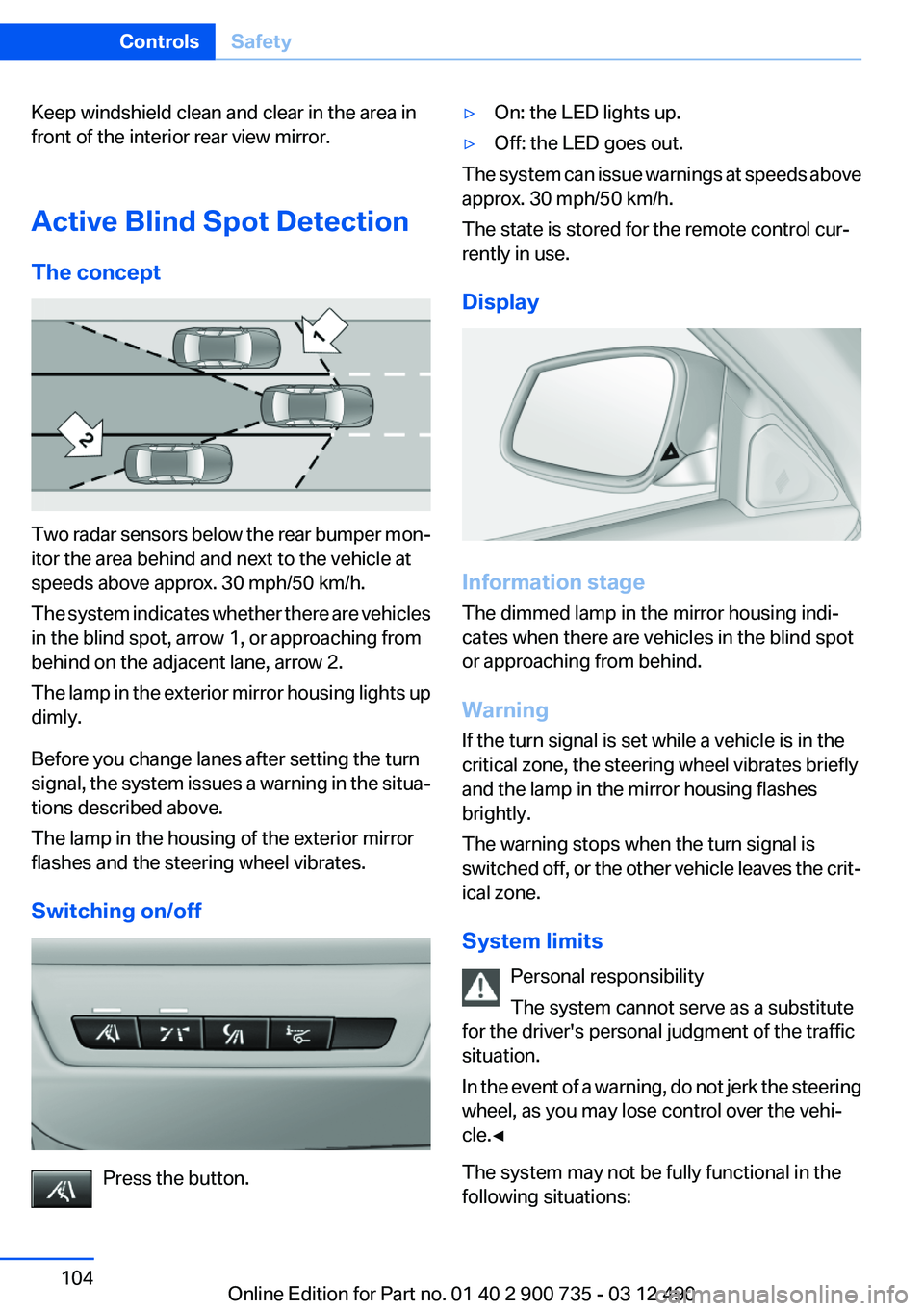
Two radar sensors below the rear bumper mon‐
itor the area behind and next to the vehicle at
speeds above approx. 30 mph/50 km/h.
The system indicates whether there are vehicles
in the blind spot, arrow 1, or approaching from
behind on the adjacent lane, arrow 2.
The lamp in the exterior mirror housing lights up
dimly.
Before you change lanes after setting the turn
signal, the system issues a warning in the situa‐
tions described above.
The lamp in the housing of the exterior mirror
flashes and the steering wheel vibrates.
Switching on/off
Press the button.
▷On: the LED lights up.▷Off: the LED goes out.
The system can issue warnings at speeds above
approx. 30 mph/50 km/h.
The state is stored for the remote control cur‐
rently in use.
Display
Information stage
The dimmed lamp in the mirror housing indi‐
cates when there are vehicles in the blind spot
or approaching from behind.
Warning
If the turn signal is set while a vehicle is in the
critical zone, the steering wheel vibrates briefly
and the lamp in the mirror housing flashes
brightly.
The warning stops when the turn signal is
switched off, or the other vehicle leaves the crit‐
ical zone.
System limits Personal responsibility
The system cannot serve as a substitute
for the driver's personal judgment of the traffic
situation.
In the event of a warning, do not jerk the steering
wheel, as you may lose control over the vehi‐
cle.◀
The system may not be fully functional in the
following situations:
Seite 104ControlsSafety104
Online Edition for Part no. 01 40 2 900 735 - 03 12 490
Page 110 of 297
Driving comfortVehicle equipment
All standard, country-specific and optional
equipment that is offered in the model series is
described in this chapter. Therefore, equipment
is also described that is not available in a vehicle,
e. g., because of the selected optional equip‐
ment or country variant. This also applies for
safety-related functions and systems.
Cruise control
The concept
The system is functional at speeds beginning at
approx. 20 mph/30 km/h.
It maintains the speed that was set using the
control elements on the steering wheel.
The system brakes on downhill gradients if en‐
gine braking action is insufficient.
Unfavorable conditions
Do not use the system if unfavorable con‐
ditions make it impossible to drive at a constant
speed, for instance:▷On curvy roads.▷In heavy traffic.▷On slippery roads, in fog, snow or rain, or on
a loose road surface.
Otherwise, you could lose control of the vehicle
and cause an accident.◀
Controls
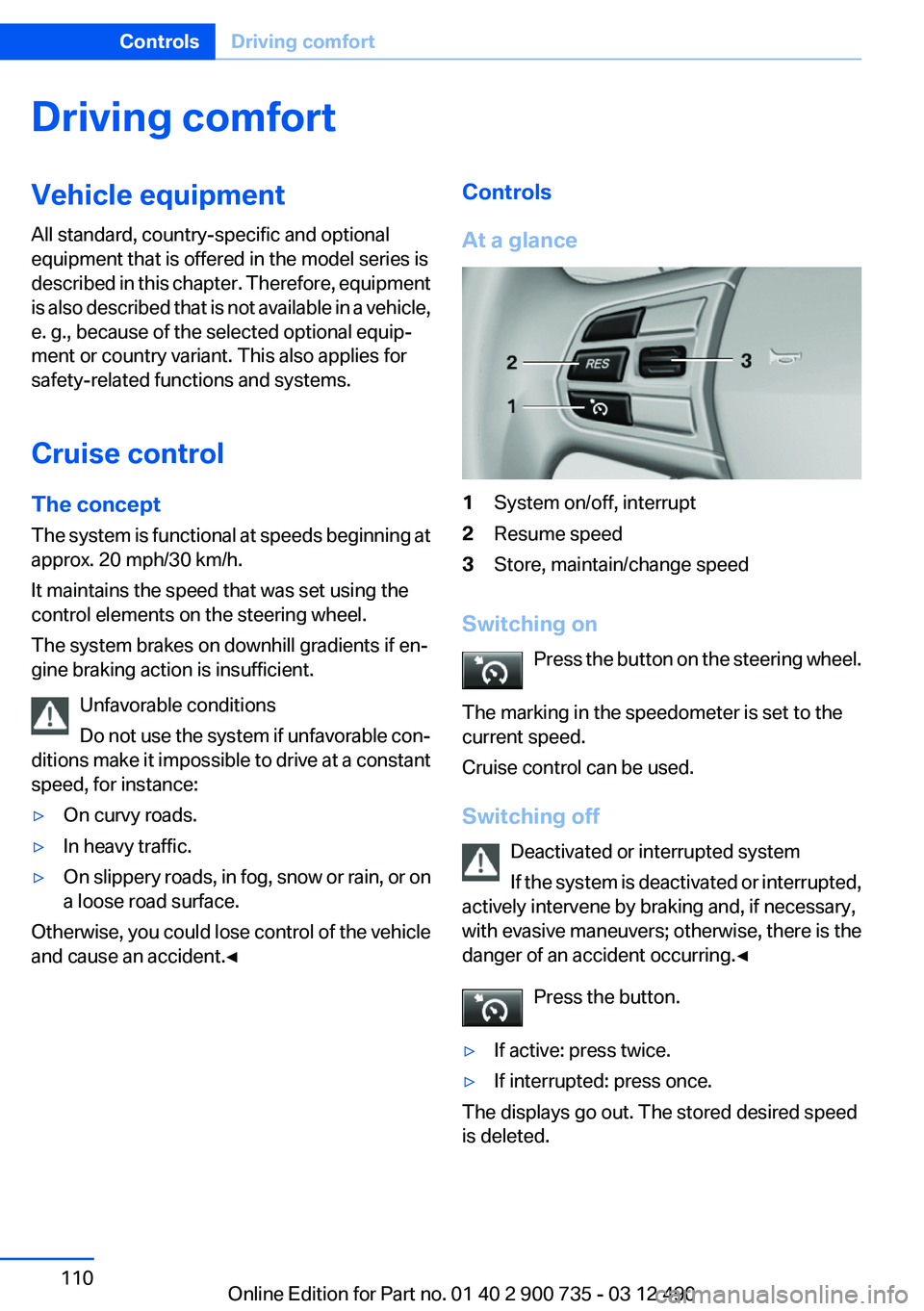
At a glance1System on/off, interrupt2Resume speed3Store, maintain/change speed
Switching on Press the button on the steering wheel.
The marking in the speedometer is set to the
current speed.
Cruise control can be used.
Switching off Deactivated or interrupted system
If the system is deactivated or interrupted,
actively intervene by braking and, if necessary,
with evasive maneuvers; otherwise, there is the
danger of an accident occurring.◀
Press the button.
▷If active: press twice.▷If interrupted: press once.
The displays go out. The stored desired speed
is deleted.
Seite 110ControlsDriving comfort110
Online Edition for Part no. 01 40 2 900 735 - 03 12 490
Page 213 of 297
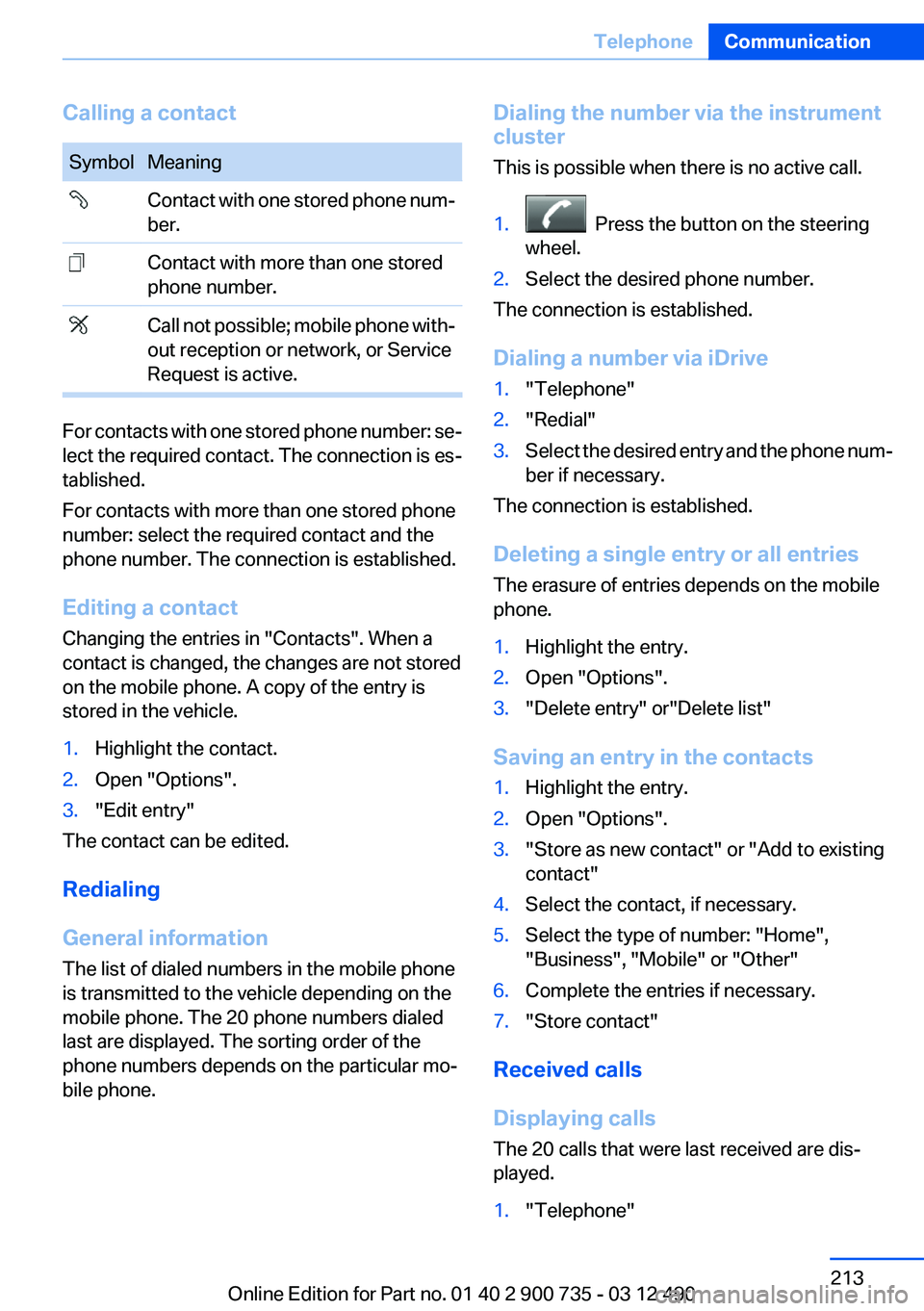
Calling a contactSymbolMeaning Contact with one stored phone num‐
ber. Contact with more than one stored
phone number. Call not possible; mobile phone with‐
out reception or network, or Service
Request is active.
For contacts with one stored phone number: se‐
lect the required contact. The connection is es‐
tablished.
For contacts with more than one stored phone
number: select the required contact and the
phone number. The connection is established.
Editing a contact
Changing the entries in "Contacts". When a
contact is changed, the changes are not stored
on the mobile phone. A copy of the entry is
stored in the vehicle.
1.Highlight the contact.2.Open "Options".3."Edit entry"
The contact can be edited.
Redialing
General information
The list of dialed numbers in the mobile phone
is transmitted to the vehicle depending on the
mobile phone. The 20 phone numbers dialed
last are displayed. The sorting order of the
phone numbers depends on the particular mo‐
bile phone.
Dialing the number via the instrument
cluster
This is possible when there is no active call.1. Press the button on the steering
wheel.2.Select the desired phone number.
The connection is established.
Dialing a number via iDrive
1."Telephone"2."Redial"3.Select the desired entry and the phone num‐
ber if necessary.
The connection is established.
Deleting a single entry or all entries
The erasure of entries depends on the mobile
phone.
1.Highlight the entry.2.Open "Options".3."Delete entry" or"Delete list"
Saving an entry in the contacts
1.Highlight the entry.2.Open "Options".3."Store as new contact" or "Add to existing
contact"4.Select the contact, if necessary.5.Select the type of number: "Home",
"Business", "Mobile" or "Other"6.Complete the entries if necessary.7."Store contact"
Received calls
Displaying calls
The 20 calls that were last received are dis‐
played.
1."Telephone"Seite 213TelephoneCommunication213
Online Edition for Part no. 01 40 2 900 735 - 03 12 490
Page 260 of 297
Inside brake lamp
Follow the general instructions on lamps and
bulbs, refer to page 257.
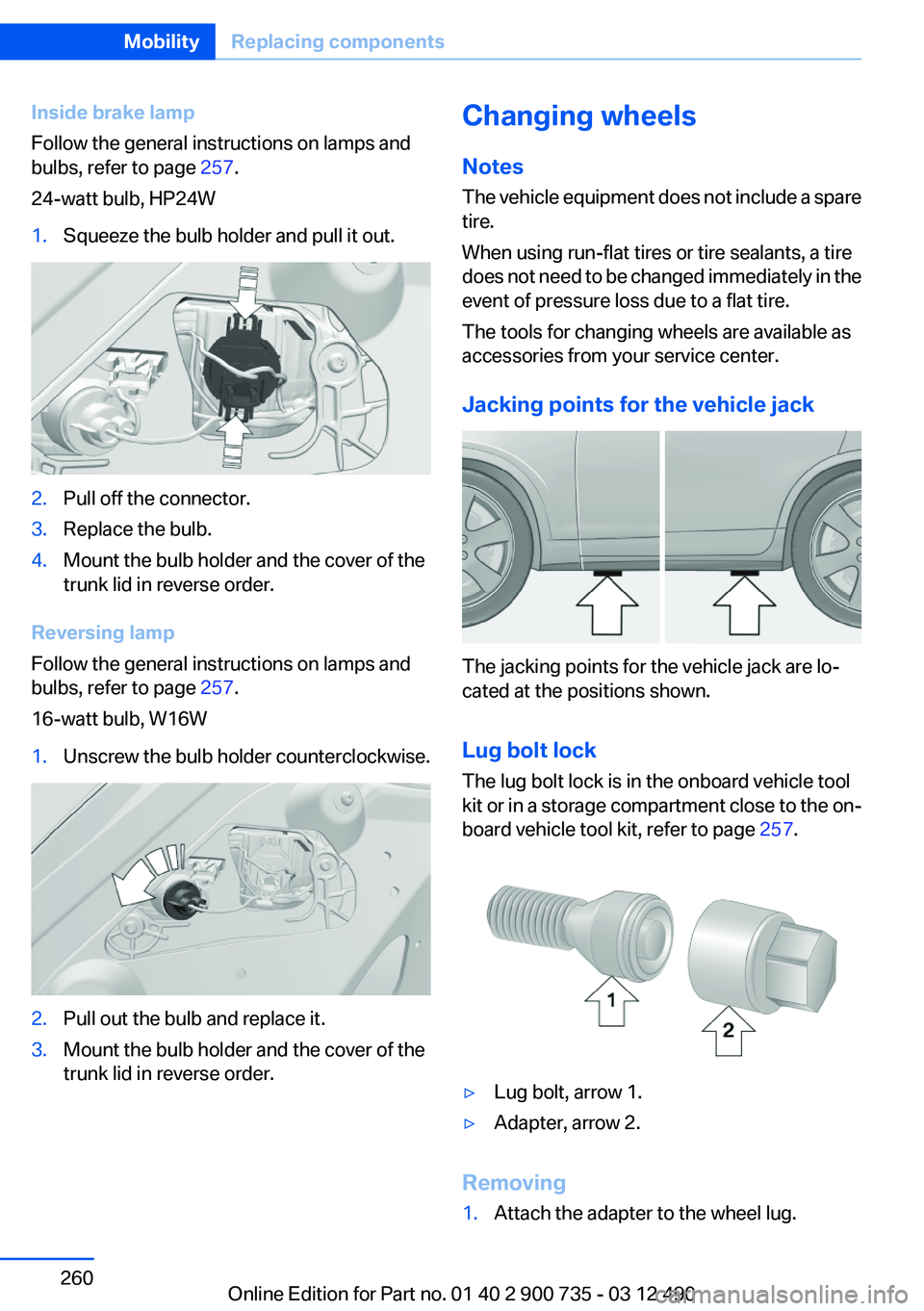
24-watt bulb, HP24W1.Squeeze the bulb holder and pull it out.2.Pull off the connector.3.Replace the bulb.4.Mount the bulb holder and the cover of the
trunk lid in reverse order.
Reversing lamp
Follow the general instructions on lamps and
bulbs, refer to page 257.
16-watt bulb, W16W
1.Unscrew the bulb holder counterclockwise.2.Pull out the bulb and replace it.3.Mount the bulb holder and the cover of the
trunk lid in reverse order.Changing wheels
Notes
The vehicle equipment does not include a spare
tire.
When using run-flat tires or tire sealants, a tire
does not need to be changed immediately in the
event of pressure loss due to a flat tire.
The tools for changing wheels are available as
accessories from your service center.
Jacking points for the vehicle jack
The jacking points for the vehicle jack are lo‐
cated at the positions shown.
Lug bolt lock
The lug bolt lock is in the onboard vehicle tool
kit or in a storage compartment close to the on‐
board vehicle tool kit, refer to page 257.
▷Lug bolt, arrow 1.▷Adapter, arrow 2.
Removing
1.Attach the adapter to the wheel lug.Seite 260MobilityReplacing components260
Online Edition for Part no. 01 40 2 900 735 - 03 12 490
Page 287 of 297
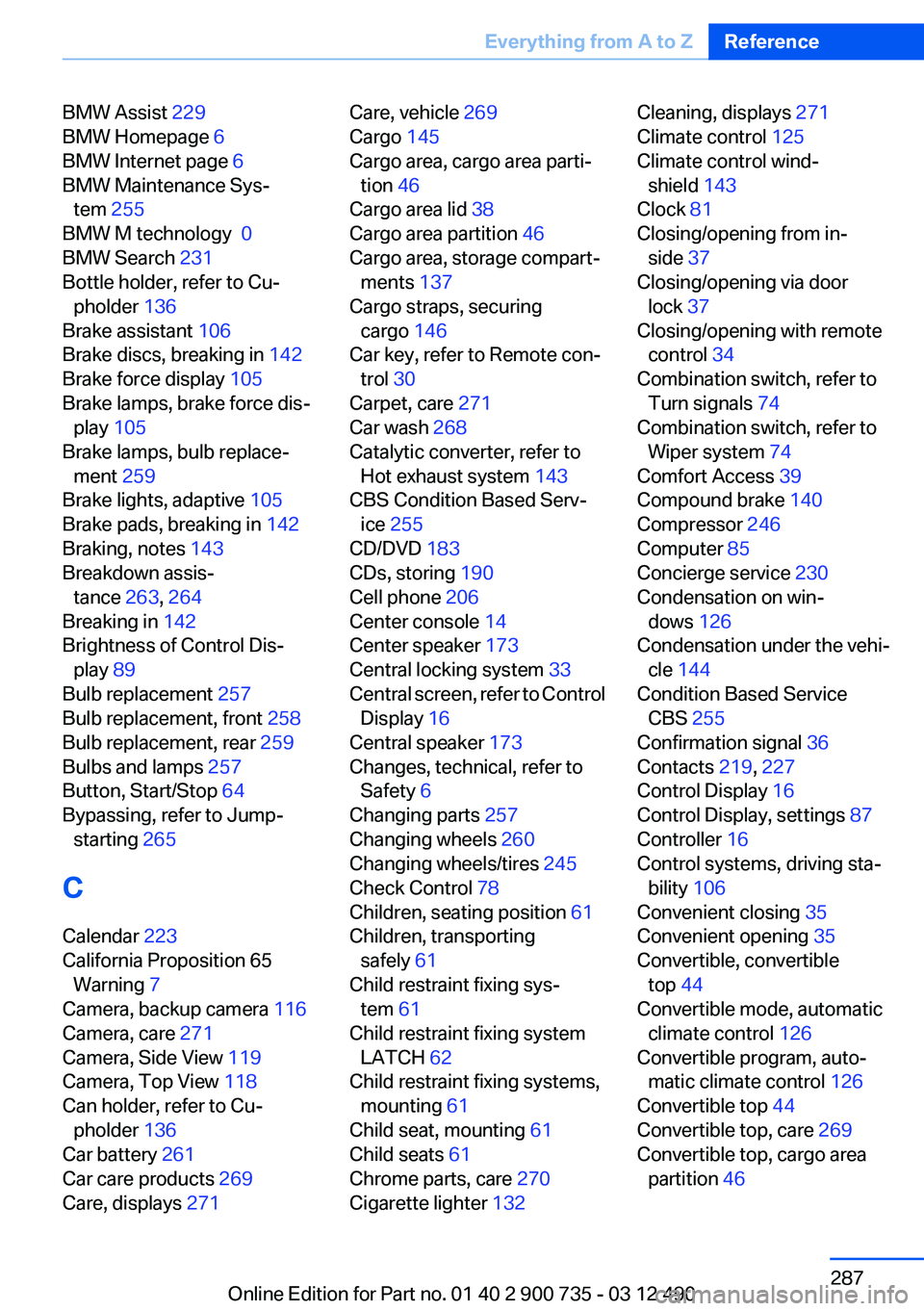
BMW Assist 229
BMW Homepage 6
BMW Internet page 6
BMW Maintenance Sys‐ tem 255
BMW M technology 0
BMW Search 231
Bottle holder, refer to Cu‐ pholder 136
Brake assistant 106
Brake discs, breaking in 142
Brake force display 105
Brake lamps, brake force dis‐ play 105
Brake lamps, bulb replace‐ ment 259
Brake lights, adaptive 105
Brake pads, breaking in 142
Braking, notes 143
Breakdown assis‐ tance 263, 264
Breaking in 142
Brightness of Control Dis‐ play 89
Bulb replacement 257
Bulb replacement, front 258
Bulb replacement, rear 259
Bulbs and lamps 257
Button, Start/Stop 64
Bypassing, refer to Jump- starting 265
C
Calendar 223
California Proposition 65 Warning 7
Camera, backup camera 116
Camera, care 271
Camera, Side View 119
Camera, Top View 118
Can holder, refer to Cu‐ pholder 136
Car battery 261
Car care products 269
Care, displays 271 Care, vehicle 269
Cargo 145
Cargo area, cargo area parti‐ tion 46
Cargo area lid 38
Cargo area partition 46
Cargo area, storage compart‐ ments 137
Cargo straps, securing cargo 146
Car key, refer to Remote con‐ trol 30
Carpet, care 271
Car wash 268
Catalytic converter, refer to Hot exhaust system 143
CBS Condition Based Serv‐ ice 255
CD/DVD 183
CDs, storing 190
Cell phone 206
Center console 14
Center speaker 173
Central locking system 33
Central screen, refer to Control Display 16
Central speaker 173
Changes, technical, refer to Safety 6
Changing parts 257
Changing wheels 260
Changing wheels/tires 245
Check Control 78
Children, seating position 61
Children, transporting safely 61
Child restraint fixing sys‐ tem 61
Child restraint fixing system LATCH 62
Child restraint fixing systems, mounting 61
Child seat, mounting 61
Child seats 61
Chrome parts, care 270
Cigarette lighter 132 Cleaning, displays 271
Climate control 125
Climate control wind‐ shield 143
Clock 81
Closing/opening from in‐ side 37
Closing/opening via door lock 37
Closing/opening with remote control 34
Combination switch, refer to Turn signals 74
Combination switch, refer to Wiper system 74
Comfort Access 39
Compound brake 140
Compressor 246
Computer 85
Concierge service 230
Condensation on win‐ dows 126
Condensation under the vehi‐ cle 144
Condition Based Service CBS 255
Confirmation signal 36
Contacts 219, 227
Control Display 16
Control Display, settings 87
Controller 16
Control systems, driving sta‐ bility 106
Convenient closing 35
Convenient opening 35
Convertible, convertible top 44
Convertible mode, automatic climate control 126
Convertible program, auto‐ matic climate control 126
Convertible top 44
Convertible top, care 269
Convertible top, cargo area partition 46 Seite 287Everything from A to ZReference287
Online Edition for Part no. 01 40 2 900 735 - 03 12 490
Page 289 of 297
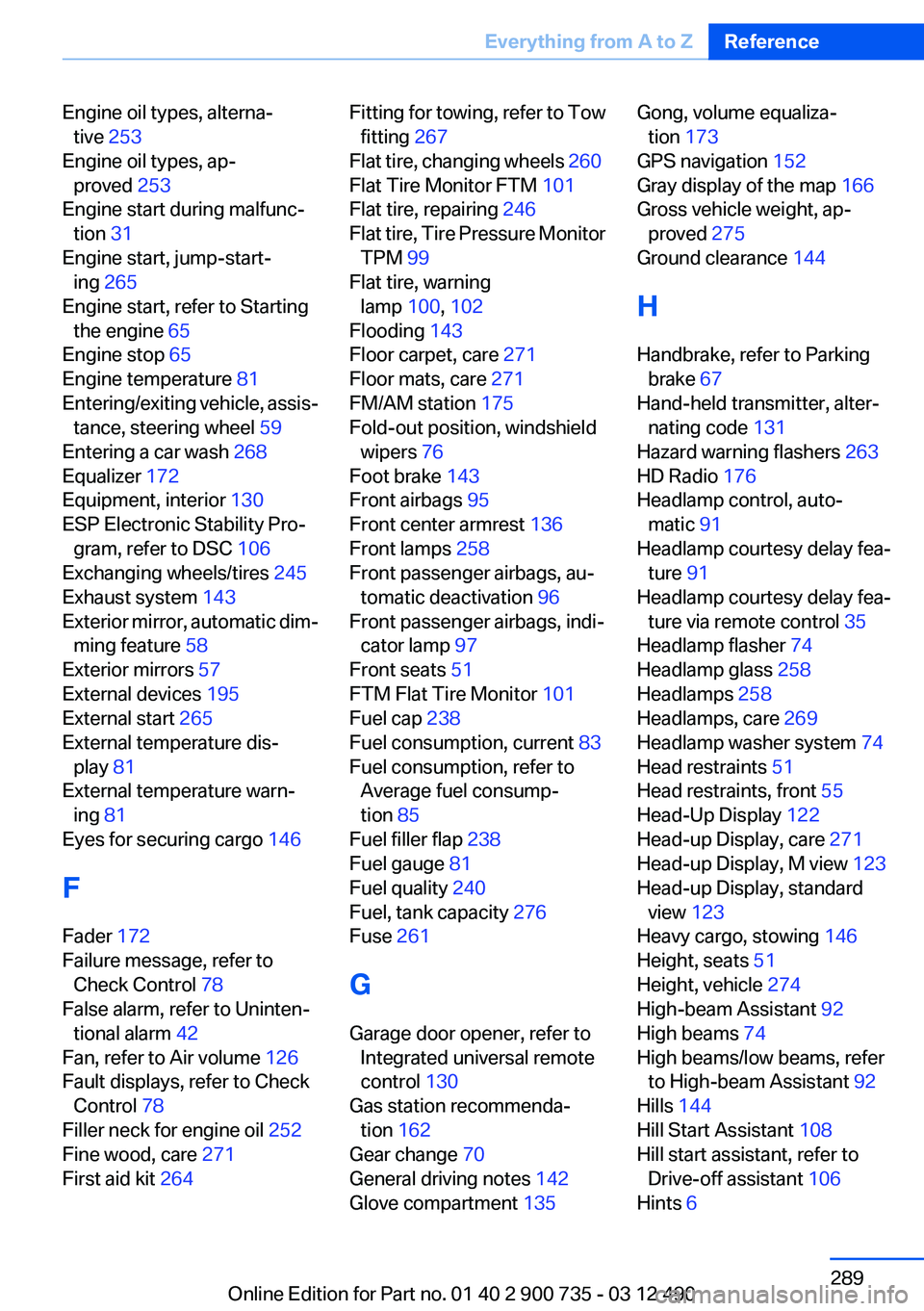
Engine oil types, alterna‐tive 253
Engine oil types, ap‐ proved 253
Engine start during malfunc‐ tion 31
Engine start, jump-start‐ ing 265
Engine start, refer to Starting the engine 65
Engine stop 65
Engine temperature 81
Entering/exiting vehicle, assis‐ tance, steering wheel 59
Entering a car wash 268
Equalizer 172
Equipment, interior 130
ESP Electronic Stability Pro‐ gram, refer to DSC 106
Exchanging wheels/tires 245
Exhaust system 143
Exterior mirror, automatic dim‐ ming feature 58
Exterior mirrors 57
External devices 195
External start 265
External temperature dis‐ play 81
External temperature warn‐ ing 81
Eyes for securing cargo 146
F
Fader 172
Failure message, refer to Check Control 78
False alarm, refer to Uninten‐ tional alarm 42
Fan, refer to Air volume 126
Fault displays, refer to Check Control 78
Filler neck for engine oil 252
Fine wood, care 271
First aid kit 264 Fitting for towing, refer to Tow
fitting 267
Flat tire, changing wheels 260
Flat Tire Monitor FTM 101
Flat tire, repairing 246
Flat tire, Tire Pressure Monitor TPM 99
Flat tire, warning lamp 100, 102
Flooding 143
Floor carpet, care 271
Floor mats, care 271
FM/AM station 175
Fold-out position, windshield wipers 76
Foot brake 143
Front airbags 95
Front center armrest 136
Front lamps 258
Front passenger airbags, au‐ tomatic deactivation 96
Front passenger airbags, indi‐ cator lamp 97
Front seats 51
FTM Flat Tire Monitor 101
Fuel cap 238
Fuel consumption, current 83
Fuel consumption, refer to Average fuel consump‐
tion 85
Fuel filler flap 238
Fuel gauge 81
Fuel quality 240
Fuel, tank capacity 276
Fuse 261
G
Garage door opener, refer to Integrated universal remote
control 130
Gas station recommenda‐ tion 162
Gear change 70
General driving notes 142
Glove compartment 135 Gong, volume equaliza‐
tion 173
GPS navigation 152
Gray display of the map 166
Gross vehicle weight, ap‐ proved 275
Ground clearance 144
H
Handbrake, refer to Parking brake 67
Hand-held transmitter, alter‐ nating code 131
Hazard warning flashers 263
HD Radio 176
Headlamp control, auto‐ matic 91
Headlamp courtesy delay fea‐ ture 91
Headlamp courtesy delay fea‐ ture via remote control 35
Headlamp flasher 74
Headlamp glass 258
Headlamps 258
Headlamps, care 269
Headlamp washer system 74
Head restraints 51
Head restraints, front 55
Head-Up Display 122
Head-up Display, care 271
Head-up Display, M view 123
Head-up Display, standard view 123
Heavy cargo, stowing 146
Height, seats 51
Height, vehicle 274
High-beam Assistant 92
High beams 74
High beams/low beams, refer to High-beam Assistant 92
Hills 144
Hill Start Assistant 108
Hill start assistant, refer to Drive-off assistant 106
Hints 6 Seite 289Everything from A to ZReference289
Online Edition for Part no. 01 40 2 900 735 - 03 12 490