ECO mode BMW M6 CONVERTIBLE 2012 Owner's Manual
[x] Cancel search | Manufacturer: BMW, Model Year: 2012, Model line: M6 CONVERTIBLE, Model: BMW M6 CONVERTIBLE 2012Pages: 297, PDF Size: 12.09 MB
Page 241 of 297
Wheels and tiresVehicle equipment
All standard, country-specific and optional
equipment that is offered in the model series is
described in this chapter. Therefore, equipment
is also described that is not available in a vehicle,
e. g., because of the selected optional equip‐
ment or country variant. This also applies for
safety-related functions and systems.
Tire inflation pressure
Safety information
The tire characteristics and tire inflation pres‐
sure influence the following:▷The service life of the tires.▷Road safety.▷Driving comfort.
Checking the pressure
Only check the tire inflation pressure when the
tires are cold. This means after driving no more
than 1.25 miles/2 km or when the vehicle has
been parked for at least 2 hours. When the tires
are warm, the tire inflation pressure is higher.
Check the tire inflation pressure regularly
Regularly check the tire inflation pressure
and correct it as needed: at least twice a month
and before a long trip. If you fail to observe this
precaution, you may be driving on tires with in‐
correct tire pressures, a condition that may not
only compromise your vehicle's driving stability,
but also lead to tire damage and the risk of an
accident.◀
After correcting the tire inflation pressure:
▷Reinitialize the Flat Tire Monitor.▷Reinitialize the Tire Pressure Monitor.Pressure specifications
The tire inflation pressure table, refer to
page 242, contains all pressure specifications
for the specified tire sizes at the ambient tem‐
perature. Pressure specifications apply to ap‐
proved tire sizes and recommended tire brands.
This information can be obtained from your
service center.
To identify the correct tire inflation pressure,
please note the following:▷Tire sizes of your vehicle.▷Maximum permitted driving speed.
Tire inflation pressures up to 100 mph/
160 km/h
For speeds of up to 100 mph/160 km/h and for
optimum driving comfort, note the pressure val‐
ues in the tire inflation pressure table, refer to
page 242, and adjust as necessary.
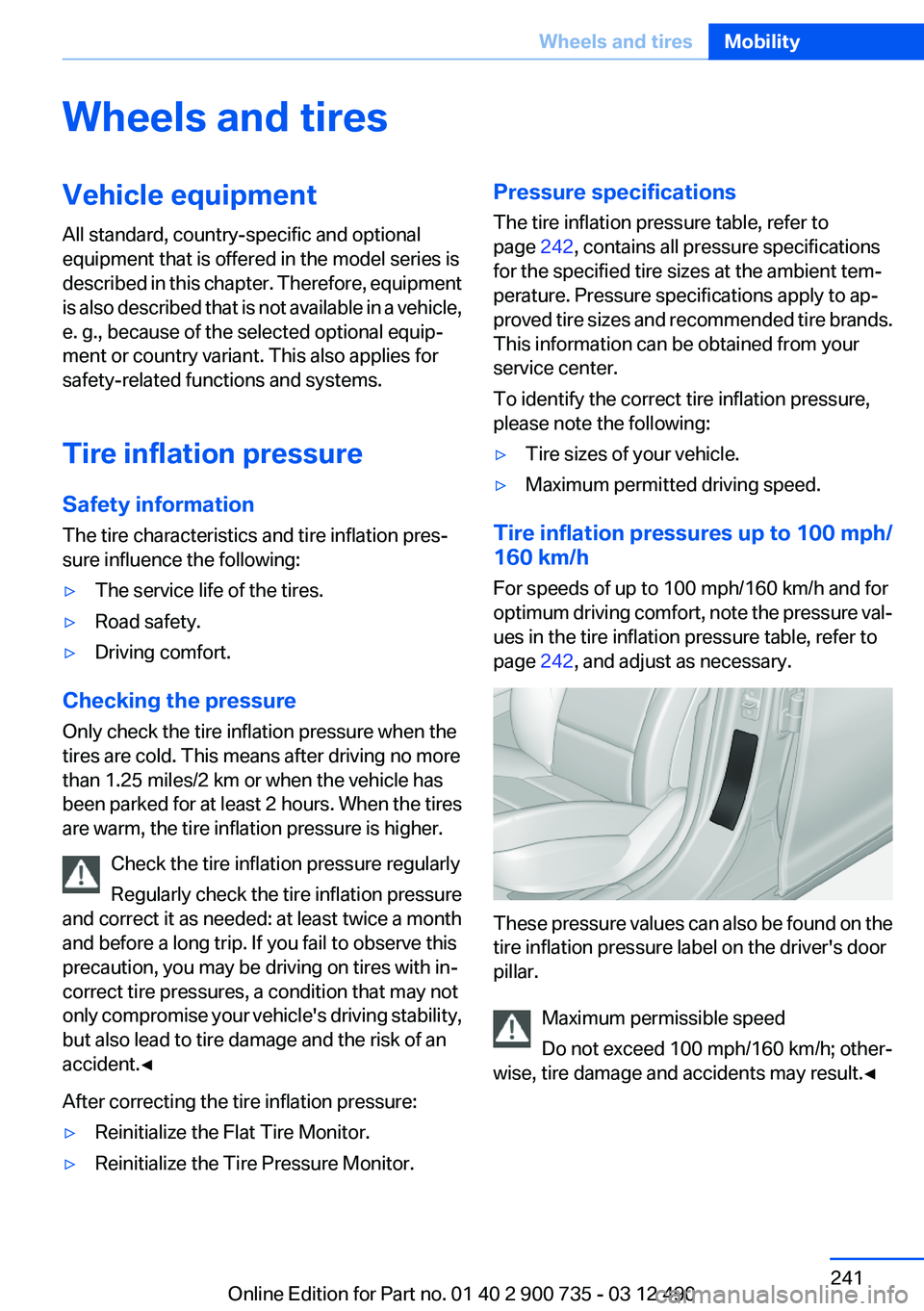
These pressure values can also be found on the
tire inflation pressure label on the driver's door
pillar.
Maximum permissible speed
Do not exceed 100 mph/160 km/h; other‐
wise, tire damage and accidents may result.◀
Seite 241Wheels and tiresMobility241
Online Edition for Part no. 01 40 2 900 735 - 03 12 490
Page 245 of 297
Indications of tire damage or other vehicle de‐
fects:▷Unusual vibrations during driving.▷Unusual handling such as a strong tendency
to pull to the left or right.
Damage can, e. g., be caused by driving over
curbs, road damage, or similar things.
In case of tire damage
If there are indications of tire damage, re‐
duce your speed immediately and have the
wheels and tires checked right away; otherwise,
there is the increased risk of an accident.
Drive carefully to the next service center or tire
shop.
If necessary, have the vehicle towed.
Otherwise, tire damage can be life-threatening
for vehicle occupants and other traffic partici‐
pants.◀
Repair of tire damage
For safety reasons, the manufacturer of
your vehicle recommends that you do not have
damaged tires repaired; they should be re‐
placed. Otherwise, damage can occur as a re‐
sult.◀
Changing wheels and tires
Mounting Information on mounting tires
Have mounting and balancing performed
only by a service center or tire specialist.
If this work is not carried out properly, there is
the danger of subsequent damage and related
safety hazards.◀
Wheel and tire combination
Information on the correct wheel-tire combina‐
tion and rim versions for your vehicle can be ob‐
tained from your service center.
Incorrect wheel and tire combinations impair the
function of a variety of systems such as ABS or
DSC.
To maintain good handling and vehicle re‐
sponse, use only tires with a single tread con‐
figuration from a single manufacturer.
Following tire damage, have the original wheel
and tire combination remounted on the vehicle
as soon as possible.
Approved wheels and tires
The manufacturer of your vehicle recom‐
mends that you use only wheels and tires that
have been approved for your particular vehicle
model.
For example, despite having the same official
size ratings, variations can lead to body contact
and with it, the risk of severe accidents.
The manufacturer of your vehicle cannot evalu‐
ate non-approved wheels and tires to determine
if they are suited for use, and therefore cannot
ensure the operating safety of the vehicle if they
are mounted.◀
Recommended tire brands
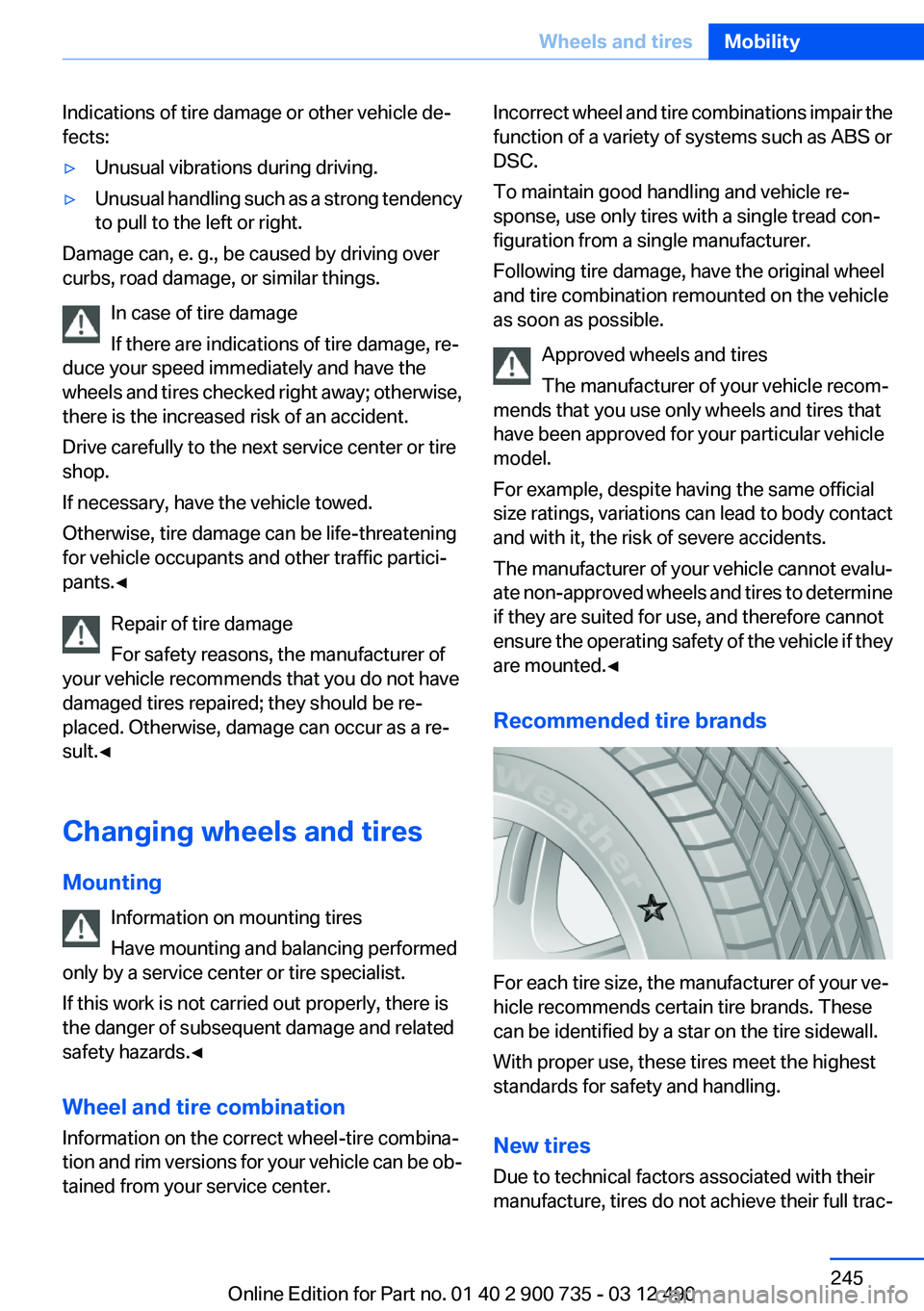
For each tire size, the manufacturer of your ve‐
hicle recommends certain tire brands. These
can be identified by a star on the tire sidewall.
With proper use, these tires meet the highest
standards for safety and handling.
New tires
Due to technical factors associated with their
manufacture, tires do not achieve their full trac‐
Seite 245Wheels and tiresMobility245
Online Edition for Part no. 01 40 2 900 735 - 03 12 490
Page 249 of 297
Stowing the Mobility System1.Unscrew the filling hose of the sealant bottle
from the wheel.2.Unscrew the compressor connection hose
from the sealant bottle.3.Connect the sealant bottle filling hose that
was previously connected to the valve to the
vacant connector on the sealant bottle.
This prevents left-over sealant from escap‐
ing from the bottle.4.Wrap the empty sealant bottle in suitable
material to avoid dirtying the cargo area.5.Stow the Mobility System back in the vehi‐
cle.
Distributing the sealant
Immediately drive approx. to ensure that the
sealant is evenly distributed in the tire.
Do not exceed a speed of .
Do not drop below if possible.
Correcting the tire inflation pressure
1.Stop at a suitable location.2.Screw the connection hose of the compres‐
sor directly onto the tire valve.3.Insert the connector into the power socket
in the vehicle interior.4.Correct the tire inflation pressure to 2.5 bar.▷Increase pressure: with the ignition
turned on or the engine running, switch
on the compressor.▷To reduce the pressure: press the but‐
ton on the compressor.
Continuing the trip
Do not exceed the maximum permissible speed
of 50 mph/80 km/h.
Reinitialize the Flat Tire Monitor, refer to
page 101.
Reinitialize the Tire Pressure Monitor, refer to
page 99.
Replace the defective tire and the sealant bottle
of the Mobility System as soon as possible.
Snow chains
Fine-link snow chains
Only certain types of fine-link snow chains have
been tested by the manufacturer of your vehicle,
classified as road-safe and recommended.
Consult your service center for more informa‐
tion.
Use
Use only in pairs on the rear wheels, equipped
with the tires of the following size:
255/40 R 19
Follow the chain manufacturer's instructions.
Make sure that the snow chains are always suf‐
ficiently tight. Retighten as needed according to
the chain manufacturer's instructions.
Do not initialize the Flat Tire Monitor after
mounting snow chains, as doing so may result
in incorrect readings.
Do not initialize the Tire Pressure Monitor after
mounting snow chains, as doing so may result
in incorrect readings.
When driving with snow chains, if necessary
briefly activate M Dynamic Mode.
Maximum speed with snow chains
Do not exceed a speed of 30 mph/50 km/h when
using snow chains.Seite 249Wheels and tiresMobility249
Online Edition for Part no. 01 40 2 900 735 - 03 12 490
Page 255 of 297
MaintenanceVehicle equipment
All standard, country-specific and optional
equipment that is offered in the model series is
described in this chapter. Therefore, equipment
is also described that is not available in a vehicle,
e. g., because of the selected optional equip‐
ment or country variant. This also applies for
safety-related functions and systems.
BMW Maintenance System
The maintenance system directs you to re‐
quired maintenance measures and thereby sup‐
ports you in maintaining road safety and the op‐
erational reliability of the vehicle.
Condition Based Service CBS
Sensors and special algorithms take into ac‐
count the driving conditions of your vehicle.
Based on this, Condition Based Service deter‐
mines the maintenance requirements.
The system makes it possible to adapt the
amount of maintenance you need to your user
profile.
Details on the service requirements, refer to
page 83, can be displayed on the Control Dis‐
play.
Service data in the remote control
Information on the required maintenance is con‐
tinuously stored in the remote control. Your
service center will read out this data and suggest
the right array of service procedures for your ve‐
hicle.
Therefore, hand your service specialist the re‐
mote control that you used most recently.Storage periods
Storage periods during which the vehicle bat‐
tery was disconnected are not taken into ac‐
count.
If this occurs, have a service center update the
time-dependent maintenance procedures,
such as checking brake fluid and, if necessary,
changing the engine oil and the microfilter/acti‐
vated-charcoal filter.
Service and Warranty
Information Booklet for US
models and Warranty and
Service Guide Booklet for
Canadian models
Please consult your Service and Warranty Infor‐
mation Booklet for US models and Warranty and
Service Guide Booklet for Canadian models for
additional information on service requirements.
Maintenance and repair should be performed by
your service center. Make sure to have regular
maintenance procedures recorded in the vehi‐
cle's Service and Warranty Information Booklet
for US models, and in the Warranty and Service
Guide Booklet for Canadian models. These en‐
tries are proof of regular maintenance.Seite 255MaintenanceMobility255
Online Edition for Part no. 01 40 2 900 735 - 03 12 490
Page 256 of 297
Socket for OBD Onboard
Diagnosis
Position
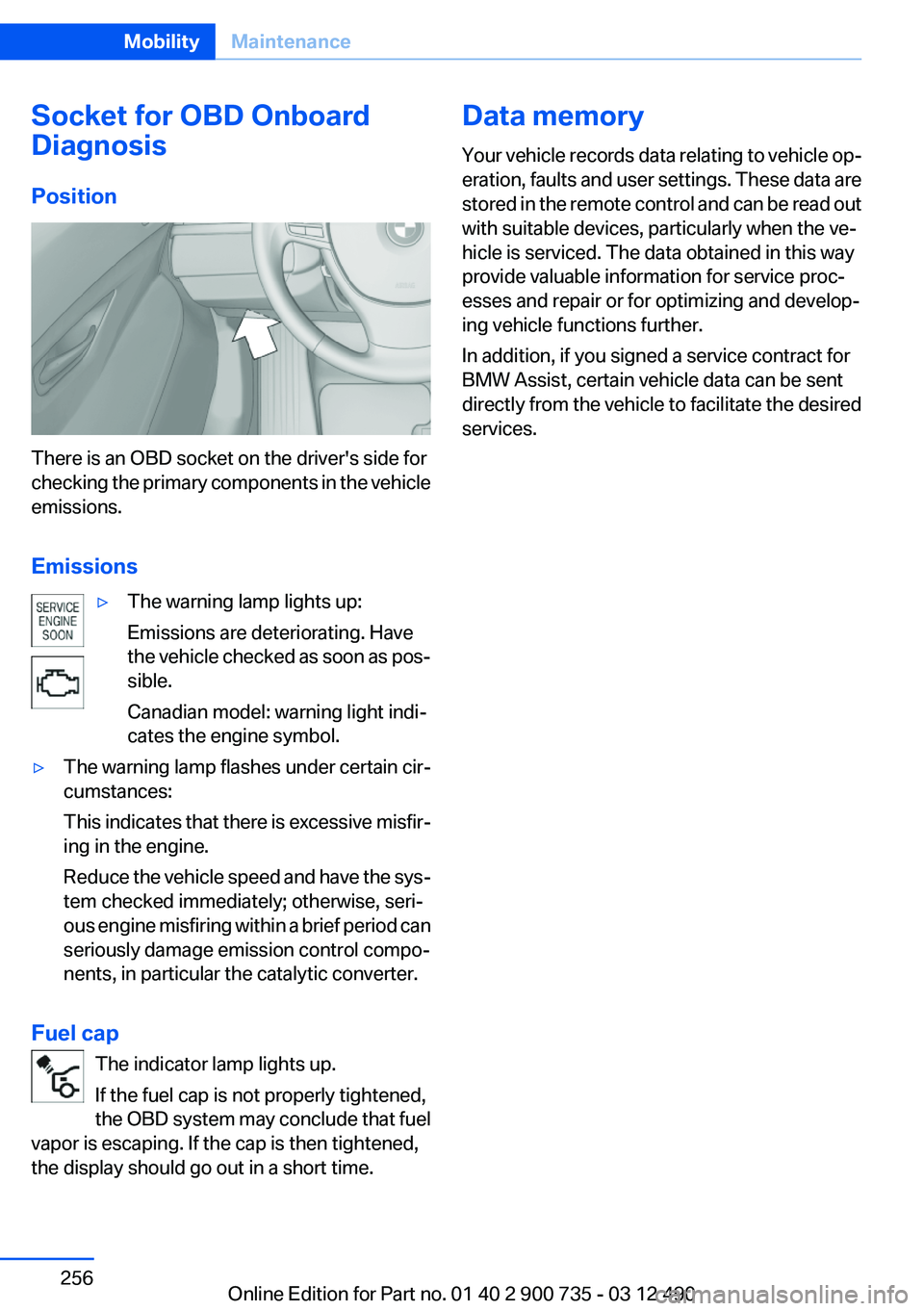
There is an OBD socket on the driver's side for
checking the primary components in the vehicle
emissions.
Emissions
▷The warning lamp lights up:
Emissions are deteriorating. Have
the vehicle checked as soon as pos‐
sible.
Canadian model: warning light indi‐
cates the engine symbol.▷The warning lamp flashes under certain cir‐
cumstances:
This indicates that there is excessive misfir‐
ing in the engine.
Reduce the vehicle speed and have the sys‐
tem checked immediately; otherwise, seri‐
ous engine misfiring within a brief period can
seriously damage emission control compo‐
nents, in particular the catalytic converter.
Fuel cap
The indicator lamp lights up.
If the fuel cap is not properly tightened,
the OBD system may conclude that fuel
vapor is escaping. If the cap is then tightened,
the display should go out in a short time.
Data memory
Your vehicle records data relating to vehicle op‐
eration, faults and user settings. These data are
stored in the remote control and can be read out
with suitable devices, particularly when the ve‐
hicle is serviced. The data obtained in this way
provide valuable information for service proc‐
esses and repair or for optimizing and develop‐
ing vehicle functions further.
In addition, if you signed a service contract for
BMW Assist, certain vehicle data can be sent
directly from the vehicle to facilitate the desired
services.Seite 256MobilityMaintenance256
Online Edition for Part no. 01 40 2 900 735 - 03 12 490
Page 257 of 297
Replacing componentsVehicle equipment
All standard, country-specific and optional
equipment that is offered in the model series is
described in this chapter. Therefore, equipment
is also described that is not available in a vehicle,
e. g., because of the selected optional equip‐
ment or country variant. This also applies for
safety-related functions and systems.
Onboard vehicle tool kit
The onboard vehicle tool kit is stored under the
cargo floor cover in the cargo area.
Wiper blade replacement
General information Do not fold down the wipers without wiper
blades
Do not fold down the wipers if wiper blades have
not been installed; this may damage the wind‐
shield.◀
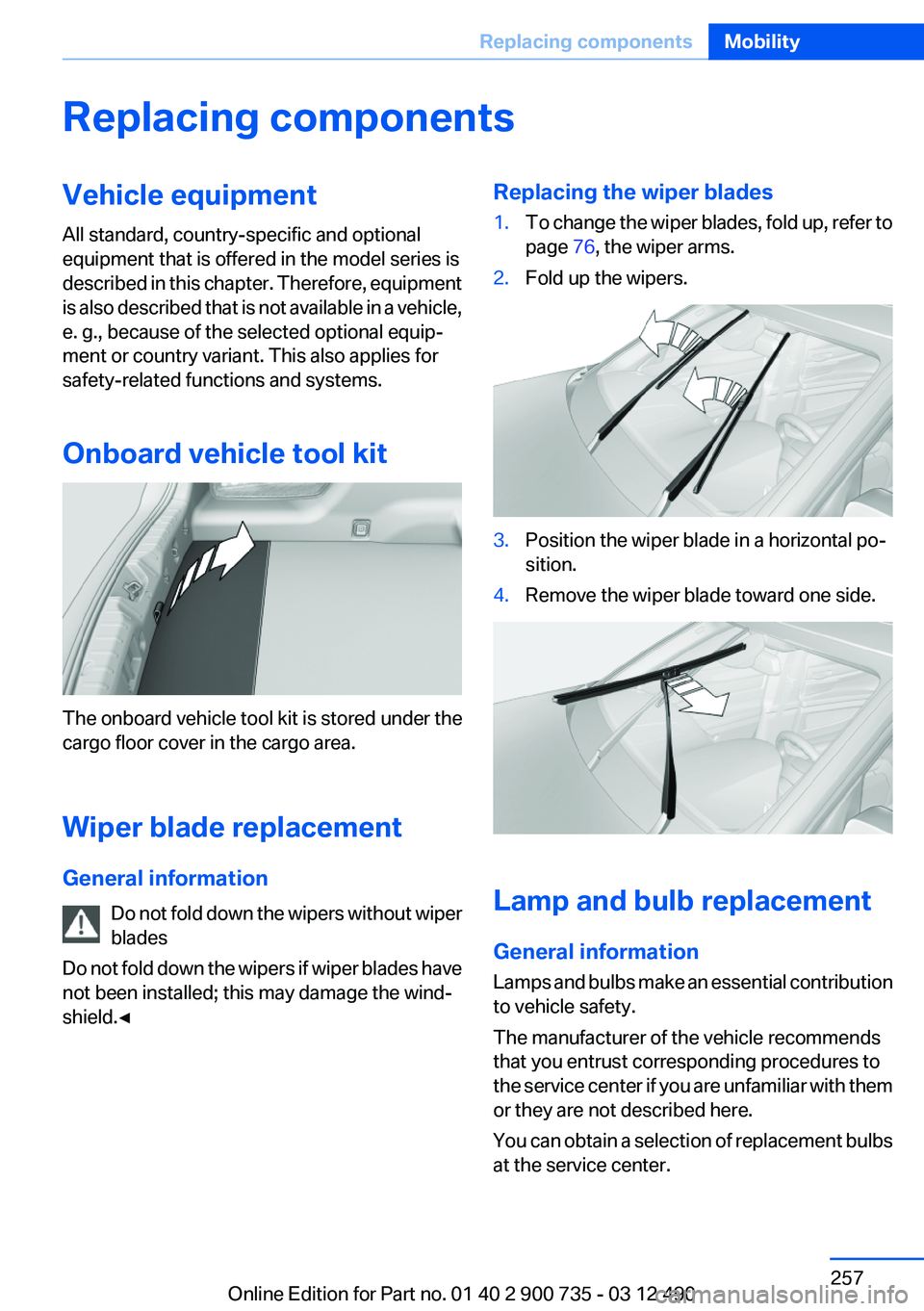
Replacing the wiper blades1.To change the wiper blades, fold up, refer to
page 76, the wiper arms.2.Fold up the wipers.3.Position the wiper blade in a horizontal po‐
sition.4.Remove the wiper blade toward one side.
Lamp and bulb replacement
General information
Lamps and bulbs make an essential contribution
to vehicle safety.
The manufacturer of the vehicle recommends
that you entrust corresponding procedures to
the service center if you are unfamiliar with them
or they are not described here.
You can obtain a selection of replacement bulbs
at the service center.
Seite 257Replacing componentsMobility257
Online Edition for Part no. 01 40 2 900 735 - 03 12 490
Page 288 of 297
Convertible top, emergencyoperation 46
Convertible top, rollover pro‐ tection system 98
Convertible top tool 46
Coolant 254
Coolant temperature 81
Cooling function 127
Cooling, maximum 127
Cooling system 254
Corrosion on brake discs 144
Cruise control 110
Cruising range 82
Cupholder 136
Current fuel consumption 83
Current location, storing 154
Customer Relations 232
D
Damage, tires 244
Damper control 108
Damper Control, Elec‐ tronic 108
Data, technical 274
Date 82
Daytime running lights 91
Defrosting, refer to Windows, defrosting 126
Dehumidifying, air 127
Destination distance 86
Destination guidance 160
Destination guidance with in‐ termediate destinations 159
Destination input, naviga‐ tion 152
Differential lock 108
Digital clock 81
Digital radio 176
Digital speed 82
Digital tachometer 82
Dimensions 274
Dimmable exterior mirrors 58
Dimmable interior rearview mirror 58 Direction indicator, refer to
Turn signals 74
Display in windshield 122
Display lighting, refer to Instru‐ ment lighting 93
Displays 77
Displays, cleaning 271
Disposal, coolant 254
Disposal, vehicle battery 261
Distance control, refer to PDC 112
Distance to destination 86
Divided screen view, split screen 20
Door lock, refer to Remote control 30
Doors, Automatic Soft Clos‐ ing 38
Double-clutch transmis‐ sion 68
Drivelogic 70
Drive mode 69
Drive-off assistant 106
Drive-off assistant, refer to DSC 106
Driving Dynamics Control 73
Driving Dynamics System 83
Driving dynamics, system states 83
Driving instructions, breaking in 142
Driving notes, general 142
Driving on racetracks 141
Driving program, refer to Drivelogic 70
Driving stability control sys‐ tems 106
Driving tips 142
DSC Dynamic Stability Con‐ trol 106
DVD/CD 183
DVD/CD notes 189
DVD changer 187
DVD settings 186
DVDs, storing 190
DVD, video 185 Dynamic destination guid‐
ance 167
Dynamic Stability Control DSC 106
E
EDC, Electronic Damper Con‐ trol 108
Electronic Damper Control EDC 108
Electronic displays, instru‐ ment cluster 78
Electronic Stability Program ESP, refer to DSC 106
Emergency detection, remote control 31
Emergency operation, convertible top 46
Emergency release, door lock 37
Emergency release, fuel filler flap 238
Emergency Request 263
Emergency service, refer to Roadside Assistance 264
Emergency start function, en‐ gine start 31
Emergency unlocking, trunk lid 39
Energy Control 83
Energy recovery 83
Engine, automatic Start/Stop function 65
Engine, automatic switch- off 65
Engine compartment 250
Engine compartment, working in 250
Engine coolant 254
Engine oil 252
Engine oil, adding 252
Engine oil additives 253
Engine oil change 253
Engine oil filler neck 252
Engine oil temperature 81 Seite 288ReferenceEverything from A to Z288
Online Edition for Part no. 01 40 2 900 735 - 03 12 490
Page 292 of 297
P
Paint, vehicle 269
Pair mobile phone 207
Panic mode 35
Park Distance Control PDC 112
Parked-car ventilation 129
Parked vehicle, condensa‐ tion 144
Parking aid, refer to PDC 112
Parking brake 67
Parking lamps 90
Passenger side mirror, tilting downward 58
Pathway lines, backup cam‐ era 115
PDC Park Distance Con‐ trol 112
Pedestrian detection, refer to Night Vision 119
People detection, refer to Night Vision 119
Personal information 218
Personal Profile 31
Phone 206
Pinch protection system, win‐ dows 43
Plastic, care 271
PlugIn 234
Position, storing 154
Postal code, entering in navi‐ gation 153
Power failure 261
Power windows 42
Pressure, tire air pres‐ sure 241
Pressure warning FTM, tires 101
Profile, refer to Personal Pro‐ file 31
Programmable memory but‐ tons, iDrive 20
Protective function, win‐ dows 43 Push-and-turn switch, refer to
Controller 16
R
Radiator fluid 254
Radio 175
Radio-operated key, refer to Remote control 30
Radio ready state 64
Rain sensor 75
Random 184
Random playback 184
RDS 176
Reading out loud 225
Rear lamps 259
Rearview mirror 57
Rear window defroster 127
Recirculated-air mode 127
Recommended tire brands 245
Refueling 238
Remaining range 82
Reminders 225
Remote control/key 30
Remote control, malfunc‐ tion 36
Remote control, universal 130
Renaming a station 176
Replacement fuse 261
Replacing parts 257
Replacing wheels/tires 245
Reporting safety defects 8
Reserve warning, refer to Range 82
Reset, Tire Pressure Monitor TPM 100
Residual heat, automatic cli‐ mate control 128
Retaining straps, securing cargo 146
Retreaded tires 246
Reversing lamp, bulb replace‐ ment 259
Roadside Assistance 230
Roadside parking lamps 91 Rollover protection system 98
Rope for tow-starting/tow‐ ing 267
Route 161
Route criteria, route 160
Route, displaying 161
Routes, avoiding 160
Route section, bypassing 161
Rubber components, care 270
S
Safe braking 143
Safety 6
Safety belt reminder for driv‐ er's seat and front passenger
seat 55
Safety belts 54
Safety belts, care 271
Safety systems, airbags 95
Satellite radio 177
Saving fuel 0
Scale, changing during navi‐ gation 163
Screen, refer to Control Dis‐ play 16
Screwdriver 257
Screw thread for tow fit‐ ting 267
Sealant 246
Search, refer to BMW Search 231
Seat belts, refer to Safety belts 54
Seat heating, front 53
Seating position for chil‐ dren 61
Seat, mirror, and steering wheel memory 56
Seats 51
Seat ventilation, front 54
Selection list in instrument cluster 84
Selector lever 69
Sensors, care 271 Seite 292ReferenceEverything from A to Z292
Online Edition for Part no. 01 40 2 900 735 - 03 12 490