change time BMW M6 CONVERTIBLE 2012 Owner's Manual
[x] Cancel search | Manufacturer: BMW, Model Year: 2012, Model line: M6 CONVERTIBLE, Model: BMW M6 CONVERTIBLE 2012Pages: 297, PDF Size: 12.09 MB
Page 188 of 297
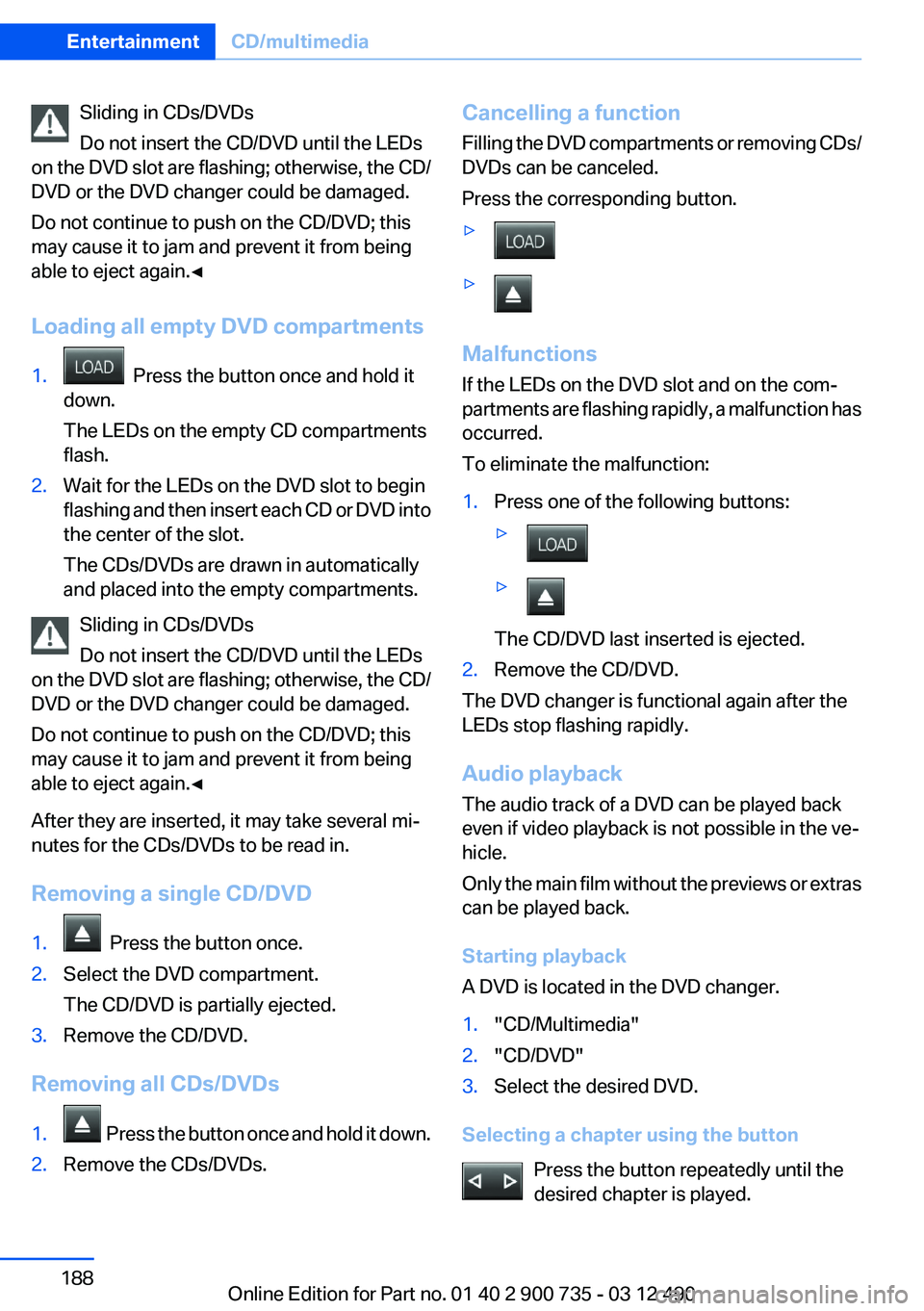
Sliding in CDs/DVDs
Do not insert the CD/DVD until the LEDs
on the DVD slot are flashing; otherwise, the CD/
DVD or the DVD changer could be damaged.
Do not continue to push on the CD/DVD; this
may cause it to jam and prevent it from being
able to eject again.◀
Loading all empty DVD compartments1. Press the button once and hold it
down.
The LEDs on the empty CD compartments
flash.2.Wait for the LEDs on the DVD slot to begin
flashing and then insert each CD or DVD into
the center of the slot.
The CDs/DVDs are drawn in automatically
and placed into the empty compartments.
Sliding in CDs/DVDs
Do not insert the CD/DVD until the LEDs
on the DVD slot are flashing; otherwise, the CD/
DVD or the DVD changer could be damaged.
Do not continue to push on the CD/DVD; this
may cause it to jam and prevent it from being
able to eject again.◀
After they are inserted, it may take several mi‐
nutes for the CDs/DVDs to be read in.
Removing a single CD/DVD
1. Press the button once.2.Select the DVD compartment.
The CD/DVD is partially ejected.3.Remove the CD/DVD.
Removing all CDs/DVDs
1. Press the button once and hold it down.2.Remove the CDs/DVDs.Cancelling a function
Filling the DVD compartments or removing CDs/
DVDs can be canceled.
Press the corresponding button.▷▷
Malfunctions
If the LEDs on the DVD slot and on the com‐
partments are flashing rapidly, a malfunction has
occurred.
To eliminate the malfunction:
1.Press one of the following buttons:▷▷
The CD/DVD last inserted is ejected.
2.Remove the CD/DVD.
The DVD changer is functional again after the
LEDs stop flashing rapidly.
Audio playback
The audio track of a DVD can be played back
even if video playback is not possible in the ve‐
hicle.
Only the main film without the previews or extras
can be played back.
Starting playback
A DVD is located in the DVD changer.
1."CD/Multimedia"2."CD/DVD"3.Select the desired DVD.
Selecting a chapter using the button
Press the button repeatedly until the
desired chapter is played.
Seite 188EntertainmentCD/multimedia188
Online Edition for Part no. 01 40 2 900 735 - 03 12 490
Page 189 of 297
Selecting a chapter using iDrive1."CD/Multimedia"2."CD/DVD"3.Select the desired DVD.4.Select the desired chapter.
Fast forward/reversePress and hold the button.
Selecting the language
The languages that are available depend on the
DVD.
1."CD/Multimedia"2."CD/DVD"3.Select the desired DVD.4.Open "Options".5."Audio/language"6.Select the desired language.
Notes
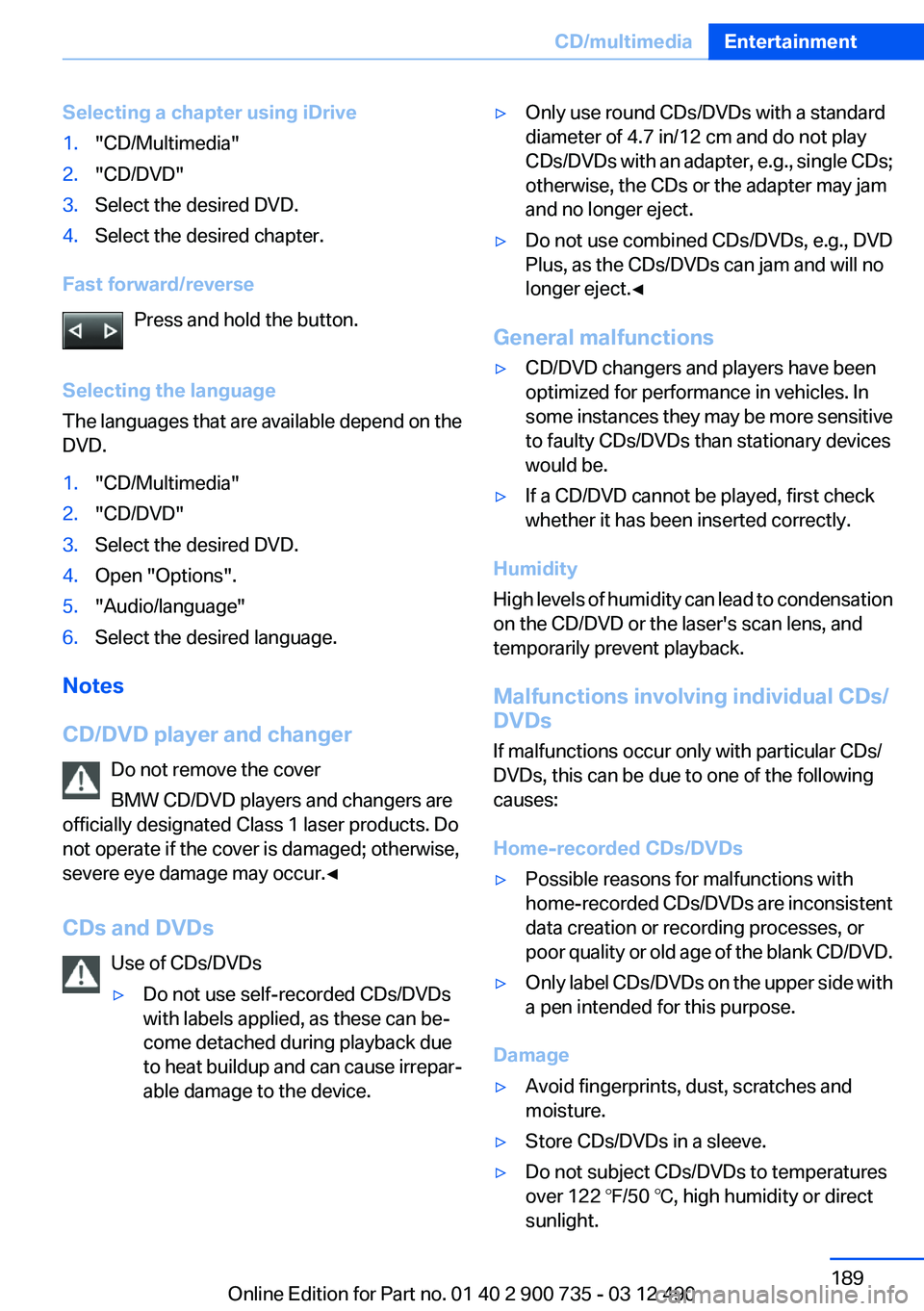
CD/DVD player and changer Do not remove the cover
BMW CD/DVD players and changers are
officially designated Class 1 laser products. Do
not operate if the cover is damaged; otherwise,
severe eye damage may occur.◀
CDs and DVDs Use of CDs/DVDs
▷Do not use self-recorded CDs/DVDs
with labels applied, as these can be‐
come detached during playback due
to heat buildup and can cause irrepar‐
able damage to the device.▷Only use round CDs/DVDs with a standard
diameter of 4.7 in/12 cm and do not play
CDs/DVDs with an adapter, e.g., single CDs;
otherwise, the CDs or the adapter may jam
and no longer eject.▷Do not use combined CDs/DVDs, e.g., DVD
Plus, as the CDs/DVDs can jam and will no
longer eject.◀
General malfunctions
▷CD/DVD changers and players have been
optimized for performance in vehicles. In
some instances they may be more sensitive
to faulty CDs/DVDs than stationary devices
would be.▷If a CD/DVD cannot be played, first check
whether it has been inserted correctly.
Humidity
High levels of humidity can lead to condensation
on the CD/DVD or the laser's scan lens, and
temporarily prevent playback.
Malfunctions involving individual CDs/
DVDs
If malfunctions occur only with particular CDs/
DVDs, this can be due to one of the following
causes:
Home-recorded CDs/DVDs
▷Possible reasons for malfunctions with
home-recorded CDs/DVDs are inconsistent
data creation or recording processes, or
poor quality or old age of the blank CD/DVD.▷Only label CDs/DVDs on the upper side with
a pen intended for this purpose.
Damage
▷Avoid fingerprints, dust, scratches and
moisture.▷Store CDs/DVDs in a sleeve.▷Do not subject CDs/DVDs to temperatures
over 122 ℉/50 ℃, high humidity or direct
sunlight.Seite 189CD/multimediaEntertainment189
Online Edition for Part no. 01 40 2 900 735 - 03 12 490
Page 193 of 297
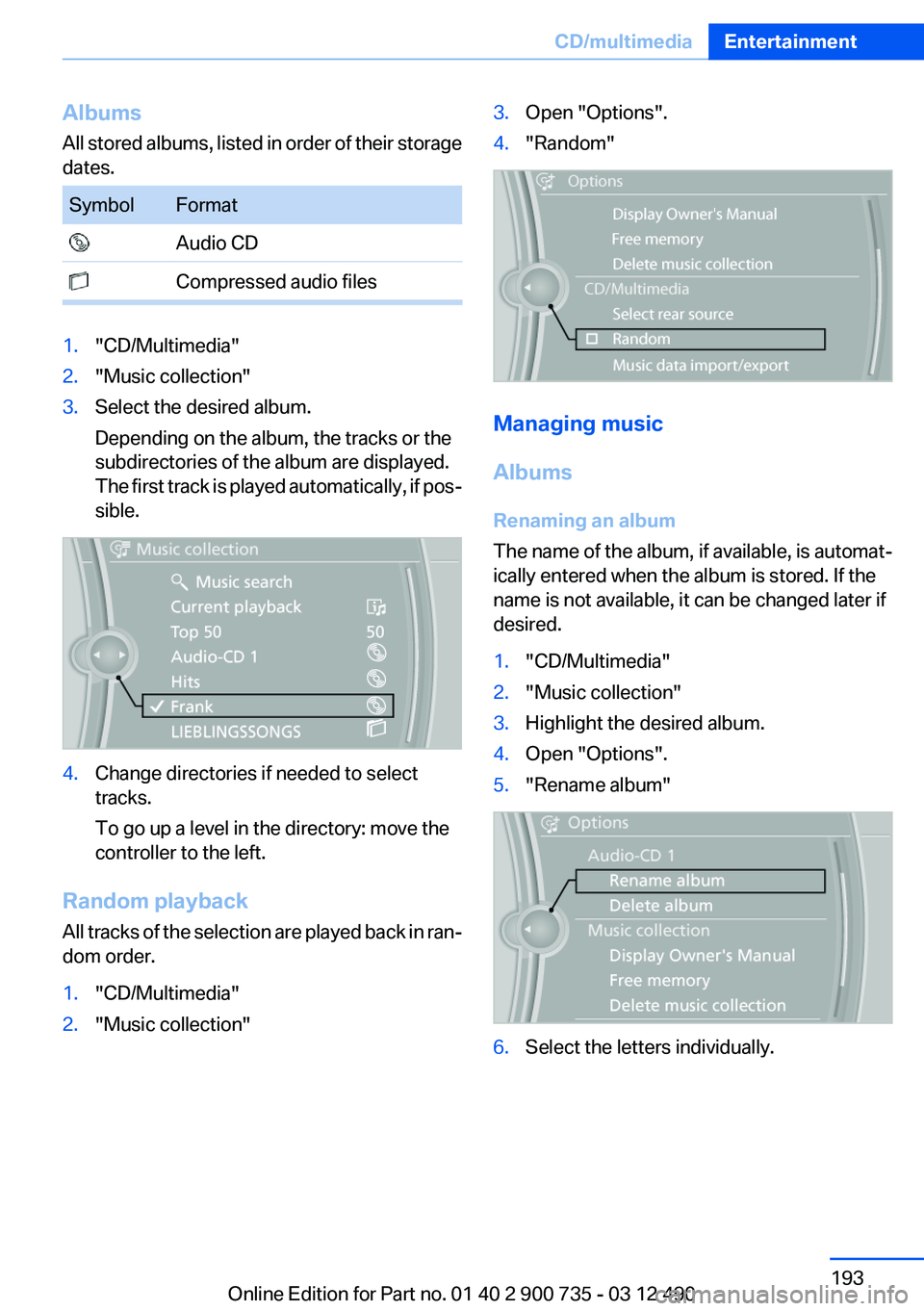
Albums
All stored albums, listed in order of their storage
dates.SymbolFormat Audio CD Compressed audio files1."CD/Multimedia"2."Music collection"3.Select the desired album.
Depending on the album, the tracks or the
subdirectories of the album are displayed.
The first track is played automatically, if pos‐
sible.4.Change directories if needed to select
tracks.
To go up a level in the directory: move the
controller to the left.
Random playback
All tracks of the selection are played back in ran‐
dom order.
1."CD/Multimedia"2."Music collection"3.Open "Options".4."Random"
Managing music
Albums
Renaming an album
The name of the album, if available, is automat‐
ically entered when the album is stored. If the
name is not available, it can be changed later if
desired.
1."CD/Multimedia"2."Music collection"3.Highlight the desired album.4.Open "Options".5."Rename album"6.Select the letters individually.Seite 193CD/multimediaEntertainment193
Online Edition for Part no. 01 40 2 900 735 - 03 12 490
Page 200 of 297
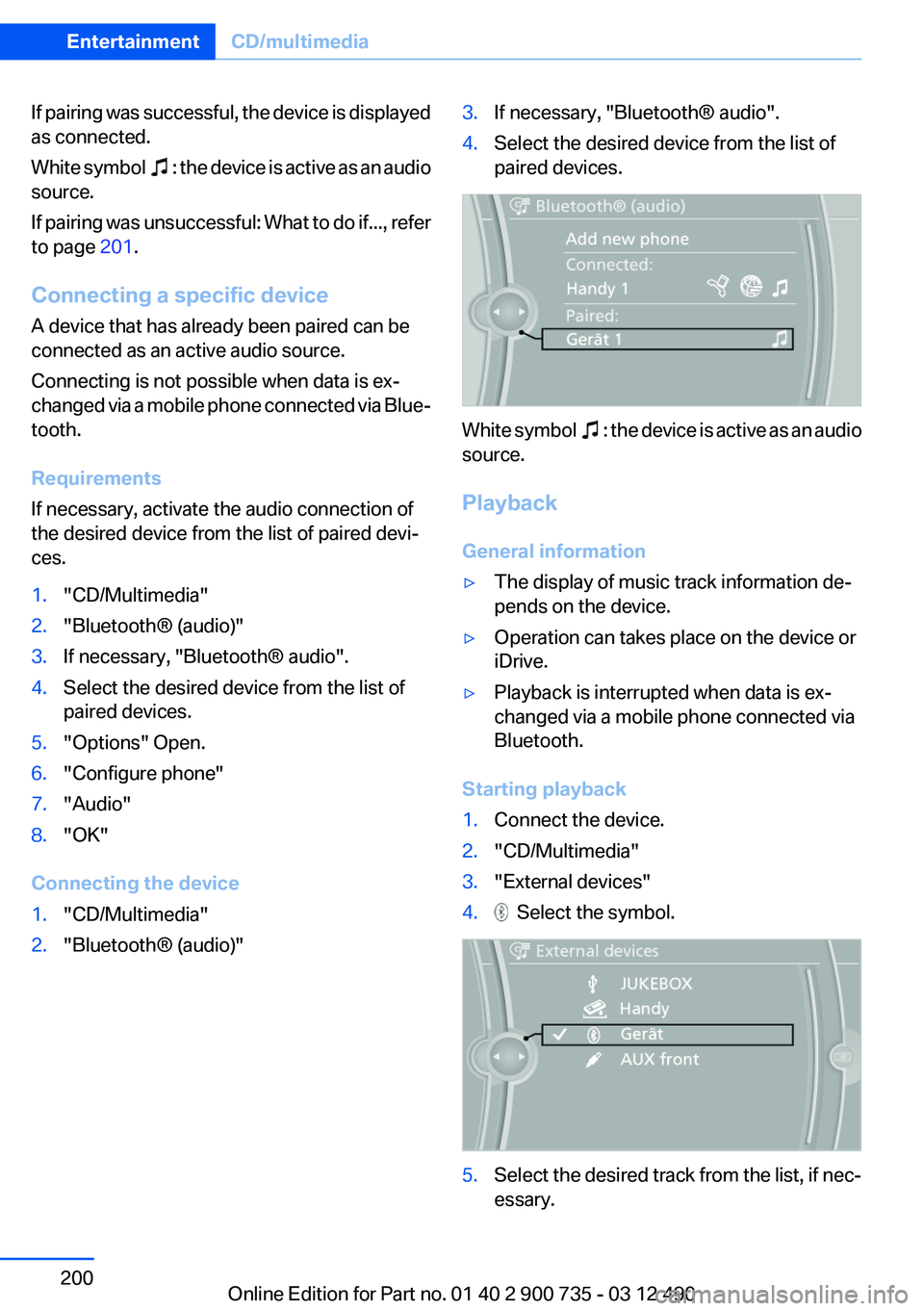
If pairing was successful, the device is displayed
as connected.
White symbol
: the device is active as an audio
source.
If pairing was unsuccessful: What to do if..., refer
to page 201.
Connecting a specific device
A device that has already been paired can be
connected as an active audio source.
Connecting is not possible when data is ex‐
changed via a mobile phone connected via Blue‐
tooth.
Requirements
If necessary, activate the audio connection of
the desired device from the list of paired devi‐
ces.
1."CD/Multimedia"2."Bluetooth® (audio)"3.If necessary, "Bluetooth® audio".4.Select the desired device from the list of
paired devices.5."Options" Open.6."Configure phone"7."Audio"8."OK"
Connecting the device
1."CD/Multimedia"2."Bluetooth® (audio)"3.If necessary, "Bluetooth® audio".4.Select the desired device from the list of
paired devices.
White symbol : the device is active as an audio
source.
Playback
General information
▷The display of music track information de‐
pends on the device.▷Operation can takes place on the device or
iDrive.▷Playback is interrupted when data is ex‐
changed via a mobile phone connected via
Bluetooth.
Starting playback
1.Connect the device.2."CD/Multimedia"3."External devices"4. Select the symbol.5.Select the desired track from the list, if nec‐
essary.Seite 200EntertainmentCD/multimedia200
Online Edition for Part no. 01 40 2 900 735 - 03 12 490
Page 258 of 297
Danger of burns
Only change bulbs when they are cool;
otherwise, there is the danger of getting
burned.◀
Working on the lighting system
When working on the lighting system, you
should always switch off the lights affected to
prevent short circuits.
To avoid possible injury or equipment damage
when replacing bulbs, observe any instructions
provided by the bulb manufacturer.◀
Do not perform work/bulb replacement on
xenon headlamps
Have any work on the xenon lighting system, in‐
cluding bulb replacement, performed only by a
service center. Due to the high voltage present
in the system, there is the danger of fatal injuries
if work is carried out improperly.◀
Do not touch the bulbs
Do not touch the glass of new bulbs with
your bare hands, as even minute amounts of
contamination will burn into the bulb's surface
and reduce its service life.
Use a clean tissue, cloth or something similar, or
hold the bulb by its base.◀
Light-emitting diodes (LEDs)
Light-emitting diodes installed behind a cover
serve as the light source for controls, display el‐
ements and other equipment.
These light-emitting diodes, which are related
to conventional lasers, are officially designated
as Class 1 light-emitting diodes.
Do not remove the covers
Do not remove the covers, and never stare
into the unfiltered light for several hours; other‐
wise, irritation of the retina could result.◀Headlamp glass
Condensation can form on the inside of the ex‐
ternal lamps in cool or humid weather. When
driving with the light switched on, the conden‐
sation evaporates after a short time. The head‐
lamp glasses do not need to be changed.
If the headlamps do not dim despite driving with
the light switched on, increasing humidity forms,
e. g. water droplets in the light, have the service
center check this.
Front lamps, bulb replacement
Xenon headlamps
Because of the long life of these bulbs, the like‐
lihood of failure is very low. Switching the lamps
on and off frequently shortens their life.
Do not perform work/bulb replacement on
xenon headlamps
Have any work on the xenon lighting system, in‐
cluding bulb replacement, performed only by a
service center. Due to the high voltage present
in the system, there is the danger of fatal injuries
if work is carried out improperly.◀
Low beams and high beams are designed with
xenon technology.
For checking and adjusting headlamp aim,
please contact your BMW center.
LED headlamps, Light-emitting diodes
(LEDs) or light modules
With Xenon-headlamps, the following lamps are
designed with LED technology or as a light mod‐
ule:▷Parking lamps and roadside parking lamps▷Turn signal lamps▷Daytime running lights
With LED headlamps, all front lamps are de‐
signed with LED technology or as a light module.
Contact your service center in the event of a
malfunction.
Seite 258MobilityReplacing components258
Online Edition for Part no. 01 40 2 900 735 - 03 12 490
Page 288 of 297
Convertible top, emergencyoperation 46
Convertible top, rollover pro‐ tection system 98
Convertible top tool 46
Coolant 254
Coolant temperature 81
Cooling function 127
Cooling, maximum 127
Cooling system 254
Corrosion on brake discs 144
Cruise control 110
Cruising range 82
Cupholder 136
Current fuel consumption 83
Current location, storing 154
Customer Relations 232
D
Damage, tires 244
Damper control 108
Damper Control, Elec‐ tronic 108
Data, technical 274
Date 82
Daytime running lights 91
Defrosting, refer to Windows, defrosting 126
Dehumidifying, air 127
Destination distance 86
Destination guidance 160
Destination guidance with in‐ termediate destinations 159
Destination input, naviga‐ tion 152
Differential lock 108
Digital clock 81
Digital radio 176
Digital speed 82
Digital tachometer 82
Dimensions 274
Dimmable exterior mirrors 58
Dimmable interior rearview mirror 58 Direction indicator, refer to
Turn signals 74
Display in windshield 122
Display lighting, refer to Instru‐ ment lighting 93
Displays 77
Displays, cleaning 271
Disposal, coolant 254
Disposal, vehicle battery 261
Distance control, refer to PDC 112
Distance to destination 86
Divided screen view, split screen 20
Door lock, refer to Remote control 30
Doors, Automatic Soft Clos‐ ing 38
Double-clutch transmis‐ sion 68
Drivelogic 70
Drive mode 69
Drive-off assistant 106
Drive-off assistant, refer to DSC 106
Driving Dynamics Control 73
Driving Dynamics System 83
Driving dynamics, system states 83
Driving instructions, breaking in 142
Driving notes, general 142
Driving on racetracks 141
Driving program, refer to Drivelogic 70
Driving stability control sys‐ tems 106
Driving tips 142
DSC Dynamic Stability Con‐ trol 106
DVD/CD 183
DVD/CD notes 189
DVD changer 187
DVD settings 186
DVDs, storing 190
DVD, video 185 Dynamic destination guid‐
ance 167
Dynamic Stability Control DSC 106
E
EDC, Electronic Damper Con‐ trol 108
Electronic Damper Control EDC 108
Electronic displays, instru‐ ment cluster 78
Electronic Stability Program ESP, refer to DSC 106
Emergency detection, remote control 31
Emergency operation, convertible top 46
Emergency release, door lock 37
Emergency release, fuel filler flap 238
Emergency Request 263
Emergency service, refer to Roadside Assistance 264
Emergency start function, en‐ gine start 31
Emergency unlocking, trunk lid 39
Energy Control 83
Energy recovery 83
Engine, automatic Start/Stop function 65
Engine, automatic switch- off 65
Engine compartment 250
Engine compartment, working in 250
Engine coolant 254
Engine oil 252
Engine oil, adding 252
Engine oil additives 253
Engine oil change 253
Engine oil filler neck 252
Engine oil temperature 81 Seite 288ReferenceEverything from A to Z288
Online Edition for Part no. 01 40 2 900 735 - 03 12 490
Page 291 of 297
M
Maintenance 255
Maintenance require‐ ments 255
Maintenance, service require‐ ments 83
Maintenance system, BMW 255
Malfunction displays, refer to Check Control 78
Manual air distribution 126
Manual air volume 126
Manual brake, refer to Parking brake 67
Manual operation, backup camera 115
Manual operation, door lock 37
Manual operation, exterior mir‐ rors 58
Manual operation, fuel filler flap 238
Manual operation, Park Dis‐ tance Control PDC 113
Manual operation, Side View 119
Manual operation, Top View 117
Map, destination entry 157
Map in split screen 164
Map view 162
Marking on approved tires 245
Massage seat, front 53
Master key, refer to Remote control 30
Maximum cooling 127
Maximum speed, winter tires 246
M differential, active 108
MDM, M Dynamic Mode 107
M double-clutch transmis‐ sion 68
M Drive 59 M Driving Dynamics Con‐
trol 73
M Dynamic Mode MDM 107
Measure, units of 88
Medical kit 264
Memory for seat, mirrors, steering wheel 56
Menu in instrument cluster 84
Menus, operating, iDrive 16
Menus, refer to iDrive operat‐ ing concept 17
Message list, traffic bulle‐ tins 164
Messages 221
Messages, refer to Check Control 78
Microfilter 128
Minimum tread, tires 244
Mirror 57
Mirror memory 56
Mobile communication devi‐ ces in the vehicle 143
Mobile phone 206
Mobility System 246
Modifications, technical, refer to Safety 6
Moisture in headlamp 258
Monitor, refer to Control Dis‐ play 16
Mounting of child restraint fix‐ ing systems 61
MP3 player 195
M technology 0
Multifunction steering wheel, buttons 12
Multimedia 183
Music collection 190
Music search 191
Music, storing 190
M view, Head-up Display 123
N
Navigation 152
Navigation data 167 Neck restraints, front, refer to
Head restraints 55
New wheels and tires 245
Night Vision with pedestrian detection 119
Notes 224
Nylon rope for tow-starting/ towing 267
O
OBD Onboard Diagnos‐ tics 256
Obstacle marking, backup camera 116
Odometer 81
Office 218
Oil 252
Oil, adding 252
Oil additives 253
Oil change 253
Oil change interval, service re‐ quirements 83
Oil filler neck 252
Oil types, alternative 253
Oil types, approved 253
Old batteries, disposal 261
Onboard Diagnostics OBD 256
Onboard monitor, refer to Control Display 16
Onboard vehicle tool kit 257
Opening/closing from in‐ side 37
Opening/closing via door lock 37
Opening/closing with remote control 34
Operating concept, iDrive 16
Optional equipment, standard equipment 6
Outside air, refer to Automatic recirculated-air control 127
Overheating of engine, refer to Coolant temperature 81 Seite 291Everything from A to ZReference291
Online Edition for Part no. 01 40 2 900 735 - 03 12 490
Page 293 of 297
Sequential mode 69
Service and warranty 7
Service requirements, Condi‐ tion Based Service CBS 255
Service requirements, dis‐ play 83
Service, Roadside Assis‐ tance 264
Servotronic 109
Settings, M Drive 59
Settings on Control Dis‐ play 87
Settings, storing for seat, mir‐ rors, steering wheel 56
Shift Lights 72
Short commands 277
Shoulder support 53
Side airbags 95
Side View 118
Signaling, horn 12
Signals when unlocking 36
Sitting safely 51
Size 274
Ski bag 133
Smallest turning circle 275
Smoker's package 132
Snap-in adapter, mobile phone 216
Snow chains 249
Socket 132
Socket, OBD Onboard Diag‐ nostics 256
Software applications, iPhone 233
Software update 202
Spare fuse 261
Speaker lighting 173
Special destinations, naviga‐ tion 155
Specified engine oil types 253
Speed, average 86
Speed limit in the com‐ puter 86
Speed Volume, volume equal‐ ization 173 Split screen 20
Split screen map settings 164
Spoken instructions, naviga‐ tion 162
Stability control systems 106
Standard view, Head-up Dis‐ play 123
Start/stop, automatic func‐ tion 65
Start/Stop button 64
Start function during malfunc‐ tion 31
Starting the engine 65
State/province, selecting for navigation 152
Stations, stored 181
Station, storing 175
Status display, tires 99
Status information, iDrive 19
Status of Owner's Manual 6
Steering assistance 109
Steering wheel, adjusting 59
Steering wheel heating 59
Steering wheel memory 56
Stopping the engine 65
Storage compartments 135
Storage compartments, loca‐ tions 135
Storage, tires 246
Storing the vehicle 271
Street, entering for naviga‐ tion 153
Summer tires, tread 244
Supplementary text mes‐ sage 80
Surround View 114
Switch-on times, parked-car ventilation 129
Switch, refer to Cockpit 12
Symbols 6
System states of the driving dynamics 83
T
Tachometer 81 Tail and brake lamps 259
Tailgate 38
Tailgate via remote control 35
Tail lamps 259
Tail lamps, bulb replace‐ ment 259
Tasks 224
Technical changes, refer to Safety 6
Technical data 274
Technology, BMW M 0
TeleServices 230
Temperature, automatic cli‐ mate control 126
Temperature display, external temperature 81
Temperature, engine oil 81
Terminal, jump-starting 265
Text messages 221
Text message, supplemen‐ tary 80
Theft alarm system, refer to Alarm system 41
Theft protection, lug bolts 260
Theft protection, refer to Cen‐ tral locking system 33
Thermal camera, refer to Night Vision 119
Thigh support 52
Tilt alarm sensor 42
Tilt, seats 51
Time of arrival 86
Tire damage 244
Tire identification marks 243
Tire inflation pressure 241
Tire inflation pressure monitor, refer to FTM 101
Tire Pressure Monitor TPM 99
Tires, changing 245
Tire sealant 246
Tires, everything on wheels and tires 241
Tire tread 244
Toll roads, route 160 Seite 293Everything from A to ZReference293
Online Edition for Part no. 01 40 2 900 735 - 03 12 490