trunk BMW M6 CONVERTIBLE 2012 Owner's Manual
[x] Cancel search | Manufacturer: BMW, Model Year: 2012, Model line: M6 CONVERTIBLE, Model: BMW M6 CONVERTIBLE 2012Pages: 297, PDF Size: 12.09 MB
Page 142 of 297
Things to remember when drivingVehicle equipment
All standard, country-specific and optional
equipment that is offered in the model series is
described in this chapter. Therefore, equipment
is also described that is not available in a vehicle,
e. g., because of the selected optional equip‐
ment or country variant. This also applies for
safety-related functions and systems.
Breaking-in period
General information
Moving parts need to be broken in to adjust to
each other.
The following instructions will help achieve a
long vehicle life and good economy.
During the break-in, do not use the Launch Con‐
trol, refer to page 71.
Engine and differential
Always obey the official speed limit.
Up to 1,200 miles/2,000 km
Drive at varying engine and road speeds, but do
not exceed 5,500 rpm and 106 mph/170 km/h.
Avoid full-throttle operation and use of the
transmission's kickdown mode for the initial
miles.
At 1,200 miles/2,000 km
Have drive-in checkup maintenance performed.
From 1,200 miles/2,000 km to
3,100 miles/5,000 km
The engine and road speed can gradually be in‐
creased to a constant speed of
137 mph/220 km/h.
Use the maximum speed of 155 mph/250 km/h
only briefly, e.g. when passing.Tires
Due to technical factors associated with their
manufacture, tires do not achieve their full trac‐
tion potential until after an initial breaking-in pe‐
riod.
Drive conservatively for the first
200 miles/300 km.
Brake system
Brakes require an initial break-in period of ap‐
prox. 300 miles/500 km to achieve optimized
contact and wear patterns between brake pads
and discs. Drive moderately during this break-in
period.
Following part replacement
The same breaking in procedures should be ob‐
served if any of the components mentioned
above have to be renewed in the course of the
vehicle's operating life.
General driving notes
Closing the trunk lid Drive with the trunk lid closed
Only drive with the tailgate closed; other‐
wise, in the event of an accident or braking or
evasive maneuvers, passengers or other road
users may be injured or the vehicle may be dam‐
aged. In addition, exhaust fumes may enter the
passenger compartment.◀
If driving with the tailgate open cannot be
avoided:▷If the convertible top is closed, close all win‐
dows.▷Greatly increase the blower speed.▷Drive moderately.Seite 142Driving tipsThings to remember when driving142
Online Edition for Part no. 01 40 2 900 735 - 03 12 490
Page 145 of 297
LoadingVehicle equipment
All standard, country-specific and optional
equipment that is offered in the model series is
described in this chapter. Therefore, equipment
is also described that is not available in a vehicle,
e. g., because of the selected optional equip‐
ment or country variant. This also applies for
safety-related functions and systems.
General information Overloading the vehicle
To avoid exceeding the approved carrying
capacity of the tires, never overload the vehicle.
Overloading can lead to overheating and in‐
creases the rate at which damage develops in‐
side the tires. This could result in a sudden loss
of tire inflation pressure.◀
No fluids in the trunk
Make sure that fluids do not leak into the
trunk; otherwise, the vehicle may be damaged. ◀
Determining the load limit1.Locate the following statement on your ve‐
hicle’s placard:▷The combined weight of occupants and
cargo should never exceed XXX kg or
YYY lbs. Otherwise, damage to the ve‐hicle and unstable driving situations may
result.2.Determine the combined weight of the
driver and passengers that will be riding in
your vehicle.3.Subtract the combined weight of the driver
and passengers from XXX kilograms or YYY
pounds.4.The resulting figure equals the available
amount of cargo and luggage load capacity.
For example, if the YYY amount equals
1,000 lbs and there will be four 150 lbs pas‐
sengers in your vehicle, the amount of avail‐
able cargo and luggage load capacity is
400 lbs: 1,000 lbs minus 600 lbs = 400 lbs.5.Determine the combined weight of luggage
and cargo being loaded on the vehicle. That
weight may not safely exceed the available
cargo and luggage load capacity calculated
in Step 4.
Load
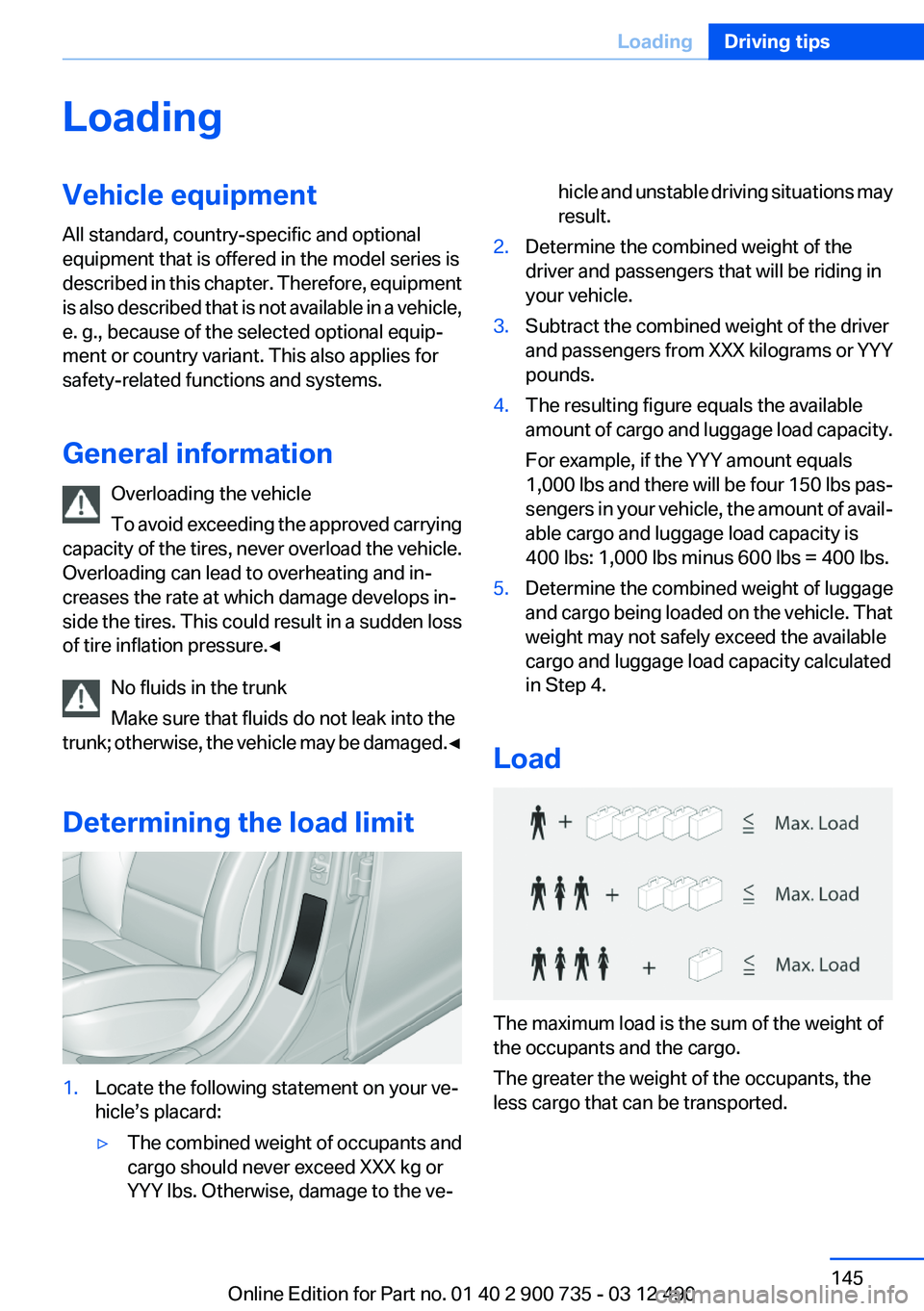
The maximum load is the sum of the weight of
the occupants and the cargo.
The greater the weight of the occupants, the
less cargo that can be transported.
Seite 145LoadingDriving tips145
Online Edition for Part no. 01 40 2 900 735 - 03 12 490
Page 259 of 297
Follow the General instructions on lamps and
bulbs., refer to page 257
Turning lamp on the Xenon headlamp
Follow the General instructions on lamps and
bulbs., refer to page 257
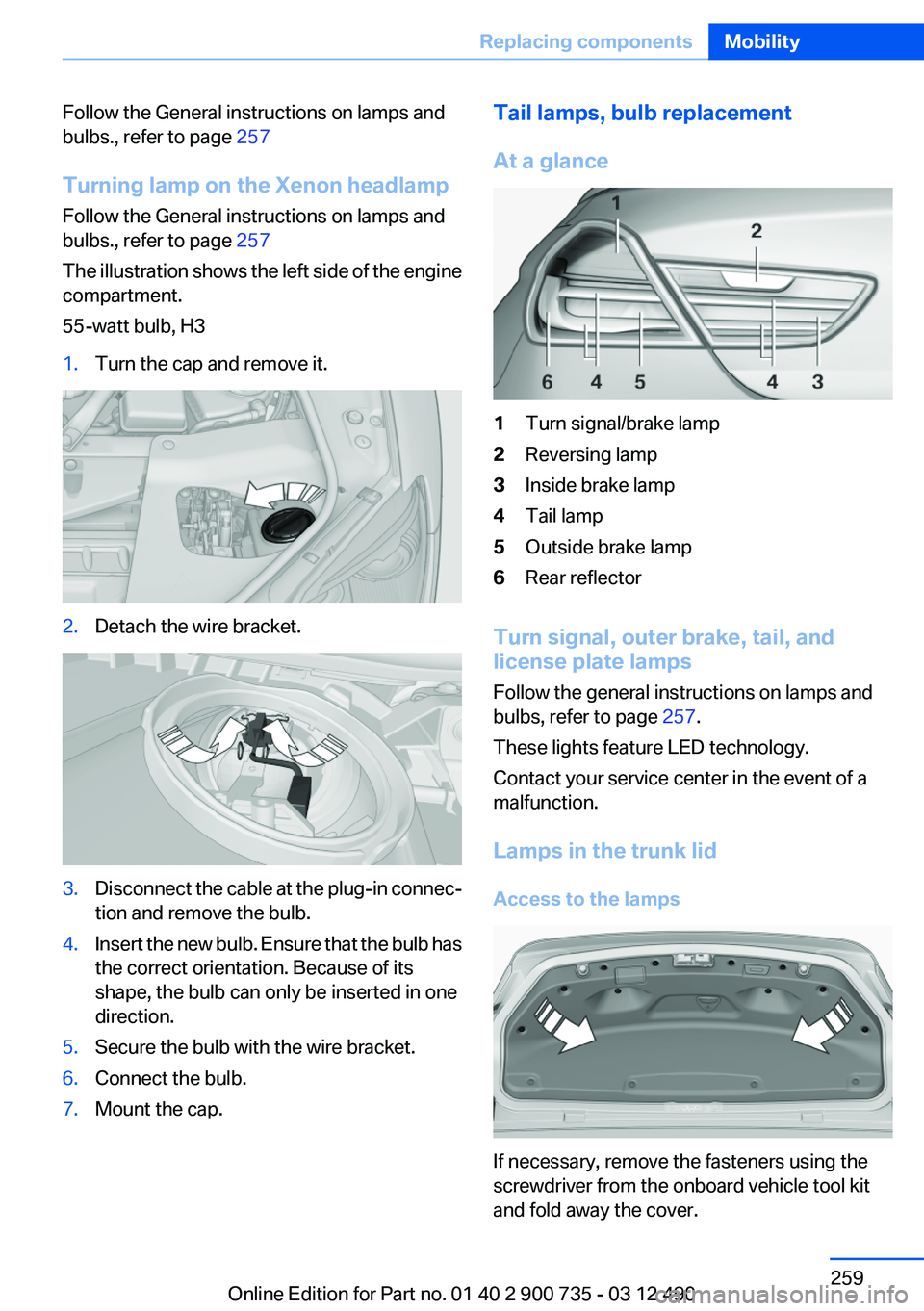
The illustration shows the left side of the engine
compartment.
55-watt bulb, H31.Turn the cap and remove it.2.Detach the wire bracket.3.Disconnect the cable at the plug-in connec‐
tion and remove the bulb.4.Insert the new bulb. Ensure that the bulb has
the correct orientation. Because of its
shape, the bulb can only be inserted in one
direction.5.Secure the bulb with the wire bracket.6.Connect the bulb.7.Mount the cap.Tail lamps, bulb replacement
At a glance1Turn signal/brake lamp2Reversing lamp3Inside brake lamp4Tail lamp5Outside brake lamp6Rear reflector
Turn signal, outer brake, tail, and
license plate lamps
Follow the general instructions on lamps and
bulbs, refer to page 257.
These lights feature LED technology.
Contact your service center in the event of a
malfunction.
Lamps in the trunk lid
Access to the lamps
If necessary, remove the fasteners using the
screwdriver from the onboard vehicle tool kit
and fold away the cover.
Seite 259Replacing componentsMobility259
Online Edition for Part no. 01 40 2 900 735 - 03 12 490
Page 260 of 297
Inside brake lamp
Follow the general instructions on lamps and
bulbs, refer to page 257.
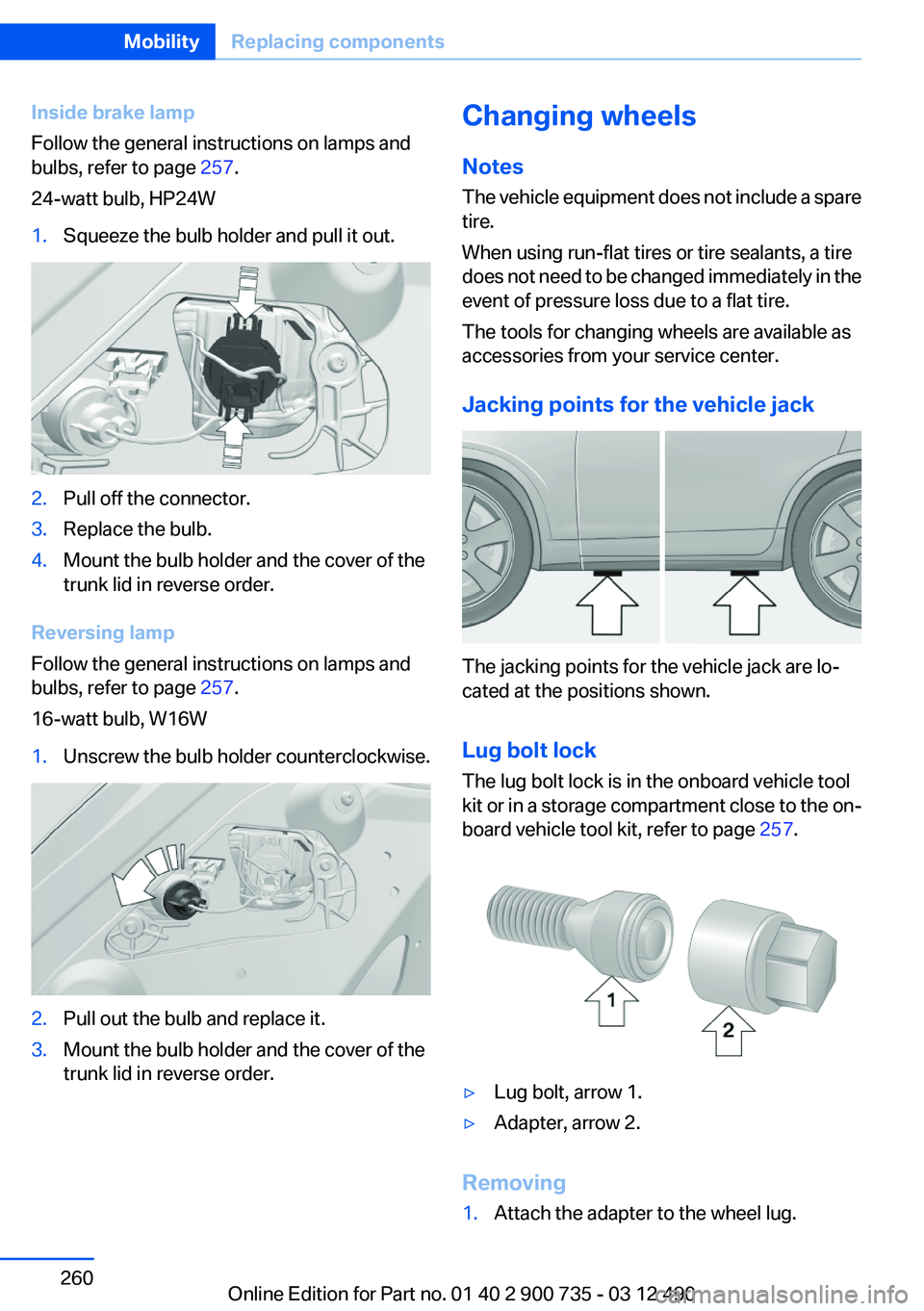
24-watt bulb, HP24W1.Squeeze the bulb holder and pull it out.2.Pull off the connector.3.Replace the bulb.4.Mount the bulb holder and the cover of the
trunk lid in reverse order.
Reversing lamp
Follow the general instructions on lamps and
bulbs, refer to page 257.
16-watt bulb, W16W
1.Unscrew the bulb holder counterclockwise.2.Pull out the bulb and replace it.3.Mount the bulb holder and the cover of the
trunk lid in reverse order.Changing wheels
Notes
The vehicle equipment does not include a spare
tire.
When using run-flat tires or tire sealants, a tire
does not need to be changed immediately in the
event of pressure loss due to a flat tire.
The tools for changing wheels are available as
accessories from your service center.
Jacking points for the vehicle jack
The jacking points for the vehicle jack are lo‐
cated at the positions shown.
Lug bolt lock
The lug bolt lock is in the onboard vehicle tool
kit or in a storage compartment close to the on‐
board vehicle tool kit, refer to page 257.
▷Lug bolt, arrow 1.▷Adapter, arrow 2.
Removing
1.Attach the adapter to the wheel lug.Seite 260MobilityReplacing components260
Online Edition for Part no. 01 40 2 900 735 - 03 12 490
Page 288 of 297
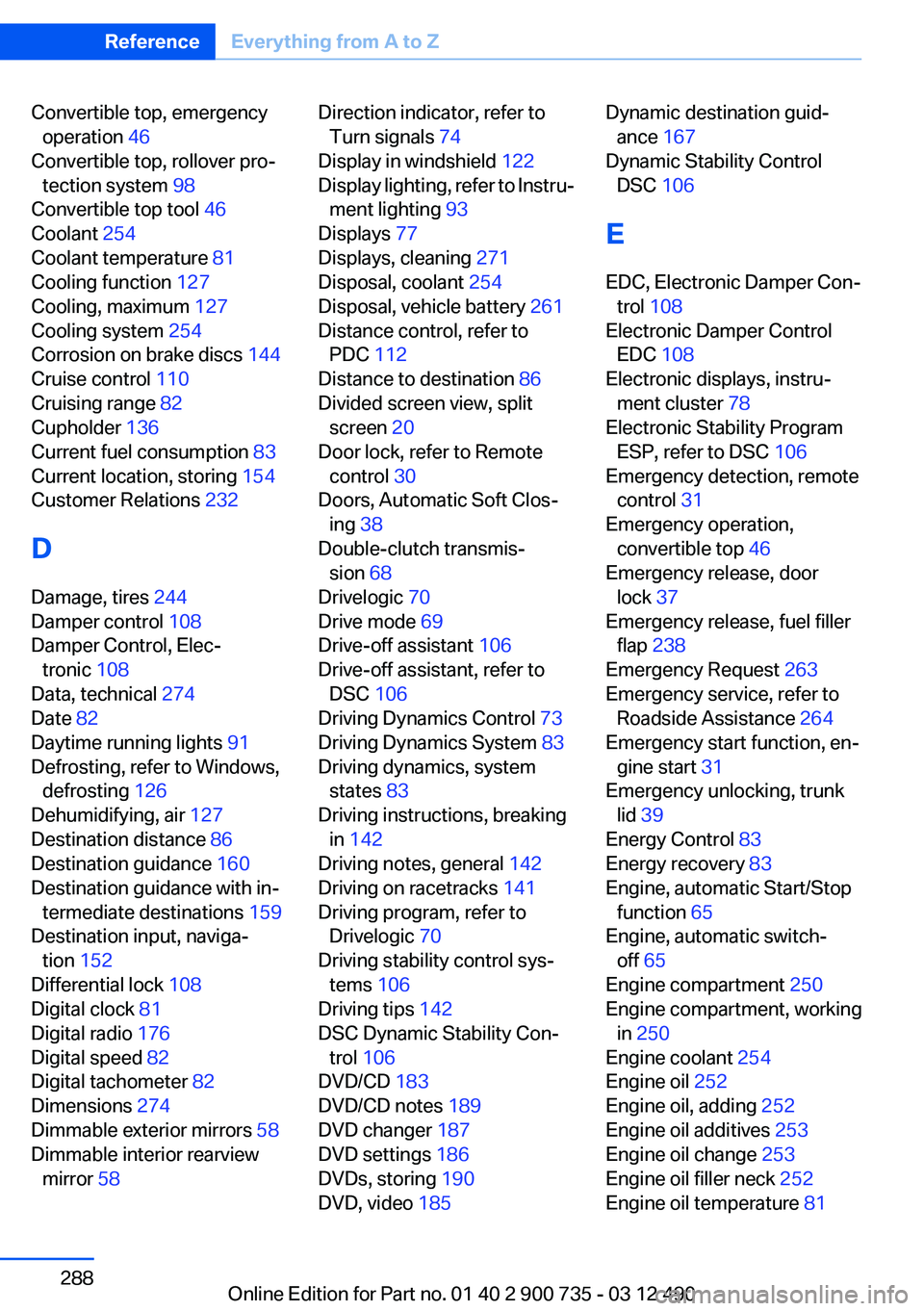
Convertible top, emergencyoperation 46
Convertible top, rollover pro‐ tection system 98
Convertible top tool 46
Coolant 254
Coolant temperature 81
Cooling function 127
Cooling, maximum 127
Cooling system 254
Corrosion on brake discs 144
Cruise control 110
Cruising range 82
Cupholder 136
Current fuel consumption 83
Current location, storing 154
Customer Relations 232
D
Damage, tires 244
Damper control 108
Damper Control, Elec‐ tronic 108
Data, technical 274
Date 82
Daytime running lights 91
Defrosting, refer to Windows, defrosting 126
Dehumidifying, air 127
Destination distance 86
Destination guidance 160
Destination guidance with in‐ termediate destinations 159
Destination input, naviga‐ tion 152
Differential lock 108
Digital clock 81
Digital radio 176
Digital speed 82
Digital tachometer 82
Dimensions 274
Dimmable exterior mirrors 58
Dimmable interior rearview mirror 58 Direction indicator, refer to
Turn signals 74
Display in windshield 122
Display lighting, refer to Instru‐ ment lighting 93
Displays 77
Displays, cleaning 271
Disposal, coolant 254
Disposal, vehicle battery 261
Distance control, refer to PDC 112
Distance to destination 86
Divided screen view, split screen 20
Door lock, refer to Remote control 30
Doors, Automatic Soft Clos‐ ing 38
Double-clutch transmis‐ sion 68
Drivelogic 70
Drive mode 69
Drive-off assistant 106
Drive-off assistant, refer to DSC 106
Driving Dynamics Control 73
Driving Dynamics System 83
Driving dynamics, system states 83
Driving instructions, breaking in 142
Driving notes, general 142
Driving on racetracks 141
Driving program, refer to Drivelogic 70
Driving stability control sys‐ tems 106
Driving tips 142
DSC Dynamic Stability Con‐ trol 106
DVD/CD 183
DVD/CD notes 189
DVD changer 187
DVD settings 186
DVDs, storing 190
DVD, video 185 Dynamic destination guid‐
ance 167
Dynamic Stability Control DSC 106
E
EDC, Electronic Damper Con‐ trol 108
Electronic Damper Control EDC 108
Electronic displays, instru‐ ment cluster 78
Electronic Stability Program ESP, refer to DSC 106
Emergency detection, remote control 31
Emergency operation, convertible top 46
Emergency release, door lock 37
Emergency release, fuel filler flap 238
Emergency Request 263
Emergency service, refer to Roadside Assistance 264
Emergency start function, en‐ gine start 31
Emergency unlocking, trunk lid 39
Energy Control 83
Energy recovery 83
Engine, automatic Start/Stop function 65
Engine, automatic switch- off 65
Engine compartment 250
Engine compartment, working in 250
Engine coolant 254
Engine oil 252
Engine oil, adding 252
Engine oil additives 253
Engine oil change 253
Engine oil filler neck 252
Engine oil temperature 81 Seite 288ReferenceEverything from A to Z288
Online Edition for Part no. 01 40 2 900 735 - 03 12 490
Page 290 of 297
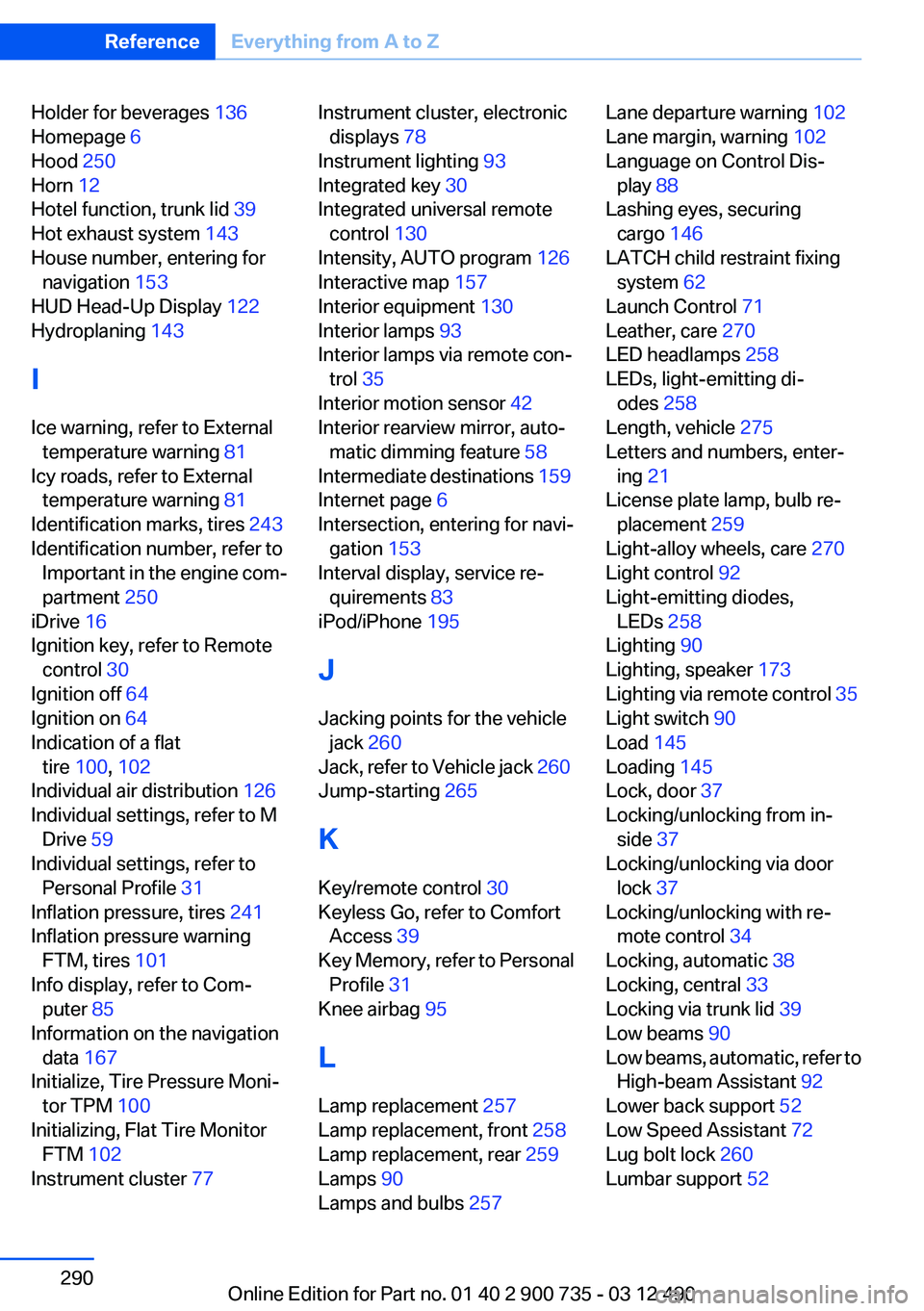
Holder for beverages 136
Homepage 6
Hood 250
Horn 12
Hotel function, trunk lid 39
Hot exhaust system 143
House number, entering for navigation 153
HUD Head-Up Display 122
Hydroplaning 143
I
Ice warning, refer to External temperature warning 81
Icy roads, refer to External temperature warning 81
Identification marks, tires 243
Identification number, refer to Important in the engine com‐
partment 250
iDrive 16
Ignition key, refer to Remote control 30
Ignition off 64
Ignition on 64
Indication of a flat tire 100 , 102
Individual air distribution 126
Individual settings, refer to M Drive 59
Individual settings, refer to Personal Profile 31
Inflation pressure, tires 241
Inflation pressure warning FTM, tires 101
Info display, refer to Com‐ puter 85
Information on the navigation data 167
Initialize, Tire Pressure Moni‐ tor TPM 100
Initializing, Flat Tire Monitor FTM 102
Instrument cluster 77 Instrument cluster, electronic
displays 78
Instrument lighting 93
Integrated key 30
Integrated universal remote control 130
Intensity, AUTO program 126
Interactive map 157
Interior equipment 130
Interior lamps 93
Interior lamps via remote con‐ trol 35
Interior motion sensor 42
Interior rearview mirror, auto‐ matic dimming feature 58
Intermediate destinations 159
Internet page 6
Intersection, entering for navi‐ gation 153
Interval display, service re‐ quirements 83
iPod/iPhone 195
J
Jacking points for the vehicle jack 260
Jack, refer to Vehicle jack 260
Jump-starting 265
K
Key/remote control 30
Keyless Go, refer to Comfort Access 39
Key Memory, refer to Personal Profile 31
Knee airbag 95
L
Lamp replacement 257
Lamp replacement, front 258
Lamp replacement, rear 259
Lamps 90
Lamps and bulbs 257 Lane departure warning 102
Lane margin, warning 102
Language on Control Dis‐ play 88
Lashing eyes, securing cargo 146
LATCH child restraint fixing system 62
Launch Control 71
Leather, care 270
LED headlamps 258
LEDs, light-emitting di‐ odes 258
Length, vehicle 275
Letters and numbers, enter‐ ing 21
License plate lamp, bulb re‐ placement 259
Light-alloy wheels, care 270
Light control 92
Light-emitting diodes, LEDs 258
Lighting 90
Lighting, speaker 173
Lighting via remote control 35
Light switch 90
Load 145
Loading 145
Lock, door 37
Locking/unlocking from in‐ side 37
Locking/unlocking via door lock 37
Locking/unlocking with re‐ mote control 34
Locking, automatic 38
Locking, central 33
Locking via trunk lid 39
Low beams 90
Low beams, automatic, refer to High-beam Assistant 92
Lower back support 52
Low Speed Assistant 72
Lug bolt lock 260
Lumbar support 52 Seite 290ReferenceEverything from A to Z290
Online Edition for Part no. 01 40 2 900 735 - 03 12 490
Page 294 of 297
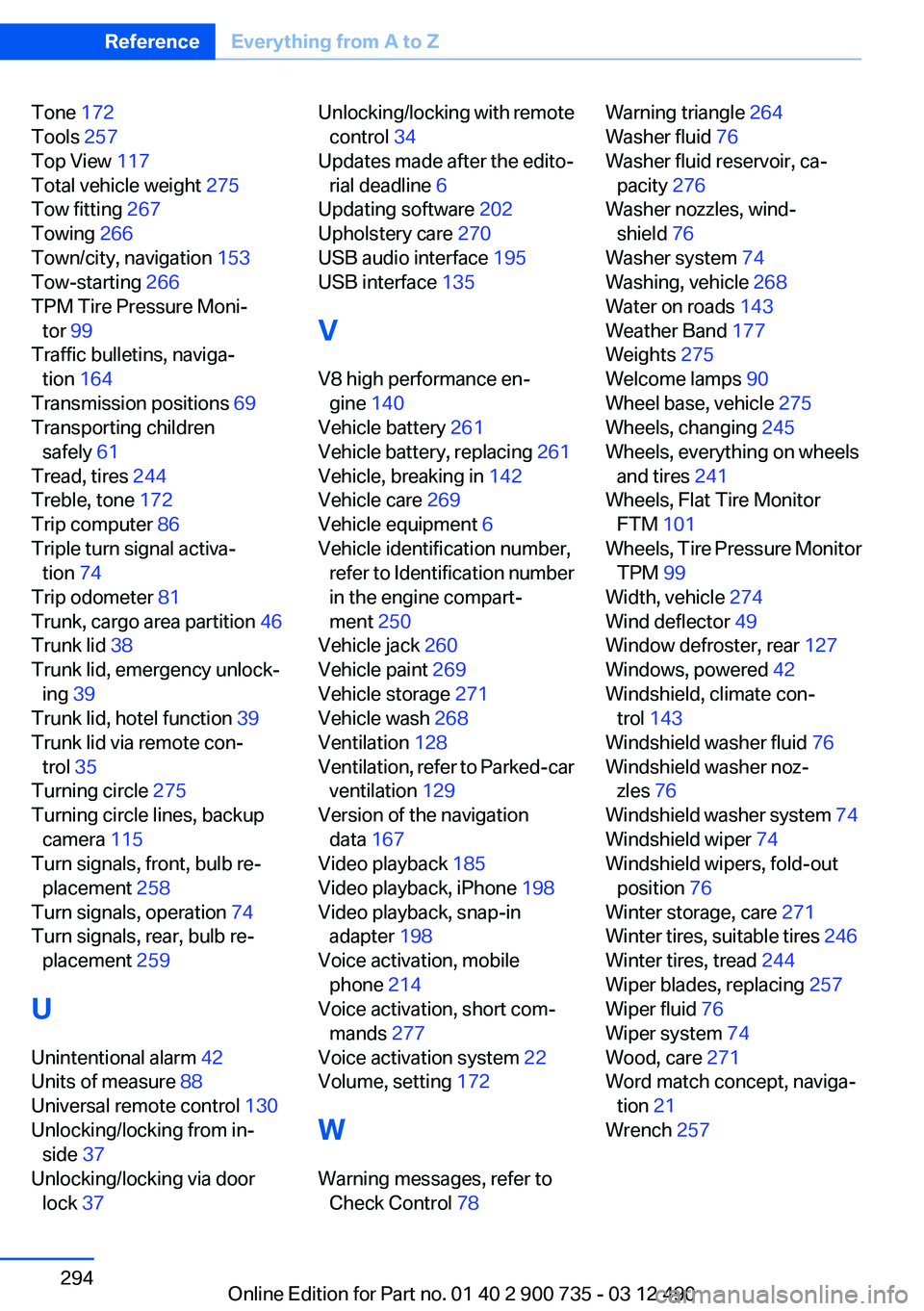
Tone 172
Tools 257
Top View 117
Total vehicle weight 275
Tow fitting 267
Towing 266
Town/city, navigation 153
Tow-starting 266
TPM Tire Pressure Moni‐ tor 99
Traffic bulletins, naviga‐ tion 164
Transmission positions 69
Transporting children safely 61
Tread, tires 244
Treble, tone 172
Trip computer 86
Triple turn signal activa‐ tion 74
Trip odometer 81
Trunk, cargo area partition 46
Trunk lid 38
Trunk lid, emergency unlock‐ ing 39
Trunk lid, hotel function 39
Trunk lid via remote con‐ trol 35
Turning circle 275
Turning circle lines, backup camera 115
Turn signals, front, bulb re‐ placement 258
Turn signals, operation 74
Turn signals, rear, bulb re‐ placement 259
U
Unintentional alarm 42
Units of measure 88
Universal remote control 130
Unlocking/locking from in‐ side 37
Unlocking/locking via door lock 37 Unlocking/locking with remote
control 34
Updates made after the edito‐ rial deadline 6
Updating software 202
Upholstery care 270
USB audio interface 195
USB interface 135
V
V8 high performance en‐ gine 140
Vehicle battery 261
Vehicle battery, replacing 261
Vehicle, breaking in 142
Vehicle care 269
Vehicle equipment 6
Vehicle identification number, refer to Identification number
in the engine compart‐
ment 250
Vehicle jack 260
Vehicle paint 269
Vehicle storage 271
Vehicle wash 268
Ventilation 128
Ventilation, refer to Parked-car ventilation 129
Version of the navigation data 167
Video playback 185
Video playback, iPhone 198
Video playback, snap-in adapter 198
Voice activation, mobile phone 214
Voice activation, short com‐ mands 277
Voice activation system 22
Volume, setting 172
W
Warning messages, refer to Check Control 78 Warning triangle 264
Washer fluid 76
Washer fluid reservoir, ca‐ pacity 276
Washer nozzles, wind‐ shield 76
Washer system 74
Washing, vehicle 268
Water on roads 143
Weather Band 177
Weights 275
Welcome lamps 90
Wheel base, vehicle 275
Wheels, changing 245
Wheels, everything on wheels and tires 241
Wheels, Flat Tire Monitor FTM 101
Wheels, Tire Pressure Monitor TPM 99
Width, vehicle 274
Wind deflector 49
Window defroster, rear 127
Windows, powered 42
Windshield, climate con‐ trol 143
Windshield washer fluid 76
Windshield washer noz‐ zles 76
Windshield washer system 74
Windshield wiper 74
Windshield wipers, fold-out position 76
Winter storage, care 271
Winter tires, suitable tires 246
Winter tires, tread 244
Wiper blades, replacing 257
Wiper fluid 76
Wiper system 74
Wood, care 271
Word match concept, naviga‐ tion 21
Wrench 257 Seite 294ReferenceEverything from A to Z294
Online Edition for Part no. 01 40 2 900 735 - 03 12 490