check oil BMW M6 CONVERTIBLE 2015 F12M Owner's Manual
[x] Cancel search | Manufacturer: BMW, Model Year: 2015, Model line: M6 CONVERTIBLE, Model: BMW M6 CONVERTIBLE 2015 F12MPages: 230, PDF Size: 4.9 MB
Page 88 of 230
DisplaysVehicle features and optionsThis chapter describes all standard, country-
specific and optional features offered with the
series. It also describes features that are not
necessarily available in your car, e. g., due tothe selected options or country versions. This
also applies to safety-related functions and
systems. The respectively applicable country
provisions must be observed when using the
respective features and systems.
Overview, instrument cluster
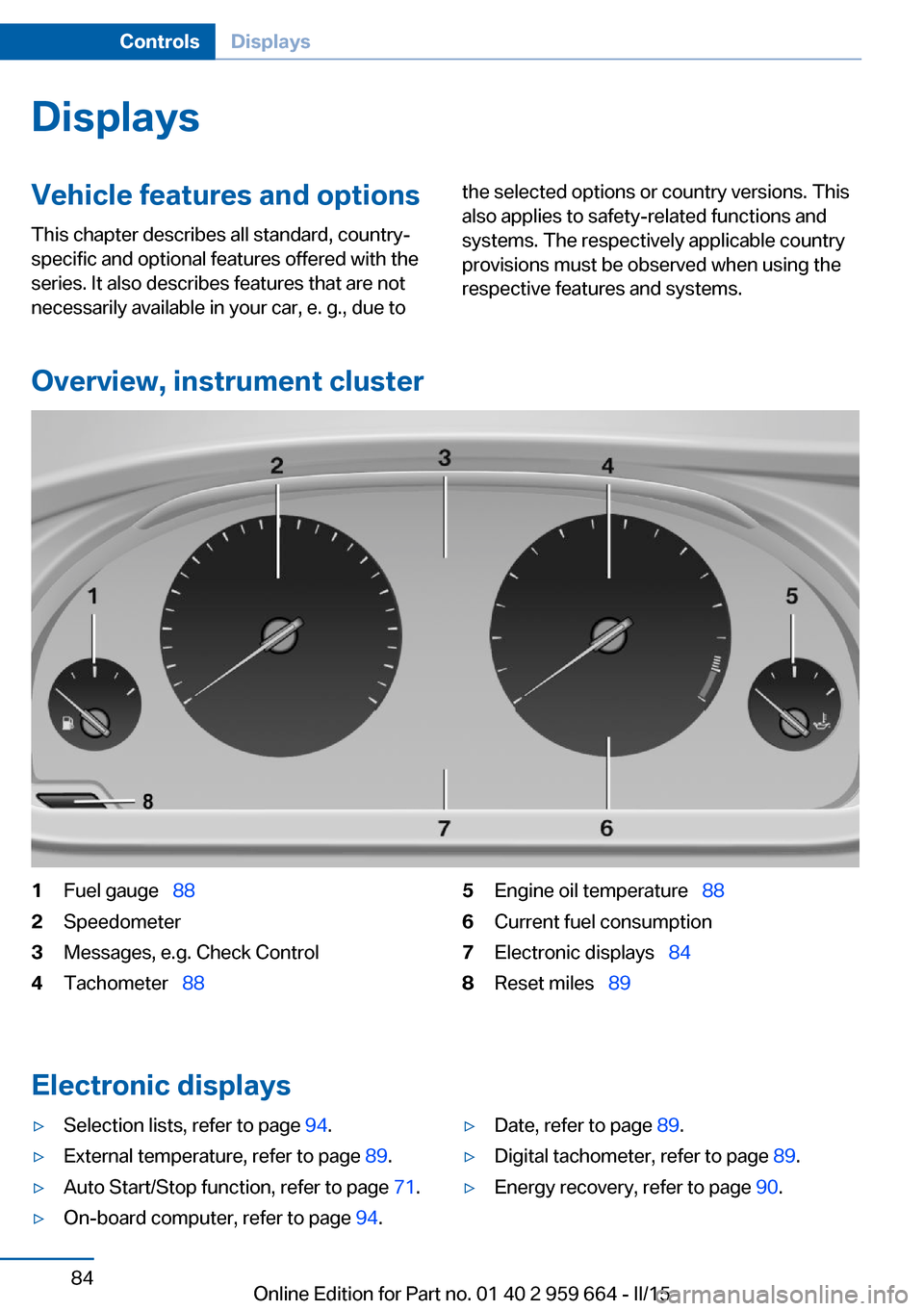
1Fuel gauge 882Speedometer3Messages, e.g. Check Control4Tachometer 885Engine oil temperature 886Current fuel consumption7Electronic displays 848Reset miles 89
Electronic displays
▷Selection lists, refer to page 94.▷External temperature, refer to page 89.▷Auto Start/Stop function, refer to page 71.▷On-board computer, refer to page 94.▷Date, refer to page 89.▷Digital tachometer, refer to page 89.▷Energy recovery, refer to page 90.Seite 84ControlsDisplays84
Online Edition for Part no. 01 40 2 959 664 - II/15
Page 92 of 230
Supplementary text messages
Additional information, such as on the cause of
an error or the required action, can be called up
via Check Control.
With urgent messages the added text will be
automatically displayed on the Control Display.
Symbols
Depending on the Check Control message, the
following functions can be selected.▷ "Owner's Manual"
Display additional information about the
Check Control message in the Integrated
Owner's Manual.▷ "Service request"
Contact your service center.▷ "Roadside Assistance"
Contact Roadside Assistance.
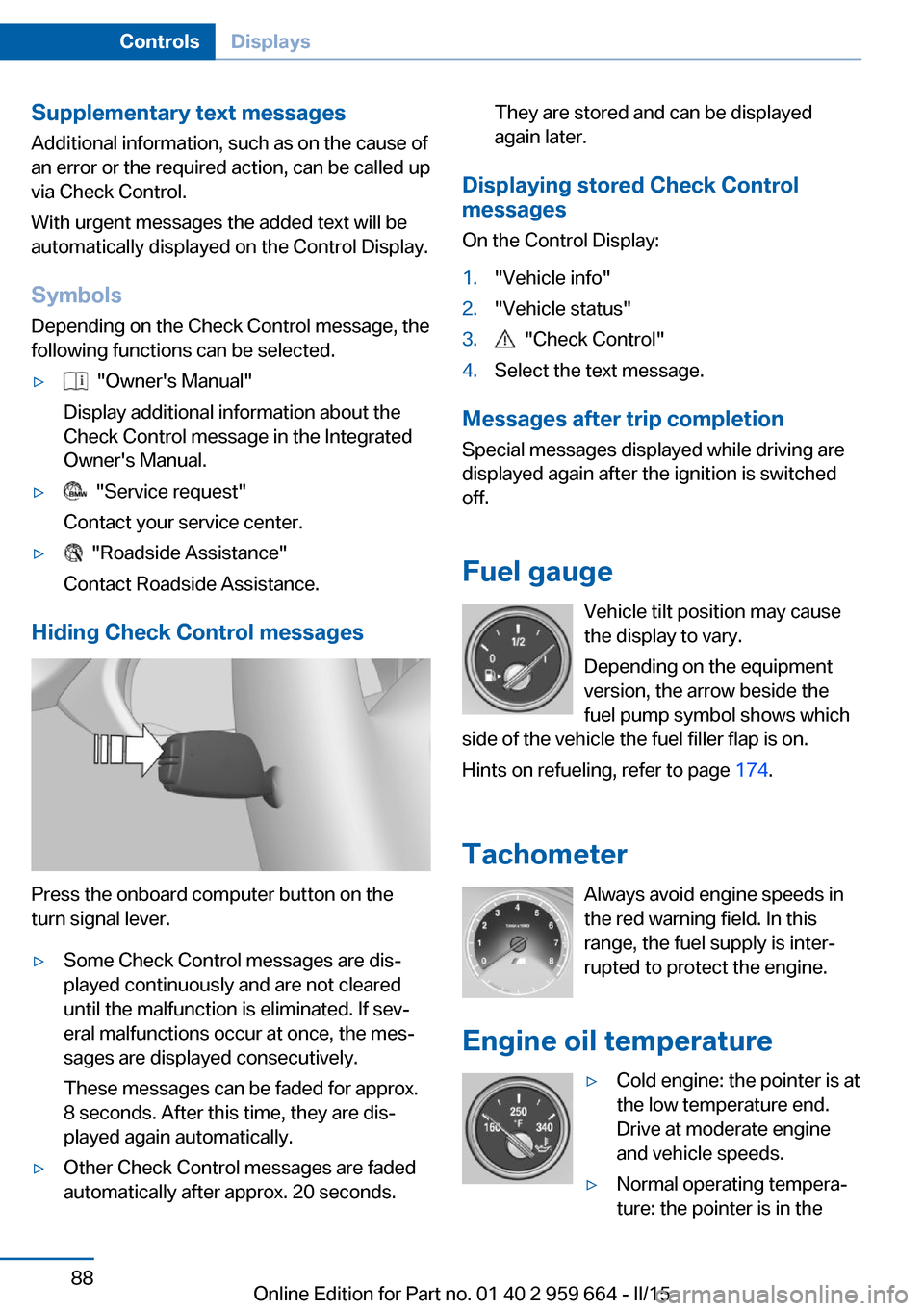
Hiding Check Control messages
Press the onboard computer button on the
turn signal lever.
▷Some Check Control messages are dis‐
played continuously and are not cleared
until the malfunction is eliminated. If sev‐
eral malfunctions occur at once, the mes‐
sages are displayed consecutively.
These messages can be faded for approx.
8 seconds. After this time, they are dis‐
played again automatically.▷Other Check Control messages are faded
automatically after approx. 20 seconds.They are stored and can be displayed
again later.
Displaying stored Check Control
messages
On the Control Display:
1."Vehicle info"2."Vehicle status"3. "Check Control"4.Select the text message.
Messages after trip completion Special messages displayed while driving are
displayed again after the ignition is switched
off.
Fuel gauge Vehicle tilt position may cause
the display to vary.
Depending on the equipment
version, the arrow beside the
fuel pump symbol shows which
side of the vehicle the fuel filler flap is on.
Hints on refueling, refer to page 174.
Tachometer Always avoid engine speeds inthe red warning field. In this
range, the fuel supply is inter‐
rupted to protect the engine.
Engine oil temperature
▷Cold engine: the pointer is at
the low temperature end.
Drive at moderate engine
and vehicle speeds.▷Normal operating tempera‐
ture: the pointer is in theSeite 88ControlsDisplays88
Online Edition for Part no. 01 40 2 959 664 - II/15
Page 167 of 230
Drivetrain
With this vehicle, particular value was placed
on the direct connection from engine to the
drivetrain. Due to the torsionally rigid design of
the drivetrain, as is typical in a sports car, the
transmission of the torque also gives acoustic
feedback.
When there are load changes, this may result
in clicking noises. The do not cause any im‐
pairment of the operation or the service life of
the components.
Driving on racetracks
Requirements
Before driving on a racetrack:▷Participation in BMW Driver Experience
Training.▷Check engine oil fill level and replenish as
necessary.▷Have vehicle checked at a service center.
Hints
Racetrack operation leads to increased wear.
The vehicle is not designed for motorsports
competitive use. This wear is not covered by
the warranty.
The standard brake linings and the wear indi‐
cators are not designed for racetrack opera‐
tion. For more information and advice, contact
your service center.
Seite 163BMW M6 technologyDriving tips163
Online Edition for Part no. 01 40 2 959 664 - II/15
Page 187 of 230
Retreaded tires
Possibly substantial variations in the de‐
sign and age of the tire casing structures can
limit service life and have a negative impact on
road safety.◀
Winter tires
Winter tires are recommended for operating on
winter roads.
Although so-called all-season M+S tires pro‐
vide better winter traction than summer tires, they do not provide the same level of perform‐
ance as winter tires.
Maximum speed of winter tires If the maximum speed of the vehicle is higher
than the permissible speed for the winter tires,
then a respective symbol is displayed in your
field of vision. You can obtain this sign from the
tire specialist or from your service center.
Maximum speed for winter tires
Do not exceed the maximum speed for
the respective winter tires; otherwise, tire dam‐
age and accidents can occur.◀
Rotating wheels between axles The manufacturer of your vehicle advises
against switching wheels between the front
and rear axles. This can impair the handling
characteristics.
Rotating the tires is not permissible on vehi‐
cles with different tire sizes or rim sizes on the
front and rear axles.
StorageStore wheels and tires in a cool, dry place with
as little exposure to light as possible.
Always protect tires against all contact with oil,
grease and fuels.
Do not exceed the maximum tire inflation pres‐
sure indicated on the side wall of the tire.Repairing a flat tire
Safety measures in case of a breakdown
Park the vehicle as far away as possible
from passing traffic and on solid ground.
Switch on the hazard warning system.
Turn the steering wheel until the front wheels are in the straight-ahead position and engage
the steering wheel lock.
Secure the vehicle against rolling away by set‐
ting the parking brake.
Have all vehicle occupants get out of the vehi‐
cle and ensure that they remain outside the
immediate area in a safe place, such as behind
a guardrail.
If necessary, set up a warning triangle at an ap‐
propriate distance.
Comply with all safety guidelines and regula‐
tions.◀
Mobility System
The concept With the Mobility System, minor tire damage
can be sealed quickly to enable continued
travel. To accomplish this, sealant is pumped
into the tires, which seals the damage from the
inside.
The compressor can be used to check the tire
inflation pressure.
Hints▷Follow the instructions on using the Mobi‐
lity System found on the compressor and
sealant container.▷Use of the Mobility System may be ineffec‐
tive if the tire puncture measures approx.
1/8 in/4 mm or more.▷Contact the nearest service center if the
tire cannot be made drivable.Seite 183Wheels and tiresMobility183
Online Edition for Part no. 01 40 2 959 664 - II/15
Page 193 of 230
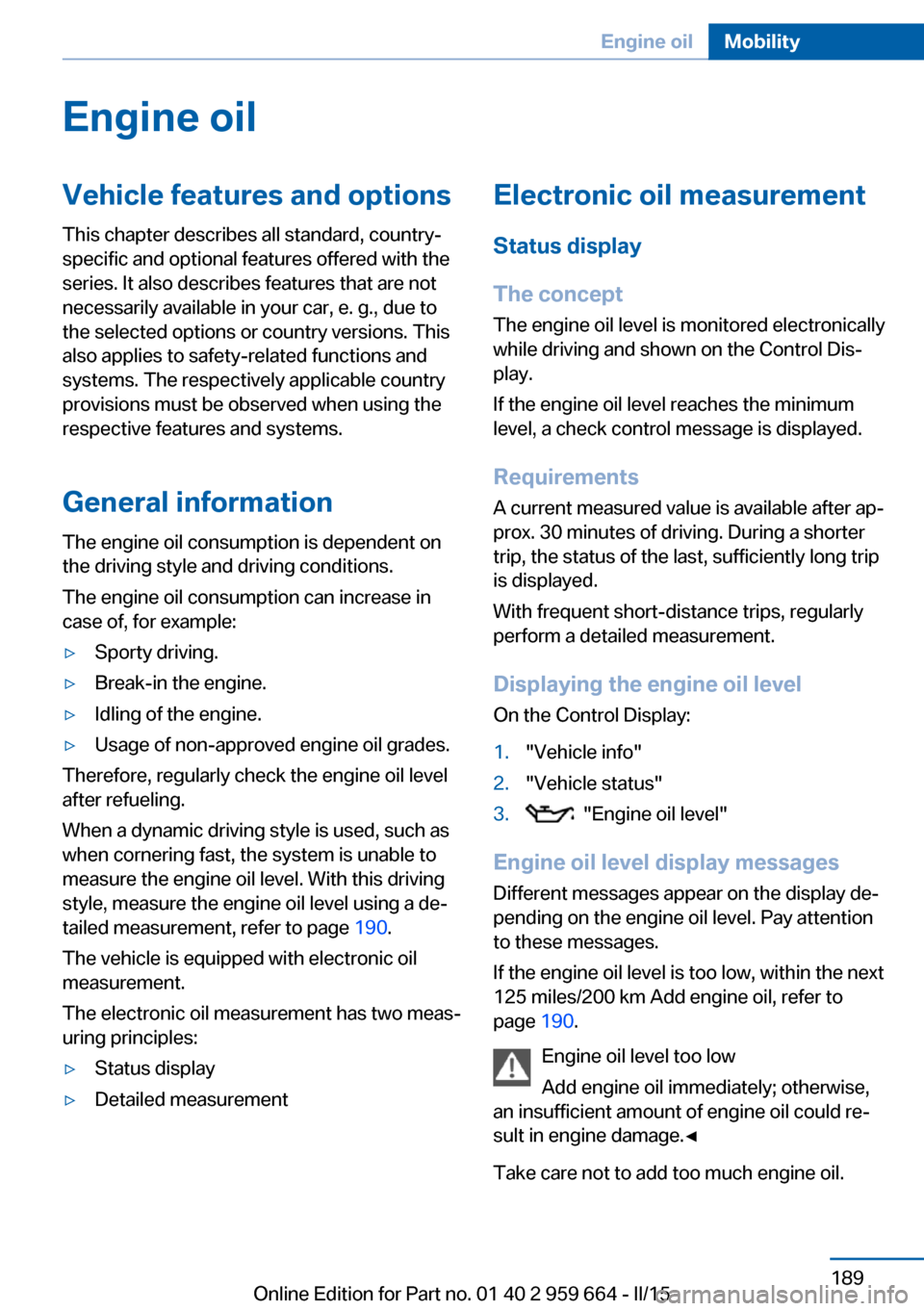
Engine oilVehicle features and options
This chapter describes all standard, country-
specific and optional features offered with the
series. It also describes features that are not
necessarily available in your car, e. g., due to
the selected options or country versions. This
also applies to safety-related functions and
systems. The respectively applicable country
provisions must be observed when using the
respective features and systems.
General information The engine oil consumption is dependent on
the driving style and driving conditions.
The engine oil consumption can increase in
case of, for example:▷Sporty driving.▷Break-in the engine.▷Idling of the engine.▷Usage of non-approved engine oil grades.
Therefore, regularly check the engine oil level
after refueling.
When a dynamic driving style is used, such as
when cornering fast, the system is unable to
measure the engine oil level. With this driving
style, measure the engine oil level using a de‐
tailed measurement, refer to page 190.
The vehicle is equipped with electronic oil
measurement.
The electronic oil measurement has two meas‐
uring principles:
▷Status display▷Detailed measurementElectronic oil measurement
Status display
The concept
The engine oil level is monitored electronically
while driving and shown on the Control Dis‐
play.
If the engine oil level reaches the minimum
level, a check control message is displayed.
Requirements
A current measured value is available after ap‐
prox. 30 minutes of driving. During a shorter
trip, the status of the last, sufficiently long trip
is displayed.
With frequent short-distance trips, regularly
perform a detailed measurement.
Displaying the engine oil level
On the Control Display:1."Vehicle info"2."Vehicle status"3. "Engine oil level"
Engine oil level display messages
Different messages appear on the display de‐
pending on the engine oil level. Pay attention
to these messages.
If the engine oil level is too low, within the next
125 miles/200 km Add engine oil, refer to
page 190.
Engine oil level too low
Add engine oil immediately; otherwise,
an insufficient amount of engine oil could re‐
sult in engine damage.◀
Take care not to add too much engine oil.
Seite 189Engine oilMobility189
Online Edition for Part no. 01 40 2 959 664 - II/15
Page 194 of 230
Too much engine oil
Have the vehicle checked immediately;
otherwise, surplus engine oil can lead to en‐
gine damage.◀
Detailed measurement
The concept In the detailed measurement the engine oil
level is checked and displayed via a scale.
Gasoline engine:
If the engine oil level reaches the minimum
level, a check control message is displayed.
Diesel engine:
During the measurement, the idle speed is in‐
creased somewhat.
Requirements▷Vehicle is on level road.▷Manual transmission: shift lever in neutral
position, clutch and accelerator pedals not
depressed.▷M Double clutch transmission: selector
lever in selector lever position N and accel‐
erator pedal not depressed.▷Engine is running and is at operating tem‐
perature.
Performing a detailed measurement
In order to perform a detailed measurement of
the engine oil level:
1."Vehicle info"2."Vehicle status"3. "Measure engine oil level"4."Start measurement"
The engine oil level is checked and displayed
via a scale.
Time: approx. 1 minute.
Adding engine oil
General information
Switch off the ignition and safely park the vehi‐
cle before engine oil is added.
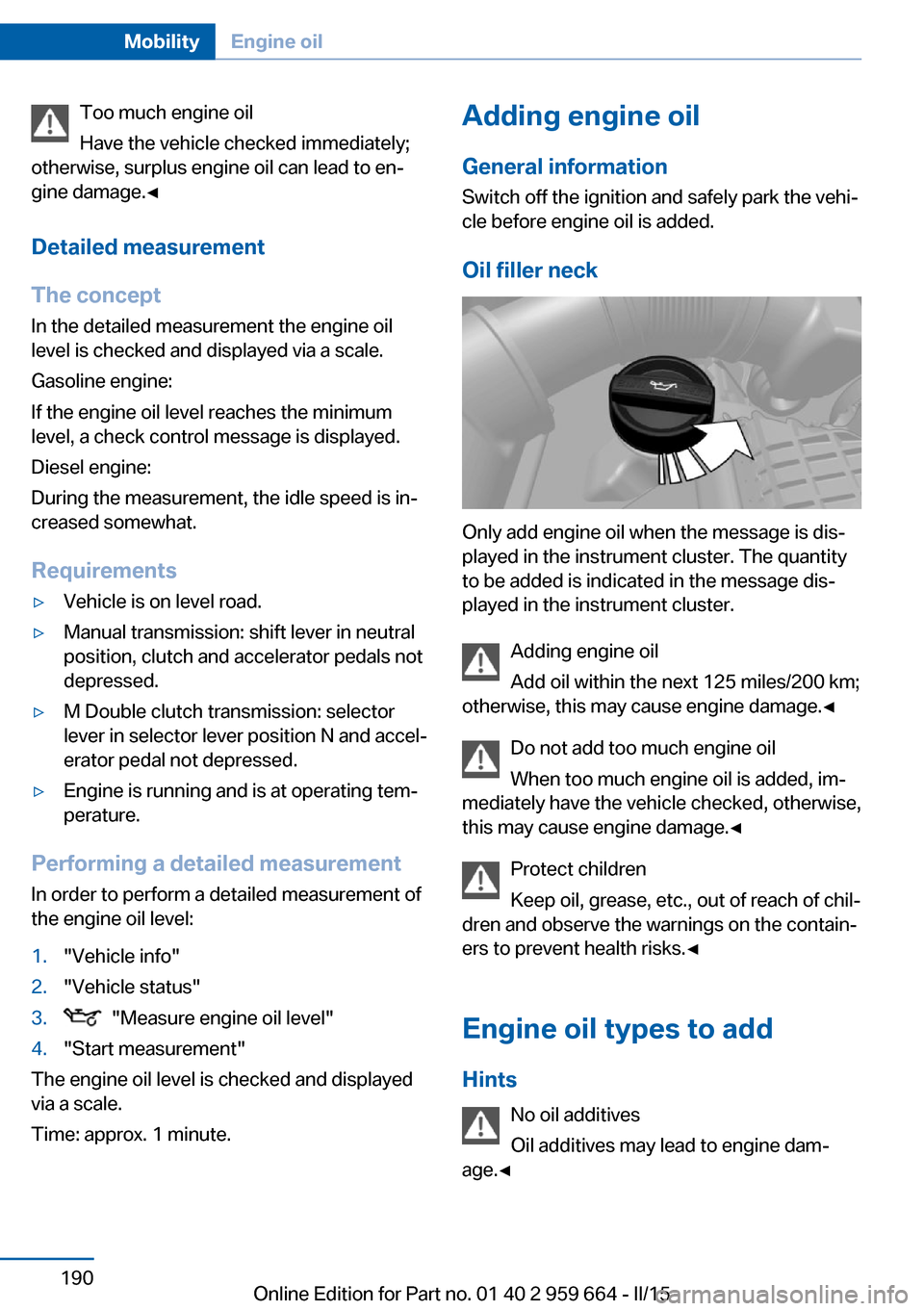
Oil filler neck
Only add engine oil when the message is dis‐
played in the instrument cluster. The quantity
to be added is indicated in the message dis‐
played in the instrument cluster.
Adding engine oil
Add oil within the next 125 miles/200 km;
otherwise, this may cause engine damage.◀
Do not add too much engine oil
When too much engine oil is added, im‐
mediately have the vehicle checked, otherwise,
this may cause engine damage.◀
Protect children
Keep oil, grease, etc., out of reach of chil‐
dren and observe the warnings on the contain‐
ers to prevent health risks.◀
Engine oil types to add Hints No oil additives
Oil additives may lead to engine dam‐
age.◀
Seite 190MobilityEngine oil190
Online Edition for Part no. 01 40 2 959 664 - II/15
Page 197 of 230
MaintenanceVehicle features and options
This chapter describes all standard, country-
specific and optional features offered with the
series. It also describes features that are not
necessarily available in your car, e. g., due to
the selected options or country versions. This
also applies to safety-related functions and
systems. The respectively applicable country
provisions must be observed when using the
respective features and systems.
BMW maintenance system The maintenance system indicates required
maintenance measures, and thereby provides
support in maintaining road safety and the op‐
erational reliability of the vehicle.
In some cases scopes and intervals may vary
according to the country-specific version. Re‐
placement work, spare parts, fuels and lubri‐
cants and wear materials are calculated sepa‐
rately. Additional information is available from
the service center.
Condition Based Service
CBS
Sensors and special algorithms take into ac‐
count the driving conditions of your vehicle.
Based on this, Condition Based Service recog‐
nizes the maintenance requirements.
The system makes it possible to adapt the
amount of maintenance corresponding to your
user profile.
Detailed information on service requirements,
refer to page 91, can be displayed on the Con‐
trol Display.Service data in the remote control
Information on the required maintenance is
continuously stored in the remote control. Your service center will read out this data and
suggest the right array of service procedures for your vehicle.
Therefore, hand your service specialist the re‐
mote control with which the vehicle was driven
most recently.
Storage periods Storage periods during which the vehicle bat‐
tery was disconnected are not taken into ac‐
count.
If this occurs, have a service center update the
time-dependent maintenance procedures,
such as checking brake fluid and, if needed,
changing the engine oil and the microfilter/
activated-charcoal filter.
Service and Warranty
Information Booklet for US
models and Warranty and
Service Guide Booklet for
Canadian models
Please consult your Service and Warranty In‐
formation Booklet for US models and Warranty
and Service Guide Booklet for Canadian mod‐
els for additional information on service re‐
quirements.
Maintenance and repair should be performed
by your service center. Make sure to have reg‐
ular maintenance procedures recorded in the
vehicle's Service and Warranty Information
Booklet for US models, and in the Warranty
and Service Guide Booklet for Canadian mod‐
els. These entries are proof of regular mainte‐
nance.Seite 193MaintenanceMobility193
Online Edition for Part no. 01 40 2 959 664 - II/15
Page 221 of 230
Brake lights, brake force dis‐play 126
Brake lights, bulb replace‐ ment 197
Brake pads, break-in 164
Braking, hints 166
Breakdown assistance 200
Break-in 164
Brightness of Control Dis‐ play 98
Bulb replacement, front 195
Bulb replacement, rear 197
Button, Start/Stop 69
Bypassing, refer to Jump- starting 202
C
California Proposition 65 Warning 7
Calling up mirror adjust‐ ment 44
Calling up seat adjust‐ ment 44
Calling up steering wheel ad‐ justment 44
Camera lenses, care 210
Camera, rearview cam‐ era 139
Camera, Side View 141
Camera, Top View 143
Can holder, refer to Cu‐ pholder 158
Car battery 198
Carbon ceramic brake M 162
Car care products 207
Care, displays 210
Care, vehicle 207
Cargo 168
Cargo area partition 50
Cargo area, storage compart‐ ments 158
Cargo, securing 169
Cargo straps, securing cargo 169 Car key, refer to Remote con‐
trol 34
Carpet, care 209
Car wash 206
Catalytic converter, refer to Hot exhaust system 165
CBS Condition Based Serv‐ ice 193
CD/Multimedia, see user's manual for Navigation, En‐
tertainment and Communi‐
cation
Center console 16
Central locking system 40
Central screen, refer to Con‐ trol Display 18
Ceramic brake 162
Changes, technical, refer to Safety 7
Changing parts 195
Changing wheels 197
Changing wheels/tires 182
Chassis number, see vehicle identification number 9
Check Control 85
Checking the engine oil level electronically 189
Checking the oil level elec‐ tronically 189
Children, seating position 66
Children, transporting safely 66
Child restraint fixing sys‐ tem 66
Child restraint fixing system LATCH 68
Child restraint fixing systems, mounting 66
Child seat, mounting 66
Child seats 66
Chrome parts, care 209
Cigarette lighter 152
Cleaning displays 210
Climate control 145
Climate control wind‐ shield 165 Clock 89
Closing/opening via door lock 40
Closing/opening with remote control 37
Clothes hooks 157
Combination reel, refer to Turn signals 75
Combination switch, refer to Wiper system 75
Comfort Access 42
Compound brake 162
Compressor 183
Computer, refer to On-board computer 94
Condensation on win‐ dows 147
Condensation under the vehi‐ cle 167
Condition Based Service CBS 193
Confirmation signal 44
ConnectedDrive, see user's manual for Navigation, En‐
tertainment and Communi‐
cation
ConnectedDrive Services
Control Display 18
Control Display, settings 97
Controller 18
Control systems, driving sta‐ bility 128
Convenient closing with the remote control 38
Convenient opening with the remote control 37
Convertible, convertible top 48
Convertible mode, automatic climate control 146
Convertible program, auto‐ matic climate control 146
Convertible top 48
Convertible top, care 208
Convertible top, cargo area partition 50 Seite 217Everything from A to ZReference217
Online Edition for Part no. 01 40 2 959 664 - II/15
Page 223 of 230
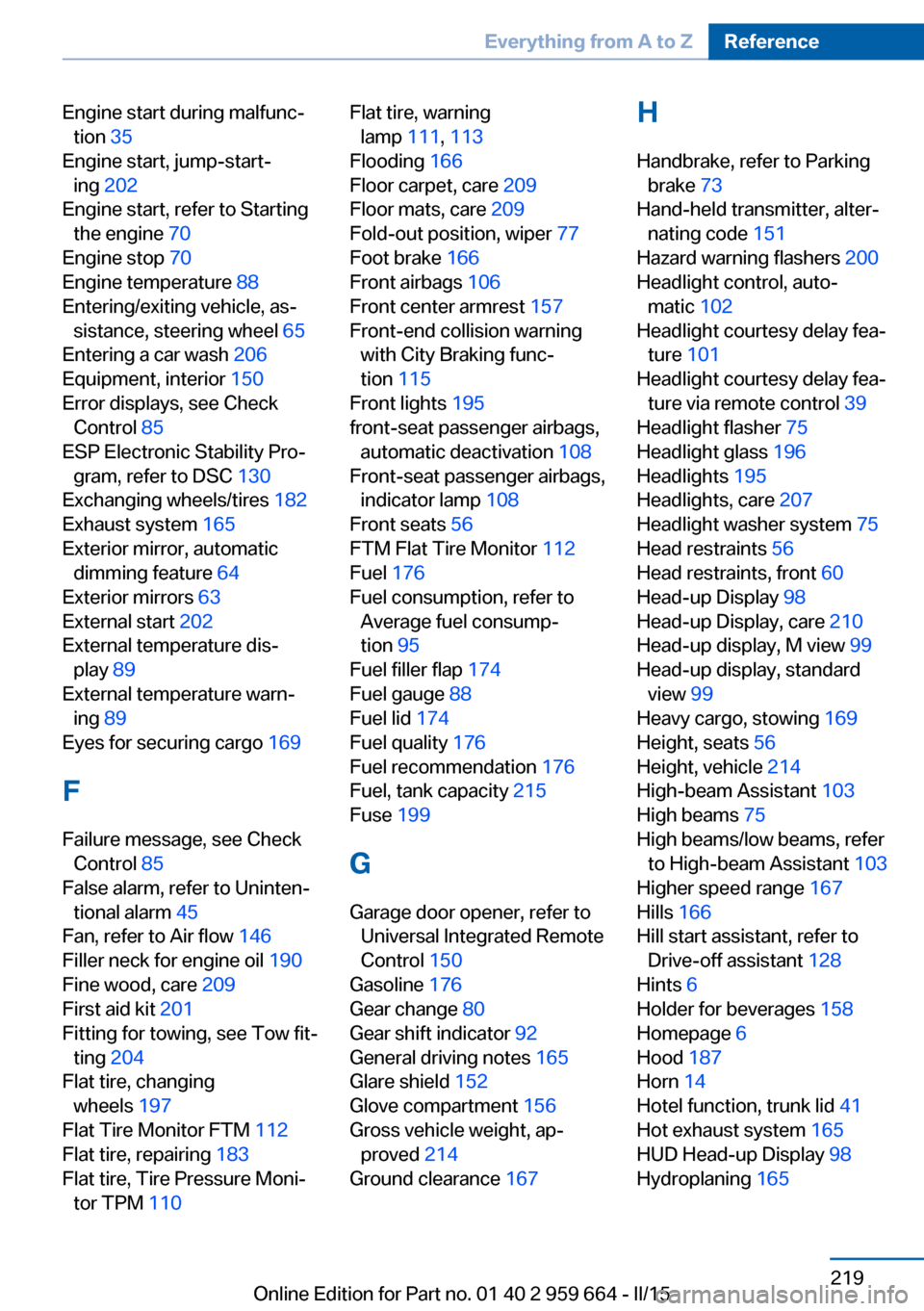
Engine start during malfunc‐tion 35
Engine start, jump-start‐ ing 202
Engine start, refer to Starting the engine 70
Engine stop 70
Engine temperature 88
Entering/exiting vehicle, as‐ sistance, steering wheel 65
Entering a car wash 206
Equipment, interior 150
Error displays, see Check Control 85
ESP Electronic Stability Pro‐ gram, refer to DSC 130
Exchanging wheels/tires 182
Exhaust system 165
Exterior mirror, automatic dimming feature 64
Exterior mirrors 63
External start 202
External temperature dis‐ play 89
External temperature warn‐ ing 89
Eyes for securing cargo 169
F
Failure message, see Check Control 85
False alarm, refer to Uninten‐ tional alarm 45
Fan, refer to Air flow 146
Filler neck for engine oil 190
Fine wood, care 209
First aid kit 201
Fitting for towing, see Tow fit‐ ting 204
Flat tire, changing wheels 197
Flat Tire Monitor FTM 112
Flat tire, repairing 183
Flat tire, Tire Pressure Moni‐ tor TPM 110 Flat tire, warning
lamp 111, 113
Flooding 166
Floor carpet, care 209
Floor mats, care 209
Fold-out position, wiper 77
Foot brake 166
Front airbags 106
Front center armrest 157
Front-end collision warning with City Braking func‐
tion 115
Front lights 195
front-seat passenger airbags, automatic deactivation 108
Front-seat passenger airbags, indicator lamp 108
Front seats 56
FTM Flat Tire Monitor 112
Fuel 176
Fuel consumption, refer to Average fuel consump‐
tion 95
Fuel filler flap 174
Fuel gauge 88
Fuel lid 174
Fuel quality 176
Fuel recommendation 176
Fuel, tank capacity 215
Fuse 199
G
Garage door opener, refer to Universal Integrated Remote
Control 150
Gasoline 176
Gear change 80
Gear shift indicator 92
General driving notes 165
Glare shield 152
Glove compartment 156
Gross vehicle weight, ap‐ proved 214
Ground clearance 167 H
Handbrake, refer to Parking brake 73
Hand-held transmitter, alter‐ nating code 151
Hazard warning flashers 200
Headlight control, auto‐ matic 102
Headlight courtesy delay fea‐ ture 101
Headlight courtesy delay fea‐ ture via remote control 39
Headlight flasher 75
Headlight glass 196
Headlights 195
Headlights, care 207
Headlight washer system 75
Head restraints 56
Head restraints, front 60
Head-up Display 98
Head-up Display, care 210
Head-up display, M view 99
Head-up display, standard view 99
Heavy cargo, stowing 169
Height, seats 56
Height, vehicle 214
High-beam Assistant 103
High beams 75
High beams/low beams, refer to High-beam Assistant 103
Higher speed range 167
Hills 166
Hill start assistant, refer to Drive-off assistant 128
Hints 6
Holder for beverages 158
Homepage 6
Hood 187
Horn 14
Hotel function, trunk lid 41
Hot exhaust system 165
HUD Head-up Display 98
Hydroplaning 165 Seite 219Everything from A to ZReference219
Online Edition for Part no. 01 40 2 959 664 - II/15
Page 225 of 230
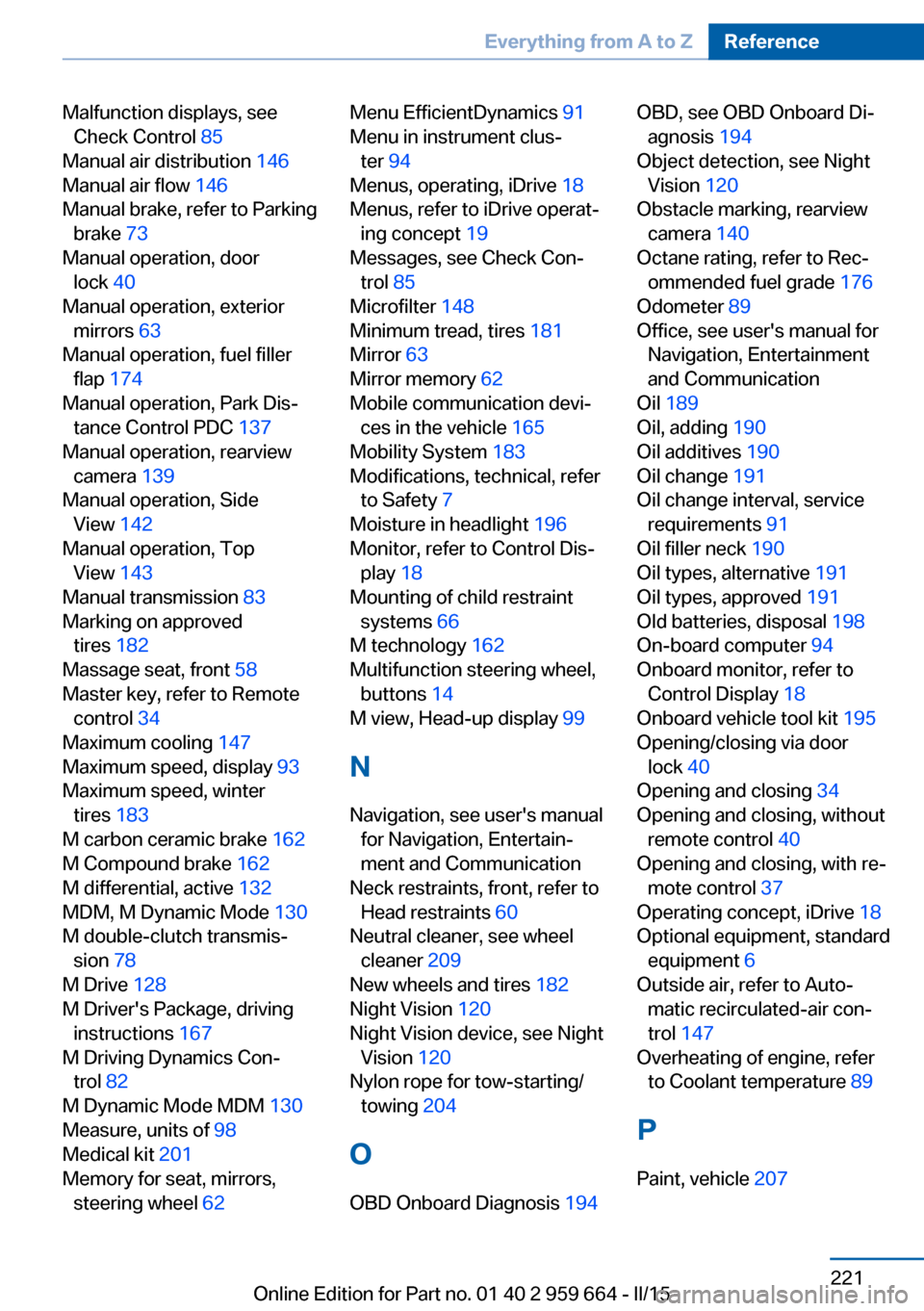
Malfunction displays, seeCheck Control 85
Manual air distribution 146
Manual air flow 146
Manual brake, refer to Parking brake 73
Manual operation, door lock 40
Manual operation, exterior mirrors 63
Manual operation, fuel filler flap 174
Manual operation, Park Dis‐ tance Control PDC 137
Manual operation, rearview camera 139
Manual operation, Side View 142
Manual operation, Top View 143
Manual transmission 83
Marking on approved tires 182
Massage seat, front 58
Master key, refer to Remote control 34
Maximum cooling 147
Maximum speed, display 93
Maximum speed, winter tires 183
M carbon ceramic brake 162
M Compound brake 162
M differential, active 132
MDM, M Dynamic Mode 130
M double-clutch transmis‐ sion 78
M Drive 128
M Driver's Package, driving instructions 167
M Driving Dynamics Con‐ trol 82
M Dynamic Mode MDM 130
Measure, units of 98
Medical kit 201
Memory for seat, mirrors, steering wheel 62 Menu EfficientDynamics 91
Menu in instrument clus‐ ter 94
Menus, operating, iDrive 18
Menus, refer to iDrive operat‐ ing concept 19
Messages, see Check Con‐ trol 85
Microfilter 148
Minimum tread, tires 181
Mirror 63
Mirror memory 62
Mobile communication devi‐ ces in the vehicle 165
Mobility System 183
Modifications, technical, refer to Safety 7
Moisture in headlight 196
Monitor, refer to Control Dis‐ play 18
Mounting of child restraint systems 66
M technology 162
Multifunction steering wheel, buttons 14
M view, Head-up display 99
N
Navigation, see user's manual for Navigation, Entertain‐
ment and Communication
Neck restraints, front, refer to Head restraints 60
Neutral cleaner, see wheel cleaner 209
New wheels and tires 182
Night Vision 120
Night Vision device, see Night Vision 120
Nylon rope for tow-starting/ towing 204
O OBD Onboard Diagnosis 194 OBD, see OBD Onboard Di‐
agnosis 194
Object detection, see Night Vision 120
Obstacle marking, rearview camera 140
Octane rating, refer to Rec‐ ommended fuel grade 176
Odometer 89
Office, see user's manual for Navigation, Entertainment
and Communication
Oil 189
Oil, adding 190
Oil additives 190
Oil change 191
Oil change interval, service requirements 91
Oil filler neck 190
Oil types, alternative 191
Oil types, approved 191
Old batteries, disposal 198
On-board computer 94
Onboard monitor, refer to Control Display 18
Onboard vehicle tool kit 195
Opening/closing via door lock 40
Opening and closing 34
Opening and closing, without remote control 40
Opening and closing, with re‐ mote control 37
Operating concept, iDrive 18
Optional equipment, standard equipment 6
Outside air, refer to Auto‐ matic recirculated-air con‐
trol 147
Overheating of engine, refer to Coolant temperature 89
P Paint, vehicle 207 Seite 221Everything from A to ZReference221
Online Edition for Part no. 01 40 2 959 664 - II/15