height BMW M6 COUPE 2006 E63 Owner's Manual
[x] Cancel search | Manufacturer: BMW, Model Year: 2006, Model line: M6 COUPE, Model: BMW M6 COUPE 2006 E63Pages: 227, PDF Size: 8.32 MB
Page 42 of 227
Adjustments
40 ensuing loss of vehicle control could lead to an
accident.
On the front passenger side as well, do not tilt
the backrest too far toward the rear. Failure to
observe this precaution can prevent the belt
from providing effective protection against
injury, as the passenger could slide under the
belt in an accident.<
Also follow the instructions regarding damage
to the safety belt on page43.
Seat adjustment
To ensure that the safety systems con-
tinue to provide optimized protection,
please follow the adjustment instructions on
page39.<
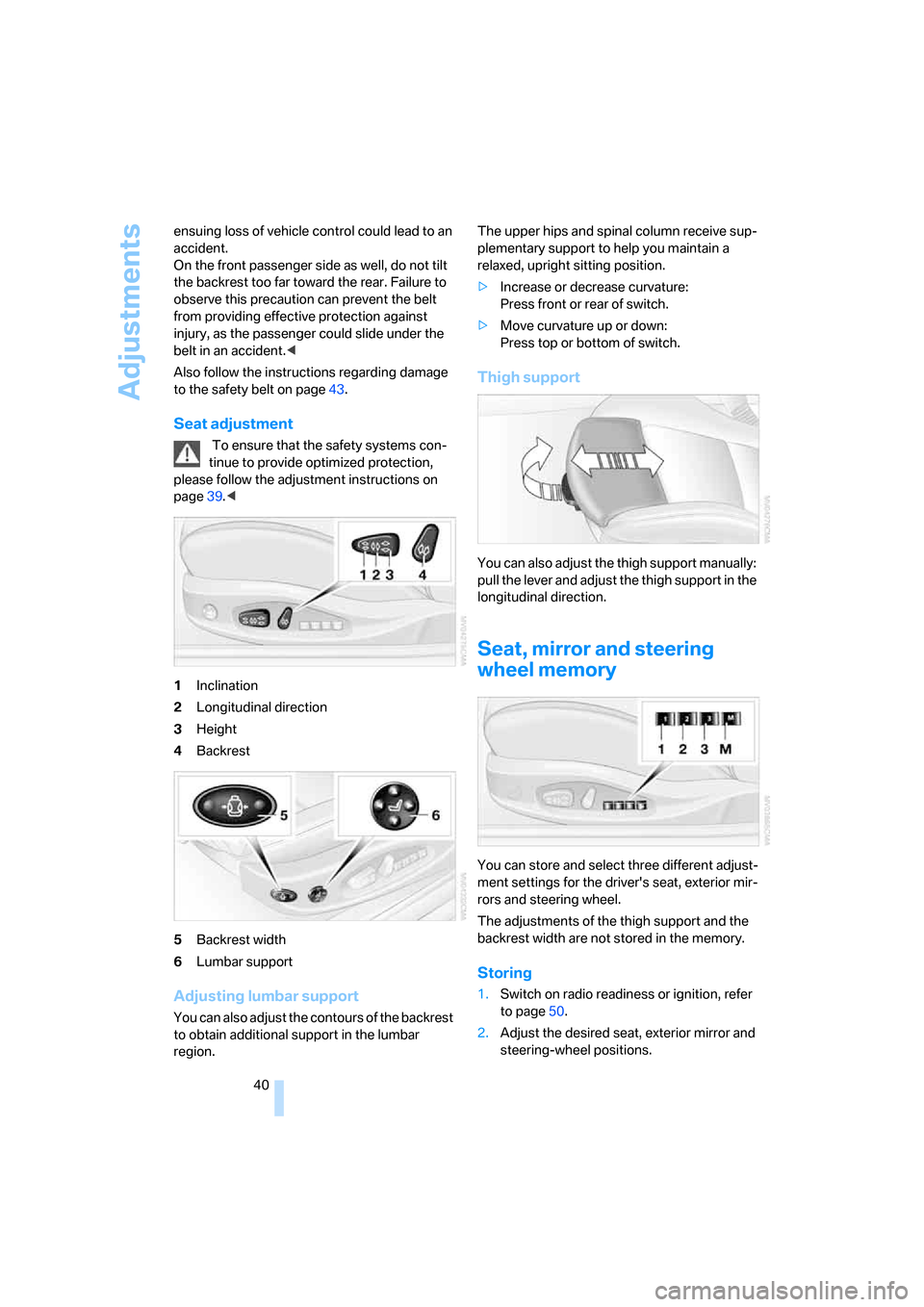
1Inclination
2Longitudinal direction
3Height
4Backrest
5Backrest width
6Lumbar support
Adjusting lumbar support
You can also adjust the contours of the backrest
to obtain additional support in the lumbar
region.The upper hips and spinal column receive sup-
plementary support to help you maintain a
relaxed, upright sitting position.
>Increase or decrease curvature:
Press front or rear of switch.
>Move curvature up or down:
Press top or bottom of switch.
Thigh support
You can also adjust the thigh support manually:
pull the lever and adjust the thigh support in the
longitudinal direction.
Seat, mirror and steering
wheel memory
You can store and select three different adjust-
ment settings for the driver's seat, exterior mir-
rors and steering wheel.
The adjustments of the thigh support and the
backrest width are not stored in the memory.
Storing
1.Switch on radio readiness or ignition, refer
to page50.
2.Adjust the desired seat, exterior mirror and
steering-wheel positions.
Page 44 of 227
Adjustments
42 Adjust the head restraint so that its center
is approx. at ear level. Otherwise there is
increased danger of injury in the event of an
accident.<
Adjusting height
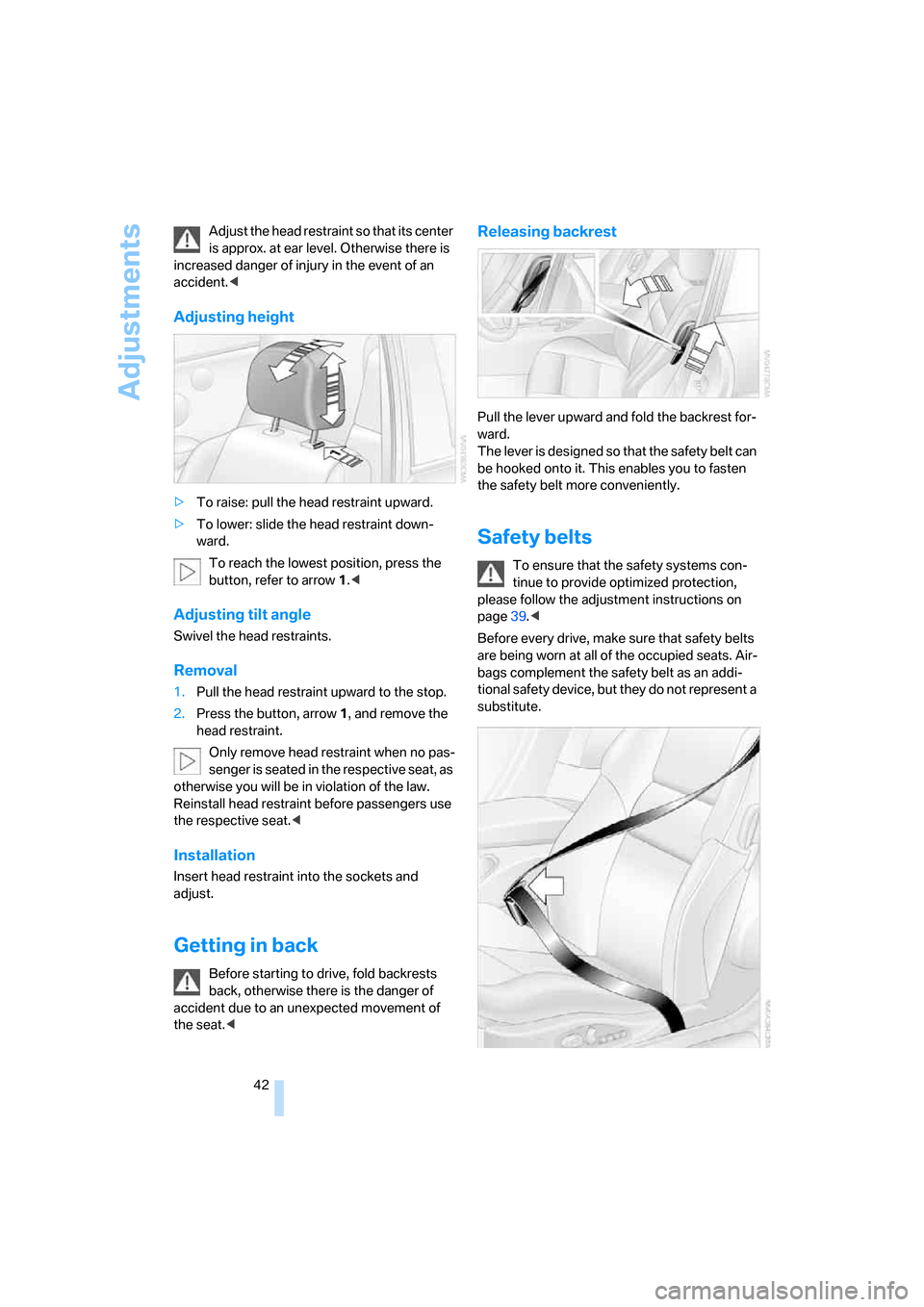
>To raise: pull the head restraint upward.
>To lower: slide the head restraint down-
ward.
To reach the lowest position, press the
button, refer to arrow 1.<
Adjusting tilt angle
Swivel the head restraints.
Removal
1.Pull the head restraint upward to the stop.
2.Press the button, arrow1, and remove the
head restraint.
Only remove head restraint when no pas-
senger is seated in the respective seat, as
otherwise you will be in violation of the law.
Reinstall head restraint before passengers use
the respective seat.<
Installation
Insert head restraint into the sockets and
adjust.
Getting in back
Before starting to drive, fold backrests
back, otherwise there is the danger of
accident due to an unexpected movement of
the seat.<
Releasing backrest
Pull the lever upward and fold the backrest for-
ward.
The lever is designed so that the safety belt can
be hooked onto it. This enables you to fasten
the safety belt more conveniently.
Safety belts
To ensure that the safety systems con-
tinue to provide optimized protection,
please follow the adjustment instructions on
page39.<
Before every drive, make sure that safety belts
are being worn at all of the occupied seats. Air-
bags complement the safety belt as an addi-
tional safety device, but they do not represent a
substitute.
Page 50 of 227
Transporting children safely
48
Transporting children safely
The right place for children
Do not leave children unattended in the
vehicle; otherwise, they could endanger
themselves and other persons, e.g. by opening
the doors.<
Children always in the rear
Accident research shows that the safest place
for children is in the back.
Children younger than 13 years of age or
with a height under 5 ft/150 cm may only
be transported in the rear in child restraint sys-
tems which correspond to the age, weight and
height of the child. Otherwise there is an
increased danger of injury in an accident.<
Children 13 years of age or older must wear a
safety belt as soon as a suitable child restraint
system can no longer be used due to their age,
size and weight.
With the exception of the driver's seat, all seats
in your BMW comply with the recommenda-
tions of the standard SAE J1819 for the safe
securing of child restraint systems in motor
vehicles.
Exception for front passenger seat
Should it be necessary to use a child
restraint system on the front passenger
seat, the front, knee and side airbag on the pas-
senger side must be deactivated. Otherwise,
there is an increased risk of injury for the child if
the airbags are triggered, even with a child
restraint system. Your BMW center will be glad
to advise you.<
For more information on automatic deactivation
of the front passenger airbags, refer to page76.
Installing child restraint
systems
Follow child-restraint system manufac-
turer's instructions for the selection,
installation and use of child restraint systems.
Otherwise the degree of protection they offer
may be reduced.<
Backrest width on front passenger seat
Before mounting a child restraint system
on the front passenger seat, the backrest
width adjustment must be open completely.<
1.Adjust the backrest width to the fully open
position, refer to page40.
2.Install child's seat.
Child seat security
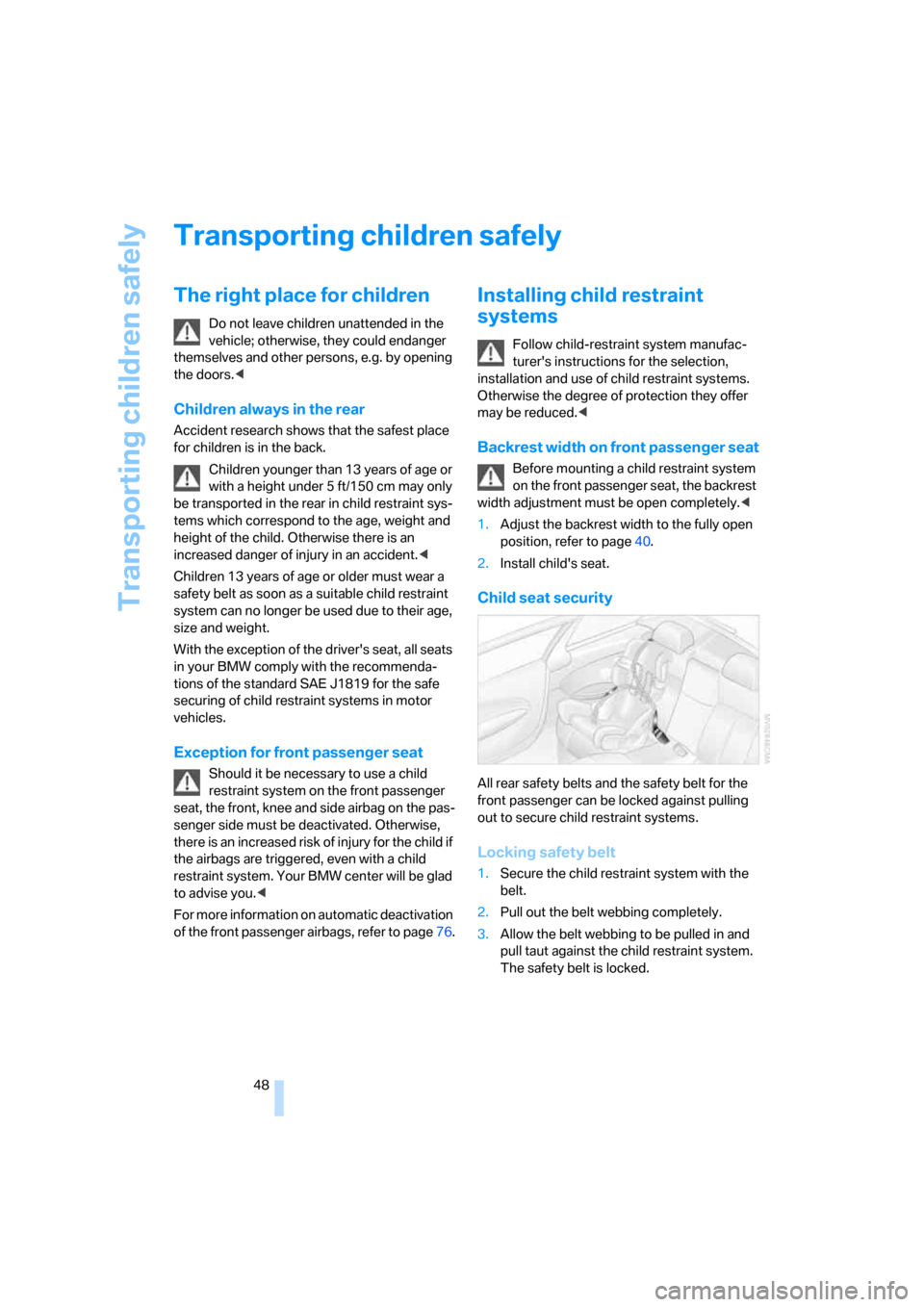
All rear safety belts and the safety belt for the
front passenger can be locked against pulling
out to secure child restraint systems.
Locking safety belt
1.Secure the child restraint system with the
belt.
2.Pull out the belt webbing completely.
3.Allow the belt webbing to be pulled in and
pull taut against the child restraint system.
The safety belt is locked.
Page 78 of 227
Technology for comfort, convenience and safety
76 attempt to remove or dismantle the steering
wheel.
Do not touch the individual components
directly after the system has been triggered,
because there is a danger of burns.
In the event of malfunctions, deactivation, or
triggering of the airbag restraint system, have
the testing, repair, removal, and disposal of air-
bag generators carried out only by a BMW cen-
ter or a workshop that works according to BMW
repair procedures with appropriately trained
personnel and has the required explosives
licenses. Unprofessional attempts to service
the system could lead to failure in an emer-
gency or undesired airbag activation, either of
which could result in personal injury.<
Warnings and information on the airbags is also
provided on the sun visors.
Automatic deactivation of front
passenger airbags
The occupation of the seat is detected by eval-
uating the impression on the occupied seat sur-
face of the front passenger seat. The system
correspondingly activates or deactivates the
front, knee and side airbag on the front passen-
ger side.
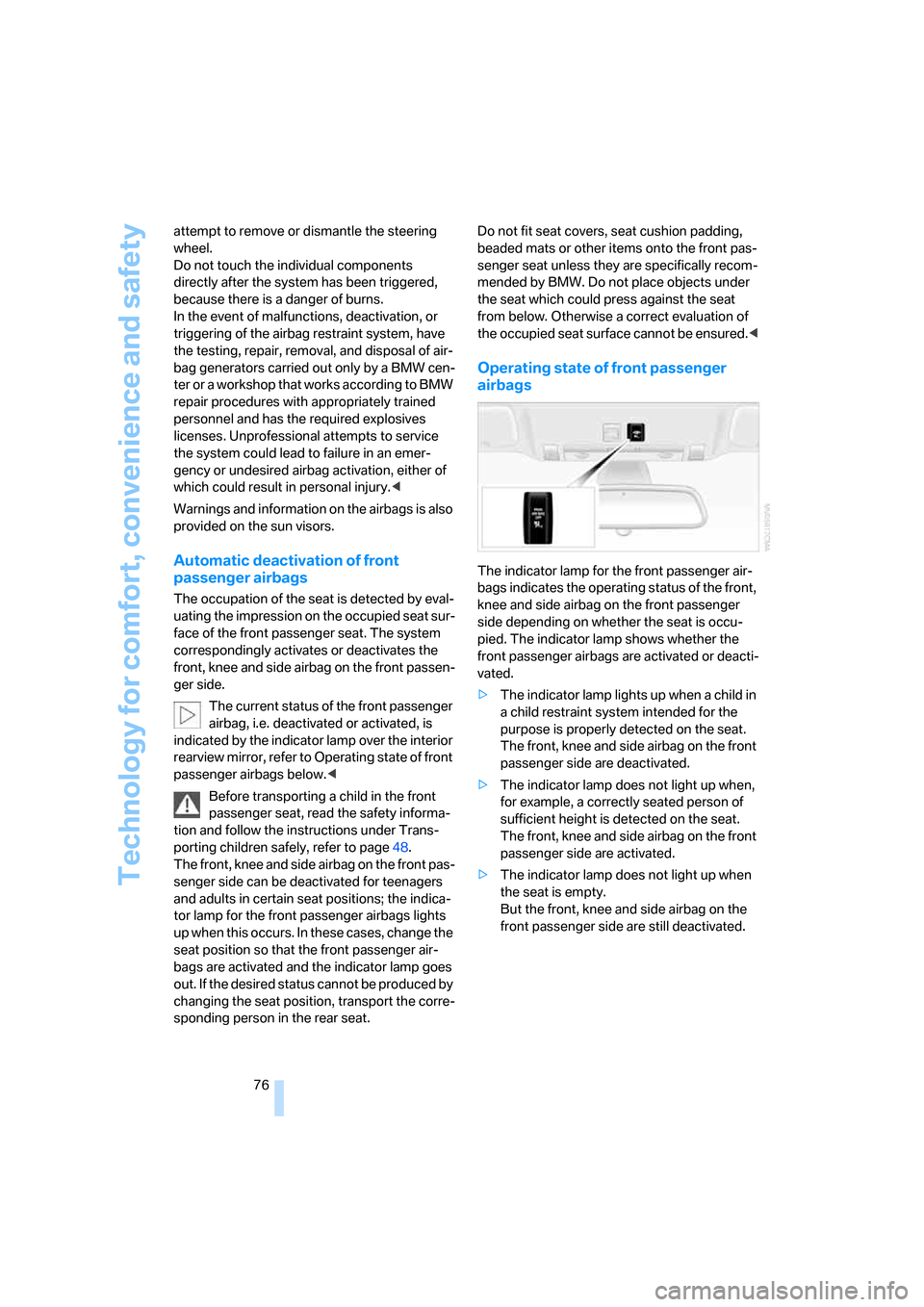
The current status of the front passenger
airbag, i.e. deactivated or activated, is
indicated by the indicator lamp over the interior
rearview mirror, refer to Operating state of front
passenger airbags below.<
Before transporting a child in the front
passenger seat, read the safety informa-
tion and follow the instructions under Trans-
porting children safely, refer to page48.
The front, knee and side airbag on the front pas-
senger side can be deactivated for teenagers
and adults in certain seat positions; the indica-
tor lamp for the front passenger airbags lights
up when this occurs. In these cases, change the
seat position so that the front passenger air-
bags are activated and the indicator lamp goes
out. If the desired status cannot be produced by
changing the seat position, transport the corre-
sponding person in the rear seat. Do not fit seat covers, seat cushion padding,
beaded mats or other items onto the front pas-
senger seat unless they are specifically recom-
mended by BMW. Do not place objects under
the seat which could press against the seat
from below. Otherwise a correct evaluation of
the occupied seat surface cannot be ensured.<
Operating state of front passenger
airbags
The indicator lamp for the front passenger air-
bags indicates the operating status of the front,
knee and side airbag on the front passenger
side depending on whether the seat is occu-
pied. The indicator lamp shows whether the
front passenger airbags are activated or deacti-
vated.
>The indicator lamp lights up when a child in
a child restraint system intended for the
purpose is properly detected on the seat.
The front, knee and side airbag on the front
passenger side are deactivated.
>The indicator lamp does not light up when,
for example, a correctly seated person of
sufficient height is detected on the seat.
The front, knee and side airbag on the front
passenger side are activated.
>The indicator lamp does not light up when
the seat is empty.
But the front, knee and side airbag on the
front passenger side are still deactivated.
Page 94 of 227
Practical interior accessories
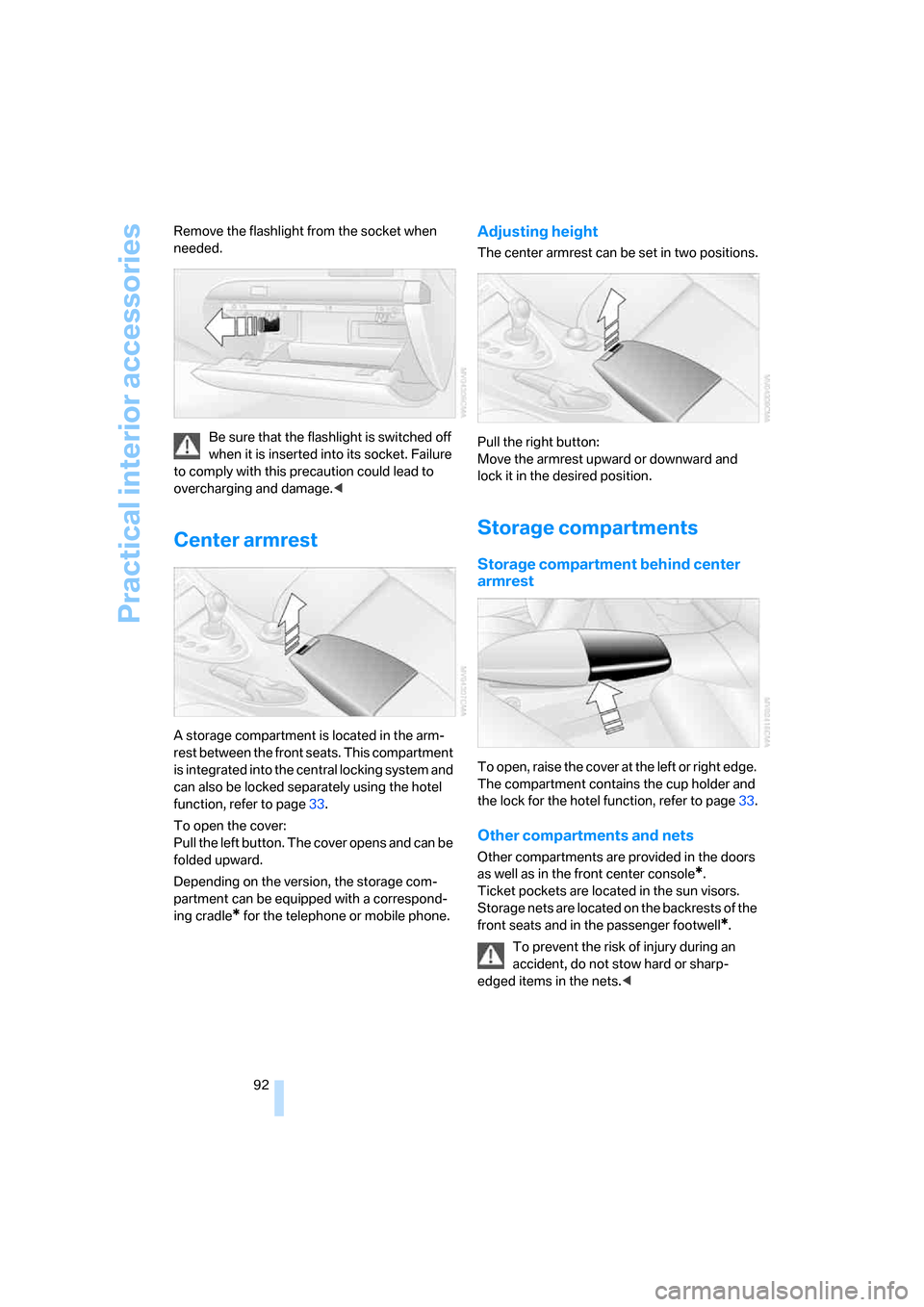
92 Remove the flashlight from the socket when
needed.
Be sure that the flashlight is switched off
when it is inserted into its socket. Failure
to comply with this precaution could lead to
overcharging and damage.<
Center armrest
A storage compartment is located in the arm-
rest between the front seats. This compartment
is integrated into the central locking system and
can also be locked separately using the hotel
function, refer to page33.
To open the cover:
Pull the left button. The cover opens and can be
folded upward.
Depending on the version, the storage com-
partment can be equipped with a correspond-
ing cradle
* for the telephone or mobile phone.
Adjusting height
The center armrest can be set in two positions.
Pull the right button:
Move the armrest upward or downward and
lock it in the desired position.
Storage compartments
Storage compartment behind center
armrest
To open, raise the cover at the left or right edge.
The compartment contains the cup holder
and
the lock for the hotel function, refer to page33.
Other compartments and nets
Other compartments are provided in the doors
as well as in the front center console
*.
Ticket pockets are located in the sun visors.
Storage nets are located on the backrests of the
front seats and in the passenger footwell
*.
To prevent the risk of injury during an
accident, do not stow hard or sharp-
edged items in the nets.<
Page 177 of 227
Mobility
175Reference
At a glance
Controls
Driving tips
Communications
Navigation
Entertainment
Under the hood
Never attempt to perform any service or
repair operations on your vehicle without
the required professional technical training. If
you are unfamiliar with the specifications to be
observed, only have work carried out on your
vehicle by a BMW center or a repair shop that
works in accordance with BMW guidelines and
uses appropriately trained personnel. Other-
wise there is a danger of damage and associ-
ated safety risks if this work is performed
improperly.<
Hood
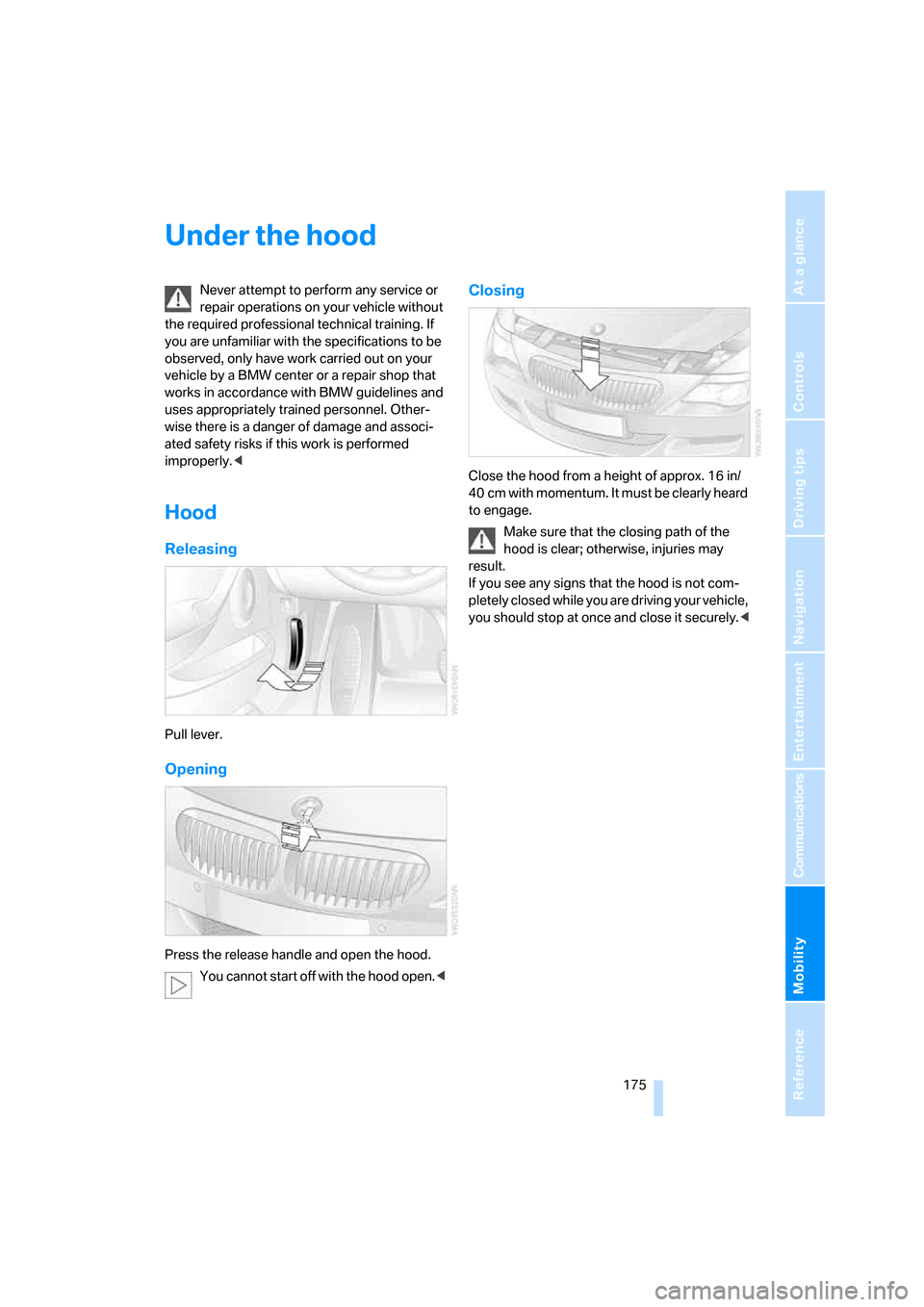
Releasing
Pull lever.
Opening
Press the release handle and open the hood.
You cannot start off with the hood open.<
Closing
Close the hood from a height of approx. 16 in/
40 cm with momentum. It must be clearly heard
to engage.
Make sure that the closing path of the
hood is clear; otherwise, injuries may
result.
If you see any signs that the hood is not com-
pletely closed while you are driving your vehicle,
you should stop at once and close it securely.<
Page 181 of 227
Mobility
179Reference
At a glance
Controls
Driving tips
Communications
Navigation
Entertainment
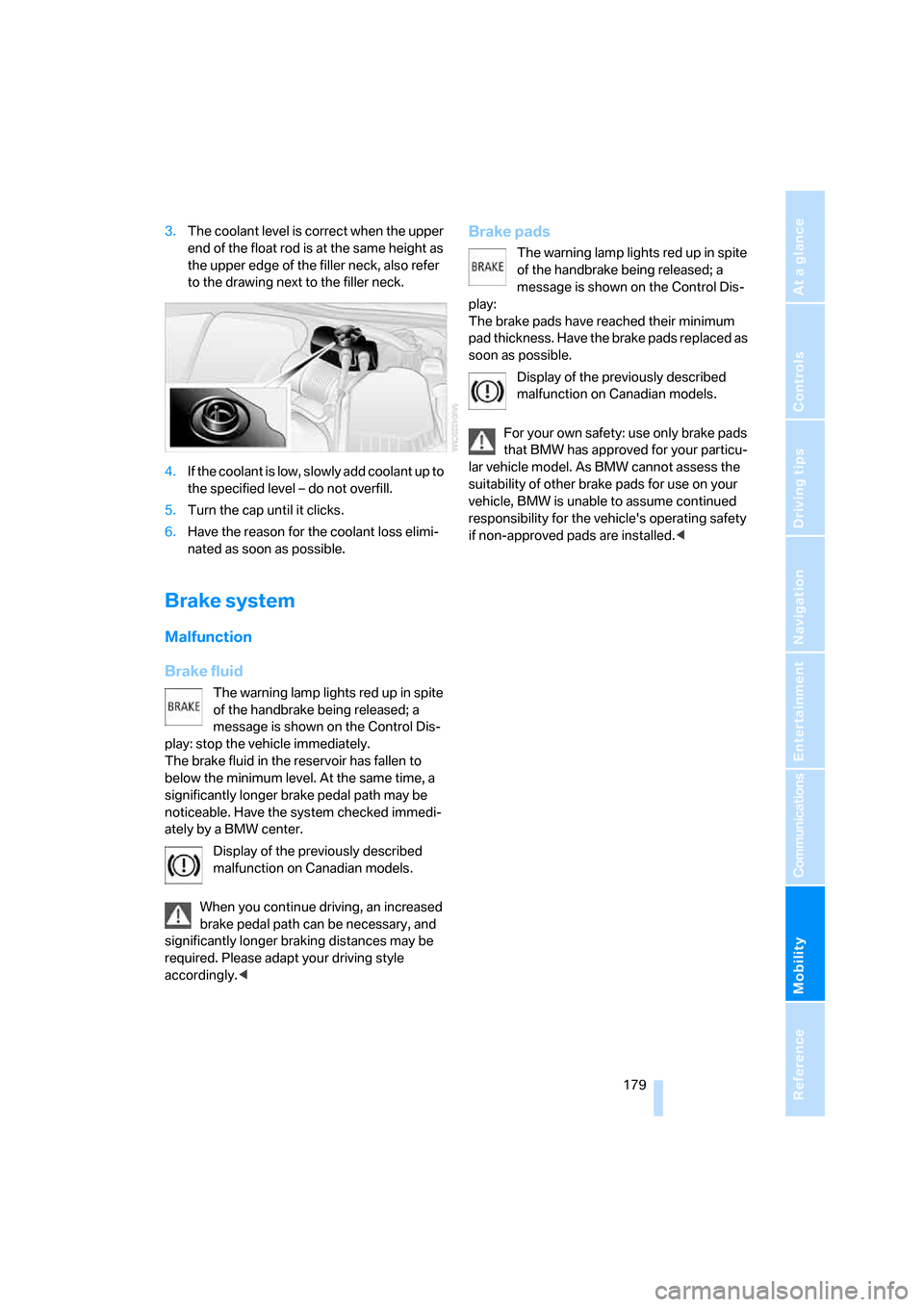
3.The coolant level is correct when the upper
end of the float rod is at the same height as
the upper edge of the filler neck, also refer
to the drawing next to the filler neck.
4.If the coolant is low, slowly add coolant up to
the specified level – do not overfill.
5.Turn the cap until it clicks.
6.Have the reason for the coolant loss elimi-
nated as soon as possible.
Brake system
Malfunction
Brake fluid
The warning lamp lights red up in spite
of the handbrake being released; a
message is shown on the Control Dis-
play: stop the vehicle immediately.
The brake fluid in the reservoir has fallen to
below the minimum level. At the same time, a
significantly longer brake pedal path may be
noticeable. Have the system checked immedi-
ately by a BMW center.
Display of the previously described
malfunction on Canadian models.
When you continue driving, an increased
brake pedal path can be necessary, and
significantly longer braking distances may be
required. Please adapt your driving style
accordingly.<
Brake pads
The warning lamp lights red up in spite
of the handbrake being released; a
message is shown on the Control Dis-
play:
The brake pads have reached their minimum
pad thickness. Have the brake pads replaced as
soon as possible.
Display of the previously described
malfunction on Canadian models.
For your own safety: use only brake pads
that BMW has approved for your particu-
lar vehicle model. As BMW cannot assess the
suitability of other brake pads for use on your
vehicle, BMW is unable to assume continued
responsibility for the vehicle's operating safety
if non-approved pads are installed.<
Page 189 of 227
Mobility
187Reference
At a glance
Controls
Driving tips
Communications
Navigation
Entertainment
8.With the ignition switched on, refer to
page50:
Switch on the device and allow to run for
approx. 3 minutes to fill wheel with sealant.
It is not important what inflation pressure
the tire has after filling.
9.Switch off device.
10.Remove connecting hose from connection
of sealant bottle and tire valve.
Stow the M Mobility System in the vehicle
again.
Distributing sealant
Immediately drive approx. 2 miles/3 km so that
sealant is evenly distributed in tire.
Do not exceed a maximum speed of
35 mph/60 km/h. Do not drop below
12 mph/20 km/h if possible.<
Producing tire inflation pressure
1.After approx. 2 miles/3 km, stop at suitable
location.
2.Screw compressor hose9 directly onto tire
valve.
3.Insert connector 3 in lighter socket in vehi-
cle interior.
4.Correct tire inflation pressure to 29 psi/
200 kPa. With the ignition switched on:
>Increase inflation pressure: switch on
device, position I. To check currently set
inflation pressure, briefly switch off
device.
Do not allow compressor to run
longer than 10 minutes, otherwise
the device will overheat and may be dam-
aged.<
>Reduce inflation pressure: press but-
ton8 or turn screw8 on pressure gauge.
If the inflation pressure is not held, drive
the vehicle again, refer to Distributing
sealant. Then repeat steps 1 to 4 once.
Using the M Mobility System can be ineffective
with tire damage from a size of approx. 0.16 in/
4 mm. Please contact the nearest BMW center,
refer to page192, or a workshop that works according to BMW repair procedures with cor-
respondingly trained personnel if the tire can-
not be made ready for driving with the
M Mobility System.<
The tire inflation pressure must be at least
29 psi/200 kPa. Otherwise do not con-
tinue driving.<
Continue driving
Do not exceed the permissible maximum
speed of 50 mph/80 km/h, otherwise
accidents can occur.<
Reinitialize the Flat Tire Monitor.
For details, refer to page74.
Have the defective tire and the sealant bottle of
the M Mobility System replaced as soon as
possible.<
Changing wheels
Safety precautions in the event of a flat
tire or wheel change: park the vehicle as
far as possible from passing traffic and on solid
ground. Switch on the hazard warning flashers.
Lock the steering wheel in straight-ahead set-
ting of the wheels. Set the handbrake and
engage a driving position with the selector
lever.
Have all vehicle occupants get out of the vehicle
and ensure that they remain outside the imme-
diate area in a safe place, such as behind a
guardrail.
If a warning triangle or portable hazard warning
lamp is required, set it up on the roadside at an
appropriate distance from the rear of the vehi-
cle. Comply with all safety guidelines and regu-
lations.
Change the wheel only on a level, firm surface
which is not slippery. The vehicle or the jack
could slip to the side if you attempt to raise the
vehicle on a soft or slippery surface such as
snow, ice, tiles, etc.
Position the jack on a firm support surface.
Do not use a wooden block or similar object as a
support base for the jack, as this would prevent
it from extending to its full support height and
reduce its load-carrying capacity.
Page 210 of 227
Everything from A to Z
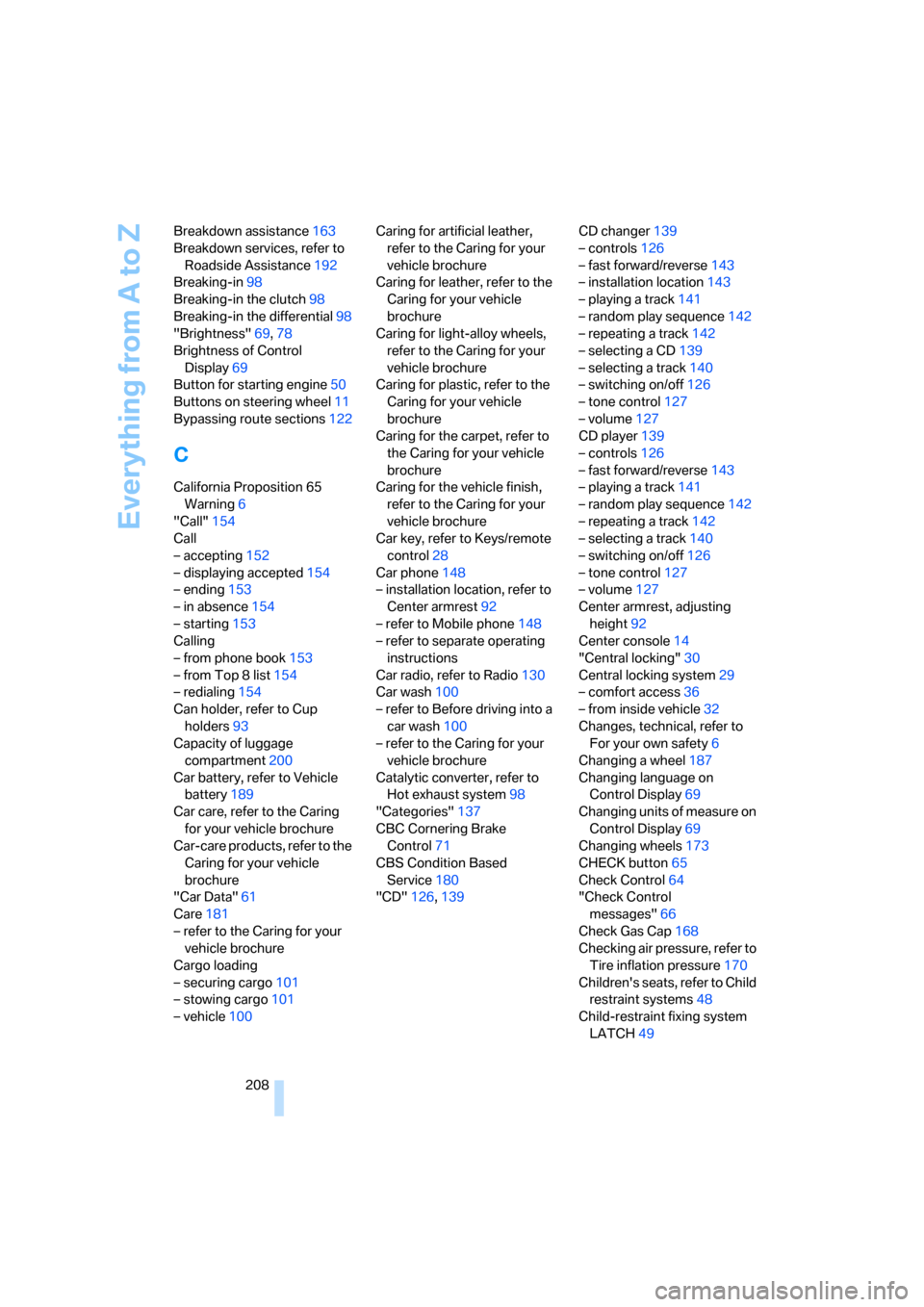
208 Breakdown assistance163
Breakdown services, refer to
Roadside Assistance192
Breaking-in98
Breaking-in the clutch98
Breaking-in the differential98
"Brightness"69,78
Brightness of Control
Display69
Button for starting engine50
Buttons on steering wheel11
Bypassing route sections122
C
California Proposition 65
Warning6
"Call"154
Call
– accepting152
– displaying accepted154
– ending153
– in absence154
– starting153
Calling
– from phone book153
– from Top 8 list154
– redialing154
Can holder, refer to Cup
holders93
Capacity of luggage
compartment200
Car battery, refer to Vehicle
battery189
Car care, refer to the Caring
for your vehicle brochure
Car-care products, refer to the
Caring for your vehicle
brochure
"Car Data"61
Care181
– refer to the Caring for your
vehicle brochure
Cargo loading
– securing cargo101
– stowing cargo101
– vehicle100Caring for artificial leather,
refer to the Caring for your
vehicle brochure
Caring for leather, refer to the
Caring for your vehicle
brochure
Caring for light-alloy wheels,
refer to the Caring for your
vehicle brochure
Caring for plastic, refer to the
Caring for your vehicle
brochure
Caring for the carpet, refer to
the Caring for your vehicle
brochure
Caring for the vehicle finish,
refer to the Caring for your
vehicle brochure
Car key, refer to Keys/remote
control28
Car phone148
– installation location, refer to
Center armrest92
– refer to Mobile phone148
– refer to separate operating
instructions
Car radio, refer to Radio130
Car wash100
– refer to Before driving into a
car wash100
– refer to the Caring for your
vehicle brochure
Catalytic converter, refer to
Hot exhaust system98
"Categories"137
CBC Cornering Brake
Control71
CBS Condition Based
Service180
"CD"126,139CD changer139
– controls126
– fast forward/reverse
143
– installation location143
– playing a track141
– random play sequence142
– repeating a track142
– selecting a CD139
– selecting a track140
– switching on/off126
– tone control127
– volume127
CD player139
– controls126
– fast forward/reverse143
– playing a track141
– random play sequence142
– repeating a track142
– selecting a track140
– switching on/off126
– tone control127
– volume127
Center armrest, adjusting
height92
Center console14
"Central locking"30
Central locking system29
– comfort access36
– from inside vehicle32
Changes, technical, refer to
For your own safety6
Changing a wheel187
Changing language on
Control Display69
Changing units of measure on
Control Display69
Changing wheels173
CHECK button65
Check Control64
"Check Control
messages"66
Check Gas Cap168
Checking air pressure, refer to
Tire inflation pressure170
Children's seats, refer to Child
restraint systems48
Child-restraint fixing system
LATCH49
Page 214 of 227
Everything from A to Z
212
G
Garage-door opener, refer to
Integrated universal remote
control90
Gasoline
– refer to Average fuel
consumption61
– refer to Fuel
specifications169
– refer to Required fuel169
Gasoline display, refer to Fuel
gauge60
Gear changes53
Gear display, refer to Displays
in instrument cluster53
General driving notes98
Glove compartment91
– rechargeable flashlight91
GPS navigation, refer to
Navigation system106
Grills, refer to Ventilation87
Gross vehicle weight, refer to
Weights200
Ground clearance100
H
Handbrake51
– indicator lamp13,52
Hands-free system, refer to
Microphone14
Hazard warning flashers15
HD, refer to High Definition
Radio134
Head airbags75
Headlamp control,
automatic80
Headlamp flasher56
Headlamps
– care, refer to the Caring for
your vehicle brochure
– cleaning, refer to Wiper
system57
– replacing bulbs182
Head Light, refer to Adaptive
Head Light81Head restraints
– front41
– removing42
– sitting safely39
"Head-Up Display"46,77
Head-Up Display77
– default view78
– shift lights55
Heated
– mirrors, refer to Automatic
functions44
– rear window86
– seats43
Heater85
Heating
– exterior mirrors44
– interior84
– rear window86
– residual heat87
– seats43
Heating with engine switched
off, refer to Residual heat87
Heavy cargo, refer to Securing
cargo101
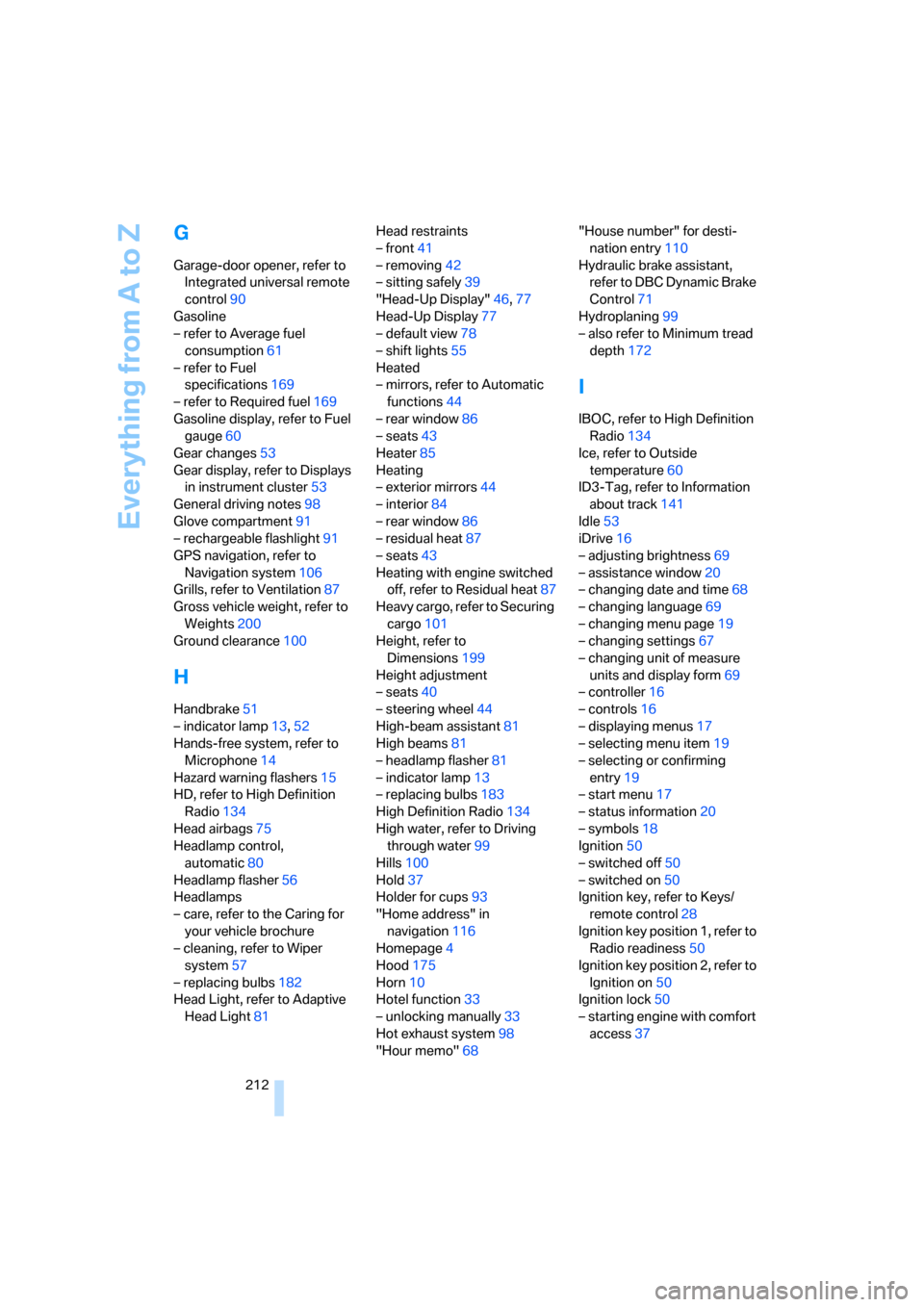
Height, refer to
Dimensions199
Height adjustment
– seats40
– steering wheel44
High-beam assistant81
High beams81
– headlamp flasher81
– indicator lamp13
– replacing bulbs183
High Definition Radio134
High water, refer to Driving
through water99
Hills100
Hold37
Holder for cups93
"Home address" in
navigation116
Homepage4
Hood175
Horn10
Hotel function33
– unlocking manually33
Hot exhaust system98
"Hour memo"68"House number" for desti-
nation entry110
Hydraulic brake assistant,
refer to DBC Dynamic Brake
Control71
Hydroplaning99
– also refer to Minimum tread
depth172
I
IBOC, refer to High Definition
Radio134
Ice, refer to Outside
temperature60
ID3-Tag, refer to Information
about track141
Idle53
iDrive16
– adjusting brightness69
– assistance window20
– changing date and time68
– changing language69
– changing menu page19
– changing settings67
– changing unit of measure
units and display form69
– controller16
– controls16
– displaying menus17
– selecting menu item19
– selecting or confirming
entry19
– start menu17
– status information20
– symbols18
Ignition50
– switched off50
– switched on50
Ignition key, refer to Keys/
remote control28
Ignition key position 1, refer to
Radio readiness50
Ignition key position 2, refer to
Ignition on50
Ignition lock50
– starting engine with comfort
access37