brake BMW M6 COUPE 2010 E63 Owner's Guide
[x] Cancel search | Manufacturer: BMW, Model Year: 2010, Model line: M6 COUPE, Model: BMW M6 COUPE 2010 E63Pages: 250, PDF Size: 8.4 MB
Page 201 of 250
Mobility
199Reference
At a glance
Controls
Driving tips
Communications
Navigation
Entertainment
Care
Car-care products
Regular cleaning and care make a significant
contribution to retaining your BMW's value.
For the cleaning and care of your vehicle, BMW
recommends using only products that BMW
has approved for this purpose.
Your BMW center will be glad to advise you
about products and services for the cleaning
and care of your BMW.
Original BMW Care Products are materi-
als tested, laboratory tested, and tested in
actual use. They offer optimum care and pro-
tection for your vehicle.<
Do not use cleaners that contain alcohol
or solvents; they can damage your vehi-
cle.<
Cleaning agents can contain substances
that are dangerous or pose health risks.
You should therefore heed the warnings and
hazard indications on the packaging. Open the
doors or windows on your vehicle whenever
cleaning the interior. Make sure there is suffi-
cient ventilation in enclosed spaces. Use only
products that are formulated for vehicle clean-
ing.<
Exterior care
Washing your vehicle
In the winter months, it is especially
important to ensure that the vehicle is
washed on a regular basis. Otherwise, signifi-
cant soiling and road salt can cause damage to
the vehicle.<
After washing the vehicle, apply the
brakes briefly to dry them. Failure to do so
may lead to a reduction in braking efficiency and
also to corrosion of the brake rotors.<
Car washes
Give preference to cloth car washes.Do not use high-pressure car washes
because they can cause drops of water to
penetrate in the vicinity of the windshield.<
Before driving into the car wash, make sure that
it is suitable for your BMW. Pay attention to the
following points:
>Dimensions of your vehicle, refer to
page221.
>If necessary, fold in the outside rearview
mirrors, refer to page49.
>Maximum permissible tire width.
>The convertible top must not be treated
with wax. Make sure that a program without
wax or a special convertible program is
available.
Avoid car washes with guide rail heights
over 4 in/10 cm; otherwise, there is a dan-
ger of damaging chassis parts.<
Preparations for driving into the car wash:
>Deactivate rain sensor to prevent unwanted
wiper activation.
>Remove additional add-on parts, e.g. spoil-
ers or phone antennas, if they could be
damaged.
Sequential Manual Transmission
Before driving into the car wash, make sure the
vehicle is able to roll by making sure to:
1.Insert the remote control into the ignition
lock, even with Comfort Access.
2.Shift into transmission position N.
3.Release the parking brake.
4.Switch off the engine.
5.Leave the remote control in the ignition lock
so that the vehicle can roll.
Steam jets/high-pressure washers
When using steam jets or high-pressure
washers, ensure that you maintain suffi-
cient clearance to the vehicle and do not exceed
a temperature of 140 °F/606.
Page 202 of 250
Care
200 Insufficient distance or excessive pressure or
temperature can damage parts of the vehicle or
can result in water penetration. Follow the oper-
ating instructions for the high-pressure clean-
ing jets.<
When using high-pressure cleaning jets,
do not remain in one place for a long time
and be sure to maintain a distance of at least
12 in/30 cm from sensors, e.g. Park Distance
Control sensors or radar sensors.<
Hand washing
When washing the vehicle by hand, use plenty
of water and car washing shampoo. Clean the
vehicle with gentle pressure using a sponge or a
washing brush.
Before cleaning the windshield, deacti-
vate the rain sensor or switch off the igni-
tion to prevent unwanted wiper operation.<
Follow local guidelines for washing vehi-
cles by hand.<
Headlamps
Do not rub dry and never use abrasives or
strong solvents to clean the covers.
Loosen dirt, e.g. insects, with shampoo or
insect remover and wash away with plenty of
water.
Use a window deicer to remove accumulated
ice and snow, not a scraper.
Windows
Use a glass cleaner to clean the inside and out-
side surfaces of the windows and the glass sur-
faces of the mirrors.
Do not use quartz-containing cleansers
to clean glass surfaces of the mirrors.<
Convertible top care
The appearance and service life of the convert-
ible top depend on proper care and operation.
Please follow these instructions:
>Never stow the convertible top in the con-
vertible top compartment when it is wet or frozen, since this can cause water marks,
mildew stains, and scuff marks.
>If water marks do occur on the headliner,
remove them with a microfiber cloth and
interior cleanser.
>When parking for long intervals in enclosed
spaces, make sure there is sufficient venti-
lation.
>Remove bird droppings immediately
because their caustic properties have a cor-
rosive effect on the convertible top and can
damage the rubber seals.
Do not use stain remover, paint thinner,
solvents, gasoline, or the like to remove
stains. These substances can damage the rub-
ber coating. Improper care and cleaning can
cause leaks to develop in the convertible top
and its seams.<
In the event of more serious soiling, use a spe-
cial convertible top cleaner.
When doing so, follow the manufacturer's
directions for use.
After three to five washings, treat the convert-
ible top with sealant.
Caring for the vehicle finish
Regular care helps your vehicle retain its value
and protects the paint from the long-term
effects of aggressive substances.
Regionally occurring environmental factors can
affect and damage vehicle finish. It is therefore
important to tailor the frequency and extent of
your car care accordingly.
Immediately remove particularly aggressive
substances such as spilled fuel, oil, grease,
brake fluid, tree resin, or bird droppings; other-
wise, they may damage your paint.
Repairing paint damage
Repair stone damage or scratches imme-
diately, depending on the severity of the
damage, to prevent the formation of rust.<
BMW recommends having paint damage pro-
fessionally repaired using Genuine BMW finish
materials in accordance with factory guidelines.
Page 206 of 250
Replacing components
204 Do not remove the covers, and never
stare into the unfiltered light for several
hours, as irritation of the retina could result.<
Xenon lamps
The service life of these bulbs is very long and
the probability of a failure is very low, provided
that they are not switched on and off an unusual
number of times.
Have work on the xenon lighting system
performed only by your BMW center or a
workshop that works according to BMW repair
procedures with correspondingly trained per-
sonnel. Due to the high voltage present in the
system, there is a danger of fatal injuries when
work is carried out improperly.<
Parking lamps, roadside parking
lamps, daytime running lamps
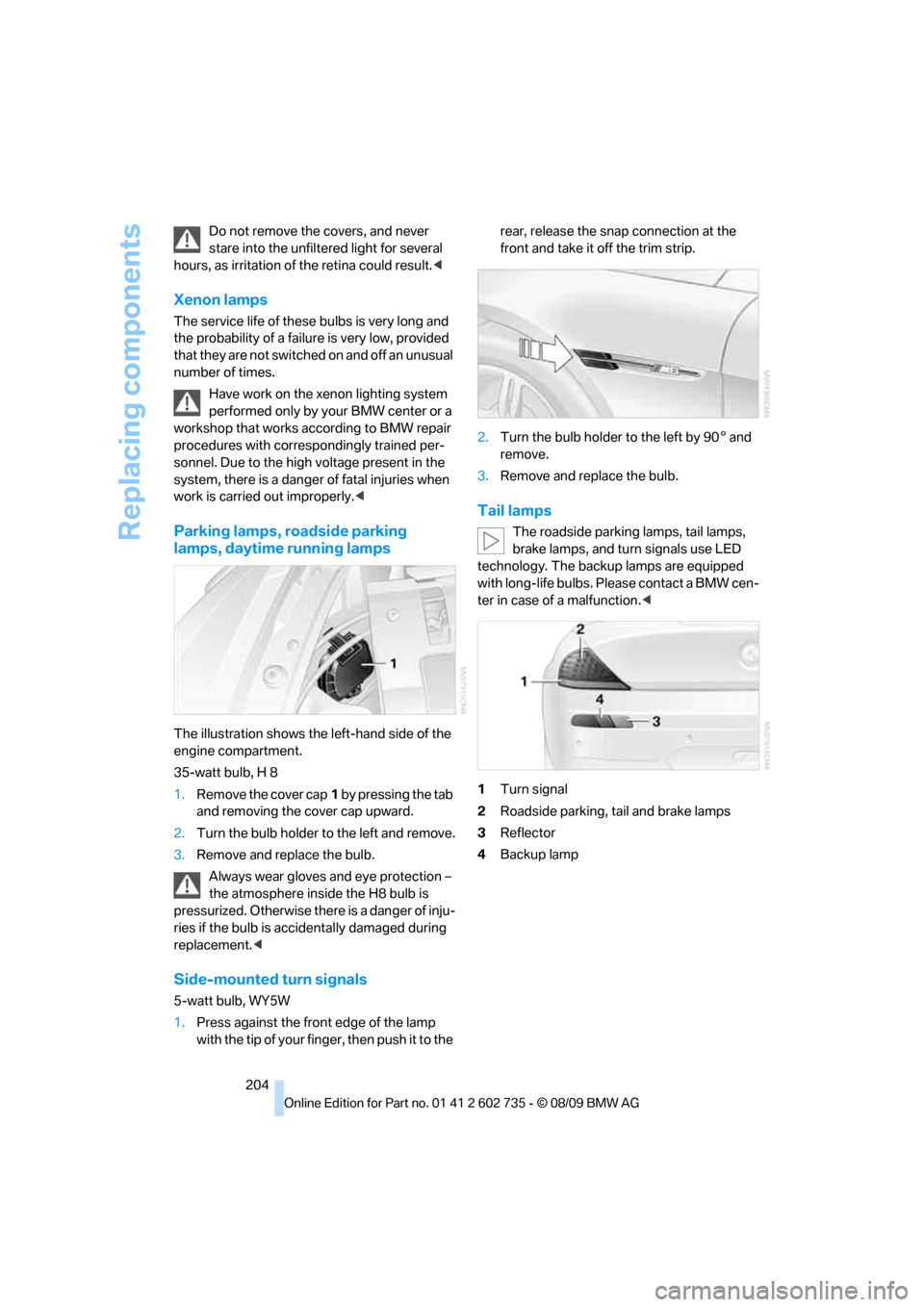
The illustration shows the left-hand side of the
engine compartment.
35-watt bulb, H 8
1.Remove the cover cap1 by pressing the tab
and removing the cover cap upward.
2.Turn the bulb holder to the left and remove.
3.Remove and replace the bulb.
Always wear gloves and eye protection –
the atmosphere inside the H8 bulb is
pressurized. Otherwise there is a danger of inju-
ries if the bulb is accidentally damaged during
replacement.<
Side-mounted turn signals
5-watt bulb, WY5W
1.Press against the front edge of the lamp
with the tip of your finger, then push it to the rear, release the snap connection at the
front and take it off the trim strip.
2.Turn the bulb holder to the left by 905 and
remove.
3.Remove and replace the bulb.
Tail lamps
The roadside parking lamps, tail lamps,
brake lamps, and turn signals use LED
technology. The backup lamps are equipped
with long-life bulbs. Please contact a BMW cen-
ter in case of a malfunction.<
1Turn signal
2Roadside parking, tail and brake lamps
3Reflector
4Backup lamp
Page 207 of 250
Mobility
205Reference
At a glance
Controls
Driving tips
Communications
Navigation
Entertainment
License plate lamps
5-watt bulb, W5W
1.Push a screwdriver from the left under the
lamp and pry out the lamp toward the right.
2.Turn the bulb holder to the left by 905 and
remove.
3.Remove and replace the bulb.
Repairing flat tire with
M Mobility System
To repair a flat tire, an M Mobility System is pro-
vided in the BMW M6. Using this system you
can apply a sealant in the inside of the tire, seal
off the damaged area, restore the tire inflation
pressure and then continue driving.
Safety measures in case of a breakdown:
Park the vehicle as far as possible from
passing traffic and on solid ground. Switch on
the hazard warning flashers.
Apply the parking brake and shift into first gear
or reverse with the manual transmission, or
move the selector lever into a drive position with
the sequential transmission. Have all vehicle
occupants get out of the vehicle and ensure
that they remain outside the immediate area in a
safe place, such as behind a guardrail.
If a warning triangle
* or portable hazard warning
lamp
* is required, set it up on the roadside at an
appropriate distance from the rear of the vehi-
cle. Comply with all safety guidelines and regu-
lations.<
Preparation
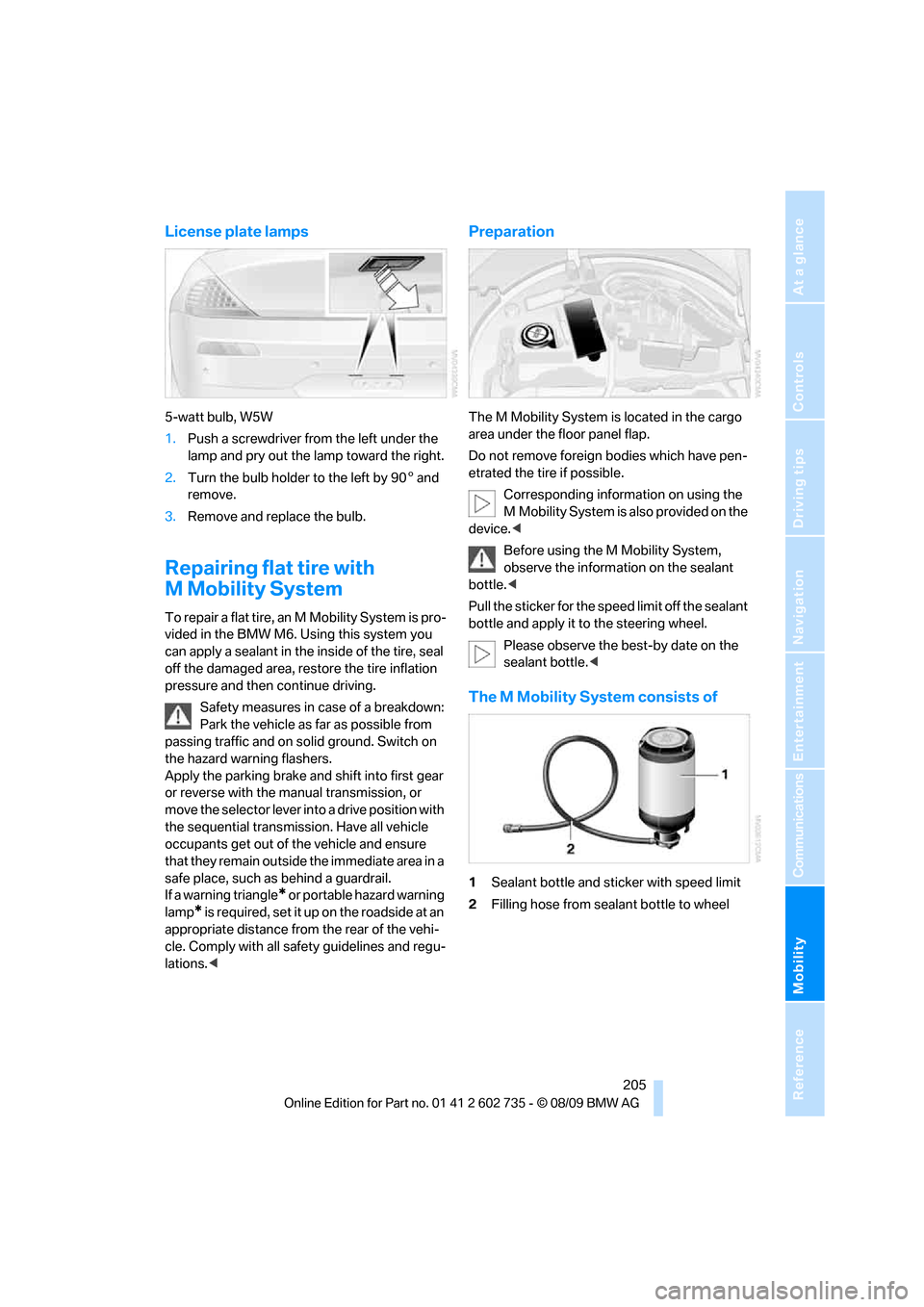
The M Mobility System is located in the cargo
area under the floor panel flap.
Do not remove foreign bodies which have pen-
etrated the tire if possible.
Corresponding information on using the
M Mobility System is also provided on the
device.<
Before using the M Mobility System,
observe the information on the sealant
bottle.<
Pull the sticker for the speed limit off the sealant
bottle and apply it to the steering wheel.
Please observe the best-by date on the
sealant bottle.<
The M Mobility System consists of
1Sealant bottle and sticker with speed limit
2Filling hose from sealant bottle to wheel
Page 209 of 250
Mobility
207Reference
At a glance
Controls
Driving tips
Communications
Navigation
Entertainment
Switch on the device and allow to run for
approx. 3 minutes to fill wheel with sealant.
It is not important what inflation pressure
the tire has after filling.
9.Switch off device.
10.Remove connecting hose from connection
of sealant bottle and tire valve.
Stow the M Mobility System in the vehicle
again.
Distributing sealant
Immediately drive approx. 2 miles/3 km so that
sealant is evenly distributed in tire.
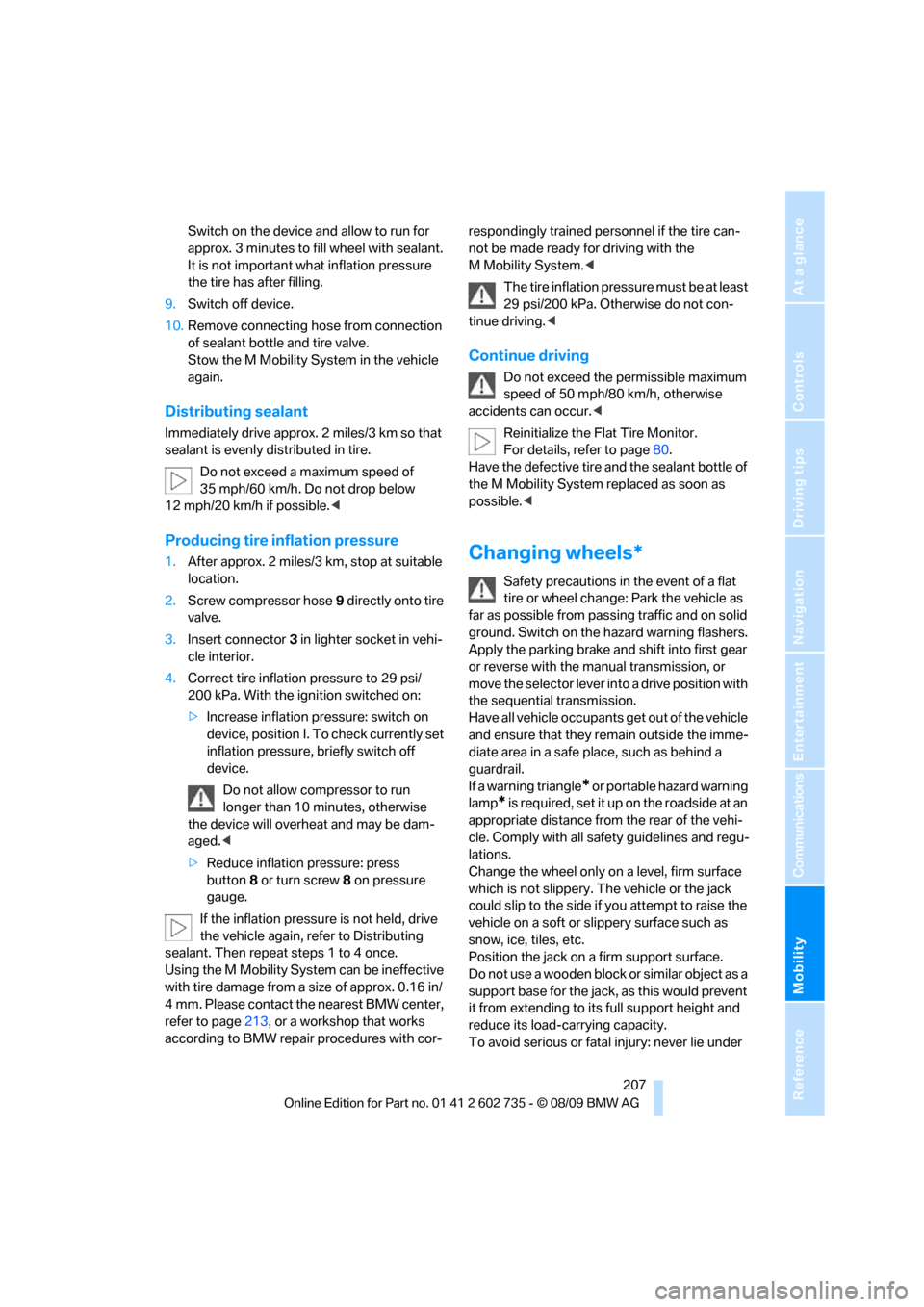
Do not exceed a maximum speed of
35 mph/60 km/h. Do not drop below
12 mph/20 km/h if possible.<
Producing tire inflation pressure
1.After approx. 2 miles/3 km, stop at suitable
location.
2.Screw compressor hose9 directly onto tire
valve.
3.Insert connector 3 in lighter socket in vehi-
cle interior.
4.Correct tire inflation pressure to 29 psi/
200 kPa. With the ignition switched on:
>Increase inflation pressure: switch on
device, position I. To check currently set
inflation pressure, briefly switch off
device.
Do not allow compressor to run
longer than 10 minutes, otherwise
the device will overheat and may be dam-
aged.<
>Reduce inflation pressure: press
button8 or turn screw8 on pressure
gauge.
If the inflation pressure is not held, drive
the vehicle again, refer to Distributing
sealant. Then repeat steps 1 to 4 once.
Using the M Mobility System can be ineffective
with tire damage from a size of approx. 0.16 in/
4 mm. Please contact the nearest BMW center,
refer to page213, or a workshop that works
according to BMW repair procedures with cor-respondingly trained personnel if the tire can-
not be made ready for driving with the
M Mobility System.<
The tire inflation pressure must be at least
29 psi/200 kPa. Otherwise do not con-
tinue driving.<
Continue driving
Do not exceed the permissible maximum
speed of 50 mph/80 km/h, otherwise
accidents can occur.<
Reinitialize the Flat Tire Monitor.
For details, refer to page80.
Have the defective tire and the sealant bottle of
the M Mobility System replaced as soon as
possible.<
Changing wheels*
Safety precautions in the event of a flat
tire or wheel change: Park the vehicle as
far as possible from passing traffic and on solid
ground. Switch on the hazard warning flashers.
Apply the parking brake and shift into first gear
or reverse with the manual transmission, or
move the selector lever into a drive position with
the sequential transmission.
Have all vehicle occupants get out of the vehicle
and ensure that they remain outside the imme-
diate area in a safe place, such as behind a
guardrail.
If a warning triangle
* or portable hazard warning
lamp
* is required, set it up on the roadside at an
appropriate distance from the rear of the vehi-
cle. Comply with all safety guidelines and regu-
lations.
Change the wheel only on a level, firm surface
which is not slippery. The vehicle or the jack
could slip to the side if you attempt to raise the
vehicle on a soft or slippery surface such as
snow, ice, tiles, etc.
Position the jack on a firm support surface.
Do not use a wooden block or similar object as a
support base for the jack, as this would prevent
it from extending to its full support height and
reduce its load-carrying capacity.
To avoid serious or fatal injury: never lie under
Page 232 of 250
Everything from A to Z
230
Everything from A to Z
Index
A
ABS Antilock Brake
System76
– indicator lamp78
Accessories6
Accident, refer to Emergency
request212
Activated-charcoal filter for
automatic climate control98
Activation times of parked car
ventilation, preselecting98
Active front head restraints46
Adapter for spare key26
Adaptive brake lamps, refer to
Brake force display83
Adaptive Light Control90
Additional connection of
music player in mobile
phone156
Additives
– coolant196
– engine oil, refer to Approved
engine oils195
Address, entering117,123
Address for navigation
– entering117
Adjusting interior
temperature95
Adjusting the tone during
audio operation, refer to
Tone control136
Adjusting thigh support44
Airbags83
– deactivating, refer to
Exception for front
passenger seat52
– indicator/warning lamp85
– indicator lamp for front
passenger airbags84
– sitting safely43Air distribution
– automatic95
– manual96
Airing, refer to Ventilation97
Air outlets, refer to
Ventilation97
Air recirculation, refer to AUC
Automatic recirculated-air
control96
Air supply, automatic climate
control94
Air volume96
AKI, refer to Fuel
specifications185
Alarm system33
– avoiding unintentional
alarms34
– interior motion sensor34
– switching off alarm33
– switching off tilt alarm
sensor and interior motion
sensor34
– tilt alarm sensor34
Albums of music
collection
153
Alloy wheels201
All-season tires, refer to
Winter tires190
Alterations, technical, refer to
For your own safety5
Antenna for mobile phone162
Antifreeze
– coolant196
– washer fluid63
Antilock Brake System
ABS76
Anti-theft alarm system, refer
to Alarm system33
Anti-theft system, refer to
Central locking system27
Approved axle loads, refer to
Weights223
Approved engine oils195Approved gross vehicle
weight, refer to Weights223
Armrest, refer to Center
armrest102
Around the center console14
Around the steering wheel10
Arrival time
– refer to Computer67
Ashtray104
Assistance systems, refer to
Driving stability control
systems76
AUC Automatic recirculated-
air control96
Audio136
– controls136
– switching on/off136
– tone control136
– volume136
Audio device, external102
Automatic
– air distribution95
– air volume95
– cruise control63
– headlamp control89
– steering wheel
adjustment45
Automatic climate control94
– automatic air distribution95
– convertible program95
– parked car ventilation/
heating98
– switching on and off97
Automatic closing of doors,
refer to Automatic soft
closing31
Automatic curb monitor49
Page 233 of 250
Reference 231
At a glance
Controls
Driving tips
Communications
Navigation
Entertainment
Mobility
Automatic lighting
– refer to Automatic headlamp
control89
– refer to Daytime running
lamps90
– refer to Interior lamps93
– refer to Pathway lighting90
– refer to Welcome lamps89
Automatic lights
– refer to High-beam
Assistant91
Automatic Service
Request180
Automatic soft closing31
AUTO program for automatic
climate control95
AUX-IN connection102
AUX-IN port156
Available services180
Average fuel consumption67
– setting units68
Avoiding highways for
navigation126
Avoiding unintentional
alarms34
Axle loads, refer to
Weights223
B
Backrest contour, refer to
Lumbar support44
Backrests, refer to Seats43
Backrest width adjustment44
Backup lamps, replacing
bulbs, refer to Tail
lamps204
Band-aids, refer to First aid
kit213
Bass, refer to Tone
control136
Battery
– jump starting213
– refer to Vehicle battery210
Battery replacement, remote
control for Comfort
Access36
BC button, refer to
Computer66Being towed215
Belts, refer to Safety belts48
Beverage holder, refer to
Cupholders103
Blower, refer to Air volume96
Bluetooth, activating/
deactivating164
BMW
– Car Shampoo202
BMW Assist,
activating178,180
BMW Assist176
BMW homepage4
BMW maintenance
system197
BMW Search178
BMW website4
Bottle holder, refer to
Cupholders103
Bracket for telephone or
mobile phone
– refer to Snap-in adapter172
Brake assistant76
Brake force display83
Brake lamps
– replacing bulbs, refer to Tail
lamps204
– two-stage83
Brake pedal, refer to Braking
safely109
Brake rotors
– breaking-in108
– refer to Braking safely109
Brakes
– ABS Antilock Brake
System76
– brake force display83
– breaking-in108
– CBC Cornering Brake
Control76
– electronic brake-force
distribution76
– parking brake57
– refer to Braking safely
109
Brake system108
– brake pads108
– brake rotors109
– breaking-in108
– warning lamp13,78Braking safely109
Breakdown
– M Mobility System205
Breakdown services, refer to
Roadside Assistance213
Breaking-in brake pads108
Breaking-in the clutch108
Breaking-in the differential,
refer to Engine and
differential108
Break-in period108
Brightness of Control
Display74
Button for starting engine,
refer to Start/Stop button55
Buttons on steering wheel11
C
California Proposition 65
Warning6
Call
– accepting165
– ending166
– rejecting166
Calling, refer to Phone
numbers, dialing166
Can holder, refer to
Cupholders103
Capacities223
Car battery, refer to Vehicle
battery210
Page 234 of 250
Everything from A to Z
232 Care199
– car-care products199
– carpets201
– car washes199
– CD/DVD player202
– chrome components201
– convertible top200
– displays202
– exterior199
– fine wooden
components202
– hand washing200
– headlamps200
– high-pressure cleaning
jets199
– interior201
– leather201
– light-alloy wheels201
– paint200
– plastic components201
– rubber gaskets201
– safety belts202
– sensors and cameras202
– upholstery and cloth-
covered paneling201
– windows200
Cargo area
– capacity223
– emergency release32
– opening/closing, refer to
Luggage compartment
lid32
– opening from inside31
– opening from outside32
– opening with remote
control29
Caring for the vehicle
finish200
Car key, refer to Keys/remote
control26
Car phone
– installation location, refer to
Center armrest102
– refer to separate operating
instructions
Car phone, refer to
Telephone162
Car radio, refer to Radio139
Car Shampoo202Car washes199
Catalytic converter, refer to
Hot exhaust system109
CBC Cornering Brake
Control76
CBS Condition Based
Service197
CD, audio playback144
CD changer144,148
– controls136
– fast forward/reverse146
– filling or emptying the
magazine148
– random sequence145
– selecting a track144
– switching on/off136
– tone control136
– volume136
CD player144
– controls136
– fast forward/reverse146
– random sequence145
– selecting a track144
– switching on/off136
– tone control136
– volume136
Center armrest, adjusting
height102
Center console14
Central locking
– from inside30
– from outside28
Central locking system27
– Comfort Access34
– hotel function31
Changes, technical, refer to
For your own safety5
Changing language on
Control Display73
Changing units of measure on
Control Display68
Changing wheels189,207
Chassis number, refer to
Engine compartment193
CHECK button71
Check Control70
Check Gas Cap184
Checking air pressure, refer to
Tire inflation pressure186Child restraint fixing system
LATCH53
Child restraint systems52
Child seats, refer to
Transporting children
safely52
Chock208
Chrome-plated parts202
Chrome polish202
Cigarette lighter104
Cigarette lighter socket, refer
to Connecting electrical
devices104
Cleaning your BMW, refer to
Care199
Clock66
– 12h/24h format70
– setting time69
– setting time and date70
Closing
– from inside30
– from outside28
Closing fuel filler cap184
Clothes hooks, Coupe103
Cockpit10
Cold start, refer to Starting
engine56
Comfort Access34
– replacing battery, remote
control35
Comfort access34
Comfort program of EDC79
Compartment for remote
control, refer to Ignition
lock55
Compartments, refer to
Storage compartments103
Computer66
– clock66
– displays on Control
Display67
Concierge service177
Condensation, refer to When
vehicle is parked110
Condition Based Service
CBS197
Confirmation signals for
locking and unlocking29
Page 235 of 250
Reference 233
At a glance
Controls
Driving tips
Communications
Navigation
Entertainment
Mobility
Connecting car vacuum
cleaner, refer to Connecting
electrical devices104
Consumption display, refer to
Average fuel
consumption67
Consumption statistics, refer
to Average fuel
consumption67
Contacts
– creating174
Control Center, refer to
iDrive16
Control Display, refer to
iDrive16
– setting brightness74
– switching off/on19
Controller, refer to iDrive16
Controls, refer to Cockpit10
Convenient closing
– windows, with Comfort
Access with Coupe35
– with Comfort Access35
Convenient opening and
closing
– convertible top28,30
– windows28,30
Convertible
– convertible program for
automatic climate control95
– opening and closing
windows36
– rollover protection
system85
– top38
– wind deflector41
Convertible top
– closing manually39
– convenient opening and
closing30
– emergency closing39
– opening and closing38
Convertible top care200
Coolant196
– checking level196
– temperature65
Cooling, maximum96
Cooling fluid, refer to
Coolant196Cooling function, automatic
climate control96
Cooling system, refer to
Coolant196
Copyright2
Cornering Brake Control
CBC76
Country codes DVD146
Country of destination for
navigation117
Courtesy lamps, refer to
Interior lamps93
Cradle for telephone or mobile
phone102
Cruise control
63
Cruising range67
Cupholders15,103
Curb weight, refer to
Weights223
Current playback
– external devices158
– of music collection153
Customer Relations179
Cylinders, refer to Engine
data220
D
Dashboard, refer to
Cockpit10
Data, technical220
– dimensions221
– engine220
– weights223
Data transfer180
Date
– date format70
– setting70
Daytime running lamps90
– replacing bulbs204
Defect
– door lock30
– luggage compartment lid32
– tires, refer to Flat Tire
Monitor79
– tires, refer to Tire Pressure
Monitor81
Defrosting windows96Defrosting windows and
removing condensation96
Defrosting windshield, refer to
Defrosting windows96
Defrost position, refer to
Defrosting windows96
Destination address
– entering117,123
Destination entry via BMW
Assist121
Destination for navigation
– entering via map122
– entering via voice123
– entry117
Destination guidance126
– bypassing route
sections127
– changing specified
route126
– continuing126
– starting126
– voice instructions127
– volume of voice
instructions128
Detour, selecting131
Digital clock66
Digital radio, refer to HD
Radio140
Dimensions
– Convertible222
– Coupe221
Directional indicators, refer to
Turn signals61
Direction announcements,
refer to Voice
instructions127
Direction instructions, refer to
Voice instructions127
Directory for navigation, refer
to Address book119
Displacement, refer to Engine
data220
Display, refer to iDrive
controls16
Display elements, refer to
Instrument cluster12
Display lighting, refer to
Instrument lighting93
Page 236 of 250
Everything from A to Z
234 Displays
– on Control Display, refer to
iDrive16
– refer to Instrument
cluster12
Displays on the windshield,
refer to Head-up Display86
Disposal
– battery of remote control
with Comfort Access36
– coolant196
– vehicle battery210
Distance, refer to
Computer67
Distance to destination, refer
to Computer67
Distance warning, refer to
PDC Park Distance
Control75
Door entry lighting, refer to
Interior lamps93
Door key, refer to Keys/
remote control26
Door lock29
Doors
– manual operation30
– remote control28
DOT Quality Grades188
Draft-free ventilation97
Drinks holder, refer to
Cupholders103
Drivelogic50,59
Drive-off assistant, refer to
Starting off on uphill
slopes78
Driving lamps, refer to Parking
lamps/low beams89
Driving programs, refer to
Drivelogic59
Driving stability control
systems76
Driving through water109
Driving tips, refer to General
driving notes108
Dry air, refer to Cooling
function96
Drying the air, refer to Cooling
function96
DSC51DSC Dynamic Stability
Control76
– indicator lamp13,76
– malfunction78
DTC Dynamic Traction
Control
– indicator lamp13
DVD
– country codes146
– settings147
– video playback146
DVD menu147
DVD player, refer to CD
player
144
DVD video146
Dynamic destination
guidance127
Dynamic Stability Control
DSC76
– M Dynamic Mode MDM76
E
Easy entry, refer to Entering
rear47
Easy entry/exit50
EDC51
EDC Electronic Damping
Control79
Eject button, refer to Buttons
in area of the CD/DVD
player136
Electrical malfunction
– convertible top39
– door lock30
– driver's door30
– fuel filler flap184
– luggage compartment lid32
– storage compartment, hotel
function31
Electric convertible top38
Electric steering wheel
adjustment50
Electronic brake-force
distribution76Electronic Damping Control
EDC79
– Comfort program79
– Normal program79
– Sport program79
Emergency operation, refer to
Manual operation
– convertible top39
– door lock30
– driver's door30
– fuel filler flap184
– hotel function31
– luggage compartment lid32
Emergency release for
luggage compartment lid in
cargo area32
Emergency request212
Emergency services, refer to
Roadside Assistance213
Engine
– breaking-in108
– data220
– M Engine Dynamic
Control60
– overheated, refer to Coolant
temperature65
– speed220
– starting56
– starting, Comfort Access34
– switching off56
Engine compartment193
Engine coolant196
Engine oil
– adding195
– additives, refer to Approved
engine oils195
– approved oils195
– checking oil level193
– fast measurement
194
– interval between changes,
refer to Service
requirements68
– oil change195
– oil grades, refer to Approved
engine oils195
– possible displays194
– recommended oils195
– temperature66
– temperature gauge66