seat memory BMW M6 COUPE 2014 F13M Owner's Manual
[x] Cancel search | Manufacturer: BMW, Model Year: 2014, Model line: M6 COUPE, Model: BMW M6 COUPE 2014 F13MPages: 222, PDF Size: 4.8 MB
Page 40 of 222
Adjusting
The settings for the following systems and
functions are saved in the active profile. The
scope of storable settings is country- and
equipment-dependable.▷Unlocking and locking.▷Lights.▷Climate control.▷Radio.▷Instrument cluster.▷Programmable memory buttons.▷Volumes, tone.▷Control Display.▷Navigation.▷TV.▷Park Distance Control PDC.▷Rearview camera▷Side View.▷Head-up Display.▷M Drive: configurations.▷Driver's seat position, exterior mirror posi‐
tion, steering wheel position.▷Intelligent Safety.▷Active Blind Spot Detection.▷Night vision.
Profile management
Opening profiles Regardless of the remote control in use a dif‐
ferent profile may be activated.
1."Settings"2."Profiles"3.Select a profile.
The activated profile is assigned to the cur‐
rently used remote control.
Renaming profiles1."Settings"2."Profiles"3."Options"4."Rename current profile"
Resetting profiles
The settings of the active profile are reset to
their default values.
1."Settings"2."Profiles"3."Options"4."Reset current profile"
Exporting profiles
Most settings of the active profile and the
saved contacts can be exported.
This can be helpful for securing and retrieving
personal settings, before delivering the vehicle
to a workshop, e.g. Profiles can be taken to an‐
other vehicle equipped with the Personal Pro‐
file function.
The following export options are available:
▷Via BMW Online.▷Via the USB port to a USB device.
Popular file systems for USB devices are
supported. FAT32 and exFAT are the rec‐
ommended formats for profile export.
Other formats may not support the export.1."Settings"2."Profiles"3."Export profile"4.BMW Online: "BMW Online"
USB port: "USB device"
Importing profiles
Profiles exported via BMW Online can also be
imported via BMW Online.
Profiles stored on a USB device can be im‐
ported via the USB interface.
Seite 36ControlsOpening and closing36
Online Edition for Part no. 01 40 2 956 414 - X/14
Page 47 of 222
Confirmation signals from the vehicle
The settings are saved in the active profile, re‐
fer to page 35.1."Settings"2."Doors/key"3.Deactivate or activate the desired confir‐
mation signals.▷"Acoustic sig. lock/unlock"▷"Flash when lock/unlock"
Automatic locking
The settings are saved in the active profile, re‐fer to page 35.
1."Settings"2."Doors/key"3.Select the desired function:▷"Lock if no door is opened"
The vehicle locks automatically after a
short period of time if no door is
opened.▷"Lock after start driving"
The vehicle locks automatically after
you drive off.
Retrieving the seat, mirror, and
steering wheel settings
The driver's seat, exterior mirror, and steering
wheel position adjusted last will be stored for
the active profile.
When the vehicle is unlocked, these positions
are automatically retrieved if this function was
activated.
Pinch hazard when moving back the seat
If this function is used, first make sure
that the footwell behind the driver's seat is
empty. Otherwise, people might get injured or
objects damaged when the seat is moved
back.◀
The adjustment procedure is interrupted:
▷When a seat position reel is pressed.▷When a button of the seat, mirror, and
steering wheel memory is pressed briefly.
Activating the setting
1."Settings"2."Doors/key"3."Last seat position autom."
Alarm system
The conceptWhen the vehicle is locked, the vehicle alarm
system responds to:
▷Opening a door, the hood or the trunk lid.▷Movements in the interior.▷Changes in the vehicle tilt, e. g., during at‐
tempts at stealing a wheel or when towing
the car.▷Disconnected battery voltage.
The alarm system briefly signals tampering:
▷By sounding an acoustic alarm.▷By switching on the hazard warning sys‐
tem.▷By flashing the daytime running lights.
Arming and disarming the alarm
system
When you unlock or lock the vehicle, either
with the remote control, Comfort Access or at
the door lock the alarm system is disarmed or
armed at the same time.
Door lock and armed alarm systemUnlocking via the door lock will trigger the
alarm on some country-specific versions.
Trunk lid and armed alarm system The trunk lid can be opened even when the
alarm system is armed.
Seite 43Opening and closingControls43
Online Edition for Part no. 01 40 2 956 414 - X/14
Page 52 of 222
AdjustingVehicle features and options
This chapter describes all standard, country-
specific and optional features offered with the
series. It also describes features that are not
necessarily available in your car, e. g., due to
the selected options or country versions. This
also applies to safety-related functions and
systems.
Sitting safely
The ideal seating position can make a vital
contribution to relaxed, fatigue-free driving.
The seating position plays an important role in
an accident in combination with:▷Safety belts, refer to page 51.▷Head restraints, refer to page 52.▷Airbags, refer to page 100.
Seats
Hints Do not adjust the seat while driving
Do not adjust the driver's seat while driv‐
ing, or the seat could respond with unexpected
movement and the ensuing loss of vehicle
control could lead to an accident.◀
Do not incline the backrest too far to the
rear
Also on the front passenger side, do not incline
the backrest on the front passenger side too far to the rear while driving, or there is a risk of
slipping under the safety belt in the event of an
accident. This would eliminate the protection
normally provided by the belt.◀
Keep the movement area unobstructed
When changing the seat position, keep
the seat's area of movement unobstructed;
otherwise, people might get injured or objects
damaged.◀
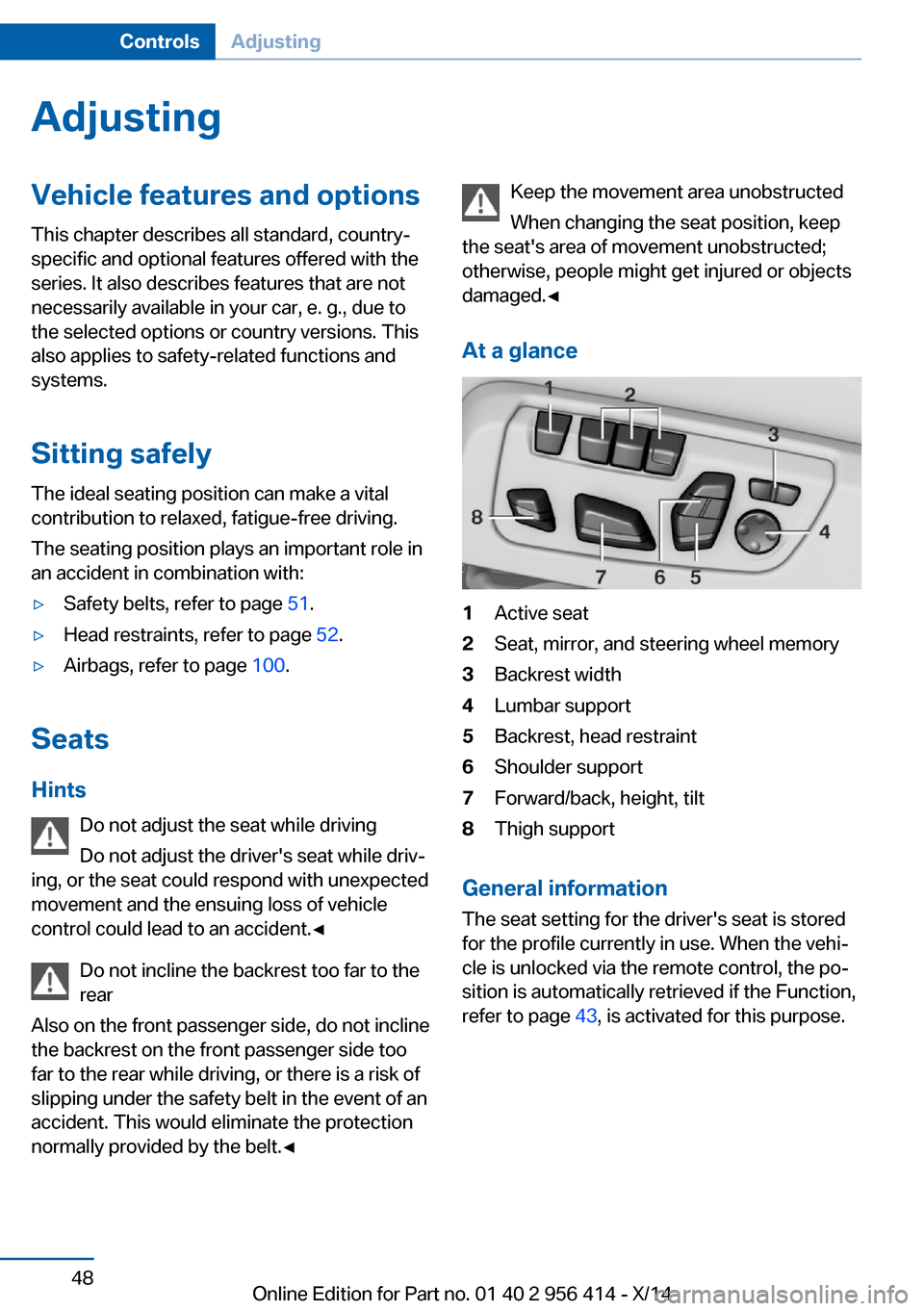
At a glance1Active seat2Seat, mirror, and steering wheel memory3Backrest width4Lumbar support5Backrest, head restraint6Shoulder support7Forward/back, height, tilt8Thigh support
General information
The seat setting for the driver's seat is stored
for the profile currently in use. When the vehi‐
cle is unlocked via the remote control, the po‐
sition is automatically retrieved if the Function,
refer to page 43, is activated for this purpose.
Seite 48ControlsAdjusting48
Online Edition for Part no. 01 40 2 956 414 - X/14
Page 58 of 222
Controls▷Press and hold this button until the seat
has moved to the desired position. Releas‐
ing the button stops window/roof move‐
ment.▷Press button briefly. The seat automati‐
cally moves to the respective end position.
Pressing again stops the motion.
Folding back and locking the backrest
After entering the rear, fold the backrest back
and lock it.
Press button. The seat moves to its origi‐
nal position. Pressing again stops the
motion.
Seat, mirror, and steering
wheel memory
The concept
Two driver's seat and exterior mirror positions
can be stored per profile, refer to page 35, and
called up. Settings for the backrest width and
lumbar support are not stored in memory.
Hints Do not retrieve the memory while driving
Do not retrieve the memory setting while
driving, as an unexpected movement of the
seat could result in an accident.◀
Keep the movement area unobstructed
When changing the seat position, keep
the seat's area of movement unobstructed;
otherwise, people might get injured or objects
damaged.◀
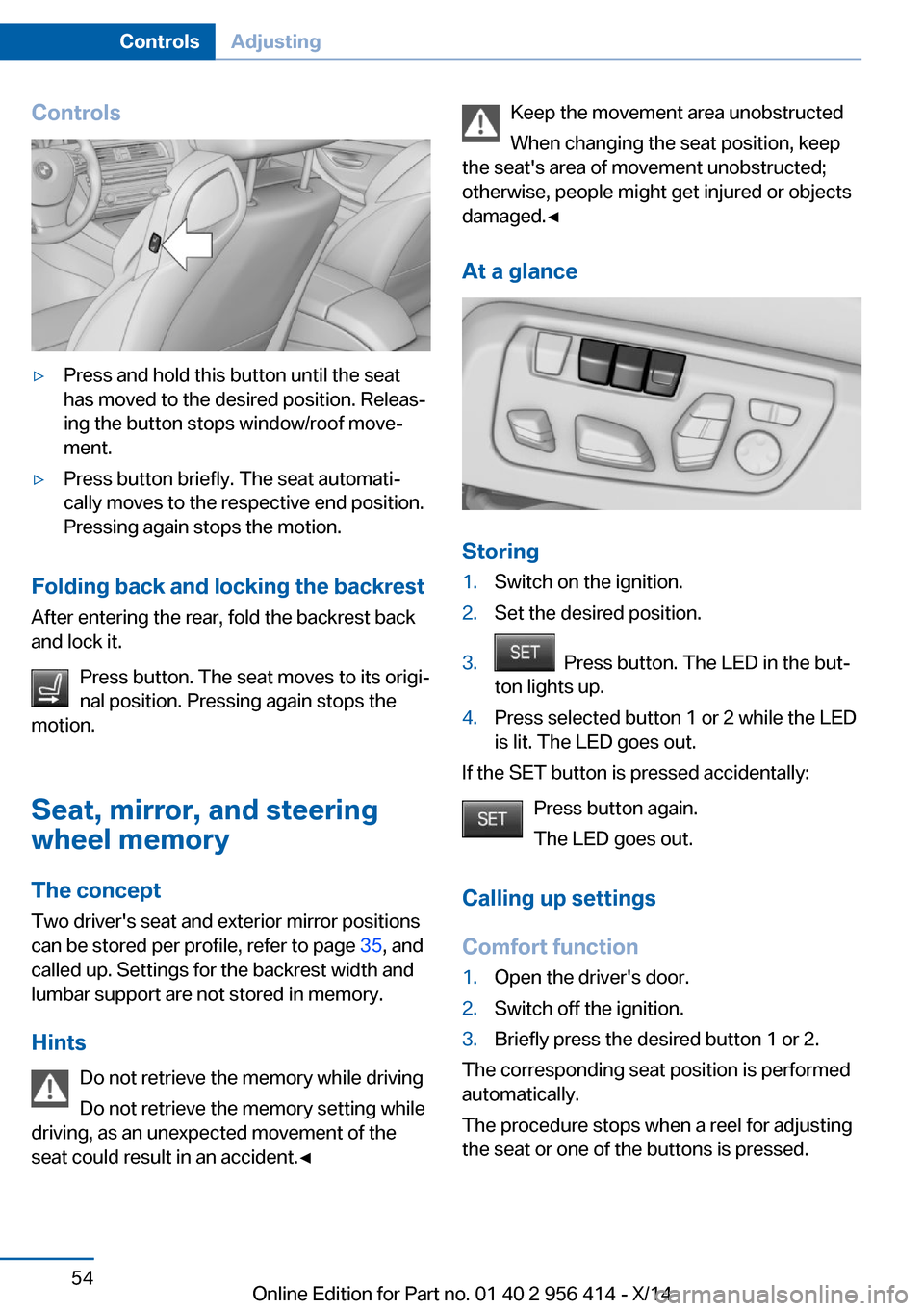
At a glance
Storing
1.Switch on the ignition.2.Set the desired position.3. Press button. The LED in the but‐
ton lights up.4.Press selected button 1 or 2 while the LED
is lit. The LED goes out.
If the SET button is pressed accidentally:
Press button again.
The LED goes out.
Calling up settings
Comfort function
1.Open the driver's door.2.Switch off the ignition.3.Briefly press the desired button 1 or 2.
The corresponding seat position is performed
automatically.
The procedure stops when a reel for adjusting
the seat or one of the buttons is pressed.
Seite 54ControlsAdjusting54
Online Edition for Part no. 01 40 2 956 414 - X/14
Page 59 of 222
Safety mode1.Close the driver's door or reel on the igni‐
tion.2.Press and hold the desired button 1 or 2
until the adjustment procedure is com‐
pleted.
Calling up of a seat position
deactivated
After a brief period, calling up stored seat posi‐
tions is deactivated to save battery power.
To reactivate calling up of a seat position:
▷Open or close the door or trunk lid.▷Press a button on the remote control.▷Press the Start/Stop button.
Mirrors
Exterior mirrors
General information The mirror on the passenger side is more
curved than the driver's side mirror.
Depending on the vehicle equipment, the mir‐
ror setting is stored for the profile currently in
use. When the vehicle is unlocked via the re‐
mote control, the position is automatically re‐
trieved if this function is active.
Note Estimating distances correctly
Objects reflected in the mirror are closer
than they appear. Do not estimate the distance
to the traffic behind you based on what you
see in the mirror, as this will increase your risk
of an accident.◀
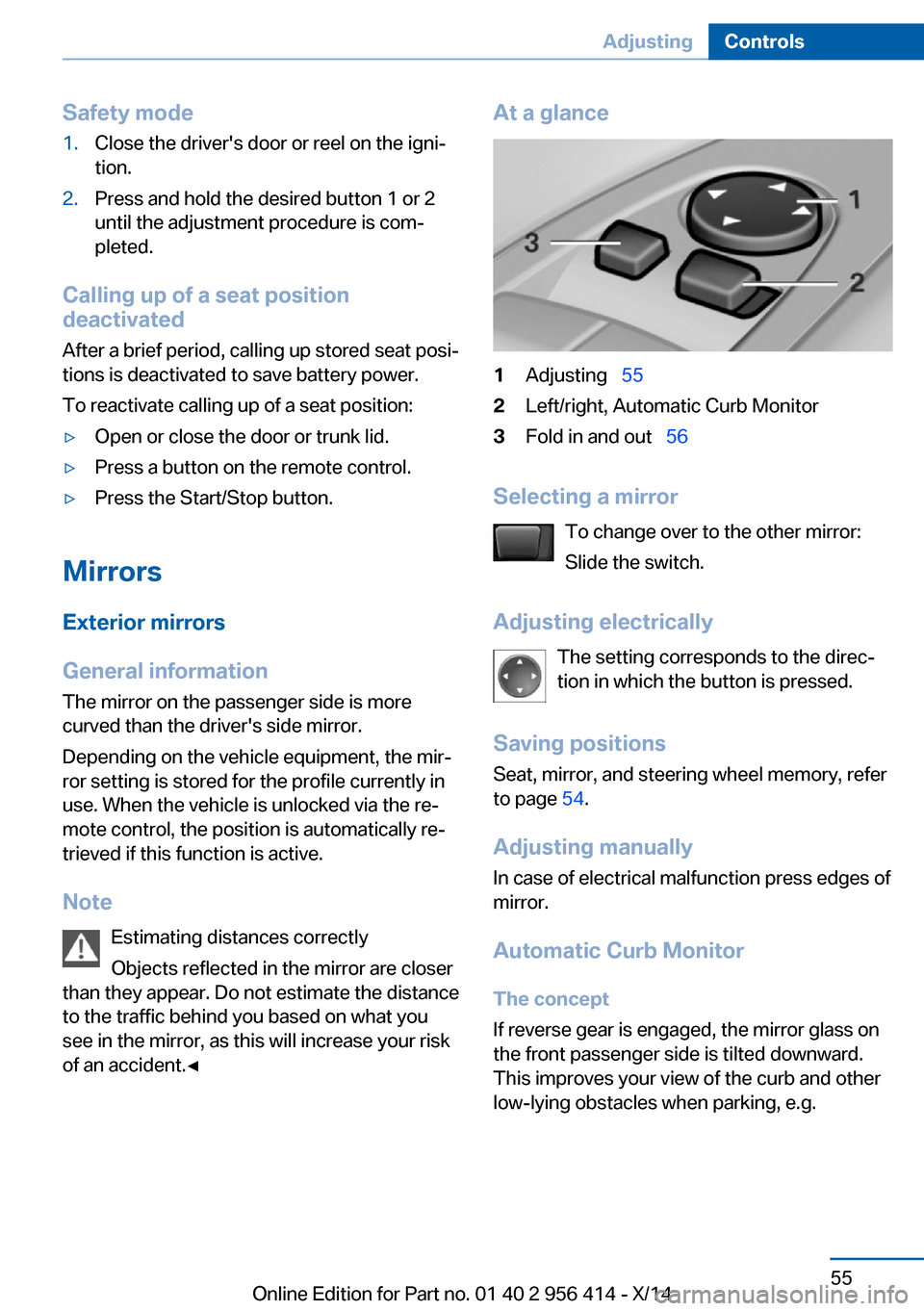
At a glance1Adjusting 552Left/right, Automatic Curb Monitor3Fold in and out 56
Selecting a mirror
To change over to the other mirror:
Slide the switch.
Adjusting electrically The setting corresponds to the direc‐
tion in which the button is pressed.
Saving positions
Seat, mirror, and steering wheel memory, refer
to page 54.
Adjusting manually In case of electrical malfunction press edges of
mirror.
Automatic Curb Monitor The concept
If reverse gear is engaged, the mirror glass on
the front passenger side is tilted downward.
This improves your view of the curb and other
low-lying obstacles when parking, e.g.
Seite 55AdjustingControls55
Online Edition for Part no. 01 40 2 956 414 - X/14
Page 61 of 222
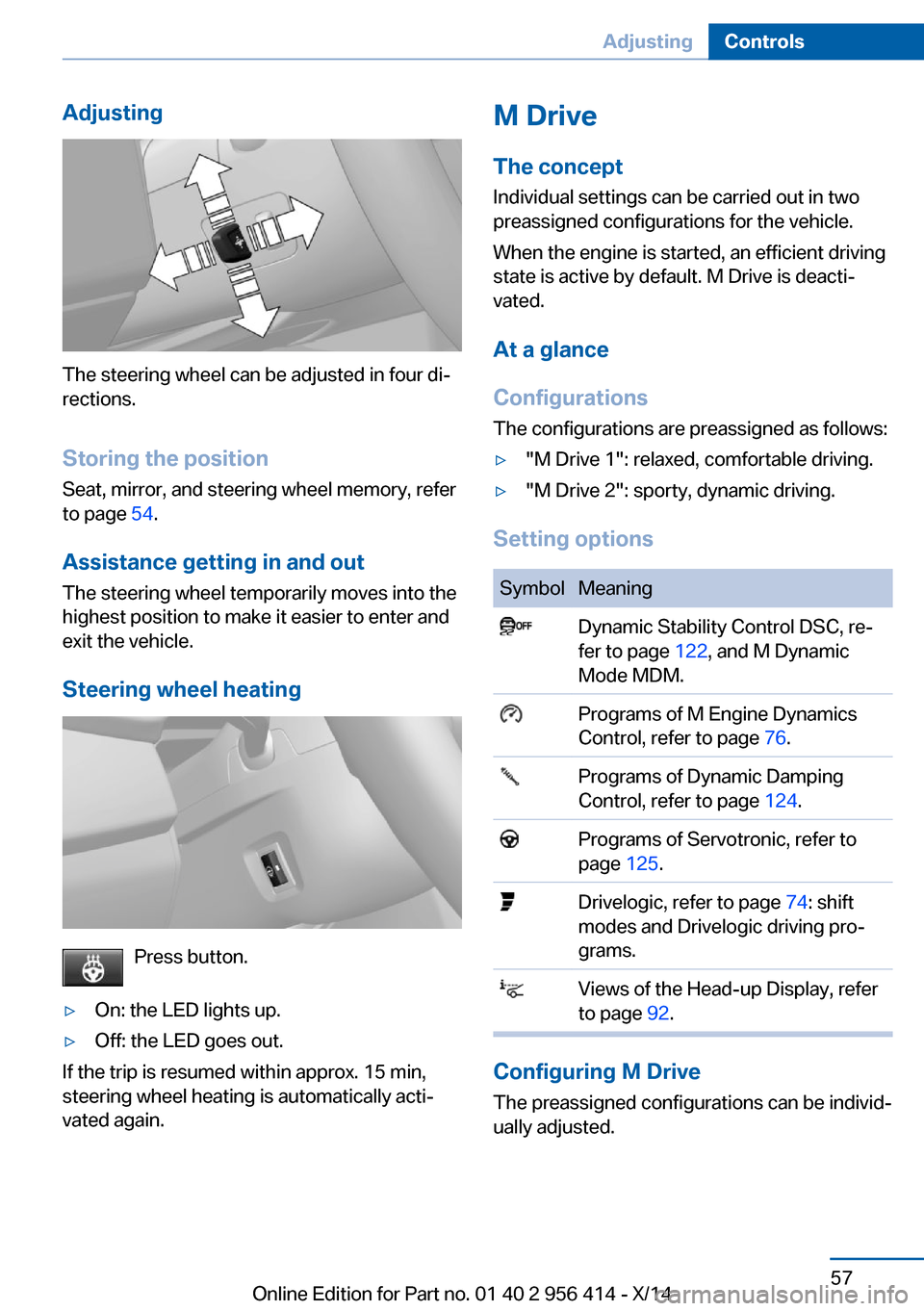
Adjusting
The steering wheel can be adjusted in four di‐
rections.
Storing the position Seat, mirror, and steering wheel memory, refer
to page 54.
Assistance getting in and out
The steering wheel temporarily moves into the
highest position to make it easier to enter and
exit the vehicle.
Steering wheel heating
Press button.
▷On: the LED lights up.▷Off: the LED goes out.
If the trip is resumed within approx. 15 min,
steering wheel heating is automatically acti‐
vated again.
M Drive
The conceptIndividual settings can be carried out in two
preassigned configurations for the vehicle.
When the engine is started, an efficient driving
state is active by default. M Drive is deacti‐
vated.
At a glance
Configurations
The configurations are preassigned as follows:▷"M Drive 1": relaxed, comfortable driving.▷"M Drive 2": sporty, dynamic driving.
Setting options
SymbolMeaning Dynamic Stability Control DSC, re‐
fer to page 122, and M Dynamic
Mode MDM. Programs of M Engine Dynamics
Control, refer to page 76. Programs of Dynamic Damping
Control, refer to page 124. Programs of Servotronic, refer to
page 125. Drivelogic, refer to page 74: shift
modes and Drivelogic driving pro‐
grams. Views of the Head-up Display, refer
to page 92.
Configuring M Drive
The preassigned configurations can be individ‐
ually adjusted.
Seite 57AdjustingControls57
Online Edition for Part no. 01 40 2 956 414 - X/14
Page 64 of 222
of unexpected movement of the rear seat
backrest.◀
On the front passenger seat
Deactivating airbags Deactivating the front-seat passenger
airbags
If a child restraint system is used in the front
passenger seat, deactivate the front-seat pas‐
senger airbags; otherwise, there is an in‐
creased risk of injury to the child when the air‐
bags are activated, even with a child restraint
system.◀
After installing a child restraint system in the
front passenger seat, make sure that the front,
knee and side airbags on the front passenger
side are deactivated.
Deactivate the front-seat passenger airbags
automatically, refer to page 102.
Seat position and height
Before installing a child restraint system, move
the front passenger seat as far back as possi‐
ble and adjust its height to the highest and
thus best possible position for the belt and to
offer optimal protection in the event of an acci‐
dent.
If the upper anchorage of the safety belt is lo‐
cated in front of the belt guide of the child seat,
move the passenger seat carefully forward un‐
til the best possible belt guide position is
reached.
Backrest width Backrest width for the child seat
Before installing a child restraint system
in the front passenger seat, the backrest width
must be opened completely. Do not change
the adjustment after this; otherwise, the stabil‐
ity of the child seat will be reduced.◀
Adjustable backrest width: before installing a
child restraint system in the front passengerseat, open the backrest width completely. Do
not change the backrest width again and do
not call up a memory position.
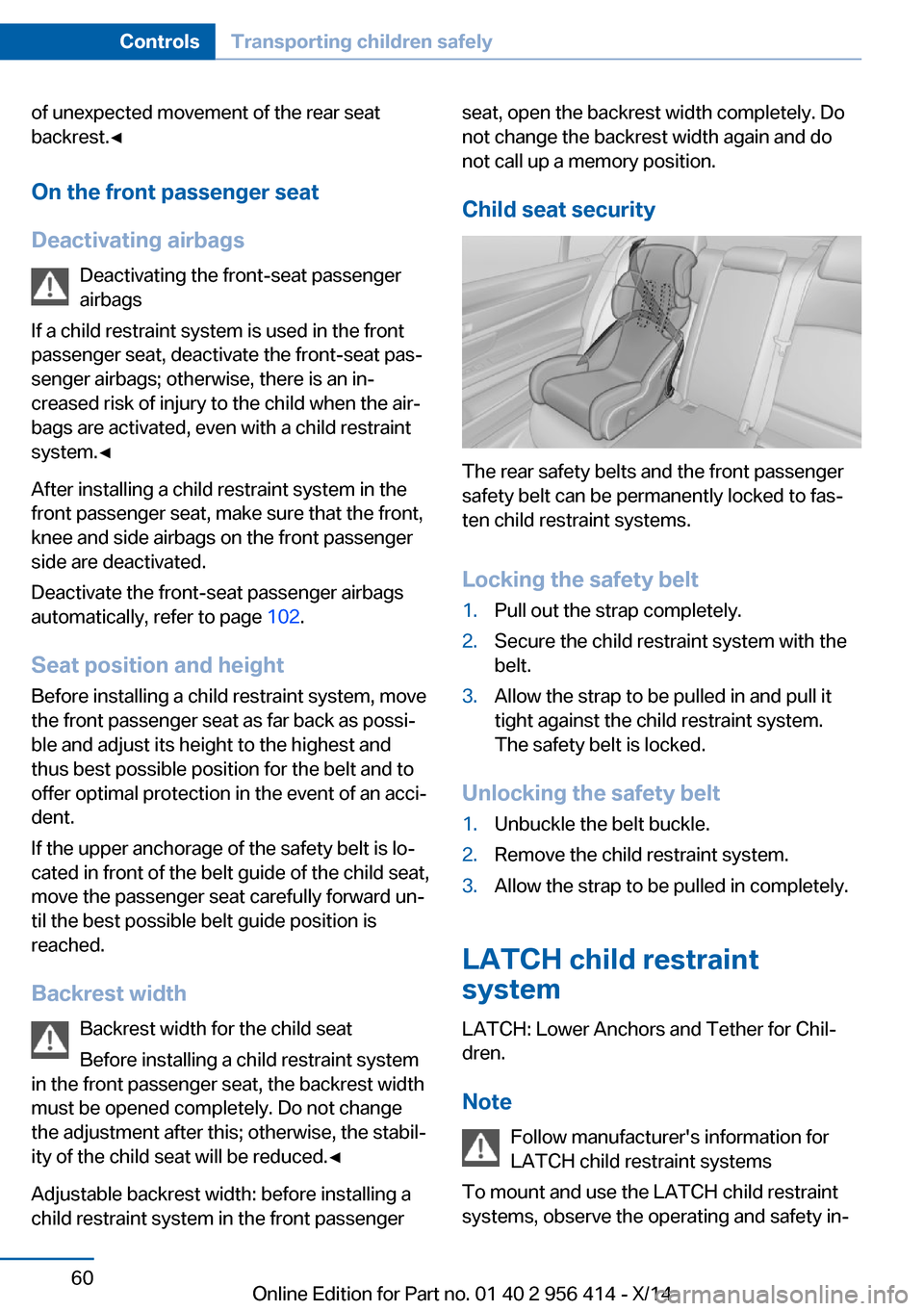
Child seat security
The rear safety belts and the front passenger
safety belt can be permanently locked to fas‐
ten child restraint systems.
Locking the safety belt
1.Pull out the strap completely.2.Secure the child restraint system with the
belt.3.Allow the strap to be pulled in and pull it
tight against the child restraint system.
The safety belt is locked.
Unlocking the safety belt
1.Unbuckle the belt buckle.2.Remove the child restraint system.3.Allow the strap to be pulled in completely.
LATCH child restraint
system
LATCH: Lower Anchors and Tether for Chil‐
dren.
Note Follow manufacturer's information for
LATCH child restraint systems
To mount and use the LATCH child restraint
systems, observe the operating and safety in‐
Seite 60ControlsTransporting children safely60
Online Edition for Part no. 01 40 2 956 414 - X/14
Page 195 of 222
Vehicle batteryMaintenance
The battery is maintenance-free.
The added amount of acid is sufficient for the
service life of the battery.
Further information about the battery can be
obtained from your service center.
Battery replacement Use approved vehicle batteries only
Only use vehicle batteries that have been
approved for your vehicle by the manufacturer;
otherwise, the vehicle could be damaged and
systems or functions may not be fully availa‐
ble.◀
After a battery replacement, have the battery
registered on the vehicle by your service cen‐
ter to ensure that all comfort features are fully
available and that any Check Control mes‐
sages of these comfort features are no longer
displayed.
Charging the battery
Note Do not connect charging devices to the12 volt socket in the vehicle
Do not connect battery chargers to the fac‐
tory-installed 12 volt sockets in the vehicle as
this may damage the vehicle battery due to an
increased power consumption.◀
General information Make sure that the battery is always suffi‐
ciently charged to guarantee that the battery
remains usable for its full service life.
The battery may need to be charged in the fol‐
lowing cases:▷When making frequent short-distance
drives.▷If the vehicle is not used for prolonged pe‐
riods, longer than a month.
Starting aid terminals
In the vehicle, only charge the battery via the
starting aid terminals, refer to page 195, in the
engine compartment with the engine off.
Power failure After a temporary power loss, some equipment
needs to be newly initialized or individual set‐
tings updated, e.g.:
▷Seat, mirror, and steering wheel memory:
store the positions again.▷Time: update.▷Date: update.▷Glass sunroof: initialize the system, refer to
page 47.
Disposing of old batteries
Have old batteries disposed of by your
service center or bring them to a recy‐
cling center.
Maintain the battery in an upright position for
transport and storage. Secure the battery so
that it does not tip over during transport.
Fuses Hints Replacing fuses
Never attempt to repair a blown fuse and
do not replace a defective fuse with a substi‐
tute of another color or amperage rating; this
could lead to a circuit overload, ultimately re‐
sulting in a fire in the vehicle.◀
Plastic tweezers and information on the fuse
types and locations are stored in the fuse box
in the cargo area.
Seite 191Replacing componentsMobility191
Online Edition for Part no. 01 40 2 956 414 - X/14
Page 217 of 222
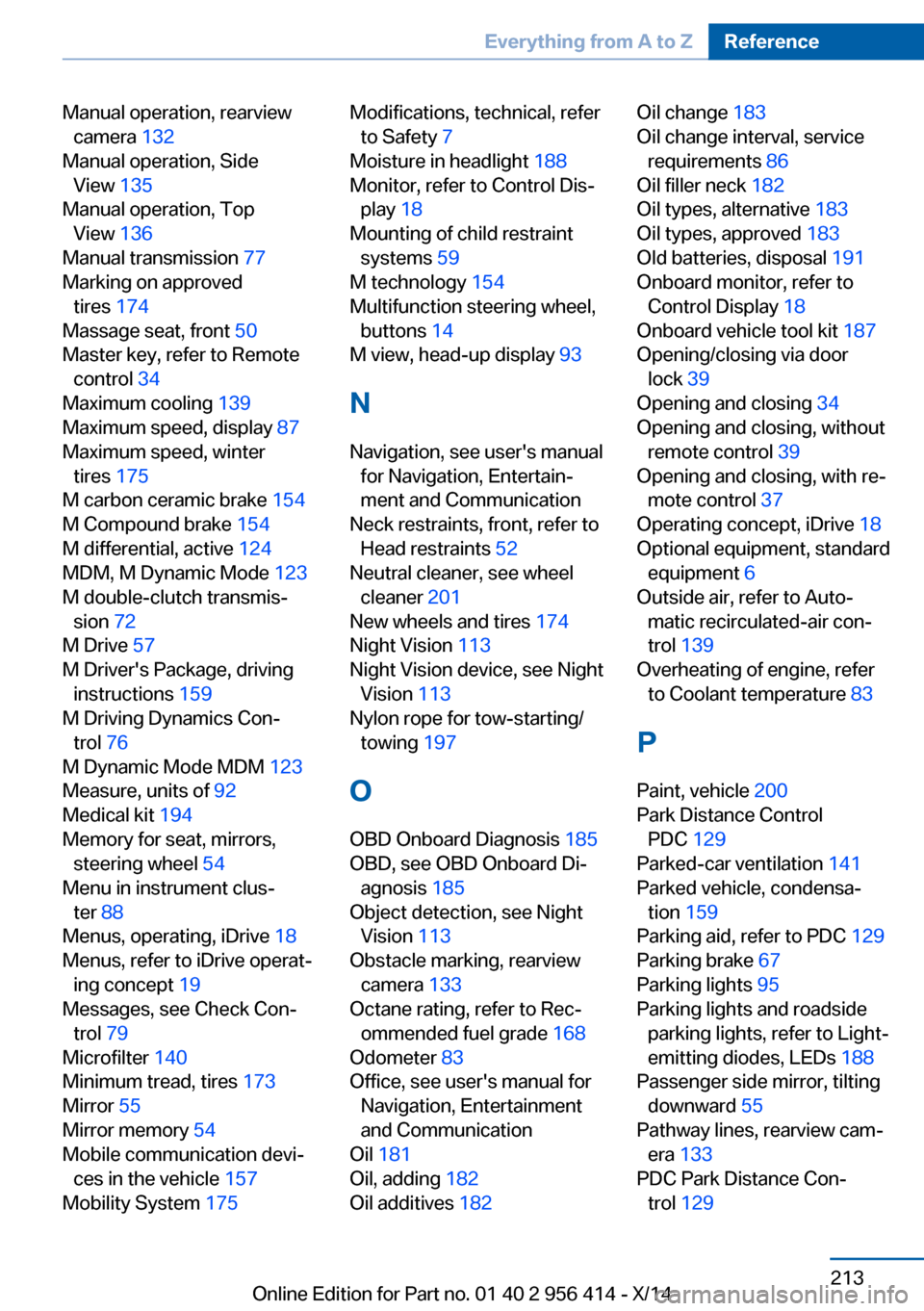
Manual operation, rearviewcamera 132
Manual operation, Side View 135
Manual operation, Top View 136
Manual transmission 77
Marking on approved tires 174
Massage seat, front 50
Master key, refer to Remote control 34
Maximum cooling 139
Maximum speed, display 87
Maximum speed, winter tires 175
M carbon ceramic brake 154
M Compound brake 154
M differential, active 124
MDM, M Dynamic Mode 123
M double-clutch transmis‐ sion 72
M Drive 57
M Driver's Package, driving instructions 159
M Driving Dynamics Con‐ trol 76
M Dynamic Mode MDM 123
Measure, units of 92
Medical kit 194
Memory for seat, mirrors, steering wheel 54
Menu in instrument clus‐ ter 88
Menus, operating, iDrive 18
Menus, refer to iDrive operat‐ ing concept 19
Messages, see Check Con‐ trol 79
Microfilter 140
Minimum tread, tires 173
Mirror 55
Mirror memory 54
Mobile communication devi‐ ces in the vehicle 157
Mobility System 175 Modifications, technical, refer
to Safety 7
Moisture in headlight 188
Monitor, refer to Control Dis‐ play 18
Mounting of child restraint systems 59
M technology 154
Multifunction steering wheel, buttons 14
M view, head-up display 93
N Navigation, see user's manual for Navigation, Entertain‐
ment and Communication
Neck restraints, front, refer to Head restraints 52
Neutral cleaner, see wheel cleaner 201
New wheels and tires 174
Night Vision 113
Night Vision device, see Night Vision 113
Nylon rope for tow-starting/ towing 197
O OBD Onboard Diagnosis 185
OBD, see OBD Onboard Di‐ agnosis 185
Object detection, see Night Vision 113
Obstacle marking, rearview camera 133
Octane rating, refer to Rec‐ ommended fuel grade 168
Odometer 83
Office, see user's manual for Navigation, Entertainment
and Communication
Oil 181
Oil, adding 182
Oil additives 182 Oil change 183
Oil change interval, service requirements 86
Oil filler neck 182
Oil types, alternative 183
Oil types, approved 183
Old batteries, disposal 191
Onboard monitor, refer to Control Display 18
Onboard vehicle tool kit 187
Opening/closing via door lock 39
Opening and closing 34
Opening and closing, without remote control 39
Opening and closing, with re‐ mote control 37
Operating concept, iDrive 18
Optional equipment, standard equipment 6
Outside air, refer to Auto‐ matic recirculated-air con‐
trol 139
Overheating of engine, refer to Coolant temperature 83
P Paint, vehicle 200
Park Distance Control PDC 129
Parked-car ventilation 141
Parked vehicle, condensa‐ tion 159
Parking aid, refer to PDC 129
Parking brake 67
Parking lights 95
Parking lights and roadside parking lights, refer to Light-
emitting diodes, LEDs 188
Passenger side mirror, tilting downward 55
Pathway lines, rearview cam‐ era 133
PDC Park Distance Con‐ trol 129 Seite 213Everything from A to ZReference213
Online Edition for Part no. 01 40 2 956 414 - X/14
Page 218 of 222
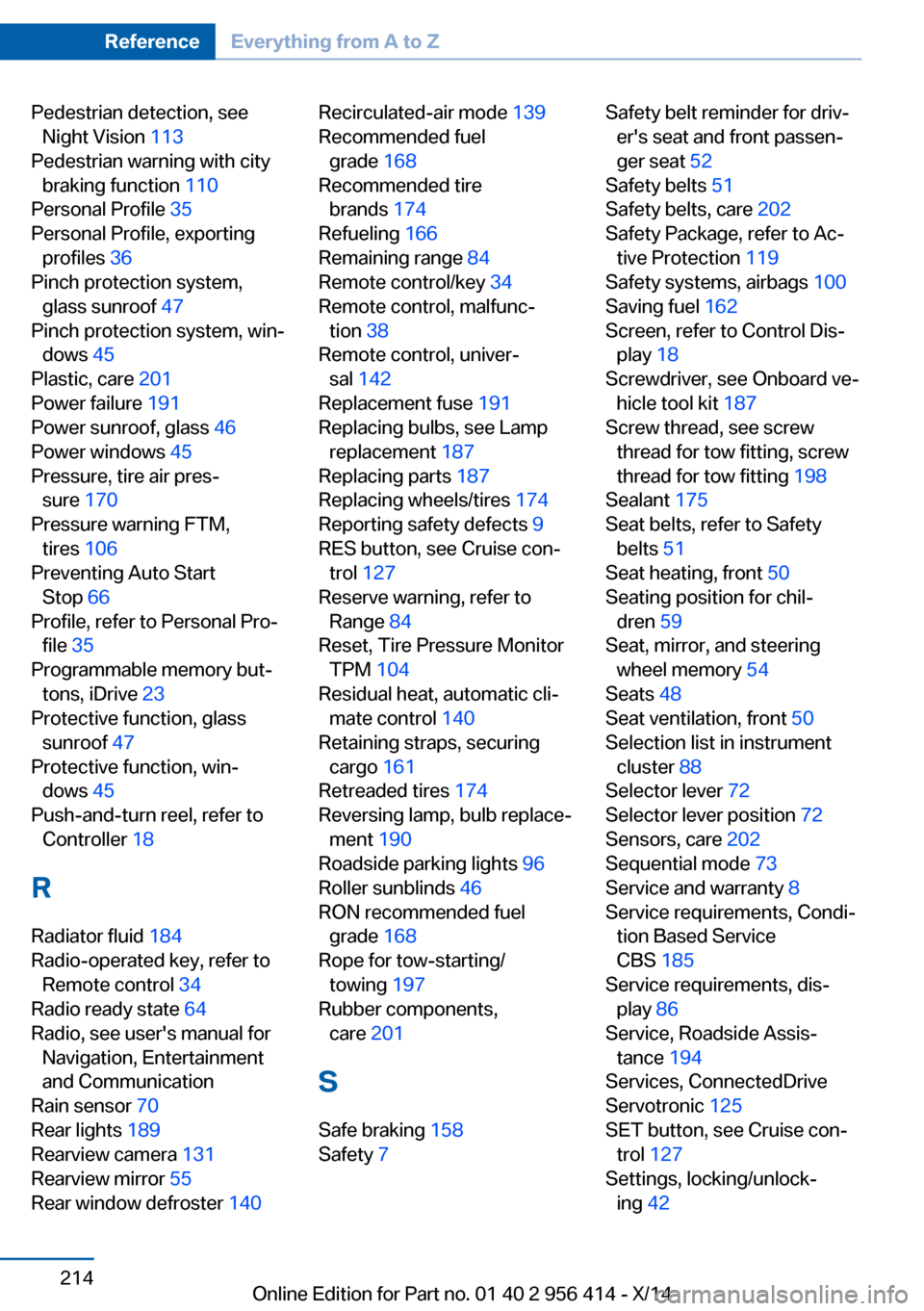
Pedestrian detection, seeNight Vision 113
Pedestrian warning with city braking function 110
Personal Profile 35
Personal Profile, exporting profiles 36
Pinch protection system, glass sunroof 47
Pinch protection system, win‐ dows 45
Plastic, care 201
Power failure 191
Power sunroof, glass 46
Power windows 45
Pressure, tire air pres‐ sure 170
Pressure warning FTM, tires 106
Preventing Auto Start Stop 66
Profile, refer to Personal Pro‐ file 35
Programmable memory but‐ tons, iDrive 23
Protective function, glass sunroof 47
Protective function, win‐ dows 45
Push-and-turn reel, refer to Controller 18
R Radiator fluid 184
Radio-operated key, refer to Remote control 34
Radio ready state 64
Radio, see user's manual for Navigation, Entertainment
and Communication
Rain sensor 70
Rear lights 189
Rearview camera 131
Rearview mirror 55
Rear window defroster 140 Recirculated-air mode 139
Recommended fuel grade 168
Recommended tire brands 174
Refueling 166
Remaining range 84
Remote control/key 34
Remote control, malfunc‐ tion 38
Remote control, univer‐ sal 142
Replacement fuse 191
Replacing bulbs, see Lamp replacement 187
Replacing parts 187
Replacing wheels/tires 174
Reporting safety defects 9
RES button, see Cruise con‐ trol 127
Reserve warning, refer to Range 84
Reset, Tire Pressure Monitor TPM 104
Residual heat, automatic cli‐ mate control 140
Retaining straps, securing cargo 161
Retreaded tires 174
Reversing lamp, bulb replace‐ ment 190
Roadside parking lights 96
Roller sunblinds 46
RON recommended fuel grade 168
Rope for tow-starting/ towing 197
Rubber components, care 201
S Safe braking 158
Safety 7 Safety belt reminder for driv‐
er's seat and front passen‐
ger seat 52
Safety belts 51
Safety belts, care 202
Safety Package, refer to Ac‐ tive Protection 119
Safety systems, airbags 100
Saving fuel 162
Screen, refer to Control Dis‐ play 18
Screwdriver, see Onboard ve‐ hicle tool kit 187
Screw thread, see screw thread for tow fitting, screw
thread for tow fitting 198
Sealant 175
Seat belts, refer to Safety belts 51
Seat heating, front 50
Seating position for chil‐ dren 59
Seat, mirror, and steering wheel memory 54
Seats 48
Seat ventilation, front 50
Selection list in instrument cluster 88
Selector lever 72
Selector lever position 72
Sensors, care 202
Sequential mode 73
Service and warranty 8
Service requirements, Condi‐ tion Based Service
CBS 185
Service requirements, dis‐ play 86
Service, Roadside Assis‐ tance 194
Services, ConnectedDrive
Servotronic 125
SET button, see Cruise con‐ trol 127
Settings, locking/unlock‐ ing 42 Seite 214ReferenceEverything from A to Z214
Online Edition for Part no. 01 40 2 956 414 - X/14