oil pressure BMW MOTORRAD K 1200 R 2006 Rider's Manual (in English)
[x] Cancel search | Manufacturer: BMW MOTORRAD, Model Year: 2006, Model line: K 1200 R, Model: BMW MOTORRAD K 1200 R 2006Pages: 160, PDF Size: 1.79 MB
Page 5 of 160
Parking your
motorcycle . . . ........... 69
Refuelling . . . . . .......... 71
Tyre pressure control
RDC
OE
.................. 72
Brake system, general . . . 73
Brake system with BMW
Motorrad Integral
ABS
OE
.................. 74
6 Accessories .......... 79
General instructions . . . . . 80
Power socket . .......... 80
Luggage . . . . . . .......... 81
CaseOA
................. 81
7 Maintenance . . . . . . . . . 85
General instructions . . . . . 86
Toolkit . ................. 86
Engine oil . . . . . .......... 87
Brake system, general . . . 89
Brake pads . . . . .......... 90
Brake fluid . . . . .......... 91
Clutch . ................. 94
Tyres . . ................. 95
Rims . . . ................. 95
Wheels . ................. 95 Front-wheel stand .
..... 104
Rear-wheel stand . . ..... 105
Bulbs . . ................ 107
Jump start . . . . ......... 114
Battery . ................ 115
8 Care . ................ 121
Care products . ......... 122
Washing motorcycle . . . . 122
Cleaning easily damaged
components . . . ......... 123
Paint care . . . . . ......... 124
Protective wax
coating ................ 124
Laying up the
motorcycle . . . . ......... 124
Restoring motorcycle to
use .................... 125
9 Technical data . . ..... 127
Troubleshooting
chart . . . ................ 128
Threaded fasteners ..... 129
Engine . ................ 130
Riding specifications . . . . 133
Clutch . ................ 133
Transmission . . ......... 133 Final drive . . . . .
......... 135
Running gear . . ......... 135
Brakes . ................ 136
Wheels and tyres . . ..... 136
Electrics . . . . . . ......... 137
Frame . . ................ 139
Dimensions . . . ......... 139
Weights ................ 140
10 Service . . . . ......... 141
BMW Motorrad
service . ................ 142
BMW Motorrad service
quality . ................ 142
BMW Motorrad Service
Card - On-the-spot
breakdown
assistance . . . . ......... 143
BMW Motorrad service
network ................ 143
Maintenance work . ..... 143
Maintenance
schedules . . . . . ......... 144
Confirmation of
maintenance work . ..... 145
Page 26 of 160

Warnings, overview
Mode of presentation Meaning
Lights up yellowThe
EWS!
warn-
ing appears on
the display. Electronic immobiliser active ( 26)
Lights up yellow The
FUEL!
warning flashes. Fuel down to reserve ( 26)
Lights up red Temperature reading flashesCoolant temperature too high
( 26)
Lights up yellow Appears on the displayEngine electronics ( 27)
Flashes red Appears on the displayInsufficient engine oil pressure
( 27)
Shows accom-
panied by theCHECK OILwarning Engine-oil level too low ( 28)
Lights up red Appears on the displayInsufficient battery charge current
( 28)
Lights up yellow The
LAMPR!
warning appears
on the display. Rear light bulb defective ( 29)
324zStatus indicators
Page 29 of 160
the fault rectified as soon
as possible by a special-
ist workshop, preferably an
authorised BMW Motorrad
dealer.
Engine electronics General warning light
lights up yellow.
Engine electronics sym-
bol appears on the dis-
play.
The engine is running
in emergency operating
mode. Engine power might
be reduced and this can
cause hazardous situations,
particularly if you attempt to
overtake other road users.
Engine power level might be
lower than normal: adapt your
style of riding accordingly. The engine electronics control
unit has diagnosed a fault. In
exceptional cases, the engine
stops and refuses to start.
Otherwise, the engine runs in
emergency operating mode.
You can continue to ride,
but bear in mind that the
usual engine power might
not be available.
Have the fault rectified as
quickly as possible by a
specialist workshop, prefer-
ably an authorised BMW
Motorrad dealer.
Insufficient engine oil
pressure General warning light
flashes red.
Engine oil pressure sym-
bol appears on the dis-
play.
The oil pressure in the lube-
oil system is too low. Stop immediately and switch off
the engine if the warning light
shows.
The insufficient oil
pressure warning does
not fulfil the function of an
oil gauge. The only way of
checking whether the oil level
is correct is to check the oil
level indicator.
A low oil level is one reason
why a warning indicating in-
sufficient oil pressure is is-
sued.
Checking engine oil level
( 87)
If the oil level is too low: Top up the engine oil ( 88)
If the warning indicating in-
sufficient engine oil level is
issued and a check indicates
that the engine oil level is cor-
rect:
327zStatus indicators
Page 30 of 160
Other engine problems
besides a low oil level
can cause the insufficient en-
gine oil pressure warning to
be issued. Continuing to ride
in these cases can cause en-
gine damage.
If this warning is issued even
though the engine oil level is
correct: do not continue to
ride.
Do not continue your jour-
ney.
Have the fault rectified as
quickly as possible by a
specialist workshop, prefer-
ably an authorised BMW
Motorrad dealer.
Engine-oil level too low Symbol for oil level
shows, accompanied by
theCHECK OIL
warning.
The electronic oil-level sensor
has registered an excessively
low oil level. Checking the oil sight glass is
the only way of ascertaining
the exact engine-oil level. The
next time you stop for fuel:
Checking engine oil level
( 87)
If the oil level is too low: Top up the engine oil ( 88)
The oil sensor might be
defective if the "Check oil
level" message appears even
though a check of the oil sight
glass shows that the oil level
is correct. Seek the advice of a spe-
cialist workshop, preferably
an authorised BMW Motor-
rad dealer.
Insufficient battery charge
current General warning light
lights up red. Battery charge current
symbol is displayed.
A discharged battery can
cause the engine to die
suddenly, and this could res-
ult in a dangerous situation in
traffic.
Have faults rectified as soon
as possible.
If the battery is not char-
ging, continuing to ride
can cause it to discharge
completely, in which case it
will suffer irreparable damage.
If possible, do not continue
your journey.
Battery is not being charged.
You can continue to
ride until the battery is
discharged. Bear in mind,
however, that the engine
could cut out suddenly
and that the battery could
discharge until completely
flat, in which case it might
328zStatus indicators
Page 49 of 160
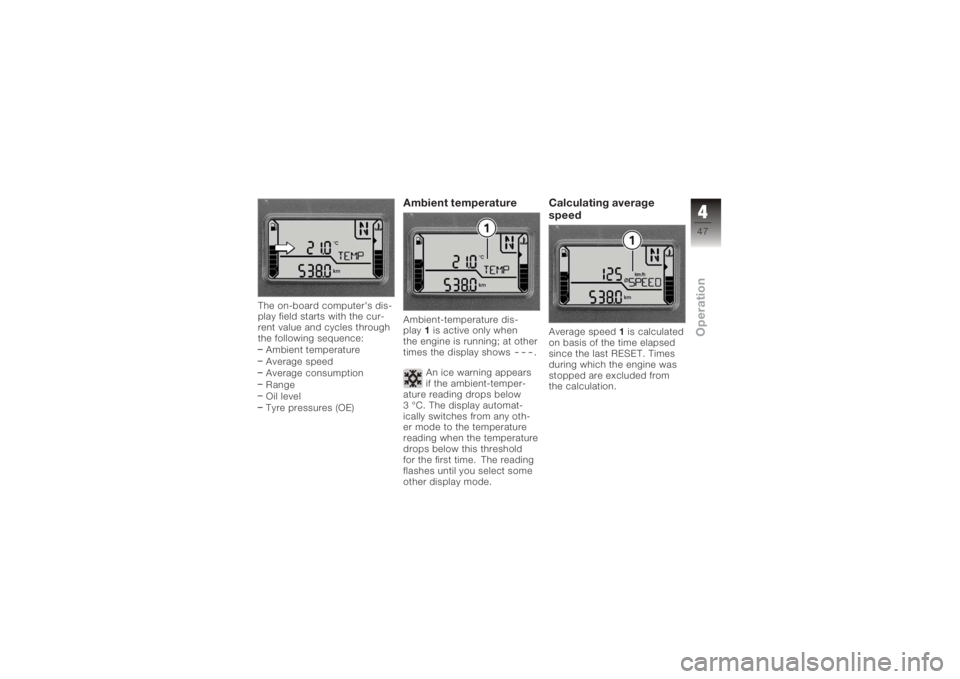
The on-board computer's dis-
play field starts with the cur-
rent value and cycles through
the following sequence:Ambient temperature
Average speed
Average consumption
Range
Oil level
Tyre pressures (OE)
Ambient temperatureAmbient-temperature dis-
play 1is active only when
the engine is running; at other
times the display shows
---
.
An ice warning appears
if the ambient-temper-
ature reading drops below
3 °C. The display automat-
ically switches from any oth-
er mode to the temperature
reading when the temperature
drops below this threshold
for the first time. The reading
flashes until you select some
other display mode.
Calculating average
speedAverage speed 1is calculated
on basis of the time elapsed
since the last RESET. Times
during which the engine was
stopped are excluded from
the calculation.
447zOperation
Page 68 of 160
ponents are not designed to
withstand. Damage caused in
this way is not covered by the
warranty.
Do not tamper with the
control unit of the electronic
engine-management
system.ChecklistUse the following checklist
to check important functions,
settings and wear limits be-
fore you ride off.Brakes
Brake-fluid levels, front and
rear
Clutch
Clutch fluid level
Shock absorber setting and
spring preload
Tyre-tread depth and tyre
pressures Cases correctly installed
and luggage secured
At regular intervals: Engine oil level (every refuel-
ling stop)
Brake-pad wear (every third
refuelling stop)
StartingSide standYou cannot start the motor-
cycle with the side stand ex-
tended and a gear engaged.
The engine will switch itself off
if you start it with the gearbox
in neutral and then engage a
gear before retracting the side
stand.GearboxYou can start the engine
when the gearbox is in neutral
or if you pull the clutch with
a gear engaged. Do not pull
the clutch until after you have switched on the ignition, as
otherwise the engine will
refuse to start. When the
gearbox is in neutral, the
green neutral telltale light is
on and the gear indicator
in the multifunction display
shows N.
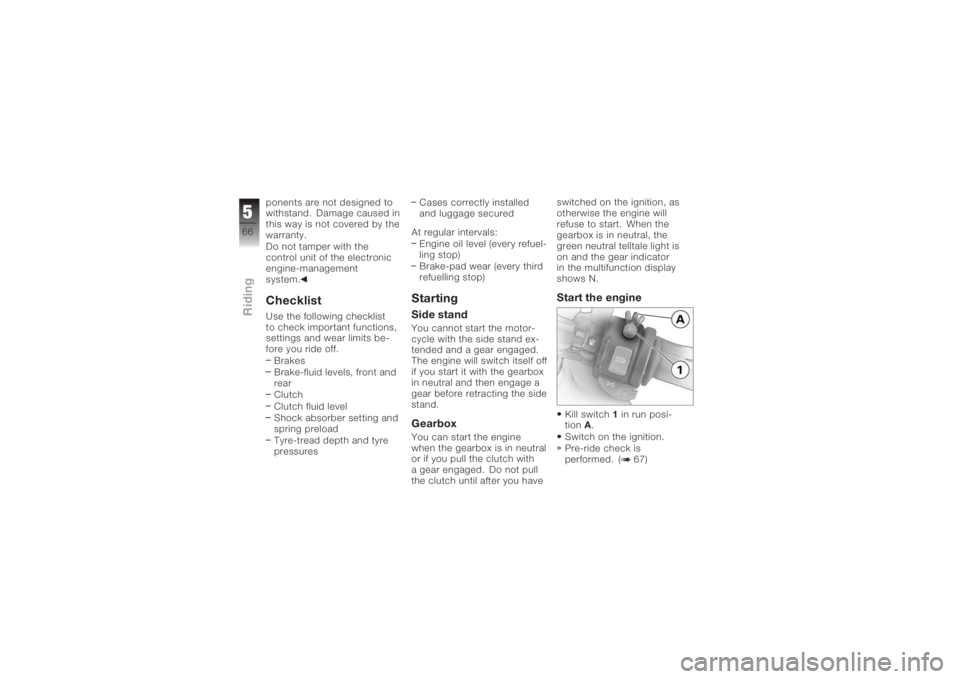
Start the engineKill switch
1in run posi-
tion A.
Switch on the ignition.
Pre-ride check is
performed. ( 67)
566zRiding
Page 75 of 160
readings shown by the multi-
function display.Tyre-pressure rangesThe RDC control unit differ-
entiates between three air-
pressure ranges, all of which
are parameterised for the mo-
torcycle:Air pressure within permit-
ted tolerance.
Air pressure close to limit of
permitted tolerance.
Air pressure outside permit-
ted tolerance.Brake system, generalDescending mountain
passes
There is a danger of the
brakes fading if you use
only the rear brakes when
descending mountain passes.
Under extreme conditions, the brakes could overheat and
suffer severe damage.
Use both front and rear
brakes, and make use of the
engine's braking effect as
well.
Wet brakes
After the motorcycle has
been washed, ridden
through water or ridden in
the rain, the brake discs and
pads might be wet and the
brakes might not take effect
immediately.
Apply the brakes in good time
until the brakes have dried
out.
Salt on brakes
The brakes may fail to
take effect immediately
if the motorcycle was ridden
on salt-covered roads and the
brakes were not applied for
some time. Apply the brakes in good
time until the salt layer on the
brake discs and brake pads
has been removed.
Oil or grease on brakes
Oil and grease on the
brake discs and pads
considerably diminish braking
efficiency.
Especially after repair and
maintenance work, make
sure that the brake discs and
brake pads are free of oil and
grease.
Dirt or mud on brakes
When riding on loose
surfaces or muddy
roads, the brakes may fail
to take effect immediately
because of dirt or moisture on
the discs or brake pads.
Apply brakes in good time
until the brakes have been
cleaned.
573zRiding
Page 157 of 160
S
SeatInstallation, 55
Lock, 11
Removal, 54
Service, 142
Service Card, 143
Side stand Starting the engine, 66
Spark plugs, 138
Speedometer, 18
Spring preload, rear Adjusting, 11, 58
Starter, 17
Steering lock, 41
Suspension damping, rear Adjusting, 11, 59
T
Technical data Battery, 137
Brakes, 136
Bulbs, 138
Clutch, 133
Dimensions, 139
Electrics, 137 Engine, 130
Engine oil, 132
Final drive, 135
Frame, 139
Fuel, 131
Running gear, 135
Spark plugs, 138
Transmission, 133
Weights, 140
Wheels and tyres, 136
Telltale lights, 18
Toolkit, 15 Service kit, 86
Standard kit, 86
Torques, 129
Transmission Starting the engine, 66
Technical data, 133
Troubleshooting chart, 128
Turn indicators Left, 16, 53
Right, 17, 54
Switching off, 17, 54 Tyre pressure control
(ReifenDruck-Control)
Label on wheel rim, 96
Operation, 46
Reading, 22
Tyres Approved, 95
Checking tread depth, 95
Checking tyre pressures, 62
Technical data, 136
V
Vehicle General view, left side, 11
General view, right side, 13
Laying up, 124
Restoring to use, 125
Vehicle identification num- ber, 13
W
Warning lights, 18
Warnings, 22 Mode of presentation, 23
Warnings, overview, 24, 32, 36
11155zIndex