tailgate BMW X1 2013 E84 User Guide
[x] Cancel search | Manufacturer: BMW, Model Year: 2013, Model line: X1, Model: BMW X1 2013 E84Pages: 299, PDF Size: 6.66 MB
Page 111 of 299
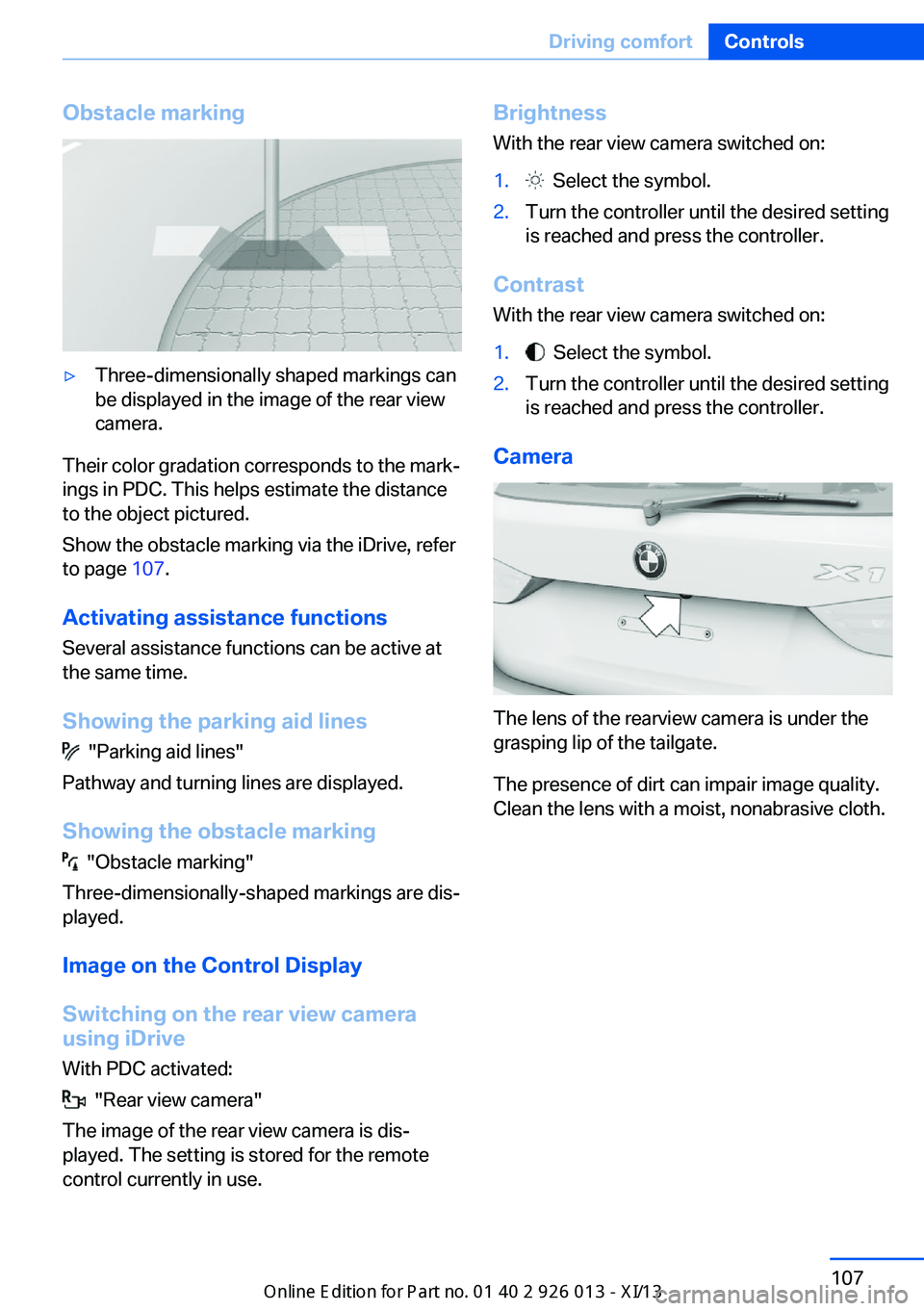
Obstacle marking▷Three-dimensionally shaped markings can
be displayed in the image of the rear view
camera.
Their color gradation corresponds to the mark‐
ings in PDC. This helps estimate the distance
to the object pictured.
Show the obstacle marking via the iDrive, refer
to page 107.
Activating assistance functions
Several assistance functions can be active at
the same time.
Showing the parking aid lines
"Parking aid lines"
Pathway and turning lines are displayed.
Showing the obstacle marking
"Obstacle marking"
Three-dimensionally-shaped markings are dis‐
played.
Image on the Control Display
Switching on the rear view camera
using iDrive
With PDC activated:
"Rear view camera"
The image of the rear view camera is dis‐
played. The setting is stored for the remote
control currently in use.
Brightness
With the rear view camera switched on:1. Select the symbol.2.Turn the controller until the desired setting
is reached and press the controller.
Contrast
With the rear view camera switched on:
1. Select the symbol.2.Turn the controller until the desired setting
is reached and press the controller.
Camera
The lens of the rearview camera is under the
grasping lip of the tailgate.
The presence of dirt can impair image quality.
Clean the lens with a moist, nonabrasive cloth.
Seite 107Driving comfortControls107
Online Edition for Part no. 01 40 2 911 269 - VI/13
Page 125 of 299
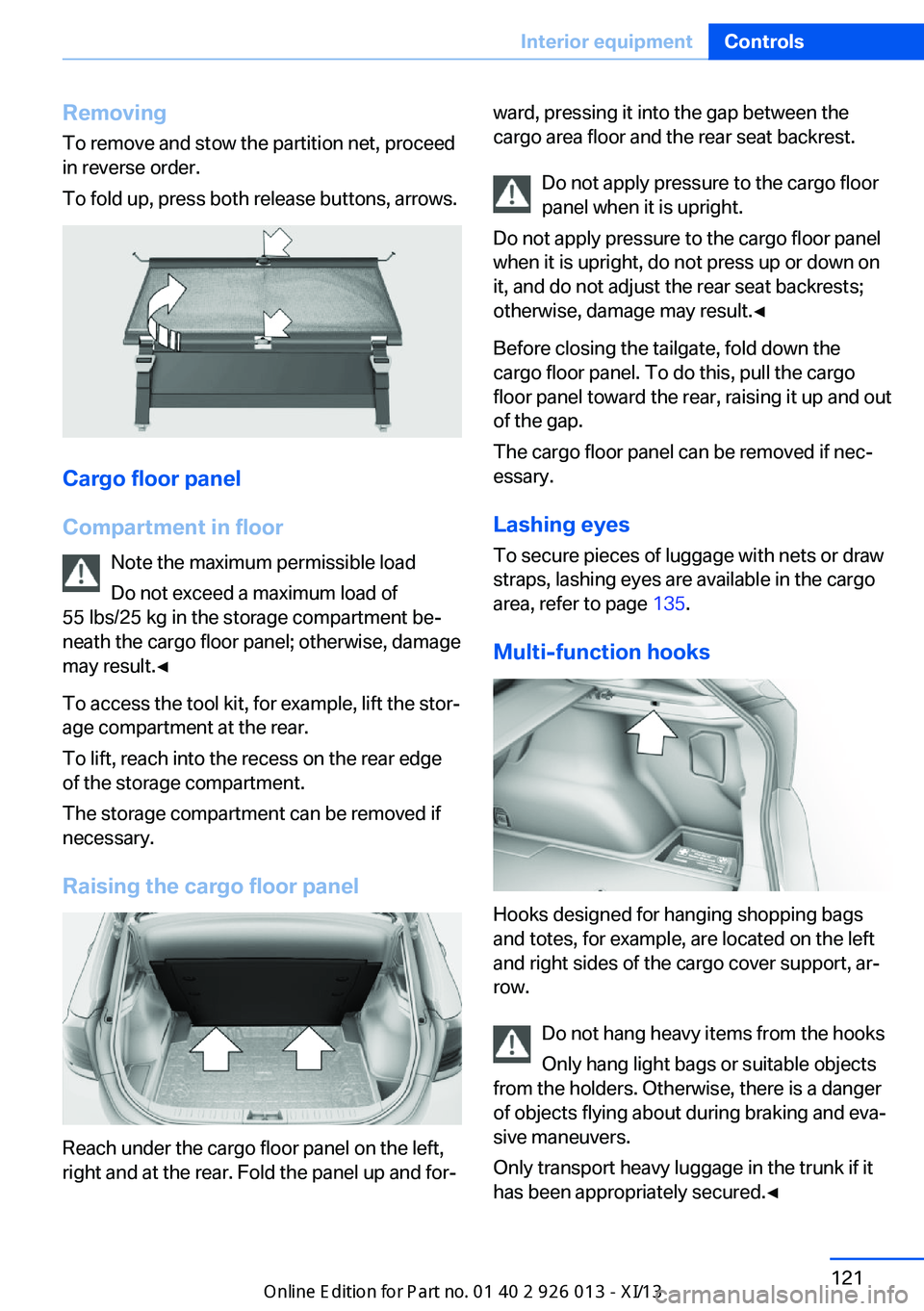
RemovingTo remove and stow the partition net, proceed
in reverse order.
To fold up, press both release buttons, arrows.
Cargo floor panel
Compartment in floor Note the maximum permissible load
Do not exceed a maximum load of
55 lbs/25 kg in the storage compartment be‐
neath the cargo floor panel; otherwise, damage
may result.◀
To access the tool kit, for example, lift the stor‐
age compartment at the rear.
To lift, reach into the recess on the rear edge
of the storage compartment.
The storage compartment can be removed if
necessary.
Raising the cargo floor panel
Reach under the cargo floor panel on the left,
right and at the rear. Fold the panel up and for‐
ward, pressing it into the gap between the
cargo area floor and the rear seat backrest.
Do not apply pressure to the cargo floor
panel when it is upright.
Do not apply pressure to the cargo floor panel
when it is upright, do not press up or down on
it, and do not adjust the rear seat backrests;
otherwise, damage may result.◀
Before closing the tailgate, fold down the
cargo floor panel. To do this, pull the cargo
floor panel toward the rear, raising it up and out
of the gap.
The cargo floor panel can be removed if nec‐
essary.
Lashing eyes
To secure pieces of luggage with nets or draw
straps, lashing eyes are available in the cargo
area, refer to page 135.
Multi-function hooks
Hooks designed for hanging shopping bags
and totes, for example, are located on the left
and right sides of the cargo cover support, ar‐
row.
Do not hang heavy items from the hooks
Only hang light bags or suitable objects
from the holders. Otherwise, there is a danger
of objects flying about during braking and eva‐
sive maneuvers.
Only transport heavy luggage in the trunk if it
has been appropriately secured.◀
Seite 121Interior equipmentControls121
Online Edition for Part no. 01 40 2 911 269 - VI/13
Page 134 of 299
Things to remember when drivingVehicle equipment
This chapter describes all series equipment as
well as country-specific and special equipment
offered for this model series.Therefore, it also
describes equipment that may not be found in
your vehicle, for instance due to the selected
special equipment or the country version. This
also applies to safety-related functions and
systems.
Breaking-in period
General information Moving parts need to be broken in to adjust to
each other.
The following instructions will help achieve a
long vehicle life and good economy.
Engine and differential Always obey all official speed limits.
Up to 1,200 miles/2,000 km
Do not exceed the maximum engine and road
speeds:▷4,500 rpm and 100 mph/160 km/h.
Avoid full-throttle operation and use of the
transmission's kickdown mode for the initial
miles.
From 1,200 miles/2,000 km The engine and vehicle speed can gradually be
increased.
Tires
Due to technical factors associated with their
manufacture, tires do not achieve their full
traction potential until after an initial breaking-
in period.
Drive conservatively for the first
200 miles/300 km.
Brake system
Brakes require an initial break-in period of ap‐
prox. 300 miles/500 km to achieve optimized
contact and wear patterns between brake pads and discs. Drive cautiously during this break-in
period.
Following part replacement
The same breaking in procedures should be
observed if any of the components mentioned
above have to be renewed in the course of the
vehicle's operating life.
General driving notes
Closing tailgate Drive with the tailgate closed
Only drive with the tailgate closed; other‐
wise, passengers and other road users may be endangered or the vehicle may be damaged if
an accident occurs or during braking or evasive
maneuvers. In addition, exhaust fumes may enter the passenger compartment.◀
If, despite this, the vehicle must be driven with
the tailgate open:▷Drive moderately.▷Close all windows and the panoramic glass
sunroof.▷Greatly increase the blower speed.
Hot exhaust system
Hot exhaust system
High temperatures are generated in the
exhaust system.
Seite 130Driving tipsThings to remember when driving130
Online Edition for Part no. 01 40 2 911 269 - VI/13
Page 140 of 299
Use only the lashing eyes pictured to fasten
the heavy-duty cargo straps. Do not secure
cargo using the upper top tether, refer to
page 53, mounting points; otherwise, these
may become damaged.◀
Roof-mounted luggage rack
Notes A special rack system is available as an op‐
tional accessory.
Anchorage points The anchorage points are located on the roof
railing.
Attachment Follow the installation instructions for the roof-
mounted luggage rack.
Be sure that adequate clearance is maintained
for tilting and opening the panoramic glass
sunroof.
Loading Because roof racks raise the vehicle's center
of gravity when loaded, they have a major ef‐
fect on vehicle handling and steering re‐
sponse.
Therefore, note the following when loading
and driving:▷Do not exceed the approved roof/axle
loads and the approved gross vehicle
weight.▷Distribute the roof load uniformly.▷The roof load should not be too large in
area.▷Always load the heaviest pieces on the
bottom.▷Fasten the roof-mounted luggage se‐
curely, for instance using lashing straps.▷Do not let objects project into the opening
path of the tailgate.▷Drive smoothly. Avoid sudden acceleration
and braking maneuvers. Take corners gen‐
tly.
Rear luggage rack
Notes A special rear rack is available as an optional
accessory. It does not require a trailer hitch.
Follow the installation instructions for the rear
rack.
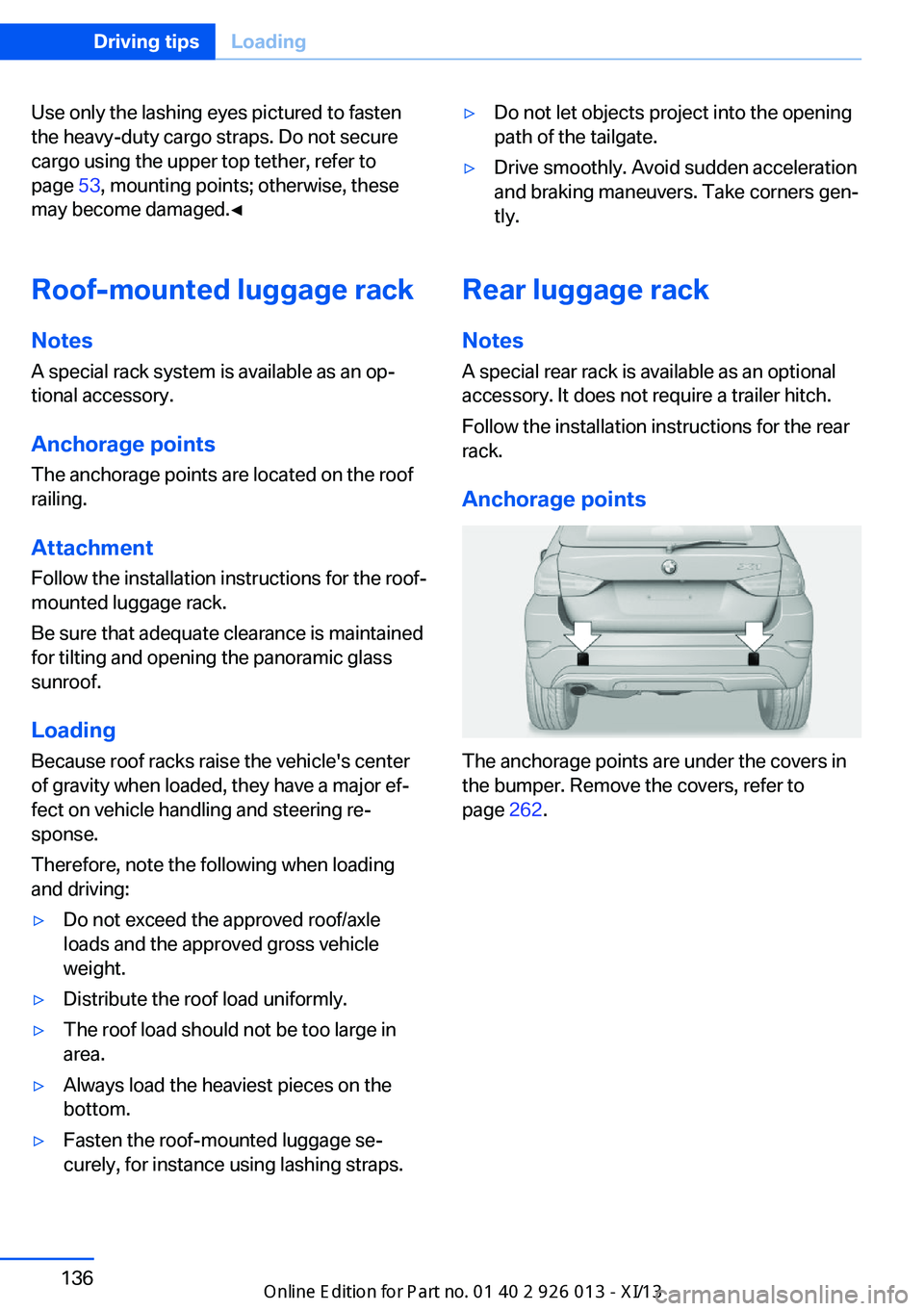
Anchorage points
The anchorage points are under the covers in
the bumper. Remove the covers, refer to
page 262.
Seite 136Driving tipsLoading136
Online Edition for Part no. 01 40 2 911 269 - VI/13
Page 257 of 299
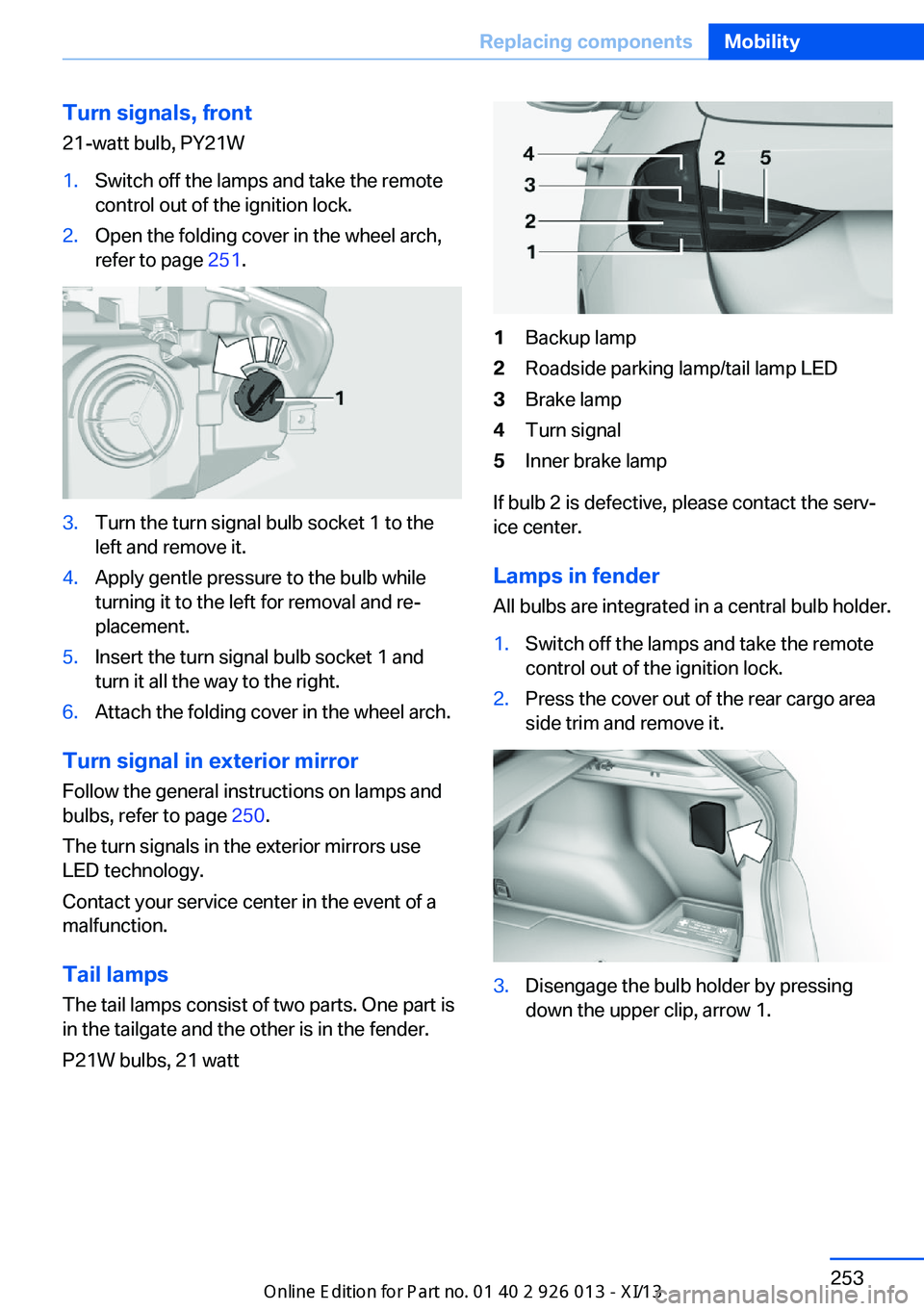
Turn signals, front21-watt bulb, PY21W1.Switch off the lamps and take the remote
control out of the ignition lock.2.Open the folding cover in the wheel arch,
refer to page 251.3.Turn the turn signal bulb socket 1 to the
left and remove it.4.Apply gentle pressure to the bulb while
turning it to the left for removal and re‐
placement.5.Insert the turn signal bulb socket 1 and
turn it all the way to the right.6.Attach the folding cover in the wheel arch.
Turn signal in exterior mirror
Follow the general instructions on lamps and
bulbs, refer to page 250.
The turn signals in the exterior mirrors use
LED technology.
Contact your service center in the event of a
malfunction.
Tail lamps
The tail lamps consist of two parts. One part is
in the tailgate and the other is in the fender.
P21W bulbs, 21 watt
1Backup lamp2Roadside parking lamp/tail lamp LED3Brake lamp4Turn signal5Inner brake lamp
If bulb 2 is defective, please contact the serv‐
ice center.
Lamps in fender
All bulbs are integrated in a central bulb holder.
1.Switch off the lamps and take the remote
control out of the ignition lock.2.Press the cover out of the rear cargo area
side trim and remove it.3.Disengage the bulb holder by pressing
down the upper clip, arrow 1.Seite 253Replacing componentsMobility253
Online Edition for Part no. 01 40 2 911 269 - VI/13
Page 258 of 299
On the right side, take the button with the
fuel pump symbol out of the holder toward
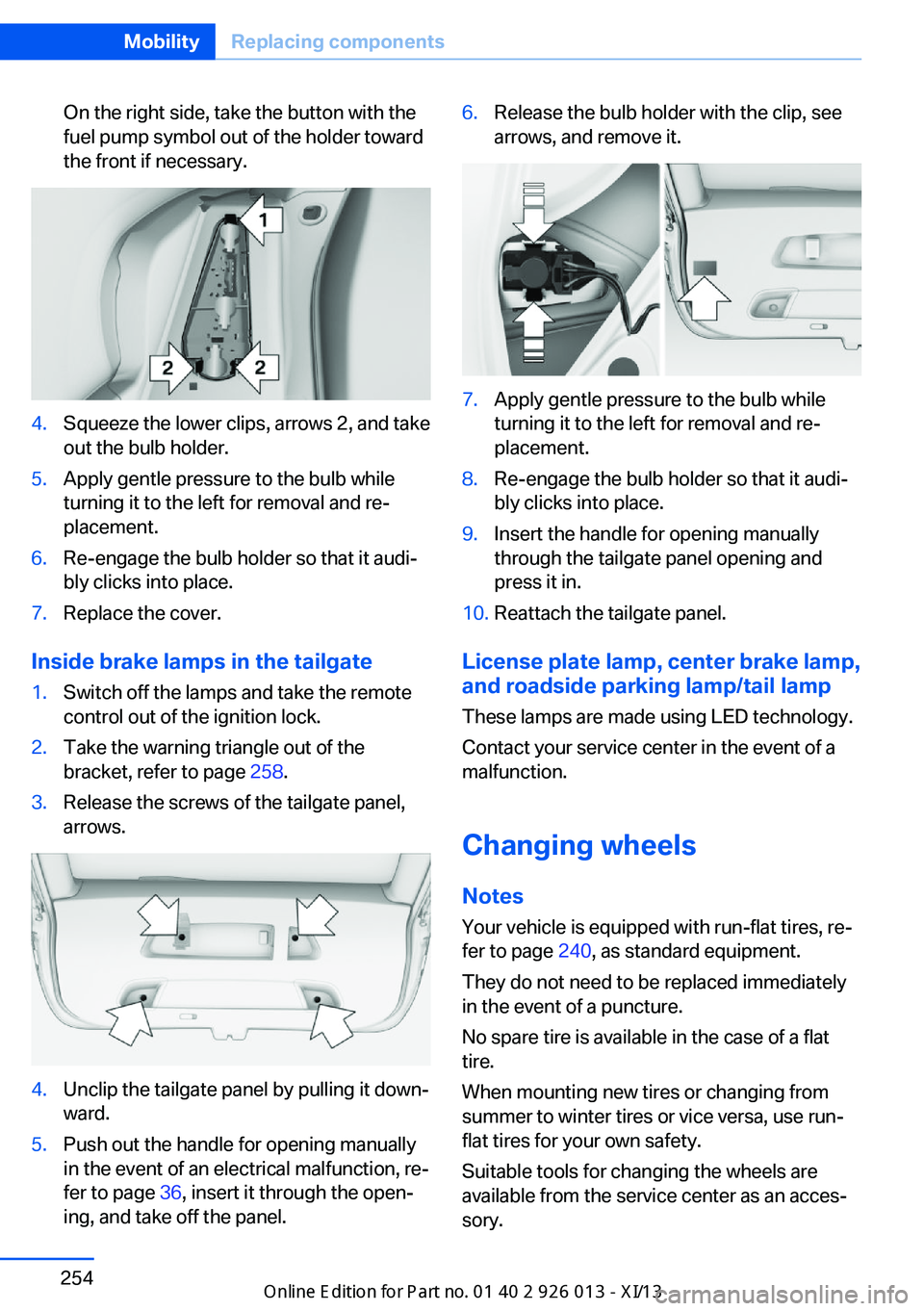
the front if necessary.4.Squeeze the lower clips, arrows 2, and take
out the bulb holder.5.Apply gentle pressure to the bulb while
turning it to the left for removal and re‐
placement.6.Re-engage the bulb holder so that it audi‐
bly clicks into place.7.Replace the cover.
Inside brake lamps in the tailgate
1.Switch off the lamps and take the remote
control out of the ignition lock.2.Take the warning triangle out of the
bracket, refer to page 258.3.Release the screws of the tailgate panel,
arrows.4.Unclip the tailgate panel by pulling it down‐
ward.5.Push out the handle for opening manually
in the event of an electrical malfunction, re‐
fer to page 36, insert it through the open‐
ing, and take off the panel.6.Release the bulb holder with the clip, see
arrows, and remove it.7.Apply gentle pressure to the bulb while
turning it to the left for removal and re‐
placement.8.Re-engage the bulb holder so that it audi‐
bly clicks into place.9.Insert the handle for opening manually
through the tailgate panel opening and
press it in.10.Reattach the tailgate panel.
License plate lamp, center brake lamp, and roadside parking lamp/tail lamp
These lamps are made using LED technology.
Contact your service center in the event of a
malfunction.
Changing wheels
Notes
Your vehicle is equipped with run-flat tires, re‐
fer to page 240, as standard equipment.
They do not need to be replaced immediately
in the event of a puncture.
No spare tire is available in the case of a flat
tire.
When mounting new tires or changing from
summer to winter tires or vice versa, use run-
flat tires for your own safety.
Suitable tools for changing the wheels are
available from the service center as an acces‐
sory.
Seite 254MobilityReplacing components254
Online Edition for Part no. 01 40 2 911 269 - VI/13
Page 262 of 299
For this purpose, data that are used to de‐
termine the necessary rescue measures,
such as the current position of the vehicle
if it can be established, are transmitted to
the BMW Response Center.▷If the LED is flashing but the BMW Re‐
sponse Center cannot be heard on the
hands-free system, the hands-free system
may be malfunctioning. However, the
BMW Response Center may still be able to
hear you.
Initiating an Emergency Request
automatically
Under certain conditions, an Emergency Re‐
quest is automatically initiated immediately af‐
ter a severe accident. Automatic Collision Noti‐
fication is not affected by pressing the SOS
button.
Roadside Assistance
Service availability Roadside Assistance can be reached around
the clock in many countries. You can obtain as‐
sistance there in the event of a vehicle break‐
down.
Roadside Assistance The Roadside Assistance, refer to page 221,
phone number can be viewed on the iDrive or a
connection to Roadside Assistance can be es‐
tablished directly.
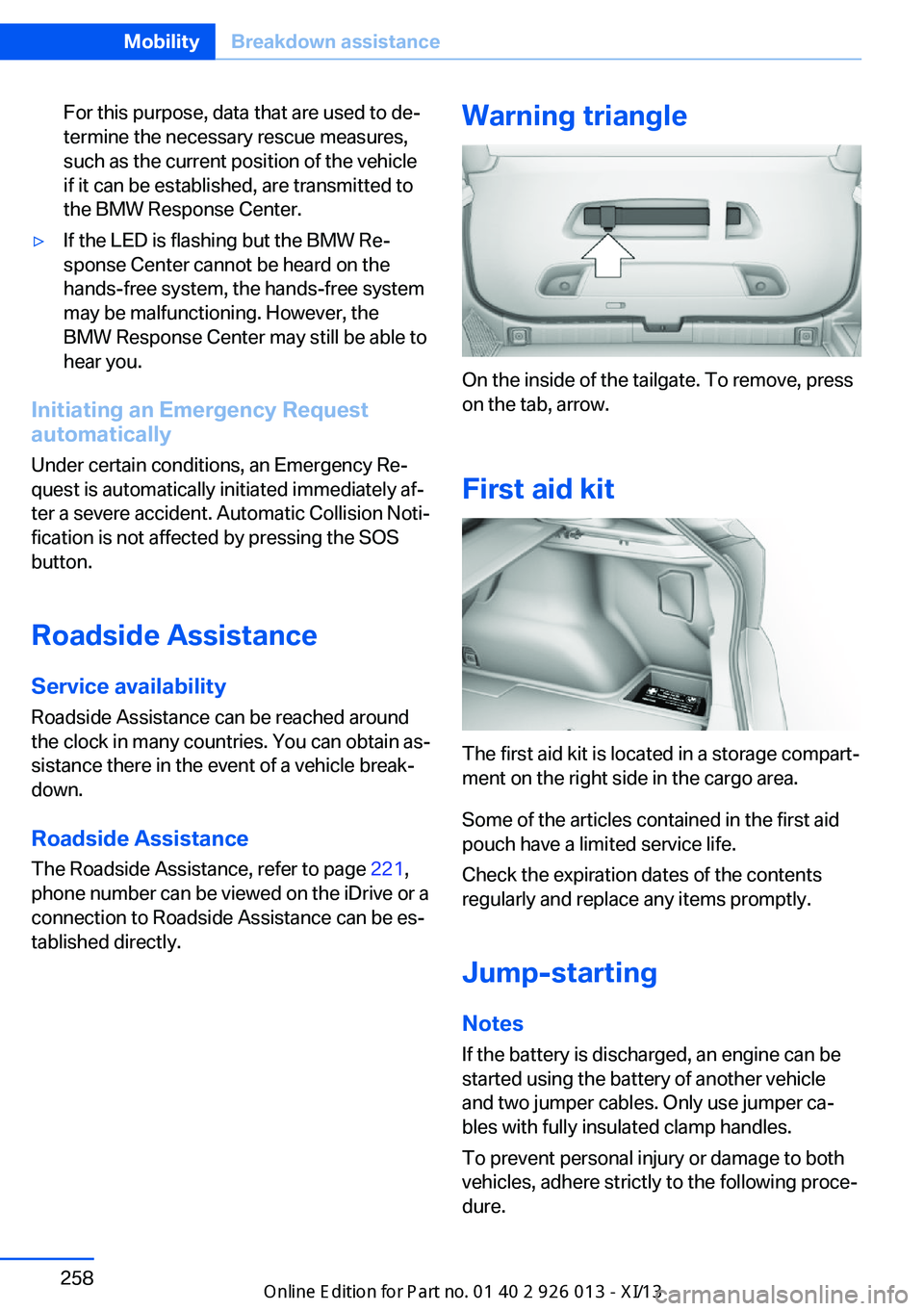
Warning triangle
On the inside of the tailgate. To remove, press
on the tab, arrow.
First aid kit
The first aid kit is located in a storage compart‐
ment on the right side in the cargo area.
Some of the articles contained in the first aid
pouch have a limited service life.
Check the expiration dates of the contents
regularly and replace any items promptly.
Jump-starting
Notes If the battery is discharged, an engine can be
started using the battery of another vehicle
and two jumper cables. Only use jumper ca‐
bles with fully insulated clamp handles.
To prevent personal injury or damage to both
vehicles, adhere strictly to the following proce‐
dure.
Seite 258MobilityBreakdown assistance258
Online Edition for Part no. 01 40 2 911 269 - VI/13
Page 274 of 299
Technical dataVehicle equipment
This chapter describes all series equipment as
well as country-specific and special equipment
offered for this model series.Therefore, it alsodescribes equipment that may not be found in
your vehicle, for instance due to the selected
special equipment or the country version. This
also applies to safety-related functions and
systems.
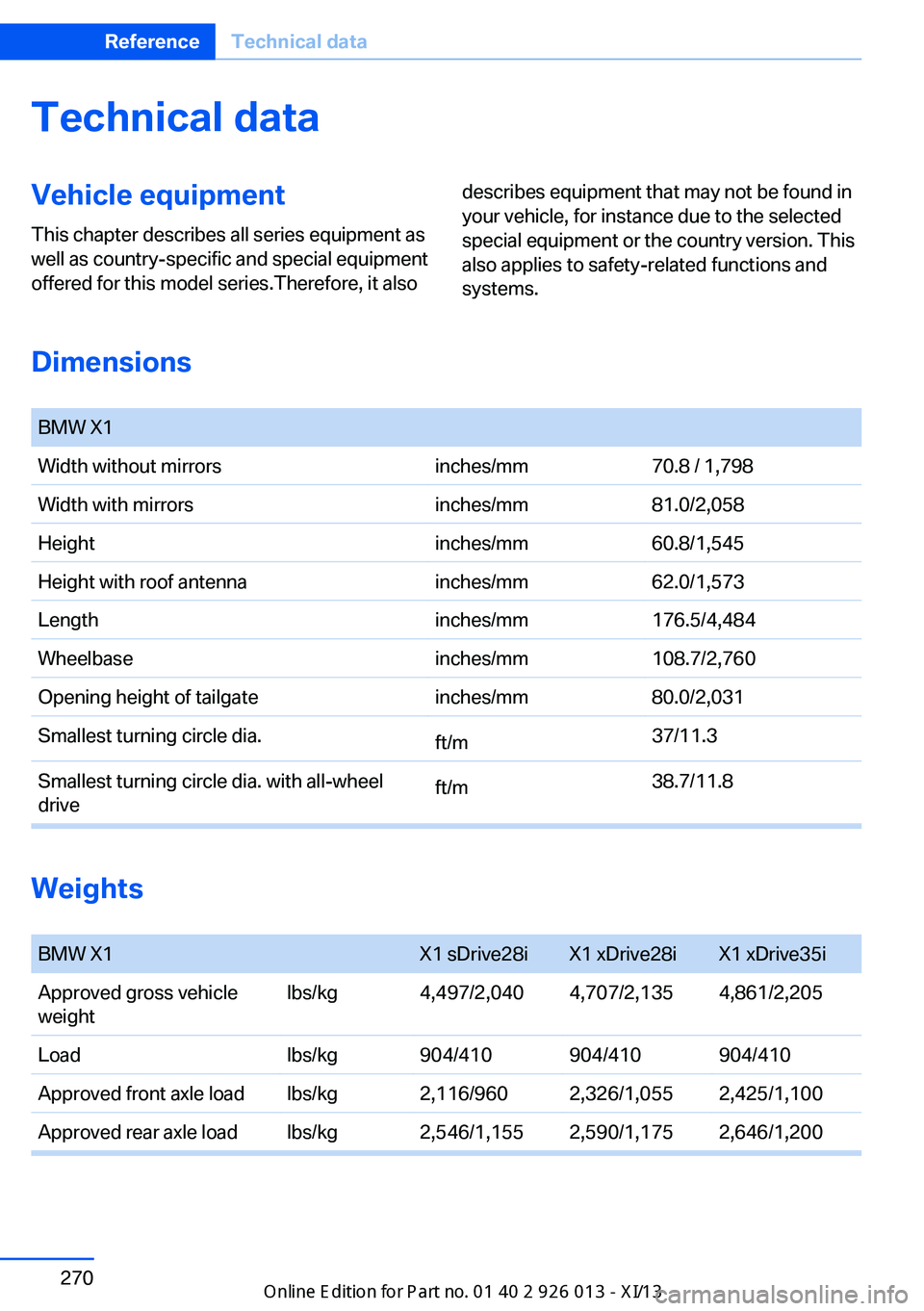
Dimensions
BMW X1Width without mirrorsinches/mm70.8 / 1,798Width with mirrorsinches/mm81.0/2,058Heightinches/mm60.8/1,545Height with roof antennainches/mm62.0/1,573Lengthinches/mm176.5/4,484Wheelbaseinches/mm108.7/2,760Opening height of tailgateinches/mm80.0/2,031Smallest turning circle dia.ft/m37/11.3Smallest turning circle dia. with all-wheel
driveft/m38.7/11.8
Weights
BMW X1X1 sDrive28iX1 xDrive28iX1 xDrive35iApproved gross vehicle
weightlbs/kg4,497/2,0404,707/2,1354,861/2,205Loadlbs/kg904/410904/410904/410Approved front axle loadlbs/kg2,116/9602,326/1,0552,425/1,100Approved rear axle loadlbs/kg2,546/1,1552,590/1,1752,646/1,200Seite 270ReferenceTechnical data270
Online Edition for Part no. 01 40 2 911 269 - VI/13
Page 287 of 299
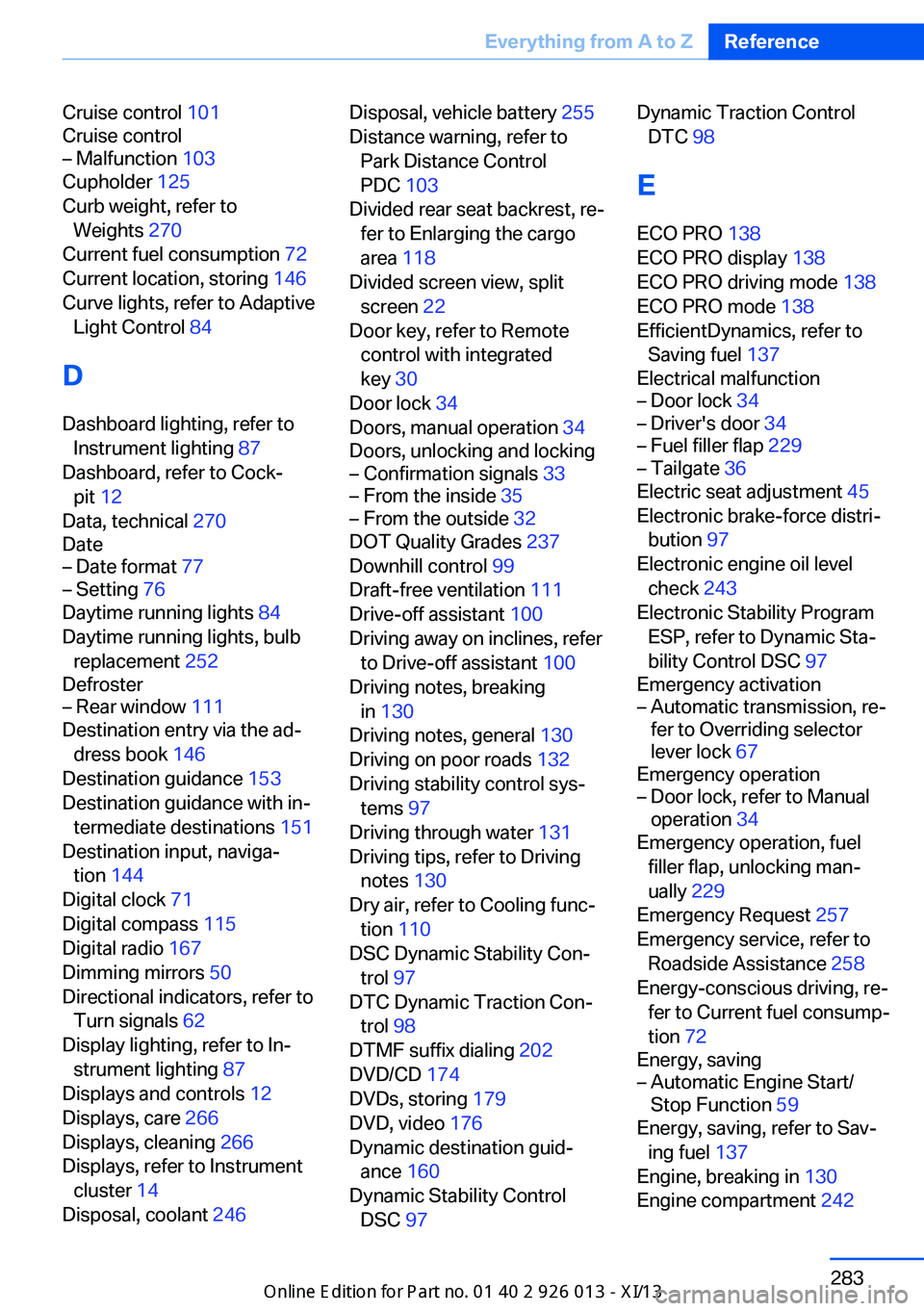
Cruise control 101
Cruise control– Malfunction 103
Cupholder 125
Curb weight, refer to Weights 270
Current fuel consumption 72
Current location, storing 146
Curve lights, refer to Adaptive Light Control 84
D
Dashboard lighting, refer to Instrument lighting 87
Dashboard, refer to Cock‐ pit 12
Data, technical 270
Date
– Date format 77– Setting 76
Daytime running lights 84
Daytime running lights, bulb replacement 252
Defroster
– Rear window 111
Destination entry via the ad‐
dress book 146
Destination guidance 153
Destination guidance with in‐ termediate destinations 151
Destination input, naviga‐ tion 144
Digital clock 71
Digital compass 115
Digital radio 167
Dimming mirrors 50
Directional indicators, refer to Turn signals 62
Display lighting, refer to In‐ strument lighting 87
Displays and controls 12
Displays, care 266
Displays, cleaning 266
Displays, refer to Instrument cluster 14
Disposal, coolant 246
Disposal, vehicle battery 255
Distance warning, refer to Park Distance Control
PDC 103
Divided rear seat backrest, re‐ fer to Enlarging the cargo
area 118
Divided screen view, split screen 22
Door key, refer to Remote control with integrated
key 30
Door lock 34
Doors, manual operation 34
Doors, unlocking and locking– Confirmation signals 33– From the inside 35– From the outside 32
DOT Quality Grades 237
Downhill control 99
Draft-free ventilation 111
Drive-off assistant 100
Driving away on inclines, refer to Drive-off assistant 100
Driving notes, breaking in 130
Driving notes, general 130
Driving on poor roads 132
Driving stability control sys‐ tems 97
Driving through water 131
Driving tips, refer to Driving notes 130
Dry air, refer to Cooling func‐ tion 110
DSC Dynamic Stability Con‐ trol 97
DTC Dynamic Traction Con‐ trol 98
DTMF suffix dialing 202
DVD/CD 174
DVDs, storing 179
DVD, video 176
Dynamic destination guid‐ ance 160
Dynamic Stability Control DSC 97
Dynamic Traction Control
DTC 98
E
ECO PRO 138
ECO PRO display 138
ECO PRO driving mode 138
ECO PRO mode 138
EfficientDynamics, refer to Saving fuel 137
Electrical malfunction– Door lock 34– Driver's door 34– Fuel filler flap 229– Tailgate 36
Electric seat adjustment 45
Electronic brake-force distri‐ bution 97
Electronic engine oil level check 243
Electronic Stability Program ESP, refer to Dynamic Sta‐
bility Control DSC 97
Emergency activation
– Automatic transmission, re‐
fer to Overriding selector
lever lock 67
Emergency operation
– Door lock, refer to Manual
operation 34
Emergency operation, fuel
filler flap, unlocking man‐
ually 229
Emergency Request 257
Emergency service, refer to Roadside Assistance 258
Energy-conscious driving, re‐ fer to Current fuel consump‐
tion 72
Energy, saving
– Automatic Engine Start/
Stop Function 59
Energy, saving, refer to Sav‐
ing fuel 137
Engine, breaking in 130
Engine compartment 242
Seite 283Everything from A to ZReference283
Online Edition for Part no. 01 40 2 911 269 - VI/13
Page 291 of 299
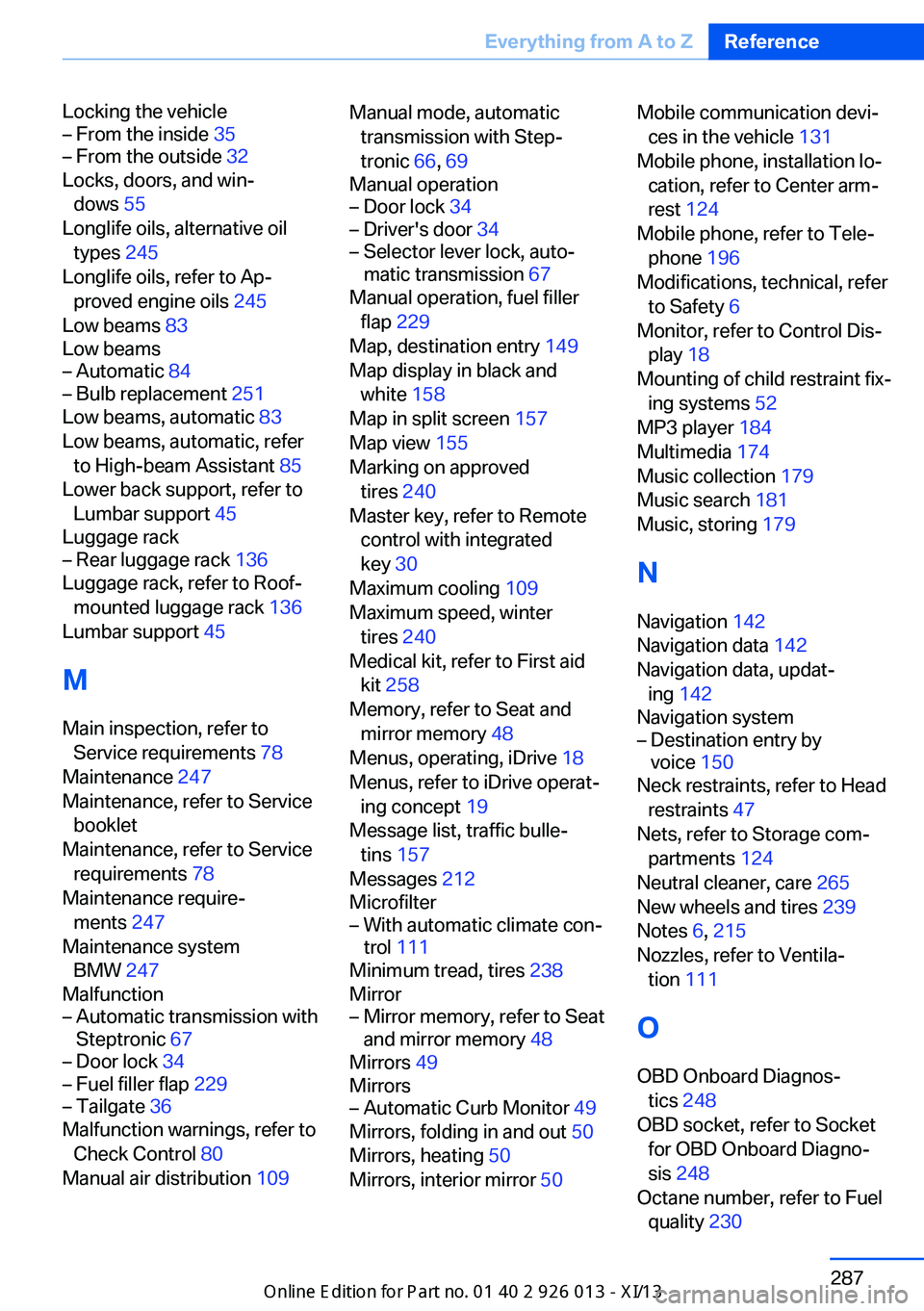
Locking the vehicle– From the inside 35– From the outside 32
Locks, doors, and win‐
dows 55
Longlife oils, alternative oil types 245
Longlife oils, refer to Ap‐ proved engine oils 245
Low beams 83
Low beams
– Automatic 84– Bulb replacement 251
Low beams, automatic 83
Low beams, automatic, refer to High-beam Assistant 85
Lower back support, refer to Lumbar support 45
Luggage rack
– Rear luggage rack 136
Luggage rack, refer to Roof-
mounted luggage rack 136
Lumbar support 45
M
Main inspection, refer to Service requirements 78
Maintenance 247
Maintenance, refer to Service booklet
Maintenance, refer to Service requirements 78
Maintenance require‐ ments 247
Maintenance system BMW 247
Malfunction
– Automatic transmission with
Steptronic 67– Door lock 34– Fuel filler flap 229– Tailgate 36
Malfunction warnings, refer to
Check Control 80
Manual air distribution 109
Manual mode, automatic
transmission with Step‐
tronic 66, 69
Manual operation– Door lock 34– Driver's door 34– Selector lever lock, auto‐
matic transmission 67
Manual operation, fuel filler
flap 229
Map, destination entry 149
Map display in black and white 158
Map in split screen 157
Map view 155
Marking on approved tires 240
Master key, refer to Remote control with integrated
key 30
Maximum cooling 109
Maximum speed, winter tires 240
Medical kit, refer to First aid kit 258
Memory, refer to Seat and mirror memory 48
Menus, operating, iDrive 18
Menus, refer to iDrive operat‐ ing concept 19
Message list, traffic bulle‐ tins 157
Messages 212
Microfilter
– With automatic climate con‐
trol 111
Minimum tread, tires 238
Mirror
– Mirror memory, refer to Seat
and mirror memory 48
Mirrors 49
Mirrors
– Automatic Curb Monitor 49
Mirrors, folding in and out 50
Mirrors, heating 50
Mirrors, interior mirror 50
Mobile communication devi‐
ces in the vehicle 131
Mobile phone, installation lo‐ cation, refer to Center arm‐
rest 124
Mobile phone, refer to Tele‐ phone 196
Modifications, technical, refer to Safety 6
Monitor, refer to Control Dis‐ play 18
Mounting of child restraint fix‐ ing systems 52
MP3 player 184
Multimedia 174
Music collection 179
Music search 181
Music, storing 179
N
Navigation 142
Navigation data 142
Navigation data, updat‐ ing 142
Navigation system– Destination entry by
voice 150
Neck restraints, refer to Head
restraints 47
Nets, refer to Storage com‐ partments 124
Neutral cleaner, care 265
New wheels and tires 239
Notes 6, 215
Nozzles, refer to Ventila‐ tion 111
O OBD Onboard Diagnos‐ tics 248
OBD socket, refer to Socket for OBD Onboard Diagno‐
sis 248
Octane number, refer to Fuel quality 230
Seite 287Everything from A to ZReference287
Online Edition for Part no. 01 40 2 911 269 - VI/13