cargo area BMW X1 2014 E84 Owner's Manual
[x] Cancel search | Manufacturer: BMW, Model Year: 2014, Model line: X1, Model: BMW X1 2014 E84Pages: 297, PDF Size: 7 MB
Page 37 of 297
Locking from the outside
Do not lock the vehicle from the outside
if there are people in it, as the vehicle cannot
be unlocked from inside without special knowl‐
edge.◀
Switching on the interior lamps and
courtesy lamps
Press the button on the remote con‐
trol with the vehicle locked.
Panic mode
You can trigger the alarm system if you find
yourself in a dangerous situation.
Press the button on the remote control for
at least 3 seconds.
To switch off the alarm: press any button.
Unlocking tailgate
Press the button on the remote control for
approx. 1 second and release.
The tailgate will open slightly, regardless of
whether it was previously locked or unlocked.
The tailgate pivots back and up when it opens.
Ensure that adequate clearance is available
before opening.
To avoid locking yourself out of the vehicle, do
not place the remote control into the cargo
area. The tailgate is locked again as soon as it
is pushed closed.
Before and after each trip, check that the tail‐
gate has not been inadvertently unlocked.
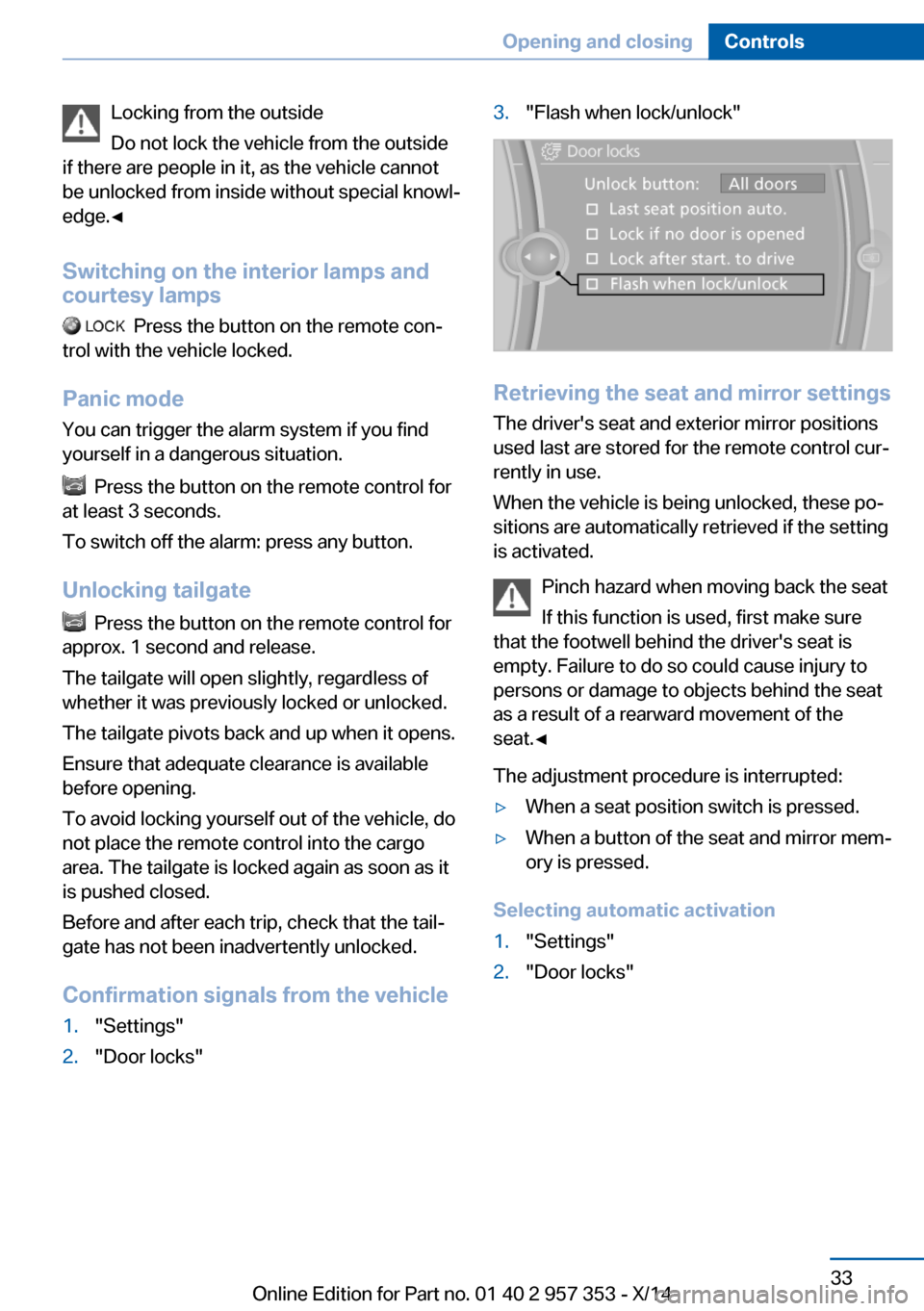
Confirmation signals from the vehicle
1."Settings"2."Door locks"3."Flash when lock/unlock"
Retrieving the seat and mirror settings The driver's seat and exterior mirror positions
used last are stored for the remote control cur‐
rently in use.
When the vehicle is being unlocked, these po‐
sitions are automatically retrieved if the setting
is activated.
Pinch hazard when moving back the seat
If this function is used, first make sure
that the footwell behind the driver's seat is
empty. Failure to do so could cause injury to
persons or damage to objects behind the seat
as a result of a rearward movement of the
seat.◀
The adjustment procedure is interrupted:
▷When a seat position switch is pressed.▷When a button of the seat and mirror mem‐
ory is pressed.
Selecting automatic activation
1."Settings"2."Door locks"Seite 33Opening and closingControls33
Online Edition for Part no. 01 40 2 957 353 - X/14
Page 40 of 297
Ensure that adequate clearance is available
before opening.
Provide edge protection
Sharp or angular objects can hit the rear
window while driving and damage the heating
wires of the rear window. Provide edge protec‐
tion.◀
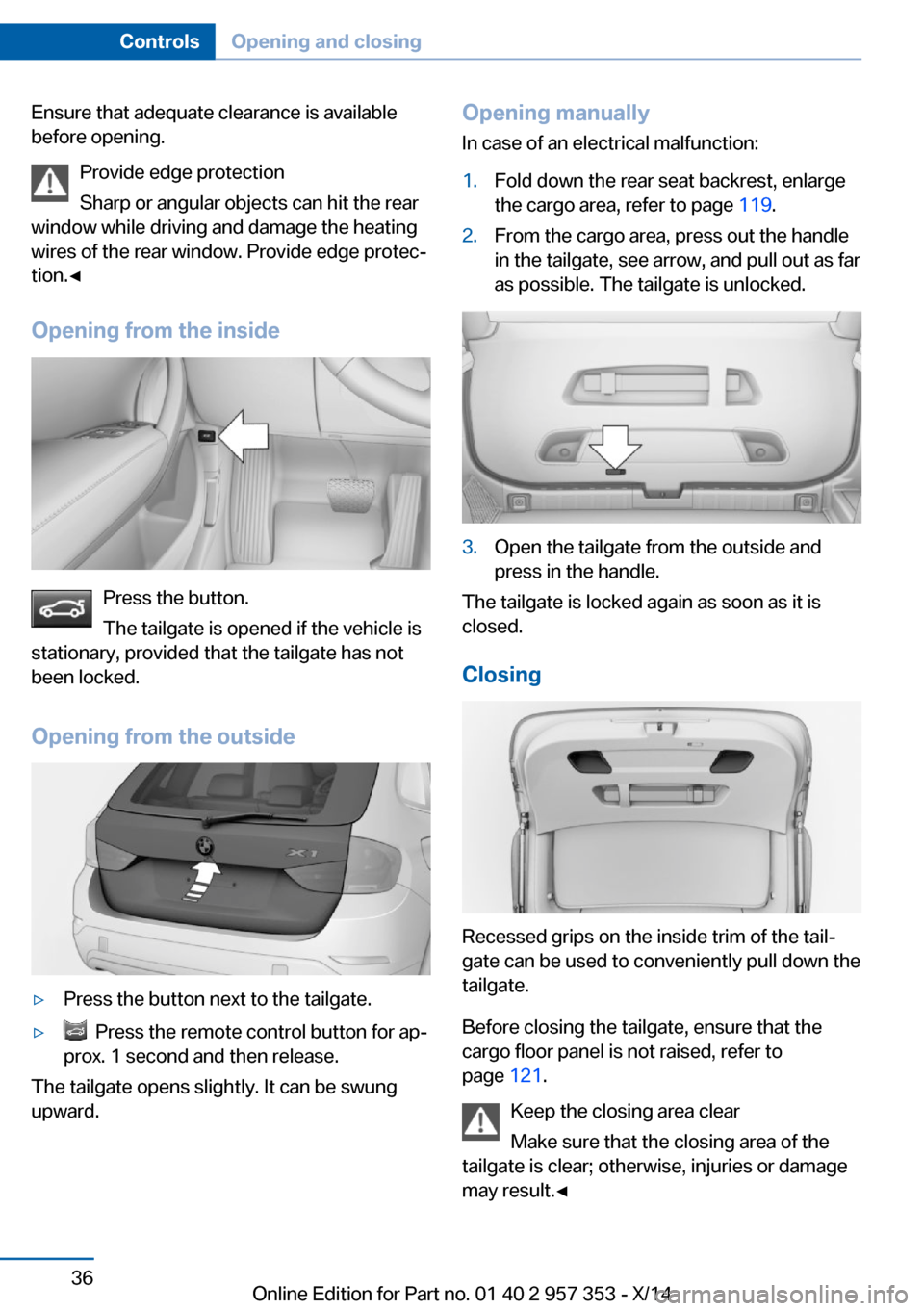
Opening from the inside
Press the button.
The tailgate is opened if the vehicle is
stationary, provided that the tailgate has not
been locked.
Opening from the outside
▷Press the button next to the tailgate.▷ Press the remote control button for ap‐
prox. 1 second and then release.
The tailgate opens slightly. It can be swung
upward.
Opening manually
In case of an electrical malfunction:1.Fold down the rear seat backrest, enlarge
the cargo area, refer to page 119.2.From the cargo area, press out the handle
in the tailgate, see arrow, and pull out as far
as possible. The tailgate is unlocked.3.Open the tailgate from the outside and
press in the handle.
The tailgate is locked again as soon as it is
closed.
Closing
Recessed grips on the inside trim of the tail‐
gate can be used to conveniently pull down the
tailgate.
Before closing the tailgate, ensure that the
cargo floor panel is not raised, refer to
page 121.
Keep the closing area clear
Make sure that the closing area of the
tailgate is clear; otherwise, injuries or damage
may result.◀
Seite 36ControlsOpening and closing36
Online Edition for Part no. 01 40 2 957 353 - X/14
Page 41 of 297
Comfort AccessThe concept
The vehicle can be accessed without activat‐
ing the remote control.
All you need to do is to have the remote con‐
trol with you, e.g., in your jacket pocket.
The vehicle automatically detects the remote
control when it is nearby or in the passenger
compartment.
Comfort Access supports the following func‐
tions:▷Unlocking/locking of the vehicle.▷Unlocking of the tailgate separately.▷Starting the engine.▷Convenient closing.
Functional requirement
▷To lock the vehicle, the remote control
must be located outside of the vehicle.▷The next unlocking and locking cycle is not
possible until after approx. 2 seconds.▷The engine can only be started if the re‐
mote control is inside the vehicle.
Comparison with ordinary remote
control
The functions can be controlled by pressing the buttons or via Comfort Access.
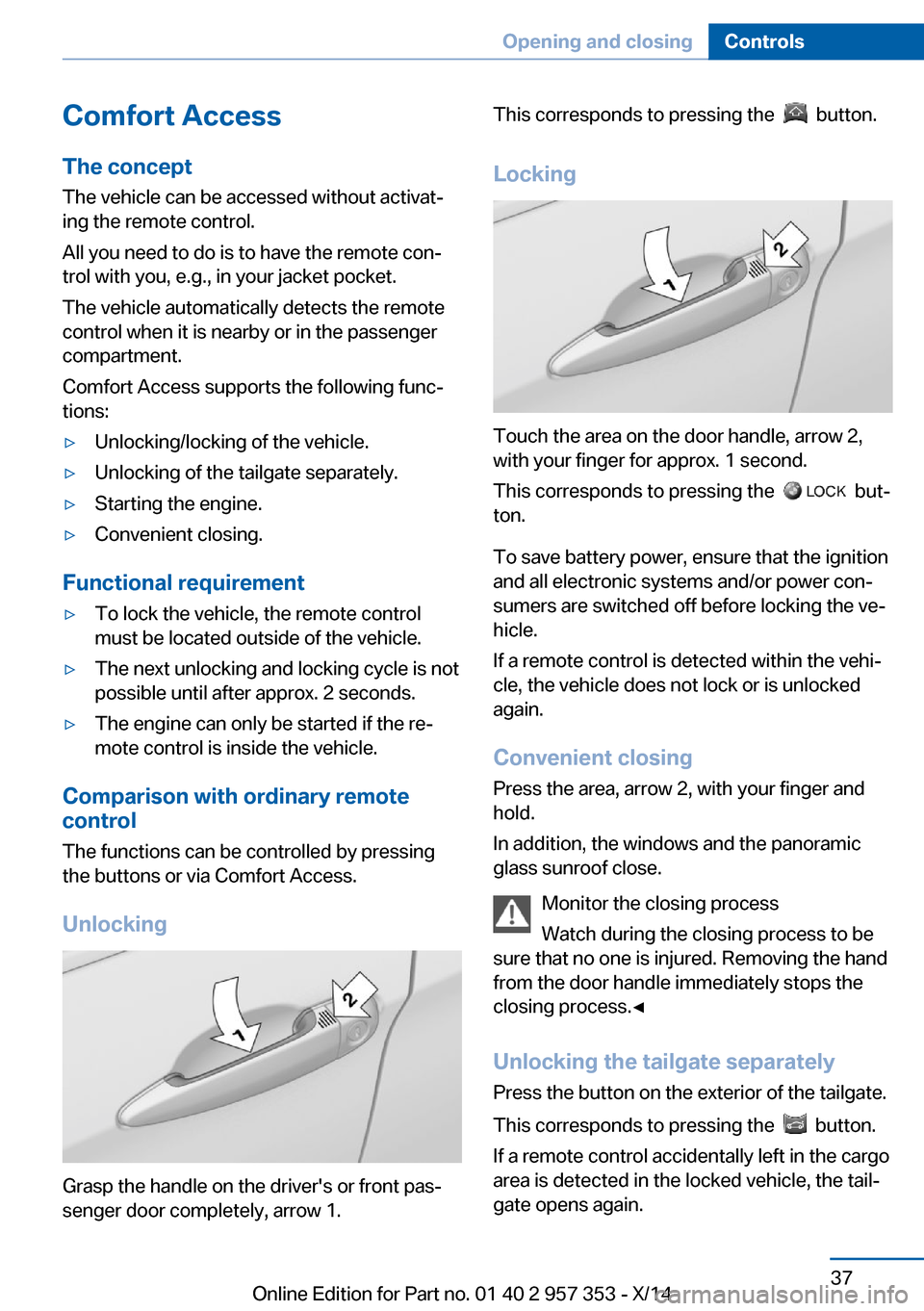
Unlocking
Grasp the handle on the driver's or front pas‐
senger door completely, arrow 1.
This corresponds to pressing the button.
Locking
Touch the area on the door handle, arrow 2,
with your finger for approx. 1 second.
This corresponds to pressing the
but‐
ton.
To save battery power, ensure that the ignition
and all electronic systems and/or power con‐
sumers are switched off before locking the ve‐
hicle.
If a remote control is detected within the vehi‐
cle, the vehicle does not lock or is unlocked
again.
Convenient closing Press the area, arrow 2, with your finger and
hold.
In addition, the windows and the panoramic
glass sunroof close.
Monitor the closing process
Watch during the closing process to be
sure that no one is injured. Removing the hand
from the door handle immediately stops the closing process.◀
Unlocking the tailgate separately
Press the button on the exterior of the tailgate.
This corresponds to pressing the
button.
If a remote control accidentally left in the cargo
area is detected in the locked vehicle, the tail‐
gate opens again.
Seite 37Opening and closingControls37
Online Edition for Part no. 01 40 2 957 353 - X/14
Page 58 of 297
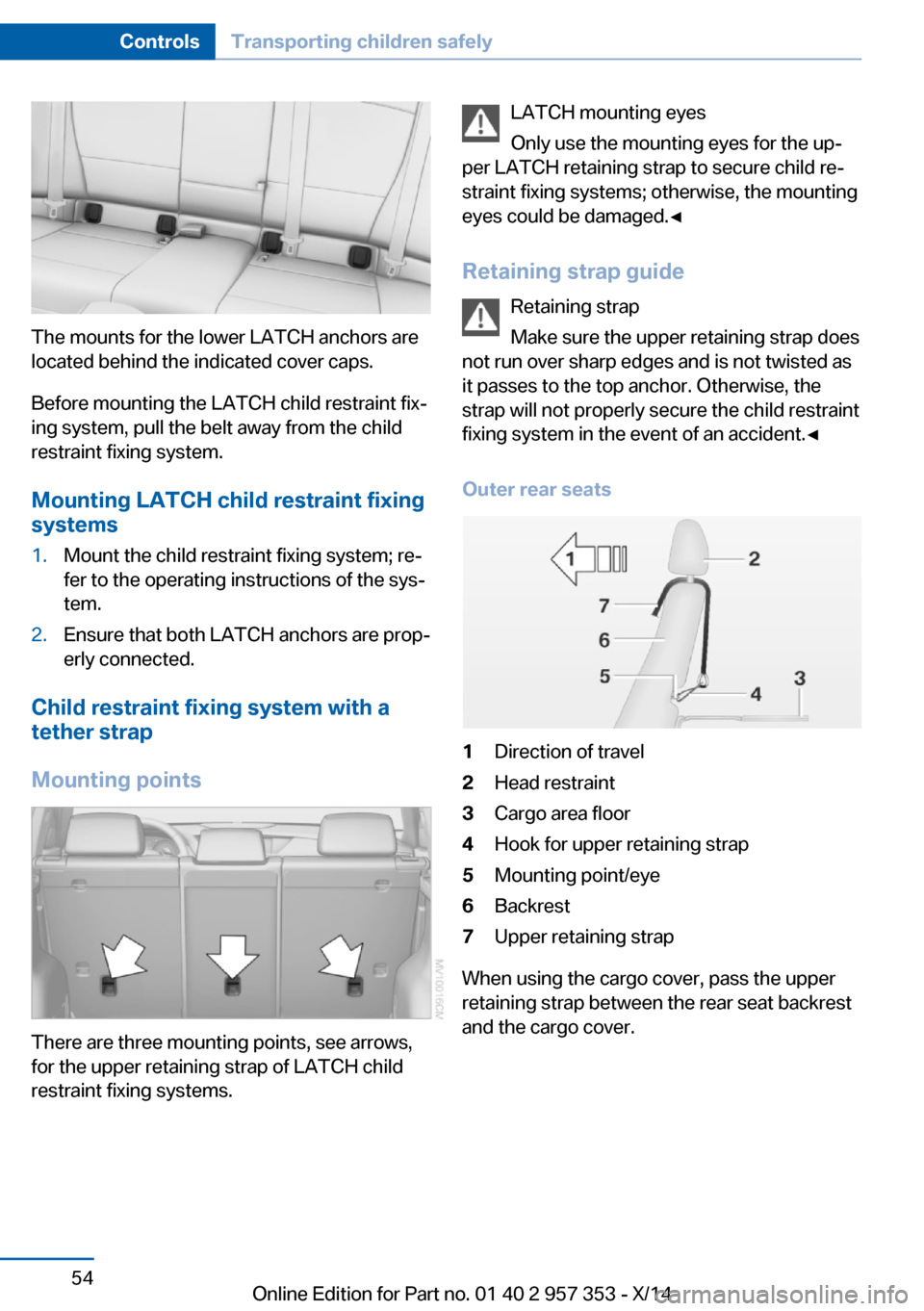
The mounts for the lower LATCH anchors are
located behind the indicated cover caps.
Before mounting the LATCH child restraint fix‐
ing system, pull the belt away from the child
restraint fixing system.
Mounting LATCH child restraint fixingsystems
1.Mount the child restraint fixing system; re‐
fer to the operating instructions of the sys‐
tem.2.Ensure that both LATCH anchors are prop‐
erly connected.
Child restraint fixing system with a
tether strap
Mounting points
There are three mounting points, see arrows,
for the upper retaining strap of LATCH child
restraint fixing systems.
LATCH mounting eyes
Only use the mounting eyes for the up‐
per LATCH retaining strap to secure child re‐
straint fixing systems; otherwise, the mounting
eyes could be damaged.◀
Retaining strap guide Retaining strap
Make sure the upper retaining strap does
not run over sharp edges and is not twisted as
it passes to the top anchor. Otherwise, the
strap will not properly secure the child restraint
fixing system in the event of an accident.◀
Outer rear seats1Direction of travel2Head restraint3Cargo area floor4Hook for upper retaining strap5Mounting point/eye6Backrest7Upper retaining strap
When using the cargo cover, pass the upper
retaining strap between the rear seat backrest
and the cargo cover.
Seite 54ControlsTransporting children safely54
Online Edition for Part no. 01 40 2 957 353 - X/14
Page 59 of 297
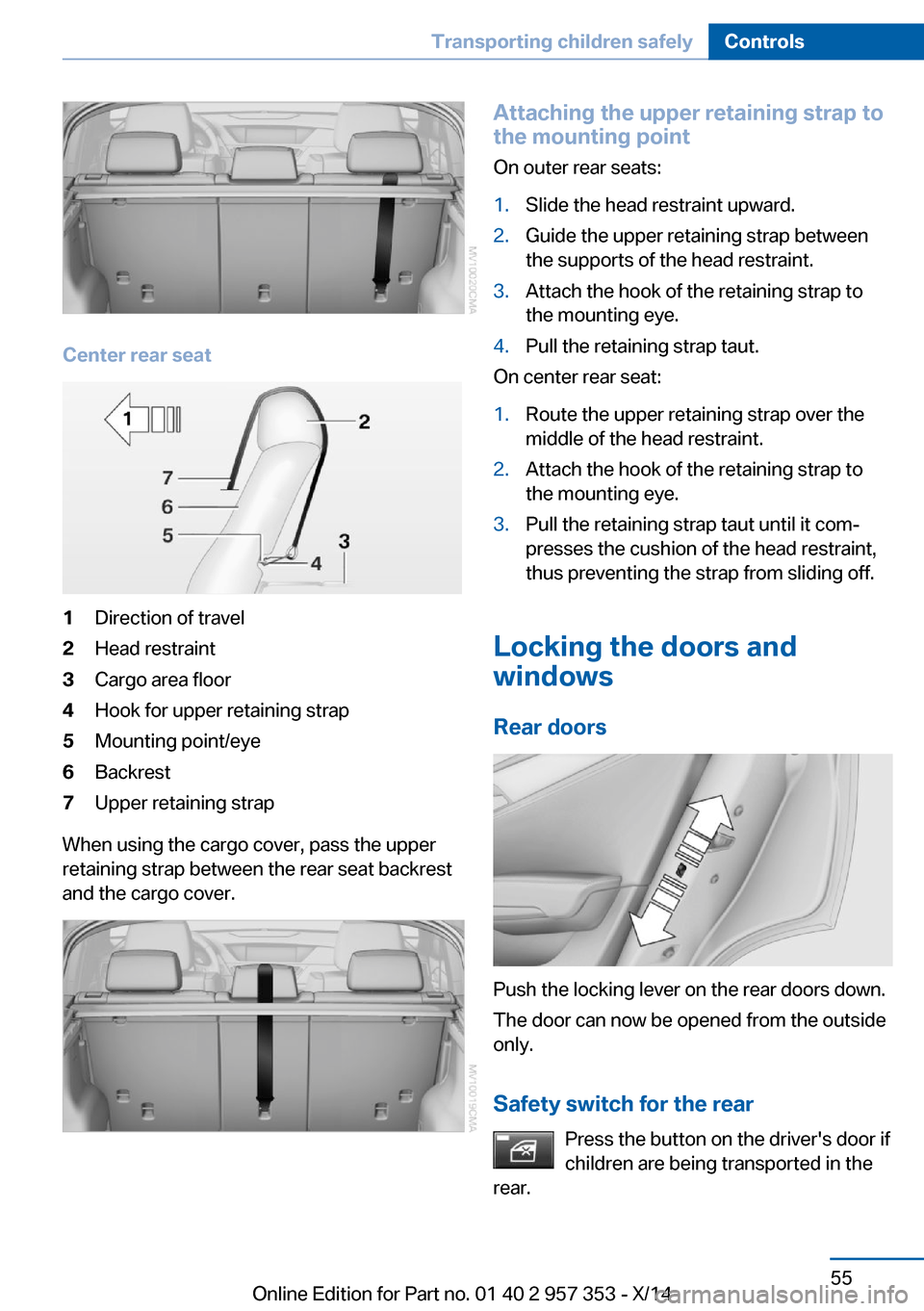
Center rear seat
1Direction of travel2Head restraint3Cargo area floor4Hook for upper retaining strap5Mounting point/eye6Backrest7Upper retaining strap
When using the cargo cover, pass the upper
retaining strap between the rear seat backrest
and the cargo cover.
Attaching the upper retaining strap to
the mounting point
On outer rear seats:1.Slide the head restraint upward.2.Guide the upper retaining strap between
the supports of the head restraint.3.Attach the hook of the retaining strap to
the mounting eye.4.Pull the retaining strap taut.
On center rear seat:
1.Route the upper retaining strap over the
middle of the head restraint.2.Attach the hook of the retaining strap to
the mounting eye.3.Pull the retaining strap taut until it com‐
presses the cushion of the head restraint,
thus preventing the strap from sliding off.
Locking the doors and
windows
Rear doors
Push the locking lever on the rear doors down.
The door can now be opened from the outside
only.
Safety switch for the rear Press the button on the driver's door if
children are being transported in the
rear.
Seite 55Transporting children safelyControls55
Online Edition for Part no. 01 40 2 957 353 - X/14
Page 91 of 297
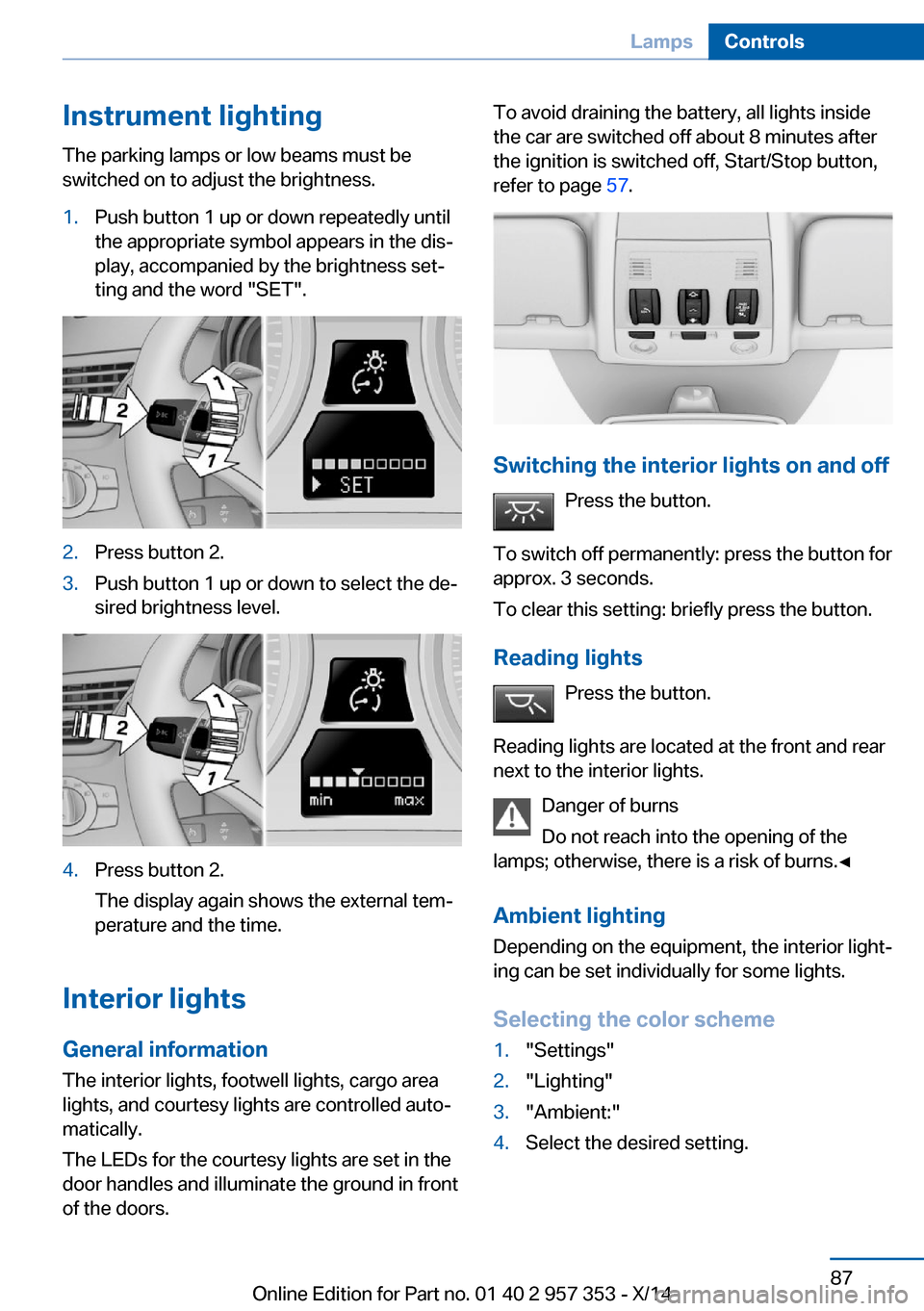
Instrument lightingThe parking lamps or low beams must be
switched on to adjust the brightness.1.Push button 1 up or down repeatedly until
the appropriate symbol appears in the dis‐
play, accompanied by the brightness set‐
ting and the word "SET".2.Press button 2.3.Push button 1 up or down to select the de‐
sired brightness level.4.Press button 2.
The display again shows the external tem‐
perature and the time.
Interior lights
General information
The interior lights, footwell lights, cargo area
lights, and courtesy lights are controlled auto‐
matically.
The LEDs for the courtesy lights are set in the
door handles and illuminate the ground in front
of the doors.
To avoid draining the battery, all lights inside
the car are switched off about 8 minutes after
the ignition is switched off, Start/Stop button,
refer to page 57.
Switching the interior lights on and off
Press the button.
To switch off permanently: press the button for
approx. 3 seconds.
To clear this setting: briefly press the button.
Reading lights Press the button.
Reading lights are located at the front and rear
next to the interior lights.
Danger of burns
Do not reach into the opening of the
lamps; otherwise, there is a risk of burns.◀
Ambient lighting
Depending on the equipment, the interior light‐
ing can be set individually for some lights.
Selecting the color scheme
1."Settings"2."Lighting"3."Ambient:"4.Select the desired setting.Seite 87LampsControls87
Online Edition for Part no. 01 40 2 957 353 - X/14
Page 99 of 297
ingly. Avoid abrupt steering maneuvers or driv‐
ing over obstacles, e. g., curbs, potholes, etc.
Because the possible driving distance de‐
pends on how the vehicle is used during the
trip, the actual distance may be smaller or
greater depending on the driving speed, road
conditions, external temperature, cargo load,
etc.
Continued driving with a flat tire
Drive moderately and do not exceed a
speed of 50 mph/80 km/h.
A loss of tire inflation pressure results in a
change in the handling characteristics, e.g., re‐
duced lane stability during braking, a longer
braking distance and altered self-steering
properties.◀
Final tire failure
Vibrations or loud noises while driving
can indicate the final failure of the tire. Reduce
speed and stop; otherwise, pieces of the tire
could come loose and cause an accident. Do
not continue driving, and contact your service
center.◀
Message when the system was not
reset
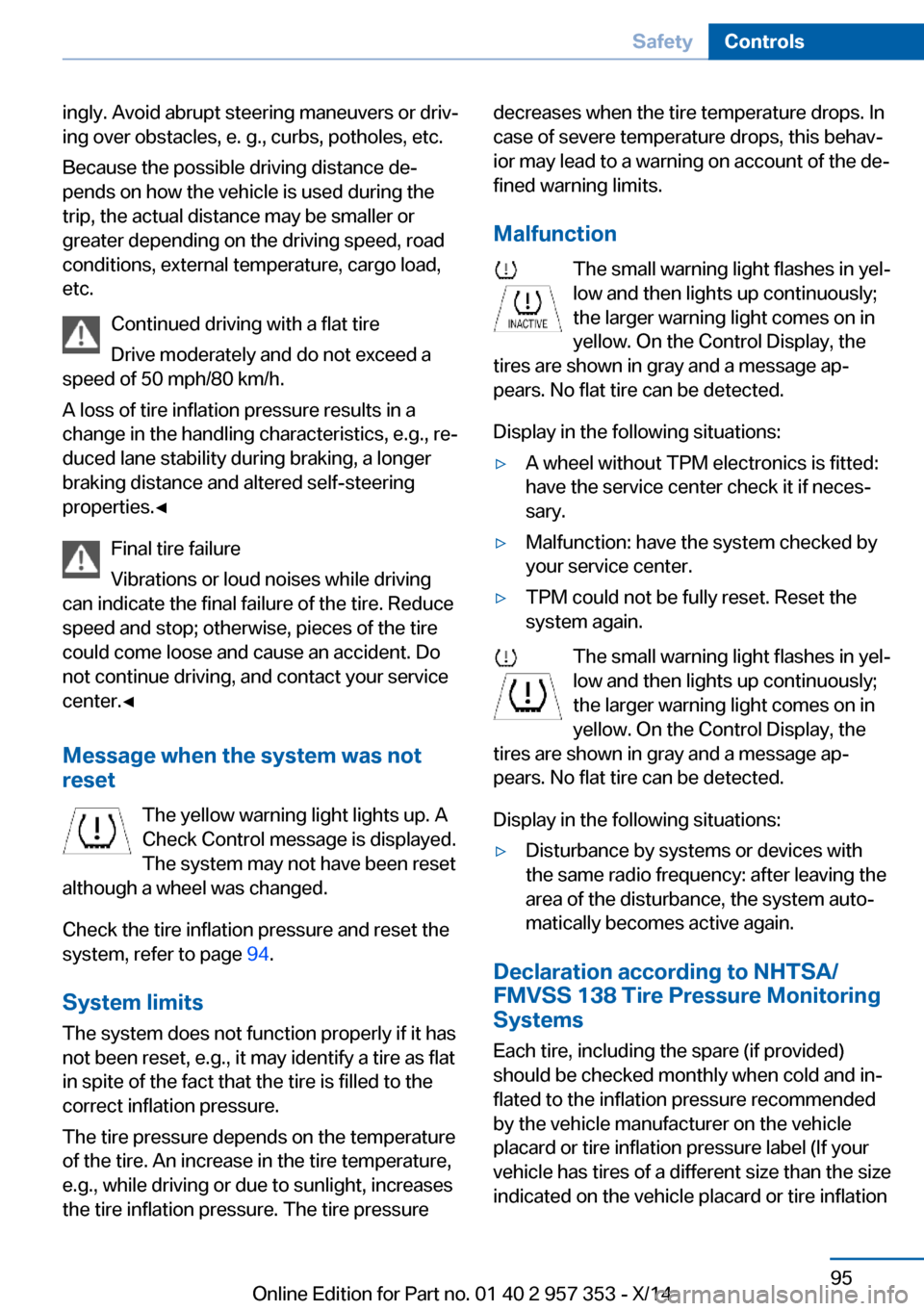
The yellow warning light lights up. ACheck Control message is displayed.
The system may not have been reset
although a wheel was changed.
Check the tire inflation pressure and reset the
system, refer to page 94.
System limits
The system does not function properly if it has
not been reset, e.g., it may identify a tire as flat
in spite of the fact that the tire is filled to the
correct inflation pressure.
The tire pressure depends on the temperature
of the tire. An increase in the tire temperature,
e.g., while driving or due to sunlight, increases
the tire inflation pressure. The tire pressuredecreases when the tire temperature drops. In
case of severe temperature drops, this behav‐
ior may lead to a warning on account of the de‐
fined warning limits.
Malfunction The small warning light flashes in yel‐
low and then lights up continuously;
the larger warning light comes on in
yellow. On the Control Display, the
tires are shown in gray and a message ap‐
pears. No flat tire can be detected.
Display in the following situations:▷A wheel without TPM electronics is fitted:
have the service center check it if neces‐
sary.▷Malfunction: have the system checked by
your service center.▷TPM could not be fully reset. Reset the
system again.
The small warning light flashes in yel‐
low and then lights up continuously;
the larger warning light comes on in
yellow. On the Control Display, the
tires are shown in gray and a message ap‐
pears. No flat tire can be detected.
Display in the following situations:
▷Disturbance by systems or devices with
the same radio frequency: after leaving the
area of the disturbance, the system auto‐
matically becomes active again.
Declaration according to NHTSA/
FMVSS 138 Tire Pressure Monitoring
Systems
Each tire, including the spare (if provided)
should be checked monthly when cold and in‐
flated to the inflation pressure recommended
by the vehicle manufacturer on the vehicle
placard or tire inflation pressure label (If your
vehicle has tires of a different size than the size
indicated on the vehicle placard or tire inflation
Seite 95SafetyControls95
Online Edition for Part no. 01 40 2 957 353 - X/14
Page 122 of 297
Front center console
Remove the cover or cigarette lighter.
Rear center console
Remove the cover or cigarette lighter.
In storage compartment under center
armrest
To access the socket: remove the cover.
In cargo area
Fold open the cover.
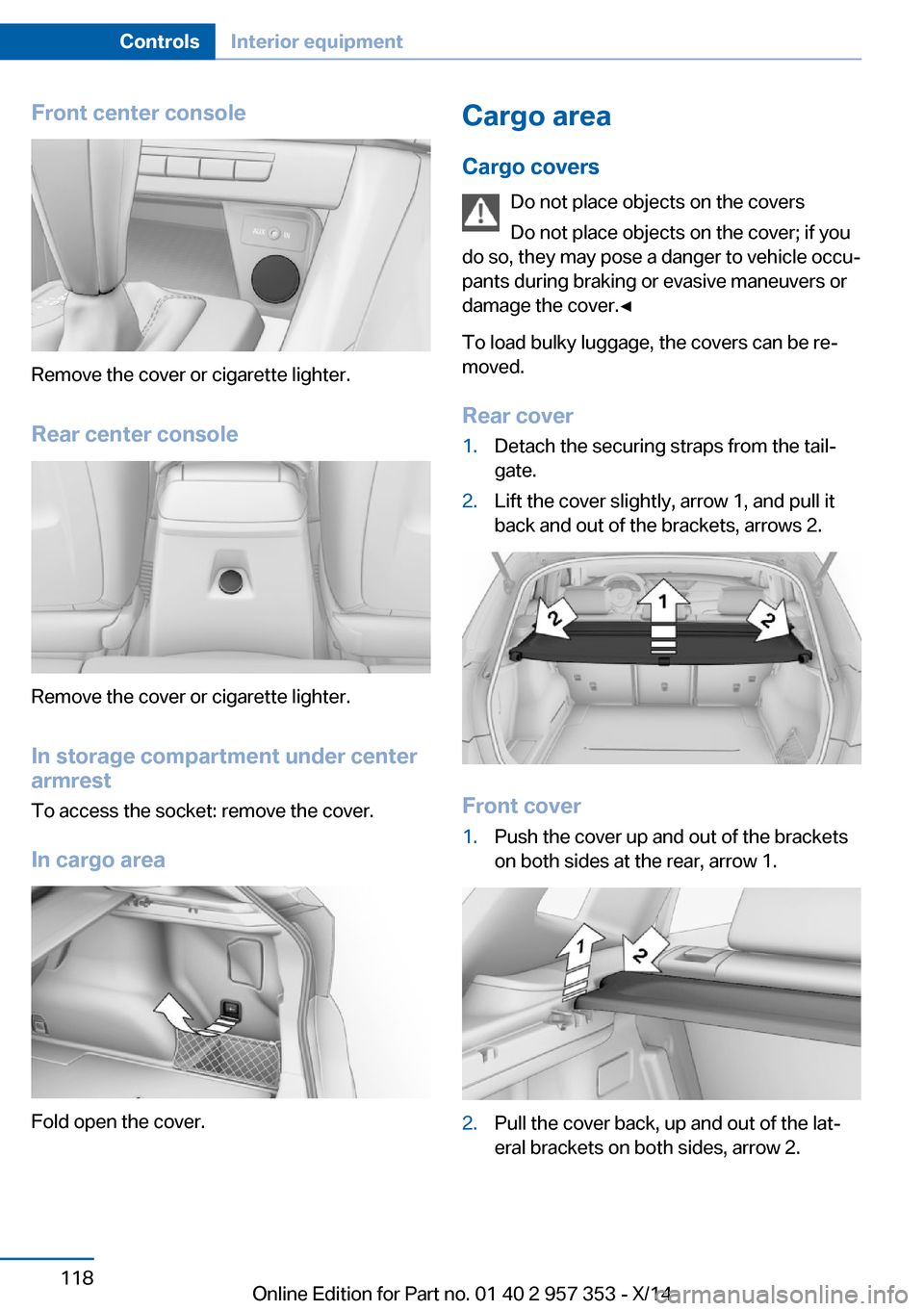
Cargo area
Cargo covers Do not place objects on the covers
Do not place objects on the cover; if you
do so, they may pose a danger to vehicle occu‐
pants during braking or evasive maneuvers or
damage the cover.◀
To load bulky luggage, the covers can be re‐
moved.
Rear cover1.Detach the securing straps from the tail‐
gate.2.Lift the cover slightly, arrow 1, and pull it
back and out of the brackets, arrows 2.
Front cover
1.Push the cover up and out of the brackets
on both sides at the rear, arrow 1.2.Pull the cover back, up and out of the lat‐
eral brackets on both sides, arrow 2.Seite 118ControlsInterior equipment118
Online Edition for Part no. 01 40 2 957 353 - X/14
Page 123 of 297
Enlarging the cargo area
General information
The cargo area can be enlarged by folding
down the rear seat backrests.
The rear seat backrest is divided at a ratio of
40-20-40.
The backrests can be adjusted to 10 different
positions between the comfort and transport
positions and they can be folded down.
In the comfort position, the backrests are tilted
back to the greatest possible angle and in the
transport position they are nearly vertical.
Before mounting a child restraint fixing system,
note the instructions, refer to page 52.
Danger of pinching
Before folding down the rear seat back‐
rests, ensure that path of movement of the
backrests is clear. Especially when the middle
section is folded down, ensure that no one is
located in or reaches into the path of move‐
ment of the rear seat backrests. Otherwise, in‐
juries or damage may result.◀
Observe the instructions concerning the
safety belt
Observe the instructions concerning the safety
belt, refer to page 46. Otherwise, personal pro‐
tection may be compromised.◀
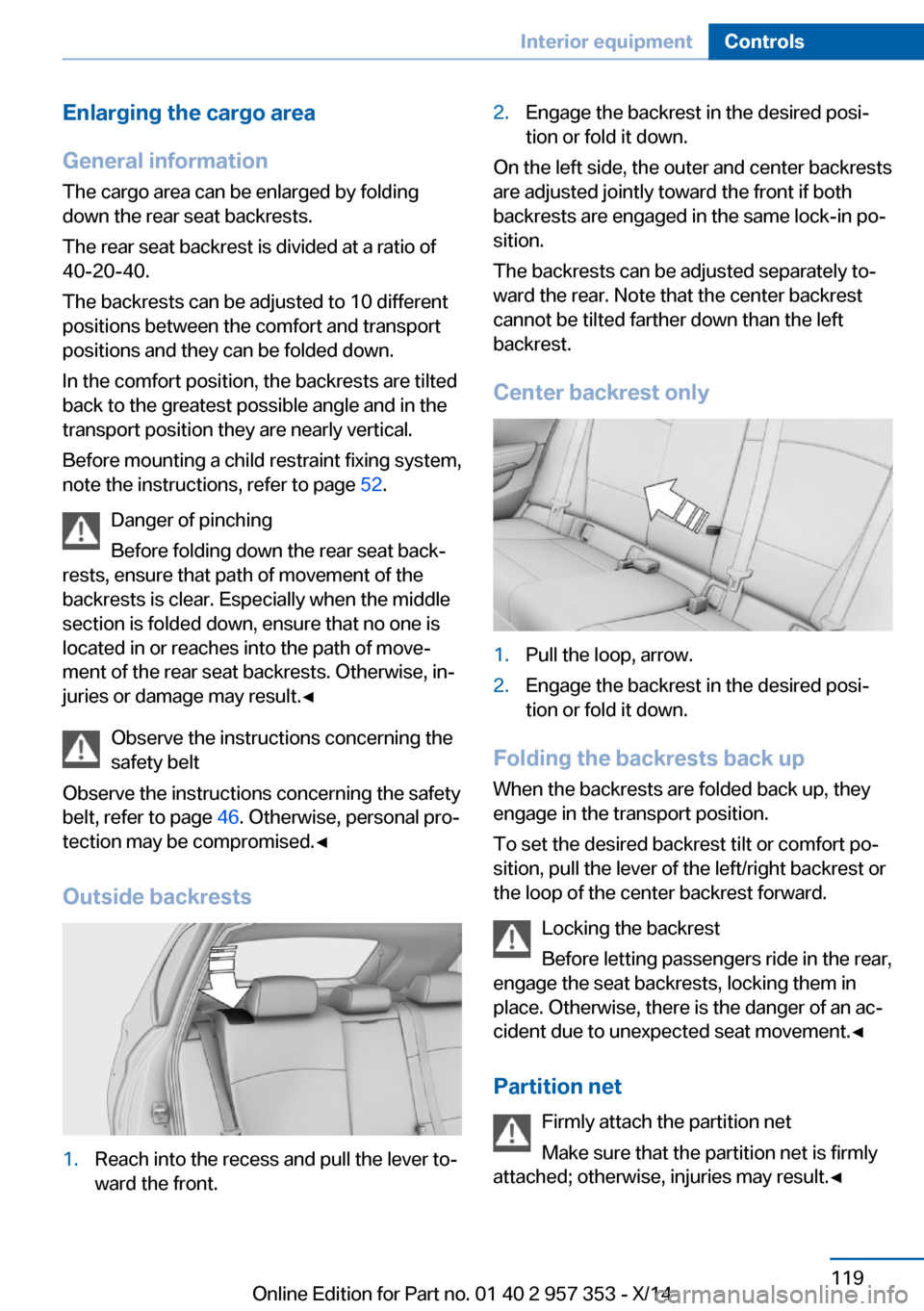
Outside backrests1.Reach into the recess and pull the lever to‐
ward the front.2.Engage the backrest in the desired posi‐
tion or fold it down.
On the left side, the outer and center backrests
are adjusted jointly toward the front if both
backrests are engaged in the same lock-in po‐
sition.
The backrests can be adjusted separately to‐
ward the rear. Note that the center backrest
cannot be tilted farther down than the left
backrest.
Center backrest only
1.Pull the loop, arrow.2.Engage the backrest in the desired posi‐
tion or fold it down.
Folding the backrests back up
When the backrests are folded back up, they
engage in the transport position.
To set the desired backrest tilt or comfort po‐
sition, pull the lever of the left/right backrest or
the loop of the center backrest forward.
Locking the backrest
Before letting passengers ride in the rear,
engage the seat backrests, locking them in
place. Otherwise, there is the danger of an ac‐
cident due to unexpected seat movement.◀
Partition net Firmly attach the partition net
Make sure that the partition net is firmly
attached; otherwise, injuries may result.◀
Seite 119Interior equipmentControls119
Online Edition for Part no. 01 40 2 957 353 - X/14
Page 124 of 297
The partition net can be attached behind the
front or rear seats.
Before installing1.Remove the pouch with the partition net
from the storage compartment under the
cargo floor panel in the cargo area.2.Take the partition net out of the pouch, un‐
roll it, and unfold it.
After use, fold and roll up the partition net
in the same manner and place it in the
pouch so that it can be stowed back under
the cargo floor panel.
Ensure that hooks and tensioning buckles
do not rest on the rod elements.3.Unfold the partition net to the point where
the rod elements engage.
Mounting eyes
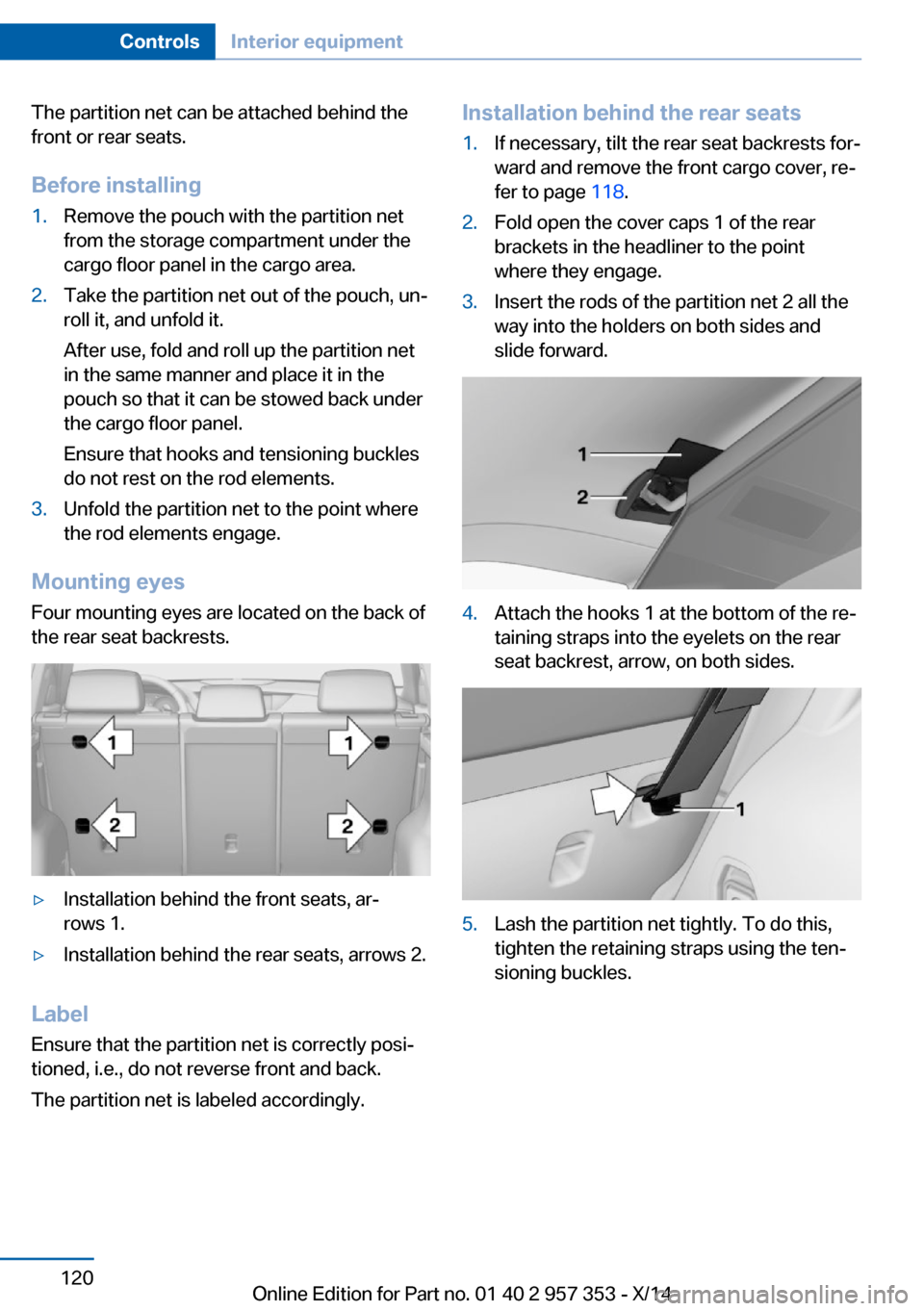
Four mounting eyes are located on the back of
the rear seat backrests.
▷Installation behind the front seats, ar‐
rows 1.▷Installation behind the rear seats, arrows 2.
Label
Ensure that the partition net is correctly posi‐
tioned, i.e., do not reverse front and back.
The partition net is labeled accordingly.
Installation behind the rear seats1.If necessary, tilt the rear seat backrests for‐
ward and remove the front cargo cover, re‐
fer to page 118.2.Fold open the cover caps 1 of the rear
brackets in the headliner to the point
where they engage.3.Insert the rods of the partition net 2 all the
way into the holders on both sides and
slide forward.4.Attach the hooks 1 at the bottom of the re‐
taining straps into the eyelets on the rear
seat backrest, arrow, on both sides.5.Lash the partition net tightly. To do this,
tighten the retaining straps using the ten‐
sioning buckles.Seite 120ControlsInterior equipment120
Online Edition for Part no. 01 40 2 957 353 - X/14