mirrors BMW X1 2014 E84 Owner's Manual
[x] Cancel search | Manufacturer: BMW, Model Year: 2014, Model line: X1, Model: BMW X1 2014 E84Pages: 297, PDF Size: 7 MB
Page 52 of 297
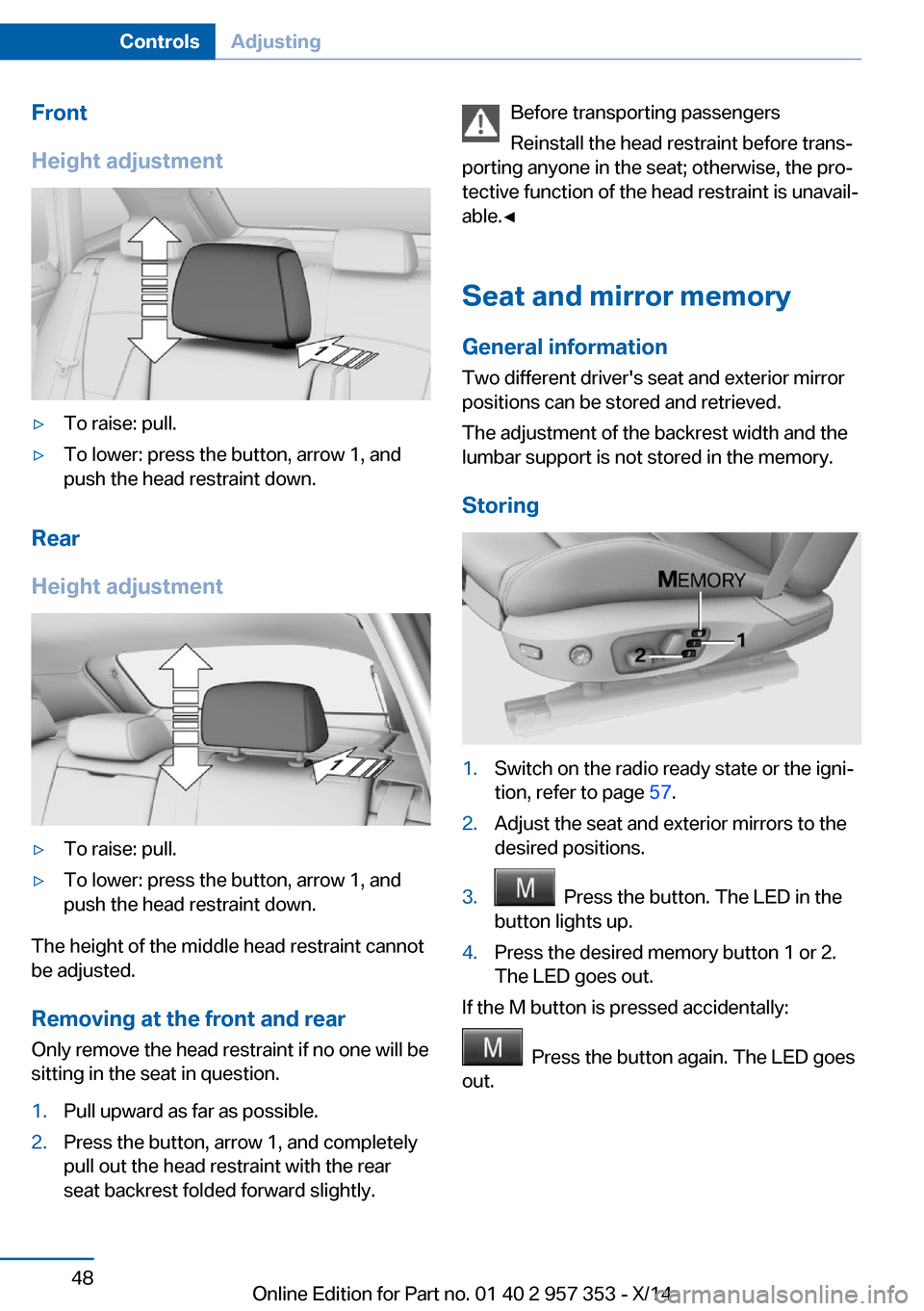
Front
Height adjustment▷To raise: pull.▷To lower: press the button, arrow 1, and
push the head restraint down.
Rear
Height adjustment
▷To raise: pull.▷To lower: press the button, arrow 1, and
push the head restraint down.
The height of the middle head restraint cannot
be adjusted.
Removing at the front and rear Only remove the head restraint if no one will be
sitting in the seat in question.
1.Pull upward as far as possible.2.Press the button, arrow 1, and completely
pull out the head restraint with the rear
seat backrest folded forward slightly.Before transporting passengers
Reinstall the head restraint before trans‐
porting anyone in the seat; otherwise, the pro‐
tective function of the head restraint is unavail‐
able.◀
Seat and mirror memory
General information
Two different driver's seat and exterior mirror
positions can be stored and retrieved.
The adjustment of the backrest width and the
lumbar support is not stored in the memory.
Storing1.Switch on the radio ready state or the igni‐
tion, refer to page 57.2.Adjust the seat and exterior mirrors to the
desired positions.3. Press the button. The LED in the
button lights up.4.Press the desired memory button 1 or 2.
The LED goes out.
If the M button is pressed accidentally:
Press the button again. The LED goes
out.
Seite 48ControlsAdjusting48
Online Edition for Part no. 01 40 2 957 353 - X/14
Page 53 of 297
Calling up settingsDo not retrieve the memory setting while
driving
Do not retrieve the memory setting while driv‐
ing, as an unexpected seat movement could
result in an accident.◀
Comfort function1.Open the driver's door after unlocking or
switch on the radio ready state, refer to
page 57.2.Briefly press the desired memory but‐
ton 1 or 2.
The seat is automatically moved to the stored
position.
The procedure stops when a switch for setting
the seat or one of the memory buttons is
pressed.
Safety mode
1.Close the driver's door and switch the igni‐
tion on or off, refer to page 57.2.Press and hold the desired memory button
1 or 2 until the setting procedure is com‐
pleted.
Mirrors
Exterior mirrors
General information The mirror on the passenger side is more
curved than the driver's mirror.
Estimating distances correctly
Objects reflected in the mirror are closer
than they appear. Do not estimate the distance
to the traffic behind you based on what you
see in the mirror, as this will increase your risk
of an accident.◀
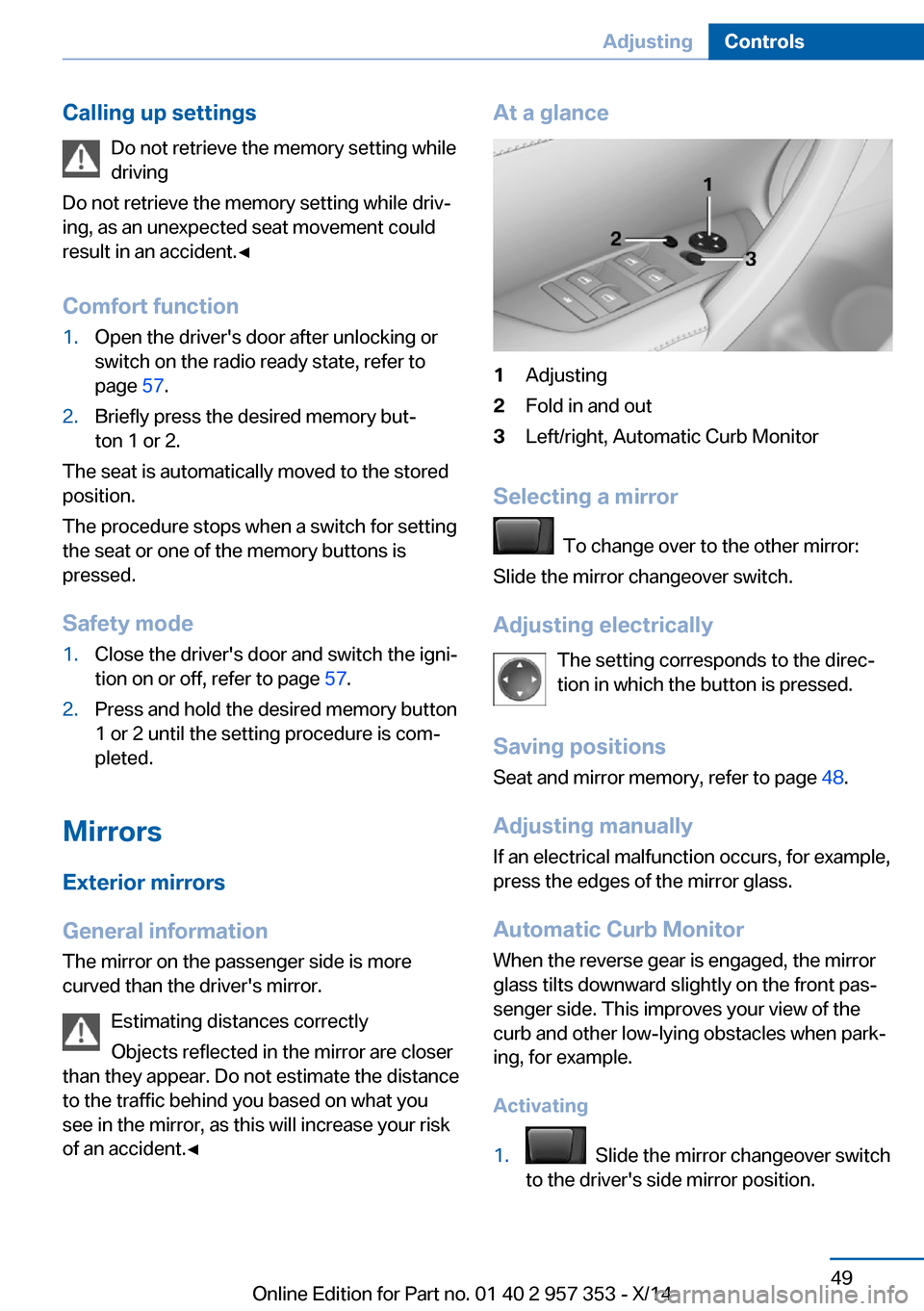
At a glance1Adjusting2Fold in and out3Left/right, Automatic Curb Monitor
Selecting a mirror
To change over to the other mirror:
Slide the mirror changeover switch.
Adjusting electrically The setting corresponds to the direc‐
tion in which the button is pressed.
Saving positions
Seat and mirror memory, refer to page 48.
Adjusting manually If an electrical malfunction occurs, for example,
press the edges of the mirror glass.
Automatic Curb Monitor When the reverse gear is engaged, the mirror
glass tilts downward slightly on the front pas‐
senger side. This improves your view of the
curb and other low-lying obstacles when park‐
ing, for example.
Activating
1. Slide the mirror changeover switch
to the driver's side mirror position.
Seite 49AdjustingControls49
Online Edition for Part no. 01 40 2 957 353 - X/14
Page 54 of 297
2.Shift into reverse or engage transmission
position R.
Deactivating
Slide the mirror changeover switch to the pas‐
senger's side mirror position.
Fold in and out Press button 2.
Possible up to approx. 15 mph/20 km/h.
For example, this is advantageous
▷In car washes.▷In narrow streets.▷For folding back mirrors that were folded
away manually.
Mirrors that were folded in are folded out auto‐
matically at a speed of approx.
25 mph/40 km/h.
Fold in the mirror in a car wash
Before entering an automatic car wash,
fold in the exterior mirrors by hand or with the
button; otherwise, they could be damaged, de‐
pending on the width of the vehicle.◀
Automatic heating
Depending on the external temperature, both
exterior mirrors are automatically heated when
the engine is running or the ignition is
switched on.
Interior rearview mirror
Reducing the blinding effect
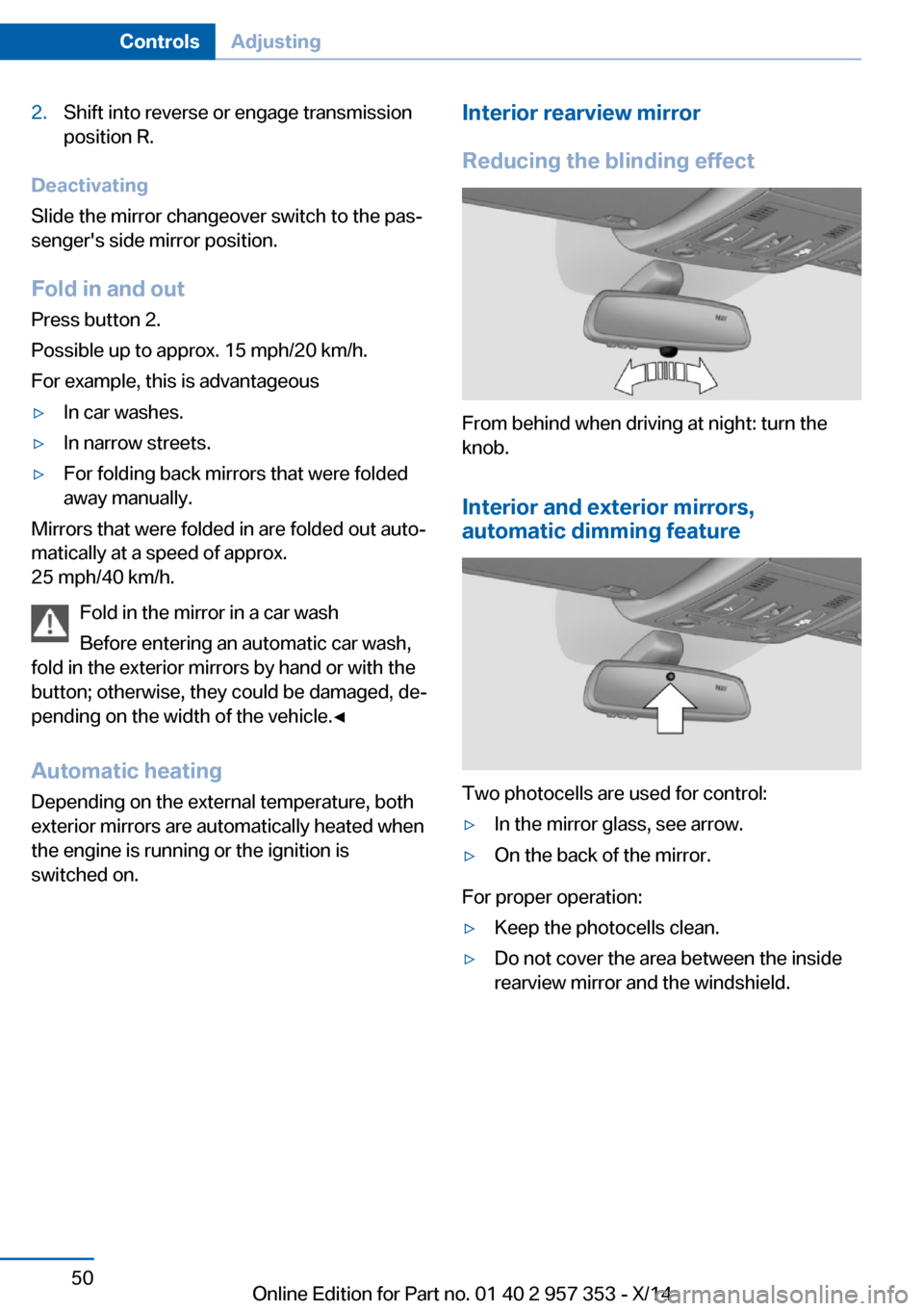
From behind when driving at night: turn the
knob.
Interior and exterior mirrors,
automatic dimming feature
Two photocells are used for control:
▷In the mirror glass, see arrow.▷On the back of the mirror.
For proper operation:
▷Keep the photocells clean.▷Do not cover the area between the inside
rearview mirror and the windshield.Seite 50ControlsAdjusting50
Online Edition for Part no. 01 40 2 957 353 - X/14
Page 66 of 297
To prevent corrosion and uneven brake action,
lightly apply the parking brake from time to
time when coasting, traffic conditions permit‐
ting.
The brake lights do not light up when the park‐
ing brake is pulled.
Turn signal, high beams,
headlamp flasher
Turn signal Do not fold in the exterior mirrors
While driving and when using the turn
signal/hazard warning flashers, do not fold in
the exterior mirrors; otherwise, the additional
turn signal lamps in the exterior mirrors will not
be in the appropriate position and will be diffi‐ cult to detect.◀
Press the lever beyond the resistance point.
To switch off manually, press the lever to the
resistance point.
Unusually rapid flashing of the indicator lamp
indicates that a turn signal bulb has failed.
When towing a trailer, the indicator lamp may
also signal the failure of a turn signal bulb on
the trailer.
Signaling a turn briefly
Press the lever to the resistance point and hold
it there for as long as you want the turn signal
to flash.
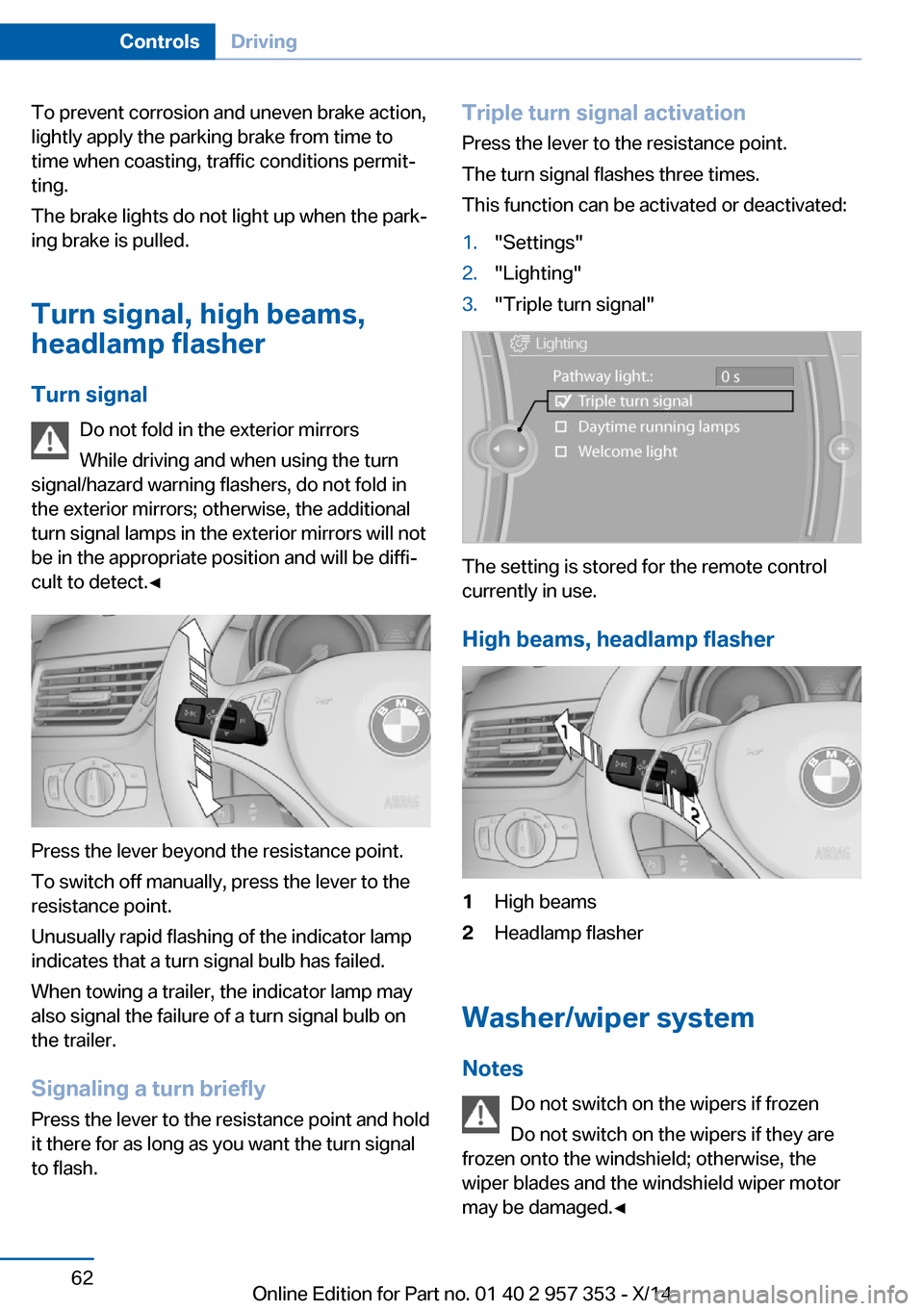
Triple turn signal activation
Press the lever to the resistance point.
The turn signal flashes three times.
This function can be activated or deactivated:1."Settings"2."Lighting"3."Triple turn signal"
The setting is stored for the remote control
currently in use.
High beams, headlamp flasher
1High beams2Headlamp flasher
Washer/wiper system Notes Do not switch on the wipers if frozen
Do not switch on the wipers if they are
frozen onto the windshield; otherwise, the
wiper blades and the windshield wiper motor
may be damaged.◀
Seite 62ControlsDriving62
Online Edition for Part no. 01 40 2 957 353 - X/14
Page 141 of 297
Saving fuelVehicle equipmentThis chapter describes all series equipment as
well as country-specific and special equipment
offered for this model series. Therefore, it also
describes equipment that may not be found in
your vehicle, for instance due to the selected
special equipment or the country version. This
also applies to safety-related functions and
systems.
When using the features and systems descri‐
bed here, adhere to local regulations.
General information Your vehicle contains advanced technology for
the reduction of fuel consumption and emis‐
sions.
Fuel consumption depends on a number of dif‐
ferent factors.
The implementation of certain measures, driv‐
ing style and regular maintenance, refer to
page 245, can have an influence on fuel con‐
sumption and on the environmental impact.
Remove unnecessary cargo
Additional weight increases fuel consumption.
Remove attached parts
following use
Remove unneeded auxiliary mirrors, roof or
rear luggage racks after use.
Attached parts on the vehicle impair the aero‐
dynamics and increase the fuel consumption.Closing the windows and
panoramic glass sunroof
Driving with the panoramic glass sunroof and
windows open results in increased air resist‐
ance and raises fuel consumption.
Check the tire inflationpressure regularly
Check and, if necessary, correct the tire infla‐
tion pressure, refer to page 230, at least twice
a month and before starting on a long trip.
Low tire inflation pressure increases rolling re‐
sistance and thus raises fuel consumption and
tire wear.
Drive away without delay
Do not wait for the engine to warm-up while
the vehicle remains stationary. Start driving
right away, but at moderate engine speeds.
This is the fastest way for the cold engine to
reach its operating temperature.
Look well ahead when
driving
Avoid unnecessary acceleration and braking.
By maintaining a suitable distance to the vehi‐
cle driving ahead of you.
Driving smoothly and looking ahead reduces
fuel consumption.
Avoid high engine speeds
Driving at a low engine speed reduces fuel
consumption and minimizes wear.Seite 137Saving fuelDriving tips137
Online Edition for Part no. 01 40 2 957 353 - X/14
Page 259 of 297
Breakdown assistanceVehicle equipment
This chapter describes all series equipment as
well as country-specific and special equipment
offered for this model series. Therefore, it also
describes equipment that may not be found in
your vehicle, for instance due to the selected
special equipment or the country version. This
also applies to safety-related functions and
systems.
When using the features and systems descri‐
bed here, adhere to local regulations.
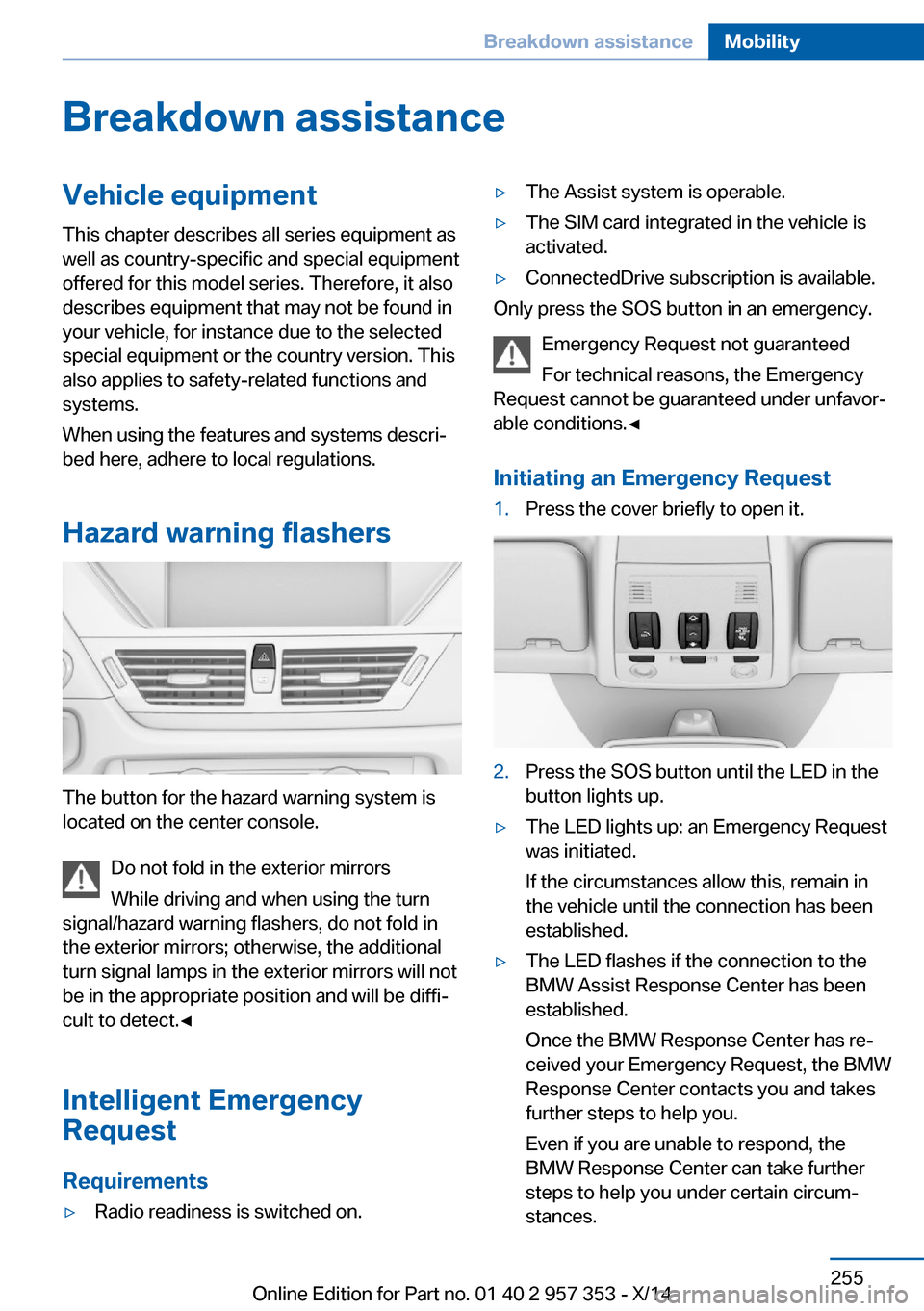
Hazard warning flashers
The button for the hazard warning system is
located on the center console.
Do not fold in the exterior mirrors
While driving and when using the turn
signal/hazard warning flashers, do not fold in
the exterior mirrors; otherwise, the additional
turn signal lamps in the exterior mirrors will not
be in the appropriate position and will be diffi‐
cult to detect.◀
Intelligent Emergency
Request
Requirements
▷Radio readiness is switched on.▷The Assist system is operable.▷The SIM card integrated in the vehicle is
activated.▷ConnectedDrive subscription is available.
Only press the SOS button in an emergency.
Emergency Request not guaranteed
For technical reasons, the Emergency
Request cannot be guaranteed under unfavor‐
able conditions.◀
Initiating an Emergency Request
1.Press the cover briefly to open it.2.Press the SOS button until the LED in the
button lights up.▷The LED lights up: an Emergency Request
was initiated.
If the circumstances allow this, remain in
the vehicle until the connection has been
established.▷The LED flashes if the connection to the
BMW Assist Response Center has been
established.
Once the BMW Response Center has re‐
ceived your Emergency Request, the BMW
Response Center contacts you and takes
further steps to help you.
Even if you are unable to respond, the
BMW Response Center can take further
steps to help you under certain circum‐
stances.Seite 255Breakdown assistanceMobility255
Online Edition for Part no. 01 40 2 957 353 - X/14
Page 265 of 297
CareVehicle equipmentThis chapter describes all series equipment as
well as country-specific and special equipment
offered for this model series. Therefore, it also
describes equipment that may not be found in
your vehicle, for instance due to the selected
special equipment or the country version. This
also applies to safety-related functions and
systems.
When using the features and systems descri‐
bed here, adhere to local regulations.
Car washes Notes Steam jets or high-pressure washers
When using steam jets or high-pressure
washers, hold them a sufficient distance away
and use a maximum temperature of
140 ℉/60 ℃.
Holding them too close or using excessively
high pressures or temperatures can cause
damage or preliminary damage that may then
lead to long-term damage.
Follow the operating instructions for the high-
pressure washer.◀
Do not direct steam or high-pressure washers
toward the decorative labels applied by the
manufacturer; otherwise, damage may result.
Cleaning sensors/cameras with high-
pressure washers
When using high-pressure washers, do not
spray the exterior sensors and cameras, for
Park Distance Control or the backup camera,
for instance, for extended periods of time and
only from a distance of at least 12 in/30 cm.◀Regularly remove foreign bodies, such as
leaves, from the area below the windshield
when the hood is open.
Wash your vehicle frequently, particularly in
winter.
Intense soiling and road salt can damage the
vehicle.
Washing in automatic car washes Give preference to cloth car washes or those
that use soft brushes in order to avoid paint damage.
Notes Note the following:▷Make sure that the wheels and tires are not
damaged by the transport mechanisms.▷Fold in the exterior mirrors; otherwise, they
may be damaged, depending on the width
of the vehicle.▷Deactivate the rain sensor, refer to
page 63, to avoid unintentional wiper acti‐
vation.▷Move the rear window wiper to its resting
position, deactivate it, and protect it
against damage. Ask the car wash operator
about any necessary protective measures.▷Remove additional attachments, for in‐
stance a spoiler or telephone antenna, if
there is a risk that these may be damaged.
Guide rails in car washes
Avoid car washes with guide rails higher
than 4 in/10 cm; otherwise, the vehicle body
could be damaged.◀
Before driving into a car wash The vehicle is able to roll if the following steps
are taken.
Seite 261CareMobility261
Online Edition for Part no. 01 40 2 957 353 - X/14
Page 272 of 297
Technical dataVehicle equipment
This chapter describes all series equipment as
well as country-specific and special equipment
offered for this model series. Therefore, it also
describes equipment that may not be found in
your vehicle, for instance due to the selected
special equipment or the country version. This
also applies to safety-related functions and
systems.
When using the features and systems descri‐
bed here, adhere to local regulations.Note
The technical data and specifications in the
Owner's Manual serve as guidelines. Detailed
values can be obtained from your registration
documents, from labels in your vehicle, or from
the service center.
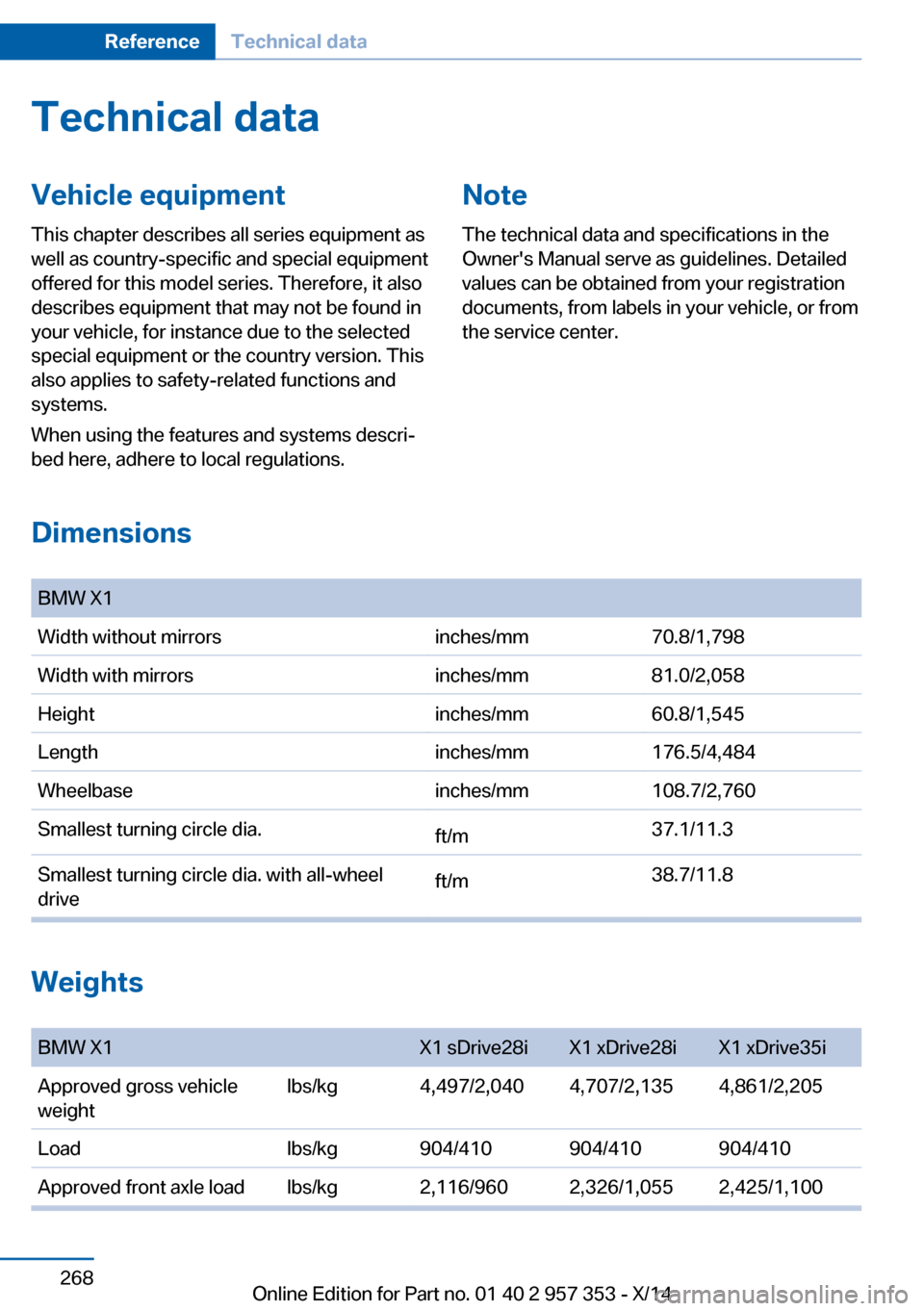
Dimensions
BMW X1Width without mirrorsinches/mm70.8/1,798Width with mirrorsinches/mm81.0/2,058Heightinches/mm60.8/1,545Lengthinches/mm176.5/4,484Wheelbaseinches/mm108.7/2,760Smallest turning circle dia.ft/m37.1/11.3Smallest turning circle dia. with all-wheel
driveft/m38.7/11.8
Weights
BMW X1X1 sDrive28iX1 xDrive28iX1 xDrive35iApproved gross vehicle
weightlbs/kg4,497/2,0404,707/2,1354,861/2,205Loadlbs/kg904/410904/410904/410Approved front axle loadlbs/kg2,116/9602,326/1,0552,425/1,100Seite 268ReferenceTechnical data268
Online Edition for Part no. 01 40 2 957 353 - X/14
Page 285 of 297
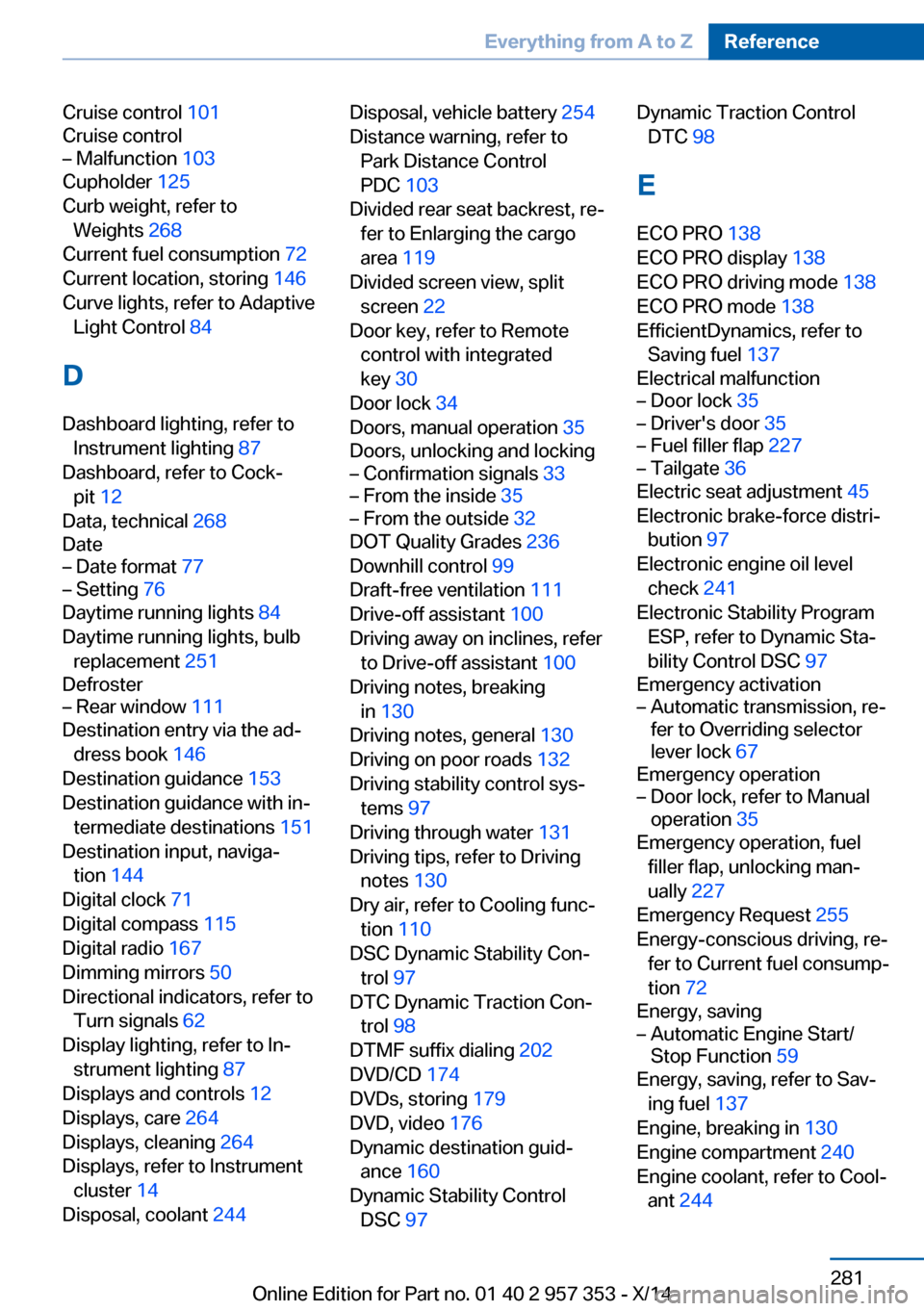
Cruise control 101
Cruise control– Malfunction 103
Cupholder 125
Curb weight, refer to Weights 268
Current fuel consumption 72
Current location, storing 146
Curve lights, refer to Adaptive Light Control 84
D
Dashboard lighting, refer to Instrument lighting 87
Dashboard, refer to Cock‐ pit 12
Data, technical 268
Date
– Date format 77– Setting 76
Daytime running lights 84
Daytime running lights, bulb replacement 251
Defroster
– Rear window 111
Destination entry via the ad‐
dress book 146
Destination guidance 153
Destination guidance with in‐ termediate destinations 151
Destination input, naviga‐ tion 144
Digital clock 71
Digital compass 115
Digital radio 167
Dimming mirrors 50
Directional indicators, refer to Turn signals 62
Display lighting, refer to In‐ strument lighting 87
Displays and controls 12
Displays, care 264
Displays, cleaning 264
Displays, refer to Instrument cluster 14
Disposal, coolant 244
Disposal, vehicle battery 254
Distance warning, refer to Park Distance Control
PDC 103
Divided rear seat backrest, re‐ fer to Enlarging the cargo
area 119
Divided screen view, split screen 22
Door key, refer to Remote control with integrated
key 30
Door lock 34
Doors, manual operation 35
Doors, unlocking and locking– Confirmation signals 33– From the inside 35– From the outside 32
DOT Quality Grades 236
Downhill control 99
Draft-free ventilation 111
Drive-off assistant 100
Driving away on inclines, refer to Drive-off assistant 100
Driving notes, breaking in 130
Driving notes, general 130
Driving on poor roads 132
Driving stability control sys‐ tems 97
Driving through water 131
Driving tips, refer to Driving notes 130
Dry air, refer to Cooling func‐ tion 110
DSC Dynamic Stability Con‐ trol 97
DTC Dynamic Traction Con‐ trol 98
DTMF suffix dialing 202
DVD/CD 174
DVDs, storing 179
DVD, video 176
Dynamic destination guid‐ ance 160
Dynamic Stability Control DSC 97
Dynamic Traction Control
DTC 98
E
ECO PRO 138
ECO PRO display 138
ECO PRO driving mode 138
ECO PRO mode 138
EfficientDynamics, refer to Saving fuel 137
Electrical malfunction– Door lock 35– Driver's door 35– Fuel filler flap 227– Tailgate 36
Electric seat adjustment 45
Electronic brake-force distri‐ bution 97
Electronic engine oil level check 241
Electronic Stability Program ESP, refer to Dynamic Sta‐
bility Control DSC 97
Emergency activation
– Automatic transmission, re‐
fer to Overriding selector
lever lock 67
Emergency operation
– Door lock, refer to Manual
operation 35
Emergency operation, fuel
filler flap, unlocking man‐
ually 227
Emergency Request 255
Energy-conscious driving, re‐ fer to Current fuel consump‐
tion 72
Energy, saving
– Automatic Engine Start/
Stop Function 59
Energy, saving, refer to Sav‐
ing fuel 137
Engine, breaking in 130
Engine compartment 240
Engine coolant, refer to Cool‐ ant 244
Seite 281Everything from A to ZReference281
Online Edition for Part no. 01 40 2 957 353 - X/14
Page 286 of 297
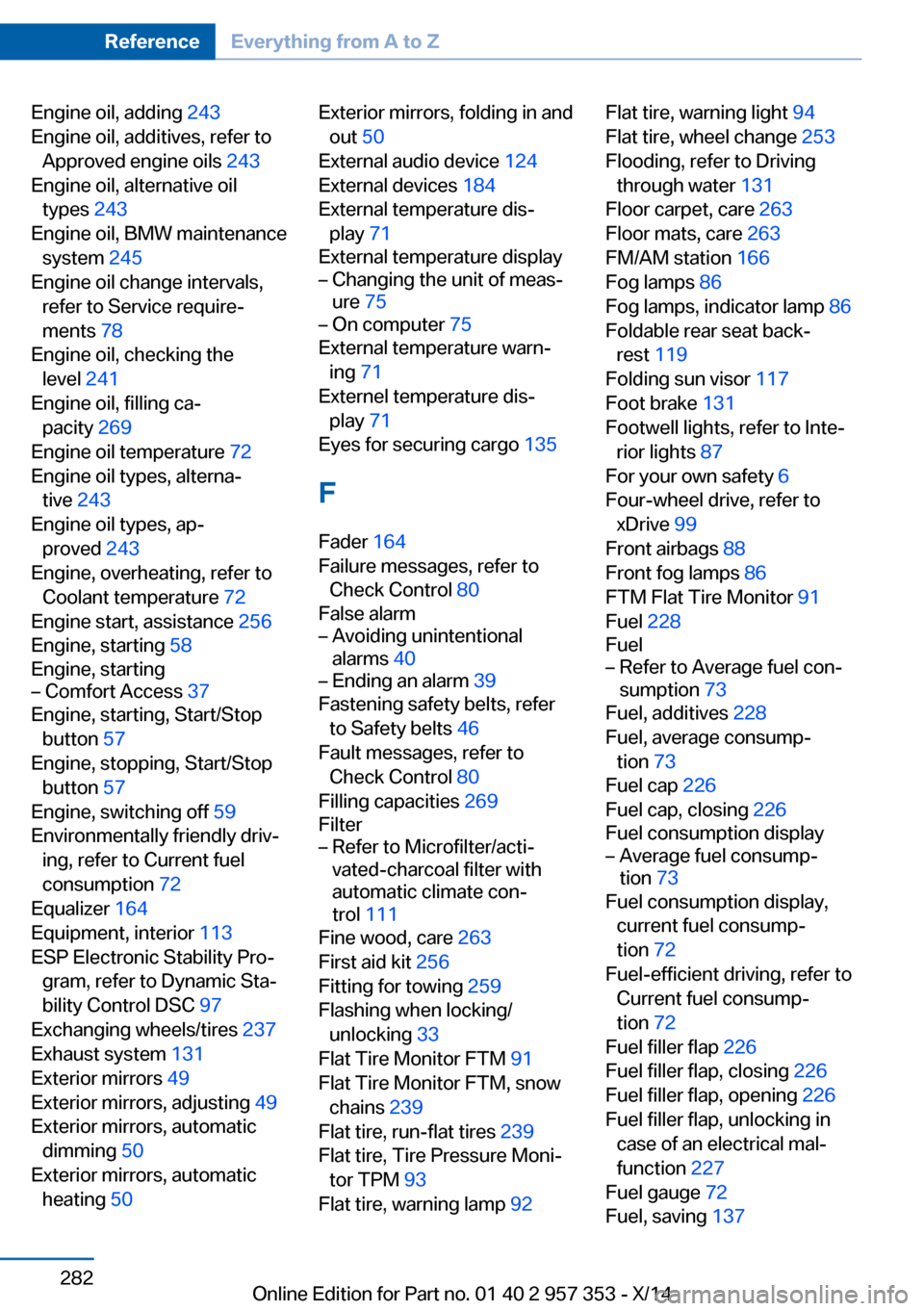
Engine oil, adding 243
Engine oil, additives, refer to Approved engine oils 243
Engine oil, alternative oil types 243
Engine oil, BMW maintenance system 245
Engine oil change intervals, refer to Service require‐
ments 78
Engine oil, checking the level 241
Engine oil, filling ca‐ pacity 269
Engine oil temperature 72
Engine oil types, alterna‐ tive 243
Engine oil types, ap‐ proved 243
Engine, overheating, refer to Coolant temperature 72
Engine start, assistance 256
Engine, starting 58
Engine, starting– Comfort Access 37
Engine, starting, Start/Stop
button 57
Engine, stopping, Start/Stop button 57
Engine, switching off 59
Environmentally friendly driv‐ ing, refer to Current fuel
consumption 72
Equalizer 164
Equipment, interior 113
ESP Electronic Stability Pro‐ gram, refer to Dynamic Sta‐
bility Control DSC 97
Exchanging wheels/tires 237
Exhaust system 131
Exterior mirrors 49
Exterior mirrors, adjusting 49
Exterior mirrors, automatic dimming 50
Exterior mirrors, automatic heating 50
Exterior mirrors, folding in and
out 50
External audio device 124
External devices 184
External temperature dis‐ play 71
External temperature display– Changing the unit of meas‐
ure 75– On computer 75
External temperature warn‐
ing 71
Externel temperature dis‐ play 71
Eyes for securing cargo 135
F
Fader 164
Failure messages, refer to Check Control 80
False alarm
– Avoiding unintentional
alarms 40– Ending an alarm 39
Fastening safety belts, refer
to Safety belts 46
Fault messages, refer to Check Control 80
Filling capacities 269
Filter
– Refer to Microfilter/acti‐
vated-charcoal filter with
automatic climate con‐
trol 111
Fine wood, care 263
First aid kit 256
Fitting for towing 259
Flashing when locking/ unlocking 33
Flat Tire Monitor FTM 91
Flat Tire Monitor FTM, snow chains 239
Flat tire, run-flat tires 239
Flat tire, Tire Pressure Moni‐ tor TPM 93
Flat tire, warning lamp 92
Flat tire, warning light 94
Flat tire, wheel change 253
Flooding, refer to Driving through water 131
Floor carpet, care 263
Floor mats, care 263
FM/AM station 166
Fog lamps 86
Fog lamps, indicator lamp 86
Foldable rear seat back‐ rest 119
Folding sun visor 117
Foot brake 131
Footwell lights, refer to Inte‐ rior lights 87
For your own safety 6
Four-wheel drive, refer to xDrive 99
Front airbags 88
Front fog lamps 86
FTM Flat Tire Monitor 91
Fuel 228
Fuel– Refer to Average fuel con‐
sumption 73
Fuel, additives 228
Fuel, average consump‐ tion 73
Fuel cap 226
Fuel cap, closing 226
Fuel consumption display
– Average fuel consump‐
tion 73
Fuel consumption display,
current fuel consump‐
tion 72
Fuel-efficient driving, refer to Current fuel consump‐
tion 72
Fuel filler flap 226
Fuel filler flap, closing 226
Fuel filler flap, opening 226
Fuel filler flap, unlocking in case of an electrical mal‐
function 227
Fuel gauge 72
Fuel, saving 137
Seite 282ReferenceEverything from A to Z282
Online Edition for Part no. 01 40 2 957 353 - X/14