Maintenance BMW X1 SDRIVE28I 2013 User Guide
[x] Cancel search | Manufacturer: BMW, Model Year: 2013, Model line: X1 SDRIVE28I, Model: BMW X1 SDRIVE28I 2013Pages: 291, PDF Size: 6.58 MB
Page 134 of 291

Use coasting conditions
When approaching a red light, take your foot off
the accelerator and let the vehicle coast to a halt.
On a downhill gradient, take your foot off the ac‐
celerator and let the vehicle roll.
The flow of fuel is interrupted while coasting.
Switch off the engine during
longer stops
Switch off the engine during longer stops, e.g.,
at traffic lights, railroad crossings or in traffic
congestion.
Fuel savings are already achieved after the en‐
gine is turned off for as little as 4 seconds.
Automatic Engine Start/Stop Function
The Automatic Start/Stop Function of your ve‐
hicle automatically switches off the engine dur‐
ing a stop. Additional information on the Auto‐
matic Engine Start/Stop Function, refer to
page 56.
If the engine is stopped and then started again,
fuel consumption and emissions drop com‐
pared to an engine that runs permanently. Stop‐
ping the engine even for just a few seconds can
result in savings.
Use of this system can cause premature wear on
certain vehicle components.
In addition, fuel consumption depends on other
factors as well, such as driving style, road con‐
ditions, maintenance, and environmental fac‐
tors.
Switch off any functions that
are not currently needed
Functions such as seat heating and the rear win‐
dow defroster require a lot of energy and con‐
sume additional fuel, especially in city and stop-
and-go traffic.Therefore, switch off these functions if they are
not actually needed.
Have maintenance carried out
Have vehicles maintained regularly to achieve
optimal vehicle economy and operating life.
Have the maintenance carried out by your serv‐
ice center.
Please also note the BMW Maintenance Sys‐
tem, refer to page 243.
ECO PRO
The concept
ECO PRO supports the driver in achieving high
fuel economy. Engine control and comfort func‐
tions, such as the climate control system, are
adjusted accordingly.
In addition, situation-related information can be
displayed that helps the driver achieve lower fuel
consumption.
The resulting range extension can be displayed
in the instrument cluster.
Activating ECO PRO Press the button; the LED above the
button lights up.
ECO PRO appears in the instrument cluster and
DSC is activated if necessary.Seite 134Driving tipsSaving fuel134
Online Edition for Part no. 01 40 2 914 595 - VI/12
Page 223 of 291
Mobility
In order to always ensure your mobility, you will find important information on operating fluids,wheels and tires, maintenance and Roadside Assistance in the following.Online Edition for Part no. 01 40 2 914 595 - VI/12
Page 228 of 291
Wheels and tiresVehicle equipment
This chapter describes all series equipment as
well as country-specific and special equipment
offered for this model series.Therefore, it also
describes equipment that may not be found in
your vehicle, for instance due to the selected
special equipment or the country version. This
also applies to safety-related functions and sys‐
tems.
Tire inflation pressure
Safety information
It is not merely the tires' service life, but also
driving comfort and, to a great extent, driving
safety that depend on the condition of the tires
and the maintenance of the specified tire pres‐
sure.
Checking the pressure
Only check the tire inflation pressure when the
tires are cold. This means after a maximum of
1.25 miles/2 km driving or when the vehicle has
been parked for at least 2 hours. When the tires
are warm, the tire inflation pressure is higher.
Check the tire inflation pressure regularly
Regularly check the tire inflation pressure
and correct it as needed: at least twice a month
and before a long trip. If you fail to observe this
precaution, you may be driving on tires with in‐
correct tire pressures, a condition that may not
only compromise your vehicle's driving stability,
but also lead to tire damage and the risk of an
accident.◀
After adjusting the tire inflation pressure, reset
the Tire Pressure Monitor, refer to page 90, or
reinitialize the Flat Tire Monitor, refer to
page 88.Pressure specifications
The tables below provide all the correct inflation
pressures for the specified tire sizes at ambient
temperature.
The inflation pressures apply to the tire sizes
approved and tire brands recommended by
BMW; a list of these is available from your serv‐
ice center.
For correct identification of the right tire inflation
pressures, observe the following:▷Tire sizes of your vehicle.▷Maximum allowable driving speed.
Tire inflation pressures for driving up to
100 mph or 160 km/h
For normal driving up to 100 mph/160 km/h, ad‐
just pressures to the respective tire inflation
pressures listed on the following pages in the
column for traveling speeds up to 100 mph/
160 km/h to achieve optimum driving comfort.
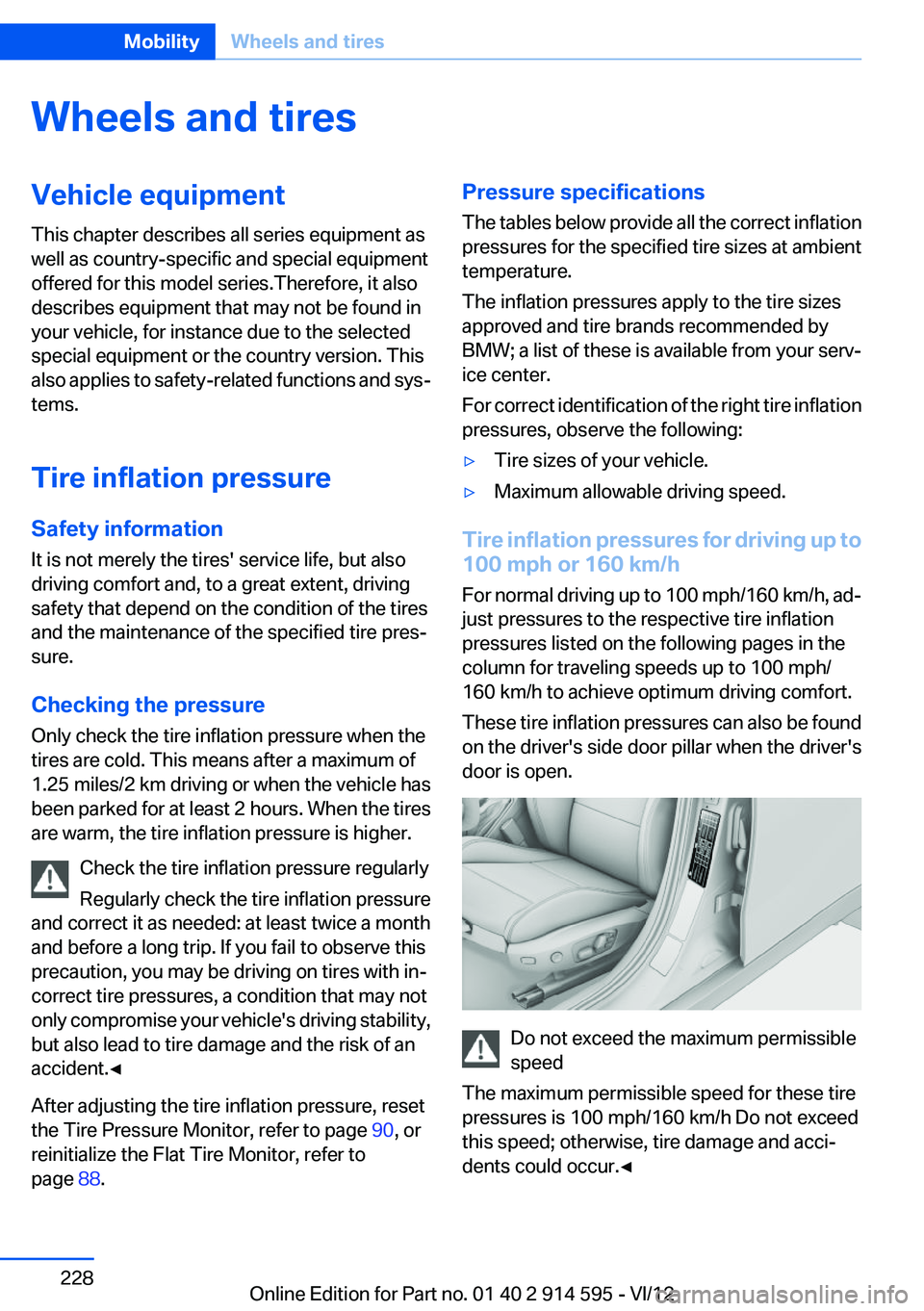
These tire inflation pressures can also be found
on the driver's side door pillar when the driver's
door is open.
Do not exceed the maximum permissible
speed
The maximum permissible speed for these tire
pressures is 100 mph/160 km/h Do not exceed
this speed; otherwise, tire damage and acci‐
dents could occur.◀
Seite 228MobilityWheels and tires228
Online Edition for Part no. 01 40 2 914 595 - VI/12
Page 243 of 291
MaintenanceVehicle equipment
This chapter describes all series equipment as
well as country-specific and special equipment
offered for this model series.Therefore, it also
describes equipment that may not be found in
your vehicle, for instance due to the selected
special equipment or the country version. This
also applies to safety-related functions and sys‐
tems.
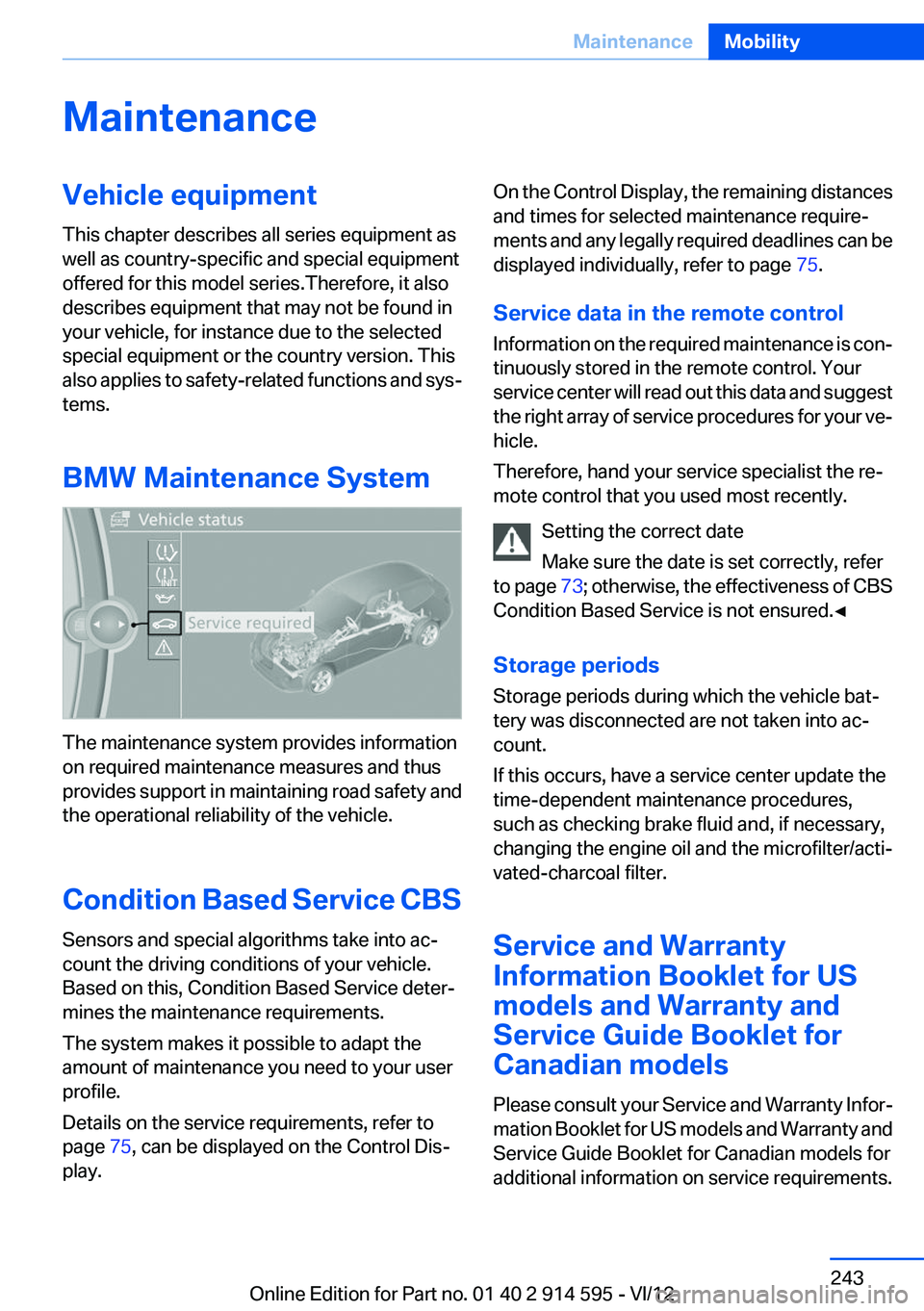
BMW Maintenance System
The maintenance system provides information
on required maintenance measures and thus
provides support in maintaining road safety and
the operational reliability of the vehicle.
Condition Based Service CBS
Sensors and special algorithms take into ac‐
count the driving conditions of your vehicle.
Based on this, Condition Based Service deter‐
mines the maintenance requirements.
The system makes it possible to adapt the
amount of maintenance you need to your user
profile.
Details on the service requirements, refer to
page 75, can be displayed on the Control Dis‐
play.
On the Control Display, the remaining distances
and times for selected maintenance require‐
ments and any legally required deadlines can be
displayed individually, refer to page 75.
Service data in the remote control
Information on the required maintenance is con‐
tinuously stored in the remote control. Your
service center will read out this data and suggest
the right array of service procedures for your ve‐
hicle.
Therefore, hand your service specialist the re‐
mote control that you used most recently.
Setting the correct date
Make sure the date is set correctly, refer
to page 73; otherwise, the effectiveness of CBS
Condition Based Service is not ensured.◀
Storage periods
Storage periods during which the vehicle bat‐
tery was disconnected are not taken into ac‐
count.
If this occurs, have a service center update the
time-dependent maintenance procedures,
such as checking brake fluid and, if necessary,
changing the engine oil and the microfilter/acti‐
vated-charcoal filter.
Service and Warranty
Information Booklet for US
models and Warranty and
Service Guide Booklet for
Canadian models
Please consult your Service and Warranty Infor‐
mation Booklet for US models and Warranty and
Service Guide Booklet for Canadian models for
additional information on service requirements.Seite 243MaintenanceMobility243
Online Edition for Part no. 01 40 2 914 595 - VI/12
Page 244 of 291
Maintenance and repair should be performed by
your service center. Make sure to have regular
maintenance procedures recorded in the vehi‐
cle's Service and Warranty Information Booklet
for US models, and in the Warranty and Service
Guide Booklet for Canadian models. These en‐
tries are proof of regular maintenance.
Socket for OBD Onboard
Diagnosis
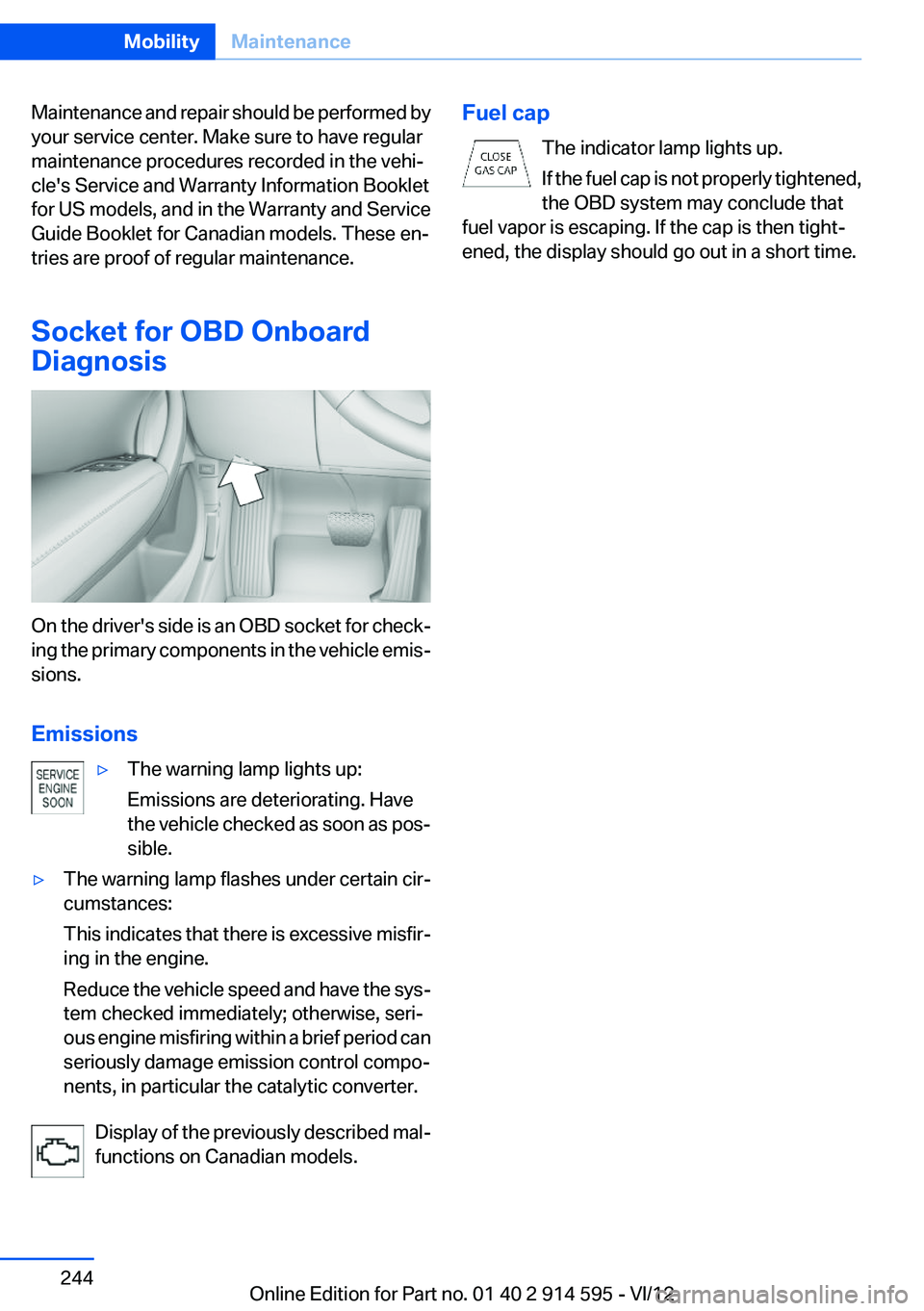
On the driver's side is an OBD socket for check‐
ing the primary components in the vehicle emis‐
sions.
Emissions
▷The warning lamp lights up:
Emissions are deteriorating. Have
the vehicle checked as soon as pos‐
sible.▷The warning lamp flashes under certain cir‐
cumstances:
This indicates that there is excessive misfir‐
ing in the engine.
Reduce the vehicle speed and have the sys‐
tem checked immediately; otherwise, seri‐
ous engine misfiring within a brief period can
seriously damage emission control compo‐
nents, in particular the catalytic converter.
Display of the previously described mal‐
functions on Canadian models.
Fuel cap
The indicator lamp lights up.
If the fuel cap is not properly tightened,
the OBD system may conclude that
fuel vapor is escaping. If the cap is then tight‐
ened, the display should go out in a short time.Seite 244MobilityMaintenance244
Online Edition for Part no. 01 40 2 914 595 - VI/12
Page 251 of 291
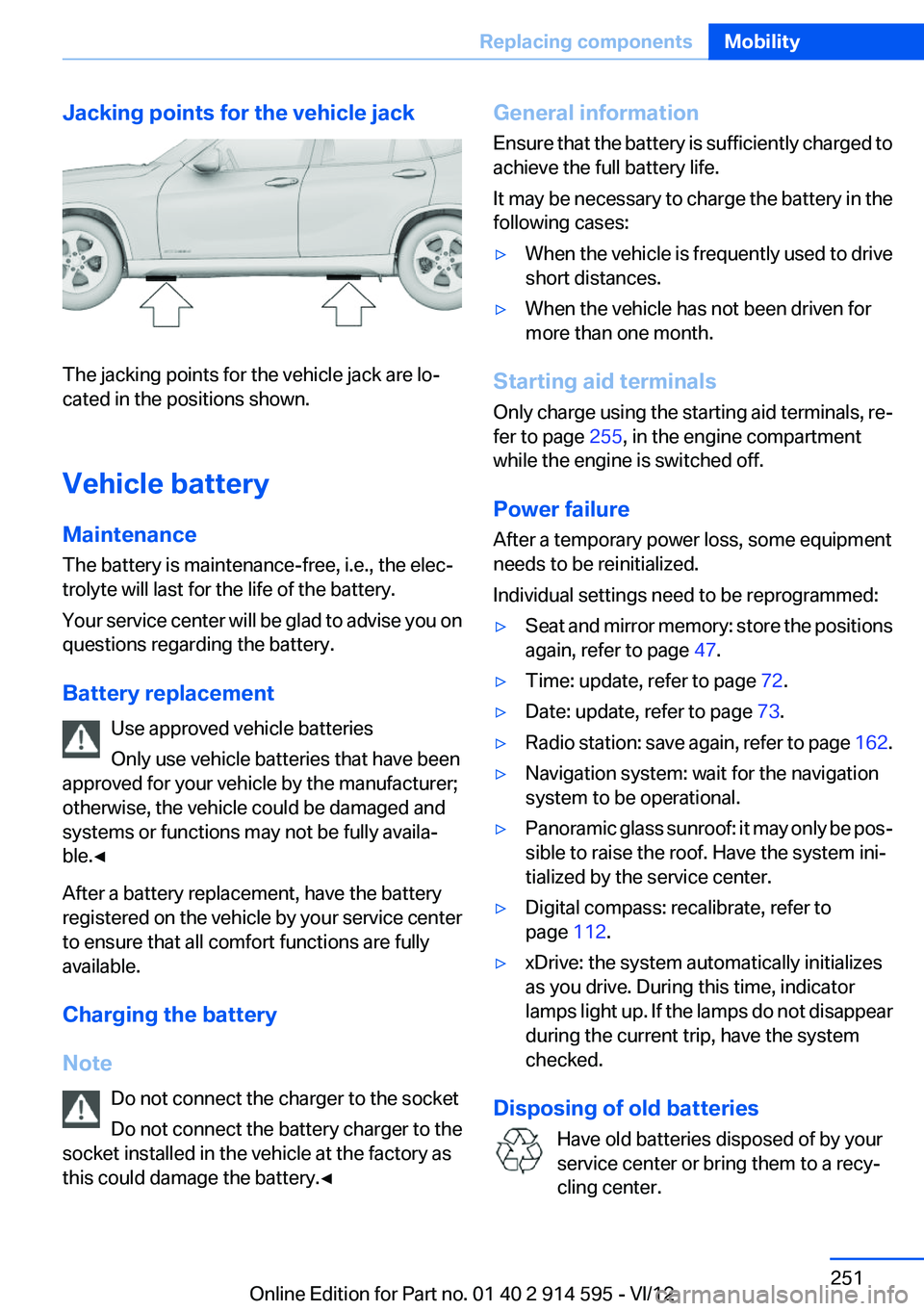
Jacking points for the vehicle jack
The jacking points for the vehicle jack are lo‐
cated in the positions shown.
Vehicle battery
Maintenance
The battery is maintenance-free, i.e., the elec‐
trolyte will last for the life of the battery.
Your service center will be glad to advise you on
questions regarding the battery.
Battery replacement Use approved vehicle batteries
Only use vehicle batteries that have been
approved for your vehicle by the manufacturer;
otherwise, the vehicle could be damaged and
systems or functions may not be fully availa‐
ble.◀
After a battery replacement, have the battery
registered on the vehicle by your service center
to ensure that all comfort functions are fully
available.
Charging the battery
Note Do not connect the charger to the socket
Do not connect the battery charger to the
socket installed in the vehicle at the factory as
this could damage the battery.◀
General information
Ensure that the battery is sufficiently charged to
achieve the full battery life.
It may be necessary to charge the battery in the
following cases:▷When the vehicle is frequently used to drive
short distances.▷When the vehicle has not been driven for
more than one month.
Starting aid terminals
Only charge using the starting aid terminals, re‐
fer to page 255, in the engine compartment
while the engine is switched off.
Power failure
After a temporary power loss, some equipment
needs to be reinitialized.
Individual settings need to be reprogrammed:
▷Seat and mirror memory: store the positions
again, refer to page 47.▷Time: update, refer to page 72.▷Date: update, refer to page 73.▷Radio station: save again, refer to page 162.▷Navigation system: wait for the navigation
system to be operational.▷Panoramic glass sunroof: it may only be pos‐
sible to raise the roof. Have the system ini‐
tialized by the service center.▷Digital compass: recalibrate, refer to
page 112.▷xDrive: the system automatically initializes
as you drive. During this time, indicator
lamps light up. If the lamps do not disappear
during the current trip, have the system
checked.
Disposing of old batteries
Have old batteries disposed of by your
service center or bring them to a recy‐
cling center.
Seite 251Replacing componentsMobility251
Online Edition for Part no. 01 40 2 914 595 - VI/12
Page 277 of 291
Axle loads, refer toWeights 267
B
Backrest curvature, refer to Lumbar support 44
Backrests, refer to Seats 43
Backrest width adjustment 44
Back seats– Adjusting the backrest
tilt 115
Backup camera 102
Backup camera, cleaning 104
Backup camera, obstacle marking 103
Backup camera, pathway lines 103
Backup camera, turning lines 103
Backup lamps, bulb replace‐ ment 249
Balance 160
Band-aids, refer to First aid kit 254
Bass 160
Battery
– Remote control 30
Battery disposal 251
Battery, refer to Vehicle bat‐ tery 251
Battery replacement, remote control for vehicle 38
Before entering the car wash 259
Belts, refer to Safety belts 45
Belt tensioners, refer to Safety belts 45
Beverage holder, refer to Cu‐ pholder 122
Black and white map dis‐ play 154
Blower, refer to Air flow rate 106
Bluetooth audio 185
Bluetooth connection, activat‐ ing/deactivating 193
BMW Apps 219
BMW Apps, video play‐ back 184
BMW Assist 215
BMW Assist, refer to Connec‐ tedDrive 215
BMW EfficientDynamics, refer to Saving fuel 133
BMW Homepage 6
BMW Internet page 6
BMW maintenance sys‐ tem 243
BMW Online 217
Bottle holder, refer to Cu‐ pholder 122
Brake assistant 94
Brake discs, breaking in 126
Brake fluid, refer to Service re‐ quirements 75
Brake force display 93
Brake force distribution, elec‐ tronic 94
Brake lamps– Bulb replacement 249
Brake lamps, brake force dis‐
play 93
Brake lights, adaptive 93
Brake pads, breaking in 126
Brakes
– Handbrake 58
Brakes, BMW maintenance
system 243
Brakes, service require‐ ments 75
Brake system, BMW mainte‐ nance system 243
Braking, notes 127
Breakdown assistance 254
Breakdown, transporting the vehicle 256
Breaking in 126
Brightness on the Control Dis‐ play 75
Bulb replacement, refer to Lamp and bulb replace‐
ment 246
Button for starting the engine,
refer to Start/Stop button 54
C
Calendar 209
California Proposition 65 Warning 7
Camera, care 261
Camera, refer to Backup cam‐ era 102
Can holder, refer to Cu‐ pholder 122
Car battery, refer to Vehicle battery 251
Car care products 260
Care 259
Care, displays 262
Care, vehicle 260
Cargo 130
Cargo area 115
Cargo area– Comfort Access 37– Cover 115– Folding up the cargo floor
panel 118– Multi-function hook 118– Partition net 116
Cargo area, capacities 267
Cargo area, enlarging 115
Cargo area lamp, refer to Inte‐ rior lamps 84
Cargo area lid, refer to Tail‐ gate 35
Cargo area net, refer to Parti‐ tion net 116
Cargo area, opening from the inside 35
Cargo area, opening from the outside 36
Cargo floor panel
– Folding up 118
Cargo floor panel, raising 118
Cargo straps, securing cargo 131
Car key, refer to Integrated key/remote control 30
Seite 277Everything from A to ZReference277
Online Edition for Part no. 01 40 2 914 595 - VI/12
Page 280 of 291
Engine oil, additives, refer toApproved engine oils 241
Engine oil, alternative oil types 241
Engine oil, BMW maintenance system 243
Engine oil change intervals, re‐ fer to Service require‐
ments 75
Engine oil, checking the level 239
Engine oil, filling capacity 267
Engine oil temperature 69
Engine oil types, alterna‐ tive 241
Engine oil types, ap‐ proved 241
Engine, overheating, refer to Coolant temperature 69
Engine start, assistance 255
Engine, starting 55
Engine, starting– Comfort Access 36
Engine, starting, Start/Stop
button 54
Engine, stopping, Start/Stop button 54
Engine, switching off 55
Entry lamps, refer to Interior lamps 84
Environmentally friendly driv‐ ing, refer to Current fuel con‐
sumption 69
Equalizer 160
Equipment, interior 110
ESP Electronic Stability Pro‐ gram, refer to Dynamic Sta‐
bility Control DSC 94
Exchanging wheels/tires 235
Exhaust system 126
Exterior mirrors 48
Exterior mirrors, adjusting 48
Exterior mirrors, automatic dimming 49
Exterior mirrors, automatic heating 49
Exterior mirrors, folding in and
out 48
External audio device 121
External devices 181
External temperature dis‐ play 68
External temperature display– Changing the unit of meas‐
ure 72– On computer 72
External temperature warn‐
ing 68
Externel temperature dis‐ play 68
Eyes for securing cargo 131
F
Fader 160
Failure messages, refer to Check Control 77
False alarm
– Avoiding unintentional
alarms 39– Ending an alarm 39
Fastening safety belts, refer to
Safety belts 45
Fault messages, refer to Check Control 77
Filling capacities 267
Filter
– Refer to Microfilter/acti‐
vated-charcoal filter with au‐
tomatic climate control 108
Fine wood, care 261
First aid kit 254
Fitting for towing 258
Flashing when locking/unlock‐ ing 33
Flat Tire Monitor FTM 88
Flat Tire Monitor FTM, snow chains 237
Flat tire, run-flat tires 236
Flat tire, Tire Pressure Monitor TPM 90
Flat tire, warning lamp 89, 91
Flat tire, wheel change 250
Flooding, refer to Driving
through water 127
Floor carpet, care 261
Floor mats, care 261
FM/AM station 162
Fog lamps 83
Fog lamps, indicator lamp 83
Foldable rear seat back‐ rest 115
Foot brake 127
Footwell lamps, refer to Inte‐ rior lamps 84
For your own safety 6
Four-wheel drive, refer to xDrive 96
Front airbags 85
Front fog lamps 83
FTM Flat Tire Monitor 88
Fuel 226
Fuel– Refer to Average fuel con‐
sumption 70
Fuel, additives 226
Fuel, average consump‐ tion 70
Fuel cap 224
Fuel cap, closing 224
Fuel consumption display
– Average fuel consump‐
tion 70
Fuel consumption display,
current fuel consumption 69
Fuel-efficient driving, refer to Current fuel consumption 69
Fuel filler flap, closing 224
Fuel filler flap, opening 224
Fuel filler flap, unlocking in case of an electrical malfunc‐
tion 225
Fuel gauge 69
Fuel, saving 133
Fuel tank capacity, refer to Fill‐ ing capacities 267
Fuel tank contents, refer to Filling capacities 267
Fuel tank, refer to Filling ca‐ pacities 267
Seite 280ReferenceEverything from A to Z280
Online Edition for Part no. 01 40 2 914 595 - VI/12
Page 283 of 291
Low beams 80
Low beams– Automatic 81– Bulb replacement 247
Low beams, automatic 80
Low beams, automatic, refer to High-beam Assistant 82
Lower back support, refer to Lumbar support 44
Luggage rack
– Rear luggage rack 132
Luggage rack, refer to Roof-
mounted luggage rack 132
Lumbar support 44
M
Main inspection, refer to Serv‐ ice requirements 75
Maintenance 243
Maintenance, refer to Service booklet
Maintenance, refer to Service requirements 75
Maintenance require‐ ments 243
Maintenance system BMW 243
Malfunction
– Automatic transmission with
Steptronic 64– Door lock 34– Fuel filler flap 225– Tailgate 36
Malfunction warnings, refer to
Check Control 77
Manual air distribution 106
Manual mode, automatic transmission with Step‐
tronic 63, 66
Manual operation
– Door lock 34– Driver's door 34– Selector lever lock, auto‐
matic transmission 64
Manual operation, fuel filler
flap 225
Map, destination entry 145
Map display in black and
white 154
Map in split screen 153
Map view 151
Marking on approved tires 236
Master key, refer to Remote control with integrated
key 30
Maximum cooling 106
Maximum speed, winter tires 236
Medical kit, refer to First aid kit 254
Memory, refer to Seat and mir‐ ror memory 47
Menus, operating, iDrive 18
Menus, refer to iDrive operat‐ ing concept 19
Message list, traffic bulle‐ tins 153
Messages 207
Microfilter– With automatic climate con‐
trol 108
Minimum tread, tires 234
Mirror
– Mirror memory, refer to Seat
and mirror memory 47
Mirrors 48
Mirrors
– Automatic Curb Monitor 48
Mirrors, folding in and out 48
Mirrors, heating 49
Mirrors, interior mirror 49
Mobile communication devi‐ ces in the vehicle 127
Mobile phone, installation lo‐ cation, refer to Center arm‐
rest 120
Mobile phone, refer to Tele‐ phone 192
Modifications, technical, refer to Safety 6
Monitor, refer to Control Dis‐ play 18
Mounting of child restraint fix‐
ing systems 50
MP3 player 181
Multimedia 170
Music collection 176
Music search 178
Music, storing 176
N
Navigation 138
Navigation data 138
Navigation data, updating 138
Navigation system– Destination entry by
voice 146
Neck restraints, refer to Head
restraints 46
Nets, refer to Storage com‐ partments 121
New wheels and tires 235
Notes 6, 210
Nozzles, refer to Ventila‐ tion 108
O
OBD Onboard Diagnos‐ tics 244
OBD socket, refer to Socket for OBD Onboard Diagno‐
sis 244
Octane number, refer to Fuel quality 226
Octane rating, refer to Gaso‐ line quality 226
Odometer 68
Office 204
Oil additives 241
Oil consumption 239
Oil level 239
Oil, refer to Engine oil 239
Oil types, alternative 241
Oil types, approved 241
Old batteries, disposal 251
Onboard Diagnostics OBD 244
Seite 283Everything from A to ZReference283
Online Edition for Part no. 01 40 2 914 595 - VI/12