USB BMW X1 SDRIVE28I 2013 User Guide
[x] Cancel search | Manufacturer: BMW, Model Year: 2013, Model line: X1 SDRIVE28I, Model: BMW X1 SDRIVE28I 2013Pages: 291, PDF Size: 6.58 MB
Page 185 of 291
peratures; refer to the audio device operating
instructions.
Depending on the configuration of the audio
files, e.g., bit rates greater than 256 kbit/s, the
files may not play back correctly in each case.
Information on connection▷The connected audio device is supplied with
a max. power of 500 mA if supported by the
device. Therefore, do not additionally con‐
nect the device to a socket in the vehicle;
otherwise, playback may be compromised.▷Do not use force when plugging the con‐
nector into the USB interface.▷Do not connect devices such as fans or
lamps to the USB audio interface.▷Do not connect USB hard drives.▷Do not use the USB audio interface to re‐
charge external devices.
Bluetooth audio
At a glance
▷Music files on external devices such as audio
devices or mobile phones can be played
back via Bluetooth.
Use of a mobile phone as an audio source,
refer to page 194.▷Bluetooth® is a registered trademark of
Bluetooth® SIG, Inc.▷The sound is output on the vehicle loud‐
speakers.▷The volume of the sound output is depend‐
ent on the device. If necessary, adjust the
volume on the device.▷Up to four external devices can be paired
with the vehicle.
Requirements
▷The device is suitable. Information at
www.bmwusa.com/bluetooth.▷The device is ready for operation.▷The ignition is switched on.▷Bluetooth is activated on the vehicle, refer to
page 193, and on the device.▷Bluetooth presettings must be made on the
device, such as for a connection without
confirmation or visibility; refer to the device
operating instructions.▷A number with at least four and a maximum
of 16 digits is defined as the Bluetooth pass‐
key. It is only required once for pairing.
Pairing and connecting
Pairing a device
To avoid becoming distracted and posing
an unnecessary hazard both to your own vehi‐
cle's occupants and to other road users, only
pair the device while the vehicle is stationary.◀
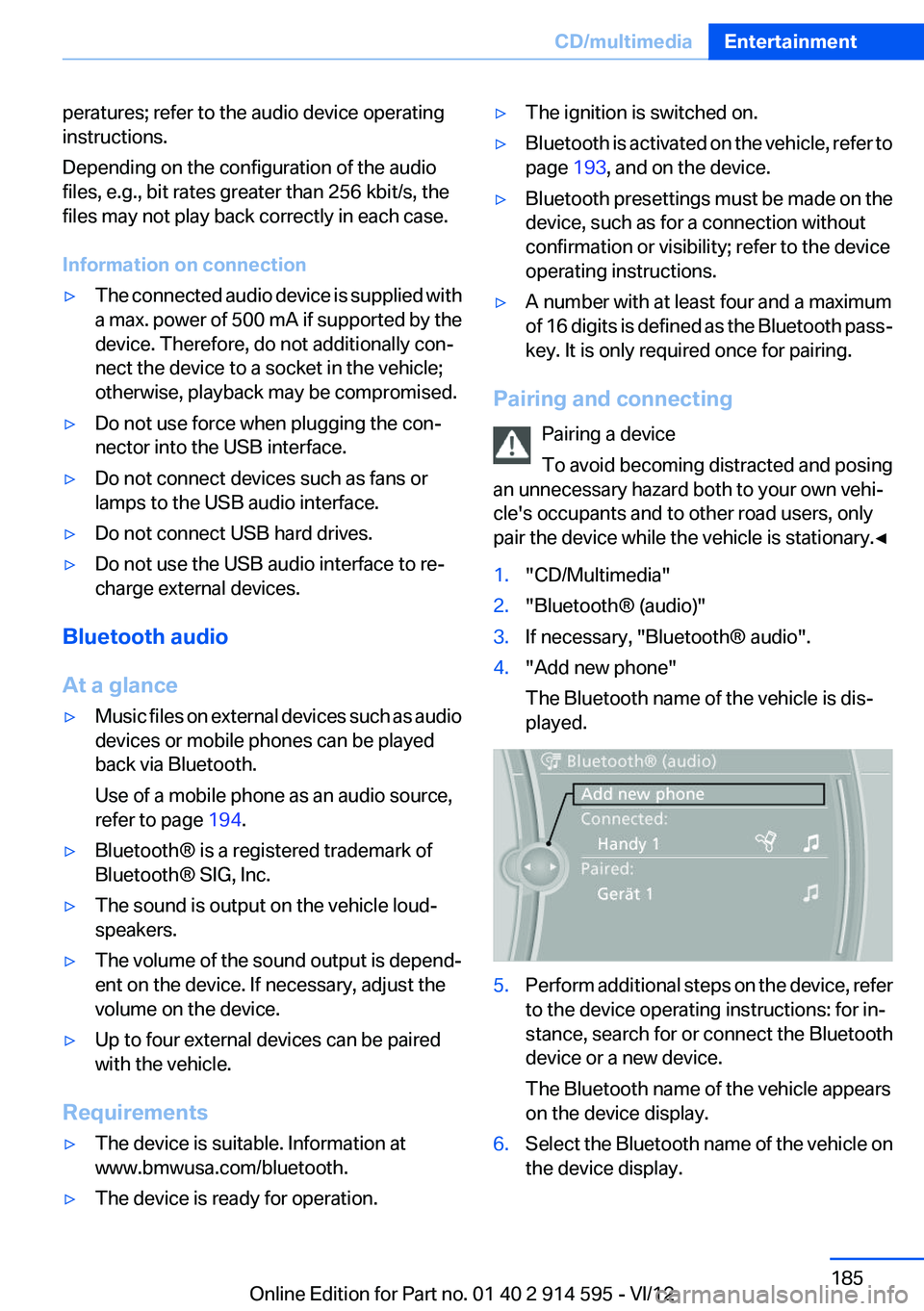
1."CD/Multimedia"2."Bluetooth® (audio)"3.If necessary, "Bluetooth® audio".4."Add new phone"
The Bluetooth name of the vehicle is dis‐
played.5.Perform additional steps on the device, refer
to the device operating instructions: for in‐
stance, search for or connect the Bluetooth
device or a new device.
The Bluetooth name of the vehicle appears
on the device display.6.Select the Bluetooth name of the vehicle on
the device display.Seite 185CD/multimediaEntertainment185
Online Edition for Part no. 01 40 2 914 595 - VI/12
Page 188 of 291
from the vehicle and pair and connect only
one device.▷The device no longer reacts? Switch the de‐
vice off and on again.▷Repeat the pairing procedure.
Music cannot be played back.
▷Start the program for playing back music
data on the device and select a track on the
device if necessary.▷Switch the radio on and off again.
Music files can only be played back softly.
▷Adjust the volume settings on the device.
Playback is disturbed when buttons are pressed
or by other messages on the device.
▷Switch off the button tones and other signal
tones on the device.
Playback is interrupted by a telephone call or
traffic bulletin and is not resumed automatically.
▷Switch the radio on and off again.
Playback is not possible if the mobile phone is
connected via Bluetooth Audio while it is also
connected via the USB interface or the snap-in
adapter.
▷Disconnect one of the two connections; for
example, disconnect the audio connection,
refer to page 187, and restart playback.
If all points in this list have been checked and the
required function is still not available, please
contact the hotline or service center.
Software Update
The vehicle supports various external devices
depending on the current software version. With
a software update, the vehicle can support new
mobile phones or new external device, for ex‐
ample.
▷USB.
Software updates and related current infor‐
mation is available at www.bmw.com/up‐
date.Displaying the current version
The currently installed software is displayed.1."Settings"2."Software update"3."Show current version"
Select desired version to display additional in‐
formation.
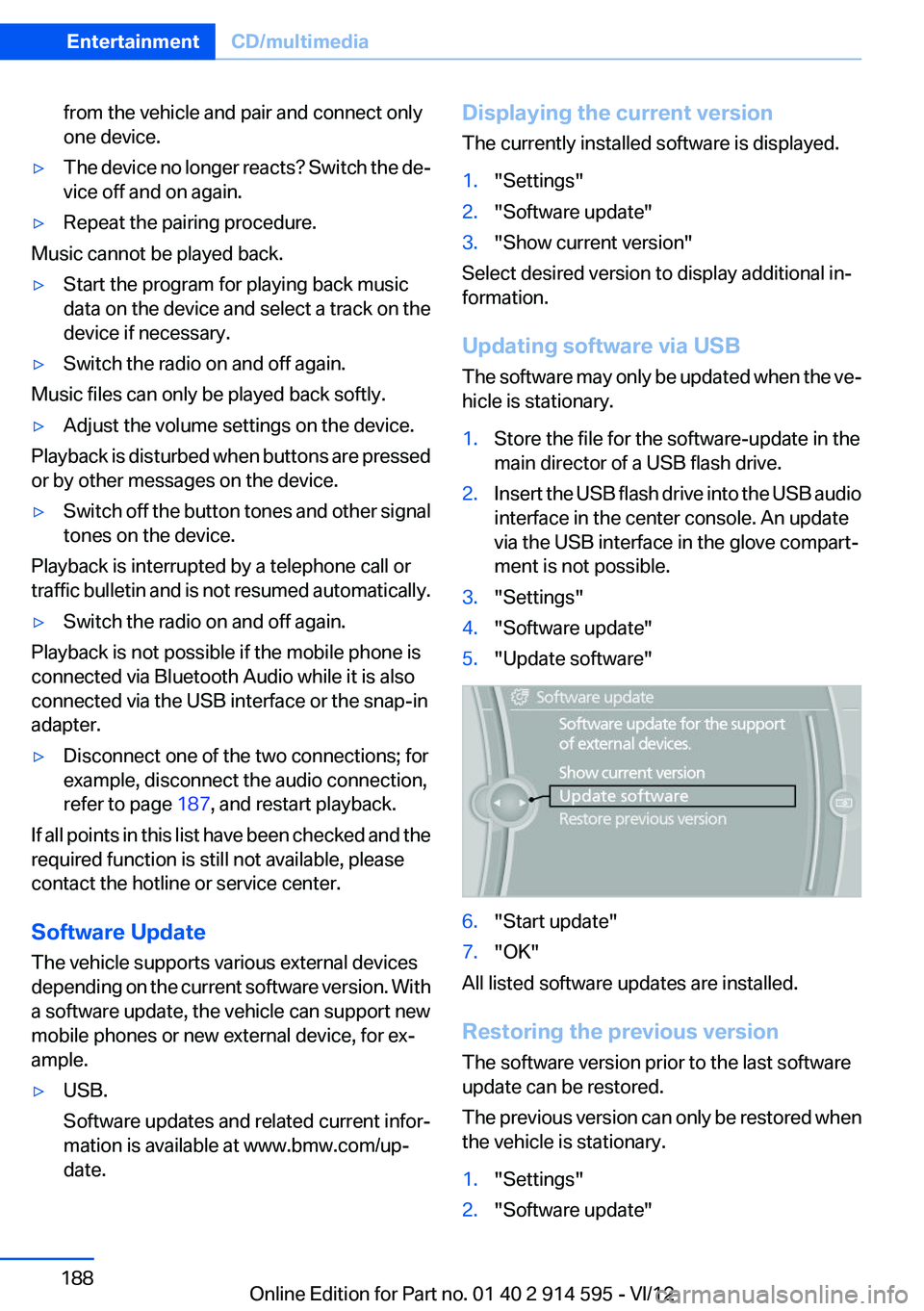
Updating software via USB
The software may only be updated when the ve‐
hicle is stationary.
1.Store the file for the software-update in the
main director of a USB flash drive.2.Insert the USB flash drive into the USB audio
interface in the center console. An update
via the USB interface in the glove compart‐
ment is not possible.3."Settings"4."Software update"5."Update software"6."Start update"7."OK"
All listed software updates are installed.
Restoring the previous version
The software version prior to the last software
update can be restored.
The previous version can only be restored when
the vehicle is stationary.
1."Settings"2."Software update"Seite 188EntertainmentCD/multimedia188
Online Edition for Part no. 01 40 2 914 595 - VI/12
Page 203 of 291
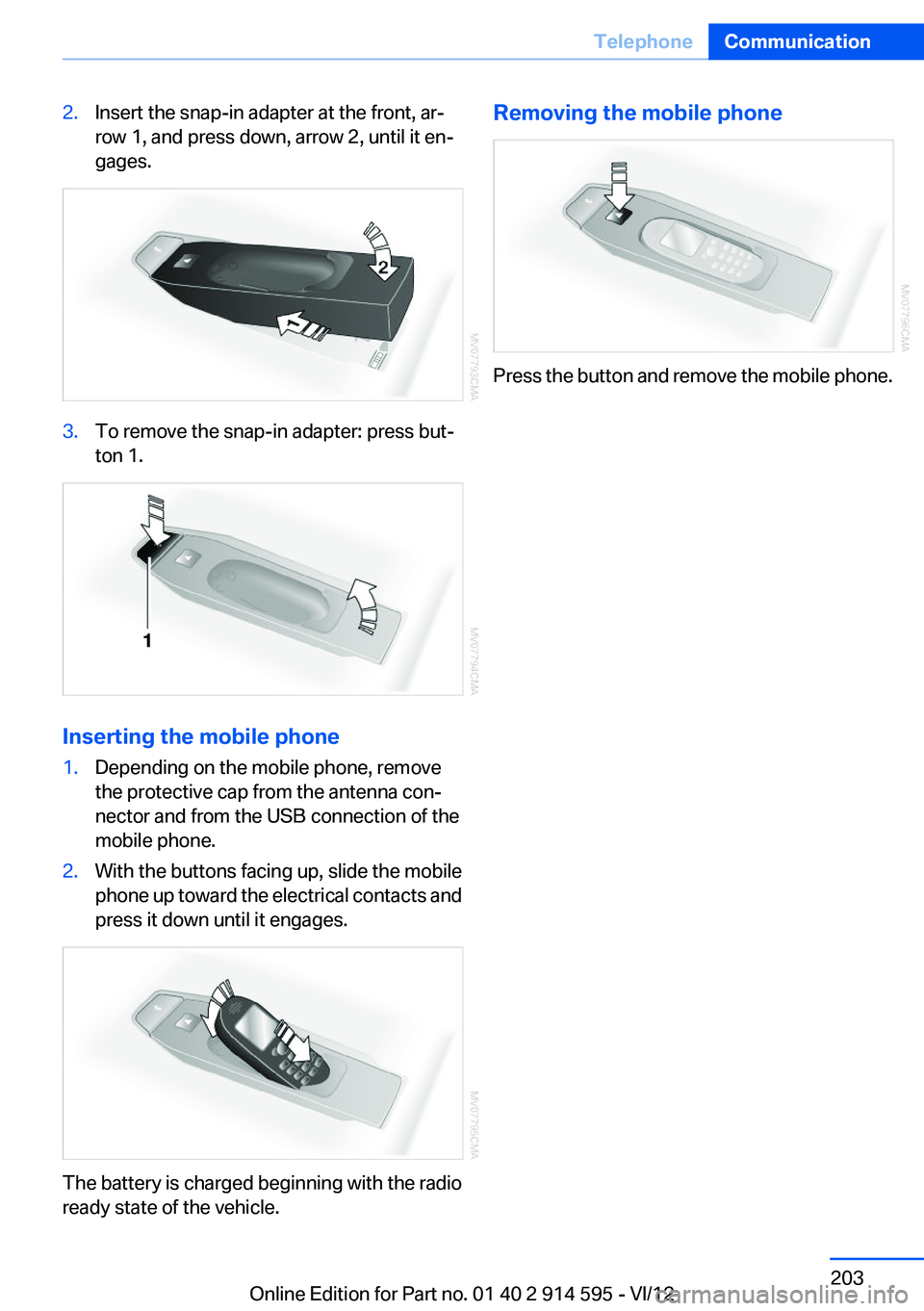
2.Insert the snap-in adapter at the front, ar‐
row 1, and press down, arrow 2, until it en‐
gages.3.To remove the snap-in adapter: press but‐
ton 1.
Inserting the mobile phone
1.Depending on the mobile phone, remove
the protective cap from the antenna con‐
nector and from the USB connection of the
mobile phone.2.With the buttons facing up, slide the mobile
phone up toward the electrical contacts and
press it down until it engages.
The battery is charged beginning with the radio
ready state of the vehicle.
Removing the mobile phone
Press the button and remove the mobile phone.
Seite 203TelephoneCommunication203
Online Edition for Part no. 01 40 2 914 595 - VI/12
Page 220 of 291
Operating Apps1.Connect the cell phone via the snap-in
adapter or via the USB audio interface.2."ConnectedDrive"3.Select the desired software application.
Displaying status
Information about the currently available soft‐
ware applications can be displayed.
1."ConnectedDrive"2."BMW apps"
PlugIn
Selected functions of the cell phone are dis‐
played on the Control Display. They can be op‐
erated via iDrive.
1.Connect cell phone via the snap-in adapter.2."ConnectedDrive"3."PlugIn"4."Activate PlugIn"5.Navigate to the displayed functions via the
controller and select, for example, a desired
category or track.
Press button to switch within the cell
phone functions to a higher level or back.
Press button twice to switch back to the
main menu.
Notes
▷The ranges of Apps that can be displayed on
the Control Display depend on the range of
installed software applications on the mo‐
bile phone.▷The data transmission of the software ap‐
plications from the cell phone to the vehicle
can last some time. Some software applica‐
tions depend on the speed of the available
Internet connection of the cell phone.▷Some mobile phones cannot simultane‐
ously use Apps and the Bluetooth hands-
free system.
If necessary, restart the software application
on the cell phone after a phone conversa‐
tion.Seite 220CommunicationConnectedDrive220
Online Edition for Part no. 01 40 2 914 595 - VI/12
Page 281 of 291
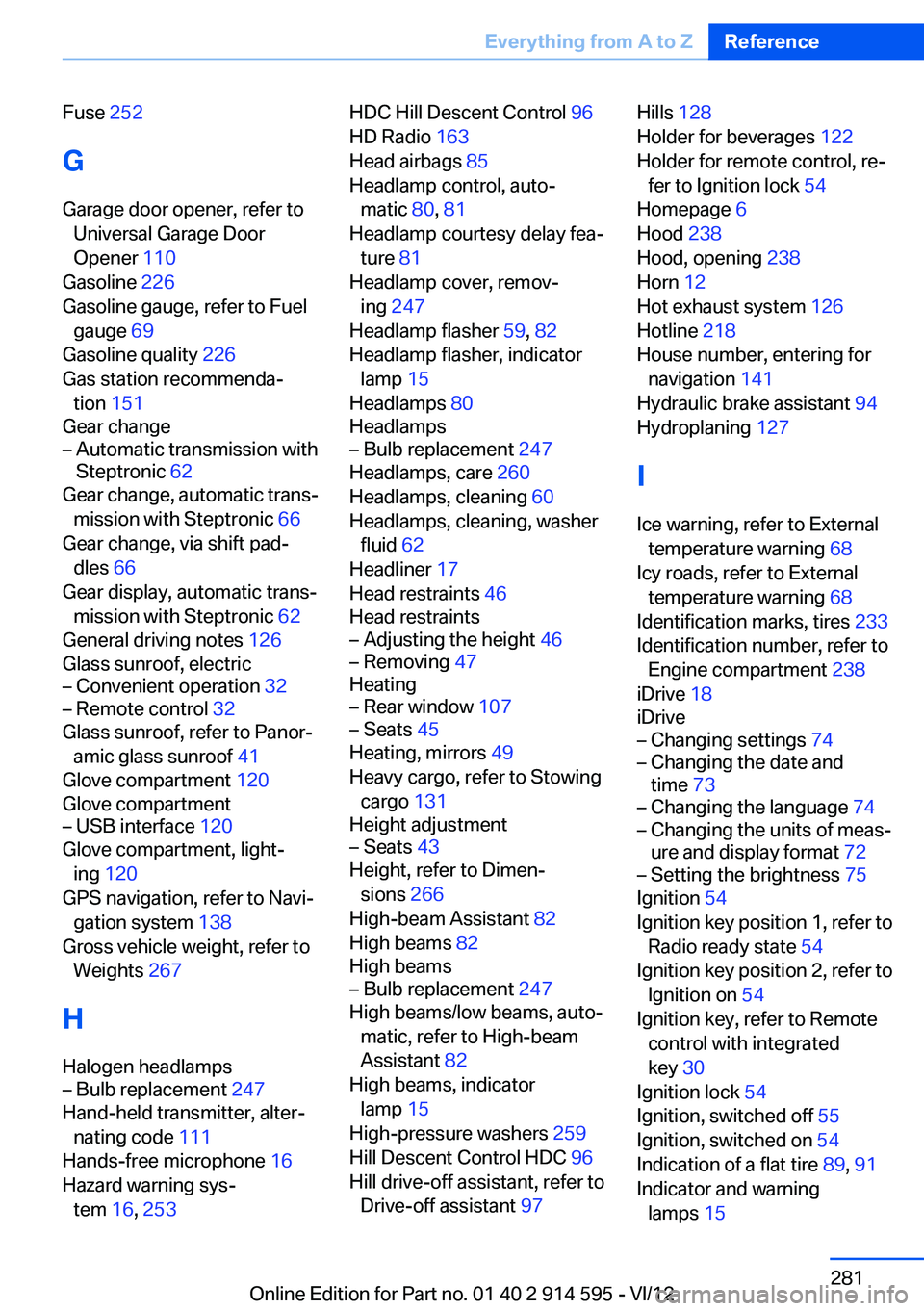
Fuse 252
G
Garage door opener, refer to Universal Garage Door
Opener 110
Gasoline 226
Gasoline gauge, refer to Fuel gauge 69
Gasoline quality 226
Gas station recommenda‐ tion 151
Gear change– Automatic transmission with
Steptronic 62
Gear change, automatic trans‐
mission with Steptronic 66
Gear change, via shift pad‐ dles 66
Gear display, automatic trans‐ mission with Steptronic 62
General driving notes 126
Glass sunroof, electric
– Convenient operation 32– Remote control 32
Glass sunroof, refer to Panor‐
amic glass sunroof 41
Glove compartment 120
Glove compartment
– USB interface 120
Glove compartment, light‐
ing 120
GPS navigation, refer to Navi‐ gation system 138
Gross vehicle weight, refer to Weights 267
H
Halogen headlamps
– Bulb replacement 247
Hand-held transmitter, alter‐
nating code 111
Hands-free microphone 16
Hazard warning sys‐ tem 16, 253
HDC Hill Descent Control 96
HD Radio 163
Head airbags 85
Headlamp control, auto‐ matic 80, 81
Headlamp courtesy delay fea‐ ture 81
Headlamp cover, remov‐ ing 247
Headlamp flasher 59, 82
Headlamp flasher, indicator lamp 15
Headlamps 80
Headlamps– Bulb replacement 247
Headlamps, care 260
Headlamps, cleaning 60
Headlamps, cleaning, washer fluid 62
Headliner 17
Head restraints 46
Head restraints
– Adjusting the height 46– Removing 47
Heating
– Rear window 107– Seats 45
Heating, mirrors 49
Heavy cargo, refer to Stowing cargo 131
Height adjustment
– Seats 43
Height, refer to Dimen‐
sions 266
High-beam Assistant 82
High beams 82
High beams
– Bulb replacement 247
High beams/low beams, auto‐
matic, refer to High-beam
Assistant 82
High beams, indicator lamp 15
High-pressure washers 259
Hill Descent Control HDC 96
Hill drive-off assistant, refer to Drive-off assistant 97
Hills 128
Holder for beverages 122
Holder for remote control, re‐ fer to Ignition lock 54
Homepage 6
Hood 238
Hood, opening 238
Horn 12
Hot exhaust system 126
Hotline 218
House number, entering for navigation 141
Hydraulic brake assistant 94
Hydroplaning 127
I
Ice warning, refer to External temperature warning 68
Icy roads, refer to External temperature warning 68
Identification marks, tires 233
Identification number, refer to Engine compartment 238
iDrive 18
iDrive– Changing settings 74– Changing the date and
time 73– Changing the language 74– Changing the units of meas‐
ure and display format 72– Setting the brightness 75
Ignition 54
Ignition key position 1, refer to Radio ready state 54
Ignition key position 2, refer to Ignition on 54
Ignition key, refer to Remote control with integrated
key 30
Ignition lock 54
Ignition, switched off 55
Ignition, switched on 54
Indication of a flat tire 89, 91
Indicator and warning lamps 15
Seite 281Everything from A to ZReference281
Online Edition for Part no. 01 40 2 914 595 - VI/12
Page 288 of 291
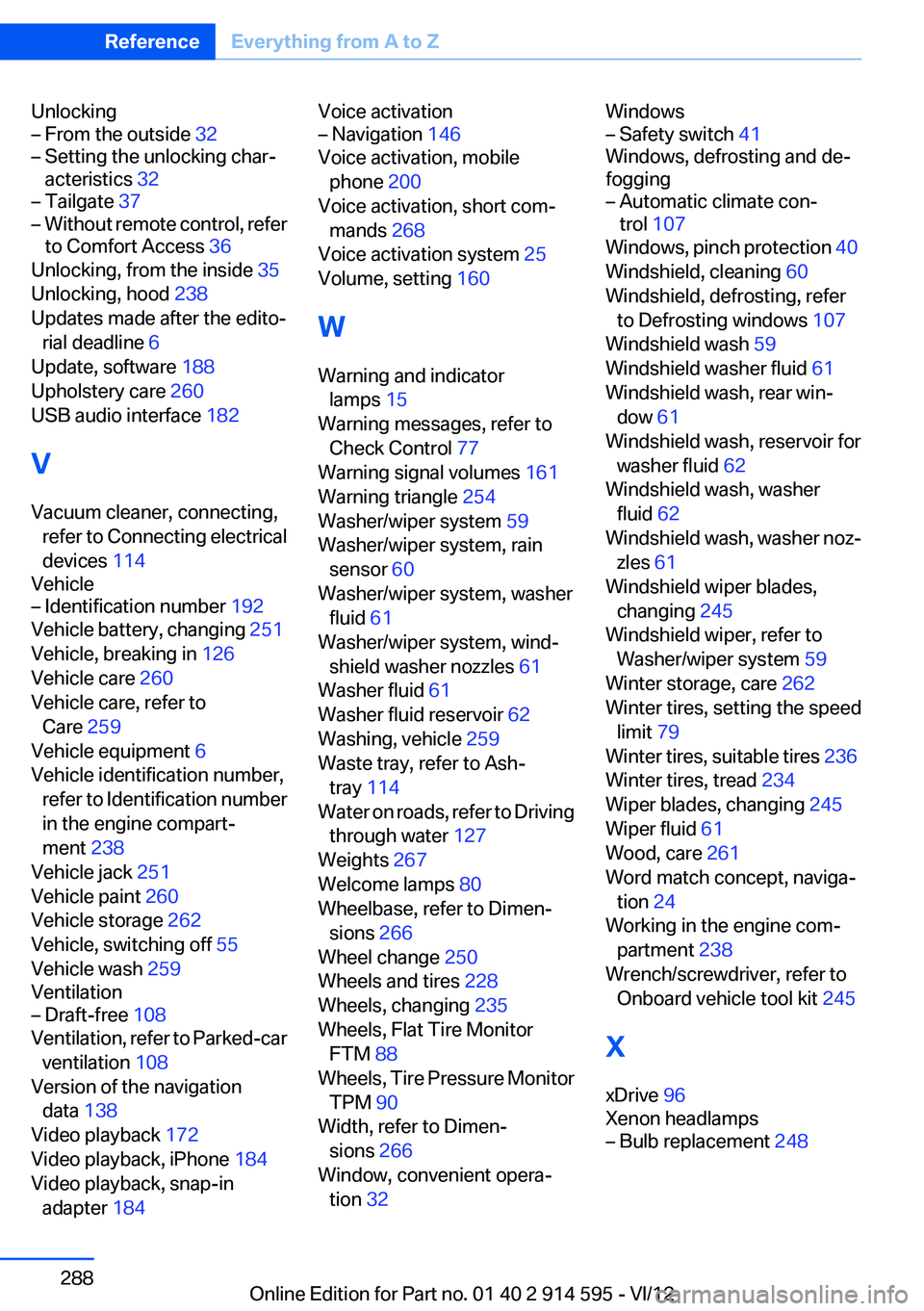
Unlocking– From the outside 32– Setting the unlocking char‐
acteristics 32– Tailgate 37– Without remote control, refer
to Comfort Access 36
Unlocking, from the inside 35
Unlocking, hood 238
Updates made after the edito‐ rial deadline 6
Update, software 188
Upholstery care 260
USB audio interface 182
V
Vacuum cleaner, connecting, refer to Connecting electrical
devices 114
Vehicle
– Identification number 192
Vehicle battery, changing 251
Vehicle, breaking in 126
Vehicle care 260
Vehicle care, refer to Care 259
Vehicle equipment 6
Vehicle identification number, refer to Identification number
in the engine compart‐
ment 238
Vehicle jack 251
Vehicle paint 260
Vehicle storage 262
Vehicle, switching off 55
Vehicle wash 259
Ventilation
– Draft-free 108
Ventilation, refer to Parked-car
ventilation 108
Version of the navigation data 138
Video playback 172
Video playback, iPhone 184
Video playback, snap-in adapter 184
Voice activation– Navigation 146
Voice activation, mobile
phone 200
Voice activation, short com‐ mands 268
Voice activation system 25
Volume, setting 160
W
Warning and indicator lamps 15
Warning messages, refer to Check Control 77
Warning signal volumes 161
Warning triangle 254
Washer/wiper system 59
Washer/wiper system, rain sensor 60
Washer/wiper system, washer fluid 61
Washer/wiper system, wind‐ shield washer nozzles 61
Washer fluid 61
Washer fluid reservoir 62
Washing, vehicle 259
Waste tray, refer to Ash‐ tray 114
Water on roads, refer to Driving through water 127
Weights 267
Welcome lamps 80
Wheelbase, refer to Dimen‐ sions 266
Wheel change 250
Wheels and tires 228
Wheels, changing 235
Wheels, Flat Tire Monitor FTM 88
Wheels, Tire Pressure Monitor TPM 90
Width, refer to Dimen‐ sions 266
Window, convenient opera‐ tion 32
Windows– Safety switch 41
Windows, defrosting and de‐
fogging
– Automatic climate con‐
trol 107
Windows, pinch protection 40
Windshield, cleaning 60
Windshield, defrosting, refer to Defrosting windows 107
Windshield wash 59
Windshield washer fluid 61
Windshield wash, rear win‐ dow 61
Windshield wash, reservoir for washer fluid 62
Windshield wash, washer fluid 62
Windshield wash, washer noz‐ zles 61
Windshield wiper blades, changing 245
Windshield wiper, refer to Washer/wiper system 59
Winter storage, care 262
Winter tires, setting the speed limit 79
Winter tires, suitable tires 236
Winter tires, tread 234
Wiper blades, changing 245
Wiper fluid 61
Wood, care 261
Word match concept, naviga‐ tion 24
Working in the engine com‐ partment 238
Wrench/screwdriver, refer to Onboard vehicle tool kit 245
X
xDrive 96
Xenon headlamps
– Bulb replacement 248Seite 288ReferenceEverything from A to Z288
Online Edition for Part no. 01 40 2 914 595 - VI/12