steering wheel BMW X1 SDRIVE28I 2013 Owner's Manual
[x] Cancel search | Manufacturer: BMW, Model Year: 2013, Model line: X1 SDRIVE28I, Model: BMW X1 SDRIVE28I 2013Pages: 291, PDF Size: 6.58 MB
Page 179 of 291
Music search by voice
Instructions for voice activation system, refer to
page 25.1. Press the button on the steering
wheel.2.›Music search‹3.Open the desired category, e. g., ›Select
artist‹.4.Say the desired entry in the list.5.Select other categories if you wish.
To select a track directly: ›Title ...‹
Say the voice command and the name of the
desired track in a single command.
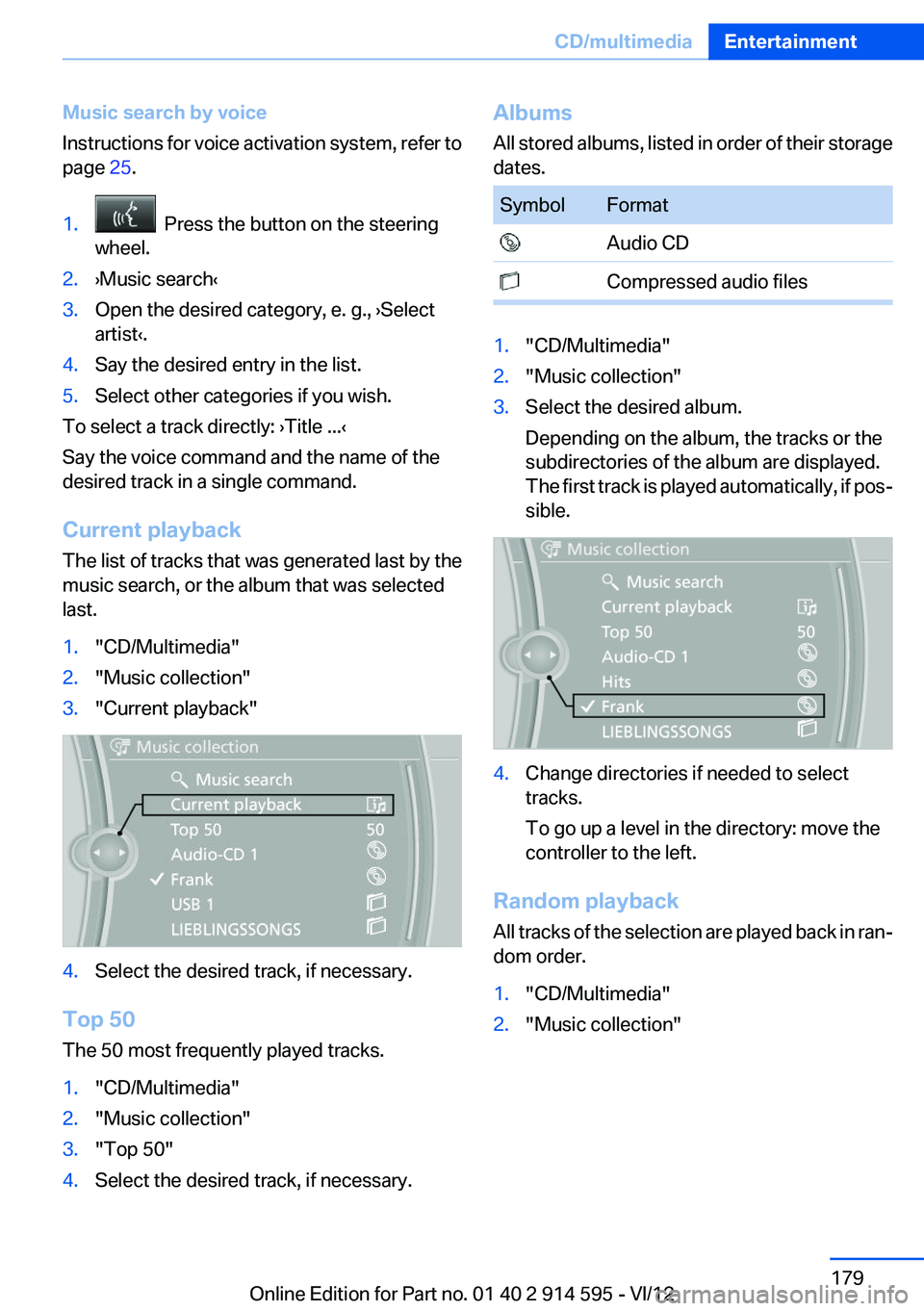
Current playback
The list of tracks that was generated last by the
music search, or the album that was selected
last.
1."CD/Multimedia"2."Music collection"3."Current playback"4.Select the desired track, if necessary.
Top 50
The 50 most frequently played tracks.
1."CD/Multimedia"2."Music collection"3."Top 50"4.Select the desired track, if necessary.Albums
All stored albums, listed in order of their storage
dates.SymbolFormat Audio CD Compressed audio files1."CD/Multimedia"2."Music collection"3.Select the desired album.
Depending on the album, the tracks or the
subdirectories of the album are displayed.
The first track is played automatically, if pos‐
sible.4.Change directories if needed to select
tracks.
To go up a level in the directory: move the
controller to the left.
Random playback
All tracks of the selection are played back in ran‐
dom order.
1."CD/Multimedia"2."Music collection"Seite 179CD/multimediaEntertainment179
Online Edition for Part no. 01 40 2 914 595 - VI/12
Page 192 of 291
TelephoneVehicle equipment
This chapter describes all series equipment as
well as country-specific and special equipment
offered for this model series.Therefore, it also
describes equipment that may not be found in
your vehicle, for instance due to the selected
special equipment or the country version. This
also applies to safety-related functions and sys‐
tems.
At a glance
The concept
Mobile phones or other external devices such as
audio players can be connected to the vehicle
via Bluetooth.
Bluetooth® is a registered trademark of Blue‐
tooth® SIG, Inc.
After these devices are paired once, they are
recognized automatically when the ignition is
switched on as soon as they are in the vehicle
and can then be operated via iDrive, the buttons
on the steering wheel, and via voice activation.
Depending on their functionality, external devi‐
ces can be used via the vehicle as a telephone
or as an audio source. The telephone functions
are described in the following. Operating the au‐
dio functions, refer to page 185.
Up to four external devices can be paired.
Certain functions may need to be enabled by the
mobile phone provider or service provider.
Using the mobile phone while driving
Make entries only when traffic and road
conditions allow. Do not hold the mobile phone
in your hand while you are driving; use the
hands-free system instead. If you do not ob‐
serve this precaution, you can endanger the ve‐
hicle occupants and other road users.◀Snap-in adapter
The snap-in adapter is used to:▷Hold the mobile phone.▷Recharge the battery.▷Connect the mobile phone to an outside an‐
tenna of the vehicle.
This provides for better network reception
and consistent sound quality.
Approved mobile phones
Details on which mobile phones and external
devices with a Bluetooth interface are sup‐
ported by the mobile phone preparation pack‐
age can be obtained at www.bmwusa.com/blue‐
tooth.
Displaying the vehicle identification
number and software part number
The vehicle identification number and software
part number are needed to determine which mo‐
bile phones are supported by the mobile phone
preparation package. The software version of
the mobile phone may also be required.
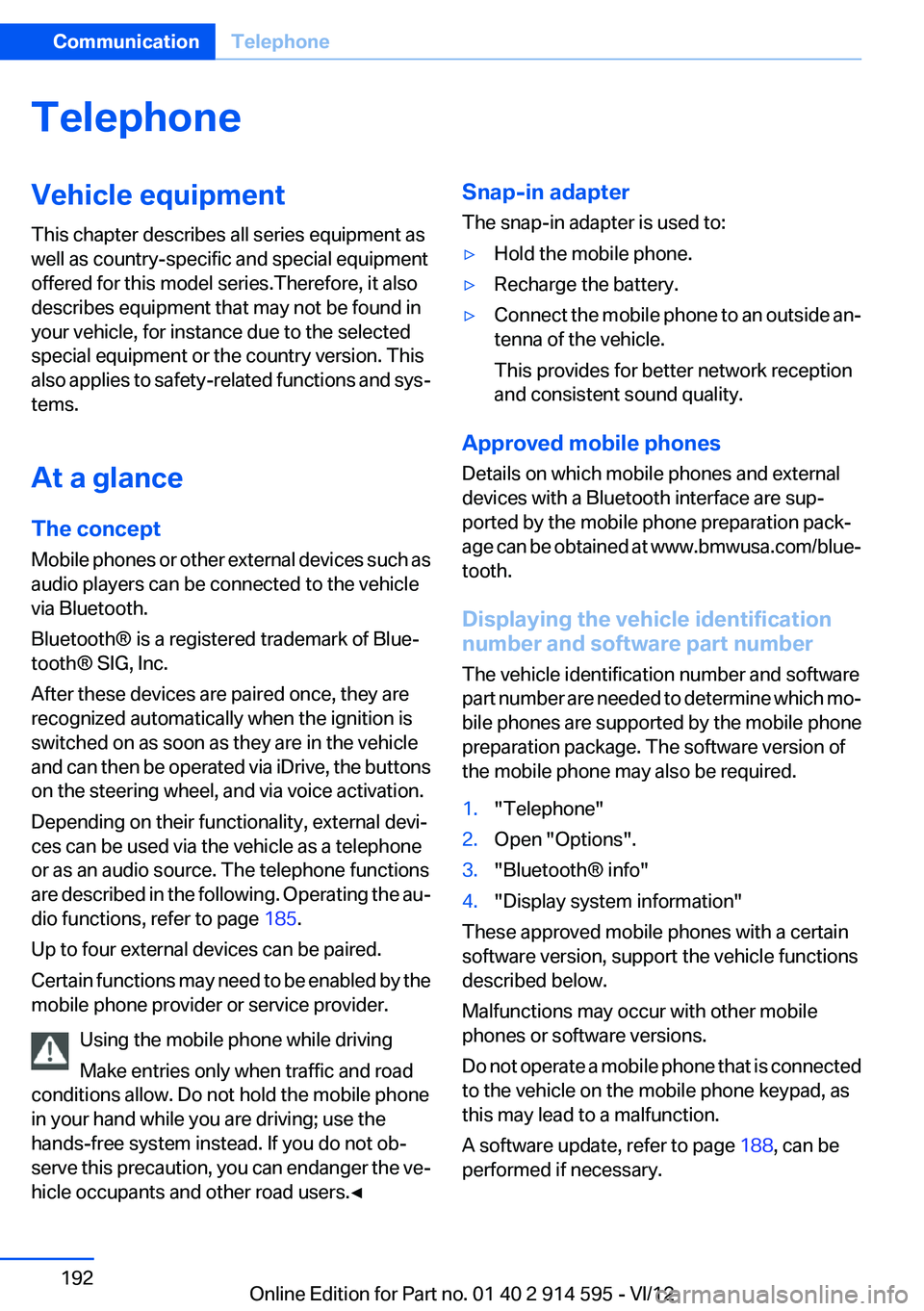
1."Telephone"2.Open "Options".3."Bluetooth® info"4."Display system information"
These approved mobile phones with a certain
software version, support the vehicle functions
described below.
Malfunctions may occur with other mobile
phones or software versions.
Do not operate a mobile phone that is connected
to the vehicle on the mobile phone keypad, as
this may lead to a malfunction.
A software update, refer to page 188, can be
performed if necessary.
Seite 192CommunicationTelephone192
Online Edition for Part no. 01 40 2 914 595 - VI/12
Page 197 of 291
For calls on the additional telephone, the num‐
ber is only displayed if it is transmitted by the
network.
An incoming call to one of the telephones is au‐
tomatically rejected if there is an active call on
the other telephone.
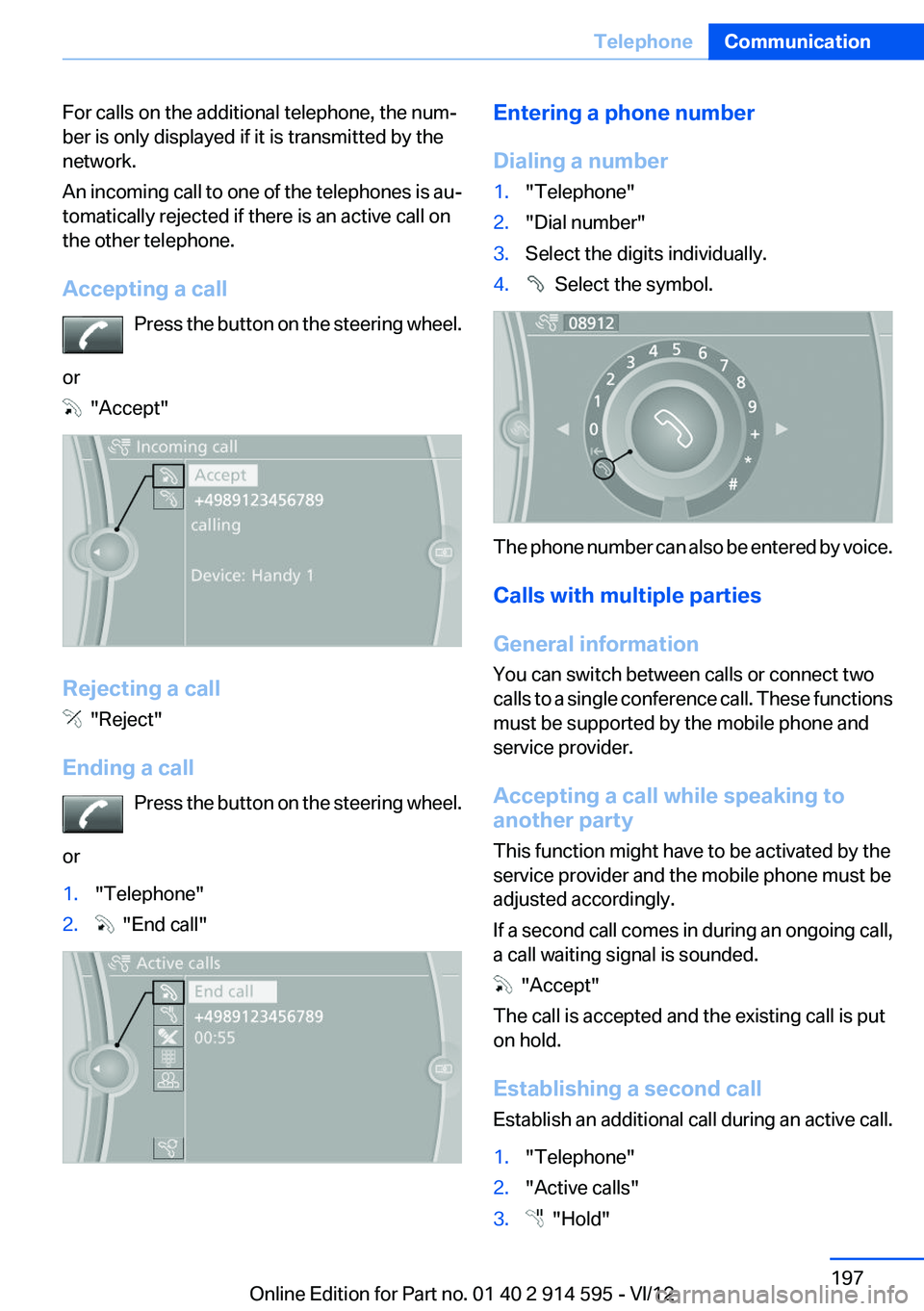
Accepting a call Press the button on the steering wheel.
or
"Accept"
Rejecting a call
"Reject"
Ending a call Press the button on the steering wheel.
or
1."Telephone"2. "End call"Entering a phone number
Dialing a number1."Telephone"2."Dial number"3.Select the digits individually.4. Select the symbol.
The phone number can also be entered by voice.
Calls with multiple parties
General information
You can switch between calls or connect two
calls to a single conference call. These functions
must be supported by the mobile phone and
service provider.
Accepting a call while speaking to
another party
This function might have to be activated by the
service provider and the mobile phone must be
adjusted accordingly.
If a second call comes in during an ongoing call,
a call waiting signal is sounded.
"Accept"
The call is accepted and the existing call is put
on hold.
Establishing a second call
Establish an additional call during an active call.
1."Telephone"2."Active calls"3. "Hold"Seite 197TelephoneCommunication197
Online Edition for Part no. 01 40 2 914 595 - VI/12
Page 200 of 291
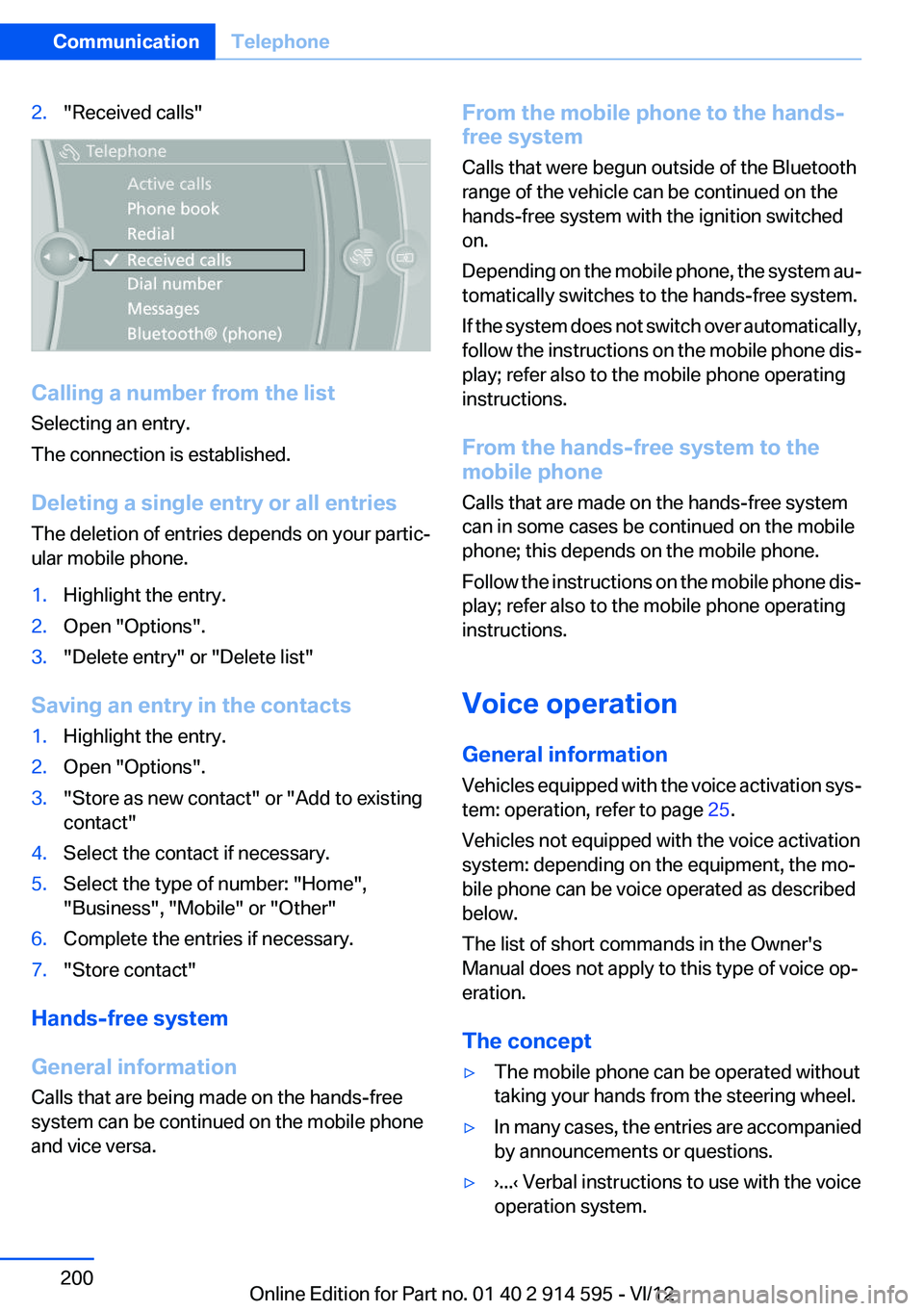
2."Received calls"
Calling a number from the list
Selecting an entry.
The connection is established.
Deleting a single entry or all entries
The deletion of entries depends on your partic‐
ular mobile phone.
1.Highlight the entry.2.Open "Options".3."Delete entry" or "Delete list"
Saving an entry in the contacts
1.Highlight the entry.2.Open "Options".3."Store as new contact" or "Add to existing
contact"4.Select the contact if necessary.5.Select the type of number: "Home",
"Business", "Mobile" or "Other"6.Complete the entries if necessary.7."Store contact"
Hands-free system
General information
Calls that are being made on the hands-free
system can be continued on the mobile phone
and vice versa.
From the mobile phone to the hands-
free system
Calls that were begun outside of the Bluetooth
range of the vehicle can be continued on the
hands-free system with the ignition switched
on.
Depending on the mobile phone, the system au‐
tomatically switches to the hands-free system.
If the system does not switch over automatically,
follow the instructions on the mobile phone dis‐
play; refer also to the mobile phone operating
instructions.
From the hands-free system to the
mobile phone
Calls that are made on the hands-free system
can in some cases be continued on the mobile
phone; this depends on the mobile phone.
Follow the instructions on the mobile phone dis‐
play; refer also to the mobile phone operating
instructions.
Voice operation
General information
Vehicles equipped with the voice activation sys‐
tem: operation, refer to page 25.
Vehicles not equipped with the voice activation
system: depending on the equipment, the mo‐
bile phone can be voice operated as described
below.
The list of short commands in the Owner's
Manual does not apply to this type of voice op‐
eration.
The concept▷The mobile phone can be operated without
taking your hands from the steering wheel.▷In many cases, the entries are accompanied
by announcements or questions.▷›...‹ Verbal instructions to use with the voice
operation system.Seite 200CommunicationTelephone200
Online Edition for Part no. 01 40 2 914 595 - VI/12
Page 201 of 291
▷››...‹‹ Identifies the answers generated by the
voice operation system.
Using voice activation
Activating the voice activation system
1. Press the button on the steering
wheel.2.Say the command.
Terminating the voice activation
system
Press the button on the steering wheel
or ›Cancel‹.
Possible commands
Having possible commands read aloud Press the button on the steering wheel.
›Help‹.
Possible commands are announced.
The digits from zero to nine are recognized. The
digits can be spoken separately or combined in
a sequence to accelerate the entry.
Using alternative commands
The system often recognizes a number of dif‐
ferent commands to run a function; for instance:
›Dial name‹ or ›Name‹
Example: dialing a phone number
1. Press the button on the steering
wheel.2.›Dial number‹
The system says: »Please say the number«.3.For instance, ›123 456 790‹
The system says: »123 456 790. Continue?
«.4.›Dial‹The system says: »Dialing number«.
Calling
Dialing a phone number
1.›Dial number‹2.Say the phone number.3.›Dial‹
Correcting the phone number
The sequence of digits can be deleted after the
system has repeated the digits.
›Correct number‹
The command can be repeated as often as nec‐
essary.
Deleting a phone number
›Delete‹
All digits entered up to that point are deleted.
Redialing
›Redial‹
Voice phone book
Depending on how your vehicle is equipped, it
may be necessary to create your own voice
phone book.
The entries must be entered using voice activa‐
tion and are separate from the memory in the
mobile phone. Up to 50 entries can be set up.
Saving an entry
1.›Save name‹2.Say the name. Do not exceed the speaking
duration of approx. 2 seconds.3.Say the phone number after being prompted
to do so by the system.4.›Save‹
Deleting an entry
1.›Delete name‹Seite 201TelephoneCommunication201
Online Edition for Part no. 01 40 2 914 595 - VI/12
Page 257 of 291
Being towedFollow the towing instructions
Follow all towing instructions, or vehicle
damage or accidents may occur.◀▷Make sure that the ignition is switched on;
otherwise, the low beams, tail lamps, turn
signals, and windshield wipers may be un‐
available.▷Do not tow the vehicle with the rear axle
tilted, as the front wheels could turn.▷When the engine is stopped, there is no
power assist. Consequently, more force
needs to be applied when braking and steer‐
ing.▷Larger steering wheel movements are re‐
quired.▷Switch on the hazard warning system, de‐
pending on local regulations.▷If the electrical system has failed, clearly
identify the vehicle being towed by placing
a sign or a warning triangle in the rear win‐
dow.
Towing other vehicles
General information Light towing vehicle
Your vehicle must not be lighter than the
vehicle being towed; otherwise, it will not be
possible to control vehicle response.◀
Attaching the tow bar/tow rope correctly
Attach the tow bar or tow rope to the tow
fitting; connecting it to other vehicle parts may
cause damage.◀
▷Switch on the hazard warning system, de‐
pending on local regulations.▷If the electrical system has failed, clearly
identify the vehicle being towed by placing
a sign or a warning triangle in the rear win‐
dow.Towing methods
Do not lift the vehicle
Do not lift the vehicle by the tow fitting or
body and chassis parts; otherwise, damage may
result.◀
Tow bar
The tow fittings used should be on the same
side on both vehicles.
Should it prove impossible to avoid mounting
the tow bar at an offset angle, please observe
the following:▷Clearance and maneuvering capability will
be sharply limited during cornering.▷The tow bar will generate lateral forces if it
is attached offset.
Tow rope
When starting to tow the vehicle, make sure that
the tow rope is taut.
To avoid jerking and the associated stresses on
the vehicle components when towing, always
use nylon ropes or nylon straps.
Attaching the tow rope correctly
Only secure the tow rope on the tow fit‐
ting; otherwise, damage can occur when it is se‐
cured on other parts of the vehicle.◀
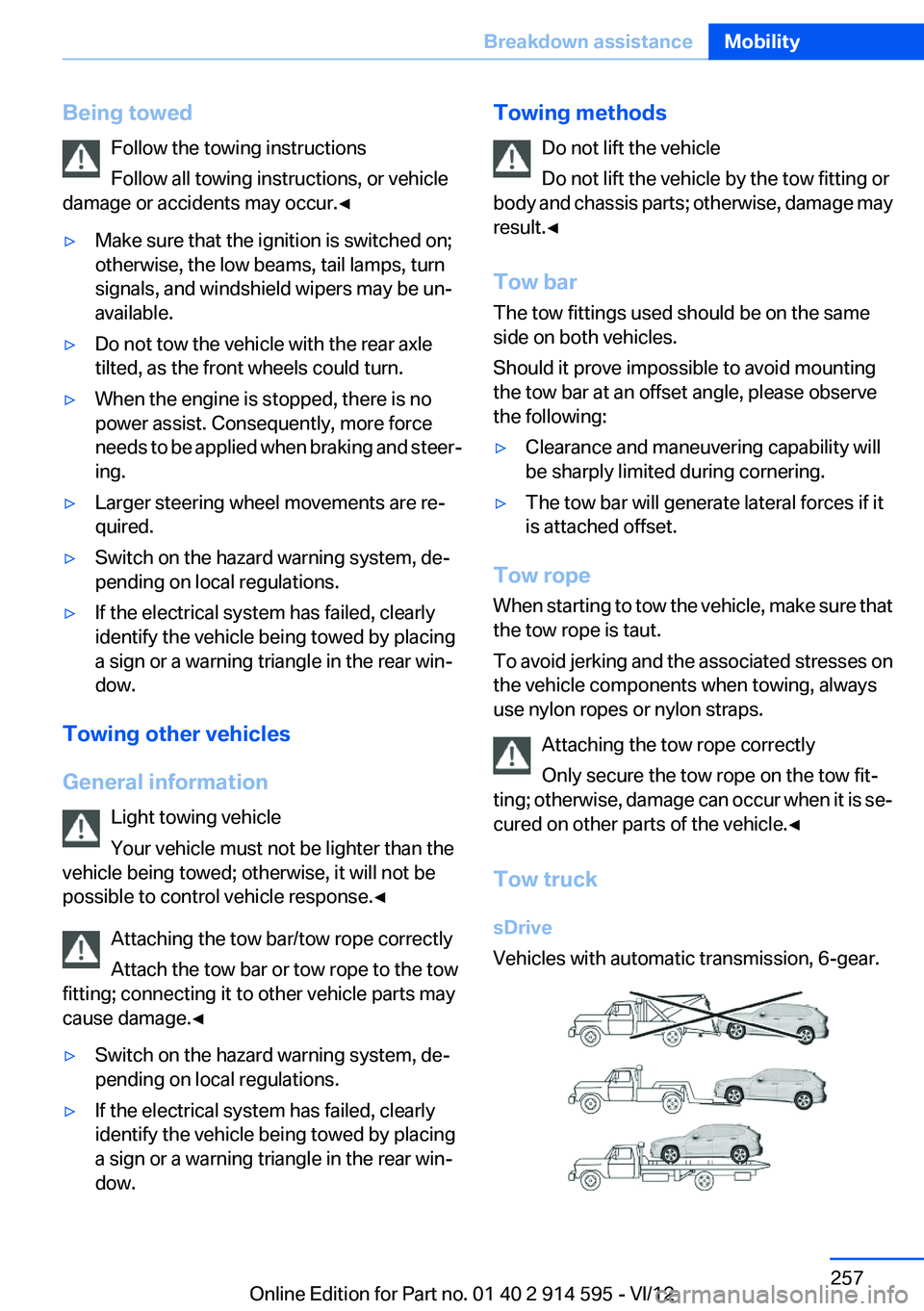
Tow truck
sDrive
Vehicles with automatic transmission, 6-gear.
Seite 257Breakdown assistanceMobility257
Online Edition for Part no. 01 40 2 914 595 - VI/12
Page 286 of 291
Settings– Changing on the Control Dis‐
play 74– Language 74
Settings and information 71
Settings, configuring, refer to Personal Profile 30
Settings, DVD 173
Setting the clock, 12h/24h for‐ mat 73
Shifting
– Automatic transmission with
Steptronic 63
Shifting, automatic transmis‐
sion with Steptronic 66
Shift lever
– Automatic transmission with
Steptronic 62
Shift paddles 66
Shift paddles on the steering wheel 64
Short commands, voice acti‐ vation 268
Side airbags 85
Side windows, refer to Win‐ dows 40
Size, refer to Dimensions 266
Ski bag, refer to Ski and snow‐ board bag 119
Slide/tilt glass roof, refer to Panoramic glass sunroof 41
Slot for remote control 54
Smokers' package, refer to Ashtray 114
Snap-in adapter, mobile phone 202
Snap-in adapter, refer to Stor‐ age compartment of center
armrest 120
Snow chains 237
Socket, OBD Onboard Diag‐ nosis 244
Socket, refer to Connecting electrical devices 114
Software applications, iPhone 219
Software part number 192
Software update 188
SOS, refer to Emergency Re‐ quest, initiating 253
Sound output 162, 170
Spare fuse 252
Special destinations, naviga‐ tion 143
Special equipment, series equipment 6
Speed, average 70
Speed limit 78
Speed limit, setting 79
Speedometer 14
Speed, with winter tires 236
Split screen 22
Split screen map settings 153
Spoken instructions, naviga‐ tion 151
Sport program, automatic transmission with Step‐
tronic 63, 66
Spray nozzles, refer to Clean‐ ing the windshield and head‐
lamps 60
Spray nozzles, refer to Wind‐ shield washer nozzles 61
Stability control systems 94
Start/Stop button 54
Start/Stop button, starting the engine 55
Start/Stop button, switching off the engine 55
Starting the engine 55
Start problems, refer to Jump- starting 255
State/province, selecting for navigation 140
Stations, stored 168
Station, storing 162
Status information, iDrive 22
Status of Owner's Manual 6
Steam jets 259
Steering wheel 49
Steering wheel– Shift paddles 64
Steering wheel, adjusting 49
Steering wheel lock 54
Steptronic, refer to Automatic
transmission with Step‐
tronic 62
Steptronic, refer to Sport pro‐ gram and manual mode M/
S 66
Stopping, engine 55
Storage compartment nets 121
Storage compart‐ ments 120, 121
Storage, tires 236
Storing the seat position, refer to Seat and mirror mem‐
ory 47
Storing the vehicle 262
Street, entering for naviga‐ tion 141
Summer tires, refer to Wheels and tires 228
Summer tires, tread 234
Switches, refer to Cockpit 12
Switching off, engine 55
Switching off, vehicle 55
Switch-on times, parked-car ventilation 109
Symbols 6
T
Tachometer 69
Tailgate– Comfort Access 37– Emergency operation, refer
to Opening manually 36– Opening from the inside 35– Opening from the out‐
side 36– Opening manually 36– Remote control 33
Tail lamp, bulb replace‐
ment 250
Tail lamps 249
Tail lamps
– Bulb replacement 249, 250
Tank gauge, refer to Fuel
gauge 69
Seite 286ReferenceEverything from A to Z286
Online Edition for Part no. 01 40 2 914 595 - VI/12