audio BMW X1 SDRIVE28I 2013 Owner's Guide
[x] Cancel search | Manufacturer: BMW, Model Year: 2013, Model line: X1 SDRIVE28I, Model: BMW X1 SDRIVE28I 2013Pages: 291, PDF Size: 6.58 MB
Page 202 of 291
2.Say the name after being prompted to do so.3.Confirm the prompt: ›Yes‹
Deleting all entries
1.›Delete phone book‹2.Confirm the prompt: ›Yes‹3.Confirm the prompt again: ›Yes‹
Reading and selecting entries
1.›Read phonebook‹2.When the desired entry is read aloud:
say ›Dial number‹
Selecting an entry
1.›Dial name‹2.Say the name after being prompted to do so.3.Confirm the prompt: ›Yes‹
Adjusting the volume
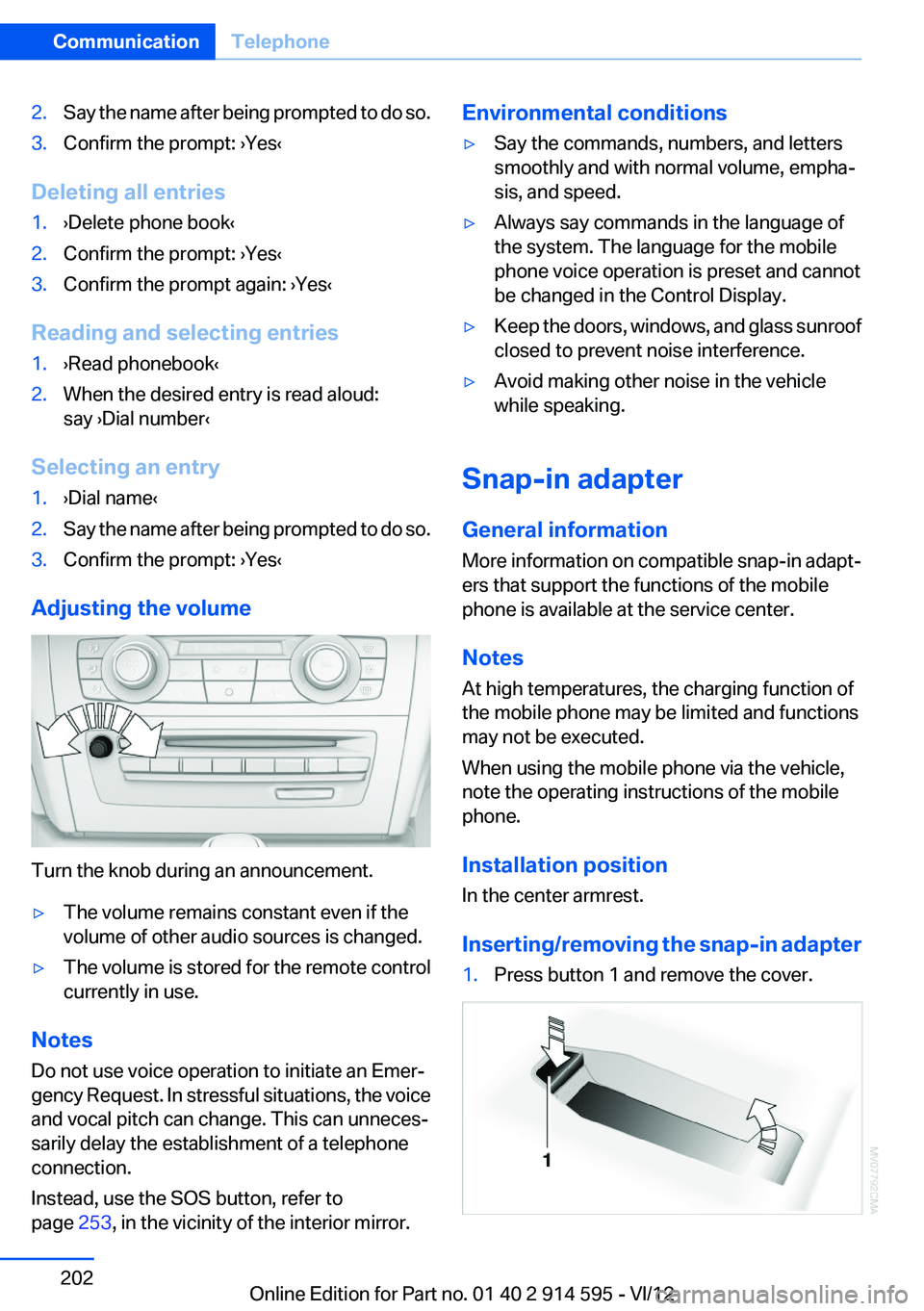
Turn the knob during an announcement.
▷The volume remains constant even if the
volume of other audio sources is changed.▷The volume is stored for the remote control
currently in use.
Notes
Do not use voice operation to initiate an Emer‐
gency Request. In stressful situations, the voice
and vocal pitch can change. This can unneces‐
sarily delay the establishment of a telephone
connection.
Instead, use the SOS button, refer to
page 253, in the vicinity of the interior mirror.
Environmental conditions▷Say the commands, numbers, and letters
smoothly and with normal volume, empha‐
sis, and speed.▷Always say commands in the language of
the system. The language for the mobile
phone voice operation is preset and cannot
be changed in the Control Display.▷Keep the doors, windows, and glass sunroof
closed to prevent noise interference.▷Avoid making other noise in the vehicle
while speaking.
Snap-in adapter
General information
More information on compatible snap-in adapt‐
ers that support the functions of the mobile
phone is available at the service center.
Notes
At high temperatures, the charging function of
the mobile phone may be limited and functions
may not be executed.
When using the mobile phone via the vehicle,
note the operating instructions of the mobile
phone.
Installation position
In the center armrest.
Inserting/removing the snap-in adapter
1.Press button 1 and remove the cover.Seite 202CommunicationTelephone202
Online Edition for Part no. 01 40 2 914 595 - VI/12
Page 220 of 291
Operating Apps1.Connect the cell phone via the snap-in
adapter or via the USB audio interface.2."ConnectedDrive"3.Select the desired software application.
Displaying status
Information about the currently available soft‐
ware applications can be displayed.
1."ConnectedDrive"2."BMW apps"
PlugIn
Selected functions of the cell phone are dis‐
played on the Control Display. They can be op‐
erated via iDrive.
1.Connect cell phone via the snap-in adapter.2."ConnectedDrive"3."PlugIn"4."Activate PlugIn"5.Navigate to the displayed functions via the
controller and select, for example, a desired
category or track.
Press button to switch within the cell
phone functions to a higher level or back.
Press button twice to switch back to the
main menu.
Notes
▷The ranges of Apps that can be displayed on
the Control Display depend on the range of
installed software applications on the mo‐
bile phone.▷The data transmission of the software ap‐
plications from the cell phone to the vehicle
can last some time. Some software applica‐
tions depend on the speed of the available
Internet connection of the cell phone.▷Some mobile phones cannot simultane‐
ously use Apps and the Bluetooth hands-
free system.
If necessary, restart the software application
on the cell phone after a phone conversa‐
tion.Seite 220CommunicationConnectedDrive220
Online Edition for Part no. 01 40 2 914 595 - VI/12
Page 276 of 291
Everything from A to Z
IndexA
ABS, Antilock Brake Sys‐ tem 94
Accident, refer to Emergency Request, initiating 253
Acoustic signal, refer to Check Control 77
Activated charcoal filter with automatic climate con‐
trol 108
Adaptive brake lights, refer to Brake force display 93
Adaptive light control 81
Additional telephone 192
Additives, coolant 242
Additives, engine oil 241
After washing vehicle 260
Airbags 85
Airbags, indicator/warning light 88
Air circulation, refer to Recir‐ culated air mode 107
Air conditioning mode– Automatic climate con‐
trol 105– Ventilation 108
Air distribution
– Automatic 106– Manual 106
Air drying, refer to Cooling
function 107
Air flow rate 106
Airing, refer to Ventilation 108
Air pressure, refer to Tire infla‐ tion pressure 228
Air supply
– Automatic climate con‐
trol 105– Ventilation 108
Air vents
– Refer to Ventilation 108Alarm system 38
Alarm system– Avoiding unintentional
alarms 39– Ending an alarm 39– Interior motion sensor 39– Tilt alarm sensor 39
All around the headliner 17
ALL program 107
All-season tires, refer to Win‐ ter tires 236
All-wheel drive, refer to
xDrive 96
Alternating-code hand-held transmitter 111
AM/FM station 162
Announcement, navigation, refer to Spoken instruc‐
tions 151
Antifreeze, coolant 242
Antifreeze, washer fluid 61
Antilock Brake System, ABS 94
Anti-slip control, refer to Dy‐ namic Stability Control
DSC 94
Anti-theft protection 32
Appointments 209
Approved axle loads, refer to Weights 267
Approved engine oils 241
Approved gross vehicle weight, refer to Weights 267
Armrest, refer to Center arm‐ rest 120
Arrival time, refer to Com‐ puter 70
Ashtray 114
Assist 215
Assistance, Roadside Assis‐ tance 254
Assistance with driving off, re‐
fer to Drive-off assistant 97
Assistance with starting en‐ gine, refer to Jump-start‐
ing 255
Audio device, external 121
Audio playback 171
Audio playback, Blue‐ tooth 185
Automatic– Air distribution 106– Air flow rate 106
Automatic car wash 259
Automatic climate control
– Automatic air distribu‐
tion 106
Automatic, cruise control 98
Automatic Curb Monitor 48
Automatic Engine Start/Stop Function 56
Automatic headlamp con‐ trol 80, 81
Automatic recirculated air control 107
Automatic transmission with Steptronic 62, 64
Automatic transmission with
Steptronic
– Interlock 62– Kickdown 63, 64– Overriding selector lever
lock 64
AUTO program with automatic
climate control 106
AUX-IN port 121, 181
Average fuel consumption 70
Average fuel consumption
– Setting the units 72
Average speed 70
Average speed, refer to Com‐ puter 70
Seite 276ReferenceEverything from A to Z276
Online Edition for Part no. 01 40 2 914 595 - VI/12
Page 277 of 291
Axle loads, refer toWeights 267
B
Backrest curvature, refer to Lumbar support 44
Backrests, refer to Seats 43
Backrest width adjustment 44
Back seats– Adjusting the backrest
tilt 115
Backup camera 102
Backup camera, cleaning 104
Backup camera, obstacle marking 103
Backup camera, pathway lines 103
Backup camera, turning lines 103
Backup lamps, bulb replace‐ ment 249
Balance 160
Band-aids, refer to First aid kit 254
Bass 160
Battery
– Remote control 30
Battery disposal 251
Battery, refer to Vehicle bat‐ tery 251
Battery replacement, remote control for vehicle 38
Before entering the car wash 259
Belts, refer to Safety belts 45
Belt tensioners, refer to Safety belts 45
Beverage holder, refer to Cu‐ pholder 122
Black and white map dis‐ play 154
Blower, refer to Air flow rate 106
Bluetooth audio 185
Bluetooth connection, activat‐ ing/deactivating 193
BMW Apps 219
BMW Apps, video play‐ back 184
BMW Assist 215
BMW Assist, refer to Connec‐ tedDrive 215
BMW EfficientDynamics, refer to Saving fuel 133
BMW Homepage 6
BMW Internet page 6
BMW maintenance sys‐ tem 243
BMW Online 217
Bottle holder, refer to Cu‐ pholder 122
Brake assistant 94
Brake discs, breaking in 126
Brake fluid, refer to Service re‐ quirements 75
Brake force display 93
Brake force distribution, elec‐ tronic 94
Brake lamps– Bulb replacement 249
Brake lamps, brake force dis‐
play 93
Brake lights, adaptive 93
Brake pads, breaking in 126
Brakes
– Handbrake 58
Brakes, BMW maintenance
system 243
Brakes, service require‐ ments 75
Brake system, BMW mainte‐ nance system 243
Braking, notes 127
Breakdown assistance 254
Breakdown, transporting the vehicle 256
Breaking in 126
Brightness on the Control Dis‐ play 75
Bulb replacement, refer to Lamp and bulb replace‐
ment 246
Button for starting the engine,
refer to Start/Stop button 54
C
Calendar 209
California Proposition 65 Warning 7
Camera, care 261
Camera, refer to Backup cam‐ era 102
Can holder, refer to Cu‐ pholder 122
Car battery, refer to Vehicle battery 251
Car care products 260
Care 259
Care, displays 262
Care, vehicle 260
Cargo 130
Cargo area 115
Cargo area– Comfort Access 37– Cover 115– Folding up the cargo floor
panel 118– Multi-function hook 118– Partition net 116
Cargo area, capacities 267
Cargo area, enlarging 115
Cargo area lamp, refer to Inte‐ rior lamps 84
Cargo area lid, refer to Tail‐ gate 35
Cargo area net, refer to Parti‐ tion net 116
Cargo area, opening from the inside 35
Cargo area, opening from the outside 36
Cargo floor panel
– Folding up 118
Cargo floor panel, raising 118
Cargo straps, securing cargo 131
Car key, refer to Integrated key/remote control 30
Seite 277Everything from A to ZReference277
Online Edition for Part no. 01 40 2 914 595 - VI/12
Page 280 of 291
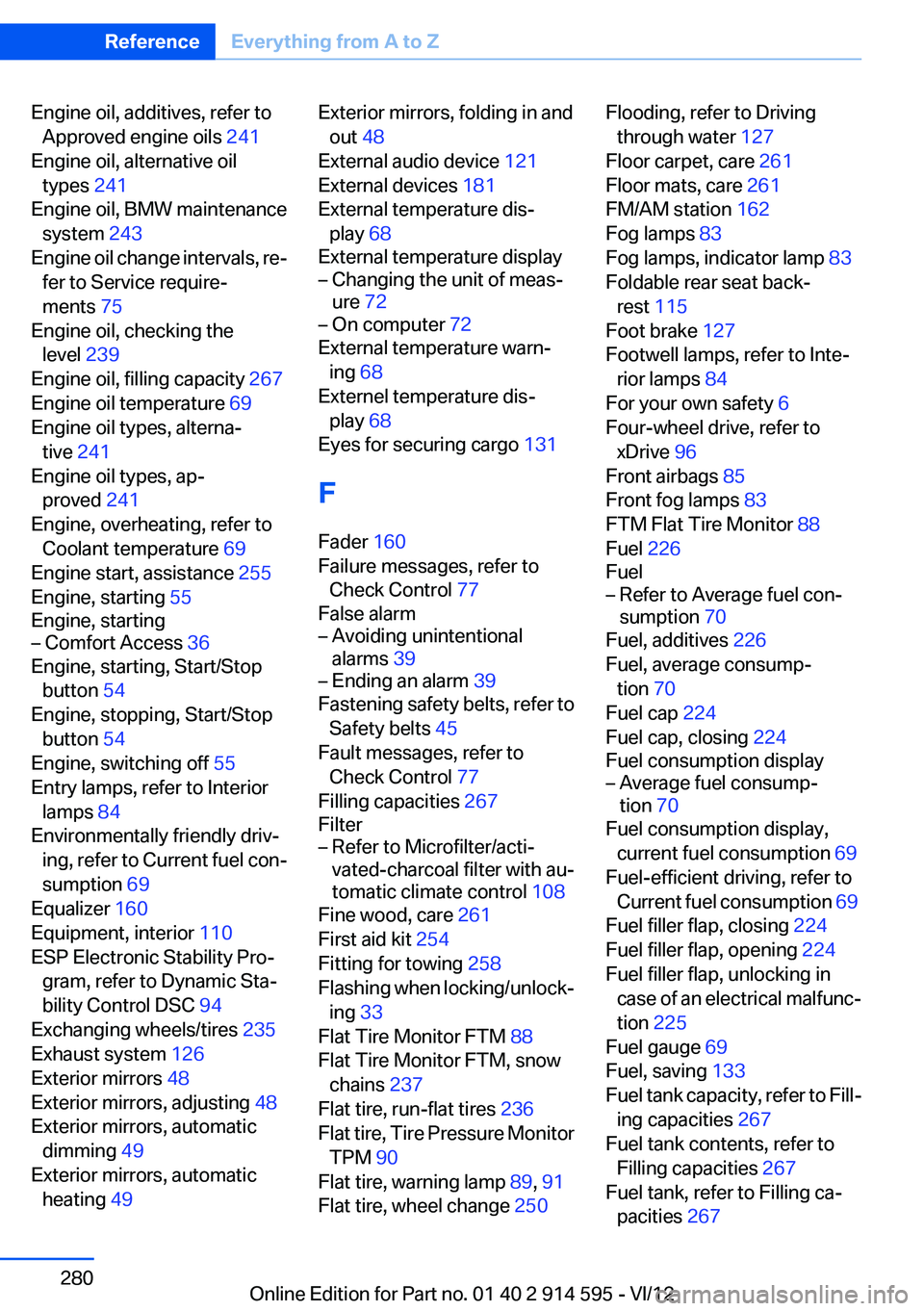
Engine oil, additives, refer toApproved engine oils 241
Engine oil, alternative oil types 241
Engine oil, BMW maintenance system 243
Engine oil change intervals, re‐ fer to Service require‐
ments 75
Engine oil, checking the level 239
Engine oil, filling capacity 267
Engine oil temperature 69
Engine oil types, alterna‐ tive 241
Engine oil types, ap‐ proved 241
Engine, overheating, refer to Coolant temperature 69
Engine start, assistance 255
Engine, starting 55
Engine, starting– Comfort Access 36
Engine, starting, Start/Stop
button 54
Engine, stopping, Start/Stop button 54
Engine, switching off 55
Entry lamps, refer to Interior lamps 84
Environmentally friendly driv‐ ing, refer to Current fuel con‐
sumption 69
Equalizer 160
Equipment, interior 110
ESP Electronic Stability Pro‐ gram, refer to Dynamic Sta‐
bility Control DSC 94
Exchanging wheels/tires 235
Exhaust system 126
Exterior mirrors 48
Exterior mirrors, adjusting 48
Exterior mirrors, automatic dimming 49
Exterior mirrors, automatic heating 49
Exterior mirrors, folding in and
out 48
External audio device 121
External devices 181
External temperature dis‐ play 68
External temperature display– Changing the unit of meas‐
ure 72– On computer 72
External temperature warn‐
ing 68
Externel temperature dis‐ play 68
Eyes for securing cargo 131
F
Fader 160
Failure messages, refer to Check Control 77
False alarm
– Avoiding unintentional
alarms 39– Ending an alarm 39
Fastening safety belts, refer to
Safety belts 45
Fault messages, refer to Check Control 77
Filling capacities 267
Filter
– Refer to Microfilter/acti‐
vated-charcoal filter with au‐
tomatic climate control 108
Fine wood, care 261
First aid kit 254
Fitting for towing 258
Flashing when locking/unlock‐ ing 33
Flat Tire Monitor FTM 88
Flat Tire Monitor FTM, snow chains 237
Flat tire, run-flat tires 236
Flat tire, Tire Pressure Monitor TPM 90
Flat tire, warning lamp 89, 91
Flat tire, wheel change 250
Flooding, refer to Driving
through water 127
Floor carpet, care 261
Floor mats, care 261
FM/AM station 162
Fog lamps 83
Fog lamps, indicator lamp 83
Foldable rear seat back‐ rest 115
Foot brake 127
Footwell lamps, refer to Inte‐ rior lamps 84
For your own safety 6
Four-wheel drive, refer to xDrive 96
Front airbags 85
Front fog lamps 83
FTM Flat Tire Monitor 88
Fuel 226
Fuel– Refer to Average fuel con‐
sumption 70
Fuel, additives 226
Fuel, average consump‐ tion 70
Fuel cap 224
Fuel cap, closing 224
Fuel consumption display
– Average fuel consump‐
tion 70
Fuel consumption display,
current fuel consumption 69
Fuel-efficient driving, refer to Current fuel consumption 69
Fuel filler flap, closing 224
Fuel filler flap, opening 224
Fuel filler flap, unlocking in case of an electrical malfunc‐
tion 225
Fuel gauge 69
Fuel, saving 133
Fuel tank capacity, refer to Fill‐ ing capacities 267
Fuel tank contents, refer to Filling capacities 267
Fuel tank, refer to Filling ca‐ pacities 267
Seite 280ReferenceEverything from A to Z280
Online Edition for Part no. 01 40 2 914 595 - VI/12
Page 288 of 291
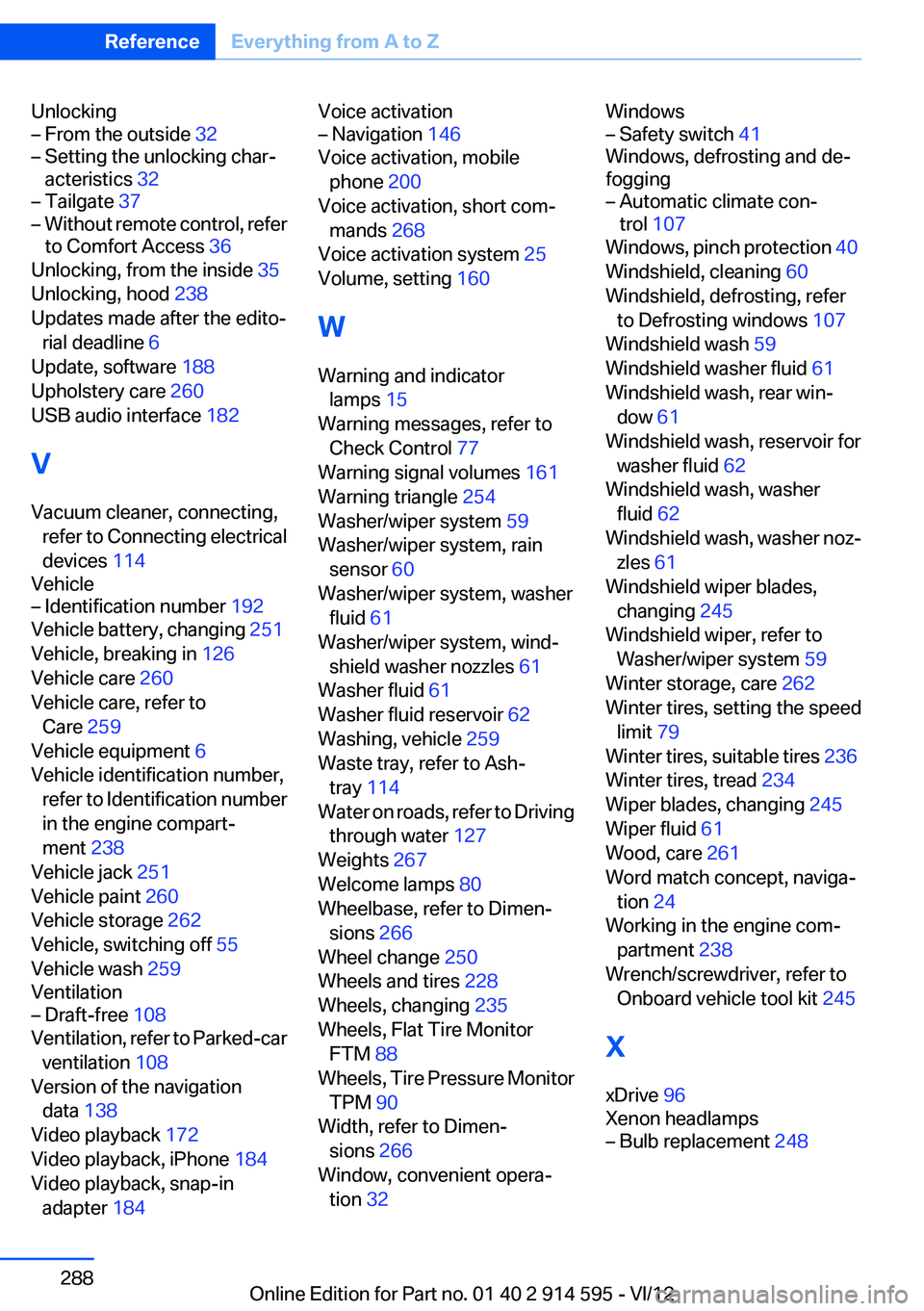
Unlocking– From the outside 32– Setting the unlocking char‐
acteristics 32– Tailgate 37– Without remote control, refer
to Comfort Access 36
Unlocking, from the inside 35
Unlocking, hood 238
Updates made after the edito‐ rial deadline 6
Update, software 188
Upholstery care 260
USB audio interface 182
V
Vacuum cleaner, connecting, refer to Connecting electrical
devices 114
Vehicle
– Identification number 192
Vehicle battery, changing 251
Vehicle, breaking in 126
Vehicle care 260
Vehicle care, refer to Care 259
Vehicle equipment 6
Vehicle identification number, refer to Identification number
in the engine compart‐
ment 238
Vehicle jack 251
Vehicle paint 260
Vehicle storage 262
Vehicle, switching off 55
Vehicle wash 259
Ventilation
– Draft-free 108
Ventilation, refer to Parked-car
ventilation 108
Version of the navigation data 138
Video playback 172
Video playback, iPhone 184
Video playback, snap-in adapter 184
Voice activation– Navigation 146
Voice activation, mobile
phone 200
Voice activation, short com‐ mands 268
Voice activation system 25
Volume, setting 160
W
Warning and indicator lamps 15
Warning messages, refer to Check Control 77
Warning signal volumes 161
Warning triangle 254
Washer/wiper system 59
Washer/wiper system, rain sensor 60
Washer/wiper system, washer fluid 61
Washer/wiper system, wind‐ shield washer nozzles 61
Washer fluid 61
Washer fluid reservoir 62
Washing, vehicle 259
Waste tray, refer to Ash‐ tray 114
Water on roads, refer to Driving through water 127
Weights 267
Welcome lamps 80
Wheelbase, refer to Dimen‐ sions 266
Wheel change 250
Wheels and tires 228
Wheels, changing 235
Wheels, Flat Tire Monitor FTM 88
Wheels, Tire Pressure Monitor TPM 90
Width, refer to Dimen‐ sions 266
Window, convenient opera‐ tion 32
Windows– Safety switch 41
Windows, defrosting and de‐
fogging
– Automatic climate con‐
trol 107
Windows, pinch protection 40
Windshield, cleaning 60
Windshield, defrosting, refer to Defrosting windows 107
Windshield wash 59
Windshield washer fluid 61
Windshield wash, rear win‐ dow 61
Windshield wash, reservoir for washer fluid 62
Windshield wash, washer fluid 62
Windshield wash, washer noz‐ zles 61
Windshield wiper blades, changing 245
Windshield wiper, refer to Washer/wiper system 59
Winter storage, care 262
Winter tires, setting the speed limit 79
Winter tires, suitable tires 236
Winter tires, tread 234
Wiper blades, changing 245
Wiper fluid 61
Wood, care 261
Word match concept, naviga‐ tion 24
Working in the engine com‐ partment 238
Wrench/screwdriver, refer to Onboard vehicle tool kit 245
X
xDrive 96
Xenon headlamps
– Bulb replacement 248Seite 288ReferenceEverything from A to Z288
Online Edition for Part no. 01 40 2 914 595 - VI/12