lights BMW X3 2.5I 2005 E83 User Guide
[x] Cancel search | Manufacturer: BMW, Model Year: 2005, Model line: X3 2.5I, Model: BMW X3 2.5I 2005 E83Pages: 126, PDF Size: 4.65 MB
Page 50 of 126
Reference
At a glance
Controls
Driving tips
Mobility
49
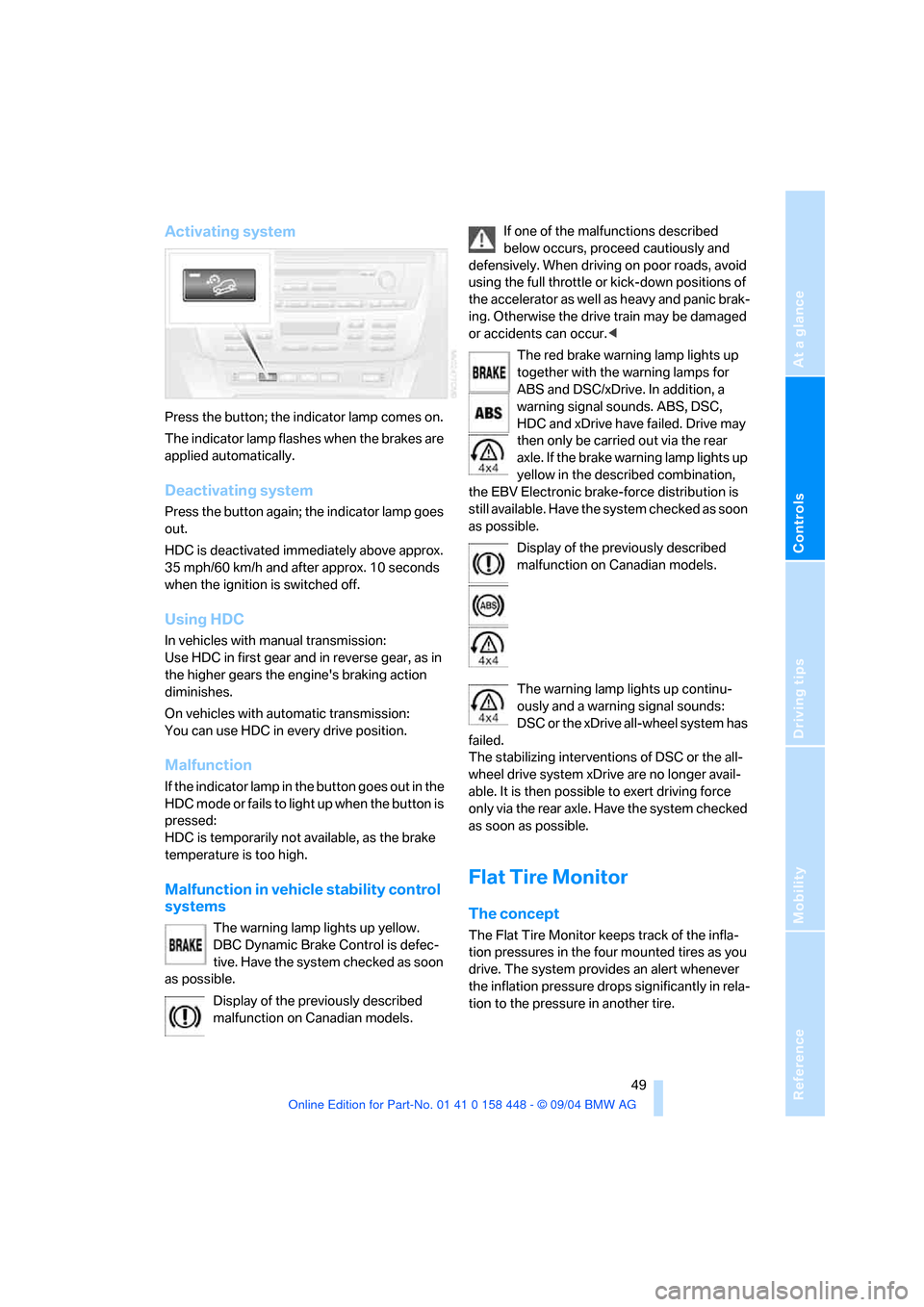
Activating system
Press the button; the indicator lamp comes on.
The indicator lamp flashes when the brakes are
applied automatically.
Deactivating system
Press the button again; the indicator lamp goes
out.
HDC is deactivated immediately above approx.
35 mph/60 km/h and after approx. 10 seconds
when the ignition is switched off.
Using HDC
In vehicles with manual transmission:
Use HDC in first gear and in reverse gear, as in
the higher gears the engine's braking action
diminishes.
On vehicles with automatic transmission:
You can use HDC in every drive position.
Malfunction
If the indicator lamp in the button goes out in the
HDC mode or fails to light up when the button is
pressed:
HDC is temporarily not available, as the brake
temperature is too high.
Malfunction in vehicle stability control
systems
The warning lamp lights up yellow.
DBC Dynamic Brake Control is defec-
tive. Have the system checked as soon
as possible.
Display of the previously described
malfunction on Canadian models.If one of the malfunctions described
below occurs, proceed cautiously and
defensively. When driving on poor roads, avoid
using the full throttle or kick-down positions of
the accelerator as well as heavy and panic brak-
ing. Otherwise the drive train may be damaged
or accidents can occur.<
The red brake warning lamp lights up
together with the warning lamps for
ABS and DSC/xDrive. In addition, a
warning signal sounds. ABS, DSC,
HDC and xDrive have failed. Drive may
then only be carried out via the rear
axle. If the brake warning lamp lights up
yellow in the described combination,
the EBV Electronic brake-force distribution is
still available. Have the system checked as soon
as possible.
Display of the previously described
malfunction on Canadian models.
The warning lamp lights up continu-
ously and a warning signal sounds:
DSC or the xDrive all-wheel system has
failed.
The stabilizing interventions of DSC or the all-
wheel drive system xDrive are no longer avail-
able. It is then possible to exert driving force
only via the rear axle. Have the system checked
as soon as possible.
Flat Tire Monitor
The concept
The Flat Tire Monitor keeps track of the infla-
tion pressures in the four mounted tires as you
drive. The system provides an alert whenever
the inflation pressure drops significantly in rela-
tion to the pressure in another tire.
Page 51 of 126
Technology for comfort, convenience and safety
50 The check of the tire inflation pressure is based
on monitoring the relative speeds of the wheels.
A flat tire is detected and reported on the basis
of a deviation in certain speed ratios.
Functional requirement
So that the Flat Tire Monitor can learn the cor-
rect inflation pressure, please perform the fol-
lowing steps:
1.Check the inflation pressures in all tires
2.Compare with the inflation pressure table
on page83 and correct if necessary
3.Initialize the system.
System limits
The Flat Tire Monitor cannot indicate
sudden severe tire damage caused by
outside factors and does not detect a natural,
even pressure drop in all four tires.<
In the following situations, on the other hand,
there can be delays in detecting tire pressure
losses, and even system failure:
>When driving on snow-covered or slippery
road surfaces.
>In the case of performance-oriented driving:
slip in the drive wheels, high lateral acceler-
ation.
>False alarms and undetected loss of pres-
sure may occur when you are driving with
snow chains fitted.
>When driving with a compact wheel, the Flat
Tire Monitor cannot operate.
Initializing system
Perform the initialization immediately
every time you correct the inflation pres-
sure, change a tire or change a wheel or all
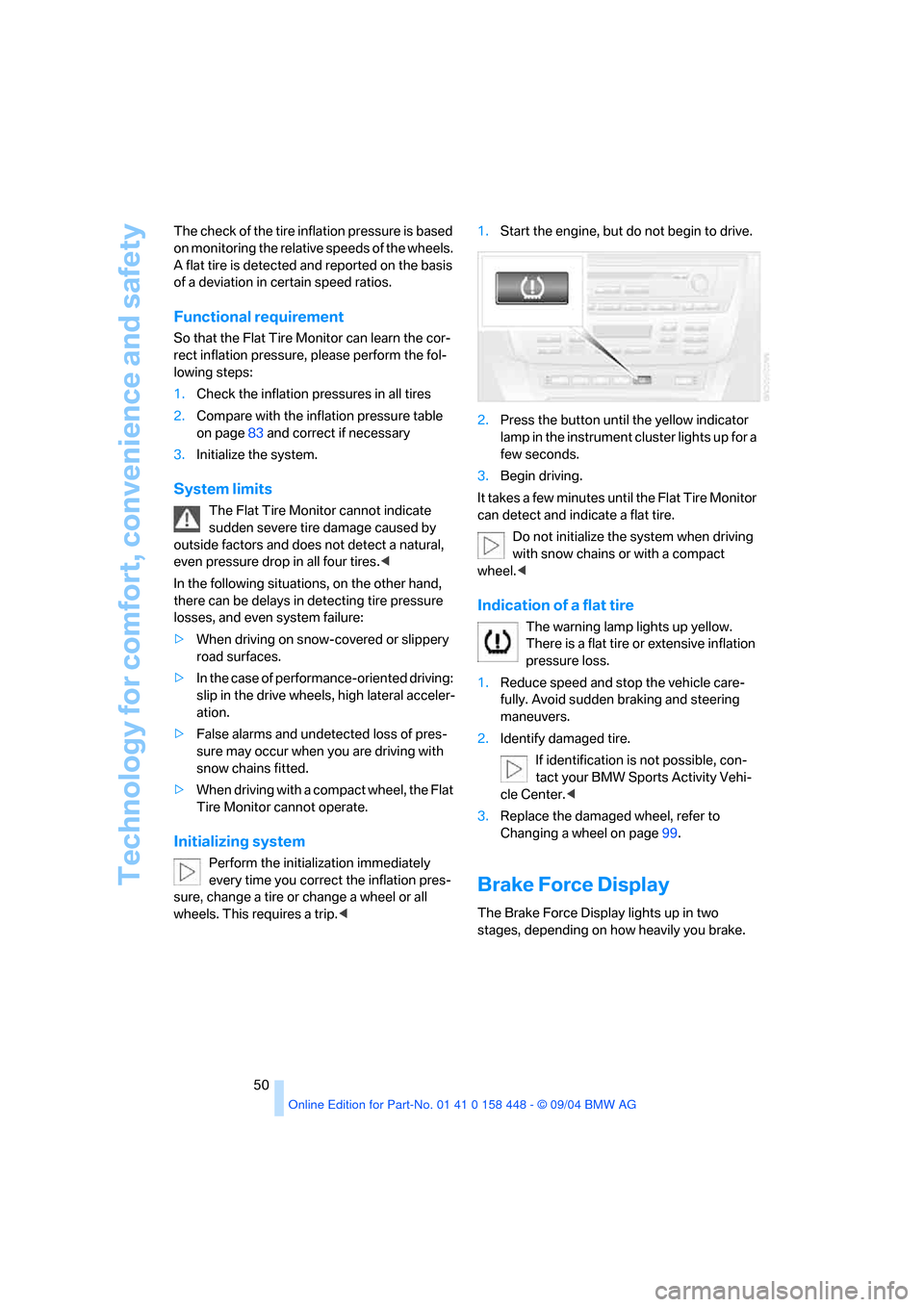
wheels. This requires a trip.<1.Start the engine, but do not begin to drive.
2.Press the button until the yellow indicator
lamp in the instrument cluster lights up for a
few seconds.
3.Begin driving.
It takes a few minutes until the Flat Tire Monitor
can detect and indicate a flat tire.
Do not initialize the system when driving
with snow chains or with a compact
wheel.<
Indication of a flat tire
The warning lamp lights up yellow.
There is a flat tire or extensive inflation
pressure loss.
1.Reduce speed and stop the vehicle care-
fully. Avoid sudden braking and steering
maneuvers.
2.Identify damaged tire.
If identification is not possible, con-
tact your BMW Sports Activity Vehi-
cle Center.<
3.Replace the damaged wheel, refer to
Changing a wheel on page99.
Brake Force Display
The Brake Force Display lights up in two
stages, depending on how heavily you brake.
Page 53 of 126
Technology for comfort, convenience and safety
52
Automatic deactivation of front
passenger airbags
Your BMW has a seat occupation detection
system. By evaluating the weight on the front
passenger's seat, the system detects whether
or not the seat is occupied by a child in the
child-restraint system or an adult.
>When a child is seated in the child-restraint
system or with an empty seat, the front and
side airbags are deactivated on the passen-
ger side.
>When an adult is traveling in the front seat,
the front and side airbags remain active on
the passenger side.
Although not desired, it can occur in the
case of heavier children that the front
passenger airbags remain active or in the case
of very light adults or young persons that the
front passenger airbags are deactivated. In
these cases, have the person ride in the rear
seat, refer to Passenger airbag status lamp
below. Do not load the passenger seat with any
items in addition to the person to be trans-
ported. Do not fit seat covers, seat cushion pad-
ding, ball mats or other items onto the front pas-
senger seat unless they are specifically
r e c o m m e n d e d b y B M W . D o n o t p l a c e a n y i t e m s
under the seat. Otherwise, the function of the
seat occupation detection could be impaired.<
Operational readiness of airbag system
As of ignition key position 1, the warning lamp
lights up briefly, thus indicating the operational
readiness of the entire airbag system and the
safety belt tensioners.
Airbag system malfunction
>The warning lamp does not light up as of
ignition key position 1.
>The warning lamp lights up continuously.
Have the airbag system checked immedi-
ately if a malfunction occurs, as otherwise
there is a danger of the system failing to
respond in the expected manner to an impact
occurring within its normal response range.<
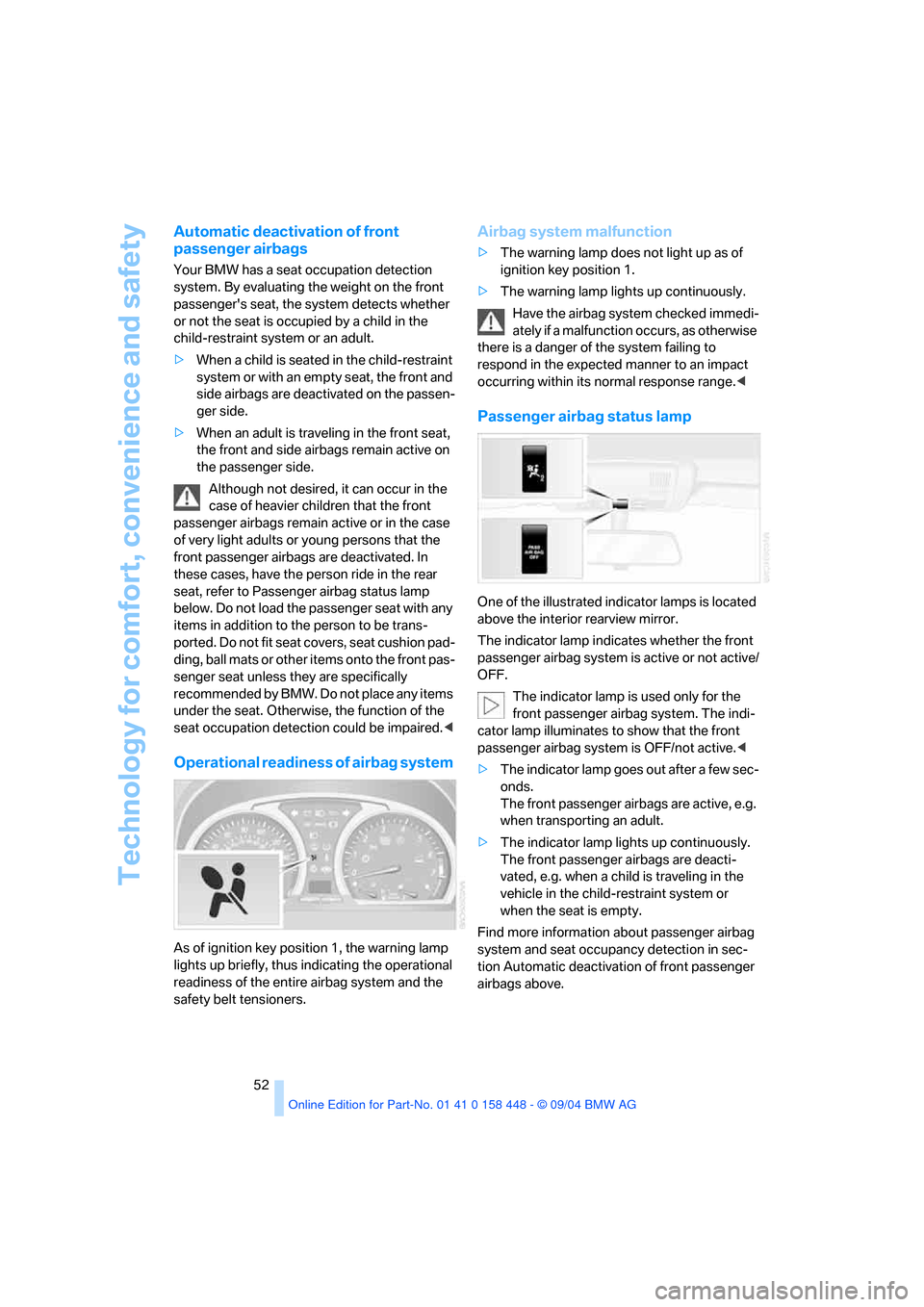
Passenger airbag status lamp
One of the illustrated indicator lamps is located
above the interior rearview mirror.
The indicator lamp indicates whether the front
passenger airbag system is active or not active/
OFF.
The indicator lamp is used only for the
front passenger airbag system. The indi-
cator lamp illuminates to show that the front
passenger airbag system is OFF/not active.<
>The indicator lamp goes out after a few sec-
onds.
The front passenger airbags are active, e.g.
when transporting an adult.
>The indicator lamp lights up continuously.
The front passenger airbags are deacti-
vated, e.g. when a child is traveling in the
vehicle in the child-restraint system or
when the seat is empty.
Find more information about passenger airbag
system and seat occupancy detection in sec-
tion Automatic deactivation of front passenger
airbags above.
Page 54 of 126
Reference
At a glance
Controls
Driving tips
Mobility
53
Lamps
Parking lamps/low beams
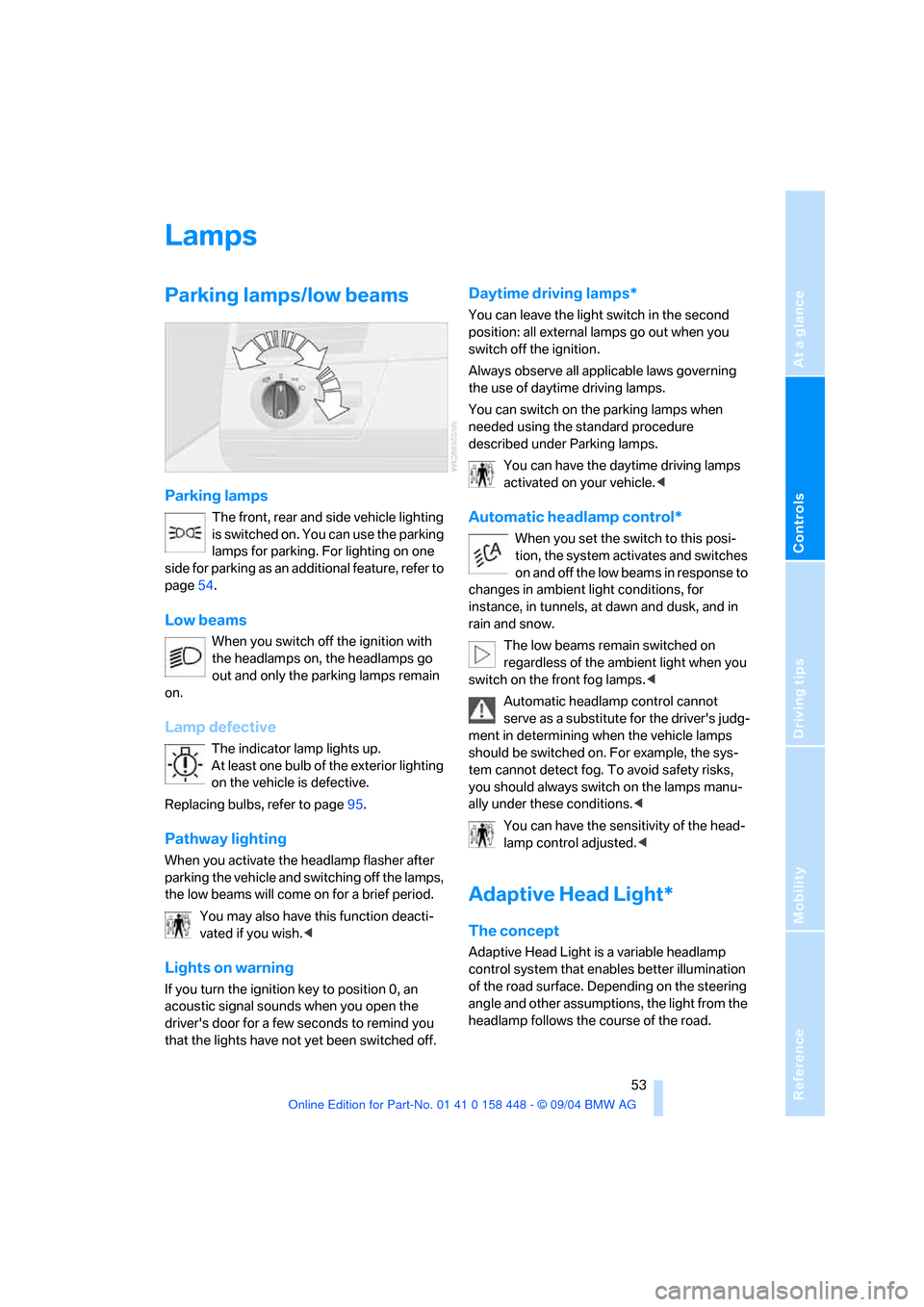
Parking lamps
The front, rear and side vehicle lighting
is switched on. You can use the parking
lamps for parking. For lighting on one
side for parking as an additional feature, refer to
page54.
Low beams
When you switch off the ignition with
the headlamps on, the headlamps go
out and only the parking lamps remain
on.
Lamp defective
The indicator lamp lights up.
At least one bulb of the exterior lighting
on the vehicle is defective.
Replacing bulbs, refer to page95.
Pathway lighting
When you activate the headlamp flasher after
parking the vehicle and switching off the lamps,
the low beams will come on for a brief period.
You may also have this function deacti-
vated if you wish.<
Lights on warning
If you turn the ignition key to position 0, an
acoustic signal sounds when you open the
driver's door for a few seconds to remind you
that the lights have not yet been switched off
.
Daytime driving lamps*
You can leave the light switch in the second
position: all external lamps go out when you
switch off the ignition.
Always observe all applicable laws governing
the use of daytime driving lamps.
You can switch on the parking lamps when
needed using the standard procedure
described under Parking lamps.
You can have the daytime driving lamps
activated on your vehicle.<
Automatic headlamp control*
When you set the switch to this posi-
tion, the system activates and switches
on and off the low beams in response to
changes in ambient light conditions, for
instance, in tunnels, at dawn and dusk, and in
rain and snow.
The low beams remain switched on
regardless of the ambient light when you
switch on the front fog lamps.<
Automatic headlamp control cannot
serve as a substitute for the driver's judg-
ment in determining when the vehicle lamps
should be switched on. For example, the sys-
tem cannot detect fog. To avoid safety risks,
you should always switch on the lamps manu-
ally under these conditions.<
You can have the sensitivity of the head-
lamp control adjusted.<
Adaptive Head Light*
The concept
Adaptive Head Light is a variable headlamp
control system that enables better illumination
of the road surface. Depending on the steering
angle and other assumptions, the light from the
headlamp follows the course of the road.
Page 55 of 126
Lamps
54
Activating Adaptive Head Light
In ignition key position 2, turn the light
switch to the position Automatic head-
lamp control, refer to page53.
To avoid blinding oncoming traffic, the Adaptive
Head Light
>is not active when driving in reverse
>i s o n l y a c t i v e t o w a r d p a s s e n g e r ' s s i d e w h e n
stationary
Malfunction
The LED next to the symbol for automatic head-
lamp control flashes. Adaptive Head Light is
faulty or has failed. Have the system checked as
soon as possible.
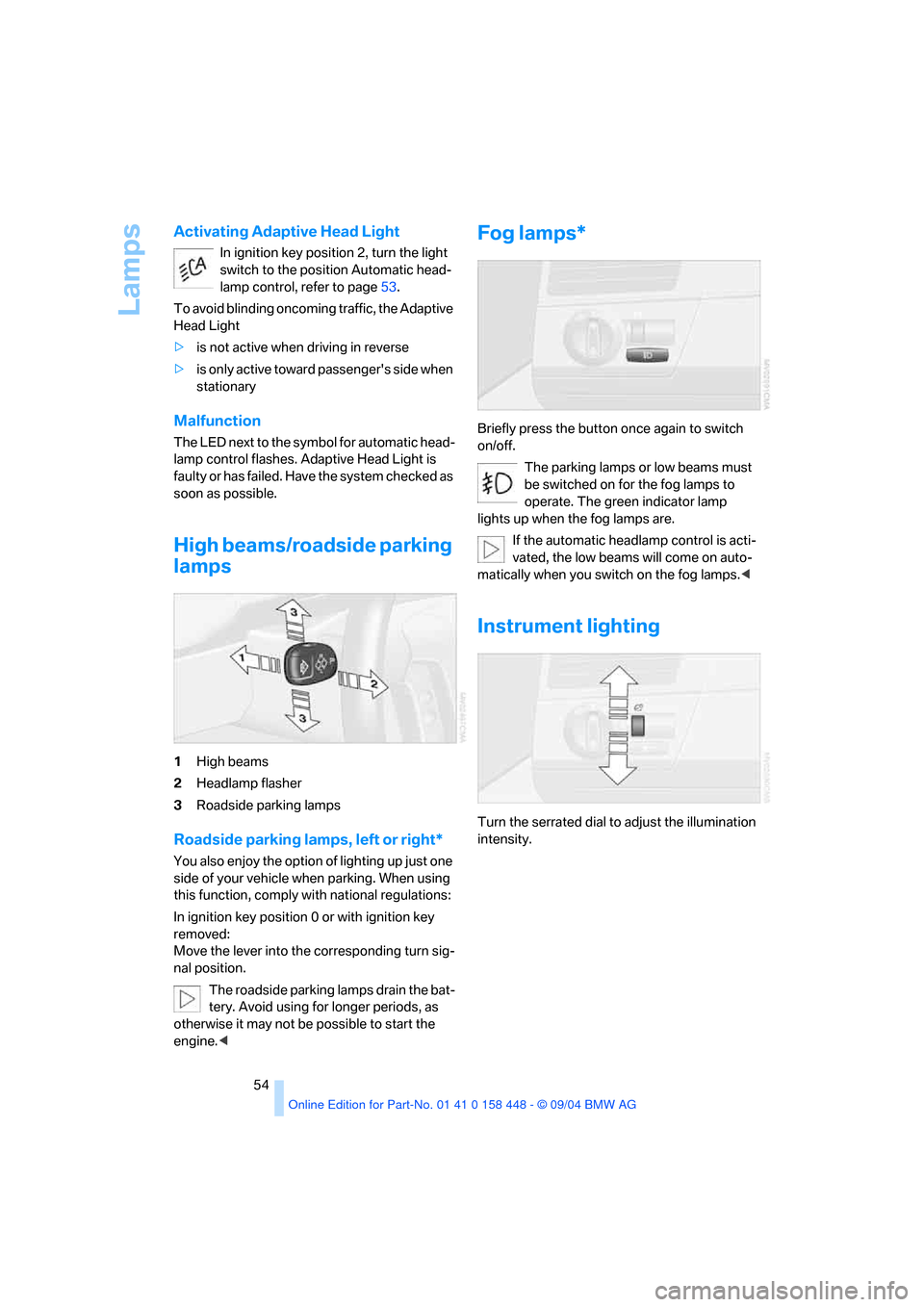
High beams/roadside parking
lamps
1High beams
2Headlamp flasher
3Roadside parking lamps
Roadside parking lamps, left or right*
You also enjoy the option of lighting up just one
side of your vehicle when parking. When using
this function, comply with national regulations:
In ignition key position 0 or with ignition key
removed:
Move the lever into the corresponding turn sig-
nal position.
The roadside parking lamps drain the bat-
tery. Avoid using for longer periods, as
otherwise it may not be possible to start the
engine.<
Fog lamps*
Briefly press the button once again to switch
on/off.
The parking lamps or low beams must
be switched on for the fog lamps to
operate. The green indicator lamp
lights up when the fog lamps are.
If the automatic headlamp control is acti-
vated, the low beams will come on auto-
matically when you switch on the fog lamps.<
Instrument lighting
Turn the serrated dial to adjust the illumination
intensity.
Page 64 of 126
Reference
At a glance
Controls
Driving tips
Mobility
63
The corresponding memory button1 is now
programmed with the signal of the original
hand-held transmitter.
You can use the system when the engine is run-
ning or when the ignition is switched on.
If the system cannot be operated after
repeated programming, check whether
the original hand-held transmitter uses an alter-
nating-code system. To do so, either read the
instructions of the original hand-held transmit-
ter or press and hold down the programmed
memory button 1 of the integrated universal
remote control. If the indicator lamp 2 on the
integrated universal remote control flashes rap-
idly for a short time then lights up for approx.
2 seconds, this indicates that the original hand-
held transmitter uses an alternating-code sys-
tem. In the case of an alternating-code system,
program the memory buttons 1 as described at
the section on alternating-code transmitters.<
Alternating-code transmitters
Consult the operating instructions of the unit
you wish to set when programming the univer-
sal remote control. You will find information
there on the possibilities for synchronization.
When programming hand-held transmitters
that employ an alternating code, please follow
these additional instructions:
P r o g ra m m in g w i ll b e ea s i er w it h t h e a i d o f
a second person.<
1.Park your vehicle within the range of the
remote-controlled equipment.
2.Program the integrated universal remote
control as described above at Fixed-code
hand-held transmitters.
3.Locate the button at the receiver of the
equipment to be set, e.g. on the drive.
4.Press the button on the receiver of the
device you want to set up. After step 4, you
have approx. 30 seconds for step 5.
5.Press the programmed memory button1
of the integrated universal remote control
three times. The corresponding memory button1 is now
programmed with the signal of the original
hand-held transmitter.
If you have questions, please contact your
BMW Sports Activity Vehicle Center.<
Clearing memory buttons
Press both outer buttons 1 for approx. 20 sec-
onds until the indicator lamp2 starts to flash:
all of the memory buttons are cleared.
The memory of individual memory buttons 1
cannot be cleared.
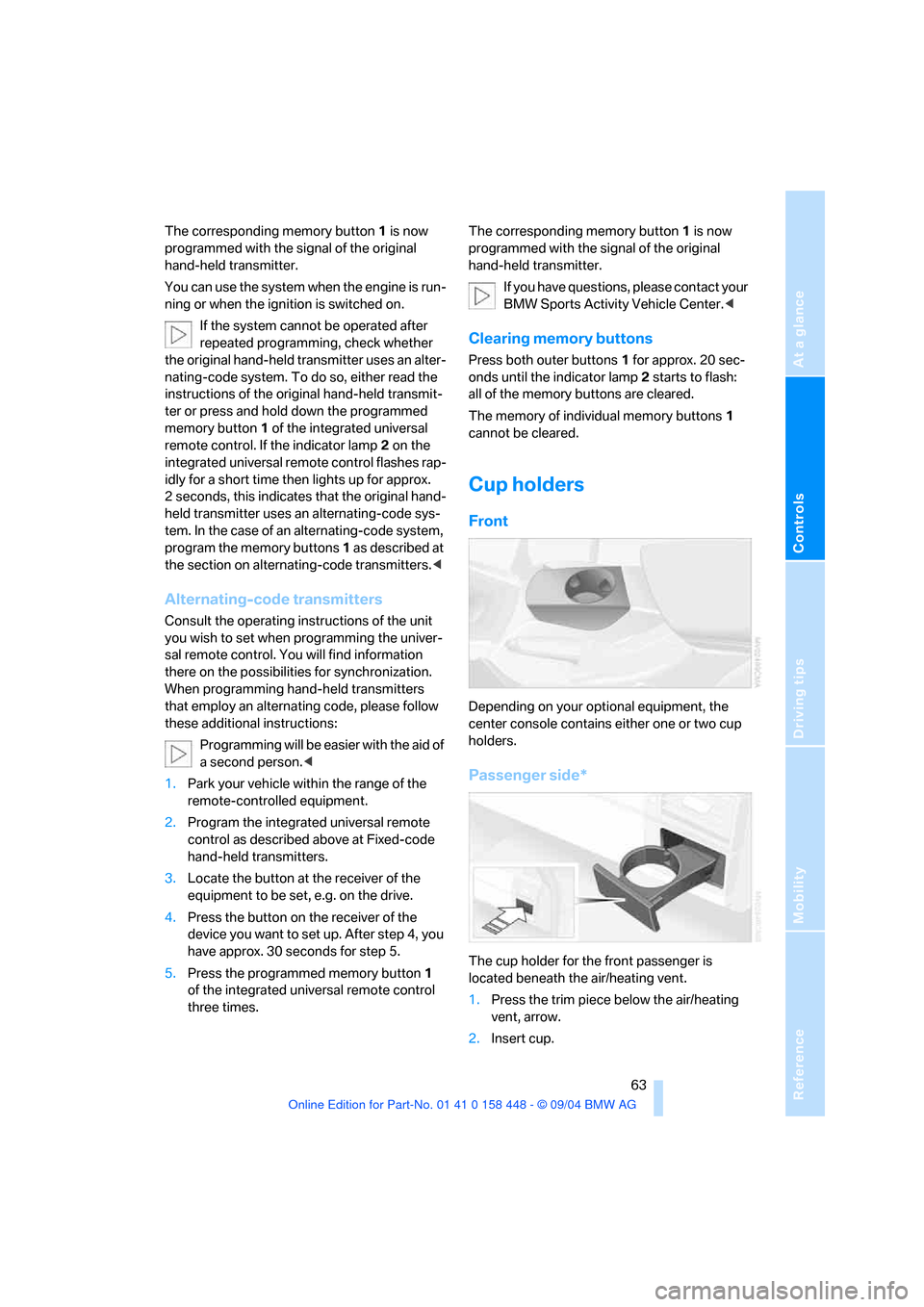
Cup holders
Front
Depending on your optional equipment, the
center console contains either one or two cup
holders.
Passenger side*
The cup holder for the front passenger is
located beneath the air/heating vent.
1.Press the trim piece below the air/heating
vent, arrow.
2.Insert cup.
Page 66 of 126
Reference
At a glance
Controls
Driving tips
Mobility
65
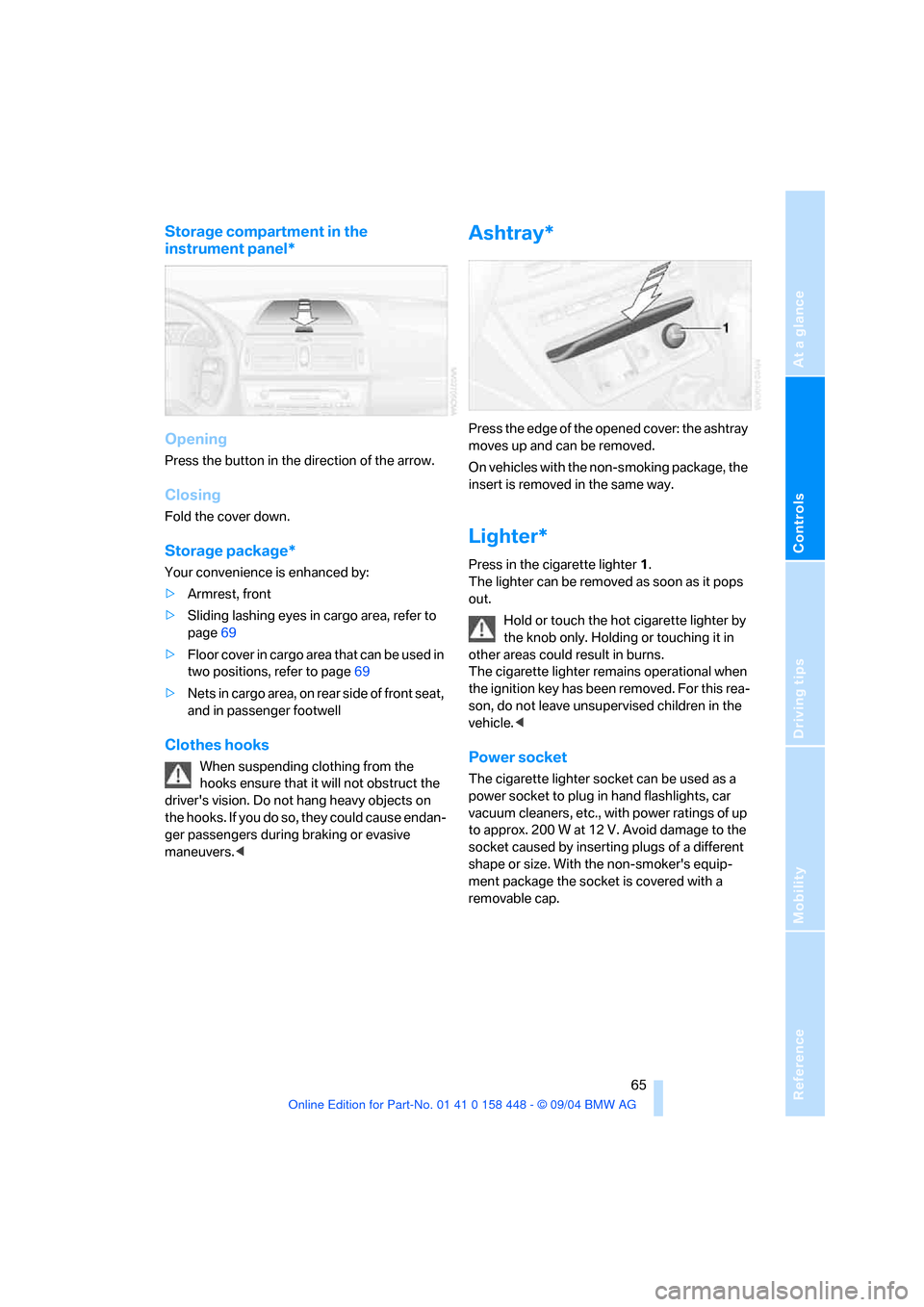
Storage compartment in the
instrument panel*
Opening
Press the button in the direction of the arrow.
Closing
Fold the cover down.
Storage package*
Your convenience is enhanced by:
>Armrest, front
>Sliding lashing eyes in cargo area, refer to
page69
>Floor cover in cargo area that can be used in
two positions, refer to page69
>Nets in cargo area, on rear side of front seat,
and in passenger footwell
Clothes hooks
When suspending clothing from the
hooks ensure that it will not obstruct the
driver's vision. Do not hang heavy objects on
the hooks. If you do so, they could cause endan-
ger passengers during braking or evasive
maneuvers.<
Ashtray*
Press the edge of the opened cover: the ashtray
moves up and can be removed.
On vehicles with the non-smoking package, the
insert is removed in the same way.
Lighter*
Press in the cigarette lighter1.
The lighter can be removed as soon as it pops
out.
Hold or touch the hot cigarette lighter by
the knob only. Holding or touching it in
other areas could result in burns.
The cigarette lighter remains operational when
the ignition key has been removed. For this rea-
son, do not leave unsupervised children in the
vehicle.<
Power socket
The cigarette lighter socket can be used as a
power socket to plug in hand flashlights, car
vacuum cleaners, etc., with power ratings of up
to approx. 200 W at 12 V. Avoid damage to the
socket caused by inserting plugs of a different
shape or size. With the non-smoker's equip-
ment package the socket is covered with a
removable cap.
Page 70 of 126
Reference
At a glance
Controls
Driving tips
Mobility
69
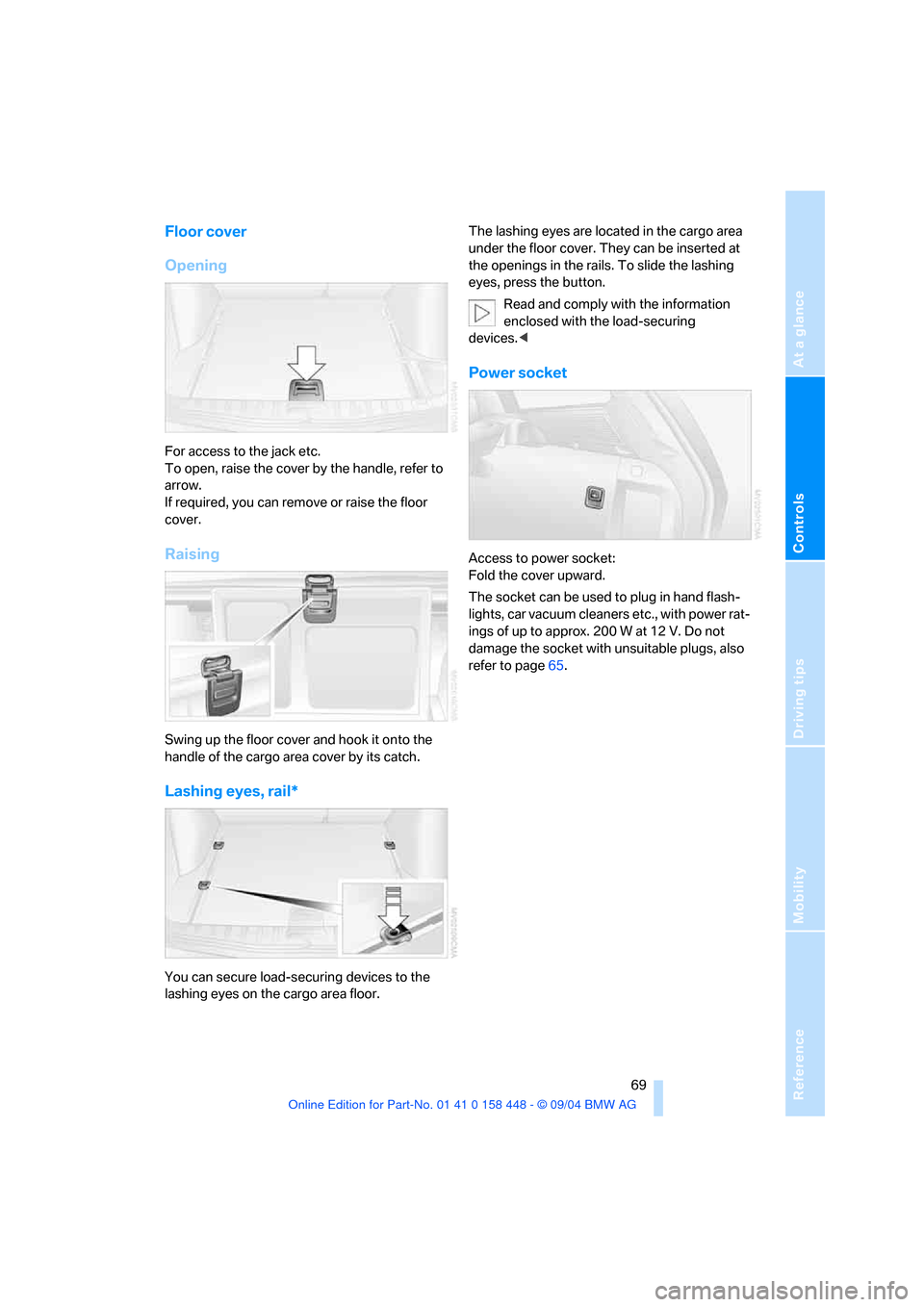
Floor cover
Opening
For access to the jack etc.
To open, raise the cover by the handle, refer to
arrow.
If required, you can remove or raise the floor
cover.
Raising
Swing up the floor cover and hook it onto the
handle of the cargo area cover by its catch.
Lashing eyes, rail*
You can secure load-securing devices to the
lashing eyes on the cargo area floor. The lashing eyes are located in the cargo area
under the floor cover. They can be inserted at
the openings in the rails. To slide the lashing
eyes, press the button.
Read and comply with the information
enclosed with the load-securing
devices.<
Power socket
Access to power socket:
Fold the cover upward.
The socket can be used to plug in hand flash-
lights, car vacuum cleaners etc., with power rat-
ings of up to approx. 200 W at 12 V. Do not
damage the socket with unsuitable plugs, also
refer to page65.
Page 81 of 126
Refueling
80
Refueling
Fuel filler door
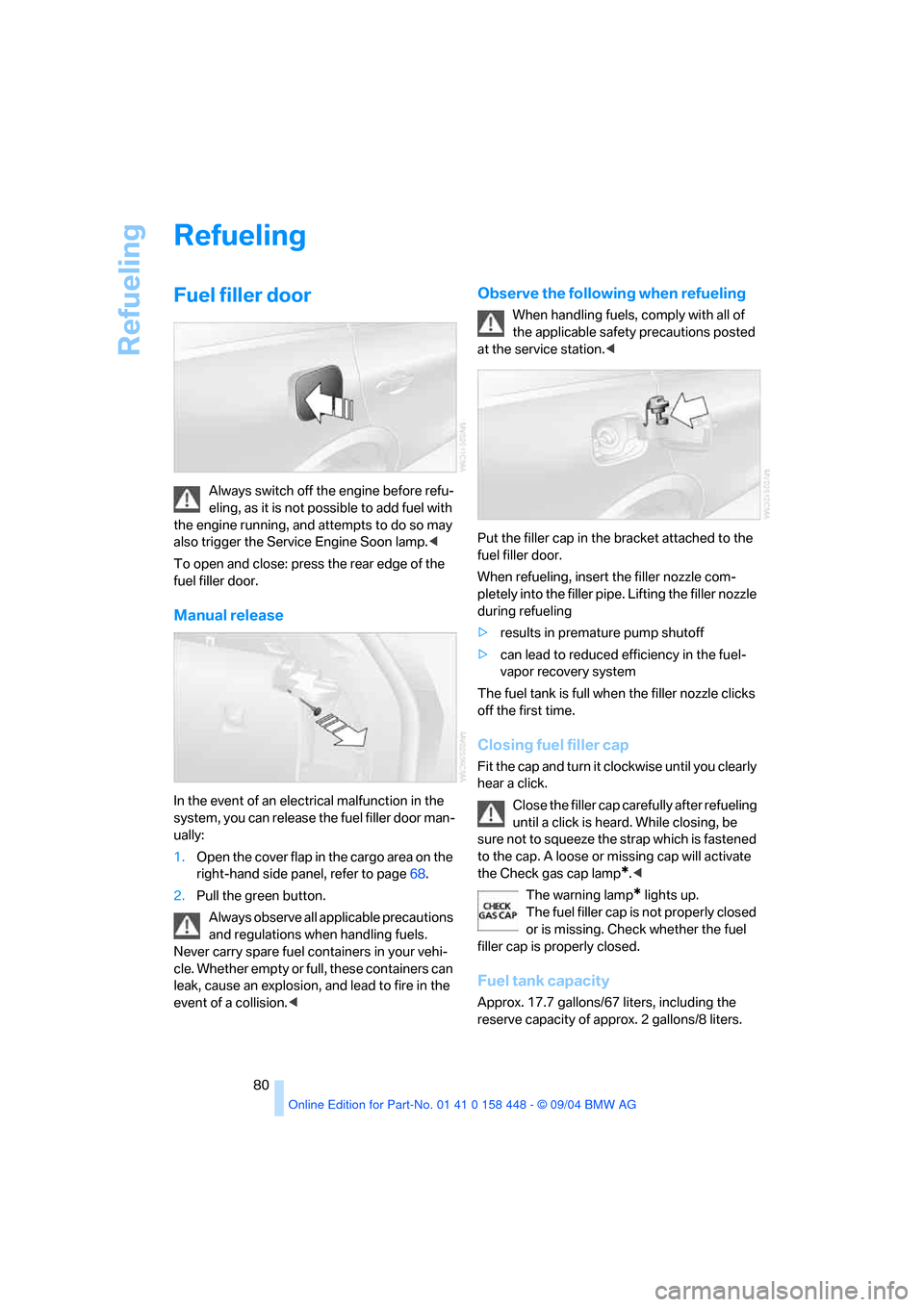
Always switch off the engine before refu-
eling, as it is not possible to add fuel with
the engine running, and attempts to do so may
also trigger the Service Engine Soon lamp.<
To open and close: press the rear edge of the
fuel filler door.
Manual release
In the event of an electrical malfunction in the
system, you can release the fuel filler door man-
ually:
1.Open the cover flap in the cargo area on the
right-hand side panel, refer to page68.
2.Pull the green button.
Always observe all applicable precautions
and regulations when handling fuels.
Never carry spare fuel containers in your vehi-
cle. Whether empty or full, these containers can
leak, cause an explosion, and lead to fire in the
event of a collision.<
Observe the following when refueling
When handling fuels, comply with all of
the applicable safety precautions posted
at the service station.<
Put the filler cap in the bracket attached to the
fuel filler door.
When refueling, insert the filler nozzle com-
pletely into the filler pipe. Lifting the filler nozzle
during refueling
>results in premature pump shutoff
>can lead to reduced efficiency in the fuel-
vapor recovery system
The fuel tank is full when the filler nozzle clicks
off the first time.
Closing fuel filler cap
Fit the cap and turn it clockwise until you clearly
hear a click.
Close the filler cap carefully after refueling
until a click is heard. While closing, be
sure not to squeeze the strap which is fastened
to the cap. A loose or missing cap will activate
the Check gas cap lamp
*.<
The warning lamp
* lights up.
The fuel filler cap is not properly closed
or is missing. Check whether the fuel
filler cap is properly closed.
Fuel tank capacity
Approx. 17.7 gallons/67 liters, including the
reserve capacity of approx. 2 gallons/8 liters.
Page 91 of 126
Under the hood
90
Washer fluid
Headlamp* and windshield washer
system
The antifreeze for the washer systems is
flammable. For this reason, keep it away
from sources of flame and store it only in its
original containers. Store it so that it is inacces-
sible to children. Always observe the instruc-
tions for use provided on the containers.<
We recommend that you mix the washer
fluid before adding it to the reservoir.<
Capacity of the windshield washer system:
approx. 3.2 US quarts/3 liters.
Capacity for equipment with headlamp washer
system: approx. 6.9 US quarts/6.5 liters.
Fill with water and, if required, with an antifreeze
additive according to manufacturer's recom-
mendations.
Engine oil
Engine oil consumption depends on driving
style and operating conditions.
Warning lamp
Engine oil pressure
The warning lamp lights up red:
Stop the vehicle immediately and
switch off the engine. Check the engine
oil level; top off as required. If the oil level is cor-
rect: have the system checked immediately.
Do not continue driving. The engine could
be damaged because of inadequate lubri-
cation.<
Engine oil level
The warning lamp lights up yellow while
driving:
The oil level is at the absolute mini-
mum. Add engine oil as soon as possible. Until
then, do not drive more than approx. 30 miles/
50 km.
The warning lamp lights up yellow after
the engine is switched off:
Top off engine oil at the earliest oppor-
tunity, e.g. when refueling.
Engine oil sensor
The warning lamp lights up yellow
within 20 seconds after starting the
engine:
The oil level sensor is defective. Have checked
as soon as possible.
Checking oil level
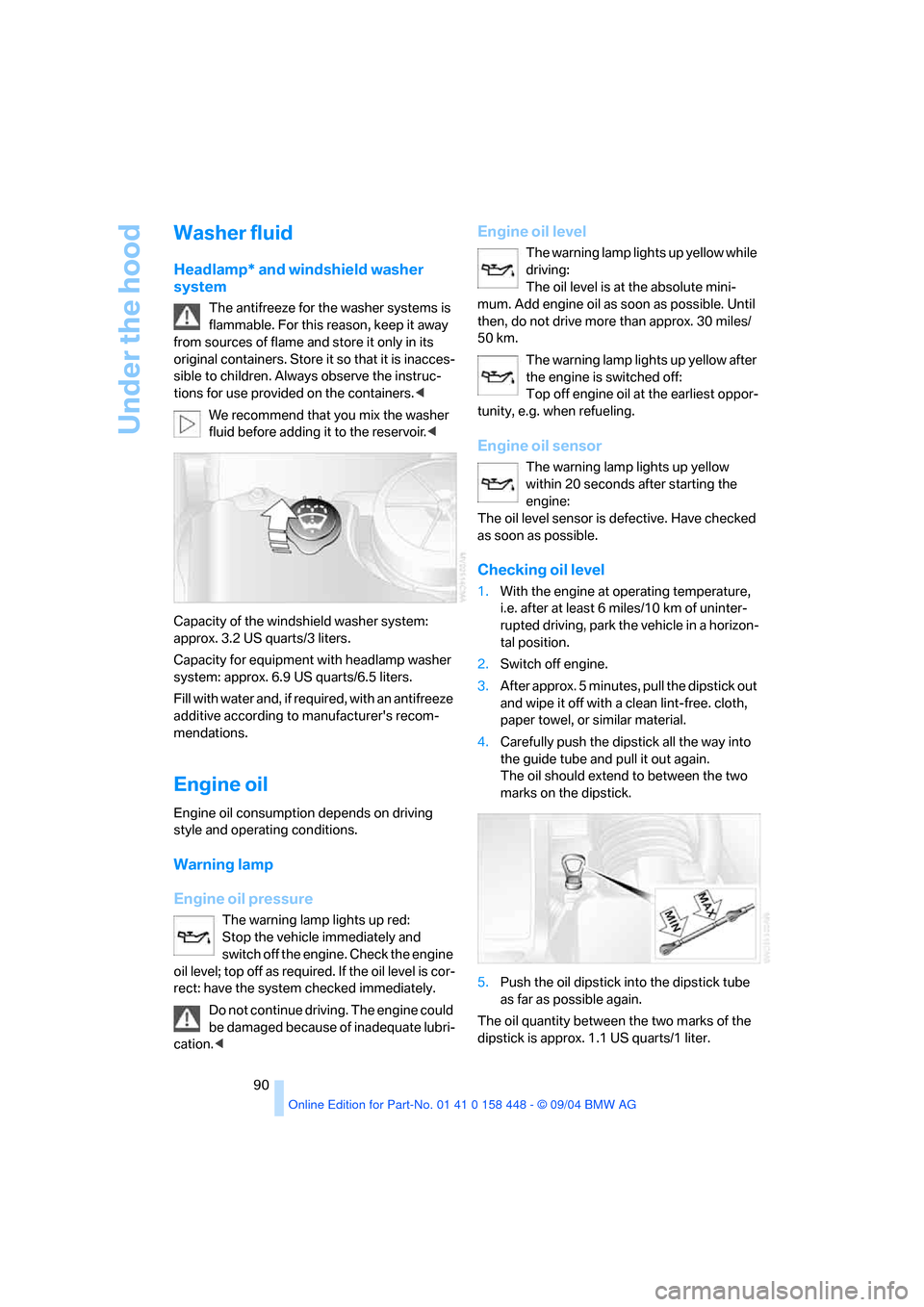
1.With the engine at operating temperature,
i.e. after at least 6 miles/10 km of uninter-
rupted driving, park the vehicle in a horizon-
tal position.
2.Switch off engine.
3.After approx. 5 minutes, pull the dipstick out
and wipe it off with a clean lint-free. cloth,
paper towel, or similar material.
4.Carefully push the dipstick all the way into
the guide tube and pull it out again.
The oil should extend to between the two
marks on the dipstick.
5.Push the oil dipstick into the dipstick tube
as far as possible again.
The oil quantity between the two marks of the
dipstick is approx. 1.1 US quarts/1 liter.