wheel BMW X3 2.5I 2006 E83 User Guide
[x] Cancel search | Manufacturer: BMW, Model Year: 2006, Model line: X3 2.5I, Model: BMW X3 2.5I 2006 E83Pages: 133, PDF Size: 8.37 MB
Page 40 of 133
Driving
38
Manual transmission
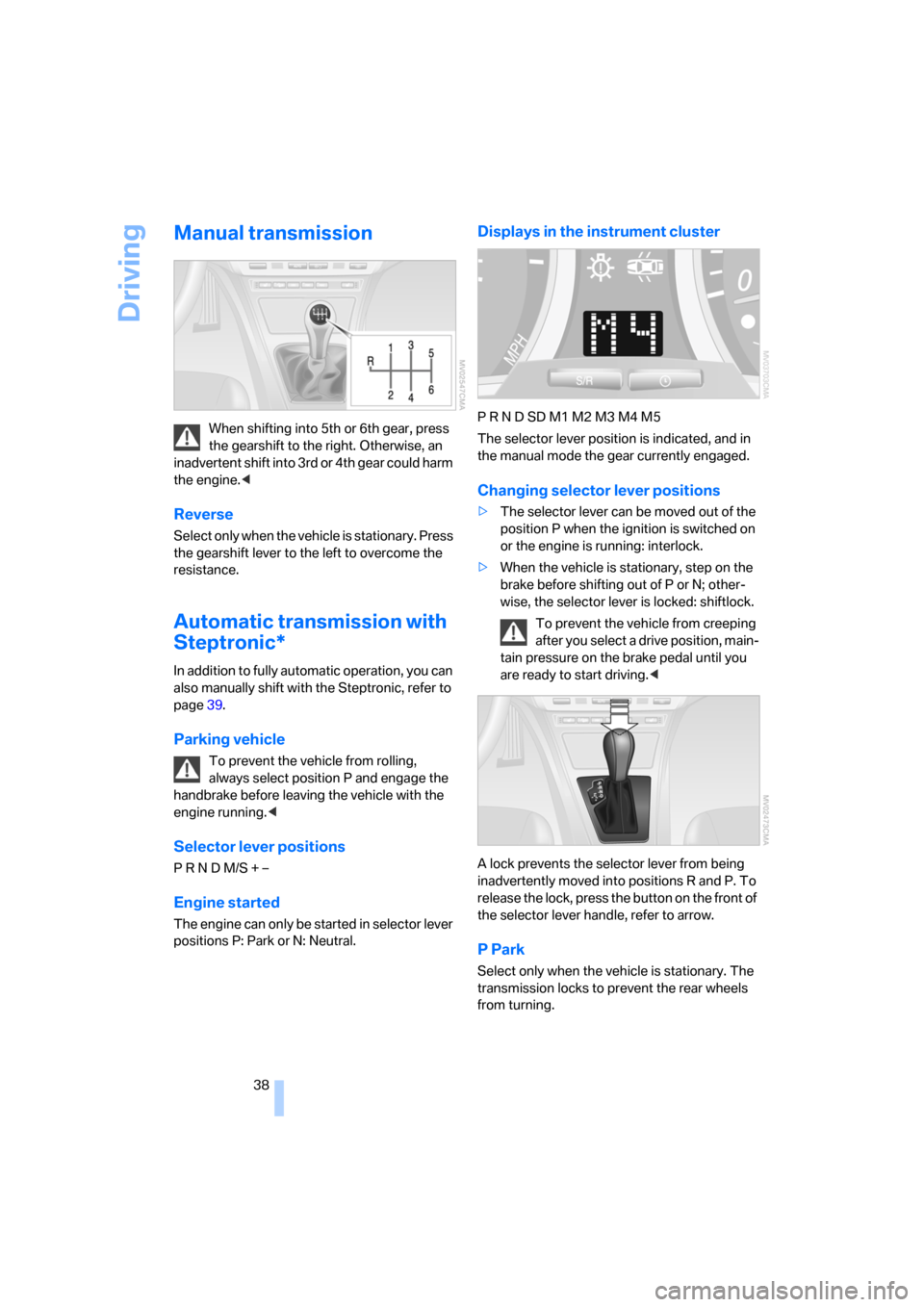
When shifting into 5th or 6th gear, press
the gearshift to the right. Otherwise, an
inadvertent shift into 3rd or 4th gear could harm
the engine.<
Reverse
Select only when the vehicle is stationary. Press
the gearshift lever to the left to overcome the
resistance.
Automatic transmission with
Steptronic*
In addition to fully automatic operation, you can
also manually shift with the Steptronic, refer to
page39.
Parking vehicle
To prevent the vehicle from rolling,
always select position P and engage the
handbrake before leaving the vehicle with the
engine running.<
Selector lever positions
P R N D M/S + –
Engine started
The engine can only be started in selector lever
positions P: Park or N: Neutral.
Displays in the instrument cluster
P R N D SD M1 M2 M3 M4 M5
The selector lever position is indicated, and in
the manual mode the gear currently engaged.
Changing selector lever positions
>The selector lever can be moved out of the
position P when the ignition is switched on
or the engine is running: interlock.
>When the vehicle is stationary, step on the
brake before shifting out of P or N; other-
wise, the selector lever is locked: shiftlock.
To prevent the vehicle from creeping
after you select a drive position, main-
tain pressure on the brake pedal until you
are ready to start driving.<
A lock prevents the selector lever from being
inadvertently moved into positions R and P. To
release the lock, press the button on the front of
the selector lever handle, refer to arrow.
P Park
Select only when the vehicle is stationary. The
transmission locks to prevent the rear wheels
from turning.
Page 42 of 133
Driving
40
Washer/wiper system/
rain sensor*
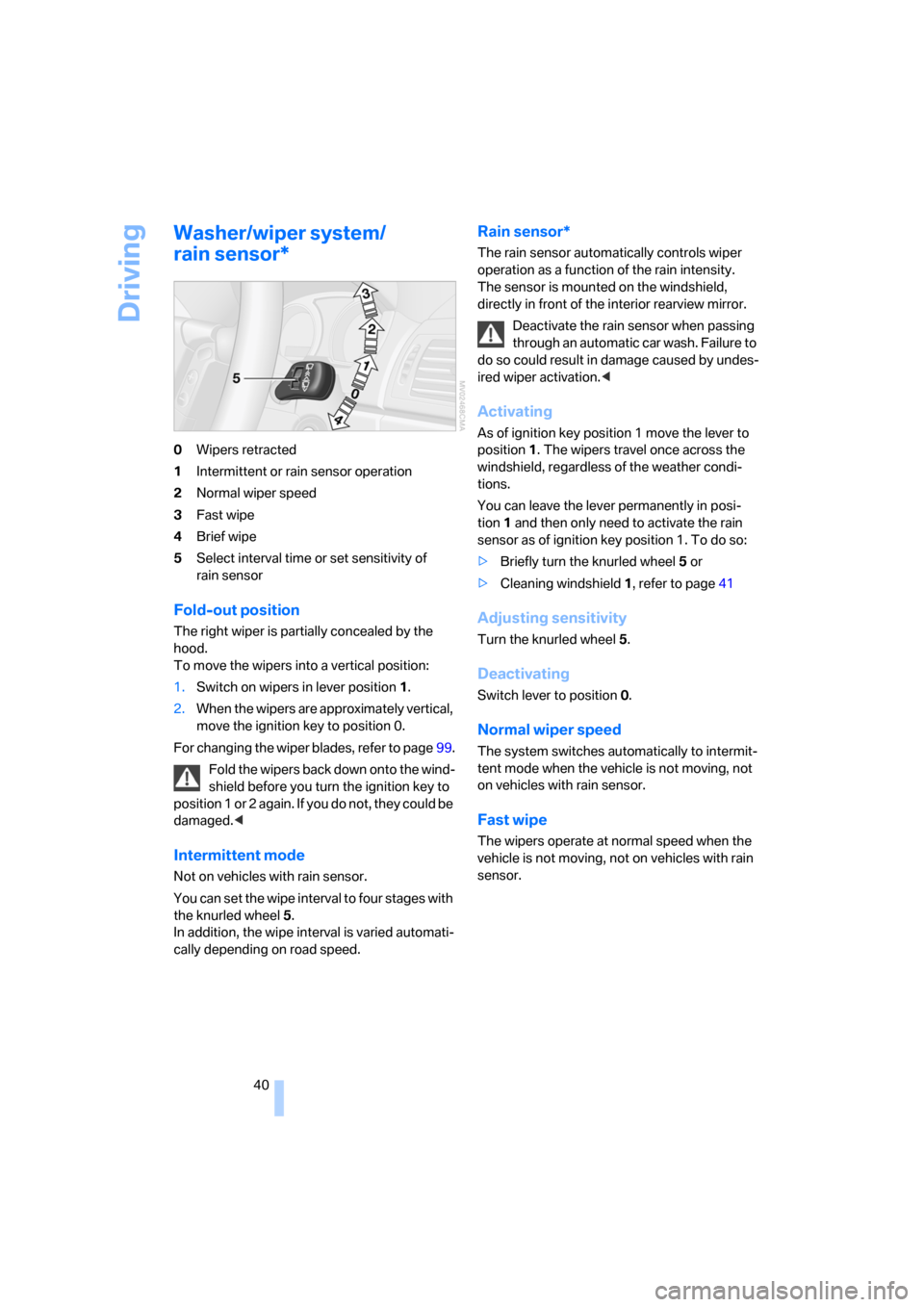
0Wipers retracted
1Intermittent or rain sensor operation
2Normal wiper speed
3Fast wipe
4Brief wipe
5Select interval time or set sensitivity of
rain sensor
Fold-out position
The right wiper is partially concealed by the
hood.
To move the wipers into a vertical position:
1.Switch on wipers in lever position 1.
2.When the wipers are approximately vertical,
move the ignition key to position 0.
For changing the wiper blades, refer to page99.
Fold the wipers back down onto the wind-
shield before you turn the ignition key to
p o s i t i o n 1 o r 2 a g a i n . I f y o u d o n o t , t h e y c o u l d b e
damaged.<
Intermittent mode
Not on vehicles with rain sensor.
You can set the wipe interval to four stages with
the knurled wheel 5.
In addition, the wipe interval is varied automati-
cally depending on road speed.
Rain sensor*
The rain sensor automatically controls wiper
operation as a function of the rain intensity.
The sensor is mounted on the windshield,
directly in front of the interior rearview mirror.
Deactivate the rain sensor when passing
through an automatic car wash. Failure to
do so could result in damage caused by undes-
ired wiper activation.<
Activating
As of ignition key position 1 move the lever to
position1. The wipers travel once across the
windshield, regardless of the weather condi-
tions.
You can leave the lever permanently in posi-
tion1 and then only need to activate the rain
sensor as of ignition key position 1. To do so:
>Briefly turn the knurled wheel 5 or
>Cleaning windshield 1, refer to page41
Adjusting sensitivity
Turn the knurled wheel 5.
Deactivating
Switch lever to position 0.
Normal wiper speed
The system switches automatically to intermit-
tent mode when the vehicle is not moving, not
on vehicles with rain sensor.
Fast wipe
The wipers operate at normal speed when the
vehicle is not moving, not on vehicles with rain
sensor.
Page 43 of 133
Reference
At a glance
Controls
Driving tips
Mobility
41
Cleaning windshield, rear window and
headlamps*
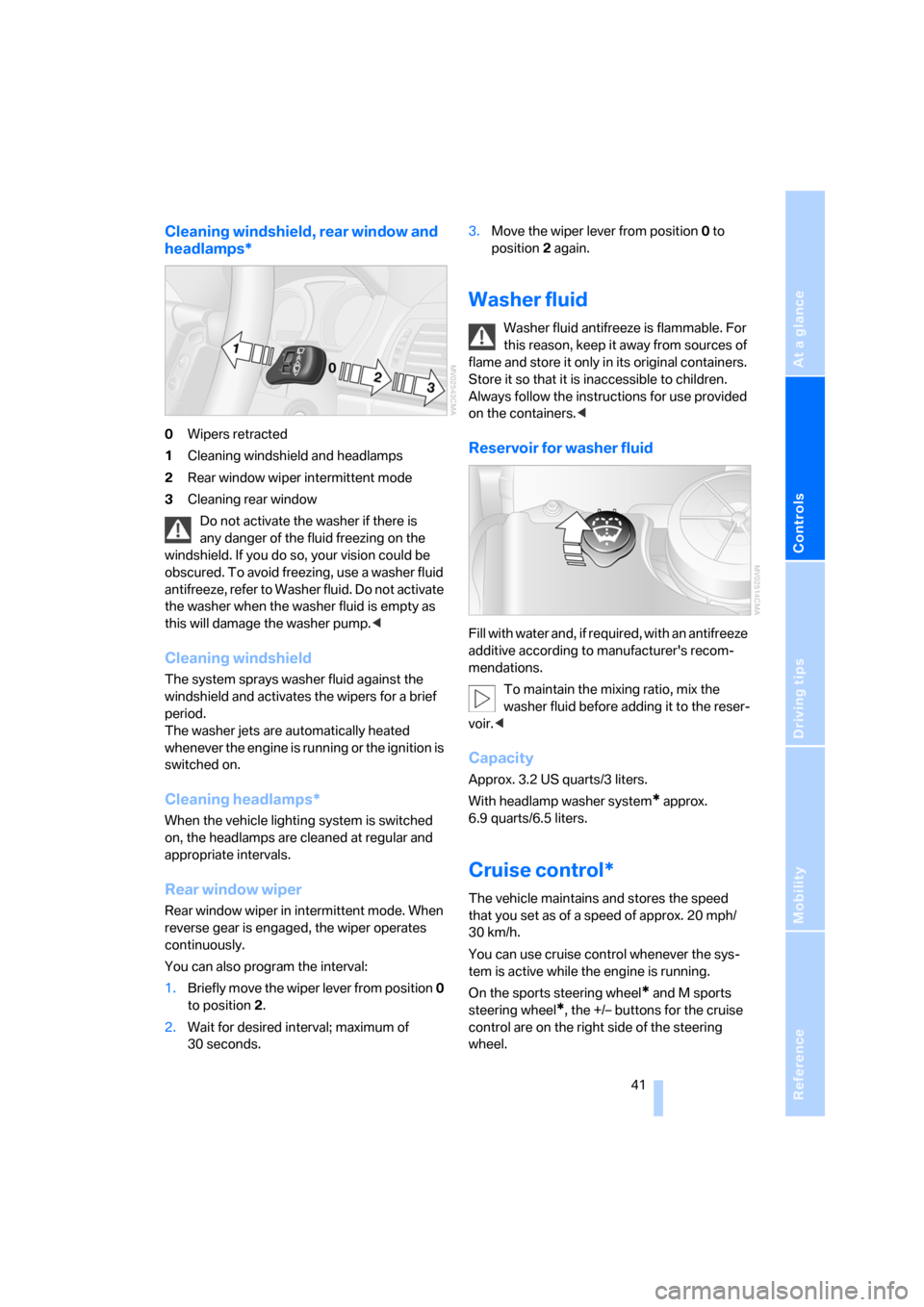
0Wipers retracted
1Cleaning windshield and headlamps
2Rear window wiper intermittent mode
3Cleaning rear window
Do not activate the washer if there is
any danger of the fluid freezing on the
windshield. If you do so, your vision could be
obscured. To avoid freezing, use a washer fluid
antifreeze, refer to Washer fluid. Do not activate
the washer when the washer fluid is empty as
this will damage the washer pump.<
Cleaning windshield
The system sprays washer fluid against the
windshield and activates the wipers for a brief
period.
The washer jets are automatically heated
whenever the engine is running or the ignition is
switched on.
Cleaning headlamps*
When the vehicle lighting system is switched
on, the headlamps are cleaned at regular and
appropriate intervals.
Rear window wiper
Rear window wiper in intermittent mode. When
reverse gear is engaged, the wiper operates
continuously.
You can also program the interval:
1.Briefly move the wiper lever from position 0
to position 2.
2.Wait for desired interval; maximum of
30 seconds.3.Move the wiper lever from position 0 to
position 2 again.
Washer fluid
Washer fluid antifreeze is flammable. For
this reason, keep it away from sources of
flame and store it only in its original containers.
Store it so that it is inaccessible to children.
Always follow the instructions for use provided
on the containers.<
Reservoir for washer fluid
Fill with water and, if required, with an antifreeze
additive according to manufacturer's recom-
mendations.
To maintain the mixing ratio, mix the
washer fluid before adding it to the reser-
voir.<
Capacity
Approx. 3.2 US quarts/3 liters.
With headlamp washer system
* approx.
6.9 quarts/6.5 liters.
Cruise control*
The vehicle maintains and stores the speed
that you set as of a speed of approx. 20 mph/
30 km/h.
You can use cruise control whenever the sys-
tem is active while the engine is running.
On the sports steering wheel
* and M sports
steering wheel
*, the +/– buttons for the cruise
control are on the right side of the steering
wheel.
Page 44 of 133
Driving
42 Do not use the cruise control under unfa-
vorable conditions that do not permit a
constant speed, e.g. when driving on winding
roads or in heavy traffic or when negotiating
poor road conditions such as snow, rain, ice, or
a loose road surface. Otherwise, you could lose
control of the vehicle and cause an accident.<
Indicator lamp
The indicator lamp lights up green:
System ready for operation using the
buttons on the steering wheel.
Activating system
As of ignition key position 2:
Press button on steering wheel; the indicator
lamp in the instrument cluster comes on. You
are able to use the cruise control.
Deactivating system
Press the button repeatedly until the indicator
lamp in the instrument cluster goes out.
The cruise control is also deactivated when the
ignition key is turned to position 0. The speed
stored in the memory is deleted in the process.
Maintaining speed, storing, and
accelerating
Briefly press + button:
The system maintains and stores the current
vehicle speed. Each additional touch of the but-
ton increases the speed by approx. 1 mph/
1km/h.
Press and hold + button:
The vehicle accelerates without pressure on
the accelerator pedal. When you release the
button, the system maintains and stores the
current speed.If the braking action of the engine is insufficient
on a downhill stretch, the controlled speed can
be exceeded. Speed can drop on uphill grades if
the engine output is insufficient.
Decelerating
Briefly press – button:
Each press of the button decreases the vehi-
cle's speed by roughly 1 mph/1 km/h, provided
that you have already activated the cruise con-
trol.
Press and hold – button:
With the cruise control active, the system auto-
matically reduces the fuel supply to slow the
vehicle. When you release the button, the sys-
tem maintains and stores the current speed.
Interrupting cruise control
When the system is activated, press button 1.
The indicator lamp stays on. You can use the
cruise control again whenever required by
requesting the speed that was stored last.
In addition, the system is automatically inter-
rupted in response to the following conditions:
>When you apply pressure to the brake pedal
>When you apply pressure to the clutch
pedal or when you move the automatic
transmission selector lever from D to N
>If you exceed or fall below the controlled
speed for an extended period, by pressing
the accelerator, for example
>When DSC is activated
Resuming stored speed
Press button:
The vehicle accelerates to and maintains the
last speed stored.
Page 50 of 133
Technology for comfort, convenience and safety
48
Malfunction
The LED in the button flashes and a short con-
tinuous tone sounds. PDC is malfunctioning.
Switch off PDC. Have the system checked.
To prevent this problem, keep the sensors
clean and free of ice or snow in order to ensure
that they will continue to operate effectively.
When using high-pressure washers, do not
spray sensors for long periods and keep the
sprayer at least 4 in/10 cm away from the sen-
sors.
System limits
Even with PDC, final responsibility for
estimating the distance between the
vehicle and any obstructions always remains
with the driver. Even when sensors are involved,
there is a blind spot in which objects cannot be
detected. The system is also subject to the
physical limits that apply to all forms of ultra-
sonic measurement, such as those encoun-
tered with tow bars and trailer couplings, or thin
and wedge-shaped objects, etc. Low objects
already displayed, e.g. a curb, can come into the
blind spot of the sensors before a continuous
tone sounds. The system may fail to detect
higher obstacles such as ledges.
Loud sources of sound, inside and outside the
vehicle, could drown out the PDC signal tone.<
Driving stability control
systems
Your BMW is equipped with an extended array
of systems designed to enhance and maintain
vehicle stability even under unfavorable driving
conditions.
ABS Antilock Brake System
ABS prevents the wheels from locking during
braking. Safe steering response is maintained
even during full braking. This results in an
increase in the active safety.
ABS is operational every time you start the
engine. Safe braking, refer to page78.
Electronic brake-force distribution
The system controls the brake pressure in the
rear wheels to ensure a stable braking behavior.
DBC Dynamic Brake Control
When the brake pedal is depressed quickly, this
system automatically generates a maximum
braking force distribution and thus helps keep
the braking distance to a minimum during full
braking. This system exploits all of the benefits
provided by ABS.
As long as you want full braking to continue, do
not reduce pressure on the brake.
DSC Dynamic Stability Control
DSC prevents slip at the drive wheels when
starting off and accelerating. DSC also detects
unstable driving conditions, such as a fishtailing
of the vehicle's rear end or the sliding of the
vehicle on its front wheels. In these circum-
stances, DSC helps keep the vehicle on a safe
path, within physical limits, by reducing engine
output and by applying the brakes in individual
wheels.
The DSC is operational every time you start the
engine.
The laws of physics cannot be repealed,
even with DSC. An appropriate driving
style always remains the responsibility of the
driver. Do not reduce the additional safety mar-
gin again by taking unnecessary risks.<
Indicator lamp
The indicator lamp goes out shortly
after the engine starts.
When the indicator lamp flashes:
DSC is controlling the drive and braking forces.
When the indicator lamp stays lit:
DSC has been switched off with the button.
Page 51 of 133
Reference
At a glance
Controls
Driving tips
Mobility
49
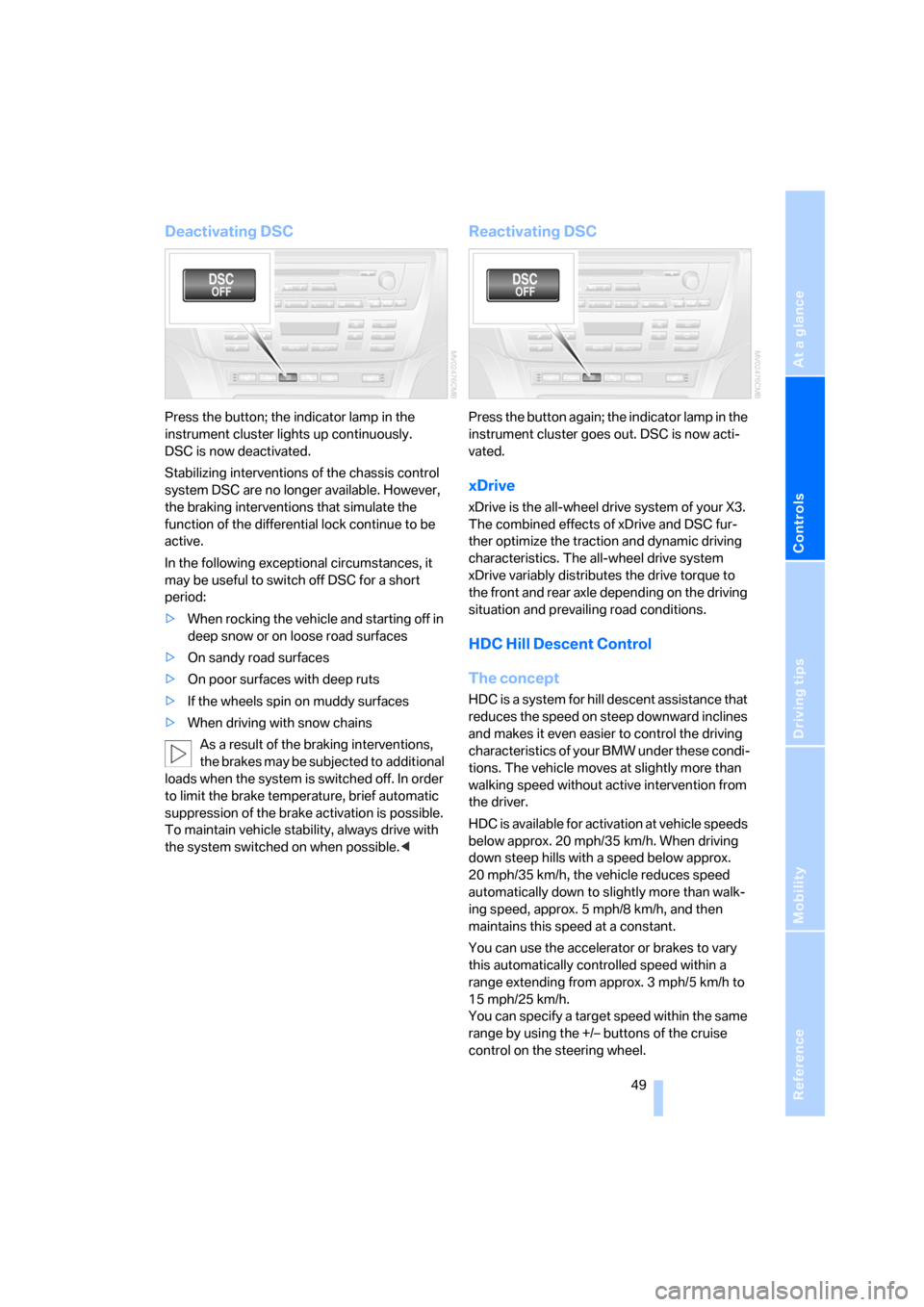
Deactivating DSC
Press the button; the indicator lamp in the
instrument cluster lights up continuously.
DSC is now deactivated.
Stabilizing interventions of the chassis control
system DSC are no longer available. However,
the braking interventions that simulate the
function of the differential lock continue to be
active.
In the following exceptional circumstances, it
may be useful to switch off DSC for a short
period:
>When rocking the vehicle and starting off in
deep snow or on loose road surfaces
>On sandy road surfaces
>On poor surfaces with deep ruts
>If the wheels spin on muddy surfaces
>When driving with snow chains
As a result of the braking interventions,
the brakes may be subjected to additional
loads when the system is switched off. In order
to limit the brake temperature, brief automatic
suppression of the brake activation is possible.
To maintain vehicle stability, always drive with
the system switched on when possible.<
Reactivating DSC
Press the button again; the indicator lamp in the
instrument cluster goes out. DSC is now acti-
vated.
xDrive
xDrive is the all-wheel drive system of your X3.
The combined effects of xDrive and DSC fur-
ther optimize the traction and dynamic driving
characteristics. The all-wheel drive system
xDrive variably distributes the drive torque to
the front and rear axle depending on the driving
situation and prevailing road conditions.
HDC Hill Descent Control
The concept
HDC is a system for hill descent assistance that
reduces the speed on steep downward inclines
and makes it even easier to control the driving
characteristics of your BMW under these condi-
tions. The vehicle moves at slightly more than
walking speed without active intervention from
the driver.
HDC is available for activation at vehicle speeds
below approx. 20 mph/35 km/h. When driving
down steep hills with a speed below approx.
20 mph/35 km/h, the vehicle reduces speed
automatically down to slightly more than walk-
ing speed, approx. 5 mph/8 km/h, and then
maintains this speed at a constant.
You can use the accelerator or brakes to vary
this automatically controlled speed within a
range extending from approx. 3 mph/5 km/h to
15 mph/25 km/h.
You can specify a target speed within the same
range by using the +/– buttons of the cruise
control on the steering wheel.
Page 52 of 133
Technology for comfort, convenience and safety
50
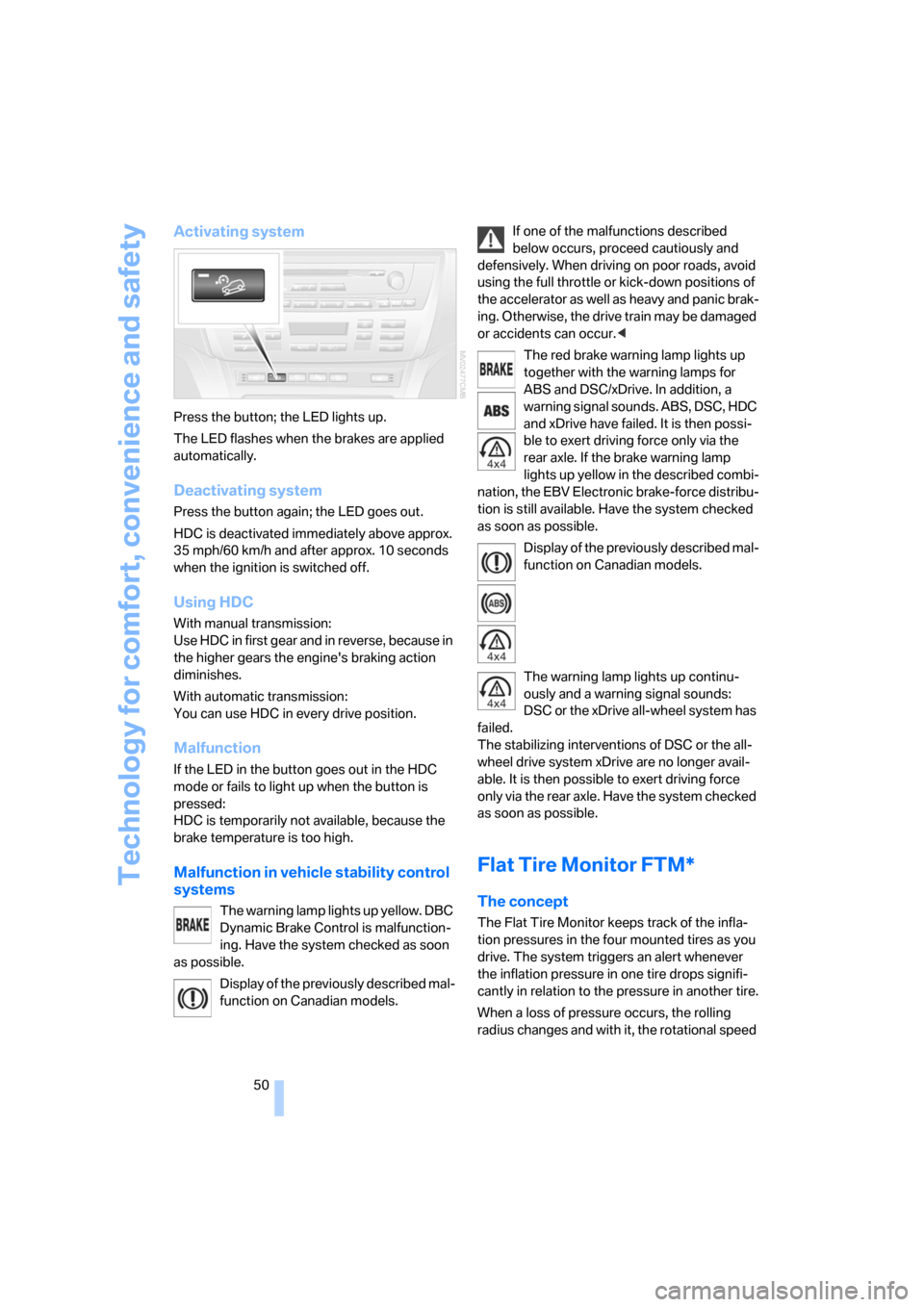
Activating system
Press the button; the LED lights up.
The LED flashes when the brakes are applied
automatically.
Deactivating system
Press the button again; the LED goes out.
HDC is deactivated immediately above approx.
35 mph/60 km/h and after approx. 10 seconds
when the ignition is switched off.
Using HDC
With manual transmission:
Use HDC in first gear and in reverse, because in
the higher gears the engine's braking action
diminishes.
With automatic transmission:
You can use HDC in every drive position.
Malfunction
If the LED in the button goes out in the HDC
mode or fails to light up when the button is
pressed:
HDC is temporarily not available, because the
brake temperature is too high.
Malfunction in vehicle stability control
systems
The warning lamp lights up yellow. DBC
Dynamic Brake Control is malfunction-
ing. Have the system checked as soon
as possible.
Display of the previously described mal-
function on Canadian models.If one of the malfunctions described
below occurs, proceed cautiously and
defensively. When driving on poor roads, avoid
using the full throttle or kick-down positions of
the accelerator as well as heavy and panic brak-
ing. Otherwise, the drive train may be damaged
or accidents can occur.<
The red brake warning lamp lights up
together with the warning lamps for
ABS and DSC/xDrive. In addition, a
warning signal sounds. ABS, DSC, HDC
and xDrive have failed. It is then possi-
ble to exert driving force only via the
rear axle. If the brake warning lamp
lights up yellow in the described combi-
nation, the EBV Electronic brake-force distribu-
tion is still available. Have the system checked
as soon as possible.
Display of the previously described mal-
function on Canadian models.
The warning lamp lights up continu-
ously and a warning signal sounds:
DSC or the xDrive all-wheel system has
failed.
The stabilizing interventions of DSC or the all-
wheel drive system xDrive are no longer avail-
able. It is then possible to exert driving force
only via the rear axle. Have the system checked
as soon as possible.
Flat Tire Monitor FTM*
The concept
The Flat Tire Monitor keeps track of the infla-
tion pressures in the four mounted tires as you
drive. The system triggers an alert whenever
the inflation pressure in one tire drops signifi-
cantly in relation to the pressure in another tire.
When a loss of pressure occurs, the rolling
radius changes and with it, the rotational speed
Page 53 of 133
Reference
At a glance
Controls
Driving tips
Mobility
51
of the wheels. This change is detected and sig-
naled as a flat tire.
Functional requirement
To ensure the reliable signaling of a flat tire, the
system must be initialized at the correct tire
inflation pressure.
The initialization must be repeated after
every correction of the tire inflation pres-
sure, after every tire or wheel change, and after
a trailer is hitched or unhitched.<
System limits
The Flat Tire Monitor cannot predict sud-
den severe tire damage caused by out-
side factors and does not detect a natural, even
pressure drop in all four tires.<
In the following situations, the system could be
delayed or malfunction:
>When the system has not been initialized
>When driving on snow-covered or slippery
road surfaces
>Sporty driving style: slip in the drive wheels,
high lateral acceleration.
>When driving with snow chains
When driving with a compact wheel, the Flat
Tire Monitor cannot operate.
Initializing system
The system must be reinitialized after
every correction of tire inflation pressure
and after every tire or wheel change. Do not ini-
tialize the system when driving with snow
chains or with a compact wheel.<
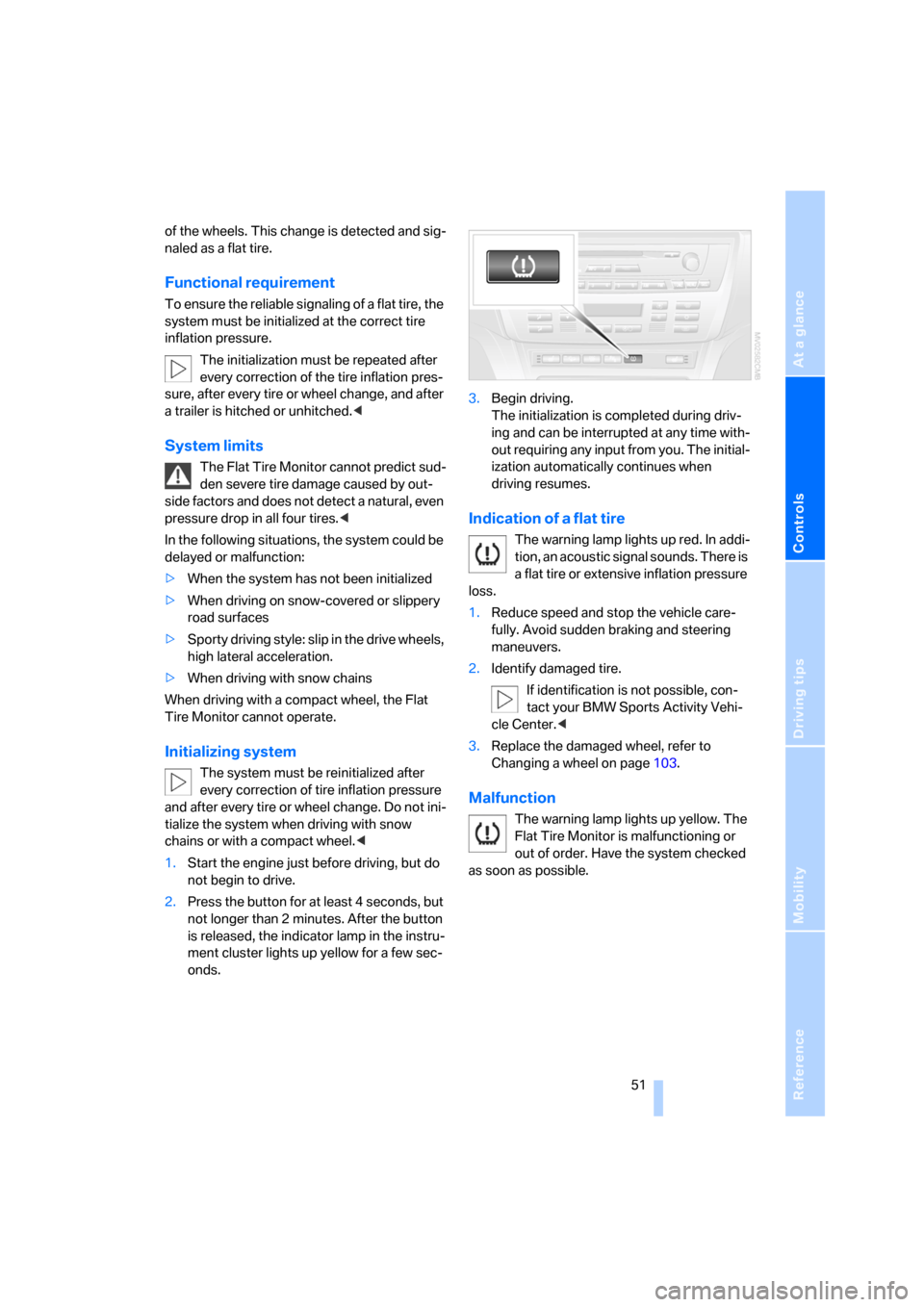
1.Start the engine just before driving, but do
not begin to drive.
2.Press the button for at least 4 seconds, but
not longer than 2 minutes. After the button
is released, the indicator lamp in the instru-
ment cluster lights up yellow for a few sec-
onds.3.Begin driving.
The initialization is completed during driv-
ing and can be interrupted at any time with-
out requiring any input from you. The initial-
ization automatically continues when
driving resumes.
Indication of a flat tire
The warning lamp lights up red. In addi-
tion, an acoustic signal sounds. There is
a flat tire or extensive inflation pressure
loss.
1.Reduce speed and stop the vehicle care-
fully. Avoid sudden braking and steering
maneuvers.
2.Identify damaged tire.
If identification is not possible, con-
tact your BMW Sports Activity Vehi-
cle Center.<
3.Replace the damaged wheel, refer to
Changing a wheel on page103.
Malfunction
The warning lamp lights up yellow. The
Flat Tire Monitor is malfunctioning or
out of order. Have the system checked
as soon as possible.
Page 54 of 133
Technology for comfort, convenience and safety
52
TPM Tire Pressure Monitor*
The concept
TPM controls the tire inflation pressure in the
four mounted wheels. The system notifies you
if the tire inflation pressure has fallen signifi-
cantly in one or more tires.
Functional requirement
To ensure the reliable signaling of a flat tire, the
system must be reset at the correct tire inflation
pressure.
Always use wheels equipped with TPM elec-
tronics, including a metal valve; otherwise, there
is no guarantee that the system will function
properly.
The system must be reset after every cor-
rection of tire inflation pressure and after
every tire or wheel change.<
System limits
TPM cannot warn you of sudden, serious
tire damage due to external factors.<
The system does not function properly if it has
not been reset, e.g. it may identify a tire as flat in
spite of the fact that the tire is filled to the cor-
rect inflation pressure.
The system is inactive and cannot indicate flat
tires if a wheel not equipped with TPM electron-
ics has been mounted, e.g. a compact wheel, or
if TPM is experiencing temporary interference
from other systems or devices that use the
same frequency.
Resetting system
The system must be reset after every cor-
rection of tire inflation pressure and after
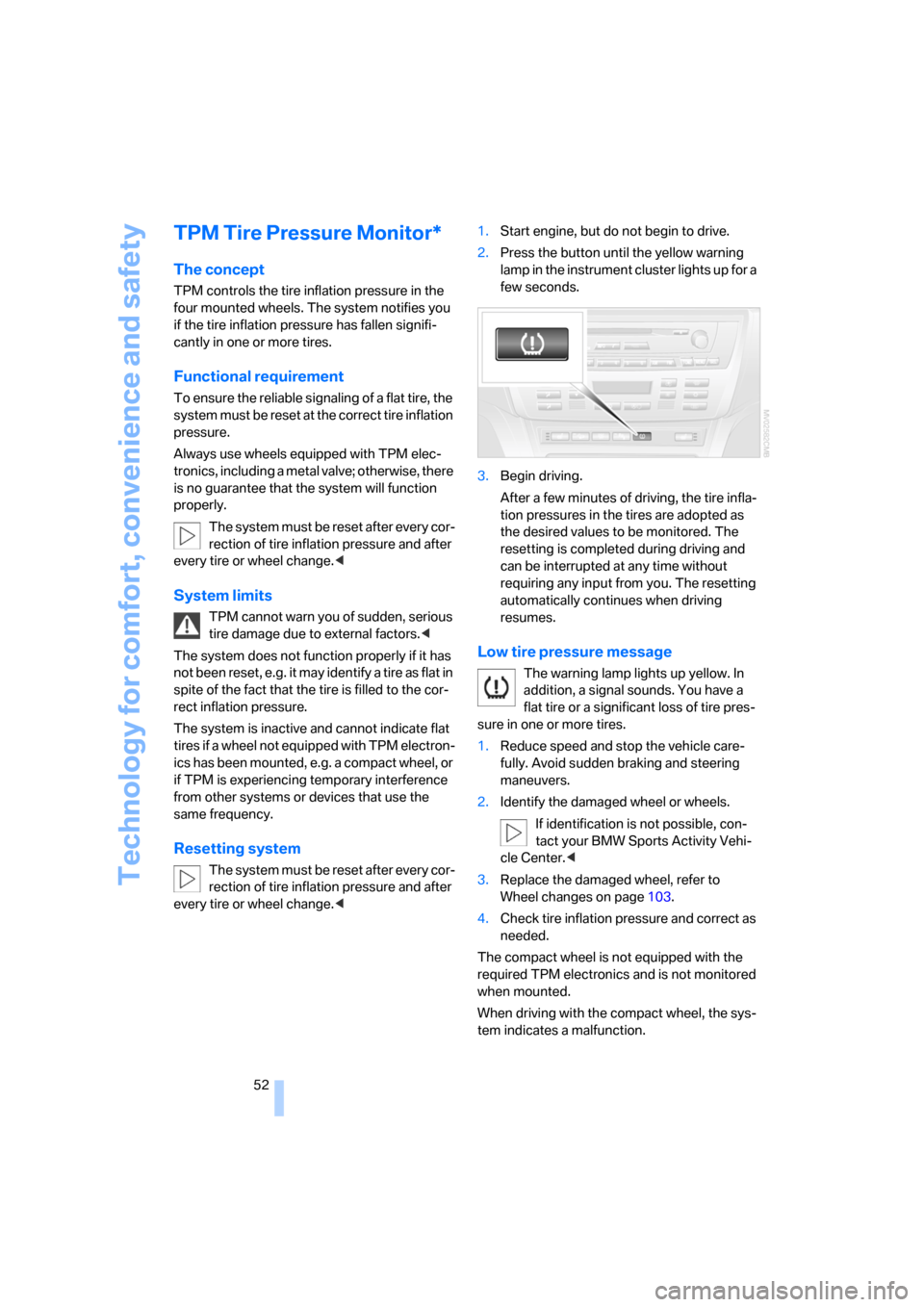
every tire or wheel change.<1.Start engine, but do not begin to drive.
2.Press the button until the yellow warning
lamp in the instrument cluster lights up for a
few seconds.
3.Begin driving.
After a few minutes of driving, the tire infla-
tion pressures in the tires are adopted as
the desired values to be monitored. The
resetting is completed during driving and
can be interrupted at any time without
requiring any input from you. The resetting
automatically continues when driving
resumes.
Low tire pressure message
The warning lamp lights up yellow. In
addition, a signal sounds. You have a
flat tire or a significant loss of tire pres-
sure in one or more tires.
1.Reduce speed and stop the vehicle care-
fully. Avoid sudden braking and steering
maneuvers.
2.Identify the damaged wheel or wheels.
If identification is not possible, con-
tact your BMW Sports Activity Vehi-
cle Center.<
3.Replace the damaged wheel, refer to
Wheel changes on page103.
4.Check tire inflation pressure and correct as
needed.
The compact wheel is not equipped with the
required TPM electronics and is not monitored
when mounted.
When driving with the compact wheel, the sys-
tem indicates a malfunction.
Page 55 of 133
Reference
At a glance
Controls
Driving tips
Mobility
53
Have the damaged tire replaced by your BMW
Sports Activity Vehicle Center or a workshop
that is familiar with TPM and works in accor-
dance with BMW repair procedures, using
appropriately trained personnel.
Malfunction
The yellow warning lamp flashes and
then lights up continuously. Flat tires
cannot be detected.
Such a message is displayed in the following
situations:
>In the event of a malfunction:
Have the system checked
>When a wheel without TPM electronics is
mounted, e.g. a compact wheel
>When TPM is experiencing temporary inter-
ference from other systems or devices that
use the same frequency
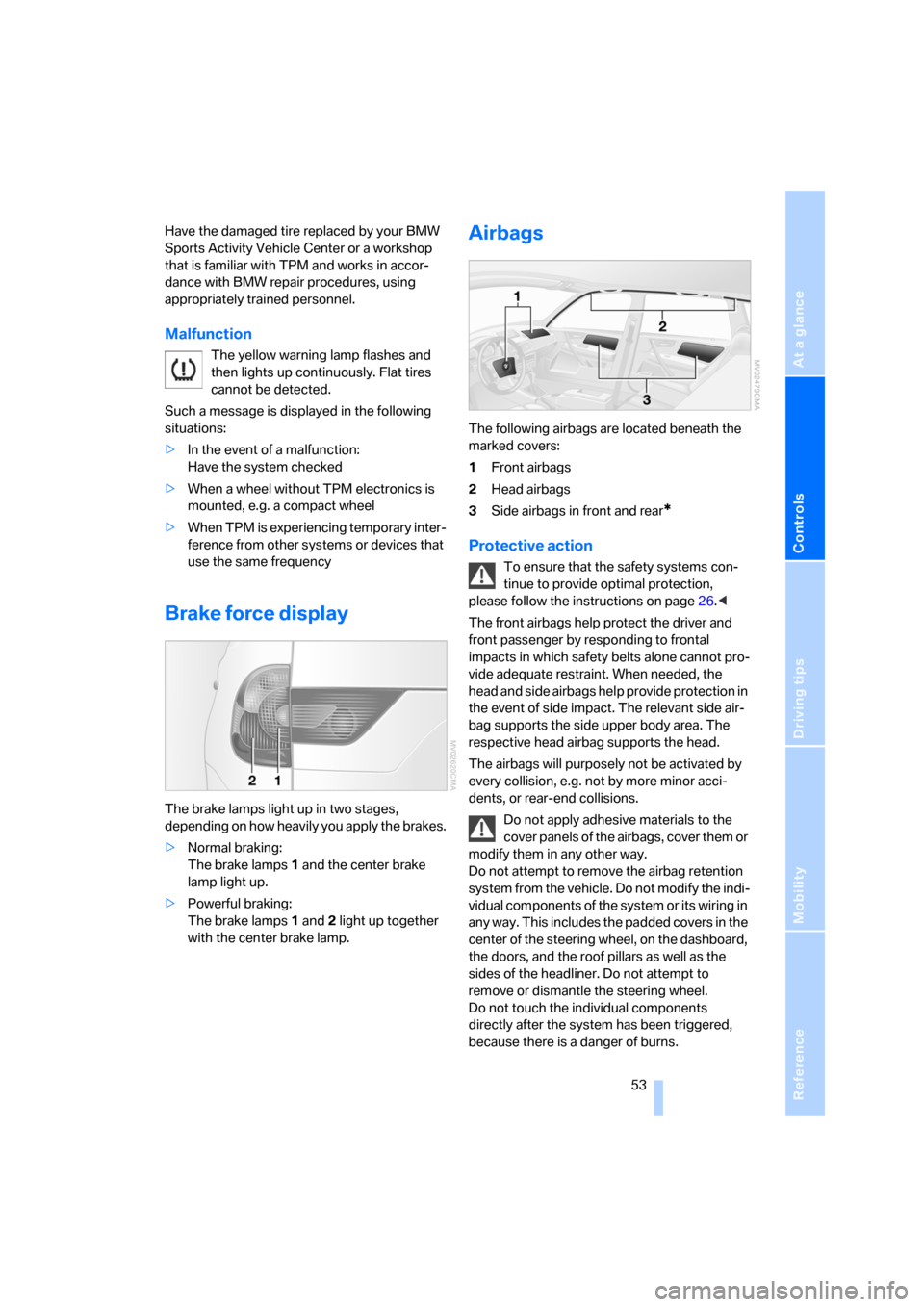
Brake force display
The brake lamps light up in two stages,
depending on how heavily you apply the brakes.
>Normal braking:
The brake lamps 1 and the center brake
lamp light up.
>Powerful braking:
The brake lamps 1 and 2 light up together
with the center brake lamp.
Airbags
The following airbags are located beneath the
marked covers:
1Front airbags
2Head airbags
3Side airbags in front and rear
*
Protective action
To ensure that the safety systems con-
tinue to provide optimal protection,
please follow the instructions on page26.<
The front airbags help protect the driver and
front passenger by responding to frontal
impacts in which safety belts alone cannot pro-
vide adequate restraint. When needed, the
head and side airbags help provide protection in
the event of side impact. The relevant side air-
bag supports the side upper body area. The
respective head airbag supports the head.
The airbags will purposely not be activated by
every collision, e.g. not by more minor acci-
dents, or rear-end collisions.
Do not apply adhesive materials to the
cover panels of the airbags, cover them or
modify them in any other way.
Do not attempt to remove the airbag retention
system from the vehicle. Do not modify the indi-
vidual components of the system or its wiring in
any way. This includes the padded covers in the
center of the steering wheel, on the dashboard,
the doors, and the roof pillars as well as the
sides of the headliner. Do not attempt to
remove or dismantle the steering wheel.
Do not touch the individual components
directly after the system has been triggered,
because there is a danger of burns.