ignition BMW X3 2.5I 2006 E83 Owner's Guide
[x] Cancel search | Manufacturer: BMW, Model Year: 2006, Model line: X3 2.5I, Model: BMW X3 2.5I 2006 E83Pages: 133, PDF Size: 8.37 MB
Page 52 of 133
Technology for comfort, convenience and safety
50
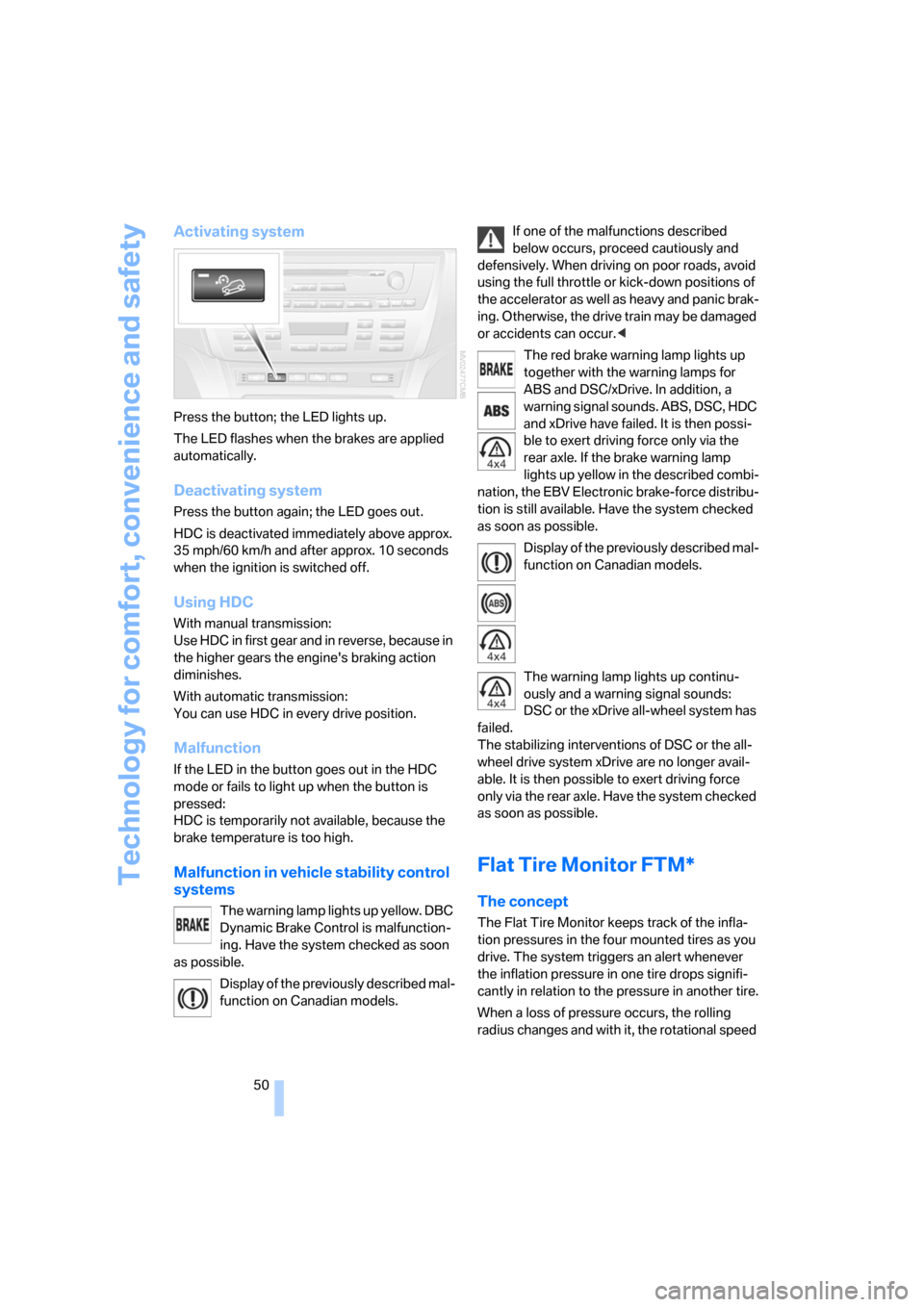
Activating system
Press the button; the LED lights up.
The LED flashes when the brakes are applied
automatically.
Deactivating system
Press the button again; the LED goes out.
HDC is deactivated immediately above approx.
35 mph/60 km/h and after approx. 10 seconds
when the ignition is switched off.
Using HDC
With manual transmission:
Use HDC in first gear and in reverse, because in
the higher gears the engine's braking action
diminishes.
With automatic transmission:
You can use HDC in every drive position.
Malfunction
If the LED in the button goes out in the HDC
mode or fails to light up when the button is
pressed:
HDC is temporarily not available, because the
brake temperature is too high.
Malfunction in vehicle stability control
systems
The warning lamp lights up yellow. DBC
Dynamic Brake Control is malfunction-
ing. Have the system checked as soon
as possible.
Display of the previously described mal-
function on Canadian models.If one of the malfunctions described
below occurs, proceed cautiously and
defensively. When driving on poor roads, avoid
using the full throttle or kick-down positions of
the accelerator as well as heavy and panic brak-
ing. Otherwise, the drive train may be damaged
or accidents can occur.<
The red brake warning lamp lights up
together with the warning lamps for
ABS and DSC/xDrive. In addition, a
warning signal sounds. ABS, DSC, HDC
and xDrive have failed. It is then possi-
ble to exert driving force only via the
rear axle. If the brake warning lamp
lights up yellow in the described combi-
nation, the EBV Electronic brake-force distribu-
tion is still available. Have the system checked
as soon as possible.
Display of the previously described mal-
function on Canadian models.
The warning lamp lights up continu-
ously and a warning signal sounds:
DSC or the xDrive all-wheel system has
failed.
The stabilizing interventions of DSC or the all-
wheel drive system xDrive are no longer avail-
able. It is then possible to exert driving force
only via the rear axle. Have the system checked
as soon as possible.
Flat Tire Monitor FTM*
The concept
The Flat Tire Monitor keeps track of the infla-
tion pressures in the four mounted tires as you
drive. The system triggers an alert whenever
the inflation pressure in one tire drops signifi-
cantly in relation to the pressure in another tire.
When a loss of pressure occurs, the rolling
radius changes and with it, the rotational speed
Page 56 of 133
Technology for comfort, convenience and safety
54 In the event of malfunctions, deactivation, or
triggering of the airbag restraint system, have
the testing, repair, removal, and disposal of air-
bag generators executed only by a BMW Sports
Activity Vehicle Center or a workshop that
works according to BMW repair procedures
with correspondingly trained personnel and has
the required explosives licenses. Unprofes-
sional attempts to service the system could
lead to failure in an emergency or undesired air-
bag activation, either of which could result in
personal injury.<
Airbag warnings and information are also pro-
vided on the sun visors.
Automatic deactivation of front
passenger airbags
By evaluating the pressure on the seat cushion
of the front passenger seat, the system detects
whether or not the seat is occupied. The front
and side airbags for the passenger are activated
or deactivated by the system accordingly.
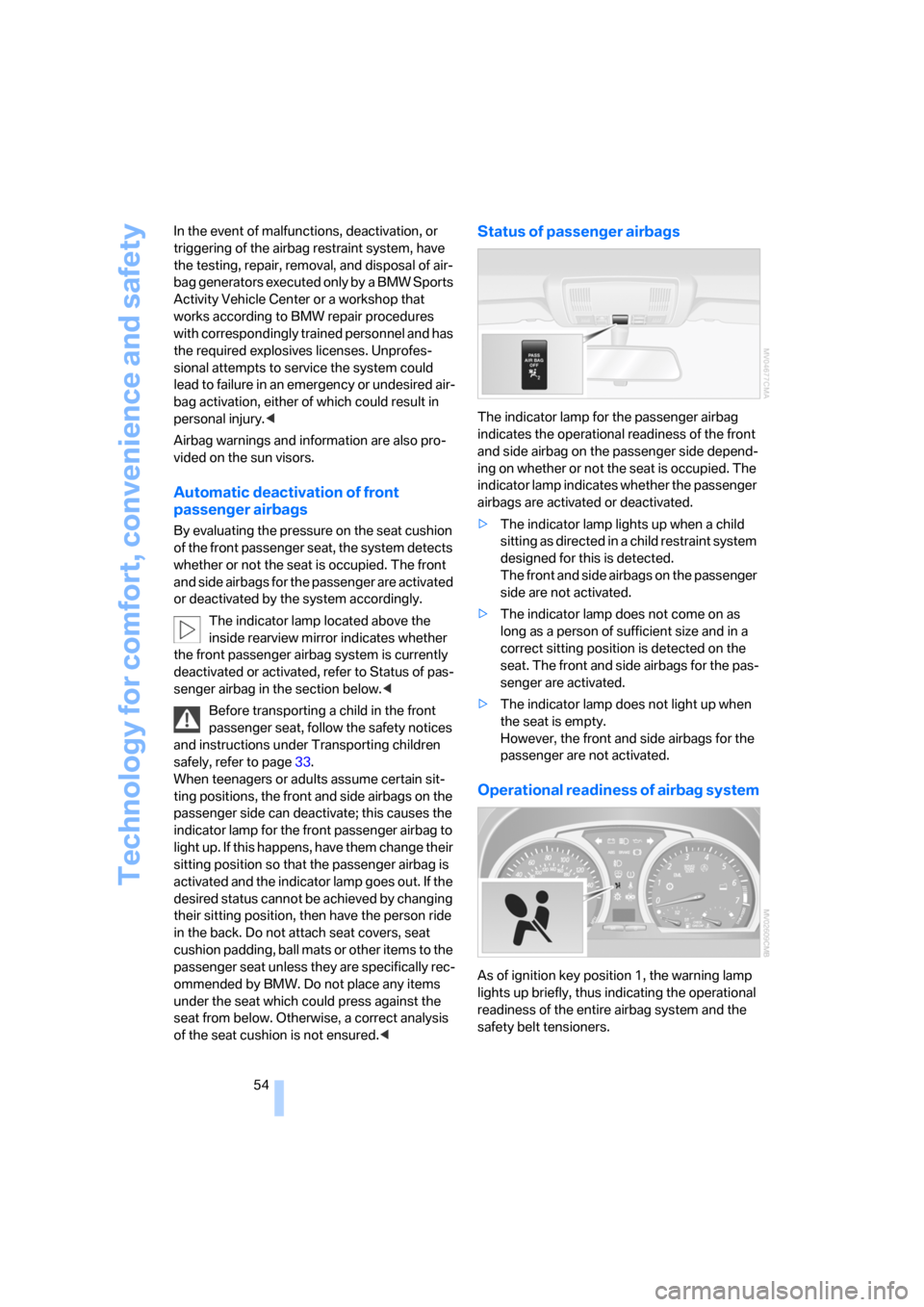
The indicator lamp located above the
inside rearview mirror indicates whether
the front passenger airbag system is currently
deactivated or activated, refer to Status of pas-
senger airbag in the section below.<
Before transporting a child in the front
passenger seat, follow the safety notices
and instructions under Transporting children
safely, refer to page33.
When teenagers or adults assume certain sit-
ting positions, the front and side airbags on the
passenger side can deactivate; this causes the
indicator lamp for the front passenger airbag to
light up. If this happens, have them change their
sitting position so that the passenger airbag is
activated and the indicator lamp goes out. If the
desired status cannot be achieved by changing
their sitting position, then have the person ride
in the back. Do not attach seat covers, seat
cushion padding, ball mats or other items to the
passenger seat unless they are specifically rec-
ommended by BMW. Do not place any items
under the seat which could press against the
seat from below. Otherwise, a correct analysis
of the seat cushion is not ensured.<
Status of passenger airbags
The indicator lamp for the passenger airbag
indicates the operational readiness of the front
and side airbag on the passenger side depend-
ing on whether or not the seat is occupied. The
indicator lamp indicates whether the passenger
airbags are activated or deactivated.
>The indicator lamp lights up when a child
sitting as directed in a child restraint system
designed for this is detected.
The front and side airbags on the passenger
side are not activated.
>The indicator lamp does not come on as
long as a person of sufficient size and in a
correct sitting position is detected on the
seat. The front and side airbags for the pas-
senger are activated.
>The indicator lamp does not light up when
the seat is empty.
However, the front and side airbags for the
passenger are not activated.
Operational readiness of airbag system
As of ignition key position 1, the warning lamp
lights up briefly, thus indicating the operational
readiness of the entire airbag system and the
safety belt tensioners.
Page 57 of 133
Reference
At a glance
Controls
Driving tips
Mobility
55
Airbag system malfunction
>Warning lamp does not come on with the
ignition key in position 1 or higher.
>The warning lamp lights up continuously.
Have the airbag system checked immedi-
ately if a malfunction occurs; otherwise,
there is a danger of the system failing to
respond in the expected manner to an impact
occurring within its normal response range.<
Page 58 of 133
Lamps
56
Lamps
Parking lamps/low beams
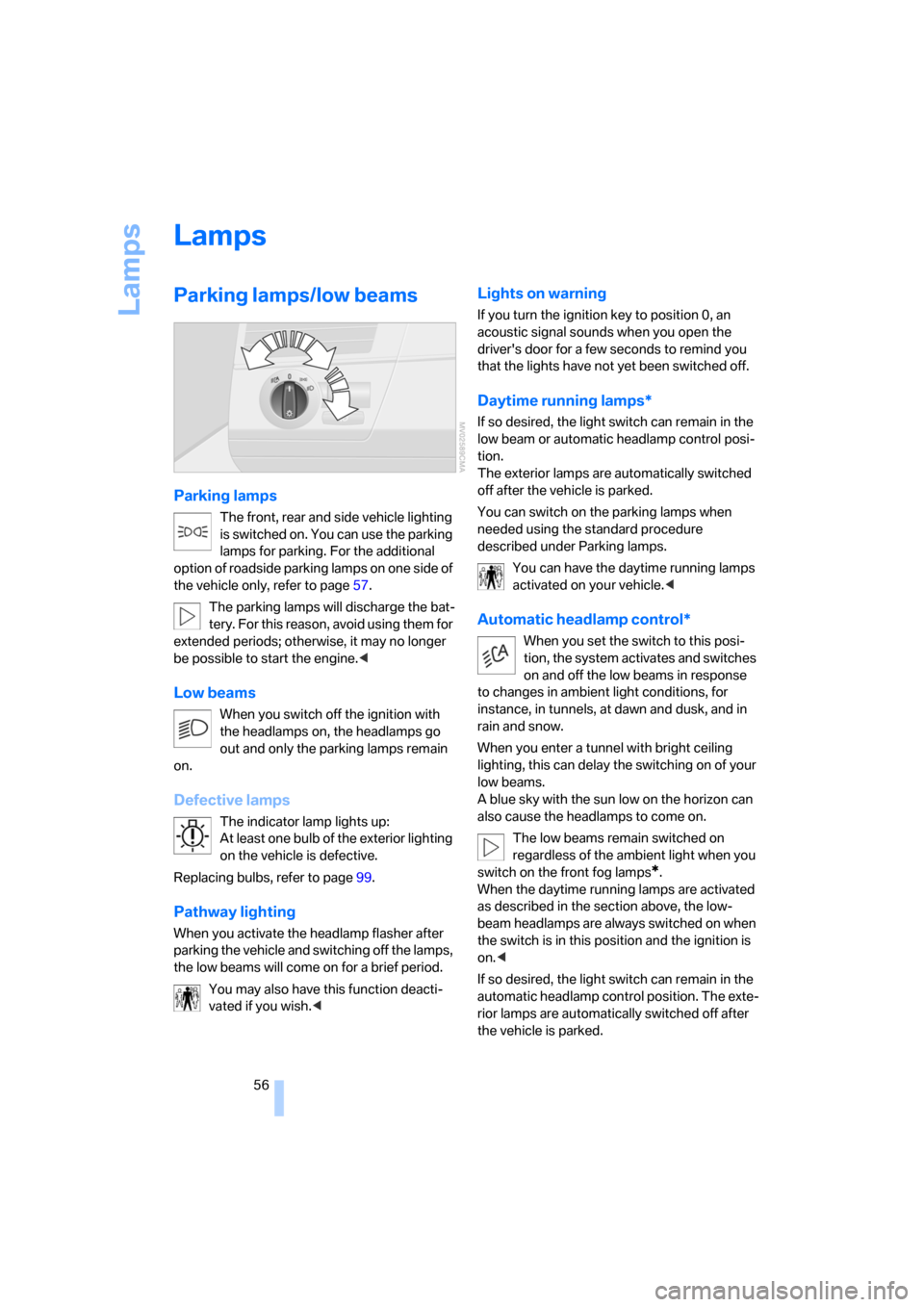
Parking lamps
The front, rear and side vehicle lighting
is switched on. You can use the parking
lamps for parking. For the additional
option of roadside parking lamps on one side of
the vehicle only, refer to page57.
The parking lamps will discharge the bat-
tery. For this reason, avoid using them for
extended periods; otherwise, it may no longer
be possible to start the engine.<
Low beams
When you switch off the ignition with
the headlamps on, the headlamps go
out and only the parking lamps remain
on.
Defective lamps
The indicator lamp lights up:
At least one bulb of the exterior lighting
on the vehicle is defective.
Replacing bulbs, refer to page99.
Pathway lighting
When you activate the headlamp flasher after
parking the vehicle and switching off the lamps,
the low beams will come on for a brief period.
You may also have this function deacti-
vated if you wish.<
Lights on warning
If you turn the ignition key to position 0, an
acoustic signal sounds when you open the
driver's door for a few seconds to remind you
that the lights have not yet been switched off.
Daytime running lamps*
If so desired, the light switch can remain in the
low beam or automatic headlamp control posi-
tion.
The exterior lamps are automatically switched
off after the vehicle is parked.
You can switch on the parking lamps when
needed using the standard procedure
described under Parking lamps.
You can have the daytime running lamps
activated on your vehicle.<
Automatic headlamp control*
When you set the switch to this posi-
tion, the system activates and switches
on and off the low beams in response
to changes in ambient light conditions, for
instance, in tunnels, at dawn and dusk, and in
rain and snow.
When you enter a tunnel with bright ceiling
lighting, this can delay the switching on of your
low beams.
A blue sky with the sun low on the horizon can
also cause the headlamps to come on.
The low beams remain switched on
regardless of the ambient light when you
switch on the front fog lamps
*.
When the daytime running lamps are activated
as described in the section above, the low-
beam headlamps are always switched on when
the switch is in this position and the ignition is
on.<
If so desired, the light switch can remain in the
automatic headlamp control position. The exte-
rior lamps are automatically switched off after
the vehicle is parked.
Page 59 of 133
Reference
At a glance
Controls
Driving tips
Mobility
57
Automatic headlamp control cannot
serve as a substitute for the driver's judg-
ment in determining when the vehicle lamps
should be switched on. For example, the sys-
tem cannot detect fog or hazy weather. To
avoid safety risks, you should always switch on
the lamps manually under these conditions.<
You can have the sensitivity of the head-
lamp control adjusted.<
Adaptive Head Light*
The concept
Adaptive Head Light is a variable headlamp
control system that enables better illumination
of the road surface. Depending on the steering
angle and other assumptions, the light from the
headlamp follows the course of the road.
Activating Adaptive Head Light
In ignition position 2, turn the light
switch into the automatic headlamp
control position, refer to page56.
The LED next to the symbol lights up.
In order not to blind oncoming traffic, the Adap-
tive Head Light is not active when driving in
reverse and only points toward the passenger
side when the vehicle is stationary.
Malfunction
The LED next to the symbol for automatic head-
lamp control flashes. Adaptive Head Light is
malfunctioning or has failed. Have the system
checked as soon as possible.
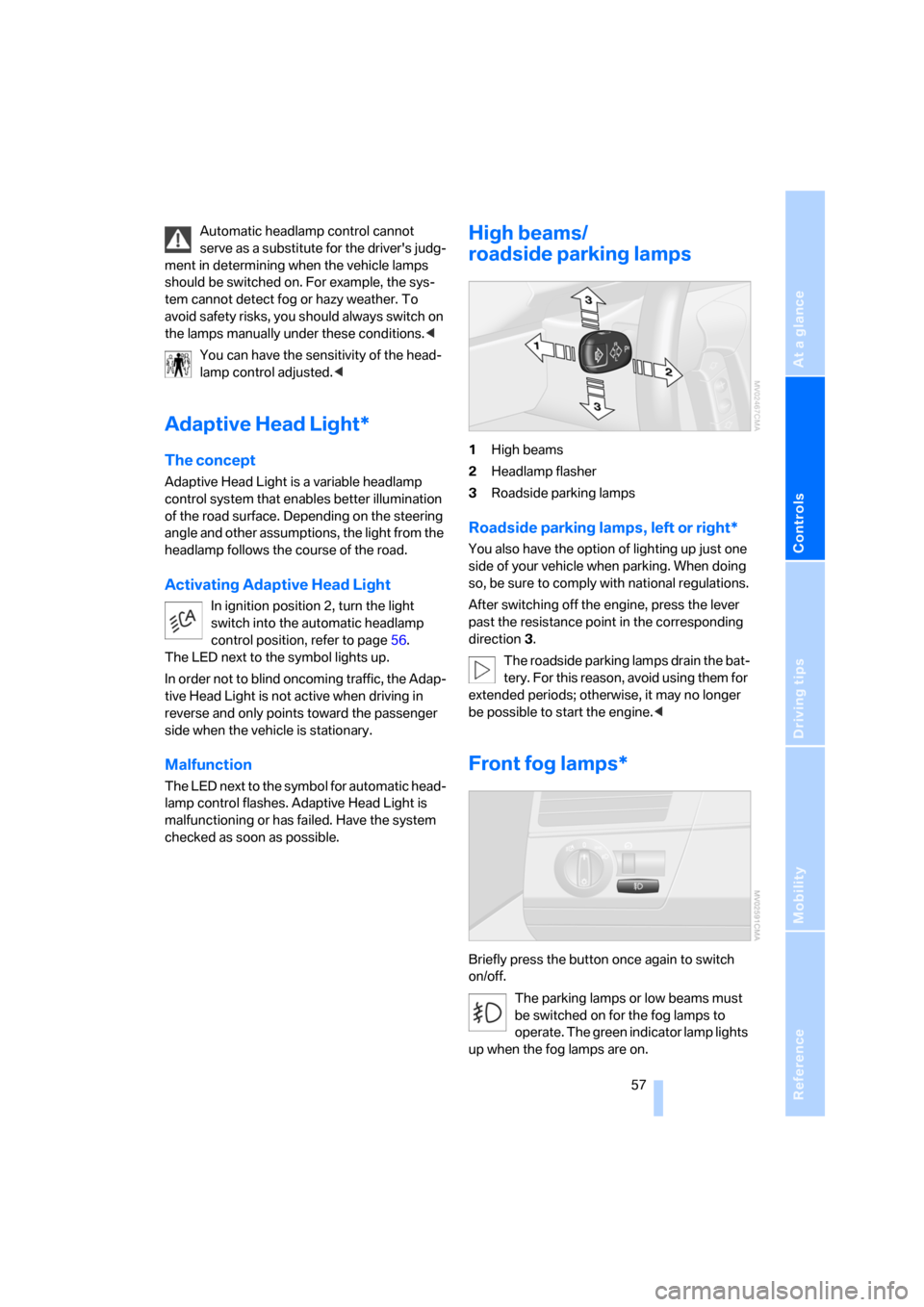
High beams/
roadside parking lamps
1High beams
2Headlamp flasher
3Roadside parking lamps
Roadside parking lamps, left or right*
You also have the option of lighting up just one
side of your vehicle when parking. When doing
so, be sure to comply with national regulations.
After switching off the engine, press the lever
past the resistance point in the corresponding
direction 3.
The roadside parking lamps drain the bat-
tery. For this reason, avoid using them for
extended periods; otherwise, it may no longer
be possible to start the engine.<
Front fog lamps*
Briefly press the button once again to switch
on/off.
The parking lamps or low beams must
be switched on for the fog lamps to
operate. The green indicator lamp lights
up when the fog lamps are on.
Page 67 of 133
Reference
At a glance
Controls
Driving tips
Mobility
65
Practical interior accessories
Integrated universal remote
control*
The concept
The integrated universal remote control
replaces up to three different hand-held trans-
mitters for various items of radio-controlled
equipment such as door openers and house
alarm systems. The integrated universal remote
control recognizes and learns the transmitted
signal of each of the original hand-held trans-
mitters.
The signal of an original hand-held transmitter
can be programmed on one of the three mem-
ory buttons1. Once this is done, each of the
devices can be actuated with the appropriately
programmed memory button 1. The LED2 indi-
cates transmission of the signal.
Should you sell your vehicle one day, be sure to
delete the stored programs beforehand for your
security, refer to page66.
To prevent possible damage or injury,
before programming or using the inte-
grated universal remote control, always inspect
the immediate area to make certain that no peo-
ple, animals or objects are within the travel
range of the device. Also, comply with the
safety precautions of the original hand-held
transmitter.<
Checking compatibility
If you see this symbol on the packaging
or in the manual supplied with the origi-
nal hand-held transmitter, then it is safe
to assume that the radio-controlled device is
compatible with the integrated universal
remote control.
If you have additional questions, please
ask at your BMW Sports Activity Vehicle
Center or call: 1-800-355-3515.
You can find also information on the Internet at:
www.bmwusa.com or
www.homelink.com. HomeLink is a registered trademark of
Johnson Controls, Inc.<
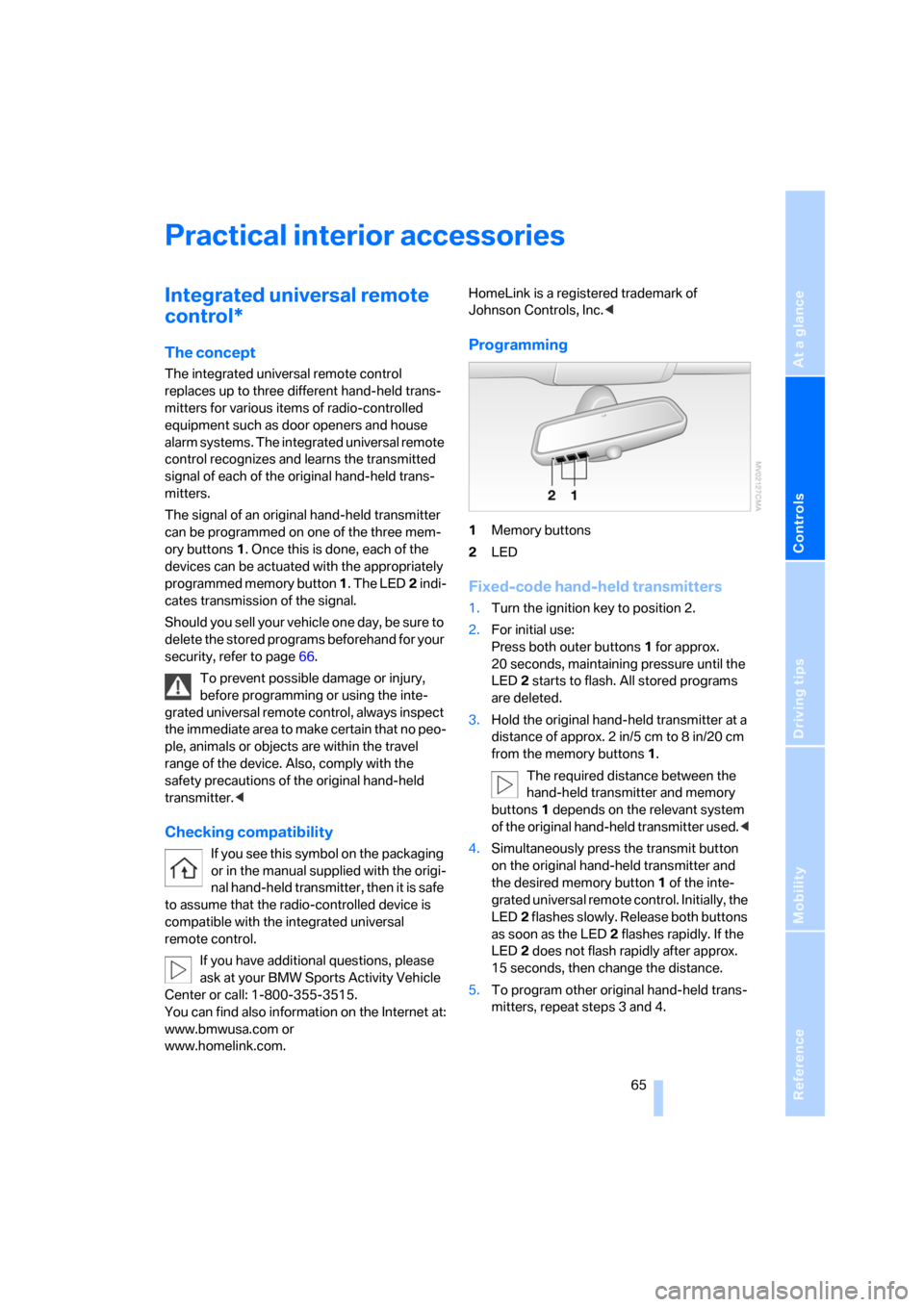
Programming
1Memory buttons
2LED
Fixed-code hand-held transmitters
1.Turn the ignition key to position 2.
2.For initial use:
Press both outer buttons 1 for approx.
20 seconds, maintaining pressure until the
LED2 starts to flash. All stored programs
are deleted.
3.Hold the original hand-held transmitter at a
distance of approx. 2in/5cm to 8in/20cm
from the memory buttons1.
The required distance between the
hand-held transmitter and memory
buttons1 depends on the relevant system
of the original hand-held transmitter used.<
4.Simultaneously press the transmit button
on the original hand-held transmitter and
the desired memory button 1 of the inte-
grated universal remote control. Initially, the
LED2 flashes slowly. Release both buttons
as soon as the LED2 flashes rapidly. If the
LED2 does not flash rapidly after approx.
15 seconds, then change the distance.
5.To program other original hand-held trans-
mitters, repeat steps 3 and 4.
Page 68 of 133
Practical interior accessories
66 The corresponding memory button1 is now
programmed with the signal of the original
hand-held transmitter.
You can use the system when the engine is run-
ning or when the ignition is switched on.
If the system cannot be operated after
repeated programming, check whether
the original hand-held transmitter uses an alter-
nating-code system. To do so, either read the
instructions of the original hand-held transmit-
ter or press and hold down the programmed
memory button 1 of the integrated universal
remote control. If the LED2 on the integrated
universal remote control flashes rapidly for a
short time then lights up for approx. 2 seconds,
this indicates that the original hand-held trans-
mitter uses an alternating-code system. In the
case of an alternating-code system, program
the memory buttons 1 as described in the sec-
tion below on alternating-code transmitters.<
Alternating-code transmitters
Consult the operating instructions of the unit
you wish to set when programming the univer-
sal remote control. You will find information
there on the possibilities for synchronization.
When programming hand-held transmitters
that employ an alternating code, please follow
these additional instructions:
Programming will be easier with the aid of
a second person.<
1.Park your vehicle within the range of the
remote-controlled equipment.
2.Program the integrated universal remote
control as described above in the section on
Fixed-code hand-held transmitters.
3.Locate the button on the receiver of the
equipment to be set, e.g. on its drive unit.
4.Press the button on the receiver of the
device you want to set up. After step 4, you
have approx. 30 seconds for step 5.
5.Press the programmed memory button1
of the integrated universal remote control
three times.The corresponding memory button1 is now
programmed with the signal of the original
hand-held transmitter.
If you have questions, please contact your
BMW Sports Activity Vehicle Center.<
Deleting stored programs
Press both outer buttons1 for approx. 20 sec-
onds, maintaining pressure until the LED2
starts to flash: all stored programs are deleted.
It is not possible to delete individual programs.
Cup holders
Do not place glass containers in the cup
holders; otherwise, there is a danger of
injury in the event of an accident.<
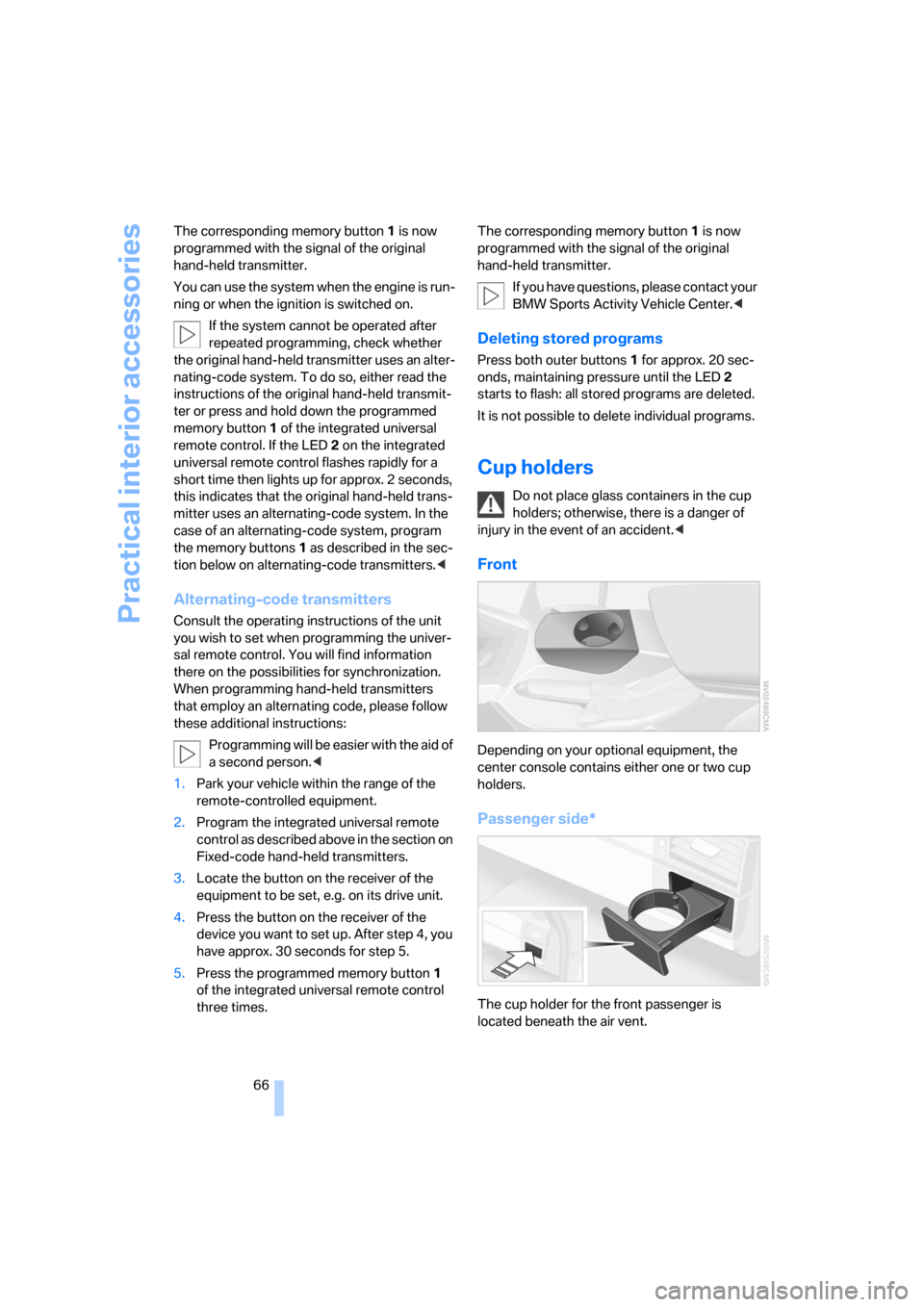
Front
Depending on your optional equipment, the
center console contains either one or two cup
holders.
Passenger side*
The cup holder for the front passenger is
located beneath the air vent.
Page 70 of 133
Practical interior accessories
68
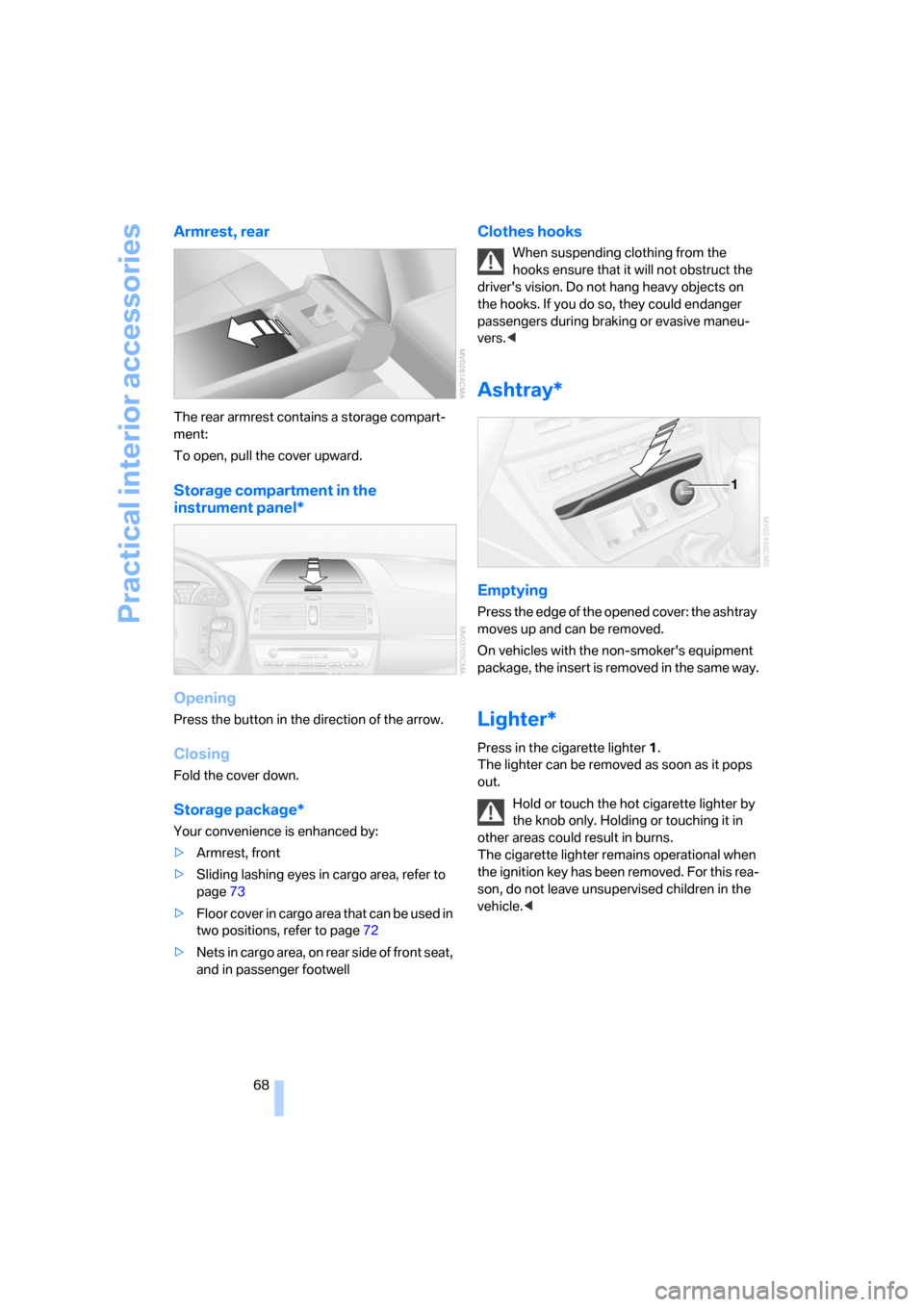
Armrest, rear
The rear armrest contains a storage compart-
ment:
To open, pull the cover upward.
Storage compartment in the
instrument panel*
Opening
Press the button in the direction of the arrow.
Closing
Fold the cover down.
Storage package*
Your convenience is enhanced by:
>Armrest, front
>Sliding lashing eyes in cargo area, refer to
page73
>Floor cover in cargo area that can be used in
two positions, refer to page72
>Nets in cargo area, on rear side of front seat,
and in passenger footwell
Clothes hooks
When suspending clothing from the
hooks ensure that it will not obstruct the
driver's vision. Do not hang heavy objects on
the hooks. If you do so, they could endanger
passengers during braking or evasive maneu-
vers.<
Ashtray*
Emptying
Press the edge of the opened cover: the ashtray
moves up and can be removed.
On vehicles with the non-smoker's equipment
package, the insert is removed in the same way.
Lighter*
Press in the cigarette lighter1.
The lighter can be removed as soon as it pops
out.
Hold or touch the hot cigarette lighter by
the knob only. Holding or touching it in
other areas could result in burns.
The cigarette lighter remains operational when
the ignition key has been removed. For this rea-
son, do not leave unsupervised children in the
vehicle.<
Page 101 of 133
Reference
At a glance
Controls
Driving tips
Mobility
99
Replacing components
Onboard tool kit
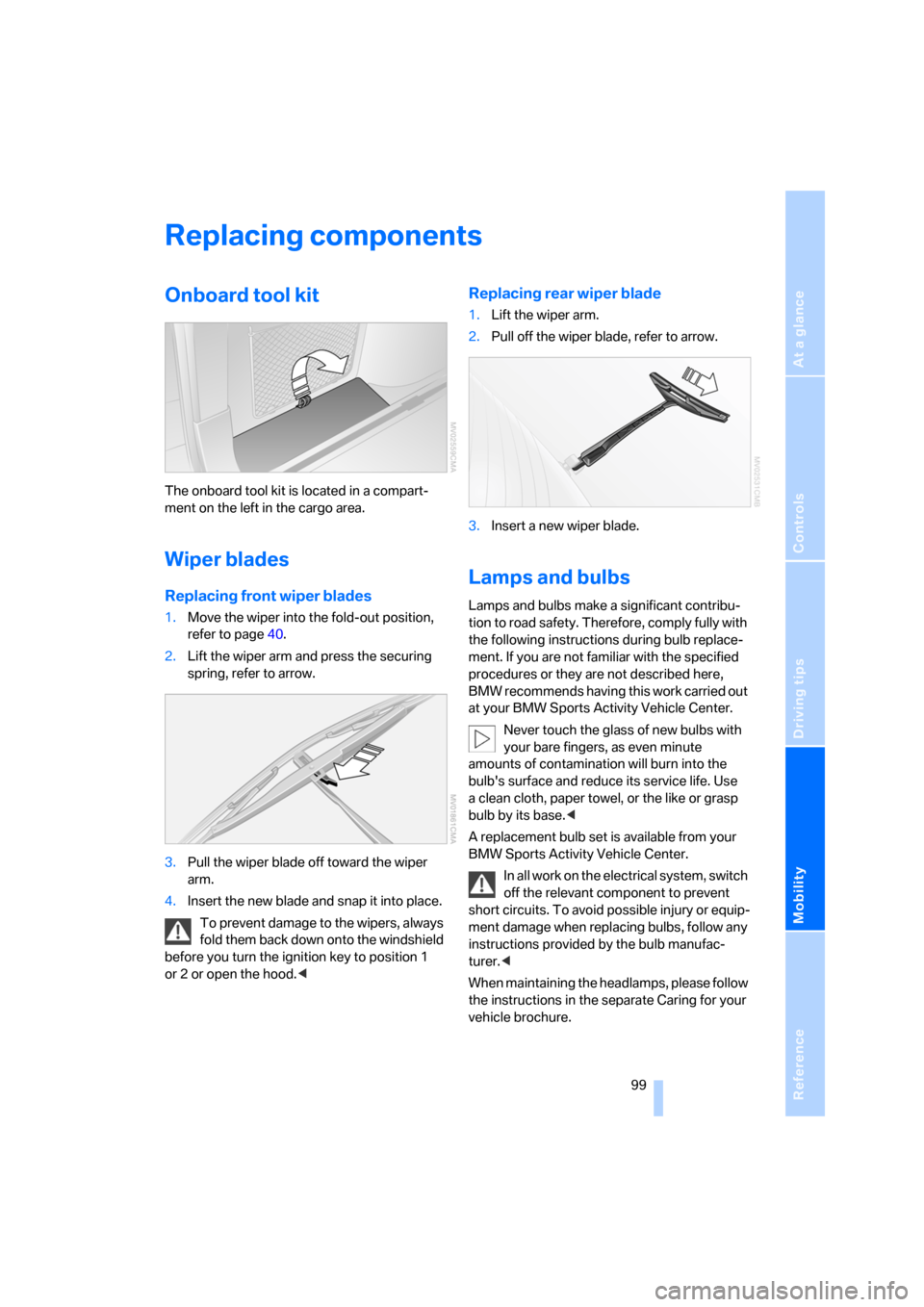
The onboard tool kit is located in a compart-
ment on the left in the cargo area.
Wiper blades
Replacing front wiper blades
1.Move the wiper into the fold-out position,
refer to page40.
2.Lift the wiper arm and press the securing
spring, refer to arrow.
3.Pull the wiper blade off toward the wiper
arm.
4.Insert the new blade and snap it into place.
To prevent damage to the wipers, always
fold them back down onto the windshield
before you turn the ignition key to position 1
or 2 or open the hood.<
Replacing rear wiper blade
1.Lift the wiper arm.
2.Pull off the wiper blade, refer to arrow.
3.Insert a new wiper blade.
Lamps and bulbs
Lamps and bulbs make a significant contribu-
tion to road safety. Therefore, comply fully with
the following instructions during bulb replace-
ment. If you are not familiar with the specified
procedures or they are not described here,
BMW recommends having this work carried out
at your BMW Sports Activity Vehicle Center.
Never touch the glass of new bulbs with
your bare fingers, as even minute
amounts of contamination will burn into the
bulb's surface and reduce its service life. Use
a clean cloth, paper towel, or the like or grasp
bulb by its base.<
A replacement bulb set is available from your
BMW Sports Activity Vehicle Center.
In all work on the electrical system, switch
off the relevant component to prevent
short circuits. To avoid possible injury or equip-
ment damage when replacing bulbs, follow any
instructions provided by the bulb manufac-
turer.<
When maintaining the headlamps, please follow
the instructions in the separate Caring for your
vehicle brochure.
Page 109 of 133
Reference
At a glance
Controls
Driving tips
Mobility
107
Giving and receiving assistance
Receiving assistance
The Roadside Assistance of the BMW Group
offers you assistance in the event of a break-
down around the clock, as well as on weekends
and public holidays.
The phone numbers of the Roadside Assis-
tance control center in your home country can
be found in the BMW Dealer directory.
In the case of vehicles with the corresponding
equipment, you can use buttons in the head-
liner to contact Roadside Assistance or initiate
an emergency call.
When the emergency call is initiated, a tele-
phone connection is established to the BMW
Assist response center.
In vehicles with BMW Assist enabled, if the cur-
r en t p o s it io n o f y o u r v eh i c le c a n b e d et e r m in e d ,
it will be transmitted to the BMW Assist
response center.
The conditions for initiating an emergency call
or contacting Roadside Assistance:
>Ignition key in position 1 or higher
>The car phone is logged on to a mobile tele-
phone network
>The emergency call system is operable
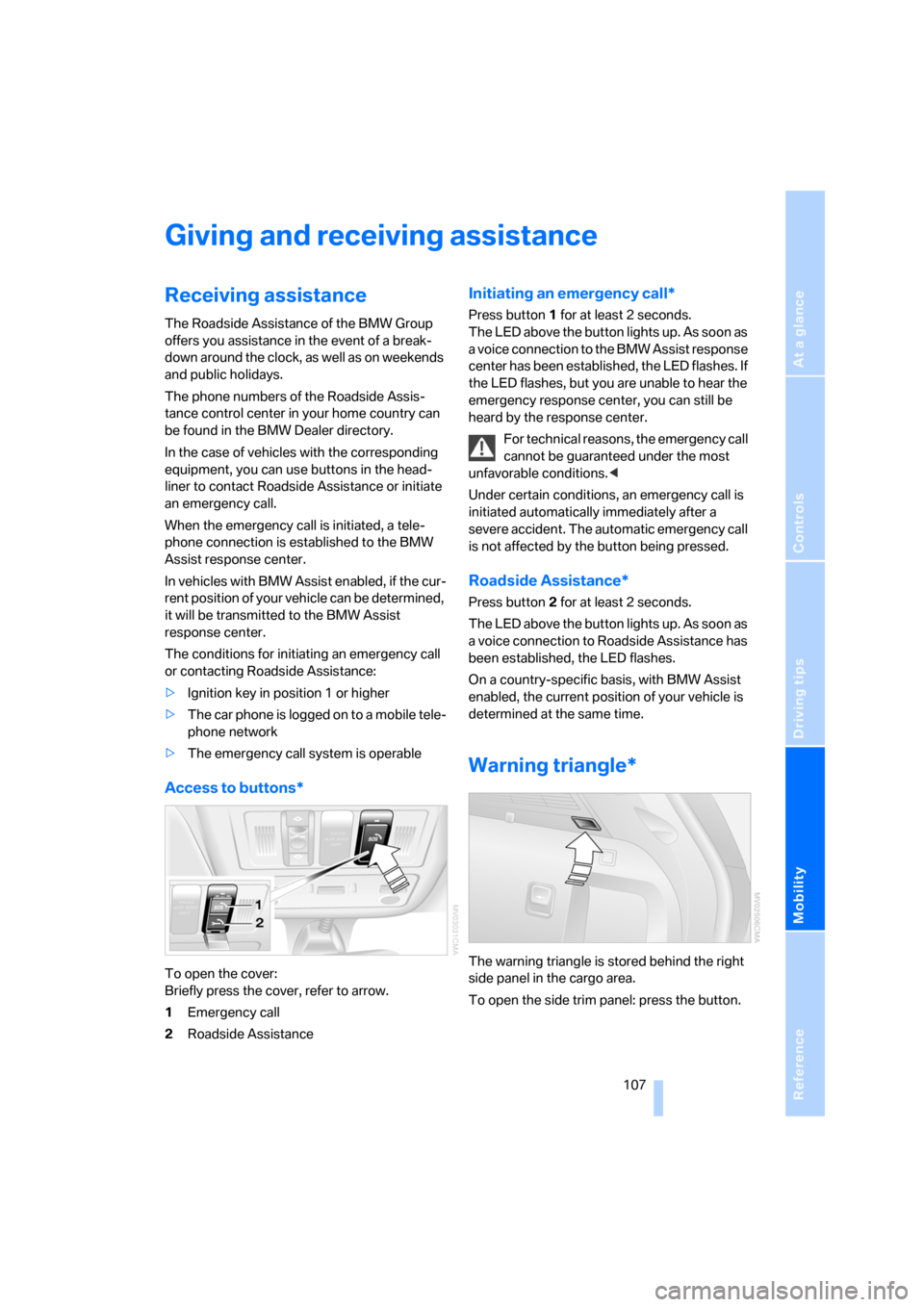
Access to buttons*
To open the cover:
Briefly press the cover, refer to arrow.
1Emergency call
2Roadside Assistance
Initiating an emergency call*
Press button 1 for at least 2 seconds.
The LED above the button lights up. As soon as
a voice connection to the BMW Assist response
center has been established, the LED flashes. If
the LED flashes, but you are unable to hear the
emergency response center, you can still be
heard by the response center.
For technical reasons, the emergency call
cannot be guaranteed under the most
unfavorable conditions.<
Under certain conditions, an emergency call is
initiated automatically immediately after a
severe accident. The automatic emergency call
is not affected by the button being pressed.
Roadside Assistance*
Press button 2 for at least 2 seconds.
The LED above the button lights up. As soon as
a voice connection to Roadside Assistance has
been established, the LED flashes.
On a country-specific basis, with BMW Assist
enabled, the current position of your vehicle is
determined at the same time.
Warning triangle*
The warning triangle is stored behind the right
side panel in the cargo area.
To open the side trim panel: press the button.