park assist BMW X3 2012 User Guide
[x] Cancel search | Manufacturer: BMW, Model Year: 2012, Model line: X3, Model: BMW X3 2012Pages: 278, PDF Size: 10.15 MB
Page 106 of 278
Top View
The concept
Top View assists you in parking and maneuver‐
ing. The area around the doors and the road area
around the vehicle are shown on the Control
Display for this purpose.
Capturing the image
The image is captured by two cameras
integrated in the exterior mirrors and by the
backup camera.
The range is approx. 7 ft/2 m to the side and rear.
In this way, obstacles up to the height of the ex‐
terior mirrors are detected early.
System limits
Top View cannot be used in the following situa‐
tions:▷With a door open.▷With the tailgate open.▷With an exterior mirror folded in.▷In poor light.
A Check Control message is displayed in some
of these situations.
Check the traffic situation as well
Check the traffic situation around the ve‐
hicle with your own eyes. Otherwise, an accident
could result from road users or objects located
outside the picture area of the cameras.◀
Switching on automatically
Select transmission position R with the engine
running.
The Top View and PDC images are displayed if
the system is switched on via iDrive.
Automatic deactivation during forward
travel
The system switches off when a certain driving
distance or speed is exceeded.
Switch the system back on if necessary.
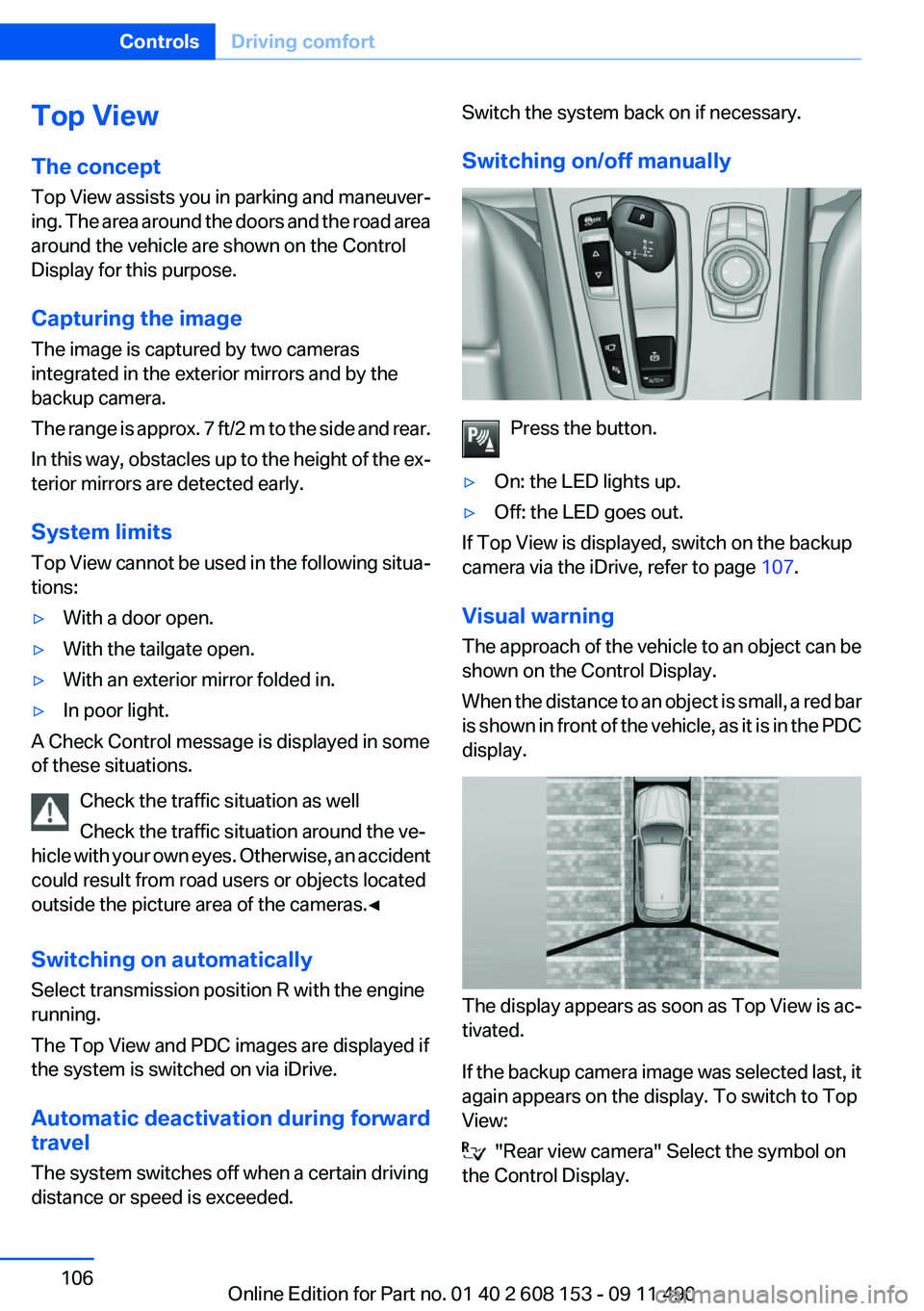
Switching on/off manually
Press the button.
▷On: the LED lights up.▷Off: the LED goes out.
If Top View is displayed, switch on the backup
camera via the iDrive, refer to page 107.
Visual warning
The approach of the vehicle to an object can be
shown on the Control Display.
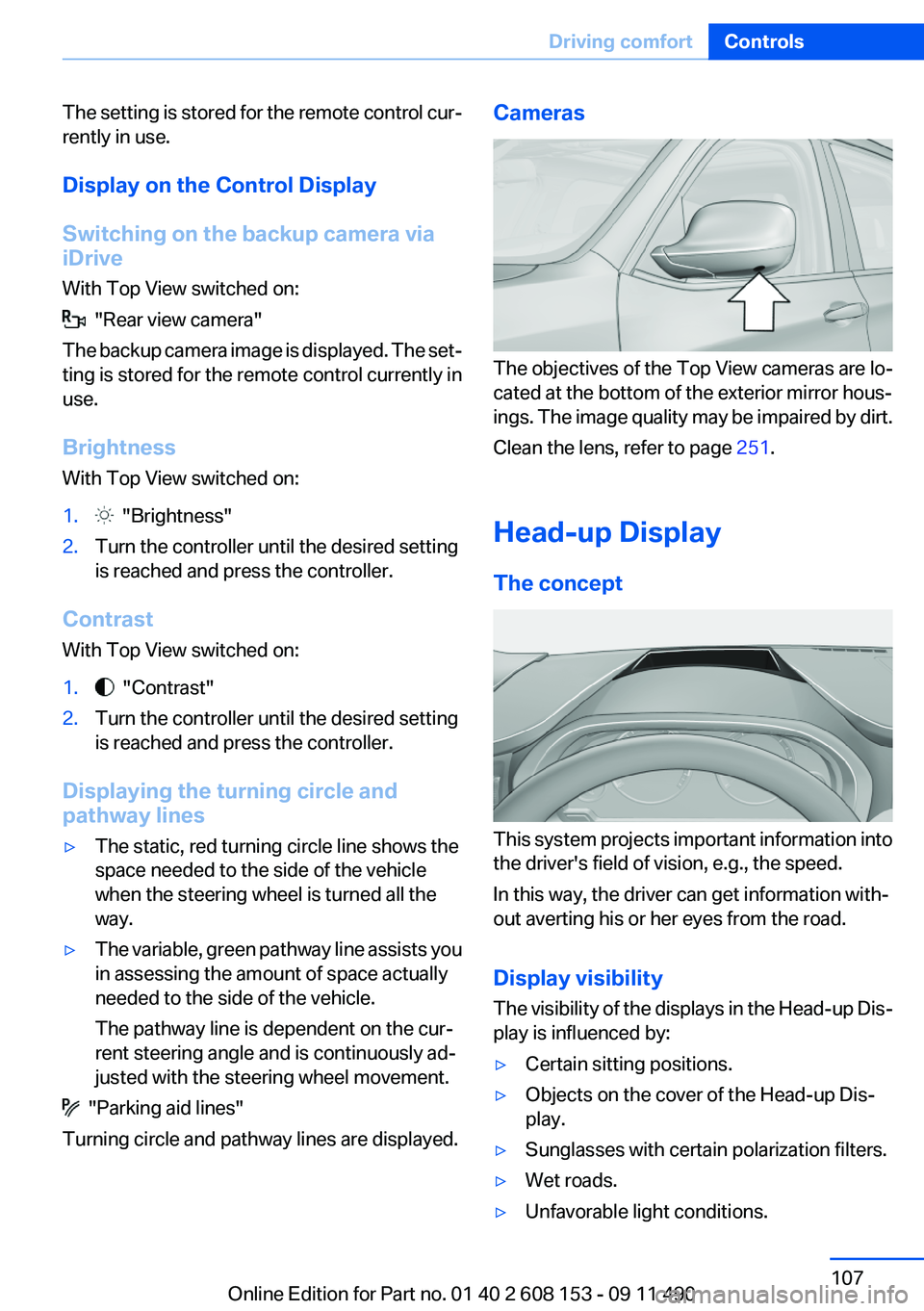
When the distance to an object is small, a red bar
is shown in front of the vehicle, as it is in the PDC
display.
The display appears as soon as Top View is ac‐
tivated.
If the backup camera image was selected last, it
again appears on the display. To switch to Top
View:
"Rear view camera" Select the symbol on
the Control Display.
Seite 106ControlsDriving comfort106
Online Edition for Part no. 01 40 2 608 153 - 09 11 490
Page 107 of 278
The setting is stored for the remote control cur‐
rently in use.
Display on the Control Display
Switching on the backup camera via
iDrive
With Top View switched on:
"Rear view camera"
The backup camera image is displayed. The set‐
ting is stored for the remote control currently in
use.
Brightness
With Top View switched on:
1. "Brightness"2.Turn the controller until the desired setting
is reached and press the controller.
Contrast
With Top View switched on:
1. "Contrast"2.Turn the controller until the desired setting
is reached and press the controller.
Displaying the turning circle and
pathway lines
▷The static, red turning circle line shows the
space needed to the side of the vehicle
when the steering wheel is turned all the
way.▷The variable, green pathway line assists you
in assessing the amount of space actually
needed to the side of the vehicle.
The pathway line is dependent on the cur‐
rent steering angle and is continuously ad‐
justed with the steering wheel movement.
"Parking aid lines"
Turning circle and pathway lines are displayed.
Cameras
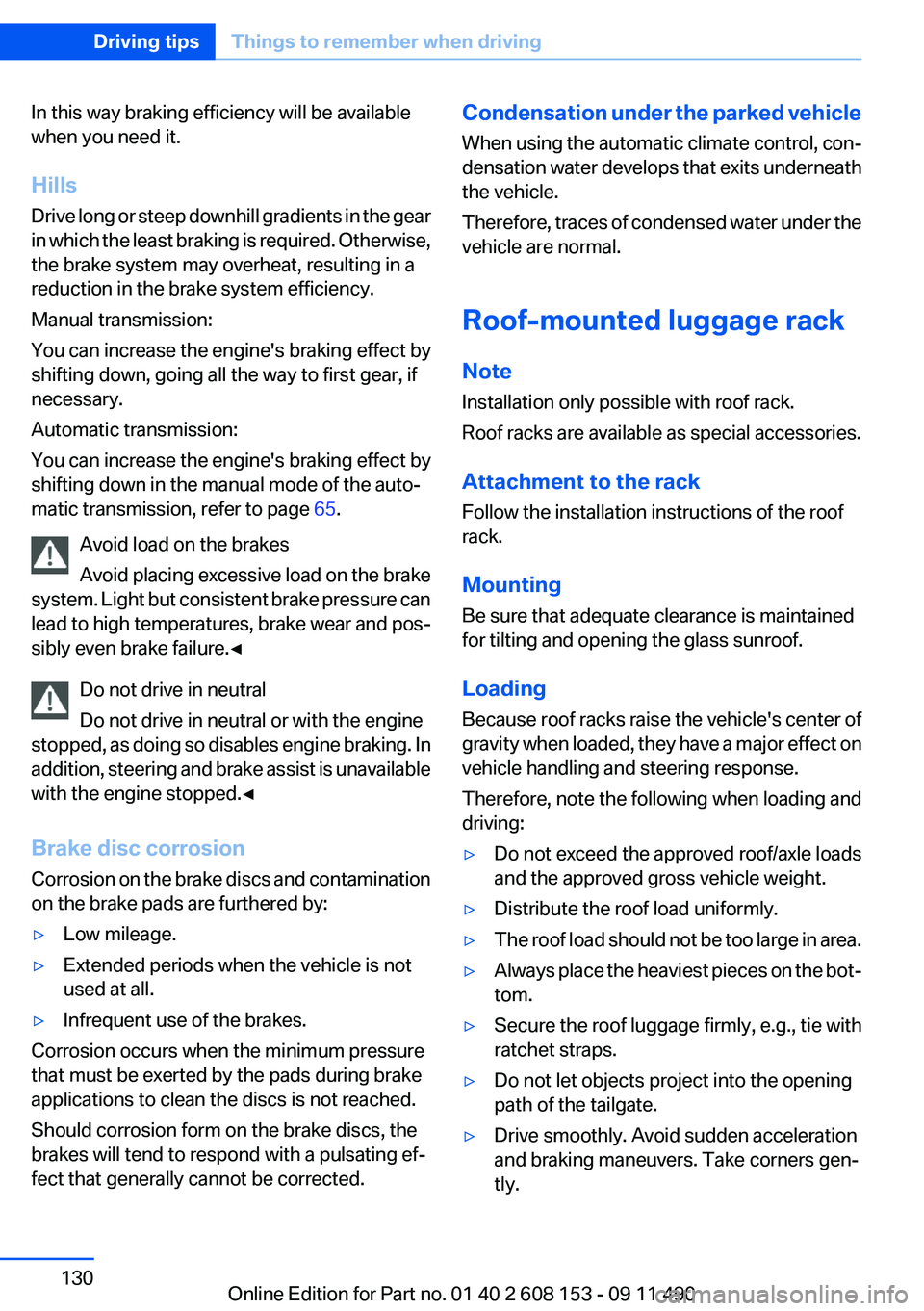
The objectives of the Top View cameras are lo‐
cated at the bottom of the exterior mirror hous‐
ings. The image quality may be impaired by dirt.
Clean the lens, refer to page 251.
Head-up Display
The concept
This system projects important information into
the driver's field of vision, e.g., the speed.
In this way, the driver can get information with‐
out averting his or her eyes from the road.
Display visibility
The visibility of the displays in the Head-up Dis‐
play is influenced by:
▷Certain sitting positions.▷Objects on the cover of the Head-up Dis‐
play.▷Sunglasses with certain polarization filters.▷Wet roads.▷Unfavorable light conditions.Seite 107Driving comfortControls107
Online Edition for Part no. 01 40 2 608 153 - 09 11 490
Page 130 of 278
In this way braking efficiency will be available
when you need it.
Hills
Drive long or steep downhill gradients in the gear
in which the least braking is required. Otherwise,
the brake system may overheat, resulting in a
reduction in the brake system efficiency.
Manual transmission:
You can increase the engine's braking effect by
shifting down, going all the way to first gear, if
necessary.
Automatic transmission:
You can increase the engine's braking effect by
shifting down in the manual mode of the auto‐
matic transmission, refer to page 65.
Avoid load on the brakes
Avoid placing excessive load on the brake
system. Light but consistent brake pressure can
lead to high temperatures, brake wear and pos‐
sibly even brake failure.◀
Do not drive in neutral
Do not drive in neutral or with the engine
stopped, as doing so disables engine braking. In
addition, steering and brake assist is unavailable
with the engine stopped.◀
Brake disc corrosion
Corrosion on the brake discs and contamination
on the brake pads are furthered by:▷Low mileage.▷Extended periods when the vehicle is not
used at all.▷Infrequent use of the brakes.
Corrosion occurs when the minimum pressure
that must be exerted by the pads during brake
applications to clean the discs is not reached.
Should corrosion form on the brake discs, the
brakes will tend to respond with a pulsating ef‐
fect that generally cannot be corrected.
Condensation under the parked vehicle
When using the automatic climate control, con‐
densation water develops that exits underneath
the vehicle.
Therefore, traces of condensed water under the
vehicle are normal.
Roof-mounted luggage rack
Note
Installation only possible with roof rack.
Roof racks are available as special accessories.
Attachment to the rack
Follow the installation instructions of the roof
rack.
Mounting
Be sure that adequate clearance is maintained
for tilting and opening the glass sunroof.
Loading
Because roof racks raise the vehicle's center of
gravity when loaded, they have a major effect on
vehicle handling and steering response.
Therefore, note the following when loading and
driving:▷Do not exceed the approved roof/axle loads
and the approved gross vehicle weight.▷Distribute the roof load uniformly.▷The roof load should not be too large in area.▷Always place the heaviest pieces on the bot‐
tom.▷Secure the roof luggage firmly, e.g., tie with
ratchet straps.▷Do not let objects project into the opening
path of the tailgate.▷Drive smoothly. Avoid sudden acceleration
and braking maneuvers. Take corners gen‐
tly.Seite 130Driving tipsThings to remember when driving130
Online Edition for Part no. 01 40 2 608 153 - 09 11 490
Page 245 of 278
Do not touch live parts
To avoid the risk of potentially fatal injury,
always avoid all contact with electrical compo‐
nents while the engine is running.◀
Preparation1.Check whether the battery of the other ve‐
hicle has a voltage of 12 volts. This informa‐
tion can be found on the battery.2.Switch off the engine of the assisting vehi‐
cle.3.Switch off any electronic systems/power
consumers in both vehicles.
Bodywork contact between vehicles
Make sure that there is no contact be‐
tween the bodywork of the two vehicles; other‐
wise, there is the danger of short circuits.◀
Starting aid terminals Connecting order
Connect the jumper cables in the correct
order; otherwise, there is the danger of injury
from sparking.◀
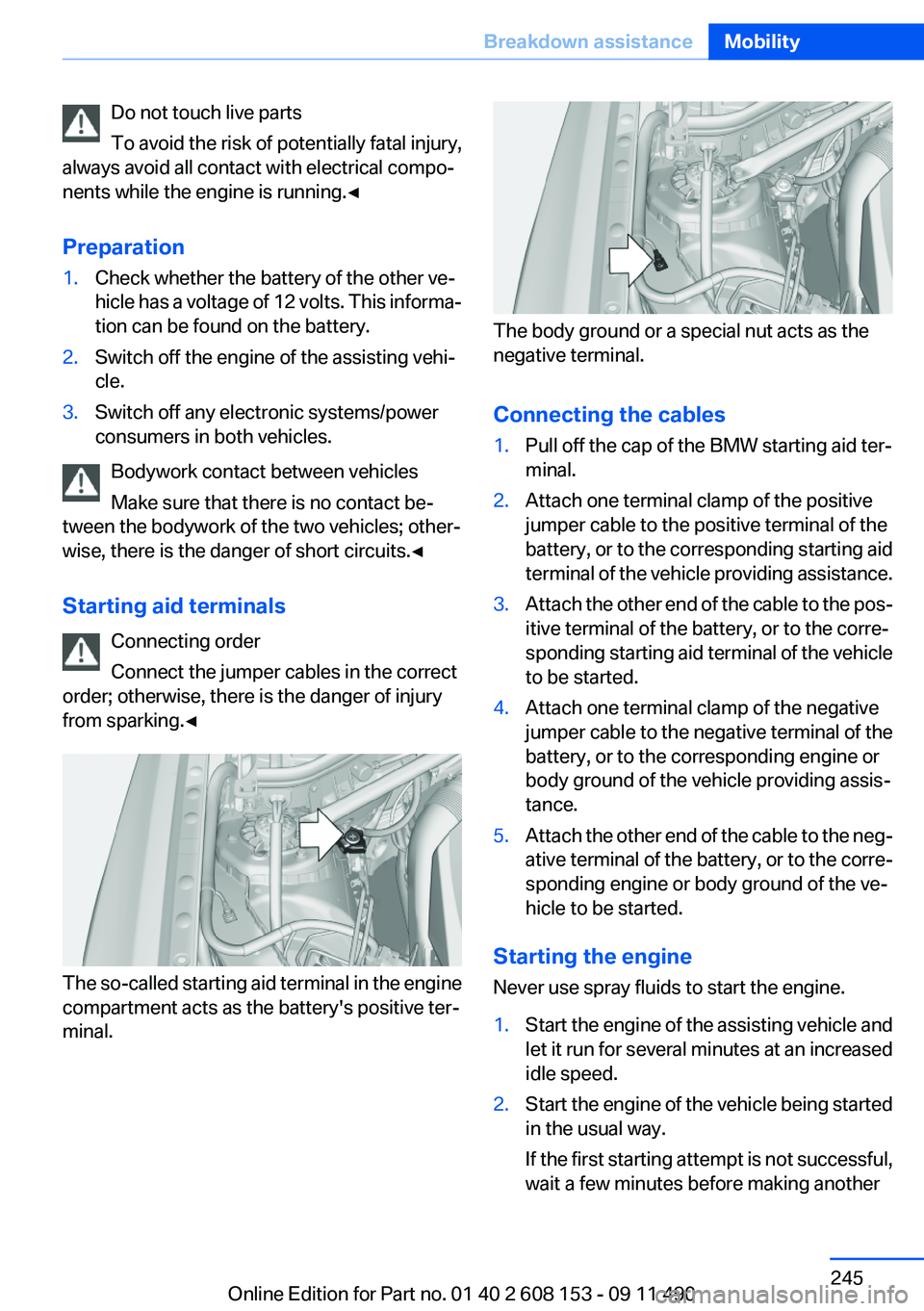
The so-called starting aid terminal in the engine
compartment acts as the battery's positive ter‐
minal.
The body ground or a special nut acts as the
negative terminal.
Connecting the cables
1.Pull off the cap of the BMW starting aid ter‐
minal.2.Attach one terminal clamp of the positive
jumper cable to the positive terminal of the
battery, or to the corresponding starting aid
terminal of the vehicle providing assistance.3.Attach the other end of the cable to the pos‐
itive terminal of the battery, or to the corre‐
sponding starting aid terminal of the vehicle
to be started.4.Attach one terminal clamp of the negative
jumper cable to the negative terminal of the
battery, or to the corresponding engine or
body ground of the vehicle providing assis‐
tance.5.Attach the other end of the cable to the neg‐
ative terminal of the battery, or to the corre‐
sponding engine or body ground of the ve‐
hicle to be started.
Starting the engine
Never use spray fluids to start the engine.
1.Start the engine of the assisting vehicle and
let it run for several minutes at an increased
idle speed.2.Start the engine of the vehicle being started
in the usual way.
If the first starting attempt is not successful,
wait a few minutes before making anotherSeite 245Breakdown assistanceMobility245
Online Edition for Part no. 01 40 2 608 153 - 09 11 490
Page 271 of 278
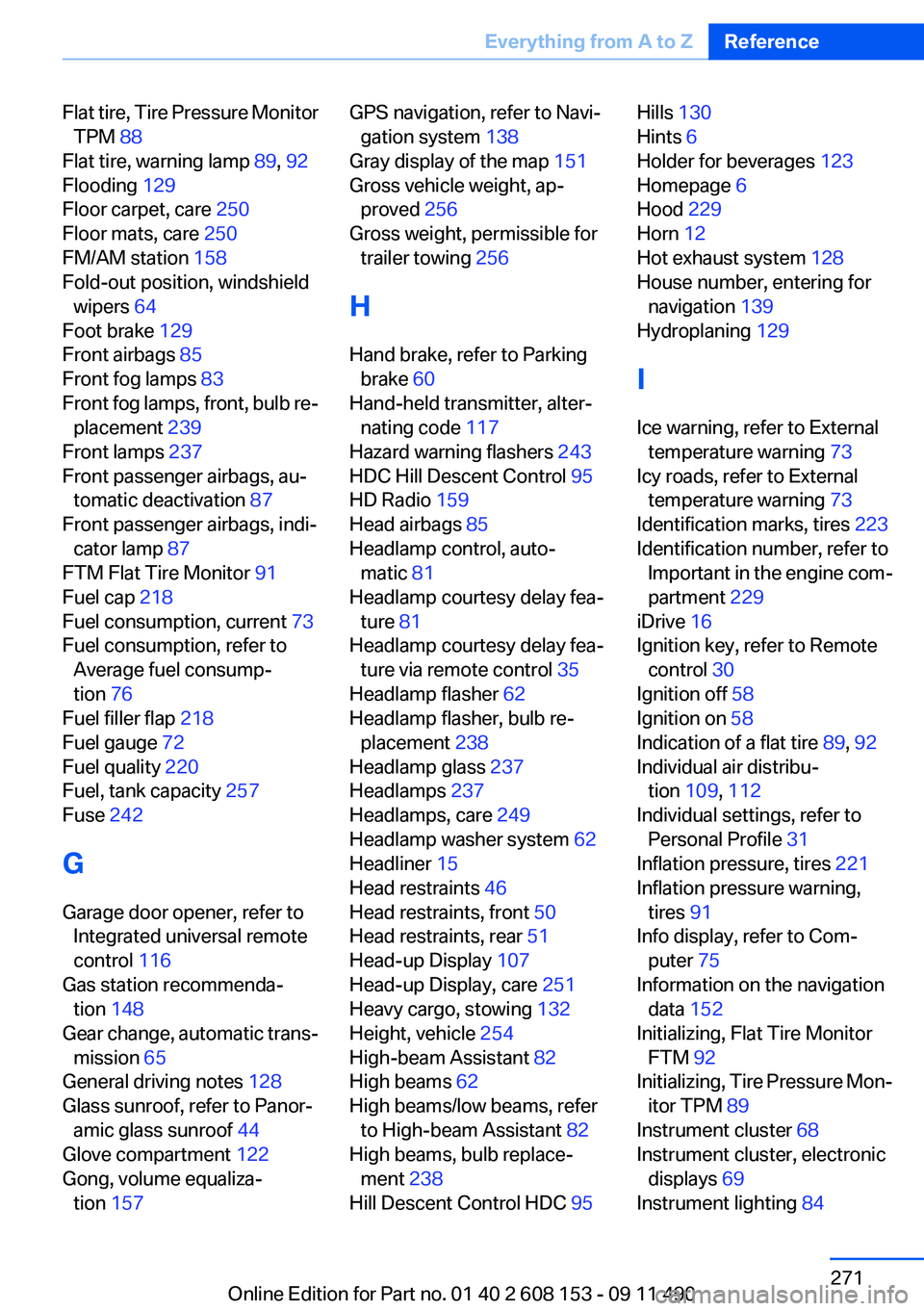
Flat tire, Tire Pressure MonitorTPM 88
Flat tire, warning lamp 89, 92
Flooding 129
Floor carpet, care 250
Floor mats, care 250
FM/AM station 158
Fold-out position, windshield wipers 64
Foot brake 129
Front airbags 85
Front fog lamps 83
Front fog lamps, front, bulb re‐ placement 239
Front lamps 237
Front passenger airbags, au‐ tomatic deactivation 87
Front passenger airbags, indi‐ cator lamp 87
FTM Flat Tire Monitor 91
Fuel cap 218
Fuel consumption, current 73
Fuel consumption, refer to Average fuel consump‐
tion 76
Fuel filler flap 218
Fuel gauge 72
Fuel quality 220
Fuel, tank capacity 257
Fuse 242
G
Garage door opener, refer to Integrated universal remote
control 116
Gas station recommenda‐ tion 148
Gear change, automatic trans‐ mission 65
General driving notes 128
Glass sunroof, refer to Panor‐ amic glass sunroof 44
Glove compartment 122
Gong, volume equaliza‐ tion 157 GPS navigation, refer to Navi‐
gation system 138
Gray display of the map 151
Gross vehicle weight, ap‐ proved 256
Gross weight, permissible for trailer towing 256
H
Hand brake, refer to Parking brake 60
Hand-held transmitter, alter‐ nating code 117
Hazard warning flashers 243
HDC Hill Descent Control 95
HD Radio 159
Head airbags 85
Headlamp control, auto‐ matic 81
Headlamp courtesy delay fea‐ ture 81
Headlamp courtesy delay fea‐ ture via remote control 35
Headlamp flasher 62
Headlamp flasher, bulb re‐ placement 238
Headlamp glass 237
Headlamps 237
Headlamps, care 249
Headlamp washer system 62
Headliner 15
Head restraints 46
Head restraints, front 50
Head restraints, rear 51
Head-up Display 107
Head-up Display, care 251
Heavy cargo, stowing 132
Height, vehicle 254
High-beam Assistant 82
High beams 62
High beams/low beams, refer to High-beam Assistant 82
High beams, bulb replace‐ ment 238
Hill Descent Control HDC 95 Hills 130
Hints 6
Holder for beverages 123
Homepage 6
Hood 229
Horn 12
Hot exhaust system 128
House number, entering for navigation 139
Hydroplaning 129
I
Ice warning, refer to External temperature warning 73
Icy roads, refer to External temperature warning 73
Identification marks, tires 223
Identification number, refer to Important in the engine com‐
partment 229
iDrive 16
Ignition key, refer to Remote control 30
Ignition off 58
Ignition on 58
Indication of a flat tire 89, 92
Individual air distribu‐ tion 109, 112
Individual settings, refer to Personal Profile 31
Inflation pressure, tires 221
Inflation pressure warning, tires 91
Info display, refer to Com‐ puter 75
Information on the navigation data 152
Initializing, Flat Tire Monitor FTM 92
Initializing, Tire Pressure Mon‐ itor TPM 89
Instrument cluster 68
Instrument cluster, electronic displays 69
Instrument lighting 84 Seite 271Everything from A to ZReference271
Online Edition for Part no. 01 40 2 608 153 - 09 11 490
Page 272 of 278
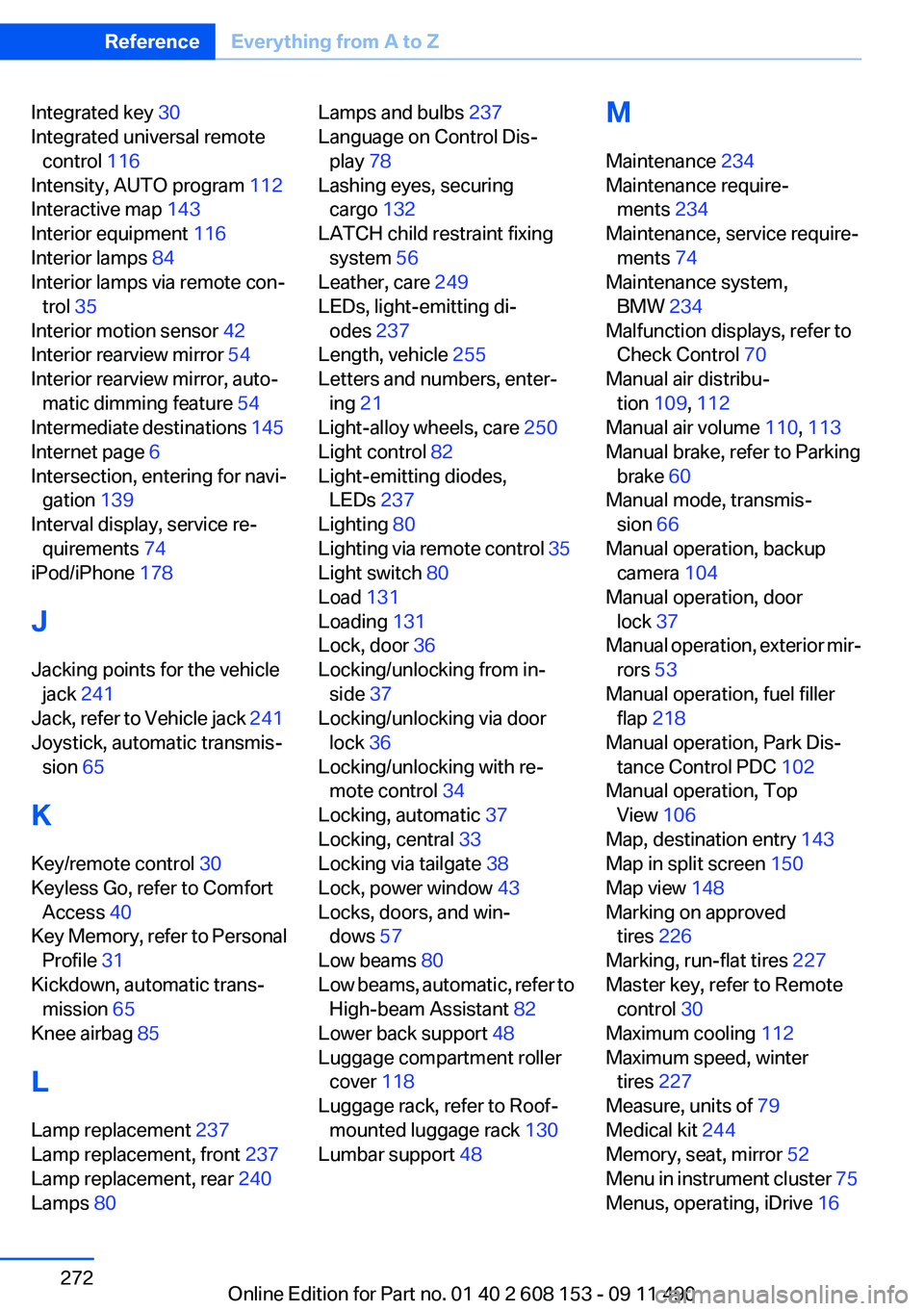
Integrated key 30
Integrated universal remote control 116
Intensity, AUTO program 112
Interactive map 143
Interior equipment 116
Interior lamps 84
Interior lamps via remote con‐ trol 35
Interior motion sensor 42
Interior rearview mirror 54
Interior rearview mirror, auto‐ matic dimming feature 54
Intermediate destinations 145
Internet page 6
Intersection, entering for navi‐ gation 139
Interval display, service re‐ quirements 74
iPod/iPhone 178
J
Jacking points for the vehicle jack 241
Jack, refer to Vehicle jack 241
Joystick, automatic transmis‐ sion 65
K
Key/remote control 30
Keyless Go, refer to Comfort Access 40
Key Memory, refer to Personal Profile 31
Kickdown, automatic trans‐ mission 65
Knee airbag 85
L
Lamp replacement 237
Lamp replacement, front 237
Lamp replacement, rear 240
Lamps 80 Lamps and bulbs 237
Language on Control Dis‐ play 78
Lashing eyes, securing cargo 132
LATCH child restraint fixing system 56
Leather, care 249
LEDs, light-emitting di‐ odes 237
Length, vehicle 255
Letters and numbers, enter‐ ing 21
Light-alloy wheels, care 250
Light control 82
Light-emitting diodes, LEDs 237
Lighting 80
Lighting via remote control 35
Light switch 80
Load 131
Loading 131
Lock, door 36
Locking/unlocking from in‐ side 37
Locking/unlocking via door lock 36
Locking/unlocking with re‐ mote control 34
Locking, automatic 37
Locking, central 33
Locking via tailgate 38
Lock, power window 43
Locks, doors, and win‐ dows 57
Low beams 80
Low beams, automatic, refer to High-beam Assistant 82
Lower back support 48
Luggage compartment roller cover 118
Luggage rack, refer to Roof- mounted luggage rack 130
Lumbar support 48 M
Maintenance 234
Maintenance require‐ ments 234
Maintenance, service require‐ ments 74
Maintenance system, BMW 234
Malfunction displays, refer to Check Control 70
Manual air distribu‐ tion 109, 112
Manual air volume 110, 113
Manual brake, refer to Parking brake 60
Manual mode, transmis‐ sion 66
Manual operation, backup camera 104
Manual operation, door lock 37
Manual operation, exterior mir‐ rors 53
Manual operation, fuel filler flap 218
Manual operation, Park Dis‐ tance Control PDC 102
Manual operation, Top View 106
Map, destination entry 143
Map in split screen 150
Map view 148
Marking on approved tires 226
Marking, run-flat tires 227
Master key, refer to Remote control 30
Maximum cooling 112
Maximum speed, winter tires 227
Measure, units of 79
Medical kit 244
Memory, seat, mirror 52
Menu in instrument cluster 75
Menus, operating, iDrive 16 Seite 272ReferenceEverything from A to Z272
Online Edition for Part no. 01 40 2 608 153 - 09 11 490
Page 274 of 278
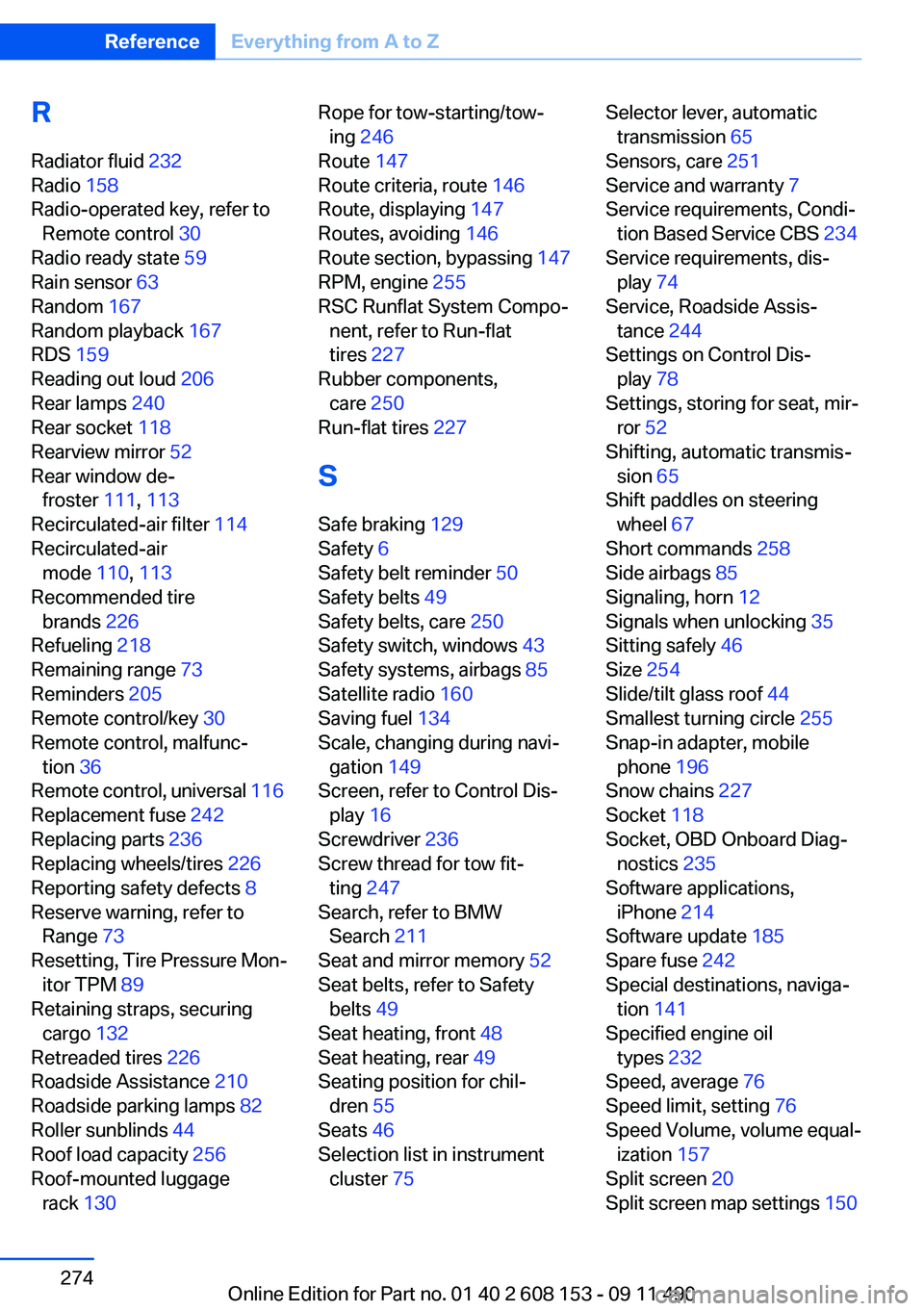
R
Radiator fluid 232
Radio 158
Radio-operated key, refer to Remote control 30
Radio ready state 59
Rain sensor 63
Random 167
Random playback 167
RDS 159
Reading out loud 206
Rear lamps 240
Rear socket 118
Rearview mirror 52
Rear window de‐ froster 111, 113
Recirculated-air filter 114
Recirculated-air mode 110, 113
Recommended tire brands 226
Refueling 218
Remaining range 73
Reminders 205
Remote control/key 30
Remote control, malfunc‐ tion 36
Remote control, universal 116
Replacement fuse 242
Replacing parts 236
Replacing wheels/tires 226
Reporting safety defects 8
Reserve warning, refer to Range 73
Resetting, Tire Pressure Mon‐ itor TPM 89
Retaining straps, securing cargo 132
Retreaded tires 226
Roadside Assistance 210
Roadside parking lamps 82
Roller sunblinds 44
Roof load capacity 256
Roof-mounted luggage rack 130 Rope for tow-starting/tow‐
ing 246
Route 147
Route criteria, route 146
Route, displaying 147
Routes, avoiding 146
Route section, bypassing 147
RPM, engine 255
RSC Runflat System Compo‐ nent, refer to Run-flat
tires 227
Rubber components, care 250
Run-flat tires 227
S
Safe braking 129
Safety 6
Safety belt reminder 50
Safety belts 49
Safety belts, care 250
Safety switch, windows 43
Safety systems, airbags 85
Satellite radio 160
Saving fuel 134
Scale, changing during navi‐ gation 149
Screen, refer to Control Dis‐ play 16
Screwdriver 236
Screw thread for tow fit‐ ting 247
Search, refer to BMW Search 211
Seat and mirror memory 52
Seat belts, refer to Safety belts 49
Seat heating, front 48
Seat heating, rear 49
Seating position for chil‐ dren 55
Seats 46
Selection list in instrument cluster 75 Selector lever, automatic
transmission 65
Sensors, care 251
Service and warranty 7
Service requirements, Condi‐ tion Based Service CBS 234
Service requirements, dis‐ play 74
Service, Roadside Assis‐ tance 244
Settings on Control Dis‐ play 78
Settings, storing for seat, mir‐ ror 52
Shifting, automatic transmis‐ sion 65
Shift paddles on steering wheel 67
Short commands 258
Side airbags 85
Signaling, horn 12
Signals when unlocking 35
Sitting safely 46
Size 254
Slide/tilt glass roof 44
Smallest turning circle 255
Snap-in adapter, mobile phone 196
Snow chains 227
Socket 118
Socket, OBD Onboard Diag‐ nostics 235
Software applications, iPhone 214
Software update 185
Spare fuse 242
Special destinations, naviga‐ tion 141
Specified engine oil types 232
Speed, average 76
Speed limit, setting 76
Speed Volume, volume equal‐ ization 157
Split screen 20
Split screen map settings 150 Seite 274ReferenceEverything from A to Z274
Online Edition for Part no. 01 40 2 608 153 - 09 11 490