tailgate BMW X3 2012 User Guide
[x] Cancel search | Manufacturer: BMW, Model Year: 2012, Model line: X3, Model: BMW X3 2012Pages: 278, PDF Size: 10.15 MB
Page 52 of 278
Seat and mirror memory
General information
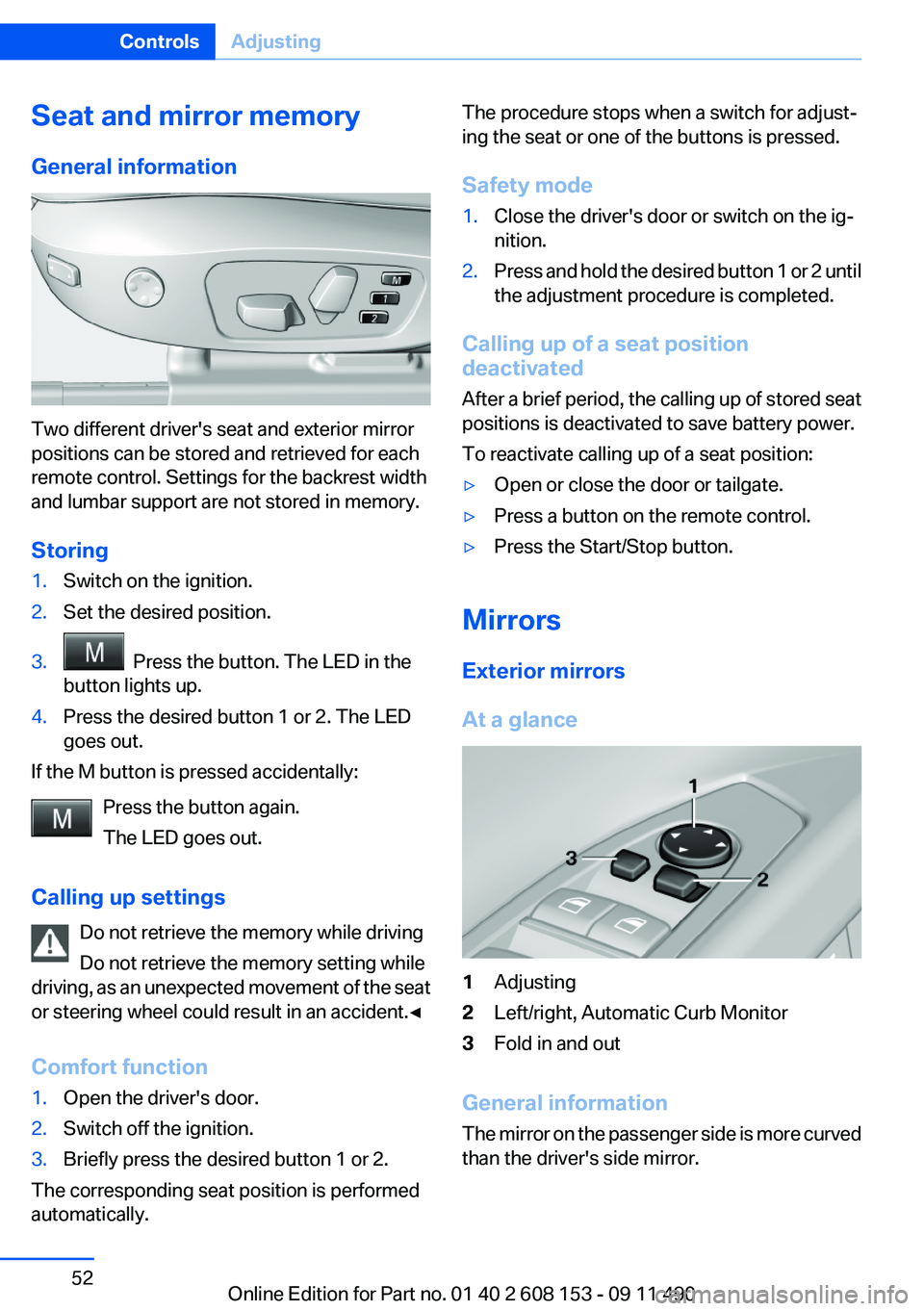
Two different driver's seat and exterior mirror
positions can be stored and retrieved for each
remote control. Settings for the backrest width
and lumbar support are not stored in memory.
Storing
1.Switch on the ignition.2.Set the desired position.3. Press the button. The LED in the
button lights up.4.Press the desired button 1 or 2. The LED
goes out.
If the M button is pressed accidentally:
Press the button again.
The LED goes out.
Calling up settings Do not retrieve the memory while driving
Do not retrieve the memory setting while
driving, as an unexpected movement of the seat
or steering wheel could result in an accident.◀
Comfort function
1.Open the driver's door.2.Switch off the ignition.3.Briefly press the desired button 1 or 2.
The corresponding seat position is performed
automatically.
The procedure stops when a switch for adjust‐
ing the seat or one of the buttons is pressed.
Safety mode1.Close the driver's door or switch on the ig‐
nition.2.Press and hold the desired button 1 or 2 until
the adjustment procedure is completed.
Calling up of a seat position
deactivated
After a brief period, the calling up of stored seat
positions is deactivated to save battery power.
To reactivate calling up of a seat position:
▷Open or close the door or tailgate.▷Press a button on the remote control.▷Press the Start/Stop button.
Mirrors
Exterior mirrors
At a glance
1Adjusting2Left/right, Automatic Curb Monitor3Fold in and out
General information
The mirror on the passenger side is more curved
than the driver's side mirror.
Seite 52ControlsAdjusting52
Online Edition for Part no. 01 40 2 608 153 - 09 11 490
Page 104 of 278
Switching on/off manually
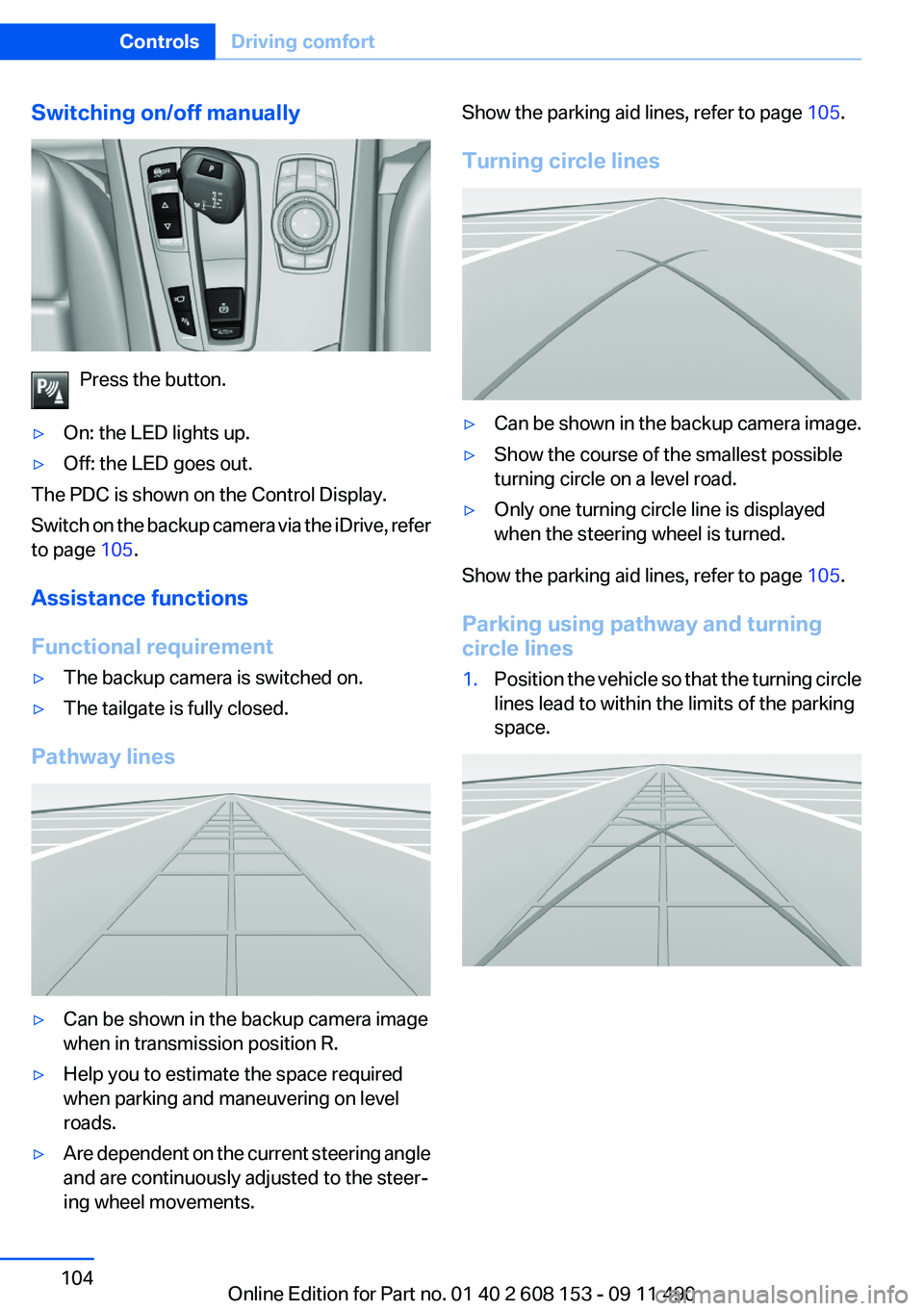
Press the button.
▷On: the LED lights up.▷Off: the LED goes out.
The PDC is shown on the Control Display.
Switch on the backup camera via the iDrive, refer
to page 105.
Assistance functions
Functional requirement
▷The backup camera is switched on.▷The tailgate is fully closed.
Pathway lines
▷Can be shown in the backup camera image
when in transmission position R.▷Help you to estimate the space required
when parking and maneuvering on level
roads.▷Are dependent on the current steering angle
and are continuously adjusted to the steer‐
ing wheel movements.Show the parking aid lines, refer to page 105.
Turning circle lines▷Can be shown in the backup camera image.▷Show the course of the smallest possible
turning circle on a level road.▷Only one turning circle line is displayed
when the steering wheel is turned.
Show the parking aid lines, refer to page 105.
Parking using pathway and turning
circle lines
1.Position the vehicle so that the turning circle
lines lead to within the limits of the parking
space.Seite 104ControlsDriving comfort104
Online Edition for Part no. 01 40 2 608 153 - 09 11 490
Page 105 of 278
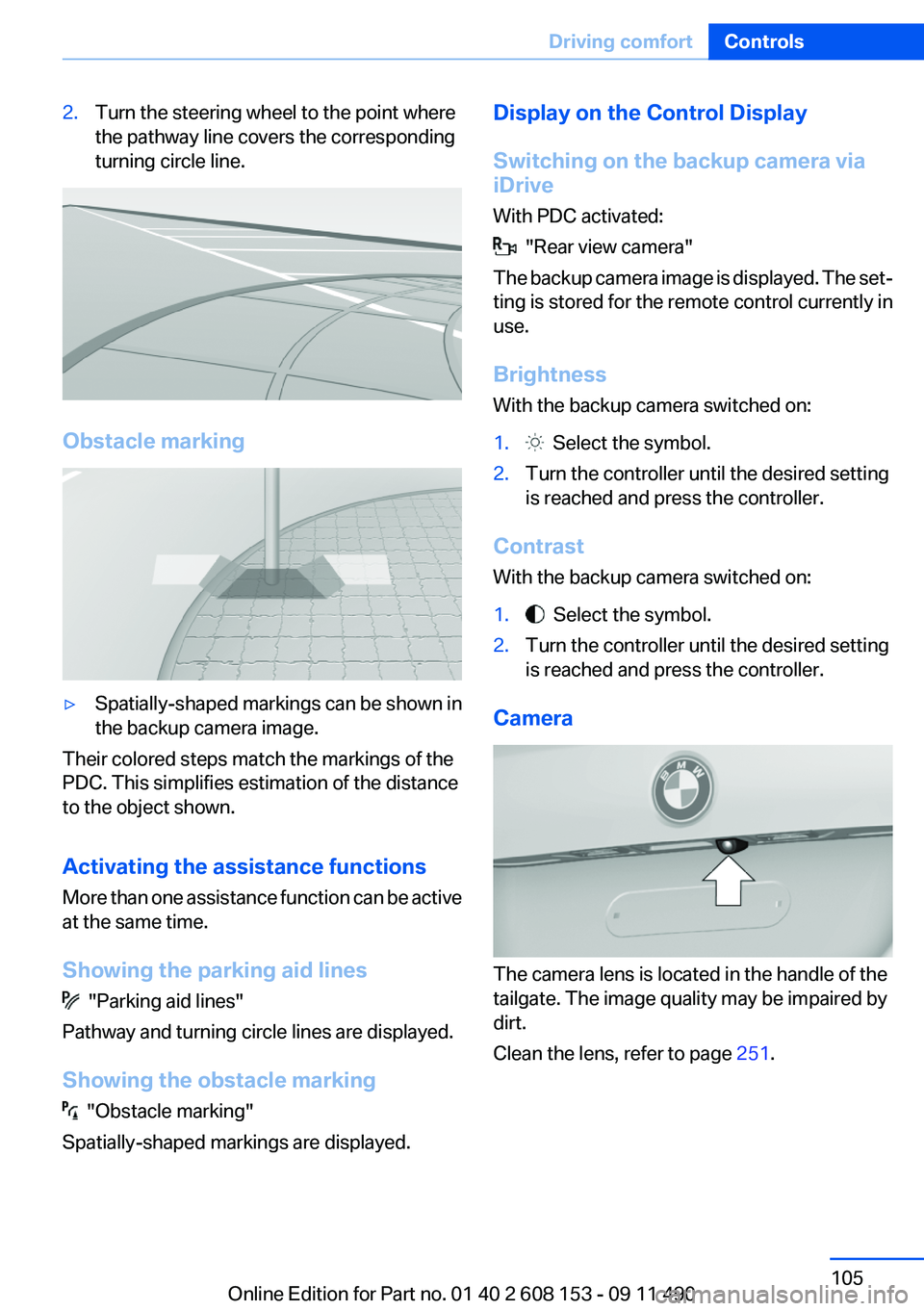
2.Turn the steering wheel to the point where
the pathway line covers the corresponding
turning circle line.
Obstacle marking
▷Spatially-shaped markings can be shown in
the backup camera image.
Their colored steps match the markings of the
PDC. This simplifies estimation of the distance
to the object shown.
Activating the assistance functions
More than one assistance function can be active
at the same time.
Showing the parking aid lines
"Parking aid lines"
Pathway and turning circle lines are displayed.
Showing the obstacle marking
"Obstacle marking"
Spatially-shaped markings are displayed.
Display on the Control Display
Switching on the backup camera via
iDrive
With PDC activated:
"Rear view camera"
The backup camera image is displayed. The set‐
ting is stored for the remote control currently in
use.
Brightness
With the backup camera switched on:
1. Select the symbol.2.Turn the controller until the desired setting
is reached and press the controller.
Contrast
With the backup camera switched on:
1. Select the symbol.2.Turn the controller until the desired setting
is reached and press the controller.
Camera
The camera lens is located in the handle of the
tailgate. The image quality may be impaired by
dirt.
Clean the lens, refer to page 251.
Seite 105Driving comfortControls105
Online Edition for Part no. 01 40 2 608 153 - 09 11 490
Page 106 of 278
Top View
The concept
Top View assists you in parking and maneuver‐
ing. The area around the doors and the road area
around the vehicle are shown on the Control
Display for this purpose.
Capturing the image
The image is captured by two cameras
integrated in the exterior mirrors and by the
backup camera.
The range is approx. 7 ft/2 m to the side and rear.
In this way, obstacles up to the height of the ex‐
terior mirrors are detected early.
System limits
Top View cannot be used in the following situa‐
tions:▷With a door open.▷With the tailgate open.▷With an exterior mirror folded in.▷In poor light.
A Check Control message is displayed in some
of these situations.
Check the traffic situation as well
Check the traffic situation around the ve‐
hicle with your own eyes. Otherwise, an accident
could result from road users or objects located
outside the picture area of the cameras.◀
Switching on automatically
Select transmission position R with the engine
running.
The Top View and PDC images are displayed if
the system is switched on via iDrive.
Automatic deactivation during forward
travel
The system switches off when a certain driving
distance or speed is exceeded.
Switch the system back on if necessary.
Switching on/off manually
Press the button.
▷On: the LED lights up.▷Off: the LED goes out.
If Top View is displayed, switch on the backup
camera via the iDrive, refer to page 107.
Visual warning
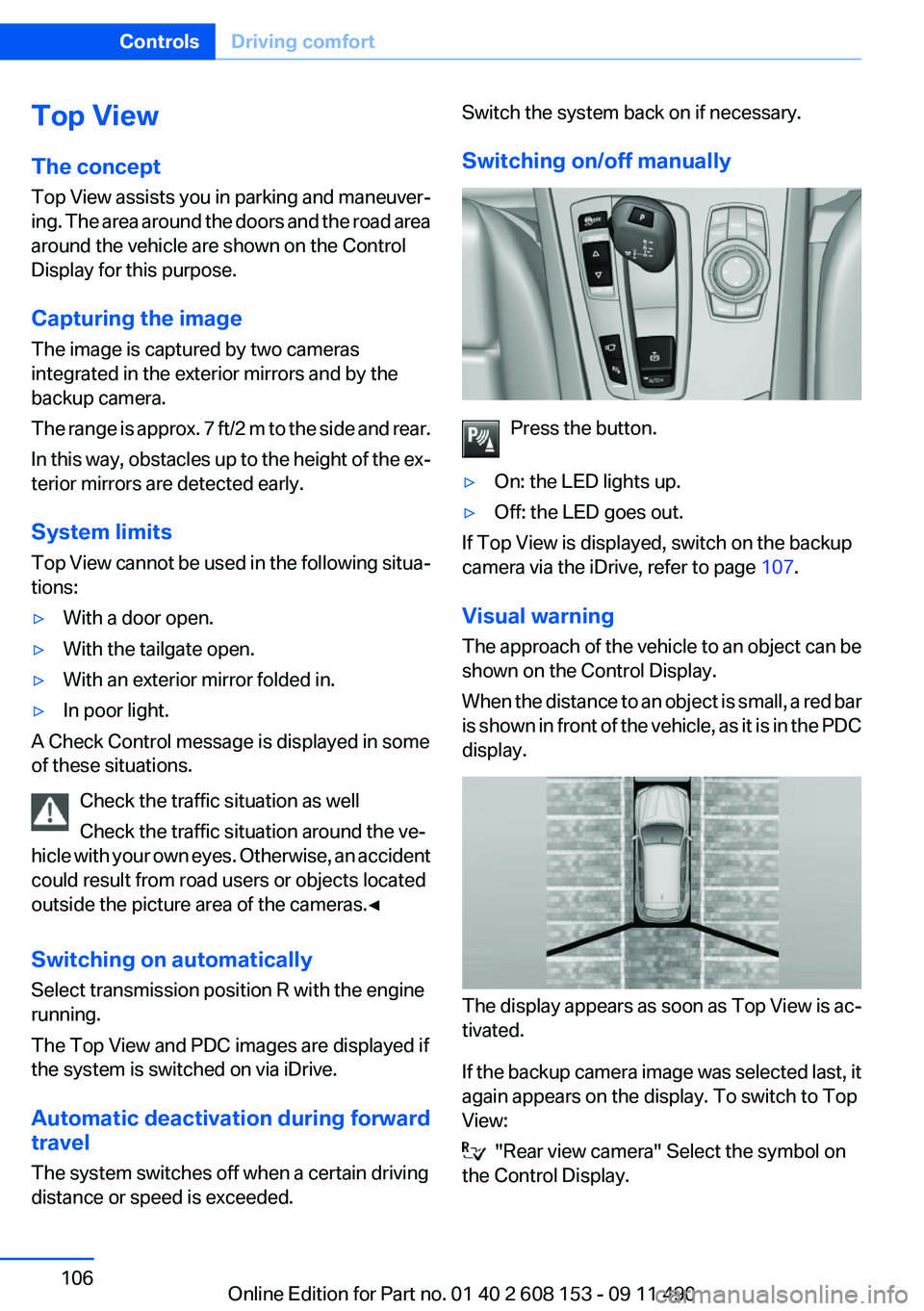
The approach of the vehicle to an object can be
shown on the Control Display.
When the distance to an object is small, a red bar
is shown in front of the vehicle, as it is in the PDC
display.
The display appears as soon as Top View is ac‐
tivated.
If the backup camera image was selected last, it
again appears on the display. To switch to Top
View:
"Rear view camera" Select the symbol on
the Control Display.
Seite 106ControlsDriving comfort106
Online Edition for Part no. 01 40 2 608 153 - 09 11 490
Page 128 of 278
Things to remember when drivingVehicle equipment
All standard, country-specific and optional
equipment that is offered in the model series is
described in this chapter. Therefore, equipment
is also described that is not available in a vehicle,
e. g., because of the selected optional equip‐
ment or country variant. This also applies for
safety-related functions and systems.
Breaking-in period
General information
Moving parts need to be broken in to adjust to
each other.
The following instructions will help achieve a
long vehicle life and good economy.
Engine and differential
Always obey the official speed limit.
Up to 1,200 miles/2,000 km
Do not exceed the maximum engine and road
speed:▷For gasoline engine, 4,500 rpm and
100 mph/160 km/h.
Avoid full-throttle operation and use of the
transmission's kickdown mode for the initial
miles.
From 1,200 miles/2,000 km
The engine and vehicle speed can gradually be
increased.
Tires
Due to technical factors associated with their
manufacture, tires do not achieve their full trac‐
tion potential until after an initial breaking-in pe‐
riod.
Drive conservatively for the first 200 miles/
300 km.
Brake system
Brakes require an initial break-in period of ap‐
prox. 300 miles/500 km to achieve optimized
contact and wear patterns between brake pads
and discs. Drive moderately during this break-in
period.
Following part replacement
The same breaking in procedures should be ob‐
served if any of the components mentioned
above have to be renewed in the course of the
vehicle's operating life.
General driving notes
Closing the tailgate Drive with the tailgate closed
Only drive with the tailgate closed; other‐
wise, in the event of an accident or braking or
evasive maneuvers, passengers or other road
users may be injured or the vehicle may be dam‐
aged. In addition, exhaust fumes may enter the
passenger compartment.◀
If driving with the tailgate open cannot be
avoided:▷Close all windows and the glass sunroof.▷Greatly increase the blower speed.▷Drive moderately.
Hot exhaust system
Hot exhaust system
High temperatures are generated in the
exhaust system.
Seite 128Driving tipsThings to remember when driving128
Online Edition for Part no. 01 40 2 608 153 - 09 11 490
Page 130 of 278
In this way braking efficiency will be available
when you need it.
Hills
Drive long or steep downhill gradients in the gear
in which the least braking is required. Otherwise,
the brake system may overheat, resulting in a
reduction in the brake system efficiency.
Manual transmission:
You can increase the engine's braking effect by
shifting down, going all the way to first gear, if
necessary.
Automatic transmission:
You can increase the engine's braking effect by
shifting down in the manual mode of the auto‐
matic transmission, refer to page 65.
Avoid load on the brakes
Avoid placing excessive load on the brake
system. Light but consistent brake pressure can
lead to high temperatures, brake wear and pos‐
sibly even brake failure.◀
Do not drive in neutral
Do not drive in neutral or with the engine
stopped, as doing so disables engine braking. In
addition, steering and brake assist is unavailable
with the engine stopped.◀
Brake disc corrosion
Corrosion on the brake discs and contamination
on the brake pads are furthered by:▷Low mileage.▷Extended periods when the vehicle is not
used at all.▷Infrequent use of the brakes.
Corrosion occurs when the minimum pressure
that must be exerted by the pads during brake
applications to clean the discs is not reached.
Should corrosion form on the brake discs, the
brakes will tend to respond with a pulsating ef‐
fect that generally cannot be corrected.
Condensation under the parked vehicle
When using the automatic climate control, con‐
densation water develops that exits underneath
the vehicle.
Therefore, traces of condensed water under the
vehicle are normal.
Roof-mounted luggage rack
Note
Installation only possible with roof rack.
Roof racks are available as special accessories.
Attachment to the rack
Follow the installation instructions of the roof
rack.
Mounting
Be sure that adequate clearance is maintained
for tilting and opening the glass sunroof.
Loading
Because roof racks raise the vehicle's center of
gravity when loaded, they have a major effect on
vehicle handling and steering response.
Therefore, note the following when loading and
driving:▷Do not exceed the approved roof/axle loads
and the approved gross vehicle weight.▷Distribute the roof load uniformly.▷The roof load should not be too large in area.▷Always place the heaviest pieces on the bot‐
tom.▷Secure the roof luggage firmly, e.g., tie with
ratchet straps.▷Do not let objects project into the opening
path of the tailgate.▷Drive smoothly. Avoid sudden acceleration
and braking maneuvers. Take corners gen‐
tly.Seite 130Driving tipsThings to remember when driving130
Online Edition for Part no. 01 40 2 608 153 - 09 11 490
Page 240 of 278
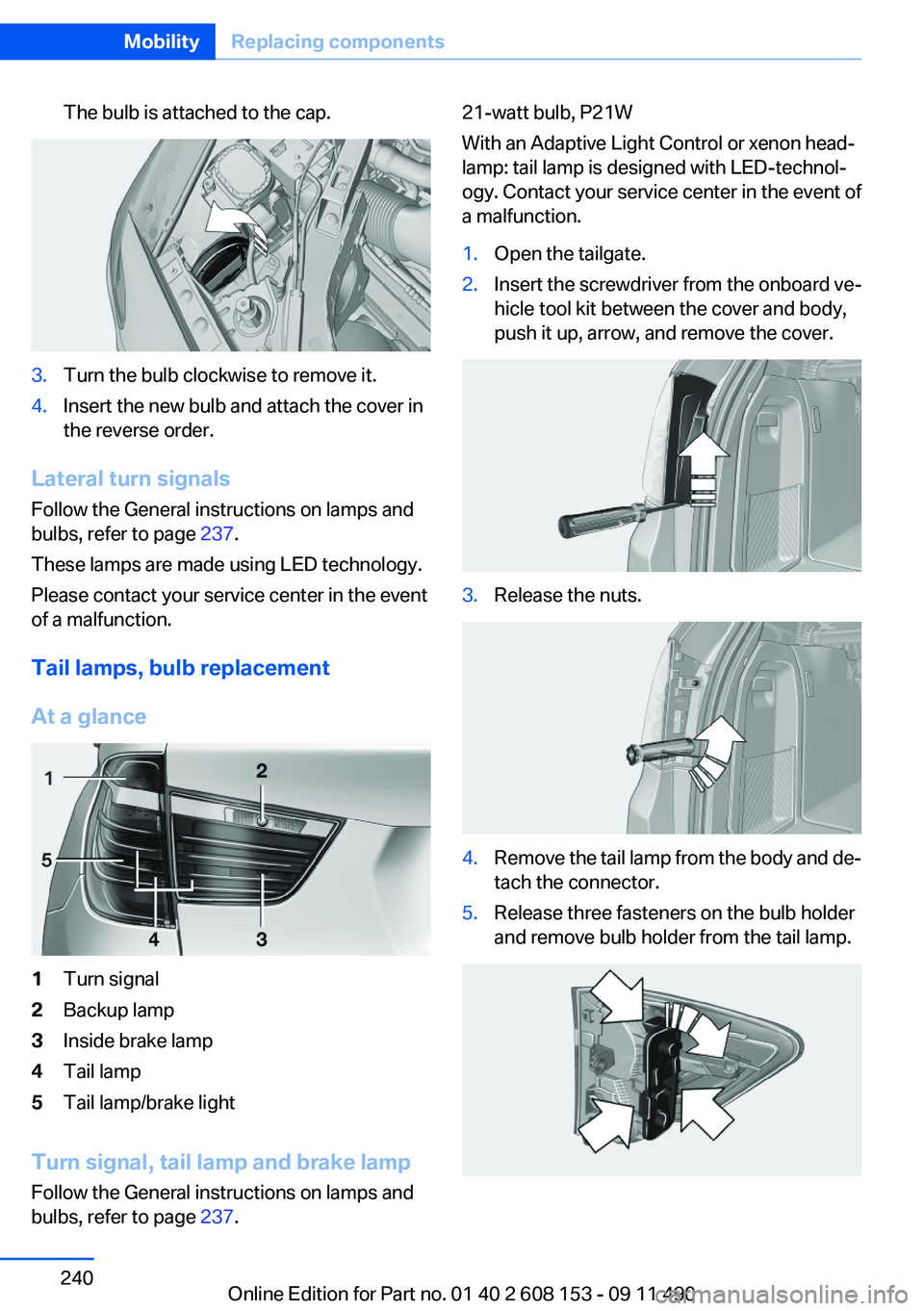
The bulb is attached to the cap.3.Turn the bulb clockwise to remove it.4.Insert the new bulb and attach the cover in
the reverse order.
Lateral turn signals
Follow the General instructions on lamps and
bulbs, refer to page 237.
These lamps are made using LED technology.
Please contact your service center in the event
of a malfunction.
Tail lamps, bulb replacement
At a glance
1Turn signal2Backup lamp3Inside brake lamp4Tail lamp5Tail lamp/brake light
Turn signal, tail lamp and brake lamp
Follow the General instructions on lamps and
bulbs, refer to page 237.
21-watt bulb, P21W
With an Adaptive Light Control or xenon head‐
lamp: tail lamp is designed with LED-technol‐
ogy. Contact your service center in the event of
a malfunction.1.Open the tailgate.2.Insert the screwdriver from the onboard ve‐
hicle tool kit between the cover and body,
push it up, arrow, and remove the cover.3.Release the nuts.4.Remove the tail lamp from the body and de‐
tach the connector.5.Release three fasteners on the bulb holder
and remove bulb holder from the tail lamp.Seite 240MobilityReplacing components240
Online Edition for Part no. 01 40 2 608 153 - 09 11 490
Page 241 of 278
6.Turn the bulb and remove it. The turn signal
is the upper bulb and the tail lamp/brake
lamp is the lower bulb on the bulb holder.7.Proceed in the reverse order to insert the
new bulb and attach the bulb holder. Make
sure that the bulb holder is engaged in all
fasteners.8.Connect and install tail lamp.9.Insert cover with the three mountings in the
tail lamp. While applying pressure on the top
and bottom bracket, slide the cover down to
the stop.
Backup lamp and inner brake lamp
Follow the General instructions on lamps and
bulbs, refer to page 237.
Backup lamp: 16-watt bulb, W16W
Inner brake lamp: 21-watt bulb, H21W
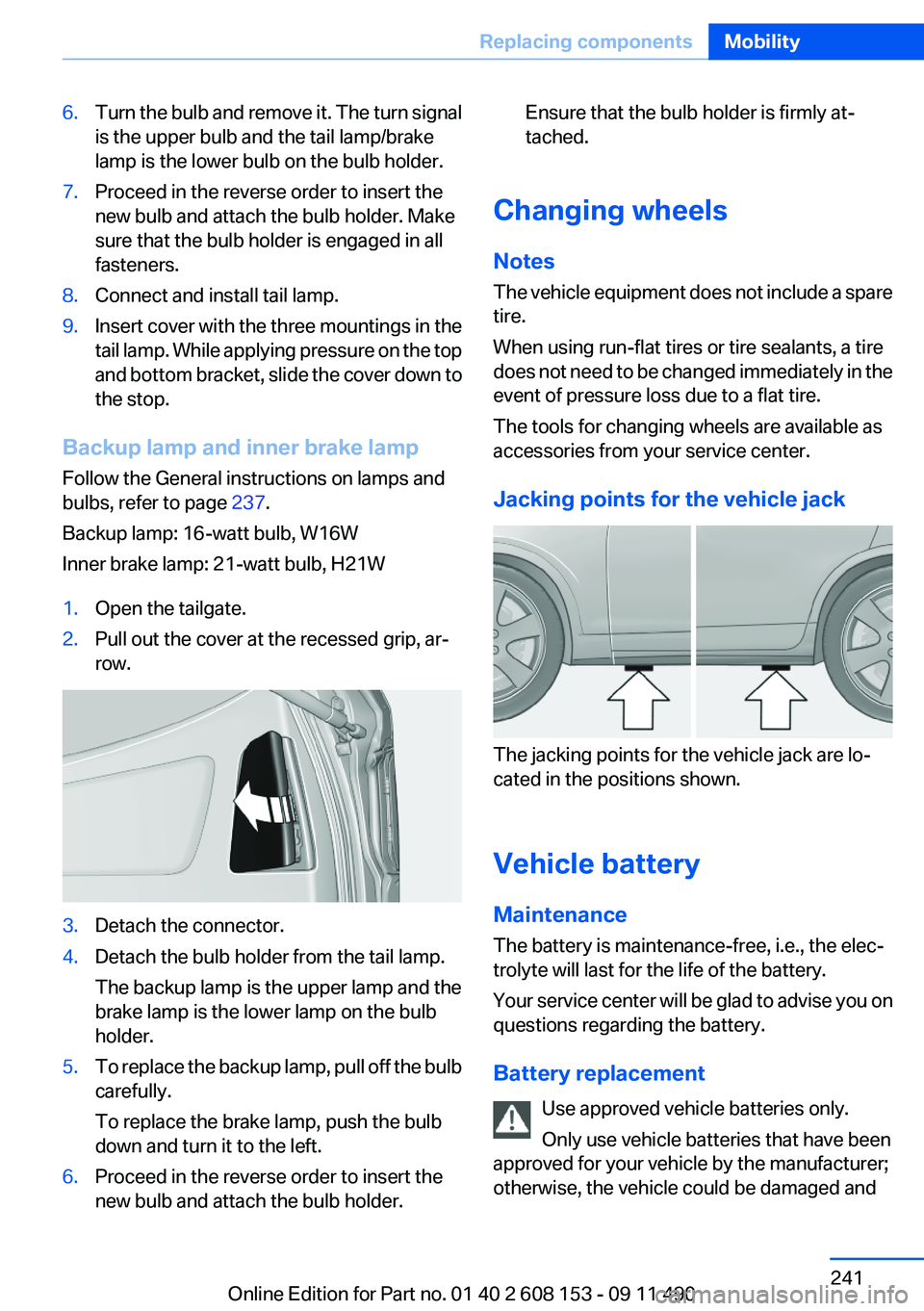
1.Open the tailgate.2.Pull out the cover at the recessed grip, ar‐
row.3.Detach the connector.4.Detach the bulb holder from the tail lamp.
The backup lamp is the upper lamp and the
brake lamp is the lower lamp on the bulb
holder.5.To replace the backup lamp, pull off the bulb
carefully.
To replace the brake lamp, push the bulb
down and turn it to the left.6.Proceed in the reverse order to insert the
new bulb and attach the bulb holder.Ensure that the bulb holder is firmly at‐
tached.
Changing wheels
Notes
The vehicle equipment does not include a spare
tire.
When using run-flat tires or tire sealants, a tire
does not need to be changed immediately in the
event of pressure loss due to a flat tire.
The tools for changing wheels are available as
accessories from your service center.
Jacking points for the vehicle jack
The jacking points for the vehicle jack are lo‐
cated in the positions shown.
Vehicle battery
Maintenance
The battery is maintenance-free, i.e., the elec‐
trolyte will last for the life of the battery.
Your service center will be glad to advise you on
questions regarding the battery.
Battery replacement Use approved vehicle batteries only.
Only use vehicle batteries that have been
approved for your vehicle by the manufacturer;
otherwise, the vehicle could be damaged and
Seite 241Replacing componentsMobility241
Online Edition for Part no. 01 40 2 608 153 - 09 11 490
Page 268 of 278
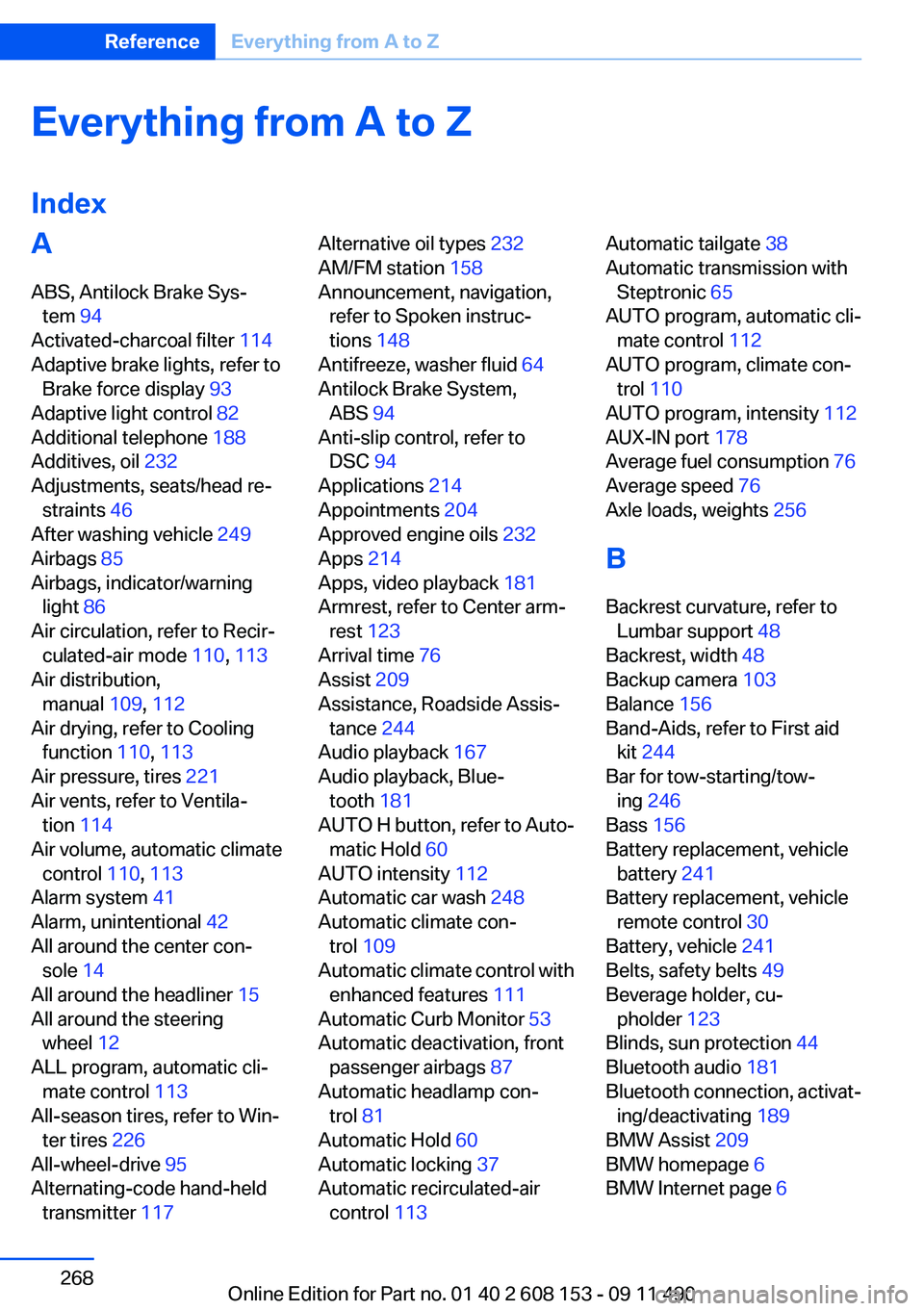
Everything from A to Z
IndexA
ABS, Antilock Brake Sys‐ tem 94
Activated-charcoal filter 114
Adaptive brake lights, refer to Brake force display 93
Adaptive light control 82
Additional telephone 188
Additives, oil 232
Adjustments, seats/head re‐ straints 46
After washing vehicle 249
Airbags 85
Airbags, indicator/warning light 86
Air circulation, refer to Recir‐ culated-air mode 110, 113
Air distribution, manual 109, 112
Air drying, refer to Cooling function 110, 113
Air pressure, tires 221
Air vents, refer to Ventila‐ tion 114
Air volume, automatic climate control 110, 113
Alarm system 41
Alarm, unintentional 42
All around the center con‐ sole 14
All around the headliner 15
All around the steering wheel 12
ALL program, automatic cli‐ mate control 113
All-season tires, refer to Win‐ ter tires 226
All-wheel-drive 95
Alternating-code hand-held transmitter 117 Alternative oil types 232
AM/FM station 158
Announcement, navigation, refer to Spoken instruc‐
tions 148
Antifreeze, washer fluid 64
Antilock Brake System, ABS 94
Anti-slip control, refer to DSC 94
Applications 214
Appointments 204
Approved engine oils 232
Apps 214
Apps, video playback 181
Armrest, refer to Center arm‐ rest 123
Arrival time 76
Assist 209
Assistance, Roadside Assis‐ tance 244
Audio playback 167
Audio playback, Blue‐ tooth 181
AUTO H button, refer to Auto‐ matic Hold 60
AUTO intensity 112
Automatic car wash 248
Automatic climate con‐ trol 109
Automatic climate control with enhanced features 111
Automatic Curb Monitor 53
Automatic deactivation, front passenger airbags 87
Automatic headlamp con‐ trol 81
Automatic Hold 60
Automatic locking 37
Automatic recirculated-air control 113 Automatic tailgate 38
Automatic transmission with Steptronic 65
AUTO program, automatic cli‐ mate control 112
AUTO program, climate con‐ trol 110
AUTO program, intensity 112
AUX-IN port 178
Average fuel consumption 76
Average speed 76
Axle loads, weights 256
B
Backrest curvature, refer to Lumbar support 48
Backrest, width 48
Backup camera 103
Balance 156
Band-Aids, refer to First aid kit 244
Bar for tow-starting/tow‐ ing 246
Bass 156
Battery replacement, vehicle battery 241
Battery replacement, vehicle remote control 30
Battery, vehicle 241
Belts, safety belts 49
Beverage holder, cu‐ pholder 123
Blinds, sun protection 44
Bluetooth audio 181
Bluetooth connection, activat‐ ing/deactivating 189
BMW Assist 209
BMW homepage 6
BMW Internet page 6 Seite 268ReferenceEverything from A to Z268
Online Edition for Part no. 01 40 2 608 153 - 09 11 490
Page 272 of 278
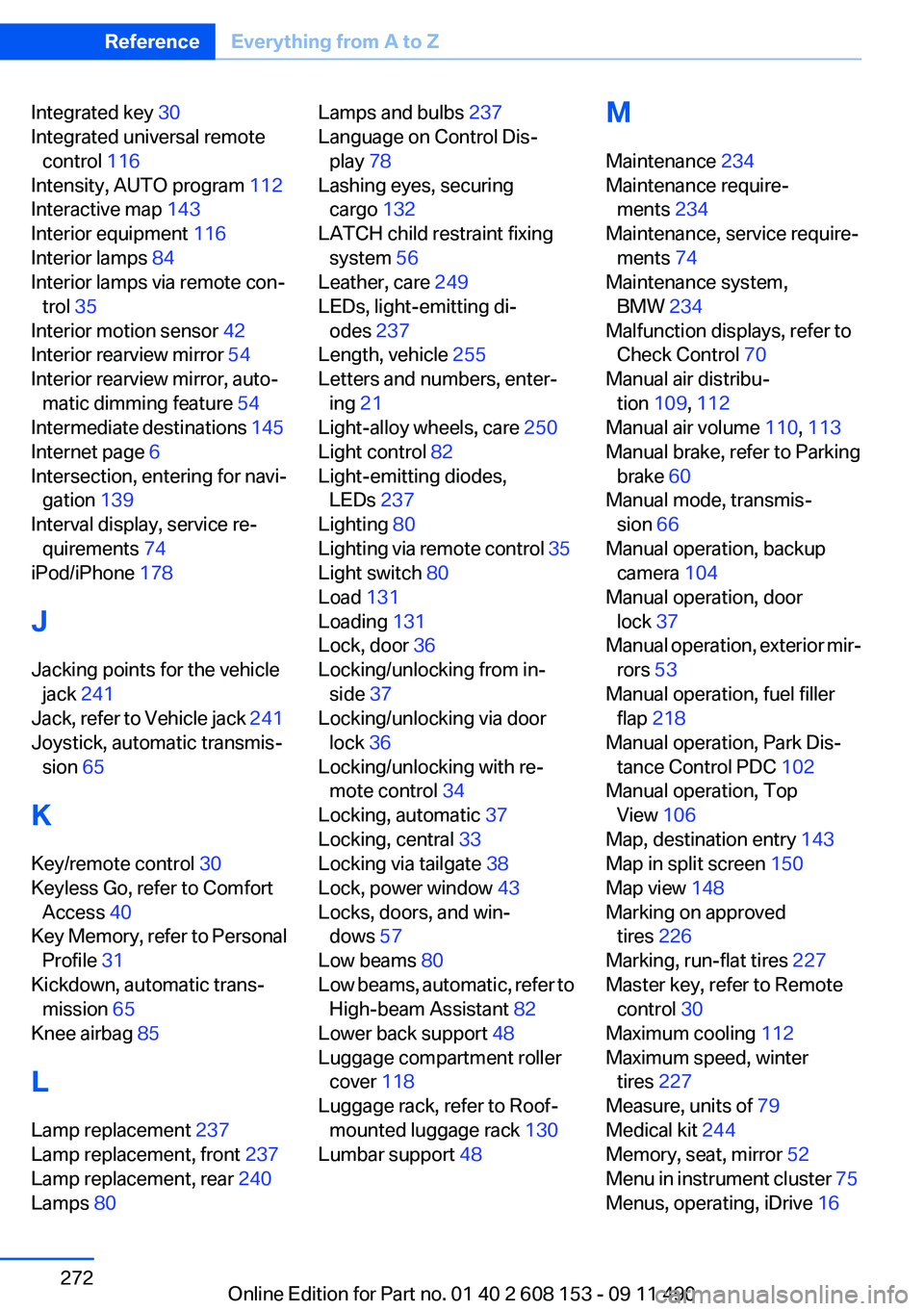
Integrated key 30
Integrated universal remote control 116
Intensity, AUTO program 112
Interactive map 143
Interior equipment 116
Interior lamps 84
Interior lamps via remote con‐ trol 35
Interior motion sensor 42
Interior rearview mirror 54
Interior rearview mirror, auto‐ matic dimming feature 54
Intermediate destinations 145
Internet page 6
Intersection, entering for navi‐ gation 139
Interval display, service re‐ quirements 74
iPod/iPhone 178
J
Jacking points for the vehicle jack 241
Jack, refer to Vehicle jack 241
Joystick, automatic transmis‐ sion 65
K
Key/remote control 30
Keyless Go, refer to Comfort Access 40
Key Memory, refer to Personal Profile 31
Kickdown, automatic trans‐ mission 65
Knee airbag 85
L
Lamp replacement 237
Lamp replacement, front 237
Lamp replacement, rear 240
Lamps 80 Lamps and bulbs 237
Language on Control Dis‐ play 78
Lashing eyes, securing cargo 132
LATCH child restraint fixing system 56
Leather, care 249
LEDs, light-emitting di‐ odes 237
Length, vehicle 255
Letters and numbers, enter‐ ing 21
Light-alloy wheels, care 250
Light control 82
Light-emitting diodes, LEDs 237
Lighting 80
Lighting via remote control 35
Light switch 80
Load 131
Loading 131
Lock, door 36
Locking/unlocking from in‐ side 37
Locking/unlocking via door lock 36
Locking/unlocking with re‐ mote control 34
Locking, automatic 37
Locking, central 33
Locking via tailgate 38
Lock, power window 43
Locks, doors, and win‐ dows 57
Low beams 80
Low beams, automatic, refer to High-beam Assistant 82
Lower back support 48
Luggage compartment roller cover 118
Luggage rack, refer to Roof- mounted luggage rack 130
Lumbar support 48 M
Maintenance 234
Maintenance require‐ ments 234
Maintenance, service require‐ ments 74
Maintenance system, BMW 234
Malfunction displays, refer to Check Control 70
Manual air distribu‐ tion 109, 112
Manual air volume 110, 113
Manual brake, refer to Parking brake 60
Manual mode, transmis‐ sion 66
Manual operation, backup camera 104
Manual operation, door lock 37
Manual operation, exterior mir‐ rors 53
Manual operation, fuel filler flap 218
Manual operation, Park Dis‐ tance Control PDC 102
Manual operation, Top View 106
Map, destination entry 143
Map in split screen 150
Map view 148
Marking on approved tires 226
Marking, run-flat tires 227
Master key, refer to Remote control 30
Maximum cooling 112
Maximum speed, winter tires 227
Measure, units of 79
Medical kit 244
Memory, seat, mirror 52
Menu in instrument cluster 75
Menus, operating, iDrive 16 Seite 272ReferenceEverything from A to Z272
Online Edition for Part no. 01 40 2 608 153 - 09 11 490