remote control BMW X3 2012 Service Manual
[x] Cancel search | Manufacturer: BMW, Model Year: 2012, Model line: X3, Model: BMW X3 2012Pages: 278, PDF Size: 10.15 MB
Page 162 of 278
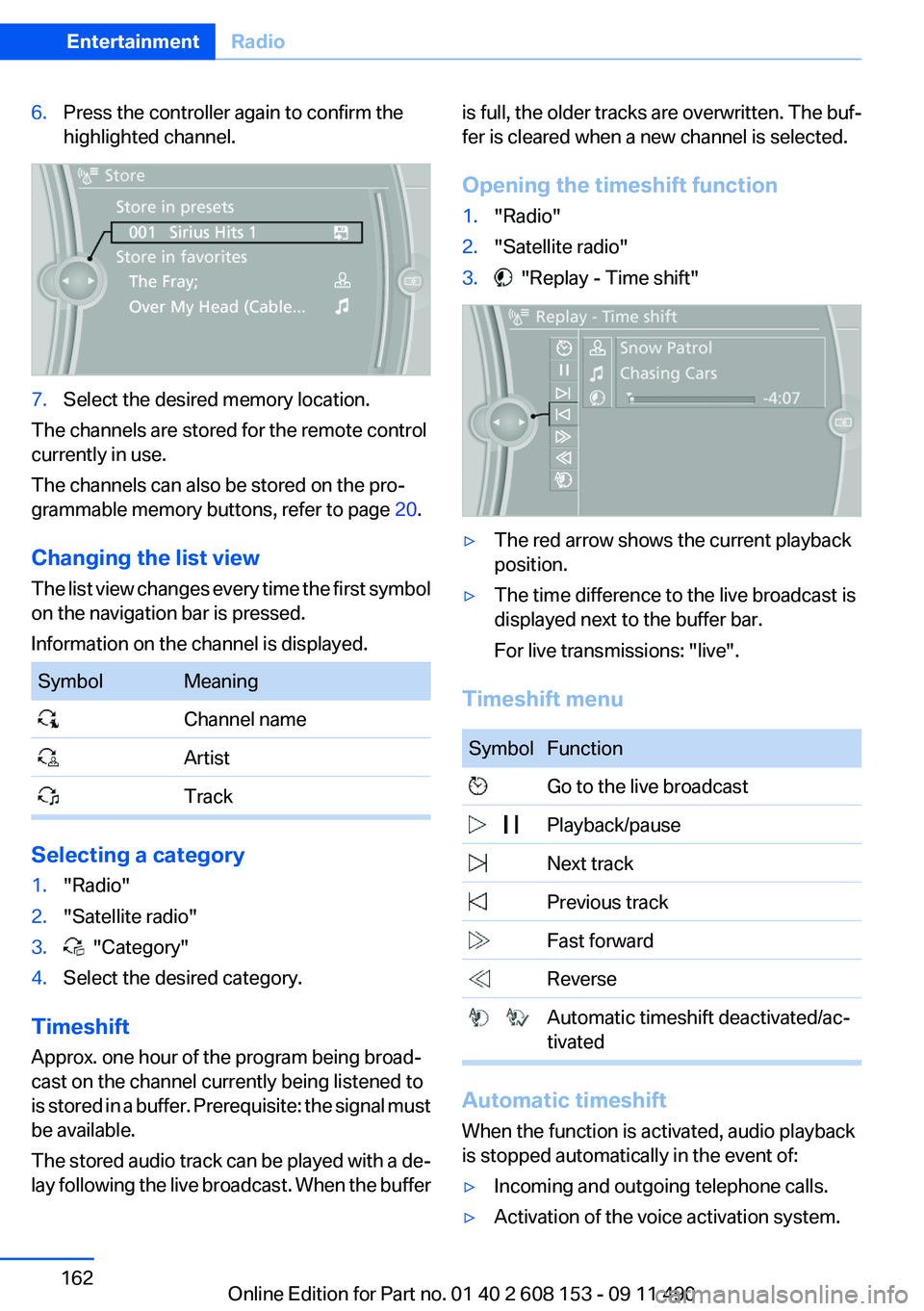
6.Press the controller again to confirm the
highlighted channel.7.Select the desired memory location.
The channels are stored for the remote control
currently in use.
The channels can also be stored on the pro‐
grammable memory buttons, refer to page 20.
Changing the list view
The list view changes every time the first symbol
on the navigation bar is pressed.
Information on the channel is displayed.
SymbolMeaning Channel name Artist Track
Selecting a category
1."Radio"2."Satellite radio"3. "Category"4.Select the desired category.
Timeshift
Approx. one hour of the program being broad‐
cast on the channel currently being listened to
is stored in a buffer. Prerequisite: the signal must
be available.
The stored audio track can be played with a de‐
lay following the live broadcast. When the buffer
is full, the older tracks are overwritten. The buf‐
fer is cleared when a new channel is selected.
Opening the timeshift function1."Radio"2."Satellite radio"3. "Replay - Time shift"▷The red arrow shows the current playback
position.▷The time difference to the live broadcast is
displayed next to the buffer bar.
For live transmissions: "live".
Timeshift menu
SymbolFunction Go to the live broadcast Playback/pause Next track Previous track Fast forward Reverse Automatic timeshift deactivated/ac‐
tivated
Automatic timeshift
When the function is activated, audio playback
is stopped automatically in the event of:
▷Incoming and outgoing telephone calls.▷Activation of the voice activation system.Seite 162EntertainmentRadio162
Online Edition for Part no. 01 40 2 608 153 - 09 11 490
Page 164 of 278
The setting is stored for the remote control cur‐
rently in use.
Deleting favorites1."Satellite radio"2. "Manage favorites"3.Highlight the desired favorite.4.Open "Options".5."Delete entry"
Traffic Jump
Traffic and weather information for a selected
region is broadcast every few minutes.
Selecting a region
1."Radio"2."Satellite radio"3.Open "Options".4."Set jump"5.Select the desired region.
The region is stored for the remote control cur‐
rently in use.
Activating/deactivating the jump
1."Radio"2."Satellite radio"3. "Jump to:"
Information for the selected region is broadcast
as soon as it is available.
A new panel opens.
Canceling the Traffic Jump: "Cancel".
SymbolMeaning Information will be broadcast shortly. Information is currently being broad‐
cast.
Select one of the symbols to deactivate Traffic
Jump.
Automatic update
About twice a year, Sirius performs an update of
the channel names and positions. The update
takes place automatically and may take several
minutes.
Notes▷Reception may not be available in some sit‐
uations, such as under certain environmen‐
tal or topographic conditions. The satellite
radio has no influence on this.▷The signal may not be available in tunnels or
underground garages next to tall buildings
or near trees, mountains or other powerful
sources of radio interference.
Stored stations
General information
It is possible to store up to 40 stations.
Calling up a station
1."Radio"2."Presets"3.Select the desired station.
Storing a station
The station currently selected is stored.
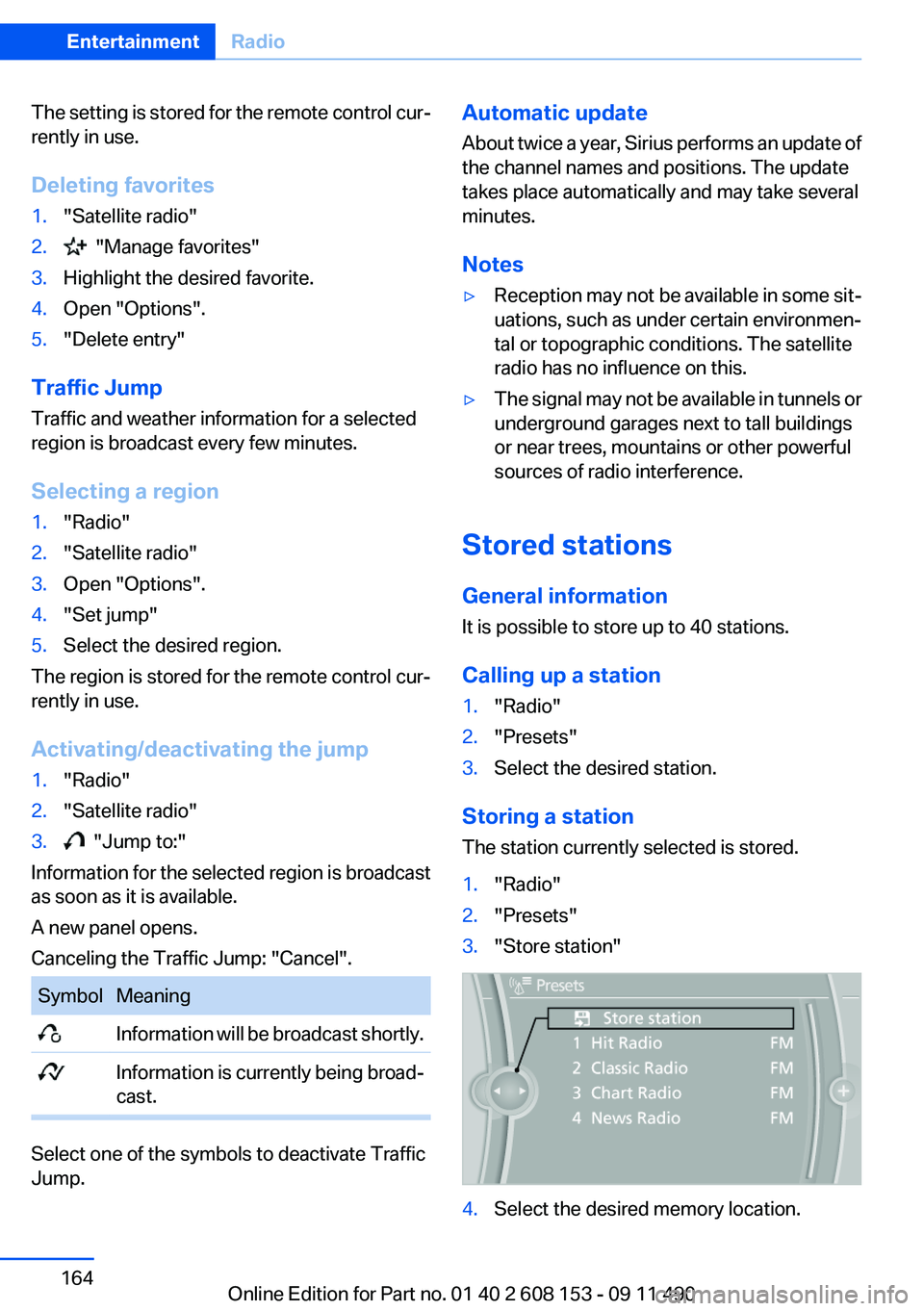
1."Radio"2."Presets"3."Store station"4.Select the desired memory location.Seite 164EntertainmentRadio164
Online Edition for Part no. 01 40 2 608 153 - 09 11 490
Page 192 of 278
notes? Reduce the data volume of the con‐
tact.▷Is the mobile phone connected as an audio
source or additional telephone? The mobile
phone must be connected as a telephone.
The phone connection quality is poor.
▷The strength of the Bluetooth signal on the
mobile phone can be adjusted, depending
on the mobile phone.▷Insert the mobile phone into the snap-in
adapter or place it in the area of the center
console.▷Adjust the volume of the microphone and
loudspeakers separately.
If all points in this list have been checked and the
required function is still not available, contact
the hotline or service center.
Controls
Adjusting the volume
Turn the knob until the desired volume is se‐
lected. The setting is stored for the remote con‐
trol currently in use.
The vehicle automatically adjusts the volume of
the microphone on the telephone and the vol‐
ume of the called party. Depending on the mo‐
bile phone, the volumes may need to be ad‐
justed. The settings can only be created during
a call and must be adjusted separately for each
telephone. The settings are deleted when the
telephone is unpaired.
1."Settings"2."Tone"3."Volume settings"4.Select the desired setting: "Microphone" or
"Loudspeak."5.To adjust: turn the controller.6.To store: press the controller.Incoming call
Receiving calls
If the number of the caller is stored in the phone
book and is transmitted by the network, the
name of the contact is displayed. Otherwise,
only the phone number is displayed.
If more than one phone number is assigned to a
contact, only the name of the contact is dis‐
played.
For calls on the additional telephone, the num‐
ber is only displayed if it is transmitted by the
network.
An incoming call to the additional telephone is
automatically rejected if there is an active call on
the other telephone.
Accepting a call
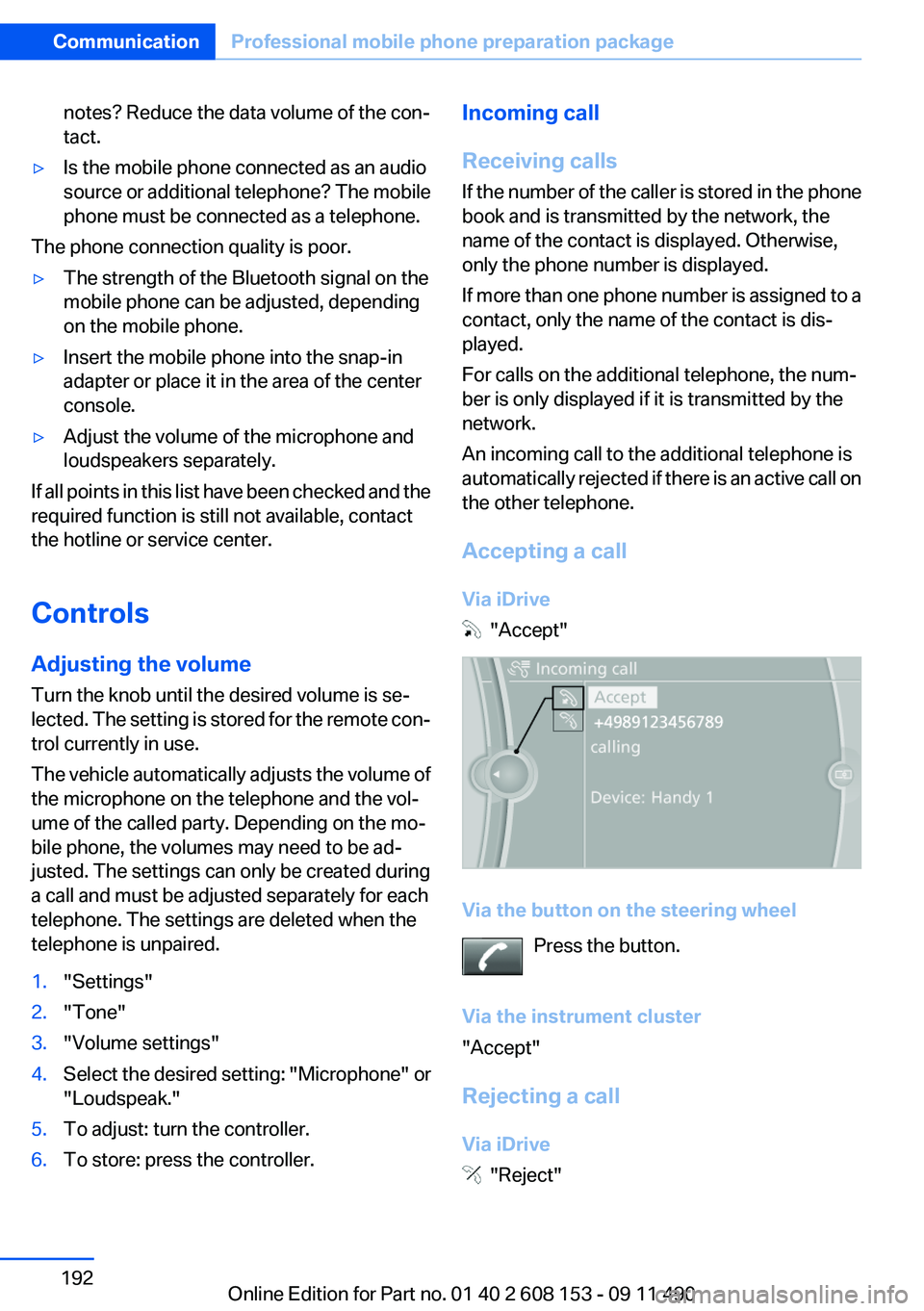
Via iDrive
"Accept"
Via the button on the steering wheel Press the button.
Via the instrument cluster
"Accept"
Rejecting a call
Via iDrive
"Reject"
Seite 192CommunicationProfessional mobile phone preparation package192
Online Edition for Part no. 01 40 2 608 153 - 09 11 490
Page 194 of 278
Accepting a call while speaking to
another party
This function might have to be activated by the
service provider and the mobile phone must be
adjusted accordingly.
If a second call comes in during an ongoing call,
a call waiting signal is sounded where appropri‐
ate.
"Accept"
The call is accepted and the existing call is put
on hold.
Establishing a second call
Establish an additional call during an active call.
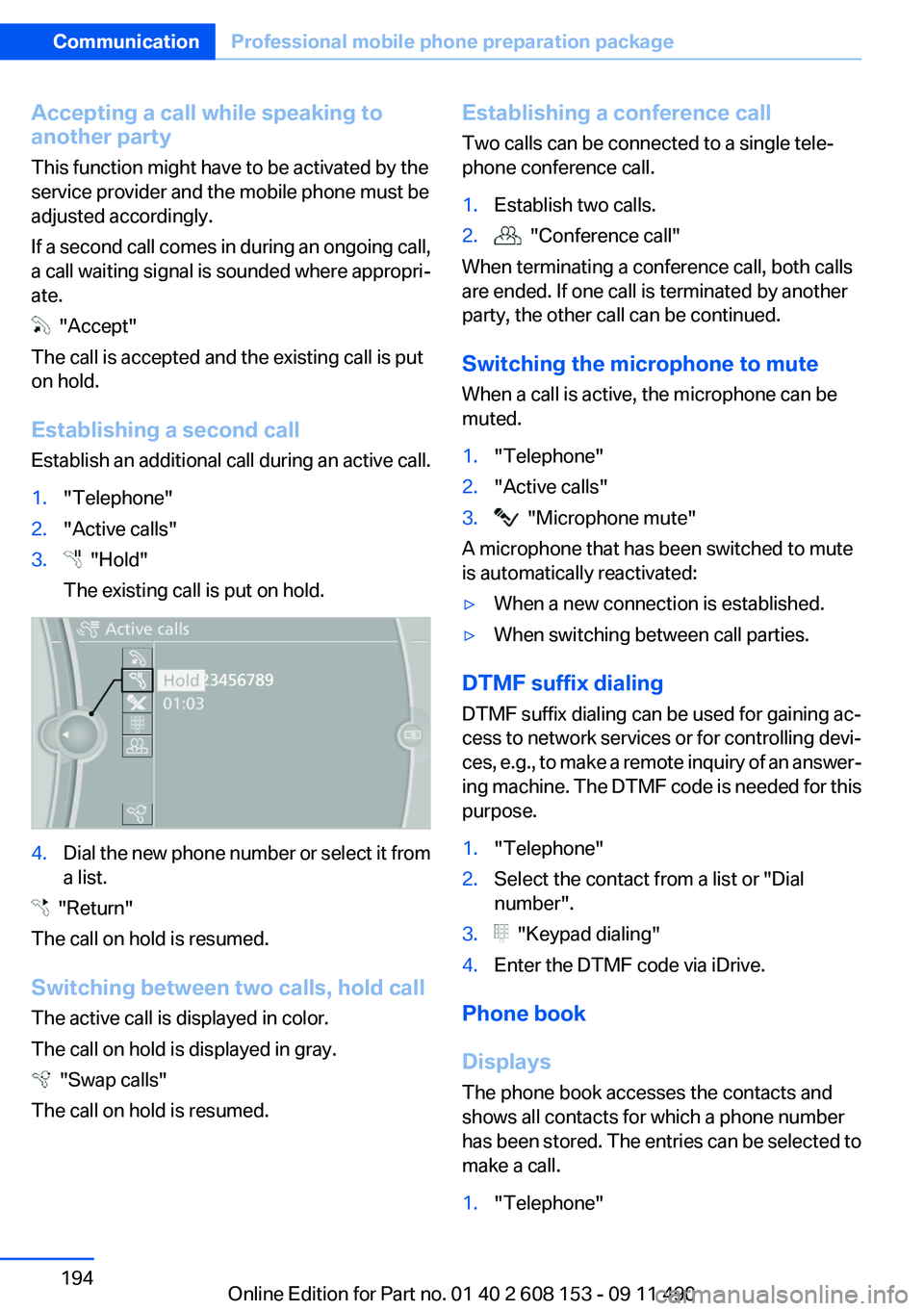
1."Telephone"2."Active calls"3. "Hold"
The existing call is put on hold.4.Dial the new phone number or select it from
a list.
"Return"
The call on hold is resumed.
Switching between two calls, hold call
The active call is displayed in color.
The call on hold is displayed in gray.
"Swap calls"
The call on hold is resumed.
Establishing a conference call
Two calls can be connected to a single tele‐
phone conference call.1.Establish two calls.2. "Conference call"
When terminating a conference call, both calls
are ended. If one call is terminated by another
party, the other call can be continued.
Switching the microphone to mute
When a call is active, the microphone can be
muted.
1."Telephone"2."Active calls"3. "Microphone mute"
A microphone that has been switched to mute
is automatically reactivated:
▷When a new connection is established.▷When switching between call parties.
DTMF suffix dialing
DTMF suffix dialing can be used for gaining ac‐
cess to network services or for controlling devi‐
ces, e.g., to make a remote inquiry of an answer‐
ing machine. The DTMF code is needed for this
purpose.
1."Telephone"2.Select the contact from a list or "Dial
number".3. "Keypad dialing"4.Enter the DTMF code via iDrive.
Phone book
Displays
The phone book accesses the contacts and
shows all contacts for which a phone number
has been stored. The entries can be selected to
make a call.
1."Telephone"Seite 194CommunicationProfessional mobile phone preparation package194
Online Edition for Part no. 01 40 2 608 153 - 09 11 490
Page 209 of 278
ConnectedDriveVehicle equipment
All standard, country-specific and optional
equipment that is offered in the model series is
described in this chapter. Therefore, equipment
is also described that is not available in a vehicle,
e. g., because of the selected optional equip‐
ment or country variant. This also applies for
safety-related functions and systems.
BMW Assist
General information
BMW Assist provides you with certain services,
e.g., transmission of the position data of your
vehicle to the BMW Assist Response Center if
an Emergency Request has been initiated.
Many BMW Assist services depend on the indi‐
vidually agreed upon contract.
After your contract has expired, the BMW Assist
system will be deactivated by the BMW Assist
Response Center without your having to visit a
service center. After the BMW Assist system
has been deactivated, no BMW Assist services
will be available. The BMW Assist system can be
reactivated by a service center after you sign a
new contract.
Requirements▷The installed BMW Assist system is logged
in to a wireless communications network.
This network must be capable of transmit‐
ting the services.▷To transmit position data, the vehicle must
be able to determine the current position.▷The BMW Assist service contract was
signed with your service center or with the
BMW Assist Response Center. Enabling
must have been completed.▷BMW Assist is activated.Services offered▷Emergency Request: when you press the
SOS button, a connection to the BMW As‐
sist Response Center is established. The
BMW Assist Response Center then speaks
with you and takes further steps to help you.▷Automatic Collision Notification: under cer‐
tain conditions, a connection is established
to the BMW Assist Response Center after a
serious accident. If possible, the BMW As‐
sist Response Center then speaks with you
and takes further steps to help you.▷Enhanced Roadside Assistance: BMW
Roadside Assistance can be contacted if as‐
sistance is needed in the event of a break‐
down. If possible, the vehicle and position
data are transmitted in the process.▷Customer Relations: connection with Cus‐
tomer Relations for information on all as‐
pects of your vehicle.▷TeleService: data on your vehicle's service
status or required inspections are transmit‐
ted to your service center, either automati‐
cally before a service due date or when you
request a BMW service appointment.▷Remote Door Unlock: the BMW Assist Re‐
sponse Center provides assistance if, for ex‐
ample, the remote control is not available
and the vehicle needs to be opened.▷Stolen Vehicle Recovery: after you report
that your vehicle was stolen to the police, the
BMW Assist Response Center can deter‐
mine its position.▷In addition to these services, the optional
Convenience Plan offers Concierge service
and information for route planning, traffic,
and weather. A limited number of calls can
be made via the BMW Assist Response
Center with Critical Calling if, for example,
the mobile phone is not available or dis‐
charged.Seite 209ConnectedDriveCommunication209
Online Edition for Part no. 01 40 2 608 153 - 09 11 490
Page 234 of 278
MaintenanceVehicle equipment
All standard, country-specific and optional
equipment that is offered in the model series is
described in this chapter. Therefore, equipment
is also described that is not available in a vehicle,
e. g., because of the selected optional equip‐
ment or country variant. This also applies for
safety-related functions and systems.
BMW Maintenance System
The maintenance system directs you to re‐
quired maintenance measures and thereby sup‐
ports you in maintaining road safety and the op‐
erational reliability of the vehicle.
Condition Based Service CBS
Sensors and special algorithms take into ac‐
count the driving conditions of your vehicle.
Based on this, Condition Based Service deter‐
mines the maintenance requirements.
The system makes it possible to adapt the
amount of maintenance you need to your user
profile.
Detailed information on service requirements,
refer to page 74, can be displayed on the Control
Display.
Service data in the remote control
Information on the required maintenance is con‐
tinuously stored in the remote control. Your
service center will read out this data and suggest
the right array of service procedures for your ve‐
hicle.
Therefore, hand your service specialist the re‐
mote control that you used most recently.Storage periods
Storage periods during which the vehicle bat‐
tery was disconnected are not taken into ac‐
count.
If this occurs, have a service center update the
time-dependent maintenance procedures,
such as checking brake fluid and, if necessary,
changing the engine oil and the microfilter/acti‐
vated-charcoal filter.
Service and Warranty
Information Booklet for US
models and Warranty and
Service Guide Booklet for
Canadian models
Please consult your Service and Warranty Infor‐
mation Booklet for US models and Warranty and
Service Guide Booklet for Canadian models for
additional information on service requirements.
Maintenance and repair should be performed by
your service center. Make sure to have regular
maintenance procedures recorded in the vehi‐
cle's Service and Warranty Information Booklet
for US models, and in the Warranty and Service
Guide Booklet for Canadian models. These en‐
tries are proof of regular maintenance.Seite 234MobilityMaintenance234
Online Edition for Part no. 01 40 2 608 153 - 09 11 490
Page 235 of 278
Socket for OBD Onboard
Diagnosis
There is an OBD socket on the driver's side for
checking the primary components in the vehicle
emissions.
Emissions
▷The warning lamp lights up:
Emissions are deteriorating. Have
the vehicle checked as soon as pos‐
sible.
Canadian model: warning light indi‐
cates the engine symbol.▷The warning lamp flashes under certain cir‐
cumstances:
This indicates that there is excessive misfir‐
ing in the engine.
Reduce the vehicle speed and have the sys‐
tem checked immediately; otherwise, seri‐
ous engine misfiring within a brief period can
seriously damage emission control compo‐
nents, in particular the catalytic converter.
Fuel cap
The indicator lamp lights up.
If the fuel cap is not properly tightened,
the OBD system may conclude that fuel
vapor is escaping. If the cap is then tightened,
the display should go out in a short time.
Data memory
Your vehicle records data relating to vehicle op‐
eration, faults and user settings. These data are
stored in the remote control and can be read out
with suitable devices, particularly when the ve‐
hicle is serviced. The data obtained in this way
provide valuable information for service proc‐
esses and repair or for optimizing and develop‐
ing vehicle functions further.
In addition, if you signed a service contract for
Assist, certain vehicle data can be sent directly
from the vehicle to facilitate the desired serv‐
ices.Seite 235MaintenanceMobility235
Online Edition for Part no. 01 40 2 608 153 - 09 11 490
Page 268 of 278
Everything from A to Z
IndexA
ABS, Antilock Brake Sys‐ tem 94
Activated-charcoal filter 114
Adaptive brake lights, refer to Brake force display 93
Adaptive light control 82
Additional telephone 188
Additives, oil 232
Adjustments, seats/head re‐ straints 46
After washing vehicle 249
Airbags 85
Airbags, indicator/warning light 86
Air circulation, refer to Recir‐ culated-air mode 110, 113
Air distribution, manual 109, 112
Air drying, refer to Cooling function 110, 113
Air pressure, tires 221
Air vents, refer to Ventila‐ tion 114
Air volume, automatic climate control 110, 113
Alarm system 41
Alarm, unintentional 42
All around the center con‐ sole 14
All around the headliner 15
All around the steering wheel 12
ALL program, automatic cli‐ mate control 113
All-season tires, refer to Win‐ ter tires 226
All-wheel-drive 95
Alternating-code hand-held transmitter 117 Alternative oil types 232
AM/FM station 158
Announcement, navigation, refer to Spoken instruc‐
tions 148
Antifreeze, washer fluid 64
Antilock Brake System, ABS 94
Anti-slip control, refer to DSC 94
Applications 214
Appointments 204
Approved engine oils 232
Apps 214
Apps, video playback 181
Armrest, refer to Center arm‐ rest 123
Arrival time 76
Assist 209
Assistance, Roadside Assis‐ tance 244
Audio playback 167
Audio playback, Blue‐ tooth 181
AUTO H button, refer to Auto‐ matic Hold 60
AUTO intensity 112
Automatic car wash 248
Automatic climate con‐ trol 109
Automatic climate control with enhanced features 111
Automatic Curb Monitor 53
Automatic deactivation, front passenger airbags 87
Automatic headlamp con‐ trol 81
Automatic Hold 60
Automatic locking 37
Automatic recirculated-air control 113 Automatic tailgate 38
Automatic transmission with Steptronic 65
AUTO program, automatic cli‐ mate control 112
AUTO program, climate con‐ trol 110
AUTO program, intensity 112
AUX-IN port 178
Average fuel consumption 76
Average speed 76
Axle loads, weights 256
B
Backrest curvature, refer to Lumbar support 48
Backrest, width 48
Backup camera 103
Balance 156
Band-Aids, refer to First aid kit 244
Bar for tow-starting/tow‐ ing 246
Bass 156
Battery replacement, vehicle battery 241
Battery replacement, vehicle remote control 30
Battery, vehicle 241
Belts, safety belts 49
Beverage holder, cu‐ pholder 123
Blinds, sun protection 44
Bluetooth audio 181
Bluetooth connection, activat‐ ing/deactivating 189
BMW Assist 209
BMW homepage 6
BMW Internet page 6 Seite 268ReferenceEverything from A to Z268
Online Edition for Part no. 01 40 2 608 153 - 09 11 490
Page 269 of 278
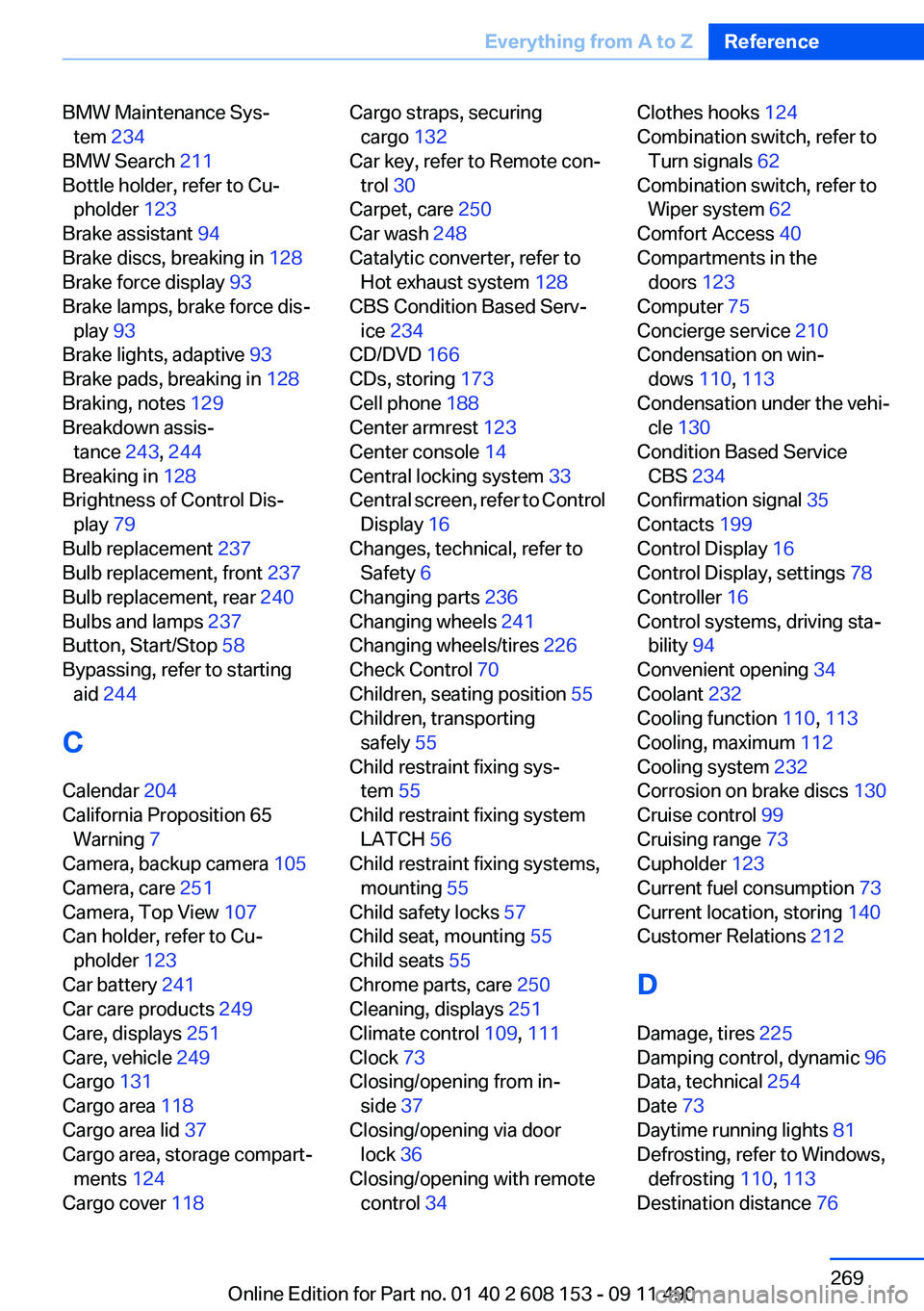
BMW Maintenance Sys‐tem 234
BMW Search 211
Bottle holder, refer to Cu‐ pholder 123
Brake assistant 94
Brake discs, breaking in 128
Brake force display 93
Brake lamps, brake force dis‐ play 93
Brake lights, adaptive 93
Brake pads, breaking in 128
Braking, notes 129
Breakdown assis‐ tance 243, 244
Breaking in 128
Brightness of Control Dis‐ play 79
Bulb replacement 237
Bulb replacement, front 237
Bulb replacement, rear 240
Bulbs and lamps 237
Button, Start/Stop 58
Bypassing, refer to starting aid 244
C
Calendar 204
California Proposition 65 Warning 7
Camera, backup camera 105
Camera, care 251
Camera, Top View 107
Can holder, refer to Cu‐ pholder 123
Car battery 241
Car care products 249
Care, displays 251
Care, vehicle 249
Cargo 131
Cargo area 118
Cargo area lid 37
Cargo area, storage compart‐ ments 124
Cargo cover 118 Cargo straps, securing
cargo 132
Car key, refer to Remote con‐ trol 30
Carpet, care 250
Car wash 248
Catalytic converter, refer to Hot exhaust system 128
CBS Condition Based Serv‐ ice 234
CD/DVD 166
CDs, storing 173
Cell phone 188
Center armrest 123
Center console 14
Central locking system 33
Central screen, refer to Control Display 16
Changes, technical, refer to Safety 6
Changing parts 236
Changing wheels 241
Changing wheels/tires 226
Check Control 70
Children, seating position 55
Children, transporting safely 55
Child restraint fixing sys‐ tem 55
Child restraint fixing system LATCH 56
Child restraint fixing systems, mounting 55
Child safety locks 57
Child seat, mounting 55
Child seats 55
Chrome parts, care 250
Cleaning, displays 251
Climate control 109, 111
Clock 73
Closing/opening from in‐ side 37
Closing/opening via door lock 36
Closing/opening with remote control 34 Clothes hooks 124
Combination switch, refer to Turn signals 62
Combination switch, refer to Wiper system 62
Comfort Access 40
Compartments in the doors 123
Computer 75
Concierge service 210
Condensation on win‐ dows 110, 113
Condensation under the vehi‐ cle 130
Condition Based Service CBS 234
Confirmation signal 35
Contacts 199
Control Display 16
Control Display, settings 78
Controller 16
Control systems, driving sta‐ bility 94
Convenient opening 34
Coolant 232
Cooling function 110, 113
Cooling, maximum 112
Cooling system 232
Corrosion on brake discs 130
Cruise control 99
Cruising range 73
Cupholder 123
Current fuel consumption 73
Current location, storing 140
Customer Relations 212
D
Damage, tires 225
Damping control, dynamic 96
Data, technical 254
Date 73
Daytime running lights 81
Defrosting, refer to Windows, defrosting 110, 113
Destination distance 76 Seite 269Everything from A to ZReference269
Online Edition for Part no. 01 40 2 608 153 - 09 11 490
Page 270 of 278
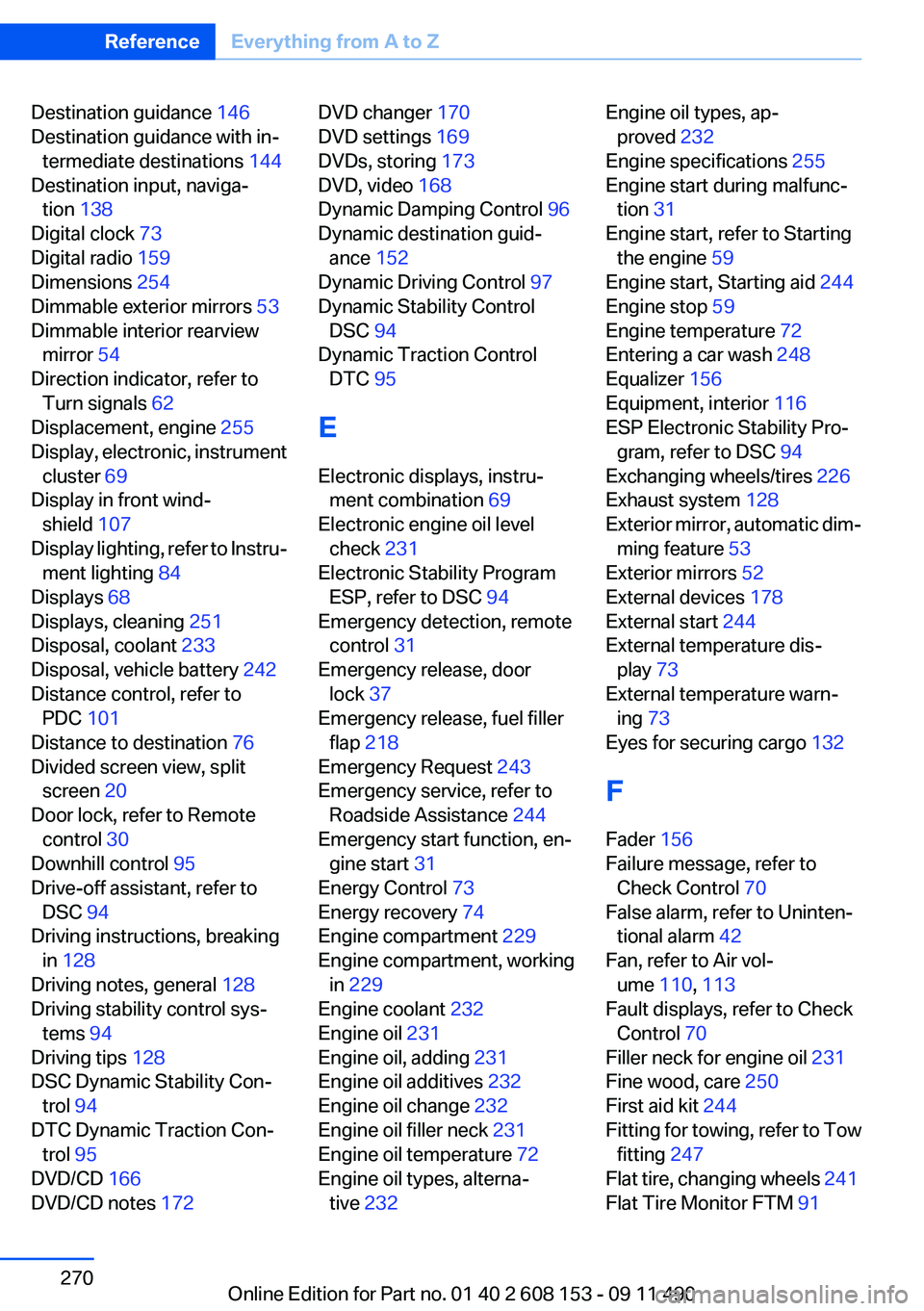
Destination guidance 146
Destination guidance with in‐ termediate destinations 144
Destination input, naviga‐ tion 138
Digital clock 73
Digital radio 159
Dimensions 254
Dimmable exterior mirrors 53
Dimmable interior rearview mirror 54
Direction indicator, refer to Turn signals 62
Displacement, engine 255
Display, electronic, instrument cluster 69
Display in front wind‐ shield 107
Display lighting, refer to Instru‐ ment lighting 84
Displays 68
Displays, cleaning 251
Disposal, coolant 233
Disposal, vehicle battery 242
Distance control, refer to PDC 101
Distance to destination 76
Divided screen view, split screen 20
Door lock, refer to Remote control 30
Downhill control 95
Drive-off assistant, refer to DSC 94
Driving instructions, breaking in 128
Driving notes, general 128
Driving stability control sys‐ tems 94
Driving tips 128
DSC Dynamic Stability Con‐ trol 94
DTC Dynamic Traction Con‐ trol 95
DVD/CD 166
DVD/CD notes 172 DVD changer 170
DVD settings 169
DVDs, storing 173
DVD, video 168
Dynamic Damping Control 96
Dynamic destination guid‐ ance 152
Dynamic Driving Control 97
Dynamic Stability Control DSC 94
Dynamic Traction Control DTC 95
E
Electronic displays, instru‐ ment combination 69
Electronic engine oil level check 231
Electronic Stability Program ESP, refer to DSC 94
Emergency detection, remote control 31
Emergency release, door lock 37
Emergency release, fuel filler flap 218
Emergency Request 243
Emergency service, refer to Roadside Assistance 244
Emergency start function, en‐ gine start 31
Energy Control 73
Energy recovery 74
Engine compartment 229
Engine compartment, working in 229
Engine coolant 232
Engine oil 231
Engine oil, adding 231
Engine oil additives 232
Engine oil change 232
Engine oil filler neck 231
Engine oil temperature 72
Engine oil types, alterna‐ tive 232 Engine oil types, ap‐
proved 232
Engine specifications 255
Engine start during malfunc‐ tion 31
Engine start, refer to Starting the engine 59
Engine start, Starting aid 244
Engine stop 59
Engine temperature 72
Entering a car wash 248
Equalizer 156
Equipment, interior 116
ESP Electronic Stability Pro‐ gram, refer to DSC 94
Exchanging wheels/tires 226
Exhaust system 128
Exterior mirror, automatic dim‐ ming feature 53
Exterior mirrors 52
External devices 178
External start 244
External temperature dis‐ play 73
External temperature warn‐ ing 73
Eyes for securing cargo 132
F
Fader 156
Failure message, refer to Check Control 70
False alarm, refer to Uninten‐ tional alarm 42
Fan, refer to Air vol‐ ume 110, 113
Fault displays, refer to Check Control 70
Filler neck for engine oil 231
Fine wood, care 250
First aid kit 244
Fitting for towing, refer to Tow fitting 247
Flat tire, changing wheels 241
Flat Tire Monitor FTM 91 Seite 270ReferenceEverything from A to Z270
Online Edition for Part no. 01 40 2 608 153 - 09 11 490