wheel BMW X3 2012 Workshop Manual
[x] Cancel search | Manufacturer: BMW, Model Year: 2012, Model line: X3, Model: BMW X3 2012Pages: 278, PDF Size: 10.15 MB
Page 228 of 278
▷245/50 R 18.
No snow chains with tires of size 245/45 R
19
Do not mount snow chains on tires of size
245/45 R 19; otherwise, the vehicle can become
damaged.◀
Follow the chain manufacturer's instructions.
Make sure that the snow chains are always suf‐
ficiently tight. Retighten as needed according to
the chain manufacturer's instructions.
Do not initialize the Flat Tire Monitor after
mounting snow chains, as doing so may result
in incorrect readings.
Do not initialize the Tire Pressure Monitor after
mounting snow chains, as doing so may result
in incorrect readings.
When driving with snow chains, briefly activate
Dynamic Traction Control if necessary.
Maximum speed with snow chains
Do not exceed a speed of 30 mph/50 km/h when
using snow chains.
Seite 228MobilityWheels and tires228
Online Edition for Part no. 01 40 2 608 153 - 09 11 490
Page 241 of 278
6.Turn the bulb and remove it. The turn signal
is the upper bulb and the tail lamp/brake
lamp is the lower bulb on the bulb holder.7.Proceed in the reverse order to insert the
new bulb and attach the bulb holder. Make
sure that the bulb holder is engaged in all
fasteners.8.Connect and install tail lamp.9.Insert cover with the three mountings in the
tail lamp. While applying pressure on the top
and bottom bracket, slide the cover down to
the stop.
Backup lamp and inner brake lamp
Follow the General instructions on lamps and
bulbs, refer to page 237.
Backup lamp: 16-watt bulb, W16W
Inner brake lamp: 21-watt bulb, H21W
1.Open the tailgate.2.Pull out the cover at the recessed grip, ar‐
row.3.Detach the connector.4.Detach the bulb holder from the tail lamp.
The backup lamp is the upper lamp and the
brake lamp is the lower lamp on the bulb
holder.5.To replace the backup lamp, pull off the bulb
carefully.
To replace the brake lamp, push the bulb
down and turn it to the left.6.Proceed in the reverse order to insert the
new bulb and attach the bulb holder.Ensure that the bulb holder is firmly at‐
tached.
Changing wheels
Notes
The vehicle equipment does not include a spare
tire.
When using run-flat tires or tire sealants, a tire
does not need to be changed immediately in the
event of pressure loss due to a flat tire.
The tools for changing wheels are available as
accessories from your service center.
Jacking points for the vehicle jack
The jacking points for the vehicle jack are lo‐
cated in the positions shown.
Vehicle battery
Maintenance
The battery is maintenance-free, i.e., the elec‐
trolyte will last for the life of the battery.
Your service center will be glad to advise you on
questions regarding the battery.
Battery replacement Use approved vehicle batteries only.
Only use vehicle batteries that have been
approved for your vehicle by the manufacturer;
otherwise, the vehicle could be damaged and
Seite 241Replacing componentsMobility241
Online Edition for Part no. 01 40 2 608 153 - 09 11 490
Page 248 of 278
CareVehicle equipment
All standard, country-specific and optional
equipment that is offered in the model series is
described in this chapter. Therefore, equipment
is also described that is not available in a vehicle,
e. g., because of the selected optional equip‐
ment or country variant. This also applies for
safety-related functions and systems.
Car washes
Notes Steam jets or high-pressure washers
When using steam jets or high-pressure
washers, hold them a sufficient distance away
and use a maximum temperature of 140 ℉/
60 ℃.
Holding them too close or using excessively
high pressures or temperatures can cause dam‐
age or preliminary damage that may then lead to
long-term damage.
Follow the operating instructions for the high-
pressure washer.◀
Cleaning sensors/cameras with high-
pressure washers
When using high-pressure washers, do not
spray the exterior sensors and cameras, e.g.,
Park Distance Control, for extended periods of
time and only from a distance of at least 12 in/
30 cm.◀
Wash your vehicle frequently, particularly in win‐
ter.
Intense soiling and road salt can damage the ve‐
hicle.Washing in automatic car washes
Give preference to cloth car washes or those
that use soft brushes in order to avoid paint
damage.
Notes
Note the following:▷Make sure that the wheels and tires are not
damaged by the transport mechanisms.▷Fold in the exterior mirrors; otherwise, they
may be damaged, depending on the width of
the vehicle.▷Deactivate the rain sensor, refer to page 63,
to avoid unintentional wiper activation.▷In some cases, an unintentional alarm can be
triggered by the interior motion sensor of the
alarm system. Follow the instructions on
avoiding an unintentional alarm, refer to
page 42.
Guide rails in car washes
Avoid car washes with guide rails higher
than 4 in/10 cm; otherwise, the vehicle body
could be damaged.◀
Before driving into a car wash
In order to ensure that the vehicle can roll in a car
wash, take the following steps:
Automatic transmission:
1.Releaseparking brake, refer to page 60, and
deactivate Automatic Hold, refer to
page 61.2.Drive into the car wash.3.Depress the brake pedal as needed.4.Engage transmission position N.5.Switch the engine off. In this way, the igni‐
tion remains switched on, and a Check-Con‐
trol message is displayed.Seite 248MobilityCare248
Online Edition for Part no. 01 40 2 608 153 - 09 11 490
Page 250 of 278
Damage from Velcro® fasteners
Open Velcro® fasteners on pants or other
articles of clothing can damage the seat covers.
Ensure that any Velcro® fasteners are closed. ◀
Caring for special components
Light-alloy wheels
Use wheel cleaner, particularly during the winter
months. Do not use aggressive, acidic, strongly
alkaline or abrasive cleaners, or steam jets
above 140 ℉/60 ℃; follow the manufacturer's
instructions.
Chrome surfaces
Carefully clean components such as the radiator
grille or door handles with an ample supply of
water, possibly with shampoo added, particu‐
larly when they have been exposed to road salt.
Rubber components
Aside from water, treat only with rubber cleans‐
ers.
When cleaning rubber seals, do not use any sil‐
icon-containing car care products in order to
avoid damage or reduced noise damping.
Fine wood parts
Clean fine wood facing and fine wood compo‐
nents only with a moist rag. Then dry with a soft
cloth.
Plastic components
These include:▷Imitation leather surfaces.▷Headliner.▷Lamp lenses.▷Instrument cluster cover.▷Matte black spray-coated components.▷Painted parts in the interior.
Clean with a microfiber cloth.
Lightly dampen the cloth with water.
Do not soak the headliner.
Do not use cleansers that contain alcohol
or solvents
Do not use cleansers that contain alcohol or sol‐
vents, such as lacquer thinners, heavy-duty
grease removers, fuel, or such; this could lead to
surface damage.◀
Safety belts
Dirty belt straps impede the reeling action and
thus have a negative impact on safety.
Chemical cleaning
Do not clean chemically; this can destroy
the webbing.◀
Use only a mild soapy solution, with the safety
belts clipped into their buckles.
Do not allow the reels to retract the safety belts
until they are dry.
Floor carpets and floor mats No objects in the area around the pedals
Keep floor mats, carpets, and any other
objects out of the area of motion of the pedals;
otherwise, the function of the pedals could be
impeded while driving
Do not place additional floor mats over existing
mats or other objects.
Only use floor mats that have been approved for
the vehicle and can be properly fixed in place.
Ensure that the floor mats are securely fastened
again after they were removed for cleaning, for
example.◀
Floor mats can be removed from the passenger
compartment for cleaning.
If the floor carpets are very dirty, clean with a
microfiber cloth and water or a textile cleaner. To
prevent matting of the carpet, rub back and forth
in the direction of travel only.Seite 250MobilityCare250
Online Edition for Part no. 01 40 2 608 153 - 09 11 490
Page 255 of 278
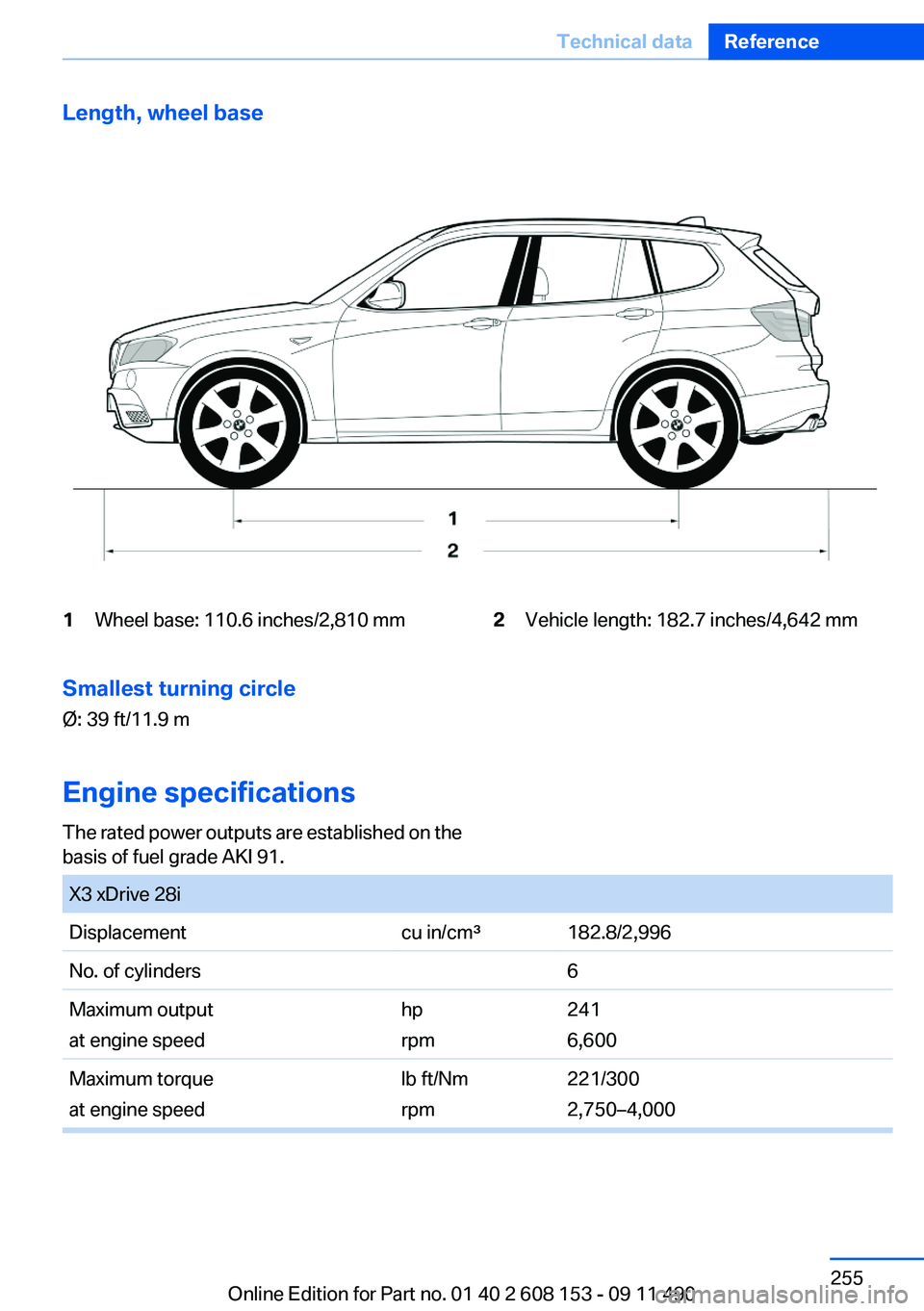
Length, wheel base1Wheel base: 110.6 inches/2,810 mm2Vehicle length: 182.7 inches/4,642 mmSmallest turning circle
Ø: 39 ft/11.9 m
Engine specifications
The rated power outputs are established on the
basis of fuel grade AKI 91. X3 xDrive 28iDisplacementcu in/cm³182.8/2,996No. of cylinders6Maximum output
at engine speedhp
rpm241
6,600Maximum torque
at engine speedlb ft/Nm
rpm221/300
2,750–4,000Seite 255Technical dataReference255
Online Edition for Part no. 01 40 2 608 153 - 09 11 490
Page 268 of 278
Everything from A to Z
IndexA
ABS, Antilock Brake Sys‐ tem 94
Activated-charcoal filter 114
Adaptive brake lights, refer to Brake force display 93
Adaptive light control 82
Additional telephone 188
Additives, oil 232
Adjustments, seats/head re‐ straints 46
After washing vehicle 249
Airbags 85
Airbags, indicator/warning light 86
Air circulation, refer to Recir‐ culated-air mode 110, 113
Air distribution, manual 109, 112
Air drying, refer to Cooling function 110, 113
Air pressure, tires 221
Air vents, refer to Ventila‐ tion 114
Air volume, automatic climate control 110, 113
Alarm system 41
Alarm, unintentional 42
All around the center con‐ sole 14
All around the headliner 15
All around the steering wheel 12
ALL program, automatic cli‐ mate control 113
All-season tires, refer to Win‐ ter tires 226
All-wheel-drive 95
Alternating-code hand-held transmitter 117 Alternative oil types 232
AM/FM station 158
Announcement, navigation, refer to Spoken instruc‐
tions 148
Antifreeze, washer fluid 64
Antilock Brake System, ABS 94
Anti-slip control, refer to DSC 94
Applications 214
Appointments 204
Approved engine oils 232
Apps 214
Apps, video playback 181
Armrest, refer to Center arm‐ rest 123
Arrival time 76
Assist 209
Assistance, Roadside Assis‐ tance 244
Audio playback 167
Audio playback, Blue‐ tooth 181
AUTO H button, refer to Auto‐ matic Hold 60
AUTO intensity 112
Automatic car wash 248
Automatic climate con‐ trol 109
Automatic climate control with enhanced features 111
Automatic Curb Monitor 53
Automatic deactivation, front passenger airbags 87
Automatic headlamp con‐ trol 81
Automatic Hold 60
Automatic locking 37
Automatic recirculated-air control 113 Automatic tailgate 38
Automatic transmission with Steptronic 65
AUTO program, automatic cli‐ mate control 112
AUTO program, climate con‐ trol 110
AUTO program, intensity 112
AUX-IN port 178
Average fuel consumption 76
Average speed 76
Axle loads, weights 256
B
Backrest curvature, refer to Lumbar support 48
Backrest, width 48
Backup camera 103
Balance 156
Band-Aids, refer to First aid kit 244
Bar for tow-starting/tow‐ ing 246
Bass 156
Battery replacement, vehicle battery 241
Battery replacement, vehicle remote control 30
Battery, vehicle 241
Belts, safety belts 49
Beverage holder, cu‐ pholder 123
Blinds, sun protection 44
Bluetooth audio 181
Bluetooth connection, activat‐ ing/deactivating 189
BMW Assist 209
BMW homepage 6
BMW Internet page 6 Seite 268ReferenceEverything from A to Z268
Online Edition for Part no. 01 40 2 608 153 - 09 11 490
Page 269 of 278
BMW Maintenance Sys‐tem 234
BMW Search 211
Bottle holder, refer to Cu‐ pholder 123
Brake assistant 94
Brake discs, breaking in 128
Brake force display 93
Brake lamps, brake force dis‐ play 93
Brake lights, adaptive 93
Brake pads, breaking in 128
Braking, notes 129
Breakdown assis‐ tance 243, 244
Breaking in 128
Brightness of Control Dis‐ play 79
Bulb replacement 237
Bulb replacement, front 237
Bulb replacement, rear 240
Bulbs and lamps 237
Button, Start/Stop 58
Bypassing, refer to starting aid 244
C
Calendar 204
California Proposition 65 Warning 7
Camera, backup camera 105
Camera, care 251
Camera, Top View 107
Can holder, refer to Cu‐ pholder 123
Car battery 241
Car care products 249
Care, displays 251
Care, vehicle 249
Cargo 131
Cargo area 118
Cargo area lid 37
Cargo area, storage compart‐ ments 124
Cargo cover 118 Cargo straps, securing
cargo 132
Car key, refer to Remote con‐ trol 30
Carpet, care 250
Car wash 248
Catalytic converter, refer to Hot exhaust system 128
CBS Condition Based Serv‐ ice 234
CD/DVD 166
CDs, storing 173
Cell phone 188
Center armrest 123
Center console 14
Central locking system 33
Central screen, refer to Control Display 16
Changes, technical, refer to Safety 6
Changing parts 236
Changing wheels 241
Changing wheels/tires 226
Check Control 70
Children, seating position 55
Children, transporting safely 55
Child restraint fixing sys‐ tem 55
Child restraint fixing system LATCH 56
Child restraint fixing systems, mounting 55
Child safety locks 57
Child seat, mounting 55
Child seats 55
Chrome parts, care 250
Cleaning, displays 251
Climate control 109, 111
Clock 73
Closing/opening from in‐ side 37
Closing/opening via door lock 36
Closing/opening with remote control 34 Clothes hooks 124
Combination switch, refer to Turn signals 62
Combination switch, refer to Wiper system 62
Comfort Access 40
Compartments in the doors 123
Computer 75
Concierge service 210
Condensation on win‐ dows 110, 113
Condensation under the vehi‐ cle 130
Condition Based Service CBS 234
Confirmation signal 35
Contacts 199
Control Display 16
Control Display, settings 78
Controller 16
Control systems, driving sta‐ bility 94
Convenient opening 34
Coolant 232
Cooling function 110, 113
Cooling, maximum 112
Cooling system 232
Corrosion on brake discs 130
Cruise control 99
Cruising range 73
Cupholder 123
Current fuel consumption 73
Current location, storing 140
Customer Relations 212
D
Damage, tires 225
Damping control, dynamic 96
Data, technical 254
Date 73
Daytime running lights 81
Defrosting, refer to Windows, defrosting 110, 113
Destination distance 76 Seite 269Everything from A to ZReference269
Online Edition for Part no. 01 40 2 608 153 - 09 11 490
Page 270 of 278
Destination guidance 146
Destination guidance with in‐ termediate destinations 144
Destination input, naviga‐ tion 138
Digital clock 73
Digital radio 159
Dimensions 254
Dimmable exterior mirrors 53
Dimmable interior rearview mirror 54
Direction indicator, refer to Turn signals 62
Displacement, engine 255
Display, electronic, instrument cluster 69
Display in front wind‐ shield 107
Display lighting, refer to Instru‐ ment lighting 84
Displays 68
Displays, cleaning 251
Disposal, coolant 233
Disposal, vehicle battery 242
Distance control, refer to PDC 101
Distance to destination 76
Divided screen view, split screen 20
Door lock, refer to Remote control 30
Downhill control 95
Drive-off assistant, refer to DSC 94
Driving instructions, breaking in 128
Driving notes, general 128
Driving stability control sys‐ tems 94
Driving tips 128
DSC Dynamic Stability Con‐ trol 94
DTC Dynamic Traction Con‐ trol 95
DVD/CD 166
DVD/CD notes 172 DVD changer 170
DVD settings 169
DVDs, storing 173
DVD, video 168
Dynamic Damping Control 96
Dynamic destination guid‐ ance 152
Dynamic Driving Control 97
Dynamic Stability Control DSC 94
Dynamic Traction Control DTC 95
E
Electronic displays, instru‐ ment combination 69
Electronic engine oil level check 231
Electronic Stability Program ESP, refer to DSC 94
Emergency detection, remote control 31
Emergency release, door lock 37
Emergency release, fuel filler flap 218
Emergency Request 243
Emergency service, refer to Roadside Assistance 244
Emergency start function, en‐ gine start 31
Energy Control 73
Energy recovery 74
Engine compartment 229
Engine compartment, working in 229
Engine coolant 232
Engine oil 231
Engine oil, adding 231
Engine oil additives 232
Engine oil change 232
Engine oil filler neck 231
Engine oil temperature 72
Engine oil types, alterna‐ tive 232 Engine oil types, ap‐
proved 232
Engine specifications 255
Engine start during malfunc‐ tion 31
Engine start, refer to Starting the engine 59
Engine start, Starting aid 244
Engine stop 59
Engine temperature 72
Entering a car wash 248
Equalizer 156
Equipment, interior 116
ESP Electronic Stability Pro‐ gram, refer to DSC 94
Exchanging wheels/tires 226
Exhaust system 128
Exterior mirror, automatic dim‐ ming feature 53
Exterior mirrors 52
External devices 178
External start 244
External temperature dis‐ play 73
External temperature warn‐ ing 73
Eyes for securing cargo 132
F
Fader 156
Failure message, refer to Check Control 70
False alarm, refer to Uninten‐ tional alarm 42
Fan, refer to Air vol‐ ume 110, 113
Fault displays, refer to Check Control 70
Filler neck for engine oil 231
Fine wood, care 250
First aid kit 244
Fitting for towing, refer to Tow fitting 247
Flat tire, changing wheels 241
Flat Tire Monitor FTM 91 Seite 270ReferenceEverything from A to Z270
Online Edition for Part no. 01 40 2 608 153 - 09 11 490
Page 272 of 278
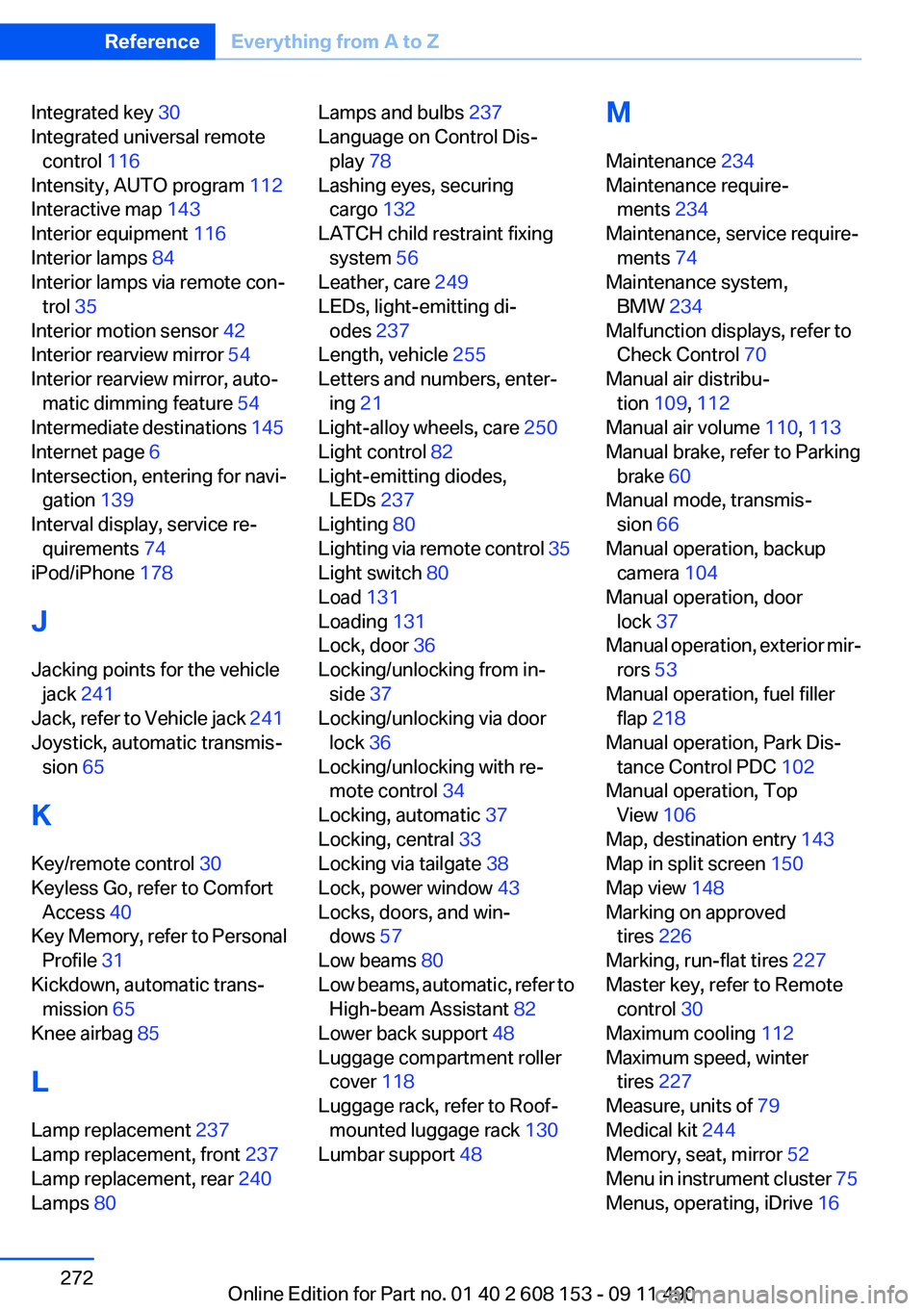
Integrated key 30
Integrated universal remote control 116
Intensity, AUTO program 112
Interactive map 143
Interior equipment 116
Interior lamps 84
Interior lamps via remote con‐ trol 35
Interior motion sensor 42
Interior rearview mirror 54
Interior rearview mirror, auto‐ matic dimming feature 54
Intermediate destinations 145
Internet page 6
Intersection, entering for navi‐ gation 139
Interval display, service re‐ quirements 74
iPod/iPhone 178
J
Jacking points for the vehicle jack 241
Jack, refer to Vehicle jack 241
Joystick, automatic transmis‐ sion 65
K
Key/remote control 30
Keyless Go, refer to Comfort Access 40
Key Memory, refer to Personal Profile 31
Kickdown, automatic trans‐ mission 65
Knee airbag 85
L
Lamp replacement 237
Lamp replacement, front 237
Lamp replacement, rear 240
Lamps 80 Lamps and bulbs 237
Language on Control Dis‐ play 78
Lashing eyes, securing cargo 132
LATCH child restraint fixing system 56
Leather, care 249
LEDs, light-emitting di‐ odes 237
Length, vehicle 255
Letters and numbers, enter‐ ing 21
Light-alloy wheels, care 250
Light control 82
Light-emitting diodes, LEDs 237
Lighting 80
Lighting via remote control 35
Light switch 80
Load 131
Loading 131
Lock, door 36
Locking/unlocking from in‐ side 37
Locking/unlocking via door lock 36
Locking/unlocking with re‐ mote control 34
Locking, automatic 37
Locking, central 33
Locking via tailgate 38
Lock, power window 43
Locks, doors, and win‐ dows 57
Low beams 80
Low beams, automatic, refer to High-beam Assistant 82
Lower back support 48
Luggage compartment roller cover 118
Luggage rack, refer to Roof- mounted luggage rack 130
Lumbar support 48 M
Maintenance 234
Maintenance require‐ ments 234
Maintenance, service require‐ ments 74
Maintenance system, BMW 234
Malfunction displays, refer to Check Control 70
Manual air distribu‐ tion 109, 112
Manual air volume 110, 113
Manual brake, refer to Parking brake 60
Manual mode, transmis‐ sion 66
Manual operation, backup camera 104
Manual operation, door lock 37
Manual operation, exterior mir‐ rors 53
Manual operation, fuel filler flap 218
Manual operation, Park Dis‐ tance Control PDC 102
Manual operation, Top View 106
Map, destination entry 143
Map in split screen 150
Map view 148
Marking on approved tires 226
Marking, run-flat tires 227
Master key, refer to Remote control 30
Maximum cooling 112
Maximum speed, winter tires 227
Measure, units of 79
Medical kit 244
Memory, seat, mirror 52
Menu in instrument cluster 75
Menus, operating, iDrive 16 Seite 272ReferenceEverything from A to Z272
Online Edition for Part no. 01 40 2 608 153 - 09 11 490
Page 273 of 278
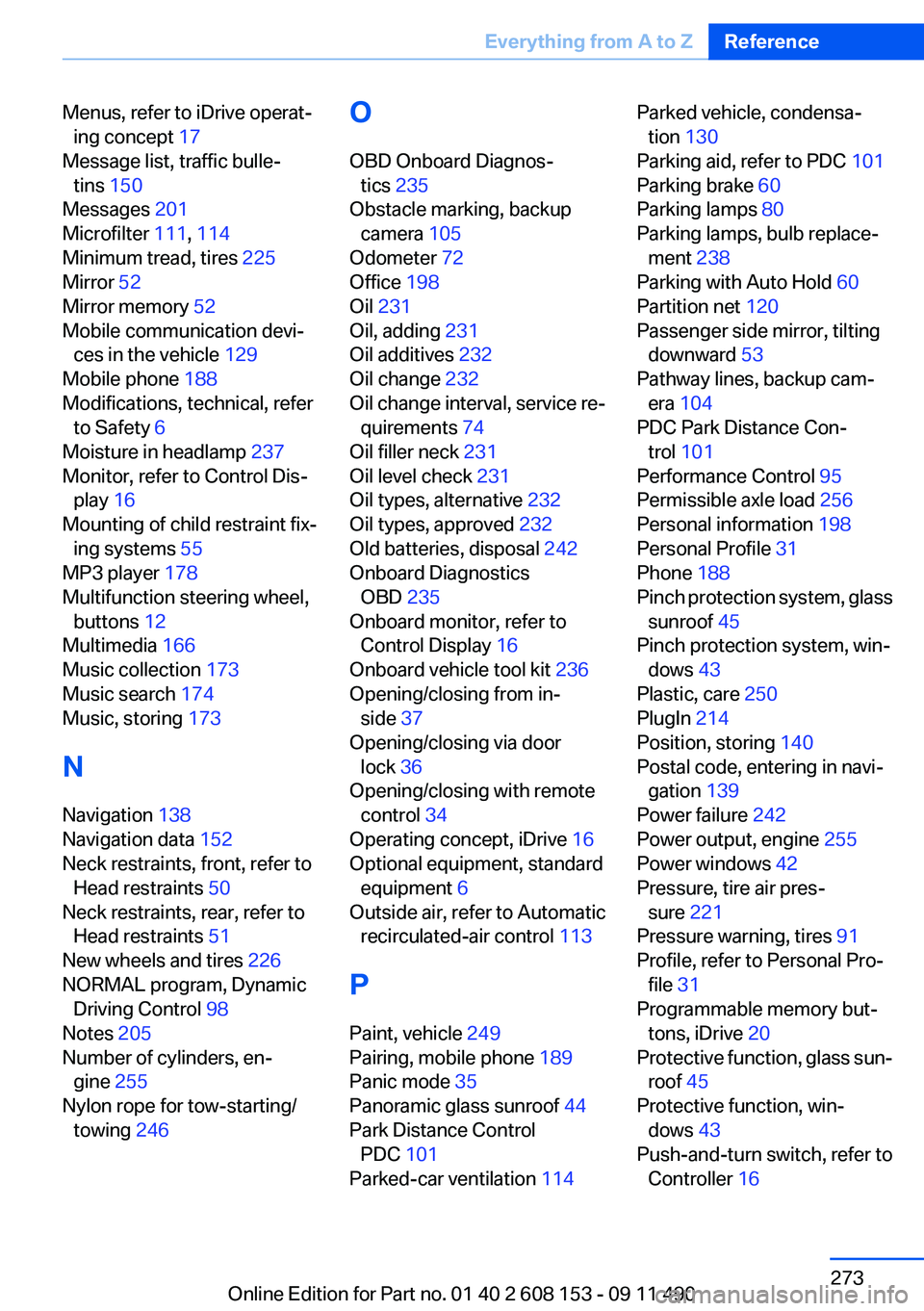
Menus, refer to iDrive operat‐ing concept 17
Message list, traffic bulle‐ tins 150
Messages 201
Microfilter 111, 114
Minimum tread, tires 225
Mirror 52
Mirror memory 52
Mobile communication devi‐ ces in the vehicle 129
Mobile phone 188
Modifications, technical, refer to Safety 6
Moisture in headlamp 237
Monitor, refer to Control Dis‐ play 16
Mounting of child restraint fix‐ ing systems 55
MP3 player 178
Multifunction steering wheel, buttons 12
Multimedia 166
Music collection 173
Music search 174
Music, storing 173
N
Navigation 138
Navigation data 152
Neck restraints, front, refer to Head restraints 50
Neck restraints, rear, refer to Head restraints 51
New wheels and tires 226
NORMAL program, Dynamic Driving Control 98
Notes 205
Number of cylinders, en‐ gine 255
Nylon rope for tow-starting/ towing 246 O
OBD Onboard Diagnos‐ tics 235
Obstacle marking, backup camera 105
Odometer 72
Office 198
Oil 231
Oil, adding 231
Oil additives 232
Oil change 232
Oil change interval, service re‐ quirements 74
Oil filler neck 231
Oil level check 231
Oil types, alternative 232
Oil types, approved 232
Old batteries, disposal 242
Onboard Diagnostics OBD 235
Onboard monitor, refer to Control Display 16
Onboard vehicle tool kit 236
Opening/closing from in‐ side 37
Opening/closing via door lock 36
Opening/closing with remote control 34
Operating concept, iDrive 16
Optional equipment, standard equipment 6
Outside air, refer to Automatic recirculated-air control 113
P
Paint, vehicle 249
Pairing, mobile phone 189
Panic mode 35
Panoramic glass sunroof 44
Park Distance Control PDC 101
Parked-car ventilation 114 Parked vehicle, condensa‐
tion 130
Parking aid, refer to PDC 101
Parking brake 60
Parking lamps 80
Parking lamps, bulb replace‐ ment 238
Parking with Auto Hold 60
Partition net 120
Passenger side mirror, tilting downward 53
Pathway lines, backup cam‐ era 104
PDC Park Distance Con‐ trol 101
Performance Control 95
Permissible axle load 256
Personal information 198
Personal Profile 31
Phone 188
Pinch protection system, glass sunroof 45
Pinch protection system, win‐ dows 43
Plastic, care 250
PlugIn 214
Position, storing 140
Postal code, entering in navi‐ gation 139
Power failure 242
Power output, engine 255
Power windows 42
Pressure, tire air pres‐ sure 221
Pressure warning, tires 91
Profile, refer to Personal Pro‐ file 31
Programmable memory but‐ tons, iDrive 20
Protective function, glass sun‐ roof 45
Protective function, win‐ dows 43
Push-and-turn switch, refer to Controller 16 Seite 273Everything from A to ZReference273
Online Edition for Part no. 01 40 2 608 153 - 09 11 490