controller BMW X3 2015 F25 Owner's Guide
[x] Cancel search | Manufacturer: BMW, Model Year: 2015, Model line: X3, Model: BMW X3 2015 F25Pages: 257, PDF Size: 5.26 MB
Page 151 of 257
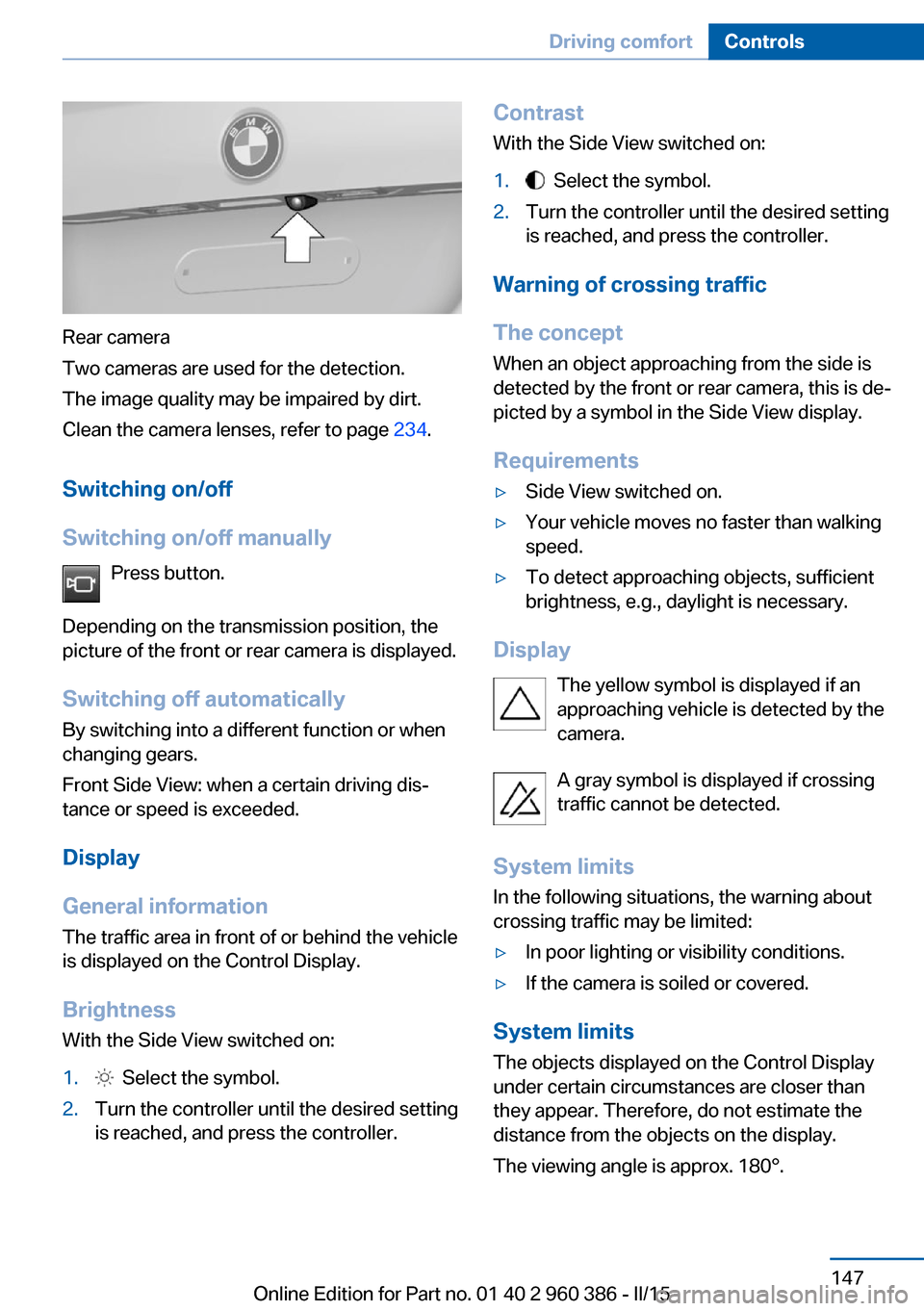
Rear camera
Two cameras are used for the detection.
The image quality may be impaired by dirt.
Clean the camera lenses, refer to page 234.
Switching on/off
Switching on/off manually Press button.
Depending on the transmission position, the
picture of the front or rear camera is displayed.
Switching off automatically By switching into a different function or when
changing gears.
Front Side View: when a certain driving dis‐
tance or speed is exceeded.
Display
General information
The traffic area in front of or behind the vehicle
is displayed on the Control Display.
Brightness With the Side View switched on:
1. Select the symbol.2.Turn the controller until the desired setting
is reached, and press the controller.Contrast
With the Side View switched on:1. Select the symbol.2.Turn the controller until the desired setting
is reached, and press the controller.
Warning of crossing traffic
The concept When an object approaching from the side is
detected by the front or rear camera, this is de‐
picted by a symbol in the Side View display.
Requirements
▷Side View switched on.▷Your vehicle moves no faster than walking
speed.▷To detect approaching objects, sufficient
brightness, e.g., daylight is necessary.
Display
The yellow symbol is displayed if anapproaching vehicle is detected by the
camera.
A gray symbol is displayed if crossing
traffic cannot be detected.
System limits
In the following situations, the warning about
crossing traffic may be limited:
▷In poor lighting or visibility conditions.▷If the camera is soiled or covered.
System limits
The objects displayed on the Control Display
under certain circumstances are closer than
they appear. Therefore, do not estimate the
distance from the objects on the display.
The viewing angle is approx. 180°.
Seite 147Driving comfortControls147
Online Edition for Part no. 01 40 2 960 386 - II/15
Page 248 of 257
Connecting electrical devi‐ces 163
Continued driving with a flat tire 105 , 108
Control Display 18
Control Display, settings 92
Controller 18, 19
Control systems, driving sta‐ bility 123
Convenient opening with the remote control 37
Coolant 213
Coolant level 213
Coolant temperature 85
Cooling function 154, 157
Cooling, maximum 156
Cooling system 213
Cornering light 96
Corrosion on brake discs 177
Cosmetic mirror 162
Courtesy lamps during un‐ locking 37
Courtesy lamps with the vehi‐ cle locked 38
Cruise control 137
Cruise control, active with Stop & Go 130
Cruising range 85
Cupholder 169
Current fuel consumption 86
D
Damage, tires 202
Damping control, dy‐ namic 126
Data, technical 238
Date 85
Daytime running lights 96
Daytime running lights, bulb replacement 219
Defrosting, refer to Windows, defrosting 153, 156
Dehumidifying, air 154, 157
Deleting personal data 25
Deletion of personal data 25 Destination distance 90
Diesel exhaust fluid, at low temperatures 194
Diesel exhaust fluid, having refilled 194
Diesel exhaust fluid, on mini‐ mum 194
Diesel exhaust fluid, replen‐ ishing yourself 194
Diesel particulate filter 175
Digital clock 85
Dimensions 238
Dimmable exterior mirrors 60
Dimmable interior rearview mirror 60
Direction indicator, refer to Turn signals 72
Display, electronic, instru‐ ment cluster 80
Display in windshield 93
Display lighting, refer to In‐ strument lighting 98
Displays, cleaning 234
Disposal, coolant 214
Disposal, vehicle battery 224
Distance control, refer to PDC 139
Distance to destination 90
Divided screen view, split screen 23
Door lock 39
Door lock, refer to Remote control 34
Downhill control 125
Drive-off assistant 128
Drive-off assistant, refer to DSC 123
Driving Dynamics Con‐ trol 126
Driving instructions, break- in 174
Driving mode 126
Driving notes, general 175
Driving on bad roads 174
Driving stability control sys‐ tems 123 Driving tips 175
DSC Dynamic Stability Con‐ trol 123
DTC Dynamic Traction Con‐ trol 124
Dynamic Damping Con‐ trol 126
Dynamic Stability Control DSC 123
Dynamic Traction Control DTC 124
E
ECO PRO 182
ECO PRO, bonus range 183
ECO PRO display 182
ECO PRO driving mode 182
ECO PRO mode 182
ECO PRO Tip - driving in‐ struction 184
EfficientDynamics 184
Electronic displays, instru‐ ment cluster 80
Electronic oil measure‐ ment 210
Electronic Stability Program ESP, refer to DSC 123
Emergency detection, remote control 35
Emergency release, fuel filler flap 190
Emergency Request 226
Emergency start function, en‐ gine start 35
Emergency unlocking, trans‐ mission lock 78
Energy Control 86
Energy recovery 86
Engine, automatic Start/Stop function 68
Engine, automatic switch- off 68
Engine compartment 208
Engine compartment, work‐ ing in 208 Seite 244ReferenceEverything from A to Z244
Online Edition for Part no. 01 40 2 960 386 - II/15
Page 252 of 257
Onboard monitor, refer toControl Display 18
Onboard vehicle tool kit 217
Opening/closing via door lock 39
Opening and closing 34
Opening and closing, without remote control 39
Opening and closing, with re‐ mote control 37
Opening the tailgate with no- touch activation 44
Operating concept, iDrive 18
Optional equipment, standard equipment 6
Outside air, refer to Auto‐ matic recirculated-air con‐
trol 157
Overheating of engine, refer to Coolant temperature 85
P Paint, vehicle 232
Panoramic glass sunroof 49
Parallel parking assistant 148
Park Distance Control PDC 139
Parked-car ventilation 158
Parked vehicle, condensa‐ tion 177
Parking aid, refer to PDC 139
Parking assistant 148
Parking brake 70
Parking lights 95
Parking lights, bulb replace‐ ment 219
Parking with Automatic Hold 71
Particulate filter 175
Parts and accessories 7
Passenger side mirror, tilting downward 59
Pathway lines, rearview cam‐ era 143 PDC Park Distance Con‐
trol 139
Pedestrian warning with city braking function 115
Performance Control 124
Personal Profile 35
Personal Profile, exporting profiles 36
Personal Profile, importing profiles 37
Pinch protection system, glass sunroof 50
Pinch protection system, win‐ dows 48
Plastic, care 233
Power failure 224
Power windows 48
Pressure, tire air pres‐ sure 197
Pressure warning, tires 106
Profile, refer to Personal Pro‐ file 35
Programmable memory but‐ tons, iDrive 24
Protective function, glass sunroof 50
Protective function, win‐ dows 48
Push-and-turn switch, refer to Controller 18, 19
R Radiator fluid 213
Radio-operated key, refer to Remote control 34
Radio ready state 66
Radio, see user's manual for Navigation, Entertainment
and Communication
Rain sensor 74
Rear lights 222
Rear socket 164
Rearview camera 141
Rearview mirror 59 Rear window de‐
froster 154, 157
Recirculated-air filter 157
Recirculated-air mode 153, 157
Recommended fuel grade 192
Recommended tire brands 203
Refueling 190
Remaining range 85
Remote control/key 34
Remote control, malfunc‐ tion 38
Remote control, univer‐ sal 160
Replacement fuse 224
Replacing parts 217
Replacing wheels/tires 202
Reporting safety defects 9
RES button 133
RES button, see Active Cruise Control, ACC 130
RES button, see Cruise con‐ trol 137
Reserve warning, refer to Range 85
Reset, Tire Pressure Monitor TPM 104
Retaining straps, securing cargo 179
Retreaded tires 203
Roadside parking lights 96
Roller sunblinds 49
RON recommended fuel grade 192
Roofliner 17
Roof load capacity 239
Roof-mounted luggage rack 180
Rope for tow-starting/ towing 229
RSC Run Flat System Com‐ ponent, refer to Run-flat
tires 204 Seite 248ReferenceEverything from A to Z248
Online Edition for Part no. 01 40 2 960 386 - II/15