climate control BMW X3 2017 User Guide
[x] Cancel search | Manufacturer: BMW, Model Year: 2017, Model line: X3, Model: BMW X3 2017Pages: 265, PDF Size: 5.37 MB
Page 163 of 265
by increasing the cooling or heating output,
and then keeps it constant.
Do not rapidly switch between different tem‐
perature settings. Otherwise, the automatic cli‐
mate control will not have sufficient time to ad‐
just the set temperature.
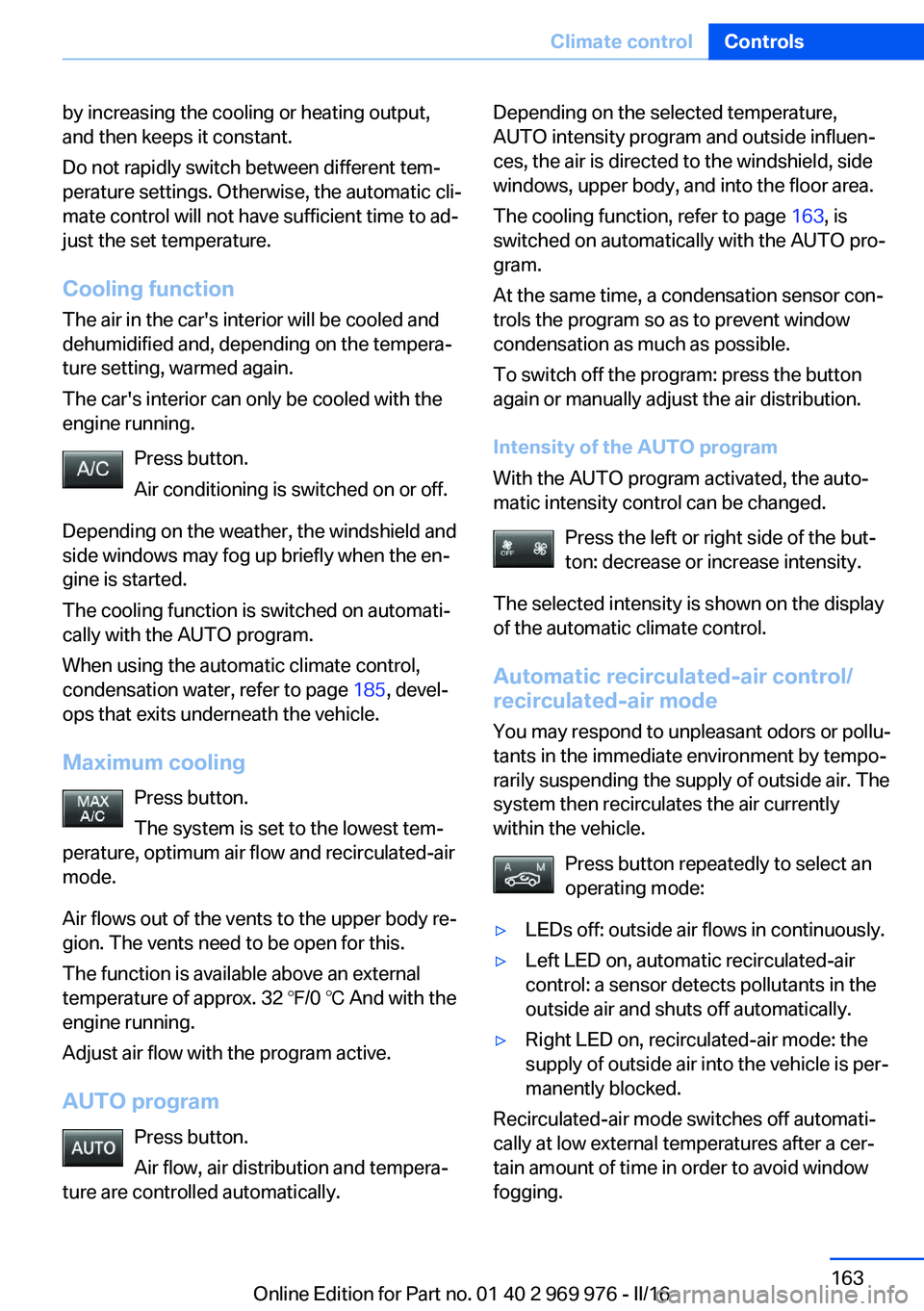
Cooling function
The air in the car's interior will be cooled and
dehumidified and, depending on the tempera‐
ture setting, warmed again.
The car's interior can only be cooled with the
engine running.
Press button.
Air conditioning is switched on or off.
Depending on the weather, the windshield and
side windows may fog up briefly when the en‐
gine is started.
The cooling function is switched on automati‐
cally with the AUTO program.
When using the automatic climate control,
condensation water, refer to page 185, devel‐
ops that exits underneath the vehicle.
Maximum cooling Press button.
The system is set to the lowest tem‐
perature, optimum air flow and recirculated-air
mode.
Air flows out of the vents to the upper body re‐
gion. The vents need to be open for this.
The function is available above an external
temperature of approx. 32 ℉/0 ℃ And with the engine running.
Adjust air flow with the program active.
AUTO program Press button.
Air flow, air distribution and tempera‐
ture are controlled automatically.Depending on the selected temperature,
AUTO intensity program and outside influen‐
ces, the air is directed to the windshield, side
windows, upper body, and into the floor area.
The cooling function, refer to page 163, is
switched on automatically with the AUTO pro‐
gram.
At the same time, a condensation sensor con‐
trols the program so as to prevent window
condensation as much as possible.
To switch off the program: press the button
again or manually adjust the air distribution.
Intensity of the AUTO program
With the AUTO program activated, the auto‐
matic intensity control can be changed.
Press the left or right side of the but‐
ton: decrease or increase intensity.
The selected intensity is shown on the display
of the automatic climate control.
Automatic recirculated-air control/
recirculated-air mode
You may respond to unpleasant odors or pollu‐
tants in the immediate environment by tempo‐
rarily suspending the supply of outside air. The
system then recirculates the air currently
within the vehicle.
Press button repeatedly to select an
operating mode:▷LEDs off: outside air flows in continuously.▷Left LED on, automatic recirculated-air
control: a sensor detects pollutants in the
outside air and shuts off automatically.▷Right LED on, recirculated-air mode: the
supply of outside air into the vehicle is per‐
manently blocked.
Recirculated-air mode switches off automati‐
cally at low external temperatures after a cer‐
tain amount of time in order to avoid window
fogging.
Seite 163Climate controlControls163
Online Edition for Part no. 01 40 2 969 976 - II/16
Page 164 of 265
With constant recirculated-air mode, the air
quality in the car's interior deteriorates and the
fogging of the windows increases.
If the windows are fogged over, switch off the
recirculated-air mode and press the AUTO
button to utilize the condensation sensor.
Make sure that air can flow to the windshield.
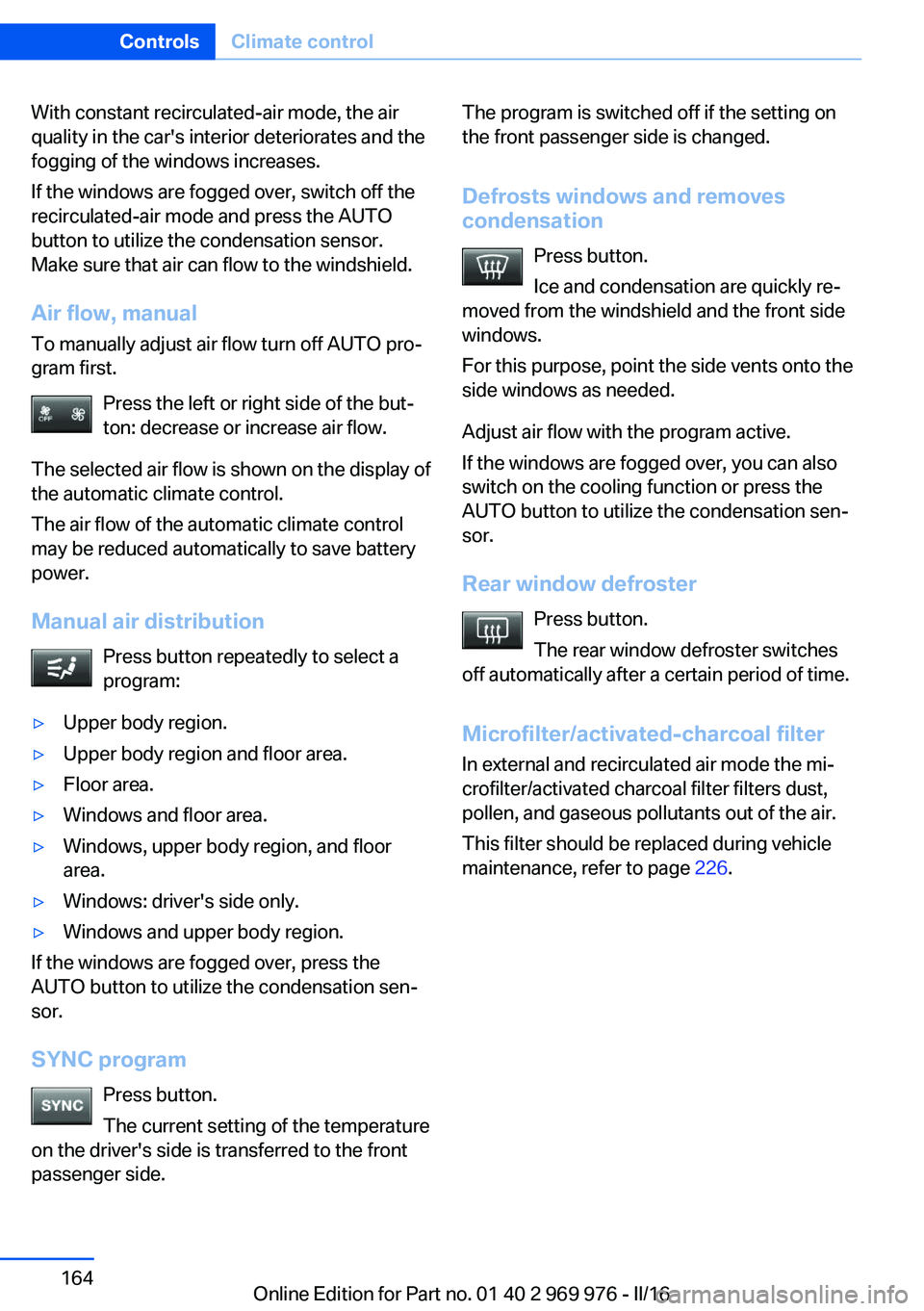
Air flow, manual To manually adjust air flow turn off AUTO pro‐
gram first.
Press the left or right side of the but‐
ton: decrease or increase air flow.
The selected air flow is shown on the display of
the automatic climate control.
The air flow of the automatic climate control
may be reduced automatically to save battery
power.
Manual air distribution Press button repeatedly to select a
program:▷Upper body region.▷Upper body region and floor area.▷Floor area.▷Windows and floor area.▷Windows, upper body region, and floor
area.▷Windows: driver's side only.▷Windows and upper body region.
If the windows are fogged over, press the
AUTO button to utilize the condensation sen‐
sor.
SYNC program Press button.
The current setting of the temperature
on the driver's side is transferred to the front
passenger side.
The program is switched off if the setting on
the front passenger side is changed.
Defrosts windows and removes
condensation
Press button.
Ice and condensation are quickly re‐
moved from the windshield and the front side
windows.
For this purpose, point the side vents onto the
side windows as needed.
Adjust air flow with the program active.
If the windows are fogged over, you can also
switch on the cooling function or press the AUTO button to utilize the condensation sen‐
sor.
Rear window defroster Press button.
The rear window defroster switches
off automatically after a certain period of time.
Microfilter/activated-charcoal filter
In external and recirculated air mode the mi‐
crofilter/activated charcoal filter filters dust,
pollen, and gaseous pollutants out of the air.
This filter should be replaced during vehicle
maintenance, refer to page 226.Seite 164ControlsClimate control164
Online Edition for Part no. 01 40 2 969 976 - II/16
Page 165 of 265
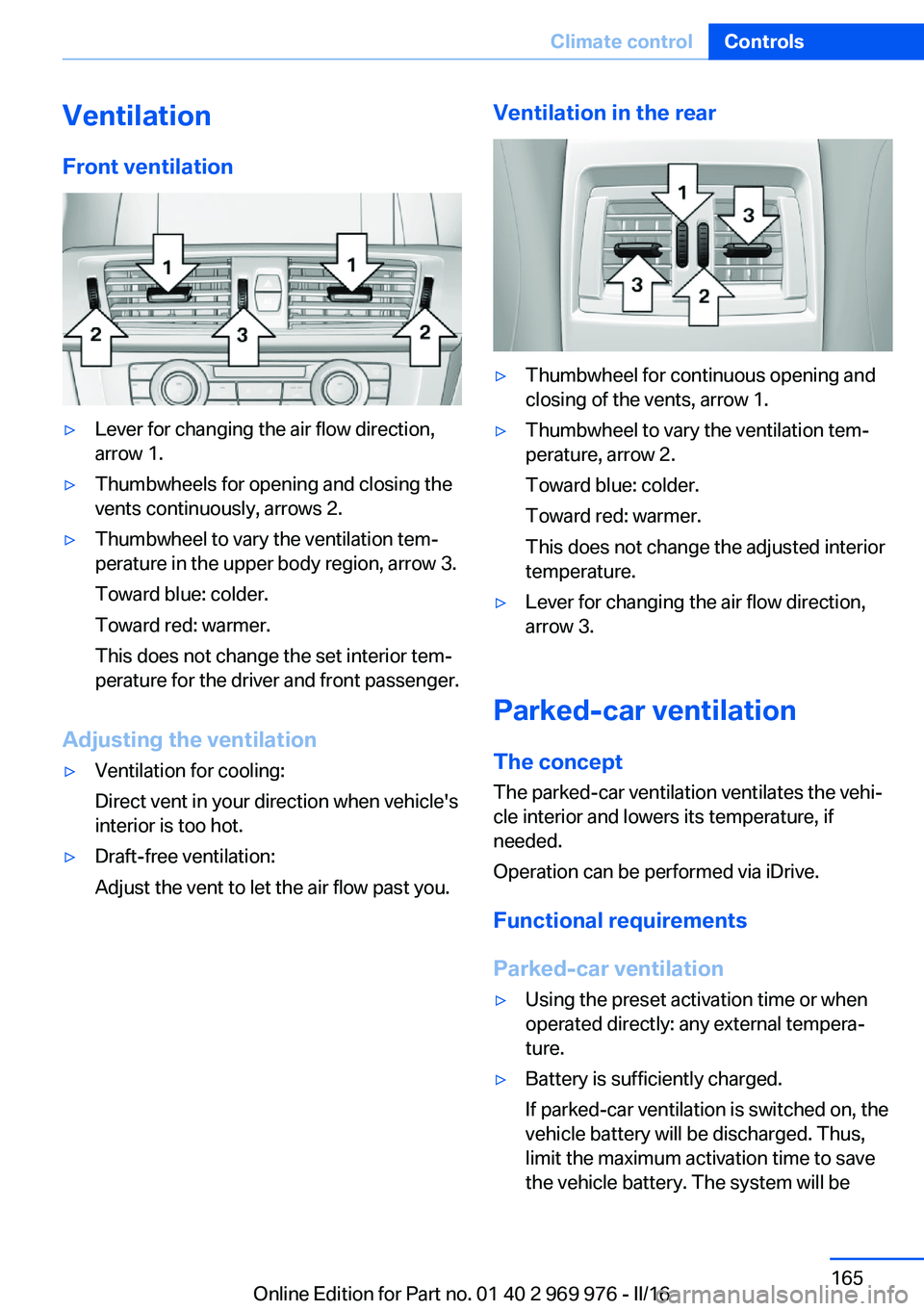
VentilationFront ventilation▷Lever for changing the air flow direction,
arrow 1.▷Thumbwheels for opening and closing the
vents continuously, arrows 2.▷Thumbwheel to vary the ventilation tem‐
perature in the upper body region, arrow 3.
Toward blue: colder.
Toward red: warmer.
This does not change the set interior tem‐
perature for the driver and front passenger.
Adjusting the ventilation
▷Ventilation for cooling:
Direct vent in your direction when vehicle's
interior is too hot.▷Draft-free ventilation:
Adjust the vent to let the air flow past you.Ventilation in the rear▷Thumbwheel for continuous opening and
closing of the vents, arrow 1.▷Thumbwheel to vary the ventilation tem‐
perature, arrow 2.
Toward blue: colder.
Toward red: warmer.
This does not change the adjusted interior
temperature.▷Lever for changing the air flow direction,
arrow 3.
Parked-car ventilation
The concept The parked-car ventilation ventilates the vehi‐
cle interior and lowers its temperature, if
needed.
Operation can be performed via iDrive.
Functional requirements
Parked-car ventilation
▷Using the preset activation time or when
operated directly: any external tempera‐
ture.▷Battery is sufficiently charged.
If parked-car ventilation is switched on, the
vehicle battery will be discharged. Thus,
limit the maximum activation time to save
the vehicle battery. The system will beSeite 165Climate controlControls165
Online Edition for Part no. 01 40 2 969 976 - II/16
Page 166 of 265
available again after engine starting and/or
a short trip.▷Make sure that the vehicle's date and time
are set correctly.
Open the vents to allow air to flow out.
Switching on/off directly
On the Control Display:
1."Settings"2."Climate"3."Activate comf. ventilation"
The symbol on the automatic climate con‐
trol flashes if the system is switched on.
The system continues to run for some time af‐
ter being switched off.
Preselecting the switch-on time
On the Control Display:
1."Settings"2."Climate"3."Timer 1:" or "Timer 2:"4.Set the desired time.
Activating the activation time On the Control Display:
1."Settings"2."Climate"3."Activate timer 1" or "Activate timer 2"
The symbol on the automatic climate con‐
trol lights up when the switch-on time is acti‐
vated.
The symbol on the automatic climate con‐
trol flashes when the system has been
switched on.
The system will only be switched on within the
next 24 hours. After that, it needs to be reacti‐
vated.
Seite 166ControlsClimate control166
Online Edition for Part no. 01 40 2 969 976 - II/16
Page 185 of 265
HillsWARNING
Light but consistent brake pressure can
lead to high temperatures, brakes wearing out
and possibly even brake failure. There is risk of
an accident. Avoid placing excessive stress on
the brake system.◀
WARNING
In idle state or with the engine switched
off, safety-relevant functions are restricted or
not available anymore, e.g., braking effect of
the engine or braking force and steering sup‐
port. There is risk of an accident. Do not drive
in idle state or with the engine switched off.◀
Drive long or steep downhill gradients in the
gear that requires least braking efforts. Other‐
wise the brakes may overheat and reduce
brake efficiency.
You can increase the engine's braking effect
by shifting down, going all the way to first gear,
if needed.
Brake disc corrosion
Corrosion on the brake discs and contamina‐
tion on the brake pads are furthered by the fol‐
lowing circumstances:▷Low mileage.▷Extended periods when the vehicle is not
used at all.▷Infrequent use of the brakes.
Corrosion will built up when the maximum
pressure applied to the brake pads during
braking is not reached - thus discs don't get
cleaned.
Corrosion buildup on the brake discs will cause
a pulsating effect on the brakes in their re‐
sponse - generally that cannot be corrected.
Condensation under the parked
vehicle
When using the automatic climate control,
condensation water develops collecting under‐
neath the vehicle.
Driving on racetracksHigher mechanical and thermal loads during
racetrack operation lead to increased wear.
This wear is not covered by the warranty. The
vehicle is not designed for motorsports com‐
petitive use.Seite 185Things to remember when drivingDriving tips185
Online Edition for Part no. 01 40 2 969 976 - II/16
Page 191 of 265
In addition, context-sensitive instructions are
displayed to assist with an optimized fuel con‐
sumption driving style.
The achieved extended range is displayed in
the instrument cluster as bonus range.
Overview
Button in the vehicle
The system includes the following EfficientDy‐
namics functions and displays:
▷ECO PRO bonus range, refer to page 191.▷ECO PRO tips driving instruction, refer to
page 192.▷ECO PRO climate control, refer to
page 191.▷ECO PRO coasting driving status, refer to
page 193.
Activate ECO PRO
Press button repeatedly until ECO
PRO is displayed in the instrument
cluster.
Configuring ECO PRO
Via the Driving Dynamics Control
1.Activate ECO PRO.2."Configure ECO PRO"
Via the iDrive
1."Settings"2."ECO PRO mode"With respective equipment:1."Settings"2."Driving mode"3."Configure ECO PRO"
ECO PRO Tip
▷"Tip at:":
Adjust the ECO PRO speed.▷"ECO PRO speed warning":
An ECO PRO tip is displayed if the speed
of the set ECO PRO limit is exceeded.
Coasting
Fuel-efficiency can be optimized by disengag‐
ing the engine and Coasting with the engine
idling.
This function is only available in ECO PRO
mode.
ECO PRO climate control
"ECO PRO climate control"
Climate control is set to be fuel-efficient.
By making a slight change to the set tempera‐
ture, or slowly adjusting the rate of heating or
cooling of the car's interior, fuel consumption
can be economized.
The mirror heating is made available when out‐
side temperatures are very cold.
ECO PRO Efficiency Shows potential savings with the current set‐
tings in percentages.
Display in the instrument cluster
ECO PRO bonus range An adjusted driving style helps
you extend your driving range.
This may be displayed as the
bonus range in the instrument
cluster.
Seite 191Saving fuelDriving tips191
Online Edition for Part no. 01 40 2 969 976 - II/16
Page 193 of 265
Displaying fuel consumption history
The average fuel consumption can be dis‐
played within an adjustable time frame.
Vertical bars show consumption for the se‐
lected time frame.
Trip interruptions are represented below the
bar on the time axis.
"Consumption history"
Adjusting fuel consumption history time frame
Select the symbol.
Resetting fuel consumption history
1.Open "Options".2."Reset consumption history"
Displaying EfficientDynamics info
The current efficiency can be displayed.
"EfficientDynamics info"
The following systems are displayed:
▷Auto Start/Stop function.▷Energy recovery.▷Climate control output.▷Coasting.
Display ECO PRO tips
"ECO PRO tips"
Settings are stored for the profile currently
used.
Coasting
The concept The system helps to conserve fuel.
To do this, under certain conditions the engine
is automatically decoupled from the transmis‐
sion when selector lever position D is set. The
vehicle continues traveling with the engine
idling to reduce fuel consumption. Selector
lever position D remains engaged.
This driving condition is referred to as coast‐
ing.
As soon as you step on the brake or accelera‐
tor pedal, the engine is automatically coupled
again.
Information Coasting is a component of the ECO PRO driv‐
ing mode.
Coasting is automatically activated when ECO
PRO mode is called via the Driving Dynamics
Control.
The function is available in a certain speed
range.
A proactive driving style helps the driver to use
the function as often as possible and supports
the fuel-conserving effect of coasting.
Safety mode
The function is not available under one of the
following conditions.▷DSC OFF or TRACTION activated.▷Driving in the dynamic limit range and on
steep uphill or downhill grades.▷Battery charge status temporarily too low
or vehicle electrical system drawing exces‐
sive current.▷Cruise control activated.
Functional requirements
In ECO PRO mode, this function is available in
a speed range from approximately 30 mph, ap‐
prox. 50 km/h to 100 mph, approx. 160 km/h, if
the following conditions are met:
▷Accelerator pedal and brake pedal are not
operated.▷The selector lever is in selector lever posi‐
tion D.▷Engine and transmission are at operating
temperature.
The driving status Coast can be influenced
with the shift paddles.
Seite 193Saving fuelDriving tips193
Online Edition for Part no. 01 40 2 969 976 - II/16
Page 209 of 265
Tires with DOT codes meet the guidelines of
the U.S. Department of Transportation.
Tire age DOT … 0116: the tire was manufactured in the
1st week of 2016.
Recommendation
Regardless of wear and tear, replace tires at
least every 6 years.
Uniform Tire Quality Grading Quality grades can be found where applicable
on the tire sidewall between tread shoulder
and maximum section width.
For example: Treadwear 200; Traction AA;
Temperature A
DOT Quality Grades
Treadwear
Traction AA A B C
Temperature A B C
All passenger car tires must conform to Fed‐
eral Safety Requirements in addition to these
grades.
TreadwearThe treadwear grade is a comparative rating
based on the wear rate of the tire when tested
under controlled conditions on a specified gov‐
ernment test course. For example, a tire graded 150 would wear one and one-half, 1 g,
times as well on the government course as a
tire graded 100. The relative performance of
tires depends upon the actual conditions of
their use, however, and may depart signifi‐
cantly from the norm due to variations in driv‐
ing habits, service practices and differences in
road characteristics and climate.
Traction
The traction grades, from highest to lowest,
are AA, A, B, and C.Those grades represent the tire's ability to
stop on wet pavement as measured under
controlled conditions on specified government
test surfaces of asphalt and concrete. A tire
marked C may have poor traction performance.
The traction grade assigned to this tire is
based on straight-ahead braking traction tests,
and does not include acceleration, cornering,
hydroplaning, or peak traction characteristics.
Temperature
The temperature grades are A, the highest, B, and C, representing the tire's resistance to the
generation of heat and its ability to dissipate
heat when tested under controlled conditions
on a specified indoor laboratory test wheel.
Sustained high temperature can cause the ma‐
terial of the tire to degenerate and reduce tire
life, and excessive temperature can lead to
sudden tire failure. The grade C corresponds
to a level of performance which all passenger
car tires must meet under the Federal Motor
Vehicle Safety Standard No. 109. Grades Band
A represent higher levels of performance on
the laboratory test wheel than the minimum re‐
quired by law.
WARNING
The temperature grade for this tire is es‐
tablished for a tire that is properly inflated and
not overloaded. Excessive speed, underinfla‐
tion, or excessive loading, either separately or
in combination, can cause heat buildup and
possible tire failure.◀
RSC – Run-flat tires Run-flat tires, refer to page 212, are labeled
with a circular symbol containing the letters
RSC marked on the sidewall.
M+S
Winter and all-season tires with better cold
weather performance than summer tires.Seite 209Wheels and tiresMobility209
Online Edition for Part no. 01 40 2 969 976 - II/16
Page 254 of 265
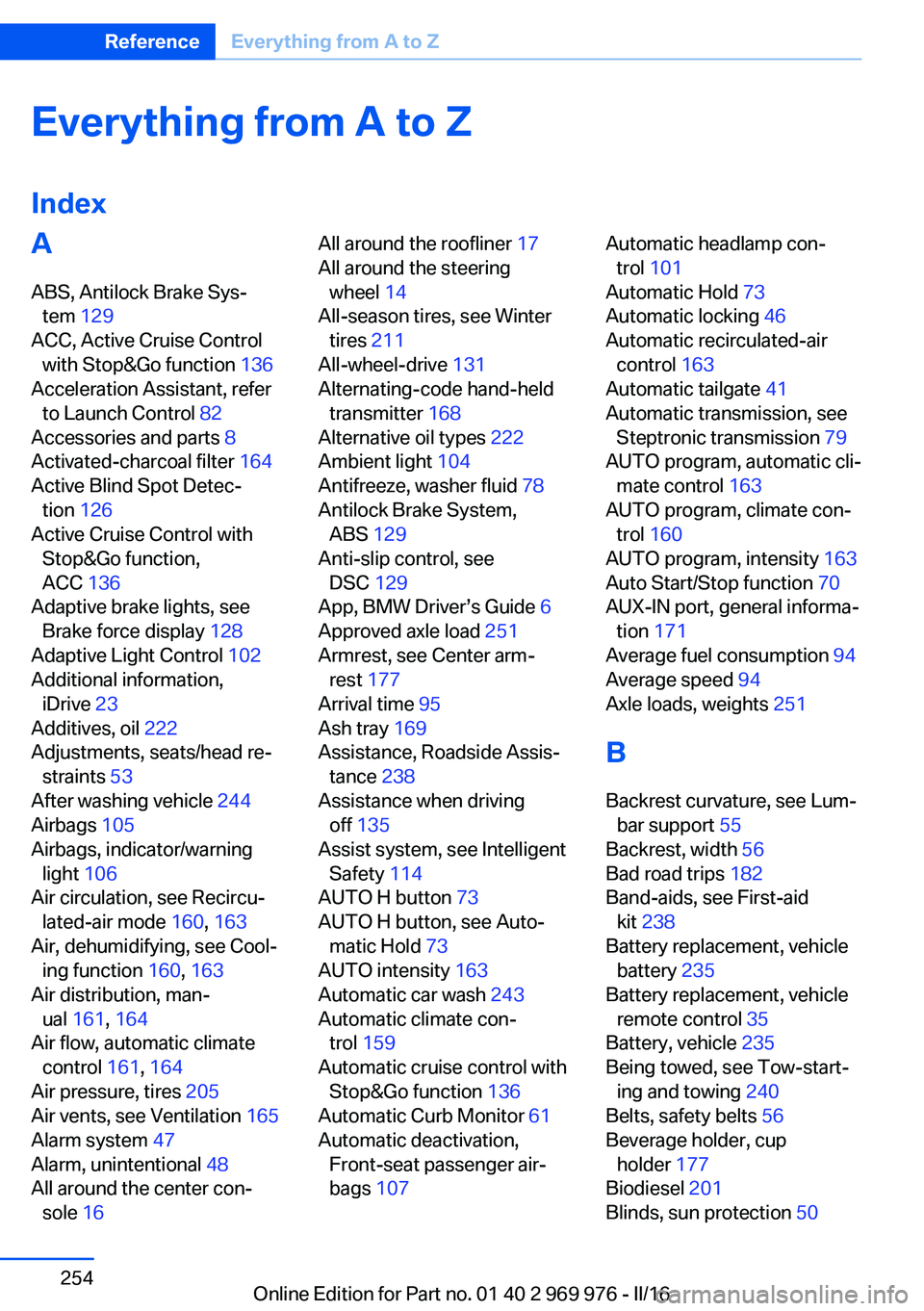
Everything from A to Z
IndexA ABS, Antilock Brake Sys‐ tem 129
ACC, Active Cruise Control with Stop&Go function 136
Acceleration Assistant, refer to Launch Control 82
Accessories and parts 8
Activated-charcoal filter 164
Active Blind Spot Detec‐ tion 126
Active Cruise Control with Stop&Go function,
ACC 136
Adaptive brake lights, see Brake force display 128
Adaptive Light Control 102
Additional information, iDrive 23
Additives, oil 222
Adjustments, seats/head re‐ straints 53
After washing vehicle 244
Airbags 105
Airbags, indicator/warning light 106
Air circulation, see Recircu‐ lated-air mode 160, 163
Air, dehumidifying, see Cool‐ ing function 160, 163
Air distribution, man‐ ual 161 , 164
Air flow, automatic climate control 161, 164
Air pressure, tires 205
Air vents, see Ventilation 165
Alarm system 47
Alarm, unintentional 48
All around the center con‐ sole 16 All around the roofliner 17
All around the steering wheel 14
All-season tires, see Winter tires 211
All-wheel-drive 131
Alternating-code hand-held transmitter 168
Alternative oil types 222
Ambient light 104
Antifreeze, washer fluid 78
Antilock Brake System, ABS 129
Anti-slip control, see DSC 129
App, BMW Driver’s Guide 6
Approved axle load 251
Armrest, see Center arm‐ rest 177
Arrival time 95
Ash tray 169
Assistance, Roadside Assis‐ tance 238
Assistance when driving off 135
Assist system, see Intelligent Safety 114
AUTO H button 73
AUTO H button, see Auto‐ matic Hold 73
AUTO intensity 163
Automatic car wash 243
Automatic climate con‐ trol 159
Automatic cruise control with Stop&Go function 136
Automatic Curb Monitor 61
Automatic deactivation, Front-seat passenger air‐
bags 107 Automatic headlamp con‐
trol 101
Automatic Hold 73
Automatic locking 46
Automatic recirculated-air control 163
Automatic tailgate 41
Automatic transmission, see Steptronic transmission 79
AUTO program, automatic cli‐ mate control 163
AUTO program, climate con‐ trol 160
AUTO program, intensity 163
Auto Start/Stop function 70
AUX-IN port, general informa‐ tion 171
Average fuel consumption 94
Average speed 94
Axle loads, weights 251
B Backrest curvature, see Lum‐ bar support 55
Backrest, width 56
Bad road trips 182
Band-aids, see First-aid kit 238
Battery replacement, vehicle battery 235
Battery replacement, vehicle remote control 35
Battery, vehicle 235
Being towed, see Tow-start‐ ing and towing 240
Belts, safety belts 56
Beverage holder, cup holder 177
Biodiesel 201
Blinds, sun protection 50 Seite 254ReferenceEverything from A to Z254
Online Edition for Part no. 01 40 2 969 976 - II/16
Page 255 of 265
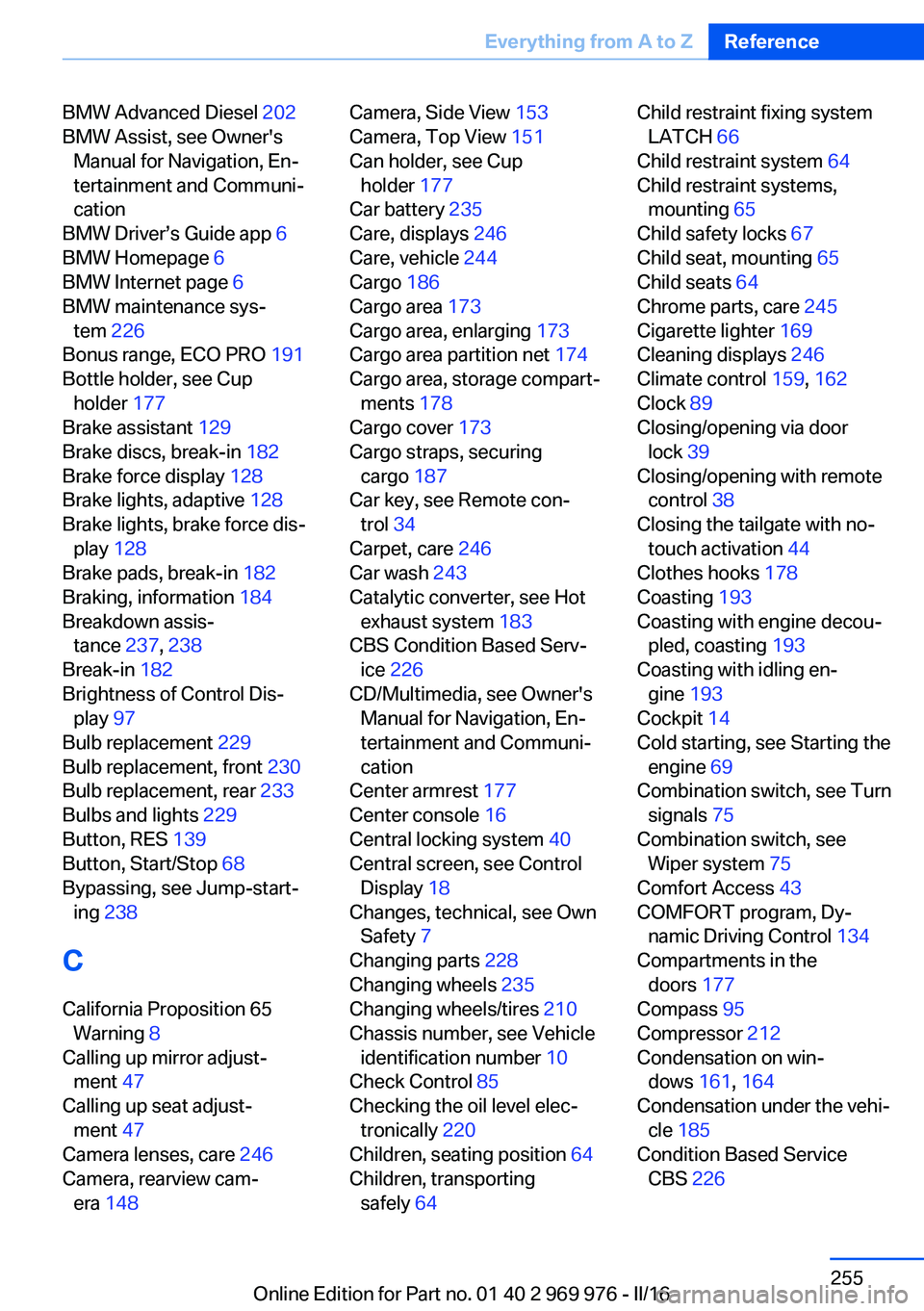
BMW Advanced Diesel 202
BMW Assist, see Owner's Manual for Navigation, En‐
tertainment and Communi‐
cation
BMW Driver’s Guide app 6
BMW Homepage 6
BMW Internet page 6
BMW maintenance sys‐ tem 226
Bonus range, ECO PRO 191
Bottle holder, see Cup holder 177
Brake assistant 129
Brake discs, break-in 182
Brake force display 128
Brake lights, adaptive 128
Brake lights, brake force dis‐ play 128
Brake pads, break-in 182
Braking, information 184
Breakdown assis‐ tance 237, 238
Break-in 182
Brightness of Control Dis‐ play 97
Bulb replacement 229
Bulb replacement, front 230
Bulb replacement, rear 233
Bulbs and lights 229
Button, RES 139
Button, Start/Stop 68
Bypassing, see Jump-start‐ ing 238
C
California Proposition 65 Warning 8
Calling up mirror adjust‐ ment 47
Calling up seat adjust‐ ment 47
Camera lenses, care 246
Camera, rearview cam‐ era 148 Camera, Side View 153
Camera, Top View 151
Can holder, see Cup holder 177
Car battery 235
Care, displays 246
Care, vehicle 244
Cargo 186
Cargo area 173
Cargo area, enlarging 173
Cargo area partition net 174
Cargo area, storage compart‐ ments 178
Cargo cover 173
Cargo straps, securing cargo 187
Car key, see Remote con‐ trol 34
Carpet, care 246
Car wash 243
Catalytic converter, see Hot exhaust system 183
CBS Condition Based Serv‐ ice 226
CD/Multimedia, see Owner's Manual for Navigation, En‐
tertainment and Communi‐
cation
Center armrest 177
Center console 16
Central locking system 40
Central screen, see Control Display 18
Changes, technical, see Own Safety 7
Changing parts 228
Changing wheels 235
Changing wheels/tires 210
Chassis number, see Vehicle identification number 10
Check Control 85
Checking the oil level elec‐ tronically 220
Children, seating position 64
Children, transporting safely 64 Child restraint fixing system
LATCH 66
Child restraint system 64
Child restraint systems, mounting 65
Child safety locks 67
Child seat, mounting 65
Child seats 64
Chrome parts, care 245
Cigarette lighter 169
Cleaning displays 246
Climate control 159, 162
Clock 89
Closing/opening via door lock 39
Closing/opening with remote control 38
Closing the tailgate with no- touch activation 44
Clothes hooks 178
Coasting 193
Coasting with engine decou‐ pled, coasting 193
Coasting with idling en‐ gine 193
Cockpit 14
Cold starting, see Starting the engine 69
Combination switch, see Turn signals 75
Combination switch, see Wiper system 75
Comfort Access 43
COMFORT program, Dy‐ namic Driving Control 134
Compartments in the doors 177
Compass 95
Compressor 212
Condensation on win‐ dows 161, 164
Condensation under the vehi‐ cle 185
Condition Based Service CBS 226 Seite 255Everything from A to ZReference255
Online Edition for Part no. 01 40 2 969 976 - II/16