radio BMW X3 2017 Owner's Manual
[x] Cancel search | Manufacturer: BMW, Model Year: 2017, Model line: X3, Model: BMW X3 2017Pages: 265, PDF Size: 5.37 MB
Page 146 of 265
Switching on/off
Switching on automatically PDC switches on automatically in the following
situations:▷If selector lever position R is engaged
when the engine is running.
The rearview camera also switches on.▷If equipped with front PDC: when obsta‐
cles are detected behind or in front of the
vehicle by PDC and the speed is slower
than approx. 2.5 mph/4 km/h.
You may turn off automatic activation:
1."Settings"2."Parking"3.Select setting.
Settings are stored for the profile currently
used.
If necessary, switch off automatic PDC activa‐
tion on obstacle detection, for example in car
washes, to reduce false alarms.
Automatic deactivation during forward
travel
The system switches off when a certain driving
distance or speed is exceeded.
Switch the system back on if needed.
With front PDC: switching on/off
manually
Press park assistance button.
▷On: the LED lights up.▷Off: the LED goes out.
The rearview camera image is displayed when
the reverse gear is engaged when pressing the
park assistance button.
Display
Signal tones When approaching an object, an intermittent
sound indicates the position of the object. E.g.
if an object is detected to the left rear of the
vehicle, a signal tone sounds from the left rear
speaker.
The shorter the distance to the object, the shorter the intervals.
If the distance to a detected object is less than
approx. 10 inches/25 cm, a continuous tone is
sounded.
With front PDC: if objects are located both in
front of and behind the vehicle, an alternating
continuous signal is sounded.
The signal tone is switched off, when selector
lever position P is engaged on vehicles with
Steptronic transmission.
Volume The ratio of the PDC signal tone volume to the
entertainment volume can be adjusted.1."Multimedia", "Radio" or "Settings"2."Tone"3."Volume settings"4."PDC"5.Turn the Controller until the desired set‐
ting is selected.6.Press the Controller.
Settings are stored for the profile currently
used.
Visual warning
The approach of the vehicle to an object can
be shown on the Control Display. Objects that
are farther away are already displayed on the
Control Display before a signal sounds.
A display appears as soon as Park Distance
Control (PDC) is activated.
The range of the sensors is represented in the
colors green, yellow and red.
Seite 146ControlsDriving comfort146
Online Edition for Part no. 01 40 2 969 976 - II/16
Page 168 of 265
proximately 20 seconds until the LED on
the interior mirror flashes. This erases all
programming of the buttons on the interior
mirror.3.Hold the hand-held transmitter for the sys‐
tem to be controlled approx. 1 to 3 in‐
ches/2.5 to 8 cm away from the buttons of
the interior mirror. The required distance
depends on the manual transmitter.4.Simultaneously press and hold the button
of the desired function on the hand-held
transmitter and the button to be program‐
med on the interior mirror. The LED on the
interior mirror will begin flashing slowly.5.Release both buttons as soon as the LED
flashes more rapidly. The LED flashing
faster indicates that the button on the inte‐
rior mirror has been programmed.
If the LED does not flash faster after at
least 60 seconds, change the distance be‐
tween the interior mirror and the hand-held
transmitter and repeat the step. Several
more attempts at different distances may
be necessary. Wait at least 15 seconds be‐
tween attempts.
Canada: if programming with the hand-
held transmitter was interrupted, hold
down the interior mirror button and repeat‐
edly press and release the hand-held
transmitter button for 2 seconds.6.To program other functions on other but‐
tons, repeat steps 3 to 5.
The systems can be controlled using the inte‐
rior mirror buttons.
Special feature of the alternating-code wireless system
If you are unable to operate the system after
repeated programming, please check if the
system to be controlled features an alternat‐
ing-code radio system.
Read the system's owner's manual, or press
the programmed button on the interior mirror
longer. If the LED on the interior mirror starts
flashing rapidly and then stays lit constantly for
2 seconds, the system features an alternating-
code radio system. Flashing and continuous il‐
lumination of the LED will repeat for approxi‐
mately 20 seconds.
For systems with an alternating-code radio
system, the universal remote control and the
system also have to be synchronized.
Please read the owner's manual to find out
how to synchronize the system.
Synchronizing is easier with the aid of a sec‐
ond person.
Synchronizing the universal remote control
with the system:1.Park the vehicle within range of the re‐
mote-controlled system.2.Program the relevant button on the interior
mirror as described.3.Locate and press the synchronizing button
on the system being programmed. You
have approx. 30 seconds for the next step.4.Hold down the programmed button on the
interior mirror for approximately 3 seconds
and then release it. If necessary, repeat this
step up to three times in order to finish
synchronization. Once synchronization is
complete, the programmed function will be
carried out.
Reprogramming individual buttons
1.Switch on the ignition.2.Press and hold the interior mirror button to
be programmed.3.As soon as the interior mirror LED starts
flashing slowly, hold the hand-held trans‐
mitter for the system to be controlled ap‐
prox. 1 to 3 inches/2.5 to 8 cm away from
the buttons of the interior mirror. The re‐
quired distance depends on the manual
transmitter.Seite 168ControlsInterior equipment168
Online Edition for Part no. 01 40 2 969 976 - II/16
Page 237 of 265
Breakdown assistanceVehicle features and options
This chapter describes all standard, country-
specific and optional features offered with the
series. It also describes features that are not
necessarily available in your car, e. g., due to
the selected options or country versions. This
also applies to safety-related functions and
systems. The respectively applicable country
provisions must be observed when using the
respective features and systems.
Hazard warning flashers
The button is located in the center console.
Intelligent emergency call
The concept In case of an emergency, an Emergency Re‐
quest can be made through this system.
General information
Only press the SOS button in an emergency.
For technical reasons, the Emergency Request
cannot be guaranteed under unfavorable con‐
ditions.
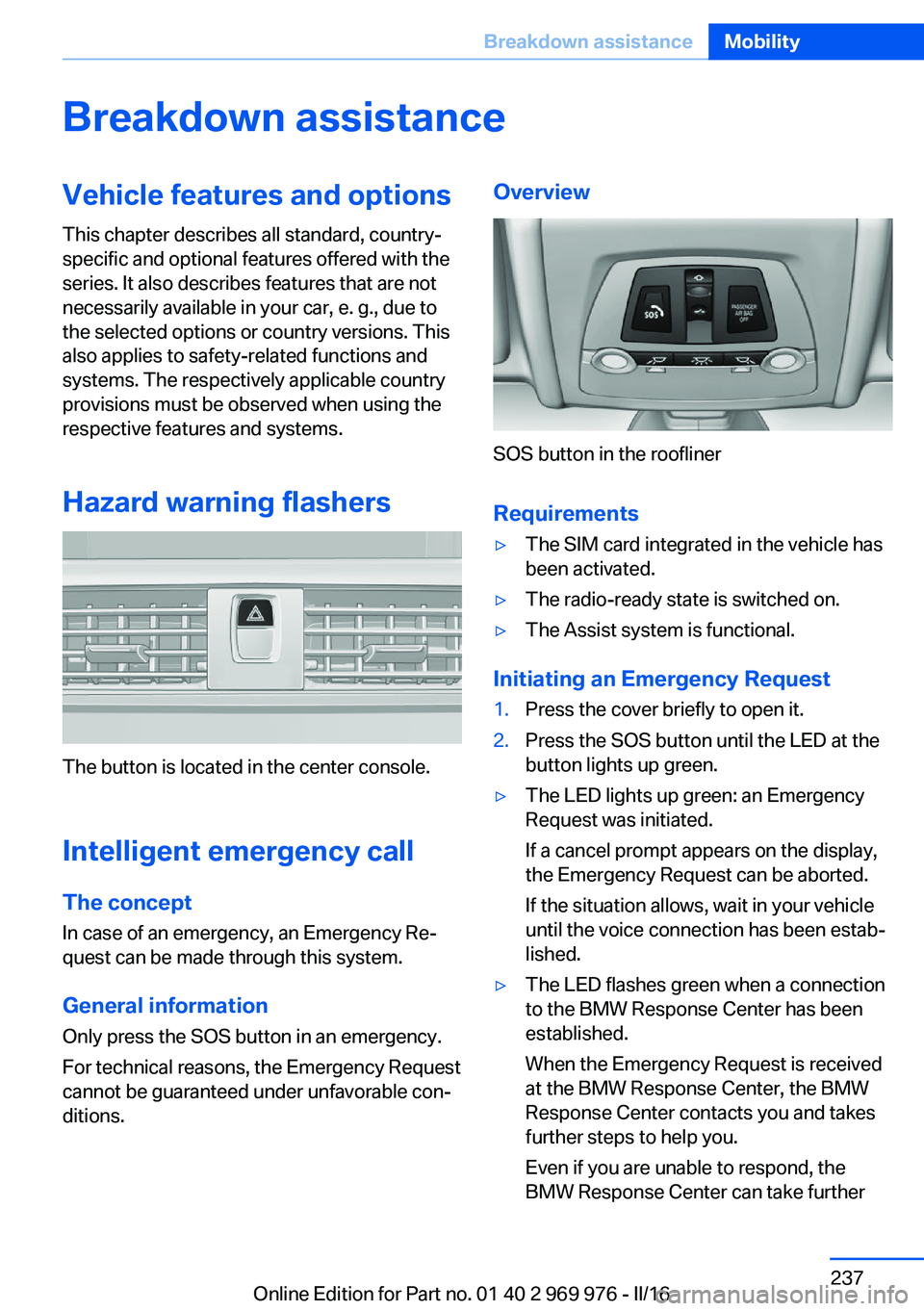
Overview
SOS button in the roofliner
Requirements
▷The SIM card integrated in the vehicle has
been activated.▷The radio-ready state is switched on.▷The Assist system is functional.
Initiating an Emergency Request
1.Press the cover briefly to open it.2.Press the SOS button until the LED at the
button lights up green.▷The LED lights up green: an Emergency
Request was initiated.
If a cancel prompt appears on the display,
the Emergency Request can be aborted.
If the situation allows, wait in your vehicle
until the voice connection has been estab‐
lished.▷The LED flashes green when a connection
to the BMW Response Center has been
established.
When the Emergency Request is received
at the BMW Response Center, the BMW
Response Center contacts you and takes
further steps to help you.
Even if you are unable to respond, the
BMW Response Center can take furtherSeite 237Breakdown assistanceMobility237
Online Edition for Part no. 01 40 2 969 976 - II/16
Page 260 of 265
Oil filler neck 221
Oil types, alternative 222
Oil types, suitable 222
Old batteries, disposal 236
Onboard computer 94
Onboard computer, see On‐ board computer 94
Onboard monitor, see Control Display 18
Onboard vehicle tool kit 228
Opening/closing via door lock 39
Opening and closing 34
Opening and closing, without remote control 39
Opening and closing, with re‐ mote control 38
Opening the tailgate with no- touch activation 44
Operating concept, iDrive 18
Optional equipment 7
Outside air, see Automatic re‐ circulated-air control 163
Overheating of engine, see Coolant temperature 89
Own Safety 7
P Paint, vehicle 244
Panoramic glass sunroof 50
Parallel parking assistant 154
Park Distance Control PDC 145
Parked-car ventilation 165
Parked vehicle, condensa‐ tion 185
Parking aid, see PDC 145
Parking assistant 154
Parking brake 72
Parking lights 100
Parking lights, bulb replace‐ ment 230
Parking with Automatic Hold 73
Particulate filter 183 Parts and accessories 8
Passenger side mirror, tilting downward 61
Pathway lines, rearview cam‐ era 149
PDC Park Distance Con‐ trol 145
Performance Control 131
Personal Profile 36
Personal Profile, exporting profiles 37
Personal Profile, importing profiles 37
Person warning with City light braking function 121
Pinch protection system, glass sunroof 52
Pinch protection system, win‐ dows 49
Plastic, care 245
Power failure 236
Power windows 48
Prescribed engine oil types 222
Pressure, tire air pres‐ sure 205
Pressure warning, tires 112
Profile, see Personal Pro‐ file 36
Programmable memory but‐ tons, iDrive 24
Protective function, glass sunroof 52
Protective function, win‐ dows 49
Push-and-turn switch, see Controller 19
R Racetrack operation 185
Radiator fluid 224
Radio-operated key, see Re‐ mote control 34
Radio ready state 68 Radio, see Owner's Manual
for Navigation, Entertain‐
ment and Communication
Rain sensor 76
Rapeseed-oil methyl ester RME 201
Ratchet straps, securing cargo 187
Rear lights 233
Rear socket 171
Rearview camera 148
Rearview mirror 61
Rear window de‐ froster 161, 164
Recirculated-air filter 164
Recirculated-air mode 160, 163
Recommended fuel grade 201
Recommended tire brands 211
Refueling 198
Remaining range 90
Remote control/key 34
Remote control, malfunc‐ tion 39
Remote control, univer‐ sal 167
Replacement fuse 236
Replacing parts 228
Replacing wheels/tires 210
Reporting safety malfunc‐ tions 10
RES button 139
RES button, see Active Cruise Control, ACC 136
RES button, see Cruise con‐ trol 142
Reserve warning, see Range 90
Reset, Tire Pressure Monitor TPM 109
Retreaded tires 211
RME rapeseed-oil methyl es‐ ter 201
Roadside parking lights 100 Seite 260ReferenceEverything from A to Z260
Online Edition for Part no. 01 40 2 969 976 - II/16