settings BMW X3 2017 Workshop Manual
[x] Cancel search | Manufacturer: BMW, Model Year: 2017, Model line: X3, Model: BMW X3 2017Pages: 265, PDF Size: 5.37 MB
Page 166 of 265
available again after engine starting and/or
a short trip.▷Make sure that the vehicle's date and time
are set correctly.
Open the vents to allow air to flow out.
Switching on/off directly
On the Control Display:
1."Settings"2."Climate"3."Activate comf. ventilation"
The symbol on the automatic climate con‐
trol flashes if the system is switched on.
The system continues to run for some time af‐
ter being switched off.
Preselecting the switch-on time
On the Control Display:
1."Settings"2."Climate"3."Timer 1:" or "Timer 2:"4.Set the desired time.
Activating the activation time On the Control Display:
1."Settings"2."Climate"3."Activate timer 1" or "Activate timer 2"
The symbol on the automatic climate con‐
trol lights up when the switch-on time is acti‐
vated.
The symbol on the automatic climate con‐
trol flashes when the system has been
switched on.
The system will only be switched on within the
next 24 hours. After that, it needs to be reacti‐
vated.
Seite 166ControlsClimate control166
Online Edition for Part no. 01 40 2 969 976 - II/16
Page 172 of 265
USB interface in the center consoleIn addition to the USB storage devices descri‐
bed above, additional mobile devices with USB
port can be connected to the USB interface in
the center console.▷Mobile phones supported by the USB in‐
terface.
The snap-in adapter features a separate
USB port that is automatically connected
when a compatible mobile phone is in‐
serted.▷Audio devices with USB port, for example
MP3 player.
This allows further uses:
▷Playing music files via USB audio.▷Playing video films via USB video.
Information about compatible USB devices can
be found at www.bmwusa.com/bluetooth.
Information Observe the following when connecting:
▷Do not use force when plugging the con‐
nector into the USB interface.▷Use a flexible adapter cable.▷Protect the USB device against mechanical
damage.▷Due to the large number of USB devices
available on the market, it cannot be guar‐
anteed that every device is operable on the
vehicle.▷Do not expose USB devices to extreme en‐
vironmental conditions, such as very high
temperatures; refer to the owner's manual
of the device.▷Due to the many different compression
techniques, proper playback of the media
stored on the USB device cannot be guar‐
anteed in all cases.▷A connected USB device is supplied with
charging current via the USB interface, as‐
suming this is supported by the device.▷To ensure proper transmission of the
stored data, do not charge an USB device
via the onboard socket, when it is con‐
nected to the USB interface.▷Depending on how the USB device should
be used, settings may be required on the
USB device, refer to the owner's manual of
the device.
Not suitable USB devices:
▷USB hard drives.▷USB hubs.▷USB memory card readers with multiple in‐
serts.▷HFS-formatted USB devices.▷MTP devices.▷Devices such as fans or lights.
Overview
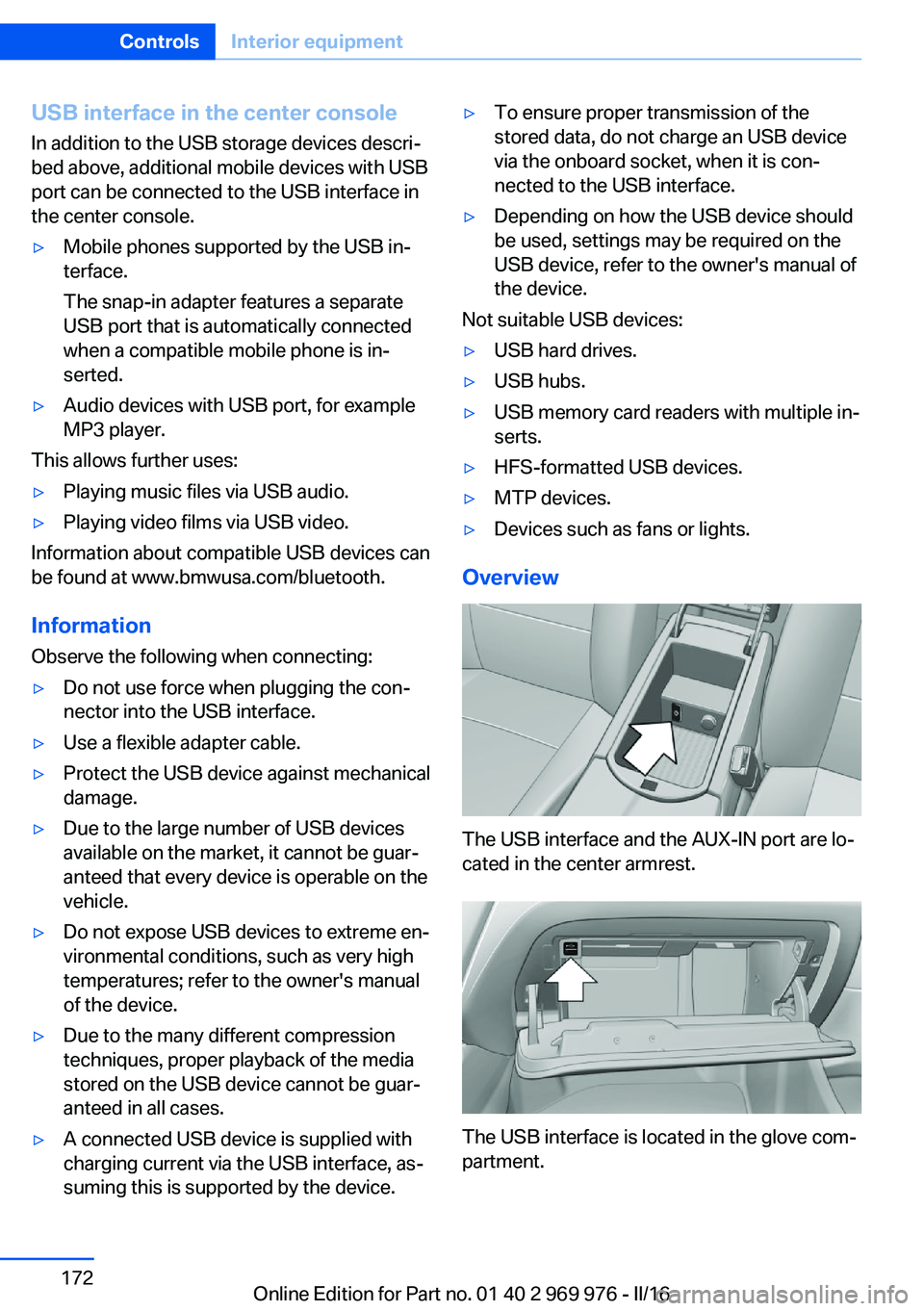
The USB interface and the AUX-IN port are lo‐
cated in the center armrest.
The USB interface is located in the glove com‐
partment.
Seite 172ControlsInterior equipment172
Online Edition for Part no. 01 40 2 969 976 - II/16
Page 191 of 265
In addition, context-sensitive instructions are
displayed to assist with an optimized fuel con‐
sumption driving style.
The achieved extended range is displayed in
the instrument cluster as bonus range.
Overview
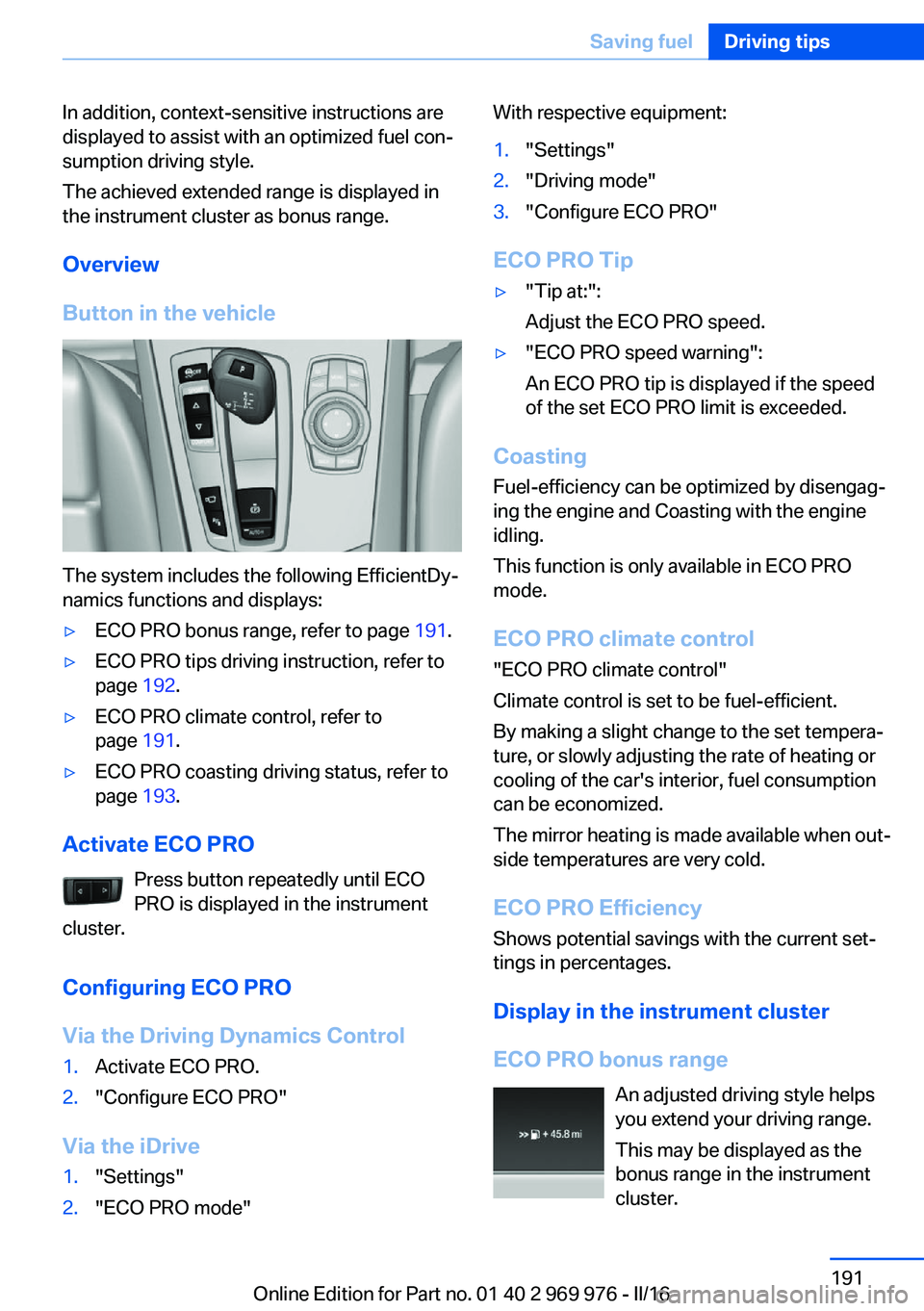
Button in the vehicle
The system includes the following EfficientDy‐
namics functions and displays:
▷ECO PRO bonus range, refer to page 191.▷ECO PRO tips driving instruction, refer to
page 192.▷ECO PRO climate control, refer to
page 191.▷ECO PRO coasting driving status, refer to
page 193.
Activate ECO PRO
Press button repeatedly until ECO
PRO is displayed in the instrument
cluster.
Configuring ECO PRO
Via the Driving Dynamics Control
1.Activate ECO PRO.2."Configure ECO PRO"
Via the iDrive
1."Settings"2."ECO PRO mode"With respective equipment:1."Settings"2."Driving mode"3."Configure ECO PRO"
ECO PRO Tip
▷"Tip at:":
Adjust the ECO PRO speed.▷"ECO PRO speed warning":
An ECO PRO tip is displayed if the speed
of the set ECO PRO limit is exceeded.
Coasting
Fuel-efficiency can be optimized by disengag‐
ing the engine and Coasting with the engine
idling.
This function is only available in ECO PRO
mode.
ECO PRO climate control
"ECO PRO climate control"
Climate control is set to be fuel-efficient.
By making a slight change to the set tempera‐
ture, or slowly adjusting the rate of heating or
cooling of the car's interior, fuel consumption
can be economized.
The mirror heating is made available when out‐
side temperatures are very cold.
ECO PRO Efficiency Shows potential savings with the current set‐
tings in percentages.
Display in the instrument cluster
ECO PRO bonus range An adjusted driving style helps
you extend your driving range.
This may be displayed as the
bonus range in the instrument
cluster.
Seite 191Saving fuelDriving tips191
Online Edition for Part no. 01 40 2 969 976 - II/16
Page 192 of 265
The bonus range is shown in the range display.
The bonus range is automatically reset every
time the vehicle is refueled.
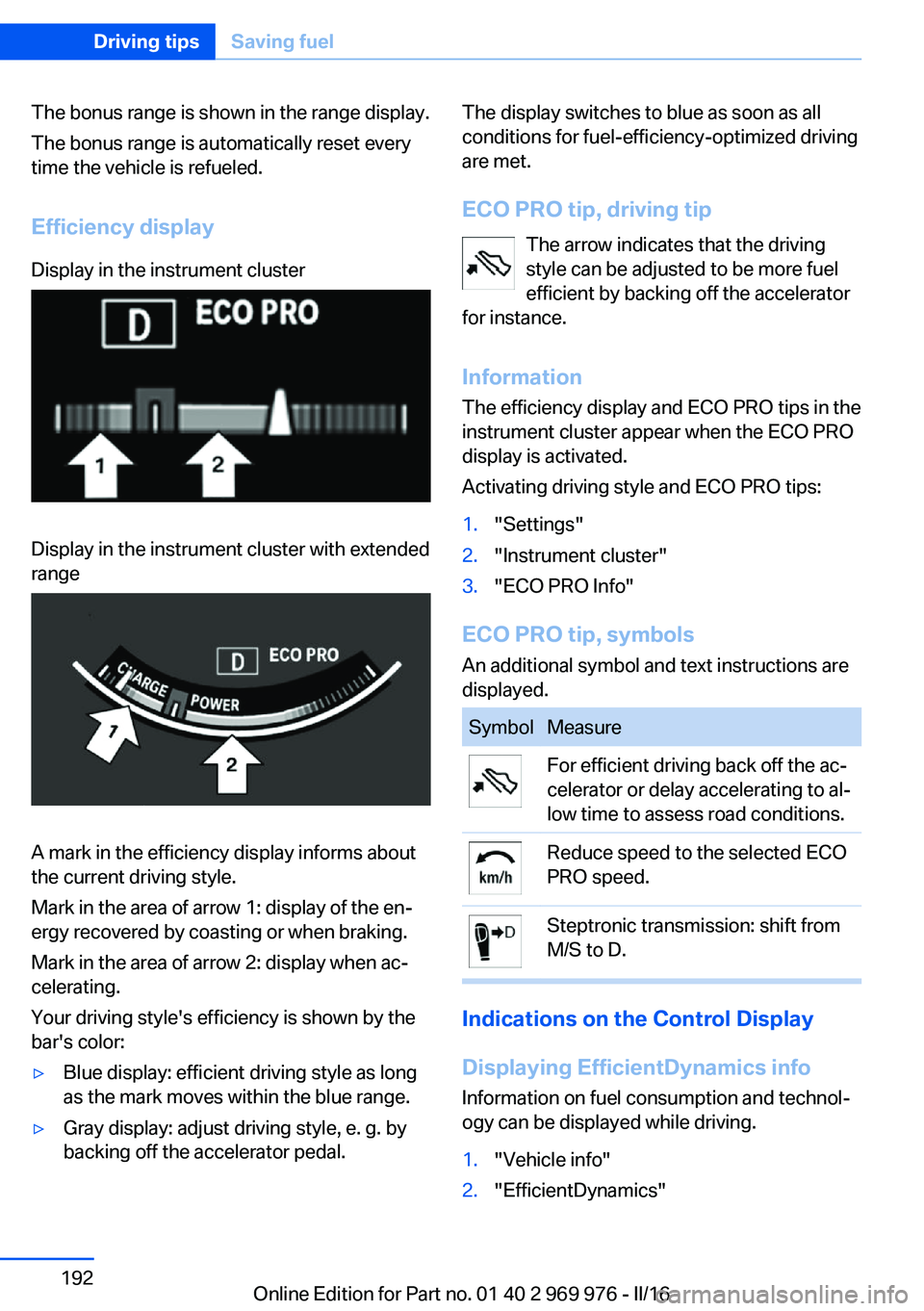
Efficiency displayDisplay in the instrument clusterDisplay in the instrument cluster with extended
range
A mark in the efficiency display informs about
the current driving style.
Mark in the area of arrow 1: display of the en‐
ergy recovered by coasting or when braking.
Mark in the area of arrow 2: display when ac‐
celerating.
Your driving style's efficiency is shown by the
bar's color:
▷Blue display: efficient driving style as long
as the mark moves within the blue range.▷Gray display: adjust driving style, e. g. by
backing off the accelerator pedal.The display switches to blue as soon as all
conditions for fuel-efficiency-optimized driving
are met.
ECO PRO tip, driving tip The arrow indicates that the driving
style can be adjusted to be more fuel
efficient by backing off the accelerator
for instance.
Information The efficiency display and ECO PRO tips in the
instrument cluster appear when the ECO PRO
display is activated.
Activating driving style and ECO PRO tips:1."Settings"2."Instrument cluster"3."ECO PRO Info"
ECO PRO tip, symbols
An additional symbol and text instructions are
displayed.
SymbolMeasureFor efficient driving back off the ac‐
celerator or delay accelerating to al‐
low time to assess road conditions.Reduce speed to the selected ECO
PRO speed.Steptronic transmission: shift from
M/S to D.
Indications on the Control Display
Displaying EfficientDynamics info
Information on fuel consumption and technol‐
ogy can be displayed while driving.
1."Vehicle info"2."EfficientDynamics"Seite 192Driving tipsSaving fuel192
Online Edition for Part no. 01 40 2 969 976 - II/16
Page 193 of 265
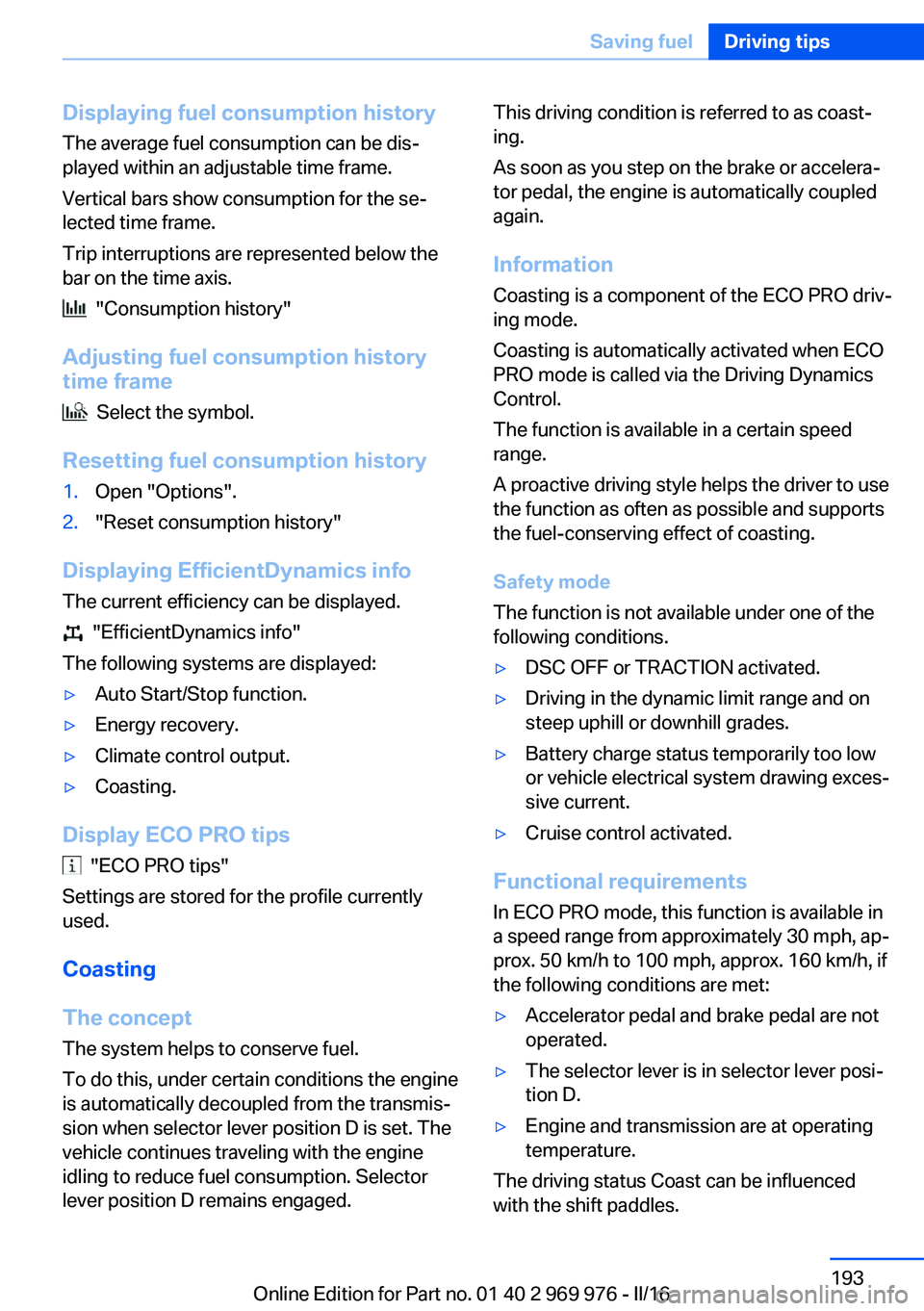
Displaying fuel consumption history
The average fuel consumption can be dis‐
played within an adjustable time frame.
Vertical bars show consumption for the se‐
lected time frame.
Trip interruptions are represented below the
bar on the time axis.
"Consumption history"
Adjusting fuel consumption history time frame
Select the symbol.
Resetting fuel consumption history
1.Open "Options".2."Reset consumption history"
Displaying EfficientDynamics info
The current efficiency can be displayed.
"EfficientDynamics info"
The following systems are displayed:
▷Auto Start/Stop function.▷Energy recovery.▷Climate control output.▷Coasting.
Display ECO PRO tips
"ECO PRO tips"
Settings are stored for the profile currently
used.
Coasting
The concept The system helps to conserve fuel.
To do this, under certain conditions the engine
is automatically decoupled from the transmis‐
sion when selector lever position D is set. The
vehicle continues traveling with the engine
idling to reduce fuel consumption. Selector
lever position D remains engaged.
This driving condition is referred to as coast‐
ing.
As soon as you step on the brake or accelera‐
tor pedal, the engine is automatically coupled
again.
Information Coasting is a component of the ECO PRO driv‐
ing mode.
Coasting is automatically activated when ECO
PRO mode is called via the Driving Dynamics
Control.
The function is available in a certain speed
range.
A proactive driving style helps the driver to use
the function as often as possible and supports
the fuel-conserving effect of coasting.
Safety mode
The function is not available under one of the
following conditions.▷DSC OFF or TRACTION activated.▷Driving in the dynamic limit range and on
steep uphill or downhill grades.▷Battery charge status temporarily too low
or vehicle electrical system drawing exces‐
sive current.▷Cruise control activated.
Functional requirements
In ECO PRO mode, this function is available in
a speed range from approximately 30 mph, ap‐
prox. 50 km/h to 100 mph, approx. 160 km/h, if
the following conditions are met:
▷Accelerator pedal and brake pedal are not
operated.▷The selector lever is in selector lever posi‐
tion D.▷Engine and transmission are at operating
temperature.
The driving status Coast can be influenced
with the shift paddles.
Seite 193Saving fuelDriving tips193
Online Edition for Part no. 01 40 2 969 976 - II/16
Page 194 of 265
Display
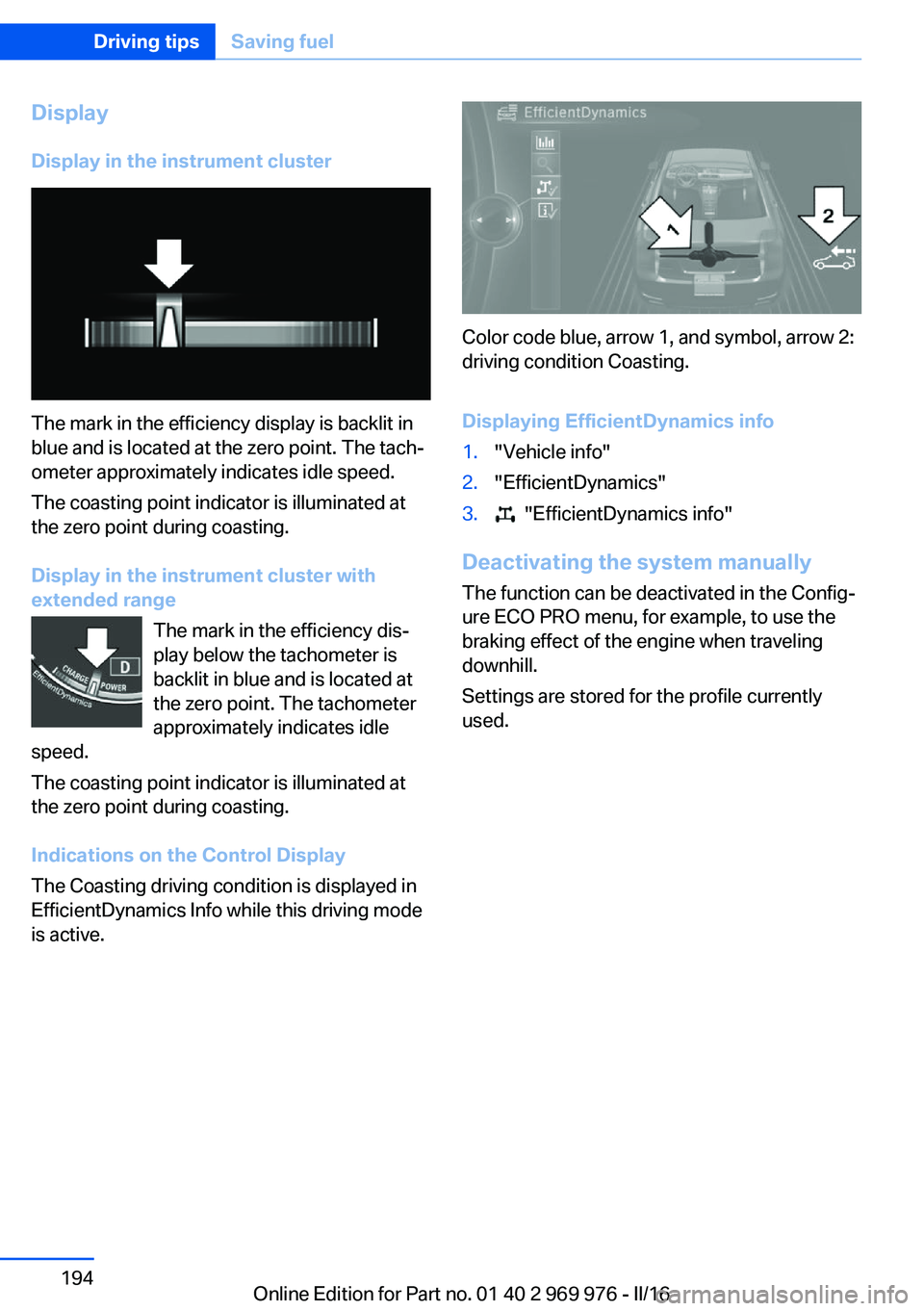
Display in the instrument cluster
The mark in the efficiency display is backlit in
blue and is located at the zero point. The tach‐
ometer approximately indicates idle speed.
The coasting point indicator is illuminated at
the zero point during coasting.
Display in the instrument cluster with
extended range
The mark in the efficiency dis‐
play below the tachometer is
backlit in blue and is located at
the zero point. The tachometer
approximately indicates idle
speed.
The coasting point indicator is illuminated at
the zero point during coasting.
Indications on the Control Display
The Coasting driving condition is displayed in
EfficientDynamics Info while this driving mode
is active.
Color code blue, arrow 1, and symbol, arrow 2:
driving condition Coasting.
Displaying EfficientDynamics info
1."Vehicle info"2."EfficientDynamics"3. "EfficientDynamics info"
Deactivating the system manually The function can be deactivated in the Config‐
ure ECO PRO menu, for example, to use the
braking effect of the engine when traveling
downhill.
Settings are stored for the profile currently
used.
Seite 194Driving tipsSaving fuel194
Online Edition for Part no. 01 40 2 969 976 - II/16
Page 236 of 265
Power failureAfter a power loss, some equipment needs to
be newly initialized or individual settings up‐
dated, for example:▷Seat and mirror memory: store the posi‐
tions again.▷Time: update.▷Date: update.▷Glass sunroof: initialize the system, refer to
page 52.
Disposing of old batteries
Have old batteries disposed of by a
dealer’s service center or another
qualified service center or repair shop
or take them to a collection point.
Maintain the battery in an upright position for
transport and storage. Secure the battery so
that it does not tip over during transport.
Fuses Information WARNING
Incorrect and repaired fuses can overload
electrical lines and components. There is risk
of fire. Never attempt to repair a blown fuse.
Do not replace a nonworking fuse with a sub‐
stitute of another color or amperage rating.◀
Plastic tweezers and information on the fuse
types and locations are stored in the fuse box
in the cargo area.
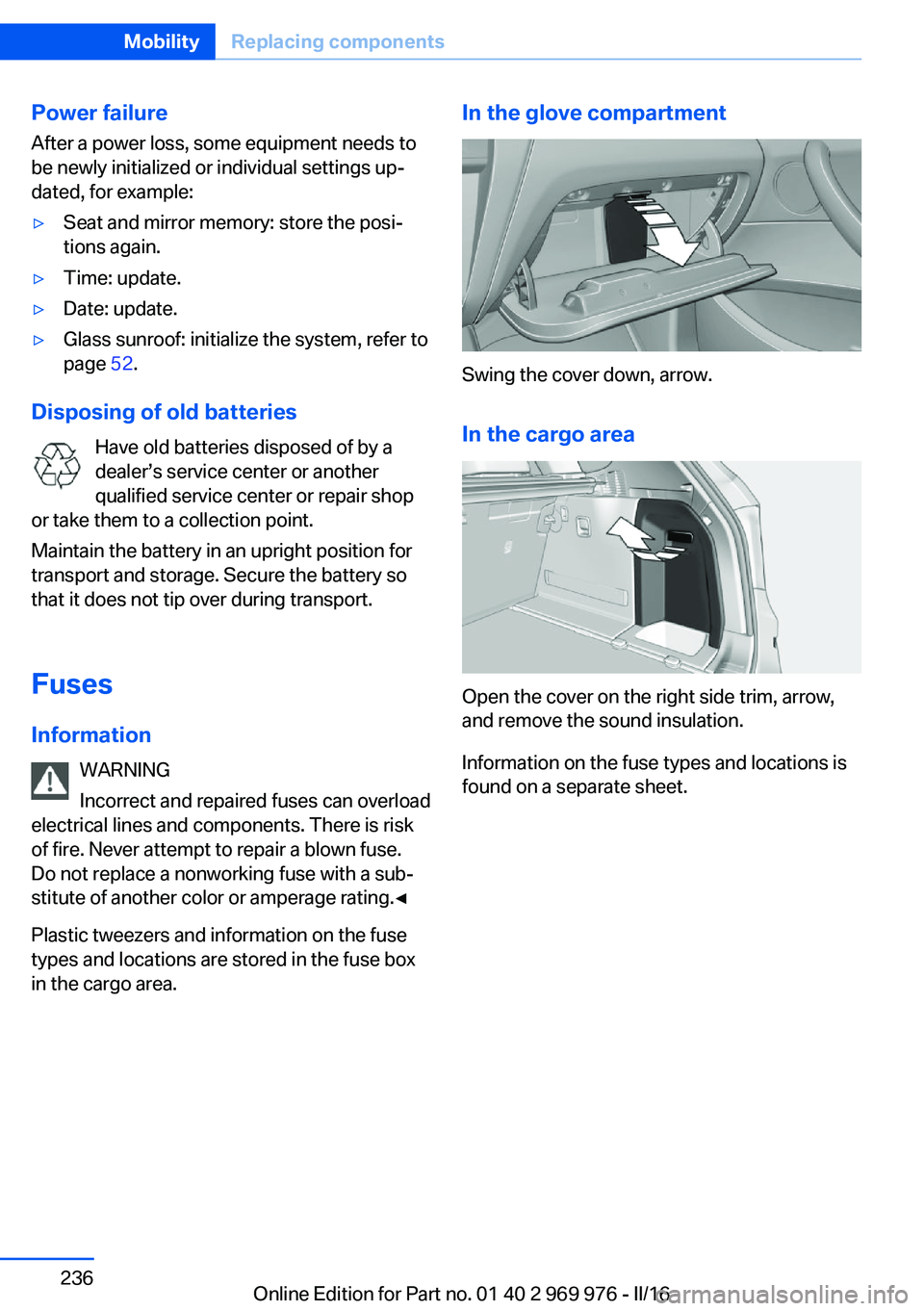
In the glove compartment
Swing the cover down, arrow.
In the cargo area
Open the cover on the right side trim, arrow,
and remove the sound insulation.
Information on the fuse types and locations is
found on a separate sheet.
Seite 236MobilityReplacing components236
Online Edition for Part no. 01 40 2 969 976 - II/16
Page 256 of 265
Configuring driving pro‐gram 134
Confirmation signal 46
ConnectedDrive, see Owner's Manual for Navigation, En‐
tertainment and Communi‐
cation
ConnectedDrive Services
Connecting electrical devi‐ ces 170
Container for washer fluid 78
Continued driving with a flat tire 111 , 114
Control Display 18
Control Display, settings 96
Controller 19
Control systems, driving sta‐ bility 129
Convenient opening with the remote control 38
Coolant 224
Coolant temperature 89
Cooling function 160, 163
Cooling, maximum 163
Cooling system 224
Cornering light 102
Corrosion on brake discs 185
Cosmetic mirror 169
Courtesy lamps during un‐ locking 38
Courtesy lamps with the vehi‐ cle locked 38
Cruise control 142
Cruise control, active with Stop&Go function 136
Cruise control with distance control, see active cruise
control, ACC 136
Cruise control without dis‐ tance control, see cruise
control 142
Cruising range 90
Cup holder 177
Current fuel consumption 90 D
Damage, tires 210
Damping control, dy‐ namic 132
Data, technical 250
Date 90
Daytime running lights 102
Daytime running lights, bulb replacement 230
Defrosting, see Windows, de‐ frosting 161, 164
Dehumidifying, air 160, 163
Deleting personal data 25
Deletion of personal data 25
Destination distance 95
Diesel exhaust fluid, at low temperatures 202
Diesel exhaust fluid, having refilled 202
Diesel exhaust fluid, on mini‐ mum 202
Diesel exhaust fluid, replen‐ ishing yourself 202
Diesel fuel 201
Diesel particulate filter 183
Digital clock 89
Dimensions 250
Dimmable exterior mirrors 62
Dimmable interior mirror 62
Direction indicator, see Turn signals 75
Display, electronic, instru‐ ment cluster 84
Display in windshield 98
Display lighting, see Instru‐ ment lighting 104
Displays, cleaning 246
Disposal, coolant 225
Disposal, vehicle battery 236
Distance control, see PDC 145
Distance to destination 95
Divided screen view, split screen 24
Door lock 39 Door lock, see Remote con‐
trol 34
Downhill control 131
Drive-off assistant 135
Drive-off assistant, see DSC 129
Driving Dynamics Con‐ trol 133
Driving instructions, break- in 182
Driving mode 133
Driving notes, general 183
Driving on bad roads 182
Driving on racetracks 185
Driving stability control sys‐ tems 129
Driving tips 183
DSC Dynamic Stability Con‐ trol 129
DTC Dynamic Traction Con‐ trol 130
Dynamic Damping Con‐ trol 132
Dynamic Stability Control DSC 129
Dynamic Traction Control DTC 130
E
ECO PRO 190
ECO PRO, bonus range 191
ECO PRO display 190
ECO PRO driving mode 190
ECO PRO mode 190
ECO PRO Tip - driving in‐ struction 192
EfficientDynamics 192
Electronic displays, instru‐ ment cluster 84
Electronic oil measure‐ ment 220
Electronic Stability Program ESP, see DSC 129
Emergency detection, remote control 35 Seite 256ReferenceEverything from A to Z256
Online Edition for Part no. 01 40 2 969 976 - II/16
Page 258 of 265
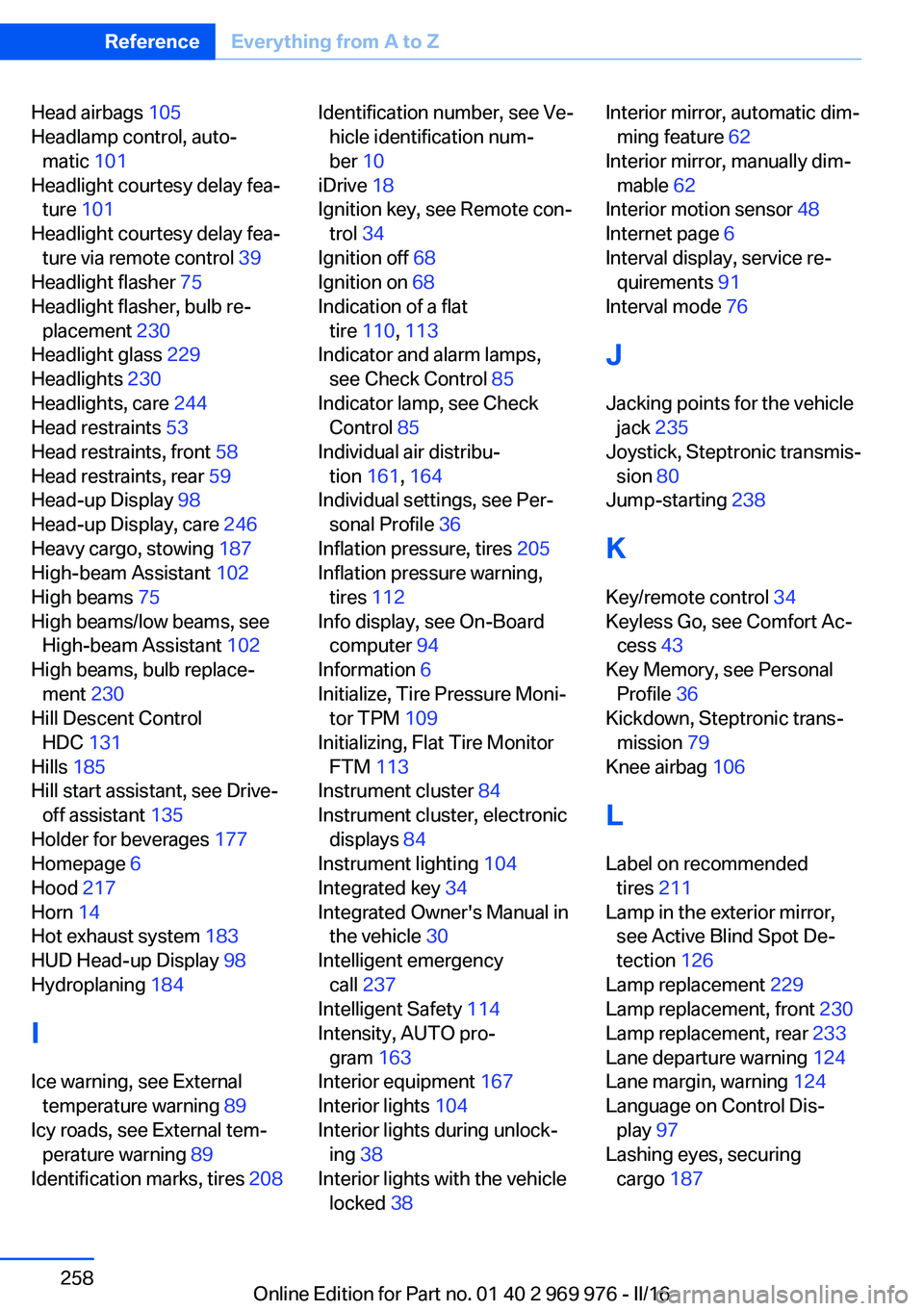
Head airbags 105
Headlamp control, auto‐ matic 101
Headlight courtesy delay fea‐ ture 101
Headlight courtesy delay fea‐ ture via remote control 39
Headlight flasher 75
Headlight flasher, bulb re‐ placement 230
Headlight glass 229
Headlights 230
Headlights, care 244
Head restraints 53
Head restraints, front 58
Head restraints, rear 59
Head-up Display 98
Head-up Display, care 246
Heavy cargo, stowing 187
High-beam Assistant 102
High beams 75
High beams/low beams, see High-beam Assistant 102
High beams, bulb replace‐ ment 230
Hill Descent Control HDC 131
Hills 185
Hill start assistant, see Drive- off assistant 135
Holder for beverages 177
Homepage 6
Hood 217
Horn 14
Hot exhaust system 183
HUD Head-up Display 98
Hydroplaning 184
I Ice warning, see External temperature warning 89
Icy roads, see External tem‐ perature warning 89
Identification marks, tires 208 Identification number, see Ve‐
hicle identification num‐
ber 10
iDrive 18
Ignition key, see Remote con‐ trol 34
Ignition off 68
Ignition on 68
Indication of a flat tire 110 , 113
Indicator and alarm lamps, see Check Control 85
Indicator lamp, see Check Control 85
Individual air distribu‐ tion 161, 164
Individual settings, see Per‐ sonal Profile 36
Inflation pressure, tires 205
Inflation pressure warning, tires 112
Info display, see On-Board computer 94
Information 6
Initialize, Tire Pressure Moni‐ tor TPM 109
Initializing, Flat Tire Monitor FTM 113
Instrument cluster 84
Instrument cluster, electronic displays 84
Instrument lighting 104
Integrated key 34
Integrated Owner's Manual in the vehicle 30
Intelligent emergency call 237
Intelligent Safety 114
Intensity, AUTO pro‐ gram 163
Interior equipment 167
Interior lights 104
Interior lights during unlock‐ ing 38
Interior lights with the vehicle locked 38 Interior mirror, automatic dim‐
ming feature 62
Interior mirror, manually dim‐ mable 62
Interior motion sensor 48
Internet page 6
Interval display, service re‐ quirements 91
Interval mode 76
J
Jacking points for the vehicle jack 235
Joystick, Steptronic transmis‐ sion 80
Jump-starting 238
K
Key/remote control 34
Keyless Go, see Comfort Ac‐ cess 43
Key Memory, see Personal Profile 36
Kickdown, Steptronic trans‐ mission 79
Knee airbag 106
L Label on recommended tires 211
Lamp in the exterior mirror, see Active Blind Spot De‐
tection 126
Lamp replacement 229
Lamp replacement, front 230
Lamp replacement, rear 233
Lane departure warning 124
Lane margin, warning 124
Language on Control Dis‐ play 97
Lashing eyes, securing cargo 187 Seite 258ReferenceEverything from A to Z258
Online Edition for Part no. 01 40 2 969 976 - II/16
Page 259 of 265
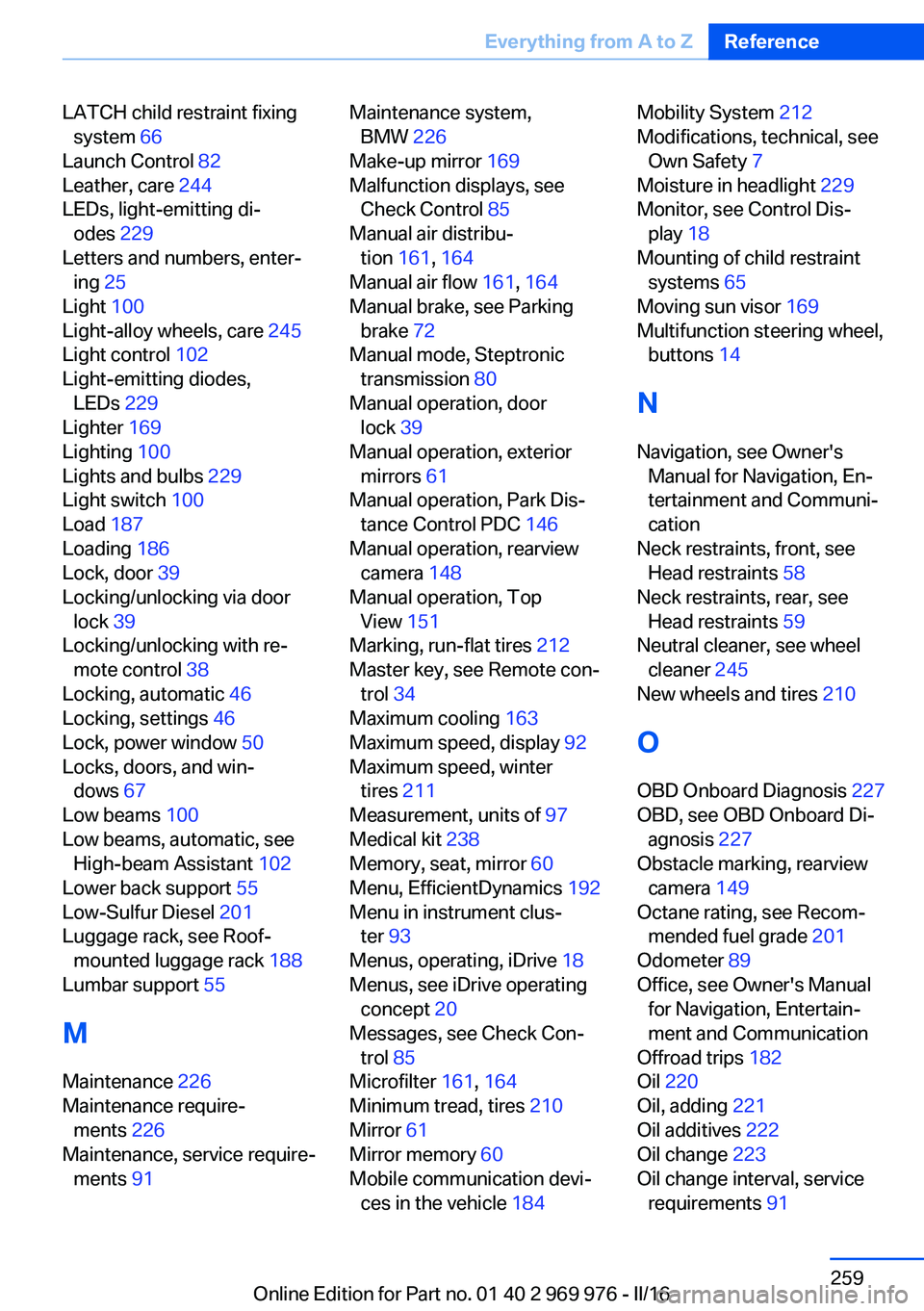
LATCH child restraint fixingsystem 66
Launch Control 82
Leather, care 244
LEDs, light-emitting di‐ odes 229
Letters and numbers, enter‐ ing 25
Light 100
Light-alloy wheels, care 245
Light control 102
Light-emitting diodes, LEDs 229
Lighter 169
Lighting 100
Lights and bulbs 229
Light switch 100
Load 187
Loading 186
Lock, door 39
Locking/unlocking via door lock 39
Locking/unlocking with re‐ mote control 38
Locking, automatic 46
Locking, settings 46
Lock, power window 50
Locks, doors, and win‐ dows 67
Low beams 100
Low beams, automatic, see High-beam Assistant 102
Lower back support 55
Low-Sulfur Diesel 201
Luggage rack, see Roof- mounted luggage rack 188
Lumbar support 55
M
Maintenance 226
Maintenance require‐ ments 226
Maintenance, service require‐ ments 91 Maintenance system,
BMW 226
Make-up mirror 169
Malfunction displays, see Check Control 85
Manual air distribu‐ tion 161, 164
Manual air flow 161, 164
Manual brake, see Parking brake 72
Manual mode, Steptronic transmission 80
Manual operation, door lock 39
Manual operation, exterior mirrors 61
Manual operation, Park Dis‐ tance Control PDC 146
Manual operation, rearview camera 148
Manual operation, Top View 151
Marking, run-flat tires 212
Master key, see Remote con‐ trol 34
Maximum cooling 163
Maximum speed, display 92
Maximum speed, winter tires 211
Measurement, units of 97
Medical kit 238
Memory, seat, mirror 60
Menu, EfficientDynamics 192
Menu in instrument clus‐ ter 93
Menus, operating, iDrive 18
Menus, see iDrive operating concept 20
Messages, see Check Con‐ trol 85
Microfilter 161, 164
Minimum tread, tires 210
Mirror 61
Mirror memory 60
Mobile communication devi‐ ces in the vehicle 184 Mobility System 212
Modifications, technical, see Own Safety 7
Moisture in headlight 229
Monitor, see Control Dis‐ play 18
Mounting of child restraint systems 65
Moving sun visor 169
Multifunction steering wheel, buttons 14
N Navigation, see Owner's Manual for Navigation, En‐
tertainment and Communi‐
cation
Neck restraints, front, see Head restraints 58
Neck restraints, rear, see Head restraints 59
Neutral cleaner, see wheel cleaner 245
New wheels and tires 210
O OBD Onboard Diagnosis 227
OBD, see OBD Onboard Di‐ agnosis 227
Obstacle marking, rearview camera 149
Octane rating, see Recom‐ mended fuel grade 201
Odometer 89
Office, see Owner's Manual for Navigation, Entertain‐
ment and Communication
Offroad trips 182
Oil 220
Oil, adding 221
Oil additives 222
Oil change 223
Oil change interval, service requirements 91 Seite 259Everything from A to ZReference259
Online Edition for Part no. 01 40 2 969 976 - II/16