eco pro BMW X3 2017 Manual PDF
[x] Cancel search | Manufacturer: BMW, Model Year: 2017, Model line: X3, Model: BMW X3 2017Pages: 265, PDF Size: 5.37 MB
Page 223 of 265
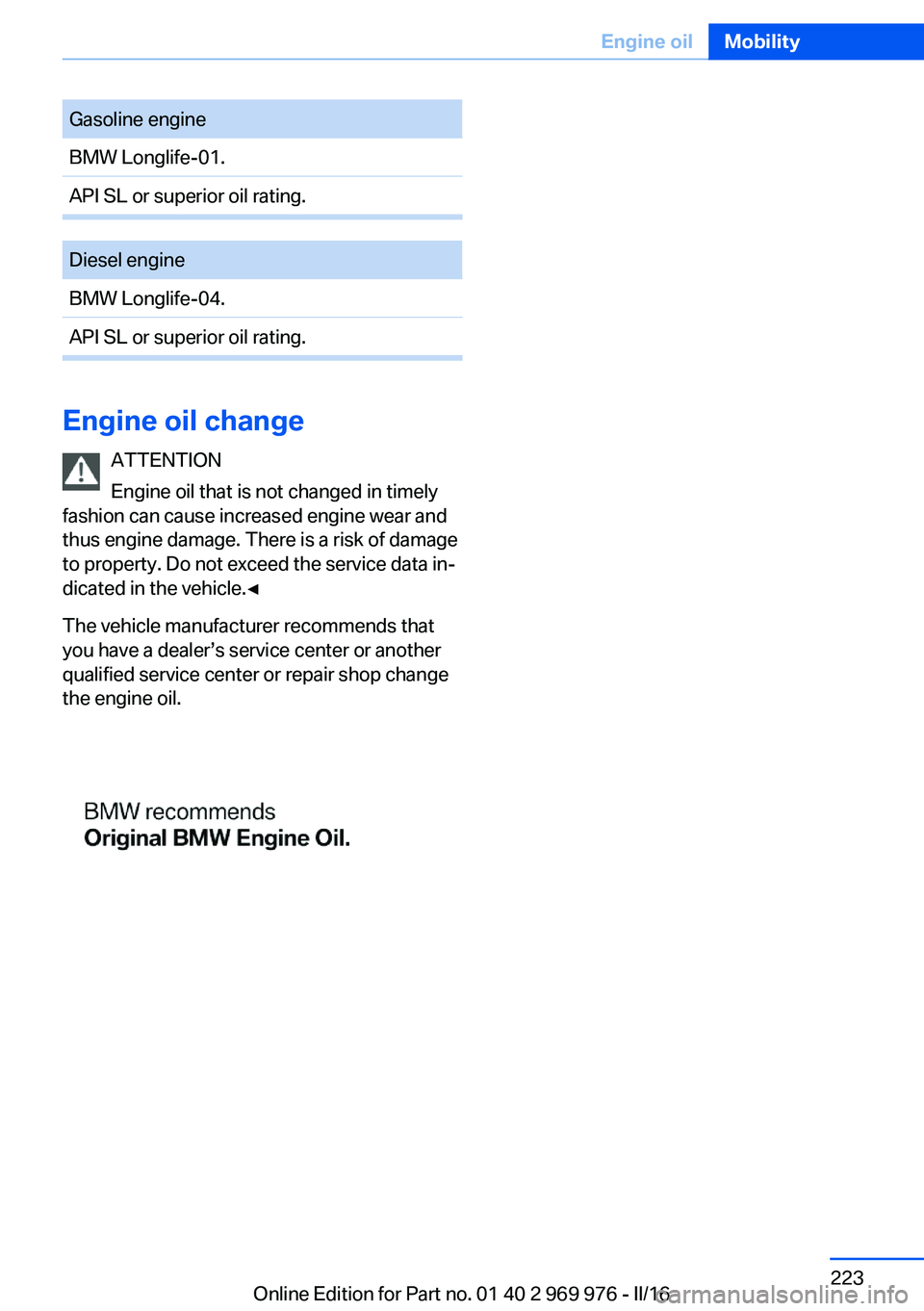
Gasoline engineBMW Longlife-01.API SL or superior oil rating.Diesel engineBMW Longlife-04.API SL or superior oil rating.
Engine oil changeATTENTION
Engine oil that is not changed in timely
fashion can cause increased engine wear and
thus engine damage. There is a risk of damage
to property. Do not exceed the service data in‐
dicated in the vehicle.◀
The vehicle manufacturer recommends that
you have a dealer’s service center or another
qualified service center or repair shop change
the engine oil.
Seite 223Engine oilMobility223
Online Edition for Part no. 01 40 2 969 976 - II/16
Page 226 of 265
MaintenanceVehicle features and options
This chapter describes all standard, country-
specific and optional features offered with the
series. It also describes features that are not
necessarily available in your car, e. g., due to
the selected options or country versions. This
also applies to safety-related functions and
systems. The respectively applicable country
provisions must be observed when using the
respective features and systems.
BMW maintenance system The maintenance system indicates required
maintenance measures, and thereby provides
support in maintaining road safety and the op‐
erational reliability of the vehicle.
In some cases scopes and intervals may vary
according to the country-specific version. Re‐
placement work, spare parts, fuels and lubri‐
cants and wear materials are calculated sepa‐
rately. Further information is available from a
dealer’s service center or another qualified
service center or repair shop.
Condition Based ServiceCBS
Sensors and special algorithms take into ac‐
count the driving conditions of the vehicle.
Based on this, Condition Based Service recog‐
nizes the maintenance requirements.
The system makes it possible to adapt the
amount of maintenance corresponding to your
user profile.
Information on service requirements can be
displayed on the Control Display.Service data in the remote control
Information on the required maintenance is
continuously stored in the remote control. The dealer’s service center can read this data out
and suggest a maintenance scope for the vehi‐
cle.
Therefore, hand the service advisor the remote
control with which the vehicle was driven most
recently.
Storage periods Storage periods during which the vehicle bat‐
tery was disconnected are not taken into ac‐
count.
If this occurs, have a dealer's service center or
another qualified service center or repair shop
update the time-dependent maintenance pro‐
cedures, such as checking brake fluid and, if
necessary, changing the engine oil and the mi‐
crofilter/activated-charcoal filter.
Service and WarrantyInformation Booklet for US
models and Warranty and
Service Guide Booklet for
Canadian models
Please consult your Service and Warranty In‐
formation Booklet for US models and Warranty
and Service Guide Booklet for Canadian mod‐
els for additional information on service re‐
quirements.
The manufacturer of your vehicle recommends
that maintenance and repair be performed by a
dealer’s service center or another qualified
service center or repair shop. Records of regu‐
lar maintenance and repair work should be re‐
tained.Seite 226MobilityMaintenance226
Online Edition for Part no. 01 40 2 969 976 - II/16
Page 227 of 265
Socket for OBD Onboard
Diagnosis
Information ATTENTION
The socket for Onboard Diagnosis is an
intricate component intended to be used in
conjunction with specialized equipment to
check the vehicle’s primary emissions system.
Improper use of the socket for Onboard Diag‐
nosis, or contact with the socket for Onboard
Diagnosis for other than its intended purpose,
can cause vehicle malfunctions and creates
risks of personal and property damage. Given
the foregoing, the manufacture of your vehicle
strongly recommends that access to the
socket for Onboard Diagnosis be limited to a
dealer's service center or another qualified
service center or repair shop or other persons
that have the specialized training and equip‐
ment for purposes of properly utilizing the
socket for Onboard Diagnosis.◀
Position
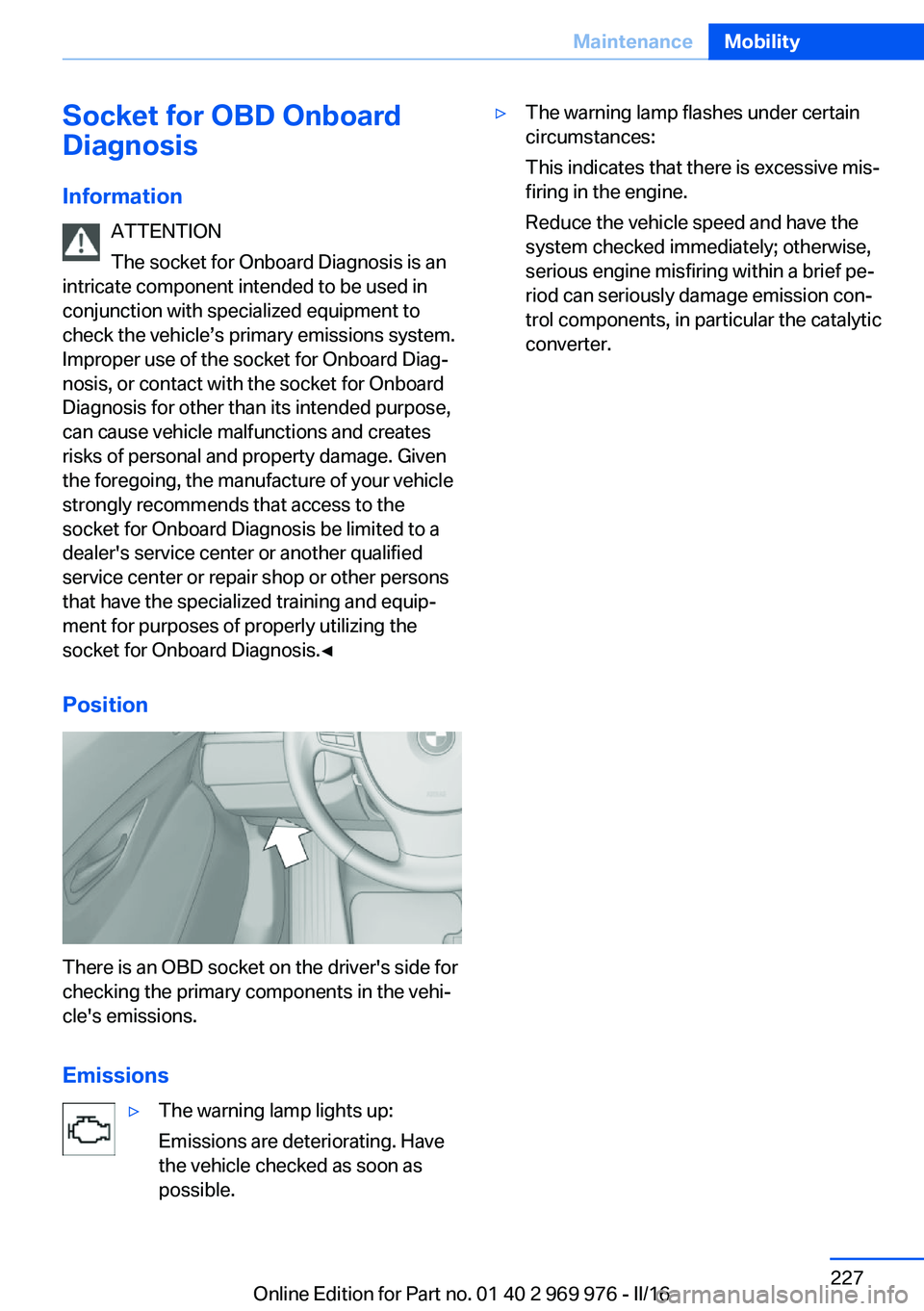
There is an OBD socket on the driver's side for
checking the primary components in the vehi‐
cle's emissions.
Emissions
▷The warning lamp lights up:
Emissions are deteriorating. Have
the vehicle checked as soon as
possible.▷The warning lamp flashes under certain
circumstances:
This indicates that there is excessive mis‐
firing in the engine.
Reduce the vehicle speed and have the
system checked immediately; otherwise,
serious engine misfiring within a brief pe‐
riod can seriously damage emission con‐
trol components, in particular the catalytic
converter.Seite 227MaintenanceMobility227
Online Edition for Part no. 01 40 2 969 976 - II/16
Page 229 of 265
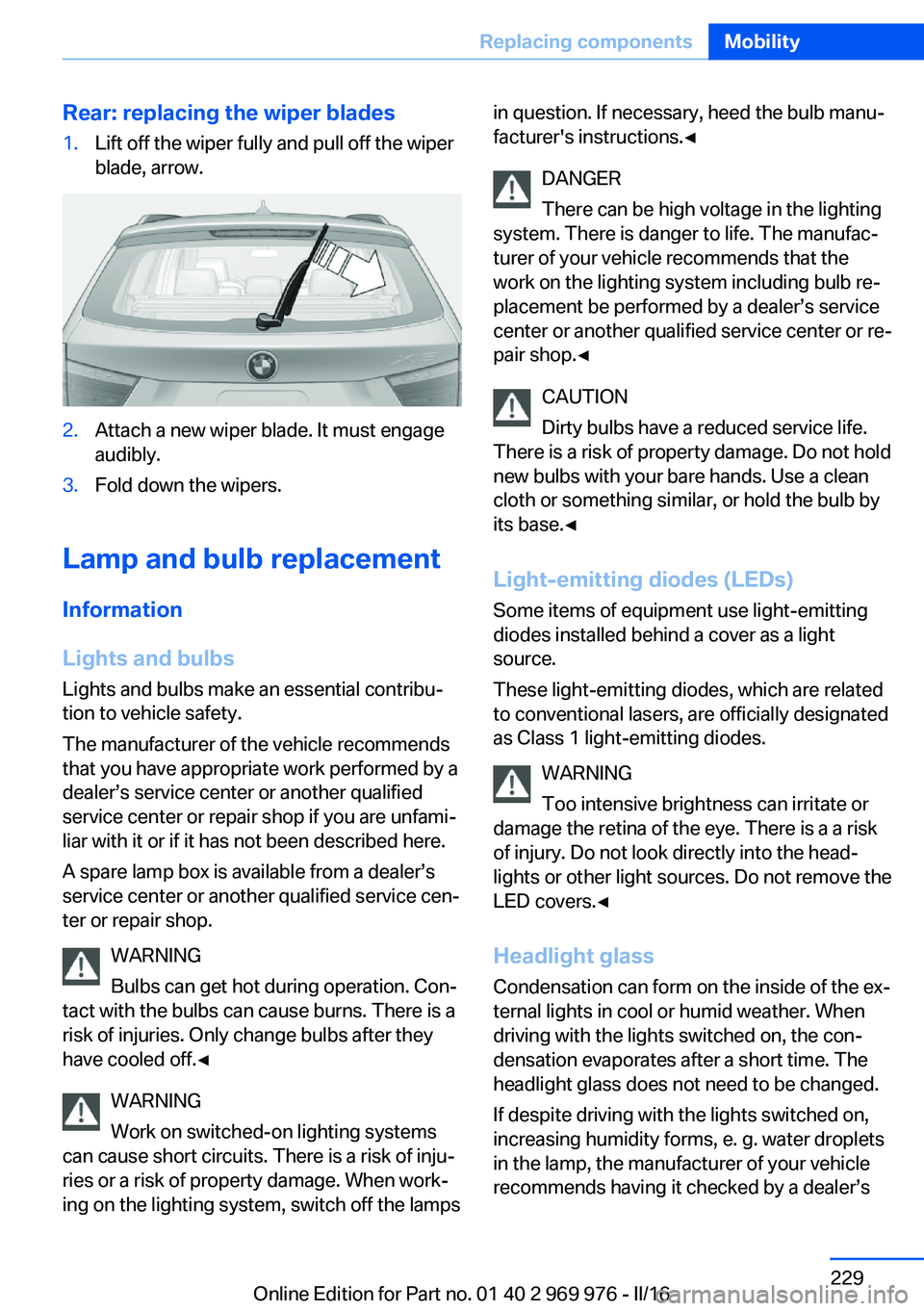
Rear: replacing the wiper blades1.Lift off the wiper fully and pull off the wiper
blade, arrow.2.Attach a new wiper blade. It must engage
audibly.3.Fold down the wipers.
Lamp and bulb replacement
Information
Lights and bulbs
Lights and bulbs make an essential contribu‐
tion to vehicle safety.
The manufacturer of the vehicle recommends
that you have appropriate work performed by a
dealer’s service center or another qualified
service center or repair shop if you are unfami‐
liar with it or if it has not been described here.
A spare lamp box is available from a dealer’s
service center or another qualified service cen‐
ter or repair shop.
WARNING
Bulbs can get hot during operation. Con‐
tact with the bulbs can cause burns. There is a
risk of injuries. Only change bulbs after they
have cooled off.◀
WARNING
Work on switched-on lighting systems
can cause short circuits. There is a risk of inju‐
ries or a risk of property damage. When work‐
ing on the lighting system, switch off the lamps
in question. If necessary, heed the bulb manu‐
facturer's instructions.◀
DANGER
There can be high voltage in the lighting
system. There is danger to life. The manufac‐
turer of your vehicle recommends that the
work on the lighting system including bulb re‐
placement be performed by a dealer’s service
center or another qualified service center or re‐
pair shop.◀
CAUTION
Dirty bulbs have a reduced service life.
There is a risk of property damage. Do not hold
new bulbs with your bare hands. Use a clean
cloth or something similar, or hold the bulb by
its base.◀
Light-emitting diodes (LEDs)
Some items of equipment use light-emitting
diodes installed behind a cover as a light
source.
These light-emitting diodes, which are related
to conventional lasers, are officially designated as Class 1 light-emitting diodes.
WARNING
Too intensive brightness can irritate or
damage the retina of the eye. There is a a risk
of injury. Do not look directly into the head‐
lights or other light sources. Do not remove the
LED covers.◀
Headlight glass
Condensation can form on the inside of the ex‐
ternal lights in cool or humid weather. When
driving with the lights switched on, the con‐
densation evaporates after a short time. The
headlight glass does not need to be changed.
If despite driving with the lights switched on,
increasing humidity forms, e. g. water droplets
in the lamp, the manufacturer of your vehicle
recommends having it checked by a dealer’sSeite 229Replacing componentsMobility229
Online Edition for Part no. 01 40 2 969 976 - II/16
Page 235 of 265
Changing wheels/tiresGeneral information
When using run-flat tires or sealants, a tire
does not need to be changed immediately in
the event of pressure loss due to a flat tire.
No spare tire is provided with your vehicle.
If needed, the tools for changing wheels are
available as accessories from a dealer’s service
center or another qualified service center or re‐
pair shop.
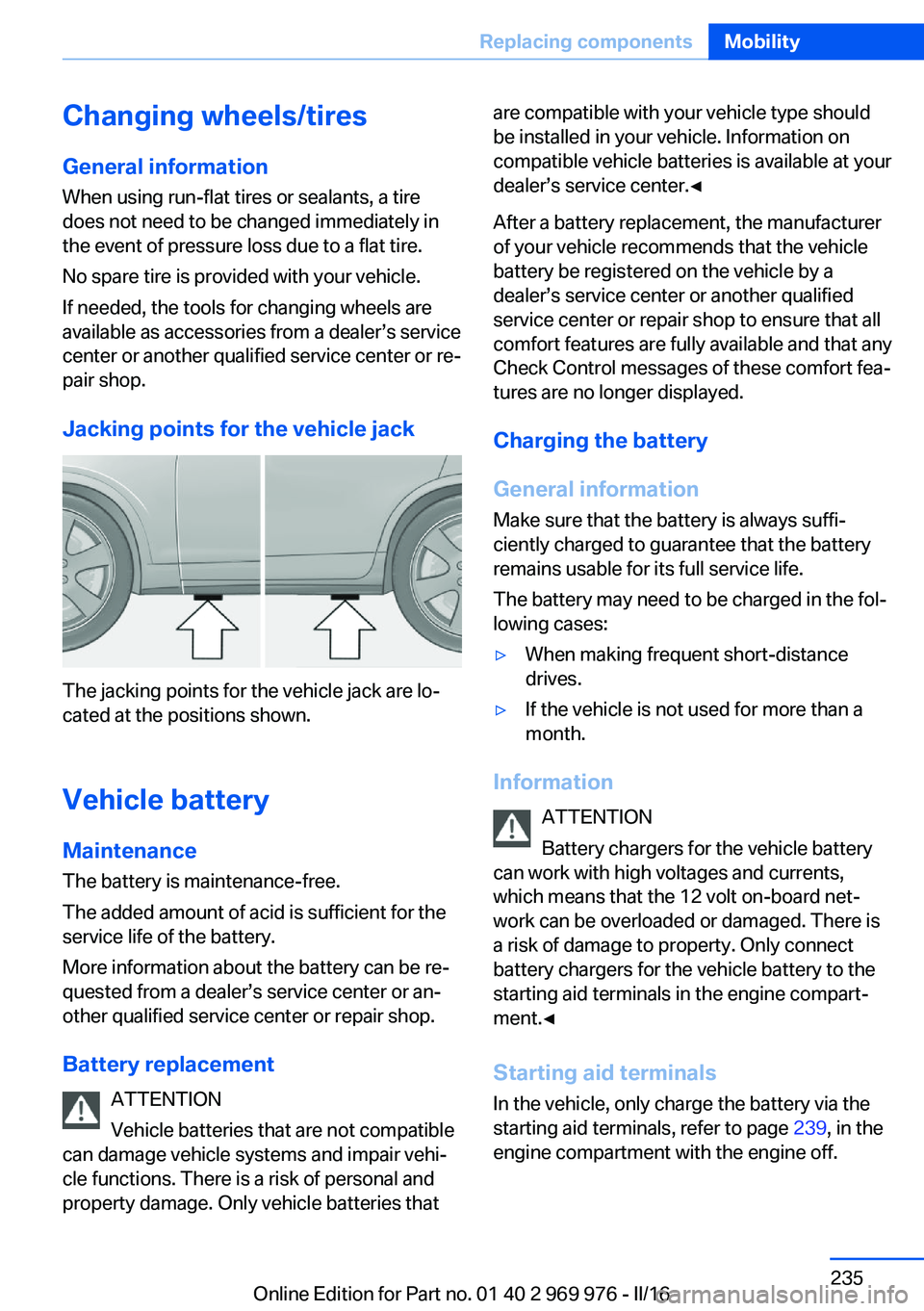
Jacking points for the vehicle jack
The jacking points for the vehicle jack are lo‐
cated at the positions shown.
Vehicle battery Maintenance
The battery is maintenance-free.
The added amount of acid is sufficient for the
service life of the battery.
More information about the battery can be re‐
quested from a dealer’s service center or an‐
other qualified service center or repair shop.
Battery replacement ATTENTION
Vehicle batteries that are not compatible
can damage vehicle systems and impair vehi‐
cle functions. There is a risk of personal and
property damage. Only vehicle batteries that
are compatible with your vehicle type should
be installed in your vehicle. Information on
compatible vehicle batteries is available at your
dealer’s service center.◀
After a battery replacement, the manufacturer
of your vehicle recommends that the vehicle
battery be registered on the vehicle by a
dealer’s service center or another qualified
service center or repair shop to ensure that all
comfort features are fully available and that any
Check Control messages of these comfort fea‐
tures are no longer displayed.
Charging the battery
General information
Make sure that the battery is always suffi‐
ciently charged to guarantee that the battery
remains usable for its full service life.
The battery may need to be charged in the fol‐
lowing cases:▷When making frequent short-distance
drives.▷If the vehicle is not used for more than a
month.
Information
ATTENTION
Battery chargers for the vehicle battery
can work with high voltages and currents,
which means that the 12 volt on-board net‐
work can be overloaded or damaged. There is
a risk of damage to property. Only connect
battery chargers for the vehicle battery to the
starting aid terminals in the engine compart‐
ment.◀
Starting aid terminals In the vehicle, only charge the battery via the
starting aid terminals, refer to page 239, in the
engine compartment with the engine off.
Seite 235Replacing componentsMobility235
Online Edition for Part no. 01 40 2 969 976 - II/16
Page 239 of 265
and two jumper cables. Only use jumper ca‐
bles with fully insulated clamp handles.
Information DANGER
Contact with live components can lead to
an electric shock. There is a risk of injury or
danger to life. Do not touch any components
that are under voltage.◀
To prevent personal injury or damage to both
vehicles, adhere strictly to the following proce‐
dure.
Preparation ATTENTION
In the case of body contact between the
two vehicles, a short circuit can occur during
jump-starting. There is a risk of damage to
property. Make sure that no body contact oc‐
curs.◀1.Check whether the battery of the other ve‐
hicle has a voltage of 12 volts. The voltage
information can be found on the battery.2.Switch off the engine of the assisting vehi‐
cle.3.Switch off any electronic systems/power
consumers in both vehicles.
Starting aid terminals
WARNING
If the jumper cables are connected in the
incorrect order, sparks formation can occur.
There is a a risk of injury. Pay attention to the
correct order during connection.◀
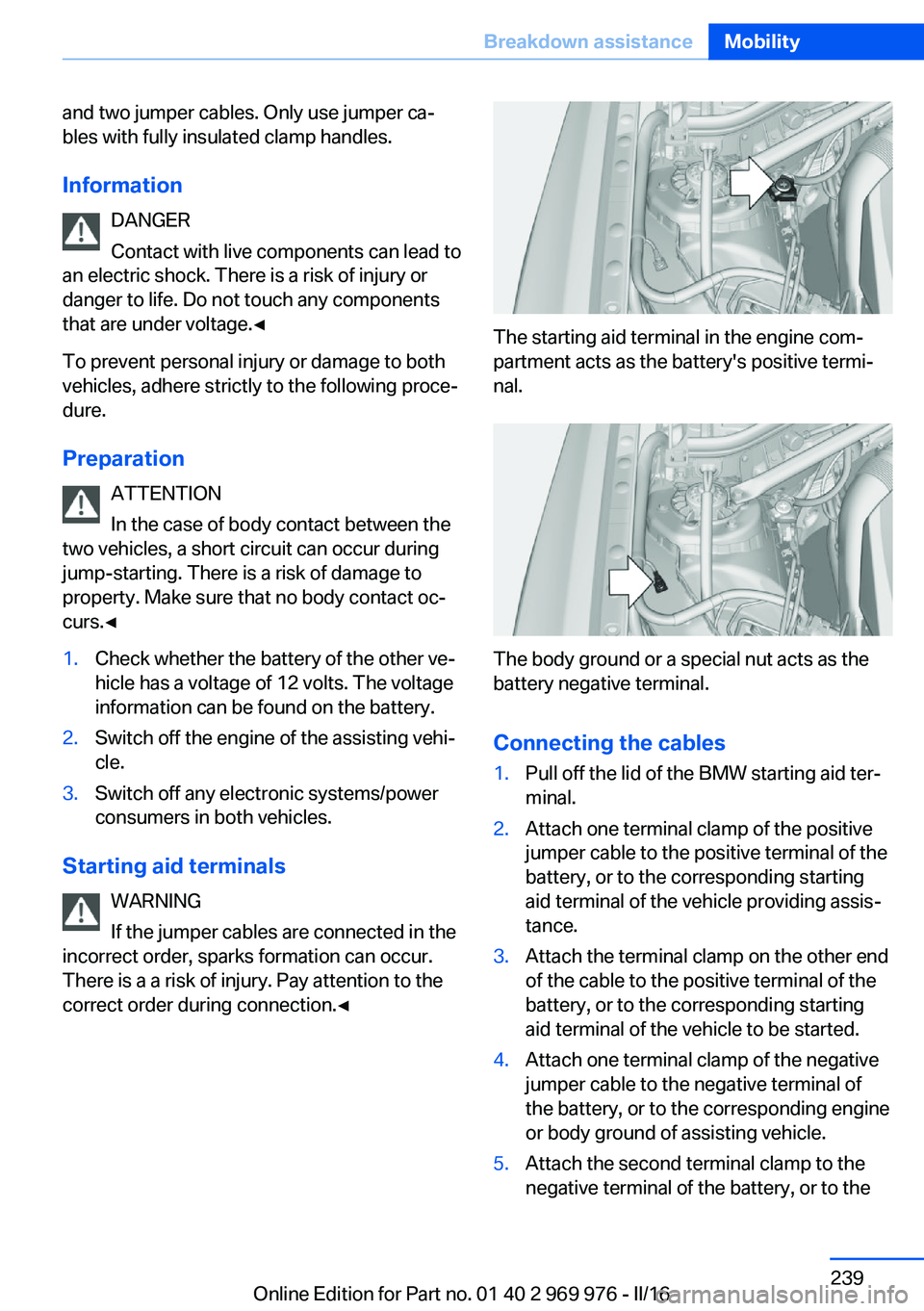
The starting aid terminal in the engine com‐
partment acts as the battery's positive termi‐
nal.
The body ground or a special nut acts as the
battery negative terminal.
Connecting the cables
1.Pull off the lid of the BMW starting aid ter‐
minal.2.Attach one terminal clamp of the positive
jumper cable to the positive terminal of the
battery, or to the corresponding starting
aid terminal of the vehicle providing assis‐
tance.3.Attach the terminal clamp on the other end
of the cable to the positive terminal of the
battery, or to the corresponding starting
aid terminal of the vehicle to be started.4.Attach one terminal clamp of the negative
jumper cable to the negative terminal of
the battery, or to the corresponding engine
or body ground of assisting vehicle.5.Attach the second terminal clamp to the
negative terminal of the battery, or to theSeite 239Breakdown assistanceMobility239
Online Edition for Part no. 01 40 2 969 976 - II/16
Page 244 of 265
3.Deactivating Automatic Hold, refer to
page 74.4.Release the parking brake.5.Switch the engine off.
In this way, the ignition remains switched
on, and a Check-Control message is dis‐
played.
CAUTION
Selector lever position P is automati‐
cally engaged when the ignition is
switched off. There is a risk of property
damage. Do not switch ignition off in car
washes.◀
The vehicle cannot be locked from the outside
when in selector lever position N. A signal
sounds when an attempt is made to lock the
vehicle.
To start the engine with Steptronic transmis‐
sion:
1.Depress the brake pedal.2.Press the Start/Stop button.
Pressing the Start/Stop button without step‐
ping on the brake turns the ignition off.
Selector lever positionSelector lever position P is engaged automati‐
cally:
▷When the ignition is switched off.▷After approx. 15 minutes.
Headlights
▷Do not rub dry and do not use abrasive or
acidic cleansers.▷Soak areas that have been dirtied e. g.,
from insects, with shampoo and wash off
with water.▷Thaw ice with de-icing spray; do not use an
ice scraper.After washing the vehicle
After washing the vehicle, apply the brakes
briefly to dry them; otherwise, braking action
can be reduced and corrosion of the brake
discs can occur.
Completely remove all residues on the win‐
dows, to minimize loss of visibility due to
smearing and to reduce wiper noises and
wiper blade wear.
Vehicle care
Vehicle care products BMW recommends using vehicle care and
cleaning products from BMW.
WARNING
Cleansers can contain substances that
are dangerous and harmful to your health. There is a risk of injury. When cleaning the in‐
terior, open the doors or windows. Only use
products intended for cleaning vehicles. Fol‐
low the instructions on the container.◀
Vehicle paint
Regular care contributes to driving safety and
value retention. Environmental influences in
areas with elevated air pollution or natural con‐
taminants, such as tree resin or pollen can af‐
fect the vehicle's paintwork. Tailor the fre‐
quency and extent of your vehicle care to
these influences.
Aggressive substances such as spilled fuel, oil,
grease or bird droppings, must be removed im‐
mediately to prevent the finish from being al‐
tered or discolored.
Leather care
Remove dust from the leather often, using a
cloth or vacuum cleaner.
Otherwise, particles of dust and road grime
chafe in pores and folds, and lead to increasedSeite 244MobilityCare244
Online Edition for Part no. 01 40 2 969 976 - II/16
Page 255 of 265
BMW Advanced Diesel 202
BMW Assist, see Owner's Manual for Navigation, En‐
tertainment and Communi‐
cation
BMW Driver’s Guide app 6
BMW Homepage 6
BMW Internet page 6
BMW maintenance sys‐ tem 226
Bonus range, ECO PRO 191
Bottle holder, see Cup holder 177
Brake assistant 129
Brake discs, break-in 182
Brake force display 128
Brake lights, adaptive 128
Brake lights, brake force dis‐ play 128
Brake pads, break-in 182
Braking, information 184
Breakdown assis‐ tance 237, 238
Break-in 182
Brightness of Control Dis‐ play 97
Bulb replacement 229
Bulb replacement, front 230
Bulb replacement, rear 233
Bulbs and lights 229
Button, RES 139
Button, Start/Stop 68
Bypassing, see Jump-start‐ ing 238
C
California Proposition 65 Warning 8
Calling up mirror adjust‐ ment 47
Calling up seat adjust‐ ment 47
Camera lenses, care 246
Camera, rearview cam‐ era 148 Camera, Side View 153
Camera, Top View 151
Can holder, see Cup holder 177
Car battery 235
Care, displays 246
Care, vehicle 244
Cargo 186
Cargo area 173
Cargo area, enlarging 173
Cargo area partition net 174
Cargo area, storage compart‐ ments 178
Cargo cover 173
Cargo straps, securing cargo 187
Car key, see Remote con‐ trol 34
Carpet, care 246
Car wash 243
Catalytic converter, see Hot exhaust system 183
CBS Condition Based Serv‐ ice 226
CD/Multimedia, see Owner's Manual for Navigation, En‐
tertainment and Communi‐
cation
Center armrest 177
Center console 16
Central locking system 40
Central screen, see Control Display 18
Changes, technical, see Own Safety 7
Changing parts 228
Changing wheels 235
Changing wheels/tires 210
Chassis number, see Vehicle identification number 10
Check Control 85
Checking the oil level elec‐ tronically 220
Children, seating position 64
Children, transporting safely 64 Child restraint fixing system
LATCH 66
Child restraint system 64
Child restraint systems, mounting 65
Child safety locks 67
Child seat, mounting 65
Child seats 64
Chrome parts, care 245
Cigarette lighter 169
Cleaning displays 246
Climate control 159, 162
Clock 89
Closing/opening via door lock 39
Closing/opening with remote control 38
Closing the tailgate with no- touch activation 44
Clothes hooks 178
Coasting 193
Coasting with engine decou‐ pled, coasting 193
Coasting with idling en‐ gine 193
Cockpit 14
Cold starting, see Starting the engine 69
Combination switch, see Turn signals 75
Combination switch, see Wiper system 75
Comfort Access 43
COMFORT program, Dy‐ namic Driving Control 134
Compartments in the doors 177
Compass 95
Compressor 212
Condensation on win‐ dows 161, 164
Condensation under the vehi‐ cle 185
Condition Based Service CBS 226 Seite 255Everything from A to ZReference255
Online Edition for Part no. 01 40 2 969 976 - II/16
Page 256 of 265
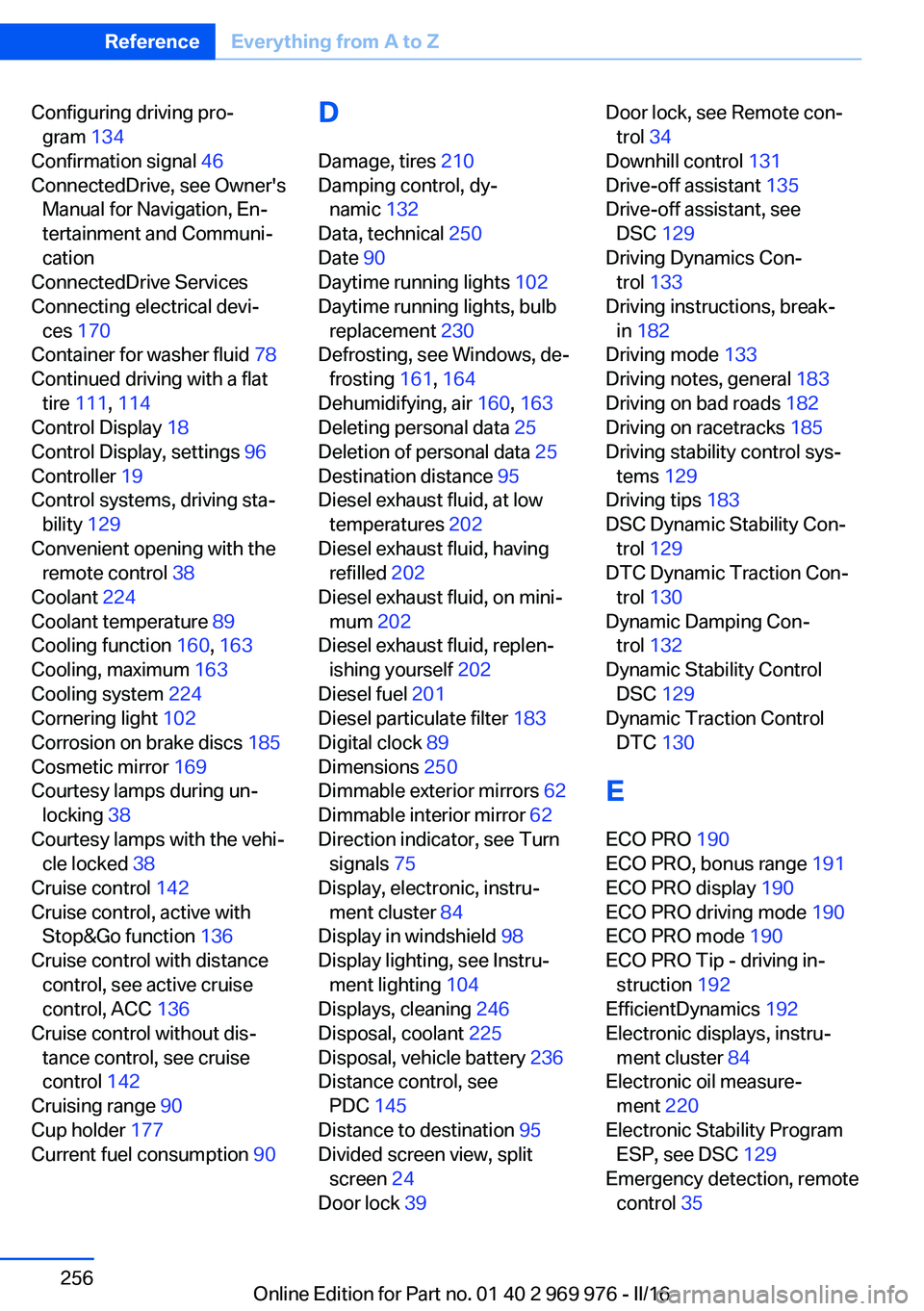
Configuring driving pro‐gram 134
Confirmation signal 46
ConnectedDrive, see Owner's Manual for Navigation, En‐
tertainment and Communi‐
cation
ConnectedDrive Services
Connecting electrical devi‐ ces 170
Container for washer fluid 78
Continued driving with a flat tire 111 , 114
Control Display 18
Control Display, settings 96
Controller 19
Control systems, driving sta‐ bility 129
Convenient opening with the remote control 38
Coolant 224
Coolant temperature 89
Cooling function 160, 163
Cooling, maximum 163
Cooling system 224
Cornering light 102
Corrosion on brake discs 185
Cosmetic mirror 169
Courtesy lamps during un‐ locking 38
Courtesy lamps with the vehi‐ cle locked 38
Cruise control 142
Cruise control, active with Stop&Go function 136
Cruise control with distance control, see active cruise
control, ACC 136
Cruise control without dis‐ tance control, see cruise
control 142
Cruising range 90
Cup holder 177
Current fuel consumption 90 D
Damage, tires 210
Damping control, dy‐ namic 132
Data, technical 250
Date 90
Daytime running lights 102
Daytime running lights, bulb replacement 230
Defrosting, see Windows, de‐ frosting 161, 164
Dehumidifying, air 160, 163
Deleting personal data 25
Deletion of personal data 25
Destination distance 95
Diesel exhaust fluid, at low temperatures 202
Diesel exhaust fluid, having refilled 202
Diesel exhaust fluid, on mini‐ mum 202
Diesel exhaust fluid, replen‐ ishing yourself 202
Diesel fuel 201
Diesel particulate filter 183
Digital clock 89
Dimensions 250
Dimmable exterior mirrors 62
Dimmable interior mirror 62
Direction indicator, see Turn signals 75
Display, electronic, instru‐ ment cluster 84
Display in windshield 98
Display lighting, see Instru‐ ment lighting 104
Displays, cleaning 246
Disposal, coolant 225
Disposal, vehicle battery 236
Distance control, see PDC 145
Distance to destination 95
Divided screen view, split screen 24
Door lock 39 Door lock, see Remote con‐
trol 34
Downhill control 131
Drive-off assistant 135
Drive-off assistant, see DSC 129
Driving Dynamics Con‐ trol 133
Driving instructions, break- in 182
Driving mode 133
Driving notes, general 183
Driving on bad roads 182
Driving on racetracks 185
Driving stability control sys‐ tems 129
Driving tips 183
DSC Dynamic Stability Con‐ trol 129
DTC Dynamic Traction Con‐ trol 130
Dynamic Damping Con‐ trol 132
Dynamic Stability Control DSC 129
Dynamic Traction Control DTC 130
E
ECO PRO 190
ECO PRO, bonus range 191
ECO PRO display 190
ECO PRO driving mode 190
ECO PRO mode 190
ECO PRO Tip - driving in‐ struction 192
EfficientDynamics 192
Electronic displays, instru‐ ment cluster 84
Electronic oil measure‐ ment 220
Electronic Stability Program ESP, see DSC 129
Emergency detection, remote control 35 Seite 256ReferenceEverything from A to Z256
Online Edition for Part no. 01 40 2 969 976 - II/16
Page 257 of 265
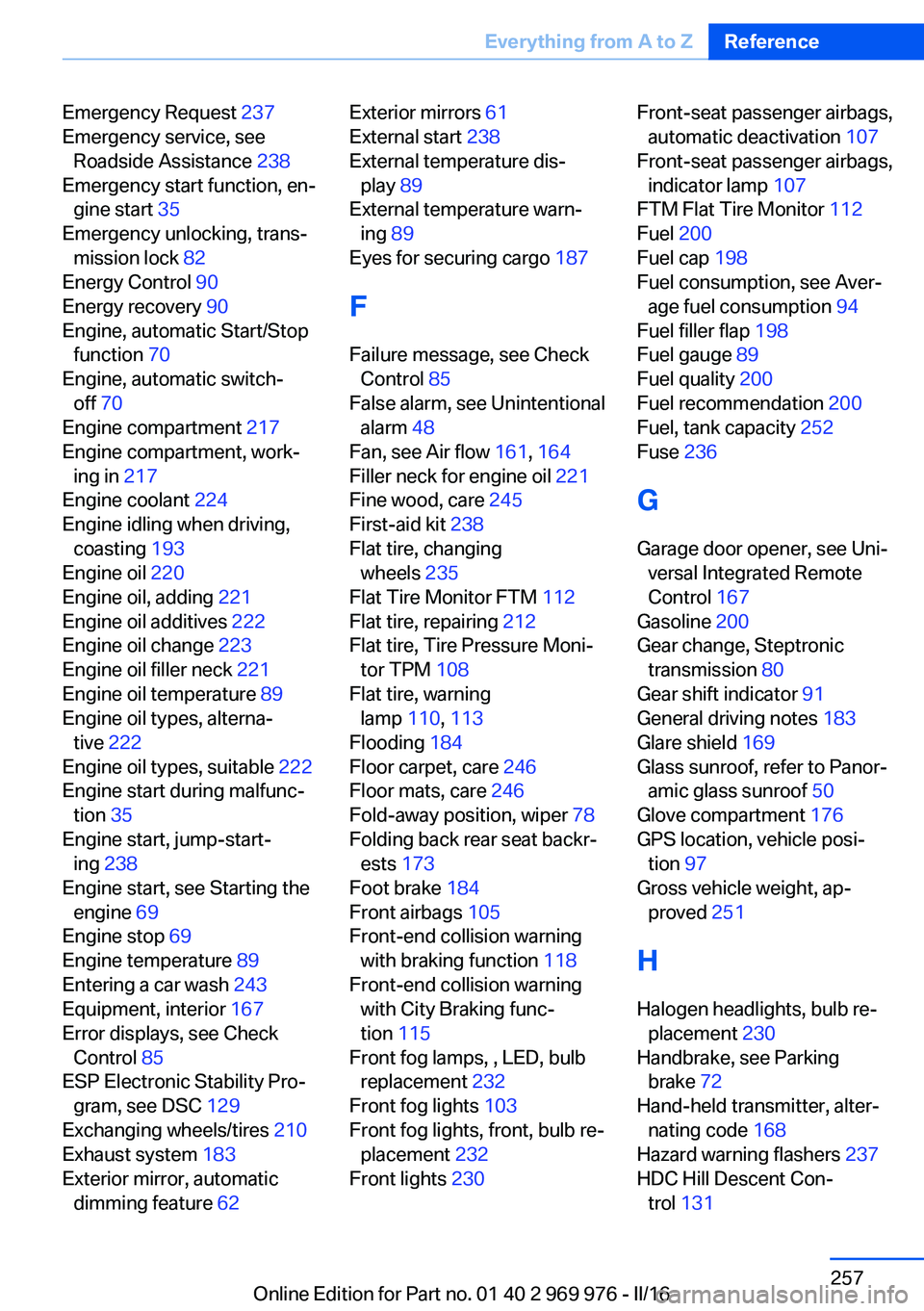
Emergency Request 237
Emergency service, see Roadside Assistance 238
Emergency start function, en‐ gine start 35
Emergency unlocking, trans‐ mission lock 82
Energy Control 90
Energy recovery 90
Engine, automatic Start/Stop function 70
Engine, automatic switch- off 70
Engine compartment 217
Engine compartment, work‐ ing in 217
Engine coolant 224
Engine idling when driving, coasting 193
Engine oil 220
Engine oil, adding 221
Engine oil additives 222
Engine oil change 223
Engine oil filler neck 221
Engine oil temperature 89
Engine oil types, alterna‐ tive 222
Engine oil types, suitable 222
Engine start during malfunc‐ tion 35
Engine start, jump-start‐ ing 238
Engine start, see Starting the engine 69
Engine stop 69
Engine temperature 89
Entering a car wash 243
Equipment, interior 167
Error displays, see Check Control 85
ESP Electronic Stability Pro‐ gram, see DSC 129
Exchanging wheels/tires 210
Exhaust system 183
Exterior mirror, automatic dimming feature 62 Exterior mirrors 61
External start 238
External temperature dis‐ play 89
External temperature warn‐ ing 89
Eyes for securing cargo 187
F
Failure message, see Check Control 85
False alarm, see Unintentional alarm 48
Fan, see Air flow 161, 164
Filler neck for engine oil 221
Fine wood, care 245
First-aid kit 238
Flat tire, changing wheels 235
Flat Tire Monitor FTM 112
Flat tire, repairing 212
Flat tire, Tire Pressure Moni‐ tor TPM 108
Flat tire, warning lamp 110, 113
Flooding 184
Floor carpet, care 246
Floor mats, care 246
Fold-away position, wiper 78
Folding back rear seat backr‐ ests 173
Foot brake 184
Front airbags 105
Front-end collision warning with braking function 118
Front-end collision warning with City Braking func‐
tion 115
Front fog lamps, , LED, bulb replacement 232
Front fog lights 103
Front fog lights, front, bulb re‐ placement 232
Front lights 230 Front-seat passenger airbags,
automatic deactivation 107
Front-seat passenger airbags, indicator lamp 107
FTM Flat Tire Monitor 112
Fuel 200
Fuel cap 198
Fuel consumption, see Aver‐ age fuel consumption 94
Fuel filler flap 198
Fuel gauge 89
Fuel quality 200
Fuel recommendation 200
Fuel, tank capacity 252
Fuse 236
G
Garage door opener, see Uni‐ versal Integrated Remote
Control 167
Gasoline 200
Gear change, Steptronic transmission 80
Gear shift indicator 91
General driving notes 183
Glare shield 169
Glass sunroof, refer to Panor‐ amic glass sunroof 50
Glove compartment 176
GPS location, vehicle posi‐ tion 97
Gross vehicle weight, ap‐ proved 251
H
Halogen headlights, bulb re‐ placement 230
Handbrake, see Parking brake 72
Hand-held transmitter, alter‐ nating code 168
Hazard warning flashers 237
HDC Hill Descent Con‐ trol 131 Seite 257Everything from A to ZReference257
Online Edition for Part no. 01 40 2 969 976 - II/16