mirrors BMW X3 2017 Owners Manual
[x] Cancel search | Manufacturer: BMW, Model Year: 2017, Model line: X3, Model: BMW X3 2017Pages: 265, PDF Size: 5.37 MB
Page 44 of 265
Unlocking
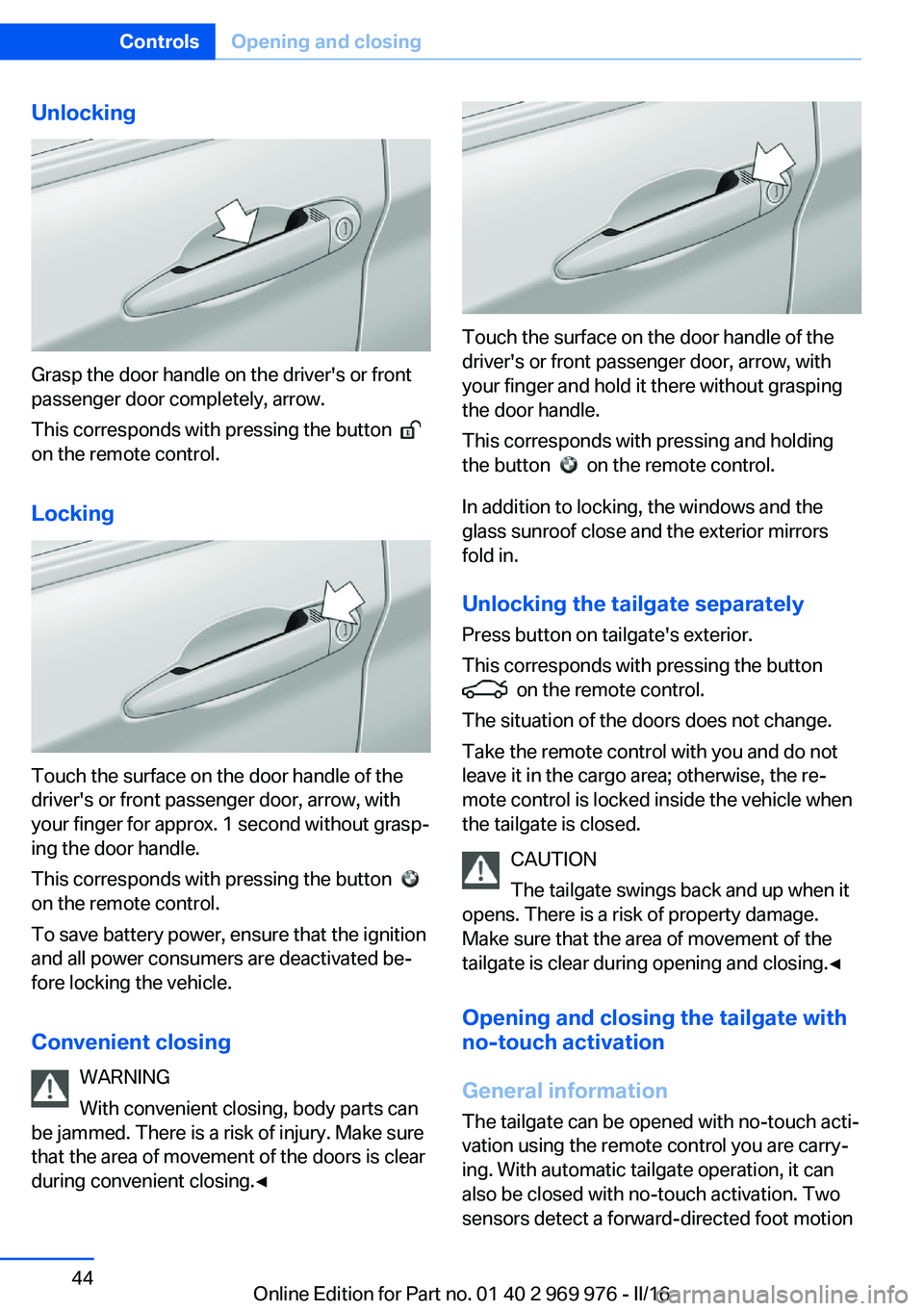
Grasp the door handle on the driver's or front
passenger door completely, arrow.
This corresponds with pressing the button
on the remote control.
Locking
Touch the surface on the door handle of the
driver's or front passenger door, arrow, with
your finger for approx. 1 second without grasp‐
ing the door handle.
This corresponds with pressing the button
on the remote control.
To save battery power, ensure that the ignition
and all power consumers are deactivated be‐
fore locking the vehicle.
Convenient closing WARNING
With convenient closing, body parts can
be jammed. There is a risk of injury. Make sure
that the area of movement of the doors is clear
during convenient closing.◀
Touch the surface on the door handle of the
driver's or front passenger door, arrow, with
your finger and hold it there without grasping
the door handle.
This corresponds with pressing and holding
the button
on the remote control.
In addition to locking, the windows and the
glass sunroof close and the exterior mirrors
fold in.
Unlocking the tailgate separately
Press button on tailgate's exterior.
This corresponds with pressing the button
on the remote control.
The situation of the doors does not change.
Take the remote control with you and do not
leave it in the cargo area; otherwise, the re‐
mote control is locked inside the vehicle when
the tailgate is closed.
CAUTION
The tailgate swings back and up when it
opens. There is a risk of property damage.
Make sure that the area of movement of the
tailgate is clear during opening and closing.◀
Opening and closing the tailgate with
no-touch activation
General information The tailgate can be opened with no-touch acti‐
vation using the remote control you are carry‐
ing. With automatic tailgate operation, it can also be closed with no-touch activation. Two
sensors detect a forward-directed foot motion
Seite 44ControlsOpening and closing44
Online Edition for Part no. 01 40 2 969 976 - II/16
Page 61 of 265
Mirrors
Exterior mirrors
General information The mirror on the passenger side is more
curved than the driver's side mirror.
Depending on the vehicle equipment, the mir‐
ror setting is stored for the profile currently
used. When the vehicle is unlocked via the re‐
mote control, the position is automatically re‐
trieved if this function is active.
Information WARNING
Objects reflected in the mirror are closer
than they appear. The distance to the traffic
behind could be incorrectly estimated, e.g.,
while changing lanes. There is risk of an acci‐
dent. Estimate the distance to the traffic be‐
hind by looking over your shoulder.◀
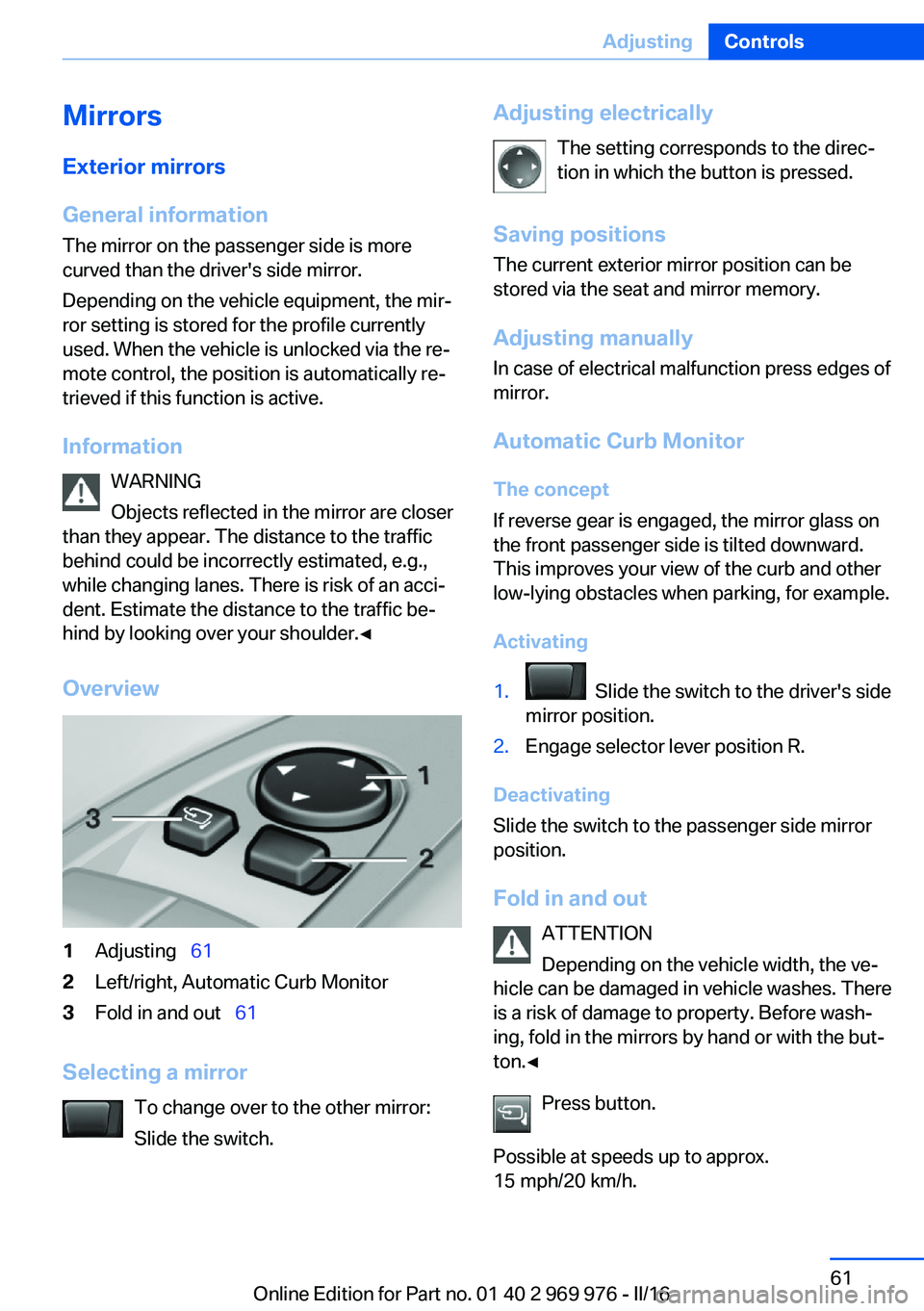
Overview1Adjusting 612Left/right, Automatic Curb Monitor3Fold in and out 61
Selecting a mirror
To change over to the other mirror:
Slide the switch.
Adjusting electrically
The setting corresponds to the direc‐
tion in which the button is pressed.
Saving positions
The current exterior mirror position can be
stored via the seat and mirror memory.
Adjusting manuallyIn case of electrical malfunction press edges of
mirror.
Automatic Curb Monitor The concept
If reverse gear is engaged, the mirror glass on
the front passenger side is tilted downward.
This improves your view of the curb and other
low-lying obstacles when parking, for example.
Activating1. Slide the switch to the driver's side
mirror position.2.Engage selector lever position R.
Deactivating
Slide the switch to the passenger side mirror
position.
Fold in and out ATTENTION
Depending on the vehicle width, the ve‐
hicle can be damaged in vehicle washes. There
is a risk of damage to property. Before wash‐
ing, fold in the mirrors by hand or with the but‐
ton.◀
Press button.
Possible at speeds up to approx.
15 mph/20 km/h.
Seite 61AdjustingControls61
Online Edition for Part no. 01 40 2 969 976 - II/16
Page 62 of 265
Folding the mirrors in and out is advantageous
in the following situations:▷In car washes.▷On narrow roads.▷For folding mirrors back out that were
folded away manually.
Mirrors that were folded in are folded out auto‐
matically at a speed of approx.
25 mph/40 km/h.
Automatic heating Both exterior mirrors are automatically heated
whenever the engine is running.
Automatic dimming feature The exterior mirror on the driver's side is auto‐
matically dimmed. Photocells are used to con‐
trol the Interior mirror.
Interior mirror, manually dimmable
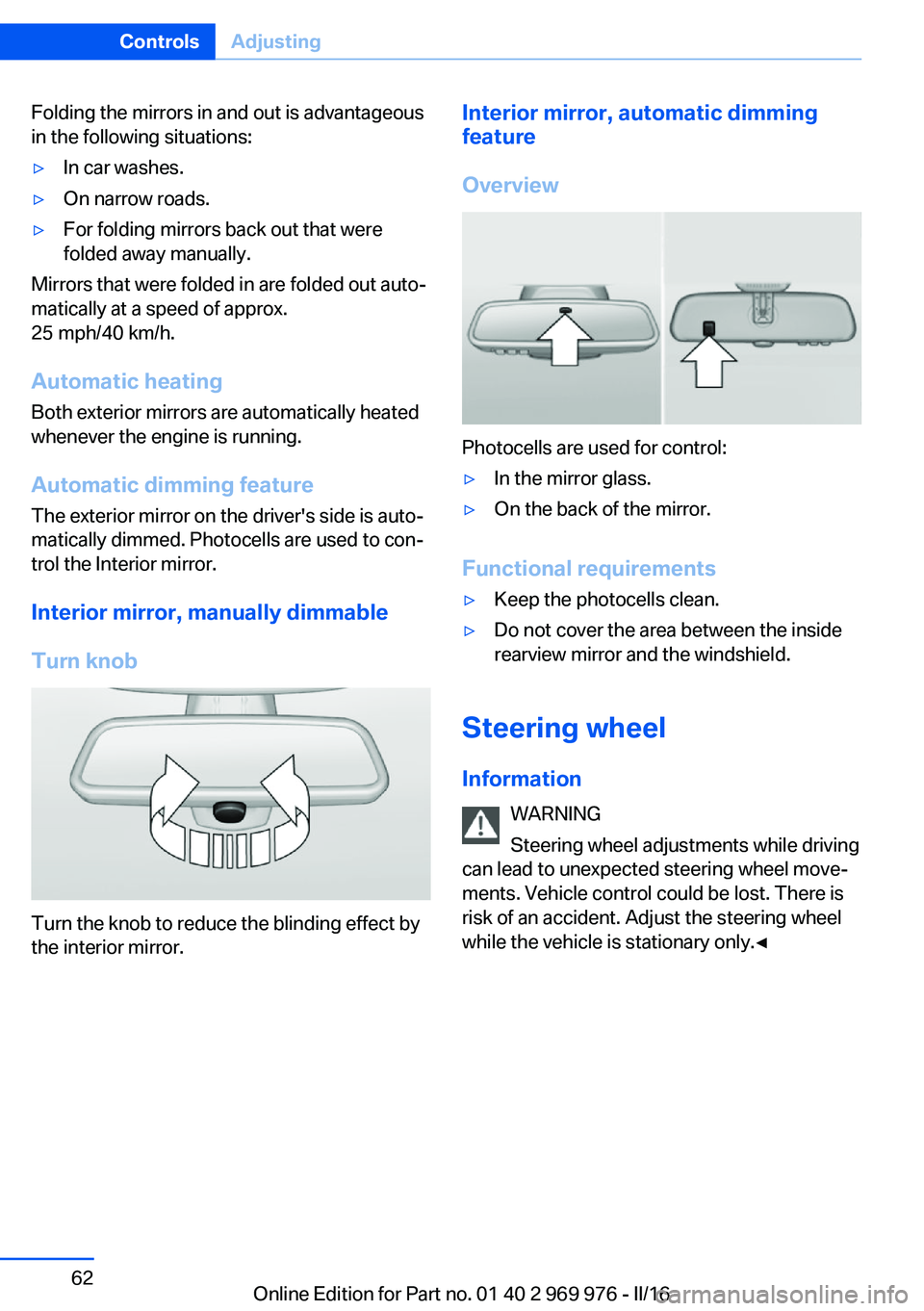
Turn knob
Turn the knob to reduce the blinding effect by
the interior mirror.
Interior mirror, automatic dimming
feature
Overview
Photocells are used for control:
▷In the mirror glass.▷On the back of the mirror.
Functional requirements
▷Keep the photocells clean.▷Do not cover the area between the inside
rearview mirror and the windshield.
Steering wheel
Information WARNING
Steering wheel adjustments while driving
can lead to unexpected steering wheel move‐
ments. Vehicle control could be lost. There is
risk of an accident. Adjust the steering wheel
while the vehicle is stationary only.◀
Seite 62ControlsAdjusting62
Online Edition for Part no. 01 40 2 969 976 - II/16
Page 75 of 265
2. Press the switch while stepping on
the brake pedal or selector lever position P
is set.
It may take several seconds for the brake to be
put into operation. Any sounds associated with
this are normal.
The indicator lamp in the instrument
cluster goes out as soon as the parking
brake is ready for operation.
Turn signal, high beams, headlight flasher
Turn signal
Turn signal in exterior mirror When driving and during operation of the turn
signals or hazard warning system, do not fold
in the exterior mirrors, so that the signal lights on the exterior mirror are easy to see.
Using turn signals
Press the lever beyond the resistance point.
The turn signal lever returns into its starting
position after actuation.
To switch off manually, slightly tap the lever to
the resistance point.
Triple turn signal activation
Slightly tap lever.
The turn signal flashes three times.
The function can be activated or deactivated.
On the Control Display:1."Settings"2."Lighting"3."Triple turn signal"
Settings are stored for the profile currently
used.
Signaling briefly
Press the lever to the resistance point and hold
it there for as long as you want the turn signal
to flash.
Malfunction
Unusually rapid flashing of the indicator lamp
indicates that a turn signal bulb has failed.
High beams, headlight flasher
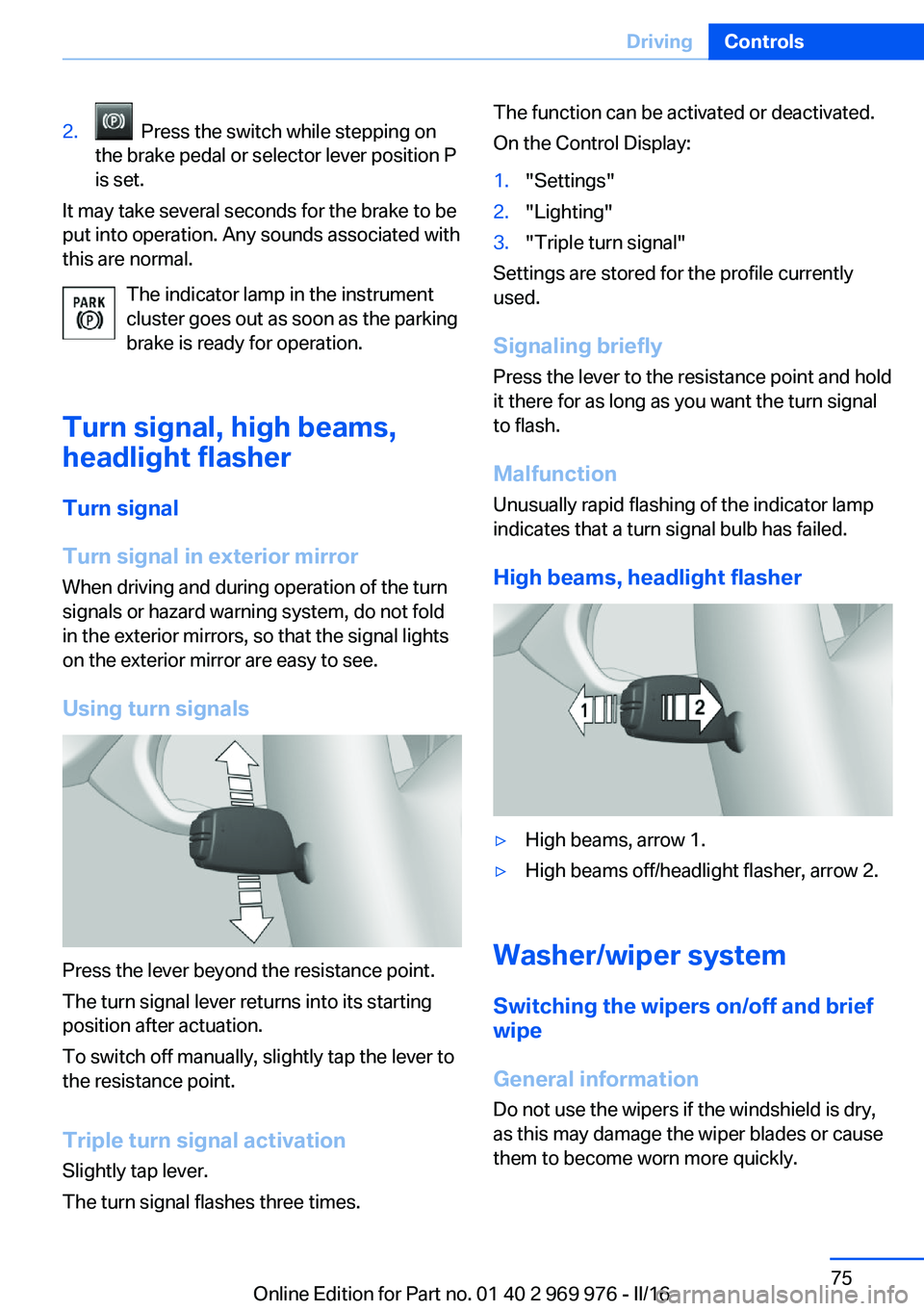
▷High beams, arrow 1.▷High beams off/headlight flasher, arrow 2.
Washer/wiper system Switching the wipers on/off and brief
wipe
General information
Do not use the wipers if the windshield is dry,
as this may damage the wiper blades or cause them to become worn more quickly.
Seite 75DrivingControls75
Online Edition for Part no. 01 40 2 969 976 - II/16
Page 150 of 265
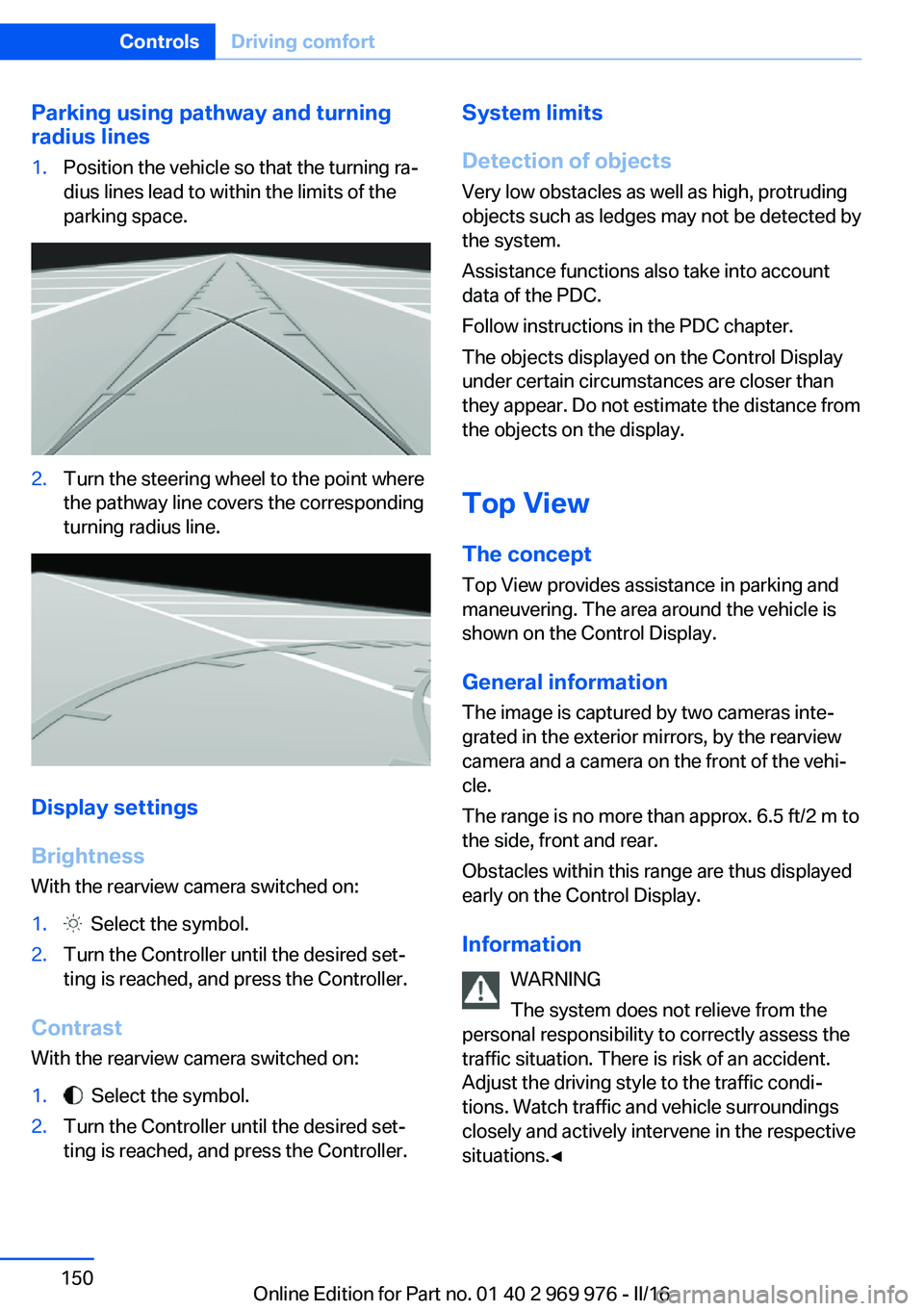
Parking using pathway and turning
radius lines1.Position the vehicle so that the turning ra‐
dius lines lead to within the limits of the
parking space.2.Turn the steering wheel to the point where
the pathway line covers the corresponding
turning radius line.
Display settings
Brightness
With the rearview camera switched on:
1. Select the symbol.2.Turn the Controller until the desired set‐
ting is reached, and press the Controller.
Contrast
With the rearview camera switched on:
1. Select the symbol.2.Turn the Controller until the desired set‐
ting is reached, and press the Controller.System limits
Detection of objects
Very low obstacles as well as high, protruding
objects such as ledges may not be detected by
the system.
Assistance functions also take into account
data of the PDC.
Follow instructions in the PDC chapter.
The objects displayed on the Control Display
under certain circumstances are closer than
they appear. Do not estimate the distance from
the objects on the display.
Top View
The concept Top View provides assistance in parking and
maneuvering. The area around the vehicle is
shown on the Control Display.
General information
The image is captured by two cameras inte‐
grated in the exterior mirrors, by the rearview
camera and a camera on the front of the vehi‐
cle.
The range is no more than approx. 6.5 ft/2 m to
the side, front and rear.
Obstacles within this range are thus displayed
early on the Control Display.
Information WARNING
The system does not relieve from the
personal responsibility to correctly assess the
traffic situation. There is risk of an accident.
Adjust the driving style to the traffic condi‐ tions. Watch traffic and vehicle surroundings
closely and actively intervene in the respective
situations.◀Seite 150ControlsDriving comfort150
Online Edition for Part no. 01 40 2 969 976 - II/16
Page 233 of 265
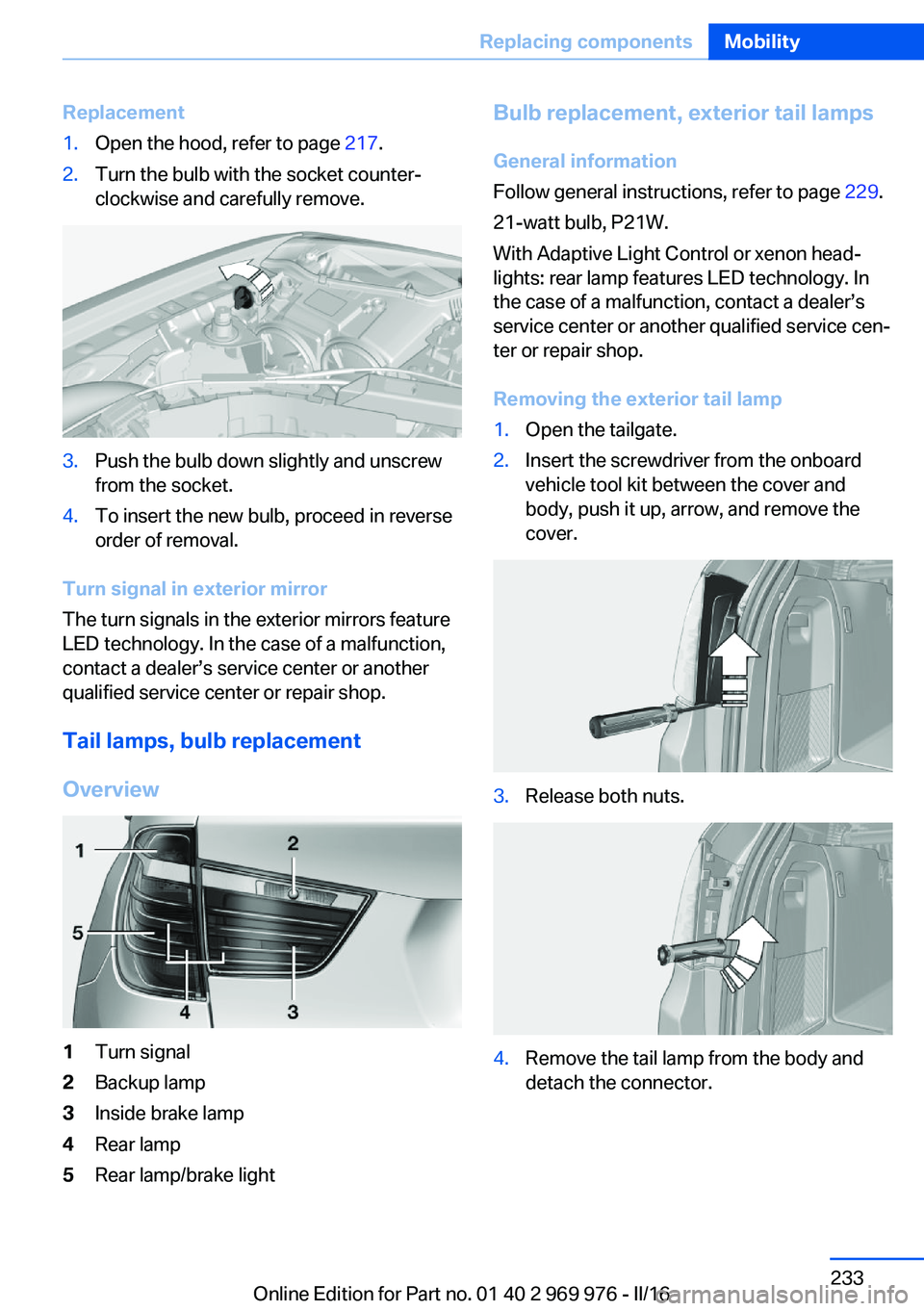
Replacement1.Open the hood, refer to page 217.2.Turn the bulb with the socket counter‐
clockwise and carefully remove.3.Push the bulb down slightly and unscrew
from the socket.4.To insert the new bulb, proceed in reverse
order of removal.
Turn signal in exterior mirror
The turn signals in the exterior mirrors feature
LED technology. In the case of a malfunction,
contact a dealer’s service center or another
qualified service center or repair shop.
Tail lamps, bulb replacement
Overview
1Turn signal2Backup lamp3Inside brake lamp4Rear lamp5Rear lamp/brake lightBulb replacement, exterior tail lamps General information
Follow general instructions, refer to page 229.
21-watt bulb, P21W.
With Adaptive Light Control or xenon head‐
lights: rear lamp features LED technology. In
the case of a malfunction, contact a dealer’s
service center or another qualified service cen‐
ter or repair shop.
Removing the exterior tail lamp1.Open the tailgate.2.Insert the screwdriver from the onboard
vehicle tool kit between the cover and
body, push it up, arrow, and remove the
cover.3.Release both nuts.4.Remove the tail lamp from the body and
detach the connector.Seite 233Replacing componentsMobility233
Online Edition for Part no. 01 40 2 969 976 - II/16
Page 243 of 265
CareVehicle features and optionsThis chapter describes all standard, country-
specific and optional features offered with the
series. It also describes features that are not
necessarily available in your car, e. g., due to
the selected options or country versions. This
also applies to safety-related functions and
systems. The respectively applicable country
provisions must be observed when using the
respective features and systems.
Car washes General information
Regularly remove foreign objects such as
leaves in the area below the windshield when
the hood is raised.
Wash your vehicle frequently, particularly in
winter. Intense soiling and road salt can dam‐
age the vehicle.
Steam blaster and high-pressure
washer
Information ATTENTION
When cleaning with high-pressure wash‐
ers, components can be damaged due to the
pressure or temperatures being too high.
There is a risk of damage to property. Maintain
sufficient distance and do not spray too long
continuously. Follow the operating instructions
for the high-pressure washer.◀
Distances and temperature▷Maximum temperature: 140 ℉/60 ℃.▷Minimum distance from sensors, cameras,
seals: 12 inches/30 cm.▷Minimum distance from glass sunroof:
31.5 in/80 cm.
Automatic car washes
Information ATTENTION
Improper use of automatic vehicle
washes can cause damage to the vehicle.
There is a risk of damage to property. Informa‐
tion the following instructions:
▷Give preference to cloth vehicle washes or
those that use soft brushes in order to
avoid paint damage.▷Avoid vehicle washes with guide rails
higher than 4 in/10 cm to avoid damage to
the chassis.▷Observe the tire width of the guide rail to
avoid damage to tires and rims.▷Fold in exterior mirrors to avoid damage to
the exterior mirrors.▷Deactivate rain sensor, if necessary, to
avoid damage to the wiper system.◀
In some cases, an unintentional alarm can be
triggered by the interior motion sensor of the
alarm system. Follow the instructions on
avoiding an unintentional alarm, refer to
page 48.
If necessary, switch off automatic PDC activa‐
tion on obstacle detection, for example in car
washes, to reduce PDC false alarms.
Before driving into a car wash In order to ensure that the vehicle can roll in a
car wash, take the following steps:
Steptronic transmission:
1.Drive into the car wash.2.Engage selector lever position N.Seite 243CareMobility243
Online Edition for Part no. 01 40 2 969 976 - II/16
Page 250 of 265
Technical dataVehicle features and options
This chapter describes all standard, country-
specific and optional features offered with the
series. It also describes features that are not
necessarily available in your car, e. g., due tothe selected options or country versions. This
also applies to safety-related functions and
systems. The respectively applicable country
provisions must be observed when using the
respective features and systems.
Information
The technical data and specifications in this
Owner's Manual are used as guidance values.
The vehicle-specific data can deviate from this,
for example, due to the selected special equip‐
ment, country version or country-specific
measurement method. Detailed values can be
found in the approval documents, on labels onthe vehicle or can be obtained from a dealer’s
service center or another qualified service cen‐
ter or repair shop.
The information in the vehicle documents al‐
ways has priority over the information in this
Owner's Manual.
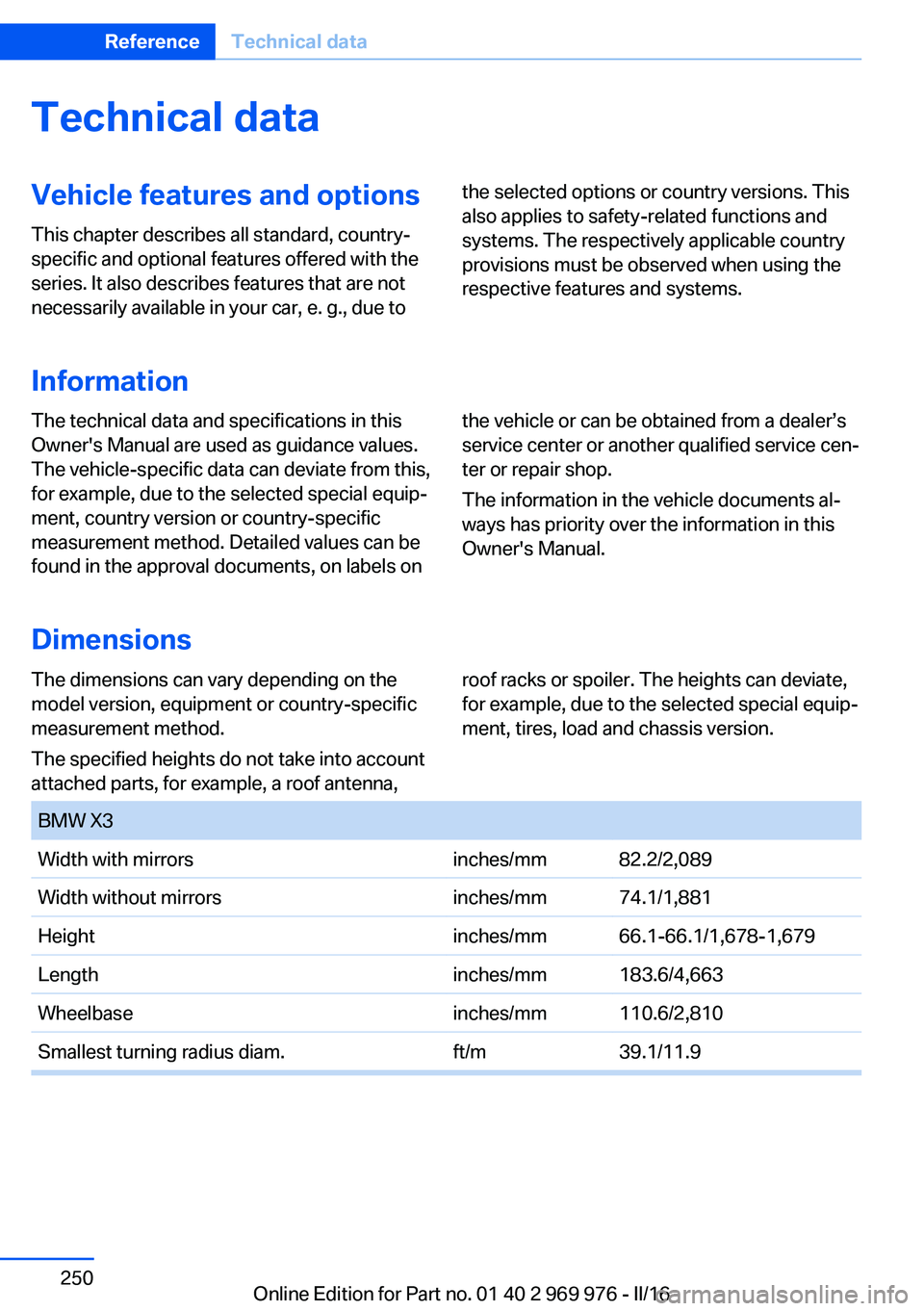
Dimensions
The dimensions can vary depending on the
model version, equipment or country-specific
measurement method.
The specified heights do not take into account
attached parts, for example, a roof antenna,roof racks or spoiler. The heights can deviate,
for example, due to the selected special equip‐
ment, tires, load and chassis version. BMW X3Width with mirrorsinches/mm82.2/2,089Width without mirrorsinches/mm74.1/1,881Heightinches/mm66.1-66.1/1,678-1,679Lengthinches/mm183.6/4,663Wheelbaseinches/mm110.6/2,810Smallest turning radius diam.ft/m39.1/11.9Seite 250ReferenceTechnical data250
Online Edition for Part no. 01 40 2 969 976 - II/16
Page 256 of 265
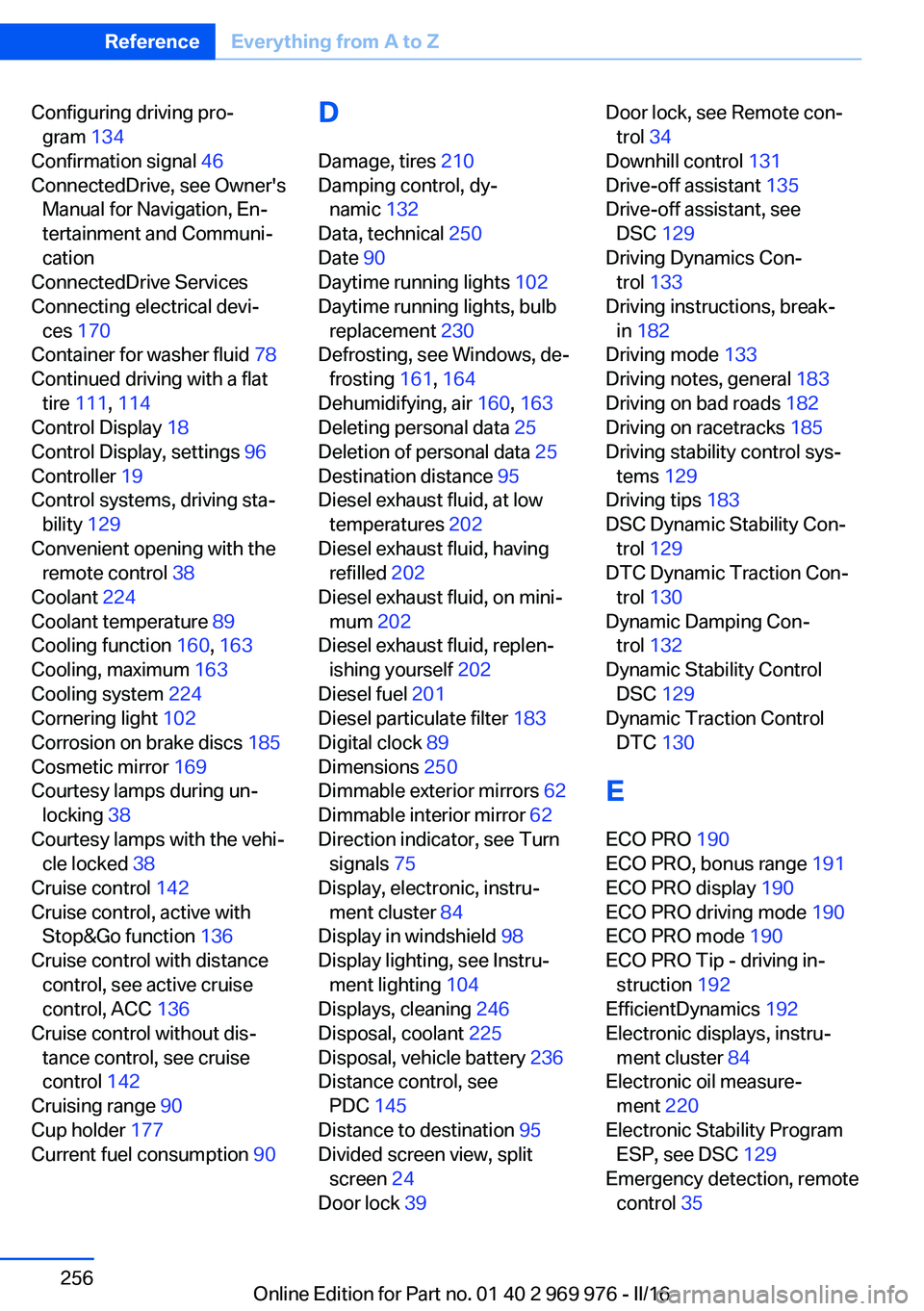
Configuring driving pro‐gram 134
Confirmation signal 46
ConnectedDrive, see Owner's Manual for Navigation, En‐
tertainment and Communi‐
cation
ConnectedDrive Services
Connecting electrical devi‐ ces 170
Container for washer fluid 78
Continued driving with a flat tire 111 , 114
Control Display 18
Control Display, settings 96
Controller 19
Control systems, driving sta‐ bility 129
Convenient opening with the remote control 38
Coolant 224
Coolant temperature 89
Cooling function 160, 163
Cooling, maximum 163
Cooling system 224
Cornering light 102
Corrosion on brake discs 185
Cosmetic mirror 169
Courtesy lamps during un‐ locking 38
Courtesy lamps with the vehi‐ cle locked 38
Cruise control 142
Cruise control, active with Stop&Go function 136
Cruise control with distance control, see active cruise
control, ACC 136
Cruise control without dis‐ tance control, see cruise
control 142
Cruising range 90
Cup holder 177
Current fuel consumption 90 D
Damage, tires 210
Damping control, dy‐ namic 132
Data, technical 250
Date 90
Daytime running lights 102
Daytime running lights, bulb replacement 230
Defrosting, see Windows, de‐ frosting 161, 164
Dehumidifying, air 160, 163
Deleting personal data 25
Deletion of personal data 25
Destination distance 95
Diesel exhaust fluid, at low temperatures 202
Diesel exhaust fluid, having refilled 202
Diesel exhaust fluid, on mini‐ mum 202
Diesel exhaust fluid, replen‐ ishing yourself 202
Diesel fuel 201
Diesel particulate filter 183
Digital clock 89
Dimensions 250
Dimmable exterior mirrors 62
Dimmable interior mirror 62
Direction indicator, see Turn signals 75
Display, electronic, instru‐ ment cluster 84
Display in windshield 98
Display lighting, see Instru‐ ment lighting 104
Displays, cleaning 246
Disposal, coolant 225
Disposal, vehicle battery 236
Distance control, see PDC 145
Distance to destination 95
Divided screen view, split screen 24
Door lock 39 Door lock, see Remote con‐
trol 34
Downhill control 131
Drive-off assistant 135
Drive-off assistant, see DSC 129
Driving Dynamics Con‐ trol 133
Driving instructions, break- in 182
Driving mode 133
Driving notes, general 183
Driving on bad roads 182
Driving on racetracks 185
Driving stability control sys‐ tems 129
Driving tips 183
DSC Dynamic Stability Con‐ trol 129
DTC Dynamic Traction Con‐ trol 130
Dynamic Damping Con‐ trol 132
Dynamic Stability Control DSC 129
Dynamic Traction Control DTC 130
E
ECO PRO 190
ECO PRO, bonus range 191
ECO PRO display 190
ECO PRO driving mode 190
ECO PRO mode 190
ECO PRO Tip - driving in‐ struction 192
EfficientDynamics 192
Electronic displays, instru‐ ment cluster 84
Electronic oil measure‐ ment 220
Electronic Stability Program ESP, see DSC 129
Emergency detection, remote control 35 Seite 256ReferenceEverything from A to Z256
Online Edition for Part no. 01 40 2 969 976 - II/16
Page 257 of 265
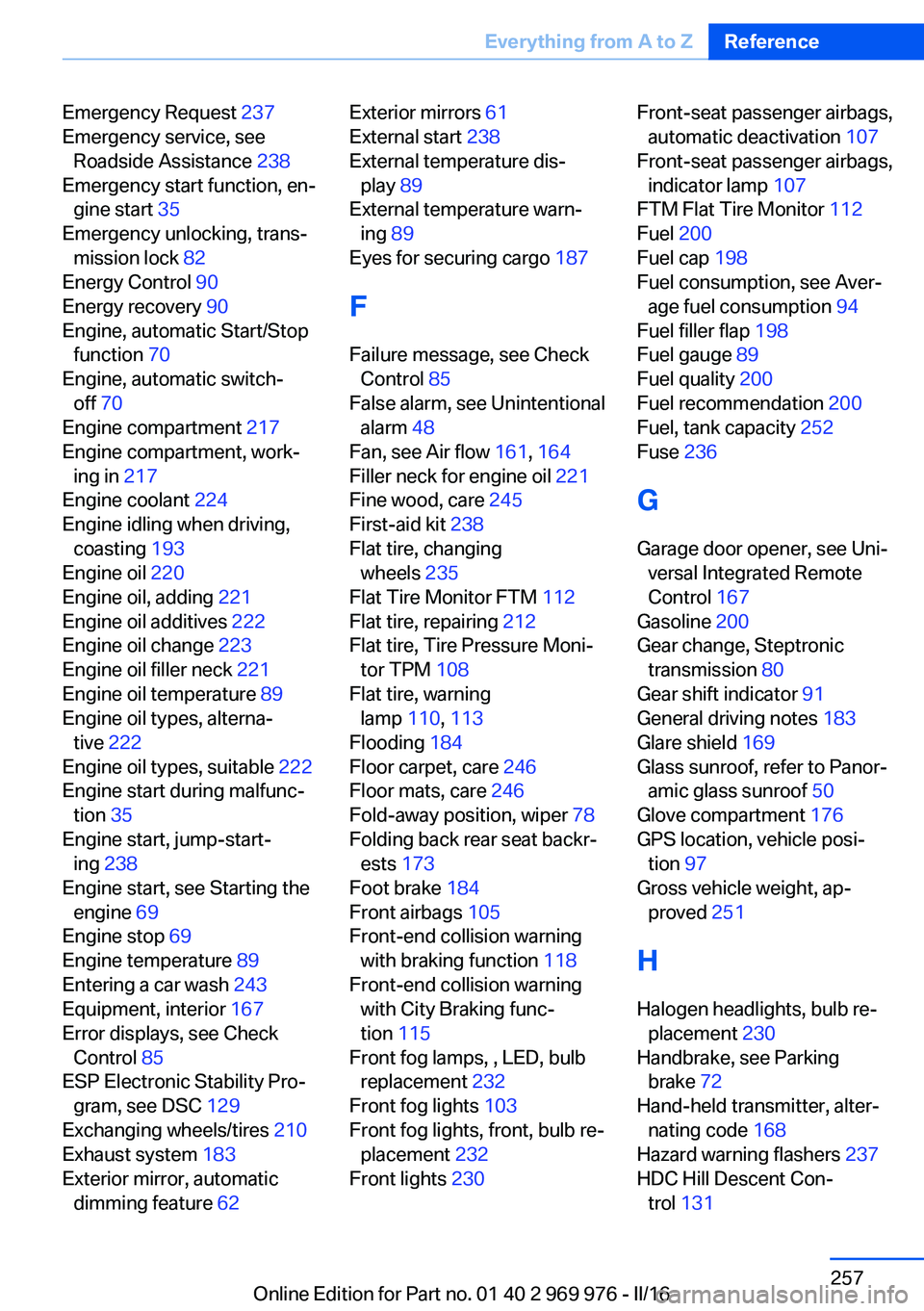
Emergency Request 237
Emergency service, see Roadside Assistance 238
Emergency start function, en‐ gine start 35
Emergency unlocking, trans‐ mission lock 82
Energy Control 90
Energy recovery 90
Engine, automatic Start/Stop function 70
Engine, automatic switch- off 70
Engine compartment 217
Engine compartment, work‐ ing in 217
Engine coolant 224
Engine idling when driving, coasting 193
Engine oil 220
Engine oil, adding 221
Engine oil additives 222
Engine oil change 223
Engine oil filler neck 221
Engine oil temperature 89
Engine oil types, alterna‐ tive 222
Engine oil types, suitable 222
Engine start during malfunc‐ tion 35
Engine start, jump-start‐ ing 238
Engine start, see Starting the engine 69
Engine stop 69
Engine temperature 89
Entering a car wash 243
Equipment, interior 167
Error displays, see Check Control 85
ESP Electronic Stability Pro‐ gram, see DSC 129
Exchanging wheels/tires 210
Exhaust system 183
Exterior mirror, automatic dimming feature 62 Exterior mirrors 61
External start 238
External temperature dis‐ play 89
External temperature warn‐ ing 89
Eyes for securing cargo 187
F
Failure message, see Check Control 85
False alarm, see Unintentional alarm 48
Fan, see Air flow 161, 164
Filler neck for engine oil 221
Fine wood, care 245
First-aid kit 238
Flat tire, changing wheels 235
Flat Tire Monitor FTM 112
Flat tire, repairing 212
Flat tire, Tire Pressure Moni‐ tor TPM 108
Flat tire, warning lamp 110, 113
Flooding 184
Floor carpet, care 246
Floor mats, care 246
Fold-away position, wiper 78
Folding back rear seat backr‐ ests 173
Foot brake 184
Front airbags 105
Front-end collision warning with braking function 118
Front-end collision warning with City Braking func‐
tion 115
Front fog lamps, , LED, bulb replacement 232
Front fog lights 103
Front fog lights, front, bulb re‐ placement 232
Front lights 230 Front-seat passenger airbags,
automatic deactivation 107
Front-seat passenger airbags, indicator lamp 107
FTM Flat Tire Monitor 112
Fuel 200
Fuel cap 198
Fuel consumption, see Aver‐ age fuel consumption 94
Fuel filler flap 198
Fuel gauge 89
Fuel quality 200
Fuel recommendation 200
Fuel, tank capacity 252
Fuse 236
G
Garage door opener, see Uni‐ versal Integrated Remote
Control 167
Gasoline 200
Gear change, Steptronic transmission 80
Gear shift indicator 91
General driving notes 183
Glare shield 169
Glass sunroof, refer to Panor‐ amic glass sunroof 50
Glove compartment 176
GPS location, vehicle posi‐ tion 97
Gross vehicle weight, ap‐ proved 251
H
Halogen headlights, bulb re‐ placement 230
Handbrake, see Parking brake 72
Hand-held transmitter, alter‐ nating code 168
Hazard warning flashers 237
HDC Hill Descent Con‐ trol 131 Seite 257Everything from A to ZReference257
Online Edition for Part no. 01 40 2 969 976 - II/16