cruise control BMW X3 2023 Owners Manual
[x] Cancel search | Manufacturer: BMW, Model Year: 2023, Model line: X3, Model: BMW X3 2023Pages: 416, PDF Size: 4.55 MB
Page 31 of 416
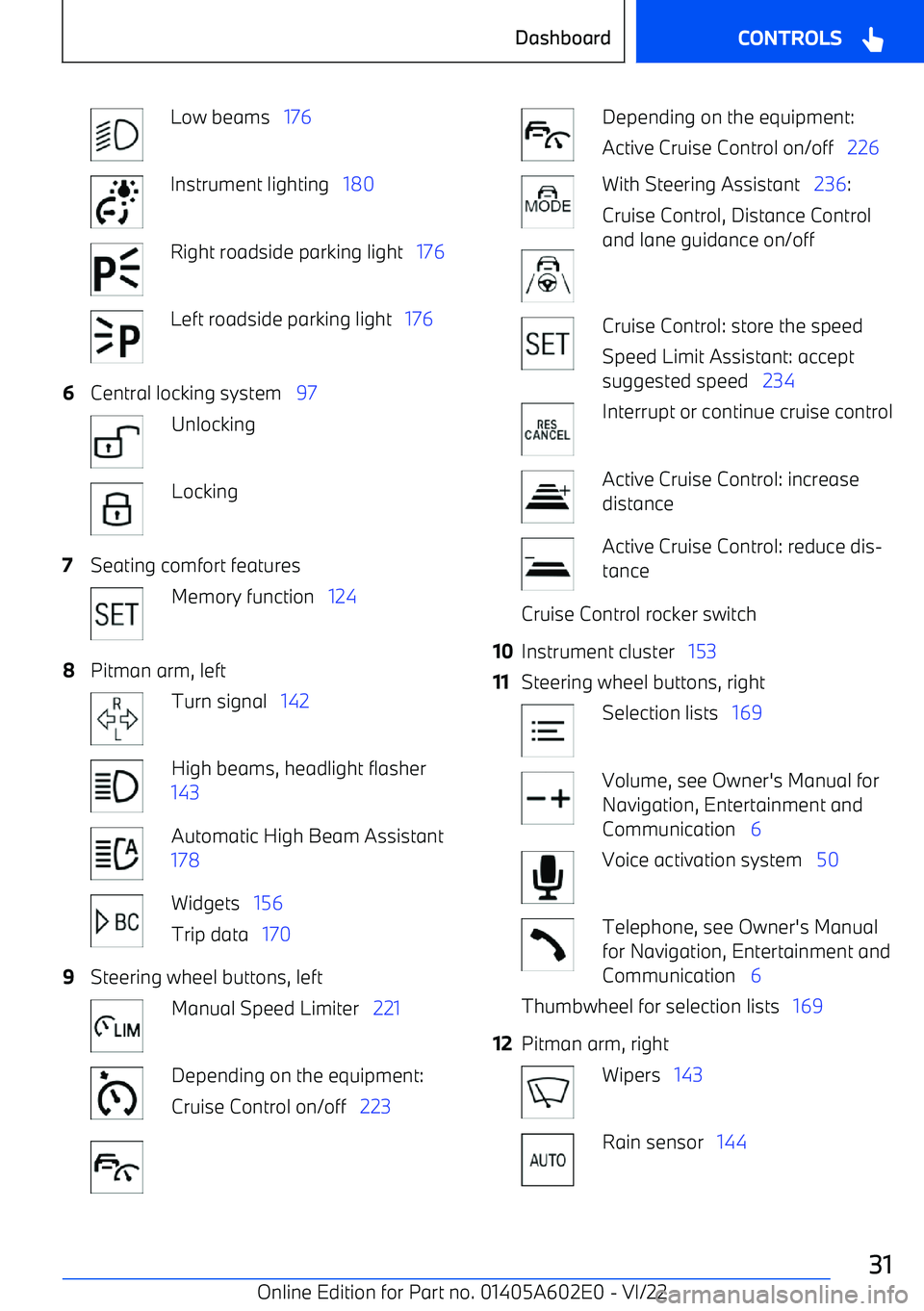
Low beams 176Instrument lighting 180Right roadside parking light 176Left roadside parking light 1766Central locking system 97UnlockingLocking7Seating comfort featuresMemory function 1248Pitman arm, leftTurn signal 142High beams, headlight flasher
143Automatic High Beam Assistant
178Widgets 156
Trip data 1709Steering wheel buttons, leftManual Speed Limiter 221Depending on the equipment:
Cruise Control on/off 223Depending on the equipment:
Active Cruise Control on/off 226With Steering Assistant 236:
Cruise Control, Distance Control
and lane guidance on/offCruise Control: store the speed
Speed Limit Assistant: accept
suggested speed 234Interrupt or continue cruise controlActive Cruise Control: increase
distanceActive Cruise Control: reduce dis
Page 164 of 416
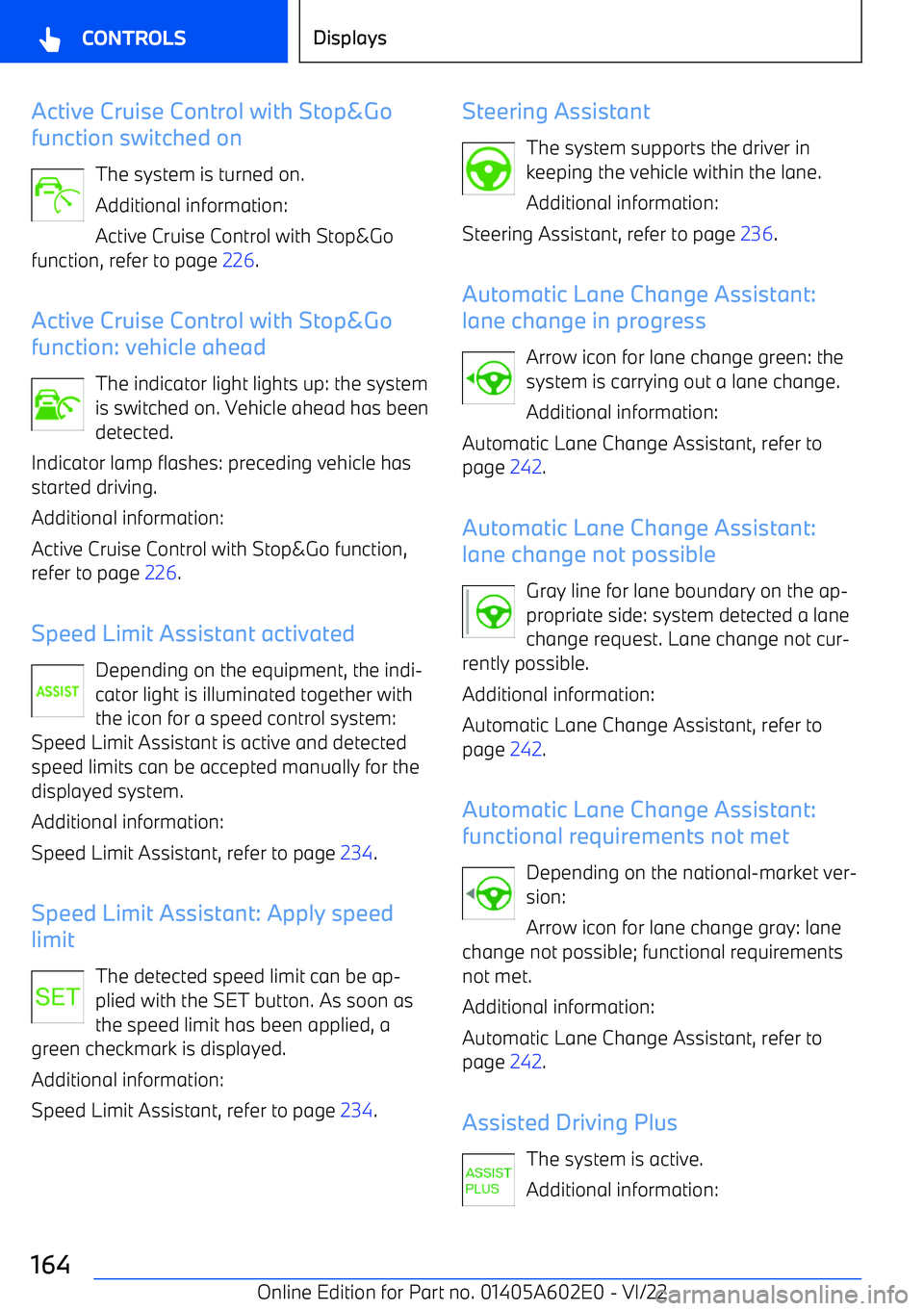
Active Cruise Control with Stop&Go
function switched on
The system is turned on.
Additional information:
Active Cruise Control with Stop&Go
function, refer to page 226.
Active Cruise Control with Stop&Go
function: vehicle ahead
The indicator light lights up: the system
is switched on. Vehicle ahead has been
detected.
Indicator lamp flashes: preceding vehicle has
started driving.
Additional information:
Active Cruise Control with Stop&Go function, refer to page 226.
Speed Limit Assistant activated Depending on the equipment, the indi
Page 165 of 416
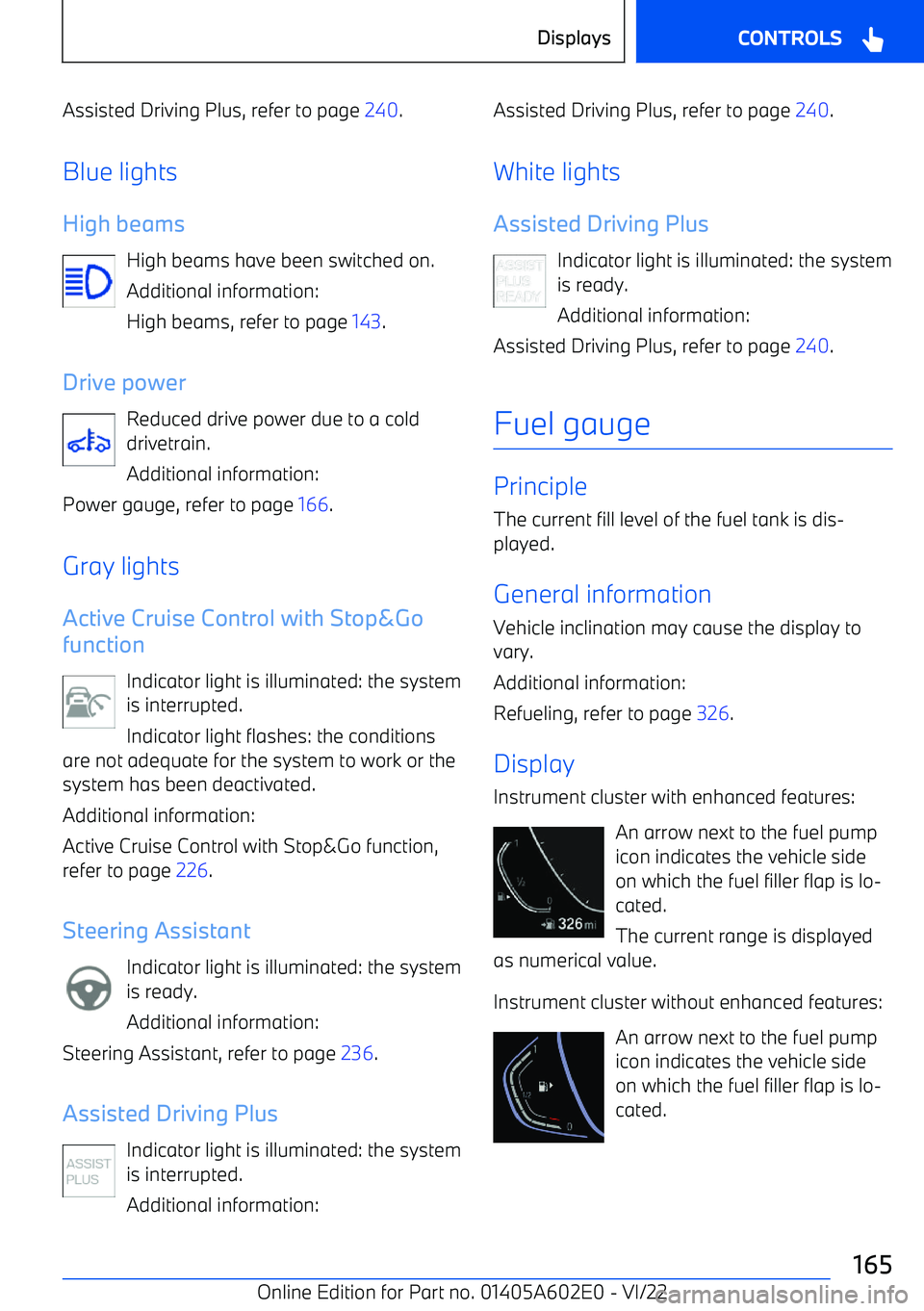
Assisted Driving Plus, refer to page 240.
Blue lights High beams High beams have been switched on.
Additional information:
High beams, refer to page 143.
Drive power Reduced drive power due to a cold
drivetrain.
Additional information:
Power gauge, refer to page 166.
Gray lights
Active Cruise Control with Stop&Go
function
Indicator light is illuminated: the system
is interrupted.
Indicator light flashes: the conditions
are not adequate for the system to work or the system has been deactivated.
Additional information:
Active Cruise Control with Stop&Go function,
refer to page 226.
Steering Assistant Indicator light is illuminated: the system
is ready.
Additional information:
Steering Assistant, refer to page 236.
Assisted Driving Plus Indicator light is illuminated: the system
is interrupted.
Additional information:Assisted Driving Plus, refer to page 240
.
White lights Assisted Driving Plus Indicator light is illuminated: the system
is ready.
Additional information:
Assisted Driving Plus, refer to page 240.
Fuel gauge
Principle The current fill level of the fuel tank is dis
Page 193 of 416
telligent Safety systems and Cruise Control
before towing.
Sensors
The system is controlled by the following sen
Page 224 of 416
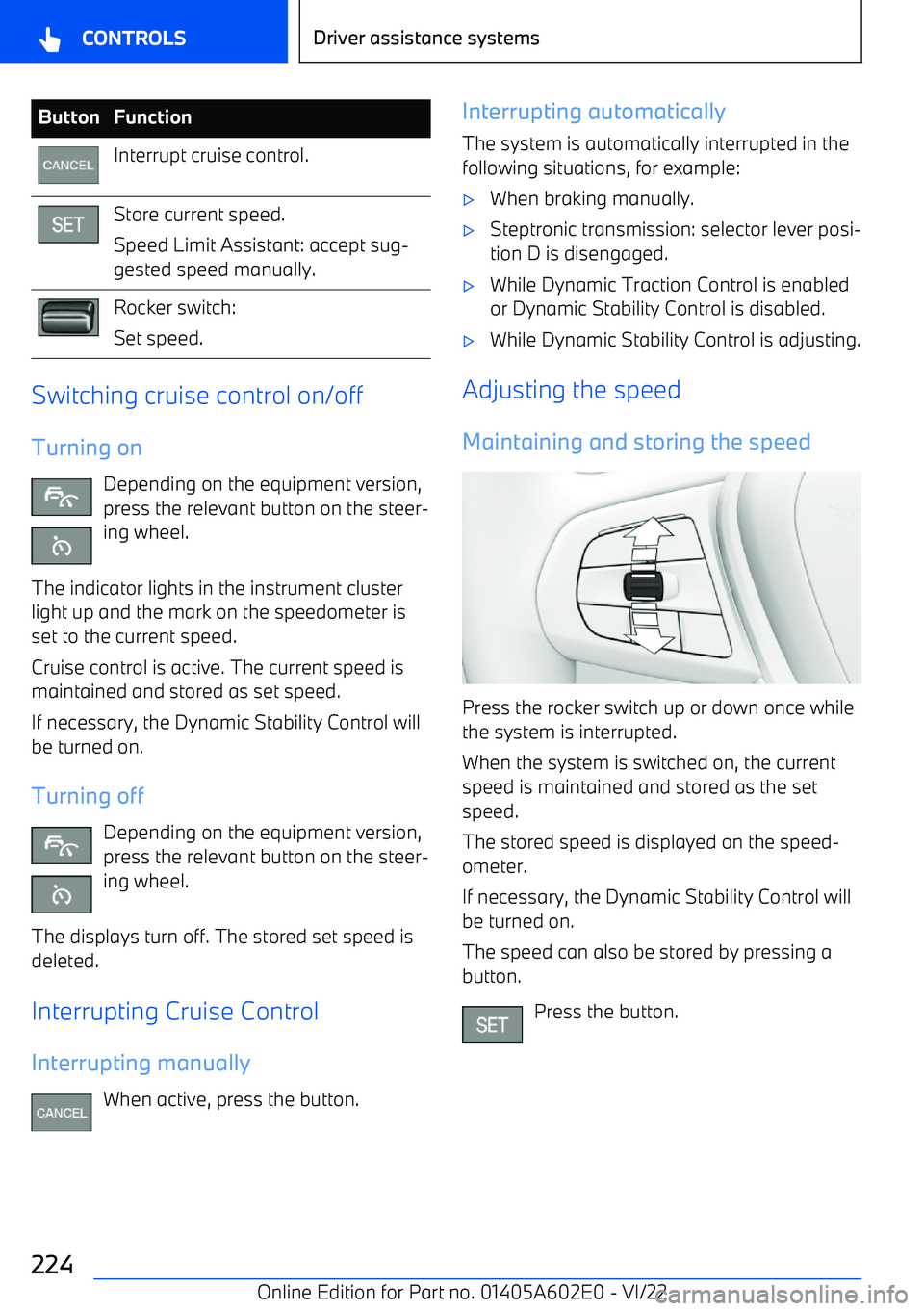
ButtonFunctionInterrupt cruise control.Store current speed.
Speed Limit Assistant: accept sug
Page 226 of 416
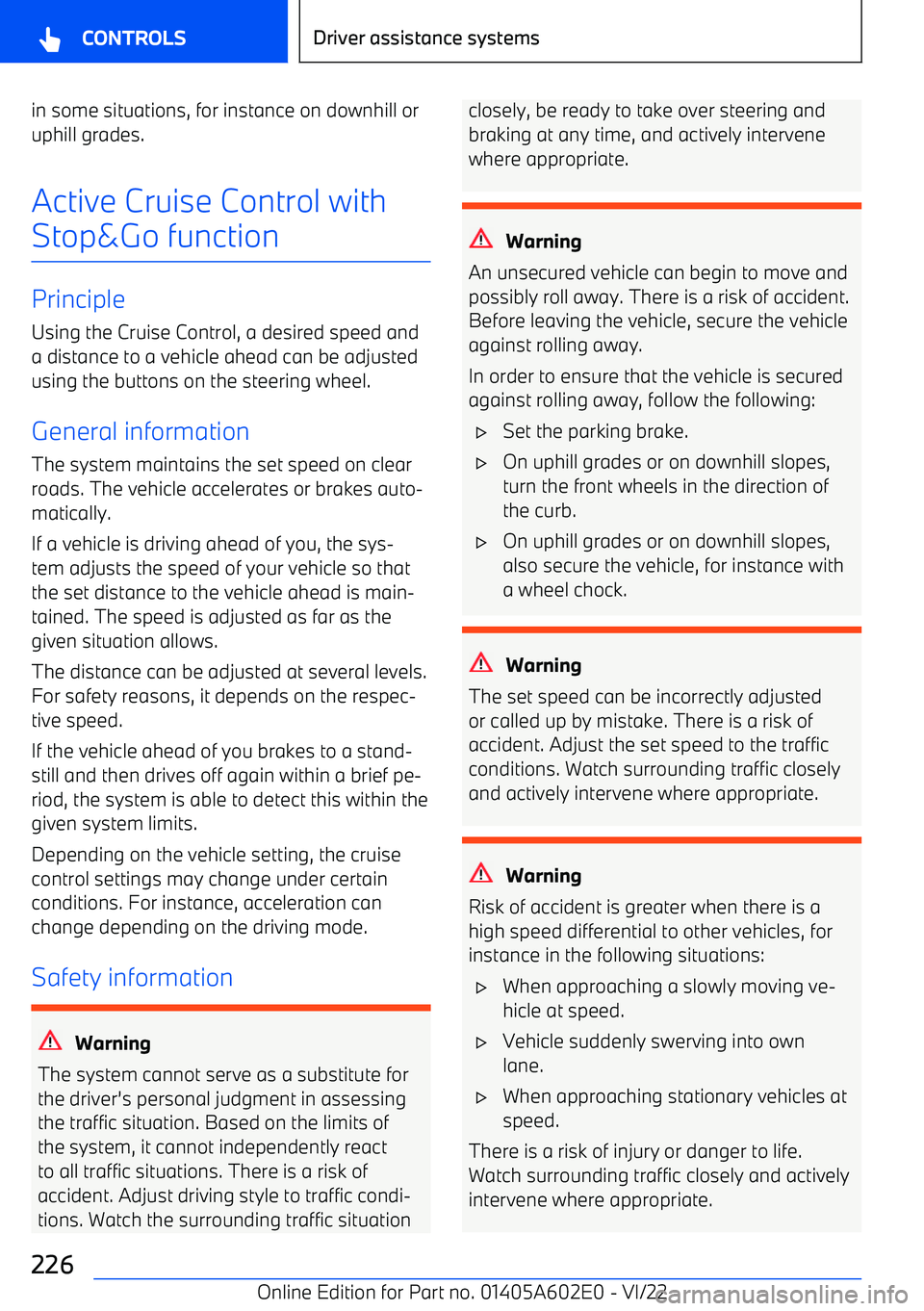
in some situations, for instance on downhill oruphill grades.
Active Cruise Control withStop&Go function
Principle Using the Cruise Control, a desired speed and
a distance to a vehicle ahead can be adjusted using the buttons on the steering wheel.
General information
The system maintains the set speed on clear
roads. The vehicle accelerates or brakes auto
Page 227 of 416
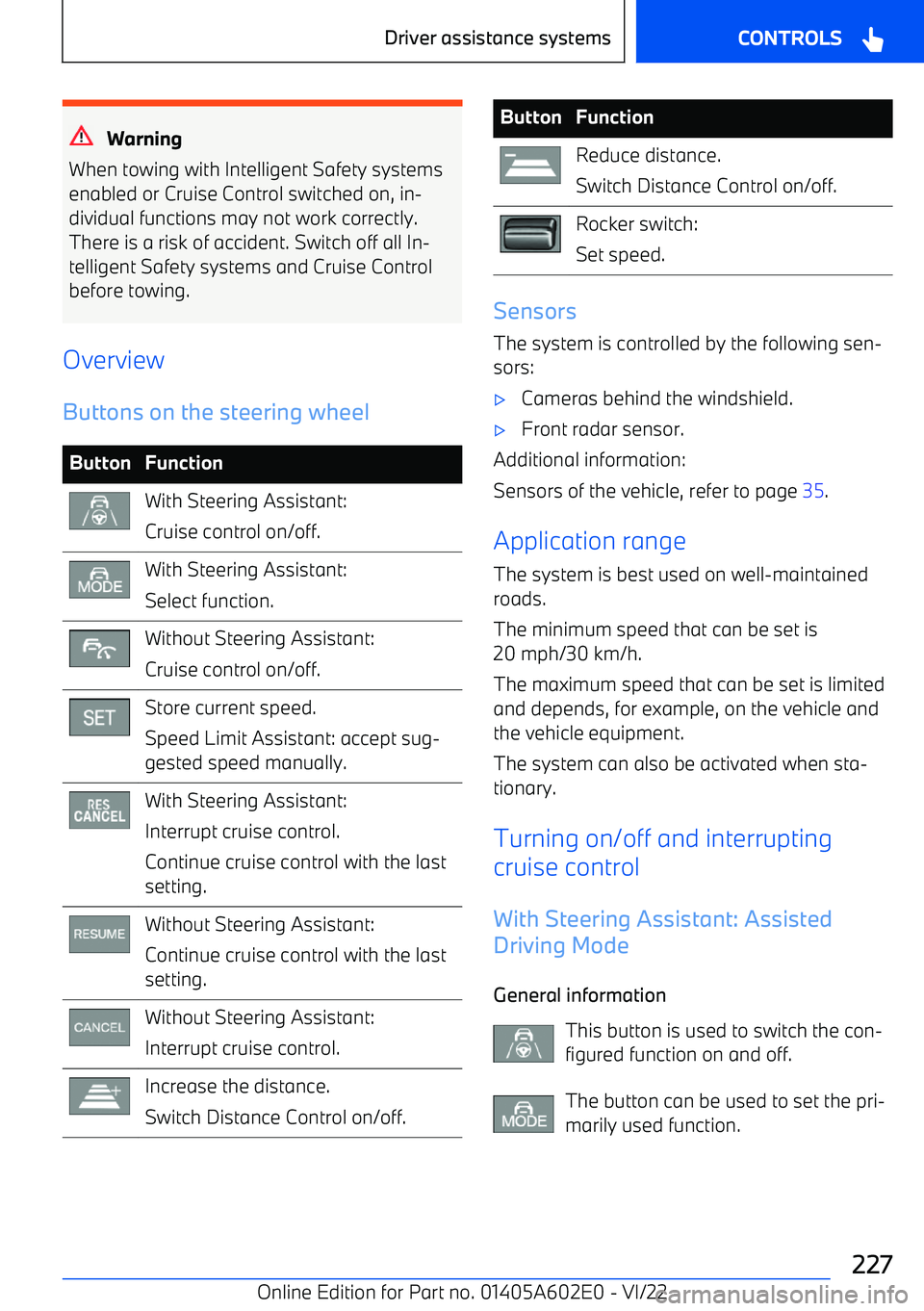
Warning
When towing with Intelligent Safety systems
enabled or Cruise Control switched on, in
Page 228 of 416
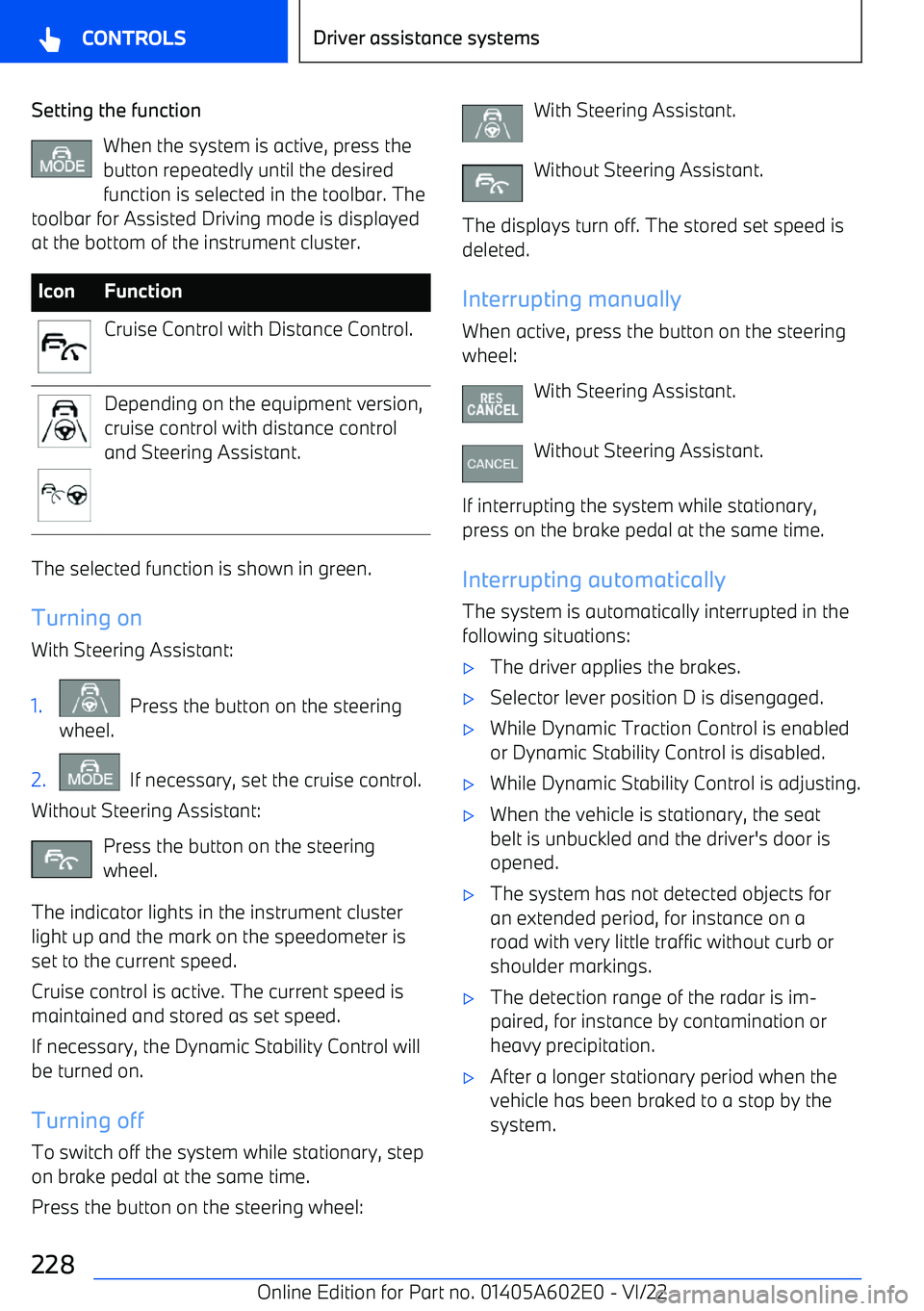
Setting the functionWhen the system is active, press the
button repeatedly until the desired function is selected in the toolbar. The
toolbar for Assisted Driving mode is displayed
at the bottom of the instrument cluster.IconFunctionCruise Control with Distance Control.Depending on the equipment version,
cruise control with distance control
and Steering Assistant.
The selected function is shown in green.
Turning on
With Steering Assistant:
1. Press the button on the steering
wheel.2. If necessary, set the cruise control.
Without Steering Assistant:
Press the button on the steering
wheel.
The indicator lights in the instrument cluster light up and the mark on the speedometer is
set to the current speed.
Cruise control is active. The current speed is
maintained and stored as set speed.
If necessary, the Dynamic Stability Control willbe turned on.
Turning off
To switch off the system while stationary, step on brake pedal at the same time.
Press the button on the steering wheel:
With Steering Assistant.
Without Steering Assistant.
The displays turn off. The stored set speed is deleted.
Interrupting manually When active, press the button on the steering
wheel:
With Steering Assistant.
Without Steering Assistant.
If interrupting the system while stationary,
press on the brake pedal at the same time.
Interrupting automatically The system is automatically interrupted in the
following situations:
Page 230 of 416
distance according to the traffic situation or the
ambient conditions, for instance poor visibility.1."CAR"2."Settings"3."Driver Assistance"4.If necessary, "Driving"5."Speed Limit Assistance"6."Adjust distance acc. to situation"
Continuing cruise control
An interrupted cruise control can be continued by calling up the stored speed.
Make sure that the difference between current
speed and stored speed is not too large be