display BMW X3 3.0SI 2007 E83 User Guide
[x] Cancel search | Manufacturer: BMW, Model Year: 2007, Model line: X3 3.0SI, Model: BMW X3 3.0SI 2007 E83Pages: 139, PDF Size: 4.74 MB
Page 49 of 139
Reference
At a glance
Controls
Driving tips
Mobility
47
The set time is transferred to the display of the
radio or displayed in the instrument cluster.
Display mode
Ignition key in position 0 or removed:
Press button1.
The time and display of the miles/kilometers
appear for a few seconds.
Computer
Mode selection
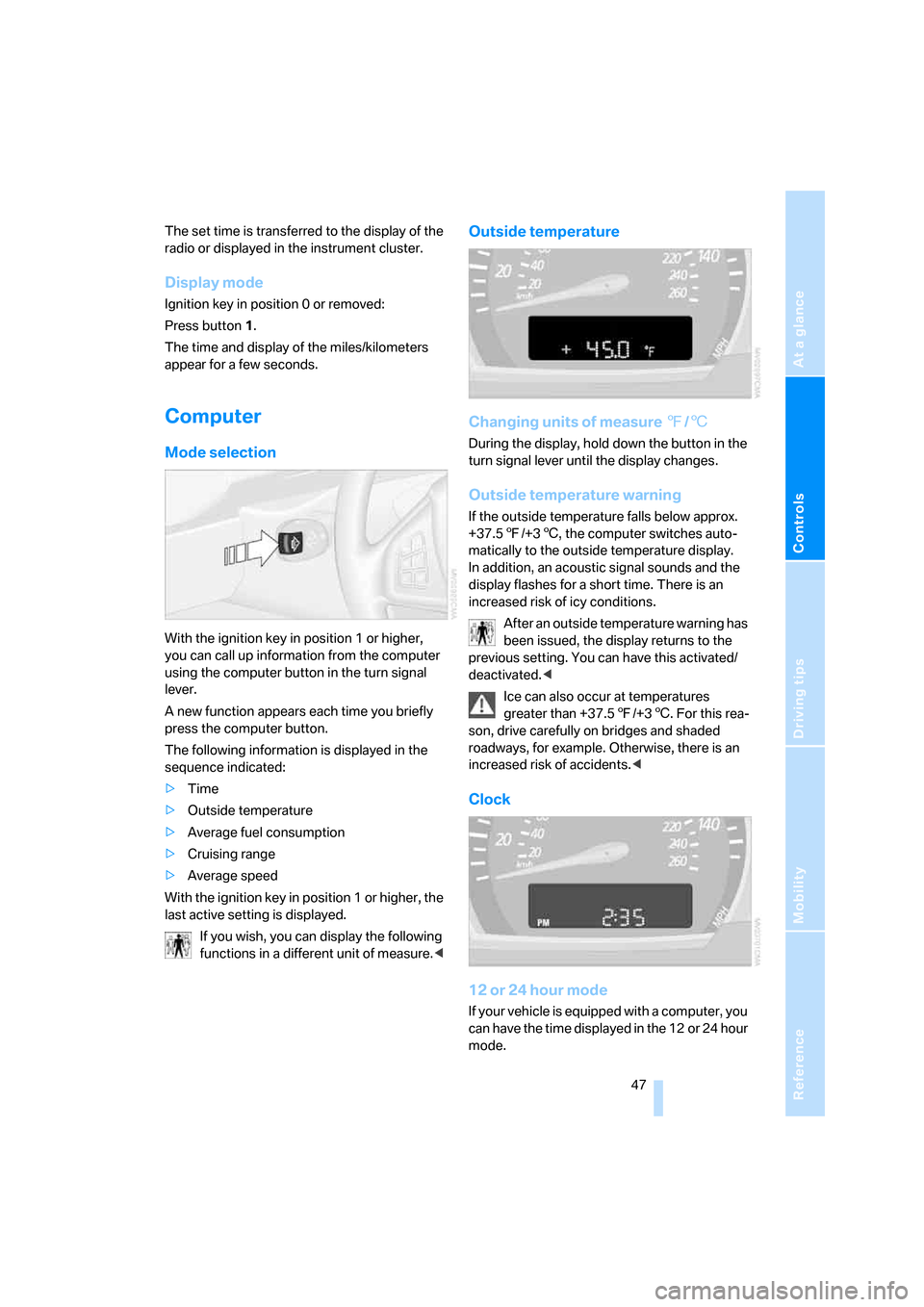
With the ignition key in position 1 or higher,
you can call up information from the computer
using the computer button in the turn signal
lever.
A new function appears each time you briefly
press the computer button.
The following information is displayed in the
sequence indicated:
>Time
>Outside temperature
>Average fuel consumption
>Cruising range
>Average speed
With the ignition key in position 1 or higher, the
last active setting is displayed.
If you wish, you can display the following
functions in a different unit of measure.<
Outside temperature
Changing units of measure 7/6
During the display, hold down the button in the
turn signal lever until the display changes.
Outside temperature warning
If the outside temperature falls below approx.
+37.57/+36, the computer switches auto-
matically to the outside temperature display.
In addition, an acoustic signal sounds and the
display flashes for a short time. There is an
increased risk of icy conditions.
After an outside temperature warning has
been issued, the display returns to the
previous setting. You can have this activated/
deactivated.<
Ice can also occur at temperatures
greater than +37.57/+36. For this rea-
son, drive carefully on bridges and shaded
roadways, for example. Otherwise, there is an
increased risk of accidents.<
Clock
12 or 24 hour mode
If your vehicle is equipped with a computer, you
can have the time displayed in the 12 or 24 hour
mode.
Page 50 of 139
Everything under control
48 During the display, hold down the computer
button in the turn signal lever until the display
changes.
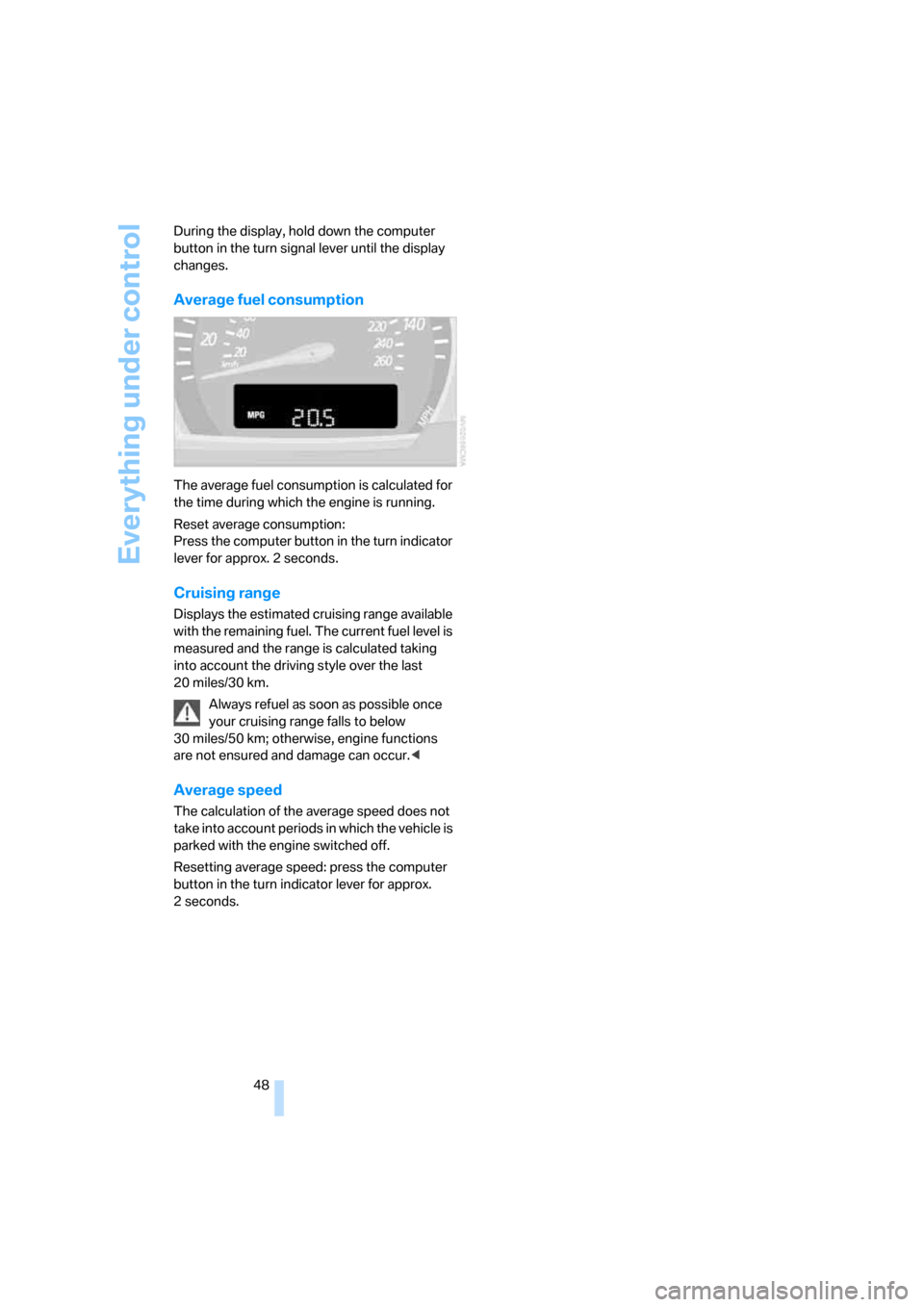
Average fuel consumption
The average fuel consumption is calculated for
the time during which the engine is running.
Reset average consumption:
Press the computer button in the turn indicator
lever for approx. 2 seconds.
Cruising range
Displays the estimated cruising range available
with the remaining fuel. The current fuel level is
measured and the range is calculated taking
into account the driving style over the last
20 miles/30 km.
Always refuel as soon as possible once
your cruising range falls to below
30 miles/50 km; otherwise, engine functions
are not ensured and damage can occur.<
Average speed
The calculation of the average speed does not
take into account periods in which the vehicle is
parked with the engine switched off.
Resetting average speed: press the computer
button in the turn indicator lever for approx.
2seconds.
Page 52 of 139
Technology for comfort, convenience and safety
50
Malfunction
The LED in the button flashes and a short con-
tinuous tone sounds. PDC is malfunctioning.
Switch off PDC. Have the system checked.
To prevent this problem, keep the sensors
clean and free of ice or snow in order to ensure
that they will continue to operate effectively.
When using high-pressure washers, do not
spray sensors for long periods and keep the
sprayer at least 4 in/10 cm away from the sen-
sors.
System limits
Even with PDC, final responsibility for
estimating the distance between the
vehicle and any obstructions always remains
with the driver. Even when sensors are involved,
there is a blind spot in which objects cannot be
detected. The system is also subject to the
physical limits that apply to all forms of ultra-
sonic measurement, such as those encoun-
tered with tow bars and trailer couplings, or thin
and wedge-shaped objects. Low objects
already displayed, e.g. curb edges, can come
into the blind spot of the sensors before or after
a continuous tone sounds. The system may fail
to detect higher obstacles such as projections
from walls.
Loud sources of sound, inside and outside the
vehicle, could drown out the PDC signal tone.<
Driving stability control
systems
Your BMW is equipped with an extended array
of systems designed to enhance and maintain
vehicle stability even under unfavorable driving
conditions.
ABS Antilock Brake System
ABS prevents the wheels from locking during
braking. Safe steering response is maintained
even during full braking. This results in an
increase in the active safety.
ABS is operational every time you start the
engine. Safe braking, refer to page81.
Electronic brake-force distribution
The system controls the brake pressure in the
rear wheels to ensure a stable braking behavior.
Brake assistant
When the brake pedal is depressed quickly, this
system automatically generates a maximum
braking force distribution and thus helps keep
the braking distance to a minimum during full
braking. This system exploits all of the benefits
provided by ABS.
As long as you want full braking to continue, do
not reduce pressure on the brake.
DSC Dynamic Stability Control
DSC prevents slip at the drive wheels when
starting off and accelerating. The system also
detects unstable driving conditions, such as a
fishtailing of the vehicle's rear end or the sliding
of the vehicle on its front wheels. In these cir-
cumstances, DSC helps keep the vehicle on a
safe path, within physical limits, by reducing
engine output and by applying the brakes in
individual wheels.
The laws of physics cannot be repealed,
even with DSC. An appropriate driving
style always remains the responsibility of the
driver. Do not squander the additional margin of
safety by driving dangerously; otherwise, you
run the risk of causing an accident.<
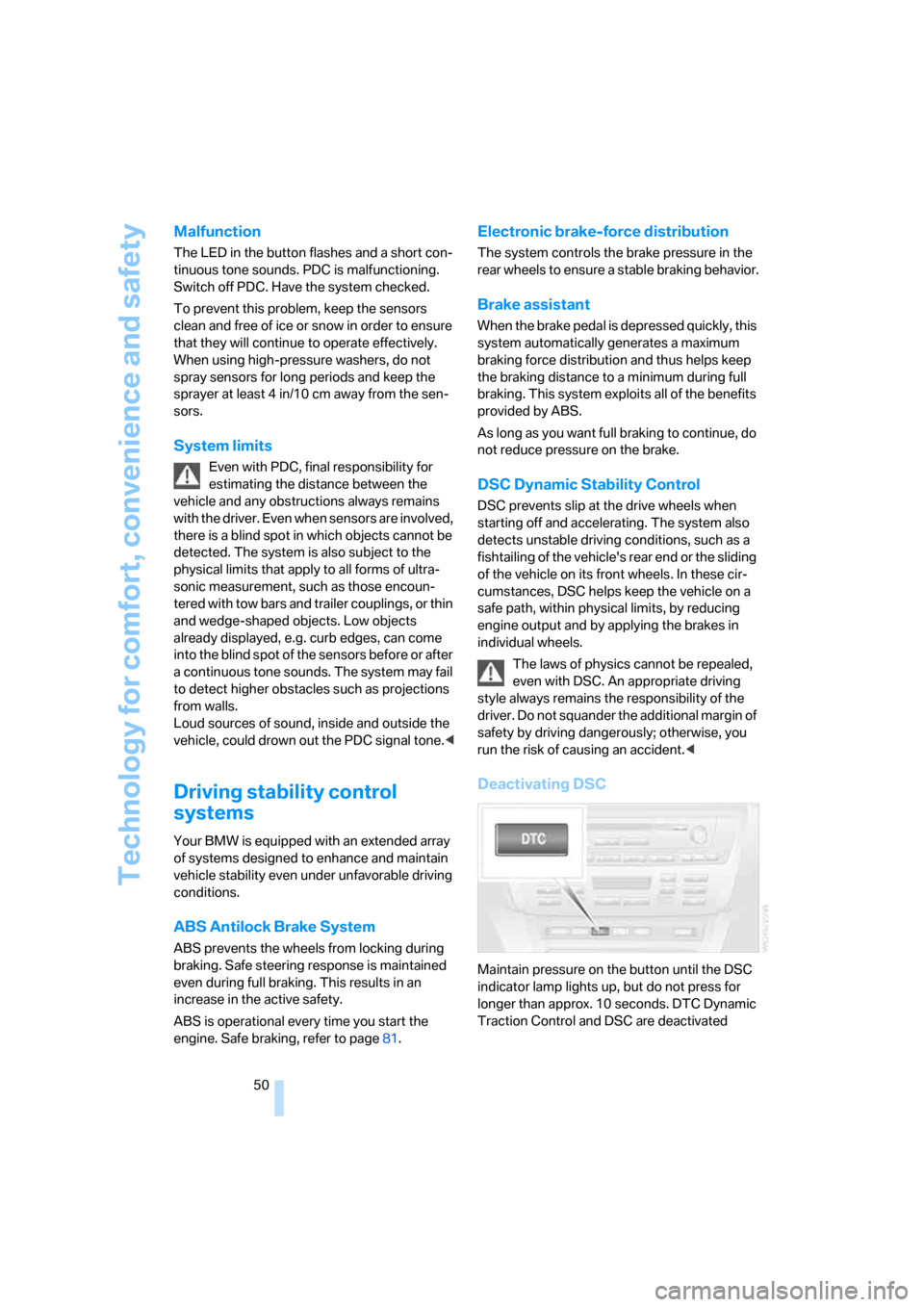
Deactivating DSC
Maintain pressure on the button until the DSC
indicator lamp lights up, but do not press for
longer than approx. 10 seconds. DTC Dynamic
Traction Control and DSC are deactivated
Page 54 of 139
Technology for comfort, convenience and safety
52
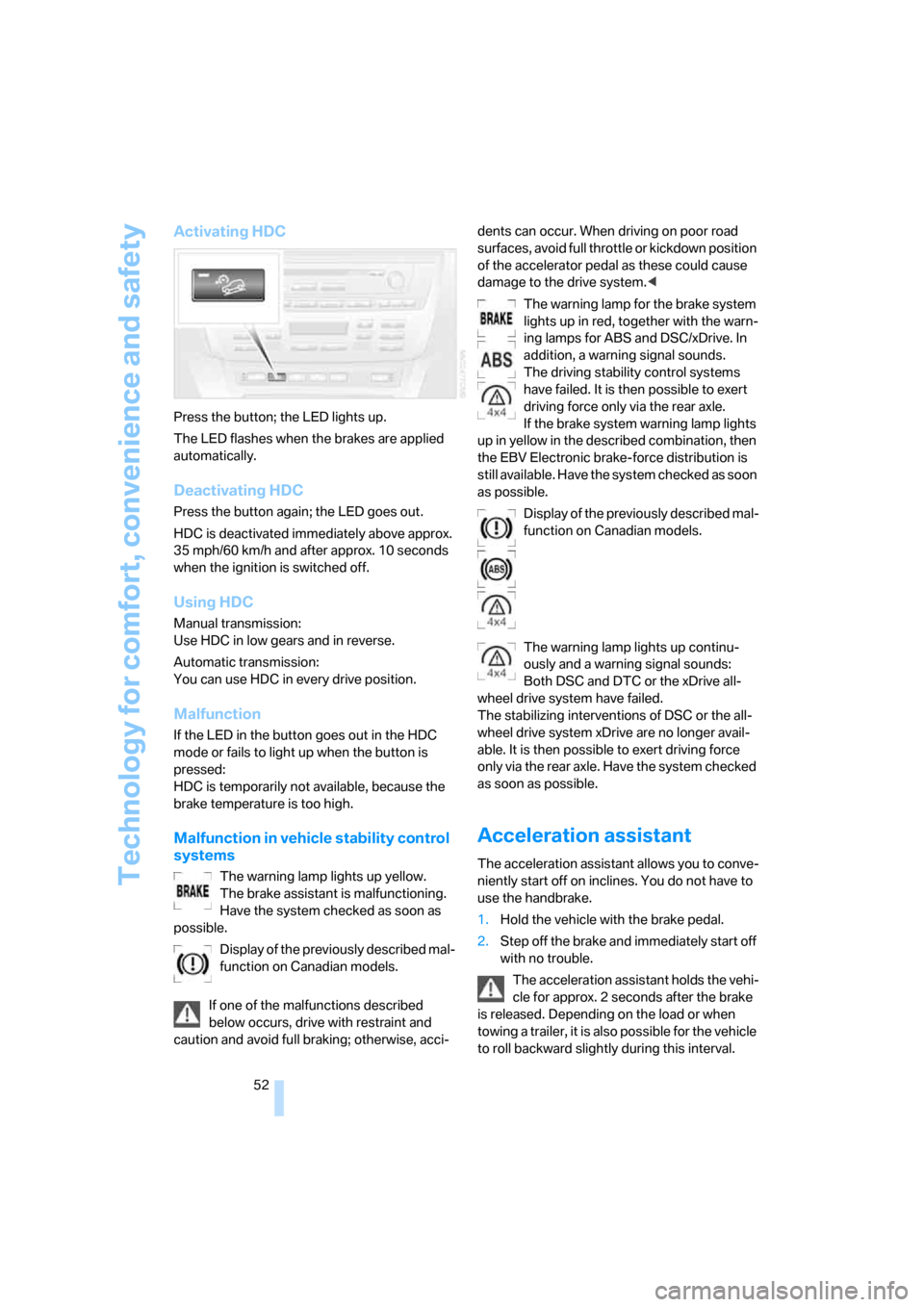
Activating HDC
Press the button; the LED lights up.
The LED flashes when the brakes are applied
automatically.
Deactivating HDC
Press the button again; the LED goes out.
HDC is deactivated immediately above approx.
35 mph/60 km/h and after approx. 10 seconds
when the ignition is switched off.
Using HDC
Manual transmission:
Use HDC in low gears and in reverse.
Automatic transmission:
You can use HDC in every drive position.
Malfunction
If the LED in the button goes out in the HDC
mode or fails to light up when the button is
pressed:
HDC is temporarily not available, because the
brake temperature is too high.
Malfunction in vehicle stability control
systems
The warning lamp lights up yellow.
The brake assistant is malfunctioning.
Have the system checked as soon as
possible.
Display of the previously described mal-
function on Canadian models.
If one of the malfunctions described
below occurs, drive with restraint and
caution and avoid full braking; otherwise, acci-dents can occur. When driving on poor road
surfaces, avoid full throttle or kickdown position
of the accelerator pedal as these could cause
damage to the drive system.<
The warning lamp for the brake system
lights up in red, together with the warn-
ing lamps for ABS and DSC/xDrive. In
addition, a warning signal sounds.
The driving stability control systems
have failed. It is then possible to exert
driving force only via the rear axle.
If the brake system warning lamp lights
up in yellow in the described combination, then
the EBV Electronic brake-force distribution is
still available. Have the system checked as soon
as possible.
Display of the previously described mal-
function on Canadian models.
The warning lamp lights up continu-
ously and a warning signal sounds:
Both DSC and DTC or the xDrive all-
wheel drive system have failed.
The stabilizing interventions of DSC or the all-
wheel drive system xDrive are no longer avail-
able. It is then possible to exert driving force
only via the rear axle. Have the system checked
as soon as possible.
Acceleration assistant
The acceleration assistant allows you to conve-
niently start off on inclines. You do not have to
use the handbrake.
1.Hold the vehicle with the brake pedal.
2.Step off the brake and immediately start off
with no trouble.
The acceleration assistant holds the vehi-
cle for approx. 2 seconds after the brake
is released. Depending on the load or when
towing a trailer, it is also possible for the vehicle
to roll backward slightly during this interval.
Page 57 of 139
Reference
At a glance
Controls
Driving tips
Mobility
55
The compact wheel is not equipped with the
required TPM electronics and is not monitored
when mounted.
When driving with the compact wheel, the sys-
tem indicates a malfunction.
Have the damaged tire replaced by your BMW
Sports Activity Vehicle Center or a workshop
that is familiar with TPM and works in accor-
dance with BMW repair procedures, using
appropriately trained personnel.
Malfunction
The yellow warning lamp flashes and
then lights up continuously. Flat tires
cannot be detected.
Such a message is displayed in the following
situations:
>When a malfunction is occurring:
Have the system checked
>When a wheel without TPM electronics is
mounted, e.g. a compact wheel
>When TPM is experiencing temporary inter-
ference from other systems or devices that
use the same frequency
NHTSA/FMVSS-required explanation
of 138 Tire Pressure Monitoring
System
Each tire, including the spare, should be
checked monthly when cold and inflated to the
inflation pressure recommended by the vehicle
manufacturer on the vehicle placard or tire infla-
tion pressure label. If your vehicle has tires of a
different size than the size indicated on the
vehicle placard or tire inflation pressure label,
then you should determine the proper tire infla-
tion pressure for those tires. As an added safety
feature, your vehicle has been equipped with a
tire pressure monitoring system, TPMS, that
illuminates a low tire pressure warning lamp
when one or more of your tires are significantly
under-inflated. When the low tire pressure
warning lamp lights up, you should stop and
check your tires as soon as possible, and inflate
them to the proper pressure. Driving on a signif-
icantly underinflated tire causes the tire to over-
heat and can lead to tire failure. Underinflation also reduces fuel efficiency and tire tread life,
and may affect the vehicle’s handling and stop-
ping ability. Please note that the TPMS is not a
substitute for proper tire maintenance, and it is
the driver's responsibility to maintain correct
tire pressure, even if underinflation has not
reached the level to trigger illumination of the
TPMS low tire pressure warning lamp.
The TPMS malfunction indicator is combined
with the low tire pressure warning lamp. When
the system detects a malfunction, the warning
lamp will flash for approximately one minute and
then remain continuously illuminated. This
sequence will continue upon subsequent vehi-
cle startups as long as the malfunction exists.
When the malfunction indicator is illuminated,
the system may not be able to detect or signal
low tire pressure as intended. TPMS malfunc-
tions may occur for a variety of reasons, includ-
ing the installation of replacement or alternate
tires or wheels on the vehicle that prevent the
TPMS from functioning properly. Always check
the TPMS malfunction warning lamp after
replacing one or more tires or wheels on your
vehicle to ensure that the replacement or alter-
nate tires and wheels allow the TPMS to con-
tinue to function properly.Brake force display
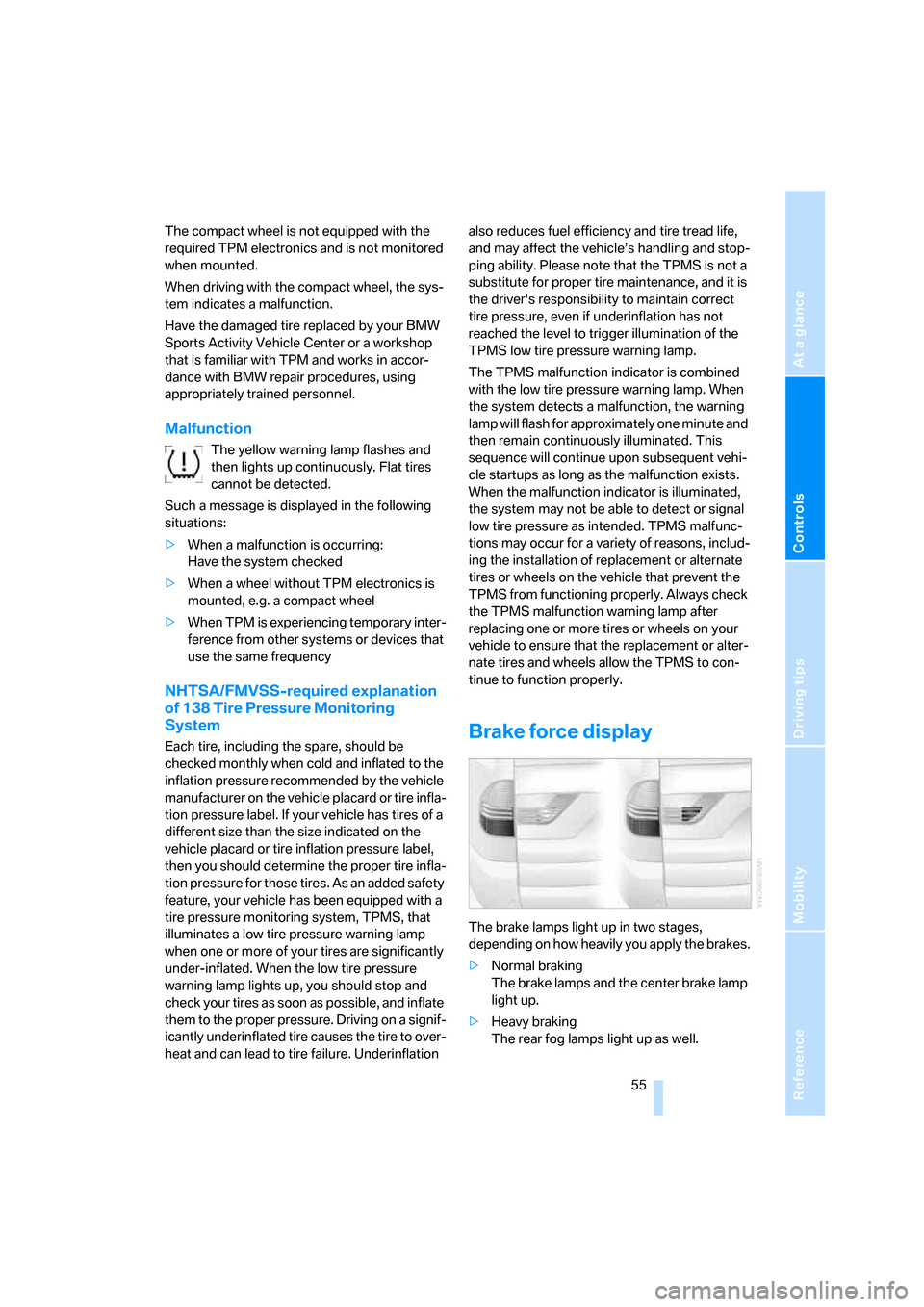
The brake lamps light up in two stages,
depending on how heavily you apply the brakes.
>Normal braking
The brake lamps and the center brake lamp
light up.
>Heavy braking
The rear fog lamps light up as well.
Page 66 of 139
Air conditioner
64
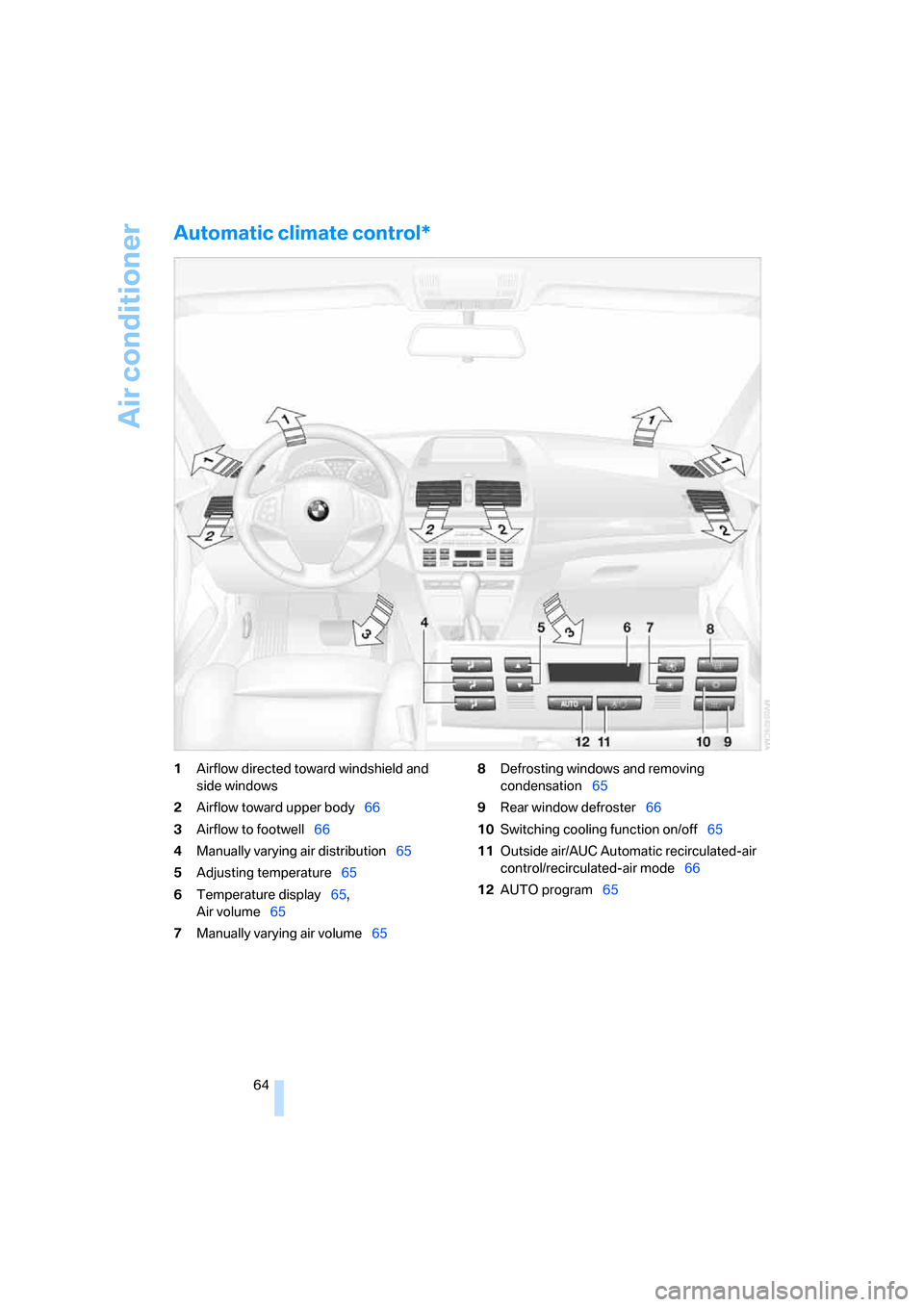
Automatic climate control*
1Airflow directed toward windshield and
side windows
2Airflow toward upper body66
3Airflow to footwell66
4Manually varying air distribution65
5Adjusting temperature65
6Temperature display65,
Air volume65
7Manually varying air volume658Defrosting windows and removing
condensation65
9Rear window defroster66
10Switching cooling function on/off65
11Outside air/AUC Automatic recirculated-air
control/recirculated-air mode66
12AUTO program65
Page 67 of 139
Reference
At a glance
Controls
Driving tips
Mobility
65
A congenial climate
For almost all conditions, the AUTO program 12
offers the optimum air distribution and air vol-
ume, refer to AUTO program below. You need
only select an interior temperature 5 that you
find pleasant.
The following sections contain more detailed
information on the available setting options.
Your vehicle has been designed to auto-
matically select your personal climate-
control settings whenever you unlock the doors
using your individually programmed remote
control.<
AUTO program
The AUTO program handles the
adjustment of air distribution to the
windshield and side windows, in
the direction of the upper body, and in the foot-
well. It also adapts your instructions for the air
volume and temperature to outside influences
throughout the year, e.g. solar radiation or win-
dow condensation.
The cooling function is switched on automati-
cally along with the AUTO program.
Manually switching air distribution on/
off
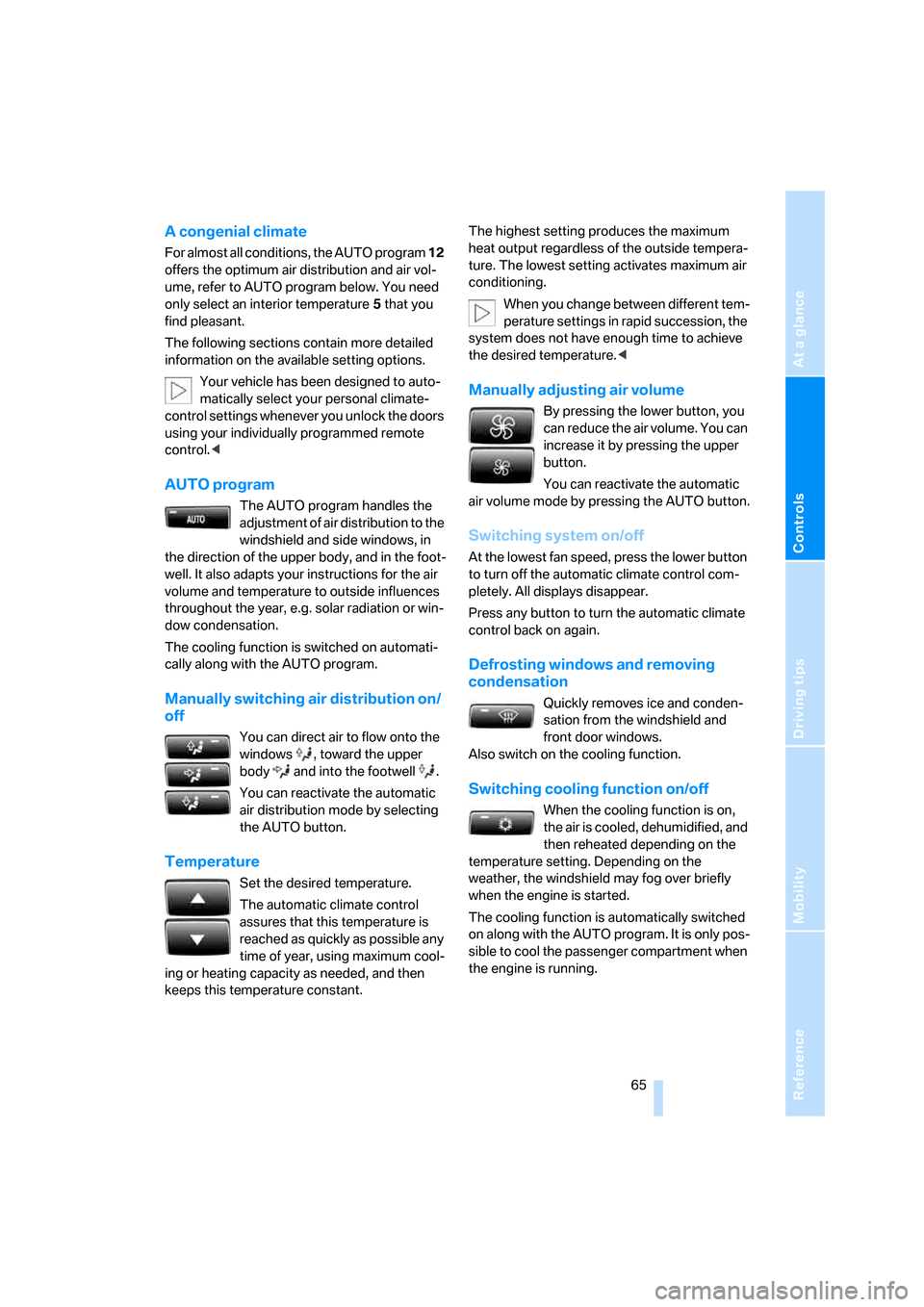
You can direct air to flow onto the
windows , toward the upper
body and into the footwell .
You can reactivate the automatic
air distribution mode by selecting
the AUTO button.
Temperature
Set the desired temperature.
The automatic climate control
assures that this temperature is
reached as quickly as possible any
time of year, using maximum cool-
ing or heating capacity as needed, and then
keeps this temperature constant.The highest setting produces the maximum
heat output regardless of the outside tempera-
ture. The lowest setting activates maximum air
conditioning.
When you change between different tem-
perature settings in rapid succession, the
system does not have enough time to achieve
the desired temperature.<
Manually adjusting air volume
By pressing the lower button, you
can reduce the air volume. You can
increase it by pressing the upper
button.
You can reactivate the automatic
air volume mode by pressing the AUTO button.
Switching system on/off
At the lowest fan speed, press the lower button
to turn off the automatic climate control com-
pletely. All displays disappear.
Press any button to turn the automatic climate
control back on again.
Defrosting windows and removing
condensation
Quickly removes ice and conden-
sation from the windshield and
front door windows.
Also switch on the cooling function.
Switching cooling function on/off
When the cooling function is on,
the air is cooled, dehumidified, and
then reheated depending on the
temperature setting. Depending on the
weather, the windshield may fog over briefly
when the engine is started.
The cooling function is automatically switched
on along with the AUTO program. It is only pos-
sible to cool the passenger compartment when
the engine is running.
Page 70 of 139
Practical interior accessories
68 The corresponding memory button1 is now
programmed with the signal of the original
hand-held transmitter.
You can use the system when the engine is run-
ning or when the ignition is switched on.
If the system cannot be operated after
repeated programming, check whether
the original hand-held transmitter uses an alter-
nating-code system. To do so, either read the
instructions of the original hand-held transmit-
ter or press and hold down the programmed
memory button1 of the integrated universal
remote control. If the LED2 on the integrated
universal remote control flashes rapidly for a
short time then lights up for approx. 2 seconds,
this indicates that the original hand-held trans-
mitter uses an alternating-code system. In the
case of an alternating-code system, program
the memory buttons1 as described in the sec-
tion below on alternating-code hand-held
transmitters.<
Alternating-code hand-held
transmitters
Consult the operating instructions of the unit
you wish to set when programming the univer-
sal remote control. You will find information
there on the possibilities for synchronization.
When programming hand-held transmitters
that employ an alternating code, please follow
these additional instructions:
Programming will be easier with the aid of
a second person.<
1.Park your vehicle within the range of the
remote-controlled equipment.
2.Program the integrated universal remote
control as described above in the section on
Fixed-code hand-held transmitters.
3.Locate the button on the receiver of the
equipment to be set, e.g. on its drive unit.
4.Press the button on the receiver of the
device you want to set up. After step 4, you
have approx. 30 seconds for step 5.
5.Press the programmed memory button1
of the integrated universal remote control
three times.The corresponding memory button1 is now
programmed with the signal of the original
hand-held transmitter.
If you have questions, please contact your
BMW Sports Activity Vehicle Center.<
Deleting stored programs
Press the left and right memory button1 for
approx. 20 seconds until the LED2 flashes rap-
idly.
All stored programs are deleted.
It is not possible to delete individual programs.
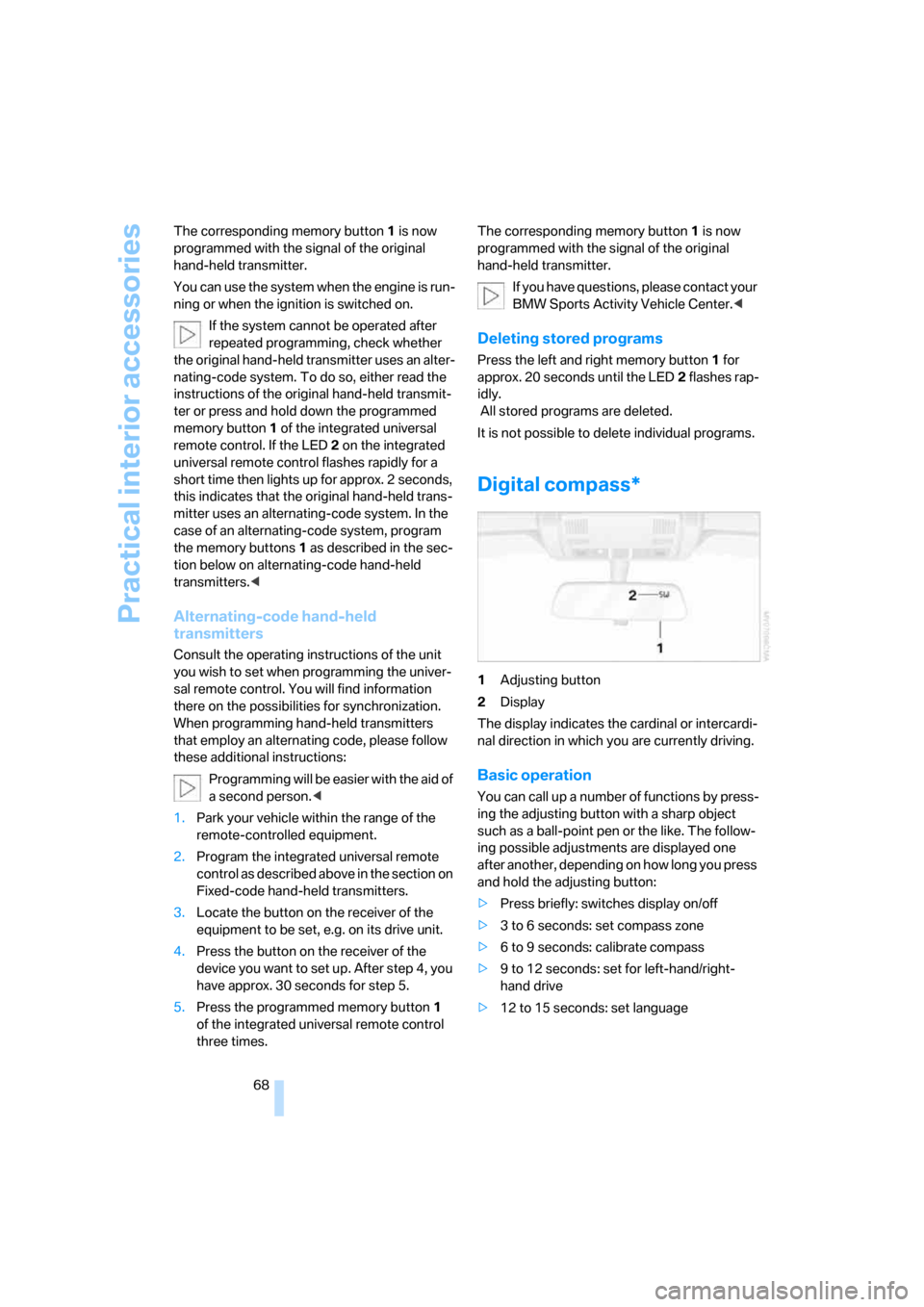
Digital compass*
1Adjusting button
2Display
The display indicates the cardinal or intercardi-
nal direction in which you are currently driving.
Basic operation
You can call up a number of functions by press-
ing the adjusting button with a sharp object
such as a ball-point pen or the like. The follow-
ing possible adjustments are displayed one
after another, depending on how long you press
and hold the adjusting button:
>Press briefly: switches display on/off
>3 to 6 seconds: set compass zone
>6 to 9 seconds: calibrate compass
>9 to 12 seconds: set for left-hand/right-
hand drive
>12 to 15 seconds: set language
Page 71 of 139
Reference
At a glance
Controls
Driving tips
Mobility
69
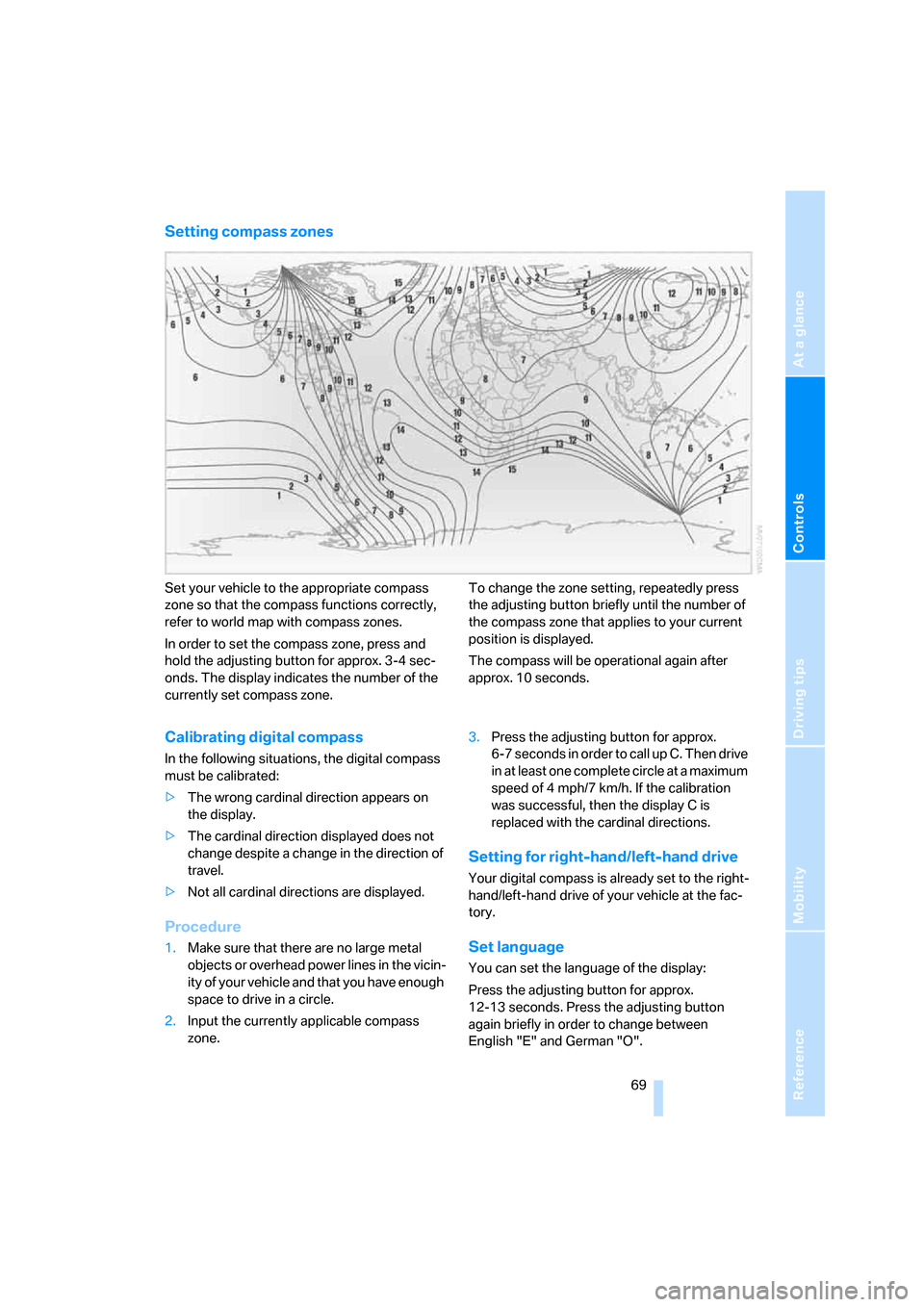
Setting compass zones
Set your vehicle to the appropriate compass
zone so that the compass functions correctly,
refer to world map with compass zones.
In order to set the compass zone, press and
hold the adjusting button for approx. 3-4 sec-
onds. The display indicates the number of the
currently set compass zone.To change the zone setting, repeatedly press
the adjusting button briefly until the number of
the compass zone that applies to your current
position is displayed.
The compass will be operational again after
approx. 10 seconds.
Calibrating digital compass
In the following situations, the digital compass
must be calibrated:
>The wrong cardinal direction appears on
the display.
>The cardinal direction displayed does not
change despite a change in the direction of
travel.
>Not all cardinal directions are displayed.
Procedure
1.Make sure that there are no large metal
objects or overhead power lines in the vicin-
ity of your vehicle and that you have enough
space to drive in a circle.
2.Input the currently applicable compass
zone.3.Press the adjusting button for approx.
6-7 seconds in order to call up C. Then drive
in at least one complete circle at a maximum
speed of 4 mph/7 km/h. If the calibration
was successful, then the display C is
replaced with the cardinal directions.
Setting for right-hand/left-hand drive
Your digital compass is already set to the right-
hand/left-hand drive of your vehicle at the fac-
tory.
Set language
You can set the language of the display:
Press the adjusting button for approx.
12-13 seconds. Press the adjusting button
again briefly in order to change between
English "E" and German "O".
Page 96 of 139
Wheels and tires
94
Temperature
The temperature grades are A, B, and C, A
being highest, and represent the tire’s resis-
tance to the generation of heat and its ability to
dissipate heat when tested under controlled
conditions on a specified indoor laboratory test
wheel. Sustained high temperature can cause
the material of the tire to degenerate and
reduce tire life, and excessive temperature can
lead to sudden tire failure. The grade C corre-
sponds to a level of performance that all pas-
senger car tires must meet under the Federal
Motor Vehicle Safety Standard No. 109. Grades
B and A represent higher levels of performance
on the laboratory test wheel than the minimum
required by law.
The temperature grade for this tire is
established for a tire that is properly
inflated and not overloaded. Excessive speed,
underinflation, or excessive loading, either sep-
arately or in combination, can cause heat
buildup and possible tire failure.<
M+S
Winter and all-season tires.
These have better winter properties than sum-
mer tires.
Tire condition
Inspect your tires frequently for tread wear,
signs of damage and for foreign objects lodged
in the tread. Check the tread depth.
Minimum tread depth
The tread depth should not fall below 0.12 in/
3 mm. At tread depths below 0.12 in/3 mm,
there is an increased risk of high-speed hydro-
planing, even when only small amounts of water
are present on the road surface.
Winter tires display a noticeable loss in their
ability to cope with cold-weather driving condi-
tions once the tread wears to below 0.16 in/
4 mm. To ensure continued safety you should
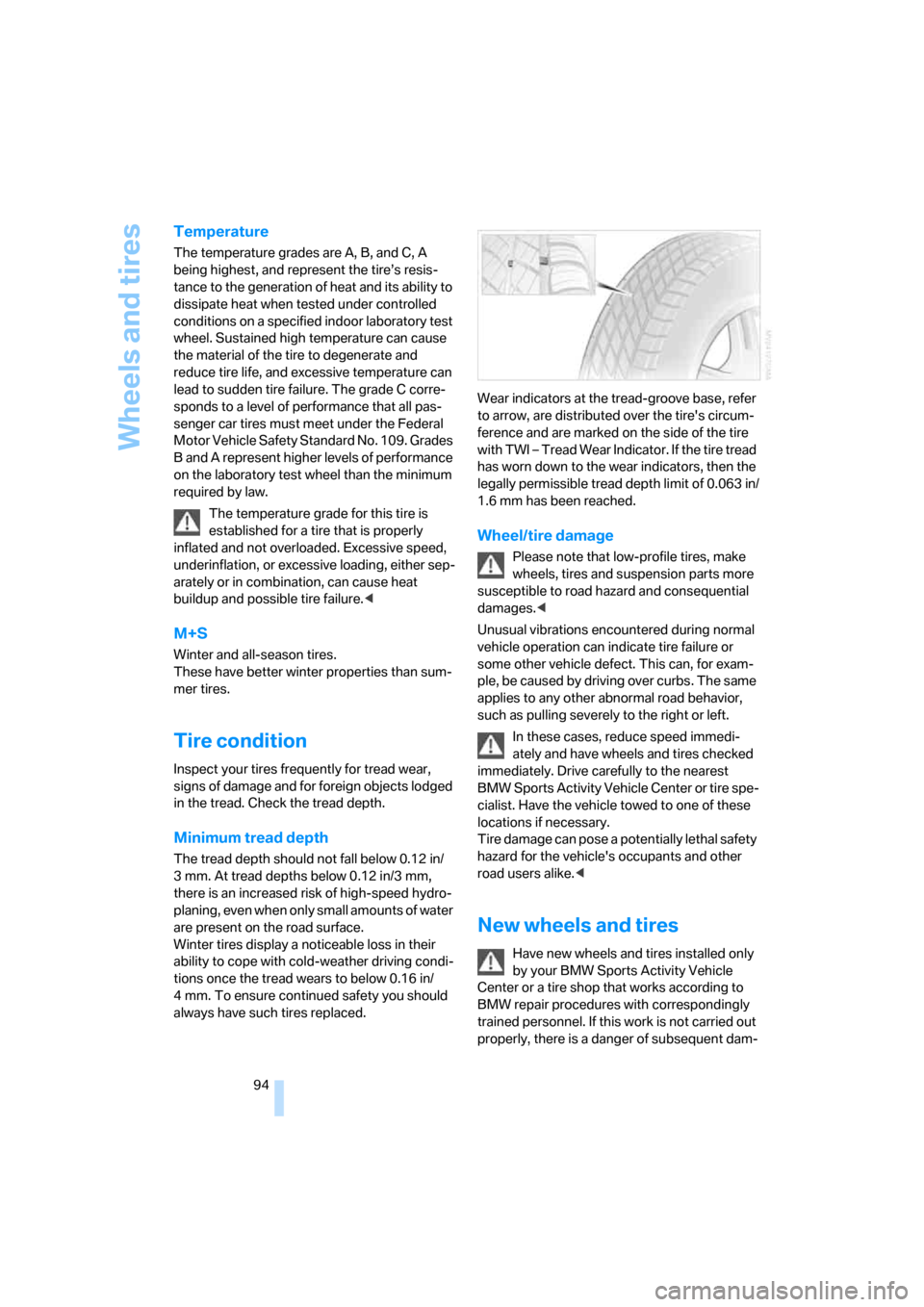
always have such tires replaced.Wear indicators at the tread-groove base, refer
to arrow, are distributed over the tire's circum-
ference and are marked on the side of the tire
with TWI – Tread Wear Indicator. If the tire tread
has worn down to the wear indicators, then the
legally permissible tread depth limit of 0.063 in/
1.6 mm has been reached.
Wheel/tire damage
Please note that low-profile tires, make
wheels, tires and suspension parts more
susceptible to road hazard and consequential
damages.<
Unusual vibrations encountered during normal
vehicle operation can indicate tire failure or
some other vehicle defect. This can, for exam-
ple, be caused by driving over curbs. The same
applies to any other abnormal road behavior,
such as pulling severely to the right or left.
In these cases, reduce speed immedi-
ately and have wheels and tires checked
immediately. Drive carefully to the nearest
BMW Sports Activity Vehicle Center or tire spe-
cialist. Have the vehicle towed to one of these
locations if necessary.
Tire damage can pose a potentially lethal safety
hazard for the vehicle's occupants and other
road users alike.<
New wheels and tires
Have new wheels and tires installed only
by your BMW Sports Activity Vehicle
Center or a tire shop that works according to
BMW repair procedures with correspondingly
trained personnel. If this work is not carried out
properly, there is a danger of subsequent dam-