belt BMW X3 3.0SI 2008 User Guide
[x] Cancel search | Manufacturer: BMW, Model Year: 2008, Model line: X3 3.0SI, Model: BMW X3 3.0SI 2008Pages: 140, PDF Size: 3.36 MB
Page 79 of 140
Reference
At a glance
Controls
Driving tips
Mobility
77
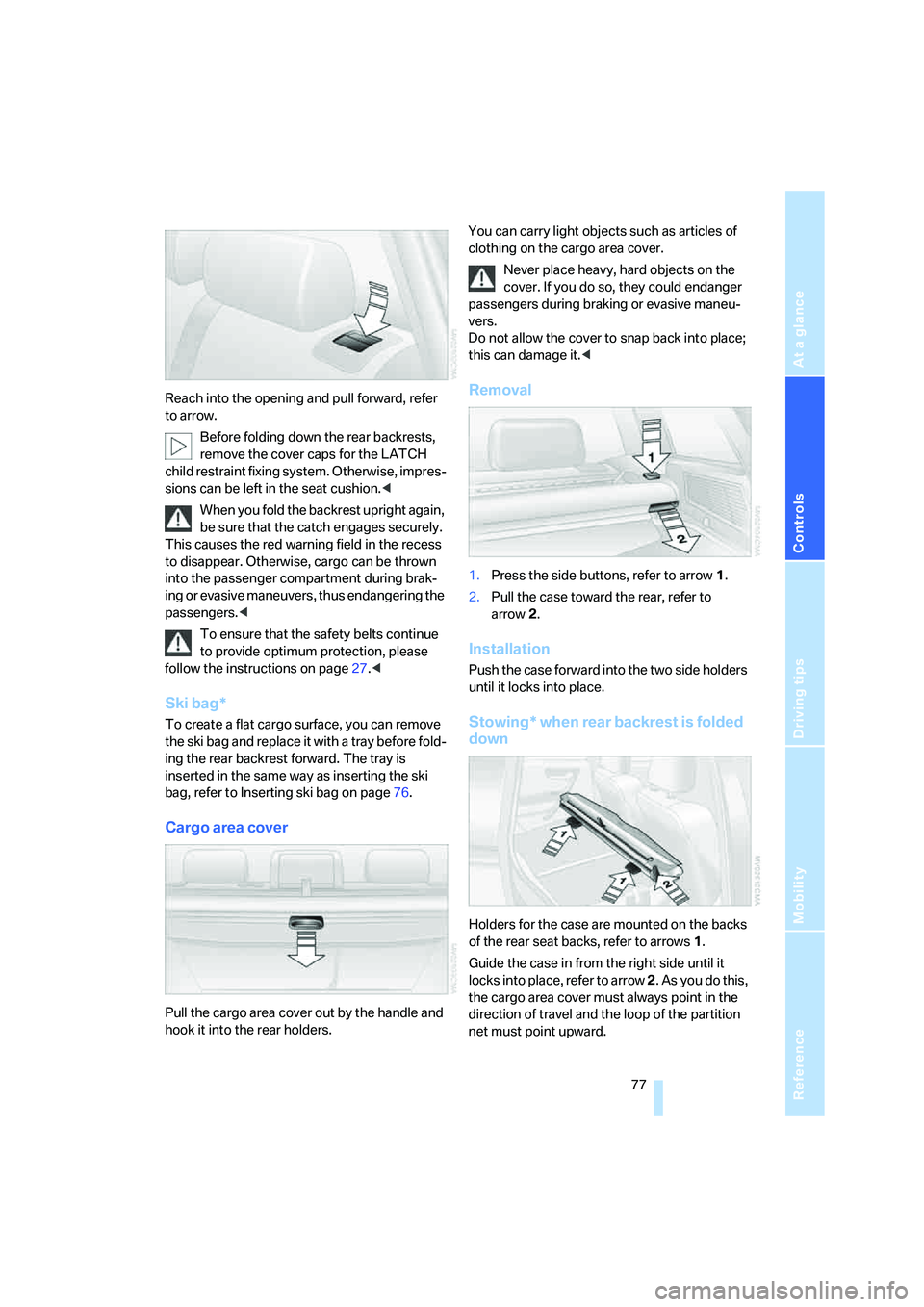
Reach into the opening and pull forward, refer
to arrow.
Before folding down the rear backrests,
remove the cover caps for the LATCH
child restraint fixing system. Otherwise, impres-
sions can be left in the seat cushion.<
When you fold the backrest upright again,
be sure that the catch engages securely.
This causes the red warning field in the recess
to disappear. Otherwise, cargo can be thrown
into the passenger compartment during brak-
ing or evasive maneuvers, thus endangering the
passengers.<
To ensure that the safety belts continue
to provide optimum protection, please
follow the instructions on page27.<
Ski bag*
To create a flat cargo surface, you can remove
the ski bag and replace it with a tray before fold-
ing the rear backrest forward. The tray is
inserted in the same way as inserting the ski
bag, refer to Inserting ski bag on page76.
Cargo area cover
Pull the cargo area cover out by the handle and
hook it into the rear holders.You can carry light objects such as articles of
clothing on the cargo area cover.
Never place heavy, hard objects on the
cover. If you do so, they could endanger
passengers during braking or evasive maneu-
vers.
Do not allow the cover to snap back into place;
this can damage it.<
Removal
1.Press the side buttons, refer to arrow1.
2.Pull the case toward the rear, refer to
arrow2.
Installation
Push the case forward into the two side holders
until it locks into place.
Stowing* when rear backrest is folded
down
Holders for the case are mounted on the backs
of the rear seat backs, refer to arrows1.
Guide the case in from the right side until it
locks into place, refer to arrow 2. As you do this,
the cargo area cover must always point in the
direction of travel and the loop of the partition
net must point upward.
Page 88 of 140
Things to remember when driving
86 5.Determine the combined weight of luggage
and cargo being loaded into and/or onto the
vehicle. This combined weight may not
safely exceed the available cargo and lug-
gage load capacity calculated in step 4.
6.If your vehicle will be towing a trailer, part of
the load from your trailer will be transferred
to your vehicle. Consult the manual for
transporting a trailer to determine how this
may reduce the available cargo and luggage
load capacity of your vehicle.
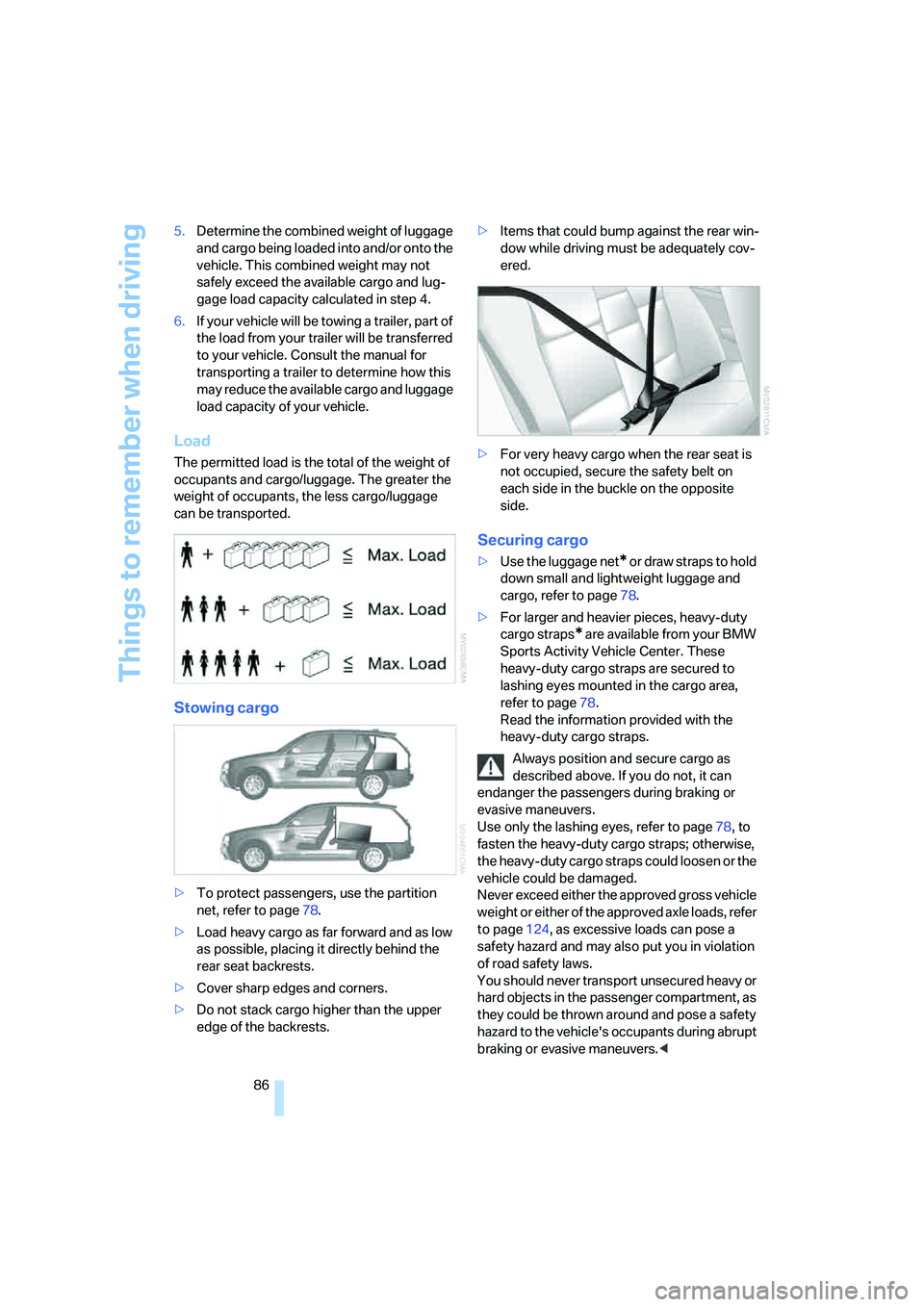
Load
The permitted load is the total of the weight of
occupants and cargo/luggage. The greater the
weight of occupants, the less cargo/luggage
can be transported.
Stowing cargo
>To protect passengers, use the partition
net, refer to page78.
>Load heavy cargo as far forward and as low
as possible, placing it directly behind the
rear seat backrests.
>Cover sharp edges and corners.
>Do not stack cargo higher than the upper
edge of the backrests.>Items that could bump against the rear win-
dow while driving must be adequately cov-
ered.
>For very heavy cargo when the rear seat is
not occupied, secure the safety belt on
each side in the buckle on the opposite
side.
Securing cargo
>Use the luggage net* o r d r a w s t ra p s t o h o ld
down small and lightweight luggage and
cargo, refer to page78.
>For larger and heavier pieces, heavy-duty
cargo straps
* are available from your BMW
Sports Activity Vehicle Center. These
heavy-duty cargo straps are secured to
lashing eyes mounted in the cargo area,
refer to page78.
Read the information provided with the
heavy-duty cargo straps.
Always position and secure cargo as
described above. If you do not, it can
endanger the passengers during braking or
evasive maneuvers.
Use only the lashing eyes, refer to page78, to
fasten the heavy-duty cargo straps; otherwise,
the heavy-duty cargo straps could loosen or the
vehicle could be damaged.
Never exceed either the approved gross vehicle
weight or either of the approved axle loads, refer
to page124, as excessive loads can pose a
safety hazard and may also put you in violation
of road safety laws.
You should never transport unsecured heavy or
hard objects in the passenger compartment, as
they could be thrown around and pose a safety
hazard to the vehicle's occupants during abrupt
braking or evasive maneuvers.<
Page 115 of 140
Reference
At a glance
Controls
Driving tips
Mobility
113
Inserting compact wheel
The compact wheel is reinserted in the reverse
sequence of its removal.
When attaching the retaining strap to the
compact wheel, make sure the belt is
threaded through 2 rim openings, with one
unoccupied hole between them; otherwise, the
compact wheel could come loose in an acci-
dent.<
Preparing wheel change
1.Observe the safety precautions on
page112.
2.Secure the vehicle to prevent it from rolling:
Place the wheel chock behind the front
wheel on the side of the vehicle opposite
the side being raised. If the vehicle is parked
on a downward slope, place the wheel
chock securely in front of this wheel. If the
road surface is steeply inclined, take addi-
tional preventive steps to stop the vehicle
from rolling.
3.Loosen the wheel lugs by a half turn.
Jacking up vehicle
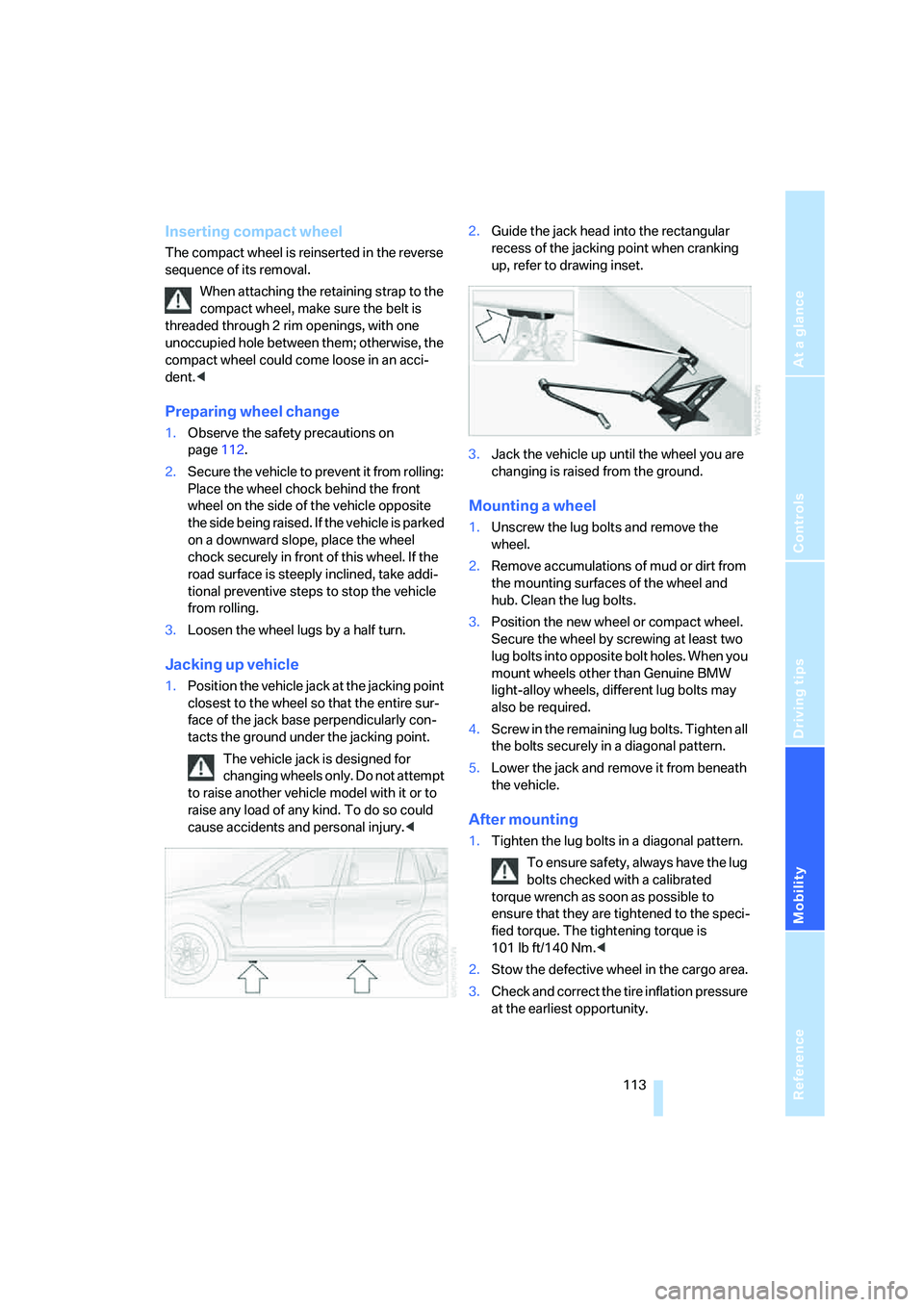
1.Position the vehicle jack at the jacking point
closest to the wheel so that the entire sur-
face of the jack base perpendicularly con-
tacts the ground under the jacking point.
The vehicle jack is designed for
changing wheels only. Do not attempt
to raise another vehicle model with it or to
raise any load of any kind. To do so could
cause accidents and personal injury.<2.Guide the jack head into the rectangular
recess of the jacking point when cranking
up, refer to drawing inset.
3.Jack the vehicle up until the wheel you are
changing is raised from the ground.
Mounting a wheel
1.Unscrew the lug bolts and remove the
wheel.
2.Remove accumulations of mud or dirt from
the mounting surfaces of the wheel and
hub. Clean the lug bolts.
3.Position the new wheel or compact wheel.
Secure the wheel by screwing at least two
lug bolts into opposite bolt holes. When you
mount wheels other than Genuine BMW
light-alloy wheels, different lug bolts may
also be required.
4.Screw in the remaining lug bolts. Tighten all
the bolts securely in a diagonal pattern.
5.Lower the jack and remove it from beneath
the vehicle.
After mounting
1.Tighten the lug bolts in a diagonal pattern.
To ensure safety, always have the lug
bolts checked with a calibrated
torque wrench as soon as possible to
ensure that they are tightened to the speci-
fied torque. The tightening torque is
101lbft/140Nm.<
2.Stow the defective wheel in the cargo area.
3.Check and correct the tire inflation pressure
at the earliest opportunity.
Page 116 of 140
Replacing components
114 Protect valve stems with valve stem
seal caps from dirt and contamina-
tion. Dirt in valve stems is a frequent source
of gradual air loss.<
4.Reinitialize the Flat Tire Monitor
* or reset
the Tire Pressure Monitor
*, refer to
pages54, 55.
Do not initialize the Flat Tire Monitor
when driving with a compact wheel.<
5.Replace the defective tire as soon as possi-
ble and have the new wheel/tire balanced.
Driving with compact wheel
Drive reservedly and do not exceed a speed of
50 mph/80 km/h.
Mounting the compact wheel can change the
driving characteristics. For example, it can
reduce tracking stability during braking, extend
braking distances, and alter self-steering char-
acteristics in the limit range. With winter tires,
these characteristics are more pronounced.
Only one compact wheel may be
mounted. You should re-equip with
wheels and tires of the original size as soon as
possible.<
Vehicle battery
Maintenance
The battery is 100 % maintenance-free, i.e., the
electrolyte will last for the life of the battery
when the vehicle is operated in a temperate cli-
mate. Your BMW Sports Activity Vehicle Center
will be happy to advise you on all questions con-
cerning the battery.
Warning lamp
The warning lamp lights up. The battery
is no longer being charged. The alterna-
tor V-belt is defective or there is a mal-
function in the charge current circuit of the
alternator. Have the system checked immedi-
ately.Do not continue driving if the V-belt is
defective. The engine could be damaged
due to overheating.
Moreover, an increased amount of force is
required for steering if there is a sharp drop in
the onboard supply voltage.<
Charging battery
Charge the battery in the vehicle only when the
engine has been switched off. For connections,
refer to Jump starting on page117.
Disposal
Have old batteries disposed of following
replacement at your BMW Sports Activity
Vehicle Center or bring them to a collection
point. Maintain the battery in an upright position
for transport and storage. Always secure the
battery to prevent it from tipping over during
transport.<
Power failure
After a temporary power supply interruption,
some equipment is subject to limited use and
must be reinitialized. Individual settings are also
lost and must be updated again:
>Panorama glass sunroof
It may be only possible to raise the sunroof.
The system must be initialized, refer to
page24.
>Power windows
The pinch protection system must be reini-
tialized, refer to page23.
>Seat and mirror memory
The positions must be stored again, refer to
page31.
>Time
Must be set again, refer to page47.
Page 129 of 140
Reference
At a glance
Controls
Driving tips
Mobility
127
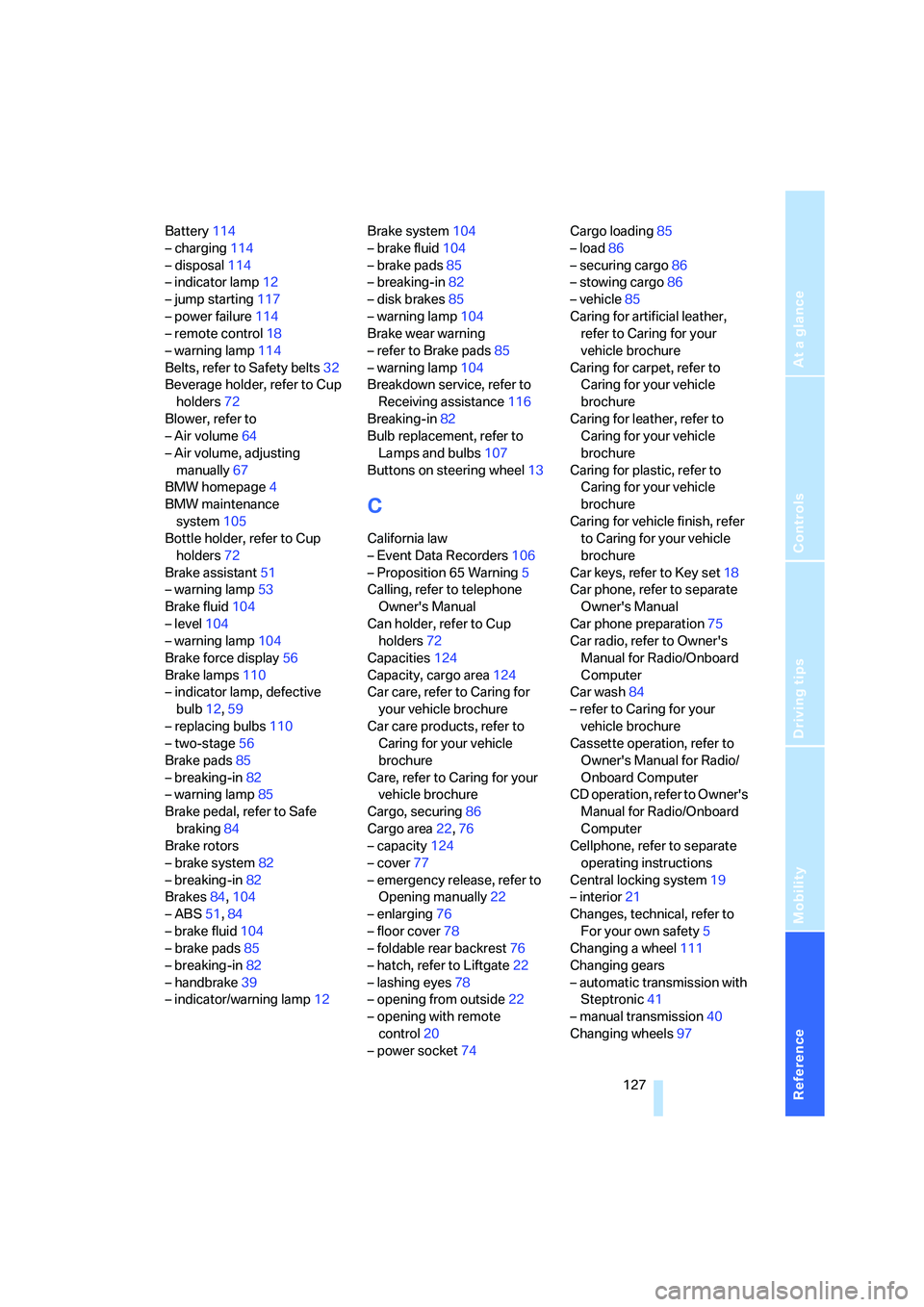
Battery114
– charging114
– disposal114
– indicator lamp12
– jump starting117
– power failure114
– remote control18
– warning lamp114
Belts, refer to Safety belts32
Beverage holder, refer to Cup
holders72
Blower, refer to
– Air volume64
– Air volume, adjusting
manually67
BMW homepage4
BMW maintenance
system105
Bottle holder, refer to Cup
holders72
Brake assistant51
– warning lamp53
Brake fluid104
– level104
– warning lamp104
Brake force display56
Brake lamps110
– indicator lamp, defective
bulb12,59
– replacing bulbs110
– two-stage56
Brake pads85
– breaking-in82
– warning lamp85
Brake pedal, refer to Safe
braking84
Brake rotors
– brake system82
– breaking-in82
Brakes84,104
– ABS51,84
– brake fluid104
– brake pads85
– breaking-in82
– handbrake39
– indicator/warning lamp12Brake system104
– brake fluid104
– brake pads85
– breaking-in82
– disk brakes85
– warning lamp
104
Brake wear warning
– refer to Brake pads85
– warning lamp104
Breakdown service, refer to
Receiving assistance116
Breaking-in82
Bulb replacement, refer to
Lamps and bulbs107
Buttons on steering wheel13
C
California law
– Event Data Recorders106
– Proposition 65 Warning5
Calling, refer to telephone
Owner's Manual
Can holder, refer to Cup
holders72
Capacities124
Capacity, cargo area124
Car care, refer to Caring for
your vehicle brochure
Car care products, refer to
Caring for your vehicle
brochure
Care, refer to Caring for your
vehicle brochure
Cargo, securing86
Cargo area22,76
– capacity124
– cover77
– emergency release, refer to
Opening manually22
– enlarging76
– floor cover78
– foldable rear backrest76
– hatch, refer to Liftgate22
– lashing eyes78
– opening from outside22
– opening with remote
control20
– power socket74Cargo loading85
– load86
– securing cargo86
– stowing cargo86
– vehicle85
Caring for artificial leather,
refer to Caring for your
vehicle brochure
Caring for carpet, refer to
Caring for your vehicle
brochure
Caring for leather, refer to
Caring for your vehicle
brochure
Caring for plastic, refer to
Caring for your vehicle
brochure
Caring for vehicle finish, refer
to Caring for your vehicle
brochure
Car keys, refer to Key set18
Car phone, refer to separate
Owner's Manual
Car phone preparation75
Car radio, refer to Owner's
Manual for Radio/Onboard
Computer
Car wash84
– refer to Caring for your
vehicle brochure
Cassette operation, refer to
Owner's Manual for Radio/
Onboard Computer
CD operation, refer to Owner's
Manual for Radio/Onboard
Computer
Cellphone, refer to separate
operating instructions
Central locking system19
– interior21
Changes, technical, refer to
For your own safety5
Changing a wheel111
Changing gears
– automatic transmission with
Steptronic41
– manual transmission40
Changing wheels97
Page 131 of 140
Reference
At a glance
Controls
Driving tips
Mobility
129
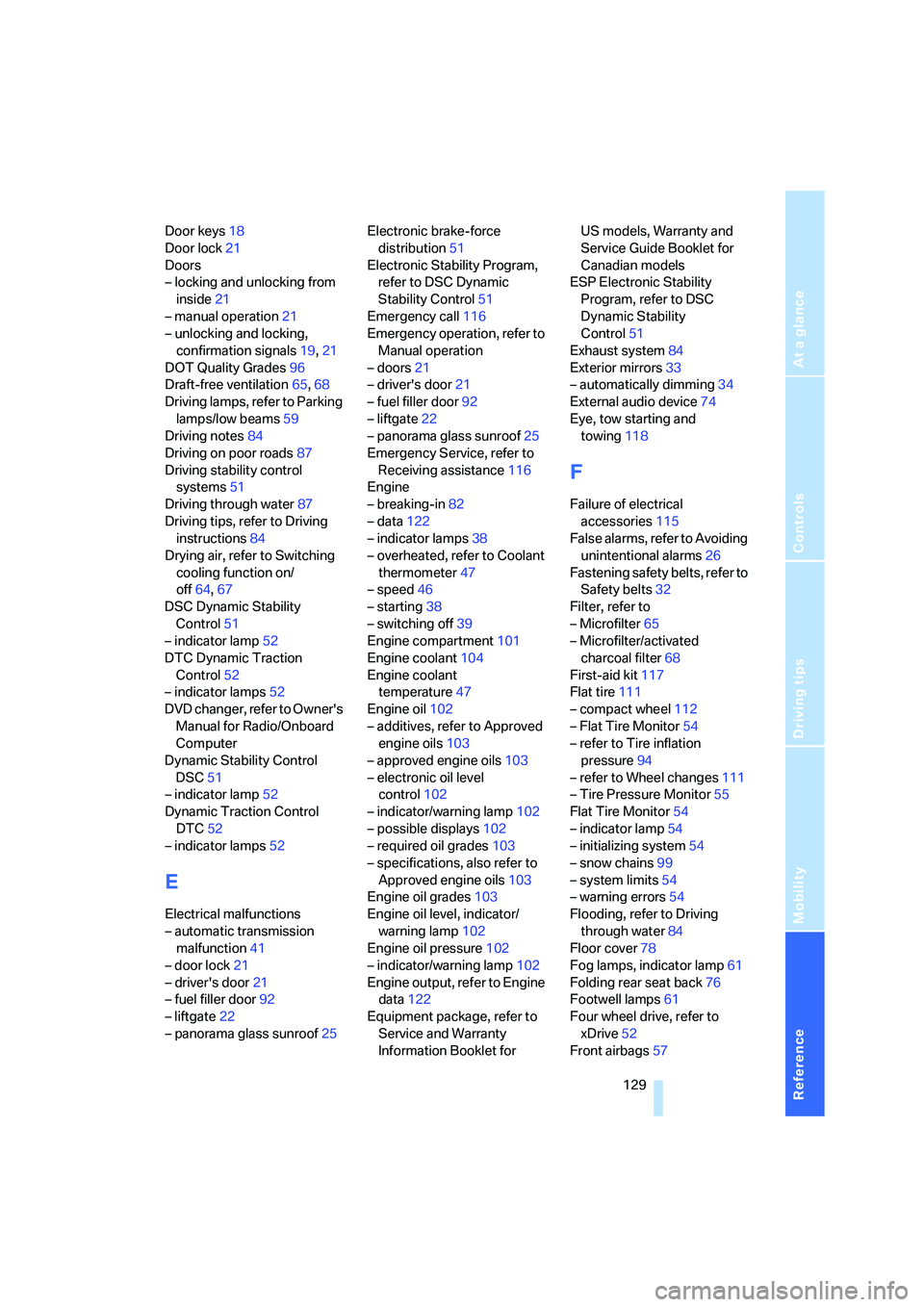
Door keys18
Door lock21
Doors
– locking and unlocking from
inside21
– manual operation21
– unlocking and locking,
confirmation signals19,21
DOT Quality Grades96
Draft-free ventilation65,68
Driving lamps, refer to Parking
lamps/low beams59
Driving notes84
Driving on poor roads87
Driving stability control
systems51
Driving through water87
Driving tips, refer to Driving
instructions84
Drying air, refer to Switching
cooling function on/
off64,67
DSC Dynamic Stability
Control51
– indicator lamp52
DTC Dynamic Traction
Control52
– indicator lamps52
DVD changer, refer to Owner's
Manual for Radio/Onboard
Computer
Dynamic Stability Control
DSC51
– indicator lamp52
Dynamic Traction Control
DTC52
– indicator lamps52
E
Electrical malfunctions
– automatic transmission
malfunction41
– door lock21
– driver's door21
– fuel filler door92
– liftgate22
– panorama glass sunroof25Electronic brake-force
distribution51
Electronic Stability Program,
refer to DSC Dynamic
Stability Control51
Emergency call116
Emergency operation, refer to
Manual operation
– doors21
– driver's door21
– fuel filler door92
– liftgate22
– panorama glass sunroof25
Emergency Service, refer to
Receiving assistance116
Engine
– breaking-in82
– data122
– indicator lamps38
– overheated, refer to Coolant
thermometer47
– speed46
– starting38
– switching off39
Engine compartment101
Engine coolant104
Engine coolant
temperature47
Engine oil102
– additives, refer to Approved
engine oils103
– approved engine oils103
– electronic oil level
control102
– indicator/warning lamp102
– possible displays102
– required oil grades103
– specifications, also refer to
Approved engine oils103
Engine oil grades103
Engine oil level, indicator/
warning lamp102
Engine oil pressure102
– indicator/warning lamp102
Engine output, refer to Engine
data122
Equipment package, refer to
Service and Warranty
Information Booklet for US models, Warranty and
Service Guide Booklet for
Canadian models
ESP Electronic Stability
Program, refer to DSC
Dynamic Stability
Control51
Exhaust system84
Exterior mirrors33
– automatically dimming34
External audio device74
Eye, tow starting and
towing118
F
Failure of electrical
accessories115
False alarms, refer to Avoiding
unintentional alarms26
Fastening safety belts, refer to
Safety belts32
Filter, refer to
– Microfilter65
– Microfilter/activated
charcoal filter68
First-aid kit117
Flat tire111
– compact wheel112
– Flat Tire Monitor54
– refer to Tire inflation
pressure94
– refer to Wheel changes111
– Tire Pressure Monitor55
Flat Tire Monitor54
– indicator lamp54
– initializing system54
– snow chains99
– system limits54
– warning errors54
Flooding, refer to Driving
through water84
Floor cover78
Fog lamps, indicator lamp61
Folding rear seat back76
Footwell lamps61
Four wheel drive, refer to
xDrive52
Front airbags57
Page 132 of 140
Everything from A to Z
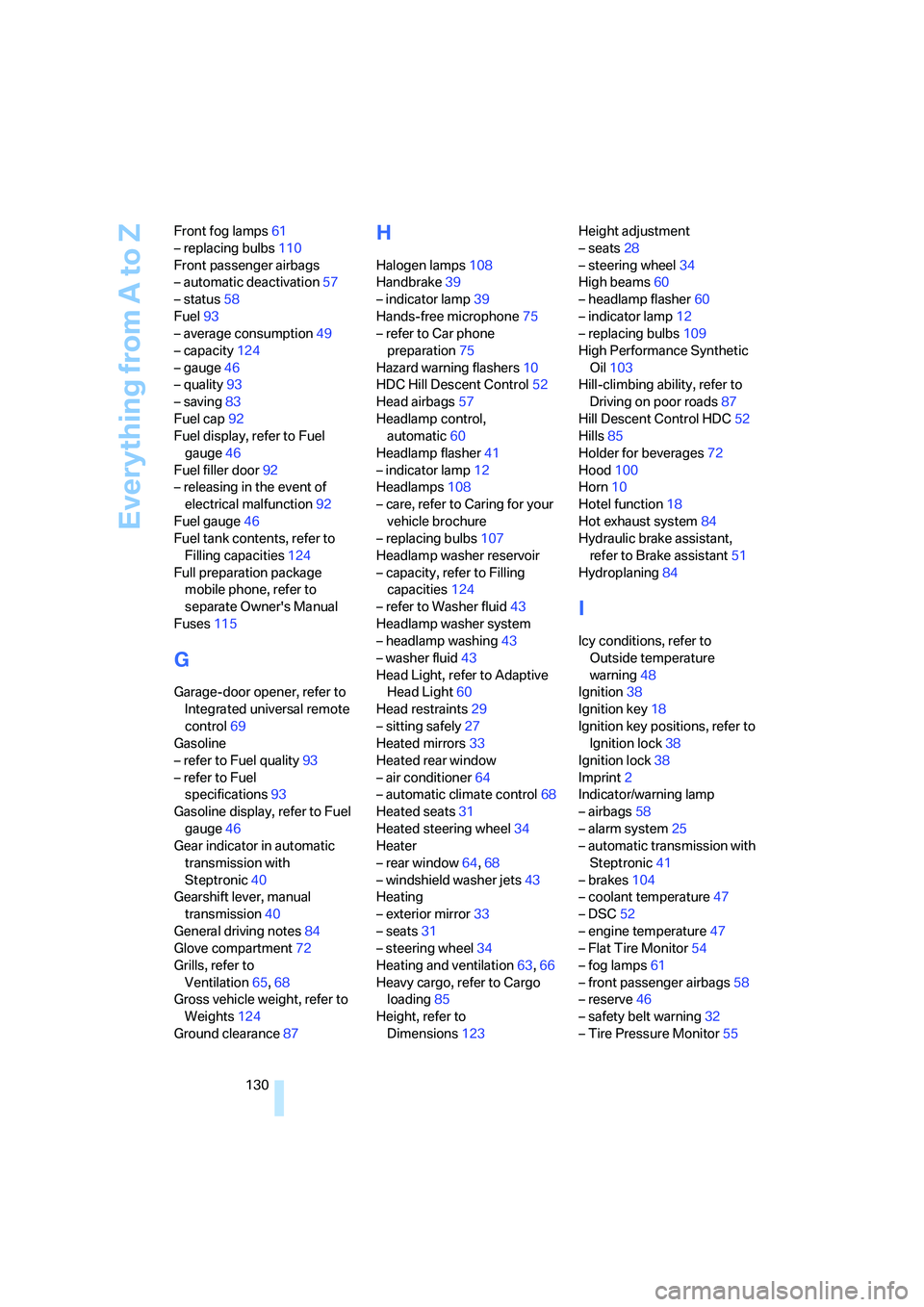
130 Front fog lamps61
– replacing bulbs110
Front passenger airbags
– automatic deactivation57
– status58
Fuel93
– average consumption49
– capacity124
– gauge46
– quality93
– saving83
Fuel cap92
Fuel display, refer to Fuel
gauge46
Fuel filler door92
– releasing in the event of
electrical malfunction92
Fuel gauge46
Fuel tank contents, refer to
Filling capacities124
Full preparation package
mobile phone, refer to
separate Owner's Manual
Fuses115
G
Garage-door opener, refer to
Integrated universal remote
control69
Gasoline
– refer to Fuel quality93
– refer to Fuel
specifications93
Gasoline display, refer to Fuel
gauge46
Gear indicator in automatic
transmission with
Steptronic40
Gearshift lever, manual
transmission40
General driving notes84
Glove compartment72
Grills, refer to
Ventilation65,68
Gross vehicle weight, refer to
Weights124
Ground clearance87
H
Halogen lamps108
Handbrake39
– indicator lamp39
Hands-free microphone75
– refer to Car phone
preparation75
Hazard warning flashers10
HDC Hill Descent Control52
Head airbags57
Headlamp control,
automatic60
Headlamp flasher41
– indicator lamp12
Headlamps108
– care, refer to Caring for your
vehicle brochure
– replacing bulbs107
Headlamp washer reservoir
– capacity, refer to Filling
capacities124
– refer to Washer fluid43
Headlamp washer system
– headlamp washing43
– washer fluid43
Head Light, refer to Adaptive
Head Light60
Head restraints29
– sitting safely27
Heated mirrors33
Heated rear window
– air conditioner64
– automatic climate control68
Heated seats31
Heated steering wheel34
Heater
– rear window64,68
– windshield washer jets43
Heating
– exterior mirror33
– seats31
– steering wheel34
Heating and ventilation63,66
Heavy cargo, refer to Cargo
loading85
Height, refer to
Dimensions123Height adjustment
– seats28
– steering wheel34
High beams60
– headlamp flasher60
– indicator lamp12
– replacing bulbs109
High Performance Synthetic
Oil103
Hill-climbing ability, refer to
Driving on poor roads87
Hill Descent Control HDC
52
Hills85
Holder for beverages72
Hood100
Horn10
Hotel function18
Hot exhaust system84
Hydraulic brake assistant,
refer to Brake assistant51
Hydroplaning84
I
Icy conditions, refer to
Outside temperature
warning48
Ignition38
Ignition key18
Ignition key positions, refer to
Ignition lock38
Ignition lock38
Imprint2
Indicator/warning lamp
– airbags58
– alarm system25
– automatic transmission with
Steptronic41
– brakes104
– coolant temperature47
– DSC52
– engine temperature47
– Flat Tire Monitor54
– fog lamps61
– front passenger airbags58
– reserve46
– safety belt warning32
– Tire Pressure Monitor55
Page 135 of 140
Reference
At a glance
Controls
Driving tips
Mobility
133
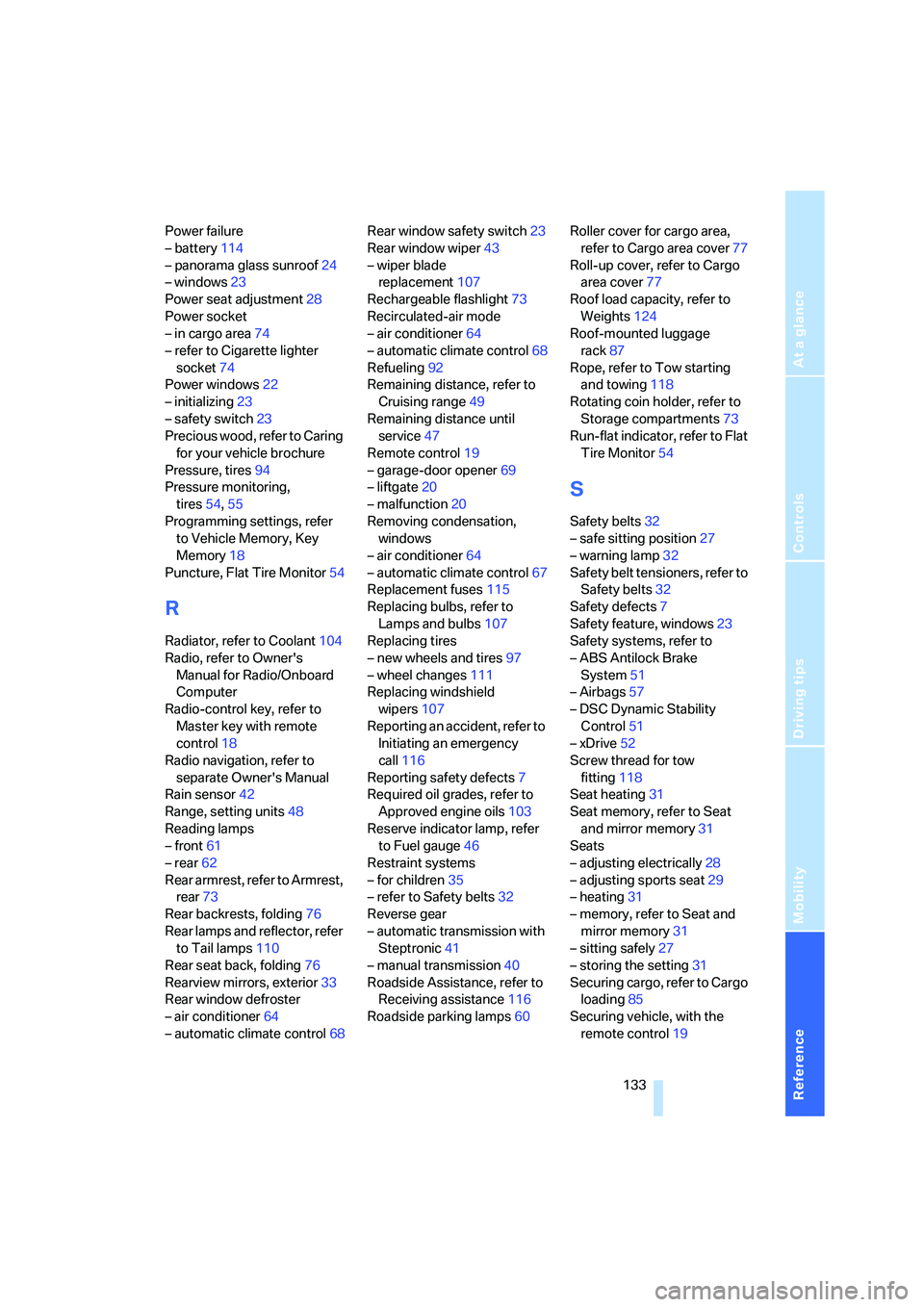
Power failure
– battery114
– panorama glass sunroof24
– windows23
Power seat adjustment28
Power socket
– in cargo area74
– refer to Cigarette lighter
socket74
Power windows22
– initializing23
– safety switch23
Precious wood, refer to Caring
for your vehicle brochure
Pressure, tires94
Pressure monitoring,
tires54,55
Programming settings, refer
to Vehicle Memory, Key
Memory18
Puncture, Flat Tire Monitor54
R
Radiator, refer to Coolant104
Radio, refer to Owner's
Manual for Radio/Onboard
Computer
Radio-control key, refer to
Master key with remote
control18
Radio navigation, refer to
separate Owner's Manual
Rain sensor42
Range, setting units48
Reading lamps
– front61
– rear62
Rear armrest, refer to Armrest,
rear73
Rear backrests, folding76
Rear lamps and reflector, refer
to Tail lamps110
Rear seat back, folding76
Rearview mirrors, exterior33
Rear window defroster
– air conditioner64
– automatic climate control68Rear window safety switch23
Rear window wiper43
– wiper blade
replacement107
Rechargeable flashlight73
Recirculated-air mode
– air conditioner64
– automatic climate control68
Refueling92
Remaining distance, refer to
Cruising range49
Remaining distance until
service47
Remote control19
– garage-door opener69
– liftgate20
– malfunction20
Removing condensation,
windows
– air conditioner64
– automatic climate control67
Replacement fuses115
Replacing bulbs, refer to
Lamps and bulbs107
Replacing tires
– new wheels and tires97
– wheel changes111
Replacing windshield
wipers107
Reporting an accident, refer to
Initiating an emergency
call116
Reporting safety defects7
Required oil grades, refer to
Approved engine oils103
Reserve indicator lamp, refer
to Fuel gauge46
Restraint systems
– for children35
– refer to Safety belts
32
Reverse gear
– automatic transmission with
Steptronic41
– manual transmission40
Roadside Assistance, refer to
Receiving assistance116
Roadside parking lamps60Roller cover for cargo area,
refer to Cargo area cover77
Roll-up cover, refer to Cargo
area cover77
Roof load capacity, refer to
Weights124
Roof-mounted luggage
rack87
Rope, refer to Tow starting
and towing118
Rotating coin holder, refer to
Storage compartments73
Run-flat indicator, refer to Flat
Tire Monitor54
S
Safety belts32
– safe sitting position27
– warning lamp32
Safety belt tensioners, refer to
Safety belts32
Safety defects7
Safety feature, windows23
Safety systems, refer to
– ABS Antilock Brake
System51
– Airbags57
– DSC Dynamic Stability
Control51
– xDrive52
Screw thread for tow
fitting118
Seat heating31
Seat memory, refer to Seat
and mirror memory31
Seats
– adjusting electrically28
– adjusting sports seat29
– heating31
– memory, refer to Seat and
mirror memory31
– sitting safely27
– storing the setting31
Securing cargo, refer to Cargo
loading85
Securing vehicle, with the
remote control19
Page 136 of 140
Everything from A to Z
134 Selector lever
– automatic transmission40
– automatic transmission with
Steptronic40
Selector lever interlock, refer
to Shiftlock40
Selector-lever positions,
automatic transmission40
Service, refer to Receiving
assistance116
Service and warranty6
Service Engine Soon38,106
Service Interval
Display47,105
Setting interior
temperature64,67
Shifting gears in automatic
transmission with
Steptronic41
Shiftlock40
Side airbags57
Side tilt, permissible87
Side turn signals, bulb
replacement110
Signal horn, refer to Horn10
Sitting safely27
– with airbags27
– with head restraint27
– with safety belt27
Ski bag75
Smokers' package, refer to
Ashtray74
Snow chains99
Soft drink can holder, refer to
Cup holders72
SOS, refer to Initiating an
emergency call116
Spare fuses115
Spare key18
Spare wheel, refer to Compact
wheel112
Speed
– with compact wheel114
– with winter tires98
Speedometer, refer to
Instrument cluster11
Split rear backrest, refer to
Enlarging cargo area76Sport program, automatic
transmission with
Steptronic41
Sports seat29
Stability control, refer to
Driving stability control
systems51
Starting, refer to Starting
engine38
Starting difficulties
– at very low temperatures39
– jump starting117
Starting engine38
Starting off uphill, refer to
Acceleration assistant53
Status of passenger
airbags58
Status of this Owner's Manual
at time of printing5
Steering lock38
Steering wheel10,13
– adjustment34
– buttons on steering
wheel13
– heater34
– lock38
Steering wheel with
buttons13
Steptronic40
Storage compartments73
Storage package73
Storage package nets73
Storage space, refer to Cargo
area76
Storing desired speed, refer to
Cruise control44
Storing seat position, refer to
Seat and mirror memory31
Storing tires98
Straps, refer to Cargo
loading85
Sunroof, refer to Panorama
glass sunroof23
Switches, refer to Cockpit10
Switching cooling function on/
off64,67
Switching off engine39
Symbols4
T
Tachometer46
Tail lamps110
– indicator lamp, defective
bulb59
– replacing bulbs110
Tank, washing systems, refer
to Washer fluid43
Tank capacity124
Technical data122
Technical modifications5
Telephone, refer to separate
operating instructions
Temperature
– air conditioner64
– automatic climate control67
– tires97
Temperature display
– outside temperature48
– outside temperature
warning48
– setting units48
Temperature gauge47
Temperature of coolant, refer
to Coolant thermometer47
Temperature warning48
Tempomat, refer to Cruise
control44
Thigh support adjustment29
Three point safety belts32
Tightening torque of lug bolts,
refer to After mounting113
Tilt alarm sensor
– remote control20
– switching off20,26
Tilt function, passenger-side
mirror33
Tire inflation pressures94
– monitoring, refer to Tire
Pressure Monitor55
– restoring94
Tire Pressure Monitor55
– malfunction warnings55
– resetting system55
– system limitations55
– warning lamp55
Tire replacement97