ignition BMW X3 XDRIVE 30I 2009 E83 Owner's Guide
[x] Cancel search | Manufacturer: BMW, Model Year: 2009, Model line: X3 XDRIVE 30I, Model: BMW X3 XDRIVE 30I 2009 E83Pages: 146, PDF Size: 4.87 MB
Page 50 of 146
Everything under control
48 The set time is transferred to the display of the
radio or displayed in the instrument cluster.
Display mode
Ignition key in position 0 or removed:
Press button1.
The time and display of the miles/kilometers
appear for a few seconds.
Computer
Mode selection
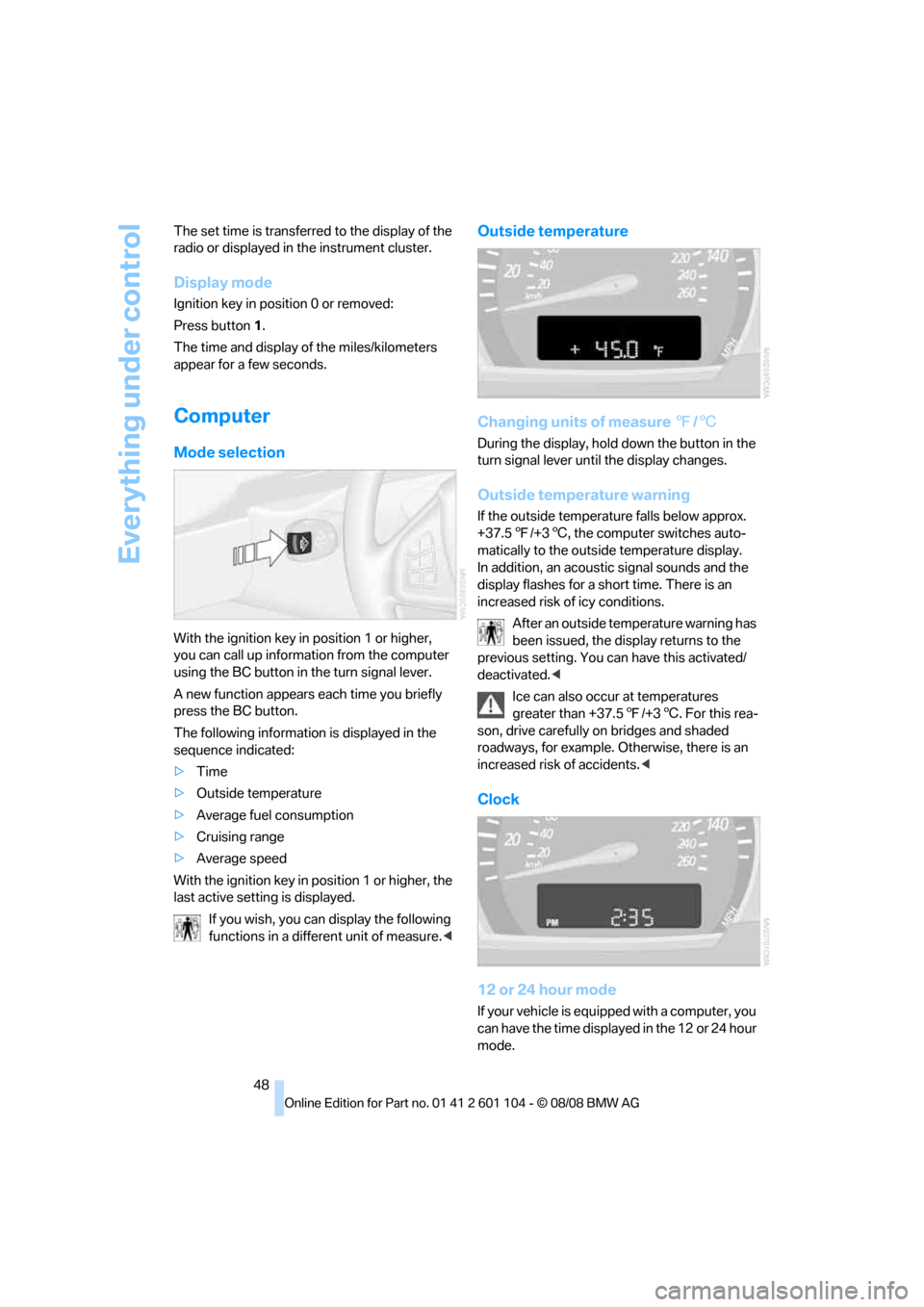
With the ignition key in position 1 or higher,
you can call up information from the computer
using the BC button in the turn signal lever.
A new function appears each time you briefly
press the BC button.
The following information is displayed in the
sequence indicated:
>Time
>Outside temperature
>Average fuel consumption
>Cruising range
>Average speed
With the ignition key in position 1 or higher, the
last active setting is displayed.
If you wish, you can display the following
functions in a different unit of measure.<
Outside temperature
Changing units of measure 7/6
During the display, hold down the button in the
turn signal lever until the display changes.
Outside temperature warning
If the outside temperature falls below approx.
+37.57/+36, the computer switches auto-
matically to the outside temperature display.
In addition, an acoustic signal sounds and the
display flashes for a short time. There is an
increased risk of icy conditions.
After an outside temperature warning has
been issued, the display returns to the
previous setting. You can have this activated/
deactivated.<
Ice can also occur at temperatures
greater than +37.57/+36. For this rea-
son, drive carefully on bridges and shaded
roadways, for example. Otherwise, there is an
increased risk of accidents.<
Clock
12 or 24 hour mode
If your vehicle is equipped with a computer, you
can have the time displayed in the 12 or 24 hour
mode.
Page 52 of 146
Technology for comfort, convenience and safety
50
Technology for comfort, convenience and
safety
PDC Park Distance Control*
The concept
PDC provides extra safety and convenience
during parking maneuvers. Audible signals indi-
cate that you are approaching an object in front
of or behind your vehicle. To measure the dis-
tance, there are four ultrasonic sensors in each
bumper.
An acoustic signal begins to sound when the
front sensors and the rear corner sensors are
within approx. 2 ft/60 cm of an obstacle and
when the rear middle sensors are within approx.
5 ft/1.50 m of an obstacle.
PDC is a parking aid that can indicate
objects when they are approached
slowly, as is usually the case when parking.
Avoid approaching objects too fast; otherwise,
the system may give warning of physical obsta-
cles too late.<
If you are driving with a trailer, the rear sensors
cannot take any meaningful measurements.
Consequently, they do not switch on.
Automatic mode
In ignition key position 2, the system is auto-
matically activated after approx. 1 second each
time you shift into reverse or move the selector-
lever into position R. Wait for one second to
pass before moving.
You can have a signal tone programmed
into the system to verify that the PDC is
active.<
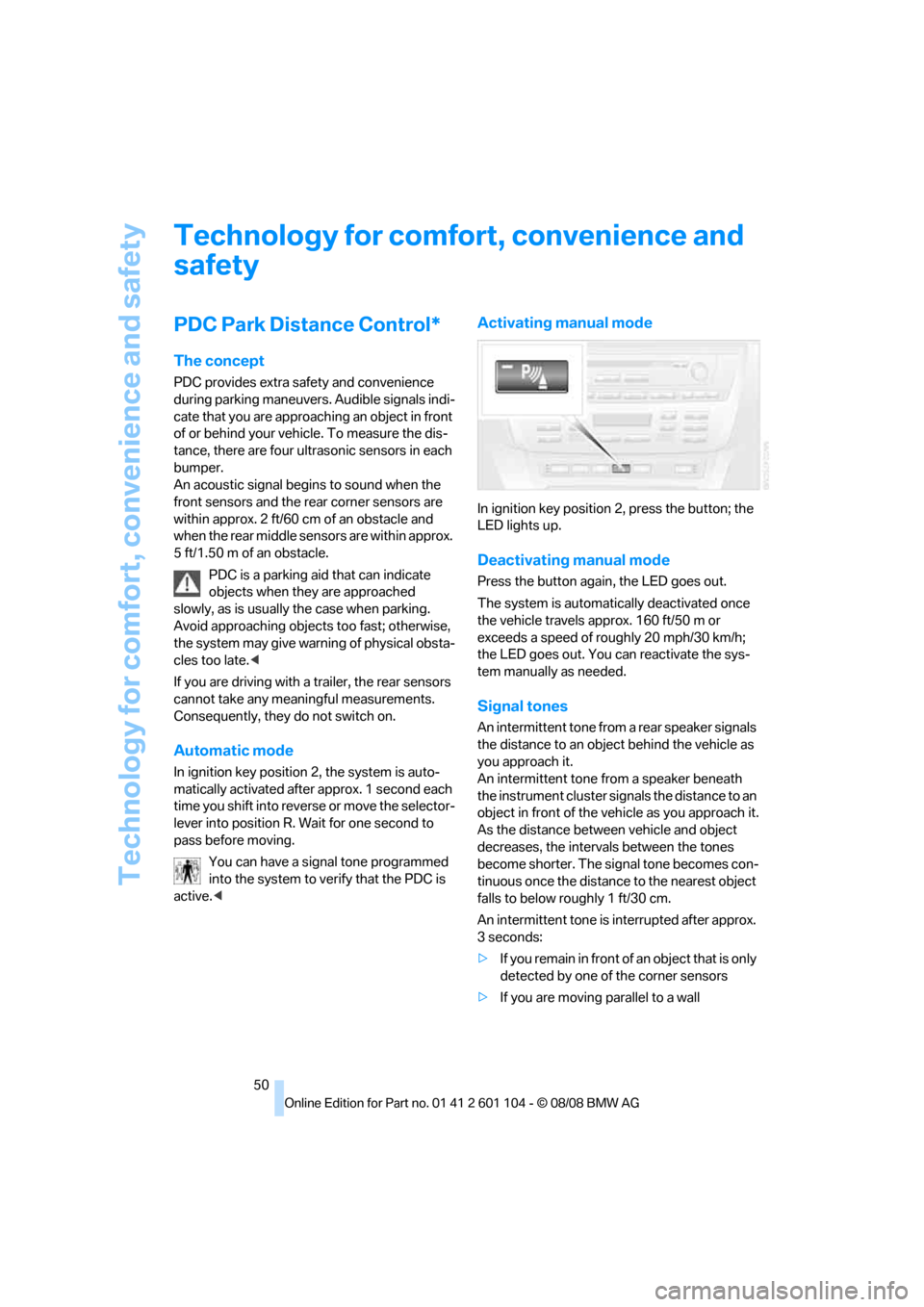
Activating manual mode
In ignition key position 2, press the button; the
LED lights up.
Deactivating manual mode
Press the button again, the LED goes out.
The system is automatically deactivated once
the vehicle travels approx. 160 ft/50 m or
exceeds a speed of roughly 20 mph/30 km/h;
the LED goes out. You can reactivate the sys-
tem manually as needed.
Signal tones
An intermittent tone from a rear speaker signals
the distance to an object behind the vehicle as
you approach it.
An intermittent tone from a speaker beneath
the instrument cluster signals the distance to an
object in front of the vehicle as you approach it.
As the distance between vehicle and object
decreases, the intervals between the tones
become shorter. The signal tone becomes con-
tinuous once the distance to the nearest object
falls to below roughly 1 ft/30 cm.
An intermittent tone is interrupted after approx.
3seconds:
>If you remain in front of an object that is only
detected by one of the corner sensors
>If you are moving parallel to a wall
Page 55 of 146
Reference
At a glance
Controls
Driving tips
Mobility
53
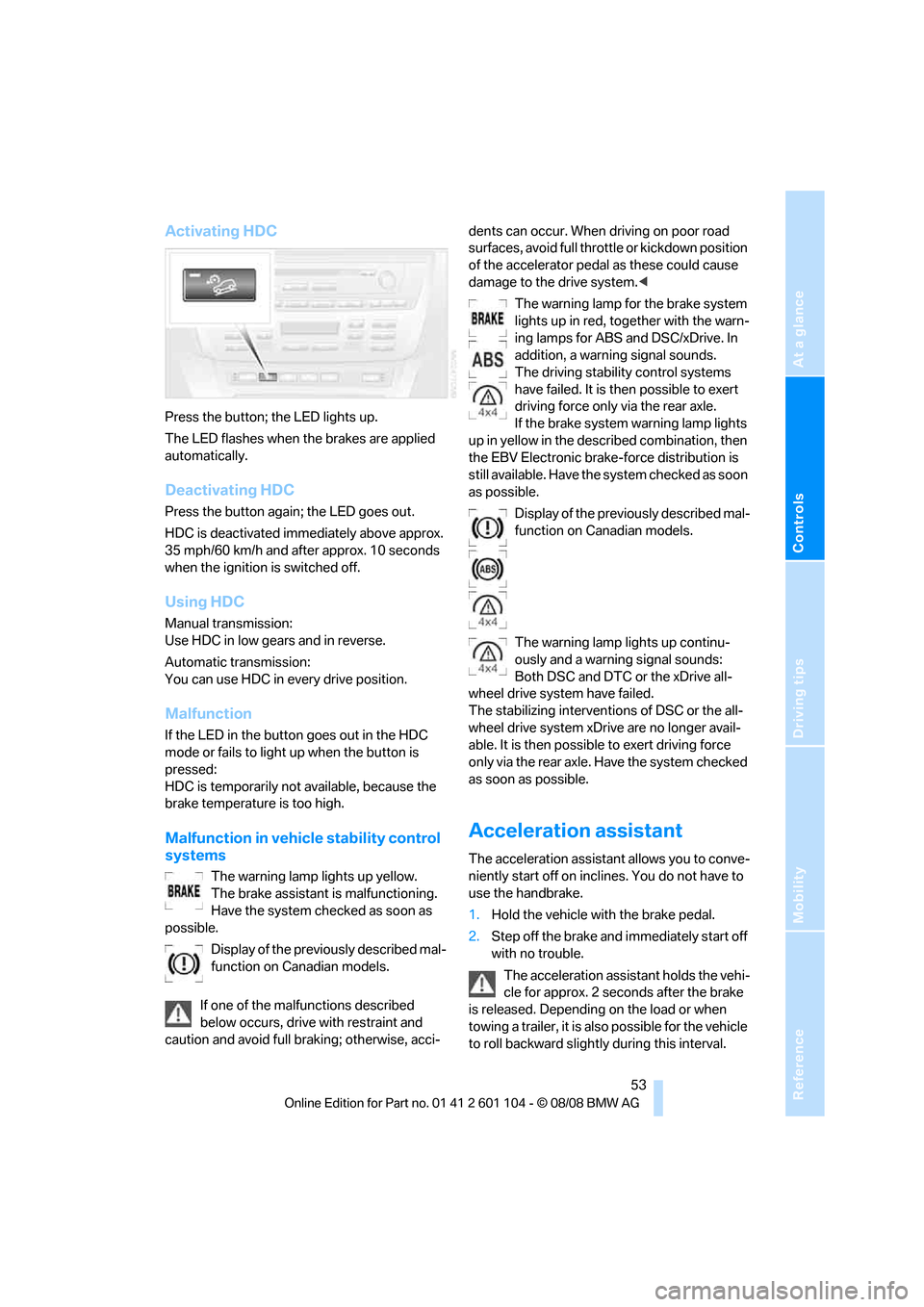
Activating HDC
Press the button; the LED lights up.
The LED flashes when the brakes are applied
automatically.
Deactivating HDC
Press the button again; the LED goes out.
HDC is deactivated immediately above approx.
35 mph/60 km/h and after approx. 10 seconds
when the ignition is switched off.
Using HDC
Manual transmission:
Use HDC in low gears and in reverse.
Automatic transmission:
You can use HDC in every drive position.
Malfunction
If the LED in the button goes out in the HDC
mode or fails to light up when the button is
pressed:
HDC is temporarily not available, because the
brake temperature is too high.
Malfunction in vehicle stability control
systems
The warning lamp lights up yellow.
The brake assistant is malfunctioning.
Have the system checked as soon as
possible.
Display of the previously described mal-
function on Canadian models.
If one of the malfunctions described
below occurs, drive with restraint and
caution and avoid full braking; otherwise, acci-dents can occur. When driving on poor road
surfaces, avoid full throttle or kickdown position
of the accelerator pedal as these could cause
damage to the drive system.<
The warning lamp for the brake system
lights up in red, together with the warn-
ing lamps for ABS and DSC/xDrive. In
addition, a warning signal sounds.
The driving stability control systems
have failed. It is then possible to exert
driving force only via the rear axle.
If the brake system warning lamp lights
up in yellow in the described combination, then
the EBV Electronic brake-force distribution is
still available. Have the system checked as soon
as possible.
Display of the previously described mal-
function on Canadian models.
The warning lamp lights up continu-
ously and a warning signal sounds:
Both DSC and DTC or the xDrive all-
wheel drive system have failed.
The stabilizing interventions of DSC or the all-
wheel drive system xDrive are no longer avail-
able. It is then possible to exert driving force
only via the rear axle. Have the system checked
as soon as possible.
Acceleration assistant
The acceleration assistant allows you to conve-
niently start off on inclines. You do not have to
use the handbrake.
1.Hold the vehicle with the brake pedal.
2.Step off the brake and immediately start off
with no trouble.
The acceleration assistant holds the vehi-
cle for approx. 2 seconds after the brake
is released. Depending on the load or when
towing a trailer, it is also possible for the vehicle
to roll backward slightly during this interval.
Page 60 of 146
Technology for comfort, convenience and safety
58 in the back. Do not attach seat covers, seat
cushion padding, ball mats or other items to the
passenger seat unless they are specifically rec-
ommended by BMW. Do not place any items
under the seat which could press against the
seat from below. Otherwise, a correct analysis
of the seat cushion is not ensured.<
Status of passenger airbags
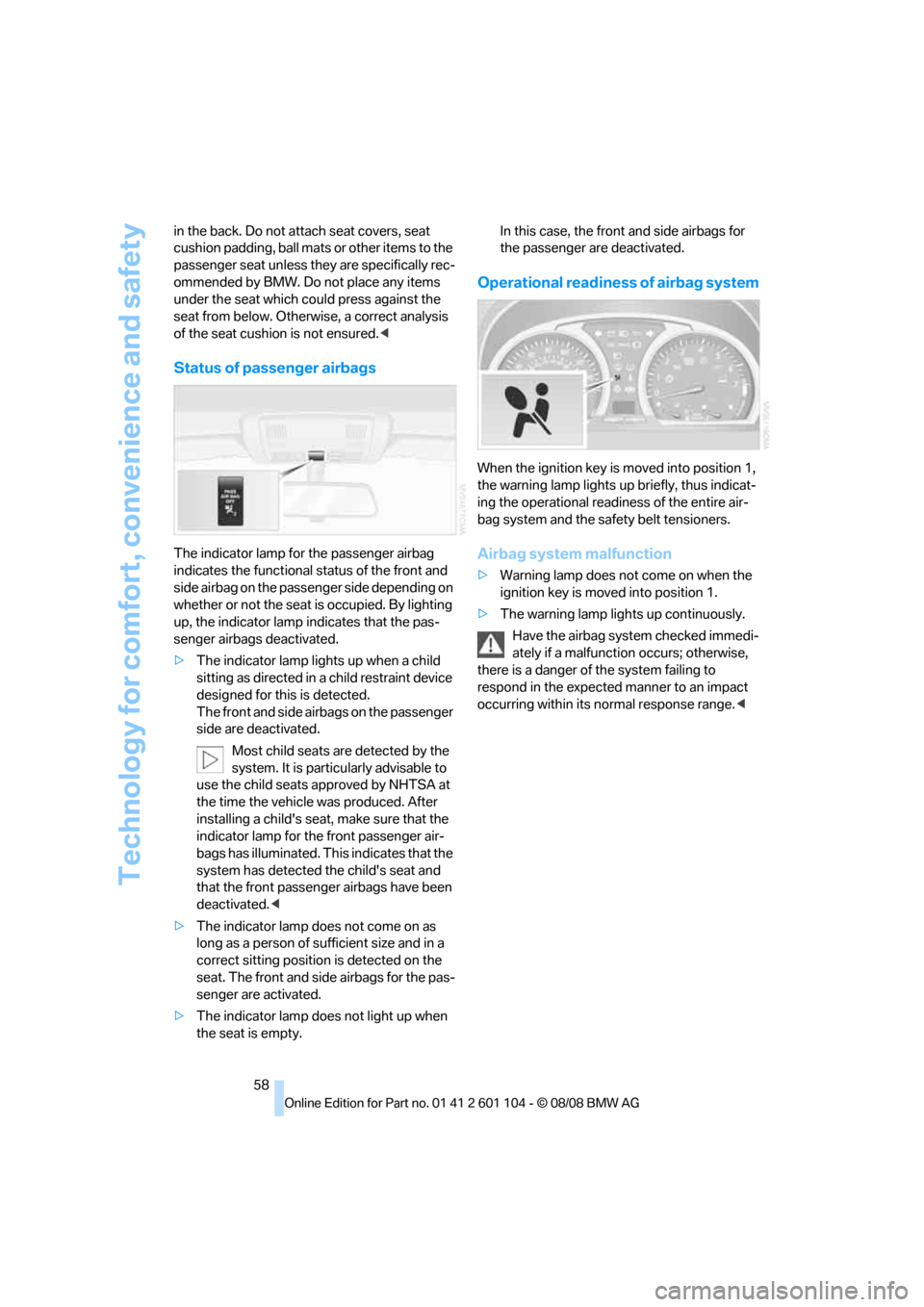
The indicator lamp for the passenger airbag
indicates the functional status of the front and
side airbag on the passenger side depending on
whether or not the seat is occupied. By lighting
up, the indicator lamp indicates that the pas-
senger airbags deactivated.
>The indicator lamp lights up when a child
sitting as directed in a child restraint device
designed for this is detected.
The front and side airbags on the passenger
side are deactivated.
Most child seats are detected by the
system. It is particularly advisable to
use the child seats approved by NHTSA at
the time the vehicle was produced. After
installing a child's seat, make sure that the
indicator lamp for the front passenger air-
bags has illuminated. This indicates that the
system has detected the child's seat and
that the front passenger airbags have been
deactivated.<
>The indicator lamp does not come on as
long as a person of sufficient size and in a
correct sitting position is detected on the
seat. The front and side airbags for the pas-
senger are activated.
>The indicator lamp does not light up when
the seat is empty.In this case, the front and side airbags for
the passenger are deactivated.
Operational readiness of airbag system
When the ignition key is moved into position 1,
the warning lamp lights up briefly, thus indicat-
ing the operational readiness of the entire air-
bag system and the safety belt tensioners.
Airbag system malfunction
>Warning lamp does not come on when the
ignition key is moved into position 1.
>The warning lamp lights up continuously.
Have the airbag system checked immedi-
ately if a malfunction occurs; otherwise,
there is a danger of the system failing to
respond in the expected manner to an impact
occurring within its normal response range.<
Page 61 of 146
Reference
At a glance
Controls
Driving tips
Mobility
59
Lamps
Parking lamps/low beams
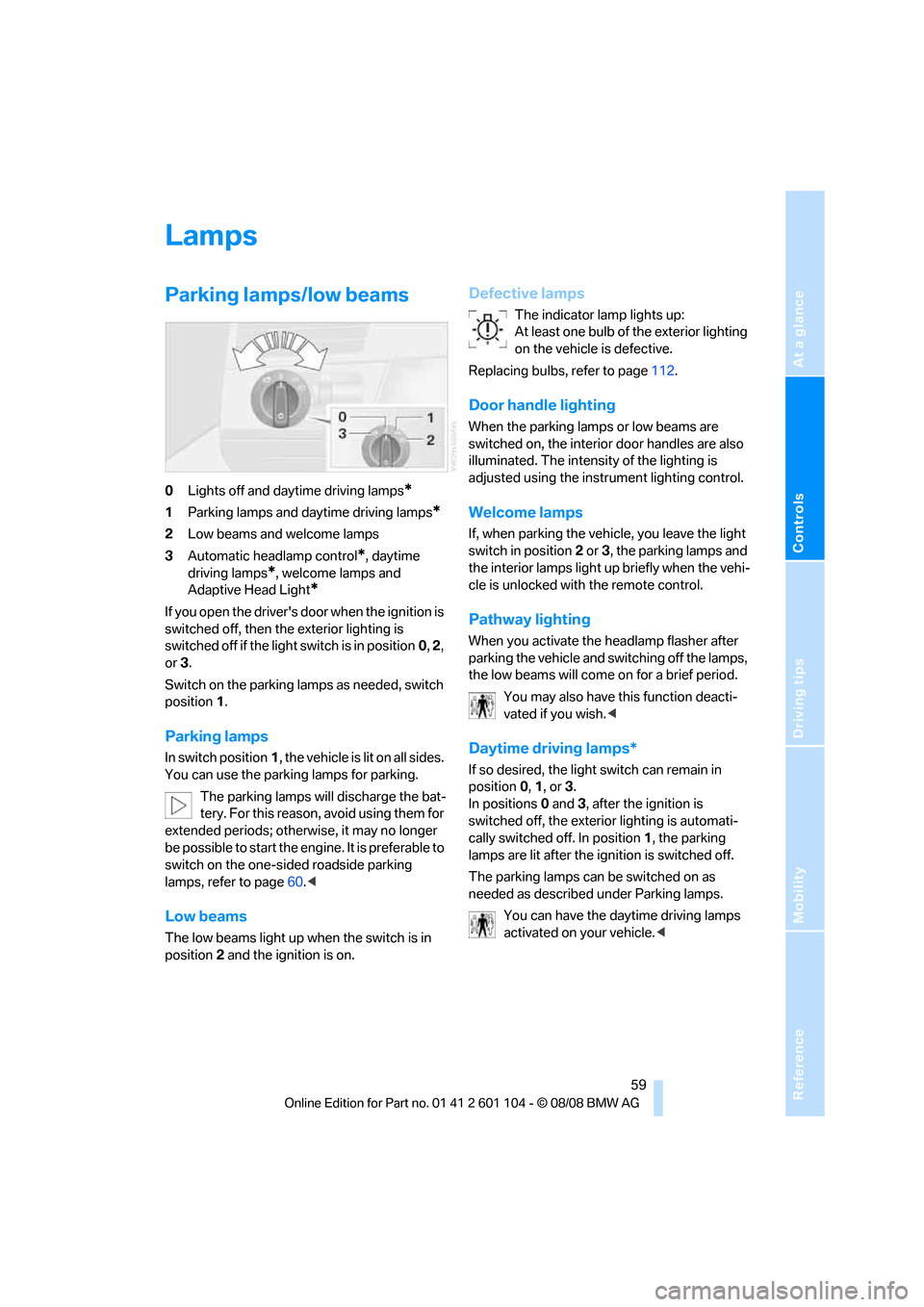
0Lights off and daytime driving lamps*
1Parking lamps and daytime driving lamps*
2Low beams and welcome lamps
3Automatic headlamp control
*, daytime
driving lamps
*, welcome lamps and
Adaptive Head Light
*
If you open the driver's door when the ignition is
switched off, then the exterior lighting is
switched off if the light switch is in position0, 2,
or3.
Switch on the parking lamps as needed, switch
position1.
Parking lamps
In switch position1, the vehicle is lit on all sides.
You can use the parking lamps for parking.
The parking lamps will discharge the bat-
tery. For this reason, avoid using them for
extended periods; otherwise, it may no longer
be possible to start the engine. It is preferable to
switch on the one-sided roadside parking
lamps, refer to page60.<
Low beams
The low beams light up when the switch is in
position2 and the ignition is on.
Defective lamps
The indicator lamp lights up:
At least one bulb of the exterior lighting
on the vehicle is defective.
Replacing bulbs, refer to page112.
Door handle lighting
When the parking lamps or low beams are
switched on, the interior door handles are also
illuminated. The intensity of the lighting is
adjusted using the instrument lighting control.
Welcome lamps
If, when parking the vehicle, you leave the light
switch in position2 or3, the parking lamps and
the interior lamps light up briefly when the vehi-
cle is unlocked with the remote control.
Pathway lighting
When you activate the headlamp flasher after
parking the vehicle and switching off the lamps,
the low beams will come on for a brief period.
You may also have this function deacti-
vated if you wish.<
Daytime driving lamps*
If so desired, the light switch can remain in
position0, 1, or3.
In positions0 and3, after the ignition is
switched off, the exterior lighting is automati-
cally switched off. In position1, the parking
lamps are lit after the ignition is switched off.
The parking lamps can be switched on as
needed as described under Parking lamps.
You can have the daytime driving lamps
activated on your vehicle.<
Page 62 of 146
Lamps
60
Automatic headlamp control*
In switch position3, the low beams are
switched on or off automatically, for example in
tunnels, at dawn and dusk, and in the event of
precipitation. The Adaptive Head Light
* is acti-
vated.
When you enter a tunnel with bright ceiling
lighting, this can delay the switching on of your
low beams.
The headlamps can also come on when the sun
is low on the horizon in a blue sky.
The low beams remain switched on
regardless of the ambient light when you
switch on the front fog lamps
*.
When the daytime driving lamps are activated,
refer to page59, the low beam headlamps are
always switched on when the switch is in posi-
tion3 and the ignition is switched on.<
If so desired, the light switch can remain in
position3. The exterior lamps are automatically
switched off after the ignition is switched off.
Automatic headlamp control cannot
serve as a substitute for the driver's judg-
ment in determining when the vehicle lamps
should be switched on. For example, the sys-
tem cannot detect fog or hazy weather. To
avoid safety risks, you should always switch on
the low beams manually under these condi-
tions.<
You can have the sensitivity of the head-
lamp control adjusted.<
Adaptive Head Light*
The concept
Adaptive Head Light is a variable headlamp
control system that enables better illumination
of the road surface. Depending on the steering
angle and other parameters, the light from the
headlamp follows the course of the road.
In tight curves, e.g. serpentines, or when mak-
ing turns, up to a speed of approx. 43 mph/
70 km/h, a turning lamp is switched on and illu-
minates the inside of the curve.
Activating Adaptive Head Light
With the ignition on, turn the light switch to the
Automatic headlamp control position, refer to
page59.
The turning lamp is switched on automatically
depending on the steering angle or the turn sig-
nal position.
In order not to blind oncoming traffic, the Adap-
tive Head Light points toward the passenger
side when the vehicle is stopped. When driving
in reverse, only the turning lamp is active and
lights up the region on the outside of the curve.
Malfunction
The LED next to the symbol for automatic head-
lamp control flashes. Adaptive Head Light is
malfunctioning or has failed. Have the system
checked as soon as possible.
High beams/
roadside parking lamps
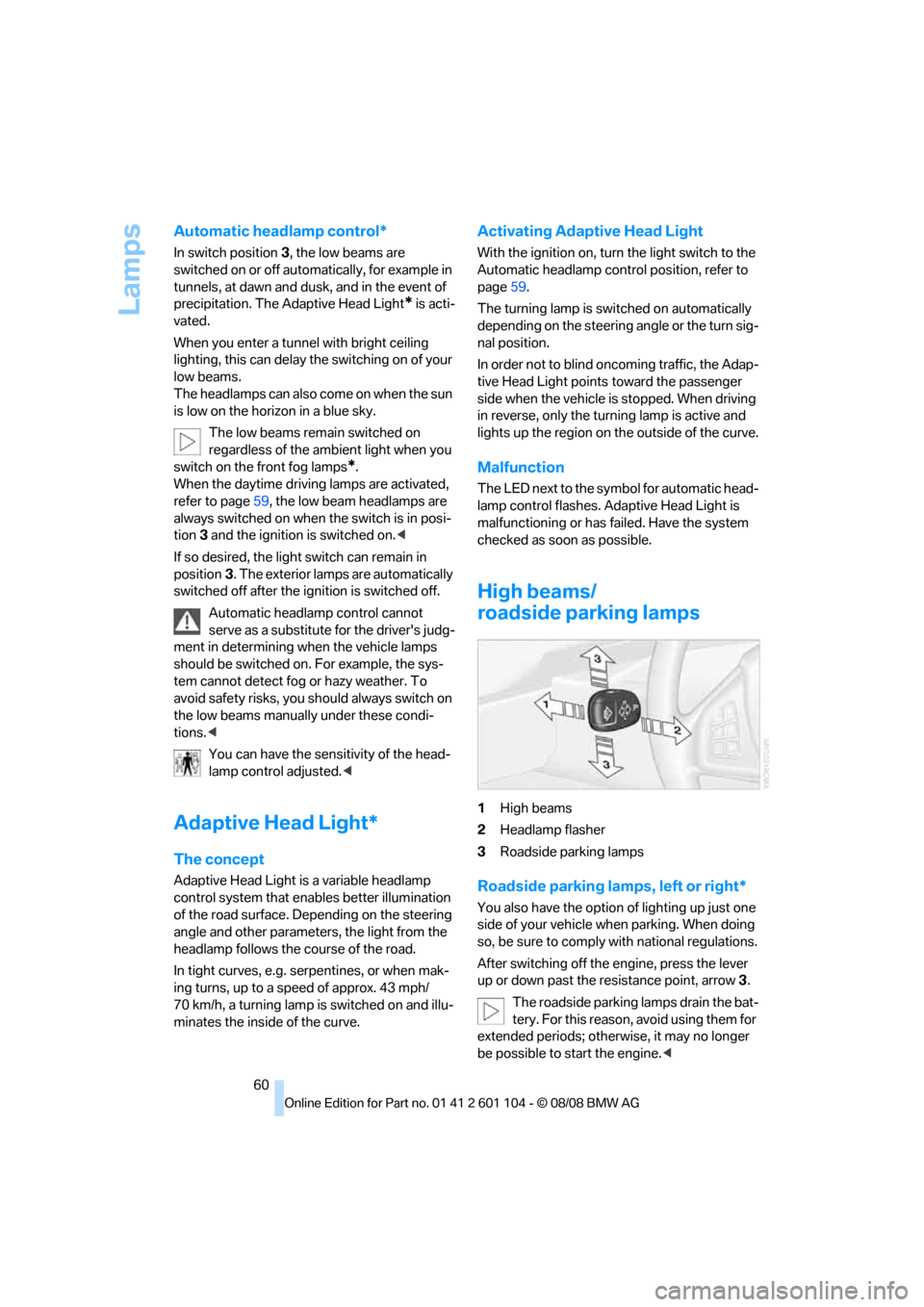
1High beams
2Headlamp flasher
3Roadside parking lamps
Roadside parking lamps, left or right*
You also have the option of lighting up just one
side of your vehicle when parking. When doing
so, be sure to comply with national regulations.
After switching off the engine, press the lever
up or down past the resistance point, arrow 3.
The roadside parking lamps drain the bat-
tery. For this reason, avoid using them for
extended periods; otherwise, it may no longer
be possible to start the engine.<
Page 71 of 146
Reference
At a glance
Controls
Driving tips
Mobility
69
Practical interior accessories
Integrated universal remote
control*
The concept
The integrated universal remote control can
replace as many as three hand-held transmit-
ters for various radio-controlled accessories,
such as garages, exterior gates, or lighting sys-
tems. The integrated universal remote control
recognizes and learns the transmitted signal of
each of the original hand-held transmitters.
The signal of an original hand-held transmitter
can be programmed on one of the three mem-
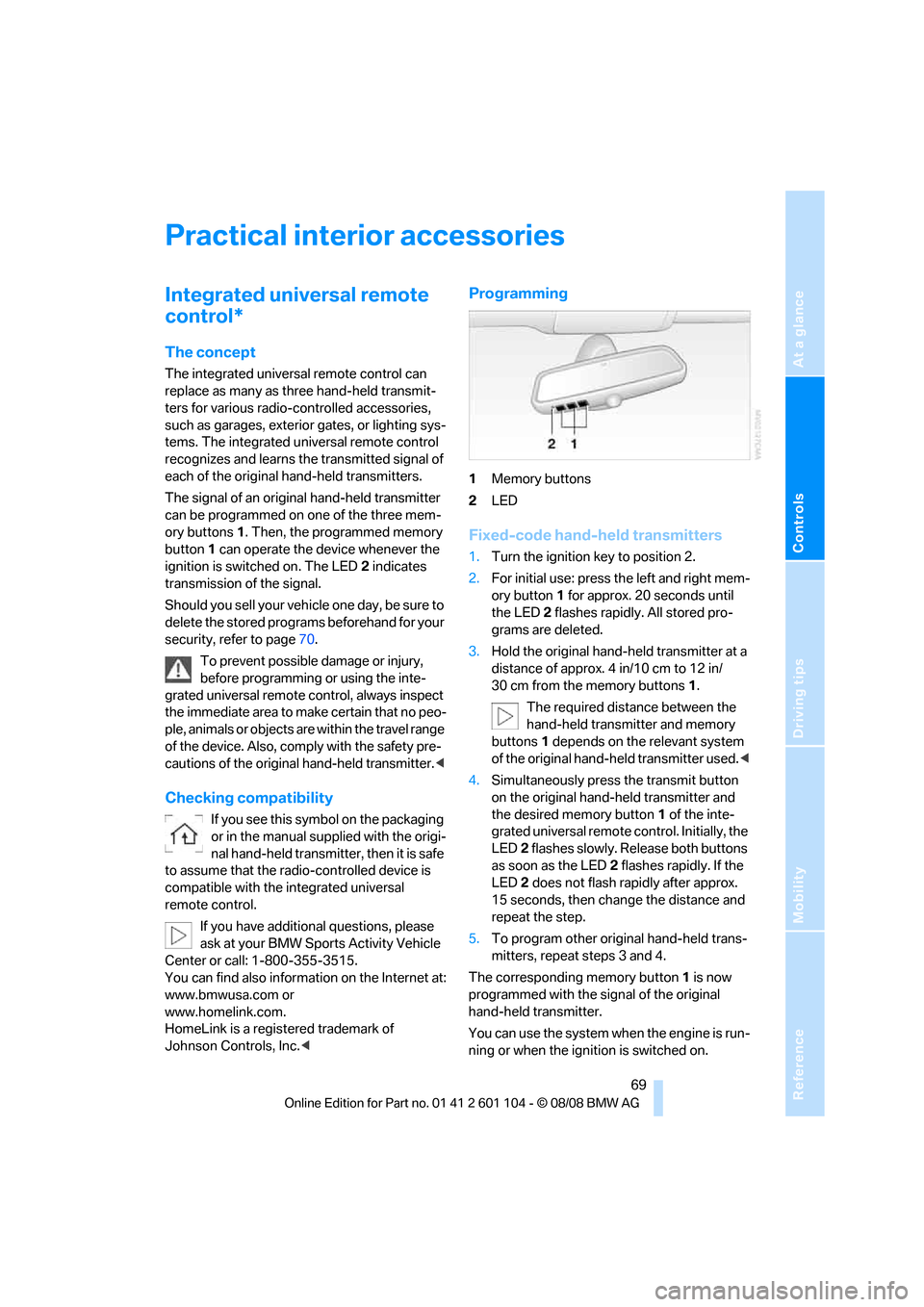
ory buttons1. Then, the programmed memory
button1 can operate the device whenever the
ignition is switched on. The LED2 indicates
transmission of the signal.
Should you sell your vehicle one day, be sure to
delete the stored programs beforehand for your
security, refer to page70.
To prevent possible damage or injury,
before programming or using the inte-
grated universal remote control, always inspect
the immediate area to make certain that no peo-
ple, animals or objects are within the travel range
of the device. Also, comply with the safety pre-
cautions of the original hand-held transmitter.<
Checking compatibility
If you see this symbol on the packaging
or in the manual supplied with the origi-
nal hand-held transmitter, then it is safe
to assume that the radio-controlled device is
compatible with the integrated universal
remote control.
If you have additional questions, please
ask at your BMW Sports Activity Vehicle
Center or call: 1-800-355-3515.
You can find also information on the Internet at:
www.bmwusa.com or
www.homelink.com.
HomeLink is a registered trademark of
Johnson Controls, Inc.<
Programming
1Memory buttons
2LED
Fixed-code hand-held transmitters
1.Turn the ignition key to position 2.
2.For initial use: press the left and right mem-
ory button1 for approx. 20 seconds until
the LED2 flashes rapidly. All stored pro-
grams are deleted.
3.Hold the original hand-held transmitter at a
distance of approx. 4 in/10 cm to 12 in/
30 cm from the memory buttons1.
The required distance between the
hand-held transmitter and memory
buttons1 depends on the relevant system
of the original hand-held transmitter used.<
4.Simultaneously press the transmit button
on the original hand-held transmitter and
the desired memory button 1 of the inte-
grated universal remote control. Initially, the
LED2 flashes slowly. Release both buttons
as soon as the LED2 flashes rapidly. If the
LED2 does not flash rapidly after approx.
15 seconds, then change the distance and
repeat the step.
5.To program other original hand-held trans-
mitters, repeat steps 3 and 4.
The corresponding memory button1 is now
programmed with the signal of the original
hand-held transmitter.
You can use the system when the engine is run-
ning or when the ignition is switched on.
Page 76 of 146
Practical interior accessories
74
Clothes hooks
When hanging clothing from the hooks
ensure that it will not obstruct the driver's
vision. Do not hang heavy objects on the hooks.
If you do so, they could endanger passengers
during braking or evasive maneuvers.<
Ashtray*
Emptying
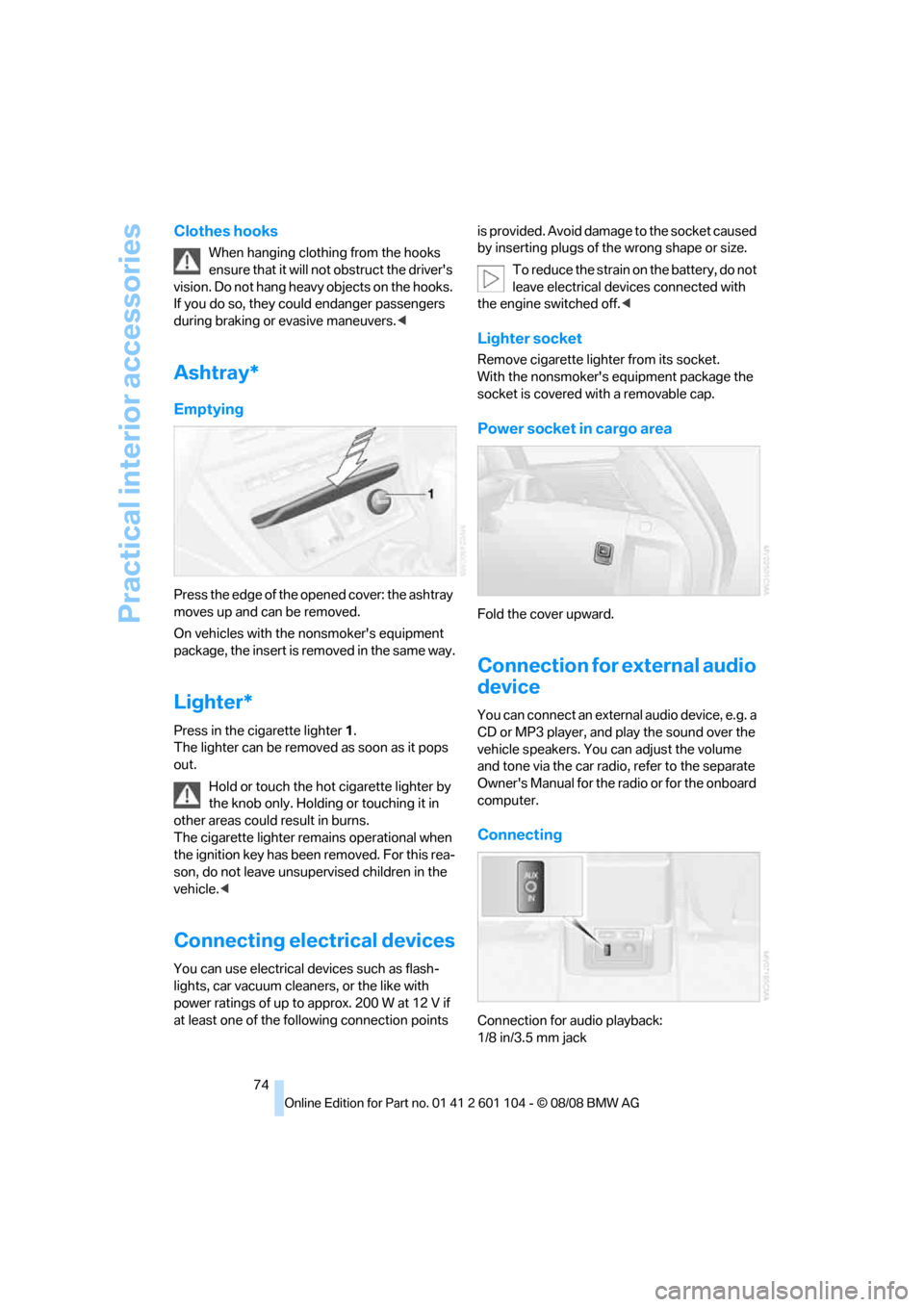
Press the edge of the opened cover: the ashtray
moves up and can be removed.
On vehicles with the nonsmoker's equipment
package, the insert is removed in the same way.
Lighter*
Press in the cigarette lighter1.
The lighter can be removed as soon as it pops
out.
Hold or touch the hot cigarette lighter by
the knob only. Holding or touching it in
other areas could result in burns.
The cigarette lighter remains operational when
the ignition key has been removed. For this rea-
son, do not leave unsupervised children in the
vehicle.<
Connecting electrical devices
You can use electrical devices such as flash-
lights, car vacuum cleaners, or the like with
power ratings of up to approx. 200 W at 12 V if
at least one of the following connection points is provided. Avoid damage to the socket caused
by inserting plugs of the wrong shape or size.
To reduce the strain on the battery, do not
leave electrical devices connected with
the engine switched off.<
Lighter socket
Remove cigarette lighter from its socket.
With the nonsmoker's equipment package the
socket is covered with a removable cap.
Power socket in cargo area
Fold the cover upward.
Connection for external audio
device
You can connect an external audio device, e.g. a
CD or MP3 player, and play the sound over the
vehicle speakers. You can adjust the volume
and tone via the car radio, refer to the separate
Owner's Manual for the radio or for the onboard
computer.
Connecting
Connection for audio playback:
1/8 in/3.5 mm jack
Page 114 of 146
Replacing components
112
Replacing components
Onboard tool kit
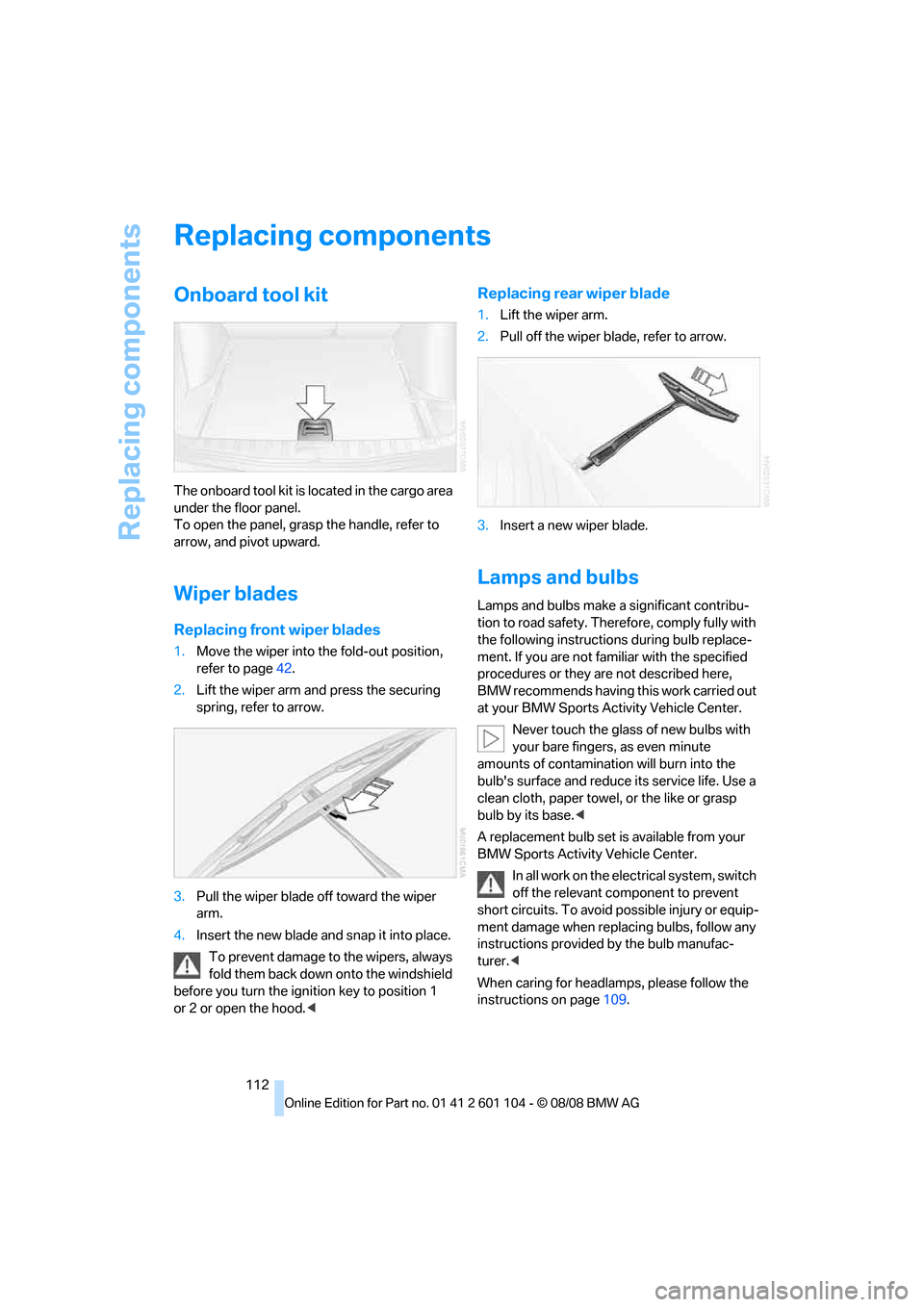
The onboard tool kit is located in the cargo area
under the floor panel.
To open the panel, grasp the handle, refer to
arrow, and pivot upward.
Wiper blades
Replacing front wiper blades
1.Move the wiper into the fold-out position,
refer to page42.
2.Lift the wiper arm and press the securing
spring, refer to arrow.
3.Pull the wiper blade off toward the wiper
arm.
4.Insert the new blade and snap it into place.
To prevent damage to the wipers, always
fold them back down onto the windshield
before you turn the ignition key to position 1
or 2 or open the hood.<
Replacing rear wiper blade
1.Lift the wiper arm.
2.Pull off the wiper blade, refer to arrow.
3.Insert a new wiper blade.
Lamps and bulbs
Lamps and bulbs make a significant contribu-
tion to road safety. Therefore, comply fully with
the following instructions during bulb replace-
ment. If you are not familiar with the specified
procedures or they are not described here,
BMW recommends having this work carried out
at your BMW Sports Activity Vehicle Center.
Never touch the glass of new bulbs with
your bare fingers, as even minute
amounts of contamination will burn into the
bulb's surface and reduce its service life. Use a
clean cloth, paper towel, or the like or grasp
bulb by its base.<
A replacement bulb set is available from your
BMW Sports Activity Vehicle Center.
In all work on the electrical system, switch
off the relevant component to prevent
short circuits. To avoid possible injury or equip-
ment damage when replacing bulbs, follow any
instructions provided by the bulb manufac-
turer.<
When caring for headlamps, please follow the
instructions on page109.
Page 123 of 146
Reference
At a glance
Controls
Driving tips
Mobility
121
Giving and receiving assistance
Receiving assistance
The Roadside Assistance of the BMW Group
offers you assistance in the event of a break-
down around the clock, as well as on weekends
and public holidays.
The phone numbers of the Roadside Assis-
tance control center in your home country can
be found in the Contact brochure.
In the case of vehicles with the corresponding
equipment, you can use buttons in the head-
liner to contact Roadside Assistance or initiate
an emergency request.
When the emergency request is initiated, a
telephone connection is established to the
BMW Assist Response Center.
In vehicles with BMW Assist enabled, if the cur-
rent position of your vehicle can be determined,
it will be transmitted to the BMW Assist
Response Center.
The conditions for initiating an emergency
request or contacting Roadside Assistance:
>Ignition key in position 1 or higher
>The car phone is logged on to a mobile tele-
phone network
>The emergency call system is operable
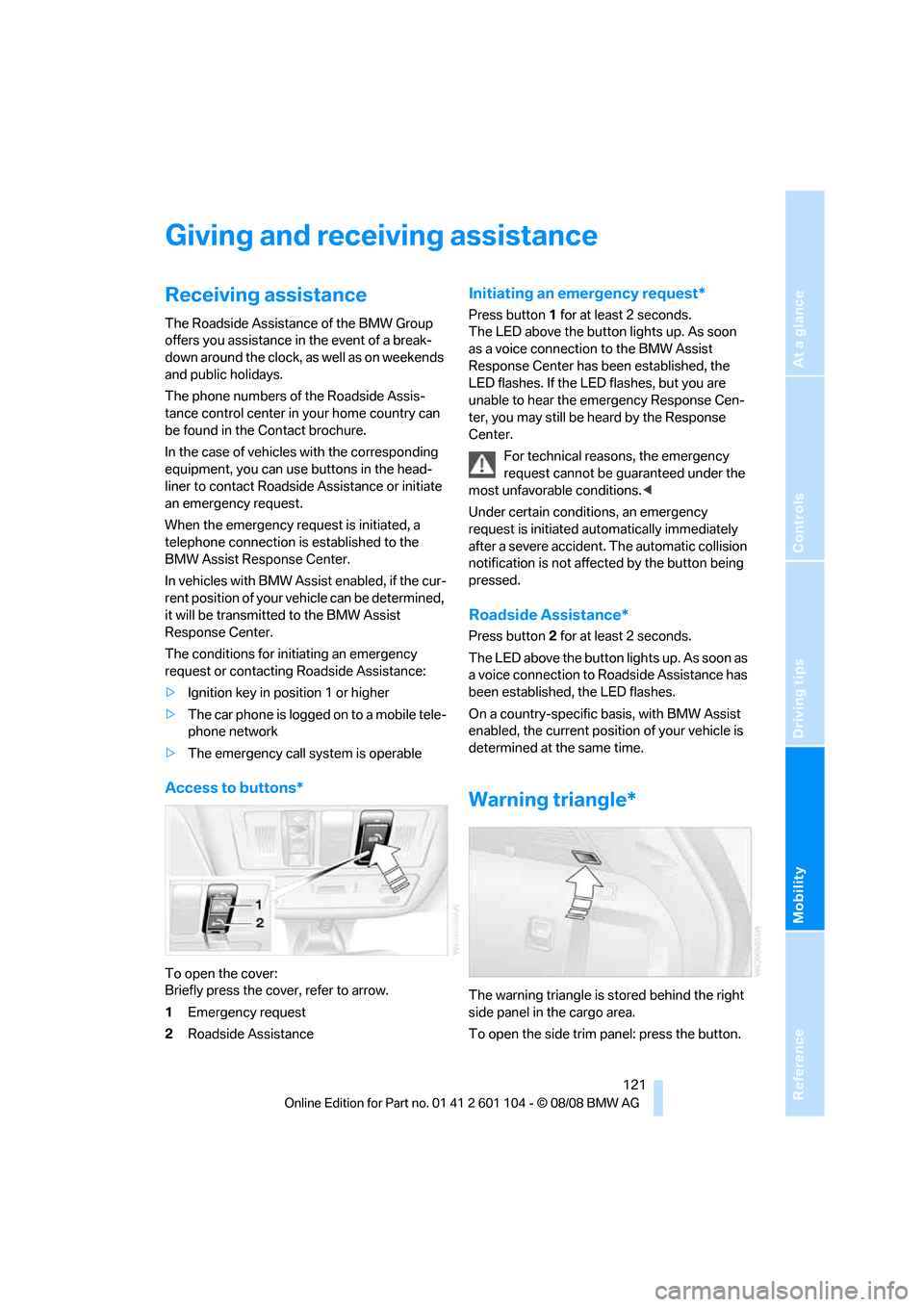
Access to buttons*
To open the cover:
Briefly press the cover, refer to arrow.
1Emergency request
2Roadside Assistance
Initiating an emergency request*
Press button 1 for at least 2 seconds.
The LED above the button lights up. As soon
as a voice connection to the BMW Assist
Response Center has been established, the
LED flashes. If the LED flashes, but you are
unable to hear the emergency Response Cen-
ter, you may still be heard by the Response
Center.
For technical reasons, the emergency
request cannot be guaranteed under the
most unfavorable conditions.<
Under certain conditions, an emergency
request is initiated automatically immediately
after a severe accident. The automatic collision
notification is not affected by the button being
pressed.
Roadside Assistance*
Press button 2 for at least 2 seconds.
The LED above the button lights up. As soon as
a voice connection to Roadside Assistance has
been established, the LED flashes.
On a country-specific basis, with BMW Assist
enabled, the current position of your vehicle is
determined at the same time.
Warning triangle*
The warning triangle is stored behind the right
side panel in the cargo area.
To open the side trim panel: press the button.