light BMW X3 XDRIVE 35I 2011 Manual PDF
[x] Cancel search | Manufacturer: BMW, Model Year: 2011, Model line: X3 XDRIVE 35I, Model: BMW X3 XDRIVE 35I 2011Pages: 262, PDF Size: 11.2 MB
Page 171 of 262
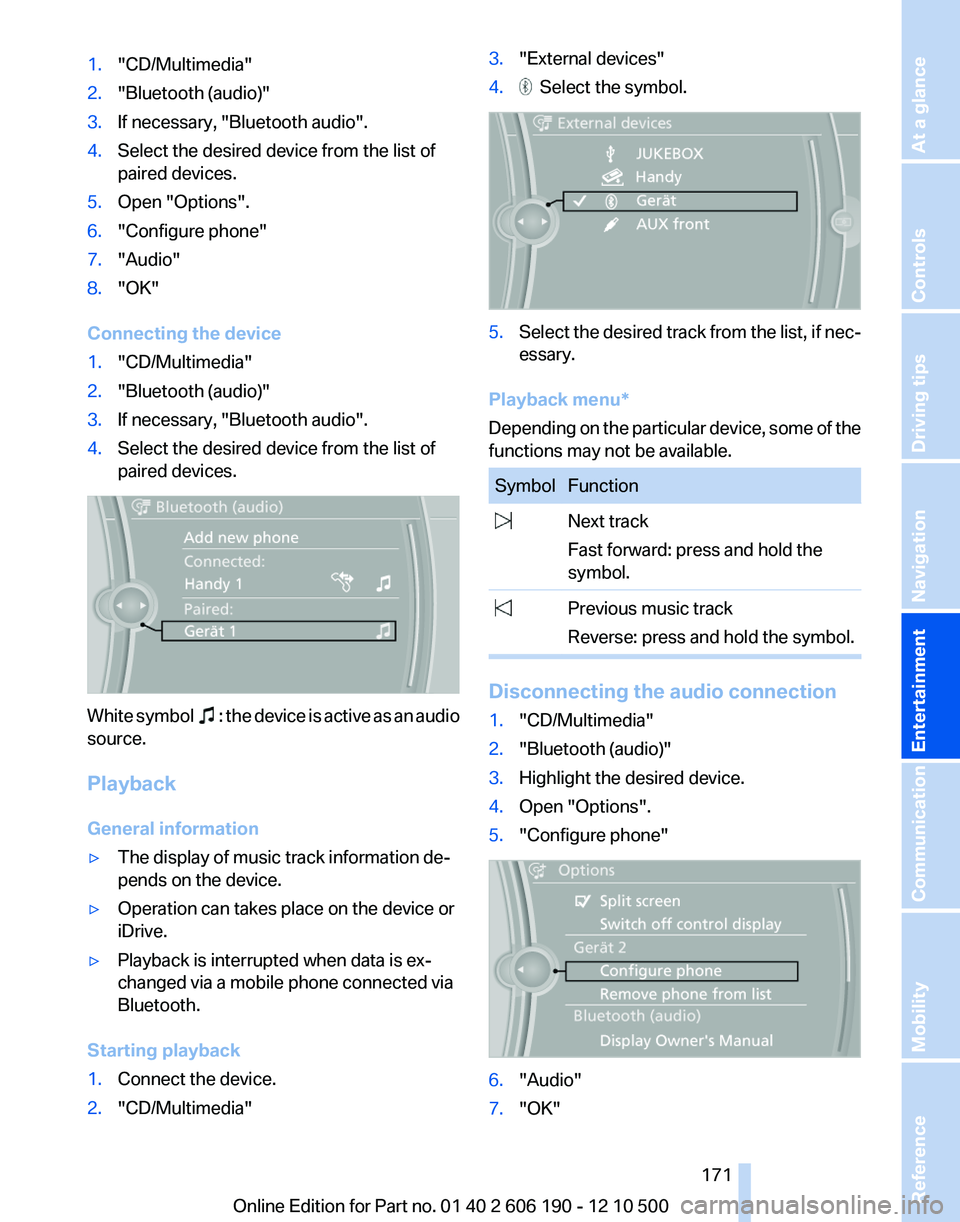
1."CD/Multimedia"2."Bluetooth (audio)"3.If necessary, "Bluetooth audio".4.Select the desired device from the list of
paired devices.5.Open "Options".6."Configure phone"7."Audio"8."OK"
Connecting the device
1."CD/Multimedia"2."Bluetooth (audio)"3.If necessary, "Bluetooth audio".4.Select the desired device from the list of
paired devices.
White symbol : the device is active as an audio
source.
Playback
General information
▷The display of music track information de‐
pends on the device.▷Operation can takes place on the device or
iDrive.▷Playback is interrupted when data is ex‐
changed via a mobile phone connected via
Bluetooth.
Starting playback
1.Connect the device.2."CD/Multimedia"3."External devices"4. Select the symbol.5.Select the desired track from the list, if nec‐
essary.
Playback menu*
Depending on the particular device, some of the
functions may not be available.
SymbolFunction Next track
Fast forward: press and hold the
symbol. Previous music track
Reverse: press and hold the symbol.
Disconnecting the audio connection
1."CD/Multimedia"2."Bluetooth (audio)"3.Highlight the desired device.4.Open "Options".5."Configure phone"6."Audio"7."OK"Seite 171171
Online Edition for Part no. 01 40 2 606 190 - 12 10 500
ReferenceMobilityCommunicationEntertainmentNavigationDriving tipsControlsAt a glance
Page 172 of 262
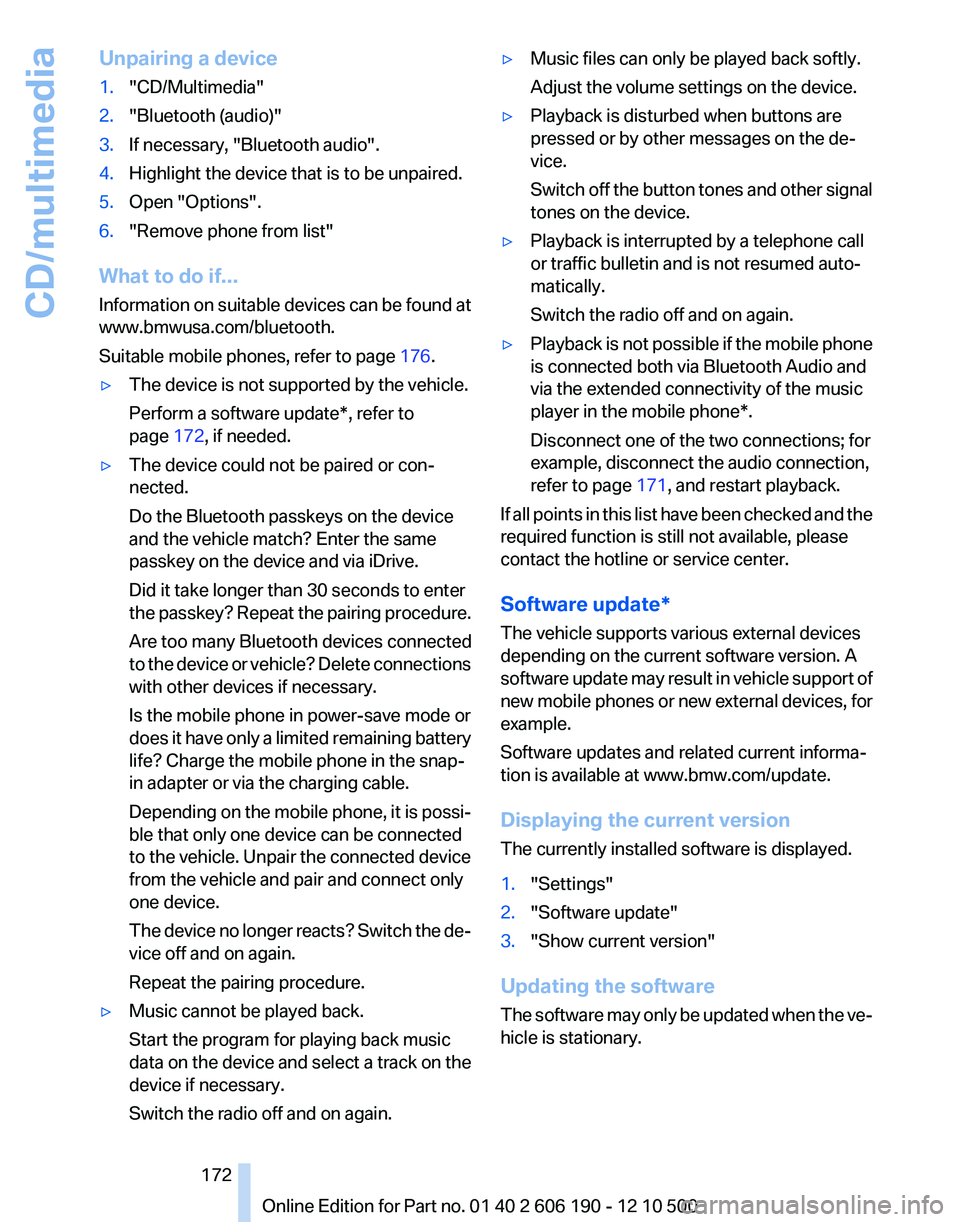
Unpairing a device1."CD/Multimedia"2."Bluetooth (audio)"3.If necessary, "Bluetooth audio".4.Highlight the device that is to be unpaired.5.Open "Options".6."Remove phone from list"
What to do if...
Information on suitable devices can be found at
www.bmwusa.com/bluetooth.
Suitable mobile phones, refer to page 176.
▷The device is not supported by the vehicle.
Perform a software update*, refer to
page 172, if needed.▷The device could not be paired or con‐
nected.
Do the Bluetooth passkeys on the device
and the vehicle match? Enter the same
passkey on the device and via iDrive.
Did it take longer than 30 seconds to enter
the passkey? Repeat the pairing procedure.
Are too many Bluetooth devices connected
to the device or vehicle? Delete connections
with other devices if necessary.
Is the mobile phone in power-save mode or
does it have only a limited remaining battery
life? Charge the mobile phone in the snap-
in adapter or via the charging cable.
Depending on the mobile phone, it is possi‐
ble that only one device can be connected
to the vehicle. Unpair the connected device
from the vehicle and pair and connect only
one device.
The device no longer reacts? Switch the de‐
vice off and on again.
Repeat the pairing procedure.▷Music cannot be played back.
Start the program for playing back music
data on the device and select a track on the
device if necessary.
Switch the radio off and on again.▷Music files can only be played back softly.
Adjust the volume settings on the device.▷Playback is disturbed when buttons are
pressed or by other messages on the de‐
vice.
Switch off the button tones and other signal
tones on the device.▷Playback is interrupted by a telephone call
or traffic bulletin and is not resumed auto‐
matically.
Switch the radio off and on again.▷Playback is not possible if the mobile phone
is connected both via Bluetooth Audio and
via the extended connectivity of the music
player in the mobile phone*.
Disconnect one of the two connections; for
example, disconnect the audio connection,
refer to page 171, and restart playback.
If all points in this list have been checked and the
required function is still not available, please
contact the hotline or service center.
Software update*
The vehicle supports various external devices
depending on the current software version. A
software update may result in vehicle support of
new mobile phones or new external devices, for
example.
Software updates and related current informa‐
tion is available at www.bmw.com/update.
Displaying the current version
The currently installed software is displayed.
1."Settings"2."Software update"3."Show current version"
Updating the software
The software may only be updated when the ve‐
hicle is stationary.
Seite 172172
Online Edition for Part no. 01 40 2 606 190 - 12 10 500CD/multimedia
Page 178 of 262
7.Select the functions for which the mobile
phone is to be used.8."OK"
If the pairing was successful, the mobile phone
appears at the top of the list of mobile phones.
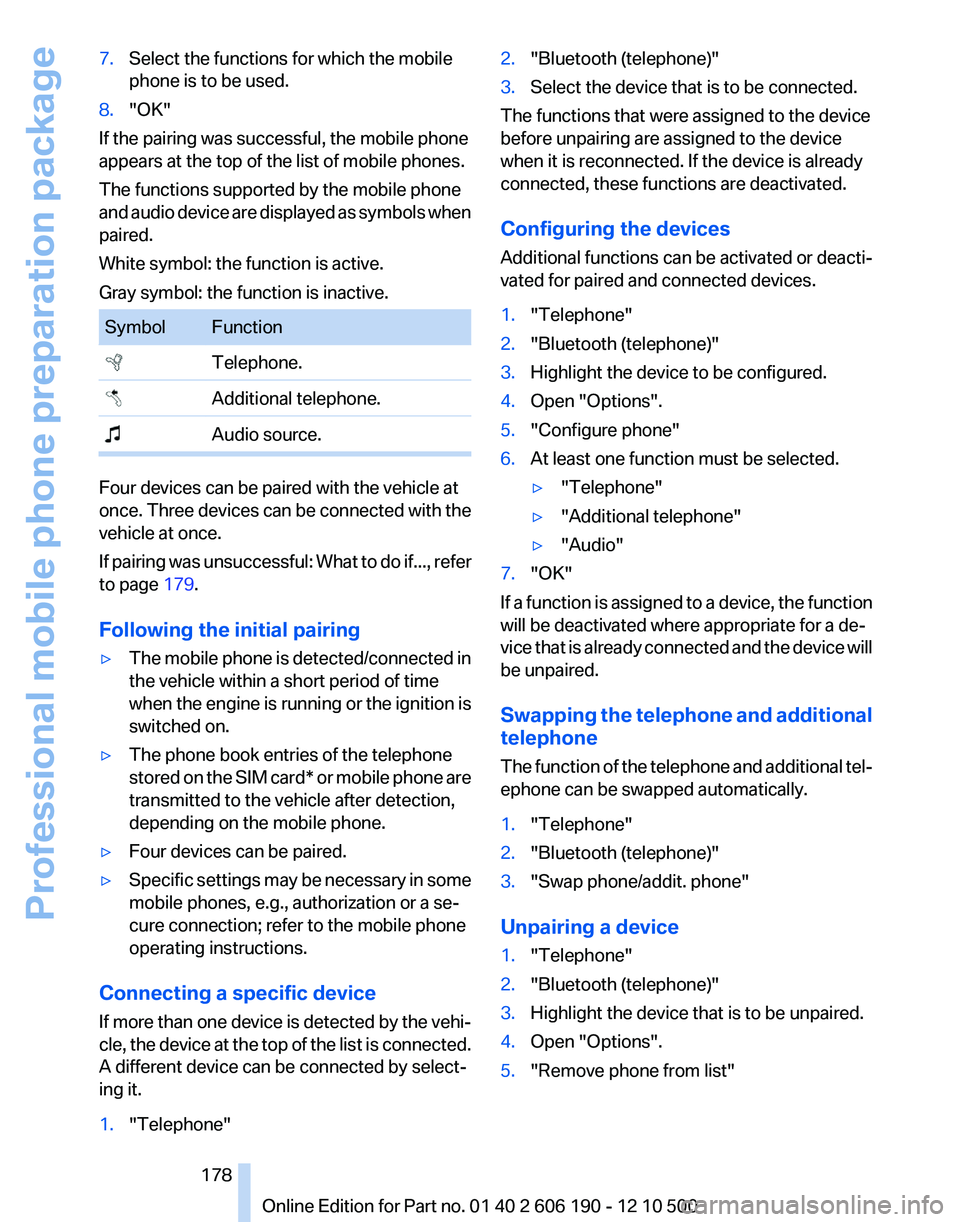
The functions supported by the mobile phone
and audio device are displayed as symbols when
paired.
White symbol: the function is active.
Gray symbol: the function is inactive.
SymbolFunction Telephone. Additional telephone. Audio source.
Four devices can be paired with the vehicle at
once. Three devices can be connected with the
vehicle at once.
If pairing was unsuccessful: What to do if..., refer
to page 179.
Following the initial pairing
▷The mobile phone is detected/connected in
the vehicle within a short period of time
when the engine is running or the ignition is
switched on.▷The phone book entries of the telephone
stored on the SIM card* or mobile phone are
transmitted to the vehicle after detection,
depending on the mobile phone.▷Four devices can be paired.▷Specific settings may be necessary in some
mobile phones, e.g., authorization or a se‐
cure connection; refer to the mobile phone
operating instructions.
Connecting a specific device
If more than one device is detected by the vehi‐
cle, the device at the top of the list is connected.
A different device can be connected by select‐
ing it.
1."Telephone"2."Bluetooth (telephone)"3.Select the device that is to be connected.
The functions that were assigned to the device
before unpairing are assigned to the device
when it is reconnected. If the device is already
connected, these functions are deactivated.
Configuring the devices
Additional functions can be activated or deacti‐
vated for paired and connected devices.
1."Telephone"2."Bluetooth (telephone)"3.Highlight the device to be configured.4.Open "Options".5."Configure phone"6.At least one function must be selected.▷"Telephone"▷"Additional telephone"▷"Audio"7."OK"
If a function is assigned to a device, the function
will be deactivated where appropriate for a de‐
vice that is already connected and the device will
be unpaired.
Swapping the telephone and additional
telephone
The function of the telephone and additional tel‐
ephone can be swapped automatically.
1."Telephone"2."Bluetooth (telephone)"3."Swap phone/addit. phone"
Unpairing a device
1."Telephone"2."Bluetooth (telephone)"3.Highlight the device that is to be unpaired.4.Open "Options".5."Remove phone from list"Seite 178178
Online Edition for Part no. 01 40 2 606 190 - 12 10 500Professional mobile phone preparation package
Page 182 of 262
phone number. The connection is being estab‐
lished.
Editing a contact
Changing the entries in "Contacts". When a
contact is changed, the changes are not stored
on the mobile phone. A copy of the entry is
stored in the vehicle.1.Highlight the contact.2.Open "Options".3."Edit entry"
The contact can be edited.
Redialing
General information
The list of dialed numbers in the mobile phone
is transmitted to the vehicle depending on the
mobile phone. The 20 phone numbers dialed
last are displayed. The sorting order of the
phone numbers depends on the particular mo‐
bile phone.
Dialing the number via the instrument
cluster
This is possible when there is no active call.
1. Press the button on the steering
wheel.2.Select the desired phone number.
The connection is established.
Dialing a number via iDrive
1."Telephone"2."Redial"3.Select the desired entry and the phone num‐
ber if necessary.
The connection is established.
Saving an entry in the contacts
1.Highlight the entry.2.Open "Options".3."Store as new contact" or "Add to existing
contact"4.Select " New phone number" or contact.5.Select the type of number: "Home",
"Business", "Mobile" or "Other"6.Complete the entries if necessary.7.If necessary, "Store contact in vehicle".
Received calls
Displaying calls
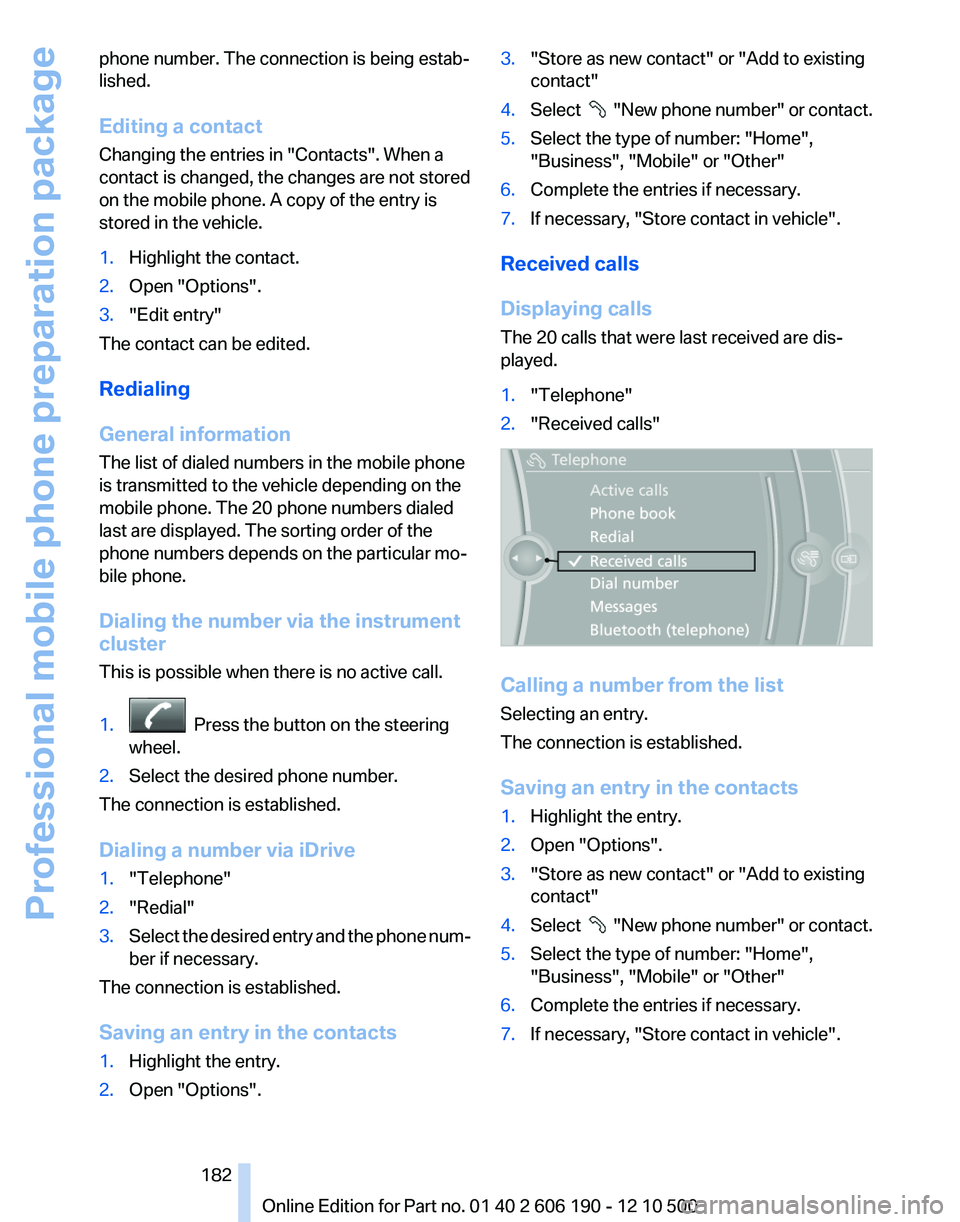
The 20 calls that were last received are dis‐
played.
1."Telephone"2."Received calls"
Calling a number from the list
Selecting an entry.
The connection is established.
Saving an entry in the contacts
1.Highlight the entry.2.Open "Options".3."Store as new contact" or "Add to existing
contact"4.Select " New phone number" or contact.5.Select the type of number: "Home",
"Business", "Mobile" or "Other"6.Complete the entries if necessary.7.If necessary, "Store contact in vehicle".Seite 182182
Online Edition for Part no. 01 40 2 606 190 - 12 10 500Professional mobile phone preparation package
Page 186 of 262
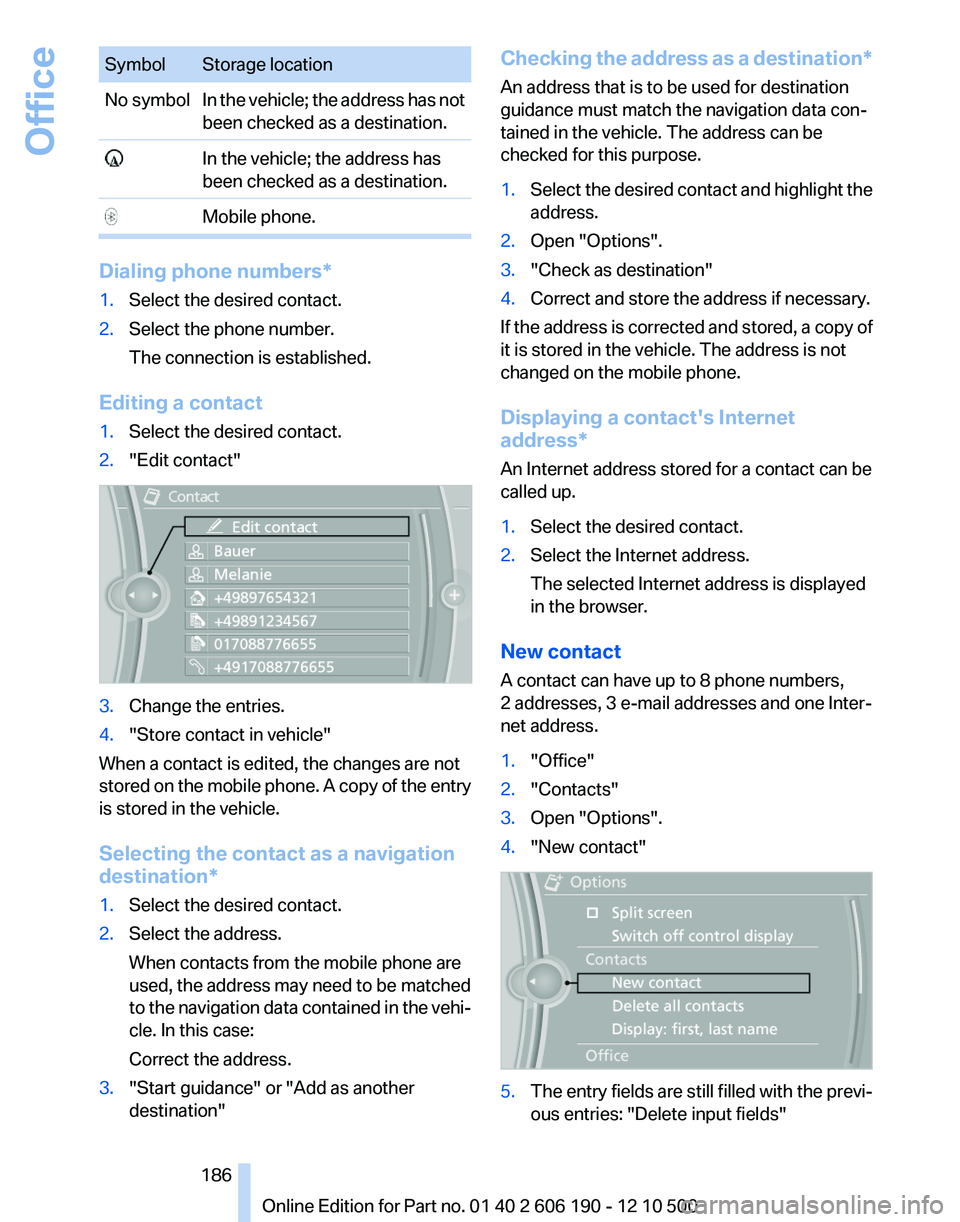
SymbolStorage locationNo symbolIn the vehicle; the address has not
been checked as a destination. In the vehicle; the address has
been checked as a destination. Mobile phone.
Dialing phone numbers*
1.Select the desired contact.2.Select the phone number.
The connection is established.
Editing a contact
1.Select the desired contact.2."Edit contact"3.Change the entries.4."Store contact in vehicle"
When a contact is edited, the changes are not
stored on the mobile phone. A copy of the entry
is stored in the vehicle.
Selecting the contact as a navigation
destination*
1.Select the desired contact.2.Select the address.
When contacts from the mobile phone are
used, the address may need to be matched
to the navigation data contained in the vehi‐
cle. In this case:
Correct the address.3."Start guidance" or "Add as another
destination"Checking the address as a destination *
An address that is to be used for destination
guidance must match the navigation data con‐
tained in the vehicle. The address can be
checked for this purpose.1.Select the desired contact and highlight the
address.2.Open "Options".3."Check as destination"4.Correct and store the address if necessary.
If the address is corrected and stored, a copy of
it is stored in the vehicle. The address is not
changed on the mobile phone.
Displaying a contact's Internet
address*
An Internet address stored for a contact can be
called up.
1.Select the desired contact.2.Select the Internet address.
The selected Internet address is displayed
in the browser.
New contact
A contact can have up to 8 phone numbers,
2 addresses, 3 e-mail addresses and one Inter‐
net address.
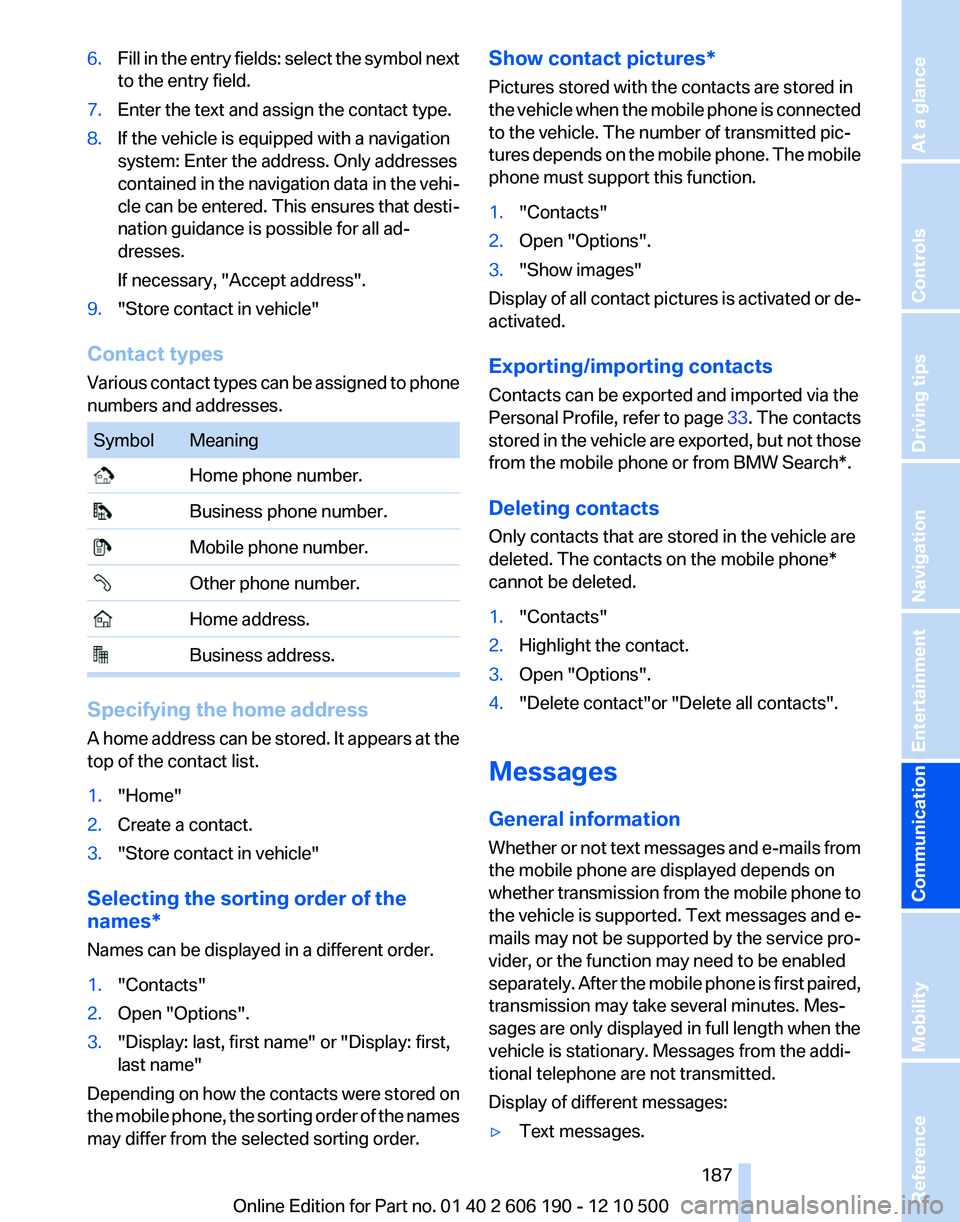
1."Office"2."Contacts"3.Open "Options".4."New contact"5.The entry fields are still filled with the previ‐
ous entries: "Delete input fields"Seite 186186
Online Edition for Part no. 01 40 2 606 190 - 12 10 500Office
Page 187 of 262
6.Fill in the entry fields: select the symbol next
to the entry field.7.Enter the text and assign the contact type.8.If the vehicle is equipped with a navigation
system: Enter the address. Only addresses
contained in the navigation data in the vehi‐
cle can be entered. This ensures that desti‐
nation guidance is possible for all ad‐
dresses.
If necessary, "Accept address".9."Store contact in vehicle"
Contact types
Various contact types can be assigned to phone
numbers and addresses.
SymbolMeaning Home phone number. Business phone number. Mobile phone number. Other phone number. Home address. Business address.
Specifying the home address
A home address can be stored. It appears at the
top of the contact list.
1."Home"2.Create a contact.3."Store contact in vehicle"
Selecting the sorting order of the
names*
Names can be displayed in a different order.
1."Contacts"2.Open "Options".3."Display: last, first name" or "Display: first,
last name"
Depending on how the contacts were stored on
the mobile phone, the sorting order of the names
may differ from the selected sorting order.
Show contact pictures*
Pictures stored with the contacts are stored in
the vehicle when the mobile phone is connected
to the vehicle. The number of transmitted pic‐
tures depends on the mobile phone. The mobile
phone must support this function.1."Contacts"2.Open "Options".3."Show images"
Display of all contact pictures is activated or de‐
activated.
Exporting/importing contacts
Contacts can be exported and imported via the
Personal Profile, refer to page 33. The contacts
stored in the vehicle are exported, but not those
from the mobile phone or from BMW Search*.
Deleting contacts
Only contacts that are stored in the vehicle are
deleted. The contacts on the mobile phone*
cannot be deleted.
1."Contacts"2.Highlight the contact.3.Open "Options".4."Delete contact"or "Delete all contacts".
Messages
General information
Whether or not text messages and e-mails from
the mobile phone are displayed depends on
whether transmission from the mobile phone to
the vehicle is supported. Text messages and e-
mails may not be supported by the service pro‐
vider, or the function may need to be enabled
separately. After the mobile phone is first paired,
transmission may take several minutes. Mes‐
sages are only displayed in full length when the
vehicle is stationary. Messages from the addi‐
tional telephone are not transmitted.
Display of different messages:
▷Text messages.Seite 187187
Online Edition for Part no. 01 40 2 606 190 - 12 10 500
ReferenceMobilityCommunicationEntertainmentNavigationDriving tipsControlsAt a glance
Page 188 of 262
▷My Info* messages from the BMW Assist
Portal.▷Messages from the BMW Assist Concierge
service*.▷E-mails from the mobile phone.
Displaying messages
1."Office"2."Messages"
A symbol identifies the type of message.
SymbolMessage type Text messages. My Info Message from the Concierge serv‐
ice. E-mail from mobile phone.
Deleting messages
Messages from the Concierge service, My Info,
and BMW Search* can be deleted.
Delete a message:
1."Office"2."Messages"3.Select the desired message.4.Open "Options".5."Delete message"
Delete all messages:
1."Office"2."Messages"3.Open "Options".4."Delete all messages"
Text messages
Calling the sender of a text message
1.Select the desired message.2. Select the symbol.Saving the sender in the contacts1.Highlight the desired message.2.Open "Options".3."Store as new contact" or "Add to existing
contact"
Reading the text message out loud
Read the text message out loud, refer to
page 192.
My Info
Starting destination guidance
1.Select the message.2. "Start guidance" or "Add as another
destination"
Dialing the number in the message
Up to 4 phone numbers can be transmitted with
a message.
1.Select the desired message.2. "Call":
If the message contains a number, the con‐
nection is established.
"Select phone number":
If the message contains more than one num‐
ber, select the desired number from the list.
The connection is established.
Opening the Internet address
1.Select the desired message.2. "Open link in browser"
Message from the Concierge service
Starting destination guidance
1.Select the desired message.Seite 188188
Online Edition for Part no. 01 40 2 606 190 - 12 10 500Office
Page 189 of 262
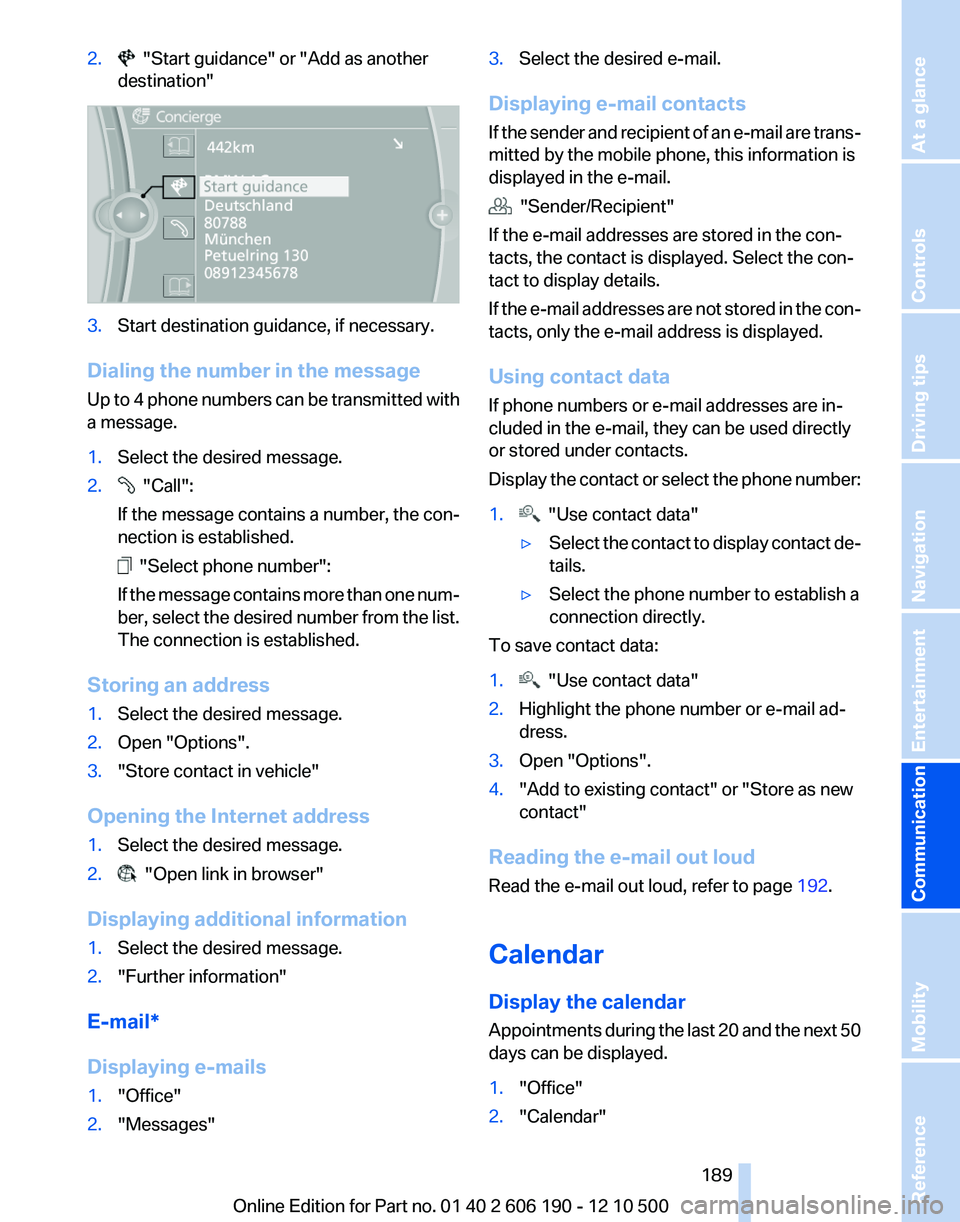
2. "Start guidance" or "Add as another
destination"3.Start destination guidance, if necessary.
Dialing the number in the message
Up to 4 phone numbers can be transmitted with
a message.
1.Select the desired message.2. "Call":
If the message contains a number, the con‐
nection is established.
"Select phone number":
If the message contains more than one num‐
ber, select the desired number from the list.
The connection is established.
Storing an address
1.Select the desired message.2.Open "Options".3."Store contact in vehicle"
Opening the Internet address
1.Select the desired message.2. "Open link in browser"
Displaying additional information
1.Select the desired message.2."Further information"
E-mail*
Displaying e-mails
1."Office"2."Messages"3.Select the desired e-mail.
Displaying e-mail contacts
If the sender and recipient of an e-mail are trans‐
mitted by the mobile phone, this information is
displayed in the e-mail.
"Sender/Recipient"
If the e-mail addresses are stored in the con‐
tacts, the contact is displayed. Select the con‐
tact to display details.
If the e-mail addresses are not stored in the con‐
tacts, only the e-mail address is displayed.
Using contact data
If phone numbers or e-mail addresses are in‐
cluded in the e-mail, they can be used directly
or stored under contacts.
Display the contact or select the phone number:
1. "Use contact data"▷Select the contact to display contact de‐
tails.▷Select the phone number to establish a
connection directly.
To save contact data:
1. "Use contact data"2.Highlight the phone number or e-mail ad‐
dress.3.Open "Options".4."Add to existing contact" or "Store as new
contact"
Reading the e-mail out loud
Read the e-mail out loud, refer to page 192.
Calendar
Display the calendar
Appointments during the last 20 and the next 50
days can be displayed.
1."Office"2."Calendar"Seite 189189
Online Edition for Part no. 01 40 2 606 190 - 12 10 500
ReferenceMobilityCommunicationEntertainmentNavigationDriving tipsControlsAt a glance
Page 190 of 262
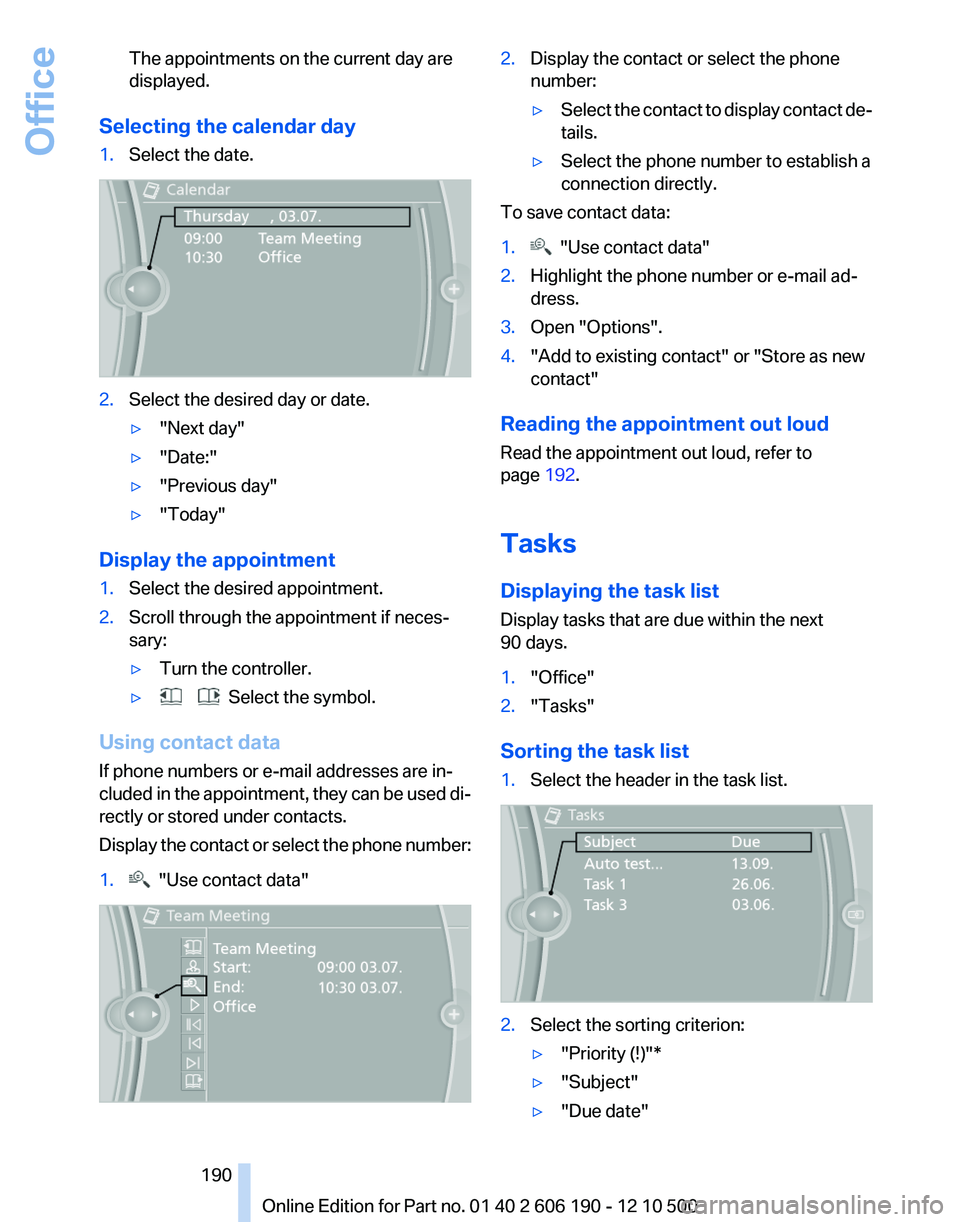
The appointments on the current day are
displayed.
Selecting the calendar day
1.Select the date.2.Select the desired day or date.▷"Next day"▷"Date:"▷"Previous day"▷"Today"
Display the appointment
1.Select the desired appointment.2.Scroll through the appointment if neces‐
sary:▷Turn the controller.▷ Select the symbol.
Using contact data
If phone numbers or e-mail addresses are in‐
cluded in the appointment, they can be used di‐
rectly or stored under contacts.
Display the contact or select the phone number:
1. "Use contact data"2.Display the contact or select the phone
number:▷Select the contact to display contact de‐
tails.▷Select the phone number to establish a
connection directly.
To save contact data:
1. "Use contact data"2.Highlight the phone number or e-mail ad‐
dress.3.Open "Options".4."Add to existing contact" or "Store as new
contact"
Reading the appointment out loud
Read the appointment out loud, refer to
page 192.
Tasks
Displaying the task list
Display tasks that are due within the next
90 days.
1."Office"2."Tasks"
Sorting the task list
1.Select the header in the task list.2.Select the sorting criterion:▷"Priority (!)"*▷"Subject"▷"Due date"Seite 190190
Online Edition for Part no. 01 40 2 606 190 - 12 10 500Office
Page 191 of 262
Displaying the task1.Select the desired task.2.Scroll in the task if necessary:▷Turn the controller.▷ Select the symbol.
Using contact data
If phone numbers of e-mail addresses are in‐
cluded in the task, they can be used directly or
stored under contacts.
Display the contact or select the phone number:
1. "Use contact data"▷Select the contact to display contact de‐
tails.▷Select the phone number to establish a
connection directly.
To save contact data:
1. "Use contact data"2.Highlight the phone number or e-mail ad‐
dress.3.Open "Options".4."Add to existing contact" or "Store as new
contact"
Reading the task out loud
Read the task out loud, refer to page 192.
Notes
Displaying notes
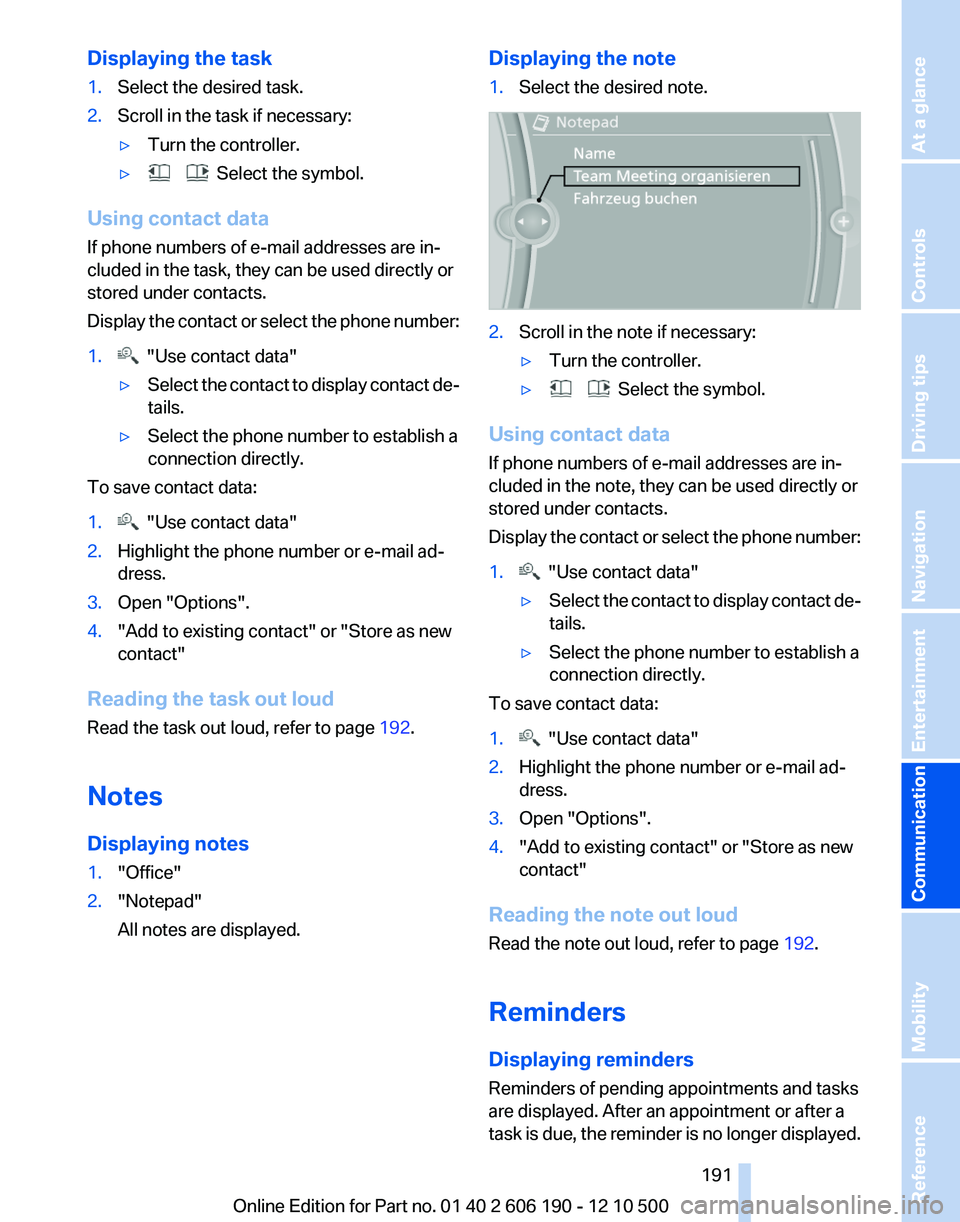
1."Office"2."Notepad"
All notes are displayed.Displaying the note1.Select the desired note.2.Scroll in the note if necessary:▷Turn the controller.▷ Select the symbol.
Using contact data
If phone numbers of e-mail addresses are in‐
cluded in the note, they can be used directly or
stored under contacts.
Display the contact or select the phone number:
1. "Use contact data"▷Select the contact to display contact de‐
tails.▷Select the phone number to establish a
connection directly.
To save contact data:
1. "Use contact data"2.Highlight the phone number or e-mail ad‐
dress.3.Open "Options".4."Add to existing contact" or "Store as new
contact"
Reading the note out loud
Read the note out loud, refer to page 192.
Reminders
Displaying reminders
Reminders of pending appointments and tasks
are displayed. After an appointment or after a
task is due, the reminder is no longer displayed.
Seite 191191
Online Edition for Part no. 01 40 2 606 190 - 12 10 500
ReferenceMobilityCommunicationEntertainmentNavigationDriving tipsControlsAt a glance