heating BMW X3 XDRIVE 35I 2013 User Guide
[x] Cancel search | Manufacturer: BMW, Model Year: 2013, Model line: X3 XDRIVE 35I, Model: BMW X3 XDRIVE 35I 2013Pages: 211, PDF Size: 8.62 MB
Page 123 of 211
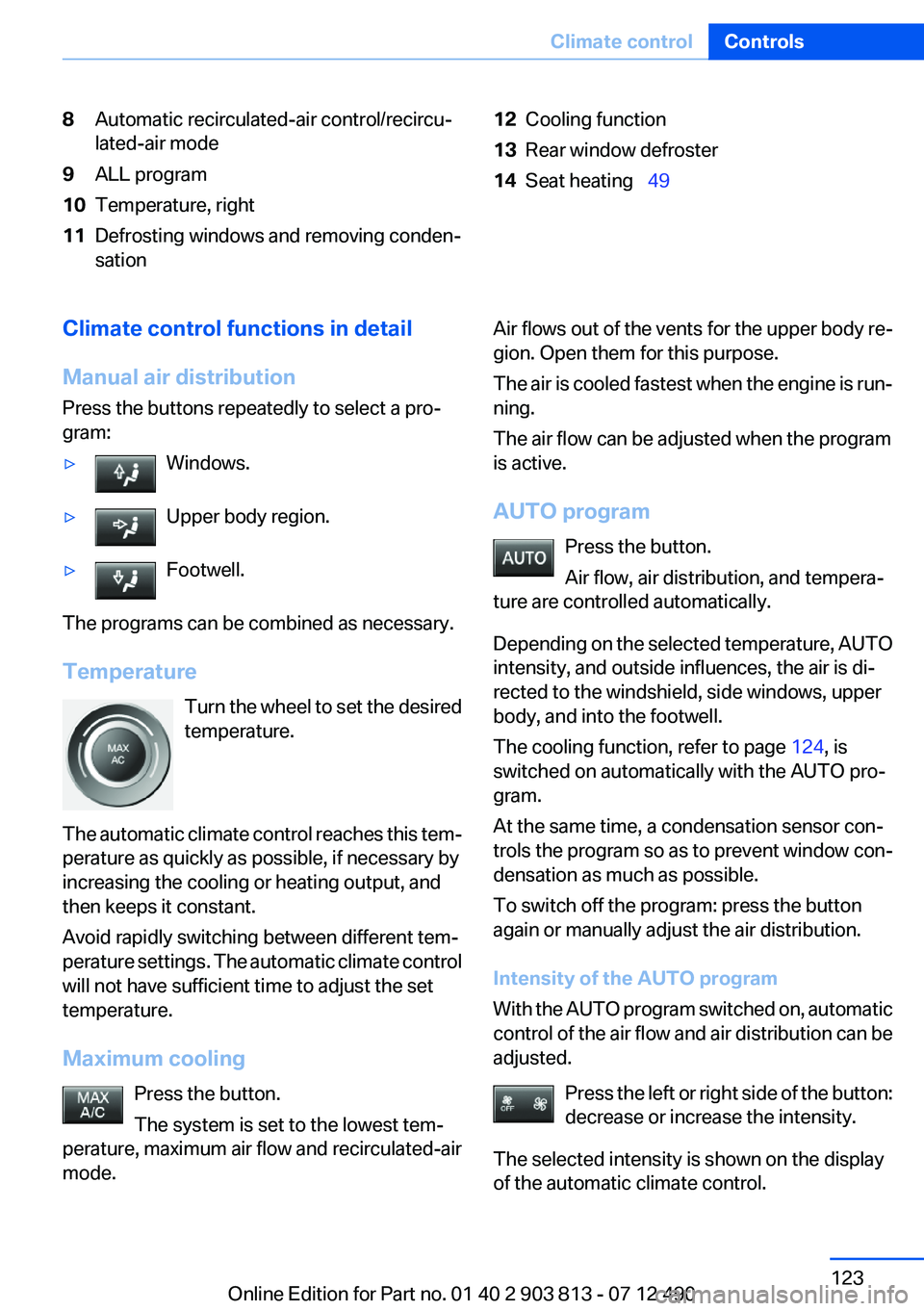
8Automatic recirculated-air control/recircu‐
lated-air mode9ALL program10Temperature, right11Defrosting windows and removing conden‐
sation12Cooling function13Rear window defroster14Seat heating 49Climate control functions in detail
Manual air distribution
Press the buttons repeatedly to select a pro‐
gram:▷Windows.▷Upper body region.▷Footwell.
The programs can be combined as necessary.
Temperature Turn the wheel to set the desired
temperature.
The automatic climate control reaches this tem‐
perature as quickly as possible, if necessary by
increasing the cooling or heating output, and
then keeps it constant.
Avoid rapidly switching between different tem‐
perature settings. The automatic climate control
will not have sufficient time to adjust the set
temperature.
Maximum cooling Press the button.
The system is set to the lowest tem‐
perature, maximum air flow and recirculated-air
mode.
Air flows out of the vents for the upper body re‐
gion. Open them for this purpose.
The air is cooled fastest when the engine is run‐
ning.
The air flow can be adjusted when the program
is active.
AUTO program Press the button.
Air flow, air distribution, and tempera‐
ture are controlled automatically.
Depending on the selected temperature, AUTO
intensity, and outside influences, the air is di‐
rected to the windshield, side windows, upper
body, and into the footwell.
The cooling function, refer to page 124, is
switched on automatically with the AUTO pro‐
gram.
At the same time, a condensation sensor con‐
trols the program so as to prevent window con‐
densation as much as possible.
To switch off the program: press the button
again or manually adjust the air distribution.
Intensity of the AUTO program
With the AUTO program switched on, automatic
control of the air flow and air distribution can be
adjusted.
Press the left or right side of the button:
decrease or increase the intensity.
The selected intensity is shown on the display
of the automatic climate control.Seite 123Climate controlControls123
Online Edition for Part no. 01 40 2 903 813 - 07 12 490
Page 125 of 211
Switching on
Press any button except:▷ALL program.▷Rear window defroster.▷Left side of Air volume button.▷Seat heating.
Microfilter/activated-charcoal filter
In external and recirculated air mode the micro‐
filter/activated charcoal filter filters dust, pollen,
and gaseous pollutants out of the air.
This filter should be replaced during scheduled
maintenance, refer to page 168, of your vehicle.
Ventilation
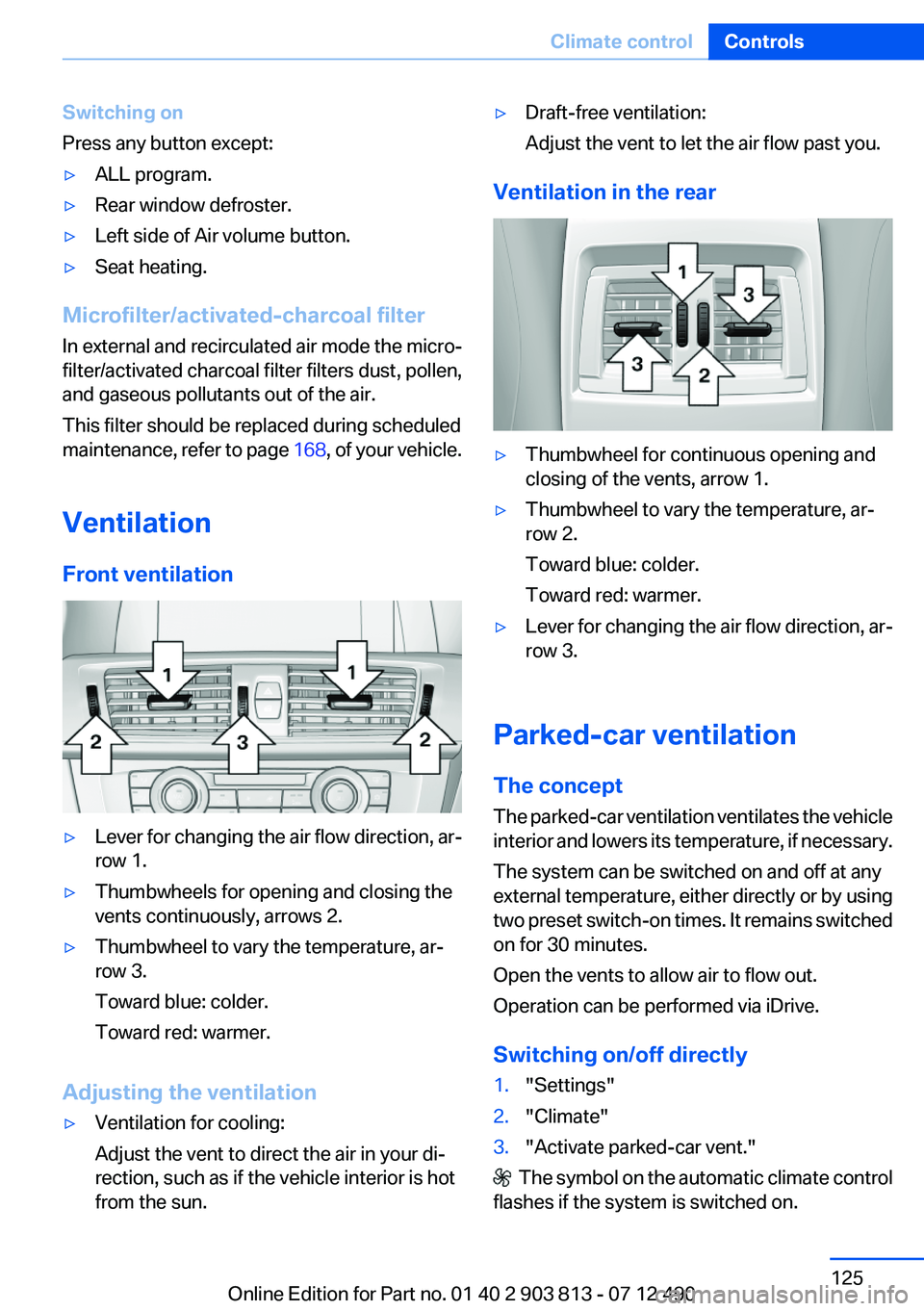
Front ventilation
▷Lever for changing the air flow direction, ar‐
row 1.▷Thumbwheels for opening and closing the
vents continuously, arrows 2.▷Thumbwheel to vary the temperature, ar‐
row 3.
Toward blue: colder.
Toward red: warmer.
Adjusting the ventilation
▷Ventilation for cooling:
Adjust the vent to direct the air in your di‐
rection, such as if the vehicle interior is hot
from the sun.▷Draft-free ventilation:
Adjust the vent to let the air flow past you.
Ventilation in the rear
▷Thumbwheel for continuous opening and
closing of the vents, arrow 1.▷Thumbwheel to vary the temperature, ar‐
row 2.
Toward blue: colder.
Toward red: warmer.▷Lever for changing the air flow direction, ar‐
row 3.
Parked-car ventilation
The concept
The parked-car ventilation ventilates the vehicle
interior and lowers its temperature, if necessary.
The system can be switched on and off at any
external temperature, either directly or by using
two preset switch-on times. It remains switched
on for 30 minutes.
Open the vents to allow air to flow out.
Operation can be performed via iDrive.
Switching on/off directly
1."Settings"2."Climate"3."Activate parked-car vent."
The symbol on the automatic climate control
flashes if the system is switched on.
Seite 125Climate controlControls125
Online Edition for Part no. 01 40 2 903 813 - 07 12 490
Page 143 of 211
LoadingVehicle equipment
All standard, country-specific and optional
equipment that is offered in the model series is
described in this chapter. Therefore, equipment
is also described that is not available in a vehicle,
e. g., because of the selected optional equip‐
ment or country variant. This also applies for
safety-related functions and systems.
General information Overloading the vehicle
To avoid exceeding the approved carrying
capacity of the tires, never overload the vehicle.
Overloading can lead to overheating and in‐
creases the rate at which damage develops in‐
side the tires. This could result in a sudden loss
of tire inflation pressure.◀
No fluids in the trunk
Make sure that fluids do not leak into the
trunk; otherwise, the vehicle may be damaged. ◀
Determining the load limit1.Locate the following statement on your ve‐
hicle’s placard:▷The combined weight of occupants and
cargo should never exceed XXX kg or
YYY lbs. Otherwise, damage to the ve‐hicle and unstable driving situations may
result.2.Determine the combined weight of the
driver and passengers that will be riding in
your vehicle.3.Subtract the combined weight of the driver
and passengers from XXX kilograms or YYY
pounds.4.The resulting figure equals the available
amount of cargo and luggage load capacity.
For example, if the YYY amount equals
1,000 lbs and there will be four 150 lbs pas‐
sengers in your vehicle, the amount of avail‐
able cargo and luggage load capacity is
400 lbs: 1,000 lbs minus 600 lbs = 400 lbs.5.Determine the combined weight of luggage
and cargo being loaded on the vehicle. That
weight may not safely exceed the available
cargo and luggage load capacity calculated
in Step 4.
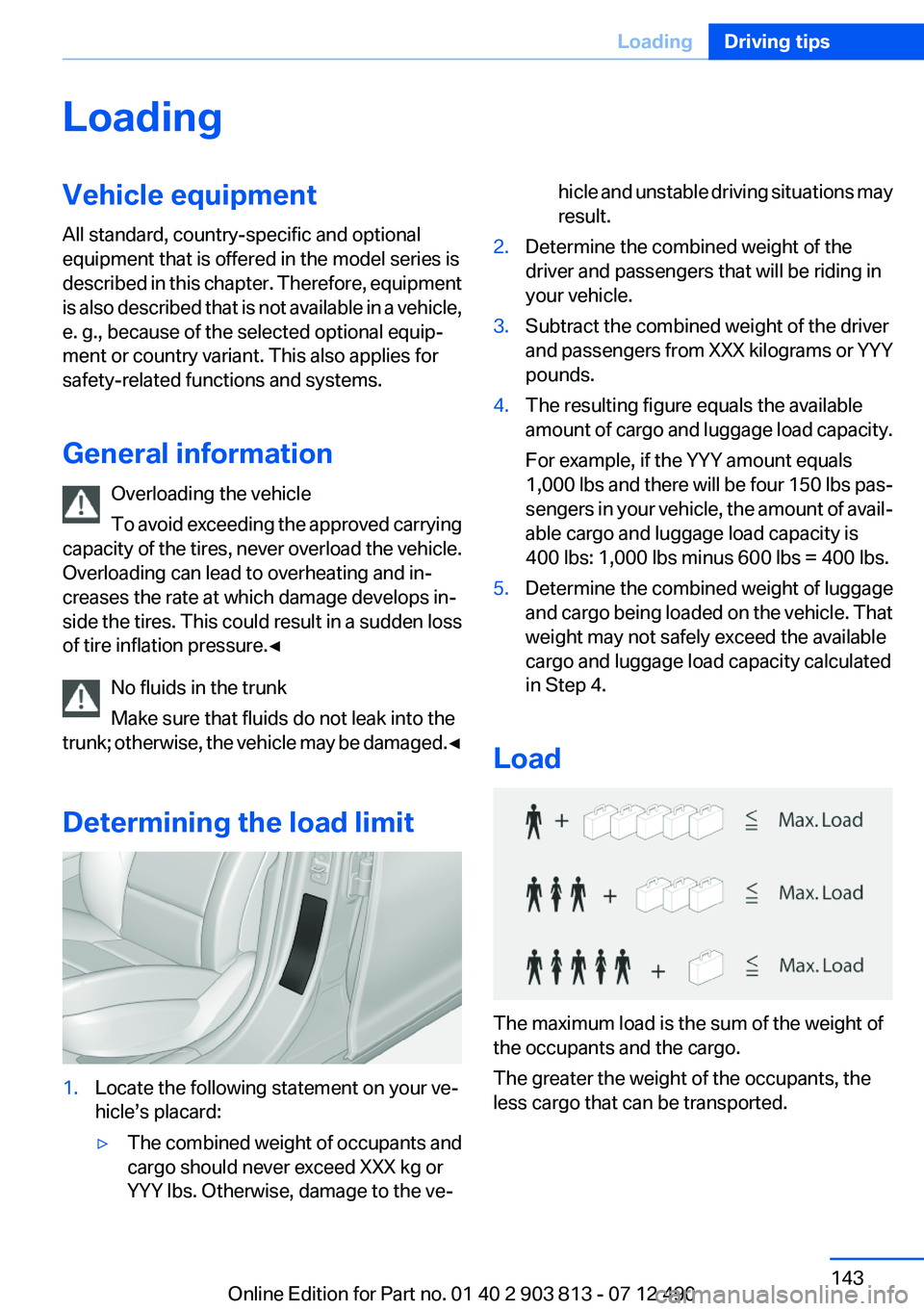
Load
The maximum load is the sum of the weight of
the occupants and the cargo.
The greater the weight of the occupants, the
less cargo that can be transported.
Seite 143LoadingDriving tips143
Online Edition for Part no. 01 40 2 903 813 - 07 12 490
Page 147 of 211
The flow of fuel is interrupted while coasting.
Switch off the engine during
longer stops
Switch off the engine during longer stops, e.g.,
at traffic lights, railroad crossings or in traffic
congestion.
Auto Start/Stop function
The Auto Start/Stop function of your vehicle au‐
tomatically switches off the engine during a
stop.
If the engine is switched off and then restarted
rather than leaving the engine running con‐
stantly, fuel consumption and emissions are re‐
duced. Savings can begin within a few seconds
of switching off the engine.
Using this system can cause certain compo‐
nents of the vehicle to become worn prema‐
turely.
Iin addition, fuel consumption is also determined
by other factors, such as driving style, road con‐
ditions, maintenance or environmental factors.
Switch off any functions that
are not currently needed
Functions such as seat heating and the rear win‐
dow defroster require a lot of energy and con‐
sume additional fuel, especially in city and stop-
and-go traffic.
Therefore, switch off these functions if they are
not actually needed.
Have maintenance carried out
Have vehicles maintained regularly to achieve
optimal vehicle economy and operating life.
Have the maintenance carried out by your serv‐
ice center.Please also note the BMW Maintenance Sys‐
tem, refer to page 168.
ECO PRO
The concept
ECO PRO supports a driving style that saves on
fuel consumption. For this purpose, the engine
control and comfort functions, e. g. the climate
control output, are adjusted.
The extension of the range that is achieved as a
result can be displayed in the instrument cluster.
Activating ECO PRO Press button repeatedly until ECO PRO
is displayed in the instrument cluster.
Display in the instrument cluster
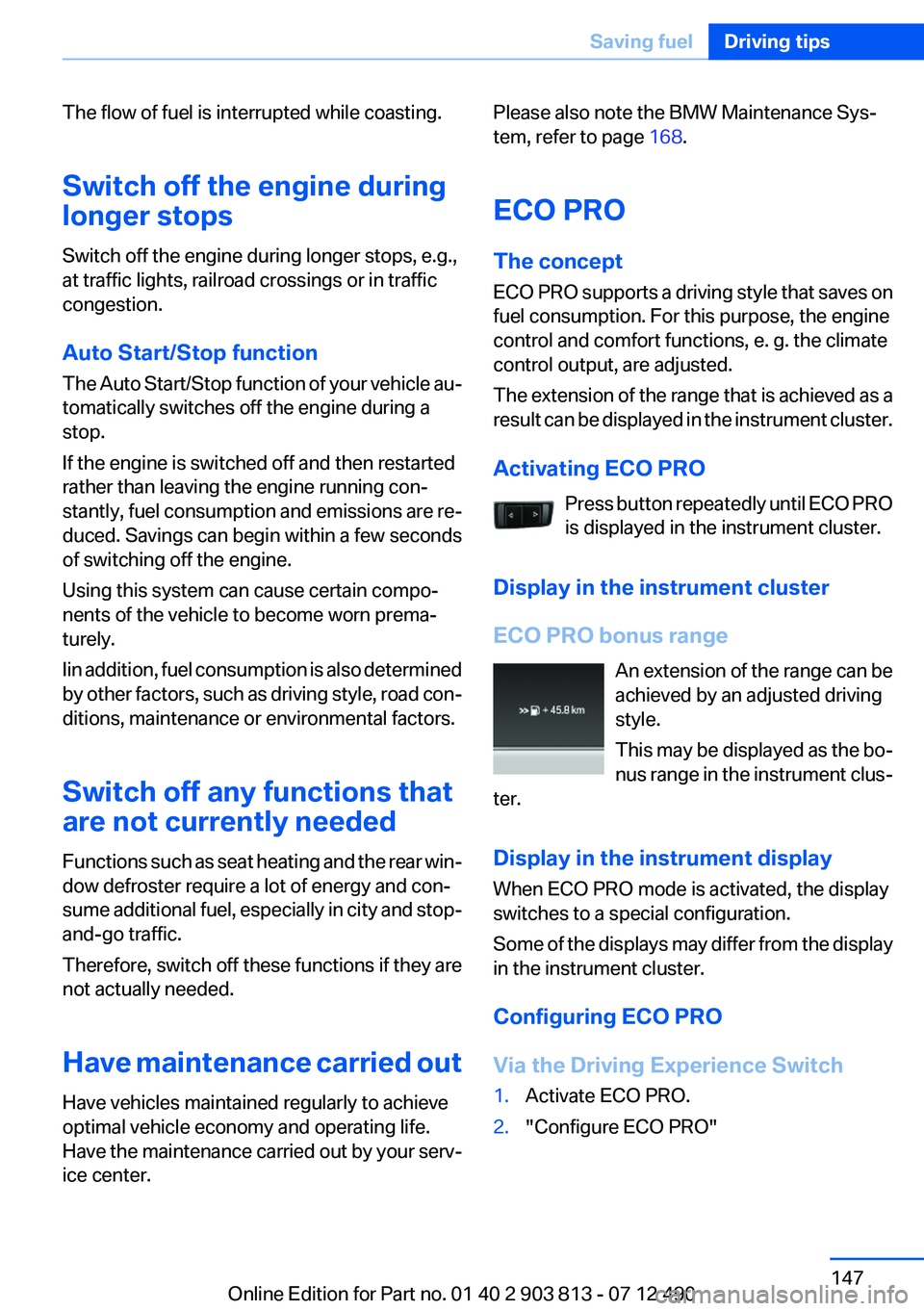
ECO PRO bonus range An extension of the range can be
achieved by an adjusted driving
style.
This may be displayed as the bo‐
nus range in the instrument clus‐
ter.
Display in the instrument display
When ECO PRO mode is activated, the display
switches to a special configuration.
Some of the displays may differ from the display
in the instrument cluster.
Configuring ECO PRO
Via the Driving Experience Switch1.Activate ECO PRO.2."Configure ECO PRO"Seite 147Saving fuelDriving tips147
Online Edition for Part no. 01 40 2 903 813 - 07 12 490
Page 148 of 211
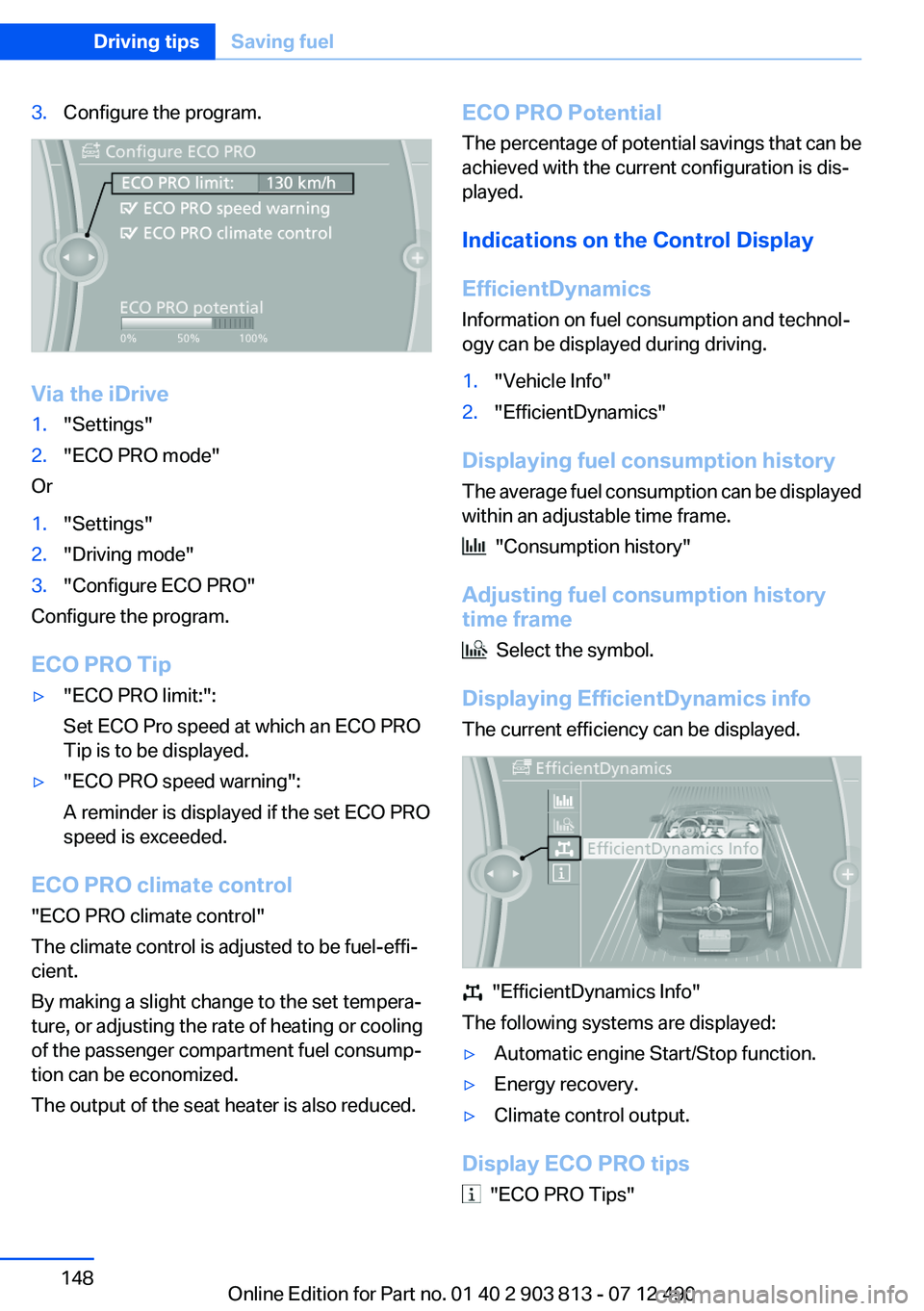
3.Configure the program.
Via the iDrive
1."Settings"2."ECO PRO mode"
Or
1."Settings"2."Driving mode"3."Configure ECO PRO"
Configure the program.
ECO PRO Tip
▷"ECO PRO limit:":
Set ECO Pro speed at which an ECO PRO
Tip is to be displayed.▷"ECO PRO speed warning":
A reminder is displayed if the set ECO PRO
speed is exceeded.
ECO PRO climate control
"ECO PRO climate control"
The climate control is adjusted to be fuel-effi‐
cient.
By making a slight change to the set tempera‐
ture, or adjusting the rate of heating or cooling
of the passenger compartment fuel consump‐
tion can be economized.
The output of the seat heater is also reduced.
ECO PRO Potential
The percentage of potential savings that can be
achieved with the current configuration is dis‐
played.
Indications on the Control Display
EfficientDynamics
Information on fuel consumption and technol‐
ogy can be displayed during driving.1."Vehicle Info"2."EfficientDynamics"
Displaying fuel consumption history
The average fuel consumption can be displayed
within an adjustable time frame.
"Consumption history"
Adjusting fuel consumption history
time frame
Select the symbol.
Displaying EfficientDynamics info
The current efficiency can be displayed.
"EfficientDynamics Info"
The following systems are displayed:
▷Automatic engine Start/Stop function.▷Energy recovery.▷Climate control output.
Display ECO PRO tips
"ECO PRO Tips"
Seite 148Driving tipsSaving fuel148
Online Edition for Part no. 01 40 2 903 813 - 07 12 490
Page 207 of 211
New wheels and tires 160
No Passing Information 79
Nylon rope for tow-starting/ towing 181
O
OBD Onboard Diagnos‐ tics 169
Obstacle marking, backup camera 115
Octane rating, refer to Gaso‐ line quality 154
Odometer 77
Office, see user's manual for Navigation, Entertainment
and Communication
Oil 165
Oil, adding 166
Oil additives 166
Oil change 166
Oil change interval, service re‐ quirements 78
Oil filler neck 166
Oil types, alternative 166
Oil types, approved 166
Old batteries, disposal 177
Onboard Diagnostics OBD 169
Onboard monitor, refer to Control Display 16
Onboard vehicle tool kit 171
Opening/closing from in‐ side 37
Opening/closing via door lock 36
Opening/closing with remote control 34
Operating concept, iDrive 16
Optional equipment, standard equipment 6
Outside air, refer to Automatic recirculated-air control 124
Overheating of engine, refer to Coolant temperature 76
Overtaking prohibitions 79 P
Paint, vehicle 184
Panic mode 35
Panoramic glass sunroof 43
Park Distance Control PDC 112
Parked-car ventilation 125
Parked vehicle, condensa‐ tion 142
Parking aid, refer to PDC 112
Parking brake 63
Parking lamps 86
Parking lamps, bulb replace‐ ment 173
Parking with Auto Hold 64
Partition net 132
Passenger side mirror, tilting downward 53
Pathway lines, backup cam‐ era 115
PDC Park Distance Con‐ trol 112
Performance Control 103
Personal Profile 31
Pinch protection system, glass sunroof 44
Pinch protection system, win‐ dows 43
Plastic, care 185
Power failure 177
Power windows 42
Pressure, tire air pres‐ sure 155
Pressure warning, tires 97
Profile, refer to Personal Pro‐ file 31
Programmable memory but‐ tons, iDrive 21
Protective function, glass sun‐ roof 44
Protective function, win‐ dows 43
Push-and-turn switch, refer to Controller 16, 17 R
Radiator fluid 167
Radio-operated key, refer to Remote control 30
Radio ready state 59
Radio, see user's manual for Navigation, Entertainment
and Communication
Rain sensor 67
Rear lamps 175
Rear socket 130
Rearview mirror 52
Rear window de‐ froster 122, 124
Recirculated-air filter 125
Recirculated-air mode 121, 124
Recommended tire brands 161
Refueling 152
Remaining range 77
Remote control/key 30
Remote control, malfunc‐ tion 35
Remote control, universal 127
Replacement fuse 177
Replacing parts 171
Replacing wheels/tires 160
Reporting safety defects 8
Reserve warning, refer to Range 77
Resetting, Tire Pressure Mon‐ itor TPM 95
Retaining straps, securing cargo 144
Retreaded tires 161
Roadside parking lamps 87
Roller sunblinds 43
RON gasoline quality 154
Roof load capacity 191
Roof-mounted luggage rack 142
Rope for tow-starting/tow‐ ing 181 Seite 207Everything from A to ZReference207
Online Edition for Part no. 01 40 2 903 813 - 07 12 490
Page 208 of 211
RSC Run Flat System Compo‐nent, refer to Run-flat
tires 162
Rubber components, care 185
Run-flat tires 162
S
Safe braking 141
Safety 7
Safety belt reminder for driv‐ er's seat and front passenger
seat 50
Safety belts 49
Safety belts, care 185
Safety switch, windows 43
Safety systems, airbags 91
Saving fuel 0
Screen, refer to Control Dis‐ play 16
Screwdriver 171
Screw thread for tow fit‐ ting 182
Seat and mirror memory 52
Seat belts, refer to Safety belts 49
Seat heating, front 49
Seat heating, rear 49
Seating position for chil‐ dren 55
Seats 46
Selection list in instrument cluster 81
Selector lever, automatic transmission 69
Sensors, care 186
Service and warranty 7
Service requirements, Condi‐ tion Based Service CBS 168
Service requirements, dis‐ play 78
Service, Roadside Assis‐ tance 179
Settings on Control Dis‐ play 83 Settings, storing for seat, mir‐
ror 52
Shifting, automatic transmis‐ sion 68
Shift paddles on steering wheel 70
Short commands 193
Side airbags 91
Signaling, horn 12
Signals when unlocking 35
Sitting safely 46
Size 190
Slide/tilt glass roof 43
Smallest turning circle 191
Snow chains 162
Socket 129
Socket, OBD Onboard Diag‐ nostics 169
SOS button 178
Spare fuse 177
Specified engine oil types 166
Speed, average 82
Speed limit detection, on‐ board computer 82
Speed limiter, display 79
Speed Limit Information 79
Speed limit in the com‐ puter 82
Split screen 21
SPORT+ - program, Dynamic Driving Control 105
Sport automatic transmis‐ sion 70
SPORT program, Dynamic Driving Control 105
Sport program, transmis‐ sion 70
Sport steering, variable 105
Stability control systems 102
Start/stop, automatic func‐ tion 61
Start/Stop button 59
Start function during malfunc‐ tion 31
Starting the engine 60 Status display, tires 94
Status information, iDrive 20
Status of Owner's Manual 6
Steering wheel, adjusting 54
Steering wheel heating 54
Steptronic, automatic trans‐ mission 68
Stopping the engine 60
Storage compartments 134
Storage compartments, loca‐ tions 134
Storage, tires 161
Storing the vehicle 186
Summer tires, tread 159
Supplementary text mes‐ sages 75
Switch for Dynamic Driv‐ ing 105
Switch-on times, parked-car ventilation 126
Switch, refer to Cockpit 12
Symbols 6
T
Tachometer 76
Tailgate 37
Tailgate, automatic 38
Tailgate via remote control 35
Tail lamps 175
Technical changes, refer to Safety 7
Technical data 190
Telephone, see user's manual for Navigation, Entertain‐
ment and Communication
Temperature, automatic cli‐ mate control 121, 123
Temperature display, external temperature 77
Temperature, engine oil 76
Terminal, jump-starting 180
Text messages, supplemen‐ tary 75
Theft alarm system, refer to Alarm system 40 Seite 208ReferenceEverything from A to Z208
Online Edition for Part no. 01 40 2 903 813 - 07 12 490