turn signal BMW X3 XDRIVE 35I 2013 User Guide
[x] Cancel search | Manufacturer: BMW, Model Year: 2013, Model line: X3 XDRIVE 35I, Model: BMW X3 XDRIVE 35I 2013Pages: 211, PDF Size: 8.62 MB
Page 89 of 211
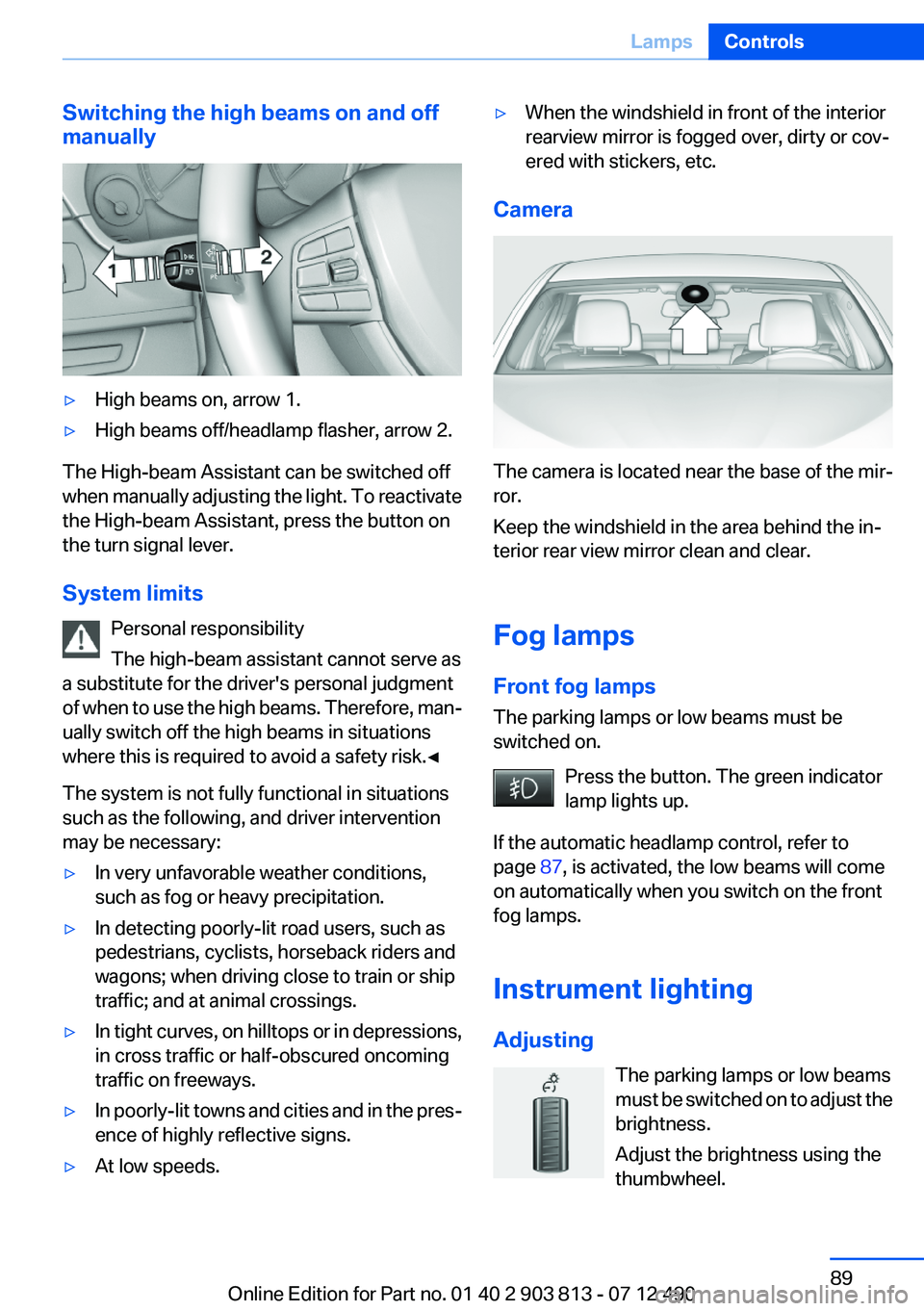
Switching the high beams on and off
manually▷High beams on, arrow 1.▷High beams off/headlamp flasher, arrow 2.
The High-beam Assistant can be switched off
when manually adjusting the light. To reactivate
the High-beam Assistant, press the button on
the turn signal lever.
System limits Personal responsibility
The high-beam assistant cannot serve as
a substitute for the driver's personal judgment
of when to use the high beams. Therefore, man‐
ually switch off the high beams in situations
where this is required to avoid a safety risk.◀
The system is not fully functional in situations
such as the following, and driver intervention
may be necessary:
▷In very unfavorable weather conditions,
such as fog or heavy precipitation.▷In detecting poorly-lit road users, such as
pedestrians, cyclists, horseback riders and
wagons; when driving close to train or ship
traffic; and at animal crossings.▷In tight curves, on hilltops or in depressions,
in cross traffic or half-obscured oncoming
traffic on freeways.▷In poorly-lit towns and cities and in the pres‐
ence of highly reflective signs.▷At low speeds.▷When the windshield in front of the interior
rearview mirror is fogged over, dirty or cov‐
ered with stickers, etc.
Camera
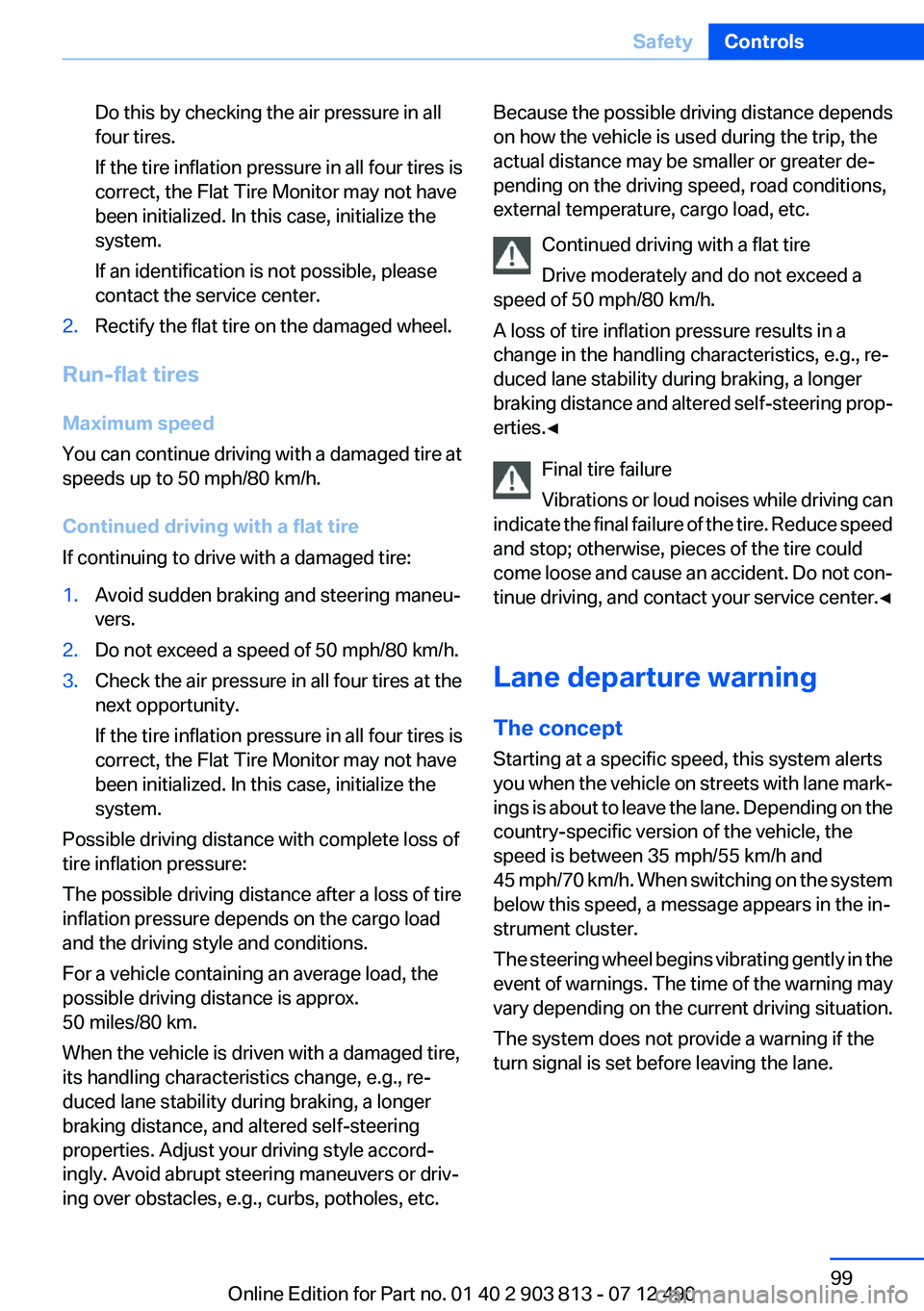
The camera is located near the base of the mir‐
ror.
Keep the windshield in the area behind the in‐
terior rear view mirror clean and clear.
Fog lamps
Front fog lamps
The parking lamps or low beams must be
switched on.
Press the button. The green indicator
lamp lights up.
If the automatic headlamp control, refer to
page 87, is activated, the low beams will come
on automatically when you switch on the front
fog lamps.
Instrument lighting
Adjusting The parking lamps or low beams
must be switched on to adjust the
brightness.
Adjust the brightness using the
thumbwheel.
Seite 89LampsControls89
Online Edition for Part no. 01 40 2 903 813 - 07 12 490
Page 99 of 211
Do this by checking the air pressure in all
four tires.
If the tire inflation pressure in all four tires is
correct, the Flat Tire Monitor may not have
been initialized. In this case, initialize the
system.
If an identification is not possible, please
contact the service center.2.Rectify the flat tire on the damaged wheel.
Run-flat tires
Maximum speed
You can continue driving with a damaged tire at
speeds up to 50 mph/80 km/h.
Continued driving with a flat tire
If continuing to drive with a damaged tire:
1.Avoid sudden braking and steering maneu‐
vers.2.Do not exceed a speed of 50 mph/80 km/h.3.Check the air pressure in all four tires at the
next opportunity.
If the tire inflation pressure in all four tires is
correct, the Flat Tire Monitor may not have
been initialized. In this case, initialize the
system.
Possible driving distance with complete loss of
tire inflation pressure:
The possible driving distance after a loss of tire
inflation pressure depends on the cargo load
and the driving style and conditions.
For a vehicle containing an average load, the
possible driving distance is approx.
50 miles/80 km.
When the vehicle is driven with a damaged tire,
its handling characteristics change, e.g., re‐
duced lane stability during braking, a longer
braking distance, and altered self-steering
properties. Adjust your driving style accord‐
ingly. Avoid abrupt steering maneuvers or driv‐
ing over obstacles, e.g., curbs, potholes, etc.
Because the possible driving distance depends
on how the vehicle is used during the trip, the
actual distance may be smaller or greater de‐
pending on the driving speed, road conditions,
external temperature, cargo load, etc.
Continued driving with a flat tire
Drive moderately and do not exceed a
speed of 50 mph/80 km/h.
A loss of tire inflation pressure results in a
change in the handling characteristics, e.g., re‐
duced lane stability during braking, a longer
braking distance and altered self-steering prop‐
erties.◀
Final tire failure
Vibrations or loud noises while driving can
indicate the final failure of the tire. Reduce speed
and stop; otherwise, pieces of the tire could
come loose and cause an accident. Do not con‐
tinue driving, and contact your service center. ◀
Lane departure warning
The concept
Starting at a specific speed, this system alerts
you when the vehicle on streets with lane mark‐
ings is about to leave the lane. Depending on the
country-specific version of the vehicle, the
speed is between 35 mph/55 km/h and
45 mph/70 km/h. When switching on the system
below this speed, a message appears in the in‐
strument cluster.
The steering wheel begins vibrating gently in the
event of warnings. The time of the warning may
vary depending on the current driving situation.
The system does not provide a warning if the
turn signal is set before leaving the lane.Seite 99SafetyControls99
Online Edition for Part no. 01 40 2 903 813 - 07 12 490
Page 100 of 211
NotesPersonal responsibility
The system cannot serve as a substitute
for the driver's personal judgment of the course
of the road and the traffic situation.
In the event of a warning, do not jerk the steering
wheel, as you may lose control of the vehicle.◀
At a glance
Button in the vehicle
Lane departure warning
Camera
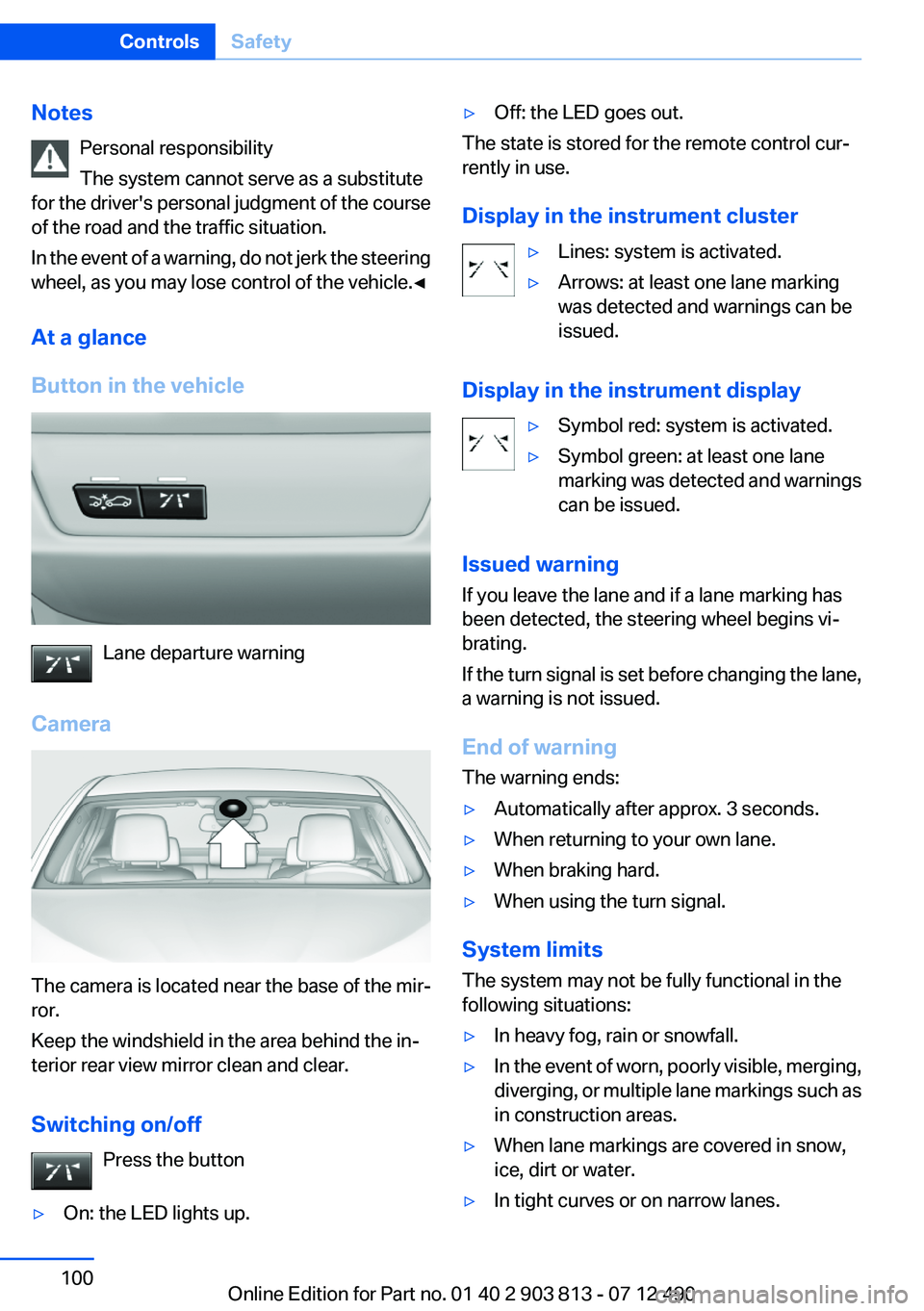
The camera is located near the base of the mir‐
ror.
Keep the windshield in the area behind the in‐
terior rear view mirror clean and clear.
Switching on/off Press the button
▷On: the LED lights up.▷Off: the LED goes out.
The state is stored for the remote control cur‐
rently in use.
Display in the instrument cluster
▷Lines: system is activated.▷Arrows: at least one lane marking
was detected and warnings can be
issued.
Display in the instrument display
▷Symbol red: system is activated.▷Symbol green: at least one lane
marking was detected and warnings
can be issued.
Issued warning
If you leave the lane and if a lane marking has
been detected, the steering wheel begins vi‐
brating.
If the turn signal is set before changing the lane,
a warning is not issued.
End of warning
The warning ends:
▷Automatically after approx. 3 seconds.▷When returning to your own lane.▷When braking hard.▷When using the turn signal.
System limits
The system may not be fully functional in the
following situations:
▷In heavy fog, rain or snowfall.▷In the event of worn, poorly visible, merging,
diverging, or multiple lane markings such as
in construction areas.▷When lane markings are covered in snow,
ice, dirt or water.▷In tight curves or on narrow lanes.Seite 100ControlsSafety100
Online Edition for Part no. 01 40 2 903 813 - 07 12 490
Page 172 of 211
Lamp and bulb replacement
Notes
Lamps and bulbs
Lamps and bulbs make an essential contribution
to vehicle safety.
The manufacturer of the vehicle recommends
that you entrust corresponding procedures to
the service center if you are unfamiliar with them
or they are not described here.
You can obtain a selection of replacement bulbs
at the service center.
Danger of burns
Only change bulbs when they are cool;
otherwise, there is the danger of getting
burned.◀
Working on the lighting system
When working on the lighting system, you
should always switch off the lights affected to
prevent short circuits.
To avoid possible injury or equipment damage
when replacing bulbs, observe any instructions
provided by the bulb manufacturer.◀
Do not perform work/bulb replacement on
xenon headlamps
Have any work on the xenon lighting system, in‐
cluding bulb replacement, performed only by a
service center. Due to the high voltage present
in the system, there is the danger of fatal injuries
if work is carried out improperly.◀
Do not touch the bulbs
Do not touch the glass of new bulbs with
your bare hands, as even minute amounts of
contamination will burn into the bulb's surface
and reduce its service life.
Use a clean tissue, cloth or something similar, or
hold the bulb by its base.◀Light-emitting diodes (LEDs)
Light-emitting diodes installed behind a cover
serve as the light source for controls, display el‐
ements and other equipment.
These light-emitting diodes, which are related
to conventional lasers, are officially designated
as Class 1 light-emitting diodes.
Do not remove the covers
Do not remove the covers, and never stare
into the unfiltered light for several hours; other‐
wise, irritation of the retina could result.◀
Headlamp glass
Condensation can form on the inside of the ex‐
ternal lamps in cool or humid weather. When
driving with the light switched on, the conden‐
sation evaporates after a short time. The head‐
lamp glasses do not need to be changed.
If the headlamps do not dim despite driving with
the light switched on, increasing humidity forms,
e. g. water droplets in the light, have the service
center check this.
Front lamps, bulb replacement
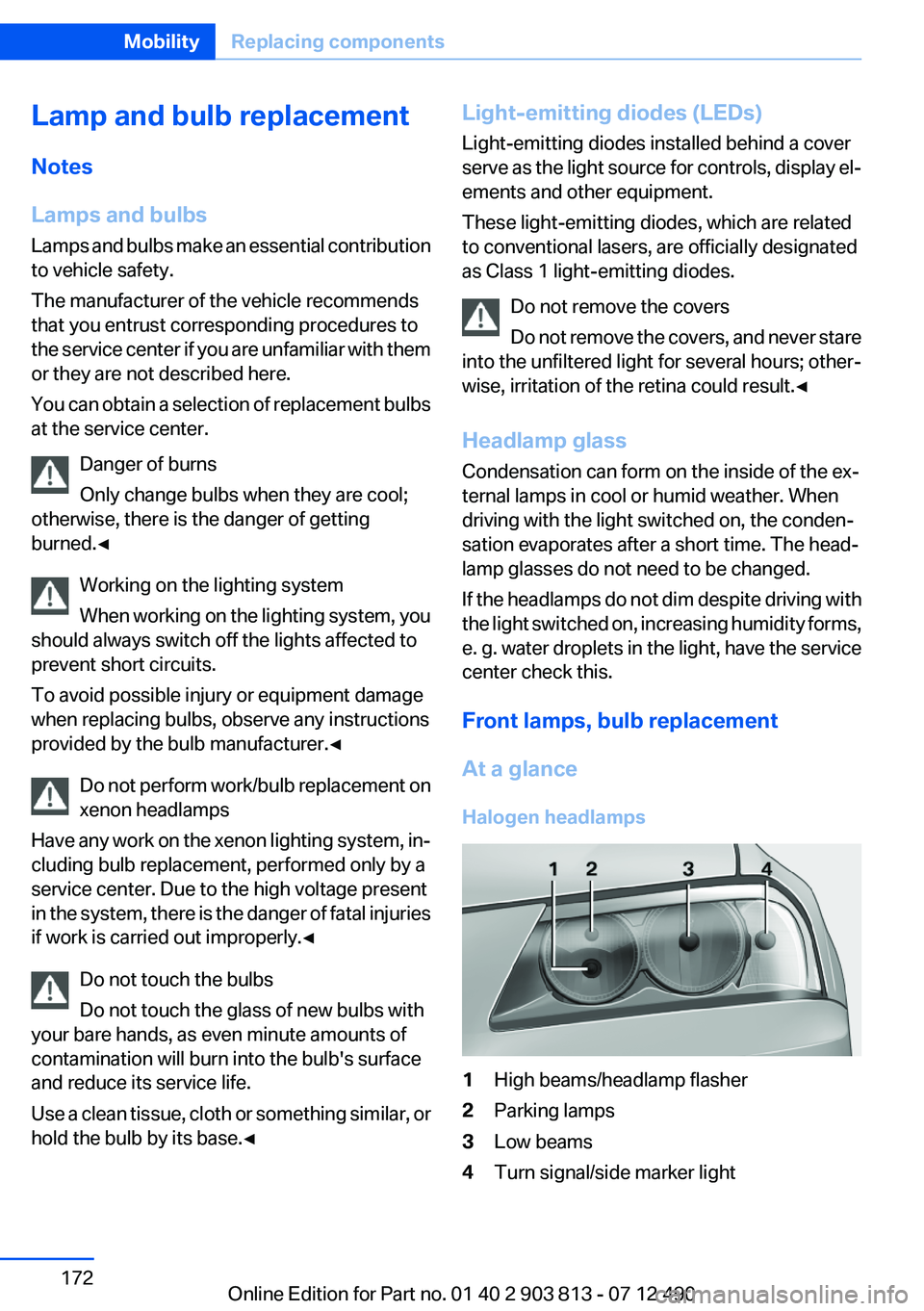
At a glance
Halogen headlamps1High beams/headlamp flasher2Parking lamps3Low beams4Turn signal/side marker lightSeite 172MobilityReplacing components172
Online Edition for Part no. 01 40 2 903 813 - 07 12 490
Page 173 of 211
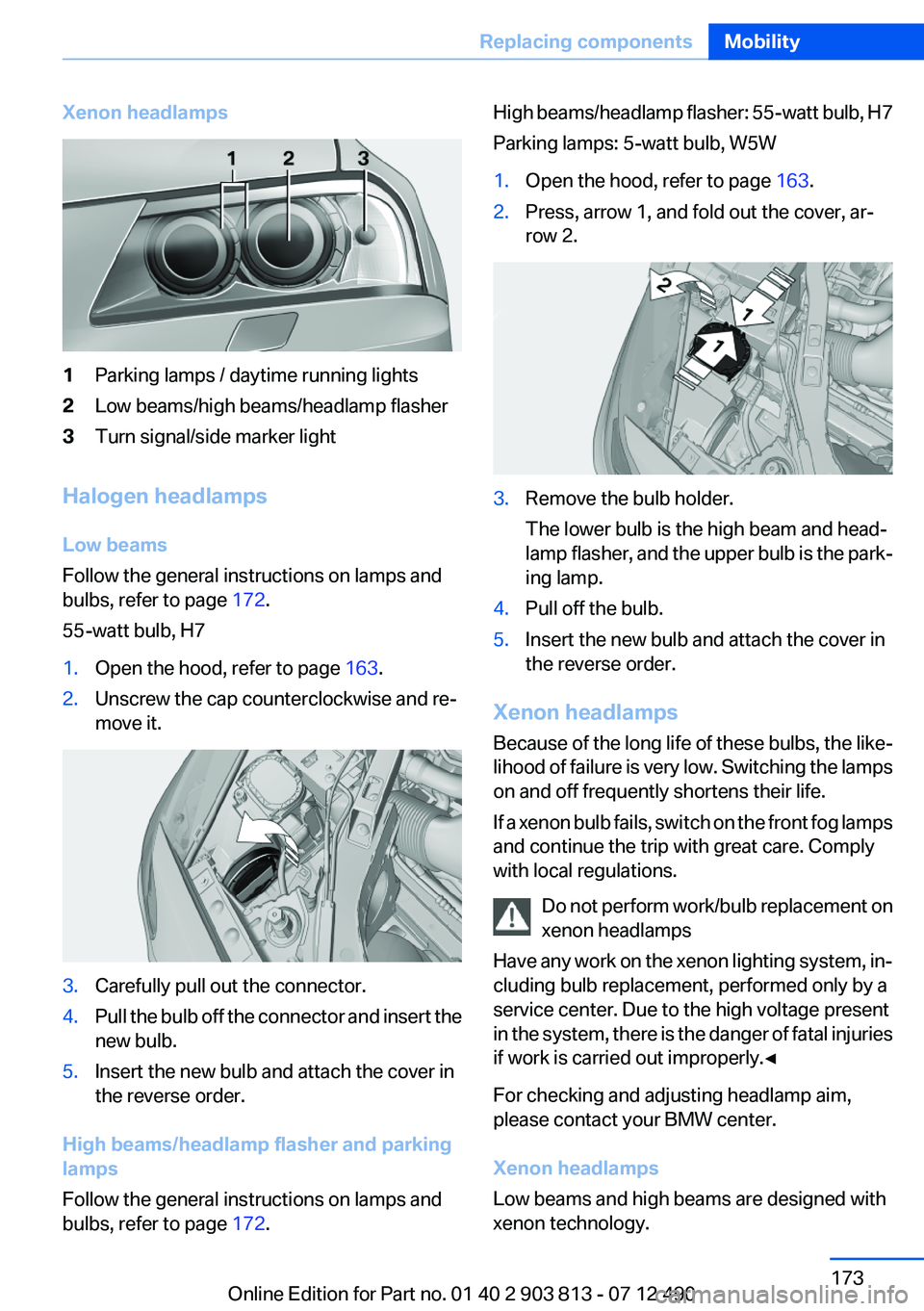
Xenon headlamps1Parking lamps / daytime running lights2Low beams/high beams/headlamp flasher3Turn signal/side marker light
Halogen headlamps
Low beams
Follow the general instructions on lamps and
bulbs, refer to page 172.
55-watt bulb, H7
1.Open the hood, refer to page 163.2.Unscrew the cap counterclockwise and re‐
move it.3.Carefully pull out the connector.4.Pull the bulb off the connector and insert the
new bulb.5.Insert the new bulb and attach the cover in
the reverse order.
High beams/headlamp flasher and parking
lamps
Follow the general instructions on lamps and
bulbs, refer to page 172.
High beams/headlamp flasher: 55-watt bulb, H7
Parking lamps: 5-watt bulb, W5W1.Open the hood, refer to page 163.2.Press, arrow 1, and fold out the cover, ar‐
row 2.3.Remove the bulb holder.
The lower bulb is the high beam and head‐
lamp flasher, and the upper bulb is the park‐
ing lamp.4.Pull off the bulb.5.Insert the new bulb and attach the cover in
the reverse order.
Xenon headlamps
Because of the long life of these bulbs, the like‐
lihood of failure is very low. Switching the lamps
on and off frequently shortens their life.
If a xenon bulb fails, switch on the front fog lamps
and continue the trip with great care. Comply
with local regulations.
Do not perform work/bulb replacement on
xenon headlamps
Have any work on the xenon lighting system, in‐
cluding bulb replacement, performed only by a
service center. Due to the high voltage present
in the system, there is the danger of fatal injuries
if work is carried out improperly.◀
For checking and adjusting headlamp aim,
please contact your BMW center.
Xenon headlamps
Low beams and high beams are designed with
xenon technology.
Seite 173Replacing componentsMobility173
Online Edition for Part no. 01 40 2 903 813 - 07 12 490
Page 174 of 211
The parking lamps and daylight running lights
are made using LED technology.
Contact your service center in the event of a
malfunction.
Front fog lamps
Follow the general instructions on lamps and
bulbs, refer to page 172.
Front fog lamps in vehicles equipped with Adap‐
tive Light Control: 55-watt bulb, H11
Front fog lamps without Adaptive Light Control:
35-watt bulb, H81.Insert the screwdriver from the onboard ve‐
hicle tool kit, with the flat side facing out‐
ward, past the removal hook and onto the
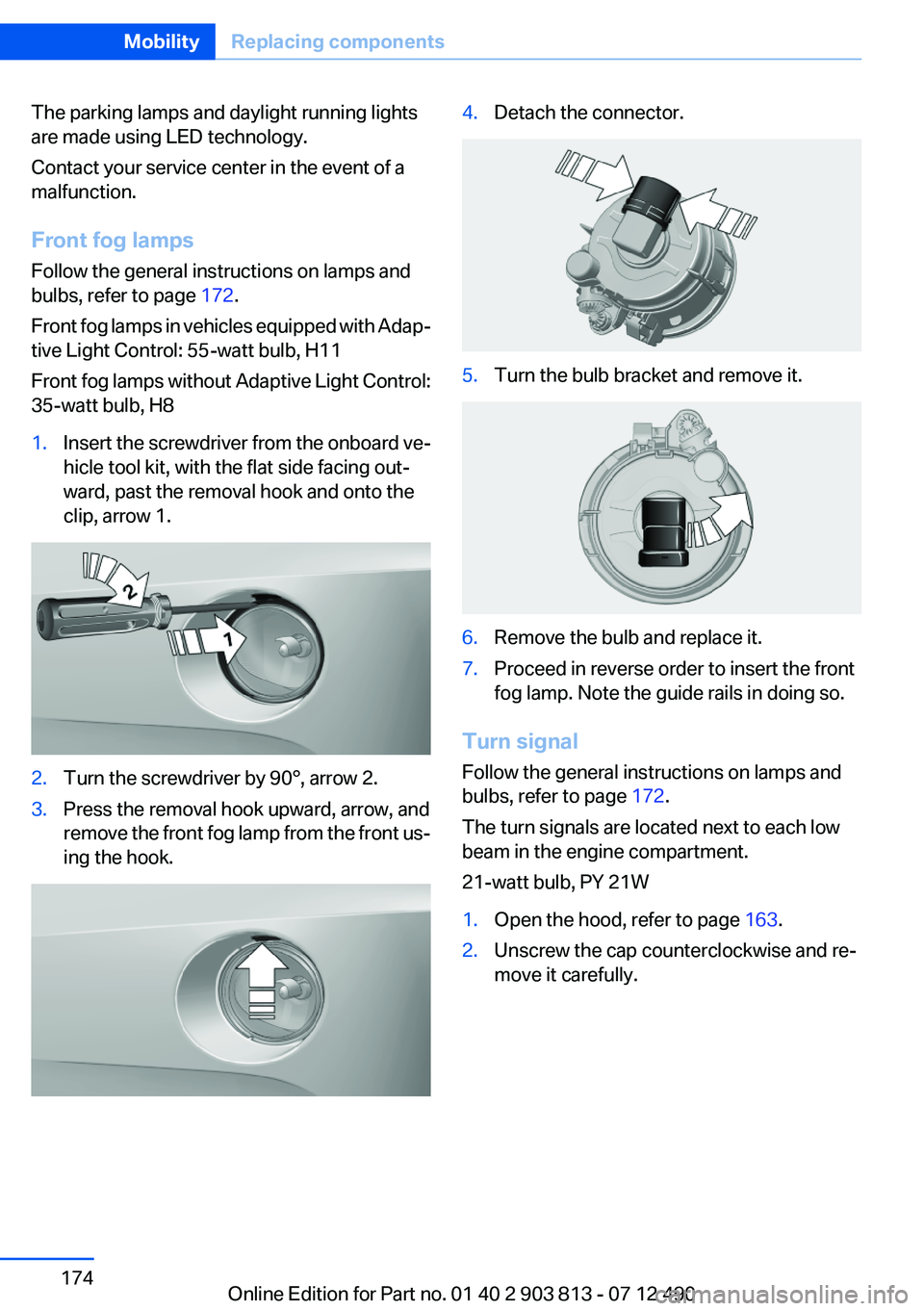
clip, arrow 1.2.Turn the screwdriver by 90°, arrow 2.3.Press the removal hook upward, arrow, and
remove the front fog lamp from the front us‐
ing the hook.4.Detach the connector.5.Turn the bulb bracket and remove it.6.Remove the bulb and replace it.7.Proceed in reverse order to insert the front
fog lamp. Note the guide rails in doing so.
Turn signal
Follow the general instructions on lamps and
bulbs, refer to page 172.
The turn signals are located next to each low
beam in the engine compartment.
21-watt bulb, PY 21W
1.Open the hood, refer to page 163.2.Unscrew the cap counterclockwise and re‐
move it carefully.Seite 174MobilityReplacing components174
Online Edition for Part no. 01 40 2 903 813 - 07 12 490
Page 175 of 211
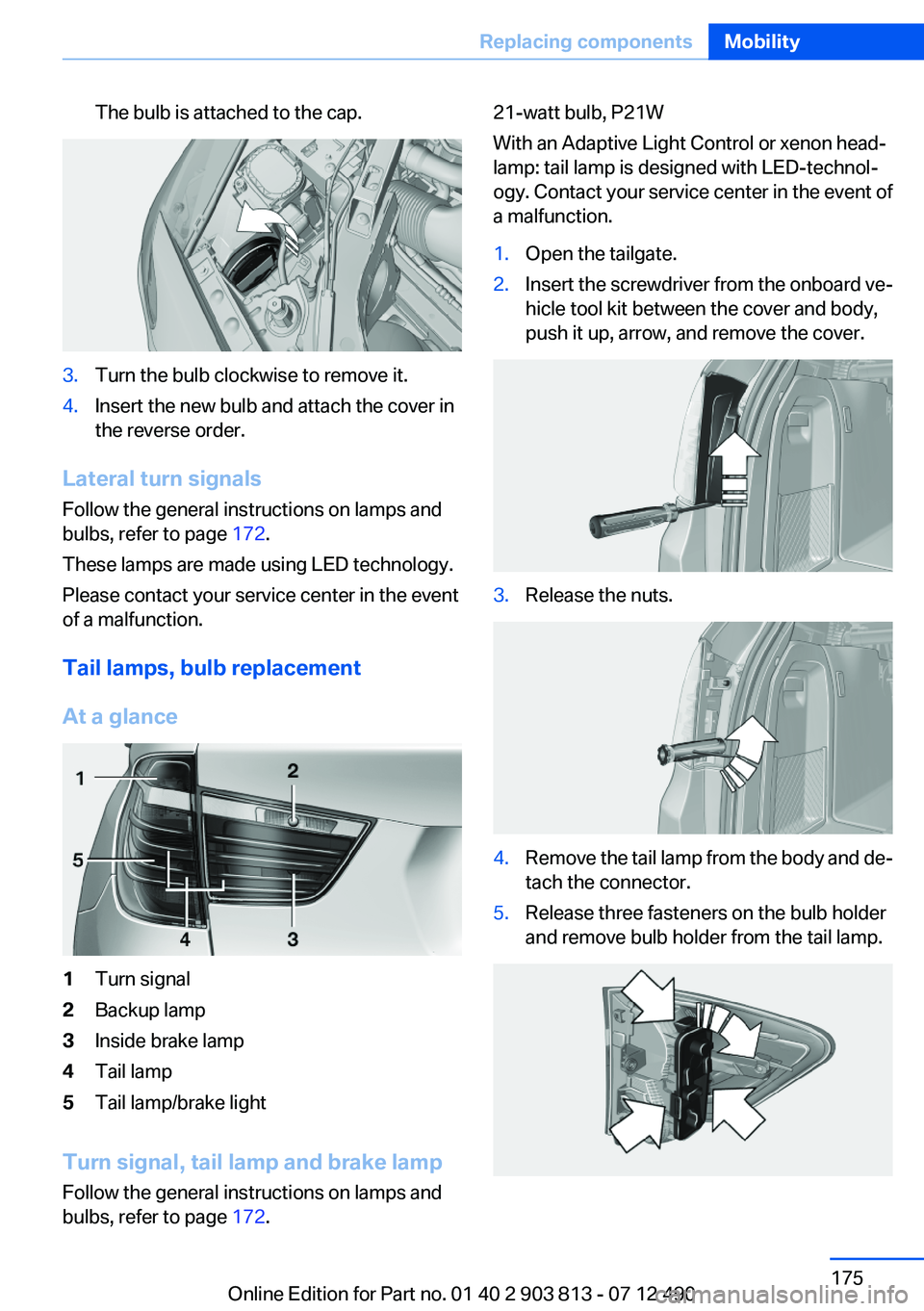
The bulb is attached to the cap.3.Turn the bulb clockwise to remove it.4.Insert the new bulb and attach the cover in
the reverse order.
Lateral turn signals
Follow the general instructions on lamps and
bulbs, refer to page 172.
These lamps are made using LED technology.
Please contact your service center in the event
of a malfunction.
Tail lamps, bulb replacement
At a glance
1Turn signal2Backup lamp3Inside brake lamp4Tail lamp5Tail lamp/brake light
Turn signal, tail lamp and brake lamp
Follow the general instructions on lamps and
bulbs, refer to page 172.
21-watt bulb, P21W
With an Adaptive Light Control or xenon head‐
lamp: tail lamp is designed with LED-technol‐
ogy. Contact your service center in the event of
a malfunction.1.Open the tailgate.2.Insert the screwdriver from the onboard ve‐
hicle tool kit between the cover and body,
push it up, arrow, and remove the cover.3.Release the nuts.4.Remove the tail lamp from the body and de‐
tach the connector.5.Release three fasteners on the bulb holder
and remove bulb holder from the tail lamp.Seite 175Replacing componentsMobility175
Online Edition for Part no. 01 40 2 903 813 - 07 12 490
Page 176 of 211
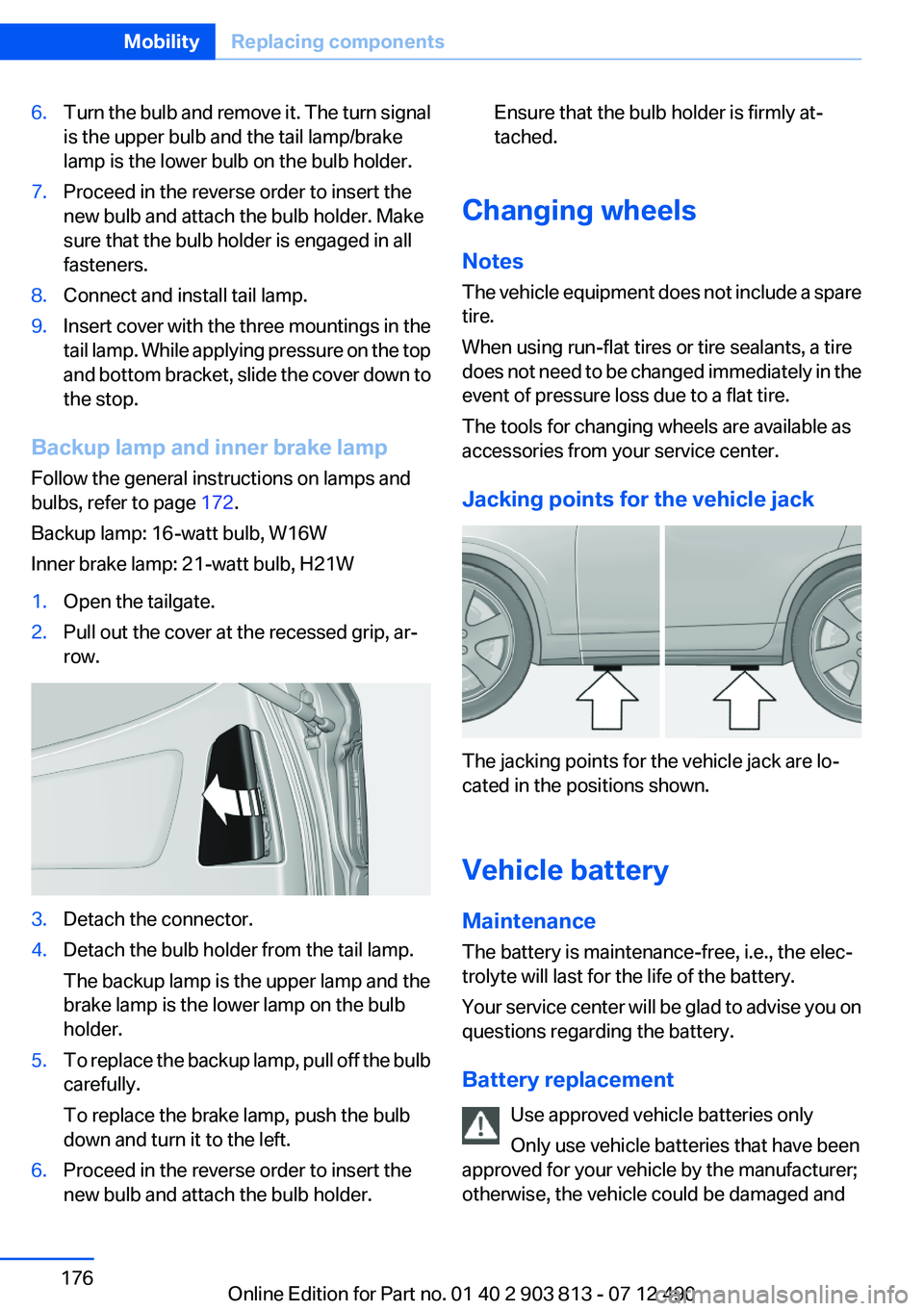
6.Turn the bulb and remove it. The turn signal
is the upper bulb and the tail lamp/brake
lamp is the lower bulb on the bulb holder.7.Proceed in the reverse order to insert the
new bulb and attach the bulb holder. Make
sure that the bulb holder is engaged in all
fasteners.8.Connect and install tail lamp.9.Insert cover with the three mountings in the
tail lamp. While applying pressure on the top
and bottom bracket, slide the cover down to
the stop.
Backup lamp and inner brake lamp
Follow the general instructions on lamps and
bulbs, refer to page 172.
Backup lamp: 16-watt bulb, W16W
Inner brake lamp: 21-watt bulb, H21W
1.Open the tailgate.2.Pull out the cover at the recessed grip, ar‐
row.3.Detach the connector.4.Detach the bulb holder from the tail lamp.
The backup lamp is the upper lamp and the
brake lamp is the lower lamp on the bulb
holder.5.To replace the backup lamp, pull off the bulb
carefully.
To replace the brake lamp, push the bulb
down and turn it to the left.6.Proceed in the reverse order to insert the
new bulb and attach the bulb holder.Ensure that the bulb holder is firmly at‐
tached.
Changing wheels
Notes
The vehicle equipment does not include a spare
tire.
When using run-flat tires or tire sealants, a tire
does not need to be changed immediately in the
event of pressure loss due to a flat tire.
The tools for changing wheels are available as
accessories from your service center.
Jacking points for the vehicle jack
The jacking points for the vehicle jack are lo‐
cated in the positions shown.
Vehicle battery
Maintenance
The battery is maintenance-free, i.e., the elec‐
trolyte will last for the life of the battery.
Your service center will be glad to advise you on
questions regarding the battery.
Battery replacement Use approved vehicle batteries only
Only use vehicle batteries that have been
approved for your vehicle by the manufacturer;
otherwise, the vehicle could be damaged and
Seite 176MobilityReplacing components176
Online Edition for Part no. 01 40 2 903 813 - 07 12 490
Page 203 of 211
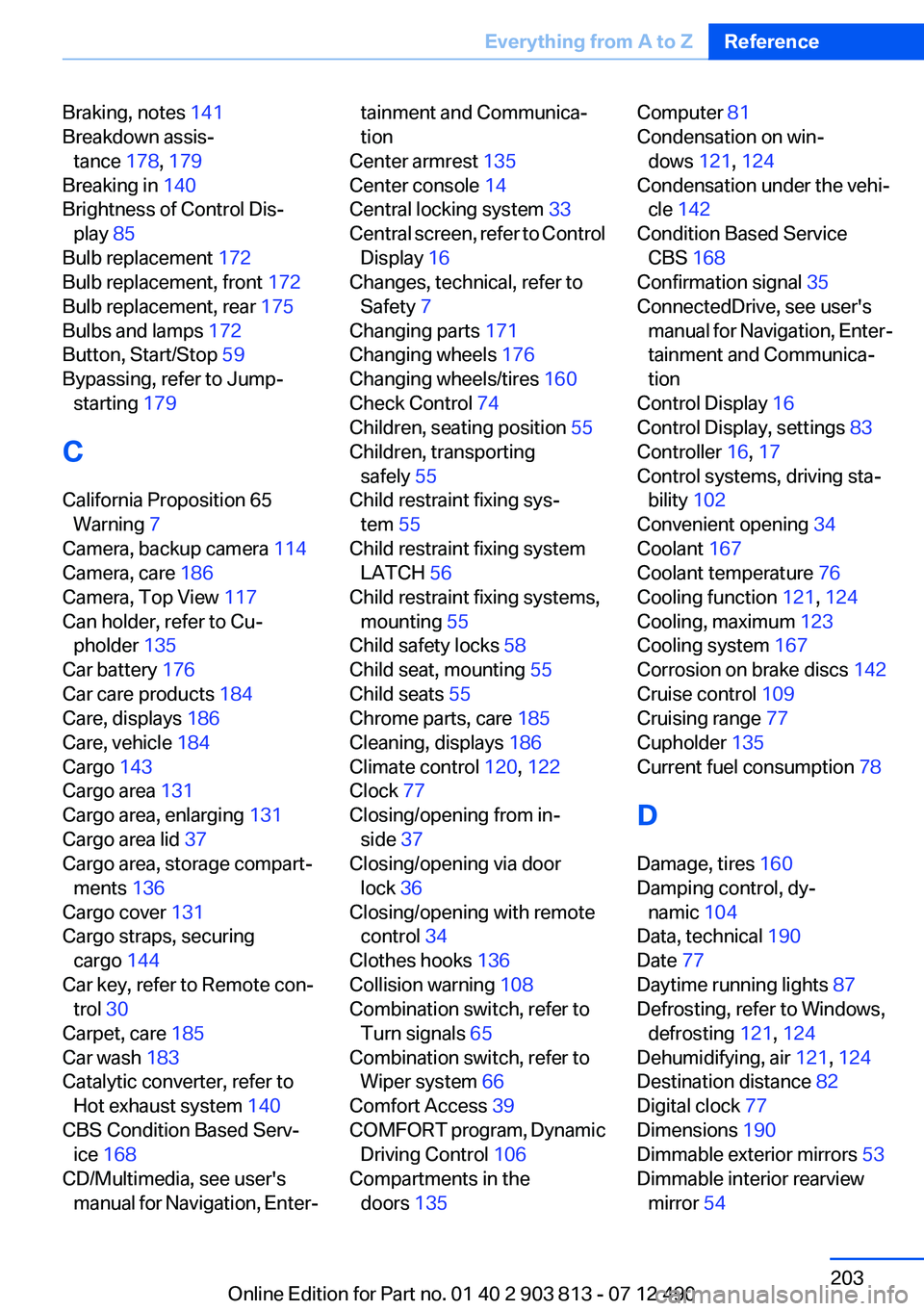
Braking, notes 141
Breakdown assis‐ tance 178, 179
Breaking in 140
Brightness of Control Dis‐ play 85
Bulb replacement 172
Bulb replacement, front 172
Bulb replacement, rear 175
Bulbs and lamps 172
Button, Start/Stop 59
Bypassing, refer to Jump- starting 179
C
California Proposition 65 Warning 7
Camera, backup camera 114
Camera, care 186
Camera, Top View 117
Can holder, refer to Cu‐ pholder 135
Car battery 176
Car care products 184
Care, displays 186
Care, vehicle 184
Cargo 143
Cargo area 131
Cargo area, enlarging 131
Cargo area lid 37
Cargo area, storage compart‐ ments 136
Cargo cover 131
Cargo straps, securing cargo 144
Car key, refer to Remote con‐ trol 30
Carpet, care 185
Car wash 183
Catalytic converter, refer to Hot exhaust system 140
CBS Condition Based Serv‐ ice 168
CD/Multimedia, see user's manual for Navigation, Enter‐tainment and Communica‐
tion
Center armrest 135
Center console 14
Central locking system 33
Central screen, refer to Control Display 16
Changes, technical, refer to Safety 7
Changing parts 171
Changing wheels 176
Changing wheels/tires 160
Check Control 74
Children, seating position 55
Children, transporting safely 55
Child restraint fixing sys‐ tem 55
Child restraint fixing system LATCH 56
Child restraint fixing systems, mounting 55
Child safety locks 58
Child seat, mounting 55
Child seats 55
Chrome parts, care 185
Cleaning, displays 186
Climate control 120, 122
Clock 77
Closing/opening from in‐ side 37
Closing/opening via door lock 36
Closing/opening with remote control 34
Clothes hooks 136
Collision warning 108
Combination switch, refer to Turn signals 65
Combination switch, refer to Wiper system 66
Comfort Access 39
COMFORT program, Dynamic Driving Control 106
Compartments in the doors 135 Computer 81
Condensation on win‐ dows 121, 124
Condensation under the vehi‐ cle 142
Condition Based Service CBS 168
Confirmation signal 35
ConnectedDrive, see user's manual for Navigation, Enter‐
tainment and Communica‐
tion
Control Display 16
Control Display, settings 83
Controller 16, 17
Control systems, driving sta‐ bility 102
Convenient opening 34
Coolant 167
Coolant temperature 76
Cooling function 121, 124
Cooling, maximum 123
Cooling system 167
Corrosion on brake discs 142
Cruise control 109
Cruising range 77
Cupholder 135
Current fuel consumption 78
D
Damage, tires 160
Damping control, dy‐ namic 104
Data, technical 190
Date 77
Daytime running lights 87
Defrosting, refer to Windows, defrosting 121, 124
Dehumidifying, air 121, 124
Destination distance 82
Digital clock 77
Dimensions 190
Dimmable exterior mirrors 53
Dimmable interior rearview mirror 54 Seite 203Everything from A to ZReference203
Online Edition for Part no. 01 40 2 903 813 - 07 12 490
Page 204 of 211
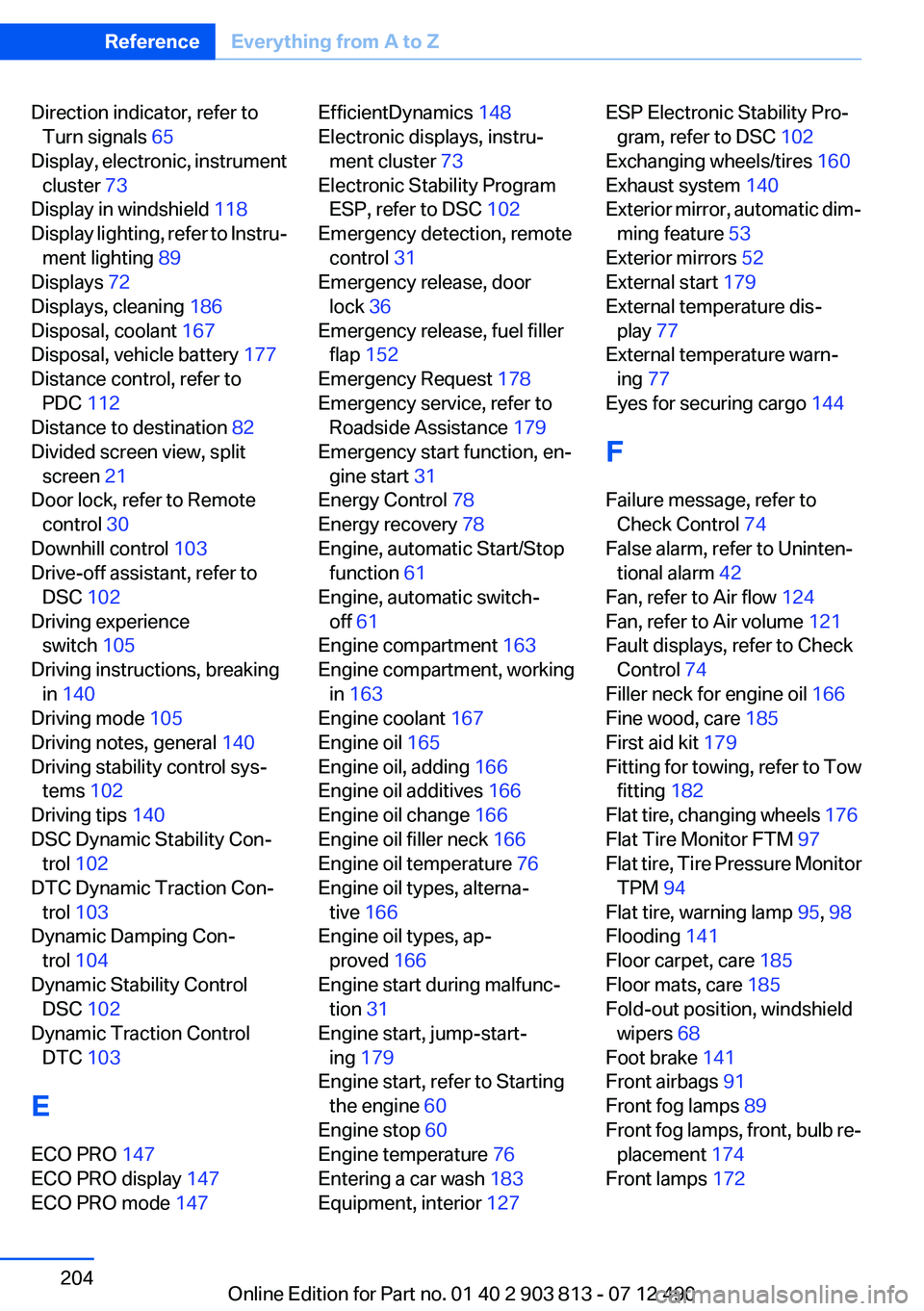
Direction indicator, refer toTurn signals 65
Display, electronic, instrument cluster 73
Display in windshield 118
Display lighting, refer to Instru‐ ment lighting 89
Displays 72
Displays, cleaning 186
Disposal, coolant 167
Disposal, vehicle battery 177
Distance control, refer to PDC 112
Distance to destination 82
Divided screen view, split screen 21
Door lock, refer to Remote control 30
Downhill control 103
Drive-off assistant, refer to DSC 102
Driving experience switch 105
Driving instructions, breaking in 140
Driving mode 105
Driving notes, general 140
Driving stability control sys‐ tems 102
Driving tips 140
DSC Dynamic Stability Con‐ trol 102
DTC Dynamic Traction Con‐ trol 103
Dynamic Damping Con‐ trol 104
Dynamic Stability Control DSC 102
Dynamic Traction Control DTC 103
E
ECO PRO 147
ECO PRO display 147
ECO PRO mode 147 EfficientDynamics 148
Electronic displays, instru‐ ment cluster 73
Electronic Stability Program ESP, refer to DSC 102
Emergency detection, remote control 31
Emergency release, door lock 36
Emergency release, fuel filler flap 152
Emergency Request 178
Emergency service, refer to Roadside Assistance 179
Emergency start function, en‐ gine start 31
Energy Control 78
Energy recovery 78
Engine, automatic Start/Stop function 61
Engine, automatic switch- off 61
Engine compartment 163
Engine compartment, working in 163
Engine coolant 167
Engine oil 165
Engine oil, adding 166
Engine oil additives 166
Engine oil change 166
Engine oil filler neck 166
Engine oil temperature 76
Engine oil types, alterna‐ tive 166
Engine oil types, ap‐ proved 166
Engine start during malfunc‐ tion 31
Engine start, jump-start‐ ing 179
Engine start, refer to Starting the engine 60
Engine stop 60
Engine temperature 76
Entering a car wash 183
Equipment, interior 127 ESP Electronic Stability Pro‐
gram, refer to DSC 102
Exchanging wheels/tires 160
Exhaust system 140
Exterior mirror, automatic dim‐ ming feature 53
Exterior mirrors 52
External start 179
External temperature dis‐ play 77
External temperature warn‐ ing 77
Eyes for securing cargo 144
F
Failure message, refer to Check Control 74
False alarm, refer to Uninten‐ tional alarm 42
Fan, refer to Air flow 124
Fan, refer to Air volume 121
Fault displays, refer to Check Control 74
Filler neck for engine oil 166
Fine wood, care 185
First aid kit 179
Fitting for towing, refer to Tow fitting 182
Flat tire, changing wheels 176
Flat Tire Monitor FTM 97
Flat tire, Tire Pressure Monitor TPM 94
Flat tire, warning lamp 95, 98
Flooding 141
Floor carpet, care 185
Floor mats, care 185
Fold-out position, windshield wipers 68
Foot brake 141
Front airbags 91
Front fog lamps 89
Front fog lamps, front, bulb re‐ placement 174
Front lamps 172 Seite 204ReferenceEverything from A to Z204
Online Edition for Part no. 01 40 2 903 813 - 07 12 490