shift BMW X4 2016 F26 User Guide
[x] Cancel search | Manufacturer: BMW, Model Year: 2016, Model line: X4, Model: BMW X4 2016 F26Pages: 253, PDF Size: 5.21 MB
Page 89 of 253
Service requirements
The concept After the ignition is turned on the instrument
cluster briefly displays available driving dis‐
tance or time to the next scheduled mainte‐
nance.
A service advisor can read out the current
service requirements from your remote con‐
trol.
Display
Detailed information on service
requirements
More information on the scope of service re‐
quired can be displayed on the Control Dis‐
play.1."Vehicle info"2."Vehicle status"3. "Service required"
Required maintenance procedures and le‐
gally mandated inspections are displayed.4.Select an entry to call up detailed informa‐
tion.
Symbols
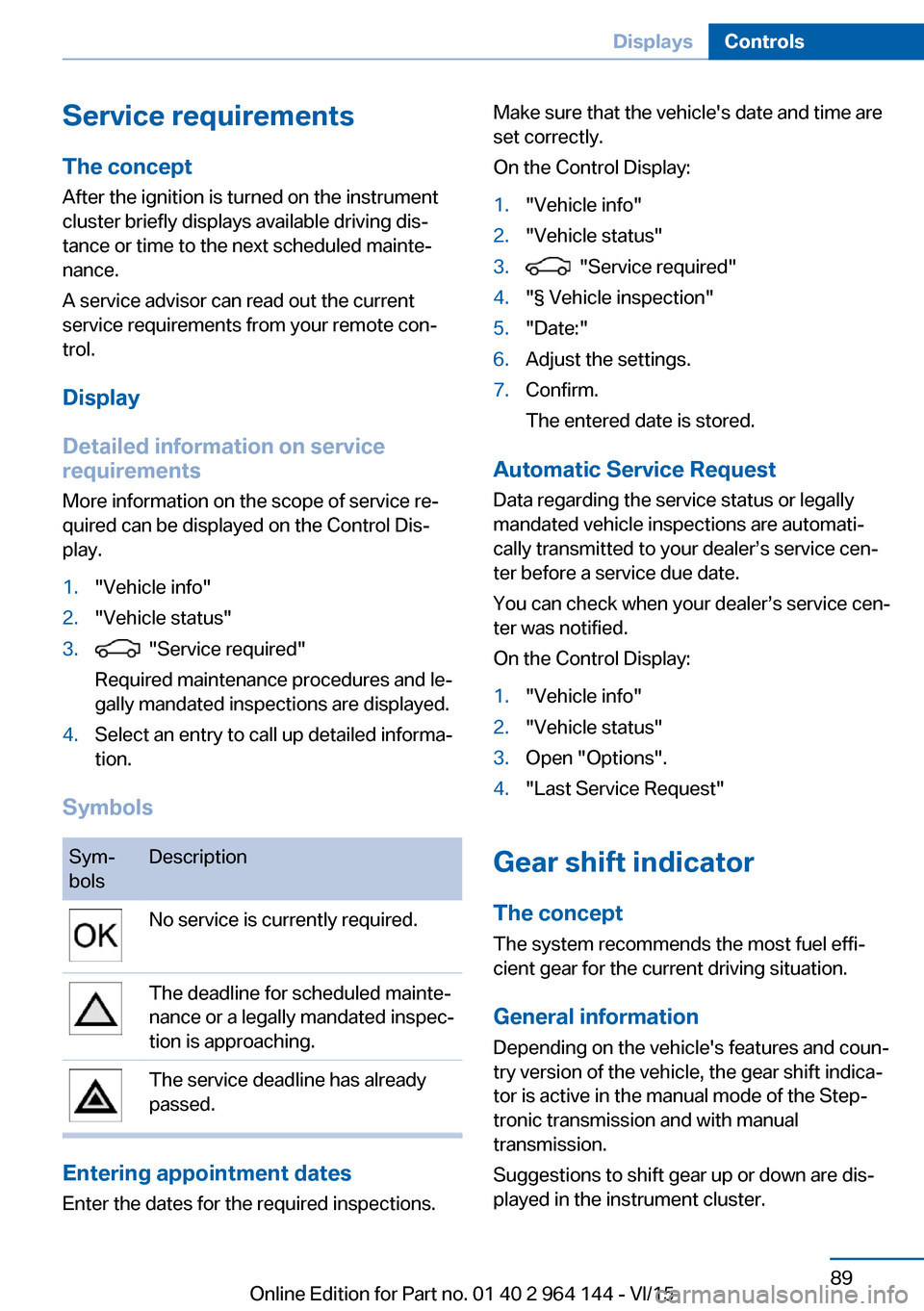
Sym‐
bolsDescriptionNo service is currently required.The deadline for scheduled mainte‐
nance or a legally mandated inspec‐
tion is approaching.The service deadline has already
passed.
Entering appointment dates
Enter the dates for the required inspections.
Make sure that the vehicle's date and time are
set correctly.
On the Control Display:1."Vehicle info"2."Vehicle status"3. "Service required"4."§ Vehicle inspection"5."Date:"6.Adjust the settings.7.Confirm.
The entered date is stored.
Automatic Service Request
Data regarding the service status or legally
mandated vehicle inspections are automati‐
cally transmitted to your dealer’s service cen‐
ter before a service due date.
You can check when your dealer’s service cen‐
ter was notified.
On the Control Display:
1."Vehicle info"2."Vehicle status"3.Open "Options".4."Last Service Request"
Gear shift indicator
The conceptThe system recommends the most fuel effi‐
cient gear for the current driving situation.
General information
Depending on the vehicle's features and coun‐
try version of the vehicle, the gear shift indica‐
tor is active in the manual mode of the Step‐
tronic transmission and with manual
transmission.
Suggestions to shift gear up or down are dis‐
played in the instrument cluster.
Seite 89DisplaysControls89
Online Edition for Part no. 01 40 2 964 144 - VI/15
Page 90 of 253
On vehicles without a gear shift indicator, the
engaged gear is displayed.
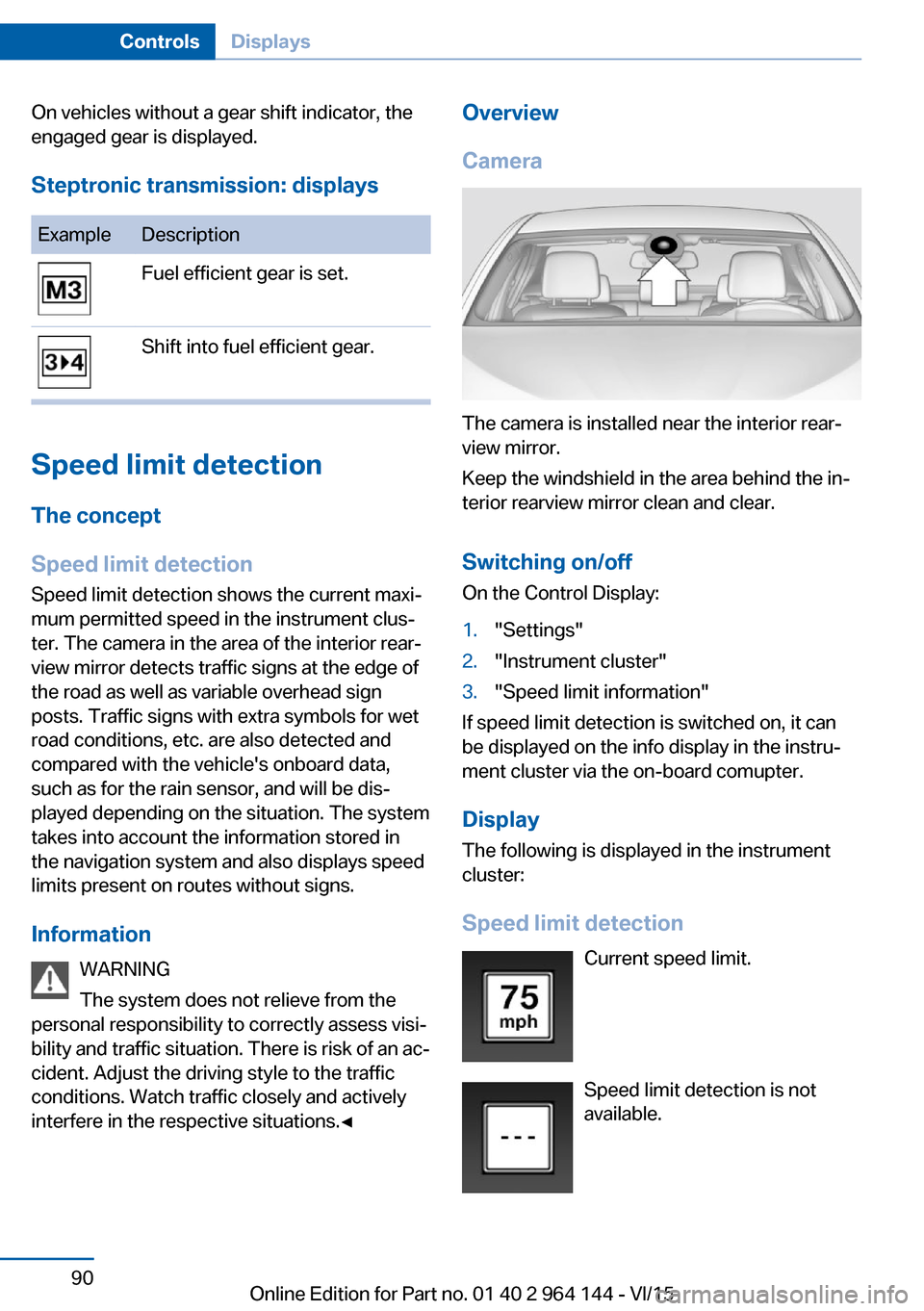
Steptronic transmission: displaysExampleDescriptionFuel efficient gear is set.Shift into fuel efficient gear.
Speed limit detection
The concept
Speed limit detection
Speed limit detection shows the current maxi‐
mum permitted speed in the instrument clus‐
ter. The camera in the area of the interior rear‐
view mirror detects traffic signs at the edge of
the road as well as variable overhead sign
posts. Traffic signs with extra symbols for wet
road conditions, etc. are also detected and
compared with the vehicle's onboard data,
such as for the rain sensor, and will be dis‐
played depending on the situation. The system
takes into account the information stored in
the navigation system and also displays speed
limits present on routes without signs.
Information WARNING
The system does not relieve from the
personal responsibility to correctly assess visi‐
bility and traffic situation. There is risk of an ac‐
cident. Adjust the driving style to the traffic
conditions. Watch traffic closely and actively
interfere in the respective situations.◀
Overview
Camera
The camera is installed near the interior rear‐
view mirror.
Keep the windshield in the area behind the in‐
terior rearview mirror clean and clear.
Switching on/offOn the Control Display:
1."Settings"2."Instrument cluster"3."Speed limit information"
If speed limit detection is switched on, it can
be displayed on the info display in the instru‐
ment cluster via the on-board comupter.
Display The following is displayed in the instrument
cluster:
Speed limit detection Current speed limit.
Speed limit detection is not available.
Seite 90ControlsDisplays90
Online Edition for Part no. 01 40 2 964 144 - VI/15
Page 152 of 253
▷Maximum distance to row of parked vehi‐
cles: 5 ft/1.5 m.
Suitable parking space
▷Gaps behind an object that has a min.
length of 5 ft/1.5 m.▷Gap between two objects with a minimum
length of approx. 5 ft/1.5 m.▷Min. length of gap between two objects:
your vehicle's length plus approx.
3.3 ft/1.0 m.▷Minimum depth: approx. 5 ft/1.5 m.
Regarding the parking procedure
▷Doors and tailgate closed.▷Parking brake released.▷When parking in parking spaces on the
driver's side, the corresponding turn signal
must be set where applicable.
Switching on/off
Switching on with the button Press button.
The LED lights up.
The current status of the parking space search
is indicated on the Control Display.
Parking assistant is activated automatically.
Switching on with the reverse gear
Shift into reverse.
The current status of the parking space search
is indicated on the Control Display.
To activate:
"Parking Assistant"
Switch off
The system can be deactivated as follows:
▷Press button.▷Switch off the ignition.Display on the Control Display
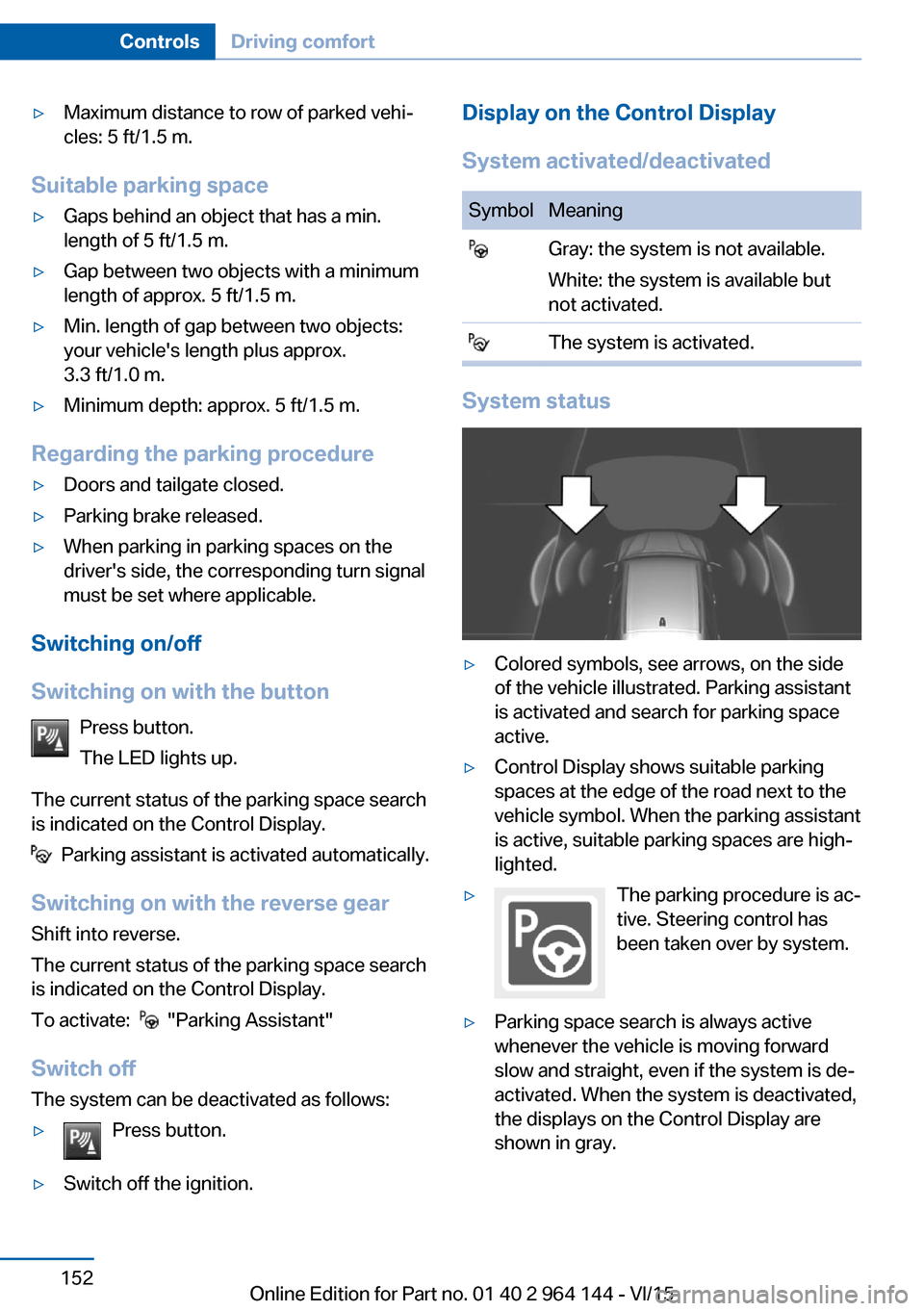
System activated/deactivatedSymbolMeaning Gray: the system is not available.
White: the system is available but
not activated. The system is activated.
System status
▷Colored symbols, see arrows, on the side
of the vehicle illustrated. Parking assistant
is activated and search for parking space
active.▷Control Display shows suitable parking
spaces at the edge of the road next to the
vehicle symbol. When the parking assistant
is active, suitable parking spaces are high‐
lighted.▷The parking procedure is ac‐
tive. Steering control has
been taken over by system.▷Parking space search is always active
whenever the vehicle is moving forward
slow and straight, even if the system is de‐
activated. When the system is deactivated,
the displays on the Control Display are
shown in gray.Seite 152ControlsDriving comfort152
Online Edition for Part no. 01 40 2 964 144 - VI/15
Page 178 of 253
transmission. There is risk of property damage.
When driving through water, do not exceed the
maximum indicated water level and the maxi‐
mum speed for driving through water.◀
Drive though calm water only and only if it is
not deeper than 19.6 inches/50 cm and at this
height, no faster than walking speed, up to
3 mph/5 km/h.
Braking safely Your vehicle is equipped with ABS as a stand‐
ard feature.
Applying the brakes fully is the most effective
way of braking in situations needed.
Steering is still responsive. You can still avoid
any obstacles with a minimum of steering ef‐
fort.
Pulsation of the brake pedal and sounds from
the hydraulic circuits indicate that ABS is in its
active mode.
In certain braking situations, the perforated
brake discs can cause functional problems.
However, this has no effect on the perform‐
ance and operational reliability of the brake.
Objects in the movement area around
pedals and floor area
WARNING
Objects in the driver's floor area can limit
the pedal distance or block a depressed pedal.
There is risk of an accident. Stow objects in
the vehicle such that they are secured and
cannot enter into the driver's floor area. Use
floor mats that are suitable for the vehicle and
can be safely attached to the floor. Do not use
loose floor mats and do not layer several floor
mats. Make sure that there is sufficient clear‐
ance for the pedals. Ensure that the floor mats
are securely fastened again after they were re‐
moved, e.g. for cleaning.◀Driving in wet conditions
When roads are wet, salted, or in heavy rain,
press brake pedal ever so gently every few
miles.
Ensure that this action does not endanger
other traffic.
The heat generated in this process helps dry
the brake discs and pads.
In this way braking efficiency will be available
when you need it.
Hills WARNING
Light but consistent brake pressure can
lead to high temperatures, brakes wearing out
and possibly even brake failure. There is risk of
an accident. Avoid placing excessive stress on
the brake system.◀
WARNING
In idle or with the engine switched off,
safety-relevant functions are restricted or not
available anymore, e.g. braking effect of the
engine or braking force and steering support.
There is risk of an accident. Do not drive in idle
or with the engine switched off.◀
Drive long or steep downhill gradients in the
gear that requires least braking efforts. Other‐
wise the brakes may overheat and reduce
brake efficiency.
You can increase the engine's braking effect
by shifting down, going all the way to first gear,
if needed.
Brake disc corrosion
Corrosion on the brake discs and contamina‐
tion on the brake pads are furthered by the fol‐
lowing circumstances:▷Low mileage.▷Extended periods when the vehicle is not
used at all.▷Infrequent use of the brakes.Seite 178Driving tipsThings to remember when driving178
Online Edition for Part no. 01 40 2 964 144 - VI/15
Page 182 of 253
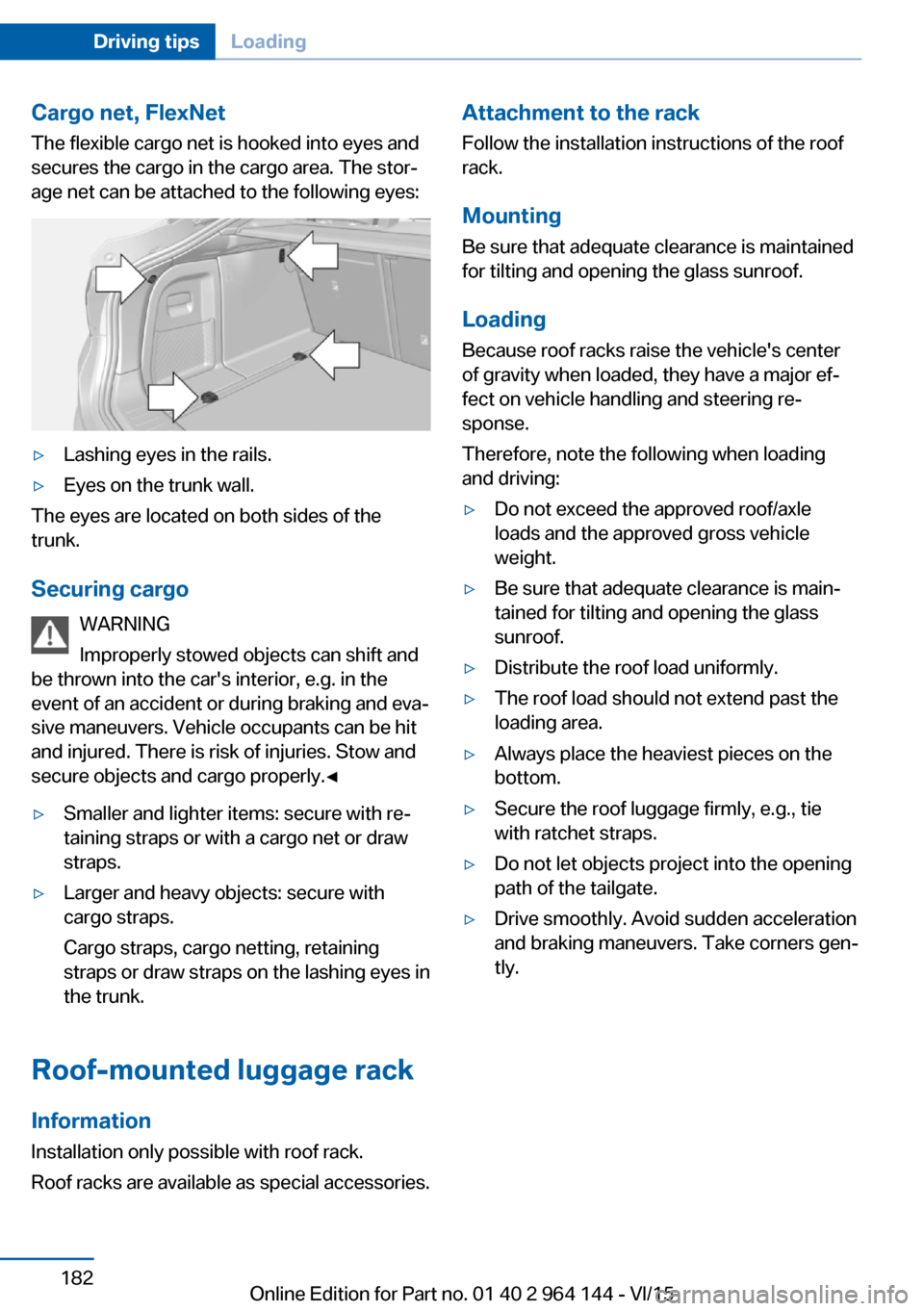
Cargo net, FlexNetThe flexible cargo net is hooked into eyes and
secures the cargo in the cargo area. The stor‐
age net can be attached to the following eyes:▷Lashing eyes in the rails.▷Eyes on the trunk wall.
The eyes are located on both sides of the
trunk.
Securing cargo WARNING
Improperly stowed objects can shift and
be thrown into the car's interior, e.g. in the
event of an accident or during braking and eva‐
sive maneuvers. Vehicle occupants can be hit
and injured. There is risk of injuries. Stow and
secure objects and cargo properly.◀
▷Smaller and lighter items: secure with re‐
taining straps or with a cargo net or draw
straps.▷Larger and heavy objects: secure with
cargo straps.
Cargo straps, cargo netting, retaining
straps or draw straps on the lashing eyes in
the trunk.
Roof-mounted luggage rack
Information
Installation only possible with roof rack.
Roof racks are available as special accessories.
Attachment to the rack Follow the installation instructions of the roof
rack.
Mounting
Be sure that adequate clearance is maintained
for tilting and opening the glass sunroof.
LoadingBecause roof racks raise the vehicle's centerof gravity when loaded, they have a major ef‐
fect on vehicle handling and steering re‐
sponse.
Therefore, note the following when loading
and driving:▷Do not exceed the approved roof/axle
loads and the approved gross vehicle
weight.▷Be sure that adequate clearance is main‐
tained for tilting and opening the glass
sunroof.▷Distribute the roof load uniformly.▷The roof load should not extend past the
loading area.▷Always place the heaviest pieces on the
bottom.▷Secure the roof luggage firmly, e.g., tie
with ratchet straps.▷Do not let objects project into the opening
path of the tailgate.▷Drive smoothly. Avoid sudden acceleration
and braking maneuvers. Take corners gen‐
tly.Seite 182Driving tipsLoading182
Online Edition for Part no. 01 40 2 964 144 - VI/15
Page 184 of 253
Avoid high engine speeds
As a rule: driving at low engine speeds lowers
fuel consumption and reduces wear.
Use 1st gear to get the vehicle moving. Start‐
ing with the 2nd gear, accelerate rapidly. When
accelerating, shift up before reaching high en‐
gine speeds.
When you reach the desired speed, shift into
the highest applicable gear and drive with the
engine speed as low as possible and at a con‐
stant speed.
If necessary, observe the gear shift indicator of
the vehicle, refer to page 89.
Use coasting
When approaching a red light, take your foot
off the accelerator and let the vehicle coast to
a halt.
For going downhill take your foot off the accel‐
erator and let the vehicle roll.
The flow of fuel is interrupted while coasting.
Switch off the engine during longer stops
Switch off the engine during longer stops, e.g.,
at traffic lights, railroad crossings or in traffic
congestion.
Auto Start/Stop function The Auto Start/Stop function of your vehicle
automatically switches off the engine during a
stop.
If the engine is switched off and then restarted
rather than leaving the engine running con‐
stantly, fuel consumption and emissions are
reduced. Savings can begin within a few sec‐
onds of switching off the engine.
In addition, fuel consumption is also deter‐
mined by other factors, such as driving style,road conditions, maintenance or environmental
factors.
Switch off any functions that
are not currently needed
Functions such as seat heating and the rear
window defroster require a lot of energy and
reduce the range, especially in city and stop-
and-go traffic.
Switch off these functions if they are not needed.
The ECO PRO driving program supports the
energy conserving use of comfort features.
These functions are automatically deactivated
partially or completely.
Have maintenance carriedout
Have vehicles maintained regularly to achieve
optimal vehicle efficiency and service life.
BMW recommends that maintenance work be
performed by a BMW dealer’s service center.
For information on the BMW Maintenance
System, refer to page 215.
ECO PRO
The concept ECO PRO supports a driving style that saves
on fuel consumption. For this purpose, the en‐
gine control and comfort features, e. g. the cli‐
mate control output, are adjusted.
Under certain conditions the engine is auto‐
matically decoupled from the transmission in
the D selector lever position. The vehicle con‐
tinues traveling with the engine idling to re‐
duce fuel consumption. Selector lever position
D remains engaged.Seite 184Driving tipsSaving fuel184
Online Edition for Part no. 01 40 2 964 144 - VI/15
Page 186 of 253
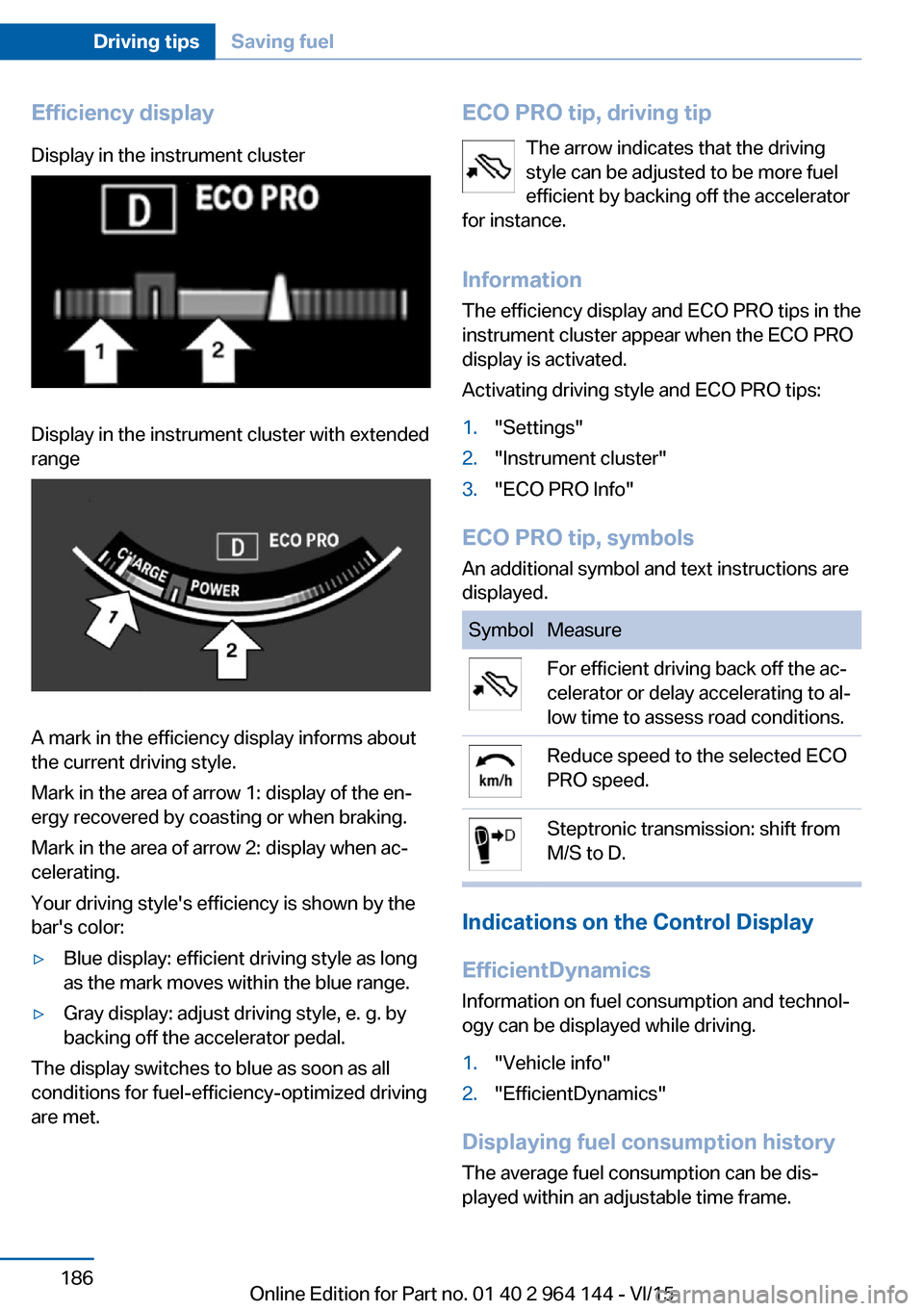
Efficiency displayDisplay in the instrument clusterDisplay in the instrument cluster with extended
range
A mark in the efficiency display informs about
the current driving style.
Mark in the area of arrow 1: display of the en‐
ergy recovered by coasting or when braking.
Mark in the area of arrow 2: display when ac‐
celerating.
Your driving style's efficiency is shown by the
bar's color:
▷Blue display: efficient driving style as long
as the mark moves within the blue range.▷Gray display: adjust driving style, e. g. by
backing off the accelerator pedal.
The display switches to blue as soon as all
conditions for fuel-efficiency-optimized driving
are met.
ECO PRO tip, driving tip
The arrow indicates that the driving
style can be adjusted to be more fuel
efficient by backing off the accelerator
for instance.
Information The efficiency display and ECO PRO tips in the
instrument cluster appear when the ECO PRO
display is activated.
Activating driving style and ECO PRO tips:1."Settings"2."Instrument cluster"3."ECO PRO Info"
ECO PRO tip, symbols
An additional symbol and text instructions are
displayed.
SymbolMeasureFor efficient driving back off the ac‐
celerator or delay accelerating to al‐
low time to assess road conditions.Reduce speed to the selected ECO
PRO speed.Steptronic transmission: shift from
M/S to D.
Indications on the Control Display
EfficientDynamics Information on fuel consumption and technol‐
ogy can be displayed while driving.
1."Vehicle info"2."EfficientDynamics"
Displaying fuel consumption history
The average fuel consumption can be dis‐
played within an adjustable time frame.
Seite 186Driving tipsSaving fuel186
Online Edition for Part no. 01 40 2 964 144 - VI/15
Page 187 of 253
Vertical bars show consumption for the se‐
lected time frame.
Trip interruptions are represented below the
bar on the time axis.
"Consumption history"
Adjusting fuel consumption history time frame
Select the symbol.
Resetting fuel consumption history
1.Open "Options".2."Reset consumption history"
Displaying EfficientDynamics info
The current efficiency can be displayed.
"EfficientDynamics info"
The following systems are displayed:
▷Auto Start/Stop function.▷Energy recovery.▷Climate control output.▷Coasting.
Display ECO PRO tips
"ECO PRO tips"
Settings are stored for the profile currently
used.
Coasting
The concept The system helps to conserve fuel.
To do this, under certain conditions the engine
is automatically decoupled from the transmis‐
sion when selector lever position D is set. The
vehicle continues traveling with the engine
idling to reduce fuel consumption. Selector
lever position D remains engaged.
This driving condition is referred to as coast‐
ing.
As soon as you step on the brake or accelera‐
tor pedal, the engine is automatically coupled
again.
Information Coasting is a component of the ECO PRO, re‐
fer to page 184, driving mode.
Coasting is automatically activated when ECO
PRO mode is called via the Driving Dynamics
Control.
The function is available in a certain speed
range.
A proactively driving style helps the driver to
use the function as often as possible and sup‐
ports the fuel-conserving effect of coasting.
Safety mode
The function is not available under one of the
following conditions.▷DSC OFF or TRACTION activated.▷Driving in the dynamic limit range and on
steep uphill or downhill grades.▷Battery charge status temporarily too low
or vehicle electrical system drawing exces‐
sive current.▷Cruise control activated.
Functional requirements
In ECO PRO mode, this function is available in
a speed range from approximately 30 mph, ap‐
prox. 50 km/h to 100 mph, approx. 160 km/h, if
the following conditions are met:
▷Accelerator pedal and brake pedal are not
operated.▷The selector lever is in selector lever posi‐
tion D.▷Engine and transmission are at operating
temperature.
The driving status Coast can be influenced
with the shift paddles.
Seite 187Saving fuelDriving tips187
Online Edition for Part no. 01 40 2 964 144 - VI/15
Page 245 of 253
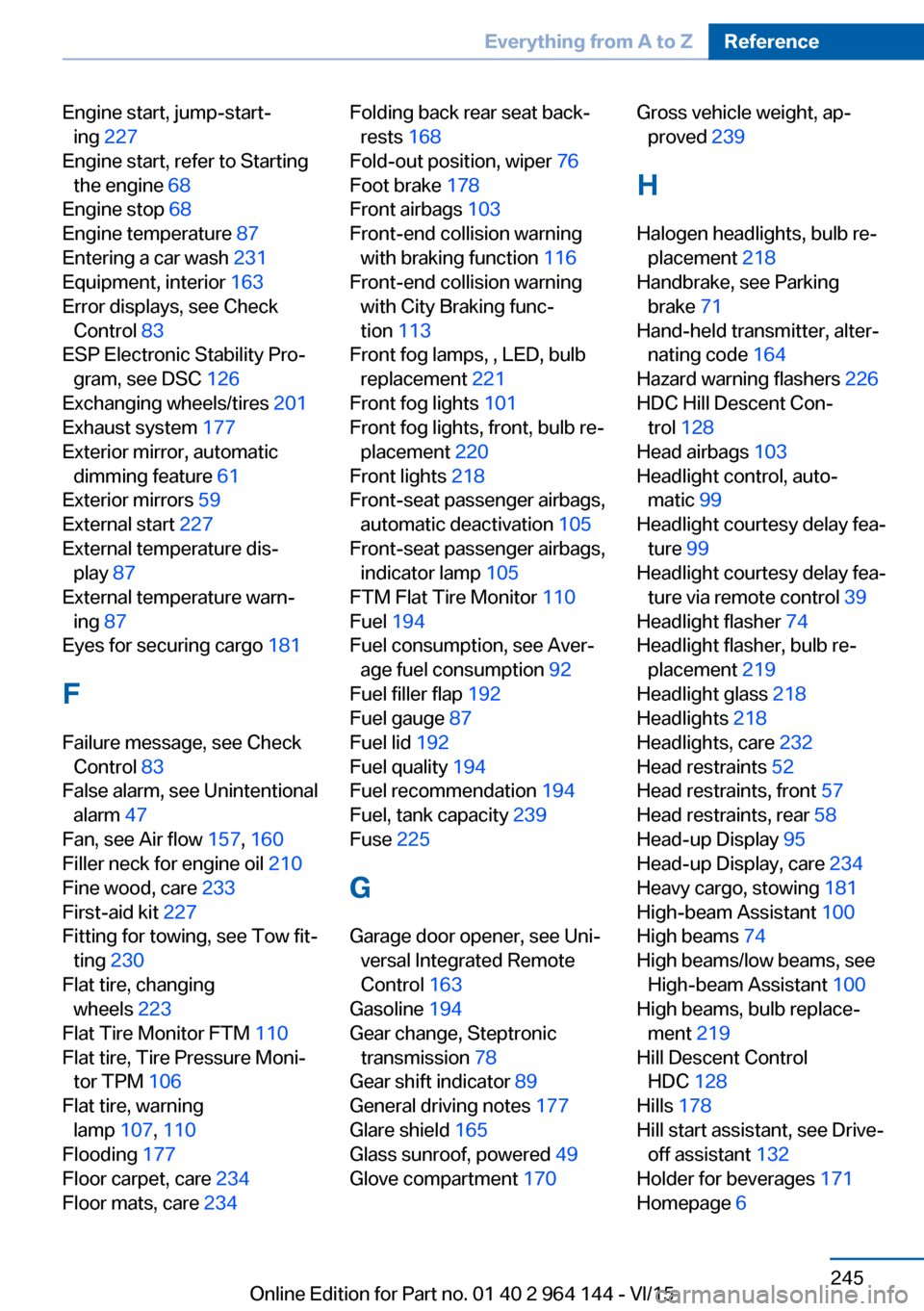
Engine start, jump-start‐ing 227
Engine start, refer to Starting the engine 68
Engine stop 68
Engine temperature 87
Entering a car wash 231
Equipment, interior 163
Error displays, see Check Control 83
ESP Electronic Stability Pro‐ gram, see DSC 126
Exchanging wheels/tires 201
Exhaust system 177
Exterior mirror, automatic dimming feature 61
Exterior mirrors 59
External start 227
External temperature dis‐ play 87
External temperature warn‐ ing 87
Eyes for securing cargo 181
F
Failure message, see Check Control 83
False alarm, see Unintentional alarm 47
Fan, see Air flow 157, 160
Filler neck for engine oil 210
Fine wood, care 233
First-aid kit 227
Fitting for towing, see Tow fit‐ ting 230
Flat tire, changing wheels 223
Flat Tire Monitor FTM 110
Flat tire, Tire Pressure Moni‐ tor TPM 106
Flat tire, warning lamp 107, 110
Flooding 177
Floor carpet, care 234
Floor mats, care 234 Folding back rear seat back‐
rests 168
Fold-out position, wiper 76
Foot brake 178
Front airbags 103
Front-end collision warning with braking function 116
Front-end collision warning with City Braking func‐
tion 113
Front fog lamps, , LED, bulb replacement 221
Front fog lights 101
Front fog lights, front, bulb re‐ placement 220
Front lights 218
Front-seat passenger airbags, automatic deactivation 105
Front-seat passenger airbags, indicator lamp 105
FTM Flat Tire Monitor 110
Fuel 194
Fuel consumption, see Aver‐ age fuel consumption 92
Fuel filler flap 192
Fuel gauge 87
Fuel lid 192
Fuel quality 194
Fuel recommendation 194
Fuel, tank capacity 239
Fuse 225
G
Garage door opener, see Uni‐ versal Integrated Remote
Control 163
Gasoline 194
Gear change, Steptronic transmission 78
Gear shift indicator 89
General driving notes 177
Glare shield 165
Glass sunroof, powered 49
Glove compartment 170 Gross vehicle weight, ap‐
proved 239
H
Halogen headlights, bulb re‐ placement 218
Handbrake, see Parking brake 71
Hand-held transmitter, alter‐ nating code 164
Hazard warning flashers 226
HDC Hill Descent Con‐ trol 128
Head airbags 103
Headlight control, auto‐ matic 99
Headlight courtesy delay fea‐ ture 99
Headlight courtesy delay fea‐ ture via remote control 39
Headlight flasher 74
Headlight flasher, bulb re‐ placement 219
Headlight glass 218
Headlights 218
Headlights, care 232
Head restraints 52
Head restraints, front 57
Head restraints, rear 58
Head-up Display 95
Head-up Display, care 234
Heavy cargo, stowing 181
High-beam Assistant 100
High beams 74
High beams/low beams, see High-beam Assistant 100
High beams, bulb replace‐ ment 219
Hill Descent Control HDC 128
Hills 178
Hill start assistant, see Drive- off assistant 132
Holder for beverages 171
Homepage 6 Seite 245Everything from A to ZReference245
Online Edition for Part no. 01 40 2 964 144 - VI/15
Page 249 of 253
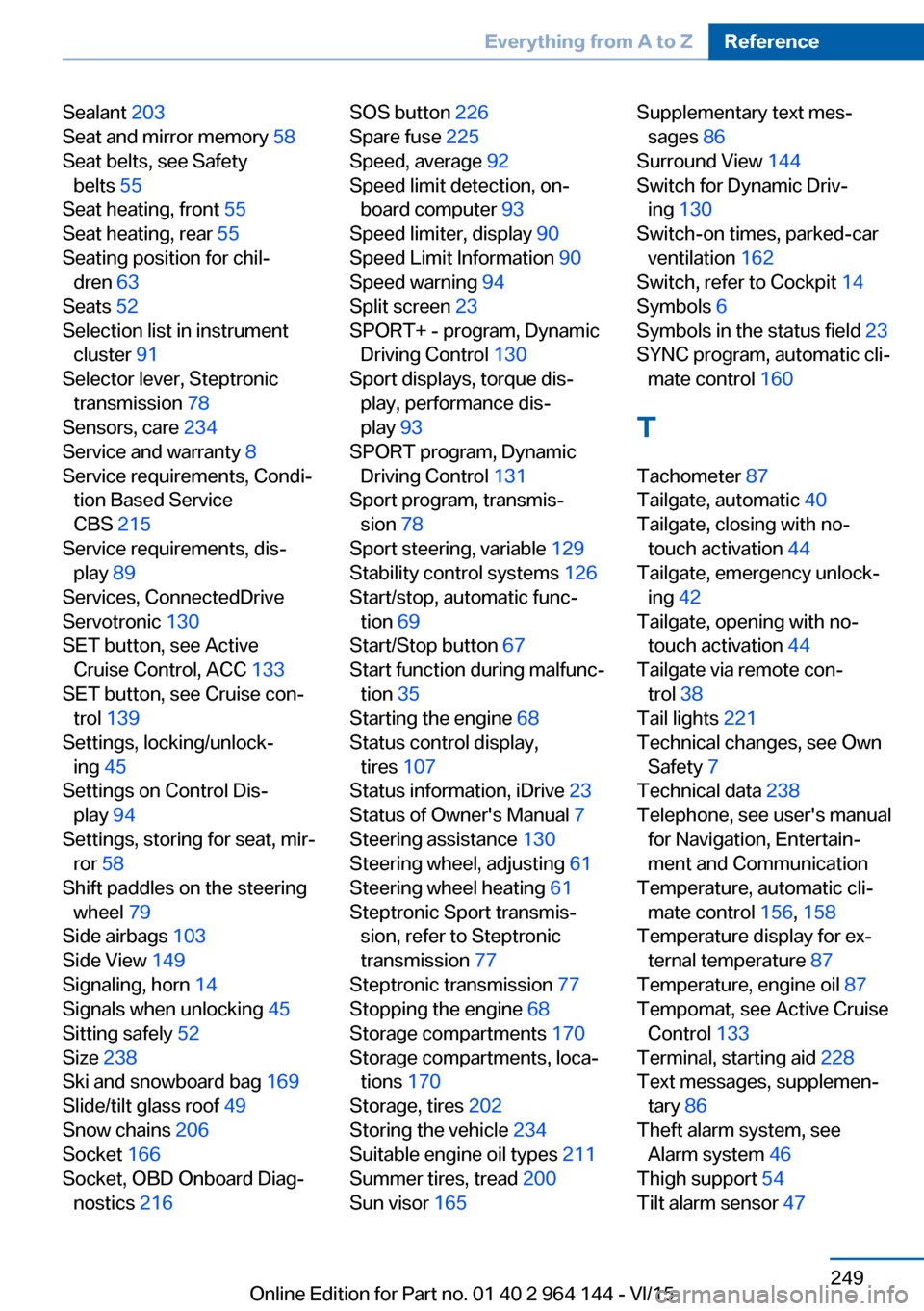
Sealant 203
Seat and mirror memory 58
Seat belts, see Safety belts 55
Seat heating, front 55
Seat heating, rear 55
Seating position for chil‐ dren 63
Seats 52
Selection list in instrument cluster 91
Selector lever, Steptronic transmission 78
Sensors, care 234
Service and warranty 8
Service requirements, Condi‐ tion Based Service
CBS 215
Service requirements, dis‐ play 89
Services, ConnectedDrive
Servotronic 130
SET button, see Active Cruise Control, ACC 133
SET button, see Cruise con‐ trol 139
Settings, locking/unlock‐ ing 45
Settings on Control Dis‐ play 94
Settings, storing for seat, mir‐ ror 58
Shift paddles on the steering wheel 79
Side airbags 103
Side View 149
Signaling, horn 14
Signals when unlocking 45
Sitting safely 52
Size 238
Ski and snowboard bag 169
Slide/tilt glass roof 49
Snow chains 206
Socket 166
Socket, OBD Onboard Diag‐ nostics 216 SOS button 226
Spare fuse 225
Speed, average 92
Speed limit detection, on- board computer 93
Speed limiter, display 90
Speed Limit Information 90
Speed warning 94
Split screen 23
SPORT+ - program, Dynamic Driving Control 130
Sport displays, torque dis‐ play, performance dis‐
play 93
SPORT program, Dynamic Driving Control 131
Sport program, transmis‐ sion 78
Sport steering, variable 129
Stability control systems 126
Start/stop, automatic func‐ tion 69
Start/Stop button 67
Start function during malfunc‐ tion 35
Starting the engine 68
Status control display, tires 107
Status information, iDrive 23
Status of Owner's Manual 7
Steering assistance 130
Steering wheel, adjusting 61
Steering wheel heating 61
Steptronic Sport transmis‐ sion, refer to Steptronic
transmission 77
Steptronic transmission 77
Stopping the engine 68
Storage compartments 170
Storage compartments, loca‐ tions 170
Storage, tires 202
Storing the vehicle 234
Suitable engine oil types 211
Summer tires, tread 200
Sun visor 165 Supplementary text mes‐
sages 86
Surround View 144
Switch for Dynamic Driv‐ ing 130
Switch-on times, parked-car ventilation 162
Switch, refer to Cockpit 14
Symbols 6
Symbols in the status field 23
SYNC program, automatic cli‐ mate control 160
T Tachometer 87
Tailgate, automatic 40
Tailgate, closing with no- touch activation 44
Tailgate, emergency unlock‐ ing 42
Tailgate, opening with no- touch activation 44
Tailgate via remote con‐ trol 38
Tail lights 221
Technical changes, see Own Safety 7
Technical data 238
Telephone, see user's manual for Navigation, Entertain‐
ment and Communication
Temperature, automatic cli‐ mate control 156, 158
Temperature display for ex‐ ternal temperature 87
Temperature, engine oil 87
Tempomat, see Active Cruise Control 133
Terminal, starting aid 228
Text messages, supplemen‐ tary 86
Theft alarm system, see Alarm system 46
Thigh support 54
Tilt alarm sensor 47 Seite 249Everything from A to ZReference249
Online Edition for Part no. 01 40 2 964 144 - VI/15