idrive BMW X5 2011 E70 Owner's Guide
[x] Cancel search | Manufacturer: BMW, Model Year: 2011, Model line: X5, Model: BMW X5 2011 E70Pages: 312, PDF Size: 8.91 MB
Page 173 of 312
Navigation
Entertainment
Driving tips
171Reference
At a glance
Controls
Communications
Mobility
Radio
Your radio is designed for reception of the fol-
lowing stations:
>FM and AM
>HD Radio
*
>Satellite radio*
Selecting a station
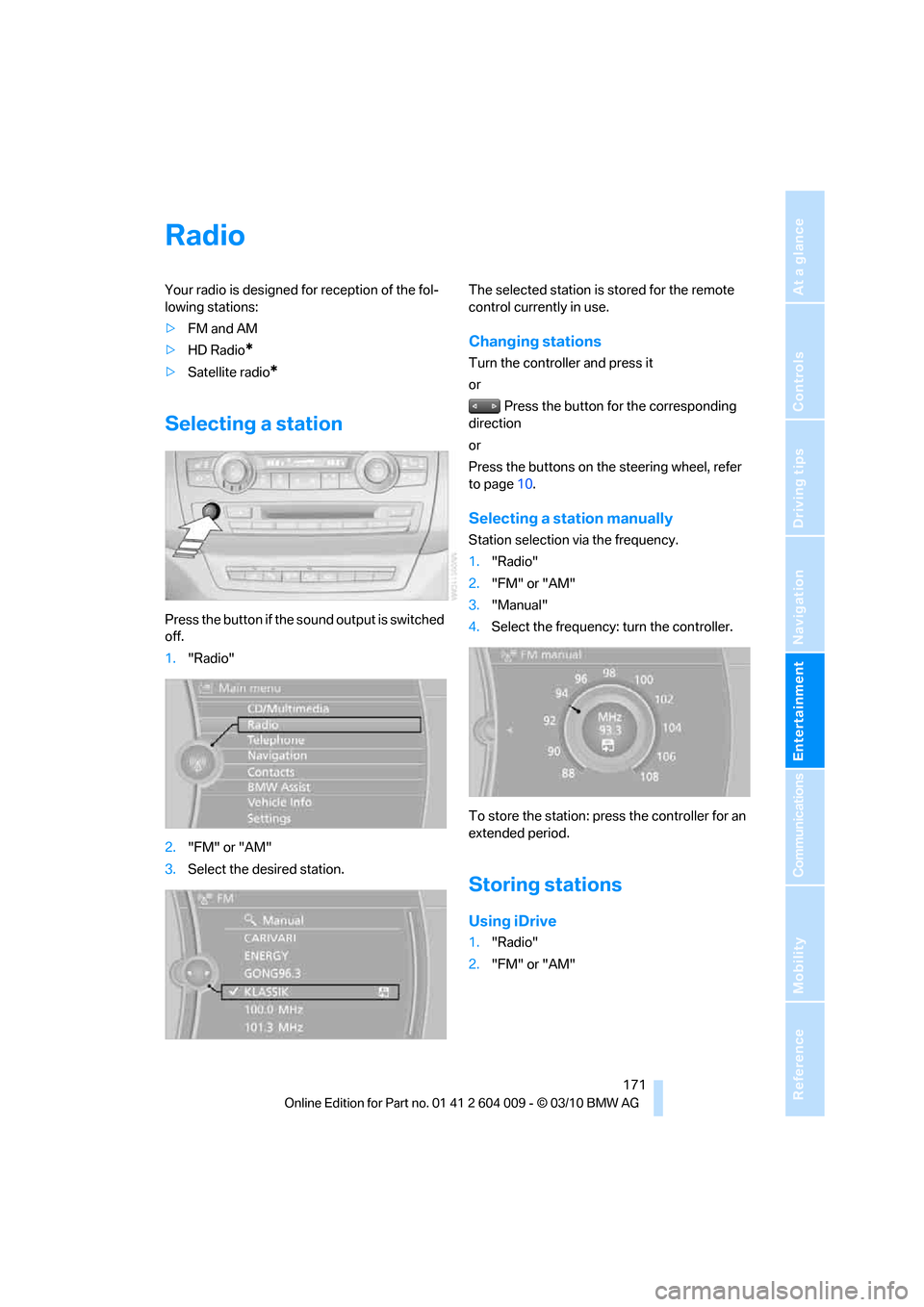
Press the button if the sound output is switched
off.
1."Radio"
2."FM" or "AM"
3.Select the desired station.The selected station is stored for the remote
control currently in use.
Changing stations
Turn the controller and press it
or
Press the button for the corresponding
direction
or
Press the buttons on the steering wheel, refer
to page10.
Selecting a station manually
Station selection via the frequency.
1."Radio"
2."FM" or "AM"
3."Manual"
4.Select the frequency: turn the controller.
To store the station: press the controller for an
extended period.
Storing stations
Using iDrive
1."Radio"
2."FM" or "AM"
Page 177 of 312
Navigation
Entertainment
Driving tips
175Reference
At a glance
Controls
Communications
Mobility
4."Manage subscription"
The telephone number and electronic serial
number, ESN, are displayed.
5.Call Sirius to deactivate the channels.
Selecting channels
You can only listen to activated channels.
The selected channel is stored for the remote
control currently in use.
Using iDrive
1."Radio"
2."Satellite radio"
3.Select "All channels" or the desired cate-
gory.
4.Select desired channel.
Using the button near the CD/DVD
player
Press the button for the corresponding
direction.
The next channel is selected.
Using direct channel entry
1."Radio"
2."Satellite radio"
3."Select channel"
4.Turn the controller until the desired channel
is displayed and press the controller.
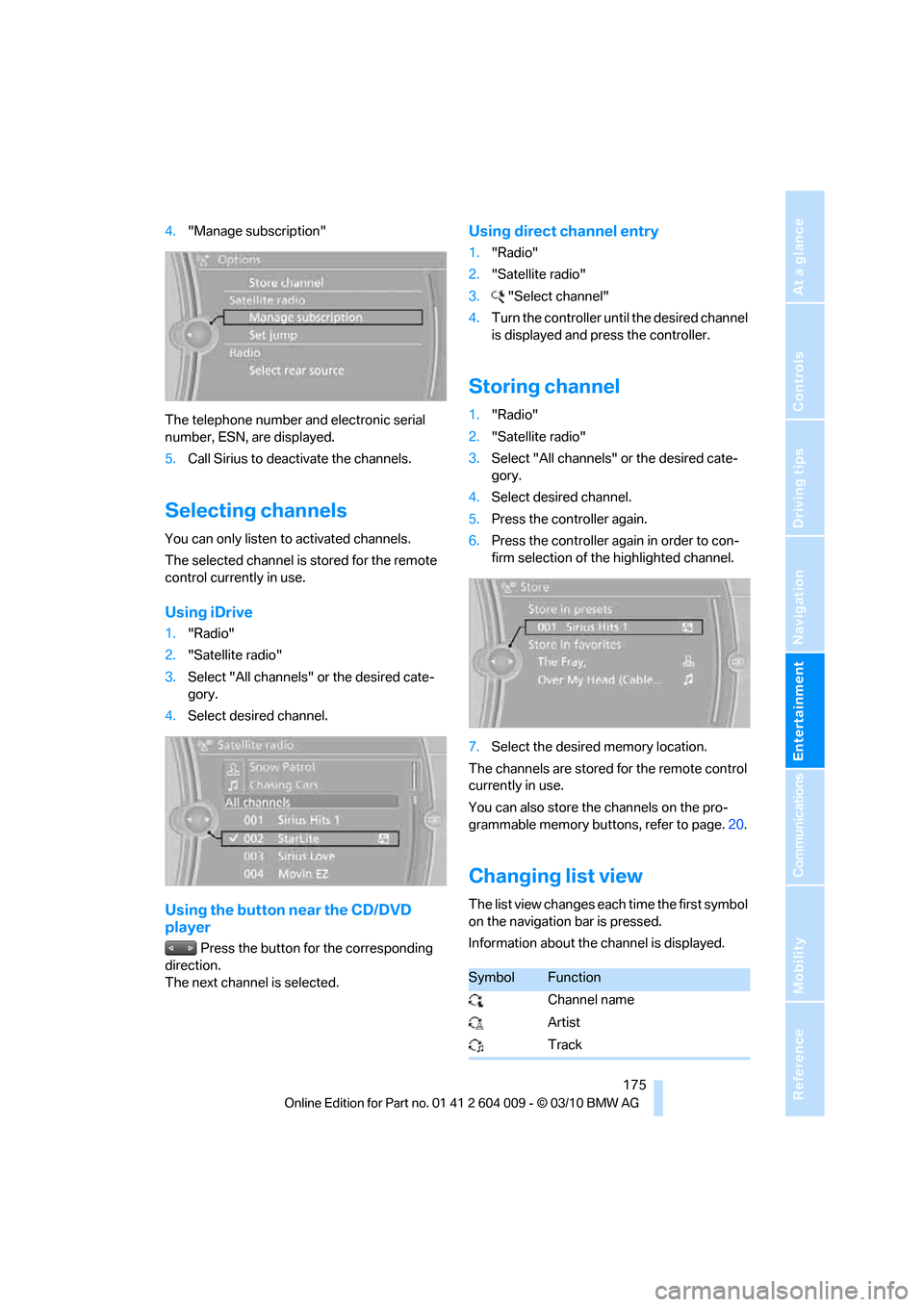
Storing channel
1."Radio"
2."Satellite radio"
3.Select "All channels" or the desired cate-
gory.
4.Select desired channel.
5.Press the controller again.
6.Press the controller again in order to con-
firm selection of the highlighted channel.
7.Select the desired memory location.
The channels are stored for the remote control
currently in use.
You can also store the channels on the pro-
grammable memory buttons, refer to page.20.
Changing list view
The list view changes each time the first symbol
on the navigation bar is pressed.
Information about the channel is displayed.
SymbolFunction
Channel name
Artist
Track
Page 181 of 312
Navigation
Entertainment
Driving tips
179Reference
At a glance
Controls
Communications
Mobility
CD/DVD player and CD/DVD changer
CD/DVD playback
Inserting CD/DVD
Push the CD/DVD into the drive with the labeled
side facing upward. The CD/DVD is automati-
cally pulled in.
Playback starts automatically if the sound out-
put is on. CDs/DVDs with compressed audio
files can take a few minutes to read, depending
on their directory structure.
Playable formats
CD/DVD player
>DVD: DVD-ROM, DVD-R, DVD+R, DVD-
RW, DVD+RW, DVD-R DL, DVD+R DL,
DVD audio (video part only), DVD video
>CD: CD-ROM, CD-R, CD-RW, CD-DA,
VCD, SVCD
>Compressed audio files: MP3, WMA, AAC
CD changer
*
>CD: CD-ROM, CD-R, CD-RW, CD-DA
DVD changer
*
>DVD: DVD-ROM, DVD-R, DVD+R, DVD-
RW, DVD+RW, DVD-R DL, DVD+R DL,
DVD audio (video part only), DVD video, CD:
CD-ROM, CD-R, CD-RW, CD-DA, VCD,
SVCD
Starting playback
Using iDrive
Fill and insert CD/DVD magazine, refer to
page183.
To start playback if a CD is already located in
the player or changer:
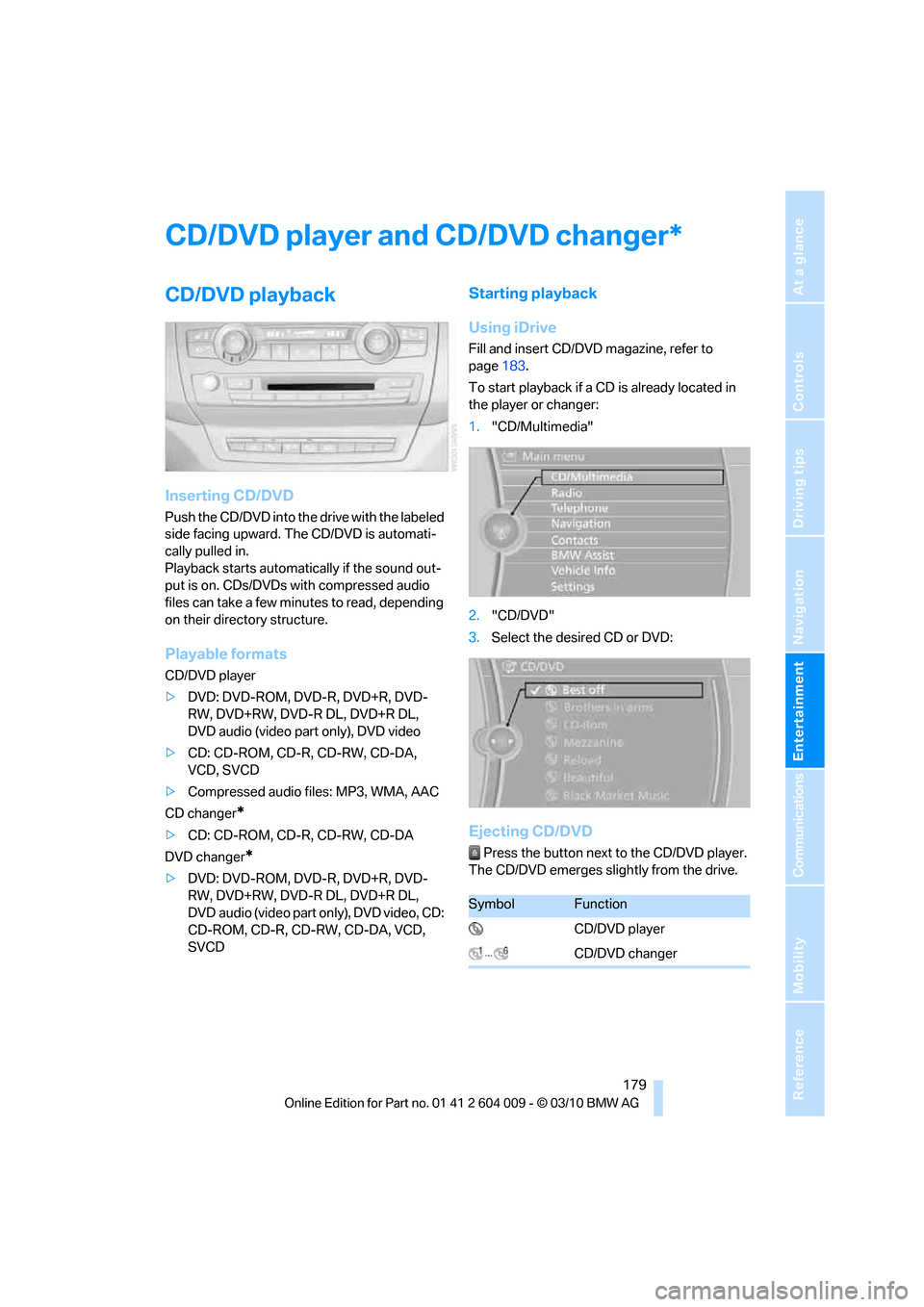
1."CD/Multimedia"
2."CD/DVD"
3.Select the desired CD or DVD:
Ejecting CD/DVD
Press the button next to the CD/DVD player.
The CD/DVD emerges slightly from the drive.
*
SymbolFunction
CD/DVD player
CD/DVD changer
Page 182 of 312
CD/DVD player and CD/DVD changer
180
Audio playback
Selecting the track using the button
Press the button for the corresponding
direction repeatedly until you reach the desired
track.
Selecting the track using iDrive
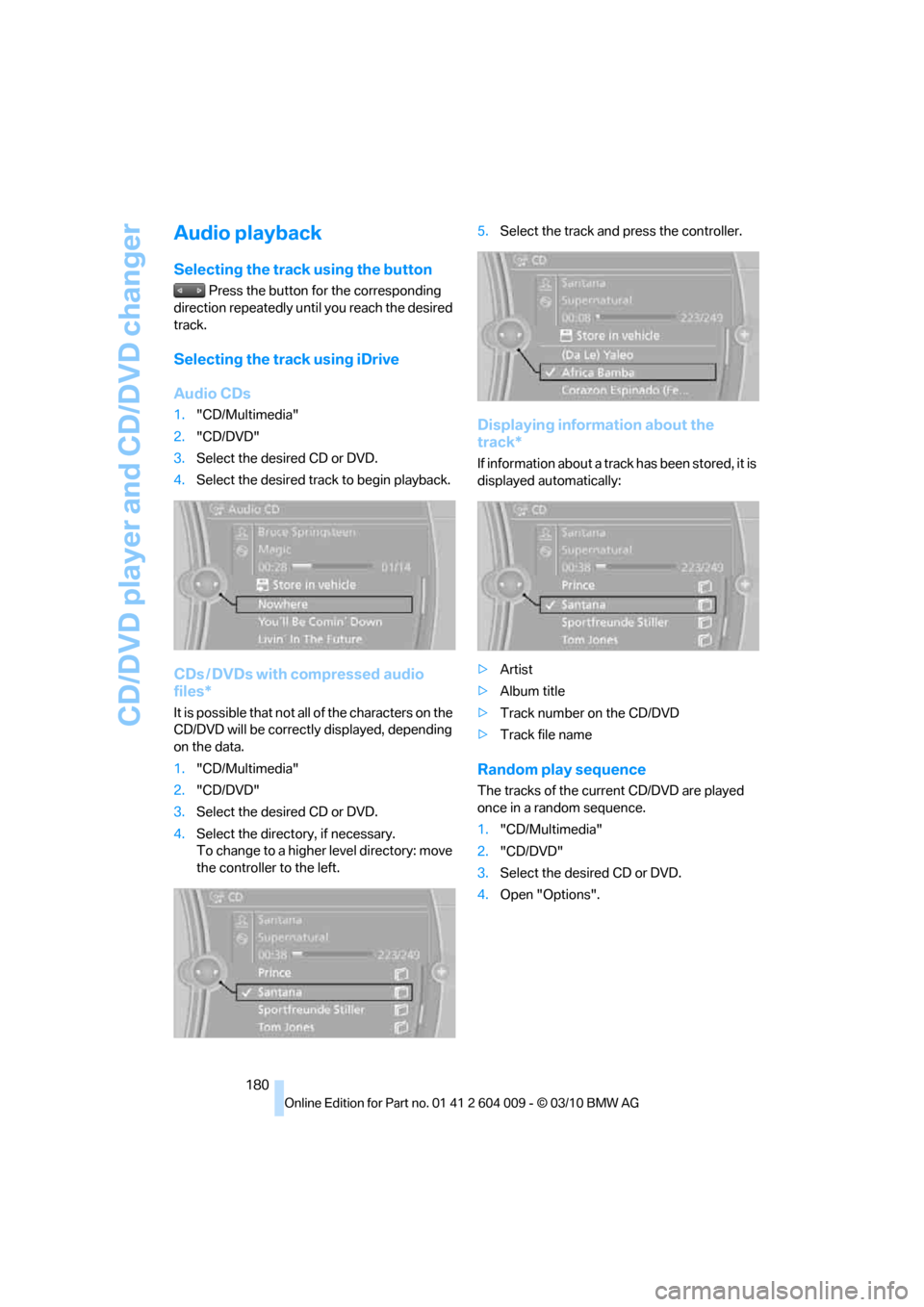
Audio CDs
1."CD/Multimedia"
2."CD/DVD"
3.Select the desired CD or DVD.
4.Select the desired track to begin playback.
CDs / DVDs with compressed audio
files*
It is possible that not all of the characters on the
CD/DVD will be correctly displayed, depending
on the data.
1."CD/Multimedia"
2."CD/DVD"
3.Select the desired CD or DVD.
4.Select the directory, if necessary.
To change to a higher level directory: move
the controller to the left.5.Select the track and press the controller.
Displaying information about the
track*
If information about a track has been stored, it is
displayed automatically:
>Artist
>Album title
>Track number on the CD/DVD
>Track file name
Random play sequence
The tracks of the current CD/DVD are played
once in a random sequence.
1."CD/Multimedia"
2."CD/DVD"
3.Select the desired CD or DVD.
4.Open "Options".
Page 186 of 312
CD/DVD player and CD/DVD changer
184 placed into the selected CD/DVD compart-
ment.
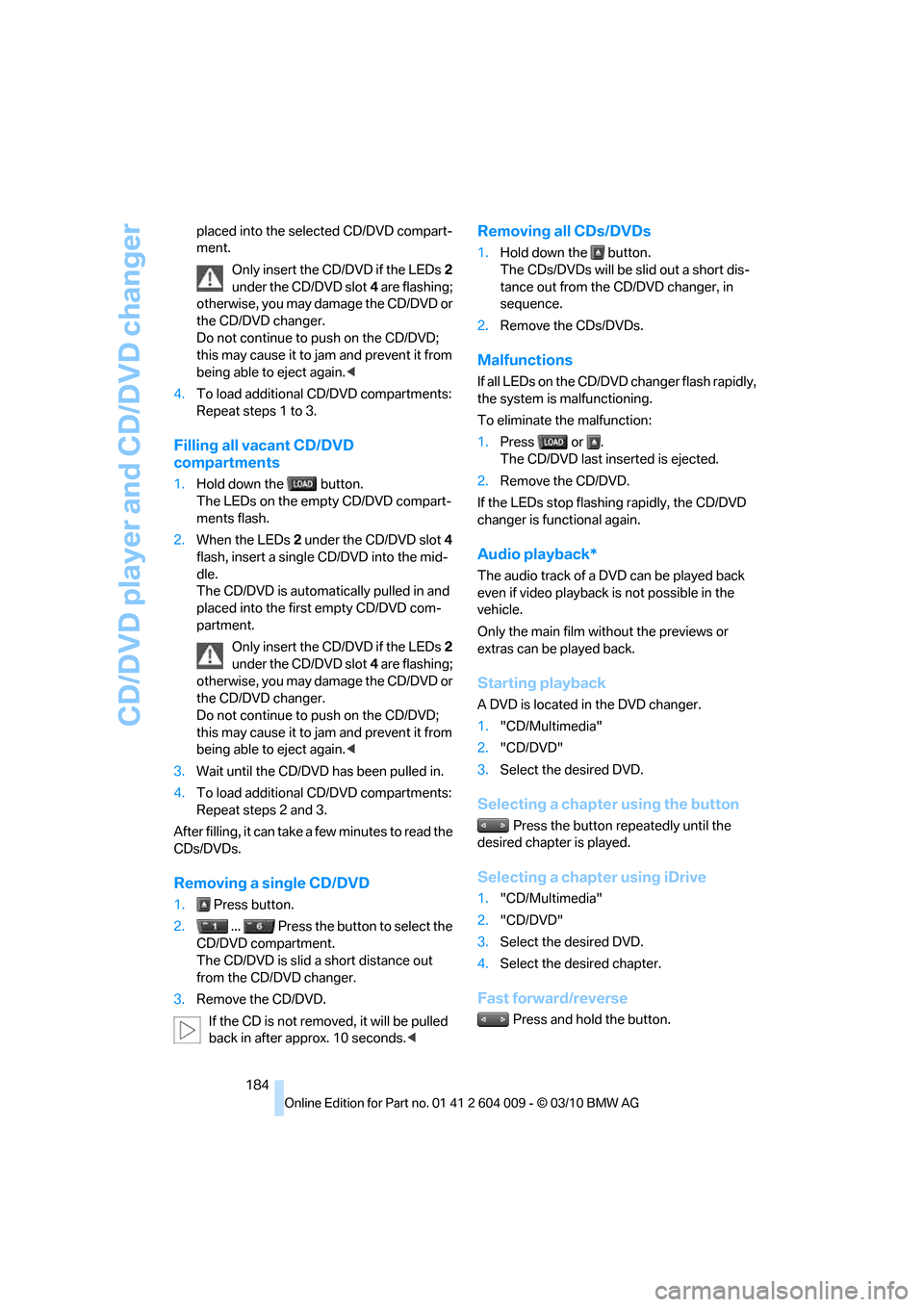
Only insert the CD/DVD if the LEDs2
under the CD/DVD slot4 are flashing;
otherwise, you may damage the CD/DVD or
the CD/DVD changer.
Do not continue to push on the CD/DVD;
this may cause it to jam and prevent it from
being able to eject again.<
4.To load additional CD/DVD compartments:
Repeat steps 1 to 3.
Filling all vacant CD/DVD
compartments
1.Hold down the button.
The LEDs on the empty CD/DVD compart-
ments flash.
2.When the LEDs 2 under the CD/DVD slot4
flash, insert a single CD/DVD into the mid-
dle.
The CD/DVD is automatically pulled in and
placed into the first empty CD/DVD com-
partment.
Only insert the CD/DVD if the LEDs2
under the CD/DVD slot4 are flashing;
otherwise, you may damage the CD/DVD or
the CD/DVD changer.
Do not continue to push on the CD/DVD;
this may cause it to jam and prevent it from
being able to eject again.<
3.Wait until the CD/DVD has been pulled in.
4.To load additional CD/DVD compartments:
Repeat steps 2 and 3.
After filling, it can take a few minutes to read the
CDs/DVDs.
Removing a single CD/DVD
1. Press button.
2. ... Press the button to select the
CD/DVD compartment.
The CD/DVD is slid a short distance out
from the CD/DVD changer.
3.Remove the CD/DVD.
If the CD is not removed, it will be pulled
back in after approx. 10 seconds.<
Removing all CDs/DVDs
1.Hold down the button.
The CDs/DVDs will be slid out a short dis-
tance out from the CD/DVD changer, in
sequence.
2.Remove the CDs/DVDs.
Malfunctions
If all LEDs on the CD/DVD changer flash rapidly,
the system is malfunctioning.
To eliminate the malfunction:
1.Press or .
The CD/DVD last inserted is ejected.
2.Remove the CD/DVD.
If the LEDs stop flashing rapidly, the CD/DVD
changer is functional again.
Audio playback*
The audio track of a DVD can be played back
even if video playback is not possible in the
vehicle.
Only the main film without the previews or
extras can be played back.
Starting playback
A DVD is located in the DVD changer.
1."CD/Multimedia"
2."CD/DVD"
3.Select the desired DVD.
Selecting a chapter using the button
Press the button repeatedly until the
desired chapter is played.
Selecting a chapter using iDrive
1."CD/Multimedia"
2."CD/DVD"
3.Select the desired DVD.
4.Select the desired chapter.
Fast forward/reverse
Press and hold the button.
Page 194 of 312
External devices
192
External devices
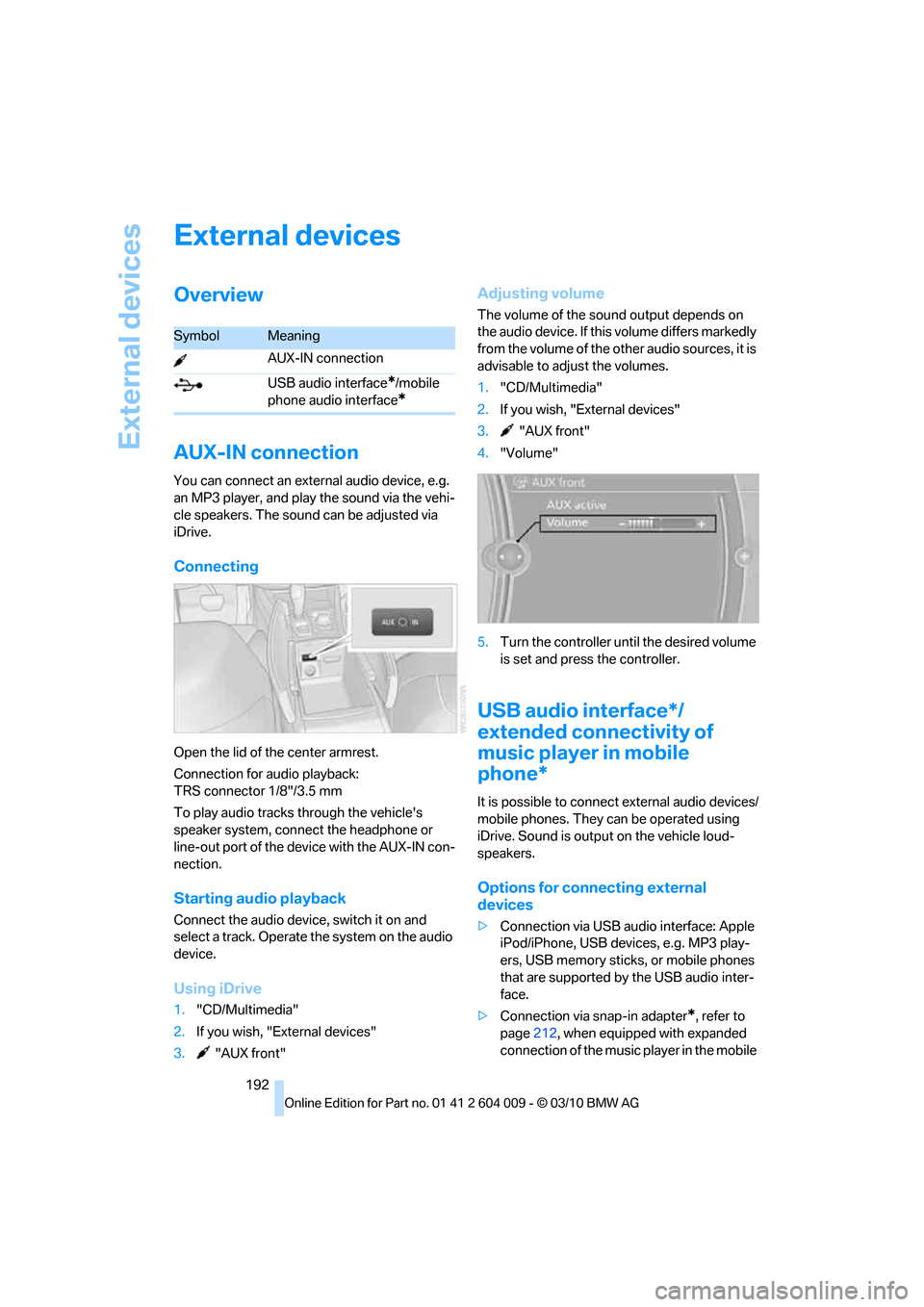
Overview
AUX-IN connection
You can connect an external audio device, e.g.
an MP3 player, and play the sound via the vehi-
cle speakers. The sound can be adjusted via
iDrive.
Connecting
Open the lid of the center armrest.
Connection for audio playback:
TRS connector 1/8"/3.5 mm
To play audio tracks through the vehicle's
speaker system, connect the headphone or
line-out port of the device with the AUX-IN con-
nection.
Starting audio playback
Connect the audio device, switch it on and
select a track. Operate the system on the audio
device.
Using iDrive
1."CD/Multimedia"
2.If you wish, "External devices"
3. "AUX front"
Adjusting volume
The volume of the sound output depends on
the audio device. If this volume differs markedly
from the volume of the other audio sources, it is
advisable to adjust the volumes.
1."CD/Multimedia"
2.If you wish, "External devices"
3. "AUX front"
4."Volume"
5.Turn the controller until the desired volume
is set and press the controller.
USB audio interface*/
extended connectivity of
music player in mobile
phone*
It is possible to connect external audio devices/
mobile phones. They can be operated using
iDrive. Sound is output on the vehicle loud-
speakers.
Options for connecting external
devices
>Connection via USB audio interface: Apple
iPod/iPhone, USB devices, e.g. MP3 play-
ers, USB memory sticks, or mobile phones
that are supported by the USB audio inter-
face.
>Connection via snap-in adapter
*, refer to
page212, when equipped with expanded
connection of the music player in the mobile
SymbolMeaning
AUX-IN connection
USB audio interface
*/mobile
phone audio interface
*
Page 198 of 312
DVD system in rear
196
DVD system in rear
With the DVD system in the rear you can play
CDs and DVDs with audio, video and image
data. The DVD system can also play data from
attached external audio and video devices.
Audio output is possible both via headphones
and via the vehicle speakers.
You can control the DVD system using the but-
tons on the CD-/DVD player or using the remote
control.
Some functions are operated using the
remote control.<
Enabling DVD system
The DVD system can be enabled via iDrive.
1."Settings"
2."Allow rear control"
3."Rear DVD system active"
DVD-System is enabled.
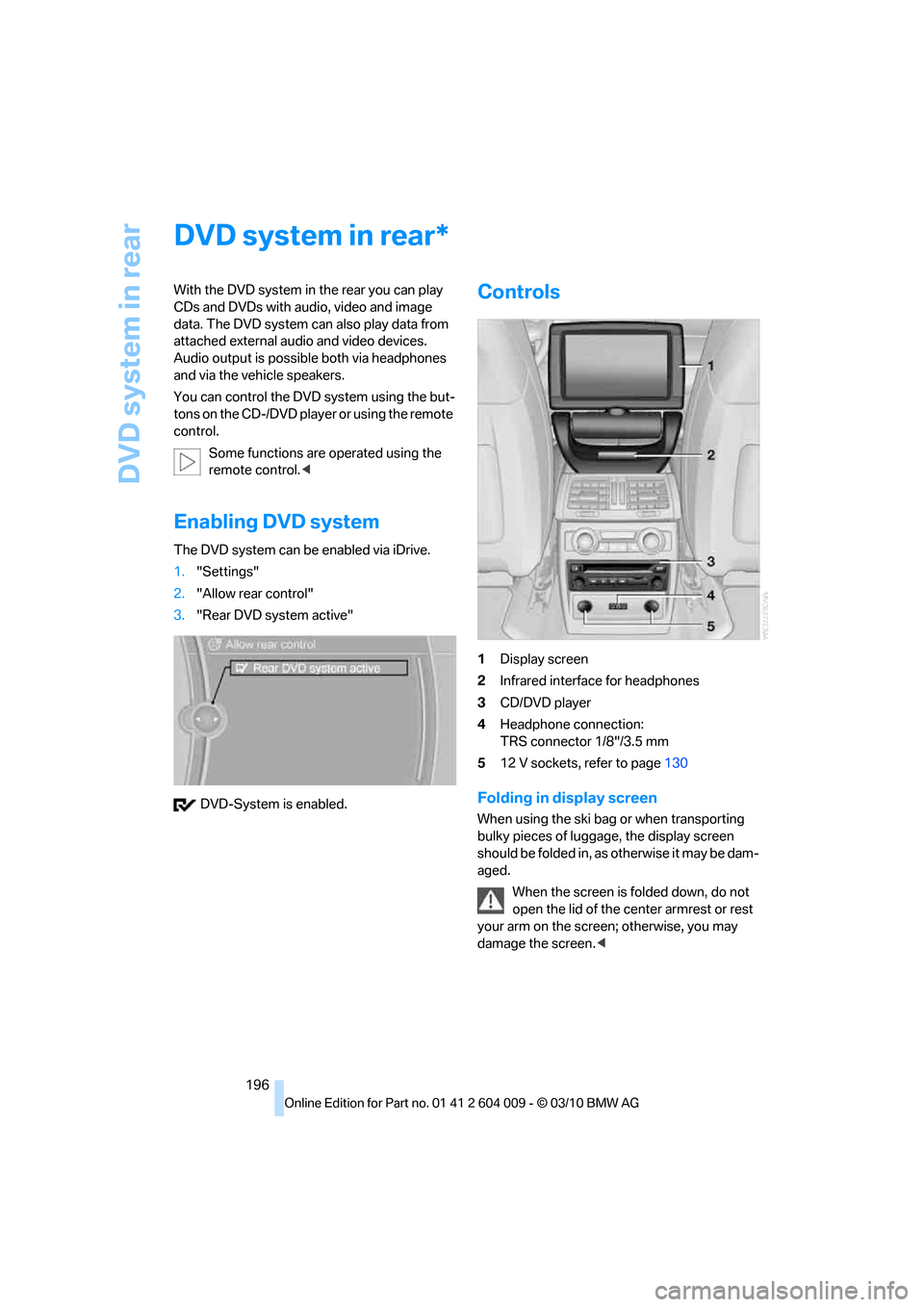
Controls
1Display screen
2Infrared interface for headphones
3CD/DVD player
4Headphone connection:
TRS connector 1/8"/3.5 mm
512 V sockets, refer to page130
Folding in display screen
When using the ski bag or when transporting
bulky pieces of luggage, the display screen
should be folded in, as otherwise it may be dam-
aged.
When the screen is folded down, do not
open the lid of the center armrest or rest
your arm on the screen; otherwise, you may
damage the screen.<
*
Page 213 of 312
Communications
This chapter summarizes how to operate your
mobile phone using iDrive or voice command
and how to use BMW Assist or BMW
TeleService.
Communications
Page 214 of 312
Telephone
212
Telephone
The concept
Your BMW is equipped with a full preparation
package mobile phone. After pairing a suitable
mobile phone with the vehicle once, you can
operate the mobile phone using iDrive, the but-
tons on the steering wheel, or voice com-
mands
*.
Once a mobile phone has been paired with your
vehicle, it is automatically recognized as soon
as it is inside the vehicle while the engine is run-
ning or the ignition is switched on. The pairing
data of up to four mobile phones can be stored
simultaneously. If several mobile phones are
detected simultaneously, the respective last
mobile phone paired can be operated via the
vehicle.
Using a phone in your vehicle
Using snap-in adapter*
The so-called snap-in adapter, a mobile phone
cradle, enables the battery to be charged and
the mobile phone to be connected to the exter-
nal antenna of your vehicle. This ensures
improved network reception and a consistent
voice reproduction quality. Ask your BMW
Sports Activity Vehicle Center which mobile
phones snap-in adapters are offered for.
For your safety
A car phone makes life more convenient in
many ways, and can even save lives in an emer-
gency. While you should consult your mobile
phone's separate operating instructions for a
detailed description of safety precautions and
information, we request that you direct your
particular attention to the following:
Only make entries when the traffic situa-
tion allows you to do so. Do not hold the
mobile phone in your hand while you are driving;
use the hands-free system instead. If you do
not observe this precaution, your being dis-tracted can endanger vehicle occupants and
other road users.<
Suitable mobile phones
Please ask your BMW Sports Activity Vehicle
Center which mobile phones with Bluetooth
interface are supported by the mobile phone
preparation package and which mobile phones
are compatible with the snap-in adapter. By vir-
tue of their particular software versions, these
mobile phones support the functions described
in this Owner's Manual. Malfunctions can occur
with other mobile phones.
Operating options
You can operate the mobile phone using:
>Buttons on the steering wheel, refer to
page10
>iDrive, refer to page16
>Voice commands
*, refer to page219
>Programmable memory buttons, refer to
page20
Avoid operating a mobile phone detected by
the vehicle with the keypad of the mobile
phone, otherwise malfunctions can occur.
Commissioning
Pairing mobile phone in vehicle
The following prerequisites must be met:
>Compatible mobile phone: the mobile
phone is supported by the full mobile phone
preparation package. Information on this
subject is also provided on the Internet at:
www.bmw.com/bluetooth
>The mobile phone is ready to operate.
>Bluetooth has been activated in the vehicle,
refer to page214, and on the mobile phone.
*
Page 215 of 312
213
Entertainment
Reference
At a glance
Controls
Driving tips Communications
Navigation
Mobility
>Depending on the mobile phone, certain
settings may be necessary on the mobile
phone, e.g. via the following menu items:
>Bluetooth activated
>Connection must be allowed without
requiring further confirmation
>Reconnect
>Depending on the mobile phone model, the
setting energy saving mode can, for exam-
ple, result in vehicle failing to detect the
paired mobile phone.
>For pairing purposes, define any 4 to 16-
digit number as a Bluetooth passkey,
e.g. 25081107. A long and complex number
offers the best protection against unautho-
rized access. This Bluetooth passkey is no
longer required following successful pair-
ing.
>The ignition is switched on.
Only pair the mobile phone with the vehi-
cle stationary, otherwise the passengers
and other road users can be endangered due to
a lack of attentiveness on the part of the
driver.<
Switching on ignition
1.Insert the remote control as far as possible
into the ignition lock.
2.Switch on ignition without operating the
brake or clutch or pressing the Start/Stop
button.
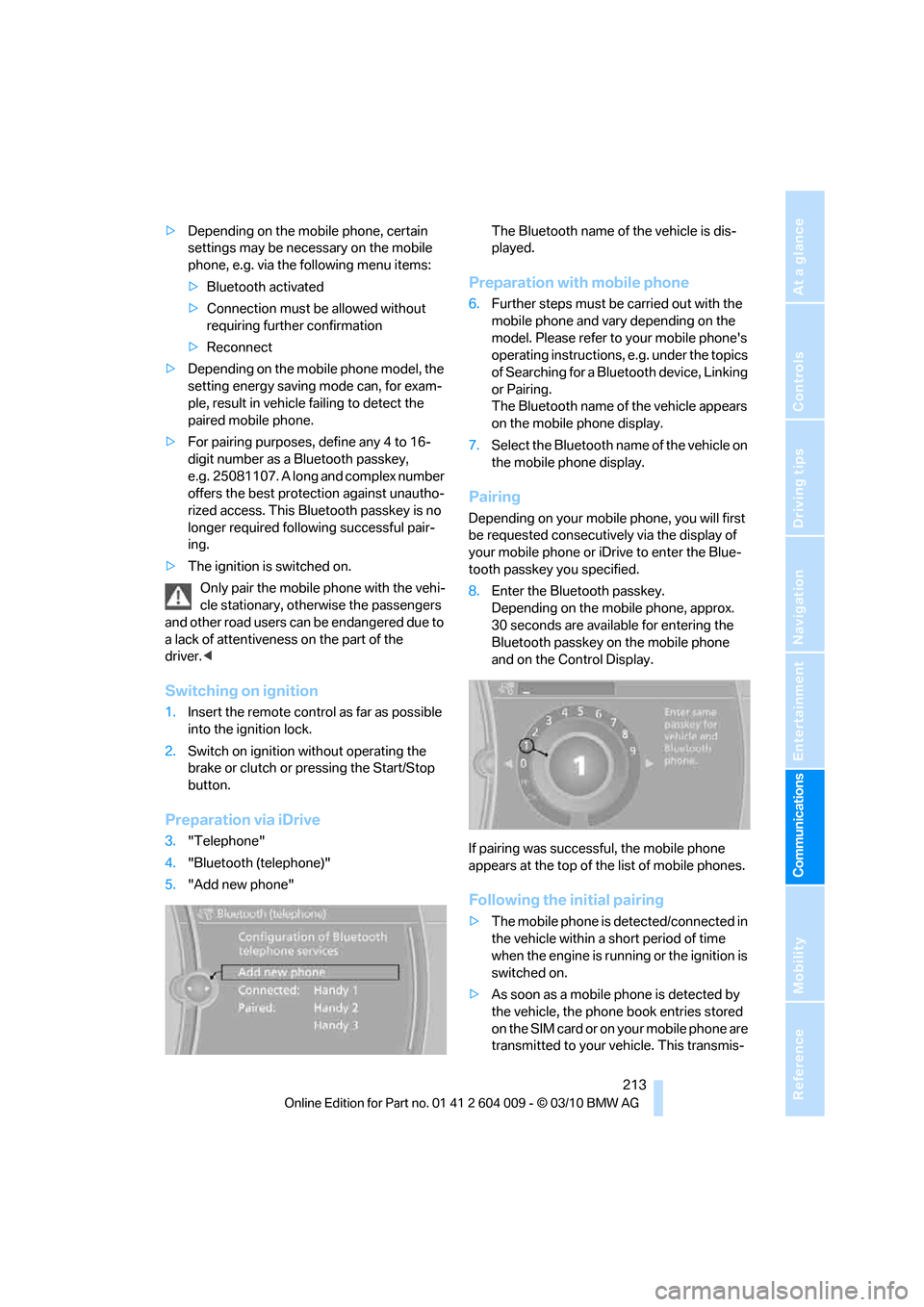
Preparation via iDrive
3."Telephone"
4."Bluetooth (telephone)"
5."Add new phone"The Bluetooth name of the vehicle is dis-
played.
Preparation with mobile phone
6.Further steps must be carried out with the
mobile phone and vary depending on the
model. Please refer to your mobile phone's
operating instructions, e.g. under the topics
of Searching for a Bluetooth device, Linking
or Pairing.
The Bluetooth name of the vehicle appears
on the mobile phone display.
7.Select the Bluetooth name of the vehicle on
the mobile phone display.
Pairing
Depending on your mobile phone, you will first
be requested consecutively via the display of
your mobile phone or iDrive to enter the Blue-
tooth passkey you specified.
8.Enter the Bluetooth passkey.
Depending on the mobile phone, approx.
30 seconds are available for entering the
Bluetooth passkey on the mobile phone
and on the Control Display.
If pairing was successful, the mobile phone
appears at the top of the list of mobile phones.
Following the initial pairing
>The mobile phone is detected/connected in
the vehicle within a short period of time
when the engine is running or the ignition is
switched on.
>As soon as a mobile phone is detected by
the vehicle, the phone book entries stored
on the SIM card or on your mobile phone are
transmitted to your vehicle. This transmis-