transmission BMW X5 2011 E70 Owner's Guide
[x] Cancel search | Manufacturer: BMW, Model Year: 2011, Model line: X5, Model: BMW X5 2011 E70Pages: 312, PDF Size: 8.91 MB
Page 142 of 312
Things to remember when driving
140 planing, and is characterized by a partial or
complete loss of contact between the tires and
the road surface, ultimately undermining your
ability to steer and brake the vehicle.<
The risk of hydroplaning increases as the tread
depth of the tires decreases, also refer to Mini-
mum tread depth on page248.
Driving through water
Maximum water depth:
>BMW X5 20 in/50 cm
>BMW X6 17 in/45 cm
Only drive through water up to the above-
mentioned depth at no greater than walk-
ing speed; otherwise, the engine, electrical sys-
tem, and transmission can be damaged.<
Braking safely
Your BMW is equipped with ABS as a standard
feature. In situations that require it, it is best to
brake with full force. Since the vehicle maintains
steering responsiveness, you can still avoid
possible obstacles with a minimum of steering
effort.
Pulsation of the brake pedal, combined with
sounds from the hydraulic circuits, indicate that
ABS is in its active mode.
Do not drive with your foot resting on the
brake pedal. Even light but consistent
pedal pressure can lead to high temperatures,
brake wear and possibly even brake failure.<
Driving in wet conditions
When roads are wet or there is heavy rain,
briefly exert gentle pressure on the brake pedal
every few miles. Monitor traffic conditions to
ensure that this maneuver does not endanger
other road users. The heat generated in this
process helps dry the pads and rotors to ensure
that full braking efficiency will then be available
when you need it.
Hills
To prevent overheating and the resulting
reduced efficiency of the brake system,
drive long or steep downhill gradients in the gear in which the least braking is required. Even
light but consistent pressure on the brake pedal
can lead to high temperatures, brake wear and
possibly even brake failure.<
The braking effect of the engine can be further
increased by downshifting in the manual mode
of the automatic transmission, if necessary into
first gear, refer to page64. This prevents an
excessive strain on the brakes.
Do not drive in idle or with the engine
stopped, otherwise there will be no
engine braking action or support of the braking
force and steering.
Never allow floor mats, carpets or any other
objects to protrude into the area of movement
of the pedals and impair their operation.<
Corrosion on brake rotors
When the vehicle is driven only occasionally,
during extended periods when the vehicle is not
used at all, and in operating conditions where
brake applications are less frequent, there is an
increased tendency for corrosion to form on
rotors, while contaminants accumulate on the
brake pads. This occurs because the minimum
pressure which must be exerted by the pads
during brake applications to clean the rotors is
not reached.
Should corrosion form on the brake rotors, the
brakes will tend to respond with a pulsating
effect that even extended application will fail to
cure.
When vehicle is parked
Condensation forms in the automatic climate
control system during operation, and then exits
under the vehicle. Traces of condensed water
under the vehicle are therefore normal.
Loading
To avoid loading the tires beyond their
approved carrying capacity, never over-
load the vehicle. Overloading can lead to over-
heating and increases the rate at which damage
develops inside the tires. The ultimate result
can assume the form of a sudden blowout.<
Page 178 of 312
Satellite radio
176
Selecting category
1."Radio"
2."Satellite radio"
3."Category"
4.Select the desired category.
Time shift
Approximately one hour of the channel cur-
rently being listened to is temporarily stored in a
cache memory. Precondition: the signal must
be available.
The stored audio track can be played back at a
different time from the live broadcast. If the
cache memory is full, then the older tracks are
recorded over. The cache memory is deleted if
a new channel is selected.
Accessing Time shift
1."Radio"
2."Satellite radio"
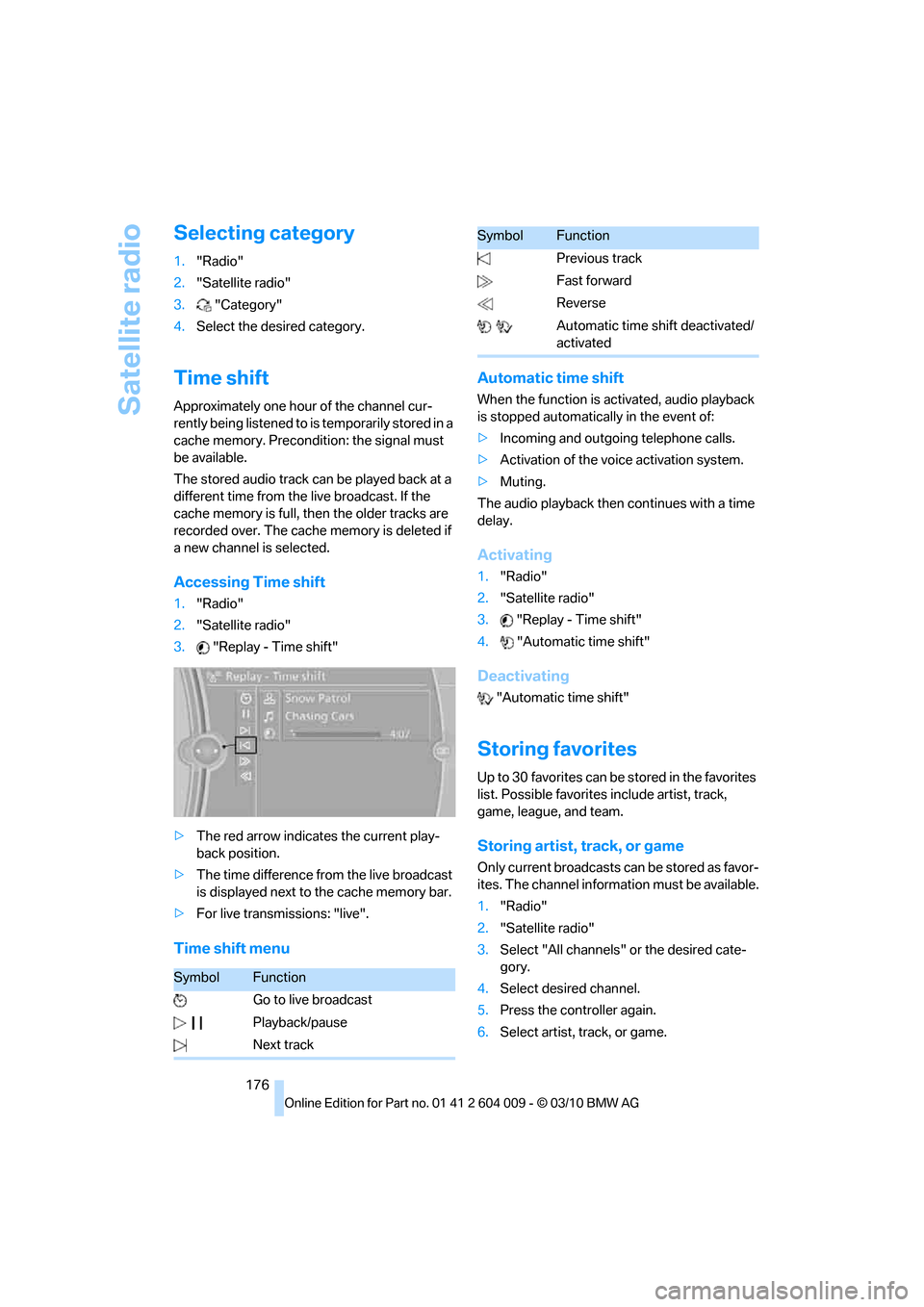
3."Replay - Time shift"
>The red arrow indicates the current play-
back position.
>The time difference from the live broadcast
is displayed next to the cache memory bar.
>For live transmissions: "live".
Time shift menuAutomatic time shift
When the function is activated, audio playback
is stopped automatically in the event of:
>Incoming and outgoing telephone calls.
>Activation of the voice activation system.
>Muting.
The audio playback then continues with a time
delay.
Activating
1."Radio"
2."Satellite radio"
3."Replay - Time shift"
4."Automatic time shift"
Deactivating
"Automatic time shift"
Storing favorites
Up to 30 favorites can be stored in the favorites
list. Possible favorites include artist, track,
game, league, and team.
Storing artist, track, or game
Only current broadcasts can be stored as favor-
ites. The channel information must be available.
1."Radio"
2."Satellite radio"
3.Select "All channels" or the desired cate-
gory.
4.Select desired channel.
5.Press the controller again.
6.Select artist, track, or game.
SymbolFunction
Go to live broadcast
Playback/pause
Next track
Previous track
Fast forward
Reverse
Automatic time shift deactivated/
activated
SymbolFunction
Page 183 of 312
Navigation
Entertainment
Driving tips
181Reference
At a glance
Controls
Communications
Mobility
5."Random"
CDs/DVDs with compressed audio files: the
directories and the tracks contained therein are
played back in random sequence.
Random mode is switched off when the audio
source is changed or the ignition is switched off.
Fast forward/reverse
Press and hold the button for the corre-
sponding direction.
Automatic replay*
Selected tracks, directories, or CDs/DVDs are
automatically replayed.
Video playback*
Country codes
Only DVDs with the code of the home region
can be played back; also refer to the information
on your DVD.
Starting playback
For your own safety, the video image is only dis-
played up to approx. 2 mph/3 km/h, and in some
countries only with the parking brake applied or
in transmission position P.
DVD video
1."CD/Multimedia"
2."CD/DVD"
3.Select a DVD with video content.
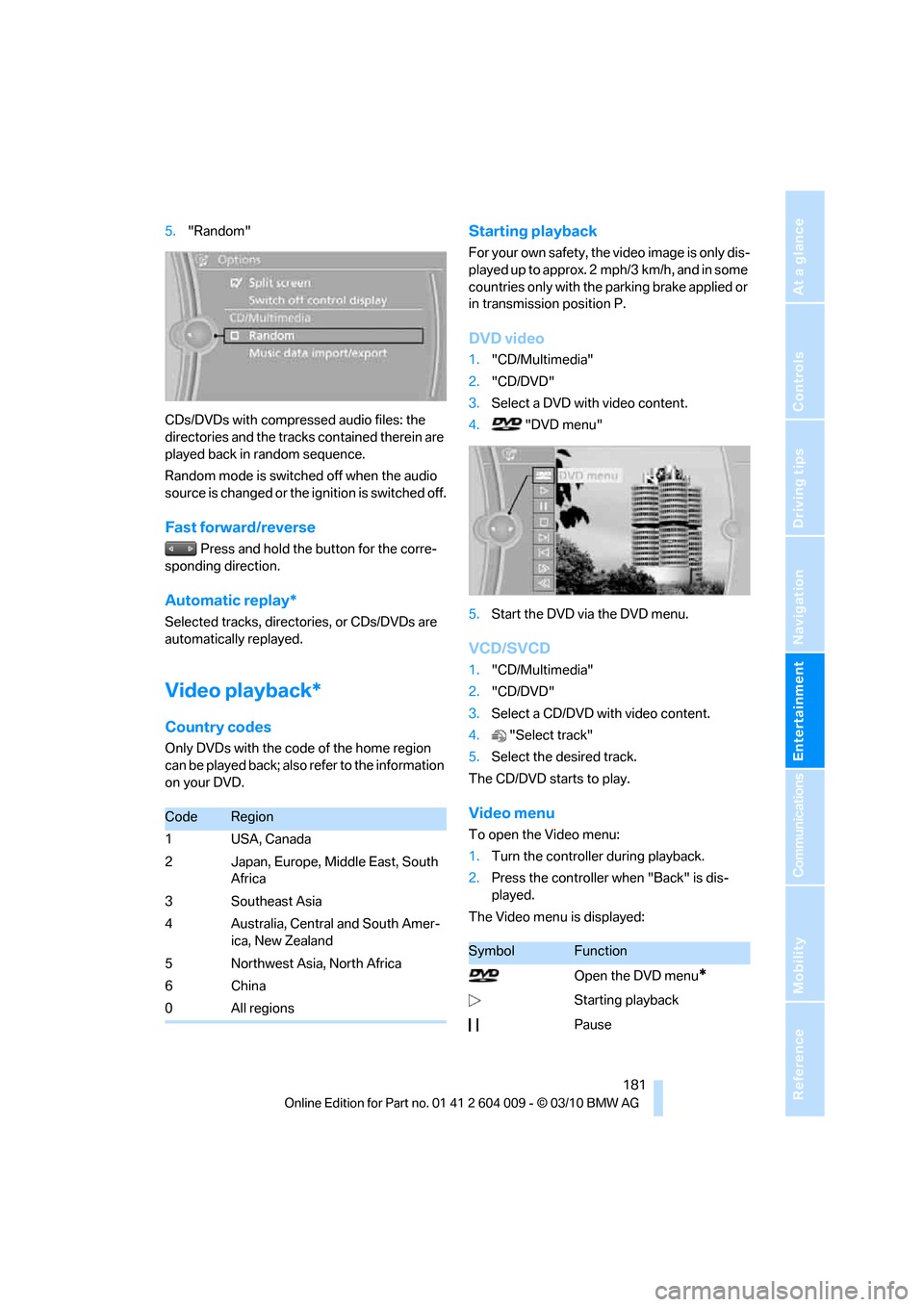
4. "DVD menu"
5.Start the DVD via the DVD menu.
VCD/SVCD
1."CD/Multimedia"
2."CD/DVD"
3.Select a CD/DVD with video content.
4."Select track"
5.Select the desired track.
The CD/DVD starts to play.
Video menu
To open the Video menu:
1.Turn the controller during playback.
2.Press the controller when "Back" is dis-
played.
The Video menu is displayed:
CodeRegion
1USA, Canada
2 Japan, Europe, Middle East, South
Africa
3 Southeast Asia
4 Australia, Central and South Amer-
ica, New Zealand
5 Northwest Asia, North Africa
6China
0 All regions
SymbolFunction
Open the DVD menu
*
Starting playback
Pause
Page 195 of 312
Navigation
Entertainment
Driving tips
193Reference
At a glance
Controls
Communications
Mobility
phone: Apple iPhone/mobile phones. Play-
back is possible only if no audio device/
mobile phone is connected to the USB
audio interface.
Due to the vast array of audio devices/mobile
phones on the market, it is not possible to
assure that every audio device/mobile phone
can be operated via the vehicle.
Ask your BMW Sports Activity Vehicle Center,
which audio devices/mobile phones are com-
patible.
Audio files
Standard audio formats, e.g. MP3, WMA, WAV
(PCM) and AAC, and playlists in the M3U format
can be played.
Connecting via USB audio interface
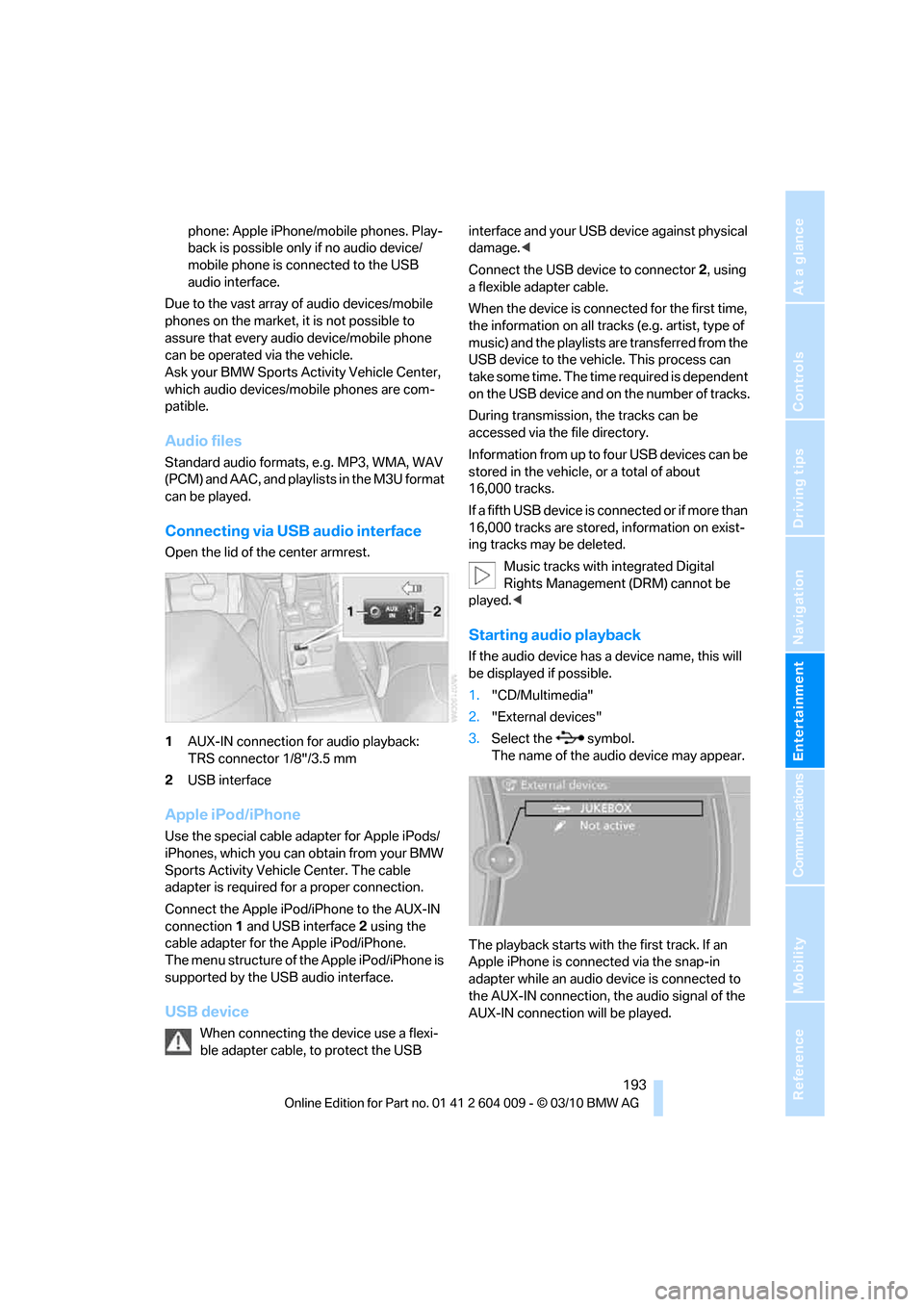
Open the lid of the center armrest.
1AUX-IN connection for audio playback:
TRS connector 1/8"/3.5 mm
2USB interface
Apple iPod/iPhone
Use the special cable adapter for Apple iPods/
iPhones, which you can obtain from your BMW
Sports Activity Vehicle Center. The cable
adapter is required for a proper connection.
Connect the Apple iPod/iPhone to the AUX-IN
connection1 and USB interface2 using the
cable adapter for the Apple iPod/iPhone.
The menu structure of the Apple iPod/iPhone is
supported by the USB audio interface.
USB device
When connecting the device use a flexi-
ble adapter cable, to protect the USB interface and your USB device against physical
damage.<
Connect the USB device to connector 2, using
a flexible adapter cable.
When the device is connected for the first time,
the information on all tracks (e.g. artist, type of
music) and the playlists are transferred from the
USB device to the vehicle. This process can
take some time. The time required is dependent
on the USB device and on the number of tracks.
During transmission, the tracks can be
accessed via the file directory.
Information from up to four USB devices can be
stored in the vehicle, or a total of about
16,000 tracks.
I f a f i f t h U S B d e v i c e i s c o n n e c t e d o r i f m o r e t h a n
16,000 tracks are stored, information on exist-
ing tracks may be deleted.
Music tracks with integrated Digital
Rights Management (DRM) cannot be
played.<
Starting audio playback
If the audio device has a device name, this will
be displayed if possible.
1."CD/Multimedia"
2."External devices"
3.Select the symbol.
The name of the audio device may appear.
The playback starts with the first track. If an
Apple iPhone is connected via the snap-in
adapter while an audio device is connected to
the AUX-IN connection, the audio signal of the
AUX-IN connection will be played.
Page 200 of 312
DVD system in rear
198 >Press the arrow buttons:
To switch between windows.
>Press the button:
To activate the menu item.
The transmission time of the remote control is
limited in accordance with legal guidelines. A
function can be repeated by pressing or turning
the appropriate button or knob.
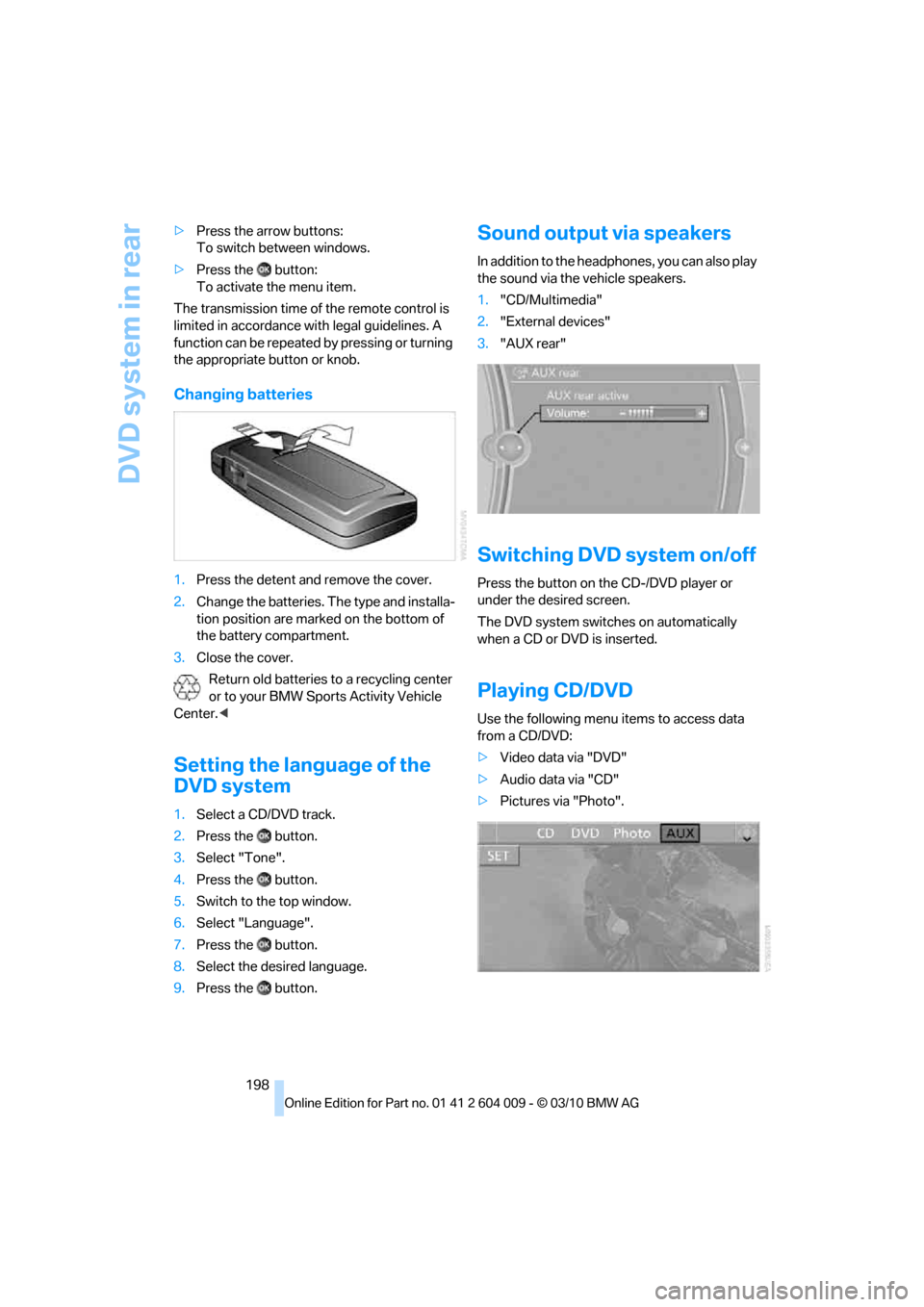
Changing batteries
1.Press the detent and remove the cover.
2.Change the batteries. The type and installa-
tion position are marked on the bottom of
the battery compartment.
3.Close the cover.
Return old batteries to a recycling center
or to your BMW Sports Activity Vehicle
Center.<
Setting the language of the
DVD system
1.Select a CD/DVD track.
2.Press the button.
3.Select "Tone".
4.Press the button.
5.Switch to the top window.
6.Select "Language".
7.Press the button.
8.Select the desired language.
9.Press the button.
Sound output via speakers
In addition to the headphones, you can also play
the sound via the vehicle speakers.
1."CD/Multimedia"
2."External devices"
3."AUX rear"
Switching DVD system on/off
Press the button on the CD-/DVD player or
under the desired screen.
The DVD system switches on automatically
when a CD or DVD is inserted.
Playing CD/DVD
Use the following menu items to access data
from a CD/DVD:
>Video data via "DVD"
>Audio data via "CD"
>Pictures via "Photo".
Page 230 of 312
BMW Assist
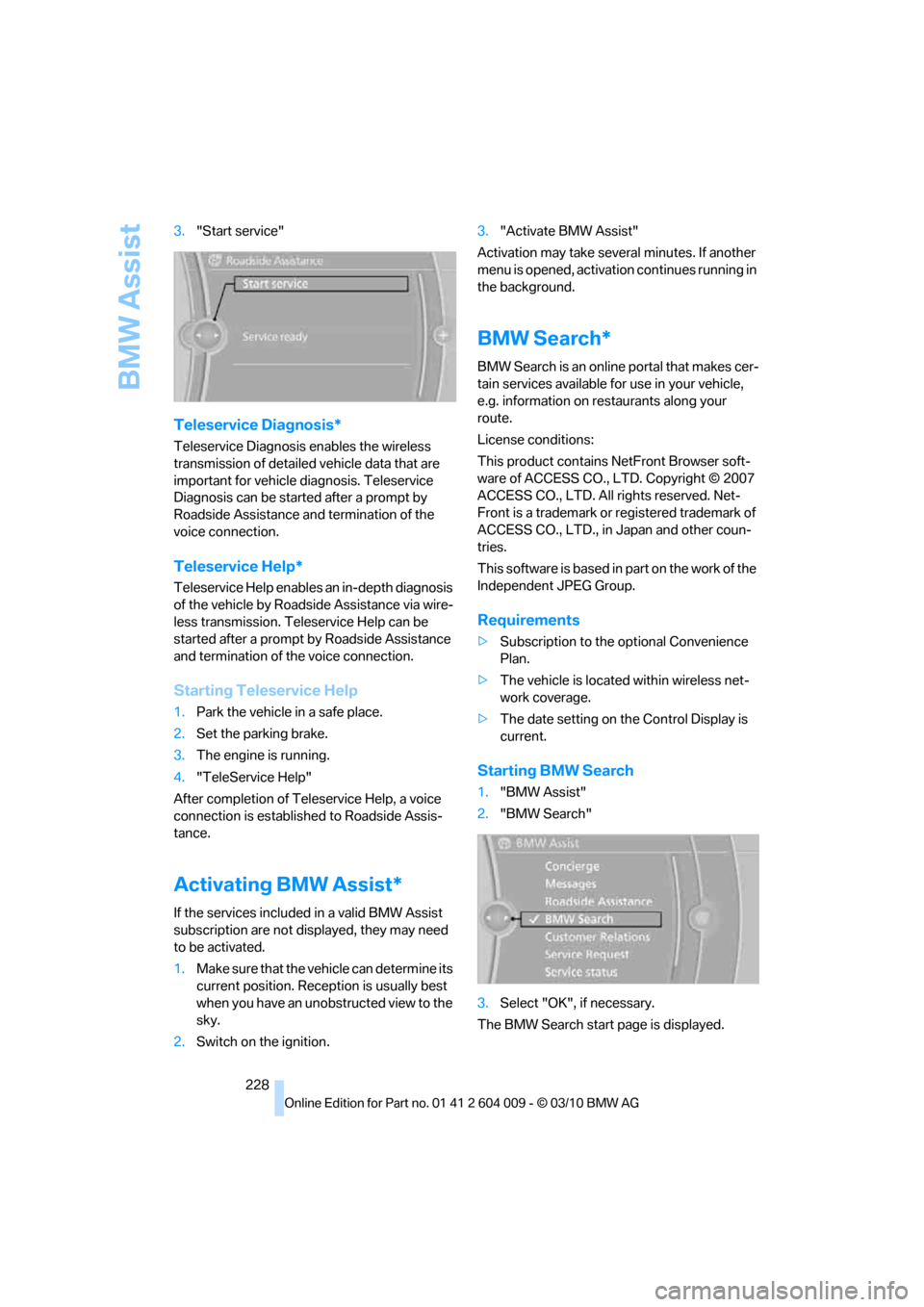
228 3."Start service"
Teleservice Diagnosis*
Teleservice Diagnosis enables the wireless
transmission of detailed vehicle data that are
important for vehicle diagnosis. Teleservice
Diagnosis can be started after a prompt by
Roadside Assistance and termination of the
voice connection.
Teleservice Help*
Teleservice Help enables an in-depth diagnosis
of the vehicle by Roadside Assistance via wire-
less transmission. Teleservice Help can be
started after a prompt by Roadside Assistance
and termination of the voice connection.
Starting Teleservice Help
1.Park the vehicle in a safe place.
2.Set the parking brake.
3.The engine is running.
4."TeleService Help"
After completion of Teleservice Help, a voice
connection is established to Roadside Assis-
tance.
Activating BMW Assist*
If the services included in a valid BMW Assist
subscription are not displayed, they may need
to be activated.
1.Make sure that the vehicle can determine its
current position. Reception is usually best
when you have an unobstructed view to the
sky.
2.Switch on the ignition.3."Activate BMW Assist"
Activation may take several minutes. If another
menu is opened, activation continues running in
the background.
BMW Search*
BMW Search is an online portal that makes cer-
tain services available for use in your vehicle,
e.g. information on restaurants along your
route.
License conditions:
This product contains NetFront Browser soft-
ware of ACCESS CO., LTD. Copyright © 2007
ACCESS CO., LTD. All rights reserved. Net-
Front is a trademark or registered trademark of
ACCESS CO., LTD., in Japan and other coun-
tries.
T h i s s o f t w a r e i s b a s e d i n p a r t o n t h e w o r k o f t h e
Independent JPEG Group.
Requirements
>Subscription to the optional Convenience
Plan.
>The vehicle is located within wireless net-
work coverage.
>The date setting on the Control Display is
current.
Starting BMW Search
1."BMW Assist"
2."BMW Search"
3.Select "OK", if necessary.
The BMW Search start page is displayed.
Page 238 of 312
Refueling
236 Do not mix in any additives or gasoline;
otherwise, there is the risk of engine dam-
age.<
BMW X5 with BMW Advanced
Diesel
The concept
BMW Advanced Diesel reduces nitrogen oxides
in the diesel exhaust of your vehicle by injecting
the reducing agent diesel exhaust fluid into the
exhaust line. In the catalytic converter, a chem-
ical reaction occurs that minimizes nitrogen
oxides.
In order to be able to start the engine in the
usual way, there must be a sufficient supply of
diesel exhaust fluid in the separate reservoir.
System heating
In order to bring the system to operating tem-
perature after a cold start of the engine, the
automatic transmission shifts into the next
higher gear at a later point.
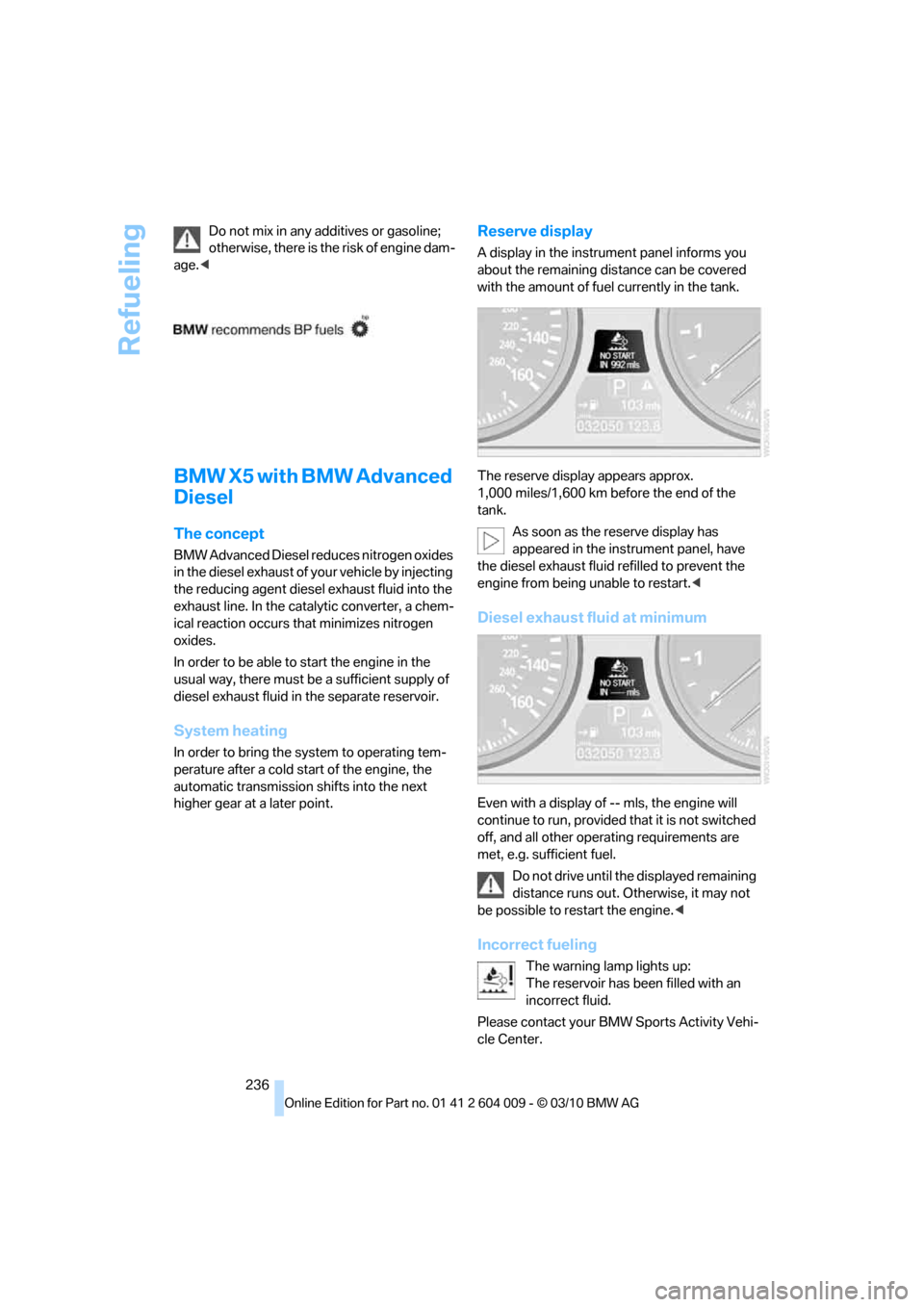
Reserve display
A display in the instrument panel informs you
about the remaining distance can be covered
with the amount of fuel currently in the tank.
The reserve display appears approx.
1,000 miles/1,600 km before the end of the
tank.
As soon as the reserve display has
appeared in the instrument panel, have
the diesel exhaust fluid refilled to prevent the
engine from being unable to restart.<
Diesel exhaust fluid at minimum
Even with a display of -- mls, the engine will
continue to run, provided that it is not switched
off, and all other operating requirements are
met, e.g. sufficient fuel.
Do not drive until the displayed remaining
distance runs out. Otherwise, it may not
be possible to restart the engine.<
Incorrect fueling
The warning lamp lights up:
The reservoir has been filled with an
incorrect fluid.
Please contact your BMW Sports Activity Vehi-
cle Center.
Page 260 of 312
Care
258
Care
Car-care products
For the cleaning and care of your vehicle, BMW
recommends using only products that BMW
has approved for this purpose.
Regular cleaning and care make a significant
contribution to retaining your BMW's value.
The BMW Sports Activity Vehicle Center will be
happy to consult you on products and services
for the cleaning and care of your BMW.
Genuine BMW Care Products are materi-
als tested, laboratory tested, and tested in
actual use. They offer optimum care and pro-
tection for your vehicle.<
Do not use cleaners that contain alcohol
or solvents; they can damage your vehi-
cle.<
Cleaning agents can contain substances
that are dangerous or pose health risks.
You should therefore heed the warnings and
hazard indications on the packaging. Open the
doors or windows on your vehicle whenever
cleaning the interior. Make sure there is suffi-
cient ventilation in enclosed spaces. Use only
products that are formulated for vehicle clean-
ing.<
Exterior care
Washing your vehicle
In the winter months, it is especially
important to ensure that the vehicle is
washed on a regular basis. Otherwise, signifi-
cant soiling and road salt can cause damage to
the vehicle.<
After washing the vehicle, apply the
brakes briefly to dry them. Failure to do so
may lead to a reduction in braking efficiency and
also to corrosion of the brake rotors.<
Car washes
Give preference to cloth car washes.Before driving into the car wash, make sure that
it is suitable for your BMW. Pay attention to the
following points:
>Dimensions of your vehicle, refer to
page281.
>If necessary, fold in exterior mirrors, refer to
page51.
>Maximum permissible tire width.
Avoid car washes with guide rails higher
than 4 in/10 cm as these may damage
parts of the vehicle body.<
Preparations for driving into the car wash:
>Deactivate the rain sensor to prevent
undesired wiper operation.
>BMW X5: deactivate rear window wiper and
protect it from damage. Take appropriate
protective measures; inquiring with the car
wash operator as needed.
>Remove add-on parts such as spoilers or
phone antennas if they risk being damaged.
Before driving into the car wash, observe the
following so that the vehicle is able to roll:
1.Insert the remote control into the ignition
lock, even with Comfort Access.
2.Shift into transmission position N.
3.Release the parking brake.
4.Deactivate Automatic Hold, refer to
page61.
5.Switch off the engine.
6.Leave the remote control in the ignition lock
so that the vehicle can roll.
Mixed tires*
Before driving into a car wash, make sure
that the vehicle width is not too large for
the car wash, as otherwise the vehicle and the
car wash could be damaged.<
Page 270 of 312
Replacing components
268
License plate lamp
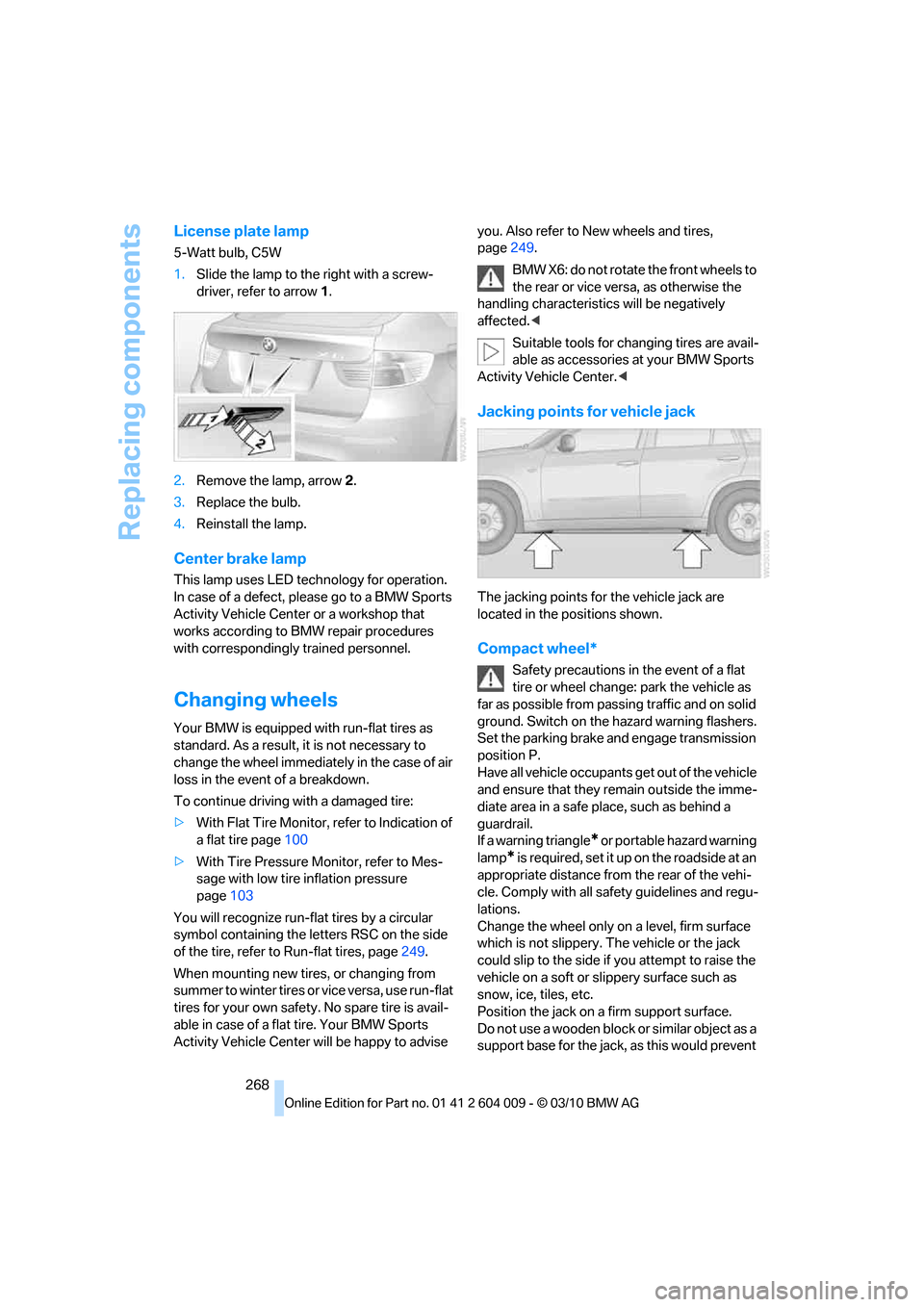
5-Watt bulb, C5W
1.Slide the lamp to the right with a screw-
driver, refer to arrow1.
2.Remove the lamp, arrow2.
3.Replace the bulb.
4.Reinstall the lamp.
Center brake lamp
This lamp uses LED technology for operation.
In case of a defect, please go to a BMW Sports
Activity Vehicle Center or a workshop that
works according to BMW repair procedures
with correspondingly trained personnel.
Changing wheels
Your BMW is equipped with run-flat tires as
standard. As a result, it is not necessary to
change the wheel immediately in the case of air
loss in the event of a breakdown.
To continue driving with a damaged tire:
>With Flat Tire Monitor, refer to Indication of
a flat tire page100
>With Tire Pressure Monitor, refer to Mes-
sage with low tire inflation pressure
page103
You will recognize run-flat tires by a circular
symbol containing the letters RSC on the side
of the tire, refer to Run-flat tires, page249.
When mounting new tires, or changing from
s u m m e r t o w i n t e r t i r e s o r v i c e v e r s a , u s e r u n - f l a t
tires for your own safety. No spare tire is avail-
able in case of a flat tire. Your BMW Sports
Activity Vehicle Center will be happy to advise you. Also refer to New wheels and tires,
page249.
BMW X6: do not rotate the front wheels to
the rear or vice versa, as otherwise the
handling characteristics will be negatively
affected.<
Suitable tools for changing tires are avail-
able as accessories at your BMW Sports
Activity Vehicle Center.<
Jacking points for vehicle jack
The jacking points for the vehicle jack are
located in the positions shown.
Compact wheel*
Safety precautions in the event of a flat
tire or wheel change: park the vehicle as
far as possible from passing traffic and on solid
ground. Switch on the hazard warning flashers.
Set the parking brake and engage transmission
position P.
Have all vehicle occupants get out of the vehicle
and ensure that they remain outside the imme-
diate area in a safe place, such as behind a
guardrail.
If a warning triangle
* or portable hazard warning
lamp
* is required, set it up on the roadside at an
appropriate distance from the rear of the vehi-
cle. Comply with all safety guidelines and regu-
lations.
Change the wheel only on a level, firm surface
which is not slippery. The vehicle or the jack
could slip to the side if you attempt to raise the
vehicle on a soft or slippery surface such as
snow, ice, tiles, etc.
Position the jack on a firm support surface.
Do not use a wooden block or similar object as a
support base for the jack, as this would prevent
Page 277 of 312
Mobility
275Reference
At a glance
Controls
Driving tips
Communications
Navigation
Entertainment
Your BMW has a special nut as body ground
or negative pole.
5.Attach the second end of the cable to the
negative terminal of the battery or to the
engine or body ground of the vehicle to be
started.
Starting engine
1.Start the engine on the assisting vehicle
and allow it to run at idle for several minutes
at slightly increased speed.
2.Start the engine on the other vehicle in the
usual way.
If the first starting attempt is not successful,
wait a few minutes before another attempt
in order to allow the discharged battery to
recharge.
3.Let the engines run for a few minutes.
4.Disconnect the jumper cables by reversing
the connection sequence.
Check the battery and recharge if necessary.
Never use spray fluids to start the
engine.<
Tow-starting and towing
Observe applicable laws and regulations
for tow-starting and towing.<
Do not transport any passengers other
than the driver in a vehicle that is being
towed.<
Transporting your vehicle
Note
Your vehicle is not permitted to be towed.
Therefore, contact a BMW Sports Activity Vehi-
cle Center in the event of a breakdown.
Have your vehicle transported on a load-
ing platform only; otherwise, damage may
occur.<
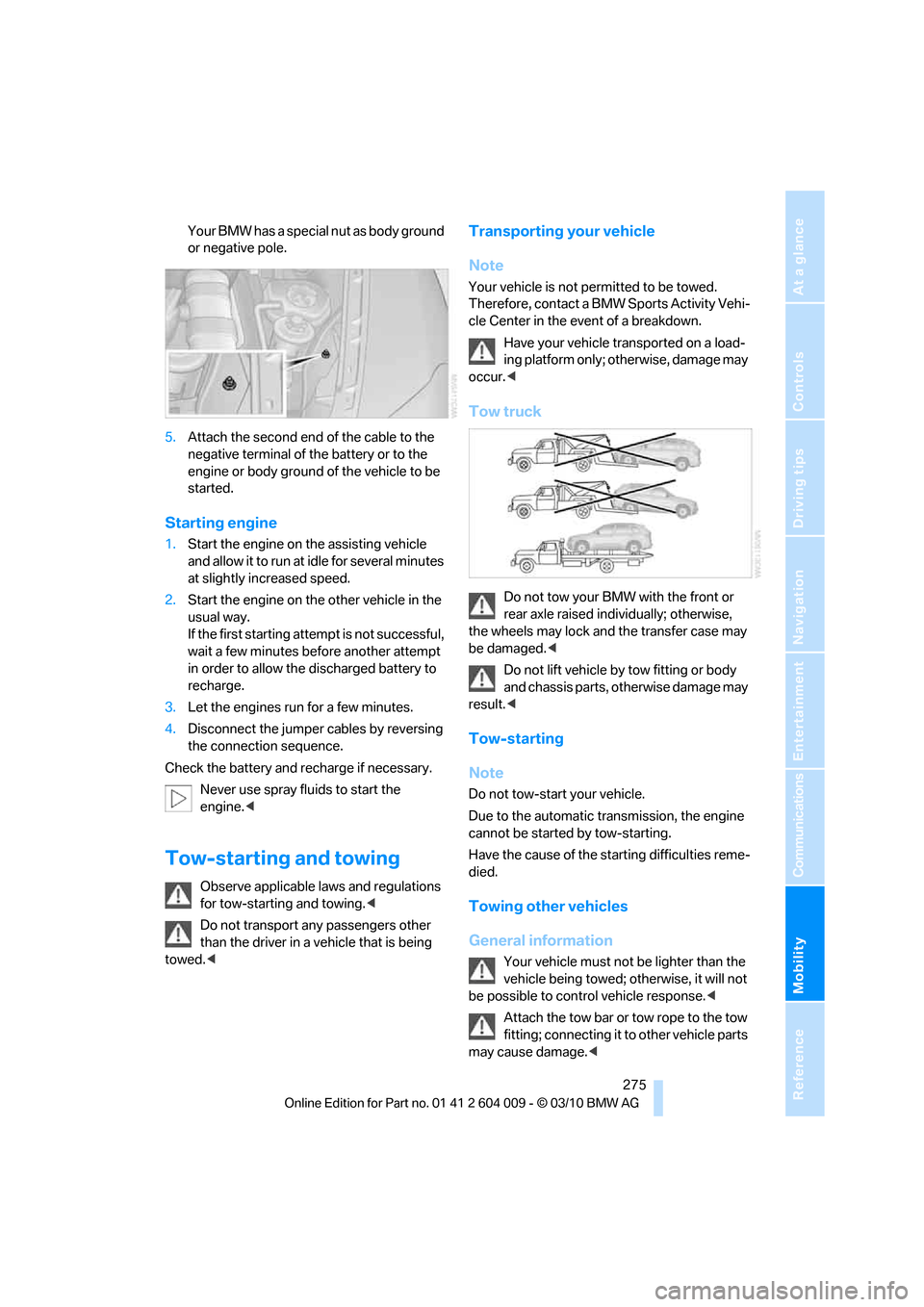
Tow truck
Do not tow your BMW with the front or
rear axle raised individually; otherwise,
the wheels may lock and the transfer case may
be damaged.<
Do not lift vehicle by tow fitting or body
and chassis parts, otherwise damage may
result.<
Tow-starting
Note
Do not tow-start your vehicle.
Due to the automatic transmission, the engine
cannot be started by tow-starting.
Have the cause of the starting difficulties reme-
died.
Towing other vehicles
General information
Your vehicle must not be lighter than the
vehicle being towed; otherwise, it will not
be possible to control vehicle response.<
Attach the tow bar or tow rope to the tow
fitting; connecting it to other vehicle parts
may cause damage.<