emergency BMW X5 2013 E70 Owner's Manual
[x] Cancel search | Manufacturer: BMW, Model Year: 2013, Model line: X5, Model: BMW X5 2013 E70Pages: 345, PDF Size: 9.45 MB
Page 8 of 345
hicle to meet different prevailing operating
conditions and homologation requirements.
You should also be aware of any applicable
warranty limitations or exclusions for such
country or region. In such case, please contact
Customer Relations for further information.
Maintenance
Maintain the vehicle regularly to sustain the
road safety, operational reliability and the New
Vehicle Limited Warranty.
Specifications for required maintenance meas‐
ures:▷BMW Maintenance system▷Service and Warranty Information Booklet
for US models▷Warranty and Service Guide Booklet for
Canadian models
If the vehicle is not maintained according to
these specifications, this could result in seri‐
ous damage to the vehicle. Such damage is
not covered by the BMW New Vehicle Limited
Warranty.
Data memory
Numerous electronic components in your vehi‐
cle contain data memories that store technical
information on the vehicle condition, events and faults, either temporarily or permanently.
This technical information generally docu‐
ments the state of a component, a module, a
system or the environment.
▷Operating conditions of system compo‐
nents, such as filling levels.▷Status messages from the vehicle and its
individual components, such as wheel rpm/
speed, motion delay, transverse accelera‐
tion.▷Malfunctions and defects in important sys‐
tem components, such as lights and
brakes.▷Vehicle responses to special driving situa‐
tions, such as airbag deployment, use of
the stability control systems.▷Ambient conditions, such as the tempera‐
ture.
These data are of a technical nature only and
are used to detect and eliminate faults and to
optimize vehicle functions. Travel profiles of
routes driven with the vehicle cannot be cre‐
ated from these data. If services are used, for
instance in the event of repairs, service proc‐
esses, warranty cases, quality assurance, etc.,
this technical information can be read out from
the event and fault data memories by service
personnel, including the manufacturer, using
special diagnosis tools. This service personnel
can provide you with more information if
needed. After troubleshooting, the information
in the fault memory is cleared or overwritten
continuously.
Situations are conceivable during the use of
the vehicle in which these technical data could
become associated with a specific person in
combination with other information, such as an
accident report, damage to the vehicle, wit‐
ness accounts, etc., possibly with the involve‐
ment of an authorized expert.
Additional functions that are contractually
agreed with the customer, such as vehicle lo‐
calization in the event of an emergency, permit
the transfer of certain vehicle data out of the
vehicle.
Reporting safety defects For US customers
The following only applies to vehicles owned
and operated in the US.
If you believe that your vehicle has a defect
which could cause a crash or could cause in‐
jury or death, you should immediately inform
the National Highway Traffic Safety Adminis‐
tration NHTSA, in addition to notifying BMW of
North America, LLC, P.O. Box 1227, West‐
Seite 8Notes8
Online Edition for Part no. 01 40 2 918 395 - III/13
Page 17 of 345
DSC Dynamic Stability Con‐
trol 105
DTC Dynamic Traction Con‐
trol 106Side View 1268Controller with buttons 189Automatic Hold 7010Parking brake 6911Adaptive Drive 10912Selector lever for automatic transmis‐
sion 76
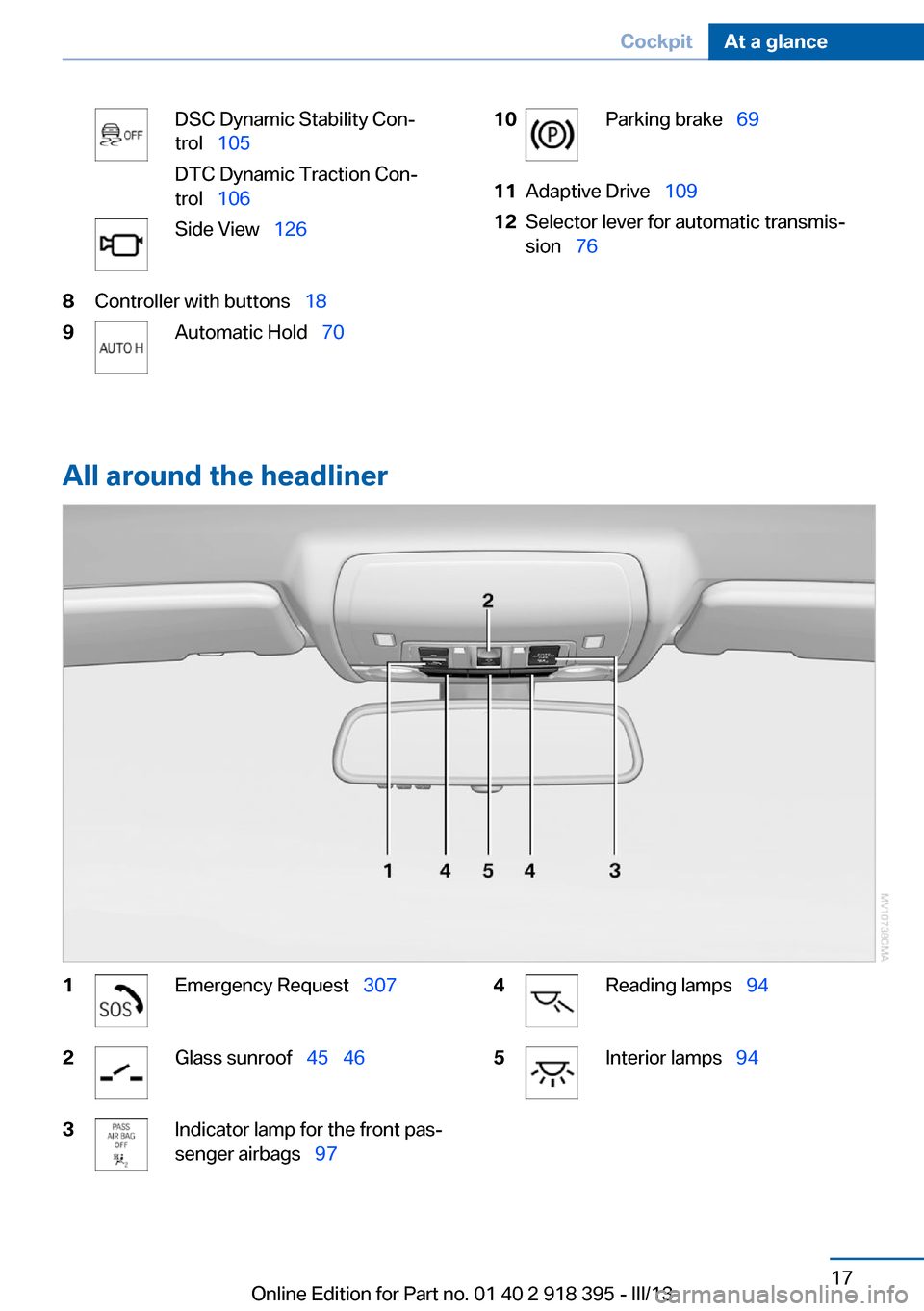
All around the headliner
1Emergency Request 3072Glass sunroof 45 463Indicator lamp for the front pas‐
senger airbags 974Reading lamps 945Interior lamps 94Seite 17CockpitAt a glance17
Online Edition for Part no. 01 40 2 918 395 - III/13
Page 27 of 345
▷The volume remains constant even if the
volume of other audio sources is changed.▷The volume is stored for the remote con‐
trol currently in use.
Notes on Emergency
Requests
Do not use the voice activation system to ini‐
tiate an Emergency Request. In stressful situa‐
tions, the voice and vocal pitch can change.
This can unnecessarily delay the establish‐
ment of a telephone connection.
Instead, use the SOS button, refer to
page 307, in the vicinity of the interior mirror.
Environmental conditions
▷Say the commands, numbers, and letters
smoothly and with normal volume, empha‐
sis, and speed.▷Always say commands in the language of
the voice activation system.▷Keep doors, windows and /panoramic
glass sunroof closed to prevent noise in‐
terference.▷Avoid making other noise in the vehicle
while speaking.Seite 27Voice activation systemAt a glance27
Online Edition for Part no. 01 40 2 918 395 - III/13
Page 96 of 345
▷Make sure that the front passenger is sit‐
ting correctly, i.e., keeps his or her feet and
legs in the footwell; otherwise, leg injuries
can occur if the front airbag is triggered.▷Do not place slip covers, seat cushions or
other objects on the front passenger seat
that are not approved specifically for seats
with integrated side airbags.▷Do not hang pieces of clothing, such as
jackets, over the backrests.▷Make sure that occupants keep their heads
away from the side airbag and do not rest
against the head airbag; otherwise, injuries
can occur if the airbags are triggered.▷Do not remove the airbag restraint system.▷Do not remove the steering wheel.▷Do not apply adhesive materials to the air‐
bag cover panels, cover them or modify
them in any way.▷Never modify either the individual compo‐
nents or the wiring in the airbag system.
This also applies to steering wheel covers,
the dashboard, the seats, the roof pillars
and the sides of the headliner.◀
Even when all instructions are followed closely,
injury from contact with the airbags cannot be
ruled out in certain situations.
The ignition and inflation noise may lead to
short-term and, in most cases, temporary
hearing impairment in sensitive individuals.
In the case of a malfunction, deactivation
and after triggering of the airbags
Do not touch the individual components imme‐
diately after the system has been triggered;
otherwise, there is the danger of burns.
Only have the airbags checked, repaired or dis‐
mantled and the airbag generator scrapped by
your service center or a workshop that has the
necessary authorization for handling explo‐
sives.
Non-professional attempts to service the sys‐
tem could lead to failure in an emergency or
undesired triggering of the airbag, either of
which could result in injury.◀
Warnings and information on the airbags are
also found on the sun visors.
Automatic deactivation of the frontpassenger airbags
The occupation of the seat is detected by eval‐
uating the impression on the occupied seat
surface of the front passenger seat.
The front and side airbags on the front passen‐
ger side are activated or deactivated accord‐
ingly by the system.
The indicator lamp above the interior rearview
mirror shows the current status of the front
passenger airbags, deactivated or activated,
refer to Front passenger airbag indicator lamp
below.
Leave feet in the footwell
Make sure that the front passenger
keeps his or her feet in the footwell; otherwise,
the front passenger airbags may not function
properly.◀
Child restraint fixing system in the front
passenger seat
Before transporting a child on the front pas‐
senger seat, refer to the safety notes and in‐
structions under Children on the front passen‐
ger seat, refer to page 61.◀
Malfunction of the automatic
deactivation system
When transporting older children and adults,
the front passenger airbags may be deacti‐
vated in certain sitting positions. In this case,
the indicator lamp for the front passenger air‐ bags lights up.
In this case, change the sitting position so that
the front passenger airbags are activated and
the indicator lamp goes out.Seite 96ControlsSafety96
Online Edition for Part no. 01 40 2 918 395 - III/13
Page 307 of 345
Breakdown assistanceVehicle equipment
This chapter describes all series equipment as
well as country-specific and special equipment
offered for this model series.Therefore, it also
describes equipment that may not be found in
your vehicle, for instance due to the selected
special equipment or the country version. This
also applies to safety-related functions and
systems.
Hazard warning flashers
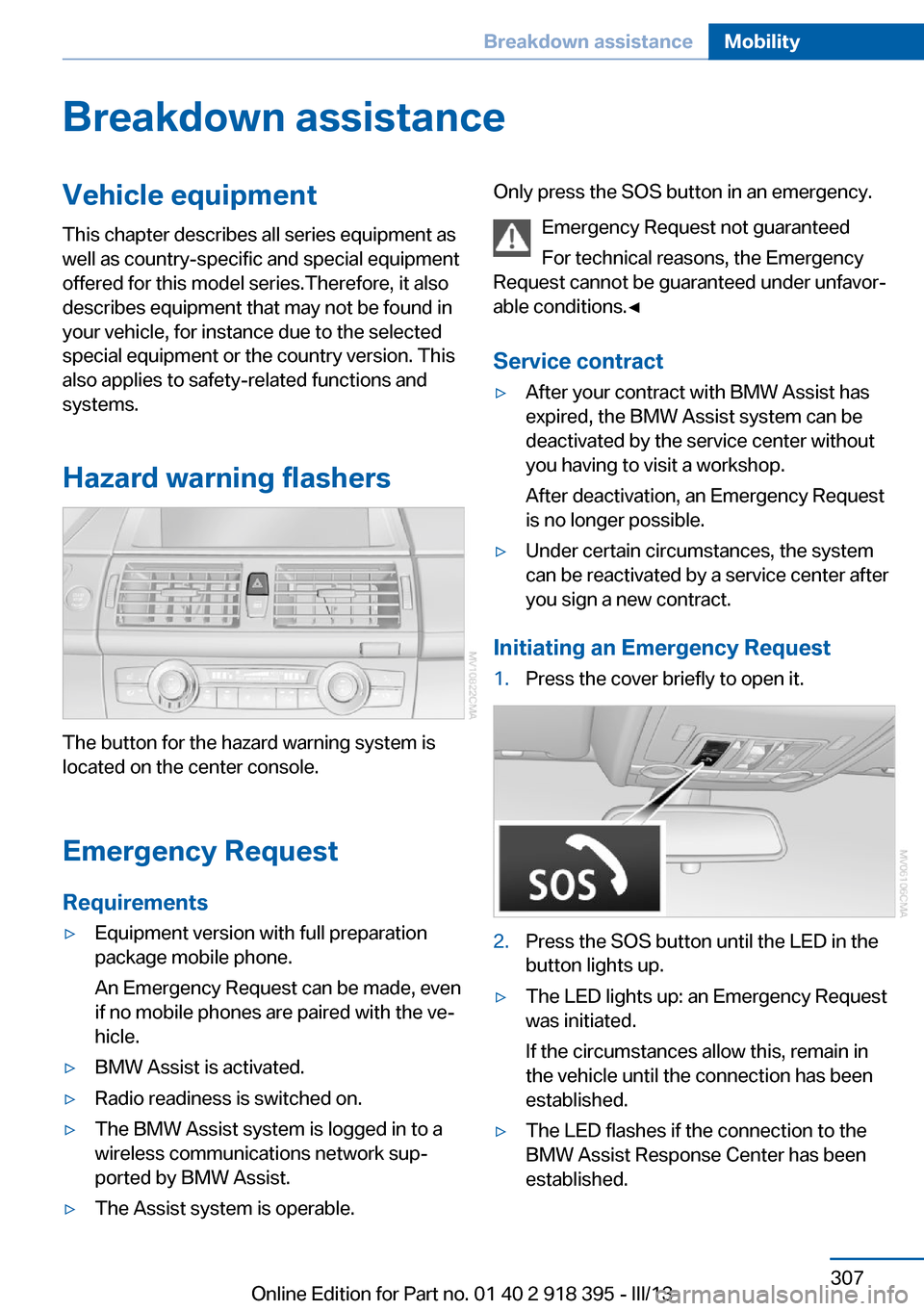
The button for the hazard warning system is
located on the center console.
Emergency RequestRequirements
▷Equipment version with full preparation
package mobile phone.
An Emergency Request can be made, even
if no mobile phones are paired with the ve‐
hicle.▷BMW Assist is activated.▷Radio readiness is switched on.▷The BMW Assist system is logged in to a
wireless communications network sup‐
ported by BMW Assist.▷The Assist system is operable.Only press the SOS button in an emergency.
Emergency Request not guaranteed
For technical reasons, the Emergency
Request cannot be guaranteed under unfavor‐
able conditions.◀
Service contract▷After your contract with BMW Assist has
expired, the BMW Assist system can be
deactivated by the service center without
you having to visit a workshop.
After deactivation, an Emergency Request
is no longer possible.▷Under certain circumstances, the system
can be reactivated by a service center after
you sign a new contract.
Initiating an Emergency Request
1.Press the cover briefly to open it.2.Press the SOS button until the LED in the
button lights up.▷The LED lights up: an Emergency Request
was initiated.
If the circumstances allow this, remain in
the vehicle until the connection has been
established.▷The LED flashes if the connection to the
BMW Assist Response Center has been
established.Seite 307Breakdown assistanceMobility307
Online Edition for Part no. 01 40 2 918 395 - III/13
Page 308 of 345
Once the BMW Response Center has re‐
ceived your Emergency Request, the BMW
Response Center contacts you and takes
further steps to help you.
Even if you are unable to respond, the
BMW Response Center can take further
steps to help you under certain circum‐
stances.
For this purpose, data that are used to de‐
termine the necessary rescue measures,
such as the current position of the vehicle
if it can be established, are transmitted to
the BMW Response Center.▷If the LED is flashing but the BMW Re‐
sponse Center cannot be heard on the
hands-free system, the hands-free system
may be malfunctioning. However, the
BMW Response Center may still be able to
hear you.
Initiating an Emergency Request
automatically
Under certain conditions, an Emergency Re‐
quest is automatically initiated immediately af‐
ter a severe accident. Automatic Collision Noti‐
fication is not affected by pressing the SOS
button.
Roadside Assistance
Service availability Roadside Assistance can be reached around
the clock in many countries. You can obtain as‐
sistance there in the event of a vehicle break‐
down.
Roadside Assistance The Roadside Assistance, refer to page 262,
phone number can be viewed on the iDrive or a
connection to Roadside Assistance can be es‐
tablished directly.
Warning triangle
The warning triangle is located in the cargo
area.
First aid kit
The first aid kit is located in a storage compart‐
ment on the right side in the cargo area.
Some of the articles contained in the first aid
pouch have a limited service life.
Check the expiration dates of the contents
regularly and replace any items promptly.
Jump-starting
Notes
If the battery is discharged, an engine can be started using the battery of another vehicle
and two jumper cables. Only use jumper ca‐ bles with fully insulated clamp handles.
To prevent personal injury or damage to both
vehicles, adhere strictly to the following proce‐
dure.
Do not touch live parts
To avoid the risk of potentially fatal in‐
jury, always avoid all contact with electrical
components while the engine is running.◀
Preparation1.Check whether the battery of the other ve‐
hicle has a voltage of 12 volts and approxi‐
mately the same capacitance in Ah. This
information can be found on the battery.2.Switch off the engine of the assisting vehi‐
cle.3.Switch off any electronic systems/power
consumers in both vehicles.Seite 308MobilityBreakdown assistance308
Online Edition for Part no. 01 40 2 918 395 - III/13
Page 330 of 345
Everything from A to Z
Index0-9 3rd row seats 51
A ABS, Antilock Brake Sys‐ tem 105
ACC Active Cruise Con‐ trol 111
Access to 3rd row seats 51
Accident, refer to Emergency Request, initiating 307
Acoustic signal, refer to Check Control 85
Activated-charcoal filter 135
Active Cruise Control ACC 111
Active cruise control, indica‐ tor lamp 115
Active Cruise Control, radar sensor 115
Active Cruise Control, select‐ ing the distance 113
Active Cruise Control, warn‐ ing lamps 115
Active seat 54
Active seat ventilation 53
Active steering 110
Adaptive brake lights, refer to Brake force display 104
Adaptive Drive 109
Adaptive fixing system 150
Adaptive Light Control 91
Additional telephone 236
Additives, coolant 292
Additives, engine oil 291
After washing vehicle 313
Airbags 95
Airbags, indicator/warning light 97 Air circulation, refer to Recir‐
culated air mode 133
Air distribution, auto‐ matic 131, 136
Air distribution, manual 133
Air drying, refer to Cooling function 133
Air flow rate 132
Air flow rate, blower, refer to Air volume 136
Airing, refer to Ventila‐ tion 134
Air pressure, refer to Tire in‐ flation pressure 275
Air vents 130
Air vents, refer to Ventila‐ tion 134
Alarm system 42
Alarm system– Avoiding unintentional
alarms 43– Ending an alarm 43– Interior motion sensor 43– Tilt alarm sensor 43
All around the headliner 17
All-season tires, refer to Win‐ ter tires 286
All-wheel drive, refer to xDrive 107
Alternating-code hand-held transmitter 140
AM/FM station 192
Announcement, navigation, refer to Spoken instruc‐
tions 181
Antifreeze, coolant 292
Antifreeze, washer fluid 75
Antilock Brake System, ABS 105
Anti-slip control, refer to Dy‐
namic Stability Control
DSC 105
Anti-theft protection 32
Appointments 254
Approved axle loads, refer to Weights 320
Approved engine oils 291
Approved gross vehicle weight, refer to
Weights 320
Armrest, refer to Center arm‐ rest 148
Arrival time, refer to Com‐ puter 82
Ashtray 143
Ashtray, front 143
Ashtray, rear 143
Assistance, Roadside Assis‐ tance 308
Assistance with driving off, refer to Drive-off assis‐
tant 109
Assistance with starting en‐ gine, refer to Jump-start‐
ing 308
Audio CD with rear DVD sys‐ tem 226
Audio device, external 148
Audio playback 201
Audio playback, Blue‐ tooth 215
Automatic, air distribu‐ tion 131, 136
Automatic air distribu‐ tion 136
Automatic, air flow rate 131
Automatic car wash 312
Automatic climate con‐ trol 130 Seite 330ReferenceEverything from A to Z330
Online Edition for Part no. 01 40 2 918 395 - III/13
Page 334 of 345
Divided screen view, splitscreen 22
Door key, refer to Remote control with integrated
key 30
Door lock 34
Doors, manual operation 34
Doors, unlocking and locking– Confirmation signals 33– From the inside 35– From the outside 32
DOT Quality Grades 283
Downhill control 108
Draft-free ventilation 134
Drive-off assistant 109
Driver's seat, calibrating 55
Driving away on inclines, refer to Drive-off assistant 109
Driving notes, breaking in 156
Driving notes, general 156
Driving on poor roads 158
Driving stability control sys‐ tems 105
Driving through water 157
Driving tips, refer to Driving notes 156
Dry air, refer to Cooling func‐ tion 133
DSC Dynamic Stability Con‐ trol 105
DTC Dynamic Traction Con‐ trol 106
DTMF suffix dialing 242
DVD/CD 200
DVDs, storing 207
DVD system in rear 220
DVD, video 202
Dynamic destination guid‐ ance 186
Dynamic Performance Con‐ trol 107
Dynamic Stability Control DSC 105
Dynamic Traction Control DTC 106
E
Easy entry/exit 60
EfficientDynamics, refer to Saving fuel 164
Electrical malfunction– Door lock 34– Driver's door 34– Fuel filler flap 268
Electrical malfunction of up‐
per tailgate 36
Electrical malfunction, park‐ ing brake 71
Electric seat adjustment 50
Electric steering wheel ad‐ justment 60
Electronic brake-force distri‐ bution 105
Electronic engine oil level check 290
Electronic Stability Program ESP, refer to Dynamic Sta‐
bility Control DSC 105
Emergency operation
– Door lock, refer to Manual
operation 34
Emergency operation, fuel
filler flap, unlocking man‐
ually 268
Emergency Request 307
Emergency service, refer to Roadside Assistance 308
Energy-conscious driving, re‐ fer to Current fuel consump‐
tion 80
Energy, saving, refer to Sav‐ ing fuel 164
Engine, breaking in 156
Engine compartment 288
Engine coolant, refer to Cool‐ ant 292
Engine oil, adding 291
Engine oil, additives, refer to Approved engine oils 291
Engine oil, alternative oil types 292
Engine oil, BMW maintenance
system 293
Engine oil change intervals, refer to Service require‐
ments 83
Engine oil, checking the level 290
Engine oil, filling ca‐ pacity 321
Engine oil temperature 80
Engine oil types, alterna‐ tive 291
Engine oil types, ap‐ proved 291
Engine, overheating, refer to Coolant temperature 80
Engine start, assistance 308
Engine, starting 68
Engine, starting– Comfort Access 40
Engine, starting, Start/Stop
button 67
Engine, stopping, Start/Stop
button 67
Engine, switching off 69
Environmentally friendly driv‐ ing, refer to Current fuel
consumption 80
Equalizer 190
Equipment, interior 139
ESP Electronic Stability Pro‐ gram, refer to Dynamic Sta‐
bility Control DSC 105
Exchanging wheels/tires 285
Exhaust system 157
Exterior mirrors 58
Exterior mirrors, adjusting 58
Exterior mirrors, automatic dimming 59
Exterior mirrors, automatic heating 59
Exterior mirrors, folding in and out 59
External audio device 148
External devices 212
External temperature dis‐ play 79
Seite 334ReferenceEverything from A to Z334
Online Edition for Part no. 01 40 2 918 395 - III/13
Page 341 of 345
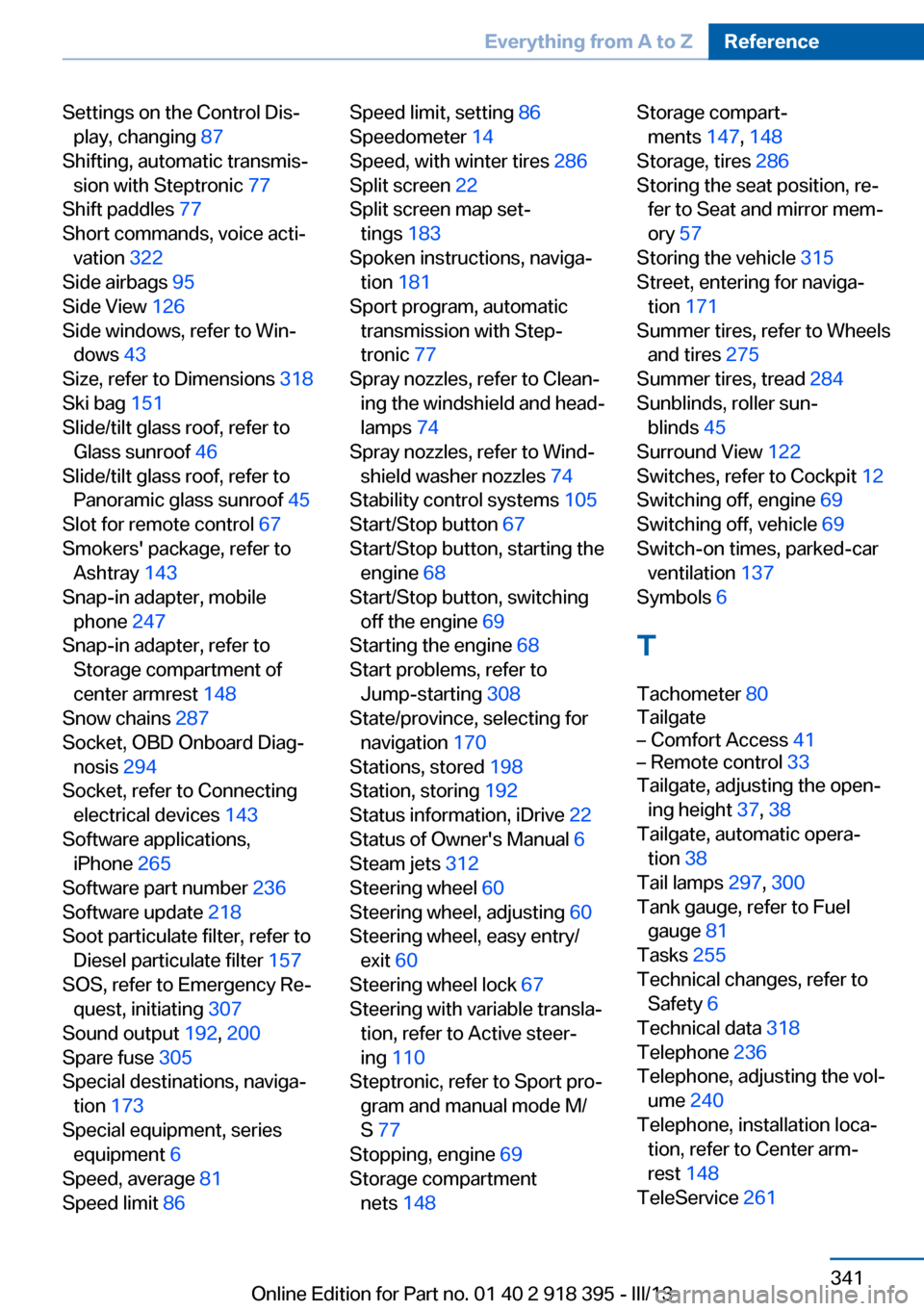
Settings on the Control Dis‐play, changing 87
Shifting, automatic transmis‐ sion with Steptronic 77
Shift paddles 77
Short commands, voice acti‐ vation 322
Side airbags 95
Side View 126
Side windows, refer to Win‐ dows 43
Size, refer to Dimensions 318
Ski bag 151
Slide/tilt glass roof, refer to Glass sunroof 46
Slide/tilt glass roof, refer to Panoramic glass sunroof 45
Slot for remote control 67
Smokers' package, refer to Ashtray 143
Snap-in adapter, mobile phone 247
Snap-in adapter, refer to Storage compartment of
center armrest 148
Snow chains 287
Socket, OBD Onboard Diag‐ nosis 294
Socket, refer to Connecting electrical devices 143
Software applications, iPhone 265
Software part number 236
Software update 218
Soot particulate filter, refer to Diesel particulate filter 157
SOS, refer to Emergency Re‐ quest, initiating 307
Sound output 192, 200
Spare fuse 305
Special destinations, naviga‐ tion 173
Special equipment, series equipment 6
Speed, average 81
Speed limit 86 Speed limit, setting 86
Speedometer 14
Speed, with winter tires 286
Split screen 22
Split screen map set‐ tings 183
Spoken instructions, naviga‐ tion 181
Sport program, automatic transmission with Step‐
tronic 77
Spray nozzles, refer to Clean‐ ing the windshield and head‐
lamps 74
Spray nozzles, refer to Wind‐ shield washer nozzles 74
Stability control systems 105
Start/Stop button 67
Start/Stop button, starting the engine 68
Start/Stop button, switching off the engine 69
Starting the engine 68
Start problems, refer to Jump-starting 308
State/province, selecting for navigation 170
Stations, stored 198
Station, storing 192
Status information, iDrive 22
Status of Owner's Manual 6
Steam jets 312
Steering wheel 60
Steering wheel, adjusting 60
Steering wheel, easy entry/ exit 60
Steering wheel lock 67
Steering with variable transla‐ tion, refer to Active steer‐
ing 110
Steptronic, refer to Sport pro‐ gram and manual mode M/
S 77
Stopping, engine 69
Storage compartment nets 148 Storage compart‐
ments 147, 148
Storage, tires 286
Storing the seat position, re‐ fer to Seat and mirror mem‐
ory 57
Storing the vehicle 315
Street, entering for naviga‐ tion 171
Summer tires, refer to Wheels and tires 275
Summer tires, tread 284
Sunblinds, roller sun‐ blinds 45
Surround View 122
Switches, refer to Cockpit 12
Switching off, engine 69
Switching off, vehicle 69
Switch-on times, parked-car ventilation 137
Symbols 6
T Tachometer 80
Tailgate– Comfort Access 41– Remote control 33
Tailgate, adjusting the open‐
ing height 37, 38
Tailgate, automatic opera‐ tion 38
Tail lamps 297, 300
Tank gauge, refer to Fuel gauge 81
Tasks 255
Technical changes, refer to Safety 6
Technical data 318
Telephone 236
Telephone, adjusting the vol‐ ume 240
Telephone, installation loca‐ tion, refer to Center arm‐
rest 148
TeleService 261
Seite 341Everything from A to ZReference341
Online Edition for Part no. 01 40 2 918 395 - III/13
Page 342 of 345
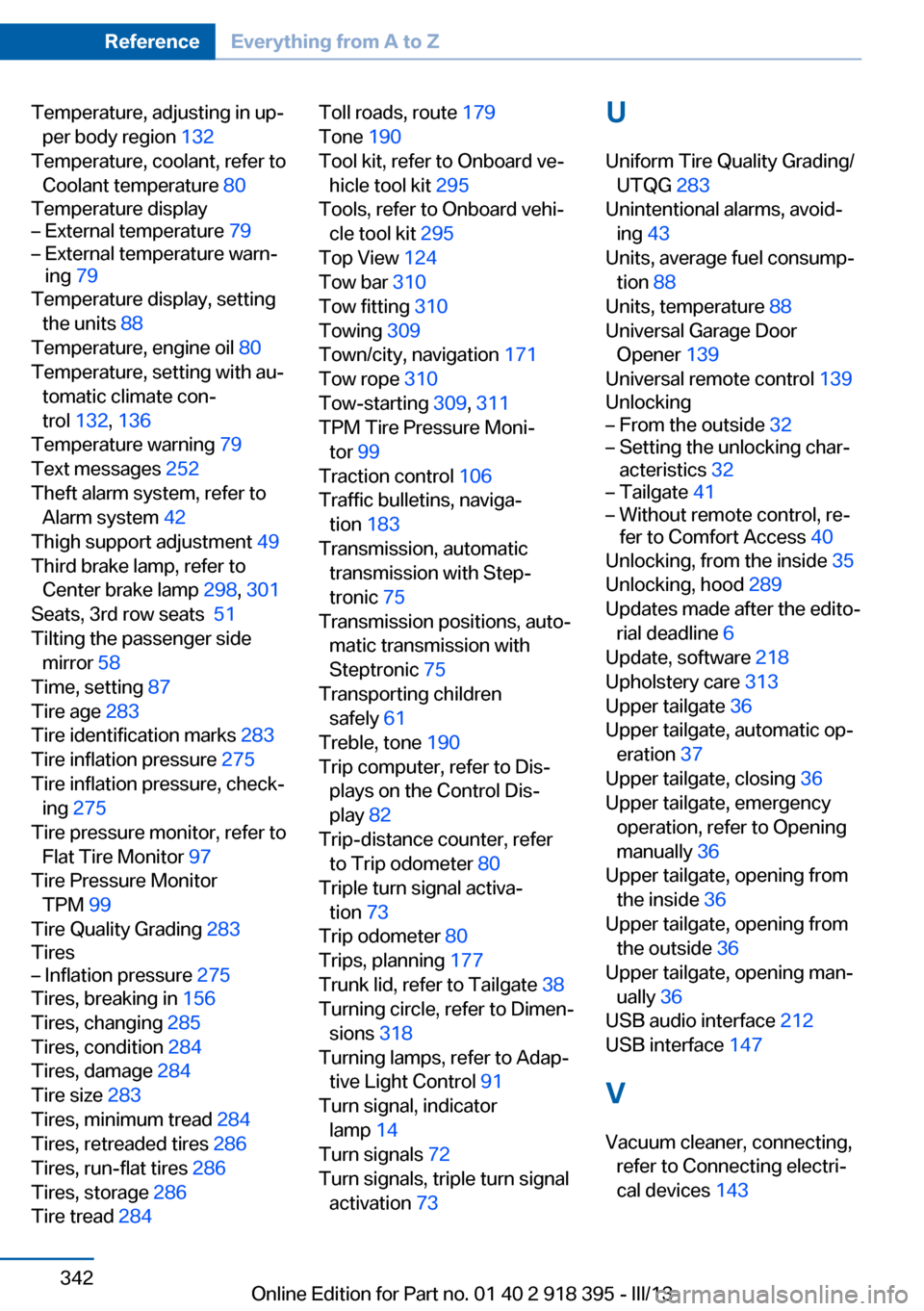
Temperature, adjusting in up‐per body region 132
Temperature, coolant, refer to Coolant temperature 80
Temperature display– External temperature 79– External temperature warn‐
ing 79
Temperature display, setting
the units 88
Temperature, engine oil 80
Temperature, setting with au‐ tomatic climate con‐
trol 132 , 136
Temperature warning 79
Text messages 252
Theft alarm system, refer to Alarm system 42
Thigh support adjustment 49
Third brake lamp, refer to Center brake lamp 298, 301
Seats, 3rd row seats 51
Tilting the passenger side mirror 58
Time, setting 87
Tire age 283
Tire identification marks 283
Tire inflation pressure 275
Tire inflation pressure, check‐ ing 275
Tire pressure monitor, refer to Flat Tire Monitor 97
Tire Pressure Monitor TPM 99
Tire Quality Grading 283
Tires
– Inflation pressure 275
Tires, breaking in 156
Tires, changing 285
Tires, condition 284
Tires, damage 284
Tire size 283
Tires, minimum tread 284
Tires, retreaded tires 286
Tires, run-flat tires 286
Tires, storage 286
Tire tread 284
Toll roads, route 179
Tone 190
Tool kit, refer to Onboard ve‐ hicle tool kit 295
Tools, refer to Onboard vehi‐ cle tool kit 295
Top View 124
Tow bar 310
Tow fitting 310
Towing 309
Town/city, navigation 171
Tow rope 310
Tow-starting 309, 311
TPM Tire Pressure Moni‐ tor 99
Traction control 106
Traffic bulletins, naviga‐ tion 183
Transmission, automatic transmission with Step‐
tronic 75
Transmission positions, auto‐ matic transmission with
Steptronic 75
Transporting children safely 61
Treble, tone 190
Trip computer, refer to Dis‐ plays on the Control Dis‐
play 82
Trip-distance counter, refer to Trip odometer 80
Triple turn signal activa‐ tion 73
Trip odometer 80
Trips, planning 177
Trunk lid, refer to Tailgate 38
Turning circle, refer to Dimen‐ sions 318
Turning lamps, refer to Adap‐ tive Light Control 91
Turn signal, indicator lamp 14
Turn signals 72
Turn signals, triple turn signal activation 73 U
Uniform Tire Quality Grading/ UTQG 283
Unintentional alarms, avoid‐ ing 43
Units, average fuel consump‐ tion 88
Units, temperature 88
Universal Garage Door Opener 139
Universal remote control 139
Unlocking– From the outside 32– Setting the unlocking char‐
acteristics 32– Tailgate 41– Without remote control, re‐
fer to Comfort Access 40
Unlocking, from the inside 35
Unlocking, hood 289
Updates made after the edito‐ rial deadline 6
Update, software 218
Upholstery care 313
Upper tailgate 36
Upper tailgate, automatic op‐ eration 37
Upper tailgate, closing 36
Upper tailgate, emergency operation, refer to Opening
manually 36
Upper tailgate, opening from the inside 36
Upper tailgate, opening from the outside 36
Upper tailgate, opening man‐ ually 36
USB audio interface 212
USB interface 147
V
Vacuum cleaner, connecting, refer to Connecting electri‐
cal devices 143
Seite 342ReferenceEverything from A to Z342
Online Edition for Part no. 01 40 2 918 395 - III/13