armrest BMW X5 2015 F15 Owner's Manual
[x] Cancel search | Manufacturer: BMW, Model Year: 2015, Model line: X5, Model: BMW X5 2015 F15Pages: 275, PDF Size: 6.46 MB
Page 40 of 275
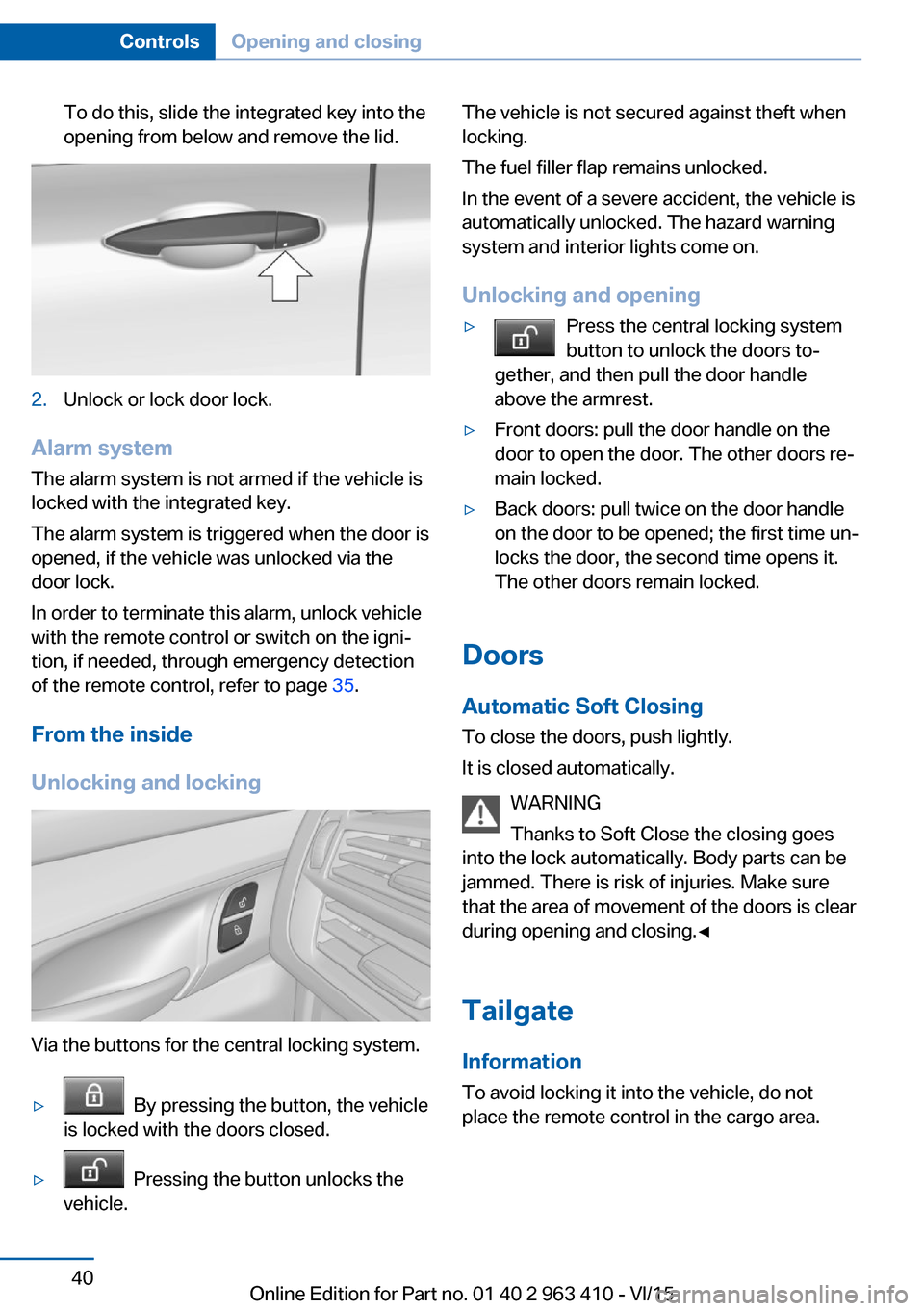
To do this, slide the integrated key into the
opening from below and remove the lid.2.Unlock or lock door lock.
Alarm system
The alarm system is not armed if the vehicle is
locked with the integrated key.
The alarm system is triggered when the door is
opened, if the vehicle was unlocked via the
door lock.
In order to terminate this alarm, unlock vehicle
with the remote control or switch on the igni‐
tion, if needed, through emergency detection
of the remote control, refer to page 35.
From the inside
Unlocking and locking
Via the buttons for the central locking system.
▷ By pressing the button, the vehicle
is locked with the doors closed.▷ Pressing the button unlocks the
vehicle.The vehicle is not secured against theft when
locking.
The fuel filler flap remains unlocked.
In the event of a severe accident, the vehicle is
automatically unlocked. The hazard warning
system and interior lights come on.
Unlocking and opening▷Press the central locking system
button to unlock the doors to‐
gether, and then pull the door handle
above the armrest.▷Front doors: pull the door handle on the
door to open the door. The other doors re‐
main locked.▷Back doors: pull twice on the door handle
on the door to be opened; the first time un‐
locks the door, the second time opens it.
The other doors remain locked.
Doors
Automatic Soft Closing
To close the doors, push lightly.
It is closed automatically.
WARNING
Thanks to Soft Close the closing goes
into the lock automatically. Body parts can be
jammed. There is risk of injuries. Make sure
that the area of movement of the doors is clear
during opening and closing.◀
Tailgate
Information To avoid locking it into the vehicle, do not
place the remote control in the cargo area.
Seite 40ControlsOpening and closing40
Online Edition for Part no. 01 40 2 963 410 - VI/15
Page 55 of 275
After a short time, the system automatically
moves down one level in order to prevent ex‐
cessive cooling.
Switch off Press button longer.
The LEDs go out.
Rear seats Second row of seats
Information WARNING
There is a risk of jamming when folding
down the center armrest in the rear. There is
risk of injuries. Make sure that the area of
movement of the center armrest is clear during
folding down.◀
WARNING
Seat adjustments while driving can lead
to unexpected movements of the seat. Vehicle
control could be lost. There is risk of an acci‐
dent. Only adjust the side on the driver's side
when the vehicle is stationary.◀
WARNING
When folding back the second row of
seats, there is a danger of jamming. There is
risk of injuries or risk of property damage.
Make sure that the area of movement of the
second row of seats is clear prior to folding
down.◀
WARNING
Seats in the second row of seats are not
locked when they are folded down and they
can move. There is risk of injuries and risk of
property damage. Only fold the seats in the
second row down while loading. When driving
without a load, fold back and lock the seats in
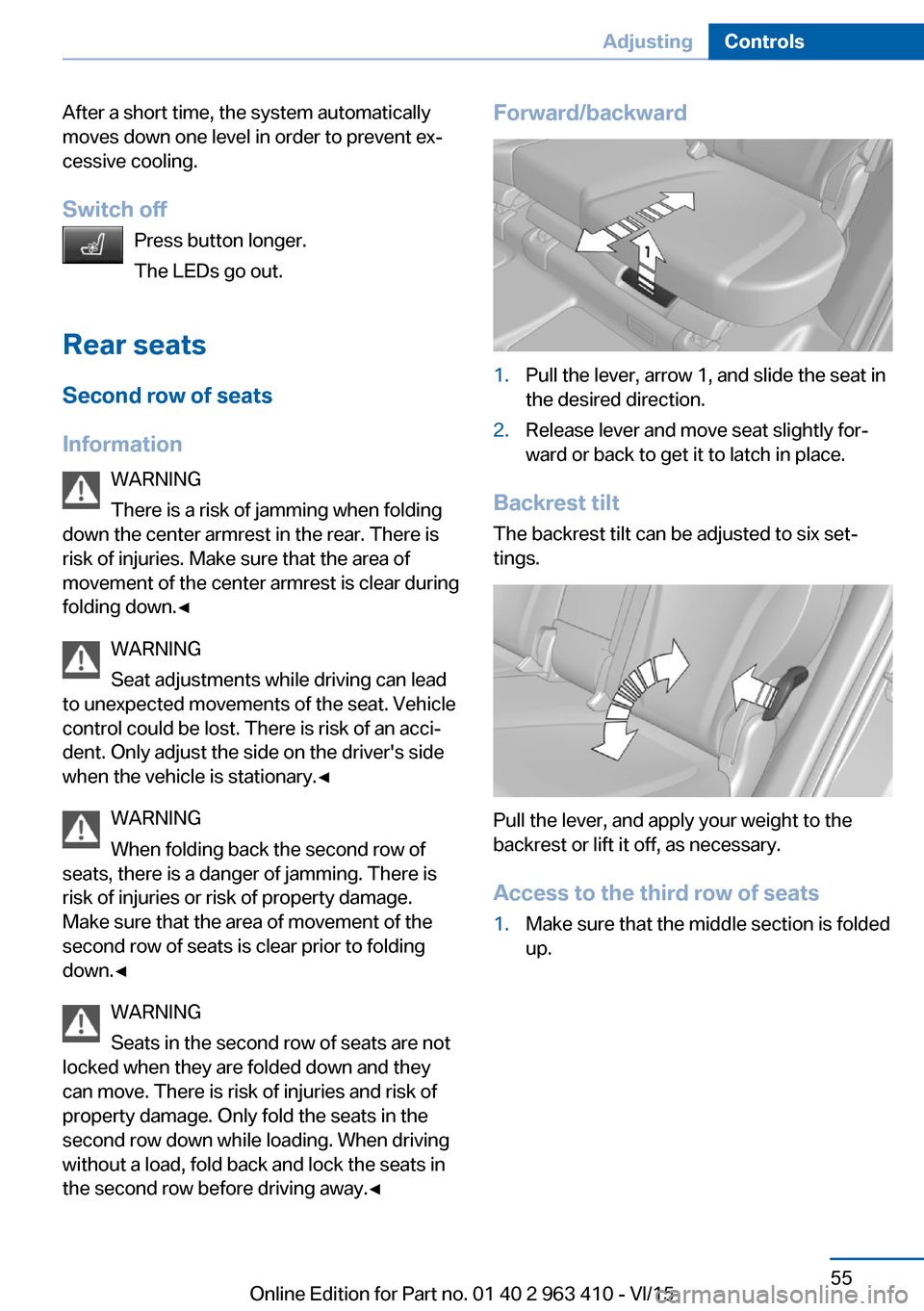
the second row before driving away.◀Forward/backward1.Pull the lever, arrow 1, and slide the seat in
the desired direction.2.Release lever and move seat slightly for‐
ward or back to get it to latch in place.
Backrest tilt
The backrest tilt can be adjusted to six set‐
tings.
Pull the lever, and apply your weight to the
backrest or lift it off, as necessary.
Access to the third row of seats
1.Make sure that the middle section is folded
up.Seite 55AdjustingControls55
Online Edition for Part no. 01 40 2 963 410 - VI/15
Page 178 of 275
Connecting electrical
devices
Information CAUTION
Battery chargers for the vehicle battery
can work with high voltages and currents,
which means that the 12V on-board network
can be overloaded or damaged. There is risk of
property damage. Only connect battery charg‐
ers for the vehicle battery to the starting aid
terminals in the engine compartment.◀
CAUTION
If metal objects fall into the socket, they
can cause a short circuit. There is risk of prop‐
erty damage. Replace the cigarette lighter or socket cover again after using the socket.◀
Sockets
General information The lighter socket can be used as a socket for
electrical equipment while the engine is run‐
ning or when the ignition is switched on.
Information The total load of all sockets must not exceed
140 watts at 12 volts.
Do not damage the socket by using non-com‐
patible connectors.
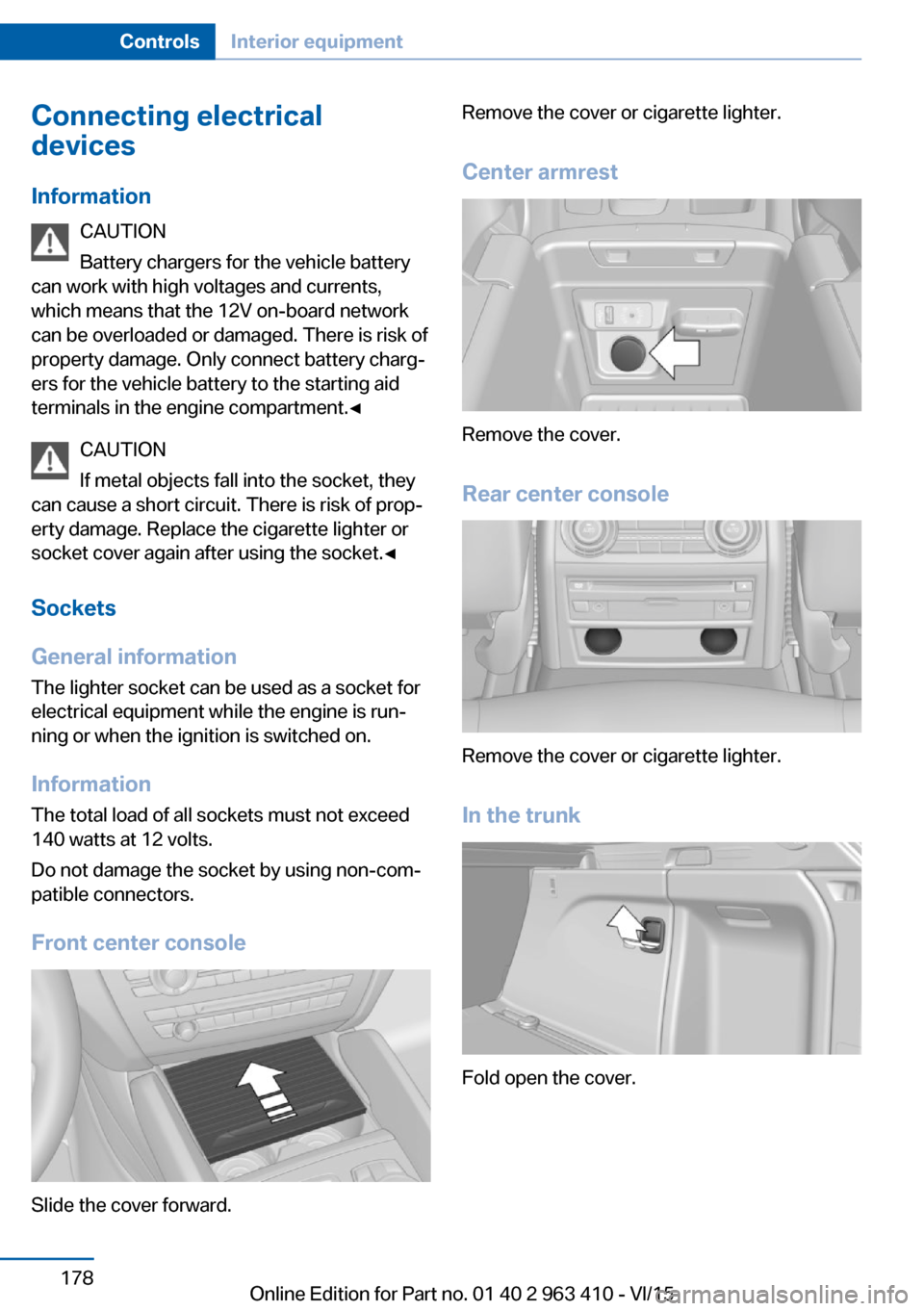
Front center console
Slide the cover forward.
Remove the cover or cigarette lighter.
Center armrest
Remove the cover.
Rear center console
Remove the cover or cigarette lighter.
In the trunk
Fold open the cover.
Seite 178ControlsInterior equipment178
Online Edition for Part no. 01 40 2 963 410 - VI/15
Page 183 of 275
Storage compartmentsVehicle features and optionsThis chapter describes all standard, country-
specific and optional features offered with the
series. It also describes features that are not
necessarily available in your car, e. g., due to
the selected options or country versions. This
also applies to safety-related functions and
systems. The respectively applicable country
provisions must be observed when using the
respective features and systems.
Information WARNING
Loose objects in the car's interior can be
thrown into the car's interior while driving, e.g.
in the event of an accident or during braking
and evasive maneuvers. There is risk of inju‐
ries. Secure loose objects in the car's inte‐
rior.◀
CAUTION
Anti-slip pads such as anti-slip mats can
damage the dashboard. There is risk of prop‐
erty damage. Do not use anti-slip pads.◀
Storage compartments The following storage compartments are avail‐
able in the vehicle interior:▷Glove compartment on the front passenger
side, refer to page 183.▷Glove compartment on the driver's side,
refer to page 184.▷Compartments in the doors, refer to
page 184.▷Storage compartment on the center con‐
sole, refer to page 184.▷Storage compartment third row of seats,
refer to page 184▷Center armrest, refer to page 185.▷Glasses compartment, refer to page 186.
Glove compartment
Front passenger side
Information WARNING
Folded open, the glove compartment
protrudes in the car's interior. Objects in the glove compartment can be thrown into the
car's interior while driving, e.g. in the event of
an accident or during braking and evasive ma‐
neuvers. There is risk of injuries. Always close
the glove compartment immediately after us‐ ing it.◀
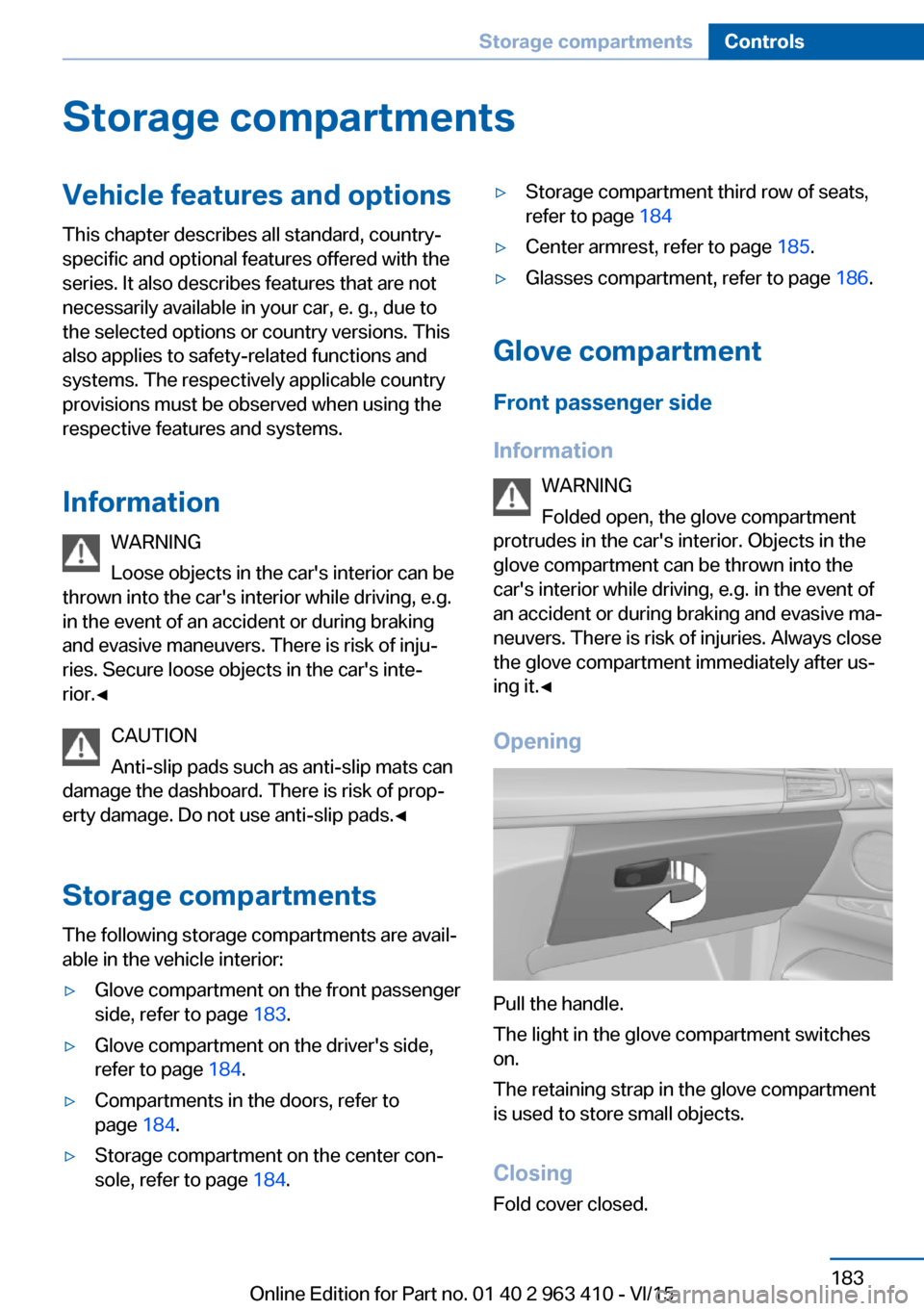
Opening
Pull the handle.
The light in the glove compartment switches
on.
The retaining strap in the glove compartment
is used to store small objects.
ClosingFold cover closed.
Seite 183Storage compartmentsControls183
Online Edition for Part no. 01 40 2 963 410 - VI/15
Page 185 of 275
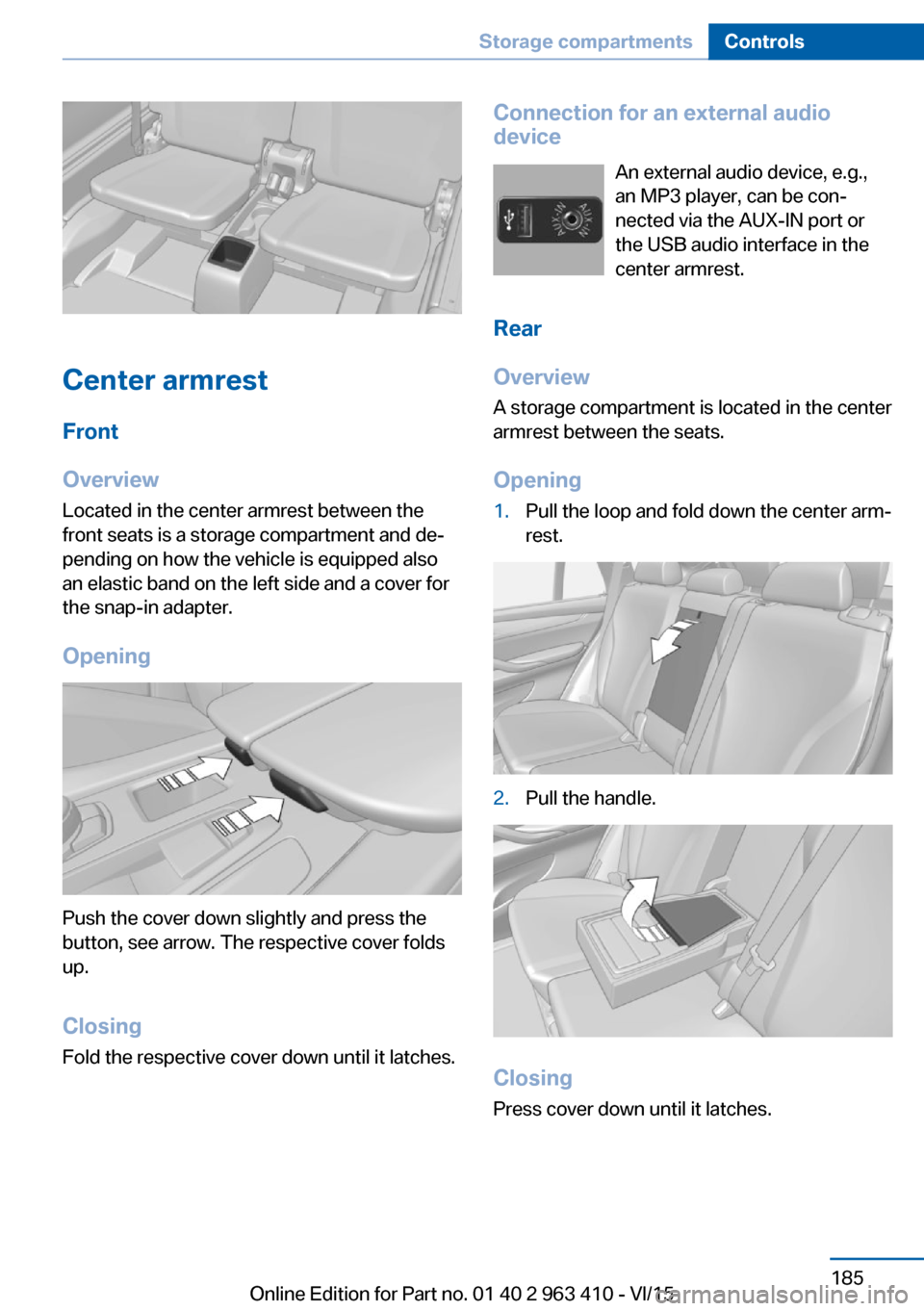
Center armrest
Front
Overview
Located in the center armrest between the
front seats is a storage compartment and de‐
pending on how the vehicle is equipped also
an elastic band on the left side and a cover for
the snap-in adapter.
Opening
Push the cover down slightly and press the
button, see arrow. The respective cover folds
up.
ClosingFold the respective cover down until it latches.
Connection for an external audio
device
An external audio device, e.g.,
an MP3 player, can be con‐
nected via the AUX-IN port or
the USB audio interface in the
center armrest.
Rear
Overview
A storage compartment is located in the center armrest between the seats.
Opening1.Pull the loop and fold down the center arm‐
rest.2.Pull the handle.
Closing
Press cover down until it latches.
Seite 185Storage compartmentsControls185
Online Edition for Part no. 01 40 2 963 410 - VI/15
Page 186 of 275
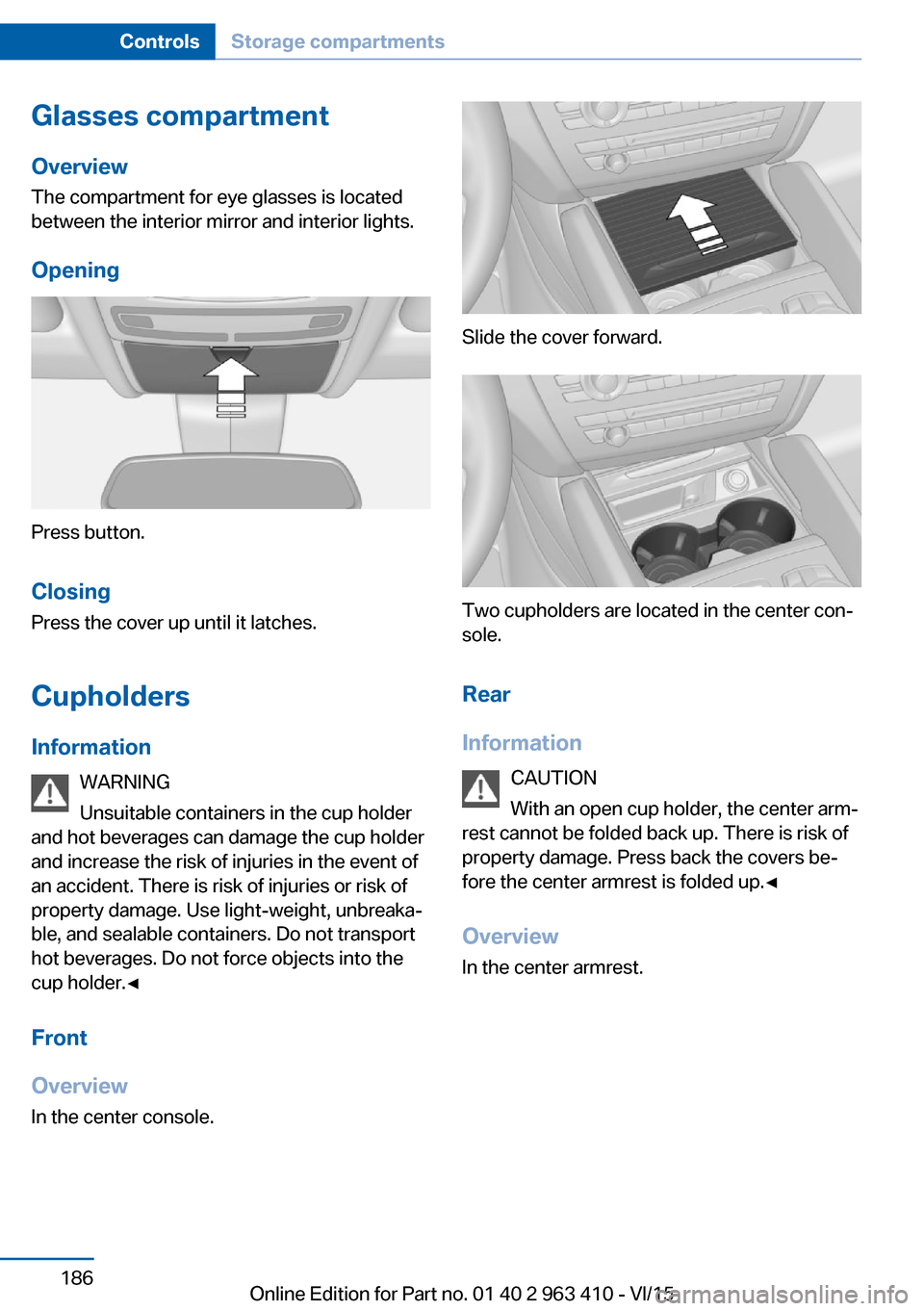
Glasses compartmentOverview
The compartment for eye glasses is located
between the interior mirror and interior lights.
Opening
Press button.
Closing Press the cover up until it latches.
Cupholders Information WARNING
Unsuitable containers in the cup holder
and hot beverages can damage the cup holder
and increase the risk of injuries in the event of
an accident. There is risk of injuries or risk of
property damage. Use light-weight, unbreaka‐
ble, and sealable containers. Do not transport
hot beverages. Do not force objects into the
cup holder.◀
Front
Overview
In the center console.
Slide the cover forward.
Two cupholders are located in the center con‐
sole.
Rear
Information CAUTION
With an open cup holder, the center arm‐
rest cannot be folded back up. There is risk of
property damage. Press back the covers be‐
fore the center armrest is folded up.◀
Overview In the center armrest.
Seite 186ControlsStorage compartments186
Online Edition for Part no. 01 40 2 963 410 - VI/15
Page 265 of 275
Biodiesel 211
Blinds, sun protection 48
BMW Advanced Diesel 211
BMW Assist, see user's manual for Navigation, En‐
tertainment and Communi‐
cation
BMW Driver’s Guide App 6
BMW Homepage 6
BMW Internet page 6
BMW maintenance sys‐ tem 238
Bonus range, ECO PRO 201
Bottle holder, see Cu‐ pholder 186
Brake assistant 137
Brake assistant, adaptive 137
Brake discs, break-in 192
Brake force display 135
Brake lights, adaptive 135
Brake lights, brake force dis‐ play 135
Brake pads, break-in 192
Braking, hints 193
Breakdown assistance 248
Break-in 192
Brightness of Control Dis‐ play 101
Bulb replacement 241
Bulb replacement, front 242
Bulb replacement, rear 244
Bulbs and lights 241
Button, RES 148
Button, Start/Stop 69
Bypassing, see Jump-start‐ ing 249
C
California Proposition 65 Warning 8
Calling up mirror adjust‐ ment 45
Calling up seat adjust‐ ment 45 Calling up steering wheel ad‐
justment 45
Camera lenses, care 257
Camera, rearview cam‐ era 157
Camera, Side View 161
Camera, Top View 160
Can holder, see Cu‐ pholder 186
Car battery 246
Car care products 255
Care, displays 257
Care, vehicle 255
Cargo 196
Cargo area 181
Cargo area, enlarging 181
Cargo area, storage compart‐ ments 187
Cargo cover 181
Cargo, securing 197
Cargo straps, securing cargo 197
Car key, see Remote con‐ trol 34
Carpet, care 257
Car wash 254
Catalytic converter, see Hot exhaust system 193
CBS Condition Based Serv‐ ice 238
CD/Multimedia, see user's manual for Navigation, En‐
tertainment and Communi‐
cation
Center armrest 185
Center console 16
Central locking system 40
Central screen, see Control Display 18
Changes, technical, see Own Safety 7
Changing parts 240
Changing wheels 244
Changing wheels/tires 223
Chassis number, see vehicle identification number 10 Check Control 89
Checking the engine oil level electronically 232
Checking the oil level elec‐ tronically 232
Children, seating position 64
Children, transporting safely 64
Child restraint fixing sys‐ tem 64
Child restraint fixing system LATCH 66
Child restraint fixing systems, mounting 65
Child safety locks 68
Child seat, mounting 65
Child seats 64
Chrome parts, care 256
Cigarette lighter 177
Cleaning displays 257
Climate control 167
Climate control wind‐ shield 193
Clock 94
Closing/opening via door lock 39
Closing/opening with remote control 37
Clothes hooks 187
Coasting 203
Coasting with engine decou‐ pled, coasting 203
Coasting with idling en‐ gine 203
Cockpit 14
Cold starting, refer to Starting the engine 70
Combination switch, refer to Wiper system 77
Combination switch, see Turn signals 76
Comfort Access 43
COMFORT program, Driving Dynamics Control 143
Compact wheel, see Emer‐ gency wheel 244 Seite 265Everything from A to ZReference265
Online Edition for Part no. 01 40 2 963 410 - VI/15
Page 267 of 275
ECO PRO Tip - driving in‐struction 202
EfficientDynamics 202
Electronic displays, instru‐ ment cluster 85
Electronic oil measure‐ ment 232
Electronic Stability Program ESP, see DSC 138
Emergency detection, remote control 35
Emergency release, fuel filler flap 209
Emergency release, parking brake 75
Emergency Request 248
Emergency start function, en‐ gine start 35
Emergency unlocking, trans‐ mission lock 83
Emergency wheel 244
Energy Control 94
Energy recovery 95
Engine, automatic Start/Stop function 71
Engine, automatic switch- off 71
Engine compartment 229
Engine compartment, work‐ ing in 230
Engine coolant 236
Engine idling when driving, coasting 203
Engine oil 232
Engine oil, adding 233
Engine oil additives 234
Engine oil change 234
Engine oil filler neck 233
Engine oil temperature 93
Engine oil types, alterna‐ tive 234
Engine oil types, suitable 234
Engine start during malfunc‐ tion 35
Engine start, jump-start‐ ing 249 Engine start, refer to Starting
the engine 70
Engine stop 70
Engine temperature 93
Entering a car wash 254
Equipment, interior 174
Error displays, see Check Control 89
ESP Electronic Stability Pro‐ gram, see DSC 138
Exchanging wheels/tires 223
Exhaust system 193
Exterior mirror, automatic dimming feature 62
Exterior mirrors 61
External start 249
External temperature dis‐ play 93
External temperature warn‐ ing 93
Eyes for securing cargo 197
F
Failure message, see Check Control 89
False alarm, see Unintentional alarm 47
Fan, see Air flow 169
Filler neck for engine oil 233
Fine wood, care 256
First-aid kit 249
Fitting for towing, see Tow fit‐ ting 252
Flat tire, changing wheels 244
Flat Tire Monitor FTM 116
Flat tire, Tire Pressure Moni‐ tor TPM 112
Flat tire, warning lamp 113, 117
Flooding 193
Floor carpet, care 257
Floor mats, care 257
Folding back rear seat back‐ rests 181 Fold-out position, wiper 79
Foot brake 193
Front airbags 109
Front center armrest 185
Front cupholder 186
Front-end collision warning with braking function 122
Front-end collision warning with City Braking func‐
tion 119
Front fog lamps, , LED, bulb replacement 244
Front fog lights 107
Front fog lights/cornering lights, bulb replace‐
ment 243
Front lights 242
Front-seat passenger airbags, automatic deactivation 111
Front-seat passenger airbags, indicator lamp 111
Front seats 52
FTM Flat Tire Monitor 116
Fuel 210
Fuel consumption, see Aver‐ age fuel consumption 98
Fuel filler flap 208
Fuel gauge 93
Fuel lid 208
Fuel quality 210
Fuel recommendation 210
Fuel, tank capacity 262
Fuse 247
G
Garage door opener, see Uni‐ versal Integrated Remote
Control 174
Gasoline 210
Gear change, Steptronic transmission 81
Gear shift indicator 96
General driving notes 192
Glare shield 176
Glasses compartment 186 Seite 267Everything from A to ZReference267
Online Edition for Part no. 01 40 2 963 410 - VI/15
Page 270 of 275
OOBD Onboard Diagnosis 239
OBD, see OBD Onboard Di‐ agnosis 239
Object detection, see Night Vision 127
Obstacle marking, rearview camera 158
Octane rating, see Recom‐ mended fuel grade 210
Odometer 93
Office, see user's manual for Navigation, Entertainment
and Communication
Offroad trips 195
Oil 232
Oil, adding 233
Oil additives 234
Oil change 234
Oil change interval, service requirements 95
Oil filler neck 233
Oil types, alternative 234
Oil types, suitable 234
Old batteries, disposal 247
On-board computer 98
On-board computer, refer to On-board computer 98
Onboard monitor, see Control Display 18
Onboard vehicle tool kit 240
Opening/closing via door lock 39
Opening and closing 34
Opening and closing, without remote control 39
Opening and closing, with re‐ mote control 37
Operating concept, iDrive 18
Optional equipment, standard equipment 7
Outside air, refer to Auto‐ matic recirculated-air con‐
trol 169 Overheating of engine, see
Coolant temperature 93
Own Safety 7
P Paint, vehicle 255
Panoramic glass sunroof 49
Parallel parking assistant 163
Park Distance Control PDC 154
Parked-car ventilation 173
Parked vehicle, condensa‐ tion 195
Parking aid, see PDC 154
Parking assistant 163
Parking brake 73
Parking lights 104
Parking with Automatic Hold 74
Particulate filter 193
Parts and accessories 7
Passenger side mirror, tilting downward 62
Pathway lines, rearview cam‐ era 158
PDC Park Distance Con‐ trol 154
Pedestrian detection, see Night Vision 127
Pedestrian warning with city braking function 125
Personal Profile 35
Personal Profile, exporting profiles 36
Pinch protection system, glass sunroof 50
Pinch protection system, win‐ dows 48
Plastic, care 256
Power failure 247
Power windows 47
Prescribed engine oil types 234
Pressure, tire air pres‐ sure 215 Pressure warning FTM,
tires 116
Profile, see Personal Pro‐ file 35
Programmable memory but‐ tons, iDrive 24
Protective function, glass sunroof 50
Protective function, win‐ dows 48
Push-and-turn switch, see Controller 19
R Radiator fluid 236
Radio-operated key, see Re‐ mote control 34
Radio ready state 69
Radio, see user's manual for Navigation, Entertainment
and Communication
Rain sensor 78
Rapeseed-oil methyl ester RME 211
Rear automatic climate con‐ trol 171
Rear center armrest 185
Rear cooler 179
Rear drink holder 186
Rear lights 244
Rear seats 55
Rear ventilation, third row of seats, ventilation, third row
of seats 171
Rearview camera 156
Rearview mirror 61
Rear window defroster 170
Recirculated-air mode 169
Recommended fuel grade 210
Recommended tire brands 224
Refueling 208
Remaining range 94
Remote control/key 34 Seite 270ReferenceEverything from A to Z270
Online Edition for Part no. 01 40 2 963 410 - VI/15