brake BMW X5 3.0I 2001 User Guide
[x] Cancel search | Manufacturer: BMW, Model Year: 2001, Model line: X5 3.0I, Model: BMW X5 3.0I 2001Pages: 223, PDF Size: 2.66 MB
Page 64 of 223
64n
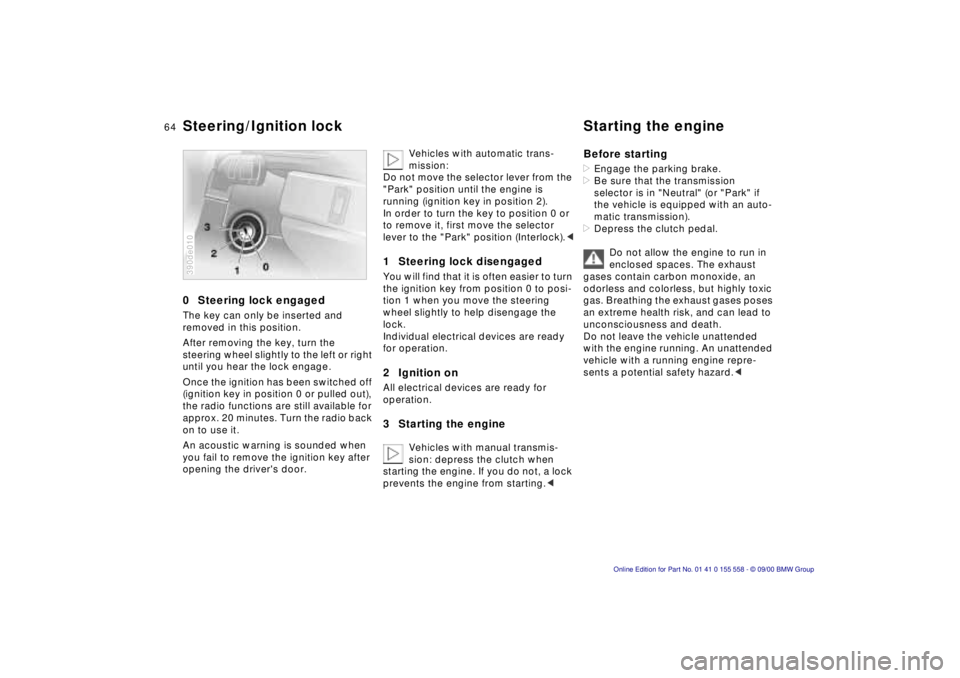
0 Steering lock engaged
The key can only be inserted and
removed in this position.
After removing the key, turn the
steering wheel slightly to the left or right
until you hear the lock engage.
Once the ignition has been switched off
(ignition key in position 0 or pulled out),
the radio functions are still available for
approx. 20 minutes. Turn the radio back
on to use it.
An acoustic warning is sounded when
you fail to remove the ignition key after
opening the driver's door.
390de010
Vehicles with automatic trans-
mission:
Do not move the selector lever from the
"Park" position until the engine is
running (ignition key in position 2).
In order to turn the key to position 0 or
to remove it, first move the selector
lever to the "Park" position (Interlock). <
1 Steering lock disengaged
You will find that it is often easier to turn
the ignition key from position 0 to posi-
tion 1 when you move the steering
wheel slightly to help disengage the
lock.
Individual electrical devices are ready
for operation.
2 Ignition on
All electrical devices are ready for
operation.
3 Starting the engine
Vehicles with manual transmis-
sion: depress the clutch when
starting the engine. If you do not, a lock
prevents the engine from starting. <
Before starting
> Engage the parking brake.
> Be sure that the transmission
selector is in "Neutral" (or "Park" if
the vehicle is equipped with an auto-
matic transmission).
> Depress the clutch pedal.
Do not allow the engine to run in
enclosed spaces. The exhaust
gases contain carbon monoxide, an
odorless and colorless, but highly toxic
gas. Breathing the exhaust gases poses
an extreme health risk, and can lead to
unconsciousness and death.
Do not leave the vehicle unattended
with the engine running. An unattended
vehicle with a running engine repre-
sents a potential safety hazard. <
Steering/Ignition lock Starting the engine
Page 65 of 223

Index
Data
Technology
Repairs
Car care
Controls
Overview
65nStarting the engine Switching off the engine
Do not press the accelerator pedal
while starting the engine.
BMW X5 3.0i:
Do not actuate the starter for too
short a time. Do not turn it for more
than approx. 20 seconds. Release the
ignition key immediately as soon as the
engine starts.
BMW X5 4.4i:
Your BMW is equipped with the conve-
nience starting feature. Simply turn the
key to position 3 (starter) and then
release it immediately.
The starter continues to operate auto-
matically.
The automatic starting mode will not
operate if the battery voltage is low.
The engine can be started by means of
jump-starting (refer to page 190).<
Do not allow the engine to warm up
by leaving it running while the vehicle
remains stationary. Instead, begin to
drive immediately at a moderate engine
speed.Should the engine fail to start on the
first attempt (if it is very hot or cold, for
instance):
> Press the accelerator pedal halfway
down while engaging the starter.
Cold starts at very low temperatures,
from approx. +5 7 (–15 6) and at alti-
tudes above 3,300 ft (1,000 meters):
> For the initial start attempt, allow the
starter to remain engaged somewhat
longer (approx. 10 seconds).
> Press the accelerator pedal halfway
down while engaging the starter.
Engine idle speed is controlled by the
engine computer system. Increased
speeds at startup are normal and
should decrease as the engine warms
up. If engine speed does not decrease,
service is required.
To prevent the battery from discharging,
always deactivate electrical devices
that are not in use. Switch the ignition
off when the vehicle is not being driven. Turn the ignition key to position 1 or 0.
Never remove the ignition key
while the vehicle is rolling. If you
did so, the ignition lock would engage
when the steering wheel is turned.
Always remove the ignition key and
engage the steering lock before leaving
the vehicle.
Vehicles with manual transmission:
Always engage the parking brake when
parking on slopes and inclined
surfaces. Even placing the lever in
1st gear or reverse may not provide
adequate resistance to rolling.
Vehicles with automatic transmission:
Place the selector lever in "Park." <
Vehicles with automatic transmission:
The vehicle must be stationary and the
selector lever in "Park" before you can
remove the ignition key.
Page 66 of 223
66nParking brake
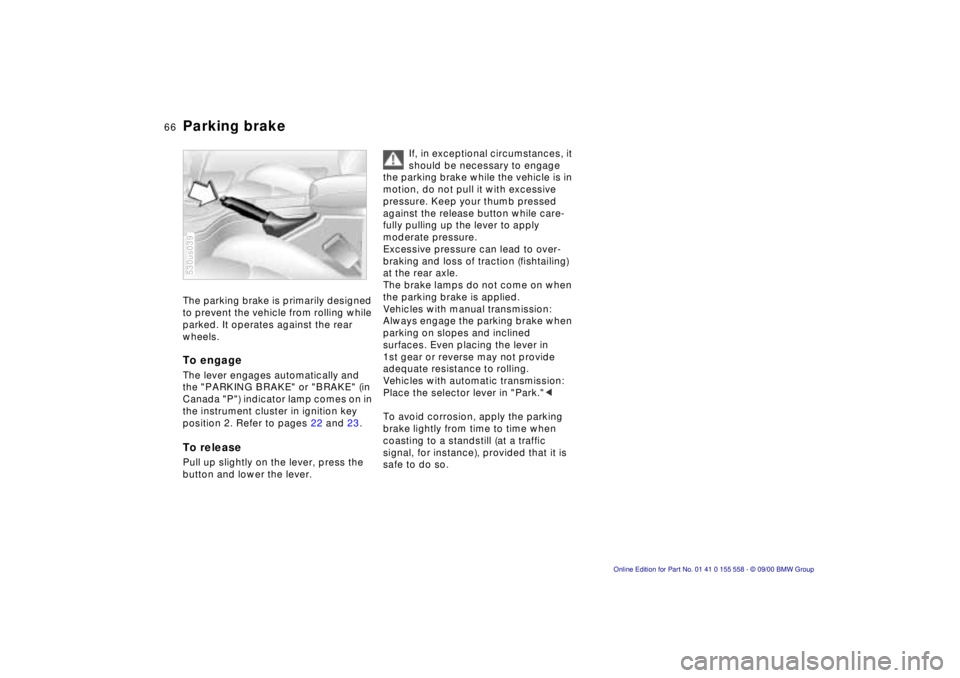
The parking brake is primarily designed
to prevent the vehicle from rolling while
parked. It operates against the rear
wheels.
To engage
The lever engages automatically and
the "PARKING BRAKE" or "BRAKE" (in
Canada "P") indicator lamp comes on in
the instrument cluster in ignition key
position 2. Refer to pages 22 and 23.
To release
Pull up slightly on the lever, press the
button and lower the lever.
530us039
If, in exceptional circumstances, it
should be necessary to engage
the parking brake while the vehicle is in
motion, do not pull it with excessive
pressure. Keep your thumb pressed
against the release button while care-
fully pulling up the lever to apply
moderate pressure.
Excessive pressure can lead to over-
braking and loss of traction (fishtailing)
at the rear axle.
The brake lamps do not come on when
the parking brake is applied.
Vehicles with manual transmission:
Always engage the parking brake when
parking on slopes and inclined
surfaces. Even placing the lever in
1st gear or reverse may not provide
adequate resistance to rolling.
Vehicles with automatic transmission:
Place the selector lever in "Park." <
To avoid corrosion, apply the parking
brake lightly from time to time when
coasting to a standstill (at a traffic
signal, for instance), provided that it is
safe to do so.
Page 67 of 223
Index
Data
Technology
Repairs
Car care
Controls
Overview
67nManual transmission
Press the clutch pedal all the way down
each time you shift, pressing the
manual-shift gear lever into its proper
end position.
Depress the clutch when starting the
vehicle, too, otherwise, lockout will
prevent the engine from starting if the
clutch is not depressed.
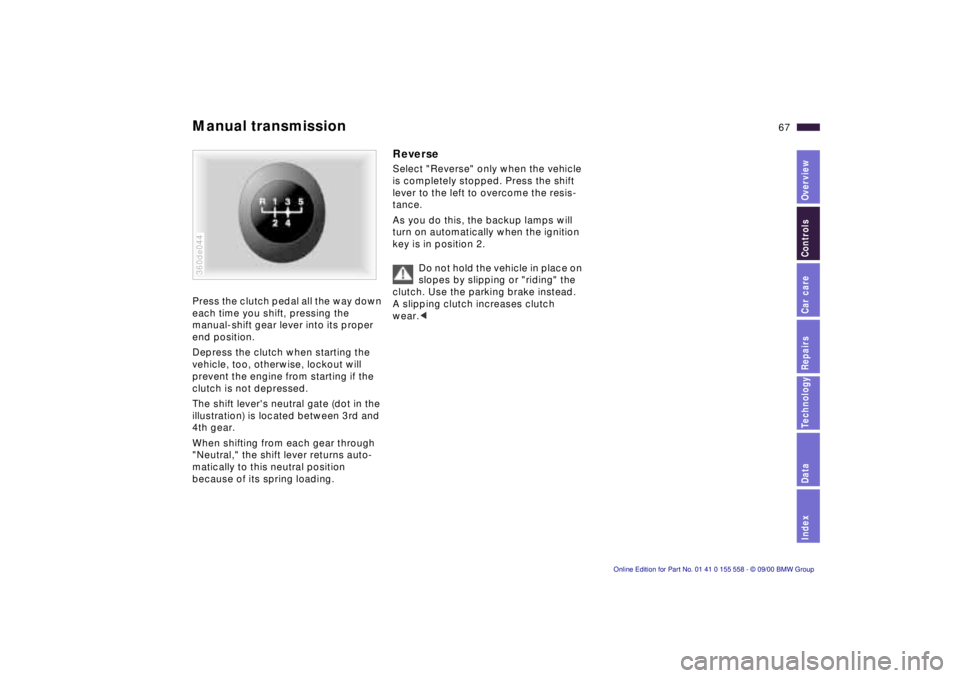
The shift lever's neutral gate (dot in the
illustration) is located between 3rd and
4th gear.
When shifting from each gear through
"Neutral," the shift lever returns auto-
matically to this neutral position
because of its spring loading.
360de044
Reverse
Select "Reverse" only when the vehicle
is completely stopped. Press the shift
lever to the left to overcome the resis-
tance.
As you do this, the backup lamps will
turn on automatically when the ignition
key is in position 2.
Do not hold the vehicle in place on
slopes by slipping or "riding" the
clutch. Use the parking brake instead.
A slipping clutch increases clutch
wear. <
Page 68 of 223
68nAutomatic transmission with Steptronic*
You can drive as with a normal auto-
matic transmission. In addition, you can
also shift manually.
When you move the selector lever from
the "D" position to the left into the M/S
range, the performance-oriented shift
programs of the automatic transmission
are engaged. As soon as you briefly
touch the selector lever in the "+" or "–"
direction, Steptronic changes the gear.
The manual mode is engaged. When
you wish to use the automatic transmis-
sion mode again, move the selector
lever to the right into the "D" position.
The automatic transmission of your
BMW is equipped with Adaptive Trans-
mission Control (ATC), a system which
reacts with precision to your individual
driving style and the driving conditions.
530us040
To achieve this, different shift programs
are automatically engaged.
For additional details concerning the
ATC, please refer to the chapter
describing "Advanced technology" on
page 196.
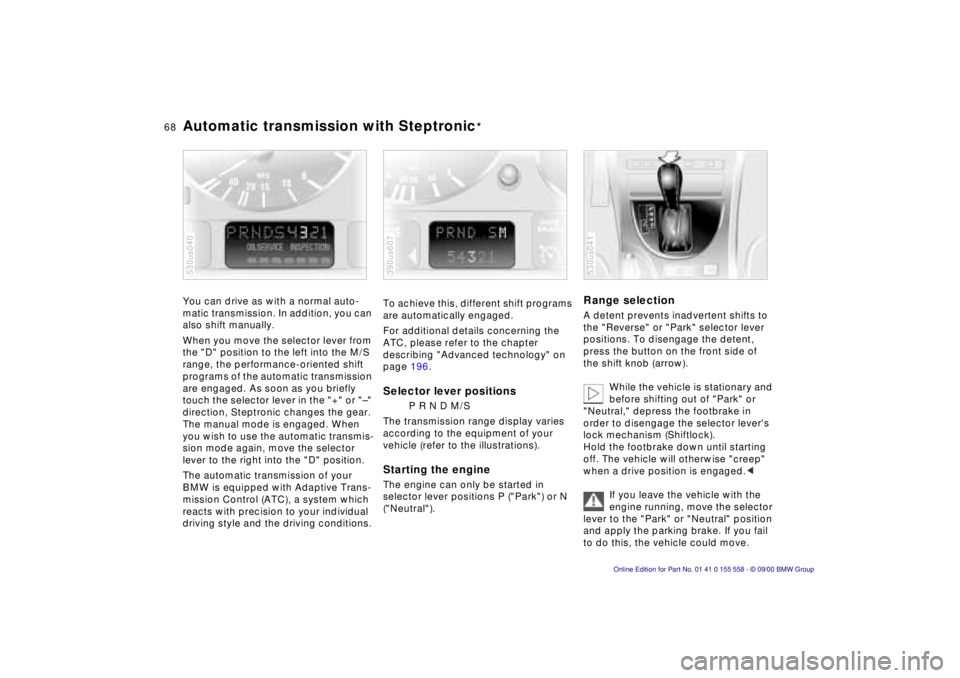
Selector lever positions
P R N D M/S
The transmission range display varies
according to the equipment of your
vehicle (refer to the illustrations).
Starting the engine
The engine can only be started in
selector lever positions P ("Park") or N
("Neutral").
390us607
Range selection
A detent prevents inadvertent shifts to
the "Reverse" or "Park" selector lever
positions. To disengage the detent,
press the button on the front side of
the shift knob (arrow).
While the vehicle is stationary and
before shifting out of "Park" or
"Neutral," depress the footbrake in
order to disengage the selector lever's
lock mechanism (Shiftlock).
Hold the footbrake down until starting
off. The vehicle will otherwise "creep"
when a drive position is engaged. <
If you leave the vehicle with the
engine running, move the selector
lever to the "Park" or "Neutral" position
and apply the parking brake. If you fail
to do this, the vehicle could move.
530us041
Page 70 of 223
70nAutomatic transmission with Steptronic*Indicator/Headlamp flasher
Electronic transmission control
module
If the indicator lamp comes on
or the message "TRANS.FAIL-
SAFE PROG" appears in the
Check Control
*, there is a fault in the
transmission system.
Bring the vehicle to a stop. Move the
transmission selector lever to "P." Set
the parking brake and turn the engine
off (ignition key to position 0).
Wait a few seconds, then start the
engine.
If the indicator lamp goes out after a
few seconds, normal transmission
performance has been restored. You
may continue to drive as usual. If the
indicator lamp does not go out, you can
place the selector lever in all positions.
However, the vehicle will now only drive
forward with limited gear selection.
If this happens, avoid extreme engine
loads and consult the nearest BMW
center.
Do not work in the engine
compartment when a drive gear
(forward or reverse) is engaged. If you
do this, the vehicle could move. <
Information on jump-starting, tow-
starting and towing begins on
page 190.
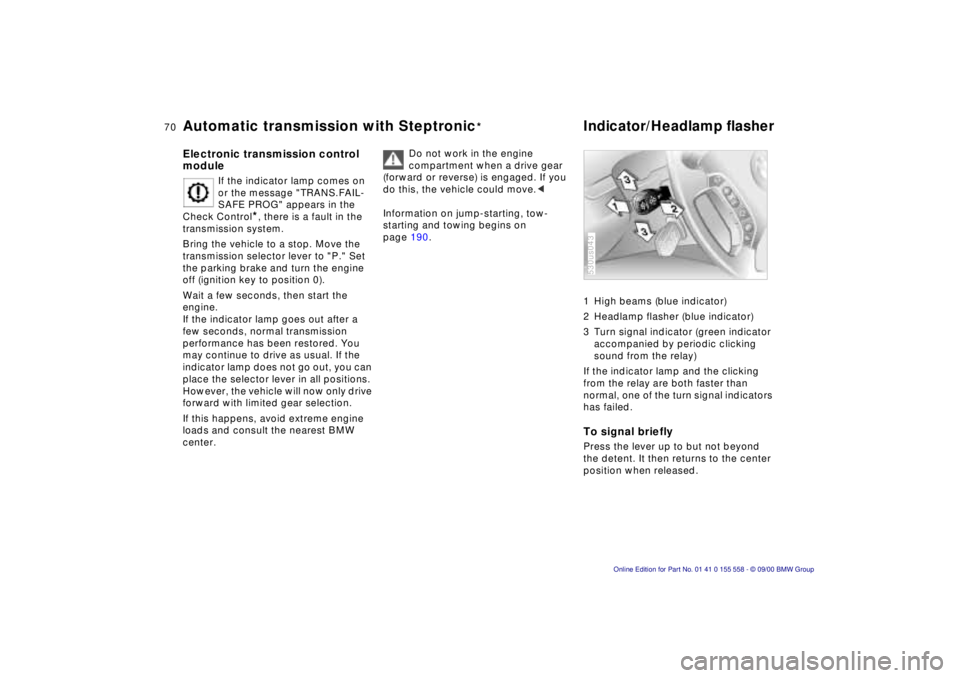
1 High beams (blue indicator)
2 Headlamp flasher (blue indicator)
3 Turn signal indicator (green indicator
accompanied by periodic clicking
sound from the relay)
If the indicator lamp and the clicking
from the relay are both faster than
normal, one of the turn signal indicators
has failed.
To signal briefly
Press the lever up to but not beyond
the detent. It then returns to the center
position when released.
530us043
Page 75 of 223
Index
Data
Technology
Repairs
Car care
Controls
Overview
75nCruise control
To cancel the cruise control
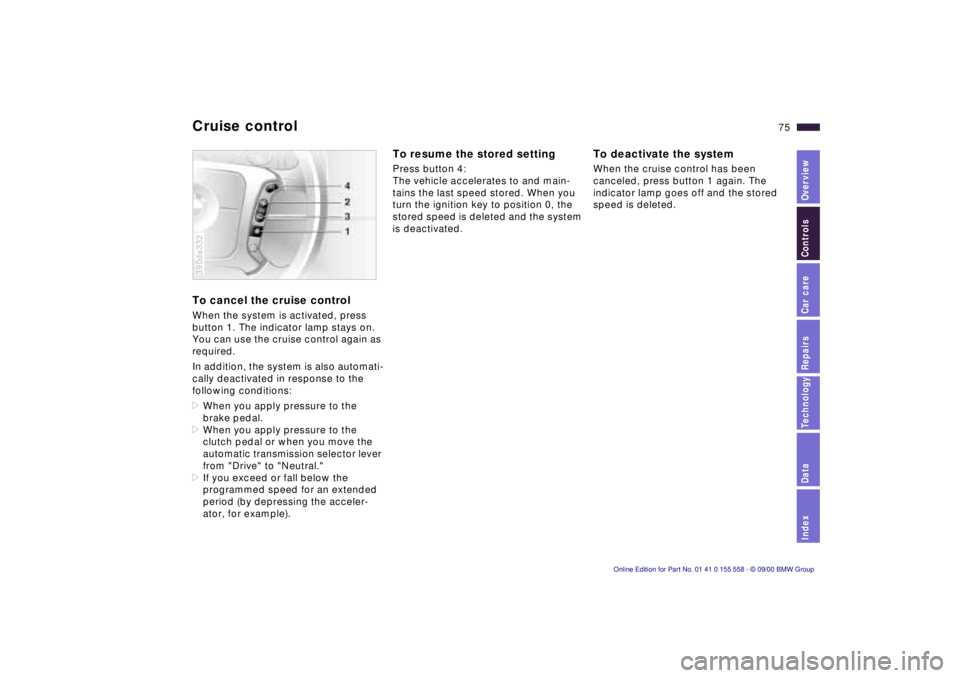
When the system is activated, press
button 1. The indicator lamp stays on.
You can use the cruise control again as
required.
In addition, the system is also automati-
cally deactivated in response to the
following conditions:
>When you apply pressure to the
brake pedal.
> When you apply pressure to the
clutch pedal or when you move the
automatic transmission selector lever
from "Drive" to "Neutral."
> If you exceed or fall below the
programmed speed for an extended
period (by depressing the acceler-
ator, for example).
390de332
To resume the stored setting
Press button 4:
The vehicle accelerates to and main-
tains the last speed stored. When you
turn the ignition key to position 0, the
stored speed is deleted and the system
is deactivated.
To deactivate the system
When the cruise control has been
canceled, press button 1 again. The
indicator lamp goes off and the stored
speed is deleted.
Page 79 of 223
Index
Data
Technology
Repairs
Car care
Controls
Overview
79nCheck Control
Graphic display*
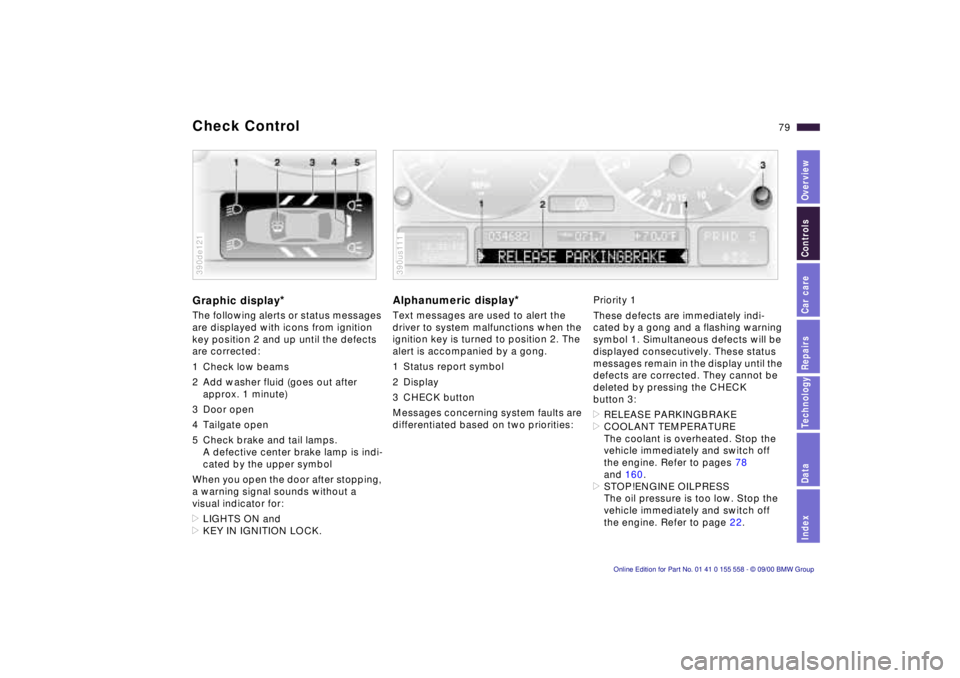
The following alerts or status messages
are displayed with icons from ignition
key position 2 and up until the defects
are corrected:
1 Check low beams
2 Add washer fluid (goes out after
approx. 1 minute)
3 Door open
4 Tailgate open
5 Check brake and tail lamps. A defective center brake lamp is indi-
cated by the upper symbol
When you open the door after stopping,
a warning signal sounds without a
visual indicator for:
> LIGHTS ON and
> KEY IN IGNITION LOCK.
390de121
Alphanumeric display*
Text messages are used to alert the
driver to system malfunctions when the
ignition key is turned to position 2. The
alert is accompanied by a gong.
1 Status report symbol
2 Display
3 CHECK button
Messages concerning system faults are
differentiated based on two priorities:
390us111
Priority 1
These defects are immediately indi-
cated by a gong and a flashing warning
symbol 1. Simultaneous defects will be
displayed consecutively. These status
messages remain in the display until the
defects are corrected. They cannot be
deleted by pressing the CHECK
button 3:
> RELEASE PARKINGBRAKE
> COOLANT TEMPERATURE
The coolant is overheated. Stop the
vehicle immediately and switch off
the engine. Refer to pages 78
and 160.
> STOP!ENGINE OILPRESS
The oil pressure is too low. Stop the
vehicle immediately and switch off
the engine. Refer to page 22.
Page 81 of 223

Index
Data
Technology
Repairs
Car care
Controls
Overview
81nCheck Control
>TRANS. FAILSAFE PROG
Please consult the nearest BMW
center. Refer to page 70.
> CHECK BRAKE LININGS
Have the brake linings inspected by
your BMW center. Refer to page 141.
> CHECK COOLANT LEVEL
Coolant too low, top up at the next
opportunity. Refer to page 160.
> ENGINE FAILSAFE PROG
There is a fault in the engine's elec-
tronic control system.
You can continue to drive with
reduced engine output or engine
speed. Have the system checked by
your BMW center. Displays after completion of trip
All of the malfunctions registered during
the trip appear consecutively when the
ignition key is turned to position 0.
The following displays will appear when
appropriate:
>LIGHTS ON
> KEY IN IGNITION LOCK
> CHECK ENGINE OIL LEV
Add engine oil at the next opportunity
(next stop for fuel). Refer to
page 157.
This display appears when you open
the driver's door after parking the
vehicle. A supplementary gong is also
heard.
Status reports remain available for a
period of approx. three minutes after
the display goes out and the key is
removed from the ignition. Press the
CHECK button 3. If there were multiple
reports, press the CHECK button
repeatedly to view them all in
sequence.
To check the Check Control
Press the CHECK button 3 with the
ignition key in position 2: CHECK
CONTROL OK appears in the display.
No malfunctions are present in the
monitored systems.
Computer
You will find a description of the
computer in the Owner's Manual for
the Radio and Information System or
the Owner's Manual for the Onboard
Computer.
You can have the Check Control
and computer messages
displayed in a different language. <
Page 94 of 223
94n
PDC
*
Dynamic Stability Control (DSC)
The PDC system does not remove
the driver's personal responsibility
for evaluating the distance between the
vehicle and any obstacles. Even when
sensors are involved, there is a blind
spot in which objects cannot be
detected. This applies especially in
those cases where the system
approaches the physical constraints of
ultrasonic measurement, as occurs with
tow bars and trailer couplings, and in
the vicinity of thin and painted objects.
Certain sources of sound, such as a
loud radio, could drown out the PDC
signal tone.<
Keep the sensors clean and free
of ice or snow in order to ensure
that they continue to operate effectively.
Do not apply high pressure spray to the
sensors for a prolonged period of time.
Maintain an adequate distance of more
than 4 in (10 cm).<
The concept DSC maintains vehicle stability, even in
critical driving situations.
The system optimizes vehicle stability
during acceleration and when starting
from a full stop, as well as optimizing
traction. In addition, it recognizes
unstable vehicle conditions, such as
understeering or oversteering, and, as
far as is possible within the laws of
physics, keeps the car on a steady
course by adapting the RPMs and
brake applications to the individual
wheels.
The system starts up automatically
each time you start the engine.
Indicator lamp
The indicator lamp in the instru-
ment cluster goes out shortly
after you switch on the ignition.
Refer to page 24.
Indicator lamp flashes:
The system is active and governs drive
and braking force.
If the indicator lamp fails to go out after
the engine is started, or comes on
during normal driving and stays on:
The system is either defective or was
switched off with the button: the stabi-
lizing applications described to the left
are no longer available. The vehicle will
remain completely operational,
however, without DSC.
Consult your BMW center to have the
system repaired.