ESP BMW X5 3.0I 2002 User Guide
[x] Cancel search | Manufacturer: BMW, Model Year: 2002, Model line: X5 3.0I, Model: BMW X5 3.0I 2002Pages: 185, PDF Size: 2.7 MB
Page 58 of 185
58n
Transporting children safely
Commercially-available child-restraint
systems are designed to be secured
with a lap belt or with the lap belt
portion of a combination lap/shoulder
belt. Improperly or inadequately
installed restraint systems can increase
the risk of injury to children. Always
read and follow the instructions that
come with the system.
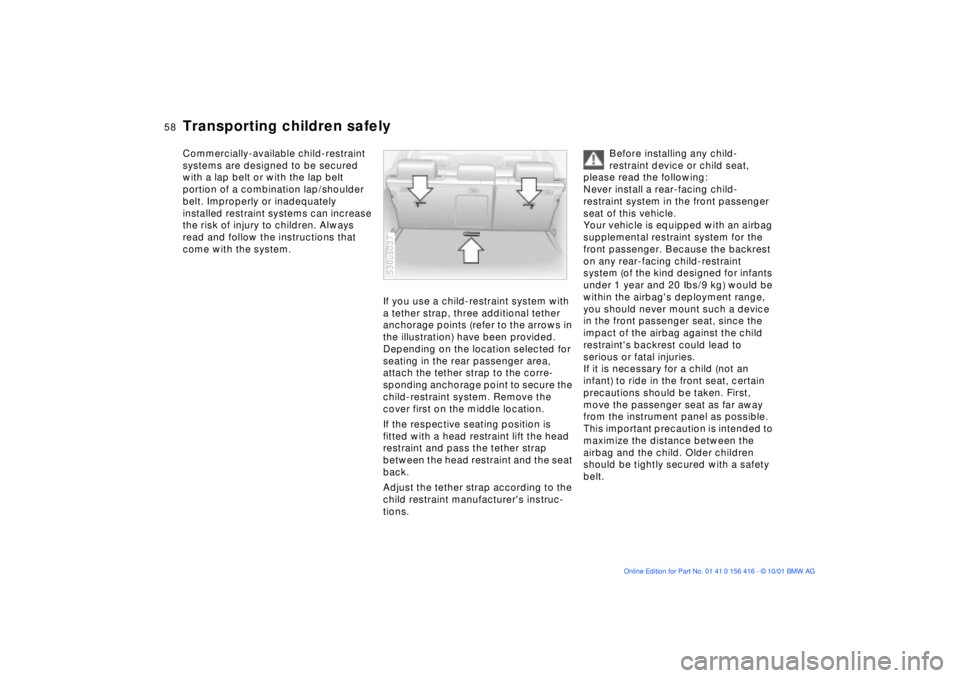
If you use a child-restraint system with
a tether strap, three additional tether
anchorage points (refer to the arrows in
the illustration) have been provided.
Depending on the location selected for
seating in the rear passenger area,
attach the tether strap to the corre-
sponding anchorage point to secure the
child-restraint system. Remove the
cover first on the middle location.
If the respective seating position is
fitted with a head restraint lift the head
restraint and pass the tether strap
between the head restraint and the seat
back.
Adjust the tether strap according to the
child restraint manufacturer's instruc-
tions.
530us037
Before installing any child-
restraint device or child seat,
please read the following:
Never install a rear-facing child-
restraint system in the front passenger
seat of this vehicle.
Your vehicle is equipped with an airbag
supplemental restraint system for the
front passenger. Because the backrest
on any rear-facing child-restraint
system (of the kind designed for infants
under 1 year and 20 Ibs/9 kg) would be
within the airbag's deployment range,
you should never mount such a device
in the front passenger seat, since the
impact of the airbag against the child
restraint's backrest could lead to
serious or fatal injuries.
If it is necessary for a child (not an
infant) to ride in the front seat, certain
precautions should be taken. First,
move the passenger seat as far away
from the instrument panel as possible.
This important precaution is intended to
maximize the distance between the
airbag and the child. Older children
should be tightly secured with a safety
belt.
Page 61 of 185
61n
OverviewControlsMaintenanceRepairsDataIndex
Vehicle Memory, Key Memory How the system functions You have probably frequently wished
that you could configure individual
functions of your vehicles to reflect your
own personal requirements. In engi-
neering your vehicle, BMW has
included several user-defined func-
tions in the vehicle's design. Your
BMW Sports Activity Vehicle center can
make these settings for you.
There are settings related to the vehicle
("Vehicle Memory") and settings related
to individuals ("Key Memory"). You can
configure up to four different basic
positions for four different persons. The
only requirement is that each person
uses his or her own remote control key. 463de029
When your vehicle is unlocked with the
remote control, the vehicle recognizes
the individual user by means of a data
exchange with the key, and makes
adjustments accordingly.
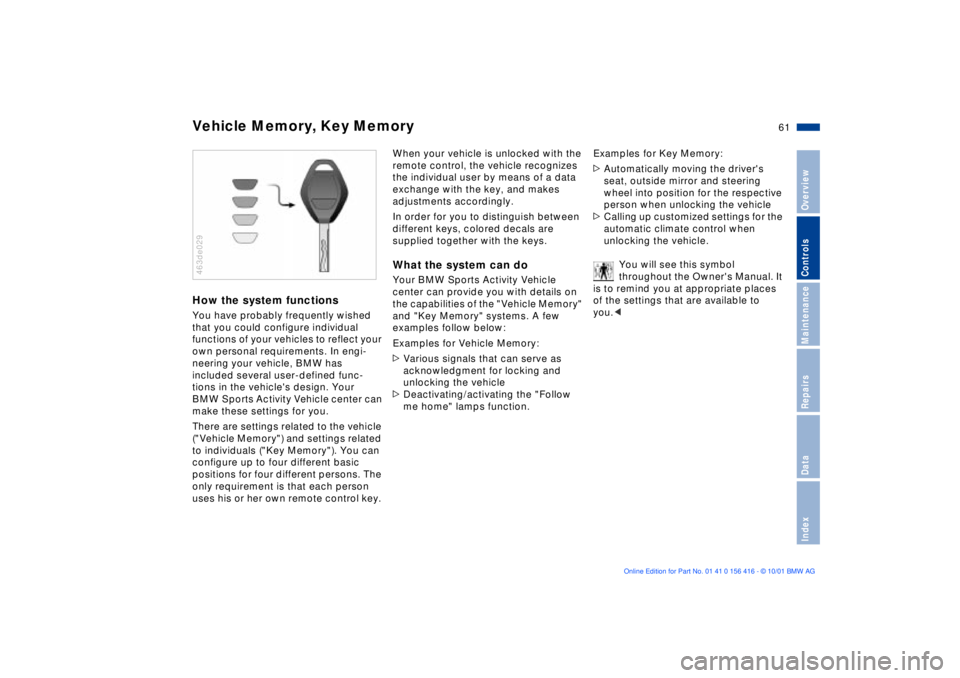
In order for you to distinguish between
different keys, colored decals are
supplied together with the keys.What the system can doYour BMW Sports Activity Vehicle
center can provide you with details on
the capabilities of the "Vehicle Memory"
and "Key Memory" systems. A few
examples follow below:
Examples for Vehicle Memory:
>Various signals that can serve as
acknowledgment for locking and
unlocking the vehicle
>Deactivating/activating the "Follow
me home" lamps function.Examples for Key Memory:
>Automatically moving the driver's
seat, outside mirror and steering
wheel into position for the respective
person when unlocking the vehicle
>Calling up customized settings for the
automatic climate control when
unlocking the vehicle.
You will see this symbol
throughout the Owner's Manual. It
is to remind you at appropriate places
of the settings that are available to
you.<
Page 73 of 185
73n
OverviewControlsMaintenanceRepairsDataIndex
To interrupt the cruise control When the system is activated, press
button 1. The indicator lamp stays on.
You can use the cruise control again
whenever required by calling up the
speed that was stored last.
In addition, the system is automatically
deactivated in response to the following
conditions:
>When you apply pressure to the
brake pedal
>When you apply pressure to the
clutch pedal or when you move the
automatic transmission selector lever
from "Drive" to "Neutral"
>If you exceed or fall below the
controlled speed for an extended
period (by depressing the acceler-
ator, for example). To recall the stored setting Press button:
The vehicle accelerates to and main-
tains the last speed stored.
Page 92 of 185
92n
PDC
* Dynamic Stability Control (DSC)
The PDC system does not remove
the driver's personal responsibility
for evaluating the distance between the
vehicle and any obstacles. Even when
sensors are involved, there is a blind
spot in which objects cannot be
detected. This applies especially in
those cases where the system
approaches the physical constraints of
ultrasonic measurement, as occurs with
tow bars and trailer couplings, and in
the vicinity of thin or wedge-shaped
objects.
Certain sources of sound, such as a
loud radio, could drown out the PDC
signal tone.<
Keep the sensors clean and free
of ice or snow in order to ensure
that they continue to operate effectively.
Do not apply high pressure spray to the
sensors for a prolonged period of time.
Maintain an adequate distance of more
than 4 in (10 cm).<
The concept DSC maintains vehicle stability, even in
critical driving situations.
The system optimizes vehicle stability
during acceleration and when starting
from a full stop, as well as optimizing
traction. In addition, it recognizes
unstable vehicle conditions, such as
understeering or oversteering, and, as
far as is possible within the laws of
physics, keeps the vehicle on a steady
course by adapting the rpms and brake
applications to the individual wheels.
The system starts up automatically
each time you start the engine.
Indicator lamp
The indicator lamp in the instru-
ment cluster goes out shortly
after you switch on the ignition,
refer to page 20.
Indicator lamp ßashes:
The system is active and governs drive
and braking force.
If the indicator lamp fails to go out after
the engine is started, or comes on
during normal driving and stays on:
The system is either defective or was
switched off with the button: the stabi-
lizing applications described to the left
are no longer available. The vehicle will
remain completely operational,
however, without DSC.
Consult your BMW Sports Activity
Vehicle center to have the system
repaired.
Page 93 of 185
93n
OverviewControlsMaintenanceRepairsDataIndex
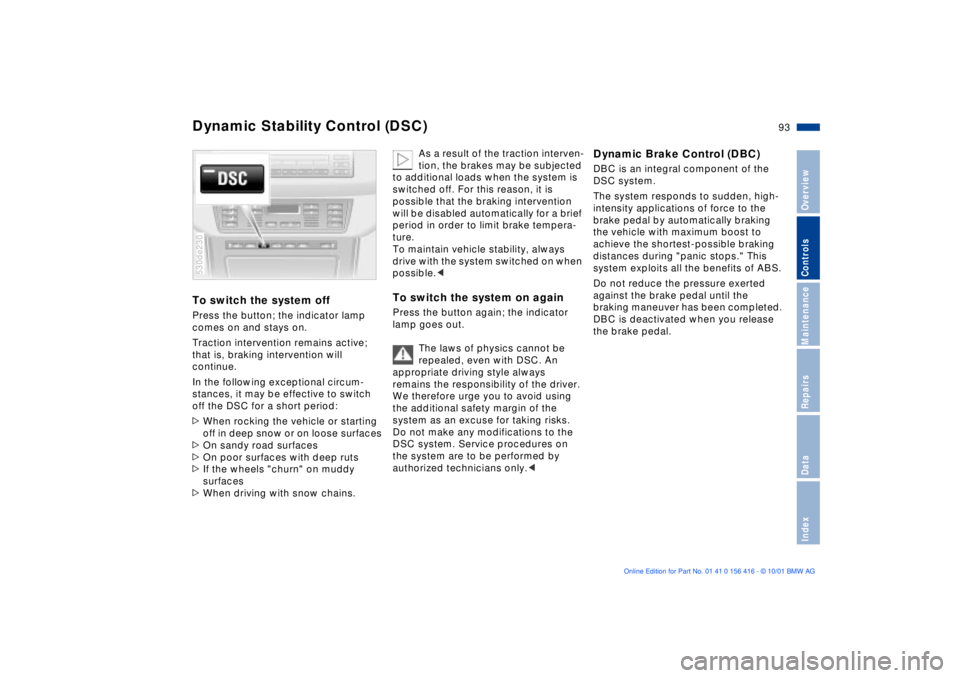
Dynamic Stability Control (DSC)To switch the system offPress the button; the indicator lamp
comes on and stays on.
Traction intervention remains active;
that is, braking intervention will
continue.
In the following exceptional circum-
stances, it may be effective to switch
off the DSC for a short period:
>When rocking the vehicle or starting
off in deep snow or on loose surfaces
>On sandy road surfaces
>On poor surfaces with deep ruts
>If the wheels "churn" on muddy
surfaces
>When driving with snow chains. 530de230
As a result of the traction interven-
tion, the brakes may be subjected
to additional loads when the system is
switched off. For this reason, it is
possible that the braking intervention
will be disabled automatically for a brief
period in order to limit brake tempera-
ture.
To maintain vehicle stability, always
drive with the system switched on when
possible.<
To switch the system on againPress the button again; the indicator
lamp goes out.
The laws of physics cannot be
repealed, even with DSC. An
appropriate driving style always
remains the responsibility of the driver.
We therefore urge you to avoid using
the additional safety margin of the
system as an excuse for taking risks.
Do not make any modifications to the
DSC system. Service procedures on
the system are to be performed by
authorized technicians only.<
Dynamic Brake Control (DBC)DBC is an integral component of the
DSC system.
The system responds to sudden, high-
intensity applications of force to the
brake pedal by automatically braking
the vehicle with maximum boost to
achieve the shortest-possible braking
distances during "panic stops." This
system exploits all the benefits of ABS.
Do not reduce the pressure exerted
against the brake pedal until the
braking maneuver has been completed.
DBC is deactivated when you release
the brake pedal.
Page 95 of 185
95n
OverviewControlsMaintenanceRepairsDataIndex
Variable Ride Height
*
Variable Ride Height on both axles
*
The warning lamp for the Vari-
able Ride Height comes on, or
the message "SELFLEVEL
SUSP.INACT" appears in the Check
Control: there is a malfunction in the
Variable Ride Height.
Stop and inspect the vehicle. If it is
riding significantly lower in the rear than
in the front, or if it is sitting at an incline
(left rear compared to right rear),
consult the nearest BMW Sports
Activity Vehicle center. Drive with
appropriate caution in the meantime.
The vehicle has reduced ground clear-
ance or driving comfort is noticeably
reduced.
Even if the attitude of the vehicle is
normal, you should consult the nearest
BMW Sports Activity Vehicle center if
the warning lamp indicates a system
malfunction.
The conceptYour vehicle is equipped with Variable
Ride Height acting on both the front
and rear suspension. This system
combines automatic self-leveling,
which compensates for variations in
front-to-rear load-distribution patterns,
with a selection feature allowing drivers
to choose from among several ride-
height options.
You may choose from among the
following ride heights:
>Standard
The "standard" setting is intended for
most operating conditions, including
trailer towing
>Off-Road
Higher ride height for increased
ground clearance
>Access
Lowers vehicle for more convenient
cargo handling and easier passenger
ingress and exitsChanges in ride height are initiated
either manually, using the control
button (refer to page 96), or automati-
cally in response to specific speeds.
When the ride height is selected manu-
ally, the driver has the additional option
of revising the ride-height selection by
entering a new command during the
adjustment process.
When the vehicle is stationary, the
system executes ride-height changes in
both directions (up and down) when-
ever the doors are closed. The tailgate/
liftgate may be open. The system raises
the vehicle only when the engine is
running.
The system's automatic self-leveling
feature automatically compensates for
variations in the vehicle's load.
Frequent changes in ride height
initiated at short intervals can
overheat the compressor, causing the
system to briefly suspend active opera-
tion.<
Page 96 of 185
96n
Variable Ride Height on both axles
*
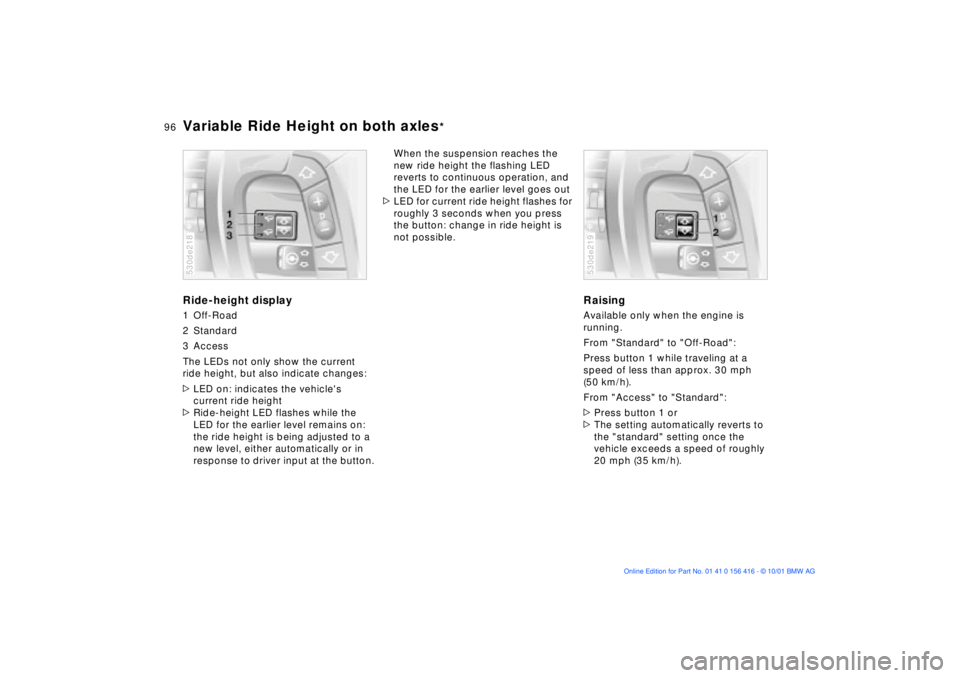
Ride-height display1 Off-Road
2 Standard
3 Access
The LEDs not only show the current
ride height, but also indicate changes:
>LED on: indicates the vehicle's
current ride height
>Ride-height LED flashes while the
LED for the earlier level remains on:
the ride height is being adjusted to a
new level, either automatically or in
response to driver input at the button.530de218
When the suspension reaches the
new ride height the flashing LED
reverts to continuous operation, and
the LED for the earlier level goes out
>LED for current ride height flashes for
roughly 3 seconds when you press
the button: change in ride height is
not possible.
RaisingAvailable only when the engine is
running.
From "Standard" to "Off-Road":
Press button 1 while traveling at a
speed of less than approx. 30 mph
(50 km/h).
From "Access" to "Standard":
>Press button 1 or
>The setting automatically reverts to
the "standard" setting once the
vehicle exceeds a speed of roughly
20 mph (35 km/h).530de219
Page 100 of 185
100n
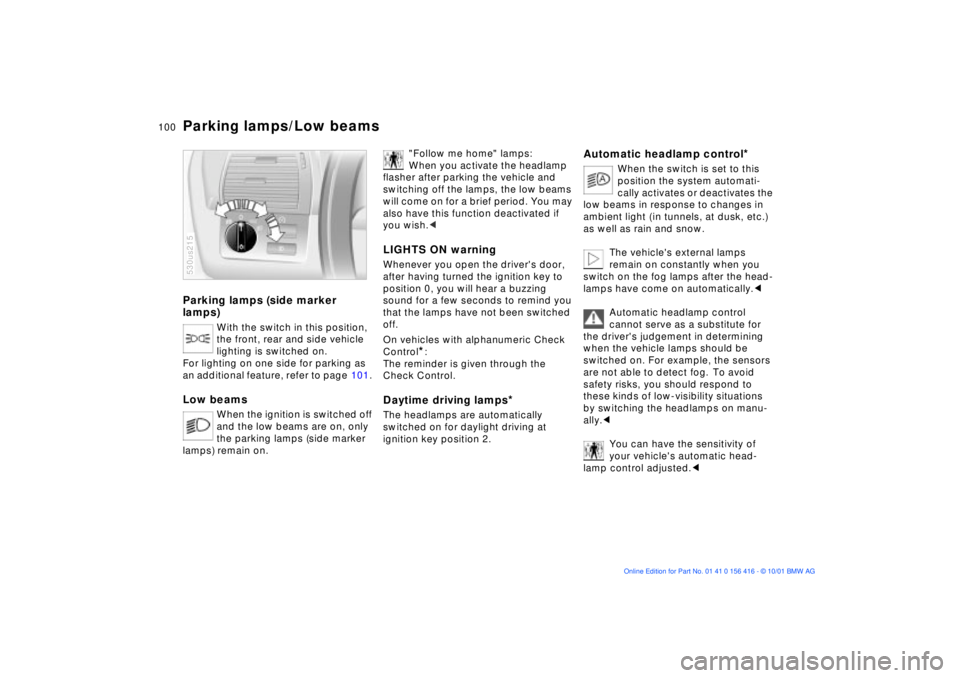
Parking lamps (side marker
lamps)
With the switch in this position,
the front, rear and side vehicle
lighting is switched on.
For lighting on one side for parking as
an additional feature, refer to page 101.
Low beams
When the ignition is switched off
and the low beams are on, only
the parking lamps (side marker
lamps) remain on.
530us215
"Follow me home" lamps:
When you activate the headlamp
flasher after parking the vehicle and
switching off the lamps, the low beams
will come on for a brief period. You may
also have this function deactivated if
you wish.<
LIGHTS ON warningWhenever you open the driver's door,
after having turned the ignition key to
position 0, you will hear a buzzing
sound for a few seconds to remind you
that the lamps have not been switched
off.
On vehicles with alphanumeric Check
Control
*:
The reminder is given through the
Check Control.
Daytime driving lamps
*
The headlamps are automatically
switched on for daylight driving at
ignition key position 2.
Automatic headlamp control
*
When the switch is set to this
position the system automati-
cally activates or deactivates the
low beams in response to changes in
ambient light ( in tunnels, at dusk, etc.)
as well as rain and snow.
The vehicle's external lamps
remain on constantly when you
switch on the fog lamps after the head-
lamps have come on automatically.<
Automatic headlamp control
cannot serve as a substitute for
the driver's judgement in determining
when the vehicle lamps should be
switched on. For example, the sensors
are not able to detect fog. To avoid
safety risks, you should respond to
these kinds of low-visibility situations
by switching the headlamps on manu-
ally.<
You can have the sensitivity of
your vehicle's automatic head-
lamp control adjusted.<
Parking lamps/Low beams
Page 104 of 185
104n
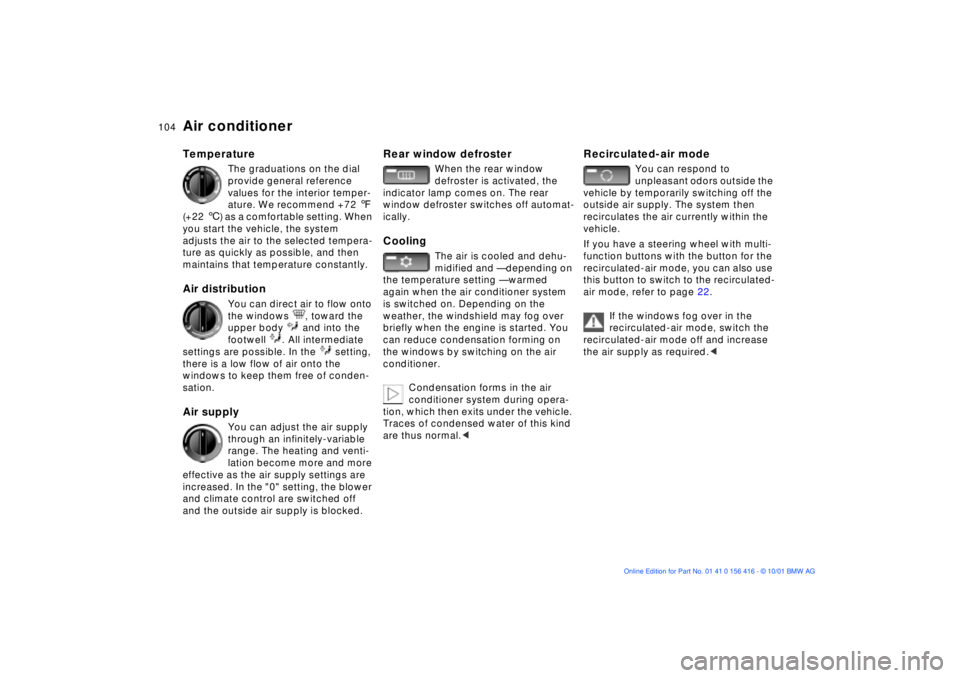
Air conditioner Temperature
The graduations on the dial
provide general reference
values for the interior temper-
ature. We recommend +72 7
(+22 6) as a comfortable setting. When
you start the vehicle, the system
adjusts the air to the selected tempera-
ture as quickly as possible, and then
maintains that temperature constantly.
Air distribution
You can direct air to flow onto
the windows , toward the
upper body and into the
footwell . All intermediate
settings are possible. In the setting,
there is a low flow of air onto the
windows to keep them free of conden-
sation.
Air supply
You can adjust the air supply
through an infinitely-variable
range. The heating and venti-
lation become more and more
effective as the air supply settings are
increased. In the "0" setting, the blower
and climate control are switched off
and the outside air supply is blocked.
Rear window defroster
When the rear window
defroster is activated, the
indicator lamp comes on. The rear
window defroster switches off automat-
ically.
Cooling
The air is cooled and dehu-
midified and Ñ depending on
the temperature setting Ñ warmed
again when the air conditioner system
is switched on. Depending on the
weather, the windshield may fog over
briefly when the engine is started. You
can reduce condensation forming on
the windows by switching on the air
conditioner.
Condensation forms in the air
conditioner system during opera-
tion, which then exits under the vehicle.
Traces of condensed water of this kind
are thus normal.<
Recirculated-air mode
You can respond to
unpleasant odors outside the
vehicle by temporarily switching off the
outside air supply. The system then
recirculates the air currently within the
vehicle.
If you have a steering wheel with multi-
function buttons with the button for the
recirculated-air mode, you can also use
this button to switch to the recirculated-
air mode, refer to page 22.
If the windows fog over in the
recirculated-air mode, switch the
recirculated-air mode off and increase
the air supply as required.<
Page 114 of 185
114n
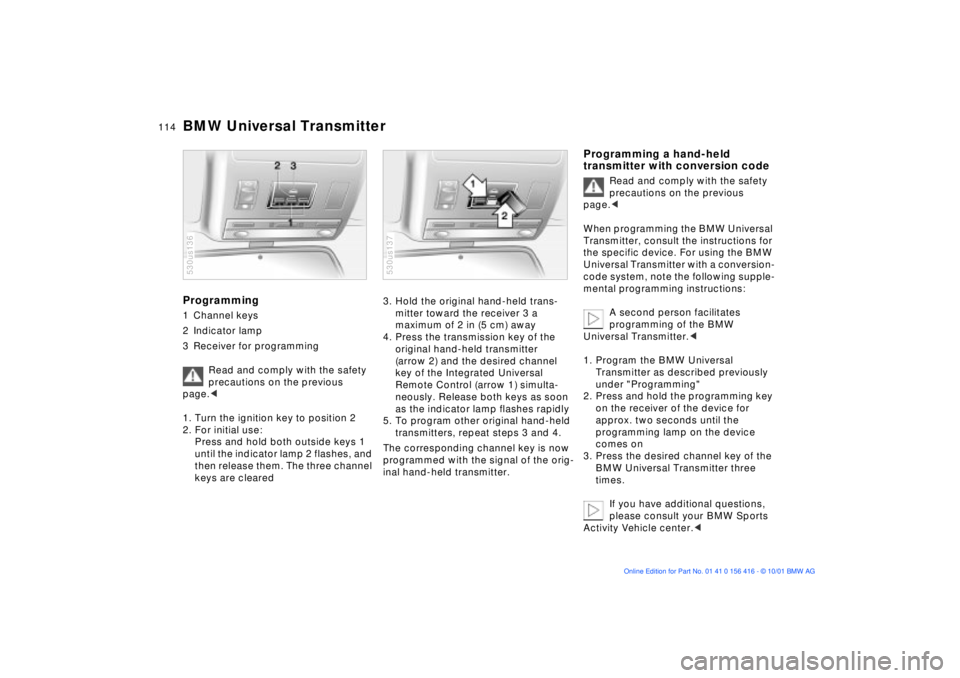
BMW Universal TransmitterProgramming 1 Channel keys
2 Indicator lamp
3 Receiver for programming
Read and comply with the safety
precautions on the previous
page.<
1. Turn the ignition key to position 2
2. For initial use:
Press and hold both outside keys 1
until the indicator lamp 2 flashes, and
then release them. The three channel
keys are cleared 530us136
3. Hold the original hand-held trans-
mitter toward the receiver 3 a
maximum of 2 in (5 cm) away
4. Press the transmission key of the
original hand-held transmitter
(arrow 2) and the desired channel
key of the Integrated Universal
Remote Control (arrow 1) simulta-
neously. Release both keys as soon
as the indicator lamp flashes rapidly
5. To program other original hand-held
transmitters, repeat steps 3 and 4.
The corresponding channel key is now
programmed with the signal of the orig-
inal hand-held transmitter. 530us137
Programming a hand-held
transmitter with conversion code
Read and comply with the safety
precautions on the previous
page.<
When programming the BMW Universal
Transmitter, consult the instructions for
the specific device. For using the BMW
Universal Transmitter with a conversion-
code system, note the following supple-
mental programming instructions:
A second person facilitates
programming of the BMW
Universal Transmitter.<
1. Program the BMW Universal
Transmitter as described previously
under "Programming"
2. Press and hold the programming key
on the receiver of the device for
approx. two seconds until the
programming lamp on the device
comes on
3. Press the desired channel key of the
BMW Universal Transmitter three
times.
If you have additional questions,
please consult your BMW Sports
Activity Vehicle center.<