lock BMW X5 3.0I 2003 Owner's Manual
[x] Cancel search | Manufacturer: BMW, Model Year: 2003, Model line: X5 3.0I, Model: BMW X5 3.0I 2003Pages: 183, PDF Size: 2.31 MB
Page 61 of 183
61n
OverviewControlsMaintenanceRepairsDataIndex
Vehicle Memory, Key Memory How the system functions You have probably frequently wished
that you could configure individual
functions of your vehicle to reflect your
own personal requirements. In engi-
neering your vehicle, BMW has
included several user-defined func-
tions in the vehicle's design. Your
BMW Sports Activity Vehicle center can
make these settings for you.
There are settings related to the vehicle
Ð Vehicle Memory Ð and settings related
to individuals Ð Key Memory. You can
configure up to four different basic
positions for four different persons. The
only requirement is that each person
uses his or her own remote control key. 463de029
When your vehicle is unlocked with the
remote control, the vehicle recognizes
the individual user by means of a data
exchange with the key, and makes
adjustments accordingly.
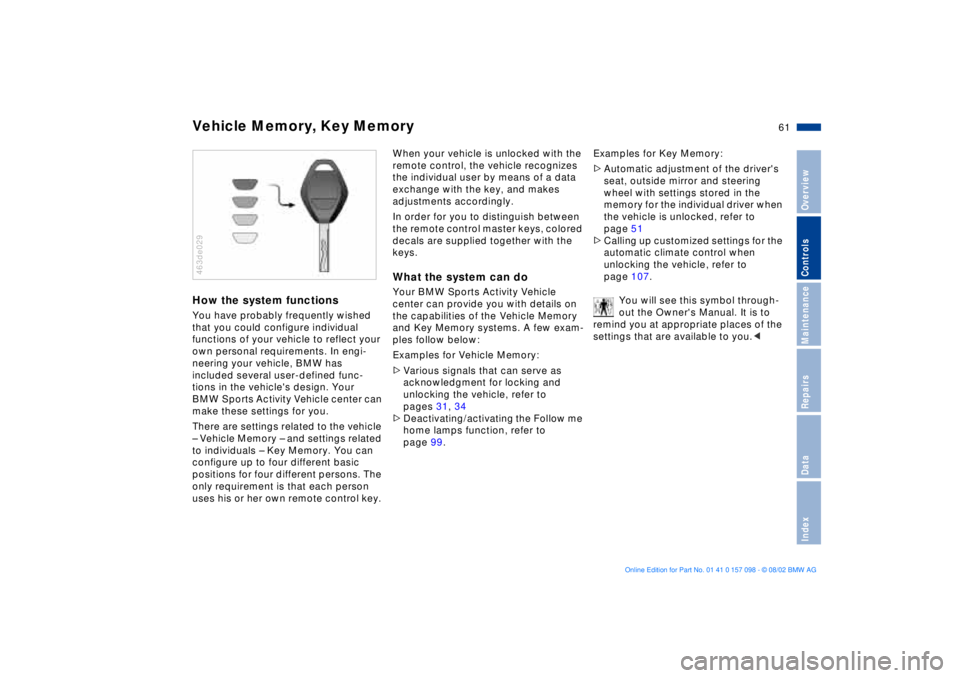
In order for you to distinguish between
the remote control master keys, colored
decals are supplied together with the
keys.What the system can doYour BMW Sports Activity Vehicle
center can provide you with details on
the capabilities of the Vehicle Memory
and Key Memory systems. A few exam-
ples follow below:
Examples for Vehicle Memory:
>Various signals that can serve as
acknowledgment for locking and
unlocking the vehicle, refer to
pages 31, 34
>Deactivating/activating the Follow me
home lamps function, refer to
page 99.Examples for Key Memory:
>Automatic adjustment of the driver's
seat, outside mirror and steering
wheel with settings stored in the
memory for the individual driver when
the vehicle is unlocked, refer to
page 51
>Calling up customized settings for the
automatic climate control when
unlocking the vehicle, refer to
page 107.
You will see this symbol through-
out the Owner's Manual. It is to
remind you at appropriate places of the
settings that are available to you.<
Page 62 of 183
62n
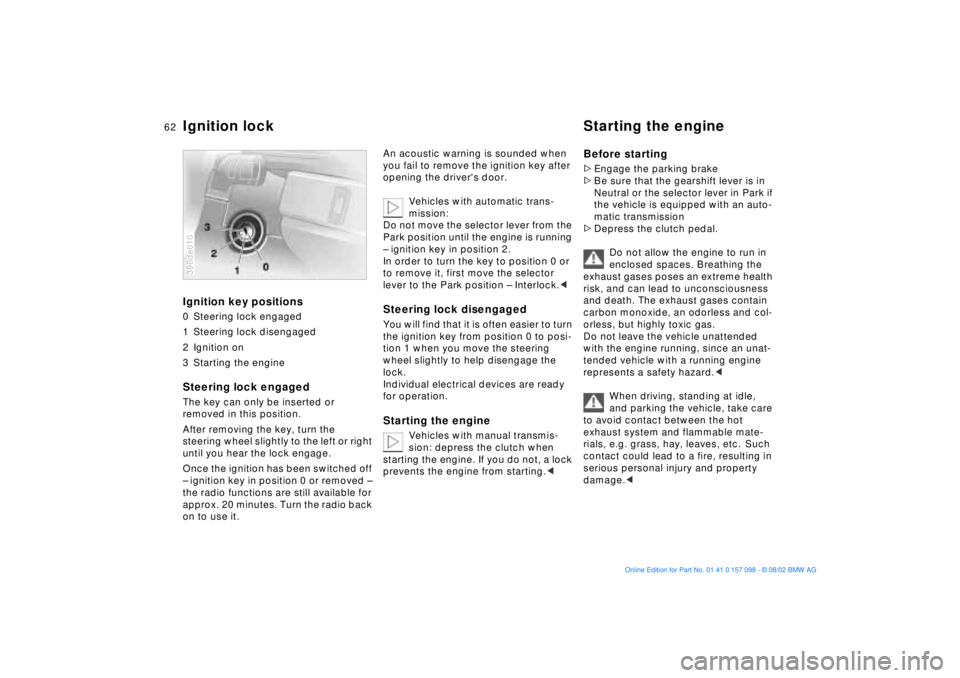
Ignition key positions0 Steering lock engaged
1 Steering lock disengaged
2 Ignition on
3 Starting the engineSteering lock engaged The key can only be inserted or
removed in this position.
After removing the key, turn the
steering wheel slightly to the left or right
until you hear the lock engage.
Once the ignition has been switched off
Ð ignition key in position 0 or removed Ð
the radio functions are still available for
approx. 20 minutes. Turn the radio back
on to use it.390de010
An acoustic warning is sounded when
you fail to remove the ignition key after
opening the driver's door.
Vehicles with automatic trans-
mission:
Do not move the selector lever from the
Park position until the engine is running
Ð ignition key in position 2.
In order to turn the key to position 0 or
to remove it, first move the selector
lever to the Park position Ð Interlock.< Steering lock disengaged You will find that it is often easier to turn
the ignition key from position 0 to posi-
tion 1 when you move the steering
wheel slightly to help disengage the
lock.
Individual electrical devices are ready
for operation. Starting the engine
Vehicles with manual transmis-
sion: depress the clutch when
starting the engine. If you do not, a lock
prevents the engine from starting.<
Before starting >Engage the parking brake
>Be sure that the gearshift lever is in
Neutral or the selector lever in Park if
the vehicle is equipped with an auto-
matic transmission
>Depress the clutch pedal.
Do not allow the engine to run in
enclosed spaces. Breathing the
exhaust gases poses an extreme health
risk, and can lead to unconsciousness
and death. The exhaust gases contain
carbon monoxide, an odorless and col-
orless, but highly toxic gas.
Do not leave the vehicle unattended
with the engine running, since an unat-
tended vehicle with a running engine
represents a safety hazard.<
When driving, standing at idle,
and parking the vehicle, take care
to avoid contact between the hot
exhaust system and flammable mate-
rials, e.g. grass, hay, leaves, etc. Such
contact could lead to a fire, resulting in
serious personal injury and property
damage.<
Ignition lock Starting the engine
Page 63 of 183
63n
OverviewControlsMaintenanceRepairsDataIndex
Starting the engine Switching off the engineDo not press the accelerator pedal
while starting the engine.
BMW X5 3.0i:
Do not actuate the starter for too
short a time. Do not turn it for more
than approx. 20 seconds. Release the
ignition key immediately as soon as the
engine starts.
BMW X5 4.4i, 4.6is:
Your BMW is equipped with the conve-
nience starting feature. Simply turn the
ignition key to position 3 Ð starter Ð and
then release it immediately.
The starter actuation continues to
operate automatically for a certain
period of time and is stopped automati-
cally as soon as the engine has started.
The automatic starting mode will not
operate if the battery voltage is low.
The engine can be started by means of
jump-starting, refer to page 162.<
Do not allow the engine to warm up
by leaving it running while the vehicle
remains stationary. Instead, begin to
drive immediately at a moderate engine
speed.
Should the engine fail to start on the
first attempt, if it is very hot or cold, for
instance:
>Press the accelerator pedal halfway
down while engaging the starter.
Cold starts at altitudes above 3,300 ft/
1,000 meters and at very low tempera-
tures, from approx. +5 7/Ð15 6:
>For the initial start attempt, allow the
starter to remain engaged somewhat
longer, approx. 10 seconds.
Engine idle speed is controlled by the
engine computer system. Increased
speeds at start-up are normal and
should decrease as the engine warms
up. If engine speed does not decrease,
service is required.
To prevent the battery from discharging,
always switch off electrical devices that
are not in use. Switch the ignition off
when the vehicle is not being driven.
Extended starting attempts, char-
acterized by excessively frequent
or long periods with the starter
engaged, can lead to damage of the
catalytic converter.<
Turn the ignition key to position 1 or 0.
Do not remove the ignition key
while the vehicle is still moving. If
you do so, the steering will lock.
Always remove the ignition key and
engage the steering lock before leaving
the vehicle.
Vehicles with manual transmission:
Always engage the parking brake when
parking on slopes and inclined sur-
faces. Even placing the gearshift lever
in 1st gear or reverse may not provide
adequate resistance to rolling.
Vehicles with automatic transmission:
Place the selector lever in Park.<
Vehicles with automatic transmission:
The vehicle must be stationary and the
selector lever in Park before you can
remove the ignition key.
Page 64 of 183
64n
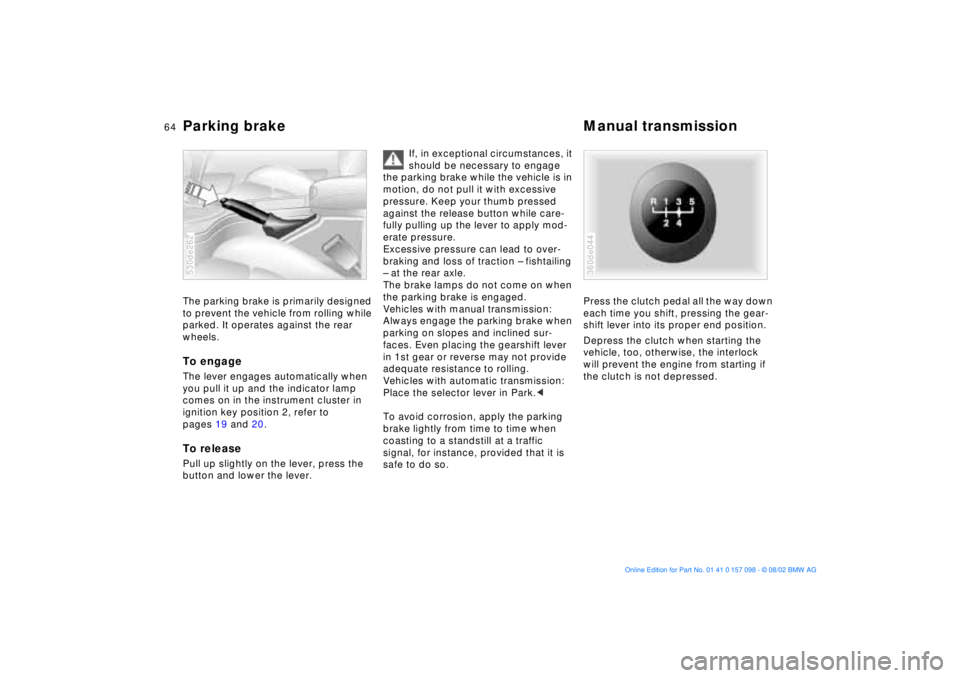
Parking brake Manual transmissionThe parking brake is primarily designed
to prevent the vehicle from rolling while
parked. It operates against the rear
wheels.To engage The lever engages automatically when
you pull it up and the indicator lamp
comes on in the instrument cluster in
ignition key position 2, refer to
pages 19 and 20.To releasePull up slightly on the lever, press the
button and lower the lever. 530de262
If, in exceptional circumstances, it
should be necessary to engage
the parking brake while the vehicle is in
motion, do not pull it with excessive
pressure. Keep your thumb pressed
against the release button while care-
fully pulling up the lever to apply mod-
erate pressure.
Excessive pressure can lead to over-
braking and loss of traction Ð fishtailing
Ð at the rear axle.
The brake lamps do not come on when
the parking brake is engaged.
Vehicles with manual transmission:
Always engage the parking brake when
parking on slopes and inclined sur-
faces. Even placing the gearshift lever
in 1st gear or reverse may not provide
adequate resistance to rolling.
Vehicles with automatic transmission:
Place the selector lever in Park.<
To avoid corrosion, apply the parking
brake lightly from time to time when
coasting to a standstill at a traffic
signal, for instance, provided that it is
safe to do so.
Press the clutch pedal all the way down
each time you shift, pressing the gear-
shift lever into its proper end position.
Depress the clutch when starting the
vehicle, too, otherwise, the interlock
will prevent the engine from starting if
the clutch is not depressed. 360de044
Page 66 of 183
66n
Automatic transmission with Steptronic
*
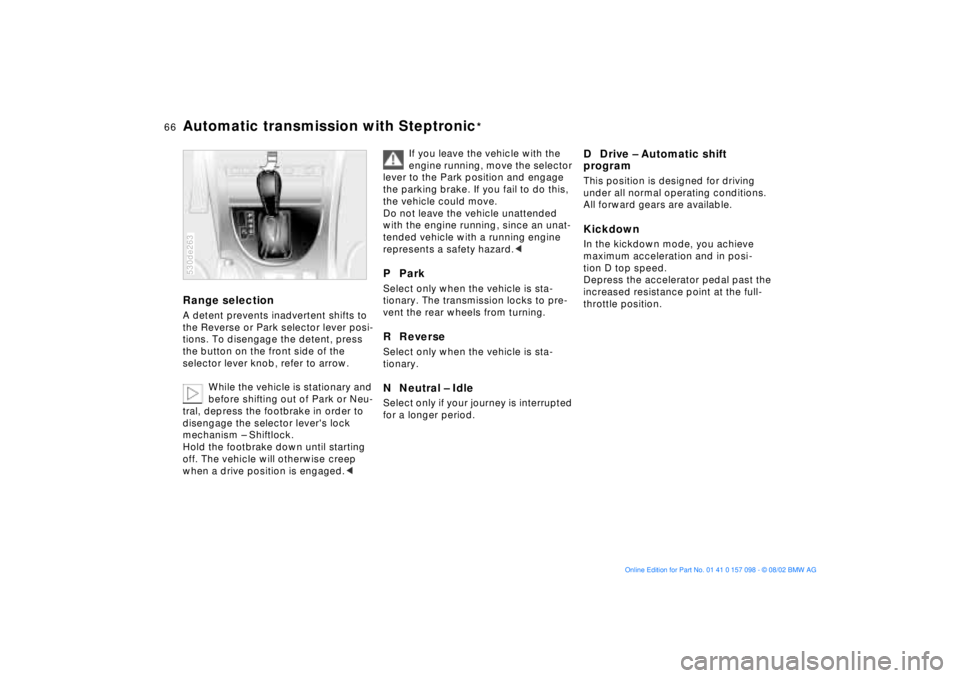
Range selection A detent prevents inadvertent shifts to
the Reverse or Park selector lever posi-
tions. To disengage the detent, press
the button on the front side of the
selector lever knob, refer to arrow.
While the vehicle is stationary and
before shifting out of Park or Neu-
tral, depress the footbrake in order to
disengage the selector lever's lock
mechanism Ð Shiftlock.
Hold the footbrake down until starting
off. The vehicle will otherwise creep
when a drive position is engaged.< 530de263
If you leave the vehicle with the
engine running, move the selector
lever to the Park position and engage
the parking brake. If you fail to do this,
the vehicle could move.
Do not leave the vehicle unattended
with the engine running, since an unat-
tended vehicle with a running engine
represents a safety hazard.<
P Park Select only when the vehicle is sta-
tionary. The transmission locks to pre-
vent the rear wheels from turning.R Reverse Select only when the vehicle is sta-
tionary. N Neutral Ð IdleSelect only if your journey is interrupted
for a longer period.
D Drive Ð Automatic shift
program This position is designed for driving
under all normal operating conditions.
All forward gears are available. Kickdown In the kickdown mode, you achieve
maximum acceleration and in posi-
tion D top speed.
Depress the accelerator pedal past the
increased resistance point at the full-
throttle position.
Page 77 of 183
77n
OverviewControlsMaintenanceRepairsDataIndex
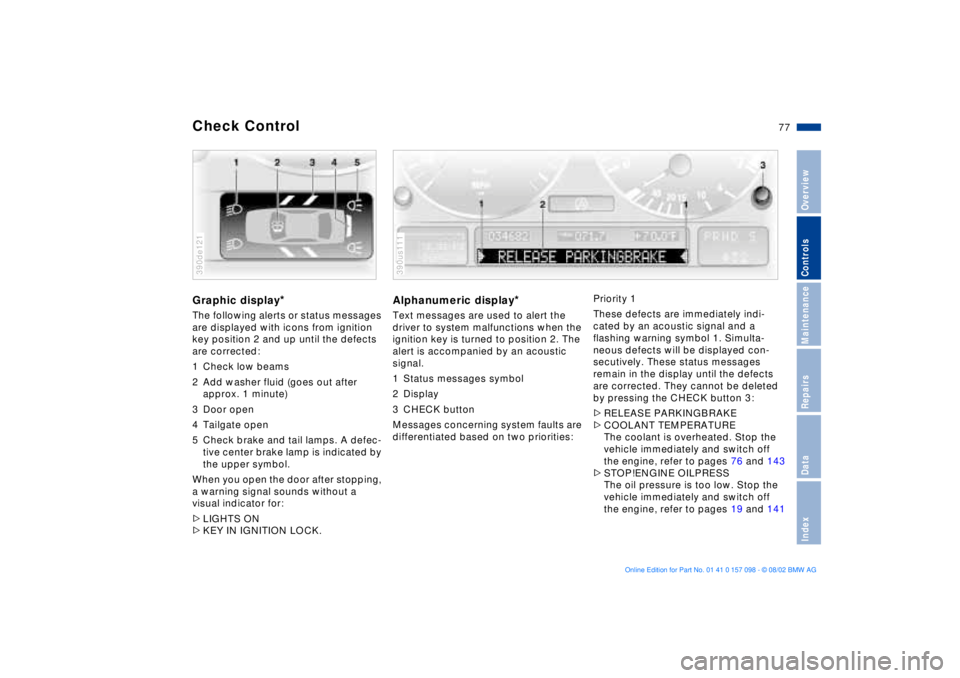
Check Control Graphic display
*
The following alerts or status messages
are displayed with icons from ignition
key position 2 and up until the defects
are corrected:
1 Check low beams
2 Add washer fluid (goes out after
approx. 1 minute)
3 Door open
4 Tailgate open
5 Check brake and tail lamps. A defec-
tive center brake lamp is indicated by
the upper symbol.
When you open the door after stopping,
a warning signal sounds without a
visual indicator for:
>LIGHTS ON
>KEY IN IGNITION LOCK. 390de121
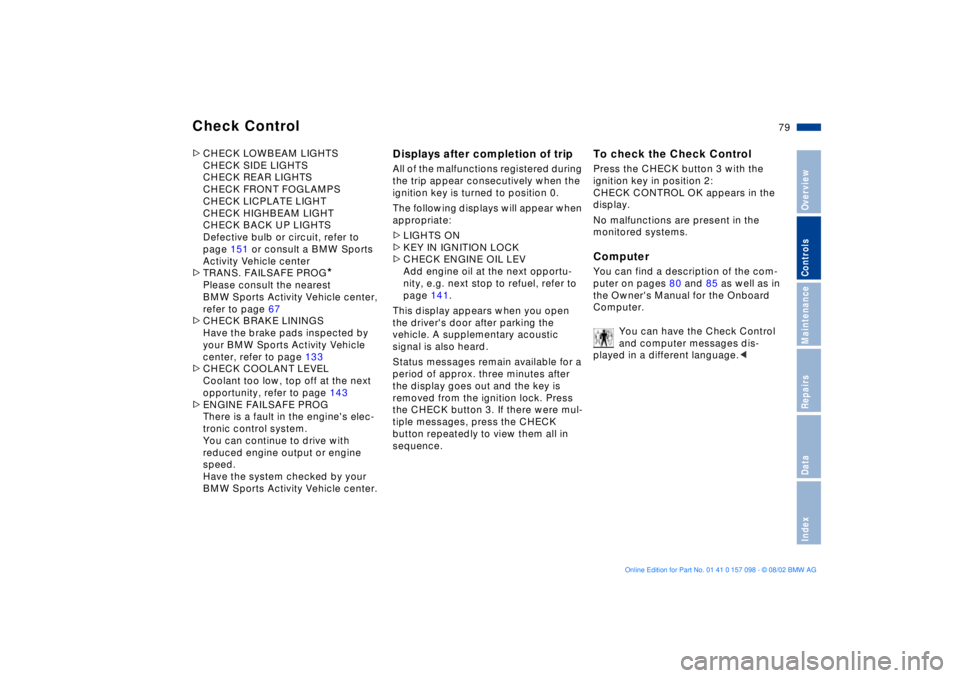
Alphanumeric display
*
Text messages are used to alert the
driver to system malfunctions when the
ignition key is turned to position 2. The
alert is accompanied by an acoustic
signal.
1 Status messages symbol
2 Display
3 CHECK button
Messages concerning system faults are
differentiated based on two priorities: 390us111
Priority 1
These defects are immediately indi-
cated by an acoustic signal and a
flashing warning symbol 1. Simulta-
neous defects will be displayed con-
secutively. These status messages
remain in the display until the defects
are corrected. They cannot be deleted
by pressing the CHECK button 3:
>RELEASE PARKINGBRAKE
>COOLANT TEMPERATURE
The coolant is overheated. Stop the
vehicle immediately and switch off
the engine, refer to pages 76 and 143
>STOP!ENGINE OILPRESS
The oil pressure is too low. Stop the
vehicle immediately and switch off
the engine, refer to pages 19 and 141
Page 79 of 183
79n
OverviewControlsMaintenanceRepairsDataIndex
Check Control >CHECK LOWBEAM LIGHTS
CHECK SIDE LIGHTS
CHECK REAR LIGHTS
CHECK FRONT FOGLAMPS
CHECK LICPLATE LIGHT
CHECK HIGHBEAM LIGHT
CHECK BACK UP LIGHTS
Defective bulb or circuit, refer to
page 151 or consult a BMW Sports
Activity Vehicle center
>TRANS. FAILSAFE PROG
*
Please consult the nearest
BMW Sports Activity Vehicle center,
refer to page 67
>CHECK BRAKE LININGS
Have the brake pads inspected by
your BMW Sports Activity Vehicle
center, refer to page 133
>CHECK COOLANT LEVEL
Coolant too low, top off at the next
opportunity, refer to page 143
>ENGINE FAILSAFE PROG
There is a fault in the engine's elec-
tronic control system.
You can continue to drive with
reduced engine output or engine
speed.
Have the system checked by your
BMW Sports Activity Vehicle center.
Displays after completion of trip All of the malfunctions registered during
the trip appear consecutively when the
ignition key is turned to position 0.
The following displays will appear when
appropriate:
>LIGHTS ON
>KEY IN IGNITION LOCK
>CHECK ENGINE OIL LEV
Add engine oil at the next opportu-
nity, e.g. next stop to refuel, refer to
page 141.
This display appears when you open
the driver's door after parking the
vehicle. A supplementary acoustic
signal is also heard.
Status messages remain available for a
period of approx. three minutes after
the display goes out and the key is
removed from the ignition lock. Press
the CHECK button 3. If there were mul-
tiple messages, press the CHECK
button repeatedly to view them all in
sequence.
To check the Check Control Press the CHECK button 3 with the
ignition key in position 2:
CHECK CONTROL OK appears in the
display.
No malfunctions are present in the
monitored systems.Computer You can find a description of the com-
puter on pages 80 and 85 as well as in
the Owner's Manual for the Onboard
Computer.
You can have the Check Control
and computer messages dis-
played in a different language.<
Page 81 of 183
81n
OverviewControlsMaintenanceRepairsDataIndex
Multi-Information Display MID
Central displayThe MID serves as the central display
and operation for the following onboard
systems:
>Digital clock, e. g. time display, date
>Audio systems Ð radio, cassette, CD
>Computer, e.g. fuel consumption,
cruising range
>Cellular phone, e.g. dialing.
You will find explanations and notes
for operating the digital clock and the
computer on the following pages.
Please refer to the separate Owner's
Manuals for operating the audio sys-
tems, the cellular phone and the
onboard computer.
Any unrealistic numerical entries
will not be accepted.
All stored data will be lost if the power
supply is interrupted. Time display,
switch-on times for independent
heating and ventilation, distance and
cruise control speed limit may have to
be reset once the power supply has
been re-established.<
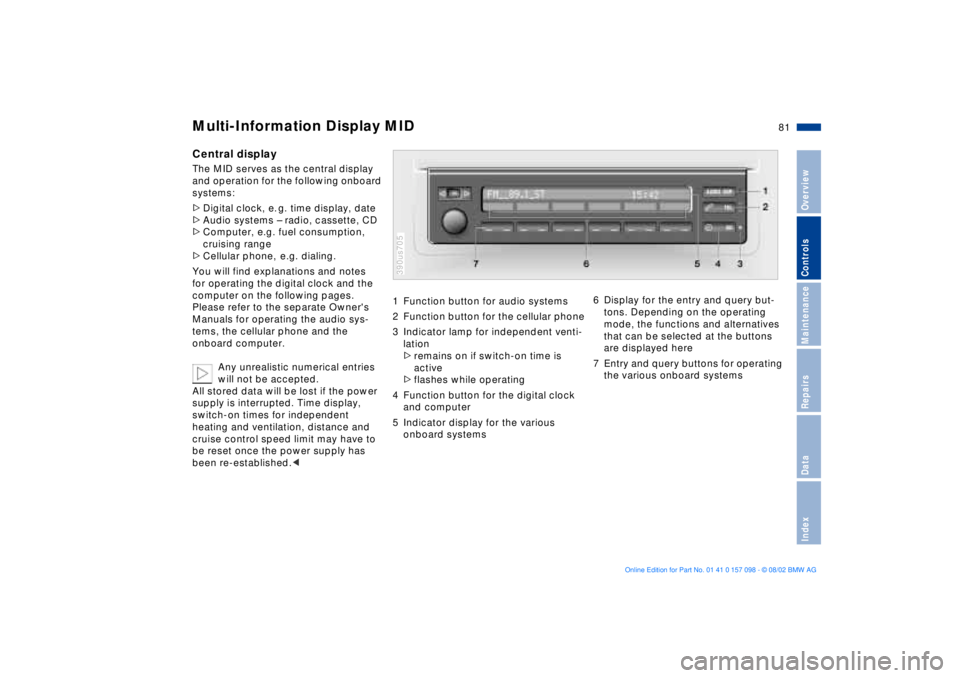
1 Function button for audio systems
2 Function button for the cellular phone
3 Indicator lamp for independent venti-
lation
>remains on if switch-on time is
active
>flashes while operating
4 Function button for the digital clock
and computer
5 Indicator display for the various
onboard systems390us705
6 Display for the entry and query but-
tons. Depending on the operating
mode, the functions and alternatives
that can be selected at the buttons
are displayed here
7 Entry and query buttons for operating
the various onboard systems
Page 82 of 183
82n
Digital clock in the MID
Only make entries when the
vehicle is stationary Ð to avoid
endangering yourself or other road
users.<
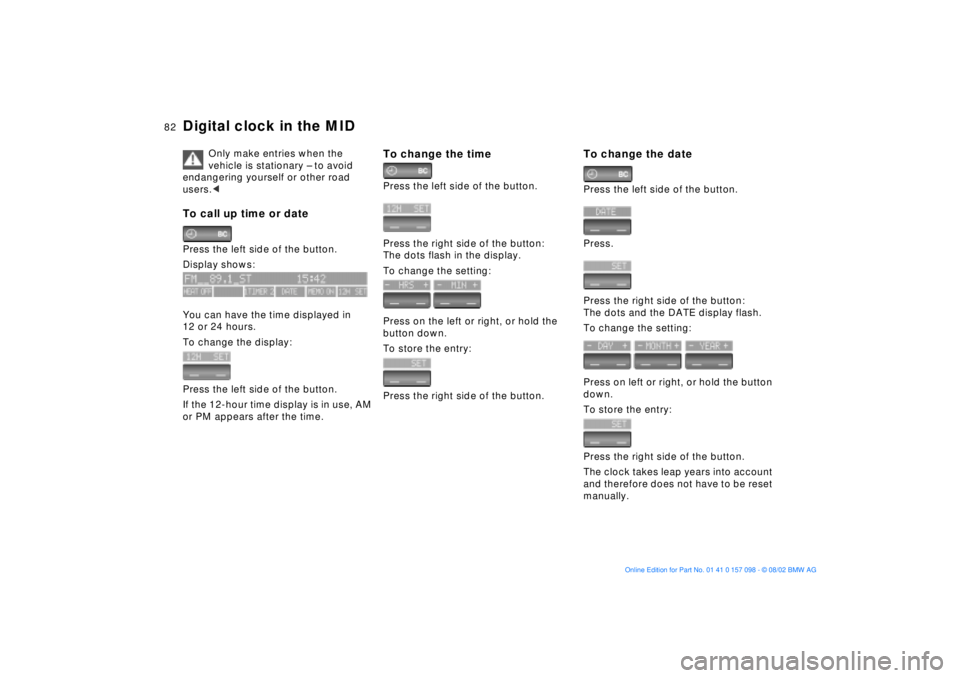
To call up time or date Press the left side of the button.
Display shows:
You can have the time displayed in
12 or 24 hours.
To change the display:
Press the left side of the button.
If the 12-hour time display is in use, AM
or PM appears after the time.
To change the timePress the left side of the button.
Press the right side of the button:
The dots flash in the display.
To change the setting:
Press on the left or right, or hold the
button down.
To store the entry:
Press the right side of the button.
To change the datePress the left side of the button.
Press.
Press the right side of the button:
The dots and the DATE display flash.
To change the setting:
Press on left or right, or hold the button
down.
To store the entry:
Press the right side of the button.
The clock takes leap years into account
and therefore does not have to be reset
manually.
Page 83 of 183
83n
OverviewControlsMaintenanceRepairsDataIndex
Digital clock in the MIDReminder signalYou can program a reminder signal Ð
Memo Ð to be heard every hour, so that
you are sure not to miss a news
broadcast .
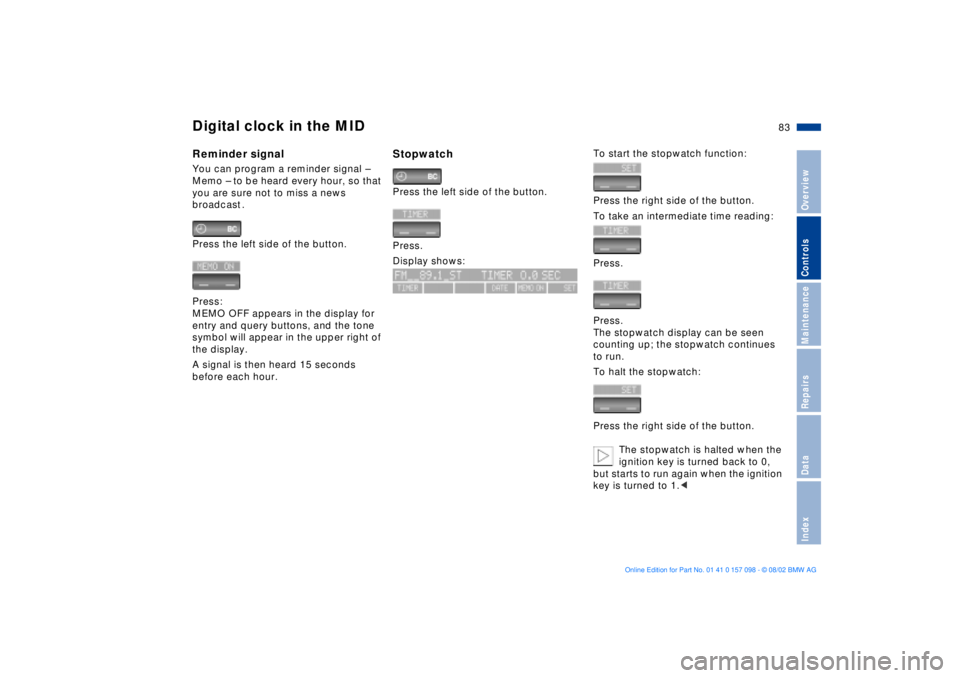
Press the left side of the button.
Press:
MEMO OFF appears in the display for
entry and query buttons, and the tone
symbol will appear in the upper right of
the display.
A signal is then heard 15 seconds
before each hour.
Stopwatch Press the left side of the button.
Press.
Display shows:
To start the stopwatch function:
Press the right side of the button.
To take an intermediate time reading:
Press.
Press.
The stopwatch display can be seen
counting up; the stopwatch continues
to run.
To halt the stopwatch:
Press the right side of the button.
The stopwatch is halted when the
ignition key is turned back to 0,
but starts to run again when the ignition
key is turned to 1.<