Set time BMW X5 3.0I 2006 E53 User Guide
[x] Cancel search | Manufacturer: BMW, Model Year: 2006, Model line: X5 3.0I, Model: BMW X5 3.0I 2006 E53Pages: 202, PDF Size: 4.13 MB
Page 89 of 202
89n
OverviewControlsMaintenanceRepairsDataIndex
Computer
* in MID
After three incorrect code entries, or
three attempts to start the engine with-
out a code entry, the alarm will sound
for 30 seconds on vehicles fitted with
an alarm system.
Deactivating the alarm in an emer-
gency:
If you have forgotten the code, proceed
as follows:
1. Disconnect the battery, wait approx.
2 minutes, then reconnect it. Note
that on vehicles with an alarm sys-
tem, the alarm will sound
2. Set the ignition key to position 1: the
time display will count down for the
next ten minutes
3. After ten minutes, start the engine.
If the code becomes available
again in the meantime, it can be
entered during the waiting period after
pressing the CODE button.<
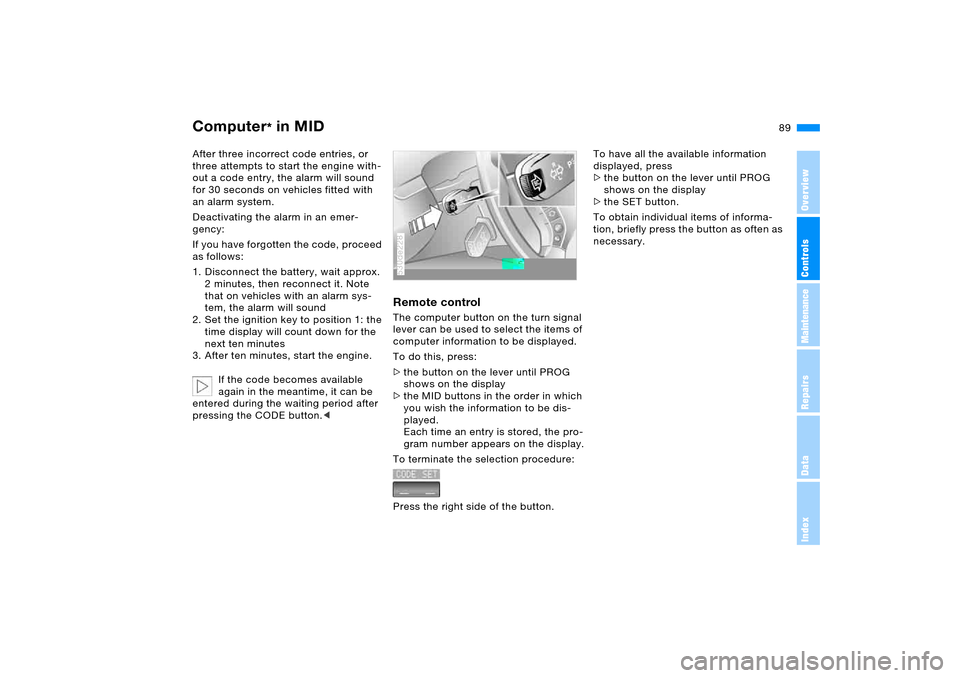
Remote controlThe computer button on the turn signal
lever can be used to select the items of
computer information to be displayed.
To do this, press:
>the button on the lever until PROG
shows on the display
>the MID buttons in the order in which
you wish the information to be dis-
played.
Each time an entry is stored, the pro-
gram number appears on the display.
To terminate the selection procedure:
Press the right side of the button.530de228
To have all the available information
displayed, press
>the button on the lever until PROG
shows on the display
>the SET button.
To obtain individual items of informa-
tion, briefly press the button as often as
necessary.
Page 100 of 202
100n
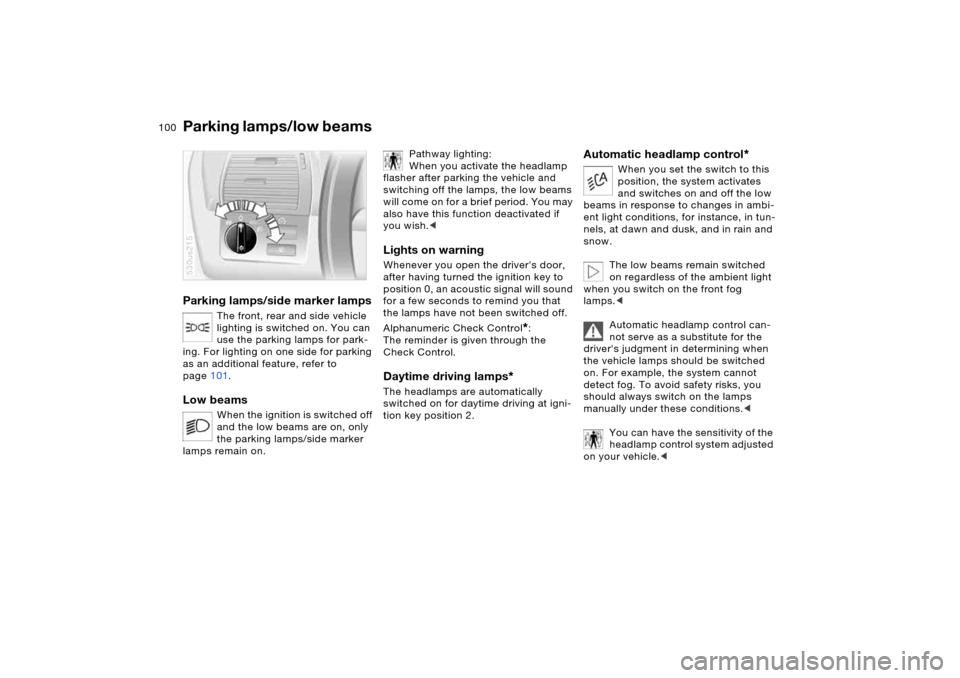
Parking lamps/side marker lamps
The front, rear and side vehicle
lighting is switched on. You can
use the parking lamps for park-
ing. For lighting on one side for parking
as an additional feature, refer to
page101.
Low beams
When the ignition is switched off
and the low beams are on, only
the parking lamps/side marker
lamps remain on.
530us215
Pathway lighting:
When you activate the headlamp
flasher after parking the vehicle and
switching off the lamps, the low beams
will come on for a brief period. You may
also have this function deactivated if
you wish.<
Lights on warning Whenever you open the driver's door,
after having turned the ignition key to
position 0, an acoustic signal will sound
for a few seconds to remind you that
the lamps have not been switched off.
Alphanumeric Check Control
*:
The reminder is given through the
Check Control.
Daytime driving lamps
*
The headlamps are automatically
switched on for daytime driving at igni-
tion key position 2.
Automatic headlamp control
*
When you set the switch to this
position, the system activates
and switches on and off the low
beams in response to changes in ambi-
ent light conditions, for instance, in tun-
nels, at dawn and dusk, and in rain and
snow.
The low beams remain switched
on regardless of the ambient light
when you switch on the front fog
lamps.<
Automatic headlamp control can-
not serve as a substitute for the
driver's judgment in determining when
the vehicle lamps should be switched
on. For example, the system cannot
detect fog. To avoid safety risks, you
should always switch on the lamps
manually under these conditions.<
You can have the sensitivity of the
headlamp control system adjusted
on your vehicle.<
Parking lamps/low beams
Page 109 of 202
109n
OverviewControlsMaintenanceRepairsDataIndex
Automatic climate control
*
Tips for pleasant drivingFor nearly all conditions, AUTO pro-
gram 6 offers the optimal air distribution
and airflow volume. Select the interior
temperature that is comfortable for you.
Detailed setting options are described
for you in the following section.
Your BMW Sports Activity Vehicle
center can program the settings of
your vehicle in such a manner that,
when you unlock the vehicle with your
individualized key, your own personal-
ized setting for the automatic climate
control is initiated.< Automatic air distribution
The AUTO program
adjusts the airflow and dis-
tribution patterns for you while also
using your preselected temperature
setting as the basis for adjusting the
interior climate to adapt to external
influences: summer, winter.
Individual air distribution
You can cancel the AUTO
program by selecting spe-
cific air distribution patterns
for your personal comfort,
the automatic air supply
remains in operation. You can direct air
to flow onto the windows , toward
the upper body , and into the foot-
well . You can reactivate the auto-
matic air distribution mode by pressing
the AUTO button.
Temperature
Set the desired tempera-
ture individually on the
driver's and front passen-
ger side.
The automatic climate control adjusts
this temperature as quickly as possible
at any time of year, if necessary with the
maximum cooling or heating capacity,
and then keeps it constant.
When switching between differ-
ent temperature settings in rapid
succession, the automatic climate con-
trol does not have sufficient time to
adjust the set temperature.<
To change the units of measure in the
display 7/6, refer to page73 or80.Air supply
In the AUTO program,
the air supply is automati-
cally controlled, and AUTO appears on
the display 9, refer to overview on
page107. You can vary the air supply
by pressing the left or right half of the
button. When your setting is displayed
as bars, the automatic air supply is
switched off. Automatic air distribution
maintains its setting. You can reactivate
the automatic air supply by pressing the
AUTO button.
When you press the left side of the but-
ton during operation at minimum blower
speed, all displays are canceled: the
blower, heating and air conditioner are
switched off. The outside air supply is
closed. You can switch the system back
on by pressing any button of the auto-
matic climate control, except the MAX
button 16.
Defrosting windows and removing
condensation
Quickly remove ice and
condensation from the
windshield and front side windows.
Page 113 of 202
113n
OverviewControlsMaintenanceRepairsDataIndex
Roller sun blinds
*
Parked car ventilation
*
Roller sun blinds for rear side
windows
*
Use the strap to pull out the blinds, then
hook them in the attachment provided.
With roller sun blinds attached,
do not open the windows during
travel. The blinds may otherwise be
damaged by the wind.<
You can use this system to ventilate the
interior and lower its temperature, using
the blower of the parked car ventilation
or of the automatic climate control.
The parked car ventilation is operated
via the MID Multi-Information Display,
refer to page84 or via the onboard
computer, refer to the separate
Owner's Manual.
You can set two different times for the
system to start; it will remain active for
30 minutes. You can also switch it on
and off directly. Since the system uses
a substantial amount of electrical cur-
rent, you should refrain from switching
it on twice in succession without allow-
ing the battery to be recharged in nor-
mal operation between uses.When a preselected activation time is
set, the parked car ventilation is opera-
tional at outside temperatures above
approx. 607/166, or by direct switch
activation.
The air enters the passenger compart-
ment through the vent outlets in the
instrument cluster, which can be
adjusted for both direction and airflow.
The vent outlets must therefore be open
for the system to operate.
Page 116 of 202
116n
Integrated universal remote control
*
Car phone
*
1. Park your vehicle within the range of
the remote-controlled device
2. Program the integrated universal
remote control as described at the
section on fixed-code hand-held
transmitters
3. Locate the button on the receiver of
the device you want to set up, e.g. on
the upper section of the motor
4. Press the button on the receiver of
the device you want to set up. After
step 4, you have approx. 30 seconds
for step 5
5. Press the programmed memory
button 1 on the integrated universal
remote control three times.
The corresponding memory button 1 is
now programmed with the signal of the
original hand-held transmitter.
If you have any additional ques-
tions, please contact your BMW
Sports Activity Vehicle center.<
Clearing memory buttonsIt is not possible to clear memory but-
tons 1 individually. To clear all three
memory buttons 1, proceed as follows:
Press both outer buttons 1 of the inte-
grated universal remote control for
approx. 20 seconds, maintaining pres-
sure until the LED 2 starts to flash.
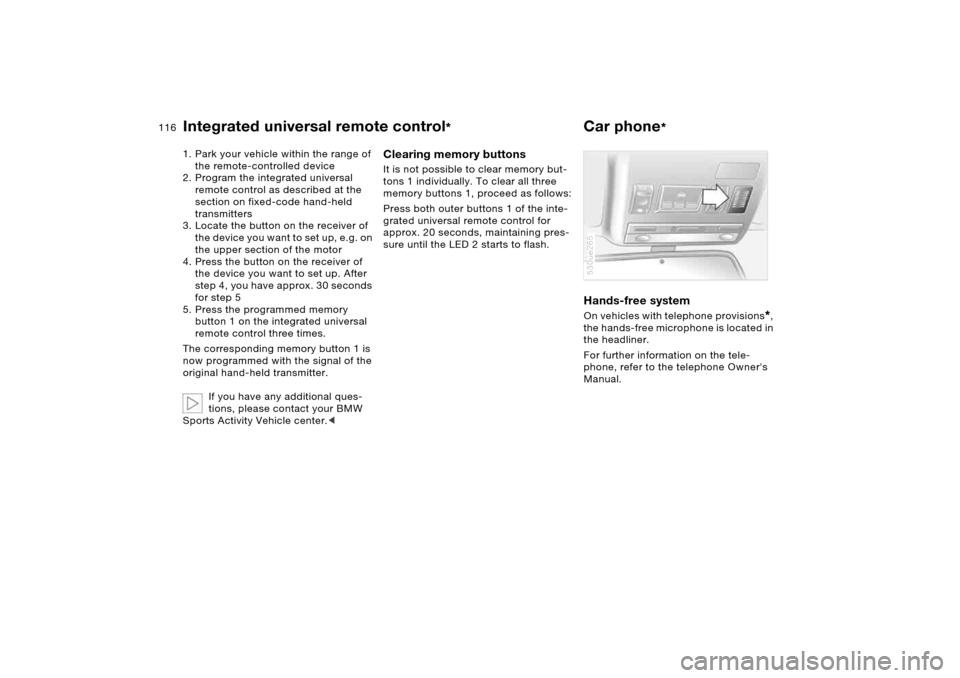
Hands-free system On vehicles with telephone provisions
*,
the hands-free microphone is located in
the headliner.
For further information on the tele-
phone, refer to the telephone Owner's
Manual.
530ue265
Page 139 of 202
139n
OverviewControlsMaintenanceRepairsDataIndex
Driving your X5>Please note that it is possible for the
undercarriage to touch the ground,
for example on crests and bumpy
roads. The ground clearance of the
vehicle is:
– without self-leveling suspension
X5 3.0i, 4.4i: 8 in/20 cm
X5 3.0d: 7 in/17.5 cm
– with 2-axle self-leveling suspen-
sion
*
6.5-9 in/16.5-22 cm, depending on
the level selected.
>Only drive through water up to a max-
imum depth of 20 in/50 cm and only
at walking speed, making sure not to
stop in the process. When equipped
with 2-axle self leveling suspension
*,
switch the vehicle to the Off-Road
setting before driving through, refer
to page97.
After leaving the water, apply the
footbrake lightly several times while
driving at low speeds so as to dry the
brakes by braking and to prevent
decreased braking action due to wet-
ness.
Back onto paved road Our recommendation that you observe
the following points after driving on
adverse road surfaces is not intended
as a beauty treatment for your BMW.
Instead, it is intended to maintain driv-
ing safety:
>Clean the worst of the dirt from the
body and inspect the undercarriage
for damage.
>Clean mud, snow, ice etc. from the
wheels and tires and check the
wheels for damage.
>Check to determine whether rocks,
gravel or accumulations of dirt on the
brake rotors and calipers could influ-
ence braking performance. Remove
all such foreign objects.
>In order to clean the brake rotors,
apply the footbrake gently several
times while driving at a low speed.
Be sure that following traffic is not
endangered by this.
>For cleaning the handbrake, apply the
lever slightly at approx. 25 mph/
40 km/h and continue to drive for
approx. 200 yards/200 meters, pro-
vided that traffic conditions allow you
to do so.
Page 171 of 202
171n
OverviewControlsMaintenanceRepairsDataIndex
Changing a wheel Vehicle battery
Only one compact wheel may be
mounted. Wheels and tires of the
original size should be mounted again
as soon as possible.<
Driving with spare wheel
*
Do not exceed a speed of
130 mph/210 km/h, otherwise tire
damage could lead to accidents.<
With certain wheel-and-tire com-
binations the size of the spare
wheel differs from that of the other
wheels. To restore the original state,
the normal wheel should be remounted
as soon as possible.<
Battery posts, terminals and
related accessories contain lead
and lead compounds. Wash hands after
handling.<
Battery care The battery is maintenance-free, that is,
the original electrolyte will normally last
for the service life of the battery under
moderate climatic conditions. Your
BMW Sports Activity Vehicle center will
be glad to advise in all matters con-
cerning the battery.Charging battery Only charge the battery in the vehicle
via the terminals in the engine compart-
ment with the engine off. For correct
connections, refer to Jump starting on
page174. Disposal
Following replacement, have old
batteries disposed of by your
BMW Sports Activity Vehicle center or
turn them over to a recycling center.
Maintain the battery in an upright posi-
tion for transport and storage. Always
restrain the battery to prevent it from
tipping over during transport.<
Power failure Following a temporary power failure,
e.g. in the case of a dead battery, some
equipment is subject to restricted use
and must be reinitialized. Individual set-
tings are also lost and must be updated
again:
>Seat, mirror and steering wheel
memory
The positions must be stored again,
refer to page50
>Time and date
Have to be updated again, refer to
page82
>Activation time for parked car
ventilation
Has to be updated again, refer to
page84.
Page 188 of 202
Everything from A to ZCargo area124
capacity182
cover, refer to Roll-up
cover125
emergency operation,
refer to Unlocking
manually35,36
enlarging124
floor cover127
lamps103
lid, refer to Liftgate/
tailgate35,36
opening, remote control31
opening/closing, refer to
Liftgate35
opening/closing, refer to
Tailgate36
opening from inside35
opening from outside35
Cargo-area partition net125
Cargo bay, refer to Cargo
area124
Cargo floor, pull-out128
Cargo loading130
Caring for leather, refer to
Caring for your vehicle
brochure
Caring for the carpet, refer to
Caring for your vehicle
brochure
Car keys, refer to Keys30Car phone, refer to separate
Owner's Manual
Car phone provision116
Car radio, refer to Owner's
Manual for Radio/Onboard
Computer
Car wash, refer to Caring for
your vehicle brochure
Cassette operation, refer to
Owner's Manual for Radio/
Onboard Computer
CD changer, refer to Owner's
Manual for Radio/Onboard
Computer
CD operation, refer to
Owner's Manual for Radio/
Onboard Computer
Center armrest, refer to
Storage
compartments119
Center brake lamp, replacing
bulbs164
Central locking system30
interior34
Changes, technical, refer to
For your own safety9
Changing a wheel165
Changing gears with
automatic transmission
with Steptronic66
Changing tires145Changing wheels
compact wheel167
spare wheel167
Charge-current indicator
lamp19
Charging battery171
CHECK button77
Check Control77
Child's seat, refer to Child-
restraint systems57
Child-restraint fixing system
LATCH59
Child-restraint systems57
Child-safety locks60
Chocks166
Chrome parts, care, refer to
Caring for your vehicle
brochure
Cigarette lighter121,122
Cigarette lighter socket, refer
to Socket121
Circulation of air, refer to
Recirculated-air
mode105,110
Cleaning, vehicle, refer to
Caring for your vehicle
brochure
Cleaning rear window71
Climate control in the rear
passenger area111Clock82
12 or 24-hour mode82
hour signal83
setting82
setting, also refer to
Owner's Manual for Radio/
Onboard Computer
setting time and date82
Closing
from inside34
from outside31
Clothes hooks120
Clutch136
breaking-in136
Cockpit14
Code
activating88
deactivating89
establishing88
Cold starting, refer to
Starting engine63
Combination of wheels/
tires148
Comfort seat46
Comfort starting, refer to
Starting engine63
Compact Disc operation,
refer to Owner's Manual
for Radio/Onboard
Computer
Compact wheel, changing
wheels167
Page 196 of 202
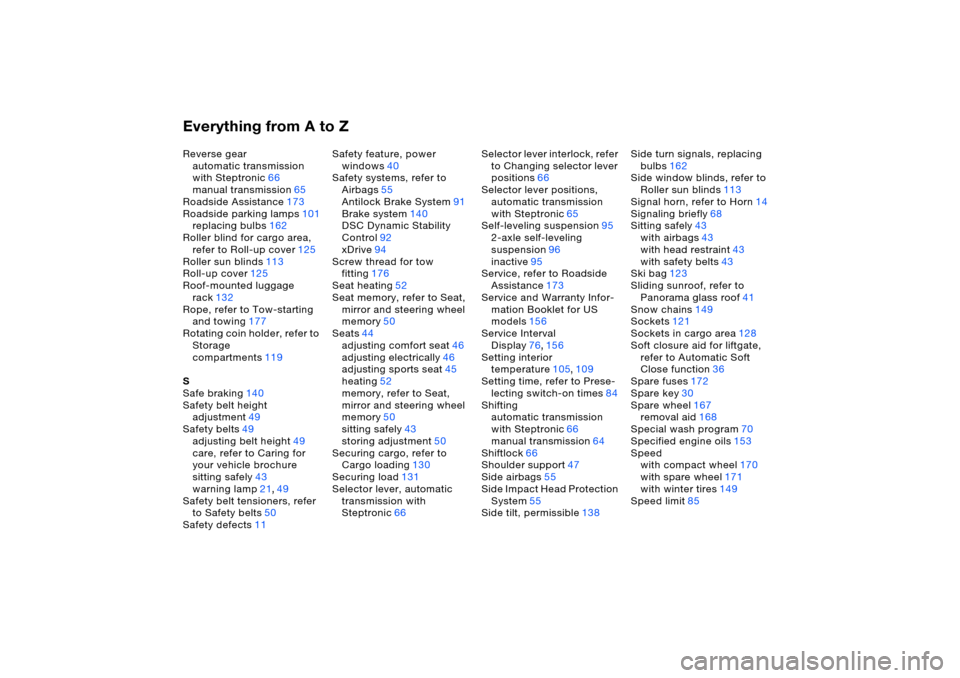
Everything from A to ZReverse gear
automatic transmission
with Steptronic66
manual transmission65
Roadside Assistance173
Roadside parking lamps101
replacing bulbs162
Roller blind for cargo area,
refer to Roll-up cover125
Roller sun blinds113
Roll-up cover125
Roof-mounted luggage
rack132
Rope, refer to Tow-starting
and towing177
Rotating coin holder, refer to
Storage
compartments119
S
Safe braking140
Safety belt height
adjustment49
Safety belts49
adjusting belt height49
care, refer to Caring for
your vehicle brochure
sitting safely43
warning lamp21,49
Safety belt tensioners, refer
to Safety belts50
Safety defects11Safety feature, power
windows40
Safety systems, refer to
Airbags55
Antilock Brake System91
Brake system140
DSC Dynamic Stability
Control92
xDrive94
Screw thread for tow
fitting176
Seat heating52
Seat memory, refer to Seat,
mirror and steering wheel
memory50
Seats44
adjusting comfort seat46
adjusting electrically46
adjusting sports seat45
heating52
memory, refer to Seat,
mirror and steering wheel
memory50
sitting safely43
storing adjustment50
Securing cargo, refer to
Cargo loading130
Securing load131
Selector lever, automatic
transmission with
Steptronic66Selector lever interlock, refer
to Changing selector lever
positions66
Selector lever positions,
automatic transmission
with Steptronic65
Self-leveling suspension95
2-axle self-leveling
suspension96
inactive95
Service, refer to Roadside
Assistance173
Service and Warranty Infor-
mation Booklet for US
models156
Service Interval
Display76,156
Setting interior
temperature105,109
Setting time, refer to Prese-
lecting switch-on times84
Shifting
automatic transmission
with Steptronic66
manual transmission64
Shiftlock66
Shoulder support47
Side airbags55
Side Impact Head Protection
System55
Side tilt, permissible138Side turn signals, replacing
bulbs162
Side window blinds, refer to
Roller sun blinds113
Signal horn, refer to Horn14
Signaling briefly68
Sitting safely43
with airbags43
with head restraint43
with safety belts43
Ski bag123
Sliding sunroof, refer to
Panorama glass roof41
Snow chains149
Sockets121
Sockets in cargo area128
Soft closure aid for liftgate,
refer to Automatic Soft
Close function36
Spare fuses172
Spare key30
Spare wheel167
removal aid168
Special wash program70
Specified engine oils153
Speed
with compact wheel
170
with spare wheel171
with winter tires149
Speed limit85
Page 197 of 202
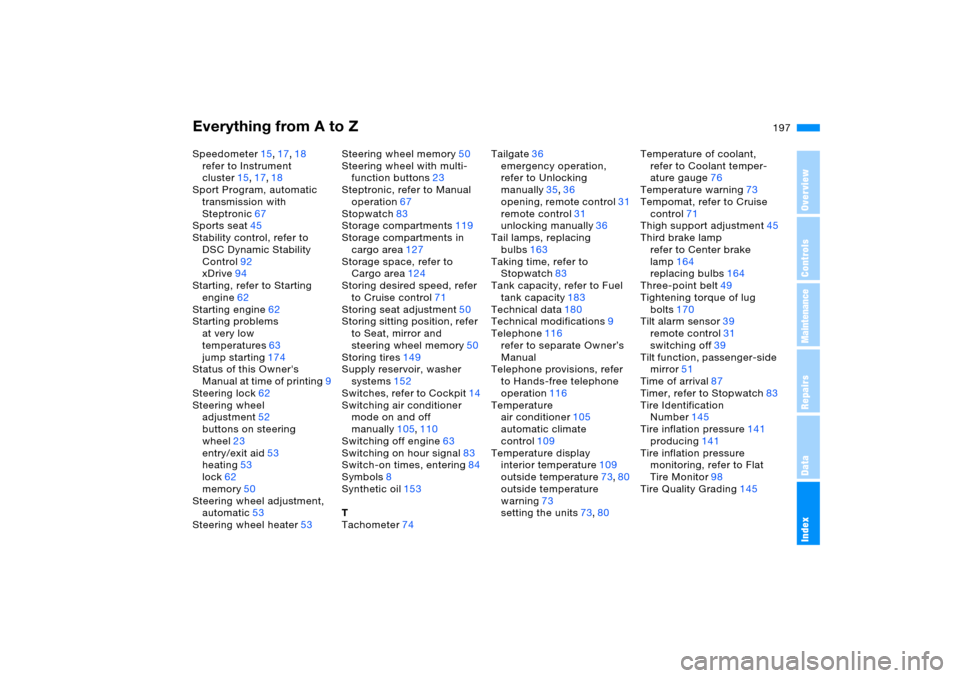
Everything from A to Z
197n
OverviewControlsMaintenanceRepairsDataIndex
Speedometer15,17,18
refer to Instrument
cluster15,17,18
Sport Program, automatic
transmission with
Steptronic67
Sports seat45
Stability control, refer to
DSC Dynamic Stability
Control92
xDrive94
Starting, refer to Starting
engine62
Starting engine62
Starting problems
at very low
temperatures63
jump starting174
Status of this Owner's
Manual at time of printing9
Steering lock62
Steering wheel
adjustment52
buttons on steering
wheel23
entry/exit aid53
heating53
lock62
memory50
Steering wheel adjustment,
automatic53
Steering wheel heater53Steering wheel memory50
Steering wheel with multi-
function buttons23
Steptronic, refer to Manual
operation67
Stopwatch83
Storage compartments119
Storage compartments in
cargo area127
Storage space, refer to
Cargo area124
Storing desired speed, refer
to Cruise control71
Storing seat adjustment50
Storing sitting position, refer
to Seat, mirror and
steering wheel memory50
Storing tires149
Supply reservoir, washer
systems152
Switches, refer to Cockpit14
Switching air conditioner
mode on and off
manually105,110
Switching off engine
63
Switching on hour signal83
Switch-on times, entering84
Symbols8
Synthetic oil153
T
Tachometer74Tailgate36
emergency operation,
refer to Unlocking
manually35,36
opening, remote control31
remote control31
unlocking manually36
Tail lamps, replacing
bulbs163
Taking time, refer to
Stopwatch83
Tank capacity, refer to Fuel
tank capacity183
Technical data180
Technical modifications9
Telephone116
refer to separate Owner’s
Manual
Telephone provisions, refer
to Hands-free telephone
operation116
Temperature
air conditioner105
automatic climate
control109
Temperature display
interior temperature109
outside temperature73,80
outside temperature
warning73
setting the units73,80Temperature of coolant,
refer to Coolant temper-
ature gauge76
Temperature warning73
Tempomat, refer to Cruise
control71
Thigh support adjustment45
Third brake lamp
refer to Center brake
lamp164
replacing bulbs164
Three-point belt49
Tightening torque of lug
bolts170
Tilt alarm sensor39
remote control31
switching off39
Tilt function, passenger-side
mirror51
Time of arrival87
Timer, refer to Stopwatch
83
Tire Identification
Number145
Tire inflation pressure141
producing141
Tire inflation pressure
monitoring, refer to Flat
Tire Monitor98
Tire Quality Grading145