door lock BMW X5 4.4I 2000 User Guide
[x] Cancel search | Manufacturer: BMW, Model Year: 2000, Model line: X5 4.4I, Model: BMW X5 4.4I 2000Pages: 201, PDF Size: 1.93 MB
Page 54 of 201
54n
Seat, mirror and steering wheel memory You can store and call up three different
seat, exterior mirror and steering wheel
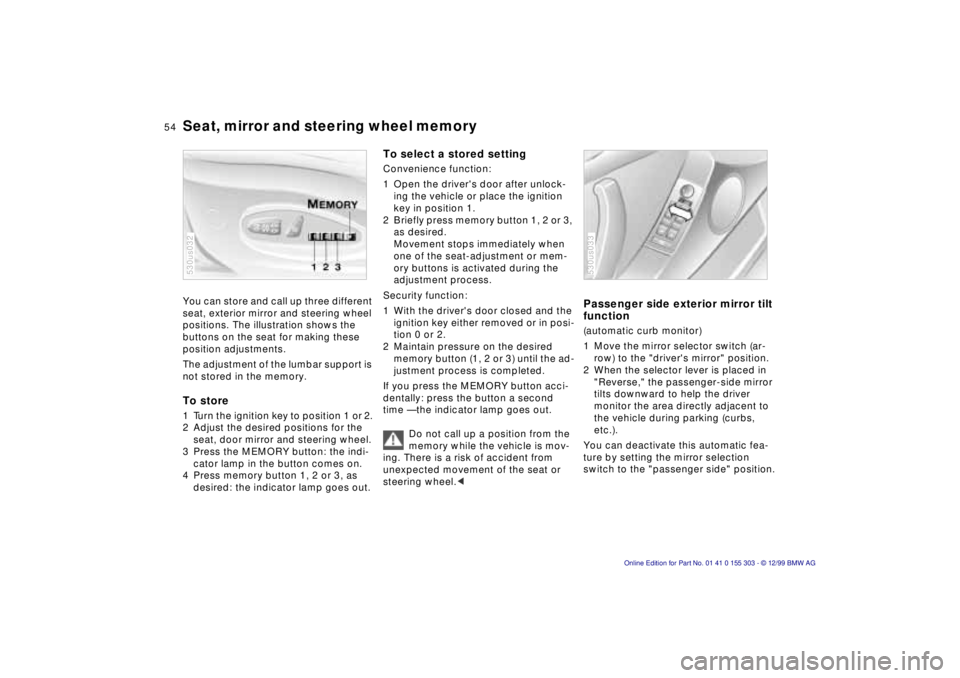
positions. The illustration shows the
buttons on the seat for making these
position adjustments.
The adjustment of the lumbar support is
not stored in the memory. To store 1 Turn the ignition key to position 1 or 2.
2 Adjust the desired positions for the
seat, door mirror and steering wheel.
3 Press the MEMORY button: the indi-
cator lamp in the button comes on.
4 Press memory button 1, 2 or 3, as
desired: the indicator lamp goes out. 530us032
To select a stored settingConvenience function:
1 Open the driver's door after unlock-
ing the vehicle or place the ignition
key in position 1.
2 Briefly press memory button 1, 2 or 3,
as desired.
Movement stops immediately when
one of the seat-adjustment or mem-
ory buttons is activated during the
adjustment process.
Security function:
1 With the driver's door closed and the
ignition key either removed or in posi-
tion 0 or 2.
2 Maintain pressure on the desired
memory button (1, 2 or 3) until the ad-
justment process is completed.
If you press the MEMORY button acci-
dentally: press the button a second
time Ñ the indicator lamp goes out.
Do not call up a position from the
memory while the vehicle is mov-
ing. There is a risk of accident from
unexpected movement of the seat or
steering wheel.<
Passenger side exterior mirror tilt
function(automatic curb monitor)
1 Move the mirror selector switch (ar-
row) to the "driver's mirror" position.
2 When the selector lever is placed in
"Reverse," the passenger-side mirror
tilts downward to help the driver
monitor the area directly adjacent to
the vehicle during parking (curbs,
etc.).
You can deactivate this automatic fea-
ture by setting the mirror selection
switch to the "passenger side" position.530us033
Page 58 of 201
58n
Airbags Indicator lamp
The indicator lamp displays the
operational status of the airbag
system from ignition key posi-
tion 1 and up.
System operational:
>The indicator lamp comes on briefly
then goes out.
System malfunction:
>The indicator lamp fails to come on.
>The indicator lamp comes on briefly
before going out and then lighting up
again.
A system malfunction could prevent the
system from responding to an impact
occurring within its normal response
range.
Please have your authorized BMW cen-
ter inspect and repair the system as
soon as possible.
Sitting correctly with airbags
For your safety, comply with the
following instructions for the air-
bags. If you do not, the airbags may not
be able to provide their maximum pro-
tection. All passengers in the vehicle
should be aware of and comply with
this information:
The airbags are supplemental restraint
devices designed to provide extra pro-
tection; they are not a substitute for
safety belts. Wear your safety belt at all
times. The airbags will not be triggered
in the event of a minor accident, a vehi-
cle roll-over, or collisions from the rear.
In these instances, the safety belt pro-
vides optimal protection.
Airbags are located under cover panels
in the steering wheel, in the dashboard,
in the side trim panels in the front and
rear*, and in the windshield pillars and
the sides of the headliner.
Adjust your seat to a position that pro-
vides maximum distance between you
and the steering wheel, the instrument
panel and the door while still allowing
comfortable and safe access to all
vehicle controls.
To avoid sustaining hand and arm inju-
ries, always grasp the steering wheel
on
the rim with the hands at the 9 and
3 o'clock positions. Do not place your
hands on the center pad.
Never allow any objects to obstruct the
area between the airbag and an occu-
pant.
Do not use the cover panel above the
passenger-side airbag as a storage
area.
Do not apply adhesive materials to the
cover panels of the airbags, cover them
or modify them in any other way.
Do not install a rear-facing child re-
straint system in the front passenger
seat of this vehicle.
Children under 13 years of age and
children less than 5 feet (150 cm) tall
should ride only in the rear seat.
Infants or small children should never
be held on the lap of a passenger.
If your vehicle is equipped with side air-
bags in the rear passenger area, be
sure that child restraints are mounted
correctly and provided with the great-
est-possible distance between the air-
bags in the side trim panels. Do not al-
low children to lean out of the child's
seat in the direction of the side trim
panels. If they do so, serious injuries
can occur if the airbag is triggered.<
Page 62 of 201
62n
Child seat security Child-safety locks To release the belt Release the buckle, remove the child-
restraint device and allow the belt
retractor to reel the belt completely in.
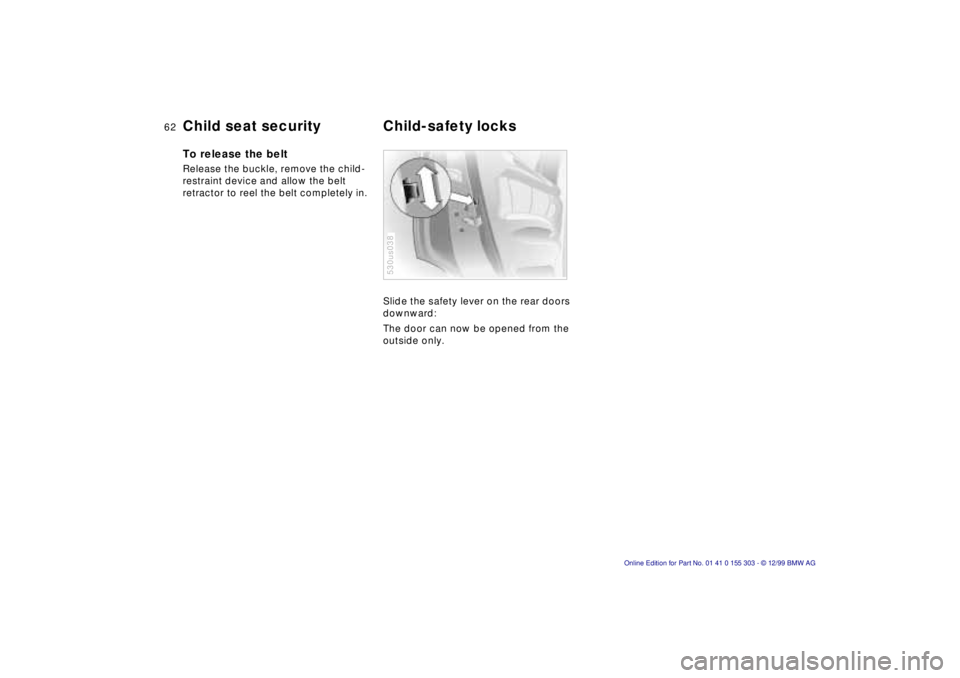
Slide the safety lever on the rear doors
downward:
The door can now be opened from the
outside only.
530us038
Page 63 of 201
IndexDataTechnologyRepairsCar careControlsOverview
63n
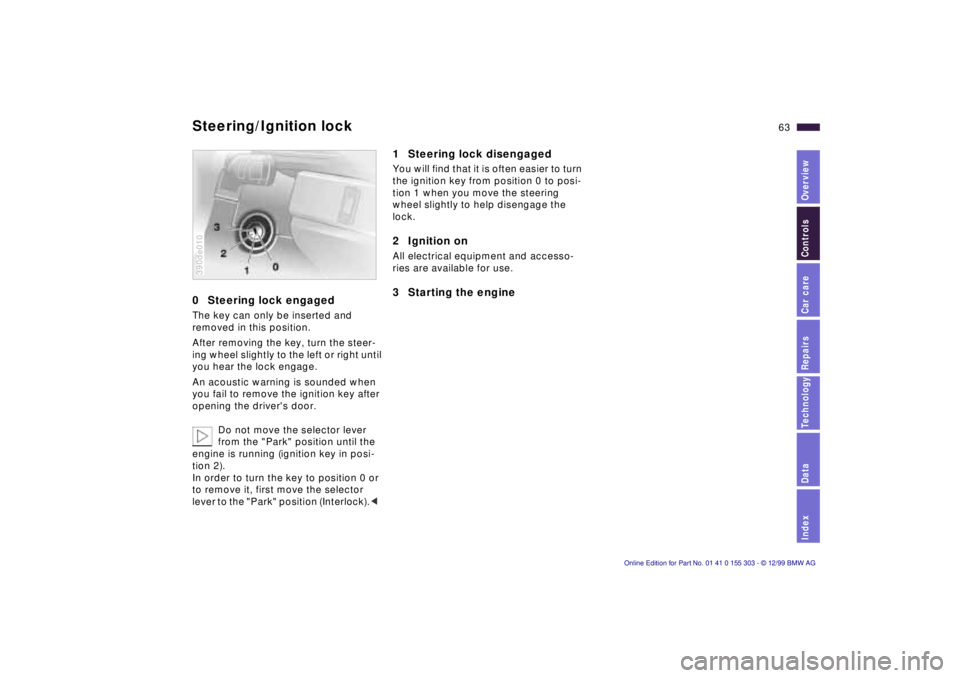
0 Steering lock engaged The key can only be inserted and
removed in this position.
After removing the key, turn the steer-
ing wheel slightly to the left or right until
you hear the lock engage.
An acoustic warning is sounded when
you fail to remove the ignition key after
opening the driver's door.
Do not move the selector lever
from the "Park" position until the
engine is running (ignition key in posi-
tion 2).
In order to turn the key to position 0 or
to remove it, first move the selector
lever to the "Park" position (Interlock).< 390de010
1 Steering lock disengaged You will find that it is often easier to turn
the ignition key from position 0 to posi-
tion 1 when you move the steering
wheel slightly to help disengage the
lock.2 Ignition on All electrical equipment and accesso-
ries are available for use. 3 Starting the engine
Steering/Ignition lock
Page 77 of 201
IndexDataTechnologyRepairsCar careControlsOverview
77n
Check Control Graphic display
*
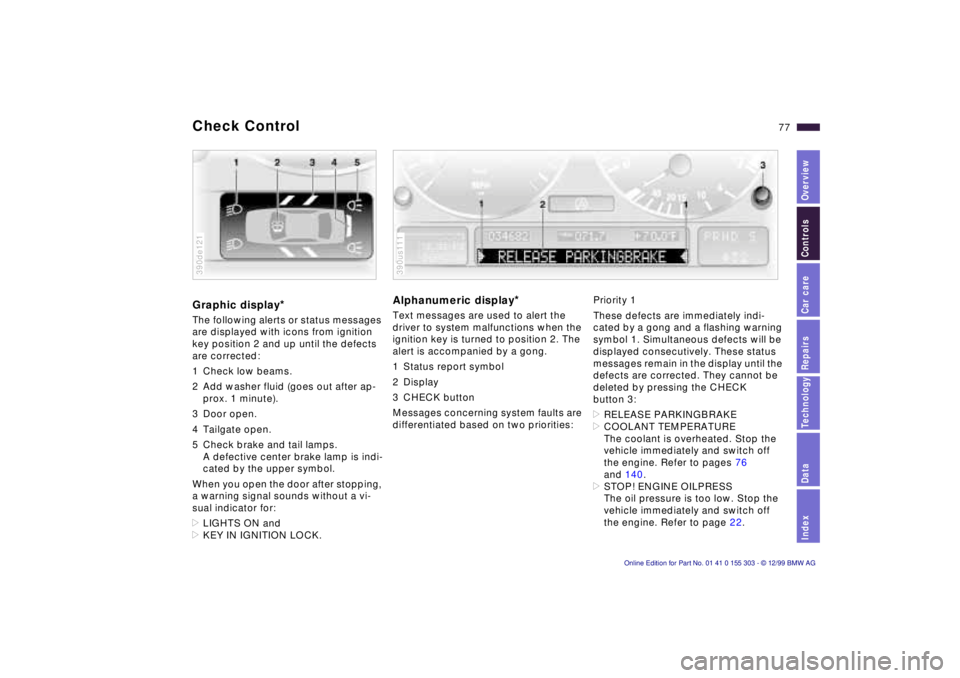
The following alerts or status messages
are displayed with icons from ignition
key position 2 and up until the defects
are corrected:
1 Check low beams.
2 Add washer fluid (goes out after ap-
prox. 1 minute).
3 Door open.
4 Tailgate open.
5 Check brake and tail lamps.
A defective center brake lamp is indi-
cated by the upper symbol.
When you open the door after stopping,
a warning signal sounds without a vi-
sual indicator for:
>LIGHTS ON and
>KEY IN IGNITION LOCK. 390de121
Alphanumeric display
*
Text messages are used to alert the
driver to system malfunctions when the
ignition key is turned to position 2. The
alert is accompanied by a gong.
1 Status report symbol
2 Display
3 CHECK button
Messages concerning system faults are
differentiated based on two priorities: 390us111
Priority 1
These defects are immediately indi-
cated by a gong and a flashing warning
symbol 1. Simultaneous defects will be
displayed consecutively. These status
messages remain in the display until the
defects are corrected. They cannot be
deleted by pressing the CHECK
button 3:
>RELEASE PARKINGBRAKE
>COOLANT TEMPERATURE
The coolant is overheated. Stop the
vehicle immediately and switch off
the engine. Refer to pages 76
and 140.
>STOP! ENGINE OILPRESS
The oil pressure is too low. Stop the
vehicle immediately and switch off
the engine. Refer to page 22.
Page 79 of 201

IndexDataTechnologyRepairsCar careControlsOverview
79n
Check Control >TRANS. FAILSAFE PROG
Please consult the nearest authorized
BMW center. Refer to page 68.
>CHECK BRAKE LININGS
Have the brake linings inspected by
your BMW center. Refer to page 123.
>CHECK COOLANT LEVEL
Coolant too low, top up at the next
opportunity. Refer to page 140.
>ENGINE FAILSAFE PROG
There is a fault in the engine's elec-
tronic control system. When braking,
higher brake application pressure
may be necessary and brake pedal
travel may be significantly longer.
Have the fault checked by your
authorized BMW center.
Displays after completion of trip All of the malfunctions registered during
the trip appear consecutively when the
key is turned to position 0.
The following displays will appear when
appropriate:
>LIGHTS ON
>KEY IN IGNITION LOCK
>CHECK ENGINE OIL LEV
Add engine oil at the next opportunity
(next stop for fuel). Refer to
page 137.
These displays appear when you open
the driver's door after parking the vehi-
cle. A supplementary gong is also
heard.
Status reports remain available for a
period of approx. three minutes after
the display goes out and the key is
removed from the ignition. Press the
CHECK button 3. If there were multiple
reports, press the CHECK button re-
peatedly to view them all in sequence.
To check the Check Control Press the CHECK button 3 with the
ignition key in position 2: CHECK
CONTROL OK appears in the display.
No malfunctions are present in the
monitored systems. Onboard computer
*
You will find a description of the
onboard computer in the Owner's
Manual for the Radio and Information
System or the Owner's Manual for the
onboard monitor.
You can have the Check Control
and onboard computer messages
displayed in a different language.<
Page 93 of 201
IndexDataTechnologyRepairsCar careControlsOverview
93n
Automatic climate control Air supply
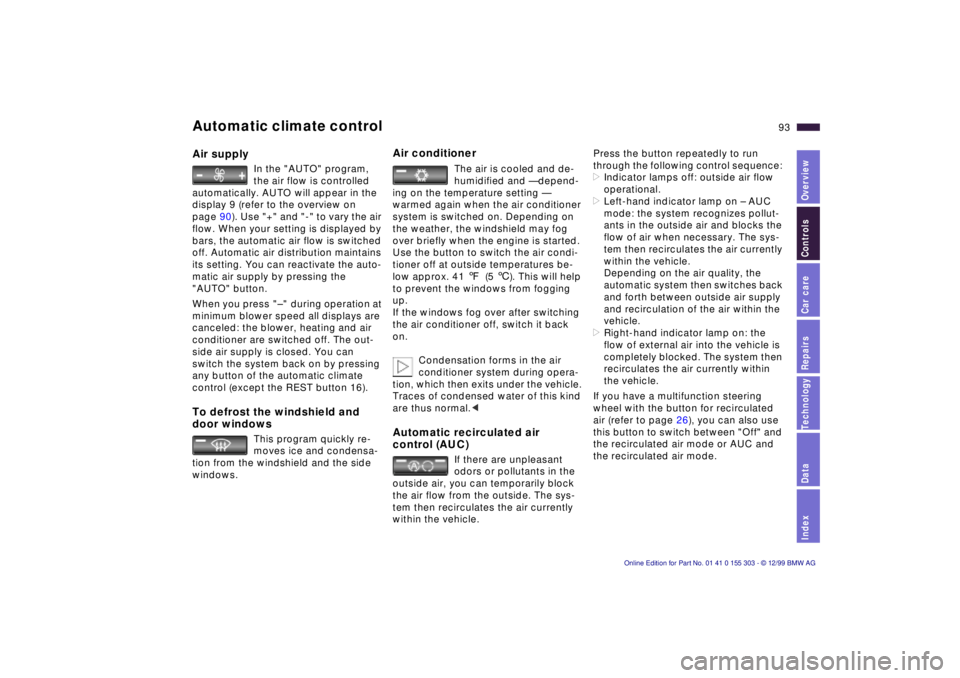
In the "AUTO" program,
the air flow is controlled
automatically. AUTO will appear in the
display 9 (refer to the overview on
page 90). Use "+" and "-" to vary the air
flow. When your setting is displayed by
bars, the automatic air flow is switched
off. Automatic air distribution maintains
its setting. You can reactivate the auto-
matic air supply by pressing the
"AUTO" button.
When you press "Ð " during operation at
minimum blower speed all displays are
canceled: the blower, heating and air
conditioner are switched off. The out-
side air supply is closed. You can
switch the system back on by pressing
any button of the automatic climate
control (except the REST button 16).
To defrost the windshield and
door windows
This program quickly re-
moves ice and condensa-
tion from the windshield and the side
windows.
Air conditioner
The air is cooled and de-
humidified and Ñ depend-
ing on the temperature setting Ñ
warmed again when the air conditioner
system is switched on. Depending on
the weather, the windshield may fog
over briefly when the engine is started.
Use the button to switch the air condi-
tioner off at outside temperatures be-
low approx. 41 7(5 6). This will help
to prevent the windows from fogging
up.
If the windows fog over after switching
the air conditioner off, switch it back
on.
Condensation forms in the air
conditioner system during opera-
tion, which then exits under the vehicle.
Traces of condensed water of this kind
are thus normal.<
Automatic recirculated air
control (AUC)
If there are unpleasant
odors or pollutants in the
outside air, you can temporarily block
the air flow from the outside. The sys-
tem then recirculates the air currently
within the vehicle.
Press the button repeatedly to run
through the following control sequence:
>Indicator lamps off: outside air flow
operational.
>Left-hand indicator lamp on Ð AUC
mode: the system recognizes pollut-
ants in the outside air and blocks the
flow of air when necessary. The sys-
tem then recirculates the air currently
within the vehicle.
Depending on the air quality, the
automatic system then switches back
and forth between outside air supply
and recirculation of the air within the
vehicle.
>Right-hand indicator lamp on: the
flow of external air into the vehicle is
completely blocked. The system then
recirculates the air currently within
the vehicle.
If you have a multifunction steering
wheel with the button for recirculated
air (refer to page 26), you can also use
this button to switch between "Off" and
the recirculated air mode or AUC and
the recirculated air mode.
Page 98 of 201
98n
The concept The BMW Universal Transmitter re-
places up to three hand-held transmit-
ters of different devices such as
garage-door openers, alarm systems,
or door locking systems. The BMW
Universal Transmitter recognizes and
"learns" the transmitted signal of each
of the original hand-held transmitters.
The signal of an original hand-held
transmitter can be programmed on one
of the three channel keys. Following
that, each of the devices can be actu-
ated with the appropriately-pro-
grammed channel key. The indicator
lamp flashes to confirm transmission of
the signal.
If the vehicle is sold, the memory of the
channel keys should be cleared as de-
scribed on page 100.
During programming and before
every remote actuation of a
programmed device by the BMW
Universal Transmitter, check to be sure
that there are no persons, animals or
objects within the actuation range of
the device in order to prevent possible
injuries or damage. Also, comply with
the safety precautions of the original
hand-held transmitter.<
To Canadian residents:
During programming, your hand-
held transmitter may automatically stop
transmitting after two seconds. This
may not be long enough to program the
BMW Universal Transmitter. If you are
programming from one of these hand-
held transmitters, the Universal Trans-
mitter's light may begin to flash in a
series of double-blinks. If this occurs,
continue to hold the button of the Uni-
versal Transmitter while you reactivate
your hand-held transmitter. You may
have to repeat this function several
times while programming.<
Before programming, read the
"User information" section on
page 100.<
Original hand-held transmitter
If this symbol is present on the
packaging or in the instructions
of the original hand-held trans-
mitter, it may be assumed that this
hand-held transmitter is compatible
with the BMW Universal Transmitter.
Checking for the conversion code To determine whether the original
hand-held transmitter is provided with a
conversion-code system, you may ei-
ther read the instructions for the origi-
nal hand-held transmitter or program a
channel key as described on the next
page (left-hand column under "Pro-
gramming").
Then press and hold the programmed
channel key of the BMW Universal
Transmitter. If the indicator lamp of the
BMW Universal Transmitter flashes for
two seconds and then comes on
steadily, the original hand-held trans-
mitter is provided with a conversion-
code system. With a conversion-code
system, program the channel keys as
described on the next page (right-hand
column under "Programming a hand-
held transmitter with conversion code").
If you have additional questions,
please consult your BMW center
or call 1-800-355-3515.
You can also visit this website
www.bmwusa.com.<
BMW Universal Transmitter
Page 101 of 201
IndexDataTechnologyRepairsCar careControlsOverview
101n
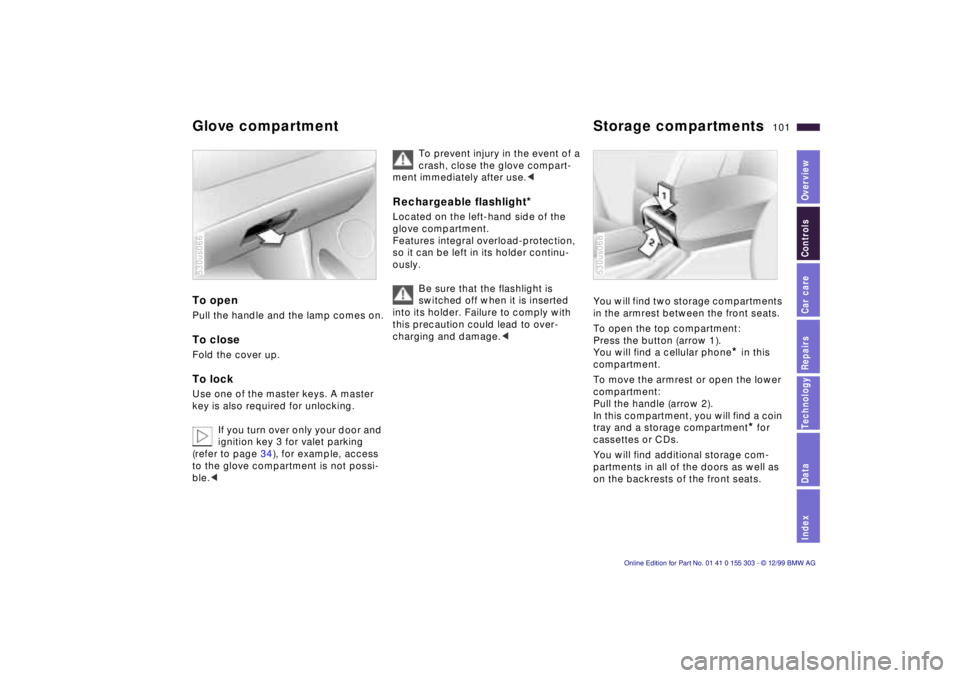
Glove compartment Storage compartments To open Pull the handle and the lamp comes on.To close Fold the cover up. To lock Use one of the master keys. A master
key is also required for unlocking.
If you turn over only your door and
ignition key 3 for valet parking
(refer to page 34), for example, access
to the glove compartment is not possi-
ble.< 530us066
To prevent injury in the event of a
crash, close the glove compart-
ment immediately after use.<
Rechargeable flashlight
*
Located on the left-hand side of the
glove compartment.
Features integral overload-protection,
so it can be left in its holder continu-
ously.
Be sure that the flashlight is
switched off when it is inserted
into its holder. Failure to comply with
this precaution could lead to over-
charging and damage.<
You will find two storage compartments
in the armrest between the front seats.
To open the top compartment:
Press the button (arrow 1).
You will find a cellular phone
* in this
compartment.
To move the armrest or open the lower
compartment:
Pull the handle (arrow 2).
In this compartment, you will find a coin
tray and a storage compartment* for
cassettes or CDs.
You will find additional storage com-
partments in all of the doors as well as
on the backrests of the front seats.
530us068
Page 123 of 201
IndexDataTechnologyRepairsCar careControlsOverview
123n
Brake system Winter operation Brake fluid level
The warning lamp for the brake
hydraulic system comes on, or
the CHECK BRAKE FLUID mes-
sage appears in the Check Con-
trol
*.
The brake fluid level is too low in the
reservoir (refer to page 141).
If the brake fluid level is too low and
brake pedal travel has become notice-
ably longer, there may be a defect in
one of the brake system's hydraulic
circuits.
Proceed to the nearest autho-
rized BMW center. Higher brake
application pressure may be necessary
under these conditions, and brake
pedal travel may be significantly longer.
Please remember to adapt your driving
style accordingly.<
The warning lamp also comes on when
the CHECK BRAKE LININGS message
appears in the Check Control.
Brake pads
The warning lamp for the brake
pads comes on, or the CHECK
BRAKE LININGS message ap-
pears in the Check Control
*:
The brake pads have reached their min-
imum pad thickness. Proceed to the
nearest authorized BMW center as
soon as possible to have the pads re-
placed.
For your own safety: use only
brake pads that BMW has re-
leased for your particular vehicle
model. BMW cannot evaluate non-ap-
proved brake pads to determine if they
are suited for use, and therefore cannot
ensure the operating safety of the vehi-
cle if they are installed.<
The onset of winter is often accompa-
nied by rapid changes in weather. Ad-
aptations in driving style should be
accompanied by preparations on the
vehicle itself to ensure that your
progress through the winter remains
safe and trouble-free. Coolant Be sure that the coolant mixture
contains the year-round ratio of 50:50
water and antifreeze/corrosion protec-
tion. This mixture provides protection
against freezing down to approx. -347
(-376). Replace the coolant every four
years. Locks BMW door lock deicer can be used to
free locks if they are frozen. This deicer
also contains lubricant.
After using the deicer, treatment with
BMW lock barrel grease is recom-
mended.