engine BMW X5 4.4I 2000 User Guide
[x] Cancel search | Manufacturer: BMW, Model Year: 2000, Model line: X5 4.4I, Model: BMW X5 4.4I 2000Pages: 201, PDF Size: 1.93 MB
Page 32 of 201
32n
Locks and security systems:
Keys34
Electronic vehicle
immobilizer35
Central locking system36
Opening and closing
Ð from the outside36
Using the key36
Using the remote control37
Opening and closing
Ð from the inside40
Liftgate41
Tailgate41
Alarm system43
Electric power windows45
Sliding/Tilt sunroof with glass
moonroof46
Adjustments:
Seats48
Steering wheel51
Mirrors52
Seat, mirror and steering wheel
memory54
Car Memory, Key Memory55
Passenger safety systems:
Safety belts56
Airbags57
Child restraints60
Child seat security61
Child-safety locks62Driving:
Steering/Ignition lock63
Starting the engine64
Switching off the engine65
Parking brake65
Automatic transmission with
Steptronic66
Turn signal indicator/Headlamp
flasher69
Washer/Wiper system/Rain
sensor69
Rear window defroster71
Cruise control72
Everything under control:
Odometer, outside temperature
display74
Tachometer75
Energy control75
Fuel gauge75
Coolant temperature gauge76
Service Interval Display76
Check Control77
Onboard computer80
Technology for safety and
driving convenience:
Park Distance Control (PDC)82
Dynamic Stability Control
(DSC)83
Hill Descent Control (HDC)84
Controls
Page 35 of 201
IndexDataTechnologyRepairsCar careControlsOverview
35n
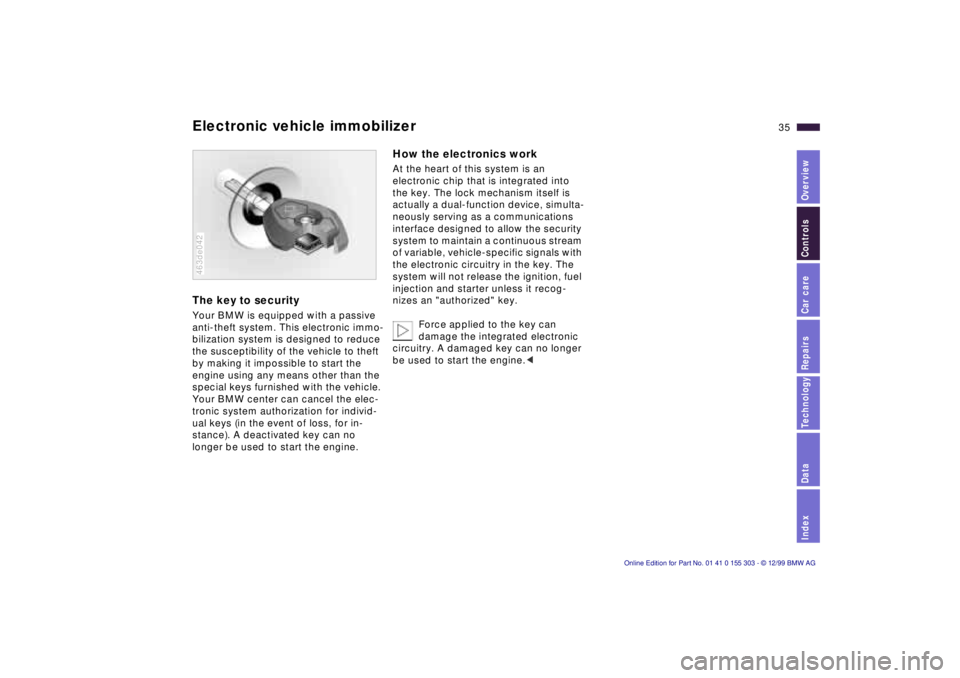
Electronic vehicle immobilizer The key to security Your BMW is equipped with a passive
anti-theft system. This electronic immo-
bilization system is designed to reduce
the susceptibility of the vehicle to theft
by making it impossible to start the
engine using any means other than the
special keys furnished with the vehicle.
Your BMW center can cancel the elec-
tronic system authorization for individ-
ual keys (in the event of loss, for in-
stance). A deactivated key can no
longer be used to start the engine. 463de042
How the electronics work At the heart of this system is an
electronic chip that is integrated into
the key. The lock mechanism itself is
actually a dual-function device, simulta-
neously serving as a communications
interface designed to allow the security
system to maintain a continuous stream
of variable, vehicle-specific signals with
the electronic circuitry in the key. The
system will not release the ignition, fuel
injection and starter unless it recog-
nizes an "authorized" key.
Force applied to the key can
damage the integrated electronic
circuitry. A damaged key can no longer
be used to start the engine.<
Page 46 of 201
46n
Electric power windows Sliding/Tilt sunroof with glass moonroof
*
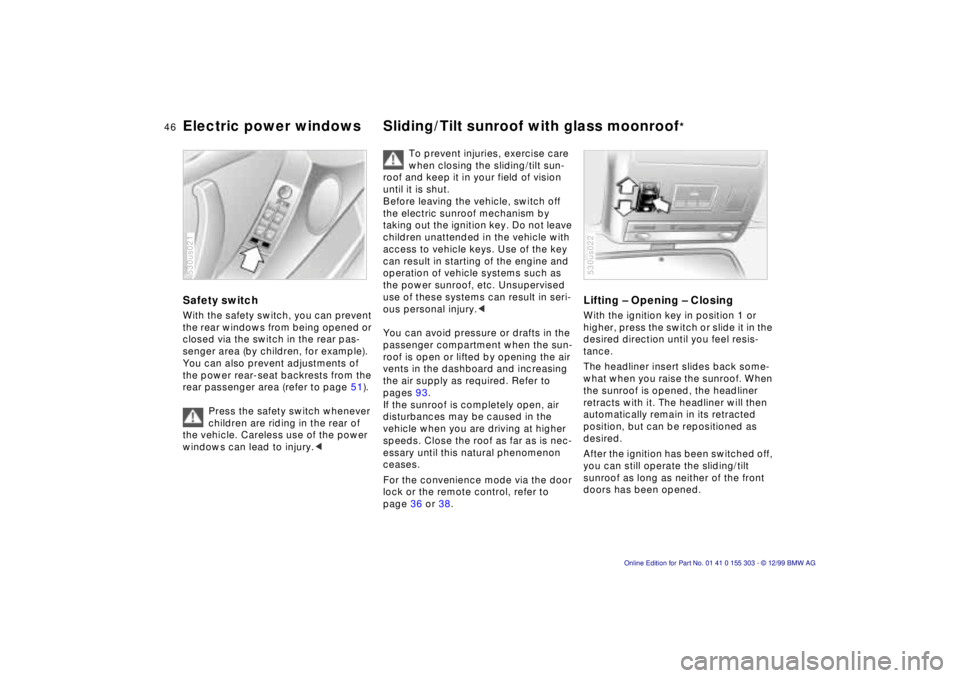
Safety switch With the safety switch, you can prevent
the rear windows from being opened or
closed via the switch in the rear pas-
senger area (by children, for example).
You can also prevent adjustments of
the power rear-seat backrests from the
rear passenger area (refer to page 51).
Press the safety switch whenever
children are riding in the rear of
the vehicle. Careless use of the power
windows can lead to injury.< 530us021
To prevent injuries, exercise care
when closing the sliding/tilt sun-
roof and keep it in your field of vision
until it is shut.
Before leaving the vehicle, switch off
the electric sunroof mechanism by
taking out the ignition key. Do not leave
children unattended in the vehicle with
access to vehicle keys. Use of the key
can result in starting of the engine and
operation of vehicle systems such as
the power sunroof, etc. Unsupervised
use of these systems can result in seri-
ous personal injury.<
You can avoid pressure or drafts in the
passenger compartment when the sun-
roof is open or lifted by opening the air
vents in the dashboard and increasing
the air supply as required. Refer to
pages 93.
If the sunroof is completely open, air
disturbances may be caused in the
vehicle when you are driving at higher
speeds. Close the roof as far as is nec-
essary until this natural phenomenon
ceases.
For the convenience mode via the door
lock or the remote control, refer to
page 36 or 38.
Lifting Ð Opening Ð Closing With the ignition key in position 1 or
higher, press the switch or slide it in the
desired direction until you feel resis-
tance.
The headliner insert slides back some-
what when you raise the sunroof. When
the sunroof is opened, the headliner
retracts with it. The headliner will then
automatically remain in its retracted
position, but can be repositioned as
desired.
After the ignition has been switched off,
you can still operate the sliding/tilt
sunroof as long as neither of the front
doors has been opened. 530us022
Page 63 of 201
IndexDataTechnologyRepairsCar careControlsOverview
63n
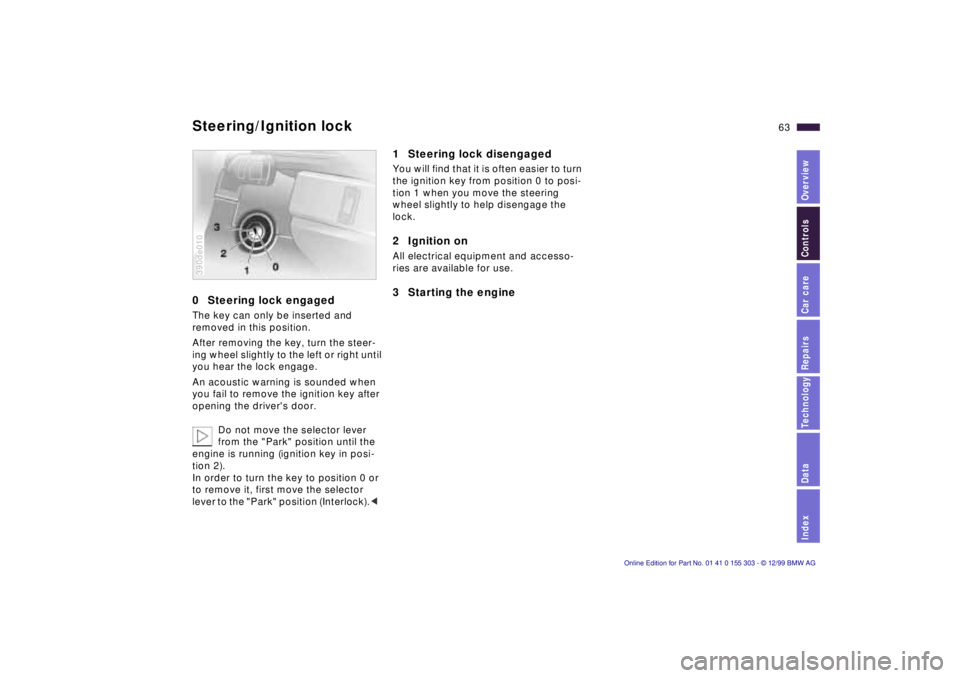
0 Steering lock engaged The key can only be inserted and
removed in this position.
After removing the key, turn the steer-
ing wheel slightly to the left or right until
you hear the lock engage.
An acoustic warning is sounded when
you fail to remove the ignition key after
opening the driver's door.
Do not move the selector lever
from the "Park" position until the
engine is running (ignition key in posi-
tion 2).
In order to turn the key to position 0 or
to remove it, first move the selector
lever to the "Park" position (Interlock).< 390de010
1 Steering lock disengaged You will find that it is often easier to turn
the ignition key from position 0 to posi-
tion 1 when you move the steering
wheel slightly to help disengage the
lock.2 Ignition on All electrical equipment and accesso-
ries are available for use. 3 Starting the engine
Steering/Ignition lock
Page 64 of 201

64n
Starting the engine Before starting >Engage the parking brake.
>Be sure that the selector lever is in
"Park" position.
Do not allow the engine to run in
enclosed spaces. The exhaust
gases contain carbon monoxide, an
odorless and colorless, but highly toxic
gas. Breathing the exhaust gases poses
an extreme health risk, and can lead to
unconsciousness and death.
Do not leave the vehicle unattended
with the engine running. An unattended
vehicle with a running engine repre-
sents a potential safety hazard.<
Do not press the accelerator pedal
while starting the engine.
Your BMW is equipped with the
convenience starting feature. Sim-
ply turn the key to position 3 (starter)
and then release it immediately. The
starter continues to operate automati-
cally.
The automatic starting mode will not
operate if the battery voltage is low.
The engine can be started by means of
jump-starting (refer to page 170).<
Do not allow the engine to warm up by
leaving it running while the vehicle re-
mains stationary. Instead, begin to drive
immediately at a moderate engine
speed.
Should the engine fail to start on the
first attempt (if it is very hot or cold, for
instance):
>Press the accelerator pedal halfway
down while the starter is engaged.
Engine idle speed is controlled by the
engine computer system. Increased
speeds at startup are normal and
should decrease as the engine warms
up. If engine speed does not decrease,
service is required.
To prevent the battery from discharg-
ing, always deactivate electrical de-
vices that are not in use. Switch the ig-
nition off when the vehicle is not being
driven.
Page 65 of 201
IndexDataTechnologyRepairsCar careControlsOverview
65n
Switching off the engine Parking brake Turn the ignition key to position 1 or 0.
Never remove the ignition key
while the vehicle is rolling. If you
did so, the ignition lock would engage
when the steering wheel is turned.
Always remove the ignition key and en-
gage the steering lock before leaving
the vehicle.
Always engage the parking brake and
place the selector lever in "Park" when
parking on slopes and inclined sur-
faces.<
The vehicle must be stationary and the
selector lever in "Park" before you can
remove the ignition key.
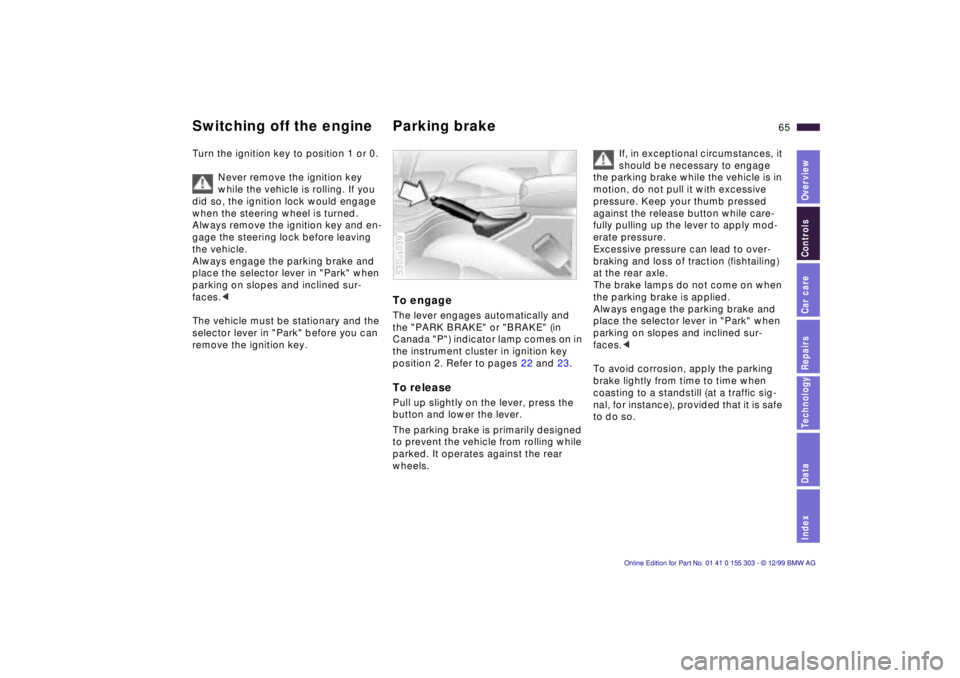
To engage The lever engages automatically and
the "PARK BRAKE" or "BRAKE" (in
Canada "P") indicator lamp comes on in
the instrument cluster in ignition key
position 2. Refer to pages 22 and 23. To release Pull up slightly on the lever, press the
button and lower the lever.
The parking brake is primarily designed
to prevent the vehicle from rolling while
parked. It operates against the rear
wheels. 530us039
If, in exceptional circumstances, it
should be necessary to engage
the parking brake while the vehicle is in
motion, do not pull it with excessive
pressure. Keep your thumb pressed
against the release button while care-
fully pulling up the lever to apply mod-
erate pressure.
Excessive pressure can lead to over-
braking and loss of traction (fishtailing)
at the rear axle.
The brake lamps do not come on when
the parking brake is applied.
Always engage the parking brake and
place the selector lever in "Park" when
parking on slopes and inclined sur-
faces.<
To avoid corrosion, apply the parking
brake lightly from time to time when
coasting to a standstill (at a traffic sig-
nal, for instance), provided that it is safe
to do so.
Page 66 of 201
66n
Automatic transmission with Steptronic You can drive as with a normal auto-
matic transmission. In addition, you can
also shift manually.
When you move the selector lever from
the "D" position to the left into the M/S
range, the performance-oriented shift
programs of the automatic transmission
are engaged. As soon as you briefly
touch the selector lever in the "+" or "Ð"
direction, Steptronic changes the gear.
The manual mode is engaged. When
you wish to use the automatic transmis-
sion mode again, move the selector
lever to the right into the "D" position.
The automatic transmission of your
BMW is equipped with Adaptive Trans-
mission Control (ATC), a system which
reacts with precision to your individual
driving style and the driving conditions. 530us040
To achieve this, different shift programs
are automatically engaged.
For additional details concerning the
ATC, please refer to the chapter de-
scribing "Advanced technology" on
page 176. Selector lever positions
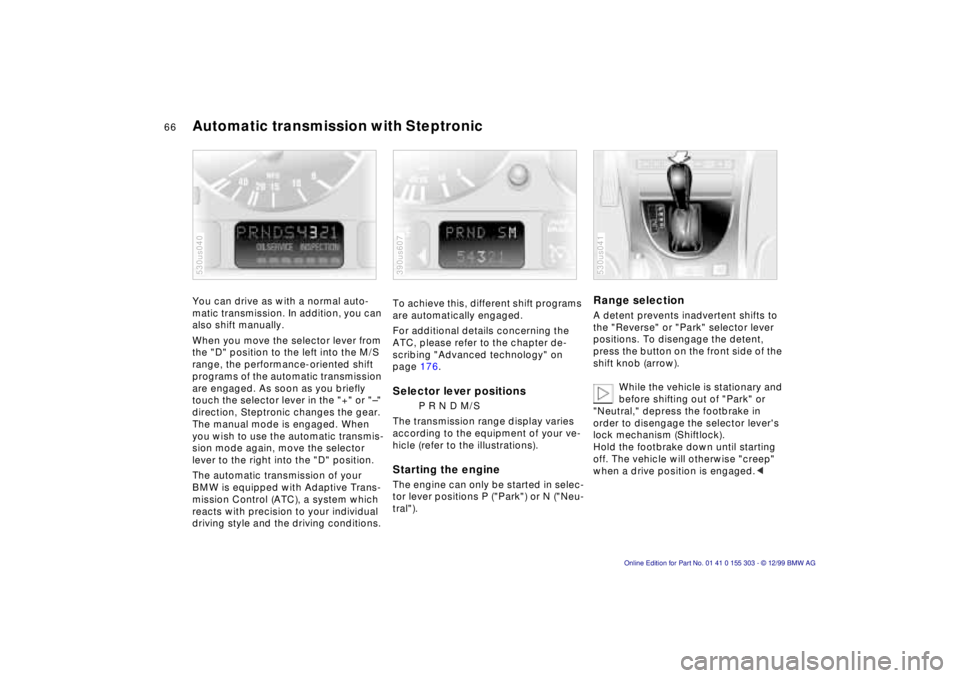
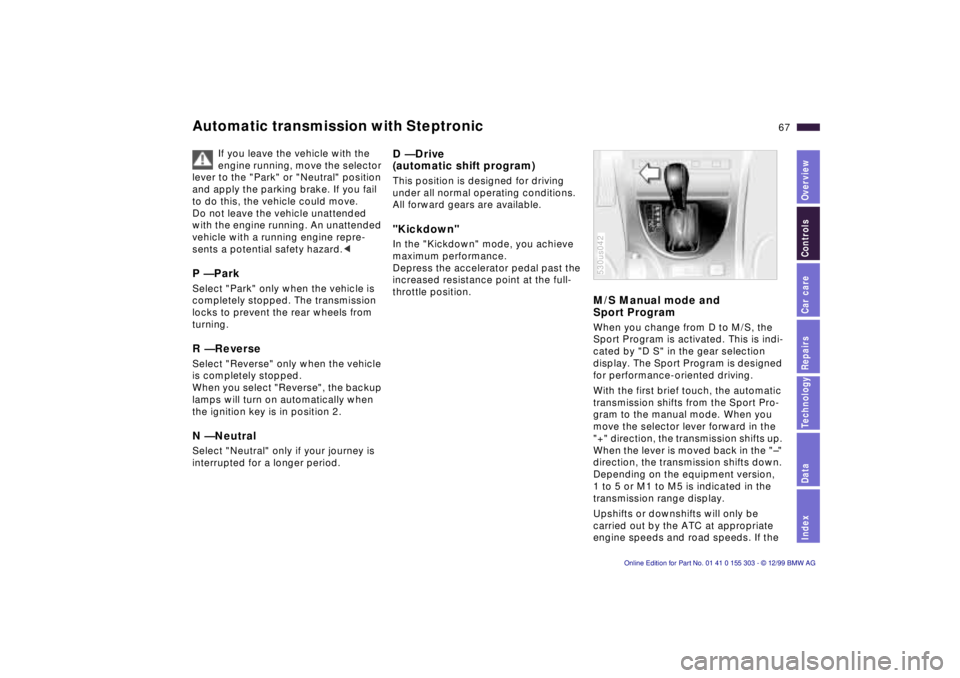
P R N D M/S
The transmission range display varies
according to the equipment of your ve-
hicle (refer to the illustrations).
Starting the engine The engine can only be started in selec-
tor lever positions P ("Park") or N ("Neu-
tral"). 390us607
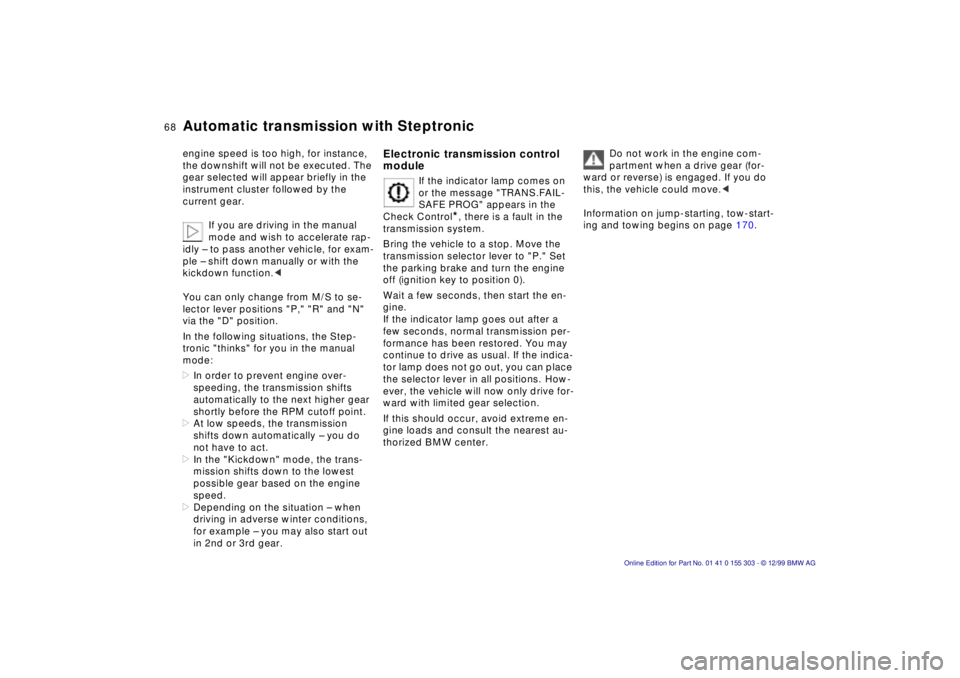
Range selection A detent prevents inadvertent shifts to
the "Reverse" or "Park" selector lever
positions. To disengage the detent,
press the button on the front side of the
shift knob (arrow).
While the vehicle is stationary and
before shifting out of "Park" or
"Neutral," depress the footbrake in
order to disengage the selector lever's
lock mechanism (Shiftlock).
Hold the footbrake down until starting
off. The vehicle will otherwise "creep"
when a drive position is engaged.< 530us041
Page 67 of 201
IndexDataTechnologyRepairsCar careControlsOverview
67n
Automatic transmission with Steptronic
If you leave the vehicle with the
engine running, move the selector
lever to the "Park" or "Neutral" position
and apply the parking brake. If you fail
to do this, the vehicle could move.
Do not leave the vehicle unattended
with the engine running. An unattended
vehicle with a running engine repre-
sents a potential safety hazard.<
P Ñ Park Select "Park" only when the vehicle is
completely stopped. The transmission
locks to prevent the rear wheels from
turning. R Ñ Reverse Select "Reverse" only when the vehicle
is completely stopped.
When you select "Reverse", the backup
lamps will turn on automatically when
the ignition key is in position 2. N Ñ Neutral Select "Neutral" only if your journey is
interrupted for a longer period.
D Ñ Drive
(automatic shift program) This position is designed for driving
under all normal operating conditions.
All forward gears are available. "Kickdown" In the "Kickdown" mode, you achieve
maximum performance.
Depress the accelerator pedal past the
increased resistance point at the full-
throttle position.
M/S Manual mode and
Sport Program When you change from D to M/S, the
Sport Program is activated. This is indi-
cated by "D S" in the gear selection
display. The Sport Program is designed
for performance-oriented driving.
With the first brief touch, the automatic
transmission shifts from the Sport Pro-
gram to the manual mode. When you
move the selector lever forward in the
"+" direction, the transmission shifts up.
When the lever is moved back in the "Ð"
direction, the transmission shifts down.
Depending on the equipment version,
1 to 5 or M1 to M5 is indicated in the
transmission range display.
Upshifts or downshifts will only be
carried out by the ATC at appropriate
engine speeds and road speeds. If the 530us042
Page 68 of 201
68n
Automatic transmission with Steptronic engine speed is too high, for instance,
the downshift will not be executed. The
gear selected will appear briefly in the
instrument cluster followed by the
current gear.
If you are driving in the manual
mode and wish to accelerate rap-
idly Ð to pass another vehicle, for exam-
ple Ð shift down manually or with the
kickdown function.<
You can only change from M/S to se-
lector lever positions "P," "R" and "N"
via the "D" position.
In the following situations, the Step-
tronic "thinks" for you in the manual
mode:
>In order to prevent engine over-
speeding, the transmission shifts
automatically to the next higher gear
shortly before the RPM cutoff point.
>At low speeds, the transmission
shifts down automatically Ð you do
not have to act.
>In the "Kickdown" mode, the trans-
mission shifts down to the lowest
possible gear based on the engine
speed.
>Depending on the situation Ð when
driving in adverse winter conditions,
for example Ð you may also start out
in 2nd or 3rd gear.
Electronic transmission control
module
If the indicator lamp comes on
or the message "TRANS.FAIL-
SAFE PROG" appears in the
Check Control
*, there is a fault in the
transmission system.
Bring the vehicle to a stop. Move the
transmission selector lever to "P." Set
the parking brake and turn the engine
off (ignition key to position 0).
Wait a few seconds, then start the en-
gine.
If the indicator lamp goes out after a
few seconds, normal transmission per-
formance has been restored. You may
continue to drive as usual. If the indica-
tor lamp does not go out, you can place
the selector lever in all positions. How-
ever, the vehicle will now only drive for-
ward with limited gear selection.
If this should occur, avoid extreme en-
gine loads and consult the nearest au-
thorized BMW center.
Do not work in the engine com-
partment when a drive gear (for-
ward or reverse) is engaged. If you do
this, the vehicle could move.<
Information on jump-starting, tow-start-
ing and towing begins on page 170.
Page 71 of 201
IndexDataTechnologyRepairsCar careControlsOverview
71n
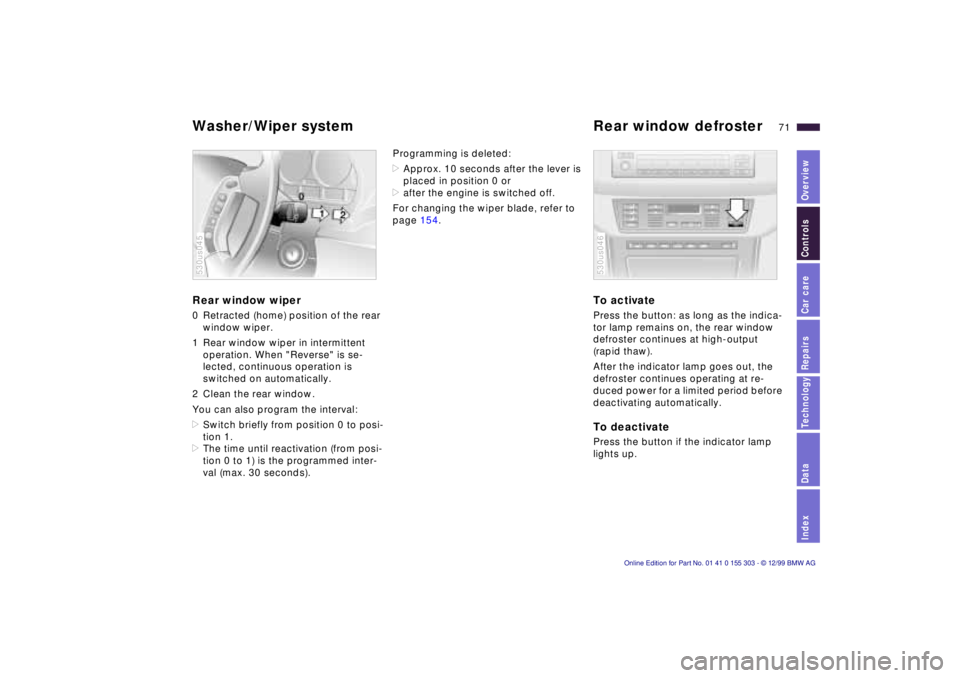
Washer/Wiper system Rear window defroster Rear window wiper 0 Retracted (home) position of the rear
window wiper.
1 Rear window wiper in intermittent
operation. When "Reverse" is se-
lected, continuous operation is
switched on automatically.
2 Clean the rear window.
You can also program the interval:
>Switch briefly from position 0 to posi-
tion 1.
>The time until reactivation (from posi-
tion 0 to 1) is the programmed inter-
val (max. 30 seconds). 530us045
Programming is deleted:
>Approx. 10 seconds after the lever is
placed in position 0 or
>after the engine is switched off.
For changing the wiper blade, refer to
page 154.
To activate Press the button: as long as the indica-
tor lamp remains on, the rear window
defroster continues at high-output
(rapid thaw).
After the indicator lamp goes out, the
defroster continues operating at re-
duced power for a limited period before
deactivating automatically. To deactivate Press the button if the indicator lamp
lights up. 530us046