radio controls BMW X5 4.4I 2000 Owners Manual
[x] Cancel search | Manufacturer: BMW, Model Year: 2000, Model line: X5 4.4I, Model: BMW X5 4.4I 2000Pages: 201, PDF Size: 1.93 MB
Page 11 of 201
11n
Controls and features
Operation, care and maintenance
Lamps:
Side lamps/Low beams86
Instrument lightning86
High beams/Parking lamps87
Fog lamps87
Interior lamps87
Reading lamps88
Controlling the climate for
pleasant driving:
Automatic climate control90
Seat heating96
Steering wheel heating96
Roller sun blind97
Independent ventilation
system97
Cabin convenience:
BMW Universal Transmitter98
Glove compartment101
Storage compartments101
Cellular phone102
Cup holders102
Ashtray, front103
Cigarette lighter103
Ashtray, rear104
Loading and transporting:
Ski bag105
Cargo area
Fold the rear backrests
down107
Cargo area cover107
Partition net108
Cover panels in the cargo
area109
Power outlets110
Pull-out cargo floor111
Cargo loading112
Roof-mounted luggage rack113
Special operating instructions:
Break-in procedures116
Driving your BMW X5117
General driving notes118
Catalytic converter118
Antilock Brake System
(ABS)119
Disc brakes122
Brake system123
Winter operation123
Power steering125
Level control system125
Cellular phone126
Radio reception126
Wheels and tires:
Tire inflation pressure127
Tire condition127
Tire replacement128
Tire rotation129
Wheel and tire
combinations130
Winter tires131
Snow chains131
Approved wheel and tire
specifications132
Page 26 of 201
26n
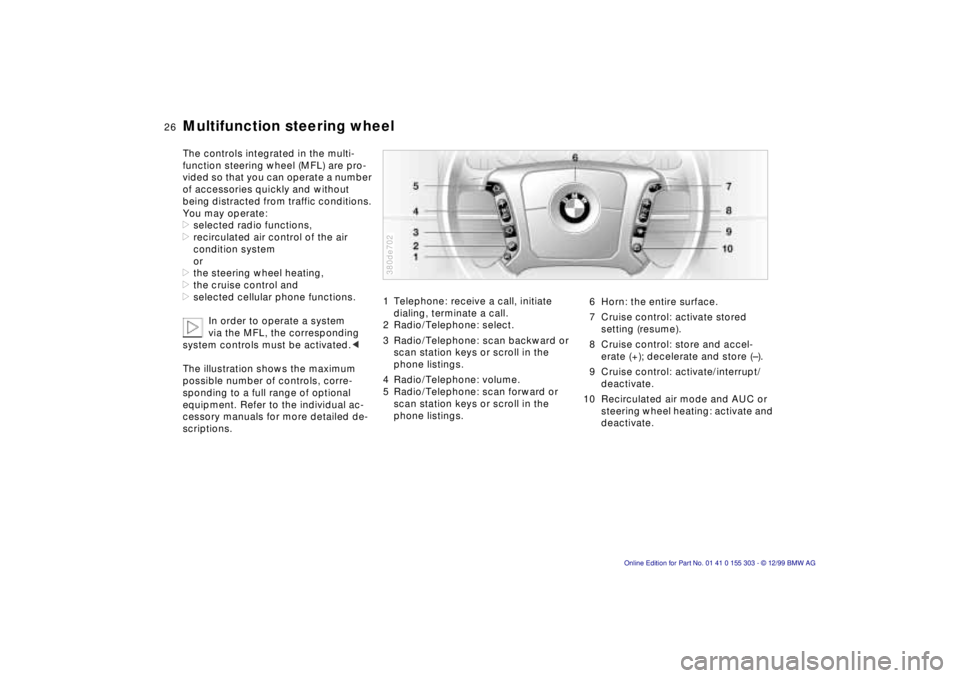
Multifunction steering wheel The controls integrated in the multi-
function steering wheel (MFL) are pro-
vided so that you can operate a number
of accessories quickly and without
being distracted from traffic conditions.
You may operate:
>selected radio functions,
>recirculated air control of the air
condition system
or
>the steering wheel heating,
>the cruise control and
>selected cellular phone functions.
In order to operate a system
via the MFL, the corresponding
system controls must be activated.<
The illustration shows the maximum
possible number of controls, corre-
sponding to a full range of optional
equipment. Refer to the individual ac-
cessory manuals for more detailed de-
scriptions.
1 Telephone: receive a call, initiate
dialing, terminate a call.
2 Radio/Telephone: select.
3 Radio/Telephone: scan backward or
scan station keys or scroll in the
phone listings.
4 Radio/Telephone: volume.
5 Radio/Telephone: scan forward or
scan station keys or scroll in the
phone listings. 380de702
6 Horn: the entire surface.
7 Cruise control: activate stored
setting (resume).
8 Cruise control: store and accel-
erate (+); decelerate and store (Ð).
9 Cruise control: activate/interrupt/
deactivate.
10 Recirculated air mode and AUC or
steering wheel heating: activate and
deactivate.
Page 27 of 201
IndexDataTechnologyRepairsCar careControlsOverview
27n
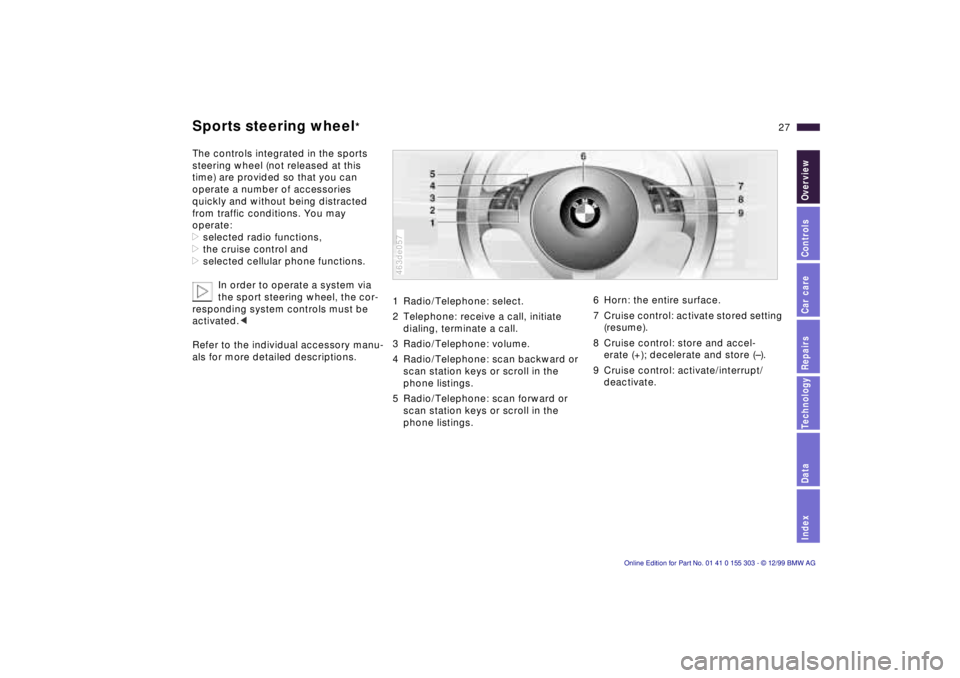
Sports steering wheel
*
The controls integrated in the sports
steering wheel (not released at this
time) are provided so that you can
operate a number of accessories
quickly and without being distracted
from traffic conditions. You may
operate:
>selected radio functions,
>the cruise control and
>selected cellular phone functions.
In order to operate a system via
the sport steering wheel, the cor-
responding system controls must be
activated.<
Refer to the individual accessory manu-
als for more detailed descriptions.
1 Radio/Telephone: select.
2 Telephone: receive a call, initiate
dialing, terminate a call.
3 Radio/Telephone: volume.
4 Radio/Telephone: scan backward or
scan station keys or scroll in the
phone listings.
5 Radio/Telephone: scan forward or
scan station keys or scroll in the
phone listings. 463de057
6 Horn: the entire surface.
7 Cruise control: activate stored setting
(resume).
8 Cruise control: store and accel-
erate (+); decelerate and store (Ð).
9 Cruise control: activate/interrupt/
deactivate.
Page 79 of 201

IndexDataTechnologyRepairsCar careControlsOverview
79n
Check Control >TRANS. FAILSAFE PROG
Please consult the nearest authorized
BMW center. Refer to page 68.
>CHECK BRAKE LININGS
Have the brake linings inspected by
your BMW center. Refer to page 123.
>CHECK COOLANT LEVEL
Coolant too low, top up at the next
opportunity. Refer to page 140.
>ENGINE FAILSAFE PROG
There is a fault in the engine's elec-
tronic control system. When braking,
higher brake application pressure
may be necessary and brake pedal
travel may be significantly longer.
Have the fault checked by your
authorized BMW center.
Displays after completion of trip All of the malfunctions registered during
the trip appear consecutively when the
key is turned to position 0.
The following displays will appear when
appropriate:
>LIGHTS ON
>KEY IN IGNITION LOCK
>CHECK ENGINE OIL LEV
Add engine oil at the next opportunity
(next stop for fuel). Refer to
page 137.
These displays appear when you open
the driver's door after parking the vehi-
cle. A supplementary gong is also
heard.
Status reports remain available for a
period of approx. three minutes after
the display goes out and the key is
removed from the ignition. Press the
CHECK button 3. If there were multiple
reports, press the CHECK button re-
peatedly to view them all in sequence.
To check the Check Control Press the CHECK button 3 with the
ignition key in position 2: CHECK
CONTROL OK appears in the display.
No malfunctions are present in the
monitored systems. Onboard computer
*
You will find a description of the
onboard computer in the Owner's
Manual for the Radio and Information
System or the Owner's Manual for the
onboard monitor.
You can have the Check Control
and onboard computer messages
displayed in a different language.<
Page 81 of 201

IndexDataTechnologyRepairsCar careControlsOverview
81n
Onboard computer To cancel the display If the button in the turn-signal lever is
pressed briefly while the average speed
is displayed, the onboard computer
display can be masked out. To restart calculations If you continue to press the button in
the turn signal lever, the average values
which were just displayed for fuel con-
sumption and speed will be recalcu-
lated from that point. The engine must
be running for this calculation.
Onboard computer with
alphanumeric display
*
If your vehicle has Check Control with
alphanumeric display, the system's
onboard computer is described in the
Owner's Manual for the Radio and
Information System or the Owner's
Manual for the onboard monitor.
Page 83 of 201
IndexDataTechnologyRepairsCar careControlsOverview
83n
PDC
*
Dynamic Stability Control (DSC)
The PDC system does not remove
the driver's personal responsibility
for evaluating the distance between the
vehicle and any obstacles. Even when
sensors are involved, there is a blind
spot in which objects cannot be de-
tected. This applies especially in those
cases where the system approaches
the physical constraints of ultrasonic
measurement, as occurs with tow bars
and trailer couplings, and in the vicinity
of thin and painted objects.
Certain sources of sound, such as a
loud radio, could drown out the PDC
signal tone.<
Keep the sensors clean and free
of ice or snow in order to ensure
that they continue to operate effectively.
Do not apply high pressure spray to the
sensors for a prolonged period of time.
Maintain an adequate distance of more
than 4 inches (10 cm).<
The concept DSC maintains vehicle stability, even in
critical driving situations.
The system optimizes vehicle stability
during acceleration and when starting
from a full stop, as well as optimizing
traction. In addition, the system recog-
nizes unstable vehicle conditions (un-
dersteering or oversteering, for exam-
ple) and helps to keep the vehicle on a
sure course by intervening via the en-
gine and by braking intervention at the
individual wheels.
The system starts up automatically
each time you start the engine. Indicator lamp
The indicator lamp in the instru-
ment cluster goes out shortly
after you switch on the ignition.
Refer to page 24.
Indicator lamp ßashes:
The system is active and governs drive
force and braking force.
If the indicator lamp fails to go out after
the engine is started, or comes on dur-
ing normal driving and stays on:
There is a system malfunction or the
system was deactivated with the but-
ton. You can continue to drive the vehi-
cle normally, but without DSC. Consult
your authorized BMW center to have
the system repaired.
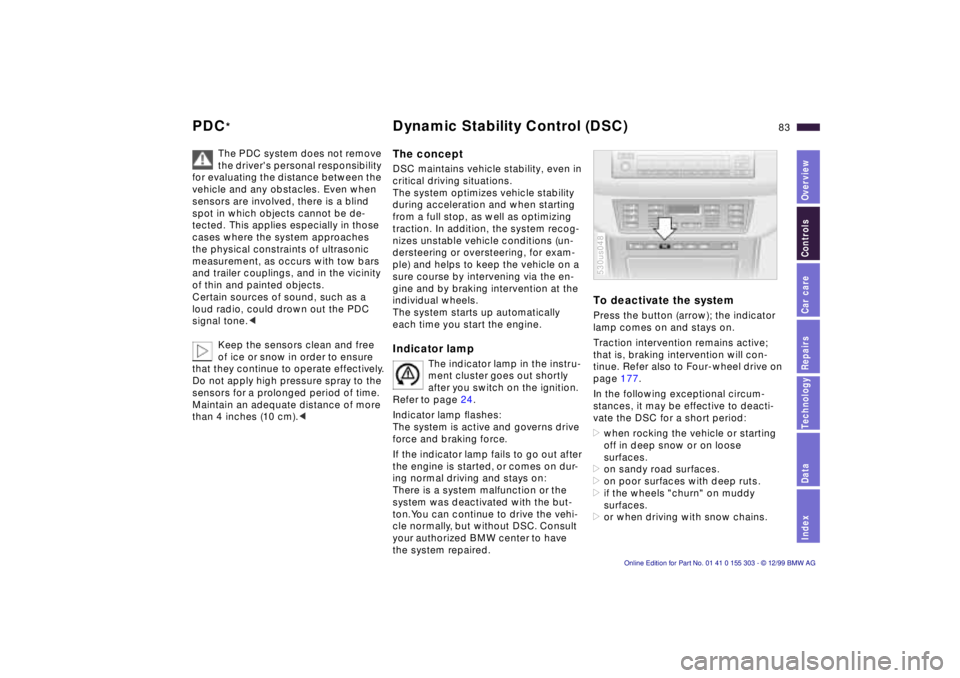
To deactivate the system Press the button (arrow); the indicator
lamp comes on and stays on.
Traction intervention remains active;
that is, braking intervention will con-
tinue. Refer also to Four-wheel drive on
page 177.
In the following exceptional circum-
stances, it may be effective to deacti-
vate the DSC for a short period:
>when rocking the vehicle or starting
off in deep snow or on loose
surfaces.
>on sandy road surfaces.
>on poor surfaces with deep ruts.
>if the wheels "churn" on muddy
surfaces.
>or when driving with snow chains. 530us048
Page 115 of 201
IndexDataTechnologyRepairsCar careControlsOverview
Overview
Controls and features
Operation, care
and maintenance
Owner service procedures
Technical data
Index Advanced technology
115n
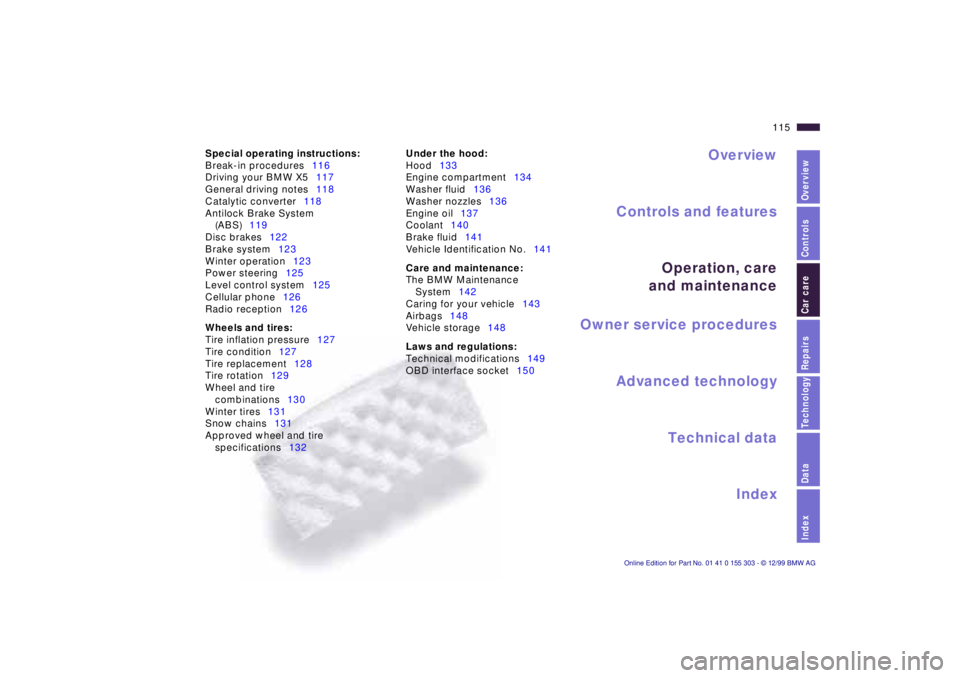
Car care Special operating instructions:
Break-in procedures116
Driving your BMW X5117
General driving notes118
Catalytic converter118
Antilock Brake System
(ABS)119
Disc brakes122
Brake system123
Winter operation123
Power steering125
Level control system125
Cellular phone126
Radio reception126
Wheels and tires:
Tire inflation pressure127
Tire condition127
Tire replacement128
Tire rotation129
Wheel and tire
combinations130
Winter tires131
Snow chains131
Approved wheel and tire
specifications132Under the hood:
Hood133
Engine compartment134
Washer fluid136
Washer nozzles136
Engine oil137
Coolant140
Brake fluid141
Vehicle Identification No.141
Care and maintenance:
The BMW Maintenance
System142
Caring for your vehicle143
Airbags148
Vehicle storage148
Laws and regulations:
Technical modifications149
OBD interface socket150
Page 175 of 201
IndexDataTechnologyRepairsCar careControlsOverview
Overview
Controls and features
Operation, care
and maintenance
Owner service procedures
Technical data
Index Advanced technology
175n
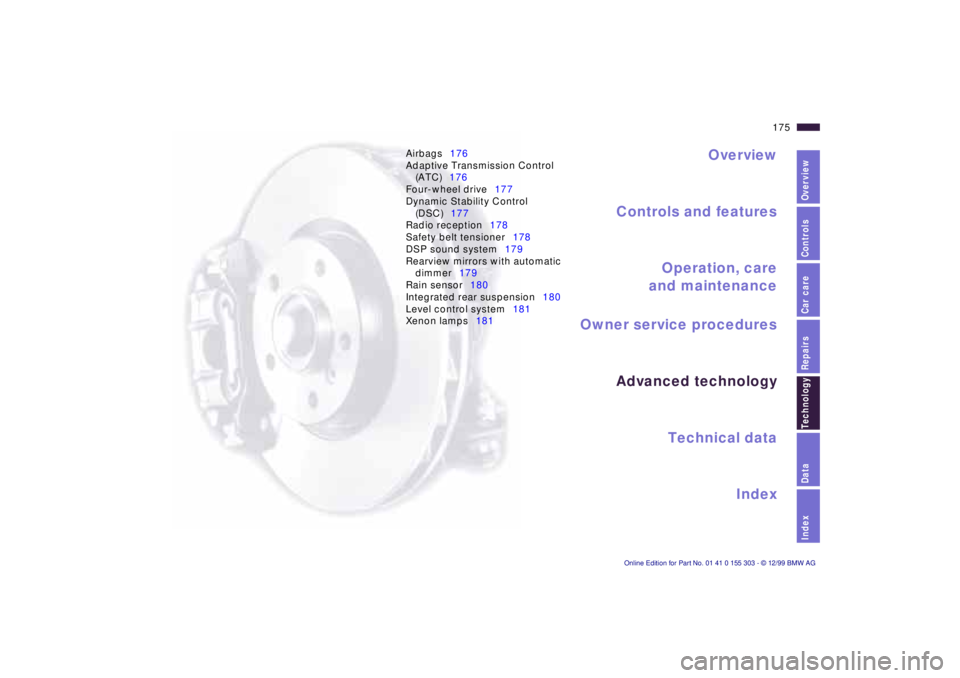
Airbags176
Adaptive Transmission Control
(ATC)176
Four-wheel drive177
Dynamic Stability Control
(DSC)177
Radio reception178
Safety belt tensioner178
DSP sound system179
Rearview mirrors with automatic
dimmer179
Rain sensor180
Integrated rear suspension180
Level control system181
Xenon lamps181
Technol-
Page 193 of 201
Everything from A to Z
193n
IndexDataTechnologyRepairsCar careControlsOverview
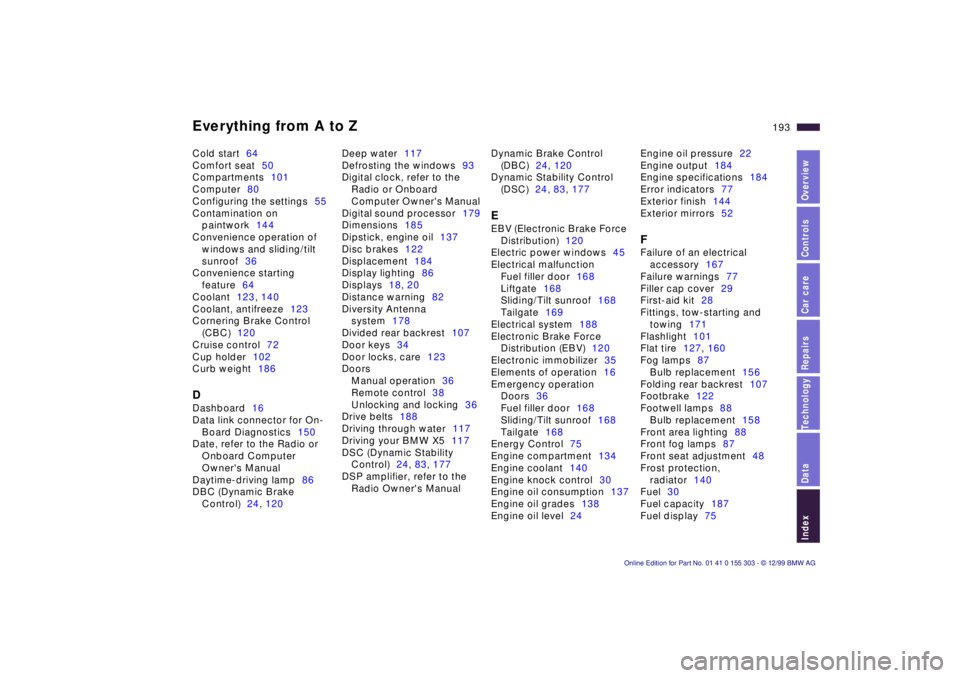
Cold start64
Comfort seat50
Compartments101
Computer80
Configuring the settings55
Contamination on
paintwork144
Convenience operation of
windows and sliding/tilt
sunroof36
Convenience starting
feature64
Coolant123, 140
Coolant, antifreeze123
Cornering Brake Control
(CBC)120
Cruise control72
Cup holder102
Curb weight186DDashboard16
Data link connector for On-
Board Diagnostics150
Date, refer to the Radio or
Onboard Computer
Owner's Manual
Daytime-driving lamp86
DBC (Dynamic Brake
Control)24, 120Deep water117
Defrosting the windows93
Digital clock, refer to the
Radio or Onboard
Computer Owner's Manual
Digital sound processor179
Dimensions185
Dipstick, engine oil137
Disc brakes122
Displacement184
Display lighting86
Displays18, 20
Distance warning82
Diversity Antenna
system178
Divided rear backrest107
Door keys34
Door locks, care123
Doors
Manual operation36
Remote control38
Unlocking and locking36
Drive belts188
Driving through water117
Driving your BMW X5117
DSC (Dynamic Stability
Control)24, 83, 177
DSP amplifier, refer to the
Radio Owner's ManualDynamic Brake Control
(DBC)24, 120
Dynamic Stability Control
(DSC)24, 83, 177
EEBV (Electronic Brake Force
Distribution)120
Electric power windows45
Electrical malfunction
Fuel filler door168
Liftgate168
Sliding/Tilt sunroof168
Tailgate169
Electrical system188
Electronic Brake Force
Distribution (EBV)120
Electronic immobilizer35
Elements of operation16
Emergency operation
Doors36
Fuel filler door168
Sliding/Tilt sunroof168
Tailgate168
Energy Control75
Engine compartment134
Engine coolant140
Engine knock control30
Engine oil consumption137
Engine oil grades138
Engine oil level24Engine oil pressure22
Engine output184
Engine specifications184
Error indicators77
Exterior finish144
Exterior mirrors52
FFailure of an electrical
accessory167
Failure warnings77
Filler cap cover29
First-aid kit28
Fittings, tow-starting and
towing171
Flashlight101
Flat tire127, 160
Fog lamps87
Bulb replacement156
Folding rear backrest107
Footbrake122
Footwell lamps88
Bulb replacement158
Front area lighting88
Front fog lamps87
Front seat adjustment48
Frost protection,
radiator140
Fuel30
Fuel capacity187
Fuel display75
Page 195 of 201
Everything from A to Z
195n
IndexDataTechnologyRepairsCar careControlsOverview
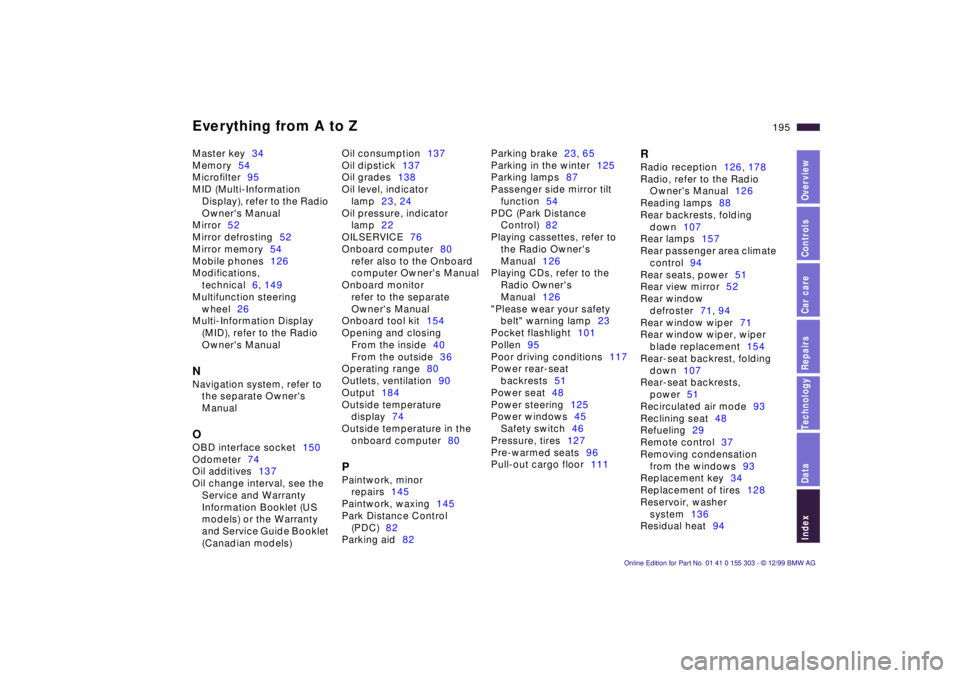
Master key34
Memory54
Microfilter95
MID (Multi-Information
Display), refer to the Radio
Owner's Manual
Mirror52
Mirror defrosting52
Mirror memory54
Mobile phones126
Modifications,
technical6, 149
Multifunction steering
wheel26
Multi-Information Display
(MID), refer to the Radio
Owner's ManualNNavigation system, refer to
the separate Owner's
ManualOOBD interface socket150
Odometer74
Oil additives137
Oil change interval, see the
Service and Warranty
Information Booklet (US
models) or the Warranty
and Service Guide Booklet
(Canadian models)Oil consumption137
Oil dipstick137
Oil grades138
Oil level, indicator
lamp23, 24
Oil pressure, indicator
lamp22
OILSERVICE76
Onboard computer80
refer also to the Onboard
computer Owner's Manual
Onboard monitor
refer to the separate
Owner's Manual
Onboard tool kit154
Opening and closing
From the inside40
From the outside36
Operating range80
Outlets, ventilation90
Output184
Outside temperature
display74
Outside temperature in the
onboard computer80
PPaintwork, minor
repairs145
Paintwork, waxing145
Park Distance Control
(PDC)82
Parking aid82Parking brake23, 65
Parking in the winter125
Parking lamps87
Passenger side mirror tilt
function54
PDC (Park Distance
Control)82
Playing cassettes, refer to
the Radio Owner's
Manual126
Playing CDs, refer to the
Radio Owner's
Manual126
"Please wear your safety
belt" warning lamp23
Pocket flashlight101
Pollen95
Poor driving conditions117
Power rear-seat
backrests51
Power seat48
Power steering125
Power windows45
Safety switch46
Pressure, tires127
Pre-warmed seats96
Pull-out cargo floor111
RRadio reception126, 178
Radio, refer to the Radio
Owner's Manual126
Reading lamps88
Rear backrests, folding
down107
Rear lamps157
Rear passenger area climate
control94
Rear seats, power51
Rear view mirror52
Rear window
defroster71, 94
Rear window wiper71
Rear window wiper, wiper
blade replacement154
Rear-seat backrest, folding
down107
Rear-seat backrests,
power51
Recirculated air mode93
Reclining seat48
Refueling29
Remote control37
Removing condensation
from the windows93
Replacement key34
Replacement of tires128
Reservoir, washer
system136
Residual heat94