warning BMW X5 4.4I 2001 User Guide
[x] Cancel search | Manufacturer: BMW, Model Year: 2001, Model line: X5 4.4I, Model: BMW X5 4.4I 2001Pages: 223, PDF Size: 2.66 MB
Page 28 of 223
28nHazard warning flashers Warning triangle* First-aid kit*
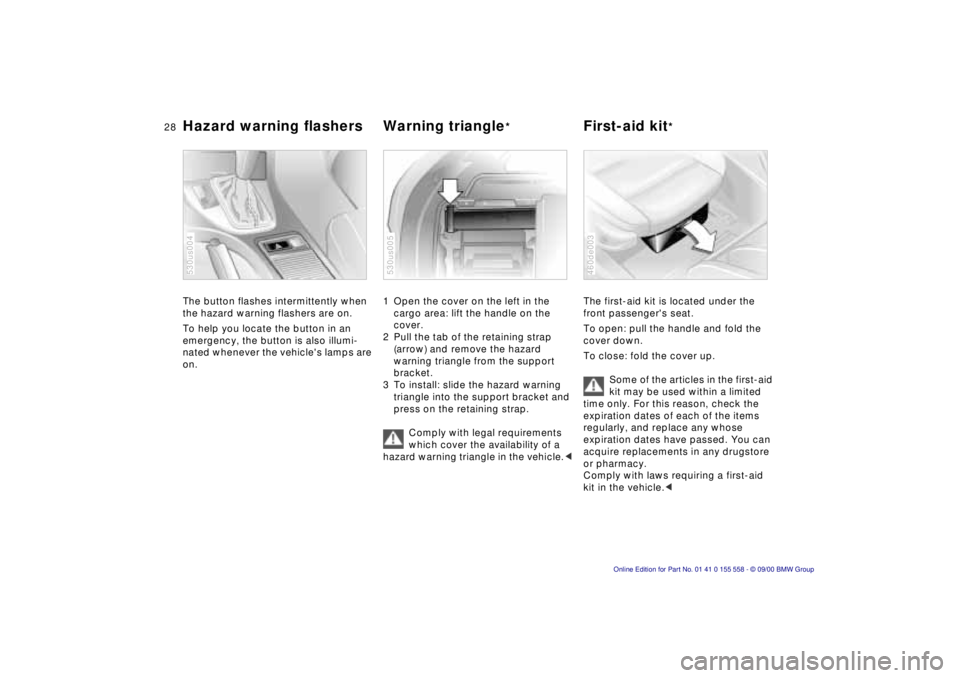
The button flashes intermittently when
the hazard warning flashers are on.
To help you locate the button in an
emergency, the button is also illumi-
nated whenever the vehicle's lamps are
on.
530us004
1 Open the cover on the left in the
cargo area: lift the handle on the
cover.
2 Pull the tab of the retaining strap (arrow) and remove the hazard
warning triangle from the support
bracket.
3 To install: slide the hazard warning triangle into the support bracket and
press on the retaining strap.
Comply with legal requirements
which cover the availability of a
hazard warning triangle in the vehicle. <
530us005
The first-aid kit is located under the
front passenger's seat.
To open: pull the handle and fold the
cover down.
To close: fold the cover up.
Some of the articles in the first-aid
kit may be used within a limited
time only. For this reason, check the
expiration dates of each of the items
regularly, and replace any whose
expiration dates have passed. You can
acquire replacements in any drugstore
or pharmacy.
Comply with laws requiring a first-aid
kit in the vehicle. <
460de003
Page 36 of 223
36nCentral locking system Opening and closing – from the outside
The concept
The central locking system is ready for
operation as soon as you close the front
doors. The system engages and
releases the locks on the
>doors
> liftgate/tailgate
> fuel filler door.
The central locking system can be
operated
> from outside via the driver's door lock
as well as via the remote control.
> from inside via the button for the
central locking system.
If the system is locked from inside, the
fuel filler door remains unlocked. Refer
to page 40.
When the system is actuated from
outside of the vehicle, the anti-theft
protection is actuated simultaneously.
The alarm system is also activated or
deactivated.
In the event of an accident, the central
locking system unlocks automatically
(only those doors which were not
locked separately with the safety lock
buttons). Refer to page 40. In addition,
the hazard warning flashers and interior
lamps come on.
Using the key
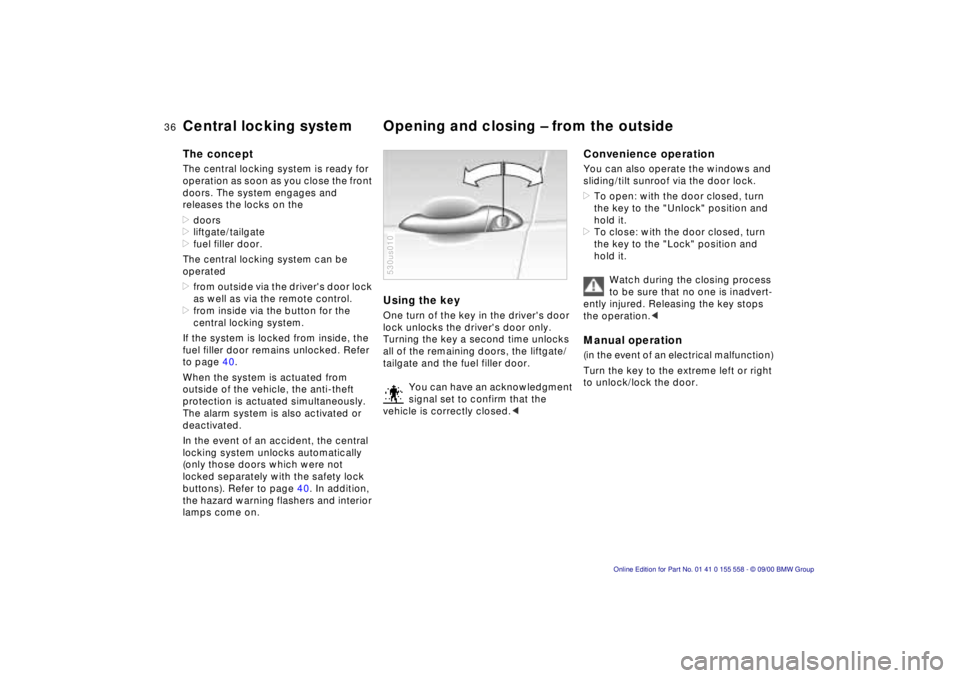
One turn of the key in the driver's door
lock unlocks the driver's door only.
Turning the key a second time unlocks
all of the remaining doors, the liftgate/
tailgate and the fuel filler door.
You can have an acknowledgment
signal set to confirm that the
vehicle is correctly closed. <
530us010
Convenience operation
You can also operate the windows and
sliding/tilt sunroof via the door lock.
> To open: with the door closed, turn
the key to the "Unlock" position and
hold it.
> To close: with the door closed, turn
the key to the "Lock" position and
hold it.
Watch during the closing process
to be sure that no one is inadvert-
ently injured. Releasing the key stops
the operation. <
Manual operation
(in the event of an electrical malfunction)
Turn the key to the extreme left or right
to unlock/lock the door.
Page 43 of 223
Index
Data
Technology
Repairs
Car care
Controls
Overview
43nAlarm system
The concept
The vehicle alarm system responds:
>When a door, the hood, or the liftgate
is opened.
> To movement inside the vehicle (inte-
rior motion sensor).
> To variations in the vehicle tilt sensor
such as occur during attempts to
steal the wheels or tow the vehicle.
> To interruption of battery voltage.
The system responds to unauthorized
vehicle entry and attempted theft by
simultaneously activating the following:
> Sounding an acoustical alarm for
30 seconds.
> The hazard warning flashers are acti-
vated for approx. five minutes.
> The high beams flash on and off in
the same rhythm.
To activate and deactivate the
alarm system
When the vehicle is locked or unlocked
with the key or the remote control, the
alarm system is also simultaneously
armed or disarmed.
The interior motion sensor is activated
approx. 30 seconds after you have
finished locking the vehicle.
The system indicates that it has been
correctly armed by switching on the
hazard flashers for a single cycle and by
emitting an acoustical signal.
You can have different acknowl-
edgment signals set to confirm
system arming and disarming. <
You can still open the liftgate after the
system has been armed by pressing
button 3 of the remote control. Refer to
page 39. When you close the liftgate, it
is secured again.
Indicator lamp displays
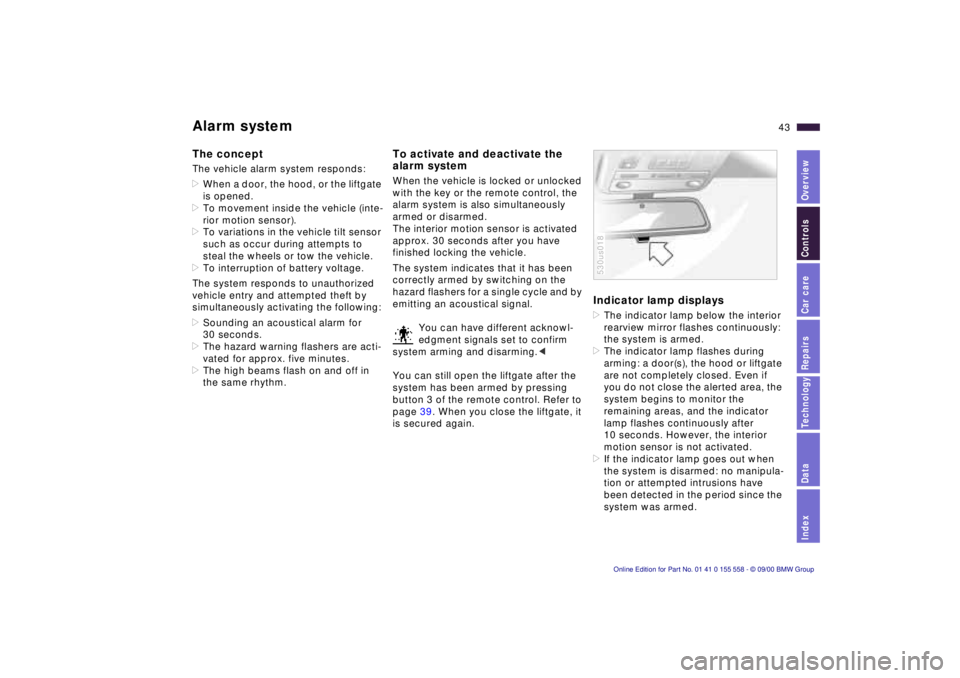
> The indicator lamp below the interior
rearview mirror flashes continuously:
the system is armed.
> The indicator lamp flashes during
arming: a door(s), the hood or liftgate
are not completely closed. Even if
you do not close the alerted area, the
system begins to monitor the
remaining areas, and the indicator
lamp flashes continuously after
10 seconds. However, the interior
motion sensor is not activated.
> If the indicator lamp goes out when
the system is disarmed: no manipula-
tion or attempted intrusions have
been detected in the period since the
system was armed.
530us018
Page 60 of 223
60nAirbags
The rear seat side airbags may already
have been deactivated, either at the
time of manufacture or by a BMW
center. Labels in the rear door opening
should indicate the status of your rear
seat side airbags. If you are uncertain of
their status, or wish to have the airbags
activated or deactivated, please
contact your BMW center. <
Even when all these guidelines are
observed, there is still a small residual
risk of injuries to the face, hands and
arms occurring from airbag deployment
in isolated instances. The ignition and
inflation noise may provoke a mild
temporary hearing loss in extremely
sensitive individuals.
Airbag warning information is also
provided on the sun visors.
For additional information concerning
the airbag system, refer to pages 168
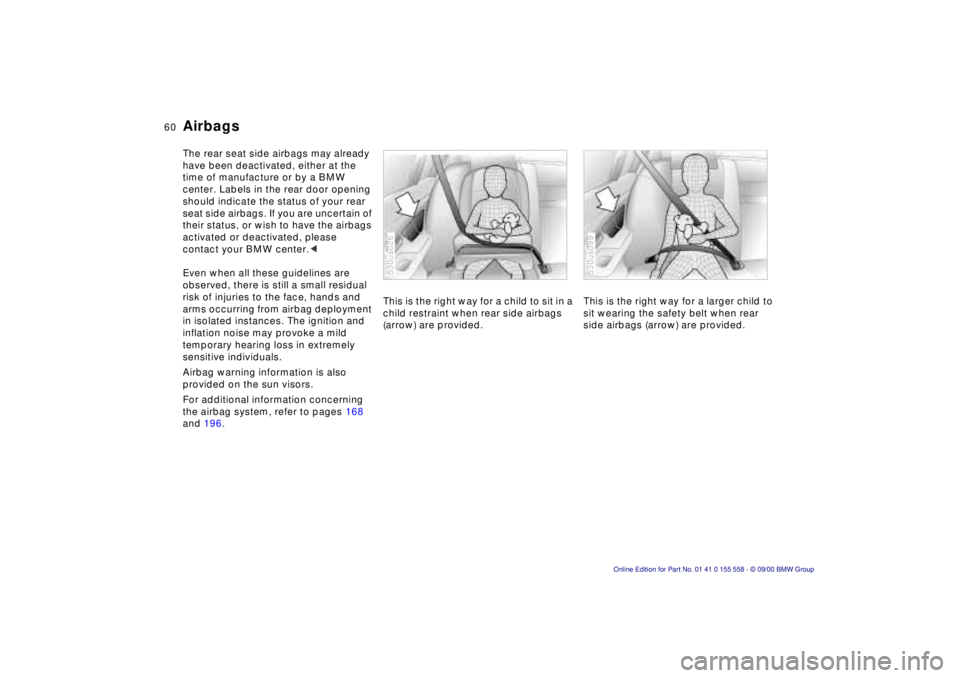
and 196. This is the right way for a child to sit in a
child restraint when rear side airbags
(arrow) are provided.
530us026
This is the right way for a larger child to
sit wearing the safety belt when rear
side airbags (arrow) are provided.
530us099
Page 64 of 223
64n
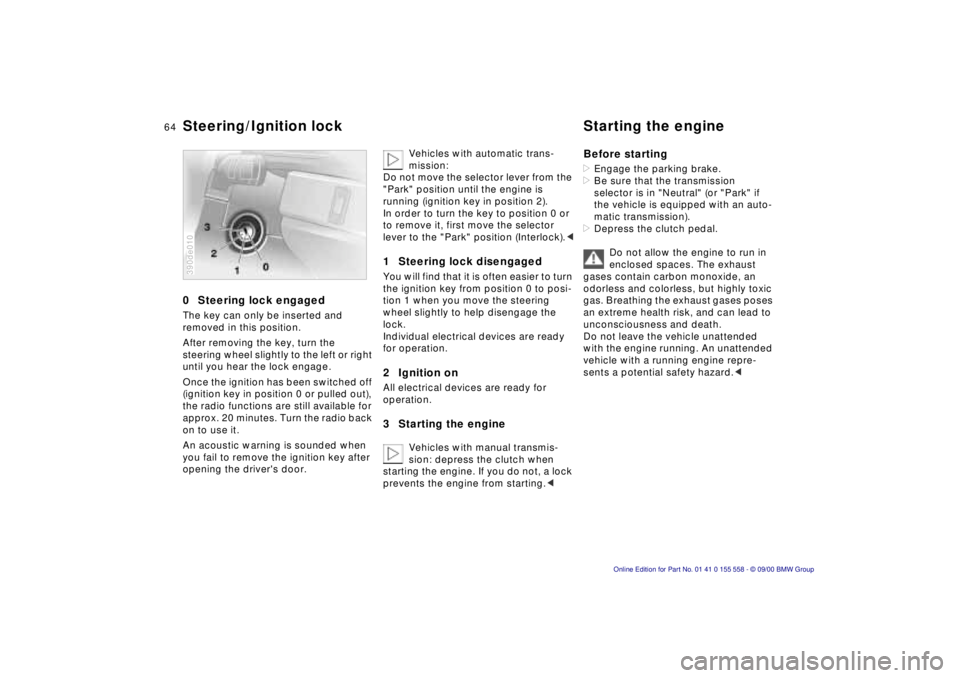
0 Steering lock engaged
The key can only be inserted and
removed in this position.
After removing the key, turn the
steering wheel slightly to the left or right
until you hear the lock engage.
Once the ignition has been switched off
(ignition key in position 0 or pulled out),
the radio functions are still available for
approx. 20 minutes. Turn the radio back
on to use it.
An acoustic warning is sounded when
you fail to remove the ignition key after
opening the driver's door.
390de010
Vehicles with automatic trans-
mission:
Do not move the selector lever from the
"Park" position until the engine is
running (ignition key in position 2).
In order to turn the key to position 0 or
to remove it, first move the selector
lever to the "Park" position (Interlock). <
1 Steering lock disengaged
You will find that it is often easier to turn
the ignition key from position 0 to posi-
tion 1 when you move the steering
wheel slightly to help disengage the
lock.
Individual electrical devices are ready
for operation.
2 Ignition on
All electrical devices are ready for
operation.
3 Starting the engine
Vehicles with manual transmis-
sion: depress the clutch when
starting the engine. If you do not, a lock
prevents the engine from starting. <
Before starting
> Engage the parking brake.
> Be sure that the transmission
selector is in "Neutral" (or "Park" if
the vehicle is equipped with an auto-
matic transmission).
> Depress the clutch pedal.
Do not allow the engine to run in
enclosed spaces. The exhaust
gases contain carbon monoxide, an
odorless and colorless, but highly toxic
gas. Breathing the exhaust gases poses
an extreme health risk, and can lead to
unconsciousness and death.
Do not leave the vehicle unattended
with the engine running. An unattended
vehicle with a running engine repre-
sents a potential safety hazard. <
Steering/Ignition lock Starting the engine
Page 76 of 223
76n
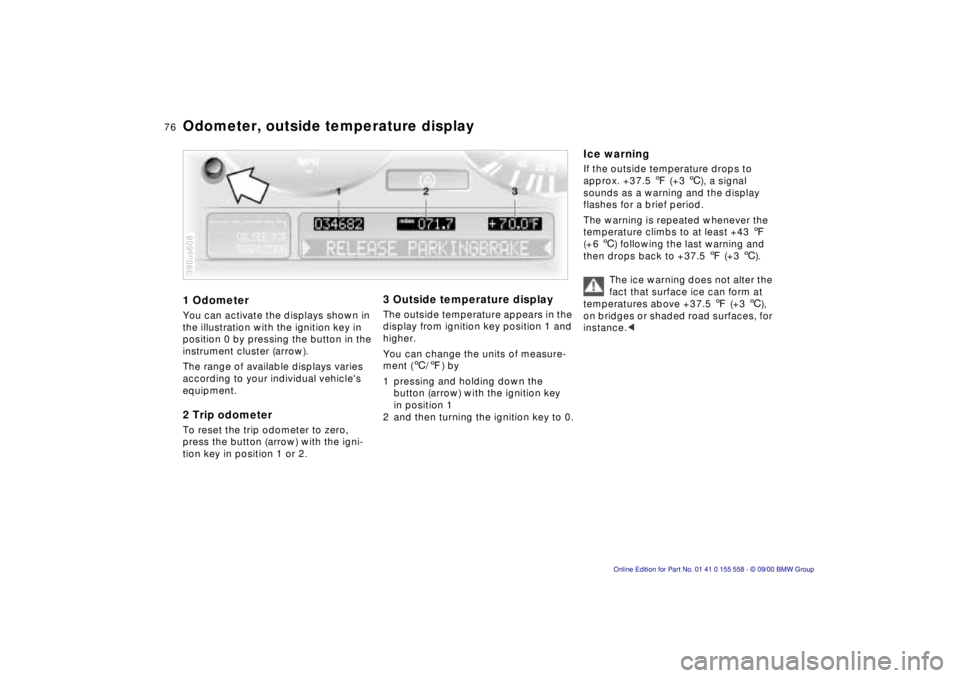
1 Odometer
You can activate the displays shown in
the illustration with the ignition key in
position 0 by pressing the button in the
instrument cluster (arrow).
The range of available displays varies
according to your individual vehicle's
equipment.
2 Trip odometer
To reset the trip odometer to zero,
press the button (arrow) with the igni-
tion key in position 1 or 2.
390us608
3 Outside temperature display
The outside temperature appears in the
display from ignition key position 1 and
higher.
You can change the units of measure-
ment ( 6/7 ) by
1 pressing and holding down the button (arrow) with the ignition key
in position 1
2 and then turning the ignition key to 0.
Ice warning
If the outside temperature drops to
approx. +37.5 7 (+3 6), a signal
sounds as a warning and the display
flashes for a brief period.
The warning is repeated whenever the
temperature climbs to at least +43 7
(+6 6) following the last warning and
then drops back to +37.5 7 (+3 6).
The ice warning does not alter the
fact that surface ice can form at
temperatures above +37.5 7 (+3 6),
on bridges or shaded road surfaces, for
instance. <
Odometer, outside temperature display
Page 78 of 223
78nCoolant temperature gauge Service Interval Display
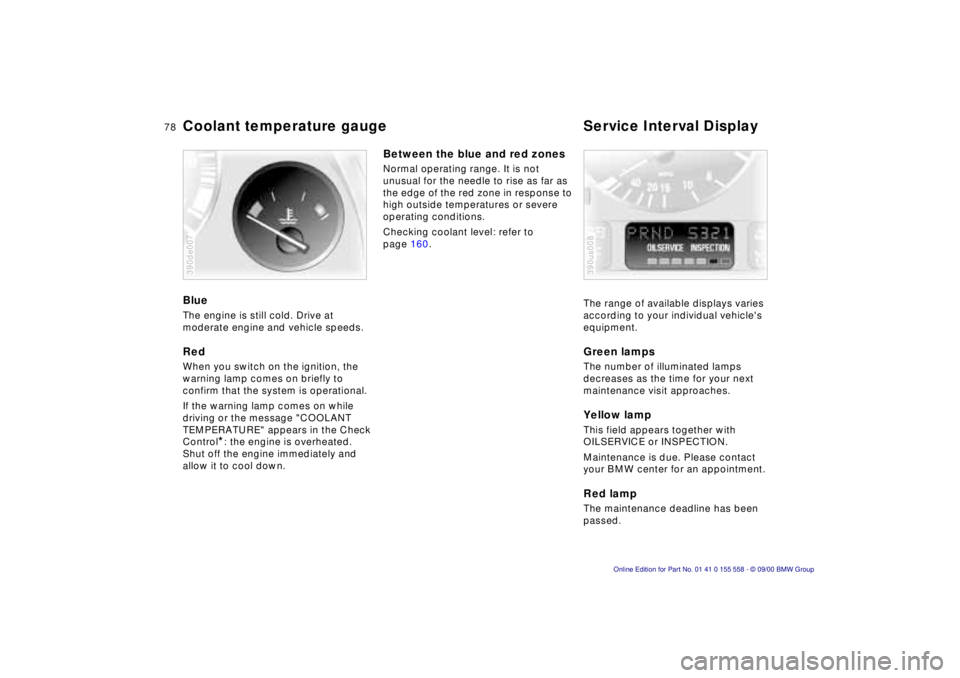
Blue
The engine is still cold. Drive at
moderate engine and vehicle speeds.
Red
When you switch on the ignition, the
warning lamp comes on briefly to
confirm that the system is operational.
If the warning lamp comes on while
driving or the message "COOLANT
TEMPERATURE" appears in the Check
Control
*: the engine is overheated.
Shut off the engine immediately and
allow it to cool down.
390de007
Between the blue and red zones
Normal operating range. It is not
unusual for the needle to rise as far as
the edge of the red zone in response to
high outside temperatures or severe
operating conditions.
Checking coolant level: refer to
page 160.
The range of available displays varies
according to your individual vehicle's
equipment.
Green lamps
The number of illuminated lamps
decreases as the time for your next
maintenance visit approaches.
Yellow lamp
This field appears together with
OILSERVICE or INSPECTION.
Maintenance is due. Please contact
your BMW center for an appointment.
Red lamp
The maintenance deadline has been
passed.
390us008
Page 79 of 223
Index
Data
Technology
Repairs
Car care
Controls
Overview
79nCheck Control
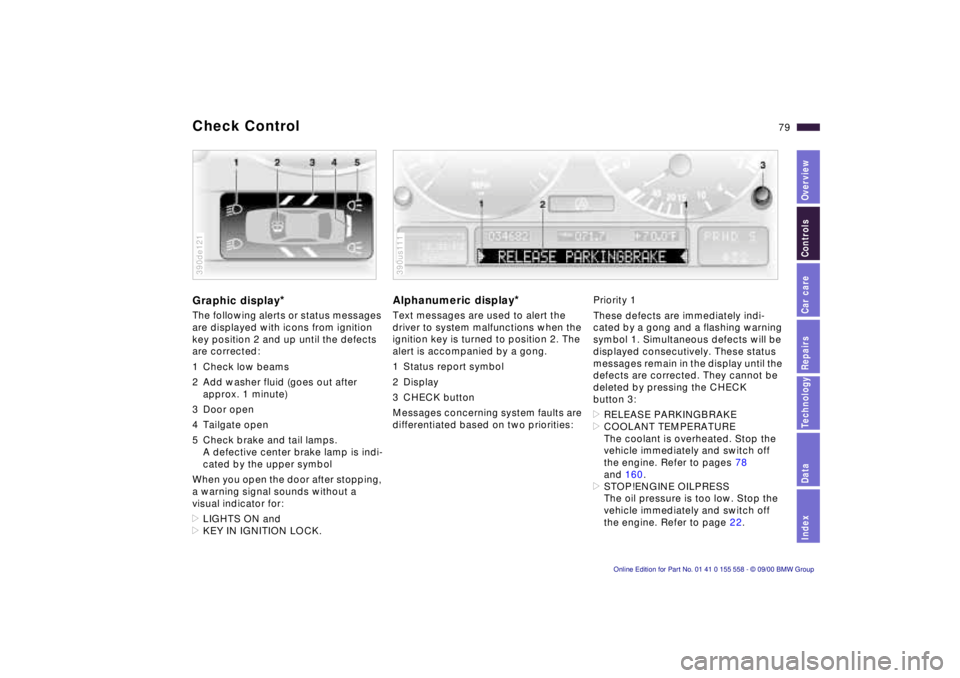
Graphic display*
The following alerts or status messages
are displayed with icons from ignition
key position 2 and up until the defects
are corrected:
1 Check low beams
2 Add washer fluid (goes out after
approx. 1 minute)
3 Door open
4 Tailgate open
5 Check brake and tail lamps. A defective center brake lamp is indi-
cated by the upper symbol
When you open the door after stopping,
a warning signal sounds without a
visual indicator for:
> LIGHTS ON and
> KEY IN IGNITION LOCK.
390de121
Alphanumeric display*
Text messages are used to alert the
driver to system malfunctions when the
ignition key is turned to position 2. The
alert is accompanied by a gong.
1 Status report symbol
2 Display
3 CHECK button
Messages concerning system faults are
differentiated based on two priorities:
390us111
Priority 1
These defects are immediately indi-
cated by a gong and a flashing warning
symbol 1. Simultaneous defects will be
displayed consecutively. These status
messages remain in the display until the
defects are corrected. They cannot be
deleted by pressing the CHECK
button 3:
> RELEASE PARKINGBRAKE
> COOLANT TEMPERATURE
The coolant is overheated. Stop the
vehicle immediately and switch off
the engine. Refer to pages 78
and 160.
> STOP!ENGINE OILPRESS
The oil pressure is too low. Stop the
vehicle immediately and switch off
the engine. Refer to page 22.
Page 88 of 223
88n
Computer in the MID
*
Only make inputs when the
vehicle is standing still – to avoid
endangering yourself or other road
users.<
Computer calculations begin at the
start of the journey.
Information can also be called up in the
display by remote control, refer to
page 92.
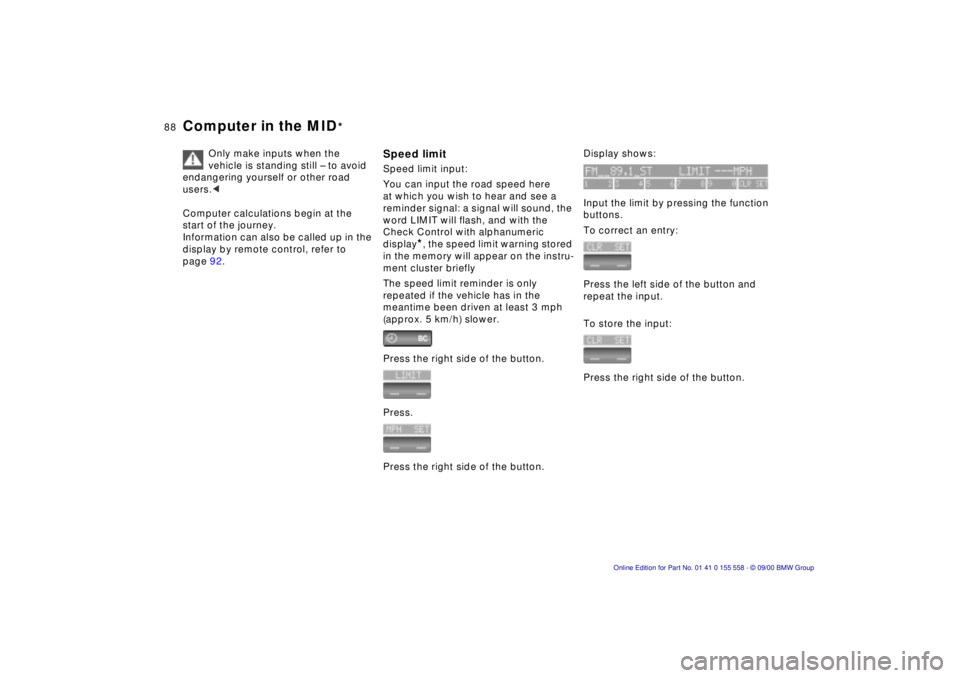
Speed limitSpeed limit input:
You can input the road speed here
at which you wish to hear and see a
reminder signal: a signal will sound, the
word LIMIT will flash, and with the
Check Control with alphanumeric
display
*, the speed limit warning stored
in the memory will appear on the instru-
ment cluster briefly
The speed limit reminder is only
repeated if the vehicle has in the
meantime been driven at least 3 mph
(approx. 5 km/h) slower.
Press the right side of the button.
Press.
Press the right side of the button.
Display shows:
Input the limit by pressing the function
buttons.
To correct an entry:
Press the left side of the button and
repeat the input.
To store the input:
Press the right side of the button.
Page 93 of 223
IndexDataTechnologyRepairsCar careControlsOverview
93n
The conceptThe PDC assists you when you are
parking. Acoustical signals inform you
of the distance to an obstacle. To do
this, four ultrasonic sensors in the front
and rear bumpers measure the distance
to the nearest object. The monitoring
range for the front sensors as well as
the two rear corner sensors ends
approx. 2 ft (60 cm) behind the
respective bumper. The center sensors
in the rear have a range of approx. 5 ft
(1.50 meters). Automatic functionThe system starts to operate auto-
matically about one second after you
select reverse with the ignition key in
position 2.
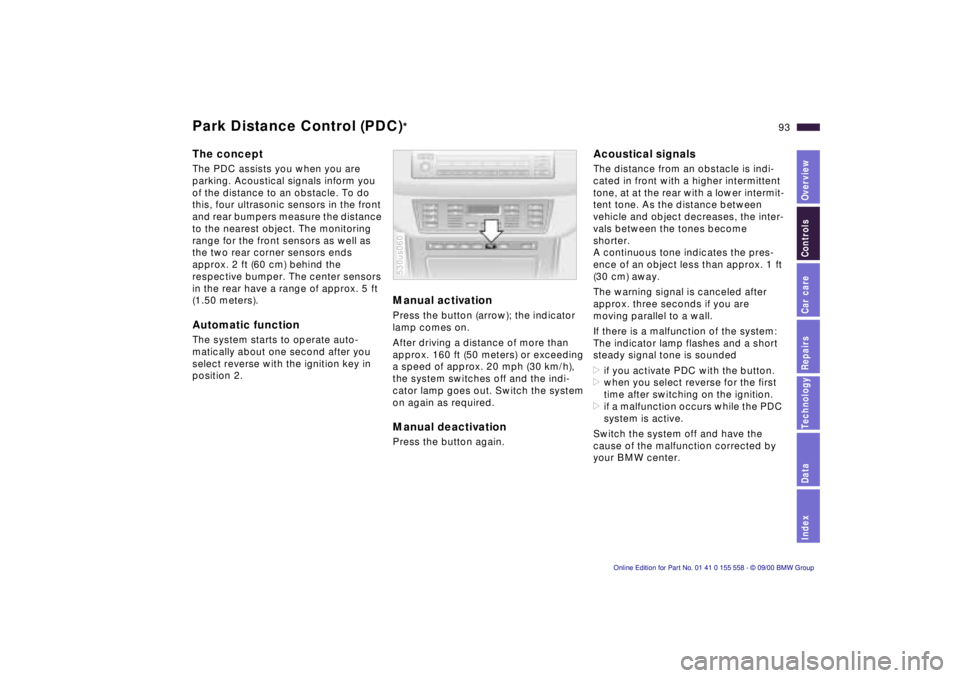
Manual activationPress the button (arrow); the indicator
lamp comes on.
After driving a distance of more than
approx. 160 ft (50 meters) or exceeding
a speed of approx. 20 mph (30 km/h),
the system switches off and the indi-
cator lamp goes out. Switch the system
on again as required. Manual deactivationPress the button again. 530us060
Acoustical signalsThe distance from an obstacle is indi-
cated in front with a higher intermittent
tone, at at the rear with a lower intermit-
tent tone. As the distance between
vehicle and object decreases, the inter-
vals between the tones become
shorter.
A continuous tone indicates the pres-
ence of an object less than approx. 1 ft
(30 cm) away.
The warning signal is canceled after
approx. three seconds if you are
moving parallel to a wall.
If there is a malfunction of the system:
The indicator lamp flashes and a short
steady signal tone is sounded
>if you activate PDC with the button.
>when you select reverse for the first
time after switching on the ignition.
>if a malfunction occurs while the PDC
system is active.
Switch the system off and have the
cause of the malfunction corrected by
your BMW center.
Park Distance Control (PDC)
*