tow BMW X5 4.4I 2002 User Guide
[x] Cancel search | Manufacturer: BMW, Model Year: 2002, Model line: X5 4.4I, Model: BMW X5 4.4I 2002Pages: 185, PDF Size: 2.7 MB
Page 103 of 185
103n
OverviewControlsMaintenanceRepairsDataIndex
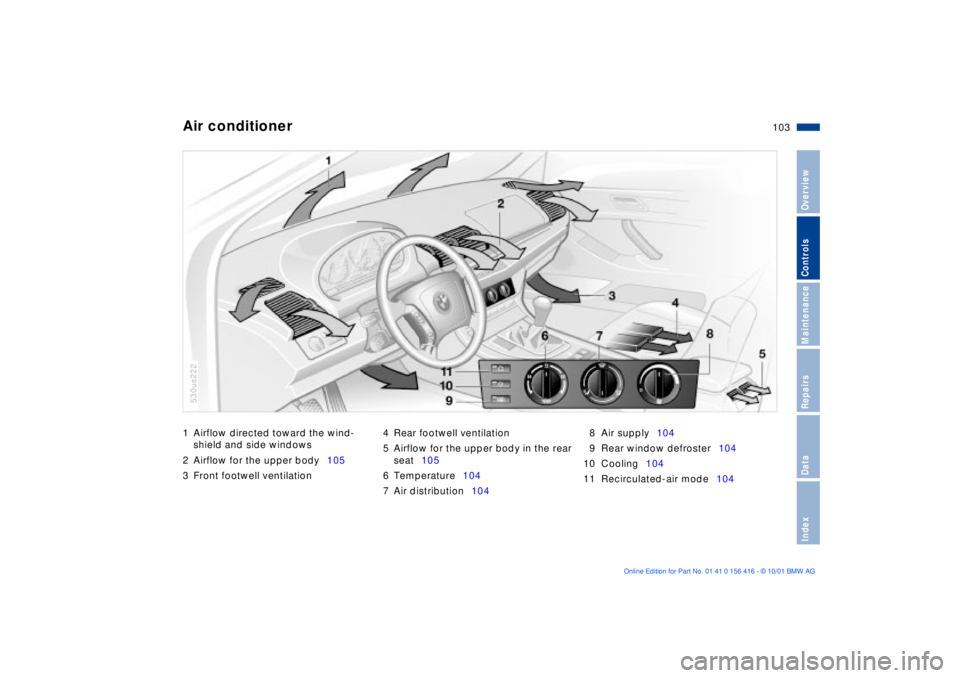
1 Airflow directed toward the wind-
shield and side windows
2 Airflow for the upper body105
3 Front footwell ventilation 4 Rear footwell ventilation
5 Airflow for the upper body in the rear
seat105
6 Temperature104
7 Air distribution1048 Air supply104
9 Rear window defroster104
10 Cooling104
11 Recirculated-air mode104Air conditioner
530us222
Page 104 of 185
104n
Air conditioner Temperature
The graduations on the dial
provide general reference
values for the interior temper-
ature. We recommend +72 7
(+22 6) as a comfortable setting. When
you start the vehicle, the system
adjusts the air to the selected tempera-
ture as quickly as possible, and then
maintains that temperature constantly.
Air distribution
You can direct air to flow onto
the windows , toward the
upper body and into the
footwell . All intermediate
settings are possible. In the setting,
there is a low flow of air onto the
windows to keep them free of conden-
sation.
Air supply
You can adjust the air supply
through an infinitely-variable
range. The heating and venti-
lation become more and more
effective as the air supply settings are
increased. In the "0" setting, the blower
and climate control are switched off
and the outside air supply is blocked.
Rear window defroster
When the rear window
defroster is activated, the
indicator lamp comes on. The rear
window defroster switches off automat-
ically.
Cooling
The air is cooled and dehu-
midified and Ñ depending on
the temperature setting Ñ warmed
again when the air conditioner system
is switched on. Depending on the
weather, the windshield may fog over
briefly when the engine is started. You
can reduce condensation forming on
the windows by switching on the air
conditioner.
Condensation forms in the air
conditioner system during opera-
tion, which then exits under the vehicle.
Traces of condensed water of this kind
are thus normal.<
Recirculated-air mode
You can respond to
unpleasant odors outside the
vehicle by temporarily switching off the
outside air supply. The system then
recirculates the air currently within the
vehicle.
If you have a steering wheel with multi-
function buttons with the button for the
recirculated-air mode, you can also use
this button to switch to the recirculated-
air mode, refer to page 22.
If the windows fog over in the
recirculated-air mode, switch the
recirculated-air mode off and increase
the air supply as required.<
Page 105 of 185
105n
OverviewControlsMaintenanceRepairsDataIndex
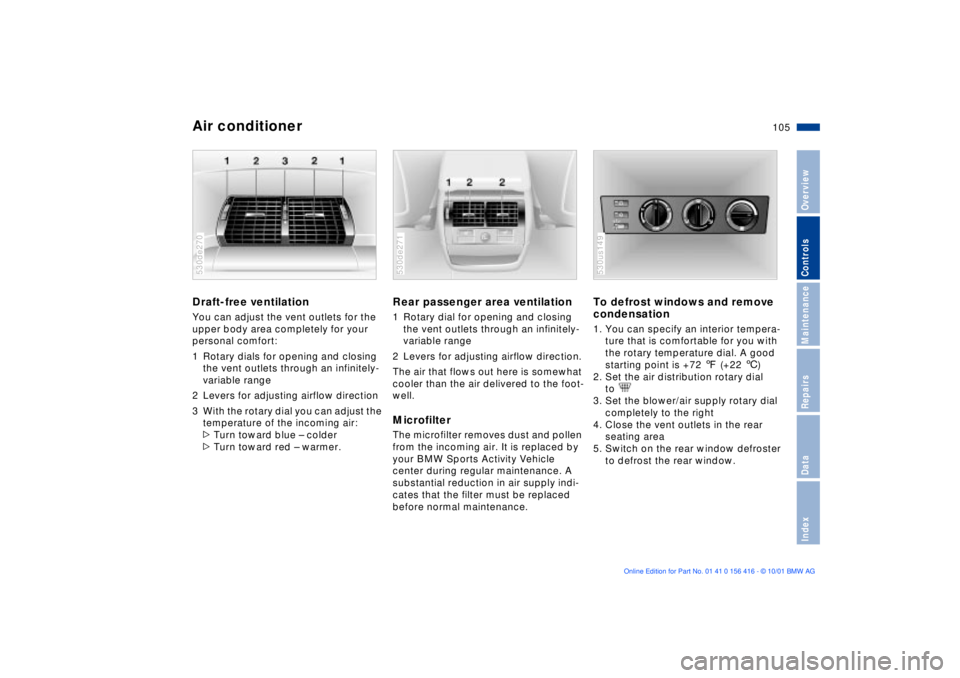
Air conditionerDraft-free ventilation You can adjust the vent outlets for the
upper body area completely for your
personal comfort:
1 Rotary dials for opening and closing
the vent outlets through an infinitely-
variable range
2 Levers for adjusting airflow direction
3 With the rotary dial you can adjust the
temperature of the incoming air:
>Turn toward blue Ð colder
>Turn toward red Ð warmer. 530de270
Rear passenger area ventilation1 Rotary dial for opening and closing
the vent outlets through an infinitely-
variable range
2 Levers for adjusting airflow direction.
The air that flows out here is somewhat
cooler than the air delivered to the foot-
well. Microfilter The microfilter removes dust and pollen
from the incoming air. It is replaced by
your BMW Sports Activity Vehicle
center during regular maintenance. A
substantial reduction in air supply indi-
cates that the filter must be replaced
before normal maintenance.530de271
To defrost windows and remove
condensation 1. You can specify an interior tempera-
ture that is comfortable for you with
the rotary temperature dial. A good
starting point is +72 7 (+22 6)
2. Set the air distribution rotary dial
to
3. Set the blower/air supply rotary dial
completely to the right
4. Close the vent outlets in the rear
seating area
5. Switch on the rear window defroster
to defrost the rear window. 530us149
Page 106 of 185
106n
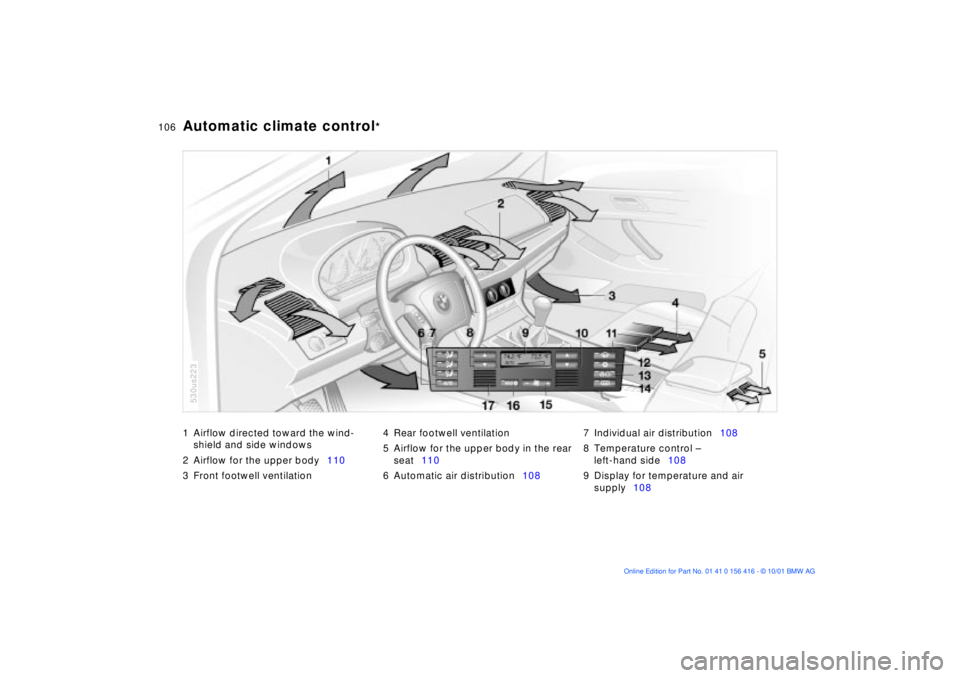
1 Airflow directed toward the wind-
shield and side windows
2 Airflow for the upper body110
3 Front footwell ventilation4 Rear footwell ventilation
5 Airflow for the upper body in the rear
seat110
6 Automatic air distribution1087 Individual air distribution108
8 Temperature control Ð
left-hand side108
9 Display for temperature and air
supply108
Automatic climate control
*
530us223
Page 108 of 185
108n
Automatic climate control
*
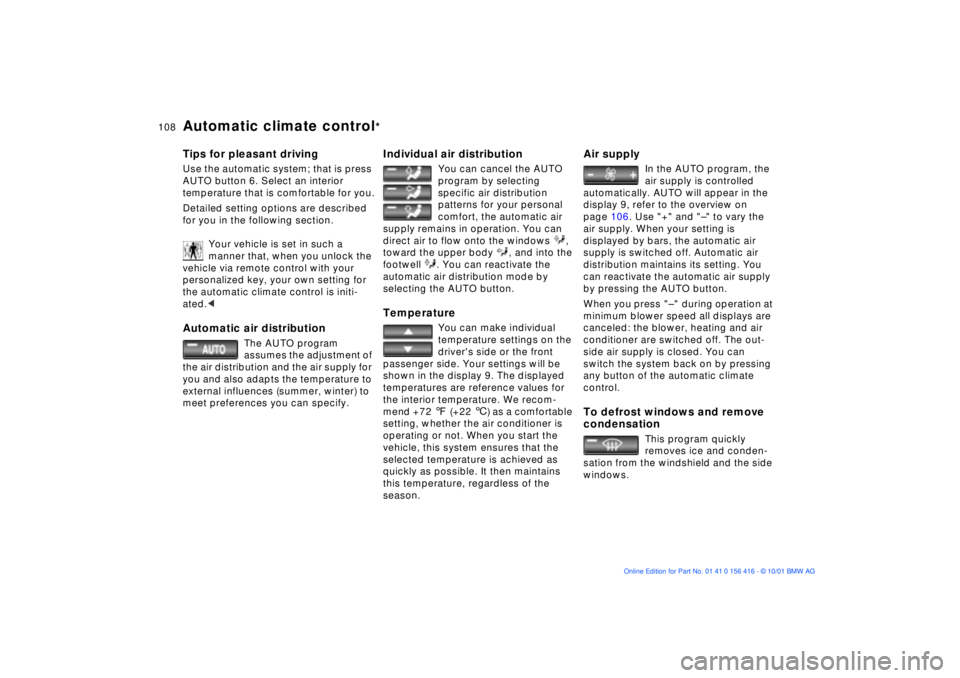
Tips for pleasant drivingUse the automatic system; that is press
AUTO button 6. Select an interior
temperature that is comfortable for you.
Detailed setting options are described
for you in the following section.
Your vehicle is set in such a
manner that, when you unlock the
vehicle via remote control with your
personalized key, your own setting for
the automatic climate control is initi-
ated.< Automatic air distribution
The AUTO program
assumes the adjustment of
the air distribution and the air supply for
you and also adapts the temperature to
external influences (summer, winter) to
meet preferences you can specify.
Individual air distribution
You can cancel the AUTO
program by selecting
specific air distribution
patterns for your personal
comfort, the automatic air
supply remains in operation. You can
direct air to flow onto the windows ,
toward the upper body , and into the
footwell . You can reactivate the
automatic air distribution mode by
selecting the AUTO button.
Temperature
You can make individual
temperature settings on the
driver's side or the front
passenger side. Your settings will be
shown in the display 9. The displayed
temperatures are reference values for
the interior temperature. We recom-
mend +72 7 (+22 6) as a comfortable
setting, whether the air conditioner is
operating or not. When you start the
vehicle, this system ensures that the
selected temperature is achieved as
quickly as possible. It then maintains
this temperature, regardless of the
season.
Air supply
In the AUTO program, the
air supply is controlled
automatically. AUTO will appear in the
display 9, refer to the overview on
page 106. Use "+" and "Ð" to vary the
air supply. When your setting is
displayed by bars, the automatic air
supply is switched off. Automatic air
distribution maintains its setting. You
can reactivate the automatic air supply
by pressing the AUTO button.
When you press "Ð " during operation at
minimum blower speed all displays are
canceled: the blower, heating and air
conditioner are switched off. The out-
side air supply is closed. You can
switch the system back on by pressing
any button of the automatic climate
control.
To defrost windows and remove
condensation
This program quickly
removes ice and conden-
sation from the windshield and the side
windows.
Page 110 of 185
110n
Automatic climate control
*
Residual heat mode
The heat which is stored in
the engine is utilized for
heating the interior when the engine
has been switched off (while waiting at
a railroad crossing, for instance). In
ignition key position 1, you can alter the
settings of the automatic climate
control. With the ignition key in posi-
tion 0, the system automatically directs
heated air to the windshield, side
windows and footwells.
This function may be activated
when the outside temperature is
below approx. +59 7 (+15 6), the
engine is at operating temperature, and
the battery is adequately charged. The
LED on the button will light up when all
conditions have been met.<
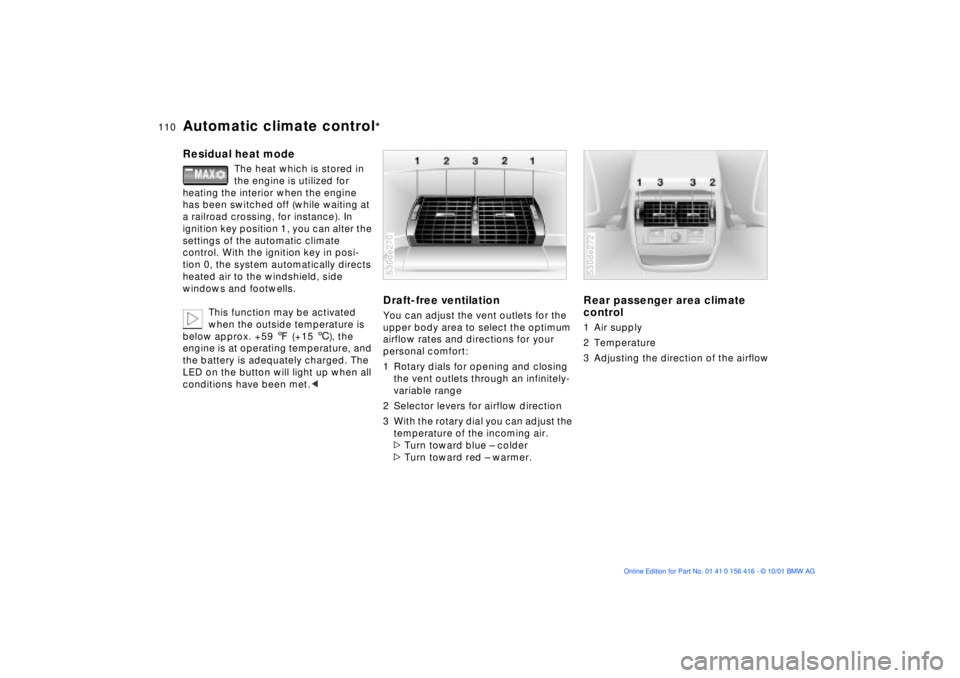
Draft-free ventilation You can adjust the vent outlets for the
upper body area to select the optimum
airflow rates and directions for your
personal comfort:
1 Rotary dials for opening and closing
the vent outlets through an infinitely-
variable range
2 Selector levers for airflow direction
3 With the rotary dial you can adjust the
temperature of the incoming air.
>Turn toward blue Ð colder
>Turn toward red Ð warmer. 530de270
Rear passenger area climate
control 1 Air supply
2 Temperature
3 Adjusting the direction of the airflow 530de272
Page 111 of 185
111n
OverviewControlsMaintenanceRepairsDataIndex
Automatic climate control
*
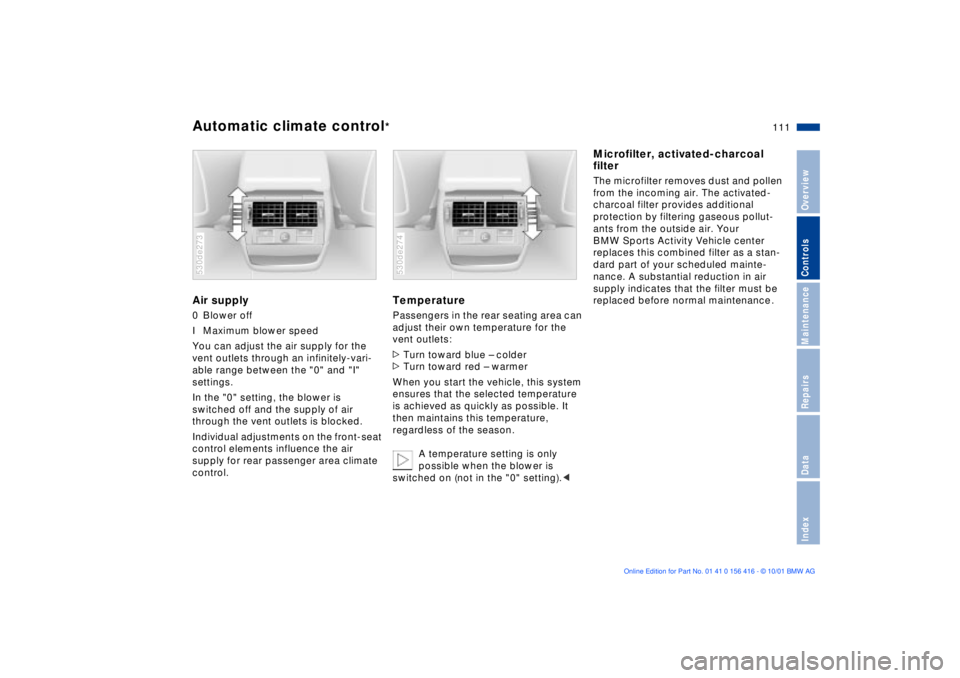
Air supply 0 Blower off
I Maximum blower speed
You can adjust the air supply for the
vent outlets through an infinitely-vari-
able range between the "0" and "I"
settings.
In the "0" setting, the blower is
switched off and the supply of air
through the vent outlets is blocked.
Individual adjustments on the front-seat
control elements influence the air
supply for rear passenger area climate
control. 530de273
Temperature Passengers in the rear seating area can
adjust their own temperature for the
vent outlets:
>Turn toward blue Ð colder
>Turn toward red Ð warmer
When you start the vehicle, this system
ensures that the selected temperature
is achieved as quickly as possible. It
then maintains this temperature,
regardless of the season.
A temperature setting is only
possible when the blower is
switched on (not in the "0" setting).< 530de274
Microfilter, activated-charcoal
filter The microfilter removes dust and pollen
from the incoming air. The activated-
charcoal filter provides additional
protection by filtering gaseous pollut-
ants from the outside air. Your
BMW Sports Activity Vehicle center
replaces this combined filter as a stan-
dard part of your scheduled mainte-
nance. A substantial reduction in air
supply indicates that the filter must be
replaced before normal maintenance.
Page 114 of 185
114n
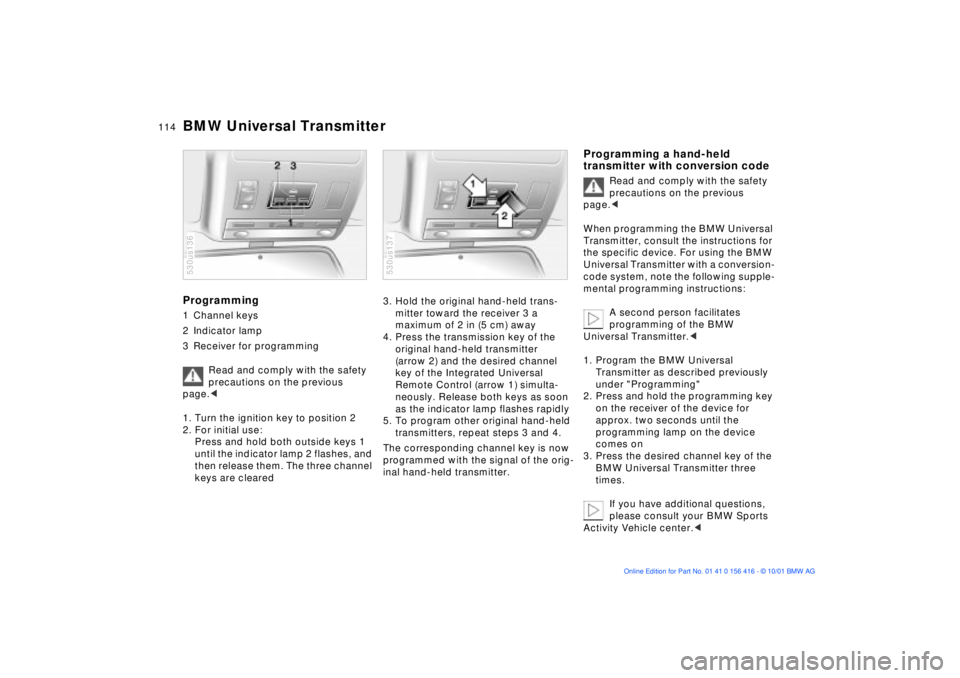
BMW Universal TransmitterProgramming 1 Channel keys
2 Indicator lamp
3 Receiver for programming
Read and comply with the safety
precautions on the previous
page.<
1. Turn the ignition key to position 2
2. For initial use:
Press and hold both outside keys 1
until the indicator lamp 2 flashes, and
then release them. The three channel
keys are cleared 530us136
3. Hold the original hand-held trans-
mitter toward the receiver 3 a
maximum of 2 in (5 cm) away
4. Press the transmission key of the
original hand-held transmitter
(arrow 2) and the desired channel
key of the Integrated Universal
Remote Control (arrow 1) simulta-
neously. Release both keys as soon
as the indicator lamp flashes rapidly
5. To program other original hand-held
transmitters, repeat steps 3 and 4.
The corresponding channel key is now
programmed with the signal of the orig-
inal hand-held transmitter. 530us137
Programming a hand-held
transmitter with conversion code
Read and comply with the safety
precautions on the previous
page.<
When programming the BMW Universal
Transmitter, consult the instructions for
the specific device. For using the BMW
Universal Transmitter with a conversion-
code system, note the following supple-
mental programming instructions:
A second person facilitates
programming of the BMW
Universal Transmitter.<
1. Program the BMW Universal
Transmitter as described previously
under "Programming"
2. Press and hold the programming key
on the receiver of the device for
approx. two seconds until the
programming lamp on the device
comes on
3. Press the desired channel key of the
BMW Universal Transmitter three
times.
If you have additional questions,
please consult your BMW Sports
Activity Vehicle center.<
Page 123 of 185
123n
OverviewControlsMaintenanceRepairsDataIndex
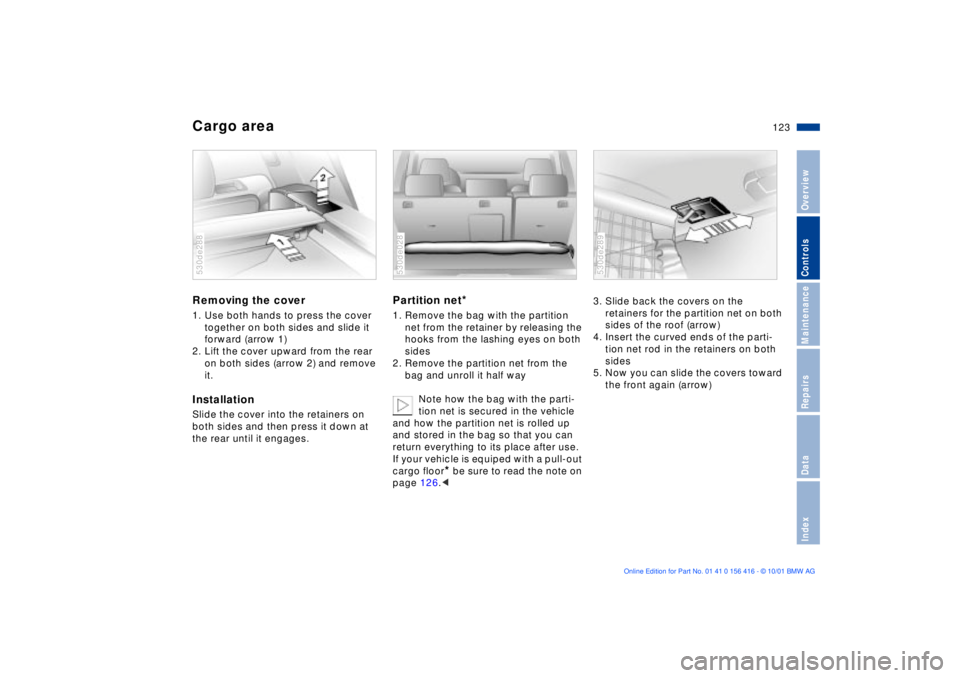
Cargo area Removing the cover 1. Use both hands to press the cover
together on both sides and slide it
forward (arrow 1)
2. Lift the cover upward from the rear
on both sides (arrow 2) and remove
it. InstallationSlide the cover into the retainers on
both sides and then press it down at
the rear until it engages. 530de288
Partition net
*
1. Remove the bag with the partition
net from the retainer by releasing the
hooks from the lashing eyes on both
sides
2. Remove the partition net from the
bag and unroll it half way
Note how the bag with the parti-
tion net is secured in the vehicle
and how the partition net is rolled up
and stored in the bag so that you can
return everything to its place after use.
If your vehicle is equiped with a pull-out
cargo floor
* be sure to read the note on
page 126.<
530de028
3. Slide back the covers on the
retainers for the partition net on both
sides of the roof (arrow)
4. Insert the curved ends of the parti-
tion net rod in the retainers on both
sides
5. Now you can slide the covers toward
the front again (arrow) 530de289
Page 127 of 185
127n
OverviewControlsMaintenanceRepairsDataIndex
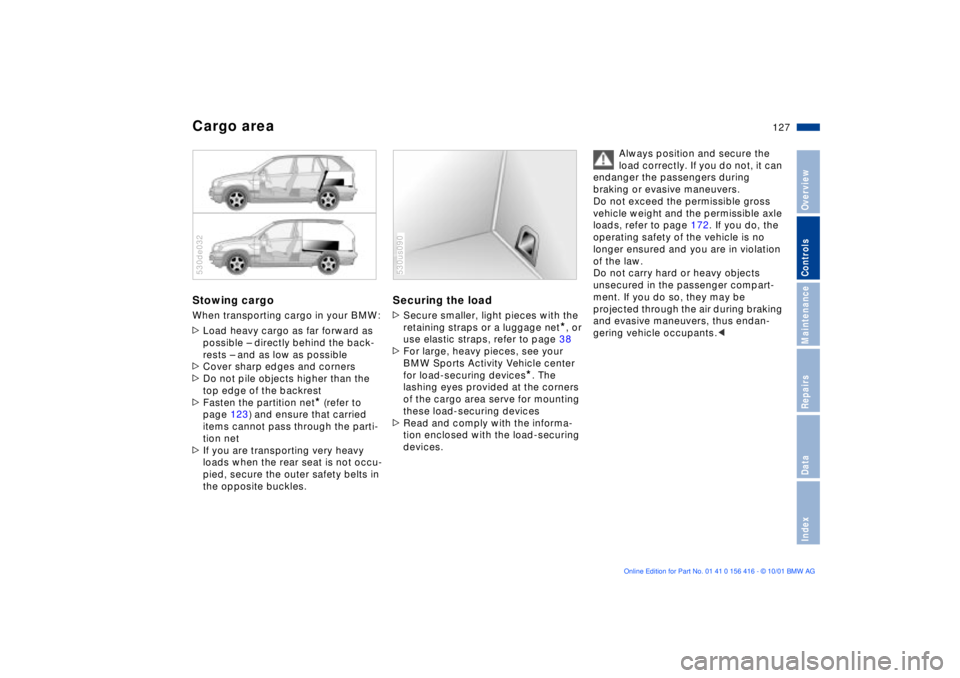
Cargo areaStowing cargo When transporting cargo in your BMW:
>Load heavy cargo as far forward as
possible Ð directly behind the back-
rests Ð and as low as possible
>Cover sharp edges and corners
>Do not pile objects higher than the
top edge of the backrest
>Fasten the partition net
* (refer to
page 123) and ensure that carried
items cannot pass through the parti-
tion net
>If you are transporting very heavy
loads when the rear seat is not occu-
pied, secure the outer safety belts in
the opposite buckles.
530de032
Securing the load >Secure smaller, light pieces with the
retaining straps or a luggage net
*, or
use elastic straps, refer to page 38
>For large, heavy pieces, see your
BMW Sports Activity Vehicle center
for load-securing devices
*. The
lashing eyes provided at the corners
of the cargo area serve for mounting
these load-securing devices
>Read and comply with the informa-
tion enclosed with the load-securing
devices.
530us090
Always position and secure the
load correctly. If you do not, it can
endanger the passengers during
braking or evasive maneuvers.
Do not exceed the permissible gross
vehicle weight and the permissible axle
loads, refer to page 172. If you do, the
operating safety of the vehicle is no
longer ensured and you are in violation
of the law.
Do not carry hard or heavy objects
unsecured in the passenger compart-
ment. If you do so, they may be
projected through the air during braking
and evasive maneuvers, thus endan-
gering vehicle occupants.<